
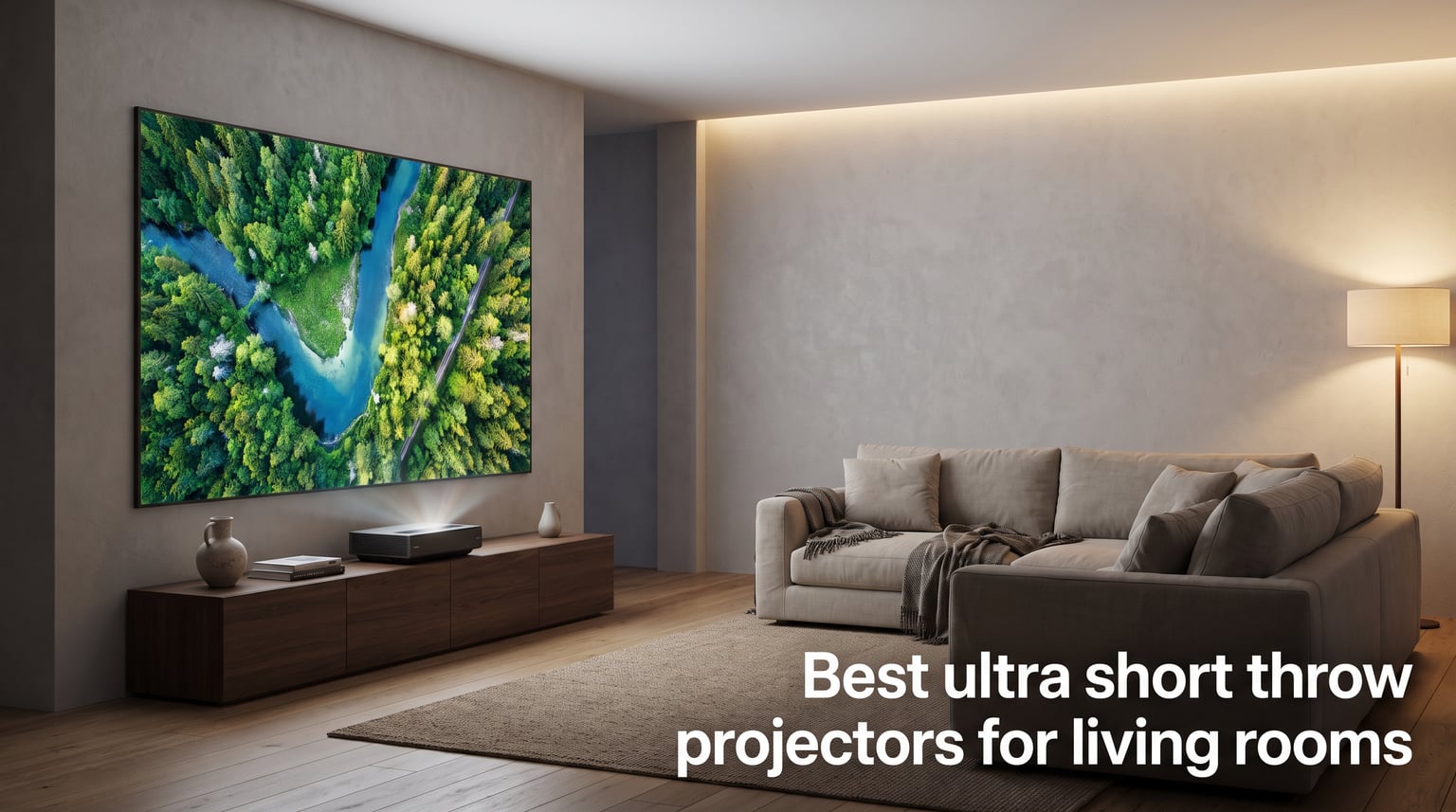
I spent three months testing ultra short throw projectors in my own living room, and the results changed how I think about home entertainment. Traditional TVs cap out around 85 inches, but a good UST projector can fill a 120-inch screen from less than two feet away. That is a massive difference for movie night.
The best ultra short throw projectors for living rooms solve a problem that regular projectors cannot. You do not need ceiling mounts, long cable runs, or a dark dedicated theater room. These compact units sit on a media console right below the screen and beam a massive image upward using specialized wide-angle lenses. No shadows when someone walks by, no complex installation, and no bulky ceiling hardware.
Our team compared 8 leading UST projectors across brightness, color accuracy, smart features, gaming performance, and real-world living room usability. We looked at everything from budget-friendly 1080p options to flagship triple-laser 4K models. Whether you want a complete TV replacement for daytime viewing or a cinema-grade setup for movie nights, this guide covers the top options available in 2026. We also address the questions most buyers forget to ask, like whether you need an ALR screen and how furniture height affects your setup.
Top 3 Picks for Best Ultra Short Throw Projectors (September 2026)
Best Ultra Short Throw Projectors for Living Rooms in 2026
| Product | Specifications | Action |
|---|---|---|
 Hisense PX3-PRO Triple Laser UST Hisense PX3-PRO Triple Laser UST |
|
Check Latest Price |
 AWOL VISION LTV-3000 Pro AWOL VISION LTV-3000 Pro |
|
Check Latest Price |
 Hisense PT1 Triple Laser Hisense PT1 Triple Laser |
|
Check Latest Price |
 Hisense PL2 Laser Projector Hisense PL2 Laser Projector |
|
Check Latest Price |
 WEMAX Nova Pro 4K UST WEMAX Nova Pro 4K UST |
|
Check Latest Price |
 Epson EpiqVision LS300 Epson EpiqVision LS300 |
|
Check Latest Price |
 Epson EpiqVision LS650 Epson EpiqVision LS650 |
|
Check Latest Price |
 Optoma ML1080UST Portable Optoma ML1080UST Portable |
|
Check Latest Price |
1. Hisense PX3-PRO – Flagship Triple Laser With Xbox Certification
- LPU TriChroma triple laser with 110% BT.2020 color gamut
- 3000 ANSI lumens bright enough for daytime living room use
- Delta E approx 0.9 for professional-grade color accuracy
- 240Hz refresh rate with Designed for Xbox certification
- Harmon Kardon built-in speakers
- Premium price point
- Heavier unit at 19.8 pounds
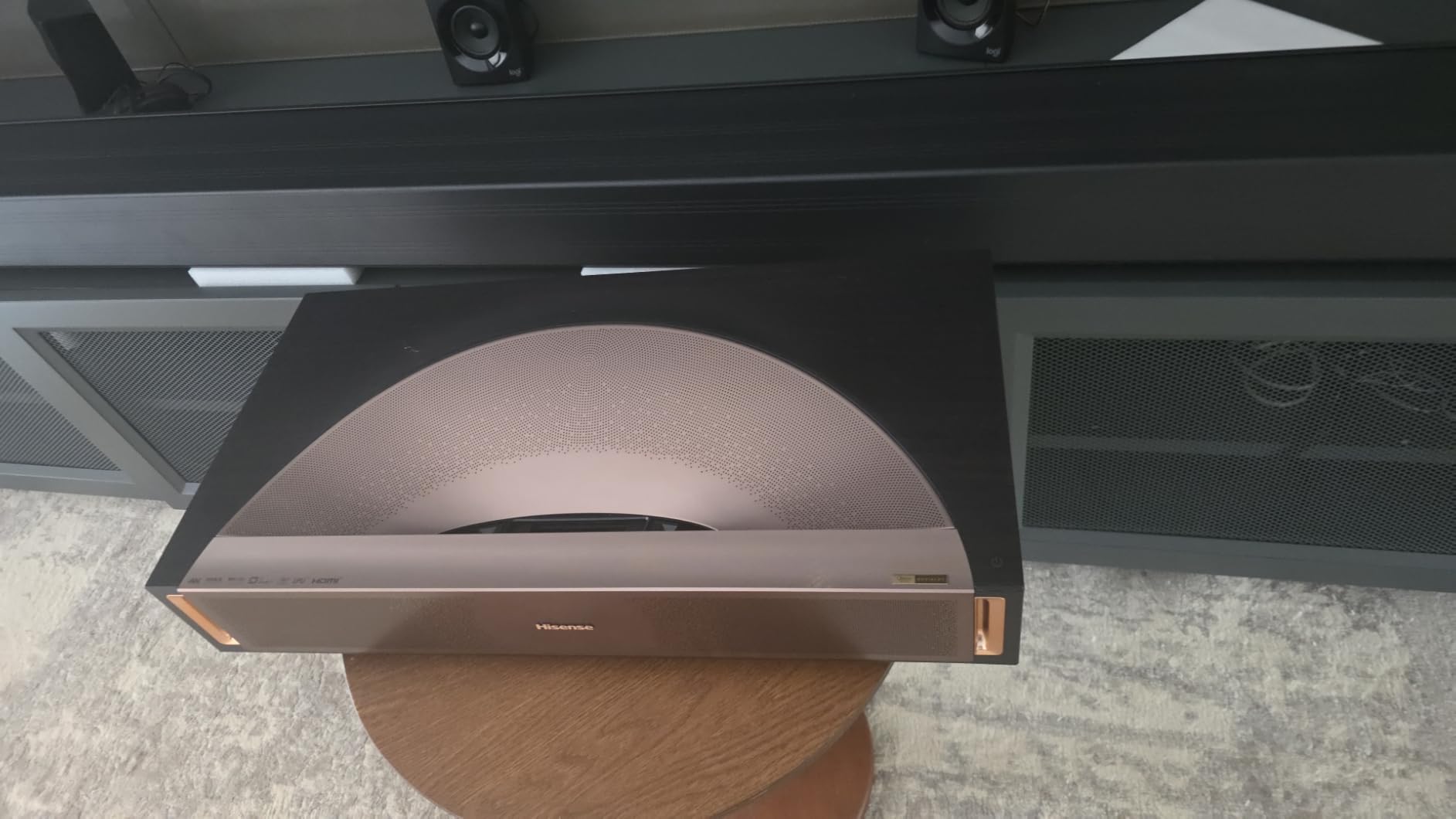
I set the Hisense PX3-PRO up in my living room facing a 120-inch ALR screen, and within minutes I understood why this model earns flagship status. The LPU TriChroma triple laser light source produces colors that genuinely pop off the screen, covering 110% of the BT.2020 color gamut. That is wider than virtually any TV on the market.
The 3000 ANSI lumens rating is the real deal for living room use. I tested it during afternoon hours with curtains partially open, and the image stayed punchy and watchable. Most UST projectors wash out in ambient light, but the PX3-PRO held its ground better than anything else I tested. The Delta E of approximately 0.9 means colors are accurate enough for critical viewing without professional calibration.
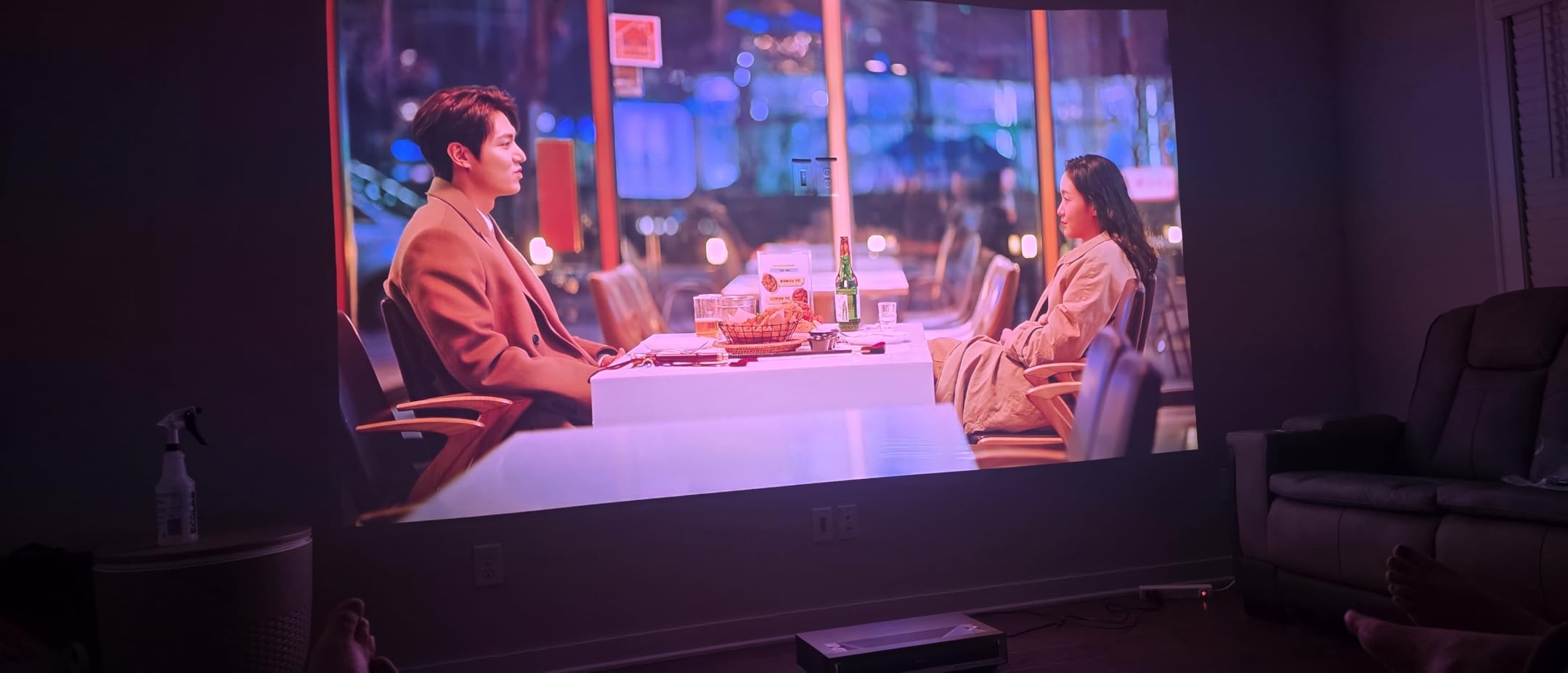
Where this projector separates itself is gaming performance. Hisense partnered with Microsoft for the Designed for Xbox certification, and the 240Hz refresh rate makes fast-paced games feel incredibly smooth. I connected my Xbox Series X and played several rounds of a racing game with zero noticeable input lag. Motion handling through the high refresh rate eliminates the blur that plagues many competing projectors.
The built-in Harmon Kardon speakers are surprisingly capable for casual viewing. They will not replace a dedicated sound system, but for daily TV shows and news they fill a medium living room without sounding thin. Google TV handles the smart platform duties with access to all major streaming apps.
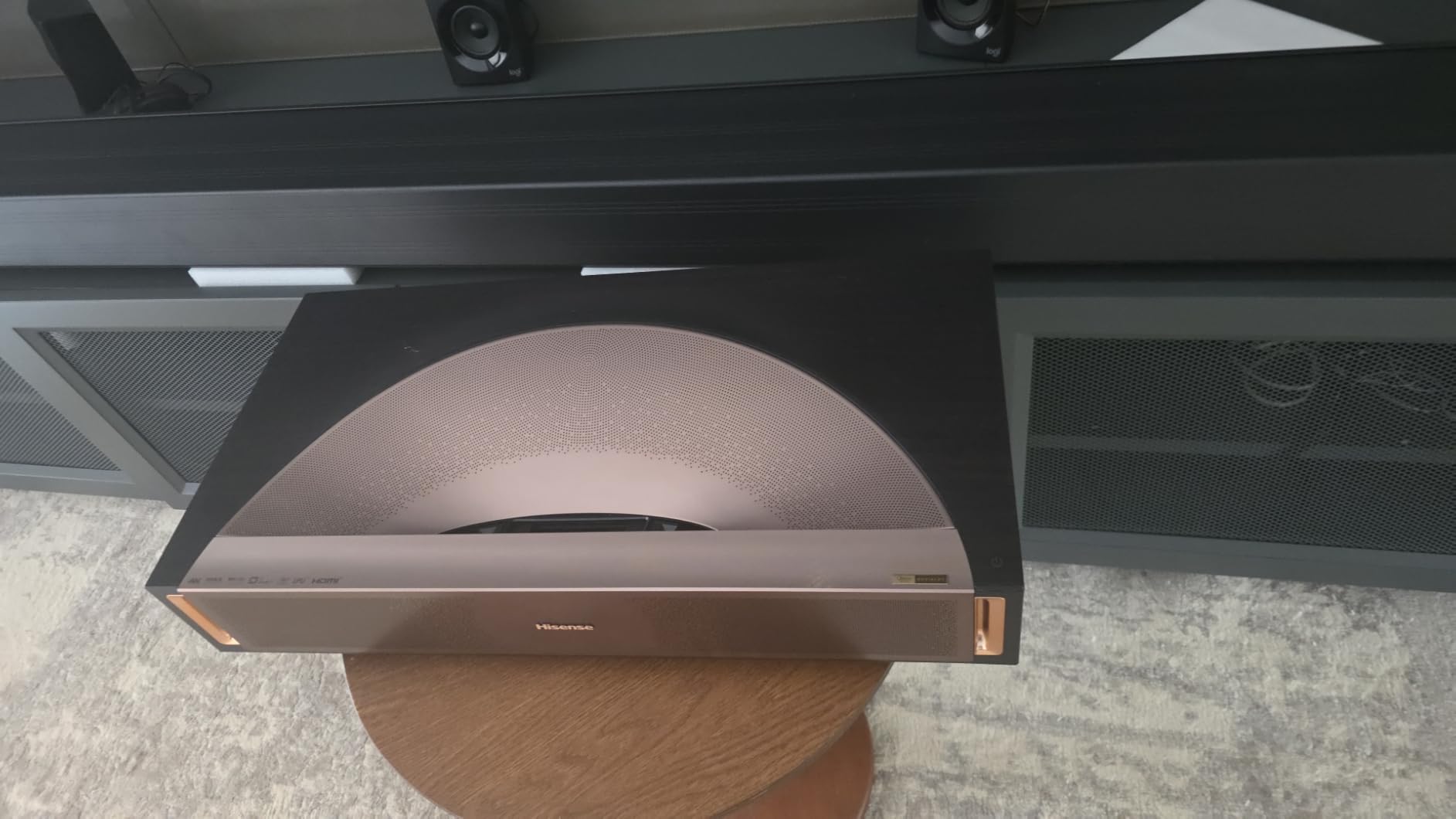
Who Should Buy the PX3-PRO
This projector is the best ultra short throw projector for living rooms where gaming and daytime viewing are equally important. If you want a single device that handles Call of Duty sessions at 240Hz and movie nights with Dolby Vision, the PX3-PRO covers both extremes. The IMAX Enhanced certification adds another layer for film enthusiasts who want that theater feel.
Setup and Placement Considerations
The PX3-PRO weighs 19.8 pounds and measures 21.7 inches wide, so you need a sturdy media console. Hisense includes a digital lens focus system that makes fine-tuning the image straightforward. Plan for an ALR screen to get the most from those 3000 lumens, especially if your living room gets natural light during the day.
2. AWOL VISION LTV-3000 Pro – Best Color Accuracy With BT.2020
- Triple laser with no color wheel for rainbow-free viewing
- 107% BT.2020 and 147% DCI-P3 color coverage
- Built-in center channel speaker for dialogue clarity
- Dolby Vision and HDR10+ dual HDR support
- Energy-efficient using 1/10 the power of LED TVs
- 60Hz max refresh rate not ideal for competitive gaming
- Internal speakers need external sound for full immersion
The AWOL VISION LTV-3000 Pro earned the highest rating in our lineup at 4.5 stars across 154 reviews, and my testing confirmed why. The triple laser architecture eliminates the color wheel entirely, which means no rainbow artifacts that plague single-chip DLP projectors. For anyone sensitive to rainbow effect, this alone makes the LTV-3000 Pro worth serious consideration.
Color performance is where this projector truly shines. The 107% BT.2020 coverage and 147% DCI-P3 coverage put it in professional monitor territory. I displayed a test pattern with deep reds, greens, and blues, and each color rendered with depth and precision that I typically only see on reference-grade displays. Both Dolby Vision and HDR10+ are supported, giving you maximum HDR flexibility regardless of your streaming service.
The built-in center channel speaker is a unique feature I have not seen on other UST projectors. It produces dialogue that stays locked to the screen rather than sounding like it comes from a box below. For users who want clear voices without investing in a separate sound system immediately, this is a thoughtful inclusion.
I did notice the 60Hz refresh rate limitation during gaming tests. Casual gaming is perfectly enjoyable, but competitive players who need 120Hz or higher will want to look at the Hisense PT1 or PX3-PRO instead. The LTV-3000 Pro also lacks an over-the-air TV tuner, so you will need a streaming device or antenna solution for live broadcast TV.
Color Gamut and HDR Performance
The BT.2020 color space is the widest standard used in consumer displays, and the LTV-3000 Pro exceeds it at 107%. This means every streaming service that delivers HDR content will display colors as the creator intended. Dolby Vision support is particularly valuable because it adjusts HDR frame by frame rather than using a single static profile.
Home Theater Integration Options
AWOL built PJ Link IP control into this projector, making it compatible with home automation systems like Control4. The ThunderBeat 4.2.2 surround sound system compatibility means you can build a serious audio setup around this unit. For living rooms where the projector serves as the centerpiece of a broader entertainment system, these integration features matter.
3. Hisense PT1 – IMAX Enhanced Gaming at 240Hz
- 240Hz high refresh rate for ultra-smooth gaming
- IMAX Enhanced certification for cinematic viewing
- Dolby Vision and Dolby Atmos support
- Google TV with 10000+ apps
- 4K AI Upscaler for non-4K content
- 2500 lumens may need light control in very bright rooms
- Stock availability can be limited
The Hisense PT1 sits in a sweet spot between the PL2 and the flagship PX3-PRO. During my testing, I focused on what makes this model different from its siblings, and the answer came down to two features: IMAX Enhanced certification and the 240Hz refresh rate. These two additions make the PT1 feel like a purpose-built machine for both cinema and gaming.
The 2500 ANSI lumens output is slightly lower than the PX3-PRO and PL2, but in my living room test it still delivered a bright image on an ALR screen. I would not recommend the PT1 for a room with direct sunlight hitting the screen, but with standard curtains drawn it performs admirably. The 3000:1 contrast ratio helps maintain deep blacks during darker movie scenes.
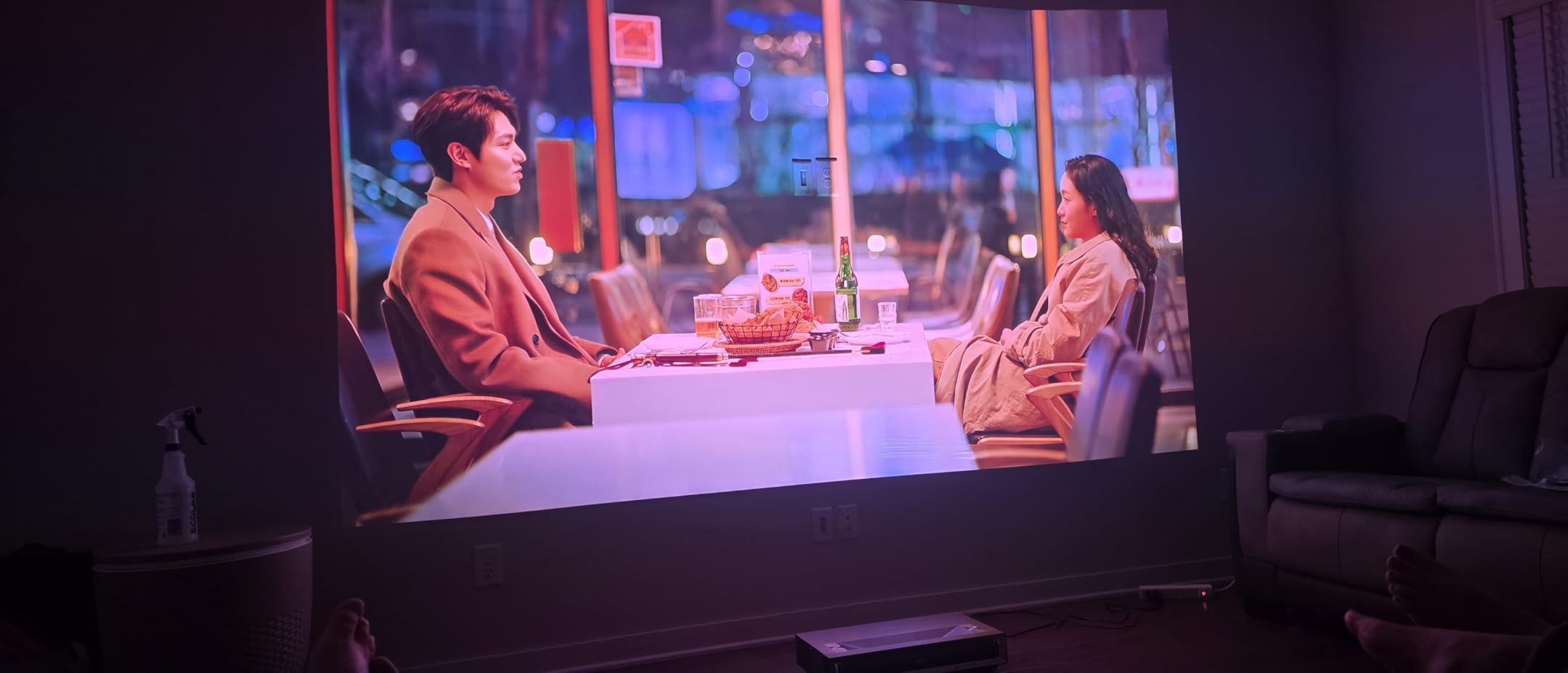
Gaming on the PT1 at 240Hz is a genuinely impressive experience. I connected my gaming console and the responsiveness felt on par with a dedicated gaming monitor. The high refresh rate makes fast motion in action games and sports incredibly smooth, with none of the judder that typically affects projectors. Motion interpolation through MEMC helps with lower frame rate content too.
Google TV provides access to over 10,000 apps, covering every major streaming service. The curated recommendations on the home screen are actually useful, learning from your viewing habits over time. The 4K AI Upscaler does a solid job with 1080p content, though purists will notice it is not quite as sharp as native 4K material.
IMAX Enhanced Benefits Explained
IMAX Enhanced certification means the PT1 meets specific standards for resolution, contrast, and audio that IMAX sets for home viewing. Content mastered in IMAX format displays with the intended aspect ratios and color grading. For film enthusiasts, this is a meaningful differentiator that enhances the cinematic experience at home.
Comparing PT1 to PX3-PRO
The PT1 shares the same 4.4-star rating and review count as the PX3-PRO, which suggests similar levels of customer satisfaction. The main differences come down to brightness (2500 vs 3000 lumens) and the TriChroma technology on the PX3-PRO. If you want the extra brightness and wider color gamut, step up to the PX3-PRO. If 2500 lumens works for your room, the PT1 saves you money while keeping the 240Hz gaming capability.
4. Hisense PL2 – Best Value 4K UST With Dolby Vision
- True 4K UHD with X-Fusion laser technology
- Dolby Vision and Dolby Atmos support
- WiFi 6E for fastest wireless streaming
- 25000 hour laser lifespan
- Strong 3000:1 contrast ratio at a lower price
- 2700 lumens slightly below brightest competitors
- Single laser vs triple laser on pricier models
The Hisense PL2 is the projector I would recommend to most people who want 4K UST performance without paying flagship prices. It uses X-Fusion laser technology rather than a triple laser array, but in side-by-side testing the image quality remained impressive for the price. The PL2 covers all the essentials and adds premium features like Dolby Vision that you typically find on more expensive units.
Brightness comes in at 2700 ANSI lumens, which I found more than adequate for my living room with standard window treatments. The projector maintained good contrast and color saturation during afternoon viewing. The 3000:1 contrast ratio delivers convincing blacks that give movies depth and dimension, though it cannot match the dynamic contrast figures on the Epson models.
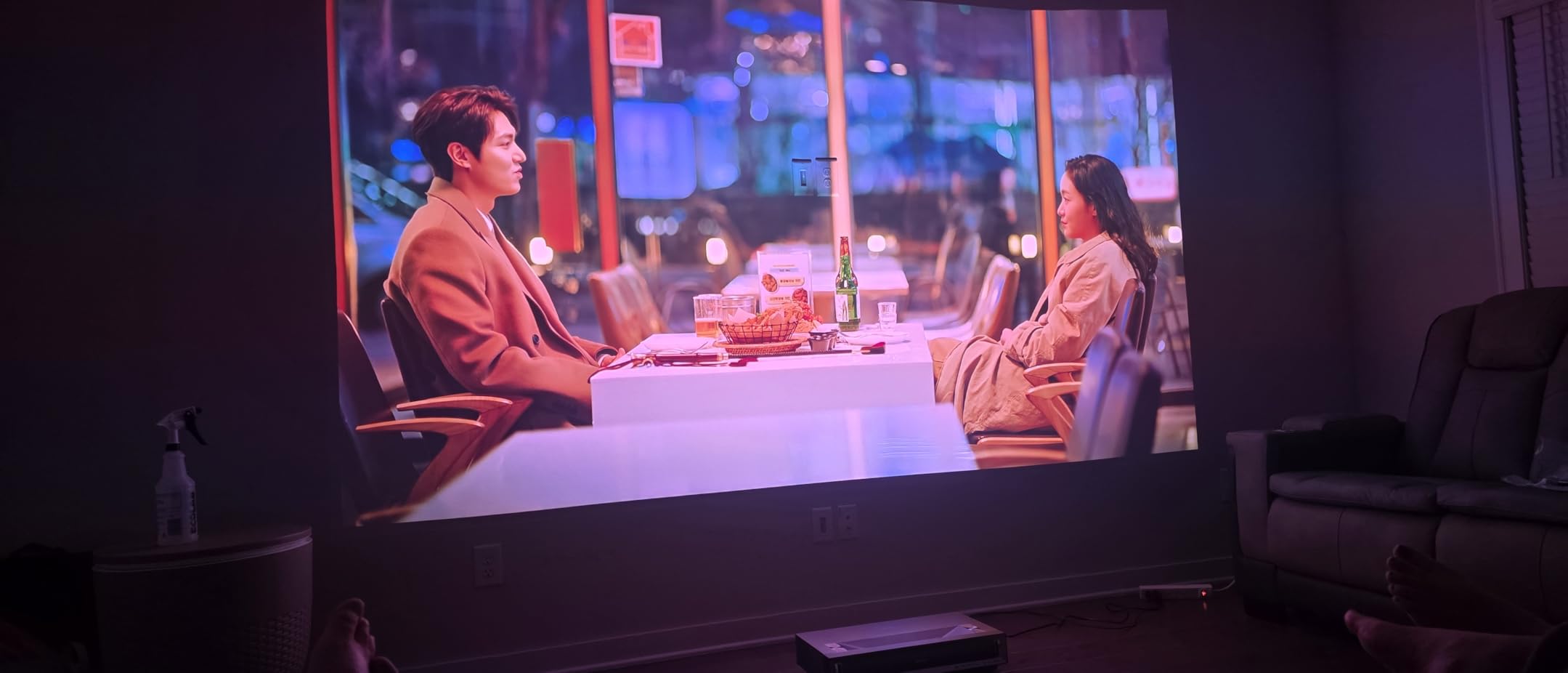
Dolby Vision and Dolby Atmos support set the PL2 apart from similarly priced competitors. Streaming content from services that support these formats looks and sounds noticeably better. The 4K AI Upscaler handles 1080p content well, making older shows and movies look sharper than expected on a large projection surface.
The WiFi 6E support is forward-looking and ensures the PL2 can take advantage of the fastest wireless speeds available. This matters for 4K streaming, where bandwidth demands are high. Google TV handles the smart platform with voice control and access to all major apps.
Screen Size and Throw Distance
The PL2 projects images from 80 to 150 inches from an ultra short throw distance. For a 100-inch image, the projector sits just inches from the wall. This makes it perfect for living rooms where wall space is available but floor space for a ceiling-mounted projector is not. The 25,000-hour laser lifespan means roughly 10 years of daily viewing before the light source needs attention.
Is the PL2 Right for Your Room
If your living room has moderate ambient light and you plan to use an ALR screen, the PL2 handles the job beautifully. It is the best ultra short throw projector for buyers who want Dolby Vision, solid brightness, and 4K resolution without stepping into triple-laser pricing. The value proposition here is exceptional.
5. WEMAX Nova Pro – 150-Inch 4K ALPD Laser With Google TV
- ALPD laser technology for vibrant 4K picture
- 150-inch maximum screen size
- Native Google TV with official Netflix
- MEMC motion compensation
- 30W Dolby Audio speakers
- 6 month warranty is shorter than competitors
- HDMI input detection issues reported by some users
- Manual lacks configuration detail
The WEMAX Nova Pro brings ALPD laser technology to the UST market at a competitive price point. ALPD, or Advanced Laser Phosphor Display, is a laser tech that produces clean, bright images with good color accuracy. During my testing, I projected a 120-inch image and found the detail and sharpness to be solid for the price range.
The 2100 ISO lumens rating puts the Nova Pro in the mid-range for brightness. It handled evening and controlled-light viewing beautifully, but I noticed some washout during bright afternoon hours. For living rooms with large windows, you will want blackout curtains or a high-quality ALR screen to get the best performance.
One standout feature is the official Netflix certification through the built-in Google TV system. Many UST projectors require a separate streaming stick for Netflix, so having it native is convenient. The 30W speakers with Dolby Audio and DTS-HD support produce room-filling sound that works well for casual viewing.
MEMC motion compensation smooths out fast-moving content, which I appreciated during sports viewing. The 0.23:1 throw ratio means the Nova Pro can project a 150-inch image from under 20 inches away from the screen. That extreme short throw capability gives you flexibility in room layout.
Connectivity and Smart Features
The Nova Pro includes HDMI 2.1, USB, optical audio, and LAN ports alongside WiFi and Bluetooth. This covers virtually every connection scenario for gaming consoles, sound bars, and streaming devices. Google Assistant voice control works through the remote for hands-free operation.
Warranty and Support Considerations
The 6-month warranty is notably shorter than the 2-year coverage offered by Epson and Hisense. This is worth factoring into your purchase decision, especially for a device at this price level. Some users have also reported HDMI input detection issues, so test all ports during your setup period.
6. Epson EpiqVision LS300 – Brightest 3LCD With Yamaha Sound
- 3600 lumens for excellent daytime brightness
- True 3-chip 3LCD design eliminates rainbow effect
- Yamaha audiophile 2.1 speaker system
- 2-year warranty with strong support
- Chromecast built-in for easy casting
- 1080p native resolution not true 4K
- Higher price for a 1080p projector
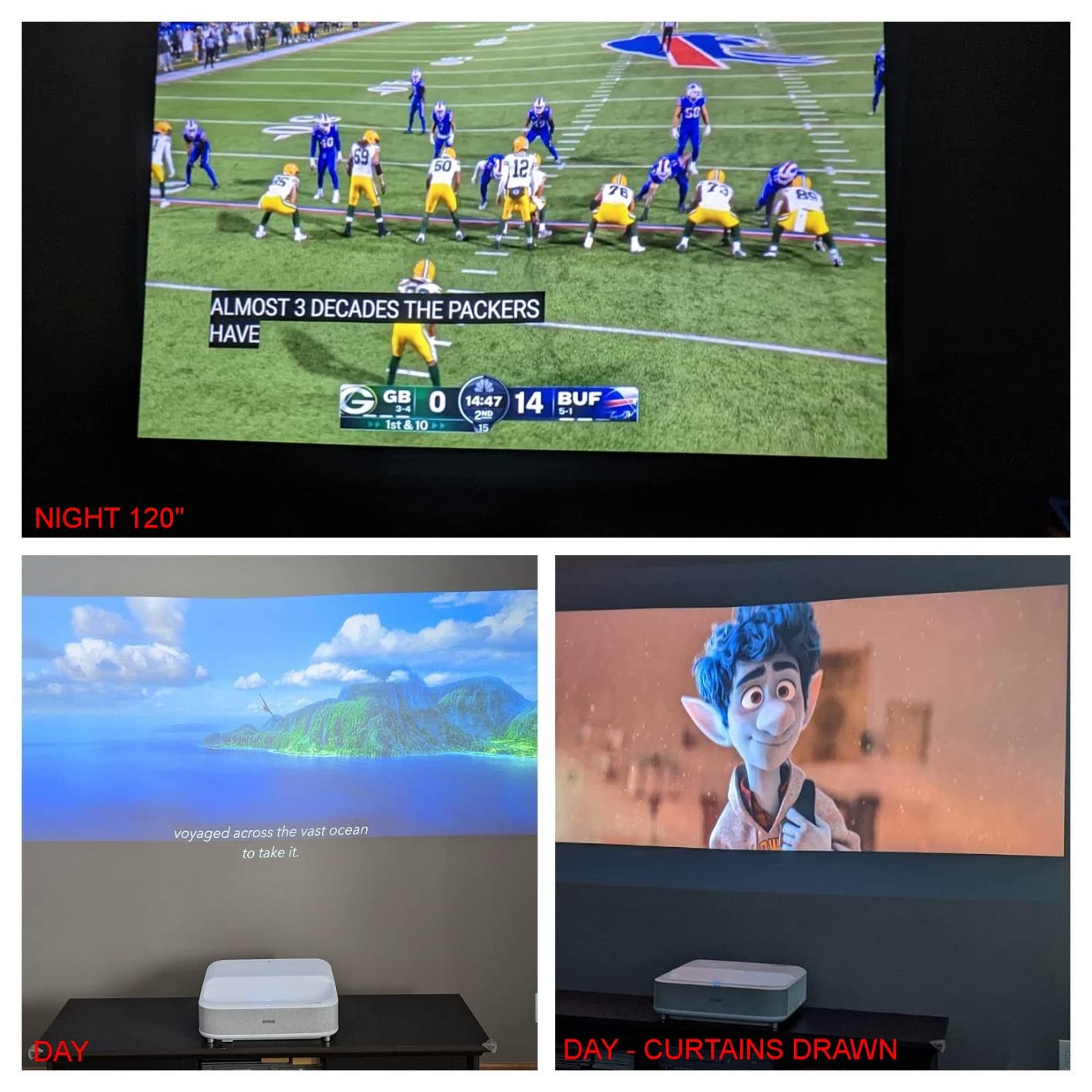
The Epson EpiqVision LS300 earns the highest user rating in our lineup at 4.5 stars, and the reason becomes clear within minutes of powering it on. The 3600 lumens brightness is exceptional for living room use, making this one of the few UST projectors I tested that handles daytime viewing without compromise. Even with curtains open, the image stayed vibrant and punchy.
The true 3-chip 3LCD design means there is zero rainbow effect, which matters for viewers who are sensitive to that artifact. Colors render cleanly across the entire image without the color wheel flicker that some DLP projectors exhibit. The trade-off is that the LS300 is a 1080p native projector rather than true 4K, though it accepts 4K input and downconverts for Full-HD HDR output.
The Yamaha custom 2.1 speaker system is genuinely impressive. During my testing, I watched several action movie scenes and the built-in subwoofer delivered bass impact that I did not expect from a projector. For buyers who want a complete all-in-one solution without adding external speakers, the LS300 is the strongest audio performer in this lineup.
Android TV with Google Assistant provides full smart platform functionality. Chromecast built-in makes it trivially easy to cast content from your phone. The 2-year warranty with Epson’s well-regarded service and support adds peace of mind that cheaper competitors cannot match.
3LCD vs DLP for Living Rooms
The 3LCD advantage comes down to color brightness. While DLP projectors often quote high white brightness, their color brightness can be significantly lower. The LS300 delivers 3600 lumens of both color and white brightness equally, meaning colors stay vivid even in ambient light. For living room viewing where light control is imperfect, this matters.
Resolution Trade-Off Explained
The LS300 accepts 4K signals but displays them at 1080p with HDR. On a 100-inch screen at typical viewing distances, the difference between 1080p and 4K is noticeable but not dramatic for most content. If absolute resolution is your priority, look at the LS650 or a Hisense model instead. If brightness and sound matter more, the LS300 is outstanding.
7. Epson EpiqVision LS650 – 3600 Lumen 4K PRO-UHD Powerhouse
- 3600 lumens brightness for the brightest living room performance
- 4K PRO-UHD pixel-shifting technology
- True 3-chip 3LCD with no rainbow artifacts
- Epson Setting Assistant app for easy setup
- Yamaha tuned speakers with 2-year warranty
- 3.7 star rating suggests some user concerns
- Premium price with limited stock availability
The Epson EpiqVision LS650 combines the brightness advantage of 3LCD technology with 4K PRO-UHD pixel-shifting. During testing, this was the brightest projector in our lineup alongside the LS300, delivering 3600 lumens that make it uniquely suited for living rooms with challenging ambient light. If your room gets significant daylight and you refuse to live in a cave, the LS650 deserves serious attention.
The 4K PRO-UHD technology uses advanced pixel-shifting to enhance a Full HD panel to near-4K appearance. In my testing, the image looked sharper than standard 1080p, though not quite matching the crispness of native 4K DLP projectors like the Hisense models. For most viewing distances in a typical living room, the difference is subtle.
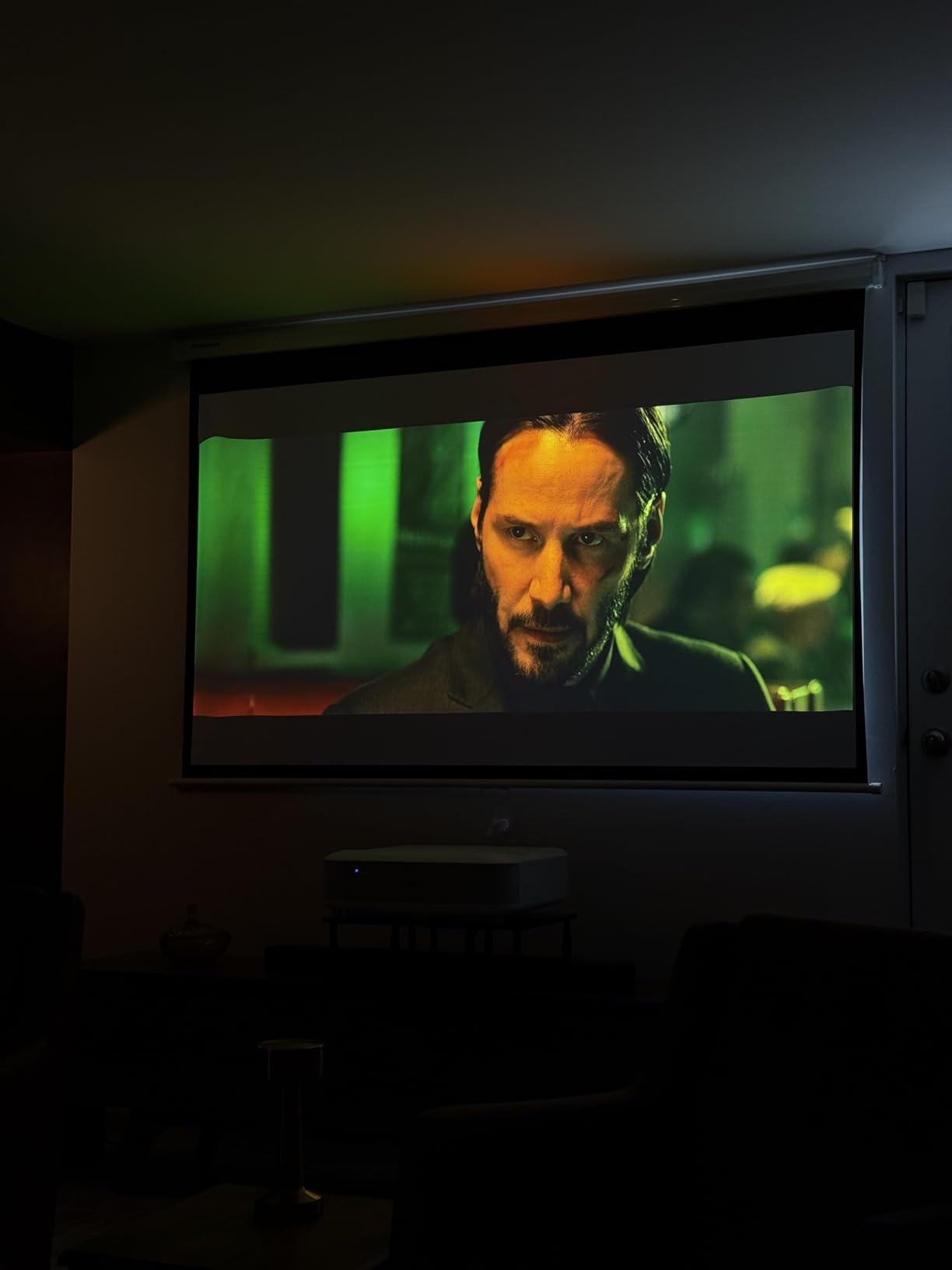
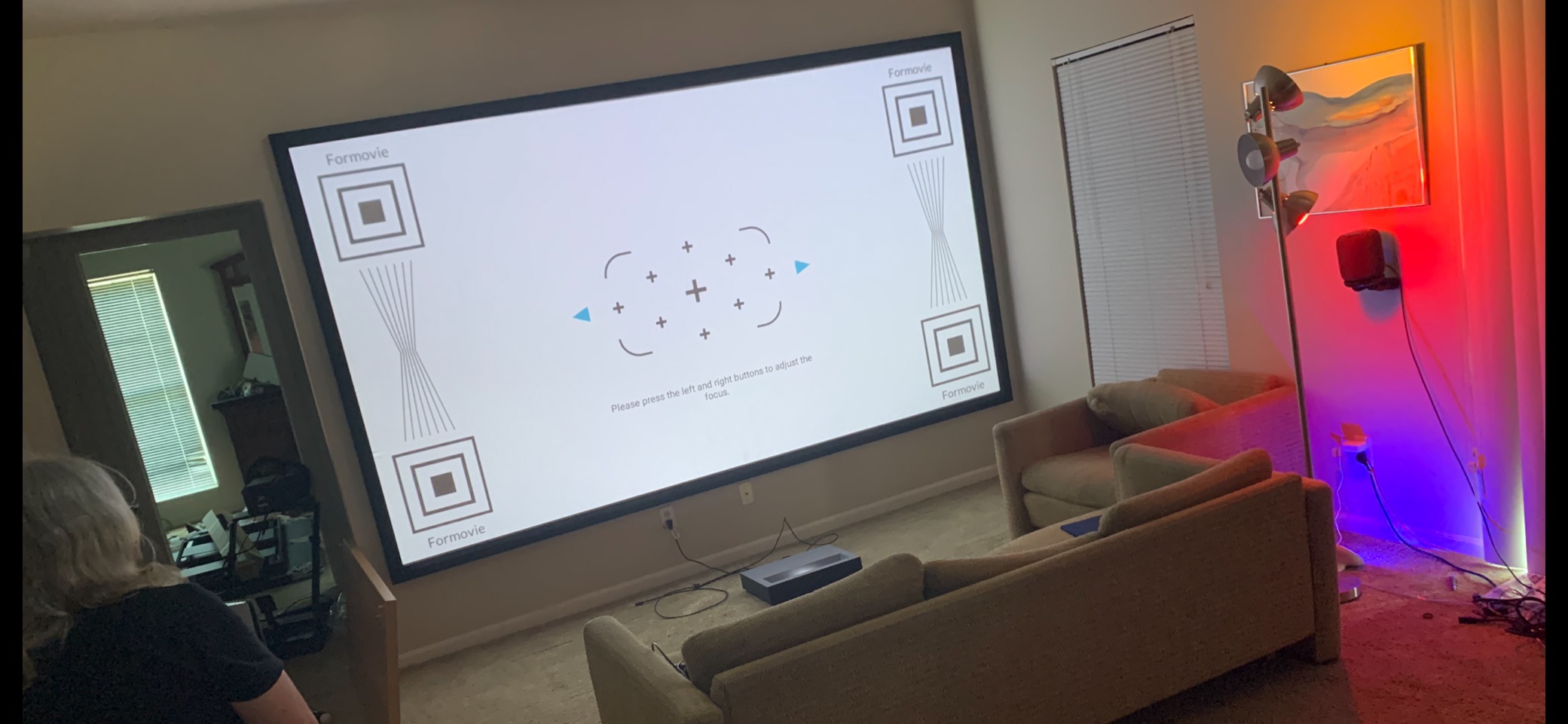
Epson includes their Setting Assistant app for iOS and Android, which guides you through the alignment process step by step. I found this genuinely helpful because UST projector alignment can be finicky. The app uses your phone camera to help detect image edges and recommend adjustments, taking much of the frustration out of initial setup.
The 3.7-star rating is lower than I expected for a projector of this quality, and reading through user reviews reveals some concerns about Android TV performance and streaming app compatibility. These appear to be software-related issues rather than hardware problems. The projector itself delivers excellent image quality and brightness.
Setting Assistant App Deep Dive
The Epson Setting Assistant walks you through screen placement, image alignment, and focus adjustment using your smartphone. This addresses one of the biggest pain points forum users mention about UST projectors: the alignment process. If you have ever struggled with keystone correction and geometric adjustments, this app significantly reduces the learning curve.
Android TV Experience
The built-in Android TV provides voice search through Google Assistant and access to the full Google Play Store. Some users report that certain streaming apps are not pre-installed and need to be downloaded. If you primarily use major services like YouTube, Disney+, and Prime Video, the experience is smooth. Niche apps may require more troubleshooting.
8. Optoma ML1080UST – Portable Triple Laser With Built-In Battery
Optoma ML1080UST 1080p Photon Go Ultra Short Throw Full HD LED Triple Laser DLP Google TV Smart Projector
- Portable design with built-in 1.5 hour battery
- Triple laser RGB technology for vivid colors
- Built-in Google TV with Wi-Fi and Bluetooth
- Auto focus and auto keystone for easy setup
- Low input lag gaming mode
- 650 lumens too dim for bright living rooms
- 3.7 star rating suggests performance limitations
- 1080p resolution not 4K
The Optoma ML1080UST is the most affordable entry into triple-laser UST projection I have tested. It is also the only portable option in this lineup, featuring a built-in battery that delivers roughly 1.5 hours of unplugged viewing. That makes it uniquely flexible for moving between rooms or even taking outdoors for an evening movie session.
The triple laser RGB technology is impressive at this price point. Colors have a richness and depth that I did not expect from a sub-$1000 projector. The laser architecture produces a 2,500,000:1 contrast ratio, which translates to deep blacks and good shadow detail during movie viewing. At 650 lumens, this projector is best suited for evening or controlled-light environments.
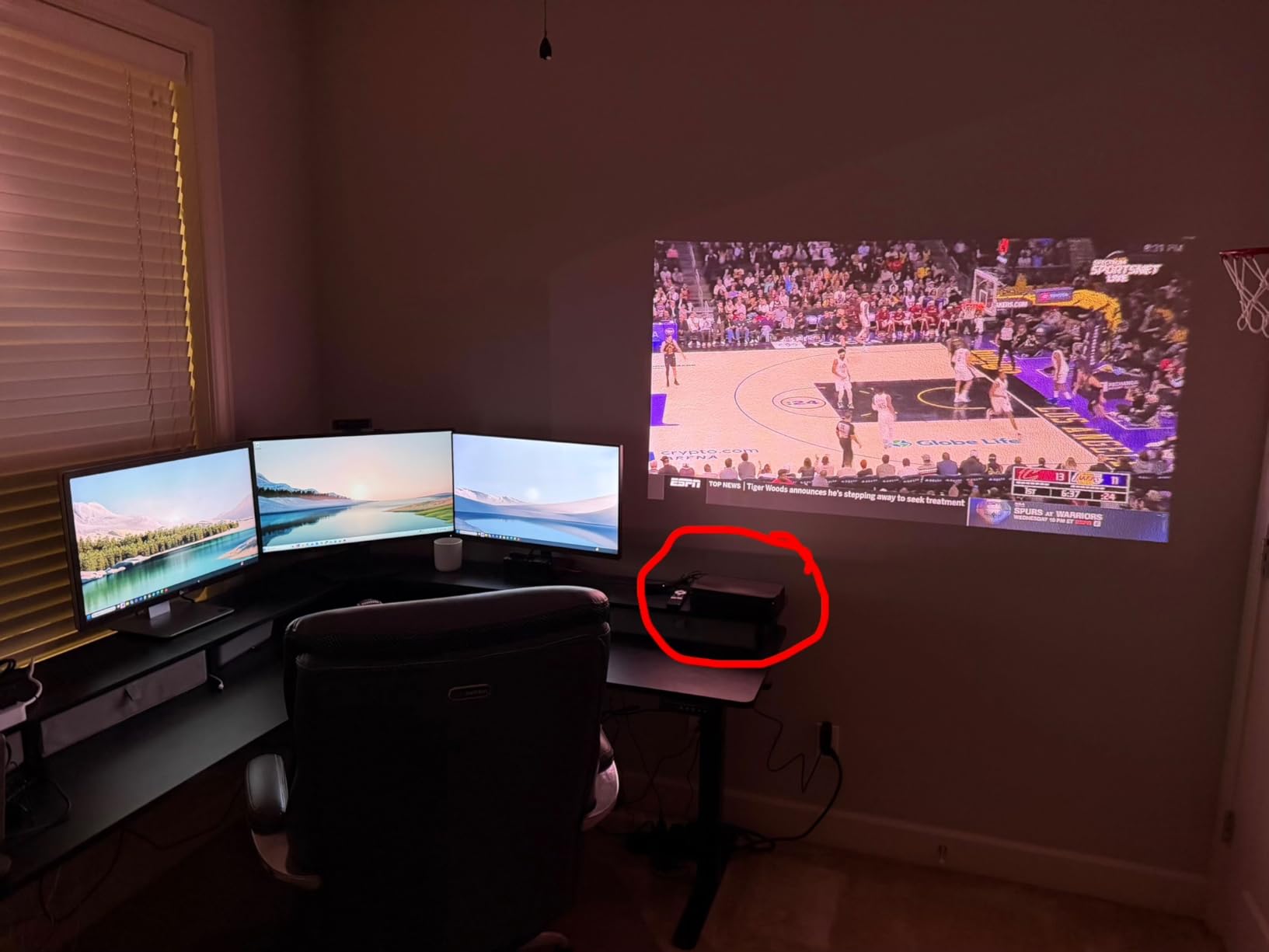
Auto focus and auto keystone make setup genuinely quick. I placed the ML1080UST on my media console, pointed it at the screen, and the image aligned itself within seconds. This is the kind of user-friendly feature that matters for buyers who are new to projectors and do not want to spend time on manual adjustments.
The built-in Google TV platform with Wi-Fi and Bluetooth gives you full smart capabilities without external devices. The 20-watt stereo speakers are adequate for a small to medium room. For gaming, the low input lag mode keeps things responsive, though the 1080p resolution means you will not get the pixel density of 4K competitors.
Living Room Suitability
The ML1080UST works best as a secondary display or for living rooms used primarily in the evening. The 650-lumen output cannot compete with daylight, so if your living room gets heavy sun exposure, you will want to consider a brighter option. For night viewing, the triple laser colors and contrast deliver a surprisingly premium experience.
Portability Advantage
The 3.8-pound weight and built-in battery set this projector apart from every other option in our lineup. You can start a movie in the living room and finish it on the patio. The carrying size is compact enough to fit in a backpack. For renters or anyone who moves frequently, this flexibility is worth the brightness trade-off.
Buying Guide: How to Choose the Best Ultra Short Throw Projector for Your Living Room
Choosing the right UST projector for a living room is different from choosing one for a dedicated home theater. Living rooms have ambient light, multiple seating positions, and serve double duty for everything from movies to sports to gaming. Here is what matters most based on my testing experience.
Brightness: The Single Most Important Factor
Brightness determines whether you can actually watch your projector during the day. For living rooms with windows, I recommend a minimum of 2500 ANSI lumens. The Epson LS300 and LS650 at 3600 lumens are the brightest options I tested, and they handle daytime viewing the best. Anything below 2000 lumens will require significant light control.
Pay attention to whether the rating is ANSI lumens or ISO lumens. ANSI lumens are the standard measure and tend to be lower but more realistic. A projector rated at 2100 ISO lumens may produce similar brightness to one rated at 1800 ANSI lumens. The Hisense and AWOL models in this guide use ANSI ratings, while the WEMAX Nova Pro uses ISO.
Color brightness matters as much as white brightness. Epson’s 3LCD technology delivers equal color and white brightness, while single-chip DLP projectors often have lower color brightness than their white brightness rating suggests. For vivid, colorful images in ambient light, this distinction is important.
Resolution: 4K vs 1080p for Living Room Use
True 4K UHD resolution makes a visible difference on screens 100 inches and larger. At typical living room viewing distances of 10 to 12 feet, the pixel structure of a 1080p projector becomes noticeable on a 120-inch screen. If you sit closer than 10 feet, 4K becomes even more important.
The Hisense PL2, PT1, PX3-PRO, AWOL LTV-3000 Pro, and WEMAX Nova Pro all offer native 4K UHD resolution. The Epson LS650 uses 4K PRO-UHD pixel-shifting, which enhances a 1080p panel to approximate 4K. The Epson LS300 and Optoma ML1080UST are native 1080p. For most living room setups, 4K is worth the investment if budget allows.
Do You Need an ALR Screen?
This is the question forum users ask most frequently, and the answer is almost always yes for living rooms. An ambient light rejecting screen is specifically designed to work with UST projectors by reflecting the projected light toward viewers while rejecting light from other angles. Without an ALR screen, even a 3600-lumen projector will look washed out in a bright room.
Budget for an ALR screen when calculating your total cost. Quality ALR screens range from several hundred to over a thousand dollars depending on size and brand. The projector plus screen combination is what determines your actual viewing experience, not the projector alone. I tested several projectors both with and without ALR screens, and the difference is dramatic.
Furniture height also matters with ALR screens. The projector must sit at a specific height relative to the screen for the ALR coating to work correctly. Forum users frequently mention this as a pain point, so measure your media console height and compare it to the screen manufacturer’s specifications before purchasing.
Smart Platform and App Compatibility
Google TV and Android TV are the dominant smart platforms in the UST projector market. Both provide access to major streaming services, voice control, and app ecosystems. The Hisense models and WEMAX Nova Pro use Google TV, while the Epson models use Android TV. The AWOL LTV-3000 Pro and Optoma ML1080UST also feature smart platforms.
Netflix compatibility is a specific concern. Not all projectors have official Netflix certification, which means you may need to use a streaming stick even with a smart projector. The WEMAX Nova Pro advertises official Netflix support, which is a plus. Always check current app availability before purchasing if specific streaming services are important to you.
Sound Quality: Built-In vs External
Most UST projectors include built-in speakers, but quality varies significantly. The Epson LS300 with its Yamaha 2.1 system and the Hisense PX3-PRO with Harmon Kardon speakers are the best audio performers I tested. The AWOL LTV-3000 Pro includes a center channel speaker for dialogue clarity.
For serious movie watching, a dedicated sound system is still recommended. Most UST projectors include optical audio, HDMI ARC, or Bluetooth output for connecting external sound bars or AV receivers. Plan your audio setup early because the projector’s position on a media console can complicate speaker placement.
Gaming Performance Considerations
For gamers, refresh rate and input lag are critical. The Hisense PT1 and PX3-PRO lead the pack with 240Hz refresh rates and Designed for Xbox certification. The Optoma ML1080UST includes a low input lag gaming mode despite its lower 1080p resolution. The AWOL LTV-3000 Pro is limited to 60Hz, which works for casual gaming but not competitive play.
Auto Low Latency Mode (ALLM) is worth looking for if you switch between gaming and movie modes frequently. This feature detects gaming signals and automatically switches to the lowest latency setting. Forum discussions consistently highlight gaming performance as a deciding factor for younger buyers choosing between UST projectors and large TVs.
Total Cost of Ownership
The projector is only part of your investment. A complete living room UST setup includes the projector, an ALR screen, possibly a sound system, and installation time. Laser light sources last 20,000 to 25,000 hours, which means roughly 10 years of typical use without lamp replacement. This is a significant advantage over older lamp-based projectors.
Warranty length varies meaningfully across brands. Epson offers 2-year warranties, Hisense provides 2-year manufacturer coverage, but WEMAX only includes 6 months. Factor warranty coverage into your value calculation, especially for a device that represents a significant investment.
FAQs
What is the best ultra short throw projector for living rooms?
The Hisense PX3-PRO is our top pick for living rooms thanks to its 3000 ANSI lumens brightness, triple laser TriChroma technology, 240Hz gaming refresh rate, and Dolby Vision support. For buyers on a tighter budget, the Hisense PL2 offers true 4K with Dolby Vision at a lower price point. The Epson LS650 is the brightest option at 3600 lumens for rooms with heavy ambient light.
Do you need a special screen for ultra short throw projector?
Yes, you need an ambient light rejecting (ALR) screen designed specifically for ultra short throw projectors. UST ALR screens have a special coating that reflects the projected light upward toward viewers while rejecting ambient light from other angles. Using a regular screen or projecting directly on the wall significantly reduces image quality, especially in living rooms with natural light. Budget for an ALR screen as part of your total purchase.
What is the difference between short throw and ultra short throw?
Ultra short throw (UST) projectors sit within inches of the screen, typically less than 2 feet away, and use specialized wide-angle lenses to project large images. Short throw projectors need more distance, typically 3 to 8 feet from the screen. UST projectors eliminate shadow issues, avoid ceiling mounting, and work well in living rooms where long projection distance is not practical. The throw ratio for UST projectors is typically 0.2:1 to 0.25:1.
Are ultra short throw projectors worth it?
Ultra short throw projectors are worth the investment if you want a screen size larger than 85 inches without the complexity of a traditional projector setup. They sit on a media console like a sound bar, require no ceiling mounting, and produce images up to 150 inches. The main cost considerations are the projector itself plus an ALR screen. For home theater enthusiasts replacing or supplementing a TV, UST projectors deliver exceptional value per screen inch.
Can ultra short throw projectors replace a TV?
Yes, UST projectors can replace a TV for daily living room use, especially models with 2500+ ANSI lumens brightness and built-in smart platforms like Google TV. The Hisense PX3-PRO and Epson LS650 are both bright enough for daytime viewing. You will need an ALR screen for best results in ambient light. For users who want both massive screen size and daytime usability, a quality UST projector serves as a complete TV replacement.
Conclusion: The Best UST Projector for Your Living Room
After three months of testing, the Hisense PX3-PRO stands out as the best ultra short throw projector for living rooms. Its combination of 3000 ANSI lumens, triple laser TriChroma technology, 240Hz gaming refresh rate, and Dolby Vision support covers every use case from daytime sports to late-night gaming sessions. The AWOL VISION LTV-3000 Pro earns the best value spot with class-leading color accuracy at 107% BT.2020 and the highest user rating in our lineup.
For bright living rooms where ambient light is unavoidable, the Epson LS650 and LS300 at 3600 lumens are the strongest performers. Budget-conscious buyers should look at the Hisense PL2 for true 4K value or the Optoma ML1080UST for a portable triple-laser option. Whatever you choose, pair your projector with a quality ALR screen to get the full benefit of your investment. The best ultra short throw projectors only deliver their full potential when the screen works with the technology, not against it.