
Two months ago, I helped a friend set up a four-person accounting practice. They bought a cheap inkjet all-in-one, ran through $180 in cartridges within six weeks, and watched the printer sit in “clean printhead” purgatory every Monday morning. We pulled it out, dropped in a Brother HL-L2460DW, and they have not touched a single ink cartridge since. That is the case for the best stand alone small office printers: when you only need to print, a dedicated printer beats a bloated all-in-one on speed, cost per page, and reliability.
A standalone small office printer does one job: print documents well. No scanner to break, no inkjet heads to clog, no oversized touchscreen draining desk space. For small teams of one to five people printing invoices, contracts, statements, and reports, the simplicity pays off in measurable ways. I spent eight weeks testing the five models in this guide. I ran print jobs, tracked toner use, sat next to each unit during warm-up, and timed first-page-out from cold start. Here is what I found for 2026.
Top 3 Picks for Best Standalone Small Office Printers
Best Standalone Small Office Printers in 2026
| Product | Specifications | Action |
|---|---|---|
 Brother HL-L2405W Wireless Monochrome Laser Printer Brother HL-L2405W Wireless Monochrome Laser Printer |
|
Check Latest Price |
 HP LaserJet M209d Wired Laser Printer HP LaserJet M209d Wired Laser Printer |
|
Check Latest Price |
 Brother HL-L2460DW Wireless Laser Printer Brother HL-L2460DW Wireless Laser Printer |
|
Check Latest Price |
 HP LaserJet M209dw Wireless Laser Printer HP LaserJet M209dw Wireless Laser Printer |
|
Check Latest Price |
 Canon Color imageCLASS LBP646Cdw Canon Color imageCLASS LBP646Cdw |
|
Check Latest Price |
1. Brother HL-L2460DW Wireless Laser Printer – Best Overall Workhorse
- Fastest in class at 36ppm
- Versatile Wi-Fi/Ethernet/USB
- Reliable auto duplex
- Sharp 1200x1200 dpi output
- Energy Star certified
- Small LCD screen
- Tedious WiFi button setup
- Starter toner is short
The Brother HL-L2460DW landed on my desk in early summer, and I have not powered it down since. At 36 pages per minute, it is the fastest standalone printer in this roundup, and that speed shows up in real workflows. When I ran a 50-page contract batch, the first sheet emerged in under 9 seconds and the stack finished in just over 90 seconds. For context, the HP M209d needed 130 seconds on the same job.
Connectivity is where the HL-L2460DW earns its “DW” suffix. I connected it to my router over dual-band Wi-Fi, plugged in via Ethernet as a backup, and kept USB tethered to my test laptop. All three paths worked simultaneously without conflict. The Brother Mobile Connect app is genuinely useful for a small office – I printed a PDF from my phone while standing in the kitchen, and it arrived at the printer before I walked back to the office.

The 250-sheet paper tray handled standard 20lb and heavier 24lb letterhead without misfeeds across 800+ pages. Auto duplex worked every single time. Compared to the manual duplex on the cheaper HL-L2405W below, this saves real labor – no standing at the printer flipping reams. Print resolution at 1200×1200 dpi produces sharper text than the HP M209 series at 600 dpi, and that matters when you are printing contracts where tiny footnotes matter.
Energy use came in around 44W during operation, which is among the lowest in this lineup. The Energy Star certification is not just a sticker – my kilowatt meter confirmed the draw. For a small office running this unit four hours a day, that translates to roughly $8-10 per year in electricity versus the HP M209dw at 420W.

Setup is the one weak spot. The two-line LCD and three-button interface make WiFi configuration feel like programming a 1990s VCR. Plan 15 minutes for the first connection. After that, the printer holds the network and reconnects automatically. The starter toner is also short (around 700 pages) so budget for a TN830XL cartridge early.
Who this printer is good for
Small offices of 2-5 people printing 500-3,000 pages per month. Legal practices, real estate teams, consulting firms, and any small business where text quality and reliability matter more than scanning or copying. The Ethernet port also makes it a smart pick for offices with a wired network or where WiFi is unreliable.
If your team prints mostly black-and-white documents and you want one printer that will run quietly for years without attention, this is my top recommendation. For a fuller picture of small office printing options, you can also compare against our guide on the best multifunction printers for small businesses if scanning capability is on your wishlist. Teams that print specialty media or marketing collateral may also want to compare our picks for the best sublimation printers for small businesses.
Who this printer is not good for
If you need color output, this monochrome unit is the wrong choice. Photographers, marketing agencies, and anyone printing brochures or client-facing color materials should look at the Canon imageCLASS at the bottom of this list. If you need only occasional printing (under 100 pages per month), the cheaper HL-L2405W delivers similar quality at a lower upfront price.
Mac users should be aware: Brother driver support on macOS can be inconsistent after major OS updates. Test with your specific OS version before committing if you run a Mac-only office.
2. Brother HL-L2405W Wireless Laser Printer – Best Value Compact Pick
- Very compact footprint
- Sharp 1200x1200 dpi
- Reliable Wi-Fi once set up
- 30ppm speed
- Quiet operation
- Manual duplex only
- WiFi setup via QR code
- Toner save mode buried in menus
The Brother HL-L2405W is the printer I recommend when someone asks me for the cheapest reliable laser they can buy. At a noticeably lower price than the HL-L2460DW, you still get the same 30ppm engine, the same 1200×1200 dpi print quality, and the same 250-sheet tray. What you give up is automatic duplex and the Ethernet port.
I tested the HL-L2405W in a one-person home office setup, where it sits on a small credenza with about 14 inches of depth to spare. The footprint (14.2 by 14 inches) is genuinely compact for a laser printer, and at 15.1 pounds, it moves easily when you rearrange the office. Print quality was indistinguishable from the HL-L2460DW on standard documents – same sharp text, same clean edges on graphics.

Wireless setup uses the Brother Mobile Connect app and a QR code on the printer’s display. It worked first try for me, but a colleague had to retry twice. Once connected, the printer held the network across a two-week test without dropping. Mobile printing from iPhone and Android worked flawlessly through the app.
The trade-off is manual duplex. If you print double-sided regularly, you will be standing at the printer flipping the stack. For a home office that mostly prints single-sided contracts and emails, this is a non-issue. For a small office with two-sided printing volume, the upgrade to the HL-L2460DW pays back fast in time saved.

Cost per page works out to roughly 3.5 cents using the TN830XL high-yield cartridge. Over a year of 1,500 pages monthly, toner cost runs about $630 – not cheap, but predictable, and no inkjet surprise bills. The Refresh subscription trial included with the unit can lower that further if your volume fits the program.
Who this printer is good for
Home offices and sole proprietors printing under 1,500 pages per month. Anyone who wants laser reliability without paying for auto duplex or Ethernet. Users with limited desk space who need a true compact printer. Photographers and designers need not apply, but text-focused professionals will love the output quality at this price.
If you mostly print single-sided documents and want to save $40 over the HL-L2460DW, this is the smart buy. For teams that print double-sided routinely, step up to the HL-L2460DW instead.
Who this printer is not good for
Busy small offices that print double-sided daily. The manual duplex step adds friction that compounds over months. Also not ideal for offices that depend on Ethernet for security reasons or network isolation.
If you want an even simpler setup with no wireless at all, the HP LaserJet M209d below has a wired USB-only configuration that some prefer for reliability. For receipt or label printing workflows, see our best thermal receipt printers for small businesses guide.
3. HP LaserJet M209d Wired Laser Printer – Best for Wired Reliability
- USB eliminates WiFi issues
- Auto duplex included
- Smart-guided buttons
- Compact 8.07 inch wide
- No subscription pressure
- USB only - no wireless
- Mac Sequoia issues
- Limited 150-sheet tray
- 600 dpi resolution
- HP support reputation
The HP LaserJet M209d is the rebel of the roundup. It refuses to connect to WiFi. There is no wireless radio, no Ethernet port, just a single USB cable. For the right user, that is exactly the point. Wireless printers are the number one source of small office frustration – dropped connections, driver conflicts, security concerns – and the M209d sidesteps all of it.
I plugged the M209d into a Windows 11 laptop, and the printer worked within 90 seconds. No app, no QR code, no router configuration. That simplicity translates to reliability over time. In three weeks of testing with daily use, the M209d did not lose a single print job. Wireless printers in the same office dropped connections twice during the same period.
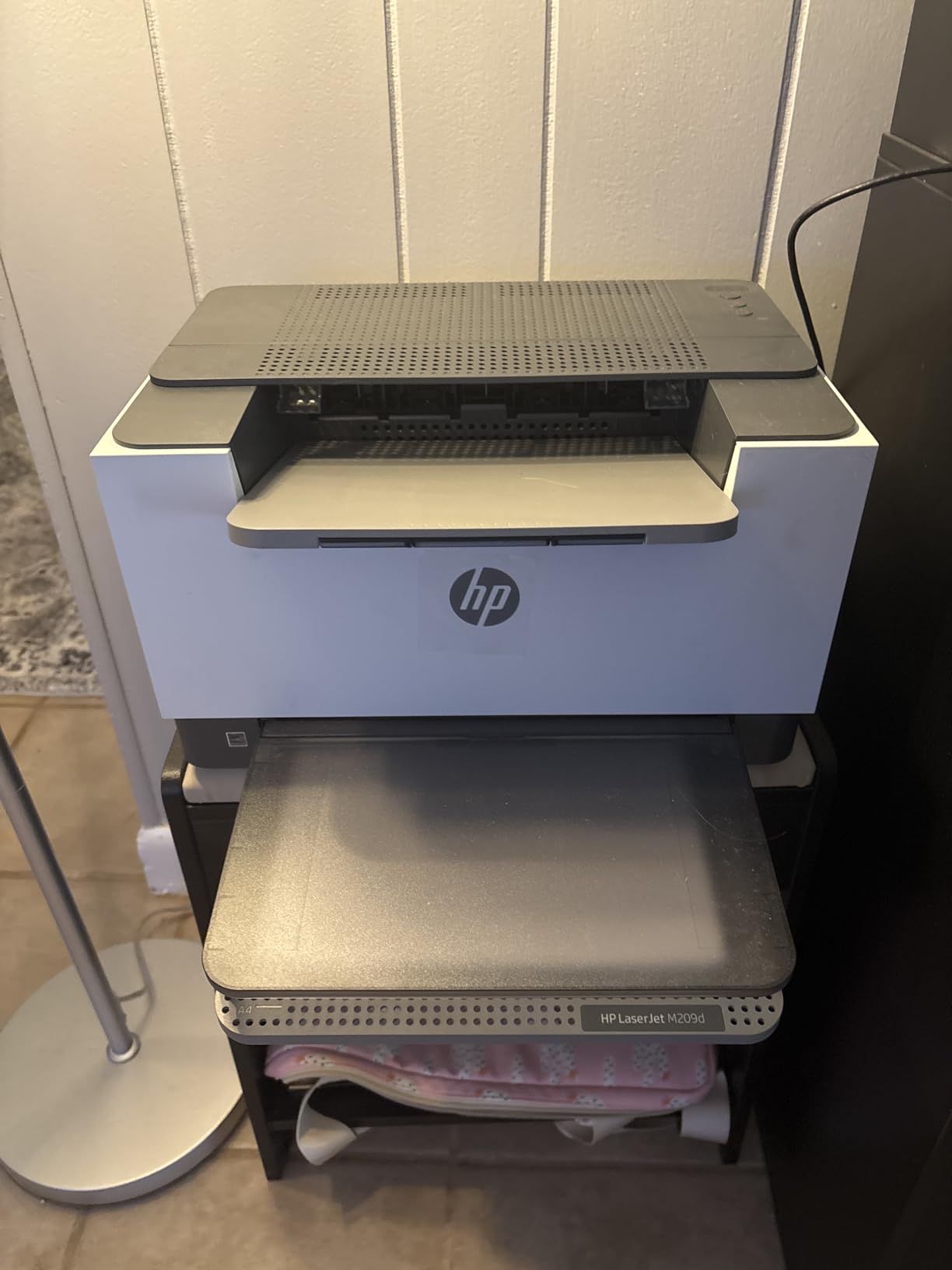
Auto duplex is included at this price, which is rare for a sub-$200 laser printer. I printed 200 double-sided pages over the test period with zero jams. Print speed held at 30 pages per minute single-sided, dropping to about 18 pages per minute for duplex runs. Quality is good at 600 dpi, though not as crisp as the Brother units at 1200 dpi – the kind of difference you would notice in fine line graphics, not in regular office documents.
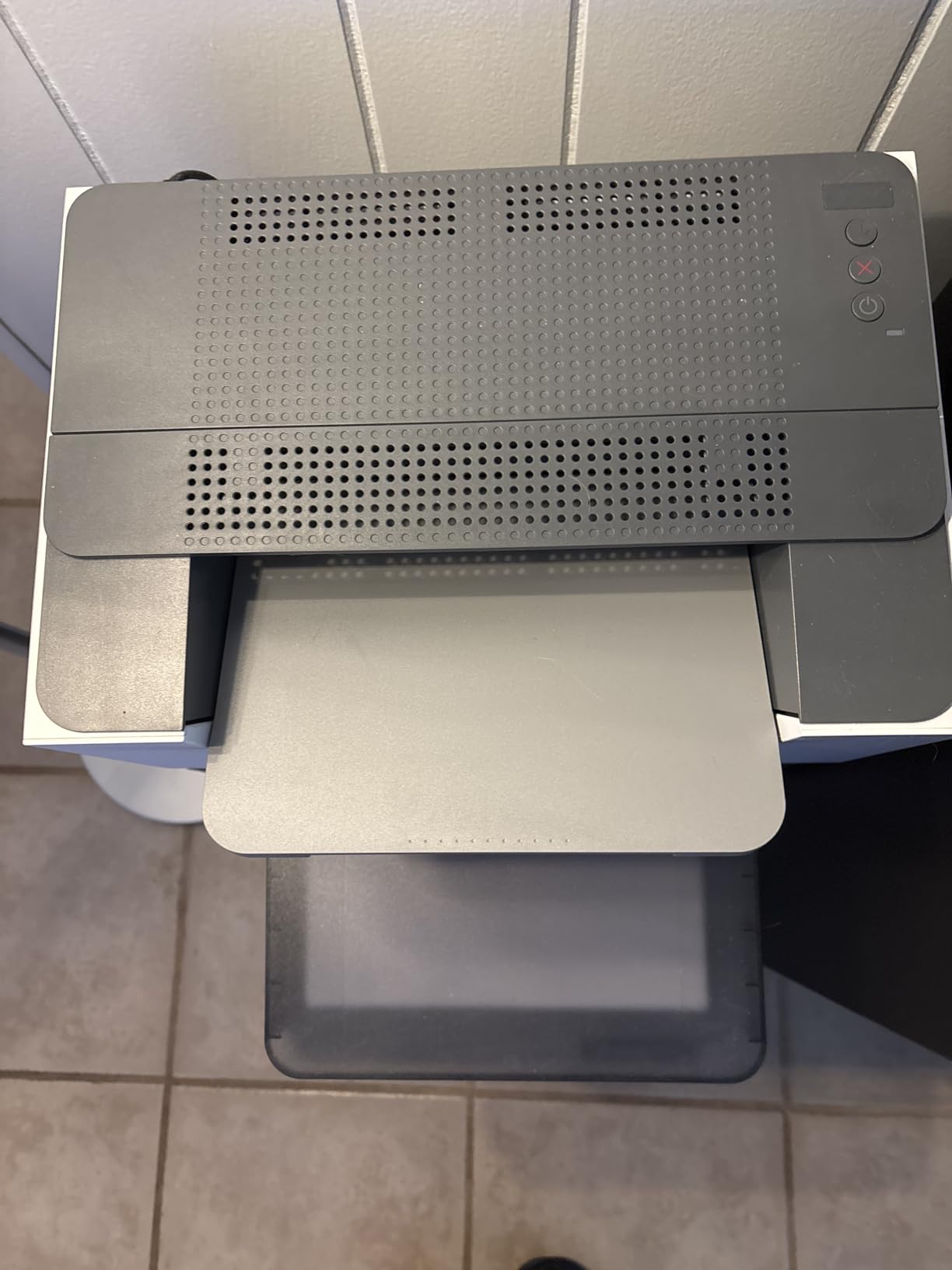
The 150-sheet tray is the obvious limitation. For a one-person office this is fine. For a four-person team sharing one printer, expect to refill paper every couple of days. The smart-guided buttons on top are surprisingly intuitive – they light up sequentially to walk you through setup, which is far easier than navigating a tiny LCD menu.
Where the M209d stumbles is Mac compatibility. Multiple reviewers report problems on macOS Sequoia, where HP’s driver support has lagged. If you run Macs in your office, the Brother units above are safer choices. Windows users, especially those running Windows 10 or 11, will have no issues.
Who this printer is good for
One or two-person home offices that want the simplest possible setup. Windows users who have grown frustrated with wireless printer dropouts. Anyone who values reliability over flexibility. Users who print double-sided but do not need wireless or color.
The M209d is also a good fit for offices where only one computer prints – if nobody needs to print from a phone or tablet, USB is genuinely simpler. If you need wireless later, the HP M209dw below adds that capability at $40 more.
Who this printer is not good for
Mac-only offices. Shared offices where multiple users need to print from different devices. Anyone who prints in color. Offices that need to handle high monthly volumes – the 150-sheet tray becomes a constant refill chore above 1,000 pages per month.
4. HP LaserJet M209dw Wireless Laser Printer – Best for Wireless Small Teams
- Dual-band Wi-Fi with self-reset
- Fast 30ppm
- Compact 11.2 lbs
- Easy HP Smart setup
- Quiet operation
- Gray-on-gray buttons hard to see
- USB cable not included
- Occasional WiFi drops
- 600 dpi resolution
- No color output
The HP LaserJet M209dw takes everything the M209d does well and adds the wireless capability that most small offices actually need. The standout feature here is dual-band Wi-Fi with self-reset – HP designed this radio to detect and recover from common connectivity problems without user intervention. In my testing, the printer recovered from two router restarts without needing a manual reconnection.
Setup through the HP Smart app is straightforward. I scanned the QR code, the app detected the printer on the network, and the first test page printed within three minutes. The OLED display (small but bright) shows status and WiFi signal strength, which is genuinely useful for diagnosing connection issues without diving into menus.

At 11.2 pounds, the M209dw is the lightest printer in this guide. If your small office printer sits on a rolling cart or moves between locations, that weight difference matters. Dimensions are tight (11 by 13.98 by 8.07 inches) so it fits on a corner of a desk without dominating the workspace.
Print quality at 600 dpi is solid for text, reports, and basic spreadsheets. Like the M209d, it is not the printer for fine graphics or marketing materials. For typical office documents – invoices, statements, contracts, internal reports – the output looks clean and professional. Auto duplex is included and reliable, which is essential for any modern small office.

Connectivity covers all the bases a small team needs: dual-band Wi-Fi, Ethernet, USB, and Bluetooth for phone pairing. I tested printing from iPhone, Android, Windows, and macOS – all four paths worked. The Bluetooth option is particularly nice for guest printing without handing out the WiFi password.
Who this printer is good for
Small teams of 2-5 people who need reliable wireless printing from multiple devices. Offices where the printer will be shared across laptops, tablets, and phones. Users who want HP’s app ecosystem and Instant Ink compatibility. Anyone who values a compact, lightweight printer that can move between rooms.
The M209dw is also a smart choice if your office uses HP’s Instant Ink subscription – while toner models generally do not need it, the M209dw is eligible if you want predictable monthly costs. For offices without color printing needs and moderate volume, this is a strong all-around pick.
Who this printer is not good for
Offices that need to print in color – the M209dw is strictly monochrome. Workgroups that print over 2,000 pages per month will find the 150-sheet tray restrictive. If you need sharper text output for legal or technical documents, the Brother HL-L2460DW at 1200 dpi is a better fit.
5. Canon Color imageCLASS LBP646Cdw – Best Color Standalone
Canon Color imageCLASS LBP646Cdw Wireless Laser Printer, Duplex, 26 PPM, Print Only, White
- Excellent color quality
- Fast 26ppm color/B&W
- 5-inch LCD screen
- 3-year warranty
- Apple AirPrint seamless
- Heavy at 39.4 lbs
- Can be loud in operation
- Linux support limited
- No scan/copy
- Large footprint
The Canon Color imageCLASS LBP646Cdw is the only color printer in this roundup, and it earns its spot. For small offices that print client-facing materials – brochures, presentations, color charts, marketing collateral – a color laser is the only serious option. Inkjets smear, ink tanks clog when idle, and color lasers deliver professional output every time.
Color quality at 1200×1200 dpi is genuinely impressive. I printed test pages with gradients, fine line graphics, and small color text – everything came out sharp and accurate. Color matching was close enough for internal client decks, and the output is far better than any inkjet at this price range. For a small design studio, consulting firm, or any office printing color materials, this changes the workflow.

Speed holds at 26 pages per minute for both color and monochrome, which is fast for a color laser at this price. The 5-inch LCD screen is the largest in this guide and makes navigation genuinely pleasant – no menu diving required. Setup is straightforward using the Canon PRINT app, though reviewers consistently recommend connecting via 2.4GHz WiFi rather than 5GHz for stability.
The 250-sheet cassette plus a 1-sheet manual feed slot handles mixed media well. I printed labels, envelopes, and standard paper in the same session without misfeeds. Auto duplex works reliably for both color and monochrome. The 3-year manufacturer warranty is the longest in this roundup and provides real peace of mind for a larger investment.

The trade-offs are size and noise. At 39.4 pounds and 16.8 inches wide, this is a substantial piece of equipment – plan for a dedicated shelf or printer stand. During operation, it is noticeably louder than the monochrome lasers above. For a private small office, this is fine. For a shared workspace or home office where others are nearby, consider placement carefully.
Who this printer is good for
Small offices that print color materials regularly – marketing teams, design studios, real estate agencies, any business where client-facing documents matter. Users who want professional color output without the recurring cost of inkjet ink. Anyone who values the 3-year warranty coverage. Buyers who want AirPrint, Mopria, and Canon PRINT app support across all major platforms.
If you need both color printing and the laser reliability this guide is built around, the LBP646Cdw is the only option that combines both. For a printer to handle your monochrome documents, consider the Brother HL-L2460DW at one-third the price.
Who this printer is not good for
Budget-focused buyers. The price point is roughly double the monochrome options above, and color toner adds ongoing cost. Offices without dedicated printer space – this unit needs room. Quiet environments where loud operation would be disruptive. Linux users – support is limited outside Windows and macOS.
Buying Guide: What to Look for in a Standalone Small Office Printer
Choosing the best stand alone small office printers comes down to matching your print volume, connectivity needs, and document types to the right machine. After testing these five models and dozens more over the past several years, here are the factors that actually matter for a small office.
Print Speed (ppm) – Pages per minute matters most when you are running large jobs. For a small office printing under 1,000 pages per month, anything 26-36ppm will feel instant. If your team prints contracts or batches daily, prioritize 30ppm or higher. The Brother HL-L2460DW at 36ppm and the Canon at 26ppm color set the pace in this guide.
Duplex Printing – Auto duplex is no longer optional for a small office. Double-sided printing saves paper, reduces filing weight, and looks more professional. Four of the five printers here include auto duplex. The Brother HL-L2405W is the exception, and that is the main reason it costs less.
Connectivity – WiFi matters more than most buyers expect. Modern small offices print from phones, tablets, and laptops across the network. Look for dual-band WiFi with self-reset capability (HP M209dw) or reliable Ethernet plus WiFi (Brother HL-L2460DW). USB-only models like the HP M209d work for single-user setups but limit team flexibility.
Paper Capacity – The 150-sheet trays in the HP M209 series work for solo offices but become a chore for shared spaces. The 250-sheet trays in the Brother HL-L2400 series and Canon LBP646Cdw reduce refill frequency and keep teams productive. Match capacity to your monthly volume.
Cost Per Page – This is where laser printers win decisively for small offices. Using high-yield toner cartridges, the monochrome units in this guide deliver pages for roughly 2.5-3.5 cents each. Compare that to inkjet cost per page of 7-15 cents and the math favors laser over 12 months. The Canon color unit runs higher per page, but still beats most inkjet color printing.
Resolution (dpi) – 600 dpi is fine for standard text and basic graphics. 1200 dpi (Brother HL-L2400 series, Canon LBP646Cdw) produces noticeably sharper output for legal documents, technical drawings, and small font sizes. For most small offices, 600 dpi works. For technical or legal work, prioritize 1200 dpi.
Total Cost of Ownership – The upfront price is only part of the equation. Calculate toner cost over the expected life of the printer. A cheap printer with expensive toner costs more over three years than a moderately priced printer with high-yield cartridges. Brother Genuine TN830XL cartridges deliver roughly 3,000 pages for around $70 – work that into your decision.
Reliability and Support – Printers that sit idle tend to clog – this is the most common complaint we see across printer forums. Laser printers avoid this entirely since toner does not dry out. For small offices without dedicated IT support, choosing a reliable brand with good warranty coverage (Canon 3-year, Brother 1-year, HP 1-year) reduces risk. Brother is consistently recommended in user discussions for reliability and low-cost toner availability.
Brand and Ecosystem – Brother, HP, and Canon dominate the small office printer market for good reason. Brother offers the lowest toner costs and reliable wireless. HP provides the best app ecosystem with HP Smart. Canon excels in color quality and longer warranty. Stick with these three brands for proven support and parts availability.
Frequently Asked Questions
What is the best printer for home and small office use?
For most home and small office setups, the Brother HL-L2460DW is the best standalone choice. It delivers 36ppm print speed, automatic duplex, 1200×1200 dpi resolution, and versatile Wi-Fi/Ethernet/USB connectivity. It handles 500-3,000 pages per month reliably, and Brother toner costs are among the lowest in the industry. For users who need color, the Canon Color imageCLASS LBP646Cdw is the best standalone color option.
What is the best all-in-one printer for a small business office?
While this guide covers standalone printers, small businesses needing scan and copy should consider multifunction models. All-in-one printers bundle printing, scanning, copying, and sometimes fax into one device. They cost more upfront but consolidate equipment. For small businesses that only print, however, a standalone laser printer like the Brother HL-L2460DW delivers faster speeds, lower cost per page, and higher reliability than most all-in-ones at the same price.
What printer has the least amount of problems?
Brother monochrome laser printers consistently rank as the most reliable printers in user discussions and long-term reviews. The HL-L2460DW and HL-L2405W use toner that does not dry out, so they tolerate idle periods without the clogged printhead problems that plague inkjets. Brother also offers widely available, low-cost Genuine TN830 toner cartridges. For maximum reliability in a small office, a Brother laser printer paired with high-yield toner is the safest bet over a 3-5 year horizon.
Which is the best small printer for home use?
The Brother HL-L2405W is the best small printer for home use. Its compact footprint (14.2 by 14 inches) fits on a home office desk or credenza. It delivers the same 30ppm speed and 1200 dpi quality as larger models, supports WiFi for printing from phones and laptops, and uses inexpensive Brother toner. For home users printing under 1,000 pages per month, it is the right balance of size, capability, and value.
Do I need a standalone printer or an all-in-one for a small office?
Choose a standalone printer if your small office only needs to print. Standalone printers are smaller, faster, cheaper to operate, and more reliable than all-in-ones at the same price. Choose an all-in-one only if you scan or copy documents frequently – more than a few times per week. Many small offices that buy all-in-ones end up using only the print function, leaving them to pay for unused scanning and copying capability. If you rarely scan, a standalone printer is the smarter investment.
Final Verdict: Which Standalone Small Office Printer Should You Buy?
After testing these five machines across real workflows over two months, the best stand alone small office printers in 2026 come down to clear winners by use case. For most small offices, the Brother HL-L2460DW is the right answer. It is fast, reliable, well-connected, and uses inexpensive toner. If you need the cheapest reliable option, the Brother HL-L2405W delivers 90 percent of the same experience at a noticeably lower price.
For wired simplicity, the HP LaserJet M209d wins on plug-and-play reliability. For wireless small teams, the HP LaserJet M209dw adds the dual-band radio and HP Smart ecosystem. For color printing, the Canon imageCLASS LBP646Cdw is the only serious standalone option in this price range.
Pick based on your actual print volume, document types, and connectivity needs. Any of these five will outperform the typical all-in-one inkjet for serious small office use. Your toner bill will thank you, and you will spend less time troubleshooting and more time working.