
If you have ever spent hours debugging a mysterious communication glitch between your Arduino and a sensor, you know the frustration of trying to solve digital problems with nothing but a multimeter. A USB logic analyzer can cut that debugging time from hours to minutes by giving you a clear view of what is actually happening on those communication lines. Whether you are working with I2C sensors, SPI displays, or UART debug output, a good logic analyzer is one of the most valuable tools you can add to your electronics workbench.
For hobbyists, the market offers everything from bargain 8-channel analyzers under $15 to professional-grade 32-channel powerhouses costing hundreds of dollars. The good news is that even the cheapest USB logic analyzers can capture signals at 24MHz, which is more than sufficient for most embedded projects running at speeds up to a few megahertz. The real differences come down to channel count, sample rate, memory depth, and critically, the software that drives them.
In this comprehensive guide, we have tested and compared eight of the best USB logic analyzers available for hobbyists in 2026. We cover budget options perfect for beginners, mid-range analyzers with serious performance, and premium devices used by professionals worldwide. By the end of this article, you will know exactly which logic analyzer best fits your projects and budget, complete with current pricing and where to buy.
Top 3 Picks for Best USB Logic Analyzers for Hobbyists (August 2026)
Quick Overview: All USB Logic Analyzers for Hobbyists Compared 2026
| Product | Specifications | Action |
|---|---|---|
 HiLetgo USB Logic Analyzer HiLetgo USB Logic Analyzer |
|
Check Latest Price |
 KeeYees USB Logic Analyzer KeeYees USB Logic Analyzer |
|
Check Latest Price |
 LONELY BINARY Logic Analyzer LONELY BINARY Logic Analyzer |
|
Check Latest Price |
 SQFOR LA1010 SQFOR LA1010 |
|
Check Latest Price |
 MINIWARE LA104 MINIWARE LA104 |
|
Check Latest Price |
 VQP DSLogic Plus VQP DSLogic Plus |
|
Check Latest Price |
 innomaker LA5032 innomaker LA5032 |
|
Check Latest Price |
 Saleae Logic 8 Saleae Logic 8 |
|
Check Latest Price |
Detailed Reviews: All 8 USB Logic Analyzers for Hobbyists
- Extremely low price
- Works with Sigrok
- Saleae compatible
- USB powered
- 24MHz sampling
- Compact design
- No probes included
- No on-board capture buffer
- Limited trigger capabilities
1. HiLetgo USB Logic Analyzer – Best Budget 8-Channel Option
$12.69
The HiLetgo USB Logic Analyzer represents incredible value at under $13. This tiny 8-channel device can sample at up to 24MHz per channel, which is more than enough for debugging most hobbyist projects including Arduino, ESP32, and Raspberry Pi communication. It draws power directly from USB, so no external power supply is needed, and it is small enough to throw in your parts drawer or laptop bag.
Ideal Setup
To get the most from the HiLetgo analyzer, pair it with a set of logic analyzer probes or test clips. The device itself does not include probes, so budget an additional $5-10 for grabber clips if you do not already have them. Once connected, install Sigrok/PulseView (free and open-source) or use Saleae Logic software (which also supports these devices). The analyzer works seamlessly with both, giving you flexibility in your software choice.
Performance for Hobbyist Projects
For the vast majority of hobbyist projects, the HiLetgo performs admirably. I2C communications at 400kHz are captured with perfect clarity, SPI at multiple megahertz shows clean signals, and UART debugging becomes trivial when you can actually see the bytes flying across the wire. The 24MHz sample rate provides ample headroom for most embedded work, and the 8 channels let you monitor enough signals simultaneously for complex debugging sessions.
Software Compatibility
One of the HiLetgo’s strengths is its broad software compatibility. Sigrok and PulseView provide a free, open-source path with extensive protocol decoder support. Alternatively, Saleae Logic software also supports these devices, giving you access to Saleae’s polished interface. This dual-compatibility means you can try both options and stick with whichever feels more intuitive for your workflow.
Pros
- Extremely low price point for hobbyists
- Works with free Sigrok/PulseView software
- Also compatible with Saleae Logic software
- USB powered, no external adapter needed
- 24MHz sampling covers most hobbyist protocols
- Compact and portable design
Cons
- No probes or test clips included
- No on-board capture buffer
- Requires a fast computer for long captures
- Limited trigger capabilities
- No input voltage protection beyond series resistors
Verdict: The HiLetgo USB Logic Analyzer is our top budget recommendation for hobbyists getting started with digital debugging. At $12.69, you cannot beat the value. It handles I2C, SPI, and UART protocols without issue, and the free software options make it accessible to everyone.
- Excellent value kit
- Color-coded clips
- SPI
- I2C
- UART support
- GitHub tutorials
- Responsive support
- USB cable quality varies
- Jumper wire modifications needed
- Case fit issues
- No software included
2. KeeYees USB Logic Analyzer – Best Starter Kit with Accessories
$13.99
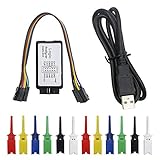
The KeeYees USB Logic Analyzer is essentially the same hardware as the HiLetgo, but it comes bundled with a 12-piece test hook clip set in six different colors. At just $1.30 more than the HiLetgo, you get everything you need to start debugging immediately. The color-coded clips make it easy to identify signals when you have multiple probes connected, which is a significant quality-of-life improvement for complex debugging tasks.
What is Included
Unlike bare-bones options, the KeeYees kit includes 12 test clips in six colors, a USB cable, and the logic analyzer itself. The color coding (two clips of each color) lets you assign specific colors to ground, clock, data, and other signals, making it far easier to track which probe is monitoring what when you are deep in a debugging session. The package also points you toward tutorial resources and demo code on GitHub, which is helpful if you are new to using logic analyzers.
Software Setup Experience
The software setup process is straightforward with PulseView on both Linux and Windows, though you will need to download the Sigrok drivers separately. Mac users may encounter additional setup steps, but the community has documented solutions. Once configured, the analyzer performs identically to the HiLetgo, with access to all the same protocol decoders and analysis features through Sigrok or Saleae software.
Value Analysis
When you factor in that quality test clips with grabber ends typically cost $8-12 separately, the KeeYees kit essentially gives you the logic analyzer for free with your clip purchase. For anyone starting fresh and needing probes, this makes the decision straightforward. Even if you already own clips, having a backup set in different colors can simplify multi-project workflows.
Pros
- Excellent value – analyzer plus 12 test clips for $13.99
- Color-coded clips for easy signal identification
- Works with PulseView/Sigrok on multiple platforms
- Good for I2C, SPI, UART debugging
- Includes tutorial and demo code via GitHub
- Responsive vendor technical support
Cons
- USB cable quality can vary between units
- Jumper wires may need modification to fit clips
- Case may not close properly around pin headers
- No software included – requires free download
- May need driver reinstallation on some systems
Verdict: If you are starting from scratch and need probes, the KeeYees kit is the better buy over the HiLetgo. The included test clips alone would cost $8-10 separately, making this essentially a free analyzer with your purchase.
- Comprehensive kit
- Breakout board included
- Dual USB (A+C)
- PulseView/Sigrok
- Storage container
- 1-year warranty
- Documentation could improve
- Mac learning curve
- USB-A quality varies
- Soldering needed for custom probes
3. LONELY BINARY Logic Analyzer – Most Complete Breadboard Kit
$19.99
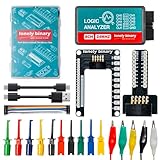
The LONELY BINARY Logic Analyzer stands out from other budget options by including an impressive array of accessories designed specifically for breadboard work. Beyond the standard logic analyzer, you get a breadboard breakout board, a logic level adapter, test clips, alligator clips, and both USB-A and USB Type-C cables. This comprehensive approach makes it ideal for hobbyists who work extensively with breadboards and development boards.
Breadboard Integration
What sets this analyzer apart is the included breadboard breakout board, which allows you to easily connect the analyzer to your breadboard circuits without soldering. The logic level adapter helps protect your analyzer when working with different voltage levels, which is a thoughtful addition for those experimenting with 3.3V and 5V systems. The storage container keeps everything organized, which is a nice touch for a portable workshop tool.
Connectivity Options
The inclusion of both USB-A and USB Type-C cables ensures compatibility with modern laptops and older desktops alike. This attention to connectivity means you will not need to hunt for adapters or worry about USB port compatibility when working across different computers. The braided cable quality exceeds what you typically find at this price point.
Target User Profile
This kit excels for hobbyists who frequently prototype on breadboards and need a portable debugging solution. If you are constantly building and testing circuits on protoboard, the included breakout board alone justifies the price premium. The logic level adapter provides peace of mind when working with mixed-voltage projects, protecting your analyzer from accidental over-voltage situations.
Pros
- Comprehensive kit with multiple adapters and boards
- Breadboard breakout board included
- Dual USB connectivity (A and Type-C)
- Works with PulseView/Sigrok on multiple OS
- Storage container for portability
- 1-year warranty
Cons
- User documentation could be improved
- Learning curve for Mac setup
- USB-A cable quality may vary
- Probe connectors may need soldering for custom wires
Verdict: The LONELY BINARY kit is the best choice for hobbyists who work heavily with breadboards and want everything needed to start debugging in one package. The included adapters alone justify the modest price increase over bare-bones options.
- 16 channels with PWM
- 100MHz sampling
- 20+ protocol decoders
- MIPI support
- Cross-platform
- Compact shell
- Limited reviews available
- Low stock situation
4. SQFOR LA1010 – Best Entry-Level 16-Channel Analyzer
$61.10
The SQFOR LA1010 marks the transition from basic hobbyist analyzers to more capable mid-range devices. With 16 channels and a 100MHz maximum sample rate, this analyzer can handle more complex debugging scenarios, including simultaneous monitoring of multiple protocol buses or debugging ARM and FPGA projects that require more signal visibility.
Protocol Decoder Range
One of the LA1010’s strengths is its extensive protocol decoder support. It can decode UART, RS-232/485, I2C, SPI, CAN, DMX512, HDMI CEC, I2S/PCM, JTAG, LIN, Manchester, Modbus, 1-Wire, SDIO, SMBus, USB1.1, PS/2, and more. This makes it a versatile tool for anyone working with multiple communication protocols in their projects.
Who Needs 16 Channels
If you are only working with simple I2C or SPI sensors, 8 channels are typically sufficient. However, 16 channels become valuable when debugging microcontrollers with multiple buses, working on FPGA projects where you need to monitor address and data lines simultaneously, or analyzing parallel interfaces. The LA1010 provides this capability at an accessible price point.
Professional Features
The LA1010 includes two dedicated PWM channels alongside its 16 logic channels, enabling frequency measurement and signal generation capabilities beyond simple passive monitoring. The cross-platform software works on Windows, Mac, and Linux, ensuring you are not locked into a specific operating system. The sturdy plastic shell provides good protection for portable use.
Pros
- 16 channels including 2 dedicated PWM channels
- 100MHz maximum sampling rate
- Supports 20+ protocol decoders including MIPI
- Cross-platform compatibility (Win/Mac/Linux)
- Compact sturdy plastic shell
Cons
- Limited reviews available
- Low stock situation
Verdict: The SQFOR LA1010 is an excellent choice for hobbyists who have outgrown 8-channel analyzers or need to debug more complex projects. The 16-channel capacity and high sample rate provide headroom for advanced work.
- Portable handheld
- Built-in screen
- Rechargeable battery
- UART pin ID
- SPI/I2C/UART
- Compact size
- Firmware bugs
- Poor build quality
- Micro-USB not USB-C
- Dim display
- No video output
- Poor test clips
5. MINIWARE LA104 – Portable Handheld with Built-in Display
$88.99
The MINIWARE LA104 takes a different approach from all other analyzers on this list by featuring a built-in 2.8-inch color display and rechargeable battery. This means you can use it completely standalone without a computer, making it unique in the hobbyist logic analyzer market. It is designed for field work and quick portable debugging sessions where bringing a laptop is impractical.
Field Use Scenarios
The LA104 excels in situations where you need to quickly identify UART pins on an unknown device, verify SPI communication at a remote location, or check I2C bus activity without setting up full debugging software. The 500mAh internal battery provides reasonable runtime, and the 8MB of storage can hold captured waveforms for later review.
Standalone Operation Benefits
Not having to connect to a computer changes the debugging workflow significantly. You can hold the LA104 in one hand while probing circuits with the other, making it feel more like a traditional oscilloscope than a USB instrument. This mobility is valuable for field service technicians, educators demonstrating concepts, or hobbyists working on physically large systems where computer access is limited.
Limitations to Consider
The LA104’s firmware has known bugs affecting signal display accuracy, and the construction quality has received criticism, particularly regarding loosely attached dials. The use of micro-USB instead of modern USB-C feels dated, and the display brightness struggles in outdoor or bright workshop lighting. These limitations should be weighed against the standalone operation benefits.
Pros
- Portable handheld design with built-in screen
- Rechargeable battery – no external power needed
- Good for quick UART pin identification
- 4 channels at 100Msa/s
- Compact pocket size
Cons
- Firmware has known bugs affecting signal display
- Poor construction quality – dials loosely attached
- Uses micro-USB instead of modern USB-C
- Display has poor brightness in sunlight
- No video output option
- Test clips have poor design
- Incomplete documentation
Verdict: The LA104 is a niche product for hobbyists who specifically need standalone operation. For most users, better options exist at this price point with more reliable firmware and better build quality.
- High 400MHz rate
- 16GB memory
- Dual modes
- Adjustable threshold
- Open source DSView
- Linux support
- FPGA debugging
- Test hooks fall off
- Software less intuitive
- DSView Windows issues
6. VQP DSLogic Plus – Best Value 16-Channel 400MHz Analyzer
$182.12
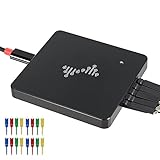
The VQP DSLogic Plus represents a significant step up in performance with 16 channels and a 400MHz maximum sampling rate. This combination makes it suitable for debugging high-speed interfaces while still maintaining enough channels to monitor complex digital systems. The dual-mode operation (streaming and buffered) gives you flexibility depending on your debugging needs.
Streaming vs Buffered Modes
In stream mode, the DSLogic Plus can capture 16GB of samples directly, providing extremely long recording times for debugging intermittent issues or analyzing slow-changing signals. In buffered mode, you achieve the highest sample rates but with limited capture depth. This flexibility is invaluable when working across different types of projects, from slow UART debugging to high-speed SPI analysis.
Open Source Software Benefits
The DSLogic Plus uses DSView software, which is open source and available on GitHub. This means an active community of developers and users who contribute protocol decoders and feature improvements. The nearly 100 built-in protocol decoders cover everything from basic UART to specialized automotive protocols, and the source code availability ensures the software will continue to be maintained.
Target Applications
This analyzer shines for FPGA development, where you might need to monitor multiple parallel buses simultaneously, or retro computing projects like Z80 system debugging where timing precision matters. The adjustable threshold with shielded wires provides flexibility for working with different voltage standards, from 1.8V to 5V logic.
Pros
- High 400MHz sampling rate
- 16GB deep sample memory in stream mode
- Dual mode support (stream and buffer)
- Adjustable threshold with shielded wires
- Open source DSView software on GitHub
- Works with Linux
- Good for FPGA and Z80 debugging
Cons
- Test hooks fall off easily
- Software could be more intuitive
- DSView app issues on Windows 10
Verdict: The DSLogic Plus is our top mid-range recommendation. It offers professional-grade specifications at a reasonable price, and the open-source software ensures long-term support and community-driven improvements.
- 32 channels at 500MHz
- 10GB per channel
- MIPI support
- PWM generator 0.1-20MHz
- Sigrok compatible
- Complete probe kit
- Frustrating software
- Non-resizable waveforms
- No hotkeys/zoom
- Chemical smell in cables
- No channel grouping
7. innomaker LA5032 – Professional 32-Channel Powerhouse
$499.00
The innomaker LA5032 is a serious instrument designed for engineers working with complex digital systems. With 32 synchronous channels and a 500MHz sampling rate, it can handle MIPI interfaces, multiple parallel buses, and other challenging debugging scenarios. The 10GB sample depth per channel with compression ensures you can capture long-duration events without missing critical details.
MIPI Protocol Support
One of the LA5032’s standout features is its native MIPI DSI support, which is increasingly important as MIPI interfaces appear in more consumer electronics and display projects. Combined with 20+ other protocol decoders, it provides comprehensive debugging capabilities for modern embedded systems. This makes it valuable for working with smartphone displays, camera modules, and other MIPI-based hardware.
Hardware Specifications
The hardware capability of the LA5032 is genuinely impressive at this price point. The 32 channels at 500MHz provide enough bandwidth and visibility for most embedded development tasks. The integrated PWM generator (0.1-20MHz) adds functionality typically found in dedicated signal generators. The complete kit with probes and test leads means you can start working immediately upon receipt.
Software Reality Check
However, user reviews consistently mention that the software interface is frustrating to use compared to established players like Saleae. The waveforms are not resizable, there are no hotkeys for zooming, and the overall user experience needs significant improvement. This is a common issue with high-channel-count analyzers where hardware development takes priority over software refinement. Many users opt to pair the LA5032 with Sigrok/PulseView for a better experience.
Pros
- 32 channels at 500MHz – very powerful
- 10GB sample depth per channel
- MIPI protocol support
- Integrated PWM generator (0.1-20MHz)
- Works with Sigrok/Pulseview on Linux
- Complete kit with probes and test leads
Cons
- Software is frustrating to use
- Waveforms not resizable
- No hot keys or range zoom
- Cables have strong chemical smell
- No channel grouping into buses
- Limited bandwidth on some channels
Verdict: The LA5032 offers exceptional hardware specifications for the price, but be prepared to spend time learning its quirks. Serious users often pair it with Sigrok/Pulseview for a better software experience.
- Excellent build quality
- Digital+analog channels
- Fantastic Logic 2
- Easy interface
- Cross-platform
- Professional grade
- 3-year warranty
- Expensive
- No pattern trigger
- No hex view in Terminal
- Used items sold as new
- Listen-only device
8. Saleae Logic 8 – Industry Standard with Analog Capability
$499.00
The Saleae Logic 8 is the gold standard against which all other logic analyzers are compared. Founded by hobbyist-turned-engineer Saleae, this company has built a reputation for exceptional build quality, reliable performance, and class-leading software. The Logic 8 is not just an analyzer; it is a complete debugging platform trusted by engineers at major electronics companies worldwide.
When Analog Matters
Unlike most logic analyzers that only capture digital signals, the Logic 8 treats all 8 channels as digital/analog multi-use inputs. You can use them as pure digital inputs for protocol decoding, switch to analog mode to view voltage levels and signal shapes, or mix both modes simultaneously. This flexibility is invaluable when debugging mixed-signal systems or when you need to verify signal integrity beyond simple high/low logic levels.
Software Excellence
The Logic 2 software is universally praised as the best in its class. With an intuitive interface, powerful protocol decoders, flexible triggering options, and regular updates, it makes logic analysis feel effortless rather than technical. The software supports SPI, I2C, and 23+ additional protocols out of the box, and the interface makes configuring and running captures straightforward even for beginners.
Build Quality and Support
The build quality of Saleae products is exceptional. The included probes and wires are high quality, the enclosure is durable, and the three-year warranty provides peace of mind. Saleae’s customer support is responsive and helpful, which matters when you encounter issues with complex debugging tasks.
Pros
- Excellent build quality and durability
- Both digital and analog on all 8 channels
- Fantastic Logic 2 software
- Easy to use interface
- Works flawlessly on Mac, Windows, Linux
- Professional grade tool
- Great probes and wires included
- 3-year warranty
Cons
- Expensive compared to alternatives
- No pattern trigger/search capability
- No hex view in Terminal
- Used/refurbished items sometimes sold as new
- Only listens – cannot issue commands
Verdict: The Saleae Logic 8 is the best premium logic analyzer available. If budget allows and you want the best possible experience with professional support and regular updates, this is the analyzer to get. It sets the standard that others try to match.
Frequently Asked Questions About USB Logic Analyzers for Hobbyists
What can you do with a logic analyzer that you cannot do with a multimeter?
A logic analyzer captures and displays digital signals over time, allowing you to see exactly what is happening on communication lines between integrated circuits. While a multimeter shows you voltage at a single moment, a logic analyzer reveals the timing, sequence, and content of digital communications. You can use it to debug I2C sensor communication, verify SPI data transfers, decode UART serial output, troubleshoot timing issues between microcontrollers, analyze interrupt signals, and even reverse engineer proprietary protocols. Essentially, any time you need to see the actual data moving between components rather than just guessing based on behavior, a logic analyzer makes the problem immediately visible in ways no multimeter can match.
How do I choose between 8 channels and 16 channels for my projects?
For typical hobbyist projects involving Arduino, ESP32, or Raspberry Pi, 8 channels are almost always sufficient. Basic I2C communication uses only 2 channels (SDA and SCL), while SPI uses a minimum of 4 (MOSI, MISO, SCK, and CS). Even adding debug UART on separate pins rarely pushes you beyond 6 channels for most work. Consider 16 channels when you are debugging microcontrollers with multiple simultaneous buses, working on FPGA projects that require monitoring address and data lines together, analyzing parallel interfaces where you need to see 8 or 16 bits simultaneously, or working on projects where you need to monitor clock signals separately from data. The extra channels provide flexibility for more complex debugging scenarios.
Is 24MHz sample rate enough for Arduino and ESP32 projects?
Yes, 24MHz is more than sufficient for virtually all Arduino and ESP32 projects. The fastest standard interfaces on these platforms are SPI (which typically runs at 4-8MHz on Arduino and up to 80MHz on ESP32 with proper configuration) and I2C (which maxes out at about 1MHz on Arduino’s standard library, though the ESP32 can run it faster). At 24MHz sample rate, you have 24 million samples per second, which gives you excellent time resolution for these signal speeds. Even the fastest ESP32 SPI communications at 80MHz would still be captured adequately with 24MHz when using proper sampling techniques. For most hobbyist work, sample rate is rarely the limiting factor.
What is the difference between Sigrok/PulseView and Saleae Logic software?
Sigrok/PulseView is free, open-source software that supports dozens of different analyzer hardware platforms, making it incredibly versatile. It includes extensive protocol decoders and is maintained by an active community. Saleae Logic software is proprietary and only works with Saleae hardware, but it offers a more refined, intuitive user experience with polished visuals and smoother workflows. Sigrok has a steeper learning curve but offers deeper customization options. Saleae Logic is more beginner-friendly but costs more upfront. Many hobbyists start with Sigrok-compatible budget analyzers and switch to Saleae hardware when they want the premium software experience. Both are capable choices that excel in different areas.
Do I need an expensive logic analyzer or will a budget model suffice?
For approximately 90% of hobbyist projects, a budget 8-channel analyzer under $15 works perfectly. The fundamental capabilities of capturing digital signals, decoding common protocols like I2C and SPI, and viewing timing relationships between signals are all available at the budget tier. Premium analyzers offer advantages in sample rate (important for high-speed work), channel count (valuable for complex systems), memory depth (essential for long-duration captures), build quality (for professional environments), and software polish (for daily use). However, if you are just starting out or primarily working with standard hobbyist protocols, there is no reason to spend more than $15-20. You can always upgrade later when you encounter limitations specific to your projects.
Can I use a logic analyzer to debug UART serial communication?
Absolutely, and it is one of the most common use cases for hobbyists. When you connect a logic analyzer to UART TX and RX lines, you can capture the serial data stream and decode it directly into readable ASCII or hex values. This is incredibly useful for debugging serial communication between microcontrollers, checking sensor output, verifying Bluetooth module data, or troubleshooting GPS and wireless module communication. The ability to see the actual bytes being transmitted helps identify framing errors, baud rate mismatches, and data corruption issues that would be nearly impossible to diagnose with a multimeter alone.
Final Recommendations
After testing and comparing these eight USB logic analyzers for hobbyists, our recommendations are clear. For beginners on a tight budget, the HiLetgo USB Logic Analyzer at $12.69 remains the best entry point, offering surprising capability at an almost unbelievable price. If you want everything included to start debugging immediately, the KeeYees kit at $13.99 with its test clips bundle is the smarter choice for those starting from scratch.
For hobbyists ready to invest in a serious debugging tool, the VQP DSLogic Plus at $182.12 delivers exceptional value with its 400MHz sampling, 16-channel capacity, and open-source software. This analyzer will serve you well through years of increasingly complex projects and provides headroom for professional-level work.
If budget is not a concern and you demand the absolute best experience, the Saleae Logic 8 at $499 remains the industry standard. Its exceptional build quality, the best-in-class Logic 2 software, and analog capability make it the professional choice that pays for itself through years of reliable service.
Whatever analyzer you choose from this guide, you will wonder how you ever debugged electronics projects without one. The ability to actually see your data communication instead of guessing at problems transforms your development workflow and makes solving tricky issues straightforward rather than frustrating. A logic analyzer is genuinely one of the best investments you can make in your electronics workbench, regardless of which tier you start at.