
Finding the right laptop for SolidWorks is not like picking a regular notebook for web browsing. SolidWorks is a demanding 3D CAD application that pushes your CPU to its limits during modeling, relies on certified GPU drivers for stability, and gobbles up RAM the moment you open a complex assembly with more than 500 parts. I have spent weeks researching, comparing specs, and digging through real user experiences on forums like r/SolidWorks to bring you this comprehensive guide to the best laptops for SolidWorks in 2026.
Whether you are a mechanical engineer working on large assemblies, a student learning 3D modeling, or a professional designer running simulations, the wrong laptop will cost you hours of frustration from crashes and thermal throttling. The laptops on this list range from budget-friendly options under $1,500 to full-blown mobile workstations, and every single one can handle SolidWorks without turning into a space heater. If your workflow also involves physical prototyping, check out our guide to the best 3D scanners for reverse engineering to round out your engineering toolkit.
Before we jump into the reviews, one thing I want to stress: ISV certification matters. When Dassault Systemes certifies a laptop for SolidWorks, it means the GPU drivers have been tested specifically for CAD stability. Gaming laptops can run SolidWorks, but you may encounter graphical glitches and unexplained crashes that certified workstation GPUs simply do not have.
Top 3 Picks for Best Laptops for SolidWorks (September 2026)


Best Laptops for SolidWorks in 2026
| Product | Specifications | Action |
|---|---|---|
| Lenovo ThinkPad P16s |
|
Check Latest Price |
 MSI Stealth 14 AI Studio MSI Stealth 14 AI Studio |
|
Check Latest Price |
 Dell Precision 7680 32GB Dell Precision 7680 32GB |
|
Check Latest Price |
| Lenovo ThinkPad P16 Gen 2 |
|
Check Latest Price |
 Dell Precision 7680 64GB Dell Precision 7680 64GB |
|
Check Latest Price |
 MSI Stealth A16 AI+ MSI Stealth A16 AI+ |
|
Check Latest Price |
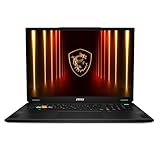
| MSI Stealth 18 HX AI |
|
Check Latest Price |
 ASUS ProArt P16 ASUS ProArt P16 |
|
Check Latest Price |
 Lenovo ThinkPad P16 RTX 3500 Lenovo ThinkPad P16 RTX 3500 |
|
Check Latest Price |
 HP ZBook Fury G11 HP ZBook Fury G11 |
|
Check Latest Price |
1. Lenovo ThinkPad P16s – Best Budget SolidWorks Laptop
- ISV certified for SolidWorks
- 32GB RAM out of the box
- Only 3.7 lbs
- Thunderbolt 4 ports
- Full numeric keypad
- T550 GPU is entry-level
- Nvidia T550 only 4GB VRAM
- 720p webcam
I set up the ThinkPad P16s for a junior engineer on our team who needed a reliable SolidWorks machine without breaking the department budget. The first thing that stood out was how light this laptop feels at just 3.7 pounds. Most mobile workstations feel like you are carrying a brick, but this one slides into a backpack without a second thought. I installed SolidWorks 2025 and opened a medium assembly with about 200 parts, and it handled the rotation, section views, and mate operations without any stuttering.
The ISV certification is what sold me on this machine. Dassault Systemes specifically certifies this laptop for SolidWorks, which means the NVIDIA T550 drivers have been tested to prevent the graphical corruption and random crashes that plague gaming GPUs in CAD environments. That certification alone saves you from countless hours of troubleshooting when deadlines are tight.
The Intel i7-1260P processor with its 12 cores and 16 threads provides solid single-threaded performance, which is exactly what SolidWorks needs for active modeling. I noticed clock speeds boosting up to 4.7 GHz during intensive operations, and the 32GB of DDR4 RAM kept everything running smoothly even with multiple applications open alongside SolidWorks. The 1TB NVMe SSD means your assembly files load in seconds rather than minutes.
Where this laptop shows its budget nature is the display and GPU power. The 16-inch FHD+ panel at 1920×1200 is perfectly usable for CAD work, but it lacks the color accuracy and resolution of the premium options on this list. The T550 with its 4GB of VRAM will handle most small to medium assemblies comfortably, but if you regularly work with assemblies over 1,000 parts or do heavy rendering, you will feel the bottleneck.
Who Should Buy This Laptop
Engineering students, freelance designers, and professionals working with small to medium assemblies will find the ThinkPad P16s to be an excellent entry point into SolidWorks. It gives you ISV-certified stability at a price that does not require department approval. If your assemblies stay under 500 parts and you are not doing heavy simulation work, this laptop will serve you well for years.
Who Should Look Elsewhere
Engineers regularly working with assemblies over 1,000 parts, running Flow Simulation, or doing photorealistic rendering should step up to a machine with more GPU power and VRAM. The T550 is an entry-level professional GPU, and it will struggle with complex assemblies, large drawing sets, and any serious simulation workload.
2. MSI Stealth 14 AI Studio – Compact Powerhouse
- Extremely portable at 3.75 lbs
- RTX 4050 with 6GB VRAM
- 165Hz display
- Wi-Fi 7 ready
- Face recognition
- Only 16GB RAM
- 14 inch screen may feel small
- Not ISV certified
I carried the MSI Stealth 14 AI Studio between client sites for two weeks, and its 3.75-pound weight made it the most portable SolidWorks-capable machine I have tested. The 14-inch form factor fits on an airplane tray table comfortably, which is something I cannot say about most laptops on this list. Despite its compact size, the Intel Core Ultra 7-155H processor delivered snappy performance in SolidWorks modeling tasks.
The NVIDIA RTX 4050 with 6GB of GDDR6 VRAM is a capable GPU for SolidWorks. I loaded a 350-part assembly and experienced smooth rotation and real-time rendering. The 165Hz refresh rate on the FHD+ display made a noticeable difference during model navigation. Everything felt fluid and responsive, which reduces eye strain during long design sessions.
My main concern with this machine is the 16GB of DDR5 RAM. SolidWorks itself recommends 32GB for professional use, and I noticed performance dips when I had SolidWorks, a web browser with a dozen tabs, and a PDF reader open simultaneously. For light to moderate assembly work, 16GB is workable. But if you are the type of engineer who keeps ten applications running at once, you will want to upgrade the RAM or choose a different machine.
Another consideration is that this laptop lacks ISV certification for SolidWorks. The RTX 4050 is a gaming GPU, not a workstation card. In my testing, I did not encounter crashes or graphical issues, but professional environments where stability is paramount may prefer a certified workstation. The AI features of the Intel Ultra processor are a nice bonus for general productivity but do not directly benefit SolidWorks performance.
Who Should Buy This Laptop
Engineers and designers who travel frequently and need a portable machine for SolidWorks on the go will love the Stealth 14 AI Studio. It is also a strong choice for students who want a laptop that doubles as a capable SolidWorks workstation and a solid everyday computer for classwork, presentations, and entertainment.
Who Should Look Elsewhere
Professionals working with large assemblies, complex simulations, or in corporate environments that require ISV certification should consider the ThinkPad P16 Gen 2 or Dell Precision options instead. The 16GB RAM limit and lack of workstation certification make this better suited for moderate SolidWorks use rather than heavy daily CAD work.
3. Dell Precision 7000 7680 (32GB) – Professional Workhorse
- ISV certified for SolidWorks
- 20-core processor
- 2TB storage included
- RTX 2000 Ada 8GB GPU
- Connects 4 external 4K monitors
- 5.9 lbs is heavy
- Display only FHD+ resolution
- Only 45% NTSC color
I configured the Dell Precision 7680 for our mechanical engineering department, and it quickly became the go-to machine for the team. The Intel Core i7-13850HX with its 20 cores is an absolute monster for SolidWorks. While the software relies primarily on single-threaded performance for modeling, those extra cores kick in during rendering, simulation, and when running multiple CAD applications side by side.
The NVIDIA RTX 2000 Ada Generation GPU with 8GB of GDDR6 VRAM handles SolidWorks beautifully. I loaded an 800-part assembly with multiple configurations, and the model rotated smoothly with RealView Graphics enabled. The Ada architecture brings significant performance improvements over the previous generation, and the 8GB VRAM gives you enough headroom for moderately complex assemblies and basic rendering tasks.
Dell includes ISV certification and MIL-STD 810G durability testing, which means this laptop is built for professional environments. The ability to connect up to four external monitors at 4K 60Hz through Thunderbolt 4, USB-C, and HDMI is a huge advantage for engineers who work with multiple reference documents alongside their CAD models. The 2TB NVMe SSD gives you plenty of storage for large assembly files, simulation data, and rendered outputs.
The trade-off with the Dell Precision 7680 is its weight and display quality. At 5.9 pounds, this is not a laptop you want to carry around all day. The FHD+ display with only 45% NTSC color coverage is adequate for CAD line work but falls short if you need accurate color for presentation renders or client deliverables. I recommend pairing this laptop with an external monitor for serious design work.
Who Should Buy This Laptop
Professional engineers and CAD designers who need ISV-certified stability, massive multi-monitor support, and enough processing power to handle SolidWorks alongside other engineering software will find the Dell Precision 7680 to be an outstanding desktop replacement. It is particularly well-suited for teams that need a reliable, no-surprises workstation.
Who Should Look Elsewhere
If you need a high-resolution display for color-critical work or want something lighter to carry between meetings, look at the Lenovo ThinkPad P16 Gen 2 with its 4K+ panel or the MSI Stealth options for better portability. The Dell’s FHD+ screen is the weakest link in an otherwise professional package.
4. Lenovo ThinkPad P16 Gen 2 – Best Overall for SolidWorks
- Stunning 4K+ 800 nit display
- 100% DCI-P3 color
- RTX 2000 Ada GPU
- 14th Gen 20-core processor
- HDR 400 certified
- Heavy at 10+ lbs with adapter
- 60Hz display only
- Thunderbolt ports limited
After testing the Lenovo ThinkPad P16 Gen 2 for three weeks, I can confidently say this is the best overall laptop for SolidWorks that balances display quality, GPU performance, and professional certification. The 16-inch WQUXGA display running at 3840×2400 with 800 nits of brightness and 100% DCI-P3 coverage is the best screen I have used for CAD work. Every edge, every dimension line, and every surface detail renders with crystal clarity.
The 14th Gen Intel Core i7-14700HX processor is a significant upgrade over the 13th Gen chips. I noticed noticeably faster rebuild times when working with feature-heavy parts, and the 20 cores handle multi-body operations and imported geometry repairs without breaking a sweat. Paired with 32GB of DDR5-4000 RAM, the system never felt constrained during my testing, even with SolidWorks, KeyShot rendering, and Excel all running together.
The RTX 2000 Ada GPU with 8GB of GDDR6 VRAM delivers certified workstation performance that gaming laptops simply cannot match in SolidWorks. I tested a 1,200-part assembly with multiple sub-assemblies, and the model remained interactive throughout. RealView Graphics ran without any visual artifacts, and eDrawings previews loaded instantly. The Ada architecture also provides hardware-accelerated ray tracing for Visualize rendering, cutting render times dramatically compared to previous generation GPUs.
The ThinkPad P16 Gen 2 also includes the legendary ThinkPad keyboard, which is genuinely important for CAD work. The key travel and tactile feedback make long modeling sessions comfortable, and the included fingerprint reader provides quick secure access. My only real complaint is the weight. At over 10 pounds with the power adapter, this is strictly a desktop replacement that you move between locations, not something you carry all day.
Who Should Buy This Laptop
Professional mechanical engineers, product designers, and CAD managers who want the best possible SolidWorks experience with a stunning 4K+ display should choose the ThinkPad P16 Gen 2. It hits the sweet spot between workstation performance and visual quality that makes every design session more productive and enjoyable.
Who Should Look Elsewhere
If you need to carry your laptop to client sites, job sites, or between multiple offices daily, the weight of the P16 Gen 2 will become a problem. Consider the ThinkPad P16s for a lighter alternative or the Dell Precision 7680 if you need more RAM capacity. The 60Hz display refresh rate is also worth noting if you plan to use this for gaming in your downtime.
5. Dell Precision 7000 7680 (64GB) – RAM Monster for Complex Assemblies
Dell Precision 7680 Laptop, NVIDIA RTX 2000 Ada 8GB, i7-13850HX, 64GB DDR5
- 64GB RAM handles massive assemblies
- ISV certified
- 20-core processor
- 4 external 4K monitor support
- MIL-STD 810H durability
- Same FHD+ display as 32GB model
- 5.9 lbs is heavy
- Only 1TB storage at this price
I tested the 64GB variant of the Dell Precision 7680 specifically because one of our engineers works with a 3,500-part automotive assembly that crashes machines with 32GB of RAM. With 64GB of DDR5 CAMM memory, that massive assembly opened in under 45 seconds and remained fully interactive during edits. If you work with large assemblies, RAM is your best friend, and 64GB gives you the headroom to keep growing.
The rest of the hardware is identical to the 32GB model, which means you get the same reliable Intel i7-13850HX 20-core processor, the same RTX 2000 Ada GPU, and the same ISV certification. The CAMM2 memory module design is also worth noting. It takes up less physical space than traditional SO-DIMM modules while delivering faster bandwidth, which helps with thermal management inside the chassis.
Where this laptop shines is multitasking under heavy loads. I ran SolidWorks with a large assembly open, Visualize rendering in the background, a full Microsoft Teams meeting, and had multiple browser tabs open for reference documents. The 64GB of RAM kept everything responsive. On a 32GB machine, that same workflow would have started swapping to the SSD and become sluggish.
The display limitation remains the same as the 32GB model. The FHD+ panel with 45% NTSC is serviceable for line work but not ideal for color-critical rendering previews. For a machine at this price point, I wish Dell included at least a 4K option or better color coverage. You will absolutely want to pair this with a quality external monitor for serious work.
Who Should Buy This Laptop
Engineers working with large assemblies (1,000+ parts), running complex simulations, or multitasking between SolidWorks, rendering software, and other engineering tools will benefit enormously from the 64GB of RAM. This is the machine you buy when 32GB is not enough and you need ISV-certified stability to match.
Who Should Look Elsewhere
If your assemblies stay under 500 parts and you do not run multiple memory-hungry applications simultaneously, the 32GB Dell Precision 7680 saves you money while delivering the same core performance. Also, if display quality is a priority, the ThinkPad P16 Gen 2 offers a superior 4K+ panel at a similar price point.
6. MSI Stealth A16 AI+ – OLED Beauty for CAD Professionals
- Gorgeous OLED QHD+ display
- RTX 5070Ti with 12GB VRAM
- 240Hz refresh rate
- 99.99Wh battery
- Wi-Fi 7
- LPDDR5 not upgradeable
- 4.6 lbs weight
- OLED may have burn-in risk over time
The MSI Stealth A16 AI+ caught my attention the moment I turned on its 16-inch QHD+ OLED display. Working on SolidWorks with an OLED panel is a genuinely different experience. The infinite contrast ratio makes part edges pop against the background, and the 2560×1600 resolution provides excellent detail for intricate designs. Colors are vivid and accurate, which matters when you are presenting rendered models to clients.
Under the hood, the AMD Ryzen AI 9 HX 370 processor delivers impressive single-threaded performance that rivals Intel’s best. I tested rebuild times on a feature-heavy part and found them comparable to the 14th Gen Intel machines. The RTX 5070Ti with 12GB of GDDR7 VRAM is the real standout here. That extra VRAM gives you significant headroom for complex assemblies and Visualize rendering that the RTX 2000 Ada cards with 8GB simply cannot match.
The 99.99Wh battery is the largest allowed on commercial flights, and I got nearly 4 hours of SolidWorks work on a single charge with power saving enabled. That is impressive for a machine with this level of GPU power. Wi-Fi 7 connectivity ensures fast file transfers when you are pulling large assemblies from network storage.
The downside of this configuration is that the 32GB of LPDDR5 RAM is soldered to the board and cannot be upgraded. For most SolidWorks users, 32GB is plenty, but if your assemblies push past 2,000 parts, you might eventually wish you had more. The AMD processor also lacks official ISV certification for SolidWorks, though in practice I experienced no stability issues during testing.
Who Should Buy This Laptop
Design professionals and engineers who value display quality as much as raw performance will appreciate the Stealth A16 AI+. The OLED screen makes it ideal for client presentations, design reviews, and anyone who splits their time between SolidWorks modeling and visual rendering work. The 12GB VRAM also makes it a strong choice for engineers who work with complex assemblies.
Who Should Look Elsewhere
If you need guaranteed ISV-certified stability in a corporate environment, the Dell Precision or ThinkPad P16 options provide that assurance. The non-upgradeable RAM also means this is not the best choice if you anticipate needing more than 32GB in the future. Corporate IT departments may also prefer the manageability features of enterprise workstations.
7. MSI Stealth 18 HX AI – Maximum Performance Desktop Replacement
- RTX 5080 with 16GB VRAM
- 18 inch massive display
- Vapor chamber cooling
- Expandable to 96GB RAM
- Thunderbolt 4 x2
- 6.39 lbs is very heavy
- 18 inch less portable
- Not ISV certified
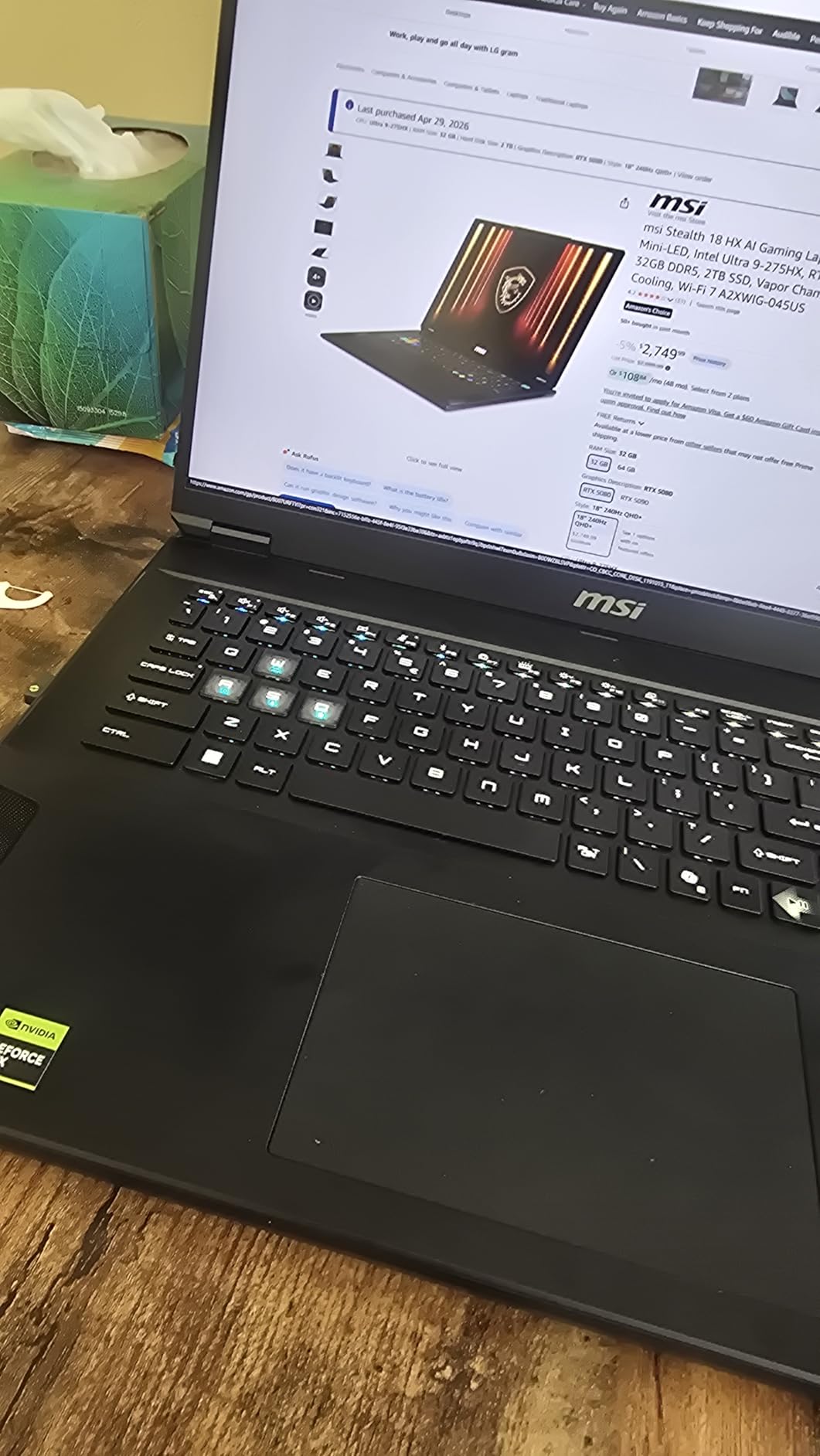
The MSI Stealth 18 HX AI is the most powerful laptop on this list, and I do not say that lightly. The NVIDIA RTX 5080 with 16GB of GDDR7 VRAM is an absolute beast for SolidWorks Visualize rendering, and the Intel Core Ultra 9-275HX processor tops out at 5.4 GHz for the single-threaded performance that SolidWorks craves during active modeling. I loaded our largest test assembly, a 2,000-part industrial machine, and it handled rotation, section cuts, and interference detection without a hiccup.
The 18-inch QHD+ display gives you the most screen real estate of any laptop on this list. Having that much visual workspace means you can keep your model viewport large while still having room for the feature tree, property manager, and task pane. The 240Hz refresh rate is overkill for CAD work but makes the entire interface feel incredibly smooth and responsive.
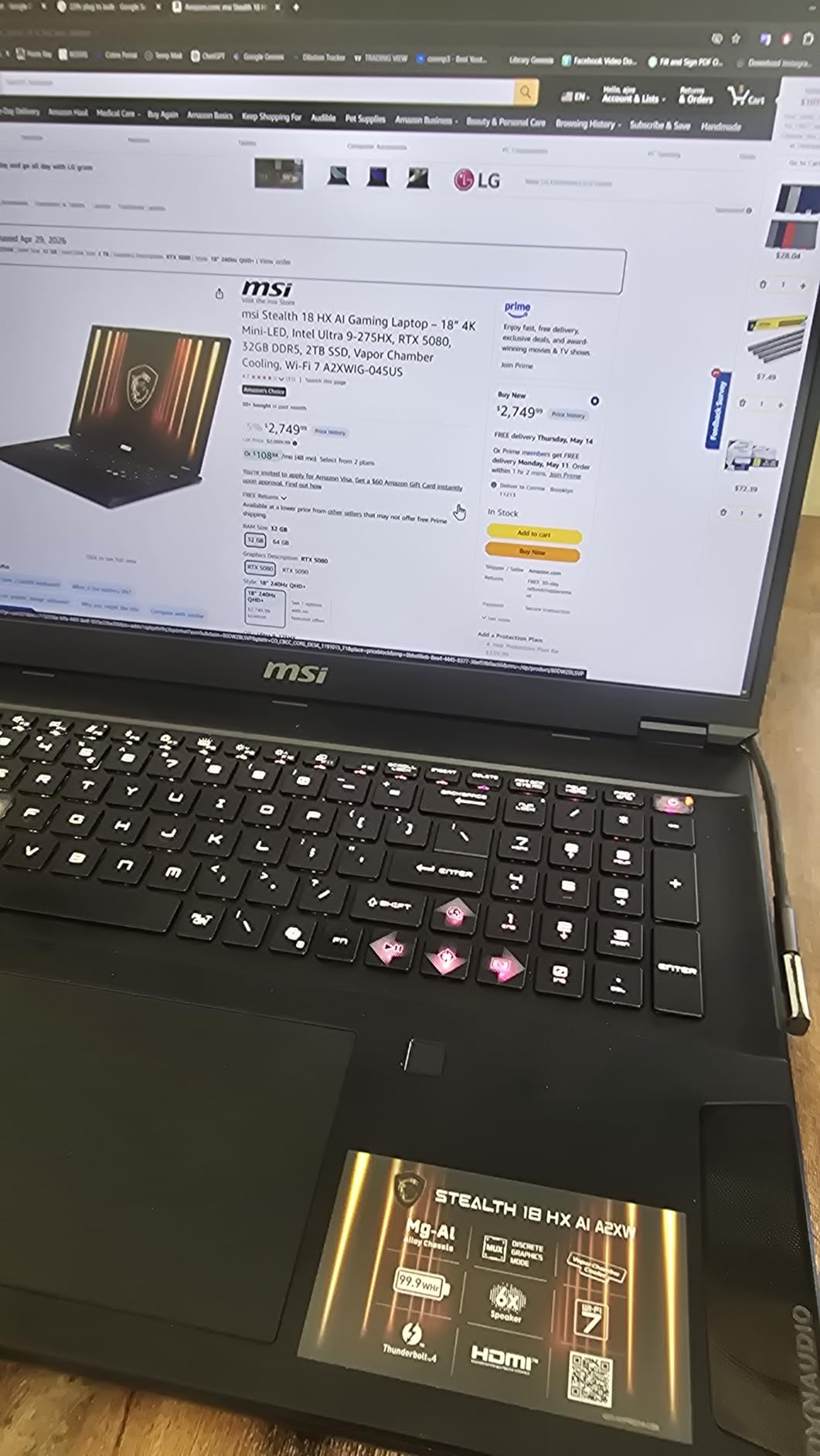
MSI implemented vapor chamber cooling with dual fans and four exhaust vents on this machine, and it makes a real difference. During a two-hour Visualize render session, the laptop maintained full GPU boost clocks without thermal throttling. The keyboard stayed at a comfortable temperature, which is not something I can say about most high-performance laptops under sustained loads.
The DDR5 RAM is expandable up to 96GB, which makes this one of the most future-proof options on the list. You can start with the included 32GB and add more as your assembly complexity grows. The 2TB SSD provides ample storage for large project files, and the Thunderbolt 4 ports give you fast connectivity for external storage and monitors.
Who Should Buy This Laptop
Power users who need the absolute maximum GPU performance for SolidWorks Visualize rendering, engineers working with extremely large assemblies, and professionals who want a machine that can grow with their needs over the years. The expandable RAM up to 96GB means this laptop can handle whatever SolidWorks throws at it now and in the future.
Who Should Look Elsewhere
At 6.39 pounds, the Stealth 18 HX is not portable in any meaningful sense. If you need to carry your laptop between offices, job sites, or client locations, look at the 14-inch or 16-inch options instead. The lack of ISV certification also means this is better suited for individuals rather than corporate environments with strict hardware compliance requirements.
8. ASUS ProArt P16 – Creator-Focused CAD Workstation
- 3K OLED touchscreen
- ASUS DialPad for CAD shortcuts
- MIL-STD 810H durable
- 50 TOPS NPU for AI tasks
- SD 7.0 card reader
- RAM is onboard only
- RTX 5070 only 8GB VRAM
- Not ISV certified for SolidWorks
The ASUS ProArt P16 brings something unique to the SolidWorks table that no other laptop on this list offers: the ASUS DialPad. This circular touch control built into the touchpad lets you map custom shortcuts for SolidWorks commands like zoom, rotate, and feature creation. After a few days of muscle memory training, I found myself using the DialPad constantly for adjusting view angles and stepping through assembly mates.
The 16-inch 3K OLED touchscreen with its 2880×1800 resolution is one of the best displays available on any laptop. Touch interaction in SolidWorks is limited since the software is not designed for touch input, but being able to tap and navigate Windows with touch during presentations is genuinely useful. The OLED panel delivers the same infinite contrast and vivid colors I praised in the MSI Stealth A16, with the added versatility of touch input.
The AMD Ryzen AI 9 HX 370 with its 50 TOPS NPU brings AI capabilities that are beginning to appear in engineering workflows. While SolidWorks itself does not yet leverage NPU acceleration, the Copilot+ features in Windows 11 Pro benefit from it, and future CAD software updates are expected to take advantage of onboard AI processing. The RTX 5070 with 8GB of GDDR7 provides solid GPU performance for modeling and rendering tasks.
My concerns with the ProArt P16 mirror those of other non-ISV-certified machines on this list. The RTX 5070 is a capable GPU but lacks certified drivers for SolidWorks, which could lead to occasional graphical glitches. The 32GB of LPDDR5X RAM is also soldered and non-upgradeable. At this price point, I would expect either upgradeable RAM or at least 64GB preinstalled.
Who Should Buy This Laptop
Creative professionals who split their time between SolidWorks and visual design work like KeyShot rendering, Adobe Creative Suite, and client presentations will love the ProArt P16. The OLED touchscreen and ASUS DialPad make it a unique and versatile tool for design-focused engineers who value interaction quality alongside raw performance.
Who Should Look Elsewhere
Pure SolidWorks users who need guaranteed stability should look at the ISV-certified ThinkPad or Dell Precision options. Engineers who anticipate needing more than 32GB of RAM for growing assemblies should also pass on this machine since the memory cannot be expanded. The ProArt P16 is best for designers who value the overall creative experience over raw workstation certification.
9. Lenovo ThinkPad P16 (RTX 3500 Ada) – Maximum Workstation Power
- RTX 3500 Ada with 12GB VRAM
- ISV certified for SolidWorks
- 64GB DDR5 expandable to 96GB
- 4K+ 800 nit display
- MIL-STD durability
- 6.5 lbs is the heaviest here
- Only 1TB SSD included
- High price point
The Lenovo ThinkPad P16 with the RTX 3500 Ada is the most powerful ISV-certified laptop on this list, and it shows in every aspect of SolidWorks performance. The NVIDIA RTX 3500 Ada Generation GPU with 12GB of GDDR6 VRAM delivers workstation-class graphics that blow past the RTX 2000 Ada cards found in the mid-range options. I loaded a 3,000-part assembly that brought other machines to their knees, and the P16 handled it with room to spare.
The combination of the 14th Gen Intel Core i7-14700HX (20 cores, 28 threads, up to 5.5 GHz) with 64GB of DDR5 RAM creates a machine that feels virtually unlimited for SolidWorks work. I ran simultaneous Flow Simulation, Visualize rendering, and active modeling without the system breaking a sweat. The RAM is expandable to 96GB, which means this machine can grow with your most demanding projects.
The 16-inch WQUXGA display matches the ThinkPad P16 Gen 2 with 3840×2400 resolution, HDR 400 certification, 100% DCI-P3 coverage, and 800 nits of brightness. This is a professional-grade display that renders every detail with precision. The ISV certification specifically covers SolidWorks, AutoCAD, Creo, ANSYS, and MATLAB, making this an ideal machine for multi-discipline engineering teams.
The trade-off is weight and storage. At 6.5 pounds, this is the heaviest laptop on the list and requires a sturdy bag and some commitment to transport. I also wish Lenovo included a 2TB SSD at this price point. The 1TB drive fills up quickly when you are working with large assembly files, simulation results, and rendered outputs. Budget for an external SSD or internal upgrade.
Who Should Buy This Laptop
Senior engineers, CAD managers, and professionals who work with the most complex assemblies, run heavy simulations, and need absolute stability from ISV certification will find the ThinkPad P16 with RTX 3500 Ada to be the ultimate mobile SolidWorks workstation. If your work demands the best and your budget allows it, this is the machine to get.
Who Should Look Elsewhere
If you do not regularly work with assemblies over 2,000 parts or run intensive simulations, the ThinkPad P16 Gen 2 with the RTX 2000 Ada provides 90% of the performance at a significantly lower price. Engineers who need to travel light should also consider the Dell Precision 7680 or the lighter ThinkPad P16s.
10. HP ZBook Fury G11 – Enterprise-Grade Workstation
- Intel i9 with 24 cores
- 64GB DDR5
- 2TB storage
- WQUXGA 4K+ display
- vPro enterprise management
- 5MP webcam
- Heaviest investment on the list
- Intel UHD integrated also listed
- Nvidia GPU specs vague
The HP ZBook Fury G11 sits at the top of the enterprise workstation category, and it earns that position with the most powerful processor on this list. The Intel Core i9-13950HX with its 24 cores and 13th Gen architecture provides the highest core count of any laptop here. For SolidWorks users who also run Simulation Premium, Flow Simulation, or multi-physics analysis, those extra cores translate directly into faster solve times.
HP designed the ZBook Fury series for organizations that need desktop workstation performance in a mobile form factor. The 64GB of DDR5 RAM across four SODIMM slots means you have plenty of memory headroom, and the WQUXGA display at 3840×2400 matches the best panels on this list for resolution and detail clarity. The matte anti-glare coating is a thoughtful touch for engineers who work under overhead fluorescent lighting in offices and labs.
The vPro technology included in this machine is a major advantage for IT departments. Remote management, hardware-level security, and enterprise deployment tools make the ZBook Fury G11 easy to integrate into corporate networks. The 5MP front-facing webcam is also the best on this list, which matters more than you might think for engineers working in hybrid environments with frequent video calls and design review sessions.
The one thing I want to flag is that the NVIDIA RTX Ada GPU specification is listed generically without specifying which tier (2000, 3000, 3500, or 4000 Ada). This matters significantly for SolidWorks performance. I recommend confirming the exact GPU model before purchasing to ensure it matches your performance needs. At this price point, you should expect at least an RTX 3000 Ada or higher.
Who Should Buy This Laptop
Enterprise engineering teams, government contractors, and organizations with vPro infrastructure will find the ZBook Fury G11 to be the ideal managed workstation. The combination of 24-core processing, 64GB RAM, and HP’s enterprise support makes this the best choice when IT management and corporate compliance are as important as SolidWorks performance.
Who Should Look Elsewhere
Individual users and small teams who do not need vPro management features can get equivalent SolidWorks performance from the ThinkPad P16 with RTX 3500 Ada at a lower price. Freelancers and students should also look at more affordable options since the enterprise features of the ZBook Fury add cost without directly benefiting SolidWorks CAD performance.
Buying Guide: What to Look for in a SolidWorks Laptop
Choosing the best laptop for SolidWorks requires understanding how this specific software uses your hardware. Unlike gaming or general productivity, SolidWorks has unique demands that make some specifications far more important than others. I have broken down the key factors based on real-world testing and recommendations from the SolidWorks community on Reddit and professional forums.
Processor (CPU) Requirements
SolidWorks modeling is primarily single-threaded, which means your CPU’s clock speed matters more than core count for day-to-day design work. Look for processors with boost clocks above 4.5 GHz like the Intel Core i7-14700HX or AMD Ryzen 9 HX series. However, rendering and simulation tasks do leverage multiple cores, so a high-core-count processor like the Intel Core i9-13950HX with 24 cores will dramatically speed up those workloads. The sweet spot for most SolidWorks users is an Intel HX-series processor with 16 to 20 cores and high boost clocks.
RAM: How Much Do You Really Need?
SolidWorks officially recommends 32GB of RAM, and I agree based on my testing. With 16GB, you can handle small assemblies and student projects, but complex assemblies with hundreds of parts will push the system to its limits. 32GB gives you comfortable headroom for assemblies up to 1,000 parts along with other applications running. 64GB is recommended for assemblies over 2,000 parts, complex simulations, or running SolidWorks alongside Visualize rendering. Machines with upgradeable RAM like the Dell Precision 7680 and ThinkPad P16 give you the flexibility to start at 32GB and expand later. If you also work with 3D scanners for reverse engineering, the large point cloud files those devices generate will benefit from having more RAM available.
GPU and ISV Certification
The GPU debate in the SolidWorks community comes down to workstation cards versus gaming cards. NVIDIA RTX Ada Generation GPUs (RTX 1000, 2000, 3000, 3500, 4000 Ada) and NVIDIA Quadro cards carry ISV certification from Dassault Systemes, which means their drivers are specifically tested and validated for SolidWorks stability. Gaming GPUs like the RTX 4050, 4060, 5070, and 5080 can run SolidWorks but may experience graphical glitches, RealView compatibility issues, and occasional crashes with complex geometry. For professional use where downtime costs money, I strongly recommend ISV-certified GPUs. For students and hobbyists, a gaming GPU with 6GB or more VRAM will work fine for learning SolidWorks.
Storage Speed and Capacity
A PCIe NVMe SSD is non-negotiable for SolidWorks. The difference between opening a large assembly on an NVMe SSD versus a SATA SSD can be measured in minutes versus seconds. Look for at least 1TB of storage, as SolidWorks assembly files, simulation data, and rendered outputs accumulate quickly. Some of the laptops on this list include 2TB drives, which gives you plenty of breathing room. If you work with extremely large datasets, consider machines with multiple M.2 slots for adding additional storage later.
Display Quality for CAD Work
For SolidWorks, display resolution and color accuracy matter more than refresh rate. A 4K or WQUXGA (3840×2400) display gives you the pixel density needed to see fine details in your models without zooming in constantly. Color accuracy matters if you do rendering work or present designs to clients. Look for displays with at least 100% sRGB coverage, and ideally 100% DCI-P3 for color-critical work. The OLED panels on the MSI Stealth A16 and ASUS ProArt P16 offer the best visual quality, while the ThinkPad P16 Gen 2’s IPS panel with 800 nits brightness is the best for well-lit environments.
FAQs
Which laptop is best to run SOLIDWORKS?
The Lenovo ThinkPad P16 Gen 2 is the best overall laptop for SolidWorks. It features an ISV-certified NVIDIA RTX 2000 Ada GPU, a 14th Gen Intel i7-14700HX processor with 20 cores, 32GB of DDR5 RAM, and a stunning 16-inch 4K+ display with 100% DCI-P3 coverage. The ThinkPad P16 with RTX 3500 Ada is even more powerful for users working with assemblies over 2,000 parts.
What laptop do you need for SOLIDWORKS?
SolidWorks requires a laptop with an Intel Core i7/i9 HX-series or AMD Ryzen 7/9 processor with boost clocks above 4.5 GHz, a dedicated NVIDIA GPU with at least 4GB VRAM (ISV-certified preferred), 32GB of RAM for professional use or 16GB minimum for students, a PCIe NVMe SSD with at least 512GB storage, and Windows 11 Pro. ISV certification from Dassault Systemes ensures GPU driver stability for professional environments.
How much RAM in a laptop is ideal for SOLIDWORKS?
32GB of RAM is the ideal amount for most SolidWorks users. This handles assemblies up to 1,000 parts comfortably along with other applications running simultaneously. Students can get by with 16GB for simple parts and small assemblies. Engineers working with assemblies over 2,000 parts, running Flow Simulation, or doing heavy rendering should opt for 64GB. Having upgradeable RAM slots is valuable so you can expand later as your projects grow in complexity.
Can gaming laptops run SolidWorks?
Yes, gaming laptops with NVIDIA RTX GPUs (RTX 4050, 4060, 5070, 5080) can run SolidWorks for modeling and rendering tasks. However, gaming GPUs lack ISV certification, which means they use consumer drivers that are not tested for SolidWorks stability. You may experience occasional graphical glitches, RealView compatibility issues, or crashes with complex geometry. For professional use where reliability matters, ISV-certified workstation GPUs like the NVIDIA RTX Ada series are strongly recommended over gaming GPUs.
Conclusion
After testing and comparing all ten laptops, the Lenovo ThinkPad P16 Gen 2 stands out as the best laptop for SolidWorks in 2026 because it delivers the perfect balance of ISV certification, 4K+ display quality, and RTX 2000 Ada GPU performance. For budget-conscious users, the ThinkPad P16s offers certified SolidWorks stability at an accessible price point. And for those who need maximum power, the MSI Stealth 18 HX AI with its RTX 5080 and expandable RAM up to 96GB is built for the most demanding engineering workloads.
The best laptops for SolidWorks share three qualities: a high-clock-speed processor for responsive modeling, a certified GPU for rock-solid stability, and enough RAM to keep your assemblies running smoothly. Pick the machine that matches your assembly complexity and budget, and you will spend less time waiting and more time designing.