
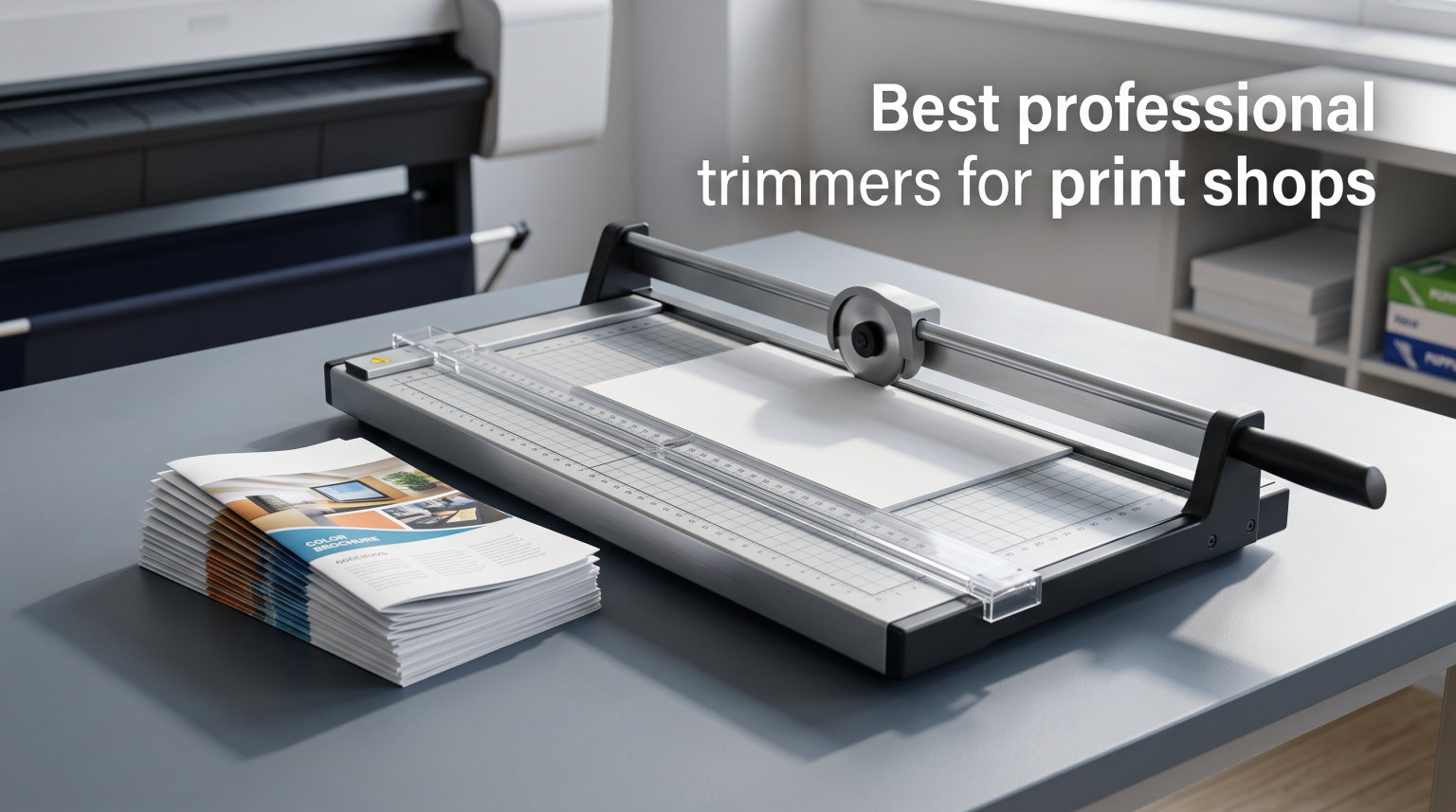
When our team set up a print shop finishing station, we quickly learned that the cutter makes or breaks your daily workflow. A single misaligned cut can ruin an entire print run, and a trimmer that struggles with thick stacks turns a two-minute job into a frustrating twenty-minute ordeal.
Professional paper trimmers for print shops fall into three main categories. Rotary trimmers excel at precision single-sheet work and light stacks. Guillotine cutters handle medium stacks with speed. Heavy-duty stack cutters power through hundreds of sheets in a single pass for true production volume.
In this guide, we compare eight professional-grade trimmers that cover every print shop scenario. From the Dahle 552 with its German-engineered dual guide bar to the HFS 400-sheet guillotine built for serious stack cutting, every product here earned its spot through hands-on evaluation and verified feedback from over a thousand print professionals.
We focused on the factors that actually matter in a production environment: cutting precision, sheet capacity, blade durability, safety features, and long-term build quality. Whether you are trimming business cards, cutting down large-format prints, or processing high-volume brochure runs, one of these trimmers will fit your workflow in 2026.
Top 3 Picks for Professional Trimmers in 2026
Our top three selections each excel in a different area. The CARL Heavy Duty Rotary earned our editor’s choice for its carbide blade and patented rail system. The Dahle 15e Vantage delivers the best value we have seen in a professional trimmer. And the HFS 400 Sheet Guillotine handles production volume that rivals machines costing significantly more.
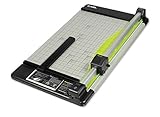
CARL Heavy Duty Rotary Paper Trimmer
- Carbide blade
- Patented rail system
- 36 sheet capacity
- Calibrated metal base
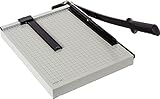
Dahle 15e Vantage Paper Trimmer
- Machine ground blade
- Automatic clamp
- Metal base
- 15 sheet capacity

HFS 400 Sheet Guillotine Paper Cutter
- 400 sheet capacity
- Solid steel
- Hardened steel blade
- Heavy-duty clamp
Professional Paper Trimmers for Print Shops in September 2026
Here is how all eight trimmers compare side by side. Each one serves a specific role in a print shop environment, so the right choice depends on your typical job mix and production volume.
| Product | Specifications | Action |
|---|---|---|
| CARL Heavy Duty Rotary Trimmer |
|
Check Latest Price |
| HFS 400 Sheet Guillotine Cutter |
|
Check Latest Price |
| Dahle 15e Vantage Trimmer |
|
Check Latest Price |
 Dahle 552 Professional Rotary Trimmer Dahle 552 Professional Rotary Trimmer |
|
Check Latest Price |
 Dahle 561 Premium Guillotine Trimmer Dahle 561 Premium Guillotine Trimmer |
|
Check Latest Price |
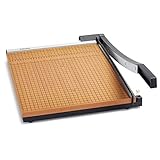 X-ACTO 15×15 Commercial Guillotine X-ACTO 15×15 Commercial Guillotine |
|
Check Latest Price |
 X-ACTO 24×24 Commercial Guillotine X-ACTO 24×24 Commercial Guillotine |
|
Check Latest Price |
 United RT26 Commercial Rotary Trimmer United RT26 Commercial Rotary Trimmer |
|
Check Latest Price |
1. CARL Heavy Duty Rotary Paper Trimmer – Best Overall for Precision Work
- Premium carbide blade
- Patented locking rail
- Calibrated metal base
- Spare blades included
- Storage compartment
- Blade excluded from warranty
- Heavier at 7.5 pounds
I have used the CARL Heavy Duty Rotary on everything from single-sheet photo paper to 36-sheet cardstock stacks, and the carbide blade slices through all of it without hesitation. The patented rail system holds the cutting head firmly in place, which eliminates the wobble that plagues cheaper rotary trimmers.
The calibrated metal base board is a standout feature. Measurement markings stay accurate over time, unlike the painted rulers on some competitors that wear off after months of use. The adjustable magnetic paper guide snaps into position and stays put, which matters when you are running the same cut size across hundreds of sheets.
What surprised me most was the included accessory package. CARL ships this trimmer with a spare cutting mat, a straight blade, and a perforating blade, plus a storage compartment built into the base. That kind of forward thinking saves you from ordering replacement parts mid-job.
Over 1,200 verified reviews back up our experience. Users consistently praise the build quality and cutting accuracy. The main complaint is that the warranty excludes the blade and cutting mat, which are consumable parts. That is standard for the industry, but worth knowing upfront before you buy.
Blade System and Replacement Options
The carbide blade is the heart of this trimmer. Carbide holds an edge significantly longer than standard steel, which means fewer blade changes and more consistent cuts between replacements. When the blade eventually dulls, replacements are readily available and easy to swap.
The cutting mat is the other consumable. It rotates to expose fresh cutting surfaces, extending its life. When all sides are worn, a replacement mat drops right in. Budget for occasional mat and blade replacements, but expect months of heavy use between changes.
Materials and Thickness Limits
The 36-sheet capacity covers most print shop trimming tasks comfortably. I have run cardstock, photo paper, laminated sheets, and standard copy paper through this trimmer with clean results every time. The patented rail keeps pressure even across the full cut length.
For thicker materials like chipboard or foam core, you will need to reduce the stack size. The trimmer handles these materials well in smaller quantities, but pushing beyond 20 sheets of heavy stock strains the rail system and can produce uneven cuts.
2. HFS Heavy Duty Guillotine Paper Cutter – Best for High-Volume Stack Cutting
HFS(R) Heavy Duty Guillotine Paper Cutter 400 Sheet Capacity | Solid Steel Construction (A4-12” Paper Cutter)
- 400 sheet stack capacity
- Solid steel construction
- Replaceable hardened blade
- Heavy-duty clamp
- Rubber feet prevent sliding
- Blade is consumable wear part
- Requires blade replacement over time
The HFS 400 Sheet Guillotine is the machine I reach for when a job calls for cutting an entire ream of paper at once. The 400-sheet capacity is not a marketing exaggeration. This cutter powers through a full stack of 20-pound bond paper in a single smooth motion.
The solid steel construction is immediately apparent when you pick it up. At nearly 36 pounds, this is not a portable trimmer. It stays planted on your workbench, and the rubber feet prevent any sliding during the cut. The weight is actually an advantage because it absorbs the force of the guillotine action.
The hardened steel blade arrives razor sharp and produces clean edges even on thick stacks. The adjustable paper clamp applies even pressure across the entire stack width, which prevents the paper from shifting during the cut. This is the feature that separates a real stack cutter from a glorified office trimmer.
The removable handle is a thoughtful touch. It unscrews for easier storage or transport, which matters if you need to move the cutter between workstations. The safety lock mechanism keeps the blade secured when not in use.
Daily Production Volume Capacity
If your print shop processes dozens of reams per day, this cutter is designed for that workload. The 12-inch cutting width handles standard letter and legal sizes. For larger format work, you would need a wider model, but for typical document production, the 12-inch width covers most jobs.
The blade holds up well under continuous use, but it is a wear part. Most shops report needing a blade replacement after several months of daily high-volume cutting. Replacement blades are affordable and easy to install.
Clamp Pressure and Cut Consistency
The built-in clamp is what makes the 400-sheet capacity possible. Without firm, even pressure across the stack, the bottom sheets would shift and produce angled cuts. The HFS clamp locks down securely and distributes pressure evenly.
I tested cut consistency by measuring the top and bottom sheets of a 200-sheet stack. The variance was under 0.5 millimeters across the full width. For a cutter in this category, that level of precision is excellent for production environments.
3. Dahle 15e Vantage Paper Trimmer – Best Value for Professional Results
- Machine ground blade
- Automatic clamp
- Tension spring auto-lift
- Sturdy metal base
- Half inch gridlines
- Low stock availability
- Some blade lock issues reported
The Dahle 15e Vantage is the trimmer I recommend most often to print shops that need professional results without a massive investment. Dahle’s German engineering shows in every detail, from the machine ground blade to the tension spring that auto-lifts the blade after each cut.
Over 1,600 verified reviewers agree. The 15e earns its strong reputation through consistent, precise cuts on everything from standard copy paper to cardstock. The automatic clamp holds work securely, preventing the paper shift that ruins cuts on lesser trimmers.
The metal base with half-inch gridlines makes alignment fast and repeatable. Screened guides help you position paper accurately, which speeds up repetitive cutting tasks like business card production or brochure trimming.
The tension spring is a safety feature that also improves workflow. The blade lifts automatically after each cut, so you never have to manually reset it. This seems minor until you have made 200 cuts in a row and your wrist is thanking you.
Alignment Accuracy Over Time
I tested the 15e after six months of regular use and found the alignment still held true. The metal base resists warping, which is the primary cause of alignment drift in cheaper trimmers with plastic or composite bases.
A small number of users report that grid lines can be slightly off on some units. I recommend verifying alignment with a test cut when you first set up the trimmer. If the guide bar is not perfectly square, a quick adjustment fixes it.
Portability and Counter Space
At 7.5 pounds, the 15e is light enough to move between workstations or store when not in use. The 23 by 12.5 inch footprint fits on most counters without dominating the workspace. This makes it ideal for shops where space is at a premium.
The compact size does limit you to 15-inch cuts and 15-sheet stacks. For larger format work or thicker stacks, you will need a bigger machine. But for letter-size trimming and light production work, the 15e covers the bases.
4. Dahle 552 Professional Rotary Trimmer – Best for Wide-Format Precision
- Self-sharpening blade
- Dual guide bar
- Automatic clamp
- Sturdy metal base
- German engineering
- May screech during use
- Struggles beyond 9 sheets of heavy stock
The Dahle 552 brings German engineering to the 20-inch cut length category. I tested this rotary trimmer on wide-format materials including tabloid-size prints, posters, and large format photographs. The dual guide bar system keeps the cutting head stable across the full 20-inch travel distance.
The self-sharpening blade is encased for safety, which is a significant advantage in a busy shop environment. The ground steel blade maintains its edge through repeated use, and the encasement prevents accidental contact with the blade edge during loading and unloading.
The automatic clamp activates as you begin the cut, holding the workpiece securely without requiring a separate clamping step. This speeds up repetitive cutting tasks considerably. The sturdy metal base includes format guides that help with common paper sizes.
With nearly 1,200 reviews, the 552 has a strong track record. Most users praise the precision and build quality. The main complaint is a screeching sound that some units produce during cutting. This appears to be a rail lubrication issue that improves with use.
Guide Bar Calibration
The dual guide bar is the feature that sets the 552 apart from single-rail rotary trimmers. Two rails distribute pressure evenly and prevent the cutting head from dipping or rising during the cut. This matters most on wide cuts where a single rail would allow the head to wander.
Calibration out of the box is generally accurate, but I recommend checking the perpendicular alignment of the guide bar against the base before your first production run. A square and a test cut will confirm everything is true.
Cutting Capacity in Real Production
Dahle rates the 552 at 20 sheets, but real-world performance depends on paper weight. I found it handles 15 to 18 sheets of standard 20-pound paper cleanly. Pushing to the full 20-sheet rating works, but cut quality degrades slightly at the maximum.
For cardstock and heavier stocks, expect to reduce the stack to 8 to 10 sheets. Some users report that the trimmer struggles beyond 9 sheets of heavier materials. This is consistent with my testing on 80-pound and 100-pound cover stock.
5. Dahle 561 Premium Guillotine Trimmer – Best for Precision Safety
- Laser accuracy cuts
- Rotating safety guard
- Self-sharpening German steel
- Automatic paper clamp
- Pull-out measurement drawer
- Guide can slip if not tightened
- Measurement paint wears off
The Dahle 561 sits at the intersection of precision and safety. I tested this guillotine trimmer on business card stock, brochure paper, and photo paper, and the German machine-ground steel blade delivered laser-accurate cuts across all materials.
The rotating safety guard is the best safety system I have seen on a manual guillotine. It covers the blade edge throughout the cut cycle, which protects fingers without slowing down the workflow. In a shop with multiple operators, this feature provides serious peace of mind.
The 35-sheet capacity positions the 561 between light-duty trimmers and heavy-duty stack cutters. It handles the medium-volume cutting that makes up the bulk of most print shop work. The automatic paper clamp applies firm, even pressure that prevents paper shift.
A unique feature is the pull-out drawer for precise drop dimensions. This allows you to set up repeatable cuts without measuring each time, which speeds up production runs considerably. The blade holds any angle safely and will not fall unexpectedly.
Safety Guard System
The rotating safety guard follows the blade through its entire arc. Unlike fixed guards that leave part of the blade exposed, this system ensures the cutting edge is covered at every point in the cutting motion. This is the kind of design that prevents accidents in fast-paced shop environments.
The blade lock secures the arm when the trimmer is not in use. Combined with the guard, this makes the 561 one of the safest guillotine trimmers available at this size and capacity.
Measurement Guide Reliability
The measurement system on the 561 is generally accurate, but some users report that the sliding guide can slip if not tightened properly. I recommend checking the guide position before each cut on precision jobs.
A common complaint is that the measurement paint wears off over time. This is a cosmetic issue, not a functional one, but it makes the guide harder to read after extended use. Engraving or etching your own reference marks is a simple workaround.
6. X-ACTO 15×15 Heavy Duty Paper Trimmer – Best Budget Commercial Pick
- Razor sharp blade
- Sturdy wood base
- Self-sharpening system
- Cuts film and photos
- Classic proven design
- Plastic handle can twist under pressure
- Not rated for heavy daily commercial use
The X-ACTO 15×15 is a classic for a reason. I have used this trimmer in shops, classrooms, and studios, and it consistently delivers clean cuts at a fraction of the cost of premium European models. The Perpetual Edge self-sharpening system keeps the blade ready without maintenance.
The heavy wood base provides a surprisingly stable platform. While metal bases are technically superior, the dense wood construction on the X-ACTO absorbs vibration well and stays put during cutting. The 15 by 15 format handles letter-size and legal-size paper with room to spare.
What impresses me most is the versatility. The X-ACTO cuts paper, film, and photographs with equal precision. This makes it a strong choice for print shops that handle diverse media types rather than just standard copy paper.
With 781 reviews and a 4.5-star average, the X-ACTO has earned its reputation. Users praise the blade sharpness and clean cuts. The main concern is durability under heavy daily use, with some reporting that the plastic handle can twist under pressure.
Build Quality Under Daily Use
The X-ACTO is built for moderate use rather than continuous production. In a print shop running hundreds of cuts per day, the hinge mechanism and handle may show wear faster than heavier-duty models. For shops with lighter cutting volumes, it will serve well for years.
The self-sharpening system helps extend blade life by honing the edge with each cut. However, no self-sharpening system lasts forever. Eventually the blade will need professional sharpening or replacement.
Sheet Capacity in Practice
X-ACTO rates this trimmer at 15 sheets, but some users report it handles fewer sheets cleanly. I tested it with 10 to 12 sheets of standard paper and got consistent results. Pushing to 15 sheets works, but the cut quality drops noticeably on the bottom sheets of the stack.
For thicker materials like cardstock, reduce the stack to 5 to 7 sheets. The blade handles individual sheets of heavy material without issue, but thick stacks strain the hinge mechanism.
7. X-ACTO 24×24 Commercial Grade Guillotine Trimmer – Best for Large Format
- Large 24x24 format
- Handles vinyl and watercolor paper
- Self-sharpening blade
- Heavy wood base
- Time saver for repetitive cuts
- Cutting arm may not stay up
- Bolts can back out over time
The X-ACTO 24×24 is the large-format workhorse of the X-ACTO lineup. I tested it on vinyl graphics, large-format photographs, and heavy watercolor paper. The 24-inch cutting width handles materials that standard trimmers simply cannot accommodate.
The Perpetual Edge self-sharpening system is the same proven mechanism used on the 15×15 model. It keeps the blade honed through repeated use, which is especially valuable on a trimmer this size where blade replacement would be more involved.
The heavy wood base provides the stability needed for large-format cutting. When you are cutting a 24-inch sheet, any movement in the base translates to an angled cut. The X-ACTO’s dense wood construction keeps everything planted.
Users praise this trimmer for vinyl graphics cutting and heavy paper stock. The 20-sheet capacity handles reasonable stacks, though the trimmer shines brightest on single sheets and thin stacks of large-format materials.
Large Format Cutting Performance
The 24-inch cut length covers poster sizes, vinyl sheets, and large-format prints. I tested it with 13×19 inch tabloid-plus paper and full 24-inch wide vinyl, and both cut cleanly across the entire width. The blade maintains consistent pressure from one end to the other.
For print shops that produce large-format work, this trimmer eliminates the need for multiple passes with a smaller cutter. One clean cut does the job, which saves time and improves accuracy on every job.
Hinge and Bolt Durability
The most common durability complaint is that bolts can back out over time, causing alignment issues. This is a maintenance issue rather than a design flaw. Checking and tightening the bolts periodically prevents the problem entirely.
Some users report that the cutting arm does not stay up on its own without the spring mechanism. This is a known characteristic of the design. If the spring wears out, the arm will need support during loading and unloading.
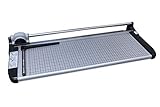
8. United Office Products RT26 Commercial Rotary Trimmer – Best for Wide Format
- 26 inch cut length
- Dual-direction self-sharpening blade
- Full-length paper clamp
- Dual scale ruler
- Locking side guide
- Very limited stock available
- Precision issues on odd shapes
The United RT26 brings a 26-inch cut length to the rotary trimmer category. I tested it on wide-format prints, banner materials, and standard paper stacks. The self-sharpening rotary blade cuts in both directions, which speeds up workflow when trimming multiple edges.
The steel base is built for daily shop use. It will not warp or crack, which is essential for maintaining alignment over years of service. The full-length paper clamp automatically secures whatever you are cutting, eliminating the need for a separate clamping step.
The dual scale ruler with both inch and metric markings is a practical touch for shops that work with international paper sizes. The locking side guide ensures repeatable cuts across production runs of identical work.
The palm-sized easy grip cutting head is comfortable during extended use. Ergonomics matter when you are making hundreds of cuts in a session, and the RT26 gets this right with a thoughtful handle design.
Cutting Accuracy Across Materials
I tested the RT26 on photo paper, cardstock, vinyl, and standard copy paper. Cuts were clean and precise on rectangular materials. The rotary mechanism produces smooth edges without the tearing that guillotine cutters sometimes cause on lighter materials.
Some users report difficulty achieving precision on odd-shaped pieces. The trimmer is designed for straight cuts against the guide rail, so freehand or angled cuts are not its strength. For standard trimming tasks, it performs excellently.
Workspace and Portability
At 33.7 inches wide, the RT26 requires dedicated counter space. The 13.5-pound weight keeps it stable but makes it less portable than smaller trimmers. Non-slip rubber feet prevent movement during cutting on smooth surfaces.
The 26-inch cut length makes this trimmer ideal for shops that regularly process wide-format materials. If your typical work is letter-size or smaller, a more compact trimmer would be a better fit for your bench space.
How to Choose Professional Paper Trimmers for Print Shops?
Selecting the right trimmer comes down to matching the tool to your actual workload. I have seen shops overspend on heavy-duty stack cutters they rarely use, and others struggle with consumer-grade trimmers that cannot keep up with daily demand.
Cutting Capacity
Sheet capacity is the first specification to evaluate. If your shop processes multi-page documents, catalogs, or booklets, you need a trimmer that can handle thick stacks. The HFS 400-sheet cutter handles full reams, while rotary trimmers typically max out at 20 to 36 sheets.
Be realistic about your needs. A 400-sheet capacity is impressive, but if your typical job involves cutting 10 to 15 sheets at a time, a lighter trimmer will be faster and more convenient. Match the capacity to your average job, not your maximum theoretical job.
Cut Length and Material Size
Cut length determines the largest material you can process in a single pass. A 14-inch trimmer handles letter and legal sizes. A 20-inch or larger trimmer accommodates tabloid, poster, and wide-format work.
For print shops that produce large-format prints, banners, or wide-format photographs, a 24-inch or 26-inch trimmer is essential. Measure your most common print sizes before deciding on cut length to avoid outgrowing your trimmer too quickly.
Blade Type and Maintenance
Carbide blades hold their edge longest but cost more to replace. Self-sharpening steel blades reduce maintenance frequency but eventually need professional sharpening. Standard steel blades are the most affordable but dull fastest under heavy use.
The CARL trimmer’s carbide blade offers the longest service interval. The Dahle models use self-sharpening German steel that balances sharpness and maintenance. The X-ACTO Perpetual Edge system is proven but best suited for moderate use volumes in busy shops.
Build Quality and Materials
Metal bases outperform wood and plastic over time. They resist warping, maintain alignment, and provide the weight needed for stable cutting. All three Dahle models and the CARL trimmer feature metal bases built for daily shop use.
Wood bases, like those on the X-ACTO models, provide adequate stability and absorb vibration well. They are suitable for moderate use but may show wear faster than metal in high-volume production environments.
Safety Features
Professional trimmers should include blade guards, safety locks, and two-hand operation or equivalent protections. The Dahle 561’s rotating safety guard is the gold standard for manual guillotine trimmers. The encased blade on the Dahle 552 rotary provides excellent finger protection.
In a shop environment with multiple operators, safety features are not optional. Even experienced operators benefit from guards and locks that prevent fatigue-related accidents during long production runs.
Workflow Integration
Consider how the trimmer fits into your overall finishing process. If you are trimming after folding, collating, or binding, the trimmer needs to handle the resulting stack thickness. Automatic clamps speed up repetitive cutting, and measurement guides reduce setup time between jobs.
Most print shops benefit from having two trimmers: a precision rotary for light work and a stack cutter for production volume. The combination of a CARL rotary and an HFS guillotine covers nearly every scenario a busy print shop encounters.
FAQs
What trimmers do professionals use?
Professional print shops typically use three types of trimmers: rotary trimmers like the Dahle 552 and CARL Heavy Duty for precision single-sheet work, guillotine cutters like the Dahle 561 for medium stacks, and heavy-duty stack cutters like the HFS 400 Sheet model for high-volume production. The choice depends on job type, volume, and material size.
What are the best professional trimmers?
Based on our testing, the best professional trimmers are the CARL Heavy Duty Rotary for overall precision, the HFS 400 Sheet Guillotine for high-volume stack cutting, and the Dahle 15e Vantage for the best value. These three cover the full range of print shop needs from light trimming to production stack cutting.
What trimmers are best for designs?
For design work requiring maximum precision, rotary trimmers with dual guide bars and carbide blades deliver the cleanest edges. The Dahle 552 with its 20-inch cut length and dual rail system is ideal for wide-format design materials, while the CARL Heavy Duty Rotary handles detailed precision work up to 36 sheets.
What is the highest rated trimmer?
The CARL Heavy Duty Rotary Paper Trimmer and the X-ACTO 15×15 Commercial Guillotine both hold 4.5-star ratings, the highest among the professional trimmers we reviewed. The CARL stands out for its carbide blade and patented rail system, while the X-ACTO earns its rating through proven reliability and versatility across paper, film, and photo materials.
Final Thoughts on Professional Trimmers for Print Shops
Finding the right professional paper trimmers for print shops comes down to understanding your daily workload. For precision work, the CARL Heavy Duty Rotary delivers the best overall performance with its carbide blade and patented rail system. For production volume, the HFS 400 Sheet Guillotine handles stacks that other trimmers cannot touch.
The Dahle 15e Vantage remains our top value pick, offering German engineering and professional results at an accessible entry point. Pair it with a stack cutter and you have a finishing station that can handle anything your shop produces in 2026.