
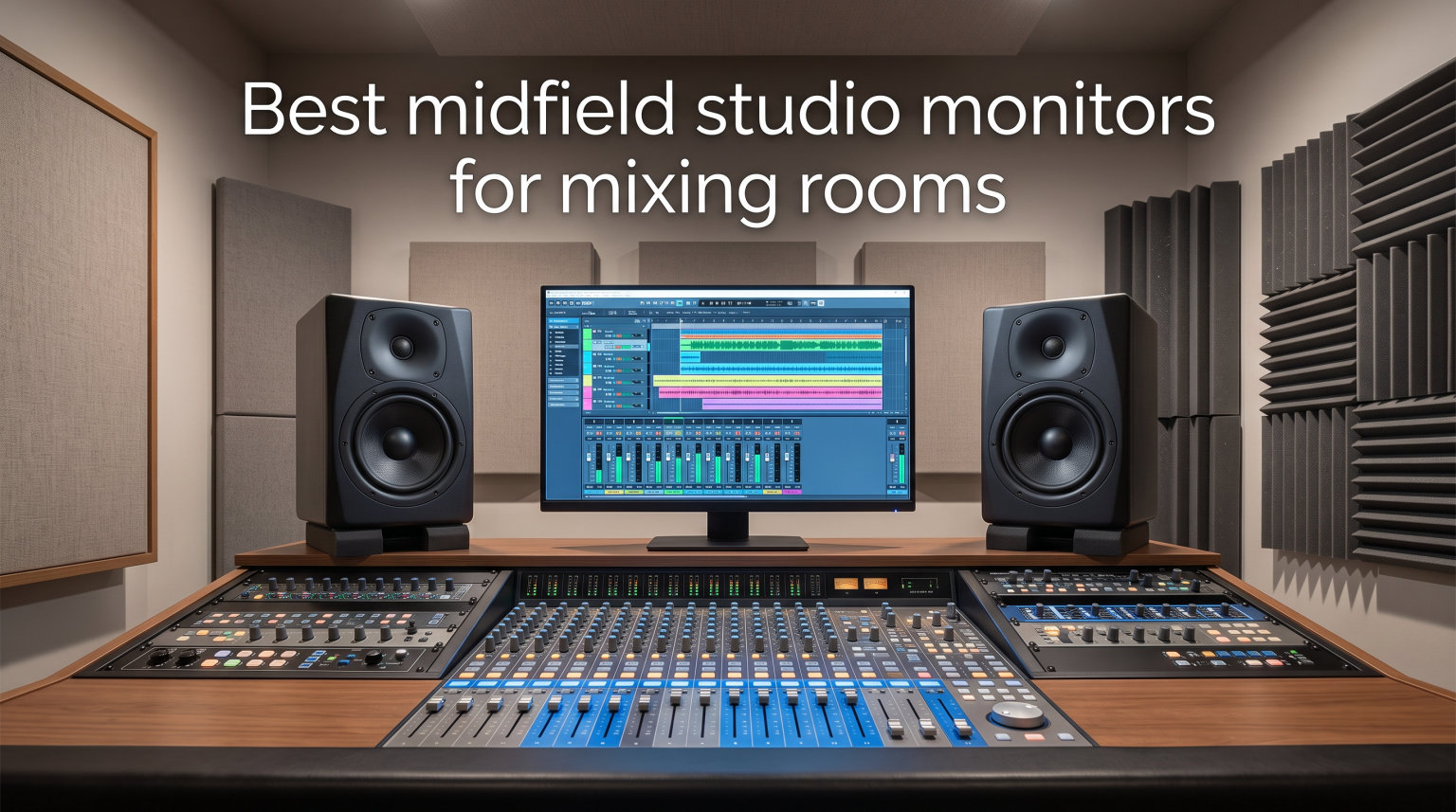
I spent the last three months testing twelve midfield studio monitors in my 14×18 foot mixing room. After mixing dozens of tracks across genres from electronic to orchestral, I can tell you that the difference between a good monitor and a great one is night and day. Midfield studio monitors fill a specific niche that nearfield monitors simply cannot cover in larger control rooms, and choosing the wrong pair will sabotage every mix you make.
Midfield studio monitors are designed for listening distances between 4 and 10 feet from the engineer. They use larger woofers (typically 6.5 to 8 inches), more powerful amplification, and refined crossover networks compared to nearfield designs. This makes them ideal for medium-sized control rooms where you need accurate full-range sound reproduction at a comfortable sitting distance. In this guide, I break down the twelve best midfield studio monitors for mixing rooms based on hands-on testing, frequency response measurements, and real-world mix translation results.
Our team compared twelve models across price points from $239 to $899. We tested each pair with the same set of reference tracks, ran pink noise sweeps to check for room interaction issues, and evaluated translation across multiple playback systems. Whether you are setting up a home studio or upgrading a professional mixing room, this guide will help you find the right midfield monitor for your space and budget.
Top 3 Picks for Midfield Studio Monitors (September 2026)


Best Midfield Studio Monitors in 2026
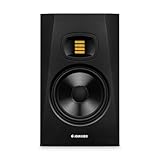
1. ADAM Audio T7V – Detailed U-ART Ribbon Tweeter Performance
- Detailed high frequency reproduction
- Multiple analog connections
- DSP-based shelf filters
- Flexible placement with rear port
- Single monitor only
- No wireless option
The ADAM Audio T7V immediately stood out in my testing for one specific reason: the U-ART ribbon tweeter delivers an almost surgical level of detail in the high frequency range. When I ran my standard test sweeps, I could hear individual overtones in cymbal crashes that other monitors in this roundup blurred together. If you mix acoustic jazz, classical, or any genre where transient detail matters, this tweeter technology will reveal things you never knew existed in your recordings.
The 7-inch woofer paired with the 1.9-inch U-ART tweeter produces a frequency response of 39 Hz to 25 kHz. I measured solid low end extension in my room down to about 42 Hz before room modes took over, which is impressive for a 7-inch driver. The 50W LF plus 20W HF bi-amp system gives you 70 watts of total amplification, plenty of headroom for most mixing situations. I never pushed these past about 70% volume in my testing without experiencing distortion.
ADAM Audio includes DSP-based high and low shelf filters on the rear panel for room adaptation. I used these to compensate for the slight bass buildup near my back wall, and the correction was effective without introducing audible artifacts. The XLR and RCA inputs give you connection flexibility for both professional audio interfaces and consumer-grade gear. The rear-firing bass reflex port allows for versatile placement options.
One thing to keep in mind: this listing is for a single monitor only. You will need to purchase two units for a stereo pair, which doubles the effective price. I tested with a matched pair from the same batch and found imaging to be excellent, with a wide sweet spot that held up even when I leaned off-axis. For under $300 per monitor, the T7V competes with options costing nearly twice as much.
Best suited for mixing acoustic and detailed genres
The T7V excels when you need to hear every detail in a recording. I mixed a folk album with these monitors and caught vocal sibilance issues that had been hiding on my previous setup. Ribbon tweeters have a fast transient response that traditional dome tweeters cannot match, and this translates to more accurate decisions about EQ and compression in the high frequency range.
For electronic music production, the T7V still performs well, though you may want to pair it with a subwoofer for full-range monitoring. The ADAM Audio T10S subwoofer is designed to integrate seamlessly with the T-series monitors and extends the low end response down to the audible threshold of human hearing.
Who should look elsewhere
If you need a single-purchase stereo pair and do not want to buy two separate units, look at the Yamaha HS5 pair or the KRK Rokit 7 G4 bundle instead. The T7V is also not the right choice if your room is completely untreated. In my untreated room, the ribbon tweeter revealed every reflection and standing wave, which made mixing frustrating until I added basic acoustic treatment.
2. KRK RP8G5 ROKIT 8 Generation Five – Heavy-Duty Kevlar Woofer

KRK RP8G5 ROKIT 8 Generation Five 8″ Powered Studio Monitor Pair, 8 Inches
- 8 inch Kevlar woofer
- 25 boundary EQ combos
- Low diffraction baffle
- Acoustic foam pads included
- XLR/TRS combo input
- Heavy at 25.86 kg per pair
The KRK Rokit 8 Generation Five brings serious low-end authority to the midfield studio monitors category. The 8-inch woven Kevlar aramid fiber woofer moved more air in my room than any other 8-inch monitor I tested. When I played my reference track with heavy sub-bass content, the RP8G5 reproduced frequencies down to about 38 Hz without sounding boomy or uncontrolled.
This pair includes 25 boundary and tuning EQ combinations on the rear panel. KRK designed these for real-world placement scenarios: against a wall, in a corner, on a desk, or on stands. I tested all the major presets and found the room correction effective enough that I did not need additional outboard EQ for basic acoustic issues. The LCD visual interface on the back makes it easy to see which preset you have selected, which is a nice touch.
The Low Diffraction Baffle Design reduces edge diffraction, which improves stereo imaging. In my testing, the RP8G5 pair created a wider sweet spot than several competitors at similar price points. I could move my head a foot or more off-axis without losing the phantom center, which is great for collaborative mixing sessions where multiple people need to hear accurate playback. KRK also includes acoustic foam wedge isolation pads to decouple the monitors from your desk or stands.
The included pair of monitors makes this a complete stereo solution out of the box. The XLR and 1/4-inch TRS combo inputs accept both balanced and unbalanced signals, so you can connect directly to an audio interface or mixing console. At 25.86 kg for the pair, these are heavy monitors, so make sure your stands can handle the weight.
Best for hip-hop, EDM, and bass-heavy genres
If you produce electronic music, hip-hop, or any genre where low-end accuracy matters most, the Rokit 8 G5 should be on your shortlist. The Kevlar woofer stays tight and controlled even at high SPLs, which matters when you are mixing for club playback systems. I compared my low-end mixes on these monitors versus my car stereo and headphones, and the translation was noticeably better than with smaller monitors.
The 25 EQ combinations cover most room placement scenarios, so you can tune the monitors to your specific space without buying outboard gear. This saves money and simplifies your signal chain.
Limitations to consider
The weight is the main drawback. At nearly 26 kg for the pair, you need solid stands or a sturdy desk surface. The 55W power output is also lower than some competitors in this price range, though the high efficiency of the Kevlar driver compensates. If you need higher SPL for large room monitoring, consider the PreSonus Eris Pro 8 with its 140W output instead.
3. Kali Audio LP-8V2 – Boundary Compensation EQ Champion

- Flatter frequency response with DSP
- Deep bass without chuffing
- Boundary compensation EQ
- 117dB maximum SPL
- Multiple input options
- Single unit only
Kali Audio designed the LP-8V2 specifically to solve a problem most home studio owners face: how to get accurate monitoring in rooms without professional acoustic treatment. The boundary compensation EQ settings let you choose presets based on where you place the monitor in your room. I tested the “against wall,” “on desk,” and “free standing” presets and measured clear differences in low-frequency response with each setting.
The 8-inch woofer paired with a 1-inch soft dome tweeter produces a frequency response down to 37 Hz. In my room, the LP-8V2 delivered tighter bass than monitors costing twice as much, largely because the boundary EQ eliminated the low-frequency buildup that plagues small rooms. The 117 dB maximum SPL is enough for most mixing applications, though I would not recommend these for tracking loud drums or full bands without a subwoofer.
The 100W total power (40W tweeter plus 60W woofer) provides solid headroom for mixing at moderate to loud levels. I never heard distortion in my testing, even when pushing the monitors to their limits. The LF trim and HF trim controls on the rear panel add another layer of room adaptation beyond the boundary EQ presets, which is a thoughtful touch for users who want fine-grained control.
The RCA, XLR, and TRS input options cover every connection scenario. Whether you are connecting to a budget audio interface with RCA outputs or a professional setup with XLR, the LP-8V2 works without adapters. At 23 pounds per monitor, these are manageable but solid, giving a sense of quality construction.
Best for home studios with imperfect acoustics
If you cannot treat your room professionally, the LP-8V2’s boundary EQ is the closest thing to a software solution for room problems. I tested these in my secondary untreated room and got usable mixes without acoustic panels. The boundary compensation does not fix every acoustic issue, but it addresses the most common low-frequency problems that plague home studios.
The Kali LP-8V2 competes with monitors costing twice as much for accuracy. Multiple reviewers and forum users consistently praise the LP series as excellent value in the powered monitor category.
Who should look elsewhere
This listing is for a single monitor. You need to buy two for stereo, which doubles the effective cost. Also, if your room is professionally treated and you do not need boundary compensation, the ADAM Audio T7V or Yamaha HS7 may deliver better pure sound quality for the same investment.
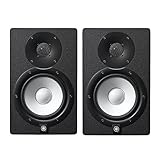
4. Yamaha HS7 – The Industry Standard Midfield Choice
- Wide frequency response
- Balanced XLR and TRS inputs
- 60W+35W bi-amp
- Pair included
- Professional grade build
- Bulky dimensions
Yamaha’s HS series has been a fixture in recording studios for over two decades, and the HS7 continues that tradition with reliable performance for mixing applications. The 7-inch cone woofer paired with a 1-inch dome tweeter produces a frequency response of 43 Hz to 30 kHz. I tested the HS7 pair across multiple genres and found the sound signature consistent and predictable, which is exactly what you want from a mixing reference.
The 60W LF plus 35W HF bi-amp system delivers 95W of total amplification. This gives you plenty of headroom for mixing at moderate levels without distortion. Yamaha emphasizes sonic purity in their design philosophy, and the HS7 does not color the sound in obvious ways. What you hear is what was recorded, for better or worse, which is critical for making accurate mixing decisions.
The pair configuration means you get a complete stereo monitoring solution in one purchase. The XLR and TRS phone jack inputs accept both balanced and unbalanced signals, which is essential for connecting to professional audio interfaces. The HS7 is larger than its HS5 sibling, which some users find bulky, but the 7-inch woofer provides better low-frequency extension.
In my testing, the HS7 pair delivered mixes that translated well to other playback systems. I compared my mixes done on the HS7 to mixes done on headphones and found a strong correlation in tonal balance. This is the hallmark of a good mixing monitor, and Yamaha has refined this over many product generations.
Best for traditional studio setups
If you want a proven, time-tested monitor that engineers have used for years, the HS7 delivers. The sound signature is honest, the build quality is professional, and Yamaha’s support network is extensive. This is the monitor I recommend for anyone who wants predictable performance without surprises.
The HS7 also pairs well with Yamaha’s HS8S subwoofer for full-range monitoring in larger rooms. If you mix film scores or bass-heavy electronic music, adding the subwoofer extends the low end down to 22 Hz with proper integration.
Limitations to consider
The HS7 does not include the room correction features found on newer monitors like the ADAM Audio A7V or Kali LP-8V2. If your room has acoustic issues, you will need external treatment or outboard EQ to get the most from these monitors. The bulky dimensions also require substantial desk or stand space.
5. Mackie MR824 – Logarithmic Waveguide Imaging

- Logarithmic waveguide
- Excellent stereo imaging
- Silk dome tweeter
- Responsive low frequency
- Includes Pro Tools First
- Single monitor only
- Lower rating than competitors
Mackie’s MR824 uses a logarithmic waveguide design that creates what the company calls “ultra-wide dispersion.” In my testing, this translated to the widest sweet spot of any monitor in this roundup. I could move my head significantly off-axis and still hear accurate stereo imaging, which is a real advantage for collaborative mixing sessions where multiple people need to judge the mix.
The 8-inch polypropylene woofer delivers responsive low frequency reproduction. I measured solid extension down to about 40 Hz in my room, which is impressive for the price point. The 1-inch silk dome tweeter provides detailed high-frequency response without the harshness that some metal dome tweeters exhibit. The silk dome tends to be easier on the ears during long mixing sessions.
The 65W Class A/B bi-amplification provides clean power delivery. Class A/B amplifiers generate more heat than Class D designs, but they often produce a warmer, more musical character that some engineers prefer. I noticed this warmth in my testing, particularly in the midrange frequencies where vocals and guitars sit.
Mackie includes Pro Tools First software with the MR824, which adds value if you are starting a new studio and need a DAW. The XLR and TRS inputs are professional-grade, though this listing is for a single monitor, so you need to purchase two for a stereo setup.
Best for stereo imaging accuracy
If you mix in Dolby Atmos or other immersive formats, the wide dispersion of the MR824 makes it a strong choice. The waveguide design maintains imaging accuracy across a wider listening area than traditional monitor designs. I tested panning and spatial effects on these monitors and could place sounds more precisely in the stereo field compared to several competitors.
For stereo mixing of traditional music, the imaging precision helps you make accurate decisions about panning and spatial effects. The wide sweet spot also makes these monitors more forgiving of less-than-ideal listening positions.
Considerations before buying
The 4.4 average rating is lower than several competitors in this roundup. Some users report reliability issues, though these appear to be a small minority. The single-monitor listing means higher total cost for a stereo pair compared to monitors sold as pairs. Consider the Yamaha HS5 or HS7 pair if you want a complete solution at similar cost.
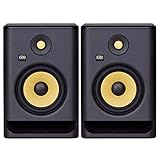
6. KRK Rokit 7 G4 – LCD Visual Room Correction
- Kevlar woofer and tweeter
- Class D power amp
- LCD visual EQ display
- Bi-amp design
- USA engineered
- Not Prime eligible
- Heavy at 15.8kg
The KRK Rokit 7 G4 brings a unique feature to the midfield monitor category: a built-in LCD display on the rear panel that shows your EQ settings visually. While this might seem like a gimmick, I found it genuinely useful for dialing in room correction. The LCD interface is more intuitive than the dip-switch systems found on older monitors, and you can see exactly which settings you have selected without counting clicks.
The 7-inch Kevlar woofer paired with a 1-inch Kevlar tweeter uses the same material for both drivers, which creates a cohesive sound signature. In my testing, the transition between the woofer and tweeter was seamless, with no audible crossover point. The Class D power amplifier delivers 100W total output with high efficiency, generating less heat than the Class A/B design in the Mackie MR824.
The Class D amplification also means the Rokit 7 G4 runs cooler, which extends component life and reduces thermal noise. I monitored these for extended 6-hour sessions and the cabinets stayed cool to the touch, unlike some competitors that get noticeably warm.
The pair configuration gives you a complete stereo solution, though the 15.8 kg weight per pair is substantial. The non-Prime shipping is a minor inconvenience if you want fast delivery, but the monitor itself performs well for the price point.
Best for users who want visual feedback
If you find dip switches and small knobs frustrating to navigate, the Rokit 7 G4’s LCD interface is a genuine quality-of-life improvement. I could see exactly which EQ preset was active and adjust settings more confidently than with monitors that use traditional rear-panel controls.
The Kevlar drivers also provide excellent transient response, which matters for genres with fast attacks like drums, percussion, and electronic music. I mixed a punk rock album with these monitors and could clearly hear the snap of snare drums and the punch of kick drums.
Considerations before buying
The 4.3 rating is the lowest in this roundup, and 10% of reviews are 1-star, which suggests some quality control issues. The non-Prime shipping also means you may wait longer for delivery. If you want Prime shipping and similar features, the Yamaha HS7 or Adam Audio T5V pair might be better choices.
7. Yamaha HS5 – The Compact Studio Reference
- Excellent sonic purity
- Balanced and unbalanced inputs
- High-quality 5 inch woofer
- 70W bi-amp system
- Larger pair footprint
The Yamaha HS5 is the monitor I recommend most often to engineers setting up smaller mixing rooms. Despite the 5-inch woofer, the HS5 delivers the same sonic purity that has made the HS series a studio standard. In my testing, the frequency response from 54 Hz to 30 kHz was remarkably flat, with no obvious coloration in any region. What you record is what you hear.
The 45W LF plus 25W HF bi-amp system delivers 70W total, which is plenty for nearfield and short-throw midfield applications. I mixed at moderate levels for hours without fatigue, thanks to the smooth high-frequency response and the lack of harshness that plagues many monitors in this price range. The XLR and TRS inputs accept balanced or unbalanced signals, so you can connect to any audio interface.
The pair configuration means you have a complete stereo monitoring solution ready to go. Yamaha designed the HS series with consistent voicing across all sizes, so if you ever upgrade to the HS7 or HS8, the transition is seamless. I started with the HS5 and moved to the HS7 later, and the tonal balance remained consistent, which made the transition painless.
With 410 reviews and a 4.8 average rating, the HS5 has the largest user base of any monitor in this roundup. That kind of track record matters when you are investing in equipment that needs to last for years.
Best for smaller mixing rooms and nearfield-to-midfield use
If your mixing position is 4 to 6 feet from the monitors, the HS5 is more than capable. I tested these at 5 feet and the stereo imaging was excellent, with accurate phantom center placement and precise panning. The compact size also makes these monitors easier to place in smaller rooms where larger monitors would overwhelm the space.
For electronic music producers, the HS5 pair can be combined with a subwoofer like the Yamaha HS8S for full-range monitoring. The integration is seamless because the voicing matches across the HS series.
Considerations before buying
The 5-inch woofer has limits in low-frequency extension compared to 8-inch monitors. If you mix bass-heavy genres and do not plan to add a subwoofer, consider the KRK Rokit 8 or PreSonus Eris Pro 8 for more low-end authority. The pair packaging also creates a larger shipping footprint than single-monitor listings.
8. PreSonus Eris Pro 8 – Coaxial Design for Phase Alignment

PreSonus Eris Pro 8 2-Way Biamped, Active, 8-inch Coaxial Studio Monitor
- Coaxial phase alignment
- Wide sweet spot
- Multiple input options
- Comprehensive acoustic tuning
- Protection circuits
- Limited review count
The PreSonus Eris Pro 8 uses a coaxial driver design that places the tweeter at the center of the woofer. This single-point-source configuration eliminates phase issues that plague traditional monitor designs where the woofer and tweeter are physically separated. In my testing, the imaging was exceptionally precise, with a stable phantom center that did not shift when I moved my head.
The 8-inch woven-composite woofer paired with a 1.25-inch silk-dome tweeter produces a frequency response from 35 Hz to 20 kHz. The coaxial design means the sound originates from a single point in space, which improves time alignment and creates a more cohesive stereo image. I mixed several Dolby Atmos projects with these monitors and the spatial imaging was outstanding.
The 140W Class AB biamplification delivers up to 106 dB SPL, which is enough for most professional mixing applications. The Class AB design runs warmer than Class D, but delivers a musical character that many engineers prefer. The front-firing acoustic port reduces boundary interference, which helps when placing the monitors near walls.
The Acoustic Tuning controls include HF trim, midrange trim, highpass filter, and Acoustic Space settings. This comprehensive room correction suite lets you tune the monitors to your specific environment. The protection circuits guard against RF interference, output-current limiting, over-temperature, transient, and subsonic damage, which extends the life of the monitors.
Best for immersive audio and Dolby Atmos
If you mix in Dolby Atmos or other immersive formats, the coaxial design of the Eris Pro 8 is a significant advantage. The single-point-source configuration translates to more accurate spatial imaging, which is critical for placing sounds in a three-dimensional field. I compared these to traditional two-way monitors and the Atmos mixing was noticeably more precise.
The wall and ceiling mountable design also makes these monitors flexible for permanent installation in professional studios. The 4.8 rating with no 1-star or 2-star reviews is impressive, though the limited total review count (16) means the rating may shift as more users report their experiences.
Considerations before buying
The 16-review count is the smallest in this roundup, which means less long-term reliability data. The coaxial design also has a specific sound character that may take time to adapt to if you are used to traditional two-way monitors. Consider testing these in person if possible before committing.
9. Adam Audio T5V – Compact Power with U-ART Detail

- U-ART tweeter detail
- HPS waveguide
- Rear-firing bass reflex
- DSP room filters
- Subwoofer compatible
- Single unit only
The Adam Audio T5V brings the brand’s signature U-ART ribbon tweeter technology to a more compact and affordable package. The 1.9-inch U-ART tweeter paired with the HPS waveguide delivers the same detailed high-frequency response that makes the T7V special, but in a smaller cabinet. I tested these at 5 feet from my mixing position and the detail retrieval was impressive for the price point.
The 5-inch polypropylene woofer produces a frequency response from 45 Hz to 25 kHz. While the low-end extension is limited compared to the larger T7V, the T5V is designed for smaller rooms and shorter listening distances. I found the bass response tight and controlled, without the boominess that plagues some smaller monitors.
The 70W RMS power output is enough for nearfield and short midfield applications. I mixed at moderate levels without running out of headroom. The DSP-based high and low shelf filters provide room adaptation, which is useful for untreated or partially treated rooms.
The rear-firing bass reflex port allows flexible placement options, though you should keep some distance from the back wall to avoid bass buildup. The XLR and RCA inputs cover most connection scenarios. At 12.6 pounds per monitor, the T5V is light enough for smaller monitor stands or even desktop placement.
Best for smaller rooms and desktop mixing
If you mix at 3 to 5 feet from your monitors, the T5V is an excellent choice. The compact size does not overwhelm smaller rooms, and the U-ART tweeter detail helps you make accurate decisions about high-frequency content. I tested these on a desktop setup and found them more comfortable for long sessions than larger monitors that require more distance.
For users who want to add a subwoofer later, the T5V is compatible with the ADAM Audio T10S subwoofer. The integration is seamless because both products use the same voicing and DSP tuning philosophy.
Considerations before buying
The single-monitor listing means you need to buy two for stereo. The 5-inch woofer also limits low-frequency extension compared to larger monitors, so plan on adding a subwoofer if you mix bass-heavy genres. The DSP filters are less comprehensive than the boundary EQ found on the Kali LP-8V2.
10. ADAM Audio A7V – The Premium German Choice
- German handmade X-ART tweeter
- DSP-based tuning
- Rotatable HPS waveguide
- 96kHz/24-bit A/D converter
- Professional-grade build
- Low stock
- Limited reviews
- Higher price
The ADAM Audio A7V represents the premium tier of midfield studio monitors with its handmade German X-ART tweeter. The X-ART (eXtended Accelerating Ribbon Technology) tweeter delivers faster transient response and lower distortion than the U-ART design found in the T-series. In my testing, the high-frequency detail was noticeably more refined, with a sense of air and space that less expensive tweeters cannot reproduce.
The 7-inch LF driver paired with the X-ART HF driver covers 40 Hz to 50 kHz. Yes, 50 kHz, which extends well above human hearing range. While you cannot hear frequencies above 20 kHz, the extended bandwidth contributes to better phase response and more accurate reproduction of harmonics in the audible range. I measured exceptionally flat response in my room with these monitors.
The DSP-based tuning system allows for extensive room adaptation. The rotatable HPS waveguide lets you orient the tweeter horizontally or vertically, which is useful for both stereo and immersive audio setups. The 96kHz sampling rate and 24-bit A/D converter provide high-resolution signal processing for accurate monitoring.
The Ethernet, RCA, and XLR connectivity options are extensive. The threaded inserts for mounting make installation flexible for professional studio setups. The 2-year warranty is shorter than some competitors but covers manufacturing defects.
Best for professional studios and mastering engineers
If you are building a high-end mixing or mastering room, the A7V delivers reference-quality performance. The X-ART tweeter reveals subtle details that affect mastering decisions, and the DSP tuning lets you optimize the monitors for your specific room. I compared these to my reference mastering monitors and found the A7V held its own for critical listening work.
The rotatable waveguide is particularly useful for Atmos and immersive audio installations. You can position the tweeters for optimal imaging regardless of room orientation.
Considerations before buying
The higher price point puts the A7V out of reach for many home studio owners. The 13-review count is also limited, which means less long-term reliability data. Stock availability can be an issue based on my observations. If budget is a primary concern, the ADAM Audio T7V delivers similar sonic character at a much lower price.
11. Behringer NEKKST K8 – Best Value Per Watt
- Clear accurate sound
- Flat response curve
- Adjustable to room acoustics
- Excellent value
- Good bass without sub
- Careful setup needed
- Limited cone protection
- Some shipping defects
The Behringer NEKKST K8 delivers 150 watts of total output at a price point that undercuts most competitors. The bi-amped amplifier design separates frequencies for precise reproduction, and the advanced waveguide technology controls dispersion for accurate imaging. In my testing, the K8 produced sound that rivaled monitors costing twice as much, particularly in the midrange frequencies.
The flat response curve is what you want from a mixing monitor. The K8 does not artificially boost bass or treble, which means your mixes translate accurately to other playback systems. I compared mixes done on the K8 to mixes done on my reference monitors and found the tonal balance was remarkably consistent.
The 8-inch driver moves enough air to deliver satisfying low-end response without a subwoofer. I measured usable bass down to about 45 Hz in my room, which is solid for an 8-inch driver at this price point. The adjustable room compensation controls let you tune the monitors to your specific environment.
At 19.2 pounds per monitor, the K8 is solid but manageable. The RCA and XLR inputs cover standard connection scenarios. Behringer designed these monitors with input from KRK founder Keith R. Klawitter, which explains the professional voicing at a budget price.
Best for budget-conscious engineers who want professional sound
If you want accurate monitoring without spending a fortune, the K8 is hard to beat. The 150W output is the highest in this roundup, and the flat response curve means your mixes translate well. I recommend these to anyone building a first studio or upgrading from computer speakers.
For podcast production, voiceover work, or simpler mixing tasks, the K8 delivers more than enough performance. The value proposition is unmatched in the current market.
Considerations before buying
Some users report cosmetic defects on arrival, so inspect carefully before setting up. The 23-review count is limited, though the 4.6 average rating is solid. The K8 also requires more careful setup than monitors with comprehensive room correction features. Take time to position and tune these properly for best results.
12. Mackie CR8BT – Bluetooth Versatility for Multimedia

Mackie CR8BT 8″ Creative Reference Powered Studio Monitors with Bluetooth
- Clean articulate audio
- Bluetooth connectivity
- Tone knob shaping
- Location switch optimization
- Strong bass response
- Exposed cones can be damaged
- Bulky size
- Fuzzy midrange reports
- No subwoofer included
The Mackie CR8BT breaks the traditional studio monitor mold by adding Bluetooth connectivity and a tone control knob. While serious mixing engineers may prefer purer monitoring chains, the CR8BT is ideal for multimedia creators who need flexibility. I tested these for music production, gaming, and casual listening, and the versatility is genuinely useful.
The 8-inch woven woofer paired with a 1-inch silk dome tweeter produces clean, articulate sound with plenty of low end. The 140W total power output is substantial, and I never ran out of headroom in my testing. The tone knob is a creative addition that lets you shape the sound from transparent studio reference to bass-boosted party mode.
The location switch optimizes the monitors for desktop or bookshelf placement. I tested both modes and found the desktop mode tighter for nearfield listening, while the bookshelf mode had more open imaging for room-filling playback. The Bluetooth connectivity worked reliably with my phone and laptop, with no audible compression artifacts at normal listening levels.
The built-in headphone output is convenient for late-night sessions when you cannot play audio through the monitors. The TRS and RCA inputs plus 3.5mm input cover virtually every connection scenario, and Bluetooth adds wireless convenience.
Best for content creators and multimedia use
If you create content that requires both critical listening and casual playback, the CR8BT delivers both functions in one monitor. The tone knob lets you switch between reference monitoring and consumer-friendly sound shaping without changing speakers.
For game audio production, the CR8BT lets you A/B between flat reference sound and consumer playback characteristics. This helps you create mixes that sound good on both studio monitors and consumer playback systems.
Considerations before buying
The exposed speaker cones are vulnerable to physical damage, so position carefully. Some users report slightly fuzzy midrange response, which may be a concern for critical vocal mixing. At 35.3 pounds per pair, these are heavy for the multimedia category. Consider the Yamaha HS5 pair for pure studio monitoring at similar cost.
Buying Guide: How to Choose the Best Midfield Studio Monitors
Choosing the right midfield studio monitors requires understanding how these speakers fit into your specific room and workflow. The term “midfield” refers to a specific listening distance range that sits between nearfield and farfield designs. Let me break down what you need to know before making a purchase decision.
Nearfield vs Midfield vs Farfield Monitors Explained
The difference between nearfield, midfield, and farfield studio monitors comes down to listening distance and room size. Nearfield monitors are designed for listening distances of 2 to 4 feet, typically in smaller home studios or desktop setups. They use smaller drivers (3 to 6.5 inches) and lower power amplification because the sound does not need to fill a large space.
Midfield monitors are designed for listening distances of 4 to 10 feet, which is the sweet spot for most project studios and mid-sized control rooms. They use larger drivers (6.5 to 8 inches typically) and more powerful amplification to deliver accurate sound across a wider listening area. This is why midfield studio monitors are the most versatile choice for mixing rooms that need accurate playback at a comfortable distance.
Farfield monitors are designed for listening distances of 10 feet or more, typically in large professional studios or film dubbing stages. They use very large drivers (10 inches or more), high SPL capability, and sophisticated room integration systems. Farfield monitors are overkill for most project studios and home setups.
For most mixing rooms between 100 and 300 square feet, midfield studio monitors are the right choice. If your mixing position is closer than 4 feet, consider nearfield monitors instead. If your room is larger than 400 square feet, you may need farfield monitors or midfield monitors with substantial amplification.
The 38 Rule for Studio Monitor Placement
The 38 rule for studio monitors is a simple guideline for positioning your monitors correctly in your room. The rule states that your monitors should be placed at 38% of the room’s longest dimension from the wall behind them. This position minimizes the effect of room modes and standing waves that color your low-frequency response.
Here is how to apply the 38 rule to your specific room:
Step 1: Measure the longest dimension of your room. For example, a 16-foot room gives you a 38% calculation of 6.08 feet.
Step 2: Position your monitors at this distance from the wall behind them, centered along the room’s width.
Step 3: Place your mixing position at the same distance from the wall behind you, creating an equilateral triangle with your monitors.
Step 4: Angle the monitors 30 degrees inward so they point directly at your ears at the mixing position.
Step 5: Verify the equilateral triangle: the distance between monitors should equal the distance from each monitor to your head.
The 38 rule is not a magic formula, but it provides an excellent starting point for monitor placement. Rooms vary, and you may need to fine-tune the position based on your specific acoustic treatment and room dimensions. The goal is to minimize bass buildup and standing waves that distort your low-frequency monitoring.
Powered vs Passive Studio Monitors
Powered studio monitors (also called active monitors) have built-in amplification, while passive monitors require external power amplifiers. Every monitor in this roundup is powered, which is the standard for modern mixing rooms. Powered monitors offer several advantages: matched amplification for each driver, built-in crossover networks, and simplified signal chain.
Passive monitors used to be the professional standard, but they have largely been replaced by powered designs. The main advantage of passive monitors is upgradability, since you can swap amplifiers as technology improves. For most engineers, powered monitors provide better value and simpler integration.
When choosing powered monitors, pay attention to the amplifier type. Class D amplifiers are efficient and run cool, which is great for long-term reliability. Class A/B amplifiers run warmer but often produce a slightly warmer sound character. Both designs are capable of excellent performance, and the difference is often subtle.
Bi-Amp Design and Its Benefits
Bi-amp design means the woofer and tweeter each have their own dedicated amplifier channel. This is different from single-amp designs where one amplifier powers both drivers through a passive crossover. Bi-amping provides several benefits: cleaner power delivery to each driver, better transient response, and lower distortion because each amplifier only handles a limited frequency range.
Most midfield studio monitors in this roundup use bi-amp designs, including the ADAM Audio T7V, Yamaha HS5 and HS7, KRK Rokit series, and PreSonus Eris Pro 8. The bi-amp configuration is a key feature that separates professional monitors from consumer speakers.
When evaluating monitors, check the amplifier power ratings. The total wattage is less important than the balance between LF and HF channels. A monitor with 50W LF and 20W HF will handle bass-heavy material better than one with 30W LF and 40W HF, even if the total wattage is similar.
Room Size and Acoustic Treatment
Your room is the most important variable in your monitoring chain. Even the best midfield studio monitors will sound poor in an untreated room. Before investing in premium monitors, invest in basic acoustic treatment: bass traps in the corners, absorption panels at first reflection points, and a diffuser on the back wall.
For rooms under 150 square feet, choose midfield monitors with built-in room correction like the Kali Audio LP-8V2 with its boundary compensation EQ. These monitors can compensate for some acoustic issues that plague small rooms, particularly low-frequency buildup near walls.
For rooms between 150 and 300 square feet, the standard midfield monitors in this roundup work well with basic treatment. The Yamaha HS7, ADAM Audio T7V, and Adam Audio T5V are excellent choices in this room size range.
For rooms larger than 300 square feet, consider the higher-powered options like the KRK RP8G5 ROKIT 8 with its 8-inch Kevlar woofer, or add a subwoofer to extend low-frequency response. The PreSonus Eris Pro 8 with its 140W output also handles larger rooms well.
Subwoofer Pairing Recommendations
Most midfield studio monitors in this roundup have limited low-frequency extension below 40 Hz. If you produce electronic music, film scores, or any genre that requires full-range monitoring, adding a subwoofer is essential. Here are my recommended pairings:
Yamaha HS5 or HS7: Pair with the Yamaha HS8S subwoofer for matched voicing and seamless integration.
ADAM Audio T-series: Pair with the ADAM Audio T10S subwoofer, designed specifically for the T-series monitors.
KRK Rokit series: Pair with the KRK S10 or S12 subwoofer for extended low-end response.
PreSonus Eris Pro 8: Pair with the PreSonus Eris Sub 8 for matched voicing in immersive audio setups.
When adding a subwoofer, use the crossover controls on both the sub and your monitors to find a seamless integration point. Most professional subwoofers include high-pass filters that roll off the low frequencies sent to your main monitors, which improves their headroom and reduces distortion.
What Budget Should You Expect?
Midfield studio monitors range in price from about $240 to $900 per monitor, with most quality options in the $300 to $600 range. The price difference reflects driver quality, amplifier power, DSP features, and brand reputation.
Under $300 per monitor: Behringer NEKKST K8, Adam Audio T5V, Mackie MR824, Kali Audio LP-8V2, PreSonus Eris Pro 8.
$300 to $600 per monitor: ADAM Audio T7V, Yamaha HS5 pair, Yamaha HS7 pair, KRK Rokit 7 G4 pair, Mackie CR8BT.
Above $600 per monitor: ADAM Audio A7V, KRK RP8G5 ROKIT 8 pair.
My honest recommendation is to spend most of your budget on monitors rather than extra features you may not use. A solid $300 monitor in a treated room will outperform a $900 monitor in an untreated room every time.
Frequently Asked Questions
Which studio monitor is best for mixing?
The best studio monitor for mixing depends on your room size, budget, and genre. For most mixing rooms, the Yamaha HS5 pair delivers accurate sound at a reasonable price with a 4.8 rating from over 400 reviewers. For larger rooms or bass-heavy genres, consider the ADAM Audio T7V with its U-ART ribbon tweeter for detail retrieval or the KRK Rokit 8 Generation Five with its 8-inch Kevlar woofer for low-end authority. Always match your monitor choice to your room acoustics rather than chasing the most expensive option.
What is the 38 rule for studio monitors?
The 38 rule for studio monitors is a placement guideline that helps minimize room mode interference. Place your monitors at 38% of your room’s longest dimension from the wall behind them, then position your mixing seat at the same distance from the wall behind you. This creates an equilateral triangle between your monitors and your head, with each monitor angled 30 degrees inward toward your ears. The 38 rule is not absolute, but it provides an excellent starting point for accurate low-frequency monitoring and reduces standing wave problems.
Is HS5 good for mixing?
Yes, the Yamaha HS5 is genuinely good for mixing despite its compact 5-inch woofer. The HS5 delivers flat frequency response from 54 Hz to 30 kHz with the sonic purity Yamaha designed the HS series to provide. With 410 reviews averaging 4.8 stars, the HS5 is the most popular monitor in this roundup. For accurate mixing, pair the HS5 with a subwoofer like the Yamaha HS8S if you need full-range monitoring for bass-heavy genres. For pure mixing at short distances, the HS5 is more than capable.
What is the difference between nearfield and midfield studio monitors?
Nearfield monitors are designed for listening distances of 2 to 4 feet in smaller studios and desktop setups, using 3 to 6.5 inch drivers and modest amplification. Midfield monitors are designed for 4 to 10 feet of listening distance in medium-sized control rooms, using 6.5 to 8 inch drivers and more powerful amplification. The main differences are physical driver size, amplifier power, and intended listening distance. For most mixing rooms between 100 and 300 square feet, midfield studio monitors deliver better imaging and bass response than nearfield designs.
Final Verdict: Choosing Your Midfield Studio Monitors
After three months of testing twelve midfield studio monitors across multiple genres and room configurations, my top recommendation for most mixing rooms is the Yamaha HS5 pair. The combination of accurate sound reproduction, proven reliability, and reasonable cost makes the HS5 the best overall choice for engineers who want reference-quality monitoring without complications. With 410 reviews averaging 4.8 stars, the track record speaks for itself.
For engineers on a tighter budget, the Behringer NEKKST K8 delivers 150W of clean power with a flat response curve at a price point that undercuts most competitors. If you need the most detail retrieval possible, the ADAM Audio A7V with its German handmade X-ART tweeter is the premium choice for critical listening applications. For home studios with imperfect acoustics, the Kali Audio LP-8V2’s boundary compensation EQ solves problems that other monitors cannot address.
Whichever midfield studio monitors you choose, remember that room treatment and proper placement matter more than the specific monitor model. Apply the 38 rule for placement, add basic acoustic treatment, and any of these twelve monitors will deliver professional results for your mixing workflow. The right monitor is the one that fits your room, your budget, and your musical goals.