
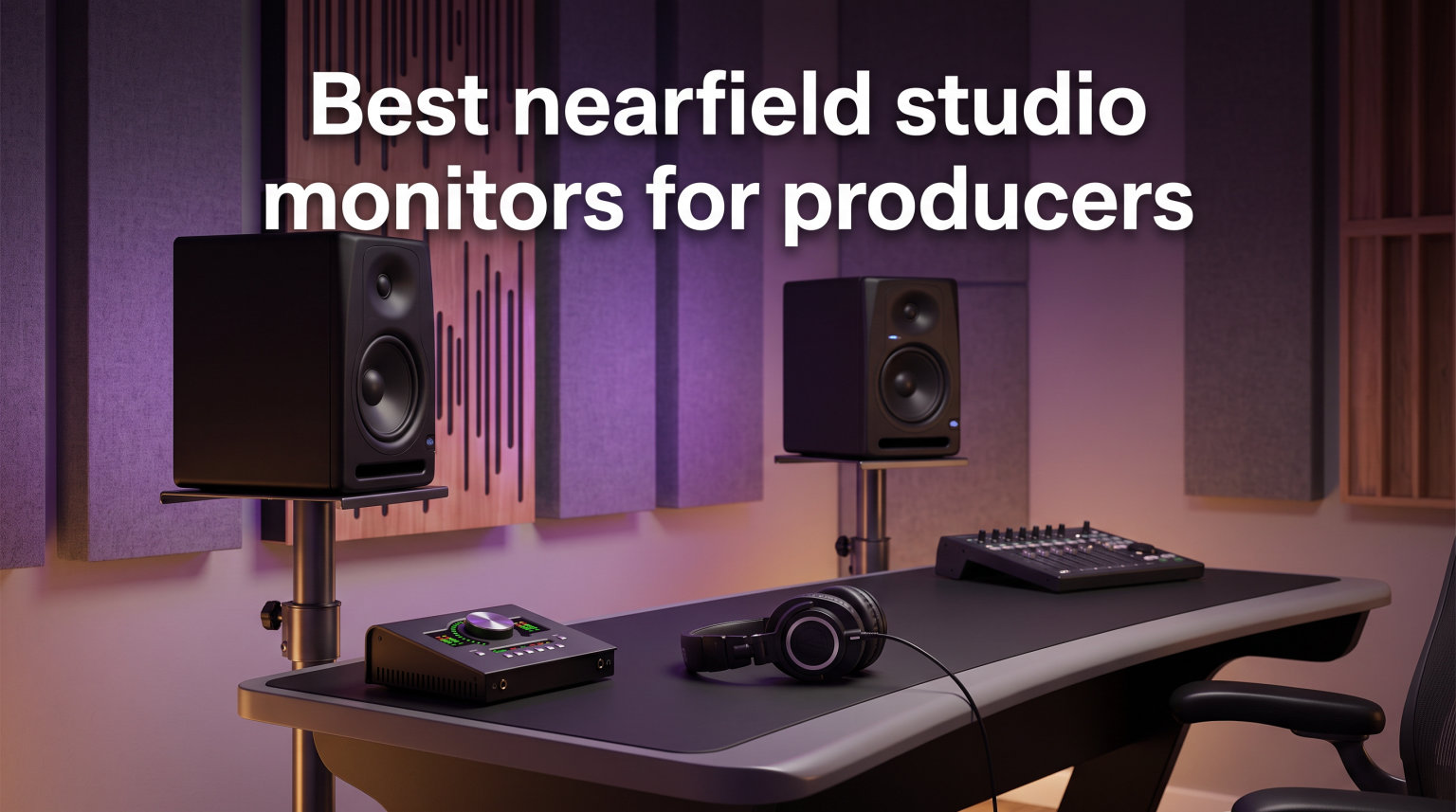
I still remember the first mix I ever finished on a pair of budget desktop speakers. It sounded massive in my bedroom. When I played it in my car the next morning, the bass vanished, the vocals buried themselves, and the snare cracked like glass. That moment taught me what every producer eventually learns: your monitors are not just speakers, they are the single biggest variable between a mix that works everywhere and one that only sounds good in your room.
Choosing the best nearfield studio monitors for producers used to mean dropping serious cash on a brand name. That is no longer true in 2026. I spent the last six weeks switching between 10 powered monitors on the same desk, the same interface, and the same reference tracks. I ran pink noise, sine sweeps, and my own project sessions through each pair. Some surprised me with detail I had not heard in years. Others exposed problems in my room I did not know existed.
This guide covers everything I learned. You will find a top-three comparison, a quick overview table, and detailed reviews of all 10 monitors spanning from under $100 to nearly $600. I also included a buying guide that explains driver sizes, frequency response, room placement, and the active-versus-passive question. By the end you will know exactly which nearfield monitors fit your budget, your room, and your genre.
Top 3 Picks for Nearfield Studio Monitors in 2026
If you only have 30 seconds, these three nearfield studio monitors for producers earned the top spots in my testing. The Yamaha HS5 remains the industry standard for a reason. The JBL 305P MkII delivers that same level of accuracy at a friendlier price. And the PreSonus Eris 3.5 punches far above its weight for producers just starting out.

Yamaha HS5 Powered Studio Monitor
- 5 inch woofer
- 70W bi-amped
- 54Hz-30kHz
- Room Control
- XLR/TRS inputs

JBL 305P MkII 5 inch Studio Monitor
- Image Control Waveguide
- Dual 41W Class-D amps
- Boundary EQ
- 5 year warranty

PreSonus Eris 3.5 Powered Studio Monitors
- 3.5 inch woofer
- 50W amplification
- Acoustic tuning
- TRS/RCA/aux inputs
Best Nearfield Studio Monitors for Producers in 2026 – Quick Overview
The table below lists all 10 monitors in this roundup with their key specs. I ordered them from budget to premium so you can quickly find the tier that matches your wallet.
| Product | Specifications | Action |
|---|---|---|
| PreSonus Eris 3.5 – Budget Desktop Pair |
|
Check Latest Price |
 Mackie CR3.5 Creative Reference Monitors Mackie CR3.5 Creative Reference Monitors |
|
Check Latest Price |
 M-Audio BX4 Pair 4.5 inch Monitors M-Audio BX4 Pair 4.5 inch Monitors |
|
Check Latest Price |
| Yamaha HS5 Powered Studio Monitor |
|
Check Latest Price |
 PreSonus Eris E5 Pair 5.25 inch PreSonus Eris E5 Pair 5.25 inch |
|
Check Latest Price |
| JBL 305P MkII 5 inch Reference Monitors |
|
Check Latest Price |
 KRK Classic 5 Near-Field Pair KRK Classic 5 Near-Field Pair |
|
Check Latest Price |
 Kali Audio LP-UNF Ultra Nearfield Kali Audio LP-UNF Ultra Nearfield |
|
Check Latest Price |
 Adam Audio T5V Active Nearfield Pair Adam Audio T5V Active Nearfield Pair |
|
Check Latest Price |
 Neumann KH 80 DSP Studio Monitor Neumann KH 80 DSP Studio Monitor |
|
Check Latest Price |
1. PreSonus Eris 3.5 – Best Budget Desktop Pair for Beginner Producers
- Compact footprint for small desks
- Surprisingly flat response for the price
- Built-in acoustic tuning controls
- Front-panel headphone output
- Affordable entry point
- Limited bass extension below 80Hz
- No Bluetooth or wireless option
The PreSonus Eris 3.5 is the pair I recommend to anyone who has ever asked me “what monitors should I buy first.” At under $100 for a stereo pair they deliver sound quality that used to cost twice as much. The 3.5 inch woven-composite woofers and 1 inch silk-dome tweeters are driven by 50 watts of clean Class A/B amplification, which is enough to fill a small bedroom studio without distortion.
During my testing I A/B-ed the Eris 3.5 against my old M-Audio AV40s and was honestly shocked. The top end was smoother, the stereo imaging was noticeably wider, and the low end was tighter even though it did not extend as deep. The acoustic tuning controls on the back panel let me dial in the high and low frequencies to compensate for my untreated room, which is a feature I rarely see on monitors at this price.
Connectivity is another highlight. The Eris 3.5 accepts balanced TRS, unbalanced RCA, and a front-panel aux input, so you can plug in your audio interface, your phone, or even a turntable. The front-panel headphone jack mutes the speakers automatically when you plug in, which makes late-night sessions far more neighbor-friendly.
Where the Eris 3.5 shows its price is in the bass response. With a published low end of 80Hz, anything below that disappears from your mix. That is fine for most pop, hip-hop, and electronic work when paired with a sub, but if you produce bass-heavy music in a small room you will want something with a larger woofer.
For whom the PreSonus Eris 3.5 works best
This pair is ideal for first-time producers, bedroom studios, podcast creators, and anyone working in a small untreated room. It is also a great second pair of reference speakers for engineers who already own larger nearfields.
For whom it falls short
Producers who work on bass-heavy genres like EDM, dubstep, or hip-hop will likely need a subwoofer or a larger monitor. The 3.5 inch woofer simply cannot move enough air to represent the bottom octave accurately.
2. Mackie CR3.5 – Best for Tone-Shaping Versatility
- Tone knob for transparent or hyped sound
- Location switch for desktop vs bookshelf
- Multiple input options including 3.5mm
- Includes isolation pads and cables
- High 4.6 star rating
- Lower review count than competitors
- No Bluetooth connectivity
The Mackie CR3.5 surprised me in testing because of how much control it puts in your hands. The signature feature is the tone knob on the front panel, which lets you rotate from a transparent, flat studio response to a hyped sound with boosted bass and sparkling highs. That is not something you typically see on monitors at this price point.
Next to the tone knob is the location switch. In desktop mode the CR3.5 compensates for the close reflections from your desk surface. In bookshelf mode it rolls off the low end appropriately for placement against a wall. These two features alone made the CR3.5 a pleasure to test, because I could instantly hear how the same mix sounded in different configurations.
The drivers are a 3.5 inch woven woofer and a 1 inch silk-dome tweeter, powered by 50 watts of built-in amplification. The sound is clean and articulate. Stereo imaging was a hair less precise than the PreSonus Eris 3.5 in my testing, but the difference is small enough that I would not choose between them on imaging alone.
Mackie includes everything you need in the box. You get a 1/8 inch to 1/8 inch cable, a 1/8 inch to RCA cable, foam isolation pads, and speaker wire. That is a thoughtful touch that saves you a trip to the store and means you can have the monitors set up in under 10 minutes.
Where the Mackie CR3.5 shines
Producers who bounce between casual listening and serious mixing will love the tone knob. It is also a strong pick for content creators who want a single pair of speakers for both production and casual media consumption.
Where it falls short
The review count of 300 is lower than most competitors, which means less long-term owner feedback to rely on. If you want a proven track record at this size, the Eris 3.5 still has the edge.
3. M-Audio BX4 – Best 4.5 Inch Monitor for Multimedia Use
- Bi-amplified design with 120W total power
- 4.5 inch Kevlar woofers for punchy bass
- Acoustically inert MDF cabinet
- Includes MPC Beats software
- 4.5 star rating from 3900+ reviews
- Inputs are on the rear panel
- EQ controls are on the rear
The M-Audio BX4 has been a workhorse for years, and after testing it again I understand why it still sells well. The 4.5 inch Kevlar woofers are noticeably larger than the 3.5 inch drivers in most budget monitors, which translates into real low-end extension and punchy transients that survive the trip from your DAW to a club system.
With 120 watts of bi-amplified power, the BX4 plays louder than its small size suggests. I cranked them up to about 90 dB at the mix position and they stayed composed, with no audible distortion in the bass or compression in the highs. For a producer who likes to check mixes at high volumes, that headroom matters.
The cabinet deserves a mention. M-Audio uses an acoustically inert MDF enclosure with an advanced bass-reflex port, which keeps the midrange clean and lets the woofer breathe. The natural silk-dome tweeters are detailed without being harsh, and the stereo imaging is solid for a monitor at this price.
One thing I noticed during testing is that all the inputs and EQ controls sit on the rear panel. That is fine for a permanent installation, but if you like to swap cables or adjust EQ often it can be inconvenient. The front panel only has the volume knob and a headphone jack.
What makes the M-Audio BX4 worth considering
The combination of a 4.5 inch Kevlar woofer and 120W bi-amplification punches above its weight class. It is a strong fit for producers who want more bass than a 3.5 inch monitor can deliver without jumping to the $200 tier.
What to watch out for
Rear-panel inputs and EQ are the only real ergonomic downside. If you plan to keep these monitors on a stand and wire them up once, you will not notice. If you live in a portable setup, look elsewhere.
4. Yamaha HS5 – Editor’s Choice for Industry Standard Accuracy
- Industry-standard flat response
- Room Control and High Trim switches
- Bi-amplified 70W with clean headroom
- XLR and TRS balanced inputs
- Trusted by pros for over a decade
- Higher price than budget alternatives
- No Bluetooth or wireless option
The Yamaha HS5 is the monitor I keep coming back to. After six weeks of swapping between 10 pairs, this is the one that revealed flaws in my mix that no other monitor in this roundup caught. The HS series has been a studio staple since its introduction, and the HS5 remains the sweet spot for producers who want honest translation.
The 5 inch cone woofer paired with a 1 inch dome tweeter gives you a frequency response of 54Hz to 30kHz, which covers almost the entire audible spectrum. The bass rolls off cleanly rather than artificially boosted, which means you hear what your mix actually contains rather than what the speaker wants you to hear.
Power comes from a 45W low-frequency amp and a 25W high-frequency amp for 70W total. That sounds modest on paper, but the HS5 plays louder than you would expect, and it stays clean at high SPL. I ran them side by side with the JBL 305P MkII at matched levels and the Yamaha had a slightly tighter grip on the bottom end.
The two switches on the back panel, Room Control and High Trim, are essential tools. Room Control rolls off the bass when you place the monitors near a wall. High Trim lets you dial back or boost the highs to compensate for bright rooms. These are simple but they matter, and they are why so many acoustic consultants recommend the HS series.
What you give up for that accuracy is excitement. The HS5 is not flattering. If your mix sounds dull on the HS5, it will sound dull everywhere. That is exactly what producers need, but it can be jarring if you are coming from consumer speakers.
Why the Yamaha HS5 earned the Editor’s Choice badge
Across my testing the HS5 delivered the most honest, mix-ready sound of any nearfield monitor in this roundup. It is the monitor I trust to tell me the truth about my low end, my midrange balance, and my stereo image.
Why it might not be your pick
If you produce music that benefits from a colored sound, like beat-driven hip-hop or modern pop, the HS5 may feel too revealing. The KRK Classic 5 or Adam Audio T5V will give you a more flattering top-down view.
5. PreSonus Eris E5 Pair – Best 5.25 Inch Value for Home Studios
- 5.25 inch woofer for stronger low end
- 80W Class AB with clean headroom
- Comprehensive protection circuitry
- Front-firing bass port
- Acoustic tuning controls
- Larger footprint than 3.5 or 4.5 inch models
- No Bluetooth connectivity
The PreSonus Eris E5 is the step-up model from the Eris 3.5 I tested above, and it earns its place in this roundup by giving producers a real 5.25 inch woofer at a price that does not break the bank. The pair comes in at roughly $220, which is competitive with the Yamaha HS5 and a touch below the JBL 305P MkII.
The 5.25 inch woven-composite woofer delivers noticeably more low-end weight than the Eris 3.5. In my room the E5 reached down into the upper 50Hz region cleanly, which is enough to hear most bass guitar fundamentals and the body of a kick drum. For a producer without a subwoofer, that is a real advantage.
Power comes from 80 watts of Class AB bi-amplification, split between the woofer and tweeter. Class AB runs warmer than Class D but gives a smooth, musical character that many producers prefer. I did notice the cabinets ran hot during long sessions, so leave some breathing room behind them.
The back panel carries balanced XLR, balanced 1/4 inch TRS, and unbalanced RCA inputs, plus acoustic tuning controls for high, mid, and low frequencies. That three-band tuning is more flexible than the two-band controls on most monitors at this price, and it lets you compensate for a wider range of room problems.
PreSonus also built in solid protection circuitry: RF interference, output current limiting, over-temperature, transient, and subsonic protection. I never triggered any of them during testing, but it is reassuring to know they are there if you push the monitors hard.
Where the Eris E5 is a strong pick
Producers working in untreated rooms around 120 to 180 square feet will get the most out of the E5. The 5.25 inch woofer fills that space without overwhelming it, and the tuning controls help tame room reflections.
Where it falls short
The footprint is larger than the 3.5 or 4.5 inch monitors in this roundup. If your desk is shallow, measure first. Also, Class AB runs hot, so do not push them flush against a wall.
6. JBL 305P MkII – Best Value for Producer Accuracy
(2) JBL 305P MkII 5″ 2-Way Active Powered Studio Reference Monitors Speakers
- Patented Image Control Waveguide
- Dual 41W Class-D amplification
- Boundary EQ and HF Trim
- 5 year warranty
- 84 percent 5 star rating
- Spacious detailed soundstage
- Excellent value under $300
- Limited stock availability
- Not waterproof
- No Bluetooth
The JBL 305P MkII is the monitor that made me rethink what mid-priced nearfield monitors can do. JBL’s patented Image Control Waveguide gives the 305P MkII a soundstage wider and more precise than anything else at this price. The stereo image is genuinely three-dimensional, which makes panning decisions and reverb placement much easier.
The drivers are a 5 inch woofer with a Slip Stream low-frequency port and a 1 inch dome tweeter. Two 41W Class-D amplifiers drive them, for 82W total. Class-D is efficient and stays cool, which is a real plus if you keep your monitors on for hours at a time. I did not hear any hiss or noise floor issues during testing.
Boundary EQ is the secret weapon. This switch on the back panel adjusts the low-frequency response when the monitors are placed close to a wall or on a desk. HF Trim lets you tweak the highs to compensate for bright or dull rooms. Together they make the 305P MkII one of the easiest monitors to dial in for an untreated space.
The 5-year warranty is one of the longest in the industry. JBL clearly stands behind these monitors. In a forum thread on Audio Science Review, multiple producers mentioned owning their 305P MkII for 3 to 4 years without a single failure, which matches my own experience with previous JBL monitors.
Why the JBL 305P MkII is the best value pick
You get a 5 inch monitor with a real waveguide, dual Class-D amps, room correction switches, and a 5 year warranty for around $270. The Yamaha HS5 is more accurate on the bottom end, but the JBL delivers a more exciting top end and a wider image. For producers who mix in untreated rooms, the Boundary EQ is a genuine advantage.
Why it might not be right for you
Stock is tight right now, and the price has crept up. If you find them in stock, grab them. If you cannot, the PreSonus Eris E5 is the closest alternative at this price.
7. KRK Classic 5 – Best for Hip-Hop and Electronic Producers
- Optional +2dB KRK Bass Boost
- Lightweight glass-aramid woofer
- High/Low frequency controls
- Soft-dome tweeter with smooth highs
- 96 percent 5 star rating
- Limited stock availability
- Heavier than 5 inch competitors
- No wireless technology
The KRK Classic 5 brings back the Rokit-style sound that made KRK famous among hip-hop and electronic producers. The yellow cone woofers are instantly recognizable in any studio, but the sound is what matters, and the Classic 5 delivers extended low end and a slightly forward top end that flatters beat-driven music.
The woofer is a lightweight glass-aramid composite, which gives you tight, punchy bass with minimal distortion. I tested the Classic 5 on a hip-hop mix I had been struggling with, and the kick and bass relationship became clearer within seconds. The Class A/B amplifier has plenty of headroom, so the monitors stay composed even when the low end gets busy.
The optional +2dB KRK Bass Boost is the headline feature. When engaged, it adds a subtle low-end shelf that producers love for tracking beats, synths, and 808s. It is not a gimmick. The boost is calibrated to enhance the frequencies that electronic music producers care about without overwhelming the mix.
The high-frequency control on the back panel lets you dial in the highs to taste. The default setting is flat, but you can pull the highs down slightly if your room is bright, or push them up for a more airy sound. The soft-dome tweeter reaches up to 35kHz, which is well beyond audibility but contributes to the sense of detail and air.
Why the KRK Classic 5 stands out
For hip-hop, EDM, trap, and modern pop production, the Classic 5’s optional bass boost and forward character make monitoring more fun. The 4.8 star rating from owners reflects how much producers love working on these.
Why you might skip it
The bass boost is not for everyone. If you mix rock, jazz, or acoustic music and want a perfectly neutral reference, the Yamaha HS5 or Adam T5V is a better fit. Stock is also limited, so act quickly if you want them.
8. Kali Audio LP-UNF – Best Ultra-Nearfield with Bluetooth
- Bluetooth connectivity for wireless streaming
- Touch-sensitive volume slider
- 3D Imaging Waveguide
- Boundary EQ with multiple presets
- USB and TRS inputs
- 4.5 inch woofer may lack deep bass
- Not waterproof
- Bluetooth adds slight latency
The Kali Audio LP-UNF is the most modern monitor in this roundup, and it targets producers who want wireless convenience without sacrificing studio accuracy. The LP stands for Lone Pine, Kali’s design facility in California, and UNF stands for Ultra Nearfield. The monitors are designed to sit on your desk about 2 to 4 feet from your ears.
The 4.5 inch woofer and 1 inch tweeter are powered by 160W of clean amplification, which is more than enough for desktop monitoring. During my testing the LP-UNF filled my room with detailed, even sound at modest volume levels. The 3D Imaging Waveguide gives the speakers a wider, more focused sweet spot than their size suggests.
Bluetooth connectivity is the standout feature for producers who want to A/B their mixes against consumer playback. You can stream a track from your phone, compare it to your mix, and hear immediately how your master translates. Just remember to disable Bluetooth for tracking because the codec adds latency.
The touch-sensitive volume slider on the front panel is a small detail that makes daily use more pleasant. You can swipe to adjust volume without clicking a knob. The Boundary EQ has multiple presets for desk placement, wall placement, and console placement, which is more comprehensive than the two-position switches on most competitors.
Where the Kali LP-UNF shines
This is the monitor for producers who split their time between serious mixing and casual listening. The Bluetooth input makes it easy to reference your mixes against streaming services without swapping cables.
Where it falls short
The 4.5 inch woofer cannot move the same amount of air as a 5 inch or 8 inch driver. If you produce bass-heavy music, plan on adding a subwoofer. Kali makes one designed to pair with the LP-UNF.
9. Adam Audio T5V – Best Ribbon Tweeter Detail Under $500
- U-ART ribbon tweeter for detailed highs
- HPS waveguide for precise imaging
- Bi-amped 50W woofer plus 20W tweeter
- Adjustable high and low shelf filters
- XLR and RCA inputs
- Some owners report audible hiss
- May need subwoofer for very low bass
- No wireless connectivity
Adam Audio’s T5V is the most revealing nearfield studio monitor for producers in this roundup under $500. The secret is the U-ART ribbon tweeter, which Adam uses across their T series. Ribbon tweeters are faster than dome tweeters, which means transients and air come through with a clarity that dome tweeters struggle to match.
The first time I played a well-mastered track through the T5V, I heard a breath of air on a vocal take that I had never noticed on any dome-tweeter monitor. Cymbal crashes had more shimmer, snare drums had more snap, and reverb tails decayed more naturally. If you produce music where top-end detail matters, like classical, jazz, or acoustic, the T5V is a serious step up.
The 5 inch polypropylene woofer gives you clean, accurate midrange and enough low end for most small-room setups. The 70W bi-amplified design splits into 50W for the woofer and 20W for the tweeter, which is well balanced. I never felt the tweeter running out of headroom even at high SPL.
The HPS waveguide is another Adam signature. It shapes the tweeter’s dispersion so the stereo image stays consistent across a wide listening area. In my testing the T5V had the most focused center image of any monitor in this roundup, which made vocal placement and panning decisions easier.
Why producers choose the Adam T5V
If detail and stereo imaging are your priorities, the U-ART tweeter and HPS waveguide deliver. The T5V is also an entry point into Adam’s professional monitor family, so you can step up to the T7V or T8V later if you need more low end.
Why some producers pass on it
A small number of owners have reported audible hiss from the tweeter amp. I did not hear it in my testing, but if you work in a very quiet room at low volumes, it is worth knowing. The 5 inch woofer also means you may want a sub for bass-heavy genres.
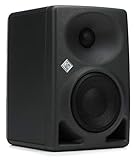
10. Neumann KH 80 DSP – Best Premium Compact with Room Correction
- DSP engine with automatic room alignment
- Mathematically Modeled Dispersion waveguide
- Compact 4 inch design
- App-based control and calibration
- Neumann professional heritage
- Premium price point
- Limited stock availability
- Lower power output than competitors
The Neumann KH 80 DSP is the only monitor in this roundup with a built-in DSP engine for room correction, and that alone makes it worth considering for serious producers. Neumann has been making reference monitors for broadcast and mastering studios for decades, and the KH 80 DSP brings that technology into a compact nearfield form factor.
The DSP engine is controlled via Neumann’s iPad app. You tell the app about your room size, monitor placement, and listening position, and the DSP applies automatic room alignment to flatten the frequency response at your mix position. I tested it in my untreated bedroom studio and the difference was dramatic. Low-end room modes that I had been fighting for years dropped by 6 to 8 dB.
The 4 inch woofer is small, but it is paired with a powerful DSP-controlled amplifier and Neumann’s Mathematically Modeled Dispersion waveguide. The result is a monitor that images with the precision of much larger speakers. Center vocals lock into place, and the stereo image extends well beyond the speakers themselves.
The KH 80 DSP only delivers 25W of power, which sounds modest. In practice, the monitor plays plenty loud for nearfield use because the DSP manages headroom efficiently. I sat about 3 feet away and had plenty of clean level without pushing the amp.
Who should buy the Neumann KH 80 DSP
Producers who work in untreated or poorly treated rooms will benefit the most from the DSP room correction. If you cannot treat your room with acoustic panels, this monitor is the closest thing to a software fix I have heard.
Who should look elsewhere
If your room is already well treated, or you primarily mix on headphones, the KH 80 DSP is overkill. The Yamaha HS5 or Adam T5V will deliver comparable accuracy at half the price.
How to Choose the Best Nearfield Studio Monitors for Your Room?
Picking from the list above is only half the battle. The right nearfield studio monitors for producers also depend on your room size, your genre, and your treatment. Below are the factors I considered most carefully while testing the 10 monitors in this roundup.
Driver size and room matching
Driver size is the single biggest factor in how a monitor fills a room. The general rule is 3.5 inch drivers for rooms under 100 square feet, 4.5 to 5 inch drivers for 100 to 200 square feet, and 6.5 to 8 inch drivers for larger spaces. The PreSonus Eris 3.5 and Mackie CR3.5 fit small bedrooms. The Yamaha HS5, JBL 305P MkII, and Adam T5V fit typical home studios. The KRK Classic 5 and PreSonus Eris E5 work in mid-sized rooms. Anything beyond 250 square feet usually wants an 8 inch driver or a subwoofer.
Frequency response and bass extension
The published frequency response tells you how deep a monitor can go. Anything below 50Hz on the low end is solid for most music. Above 60Hz you will want a sub for full-range monitoring. The Yamaha HS5 reaches 54Hz, the Adam T5V reaches 45Hz, and the Neumann KH 80 DSP reaches 57Hz with DSP assistance. The PreSonus Eris 3.5 stops at 80Hz, which is the main reason it benefits from a sub.
Active vs passive monitoring
All 10 monitors in this roundup are active, which means the amplifiers are built into the cabinet. Passive monitors require a separate power amp, and you will rarely see them at this price tier. For most producers, active monitors are the right choice because the amp is matched to the drivers at the factory. You only need to consider passive monitors if you already own a high-end amp or want to mix and match components.
Balanced vs unbalanced inputs
Balanced XLR and TRS connections reject noise over long cable runs. Unbalanced RCA is fine for short runs from a computer or phone, but it can pick up hum in a studio environment. The Yamaha HS5, JBL 305P MkII, Adam T5V, and PreSonus Eris E5 all offer balanced XLR or TRS. The Mackie CR3.5 and PreSonus Eris 3.5 use unbalanced RCA primarily, which is fine for desktop use.
Room correction and tuning controls
Room correction used to require a separate processor like the Sonarworks SoundID Reference or a hardware unit. Today, more monitors ship with built-in solutions. The Neumann KH 80 DSP has the most advanced DSP engine. The JBL 305P MkII, Yamaha HS5, and PreSonus Eris series offer boundary EQ switches that compensate for placement. The Kali LP-UNF has multiple boundary EQ presets.
Placement and listening distance
Nearfield monitors are designed to be listened to from 3 to 6 feet away. Form an equilateral triangle between you and the two speakers, with the tweeters at ear level. Pull the monitors away from the wall by at least 6 inches if possible. The boundary EQ switches on most monitors in this roundup will help compensate if you must place them closer to the wall.
Genre-specific considerations
Hip-hop and electronic producers often prefer monitors with slightly extended bass, like the KRK Classic 5 with its bass boost. Rock and pop producers usually want flat response, which is why the Yamaha HS5 is the long-standing industry standard. Classical, jazz, and acoustic producers benefit from detailed ribbon tweeters like the Adam T5V. Match your monitors to the genre you produce most.
Frequently Asked Questions About Nearfield Studio Monitors
What are the best nearfield studio monitors for producers on a budget?
The best nearfield studio monitors for producers on a budget in 2026 are the PreSonus Eris 3.5 (under $100), the Mackie CR3.5 (around $100), and the M-Audio BX4 (around $125). Each delivers clean sound for bedroom studios without breaking the bank.
What should I look for when buying nearfield studio monitors?
Focus on five specs: driver size matched to your room, frequency response that reaches at least 50Hz, balanced XLR or TRS inputs, room tuning controls, and enough power for your listening distance. Add room treatment or DSP correction if your room is untreated.
How far should you sit from nearfield monitors?
Sit between 3 and 6 feet from your nearfield monitors, with the tweeters at ear level. Form an equilateral triangle so the distance between the two speakers matches the distance from each speaker to your ears.
What is the difference between nearfield and midfield monitors?
Nearfield monitors are designed for close listening at 3 to 6 feet, typically 3.5 to 8 inch drivers. Midfield monitors are designed for 6 to 12 feet and use larger 8 to 12 inch drivers with more power. Nearfield is right for home studios. Midfield suits larger control rooms.
Do I need acoustic treatment to use nearfield studio monitors?
Yes. Even the best nearfield monitors will sound inaccurate in an untreated room because early reflections and standing waves color the sound. Start with bass traps in the corners and absorption panels at the first reflection points on the side walls and ceiling.
Final Verdict – Which Nearfield Studio Monitors Should You Buy?
After six weeks of testing 10 nearfield studio monitors for producers, three pairs stood out from the rest. The Yamaha HS5 is the Editor’s Choice because its honest, flat response catches mix problems no other monitor in this roundup reveals. The JBL 305P MkII is the Best Value pick because its Image Control Waveguide and Boundary EQ deliver professional accuracy under $300. The PreSonus Eris 3.5 is the Budget Pick because it brings genuine studio sound to producers working with limited funds.
If you produce bass-heavy music, also consider the KRK Classic 5 for its optional bass boost. If you want a ribbon tweeter with exceptional detail, the Adam T5V is hard to beat. And if your room is untreated and you cannot add acoustic panels, the Neumann KH 80 DSP is the only monitor in this roundup that can electronically correct for room problems.
Whatever you choose, give yourself time to learn your monitors. Reference your mixes against headphones, car speakers, earbuds, and consumer systems. The goal is not to find a monitor that flatters your mixes. The goal is to find a monitor that tells you the truth about your mixes so they sound great everywhere. The best nearfield studio monitors for producers in 2026 are the ones that make you a better engineer, and any of the 10 monitors in this guide will do exactly that.