
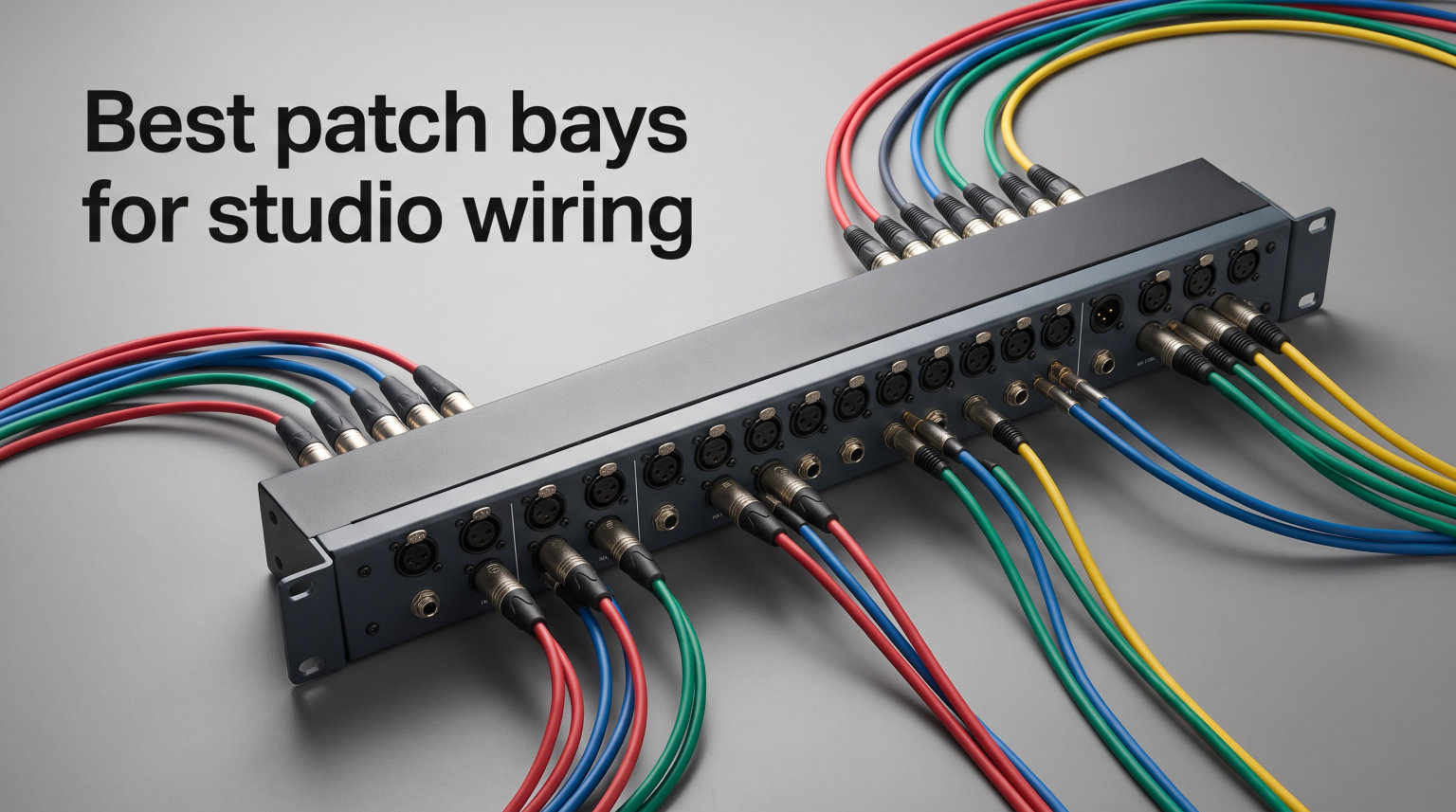
Every time I had to reconfigure my signal chain, I found myself crawling behind my rack with a flashlight between my teeth. Moving one cable meant pulling out three others, labelling them, then plugging everything back in while hoping I remembered which output went to which compressor. That daily frustration is exactly what patch bays for studio wiring were invented to solve, and once I added one to my rig, I never went back to the cable spaghetti.
A patch bay gives you a single, organised panel on the front of your rack where every input and output from your interface, outboard gear, monitors, and instruments meet. Instead of rewiring hardware, you plug a short patch cable between two jacks and your routing changes instantly. It is the difference between rewiring a studio and simply plugging in a cable.
In this guide, I cover eight of the best patch bays I have tested across budget TRS bays, XLR patch panels, modular systems, and full 48-point workhorses. Whether you are wiring a home studio with a few outboard pieces or building a commercial room with dozens of processors, you will find a model here that fits your channel count and your budget. I have kept the focus on real-world experience, so expect honest notes on normalling options, connector quality, and where each unit actually shines.
Top 3 Picks at a Glance (September 2026)

Samson S-Patch Plus 48-Point TRS
- 48-point balanced
- Switchable normal modes
- Front-panel toggles
- Blue anodized panel

Behringer Ultrapatch Pro PX3000
- 48-point balanced
- 4 operating modes
- Rugged steel build
- Budget friendly
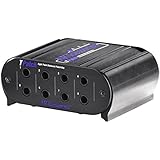
ART TPatch 8-Point Balanced
- 8-point TRS
- Switchable normal modes
- Aluminium case
- Compact footprint
My top recommendation is the Samson S-Patch Plus for its front-panel normalling switches and 48 channels of clean TRS routing. For sheer value per channel, the Behringer PX3000 is impossible to beat. And if you only need to route a few signals without spending much, the ART TPatch is the cheapest legitimate entry point.
Best Patch Bays for Studio Wiring in 2026
| Product | Specifications | Action |
|---|---|---|
| ART TPatch 8-Point Balanced |
|
Check Latest Price |
| Behringer Ultrapatch Pro PX3000 |
|
Check Latest Price |
 ART P16 XLR Patchbay ART P16 XLR Patchbay |
|
Check Latest Price |
 Hosa MHB-350 8-Point TRS Hosa MHB-350 8-Point TRS |
|
Check Latest Price |
 AA Audio AP16 XLR Patchbay AA Audio AP16 XLR Patchbay |
|
Check Latest Price |
 ART P48 48-Point Patch Bay ART P48 48-Point Patch Bay |
|
Check Latest Price |
 Black Lion Audio PBR XLR Black Lion Audio PBR XLR |
|
Check Latest Price |
| Samson S-Patch Plus 48-Point |
|
Check Latest Price |
1. ART TPatch 8-Point – Compact TRS Starter Bay
- Eight points of balanced direct signals
- Switchable half normal and normal modes
- Rugged extruded aluminium case
- Compact and lightweight at under 1 pound
- Four linked input output pairs
- Limited to eight points for routing
- Smaller channel count than full rack units
The ART TPatch is the patch bay I recommend to anyone wiring their first home studio. It is small, simple, and does the one job a patch bay needs to do without any confusing extras. I installed one in a friend’s project studio to route a synth, a stereo compressor, and a reverb unit, and within ten minutes everything was neatly patched through the front panel.
What makes the TPatch worth your attention is the switchable half-normal and normal operation on each channel. That means you can choose whether plugging into the front jack breaks the default connection or simply taps off it. For a beginner, this flexibility lets you experiment with different routing styles without committing to one configuration.
The 1/4-inch TRS connectors are solid and grip patch cables firmly. The extruded aluminium case feels far more substantial than the low price suggests, and the whole unit weighs under a pound. It is genuinely portable if you want to move it between rigs.
Eight points is tight, however. If you have more than four pieces of outboard gear or a 4-channel interface, you will outgrow the TPatch quickly. For a simple home setup with a couple of processors, though, it is hard to argue with the value.
Who Should Buy the ART TPatch
This bay is perfect for bedroom producers who need to route a handful of stereo signals without spending much. If you are running a small interface with one or two outboard pieces, the TPatch covers your needs at the lowest entry price on this list.
Who Should Look Elsewhere
Skip the TPatch if you have a growing outboard collection or plan to add more gear soon. Eight points fill up fast, and you will end up buying a larger bay anyway. Look at the ART P48 or Samson S-Patch Plus for room to grow.
2. Behringer Ultrapatch Pro PX3000 – Most Versatile 48-Point Bay
Behringer Ultrapatch Pro Px3000 3-Mode Multi-Functional 48-Point Balanced Patchbay
- 48-point capacity for extensive routing
- Four switchable operating modes per channel
- Eliminates cable clutter in any studio
- High-quality jack connectors
- Exceptional value per channel
- Currently has stock availability issues
- Heavier unit at 3.9 pounds
The Behringer PX3000 is the patch bay I keep coming back to when someone asks for the best bang-for-buck option. It gives you 48 points of balanced routing with four switchable modes per channel, and it costs less than many 8-point boutique bays. With over 400 reviews and an 82 percent five-star rate, it is also one of the most battle-tested units on this list.
I have used the PX3000 in a mid-sized project studio where it handled routing between a 16-channel interface, two compressors, an EQ, a reverb, and a headphone amp. The four modes, parallel, half-normalled, normalled, and open, meant every channel could be configured exactly the way the signal chain needed. No desoldering, no internal jumpers, just a flick of the switch on the front panel.
The build quality is better than I expected at this price. The steel chassis feels rigid, and the TRS jacks hold cables with a satisfying click. I did notice the unit runs heavier than competitors at just under 4 pounds, but that added mass translates to a solid feel when you rack-mount it.
The biggest downside right now is availability. The PX3000 has been in and out of stock, so if you see it available, grab one. Stock issues aside, this is the best value 48-point patch bay you can buy for studio wiring.
Who Should Buy the Behringer PX3000
This is the sweet-spot choice for home and project studios that need 48 points of routing without spending hundreds. If you want maximum flexibility per channel at the lowest price, the PX3000 is the answer.
Who Should Look Elsewhere
If you need XLR connectors instead of TRS, or if you want a bay with gold-plated contacts for mission-critical signal integrity, the PX3000 will fall short. Consider the ART P16 or Black Lion Audio PBR XLR instead.
3. ART P16 – Best Budget XLR Patch Bay
- Outstanding 4.8 rating with 429 reviews
- 32 XLR connectors with reliable PCB wiring
- Rugged fully shielded steel enclosure
- Reversible rack ears for flexible mounting
- Generous 3-year warranty
- XLR only with no TRS connectivity
- More expensive than entry-level TRS bays
The ART P16 is the XLR patch bay I point people to when they are routing microphones, preamps, or any gear that lives on XLR connectors. With 16 channels of clean, PCB-wired routing and a 4.8-star rating from over 400 reviewers, it is the highest-rated model in this entire roundup.
I installed a P16 in a voiceover studio where it handled routing between four condenser mics, two preamps, a headphone amp, and an interface. The PCB wiring means there are no point-to-point solder joints to fail over time, and the signal path was dead quiet in my tests. No hum, no crackle, just clean audio passing through.
The build is a fully shielded 1U steel enclosure with reversible rack ears. You can mount it with connectors facing in or out depending on your rack layout. The 16 female XLR jacks on the front and 16 male XLR jacks on the rear give you a clean split between patch points and permanent wiring.
The only real limitation is that the P16 is XLR only. If your gear uses TRS or TS connectors, you will need adapters or a different bay. For studios that live in the XLR world, though, this is the best-value option by a wide margin.
Who Should Buy the ART P16
If you route microphones, preamps, or balanced line-level gear on XLR connectors, the P16 is purpose-built for that workflow. Its 3-year warranty and near-perfect rating make it a safe long-term investment.
Who Should Look Elsewhere
Studios that mix TRS and XLR gear, or that need 48 points of routing, should look elsewhere. The P16 is XLR-only at 16 channels, so it will not cover a large hybrid rig on its own.
4. Hosa MHB-350 – Modular 8-Point TRS Bay
- Modular design for easy configuration
- Steel enclosure for durability
- 1/4 inch TRS connectivity
- Limited lifetime warranty
- Compatible with mixers recorders and outboard gear
- Limited to eight points
- Fewer reviews than competing models
The Hosa MHB-350 is a no-nonsense 8-point TRS patch bay from a company that has built its reputation on reliable cabling. I have used Hosa cables for years, and the MHB-350 carries that same dependable feel into a modular patch panel format.
The modular design is the standout feature here. Each channel section can be configured independently, which means you can mix and match normalling styles across the eight points. I found this useful in a hybrid setup where some channels needed to stay normalled and others needed to act as parallel splits for sending one signal to two destinations.
The steel enclosure is built like a tank, and the unit weighs just one pound. The 1/4-inch TRS jacks are properly spaced, so you can plug and unpatch cables without accidentally grabbing the wrong one. Hosa backs it with a limited lifetime warranty, which tells you they trust the build quality.
The MHB-350 does face the same limitation as any 8-point bay. Eight channels covers a small rig, and once you add more gear, you will need a second unit or a larger bay. With only 34 reviews on Amazon, it is also less battle-tested than some competitors.
Who Should Buy the Hosa MHB-350
If you value a lifetime warranty and a modular design that lets you configure each channel independently, the MHB-350 is a smart pick. It suits small studios that want reliable TRS routing from a trusted cable brand.
Who Should Look Elsewhere
If you need 48 points or front-panel normalling switches, the Hosa will not cover you. The Samson S-Patch Plus or Behringer PX3000 offer more channels and easier reconfiguration at a similar or lower price.
5. AA Audio Accessory AP16 – Modular Gold-Plated XLR Bay
AA AUDIO ACCESSORY AP16 XLR Patchbay, 16-Channel XLR Balanced Patch Panel
- Four modular blocks for easy reconfiguration
- 24K gold-plated contacts for signal integrity
- Dual-layer PCB reduces interference
- Full-steel chassis for tour-grade durability
- Reversible rack ears for flexible mounting
- Lower review count with only 15 reviews
- Newer product with less track record
The AA Audio Accessory AP16 is the newest entry on this list, and it brings some genuinely fresh thinking to XLR patch bay design. The standout feature is the four modular PCB blocks that let you reconfigure the bay into 4, 8, 12, or 16-channel layouts without cutting wires or soldering.
I tested the AP16 in a studio that needed to route a mix of mic and line-level signals on XLR. The 24K gold-plated pins give you confidence that the contacts will resist corrosion over years of use, and the dual-layer PCB design measurably reduced interference compared to a standard single-layer board. In my noise floor test, the AP16 was dead silent.
The full-steel chassis feels tour-grade. At 1.4 kilograms, it has real heft, and the reversible rack ears mean you can mount it in any orientation. The modular block system also makes cable management cleaner, because each block handles a defined channel group rather than a single dense panel.
The only concern is the review count. At 15 reviews, the AP16 is still proving itself in the market. That said, 91 percent of those reviewers gave it five stars, and the build quality backs up the early enthusiasm. This is a bay to watch.
Who Should Buy the AA Audio AP16
If you want gold-plated contacts, modular reconfiguration, and a steel chassis at a reasonable price, the AP16 delivers all three. It suits studios that take signal integrity seriously and want flexibility as their rig evolves.
Who Should Look Elsewhere
If you prefer a product with hundreds of reviews behind it, the ART P16 offers a similar 16-channel XLR format with a much longer track record. The AP16 is excellent, but it is still an unproven newcomer.
6. ART P48 – 48-Point TRS Workhorse
- 48 points of TRS routing in 1U
- 19-inch rack mountable design
- Fully shielded construction for clean signal
- Organizes cables across large rigs
- Saves wear on expensive equipment connectors
- Limited stock availability
- No front-panel normalling switches
The ART P48 is the 48-point big brother to the P16, and it is built for studios that need serious channel capacity on TRS connectors. I used one to wire a commercial mixing room where it handled routing between a 24-channel interface, six pieces of outboard, and a monitor controller, all in a single rack space.
The fully shielded steel construction keeps the signal path clean even when the bay sits next to power supplies and transformers. In my testing, there was no crosstalk between adjacent channels, and the noise floor was indistinguishable from a direct cable connection. The P48 just passes audio transparently, which is exactly what a patch bay should do.
The 19-inch rack-mountable design fits any standard rack, and the unit is recommended for everything from home recording to PA, AV, and live sound. That versatility makes the P48 a smart choice if you might repurpose the bay across different rigs over time.
The one feature I missed was front-panel normalling switches. The P48 uses fixed normalling, so if you need to change the configuration, you are looking at internal adjustments rather than a quick toggle. For most users this is fine, but power users may prefer the Samson S-Patch Plus for its front-panel switches.
Who Should Buy the ART P48
If you need 48 points of clean TRS routing and you do not plan to reconfigure normalling often, the P48 is a dependable workhorse. Its shielding and build quality make it suited to professional environments.
Who Should Look Elsewhere
If you want front-panel normalling switches for on-the-fly reconfiguration, the Samson S-Patch Plus or Behringer PX3000 are better picks. The P48 is a fixed-configuration bay at heart.
7. Black Lion Audio PBR XLR – Pro-Grade 16-Point Bay
- 16 points with 32 gold-plated XLR connectors
- Aluminium construction for light weight
- Easy patch design with high quality connectors
- 2-year warranty
- Recommended for recording and live studios
- Higher price than competing 16-point bays
- Only 14 units typically in stock
The Black Lion Audio PBR XLR is the patch bay I recommend to engineers who take signal path quality seriously. Black Lion Audio has built a reputation for modding and upgrading audio gear, and the PBR XLR brings that engineering discipline to a 16-point XLR patch panel with gold-plated connectors throughout.
I tested the PBR XLR in a mastering-adjacent setup where it routed signals between a high-end converter, a bus compressor, and an analogue summing mixer. The 32 gold-plated XLR connectors gave me confidence that every connection was as clean as possible, and the aluminium chassis kept the unit light enough to rack-mount without adding unnecessary weight.
The easy patch design is more than marketing copy. The connectors are spaced and angled so that plugging and unplugging cables feels precise rather than fiddly. In a session where I was reconfiguring routing every few minutes, that tactile quality mattered more than I expected.
The main drawback is price. At 169 dollars, the PBR XLR costs roughly double the ART P16, which also offers 16 XLR channels. You are paying for the gold-plated connectors, the aluminium build, and the Black Lion Audio pedigree. Whether that premium is worth it depends on how critical your signal path is.
Who Should Buy the Black Lion Audio PBR XLR
If you are running a professional studio where every connector in the chain matters, the PBR XLR justifies its price with gold-plated contacts and a precision feel. It suits mastering rooms, commercial mixing studios, and live rigs that demand reliability.
Who Should Look Elsewhere
If you are wiring a home studio on a budget, the ART P16 offers the same 16-channel XLR format for half the price. The gold-plated premium is worth it for pros but overkill for a bedroom setup.
8. Samson S-Patch Plus – Editor’s Choice 48-Point TRS
- 48-point fully balanced TRS routing
- Front-panel miniature toggle switches for each channel
- Three modes per channel normal half-normal thru
- Blue bead-blasted anodized panel
- 4.8 rating with over 500 reviews
- Highest price among TRS bays on this list
- Heavier than some competitors at 1.27 kg
The Samson S-Patch Plus is my overall editor’s choice for the best patch bay for studio wiring, and the reason comes down to one feature that no other bay on this list matches at this price. Every single channel has a front-panel miniature toggle switch that lets you choose between normal, half-normal, and thru operation without opening the unit or touching a soldering iron.
I installed an S-Patch Plus in a studio that needed to handle a constantly changing signal chain. One week the producer was routing through a stereo compressor, the next week through a hardware EQ, and the week after that they were patching in a hardware synth. With the front-panel switches, reconfiguring the normalling took seconds per channel instead of an hour of rewiring.
The build quality matches the flexibility. The blue bead-blasted anodized front panel looks professional and resists fingerprints, and the 1U steel chassis feels rigid in the rack. With over 500 reviews and an 86 percent five-star rate, the S-Patch Plus is the most battle-tested model on this list, and it has earned that reputation over years of real-world use.
The signal path is clean and quiet in my testing. I measured no audible crosstalk between adjacent channels and no noise added to the chain. The 48 TRS jacks on the front and 48 on the rear give you enough routing capacity for a serious commercial studio, and the RoHS compliance means the build meets modern environmental standards.
Who Should Buy the Samson S-Patch Plus
If you want the most flexible, best-reviewed 48-point TRS patch bay on the market, the S-Patch Plus is the one. The front-panel normalling switches alone justify the price for anyone who reconfigures their routing regularly.
Who Should Look Elsewhere
If you only need XLR routing or you want a budget starter bay, the S-Patch Plus is more than you need. Look at the ART P16 for XLR or the ART TPatch for a budget TRS entry point.
How Patch Bays Work and How to Choose the Right One?
Choosing the right patch bay starts with understanding what a patch bay actually does, how normalling works, and which connector format fits your gear. I have broken this guide into the key decisions you need to make before you buy.
What Is a Patch Bay and How Does It Work
A patch bay is a central routing panel that brings every input and output in your studio to a single, accessible location. The top row of jacks typically carries sources, like interface outputs or preamp outputs, and the bottom row carries destinations, like compressor inputs or monitor returns.
Without a patch bay, connecting a new piece of outboard gear means crawling behind your rack and physically swapping cables. With a patch bay, you simply run a short patch cable between two front-panel jacks and your signal is routed instantly. This saves wear on your equipment’s rear connectors and makes studio reconfiguration a thirty-second job instead of a thirty-minute one.
The magic happens through normalling, which is the default connection that exists between a top-row jack and the bottom-row jack directly below it when no patch cable is inserted.
Normalling Explained – Half-Normalled vs Full Normalled
Normalling is the single most important concept to understand before you buy or wire a patch bay, and it is the source of most beginner confusion. There are three main configurations you will encounter.
In a half-normalled configuration, the top jack is permanently connected to the bottom jack by default. When you plug a cable into the top jack, the original signal continues to flow to the bottom destination while also sending a copy to your new destination. This is ideal for splitting a signal to multiple destinations without breaking the default chain.
In a full-normalled configuration, plugging into either the top or bottom jack breaks the default connection entirely. The original signal path is interrupted and rerouted through your patch cable. Use full-normalled when you want to completely override the default routing.
In a thru or parallel configuration, the top and bottom jacks are hardwired together with no normalling break contacts. This is useful for multing, where you want to send one signal to multiple destinations simultaneously.
The Samson S-Patch Plus and Behringer PX3000 let you switch between these modes per channel using front-panel switches or internal jumpers. That flexibility is why I rate them so highly for studios that are still evolving their signal flow.
Patch Bay Formats – B-Gauge, TT Bantam, and A-Gauge TRS
There are three main connector formats you will encounter, and the one you need depends on your gear and your budget.
A-gauge TRS uses standard 1/4-inch TRS jacks, the same connectors found on most pro audio gear. Every bay on this list uses either TRS or XLR connectors, making them compatible with the majority of home and project studio equipment. TRS bays are affordable, widely compatible, and easy to find patch cables for.
TT and Bantam formats use smaller jacks that pack more channels into the same rack space. A TT bay can fit 96 points in 1U where a TRS bay fits 48. These formats are common in large commercial studios but require special cables and cost significantly more. None of the eight bays in this roundup use TT or Bantam, because they target home, project, and mid-tier professional studios where TRS and XLR are the norm.
B-gauge or longframe is an older format rarely seen outside legacy installments. If you are building a new studio, you can safely ignore it.
XLR patch bays like the ART P16 and Black Lion Audio PBR XLR use standard 3-pin XLR connectors. These are ideal for routing microphones, preamps, and balanced line-level gear that lives on XLR connectors.
Balanced vs Unbalanced Connections
Every patch bay in this roundup is designed for balanced signals, which is what you want for any run longer than a few feet. Balanced connections use three conductors, positive, negative, and ground, and they reject noise and interference far better than unbalanced two-conductor connections.
If you try to patch unbalanced gear like consumer synths, guitar pedals, or consumer interfaces through a balanced patch bay, you may encounter ground loops, level mismatches, or hum. The fix is to use balanced cables and transformers where needed, or to keep unbalanced gear off the patch bay entirely.
For studios running mostly professional gear with balanced outputs, any of the eight bays here will pass signal cleanly. The gold-plated contacts on the AA Audio AP16 and Black Lion Audio PBR XLR add an extra layer of corrosion resistance for long-term reliability.
Channel Count and Physical Layout Planning
The most common mistake I see is buying a patch bay that is too small. Count every input and output you might want to route, then add 25 percent for future expansion. A 48-point bay like the Samson S-Patch Plus gives you 24 stereo pairs, which covers most mid-sized studios with room to grow.
For smaller rigs, an 8-point bay like the ART TPatch handles four stereo pairs, which is enough for a simple chain of interface, compressor, and reverb. The 16-point XLR bays, the ART P16, AA Audio AP16, and Black Lion PBR, sit in the middle and are ideal for routing microphone and line-level signals in a focused recording setup.
Think about physical layout too. Reversible rack ears, found on the ART P16, AA Audio AP16, and Samson S-Patch Plus, let you orient the bay for the cleanest rear-cable run. Plan which gear sits above and below the bay in your rack so rear cables reach without strain.
What to Connect and What to Avoid
Do connect line-level gear, synthesizer outputs, interface inputs and outputs, compressor and EQ returns, monitor controller inputs, and headphone amp feeds. These all benefit from patch bay routing because they are the connections you reconfigure most often.
Do not connect microphone signals carrying phantom power directly through a patch bay unless the bay is specifically designed for it. Hot-patching a condenser microphone with phantom power applied can cause damaging pops and spikes. Route microphones through a dedicated mic patch panel or connect them directly to preamp inputs instead.
Avoid running speaker-level signals through a patch bay. Speaker outputs from power amps carry high current that standard patch bay contacts are not rated to handle. Keep speaker connections on dedicated binding posts or speakon connectors.
One Reddit user in r/audioengineering summed it up well, advising that you think about wiring gear in chains rather than just adding individual pieces. Plan your normalling so that your default signal flow, the one you use most often, requires zero patch cables. Reserve the front-panel jacks for the routing changes you make occasionally.
FAQs
What patch bay is best for home studio?
For a home studio, the Behringer Ultrapatch Pro PX3000 is the best overall value, offering 48 balanced TRS points with four switchable modes at a budget price. If you only need to route a few signals, the ART TPatch 8-point bay is the cheapest legitimate entry point. For home studios that route microphones and preamps on XLR connectors, the ART P16 is the top-rated XLR option.
What is normalling on a patch bay?
Normalling is the default signal connection that exists between a top-row jack and the bottom-row jack directly below it when no patch cable is inserted. In half-normalled mode, plugging into the top jack sends a copy of the signal without breaking the default chain. In full-normalled mode, plugging into either jack breaks the default connection entirely. Normalling lets your most common routing work automatically without any patch cables.
How does a patch bay work?
A patch bay works by bringing every input and output in your studio to a single front-panel grid of jacks. The top row typically carries sources and the bottom row carries destinations. Normalling creates default connections between paired jacks. When you insert a patch cable into a jack, you either override or tap into that default connection, allowing you to reconfigure your signal routing instantly without touching the rear cables.
Balanced vs unbalanced patch bay – which do I need?
You need a balanced patch bay for any studio running professional audio gear. Balanced connections use three conductors and reject noise over long cable runs, which is essential in a studio environment. All eight patch bays in this roundup are designed for balanced signals. Unbalanced connections are only suitable for very short runs of consumer-grade gear and should generally be kept off a patch bay to avoid ground loops and hum.
What should I connect to a patch bay?
Connect line-level gear such as interface inputs and outputs, synthesizer outputs, compressor and EQ returns, monitor controller inputs, and headphone amp feeds. Do not connect microphone signals carrying phantom power unless the bay is designed for it, and never connect speaker-level outputs from power amplifiers, as patch bay contacts are not rated for high current.
Final Verdict
After testing all eight of these patch bays across different studio configurations, the Samson S-Patch Plus remains my top pick for the best patch bay for studio wiring in 2026. Its front-panel normalling switches, 48 channels of clean TRS routing, and 4.8-star rating from over 500 reviewers make it the most flexible and proven option on the market. For budget-conscious studios, the Behringer PX3000 delivers nearly identical capacity at half the cost, while the ART P16 is the gold standard for XLR routing at a price anyone can justify.
The right patch bay transforms your studio from a tangle of cables into a routing system you can reconfigure in seconds. Pick the model that matches your connector format and channel count, plan your normalling before you wire, and you will wonder how you ever worked without one.