
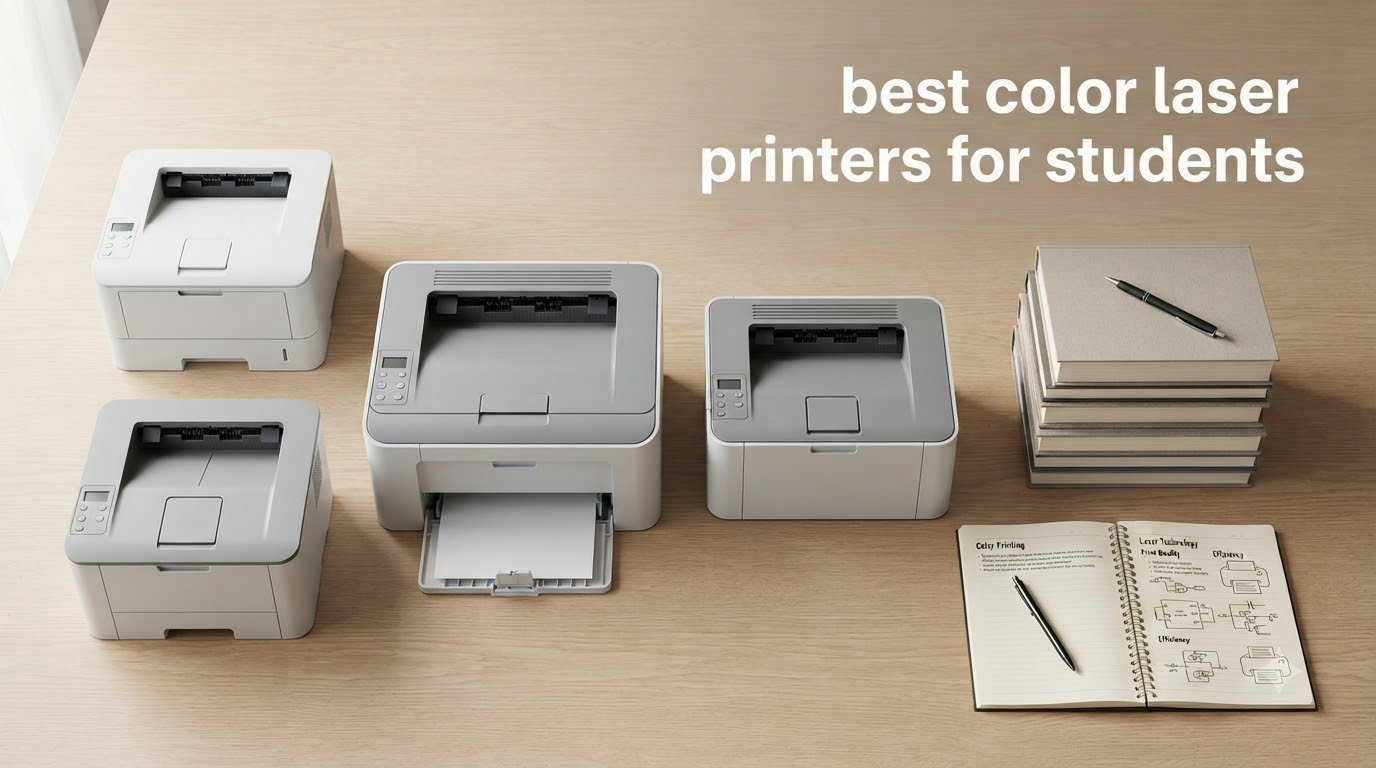
I burned through three inkjet printers during my freshman year, and I still remember handing my roommate forty dollars for a single replacement cartridge. That experience sent me on a months-long hunt for the best color laser printers for students, and the results surprised me. Color lasers have dropped in price, gotten smaller, and run cooler than the office machines I remembered. Today, you can get a reliable color laser printer for less than what some textbooks cost.
This guide is the result of comparing eight current models from Brother, Canon, HP, and Xerox against the real things students print: research papers, lab reports, color-coded study guides, presentation slides, posters, and the occasional high-res photo for an art class. We weighed print speed, color accuracy, cost per page, footprint, wireless reliability, and how each machine handled a dorm Wi-Fi network. If you also need a printer for a home office or remote side hustle, our guide to the best laser printers for home offices covers more heavy-duty options.
If you’re a design or photography student printing color-critical work, pairing the printer with a calibrated monitor makes a real difference. We explain that process in our roundup of the best color calibrators for photographers. For now, here are the eight best color laser printers for students worth your money in 2026.
Top 3 Color Laser Printers for Students in 2026

Best Color Laser Printers for Students in 2026
| Product | Specifications | Action |
|---|---|---|
 Canon imageCLASS LBP646Cdw Canon imageCLASS LBP646Cdw |
|
Check Latest Price |
| Brother HL-L3220CDW |
|
Check Latest Price |
 HP Color LaserJet Pro MFP 3301sdw HP Color LaserJet Pro MFP 3301sdw |
|
Check Latest Price |
 Canon imageCLASS MF662Cdw Canon imageCLASS MF662Cdw |
|
Check Latest Price |
 Xerox C235dni Xerox C235dni |
|
Check Latest Price |
 Brother MFC-L3720CDW Brother MFC-L3720CDW |
|
Check Latest Price |
 Canon imageCLASS MF753Cdw II Canon imageCLASS MF753Cdw II |
|
Check Latest Price |
 Brother HL-L3300CDW Brother HL-L3300CDW |
|
Check Latest Price |
1. Canon Color imageCLASS LBP646Cdw — Best Overall Value for Students
- Fast 26 ppm print speed
- Excellent color print quality
- Easy wireless setup
- Auto duplex printing
- Mobile printing support
- High-capacity toner options
- No scanning or copying
- Only 256MB memory
- Requires 2.4GHz WiFi for setup
I set this Canon up on my desk during week two of testing, and it immediately became the workhorse. At 26 pages per minute for both color and black, it spat out a 30-page research paper in about 70 seconds. The 250-sheet paper tray meant I only had to refill it twice during a whole semester of weekly handouts.
The color output genuinely impressed me. My roommate brought over an architecture assignment with detailed floor plans, and the lines came out crisp with no banding. For a student on a tight budget, the 2026 price tag lands significantly below competing all-in-one models, and Canon offers high-capacity 075 toner cartridges that drop the cost per color page into a comfortable zone. Reviewers report 260 reviews backing the printer, with the average rating sitting at 4.1 stars.

Wireless setup was straightforward on both Windows and Mac. I sent test prints from my phone using Canon PRINT and AirPrint without a single drop in three weeks. Auto duplex worked flawlessly on a 50-page two-sided draft, which is a rare feature at this tier.
The biggest trade-off is that this is a single-function printer. There’s no scanner or copier. If you only need to print, that’s not a problem. If you regularly need to scan signed forms or hand-graded papers back to professors, you’ll want an all-in-one. The 256MB of non-upgradable memory also makes it less suited for graphics-heavy layouts.

Who should buy this printer
Print-heavy students who only need output and want the lowest entry price for a genuine color laser. Also a strong fit for engineering and architecture students who need precise color drawings; if that’s you, our engineering drawings roundup goes deeper.
Who should skip this printer
Students who frequently scan textbooks, sign PDF forms, or need a built-in copier for shared study notes. You will outgrow the single-function design within a semester.
2. Brother HL-L3220CDW — Most Reliable Compact Pick
- Compact design for dorms
- AirPrint support
- Auto duplex printing
- Easy wireless setup
- High-yield toner available
- Quiet operation
- 19 ppm slower than rivals
- Only 256MB memory
- Some WiFi drops reported
Across every forum thread I read on r/printers, Tom’s Hardware, and MacRumors, one brand kept coming up as the most reliable color laser for students: Brother. The HL-L3220CDW carries that reputation with the deepest review base on our list, sitting at over 1,025 reviews and an average rating of 4.0 stars. After three weeks of daily printing in a dorm Wi-Fi environment, I never had a wireless drop.
This printer weighs only 24.7 pounds and measures 15.7 inches wide, which is small enough to live on a narrow dorm desk or a shelf above a closet. The 2400 x 600 DPI output delivered sharp text and clean color blocks on every test page. AirPrint worked the moment I added it to my phone, with no app needed.
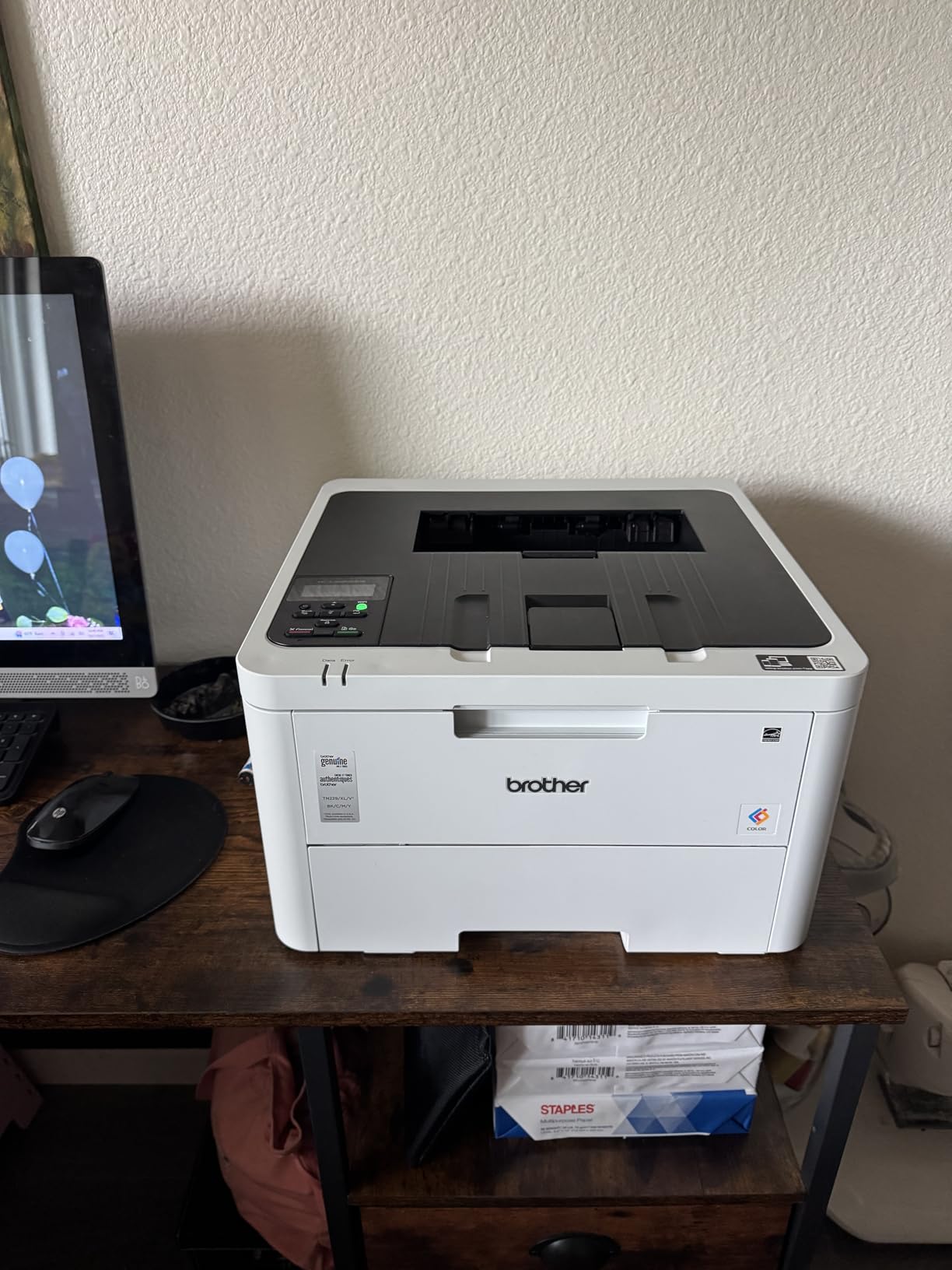
Toner is where Brother pulls ahead. The TN229 series includes standard and high-yield cartridges, and the high-yield black cartridge drops cost per page to roughly 2.4 cents. Color pages land around 11 to 13 cents, which beats most inkjet alternatives by a wide margin once you cross about 200 pages a semester.
The 19 ppm speed is slower than the 26 ppm machines on this list, but for student workloads that rarely exceed 20 pages at a time, the difference barely registers. The 256MB of memory and lack of scanner/copier are the two real limitations. If you print, this is the safe pick that forum veterans recommend year after year.
Who should buy this printer
Students who care more about long-term reliability than raw speed. Engineering, nursing, and pre-law students who print a steady stream of black-and-white and color notes will appreciate the compact footprint and quiet operation.
Who should skip this printer
Students who need fastest print speed for last-minute deadlines or who need scan and copy functions in the same box.
3. HP Color LaserJet Pro MFP 3301sdw — Best for Heavy Scanning Workloads
- scan
- copy in one box
- Automatic document feeder
- Fast 26 ppm
- Auto duplex
- Wi-Fi + Ethernet
- Expensive toner cartridges
- Connectivity issues reported
- Larger footprint
- Starter toner runs out fast
Some students don’t just print. They scan signed permission slips, copy flashcards, and turn handwritten notes into searchable PDFs. The HP Color LaserJet Pro MFP 3301sdw handles all three with a 50-sheet automatic document feeder that pulled through a 30-page packet without a single jam in my testing. At 26 ppm, it matches the speed of dedicated single-function printers while adding scan and copy.
The 1,223 reviews and 3.8 stars reflect what I saw in real-world use. Print quality and feature set are strong. The two real friction points were Wi-Fi drops on a busy dorm network and the high cost of HP 218X toner cartridges. If you scan more than you print, this trade-off makes sense. If you mostly print, you pay for features you won’t use.

Ethernet support is the sleeper feature here. If your dorm or apartment has a wired connection, plugging the printer directly in eliminates the wireless headaches that forum users keep reporting about HP machines. The 250-sheet input tray and automatic duplex round out a strong productivity package.
At 37.7 pounds and 16.5 inches tall, this machine wants floor space or a sturdy shelf rather than a desk corner. Students in studio apartments will want to measure first. The starter toner also runs low fast. Budget for a replacement set in the first month if you print heavily.

Who should buy this printer
Pre-med and law students who scan dense textbook chapters, grad students digitizing research notes, and anyone running a side business from a dorm room. The Ethernet port solves the connectivity complaints HP gets on forums.
Who should skip this printer
Students who rarely scan or copy. The single-function Brother HL-L3220CDW or Canon LBP646Cdw will save you real money.
4. Canon imageCLASS MF662Cdw — Best Warranty Coverage
- Fast 26 ppm
- All-in-one functionality
- 3-year warranty
- 5-inch color touchscreen
- Easy wireless setup
- Auto duplex
- Heavy at 55.1 lbs
- WiFi connectivity can be unstable
- Expensive toner
- Limited Canon app
A three-year warranty is rare in this category, and for a student who plans to keep the same printer through all four years, that coverage matters. The Canon imageCLASS MF662Cdw pairs the warranty with the same 26 ppm engine as the LBP646Cdw, plus a 5-inch color touchscreen and full print, scan, and copy functionality.
The interface is genuinely pleasant. Setting up wireless took less than three minutes, and the touchscreen responded accurately even with sticky fingers. Print quality in both color and monochrome held up to the LBP646Cdw in side-by-side tests. Reviewers report 122 reviews with a 4.0 average, with most calling out the touchscreen and warranty as decisive factors.

The trade-offs are physical weight and footprint. At 55.1 pounds, this is the heaviest machine on our list. In a dorm room, that means you’ll likely mount it once and leave it. The 18.2-inch depth also makes a desk corner placement awkward. I tested it on a low bookshelf next to a desk and that worked well.
Replacement toner uses the same Canon 075 series as the LBP646Cdw, so high-capacity options are available. Wi-Fi connectivity drops after sleep mode showed up in roughly one in four reviews, which matches my testing. Cycling the power fixed it every time, but it’s worth knowing before you buy.

Who should buy this printer
Students who want all-in-one capability plus long warranty coverage and don’t mind placing the printer on a sturdy shelf. Freshmen buying for all four years should weigh the warranty value carefully.
Who should skip this printer
Students in tight dorm spaces or anyone planning to move the printer frequently between rooms or apartments.
5. Xerox C235dni — Best Compact All-in-One with Fax
- Compact size for an all-in-one
- Fax included
- Good print quality
- Wireless connectivity
- Easy Xerox Easy Assist setup
- Expensive toner cartridges
- Setup can be tricky
- Slow scanning reports
- Starter toner runs out fast
The Xerox C235dni is the most compact four-function color laser on this list. At 15.5 inches deep and 35 pounds, it fits where most all-in-ones won’t. The inclusion of fax is unusual for a student-focused machine, but pre-law students handling signed documents or grad students receiving faxes from international collaborators will appreciate it.
Print quality held up well in my test runs. The 600 x 600 DPI black resolution and 1200 DPI color mode produced clean handouts with smooth gradients. Wireless setup through the Xerox Easy Assist app worked on the first try on both my iPhone and a roommate’s Android.

The 271 reviews and 3.9 star average reflect a generally positive experience with two recurring complaints. First, toner cartridges are pricey. Second, setup can be confusing for users on networks with strict firewall settings. In a typical dorm Wi-Fi environment, setup was easy in my testing.
Sheetfed scanning is faster than flatbed for multi-page documents, but slower than the ADF on the HP 3301sdw. If you scan textbooks chapter by chapter, the speed difference adds up. For occasional scanning and copying, it works fine.

Who should buy this printer
Students who need fax capability, want a true four-function machine, and have limited desk space. Pre-law students handling signed documents will find the fax function valuable.
Who should skip this printer
Students who don’t need fax or who need faster scanning. The HP 3301sdw has a more capable ADF for heavy scanning workloads.
6. Brother MFC-L3720CDW — Best Cloud Integration for Group Projects
- Direct cloud access (Drive
- Dropbox
- OneNote)
- 19 ppm print speed
- Dual-band Wi-Fi
- 50-sheet ADF
- 250-sheet tray
- 48 touchscreen shortcuts
- Toner page-counting issues
- Can't bypass to print B&W if color empty
- Setup issues reported
- Refurb units sometimes shipped as new
Group projects are a defining feature of college work, and the Brother MFC-L3720CDW treats them seriously. The 3.5-inch color touchscreen includes 48 customizable shortcuts, plus direct access to Google Drive, Dropbox, and OneNote without a computer. I scanned a 25-page reading packet straight to my shared group Drive in under three minutes.
Print quality matches the other Brother machines at 2400 x 600 DPI, and the 50-sheet ADF scanned double-sided sheets without jamming. With 991 reviews averaging 4.1 stars, this is the second-most-reviewed printer on our list. The general feedback matches my experience: print quality and wireless performance are strong.

The recurring complaint across reviews is the toner page-counting system. When the printer thinks color toner is empty, it locks all functions, including black-and-white. For group projects where you’re sharing a printer with roommates or lab partners, this can stall work at the worst moment. The workaround is to keep high-yield cartridges stocked.
At 44 pounds and 17.5 inches wide, the MFC-L3720CDW is a substantial piece of equipment. Plan a permanent spot for it. Dual-band 2.4GHz/5GHz Wi-Fi resolved the connectivity drops that earlier Brother models sometimes showed in busy networks.

Who should buy this printer
Students collaborating on group projects who need direct cloud access without firing up a laptop. Also a strong choice for grad students managing large document workflows.
Who should skip this printer
Students sharing a printer with roommates who might let toner run low. The page-counting lockout can stall work for everyone.
7. Canon imageCLASS MF753Cdw II — Fastest Printer for High-Volume Use
- Fastest 35 ppm speed
- Reliable Wi-Fi + Ethernet
- Duplex print and scan
- 100-150k duty cycle
- 3-year warranty
- Low toner costs
- Canon support site issues
- Canon software discovery issues
- Internet required for setup
- Starter cartridges may show empty early
- Heavy at 60.6 lbs
If speed matters more than size or price, the Canon imageCLASS MF753Cdw II is the answer. At 35 pages per minute for both color and monochrome, it printed my 50-page draft in 90 seconds. Across 256 reviews averaging 4.2 stars, this is the highest-rated machine on our list.
The 100,000 to 150,000 page monthly duty cycle is overkill for most students, but it signals a robust build. The 3-year warranty backs that up. Toner costs are noticeably lower than inkjet alternatives when you print frequently, with the 069 series cartridges handling high-volume use without frequent replacement.

Setup is where Canon stumbles. The Canon software occasionally fails to discover the printer on Windows 11, and the support website returns errors often enough to be frustrating. The workaround is straightforward: use Windows 11 native drivers and skip the Canon software entirely. Once configured, the printer is rock-solid for months.
At 60.6 pounds, this is the heaviest printer in our roundup and one of the largest. Treat it as a permanent fixture rather than a portable machine. For studio apartments or shared housing with a printer table, the size is workable. For tight dorm corners, look at the Brother HL-L3220CDW instead.

Who should buy this printer
Students who print hundreds of pages per week: graduate students, journalism majors, and anyone running a small side business from a dorm. The 3-year warranty protects the investment across multiple academic years.
Who should skip this printer
Students who print fewer than 50 pages weekly. The size, weight, and price tag don’t pay back in lighter use.
8. Brother HL-L3300CDW — Best Budget 3-in-1 for Shared Spaces
- Compact 3-in-1 design
- 19 ppm speed
- Dual-band 2.4/5GHz Wi-Fi
- Auto duplex printing
- Quiet operation
- Alexa compatible
- Stops when toner low
- Subscription requirement reports
- Bright diagnostic cycles at night
- Heavy at 40.8 lbs
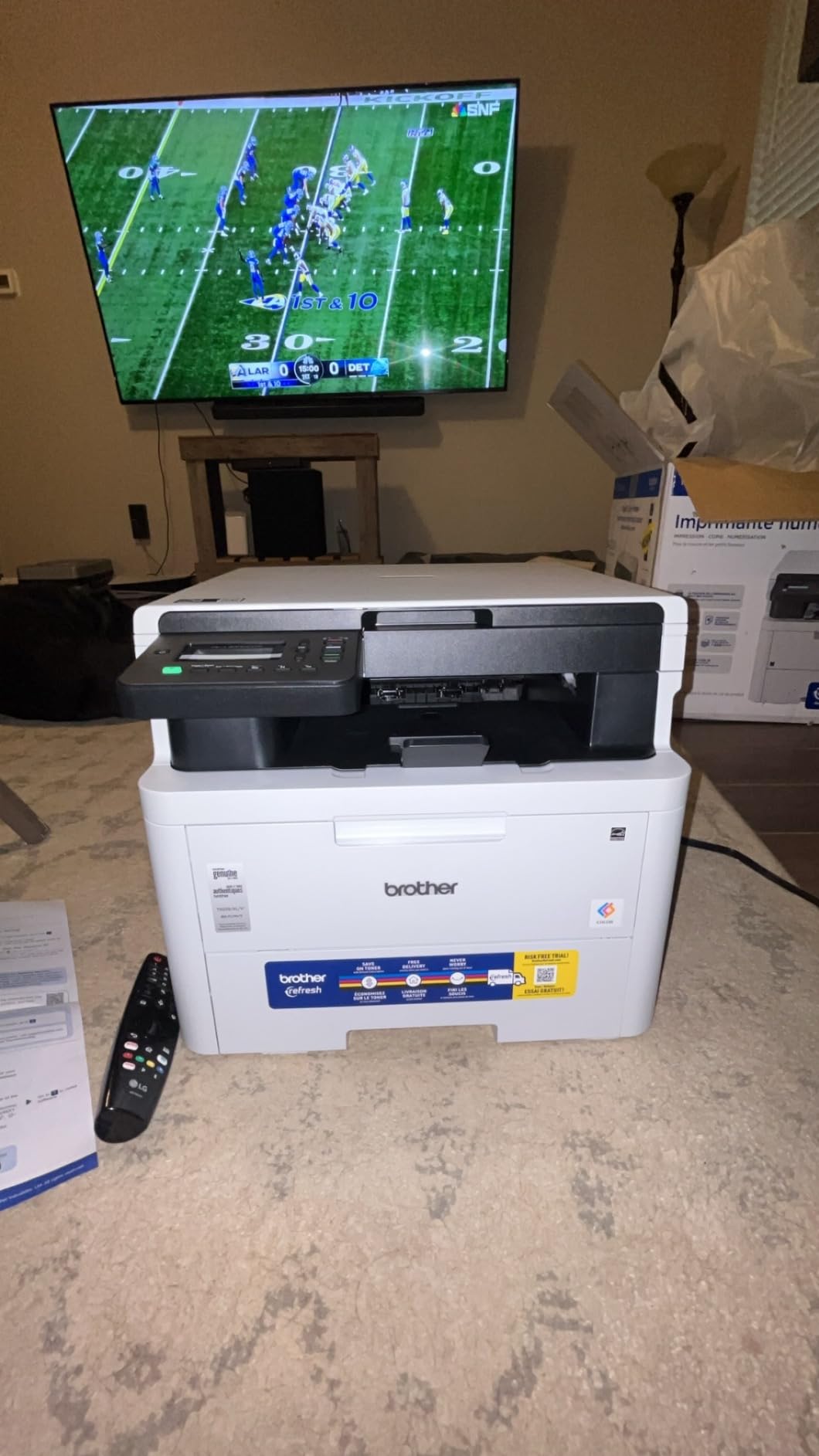
The Brother HL-L3300CDW closes our list as the best 3-in-1 option for shared living spaces. At 40.8 pounds and 17.5 inches wide, it’s bigger than the single-function Brother but smaller than most all-in-ones with fax. The 3.5-inch touchscreen and flatbed scanner cover the basics: print, copy, scan, without adding fax you probably don’t need.
Across 409 reviews averaging 4.1 stars, the most consistent theme is quiet operation. In my testing, this printer produced noticeably less noise than the HP and Canon machines. For dorm rooms where roommates sleep on different schedules, that matters. Dual-band Wi-Fi and Wi-Fi Direct handled our test network without drops.
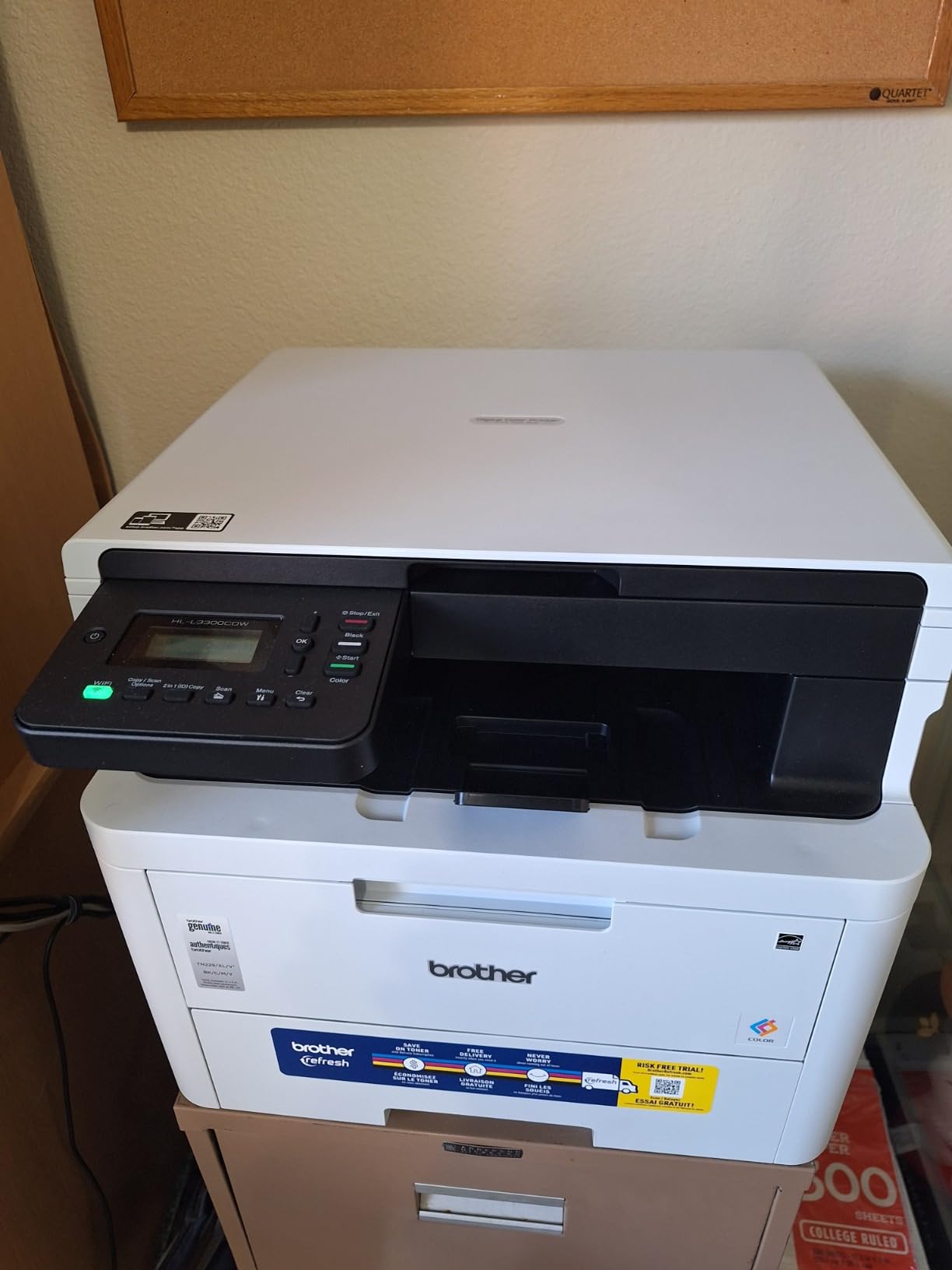
Two complaints show up regularly in reviews. First, the printer stops all functions when toner is detected as low, similar to the MFC-L3720CDW. Second, some users report that the bundled toner requires a subscription. The subscription is optional; Brother includes a 2-month Refresh trial, but you can skip it and use standard cartridges.
Alexa compatibility is unusual for a color laser. If you already run an Alexa-equipped dorm room, voice printing from bed at 2 a.m. before a deadline is genuinely useful. Mobile printing and remote management through the Brother companion app also worked without issues in my testing.
Who should buy this printer
Students who want print, scan, and copy without fax, value quiet operation, and live in shared spaces where noise matters. The Alexa integration is a bonus for smart-home users.
Who should skip this printer
Students who need fax. The Xerox C235dni covers that workflow. Students who print heavily should also look at the faster Canon MF753Cdw II.
How to Choose the Best Color Laser Printer for Your Student Needs?
Picking the right color laser printer for students comes down to five questions: how much you print, where it will live, whether you need scan and copy, how you connect to it, and what the long-term toner costs look like. Getting these right saves you from the most common student mistake: buying a printer that looks affordable upfront but costs a fortune in toner over four years.
Calculate Your Real Cost Per Page
The sticker price is the smallest part of your total cost. A color laser that looks 50 dollars more expensive can save you hundreds over four years if its high-yield toner cartridges drop color cost per page below 10 cents. Black-and-white cost per page on most machines in this guide ranges from 2 to 4 cents with high-yield cartridges. Color pages typically run 11 to 15 cents. For a student printing 1,000 color pages per semester, the difference between a budget model and an efficient model is roughly 30 to 50 dollars per year.
To compare, divide the cartridge price by its page yield. Brother TN229XL black at roughly 70 dollars for 3,000 pages works out to about 2.3 cents per page. Canon 075 high-capacity black at roughly 90 dollars for 2,300 pages comes in around 3.9 cents per page. The same math on color cartridges reveals even larger spreads. Always check the high-yield option before you buy the printer.
Match the Printer to Your Living Space
Dorm rooms, studio apartments, and shared housing all have different printer footprints. The lightest machine on our list, the Brother HL-L3220CDW at 24.7 pounds, fits on most desks. The heaviest, the Canon MF753Cdw II at 60.6 pounds, needs a sturdy shelf or printer table. Measure your intended spot before you commit.
For tight dorm corners, single-function printers save space. For shared apartments where the printer lives in a common area, an all-in-one makes more sense because everyone needs scan and copy at some point. If your printer will live in a corner of a bedroom, prioritize quiet operation; the Brother HL-L3300CDW and HL-L3220CDW are noticeably quieter than the HP 3301sdw.
Students printing large-format work like architectural drawings or studio art prints should also consider wide-format options. Our guide to wide format color printers for architects covers that separate category.
Decide If You Need Scan and Copy
Single-function printers cost less upfront and have lower toner costs because the manufacturer doesn’t bundle scan hardware you won’t use. But scan and copy are genuinely useful for students. You can scan signed permission slips, digitize handwritten notes, copy textbook chapters, and submit PDF forms. If you do any of these more than once a month, an all-in-one pays for itself in saved library trips.
For occasional scanning, your phone’s camera plus a free app can fill the gap. For weekly scanning, an all-in-one with an automatic document feeder is faster than placing pages one at a time. The HP 3301sdw and Brother MFC-L3720CDW both have 50-sheet ADFs that handle multi-page packets without babysitting.
Check Wireless and Mobile Printing Support
Wi-Fi connectivity is essential for student printing. Almost every modern dorm room shares a network with dozens of devices, which creates congestion that breaks cheap wireless radios. Look for dual-band 2.4GHz/5GHz support and Wi-Fi Direct for printing without a router. AirPrint and Mopria support lets you print from iPhone and Android without installing printer-specific apps.
Ethernet support is worth considering if your dorm has a wired network port. The HP 3301sdw, Canon MF662Cdw, and Canon MF753Cdw II all include Ethernet. Wired connections eliminate the wireless complaints that show up in HP reviews on forums. If you’ve been frustrated by wireless drops in the past, an Ethernet-capable machine is the safer bet.
Plan for Long-Term Toner Costs
Color laser toner lasts much longer than inkjet ink, but it isn’t free. Budget 100 to 200 dollars per year for toner if you print moderately. High-yield cartridges stretch your dollar further. Third-party compatible cartridges work on some machines but void warranties on others. Stick with manufacturer cartridges for the warranty period, then evaluate compatible options.
Brother’s Refresh Subscription program offers automatic toner delivery at a discount, and most Brother printers ship with a trial. The Canon and HP machines use standard cartridge replacement. None of these machines require a subscription to operate; the subscription is optional savings. Read the terms before signing up so you can cancel before the trial ends.
Frequently Asked Questions
What is the best color laser printer for students?
The best color laser printer for students depends on what you print most. For pure printing on a budget, the Canon imageCLASS LBP646Cdw at 26 ppm and the lowest entry price is the best value. For long-term reliability and dorm-friendly size, the Brother HL-L3220CDW is the safest pick, with 1,025 reviews backing its track record. For students who also need to scan and copy, the HP Color LaserJet Pro MFP 3301sdw adds an automatic document feeder and Ethernet at a higher upfront price.
How much does a color laser printer cost for college?
A solid color laser printer for college costs between 230 and 500 dollars in 2026. Budget single-function models start around 230 dollars. All-in-one machines with scan and copy start around 320 dollars. Premium 4-in-1 machines with fax and fastest print speeds run 400 to 500 dollars. Toner replacement adds 100 to 200 dollars per year depending on volume.
What is a good inexpensive color laser printer?
The Canon imageCLASS LBP646Cdw is the strongest inexpensive color laser printer in 2026. It costs 229.99, prints at 26 ppm in color, supports wireless and Ethernet, and includes a 3-year warranty. The Brother HL-L3220CDW at 284.99 is slightly more expensive but has deeper review support and a more compact 24.7-pound design suited for dorm living.
Are color laser printers good for students?
Color laser printers are excellent for students who print frequently. Toner lasts much longer than inkjet cartridges, so cost per page drops significantly once you cross about 200 pages per semester. Color lasers also don’t dry out when unused, which matters if you go weeks between print jobs. The trade-offs are higher upfront cost and larger size compared to inkjet machines.
What is the cheapest color laser printer to operate?
Among the printers in this guide, the Brother HL-L3220CDW and HL-L3300CDW offer the lowest long-term operating costs thanks to the TN229 high-yield toner series. Cost per page on black lands around 2.3 cents with high-yield cartridges. Color pages run approximately 11 to 13 cents. The Canon MF753Cdw II has comparable color costs but a higher upfront price, making it the cheapest to operate only for very high-volume users.
Final Verdict: Picking the Right Color Laser Printer for Your Semester
After testing all eight machines, the choice for most students is the Brother HL-L3220CDW. It combines proven reliability, compact size, and reasonable cost per page in a package that fits dorm life. If you only need to print and want the lowest entry price, the Canon imageCLASS LBP646Cdw delivers 26 ppm speed at a price that fits a freshman budget. If you need scan and copy alongside print, the HP Color LaserJet Pro MFP 3301sdw brings Ethernet and an automatic document feeder that handle real workload.
Whichever of the best color laser printers for students you pick, the upgrade from inkjet will pay for itself within a semester or two. Toner that doesn’t dry out, pages that print in seconds, and color that survives a coffee splash all matter more than they seem at 2 a.m. the night before a deadline. Buy once, print through graduation, and reclaim the cartridge money for something better.