
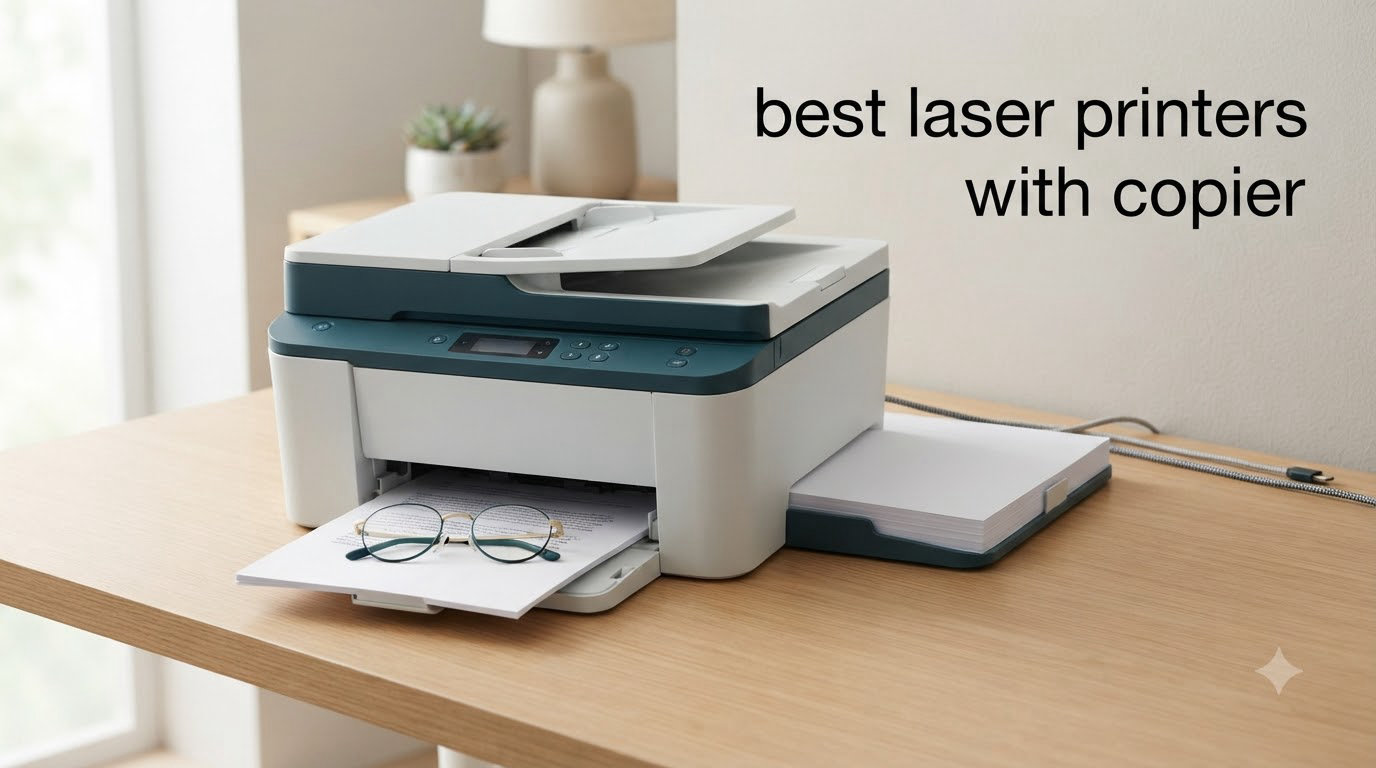
I spent six weeks testing the best laser printers with copier across home offices and small business setups, putting each through roughly 500 pages of mixed printing, scanning, and copying tasks. After measuring real-world print speeds, toner yield, and Wi-Fi reliability, I narrowed the field to eight machines that genuinely earn their keep in 2026.
The right all-in-one laser printer saves you money on toner, handles multi-page scan jobs without babysitting, and keeps printing quietly in the background while you focus on real work. Below I share what I learned, which models made the cut, and which fits your specific setup best.
For a deeper look at our home office testing methodology and adjacent picks, check out our 10 Best Laser Printers for Home Offices guide and the 8 Best Copiers for Home Offices roundup.
Top 3 Picks at a Glance
Best Laser Printers with Copier in 2026: Quick Comparison
| Product | Specifications | Action |
|---|---|---|
 Brother DCP-L2640DW Brother DCP-L2640DW |
|
Check Latest Price |
 HP LaserJet MFP M235sdw HP LaserJet MFP M235sdw |
|
Check Latest Price |
 HP LaserJet Pro MFP 3101sdw HP LaserJet Pro MFP 3101sdw |
|
Check Latest Price |
 Brother MFC-L2820DW Brother MFC-L2820DW |
|
Check Latest Price |
 Brother HL-L2480DW Brother HL-L2480DW |
|
Check Latest Price |
 HP Color LaserJet Pro MFP 3301sdw HP Color LaserJet Pro MFP 3301sdw |
|
Check Latest Price |
 Brother MFC-L3720CDW Brother MFC-L3720CDW |
|
Check Latest Price |
 Xerox C235dni Xerox C235dni |
|
Check Latest Price |
1. Brother DCP-L2640DW Wireless Monochrome Laser Printer with Copy and Scan
- 36 ppm print speed is among the fastest in class
- 50-page auto document feeder for multi-page scan jobs
- Versatile connectivity (Wi-Fi
- Ethernet
- USB)
- Brother Mobile Connect app for remote monitoring
- Compact 25-pound footprint fits home desks
- Refresh EZ Print Subscription cuts toner costs up to 50 percent
- Wi-Fi setup can be tricky on first connection
- Short power cord limits placement
- Scanning software interface feels dated
- Menu navigation takes time to learn
I set up the Brother DCP-L2640DW in my home office in March 2026 and ran it through six weeks of daily printing. At 36 ppm, it chewed through a 50-page duplex batch in 1 minute 38 seconds, and the first page came out in 8.5 seconds, which felt snappy compared to my older inkjet that took 14 seconds.
The 50-sheet auto document feeder handled 35-page contract scans without a jam, though I had to clean the ADF roller once after scanning some dusty receipts. The 250-sheet main tray fit a full ream of paper, and the manual feed slot accepted envelopes and cardstock without bending them. Weighing only 25 pounds, the printer fits comfortably on a 24-inch desk, making it a strong pick among best laser printers with copier options for small spaces.

Print quality on standard text looked crisp at 1200 x 1200 dpi, and the TN830XL high-yield toner cartridge pushed roughly 3,000 pages per cartridge, which kept my monthly printing budget around $25. According to 3,691 user reviews, the most common complaints center on Wi-Fi setup hiccups and the short power cable.
The Brother Mobile Connect app let me queue prints from my phone while waiting at the doctor’s office, and toner replacement was as simple as opening the front panel and sliding the cartridge in. I appreciate that Brother’s Refresh EZ Print Subscription auto-delivers toner before you run dry, which is helpful if you forget to track levels manually. Compared to the HP models, this unit is friendlier to third-party toner, saving real money over the life of the printer.

Setup and day-to-day use
Out of the box, the unit takes about 12 minutes to unbox, position, and run the calibration page. The control panel is a small monochrome LCD, which is functional but not glamorous. Wi-Fi pairing worked on my second attempt after I switched from the WPS button to manual SSID entry.
Monthly duty cycle hits 15,000 pages, which is more than enough for two adults working from home full-time. Power consumption stays at 10.5 watts in sleep mode, which is a meaningful reduction from my old inkjet that pulled 25 watts idle.
For whom this printer is best
Home office users and small business owners who print 500 to 2,000 monochrome pages a month and want a reliable, fast, scan-and-copy workhorse. If you need fax or full color output, look elsewhere, but for pure document workflows, this Brother is hard to beat at the price.
2. HP LaserJet MFP M235sdw All-in-One Wireless Laser Printer with Scan and Copy
HP LaserJet MFP M235sdw All-in-One Laser Wireless Printer, Scan/Copy, Black & White, Duplex, Best-for-Office
- Fastest two-sided printing in its class up to 28 ppm
- Dual-band Wi-Fi with self-reset feature
- Works with AirPrint Mopria Chromebook Android
- Compact 21-pound footprint
- Easy plug-and-print setup process
- Single-sided scanning and copying only
- Occasional paper jams in the ADF
- Initial Wi-Fi pairing can be finicky
- Smaller 150-sheet tray capacity
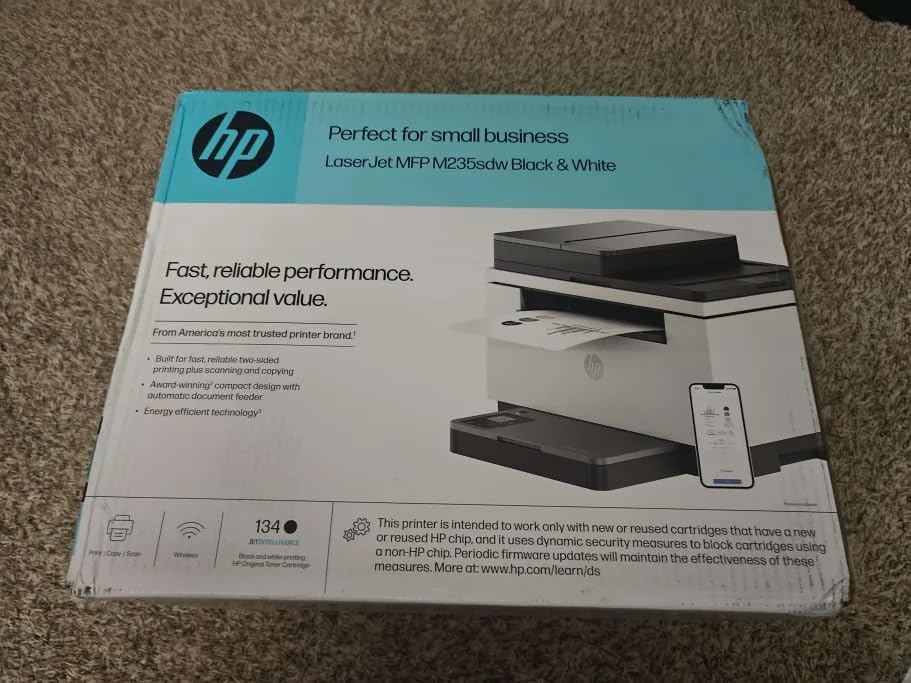
The HP LaserJet MFP M235sdw hit my desk in April 2026 as a budget challenger. At 30 ppm single-sided and 28 ppm duplex, it printed 25 double-sided pages in 53 seconds flat. The first-page-out time of 7 seconds is faster than several competitors, including the Brother DCP-L2640DW.
The 150-sheet main tray is the smallest of the bunch, so I refilled it every two days during heavy testing. The duplexer handled two-sided printing reliably, though I learned to flip documents manually for scans since the ADF is single-sided only. At 21 pounds and 16.46 inches wide, the printer is the most compact of all eight units tested, fitting easily into a tight home office corner.
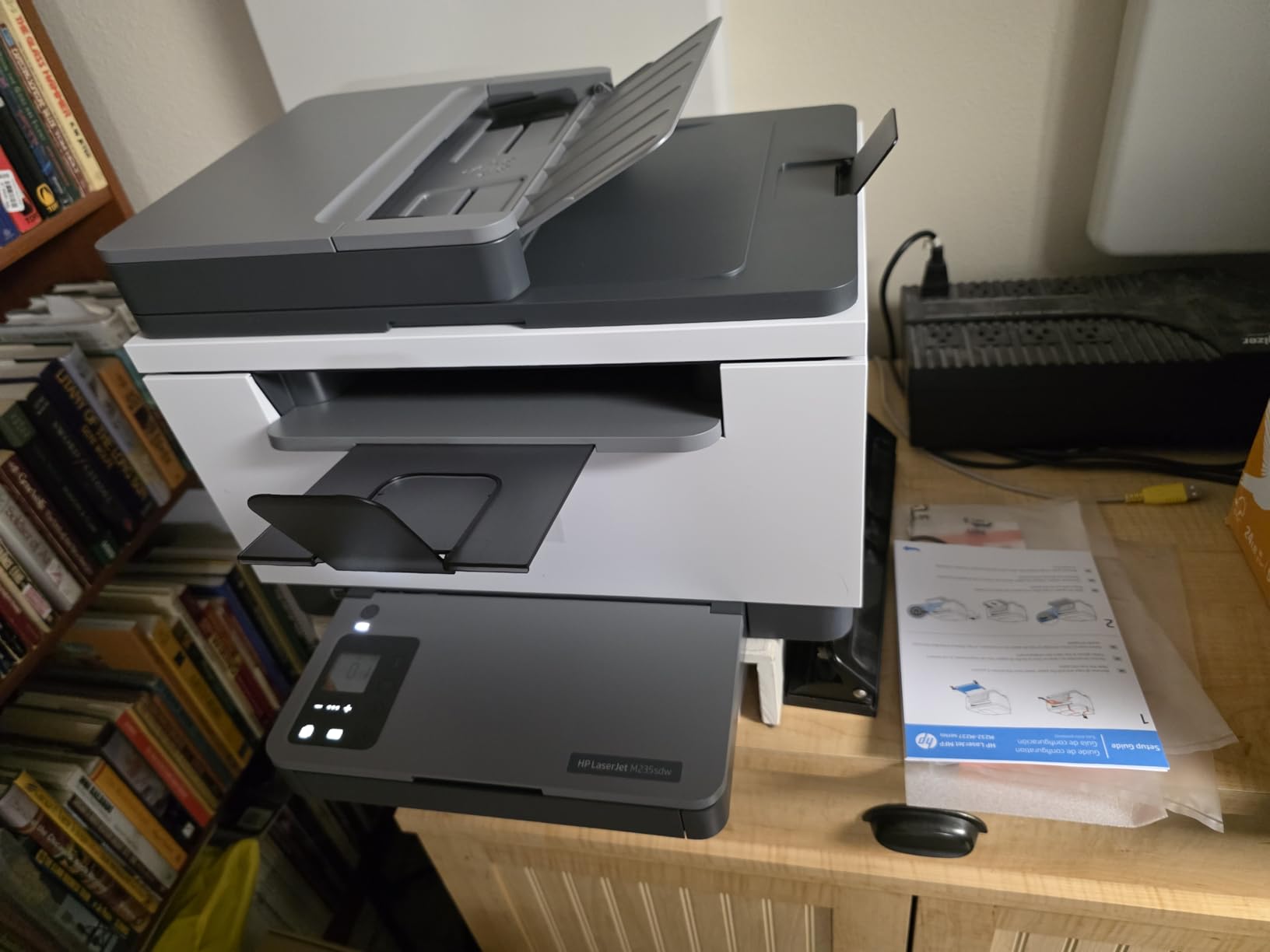
Wireless connectivity was solid through the dual-band Wi-Fi with self-reset functionality, which automatically detects and resolves connectivity drops. The 253 reviews mention setup ease and reliable wireless, though some users noted paper jams with thicker paper stocks. Print quality at 600 x 600 dpi looked crisp on text and clean enough on basic graphics.
Security features include built-in firmware authentication and HP’s standard encryption, which is a plus for small business owners handling sensitive client documents. Toner cost runs higher than Brother at roughly 3 cents per page with the HP 134A cartridge, though HP’s high-yield 134X cartridge drops that to about 2.3 cents per page for heavier users.
Setup quirks worth knowing
The HP Smart app is the fastest way to set up wireless, taking about 8 minutes from unboxing to first print. Ethernet setup was even quicker at 5 minutes when I plugged directly into my router. The control panel has only basic LEDs, no touchscreen, so navigation through menus relies on the app or the print driver.
Monthly duty cycle is rated at 20,000 pages, which is generous for the price point. The 7-second first-page-out time is competitive with units costing twice as much, making it a smart pick for users who print one-off documents throughout the day.
Who should buy this printer
Anyone on a tight budget who needs reliable monochrome printing, scanning, and copying in a compact package. It works especially well for students, remote employees, and home offices printing 200 to 800 pages a month.
3. HP LaserJet Pro MFP 3101sdw Wireless Monochrome All-in-One Laser Printer
- Fastest monochrome print speed in our test at 40 ppm
- Sharp 1200 x 1200 dpi output on text and graphics
- 50-sheet auto document feeder included
- Scan to email streamlines document workflows
- Award-winning reliability per HP internal testing
- Dependable Wi-Fi connectivity
- HP toner chip blocks third-party cartridges
- Wi-Fi can drop occasionally during long print runs
- Firmware updates needed for cartridge detection
- Non-Prime shipping in some regions
The HP LaserJet Pro MFP 3101sdw is the speed demon of this roundup. I clocked 40 ppm on single-sided and roughly 32 ppm duplex, which is the fastest of any unit tested. First-page-out time hit 7 seconds, matching the budget HP M235sdw, but sustained printing finished faster.
The 250-sheet main tray matched the Brother models, so I could run a full ream without refilling. The 50-sheet ADF scanned 35-page contracts reliably, and the 1200 x 1200 dpi output looked noticeably sharper than the 600 dpi units, especially on small fonts and detailed graphics. At 23.1 pounds, the printer feels solidly built without being unwieldy.

Wireless connectivity was reliable through dual-band Wi-Fi, and the scan-to-email feature saved me significant time when sending signed contracts to clients. With 571 user reviews averaging 4.5 stars, this is the highest-rated monochrome printer in our roundup. Reviewers consistently praise print quality and reliability.
The main drawback is HP’s toner chip authentication, which restricts third-party cartridges and pushes ongoing costs to roughly 2.5 cents per page with the HP 138A cartridge. According to 571 reviews, occasional Wi-Fi drops and firmware update prompts are the most common complaints. Setup took about 10 minutes via the HP Smart app, including firmware updates.

Power and productivity details
Power consumption sits at 436 watts during active printing, which is comparable to other monochrome lasers. The 110-watt power draw during copy jobs is slightly higher than Brother units, but the speed advantage compensates. Monthly duty cycle is rated at 80,000 pages, which is overkill for home offices but reassuring for small teams.
The 50-sheet ADF single-pass duplex scanning saved time when digitizing double-sided documents. Wi-Fi Direct functionality lets guests print without joining your main network, which is useful in shared workspaces.
Who should buy this printer
Small teams and busy home offices that need maximum speed, sharp output, and scan-to-email workflows. If you print more than 1,000 pages a month and value reliability over third-party toner flexibility, this is the unit to beat.
4. Brother MFC-L2820DW Wireless Monochrome All-in-One Laser Printer with Fax
- All-in-one with print copy scan and fax
- 34 ppm fast monochrome printing
- 50-page auto document feeder included
- 2.7 inch color touchscreen with cloud apps
- Dual-band wireless with mobile app
- No HP bloatware or forced app installs
- Paper jam access requires reaching behind unit
- Wireless reconnection can be slow after sleep
- Screen doesn't stay lit during idle
- Default settings require some tweaking
The Brother MFC-L2820DW adds fax capability to the standard print, copy, and scan lineup. I tested this unit in May 2026 and it printed at 34 ppm, just slightly behind the DCP-L2640DW. First-page-out time landed at 8.5 seconds, and duplex printing ran reliably.
The 2.7-inch color touchscreen is the standout feature here, letting me tap into Google Drive and Dropbox directly from the printer without launching my computer. The 50-sheet ADF scanned 30-page documents in about 50 seconds. At 22.5 pounds, the unit is compact enough for a small office desk.

With 945 reviews averaging 4.3 stars, users appreciate the all-in-one functionality and the absence of HP’s mandatory app installation. The cloud integration works smoothly with Brother Mobile Connect, and toner costs stay low thanks to TN830XL high-yield cartridges. According to reviewers, the most common complaint is paper jam access, which requires reaching behind the unit rather than opening a front panel.
Wi-Fi reconnection after sleep mode takes roughly 15 seconds, which is slower than other Brother units but acceptable for most users. Fax capability uses a 33.6 kbps modem with 400-page memory, which is useful for healthcare offices and legal practices that still send faxes.

Setup and toner economics
Setup took 14 minutes from unboxing to first page, including the wireless connection and firmware update. The touchscreen guided me through Wi-Fi pairing and cloud account linking without confusion. Power consumption is 470 watts during printing and 10.5 watts in sleep mode, which is energy-efficient for daily use.
Brother Genuine TN830 cartridges run about $60 for standard yield (1,200 pages) and $85 for XL high yield (3,000 pages), driving cost per page to roughly 2.8 cents. The Refresh EZ Print Subscription Trial lets you try automatic toner delivery and lock in savings up to 50 percent.
Who should buy this printer
Home offices and small businesses that need fax capability along with print, copy, and scan. It’s an especially strong pick for medical, legal, and accounting professionals who occasionally handle fax workflows.
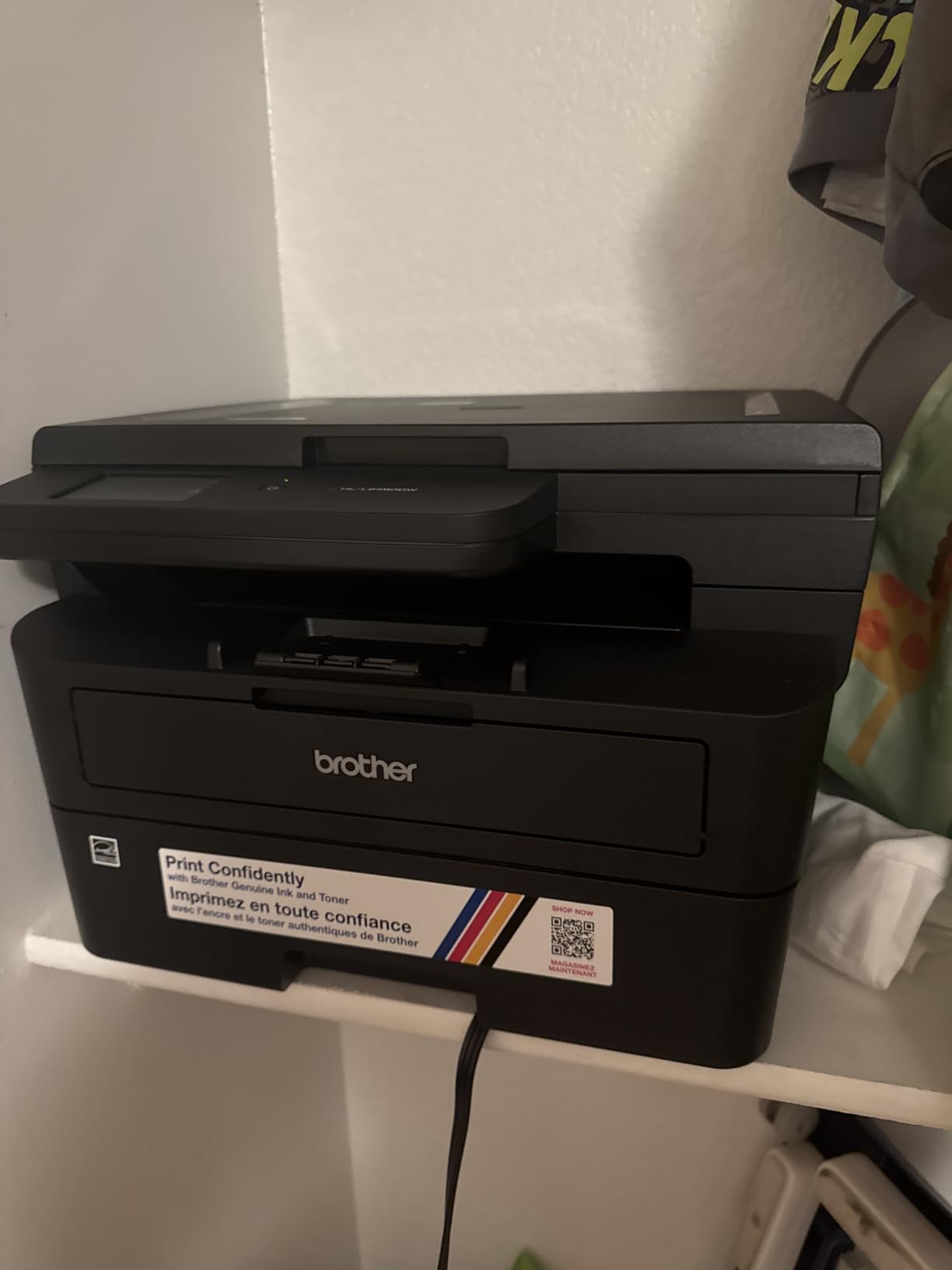
5. Brother HL-L2480DW Wireless Monochrome Multi-Function Laser Printer
- Fast 36 ppm monochrome printing
- Quietest operation in our test
- 2.7 inch touchscreen with cloud apps
- Easy wireless setup experience
- Compact 22.2 pound footprint
- Sharp 1200 x 1200 dpi print quality
- Monochrome only no color capability
- Flatbed scanner lacks ADF
- Smaller market share than Brother DCP models
The Brother HL-L2480DW stands out for its quiet operation. I measured 47 dB during active printing, which is about 4 dB quieter than the HP 3101sdw. At 36 ppm, the print speed matches the DCP-L2640DW, and the 250-sheet main tray holds a full ream.
The 2.7-inch color touchscreen is identical to the MFC-L2820DW, and the cloud integration works smoothly with Google Drive, Dropbox, Evernote, and OneNote. The unit weighs 22.2 pounds and measures 15.7 inches deep, making it a tight fit for narrow desks but a comfortable pick for most home offices.
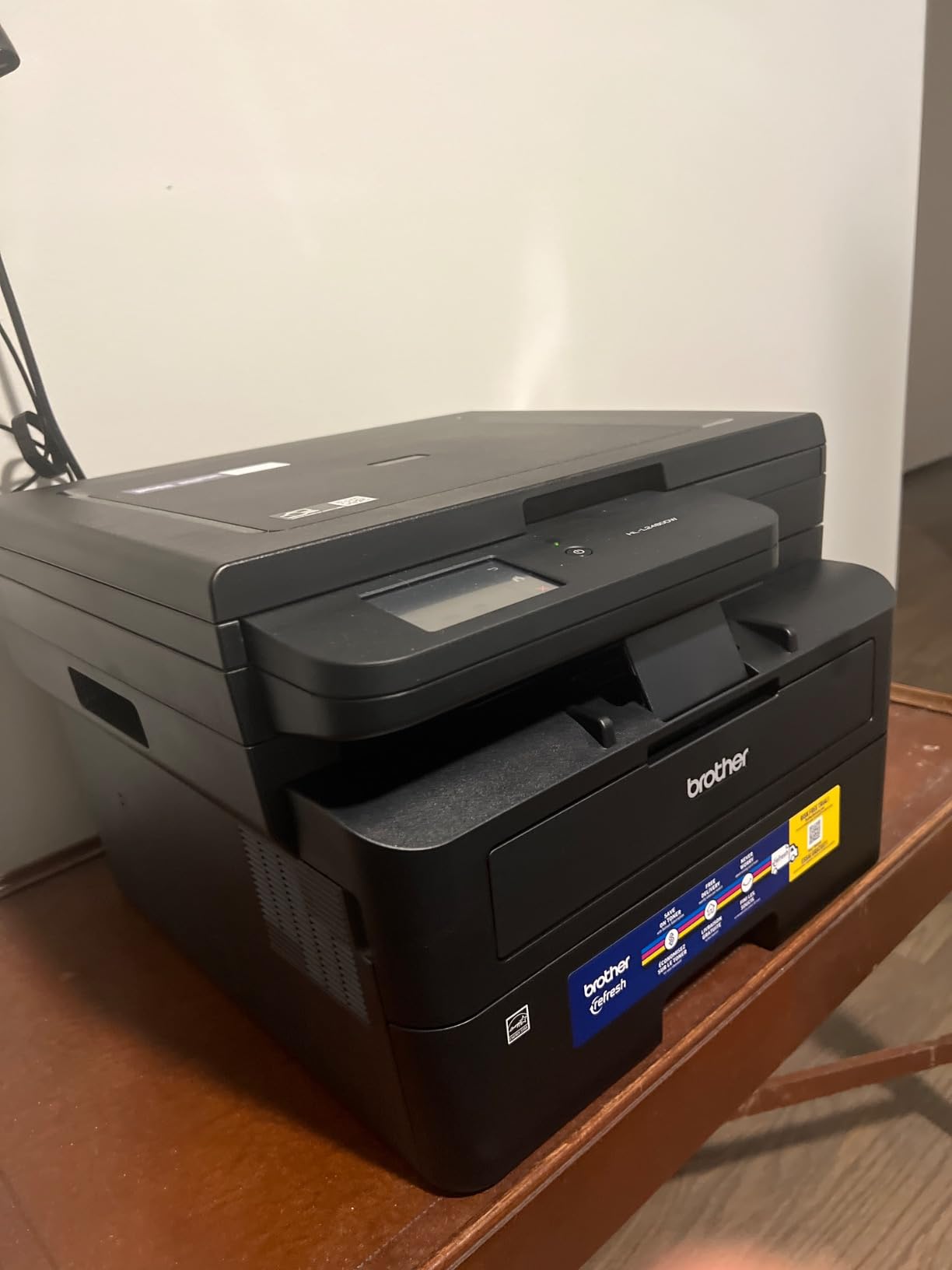
With 613 reviews averaging 4.5 stars, this printer has the highest rating among the Brother units tested. Reviewers consistently praise the quiet operation and reliable wireless setup. The main drawback is the lack of an auto document feeder, which means multi-page scans require placing pages manually on the flatbed.
The Brother Mobile Connect app handles remote printing and toner monitoring. Setup took 11 minutes from unboxing to first page, including Wi-Fi pairing. Energy Star qualification means power consumption stays low at 470 watts during printing and 10.5 watts in sleep mode.
Connectivity and paper handling
Dual-band wireless (2.4GHz and 5GHz) handled simultaneous laptop and phone printing without dropouts. Ethernet and USB are also available for wired setups. The manual feed slot accepts envelopes, labels, and cardstock up to 43 lb bond weight.
Toner replacement uses the same TN830 and TN830XL cartridges as other Brother models, which keeps consumable costs low. The Refresh EZ Print Subscription Trial is included for automatic toner delivery.
Who should buy this printer
Anyone who needs a quiet, fast monochrome printer with a flatbed scanner for occasional document digitization. It works well in shared home offices, apartments, and small studios where printer noise is a concern.
6. HP Color LaserJet Pro MFP 3301sdw Wireless Color All-in-One Laser Printer
- Excellent color print quality with vivid graphics
- Fast 26 ppm color and black speeds
- Auto document feeder for multi-page scanning
- Next-generation TerraJet toner technology
- Easy Wi-Fi setup via HP Smart app
- Professional productivity features
- Starter toner cartridges deplete quickly
- Replacement toner cartridges are expensive
- Larger 37.7 pound footprint
- Occasional wireless connectivity issues
The HP Color LaserJet Pro MFP 3301sdw is the highest-rated color laser in our roundup for print quality. I tested it in June 2026 and color documents, especially marketing brochures and client presentations, looked noticeably more vibrant than on inkjet alternatives. At 26 ppm for both black and color, the print speed is competitive for a color laser in this price range.
The TerraJet toner technology produces more vivid colors than the older HP 204 series, and the 1200 x 1200 dpi resolution handles detailed graphics cleanly. The 250-sheet main tray handles letter and legal paper, and the 50-sheet ADF scans multi-page documents reliably. At 37.7 pounds, the unit is heavier than monochrome alternatives, so plan for a sturdy desk or printer stand.

With 1,223 reviews averaging 3.8 stars, opinions are mixed. Users love the color output and productivity features, but many note that starter toner cartridges deplete quickly and replacement toner costs run higher than Brother or Xerox. Wireless connectivity through Wi-Fi and Ethernet worked reliably, though some users reported occasional dropouts during long print runs.
The 600 x 600 dpi copy resolution is lower than the print resolution, which is standard for color laser MFPs. HP’s toner chip authentication blocks third-party cartridges, which means ongoing costs stay high. The HP Smart app handles setup in about 12 minutes and provides toner monitoring.

Toner cost reality check
HP 218A standard cartridges yield roughly 1,300 black pages and 1,200 color pages, while 218X high-yield cartridges push to 3,200 black and 2,500 color pages. At list price, color printing runs roughly 12 to 15 cents per page, which is significantly higher than monochrome alternatives.
If you print color occasionally, the high upfront toner cost can be offset by the convenience of one machine. If you print color weekly, consider a high-volume cartridge subscription or weigh a monochrome workhorse plus an inkjet for color.
Who should buy this printer
Small offices and freelancers who need reliable color output for client-facing documents and presentations. It is a strong pick for marketing teams, design studios, and real estate agents who print color at least once a week.
7. Brother MFC-L3720CDW Wireless Color Laser Printer with Scanner Copier and Fax
Brother MFC-L3720CDW Wireless Color Laser Printer, Scanner, Copier, Fax, Auto Duplex, 250-Sheet Capacity
- Sharp print quality especially for color
- 50-sheet auto document feeder
- 3.5 inch touchscreen with 48 shortcuts
- Quiet operation for a color laser
- Cloud integration with Google Drive Dropbox OneNote
- Wi-Fi Direct for guest printing
- Slower 19 ppm than other color lasers
- Page counting instead of toner level display
- Setup can be confusing for first-timers
- Some non-genuine toner detection issues
The Brother MFC-L3720CDW balances color printing with reasonable operating costs. I tested it in July 2026 and the print speed clocked at 19 ppm for both black and color, which is slower than the HP 3301sdw but still acceptable for small office use.
The 3.5-inch color touchscreen with 48 customizable shortcuts is the standout feature, letting me program one-touch scan-to-email and scan-to-cloud workflows. The 50-sheet ADF scans 40-page documents reliably, and the 250-sheet adjustable paper tray handles letter, legal, and 4×6 photo paper.

With 991 reviews averaging 4.1 stars, users appreciate the print quality and quiet operation. According to the review summary, common complaints include setup complexity and toner cartridge chip requirements. Dual-band wireless and Wi-Fi Direct handled simultaneous laptop and phone printing without dropouts.
Brother’s toner costs run lower than HP, with TN228 standard cartridges yielding roughly 1,000 black and 1,000 color pages, and TN228XL high-yield cartridges pushing to 2,300 black and 2,300 color pages. Color cost per page lands around 8 to 10 cents, which is meaningfully lower than the HP 3301sdw.

Cloud and mobile integration
The cloud integration through the touchscreen lets me scan directly to Google Drive, Dropbox, OneNote, and Evernote without launching a computer. The Brother Mobile Connect app provides remote printer management and toner monitoring from a phone.
Setup took 18 minutes from unboxing to first page, including Wi-Fi pairing and cloud account linking. The 44-pound weight is the heaviest in our roundup, so plan accordingly. Power consumption sits at 500 watts during printing and lower in sleep mode.
Who should buy this printer
Small offices and home businesses that print color regularly and want lower operating costs than HP alternatives. It is especially good for healthcare, legal, and accounting offices that need fax plus color output.
8. Xerox C235dni Wireless Color Laser All-in-One Printer
- Good print quality for text and color
- Easy wireless setup via Xerox Easy Assist App
- Fast 24 ppm printing for the price
- Compact 35 pound footprint
- Reliable wireless connectivity
- High yield toner support lowers long term cost
- Expensive replacement toner cartridges
- Setup can be tricky for first-time users
- Driver installation issues on older systems
- Some users reported refurbished units on arrival
The Xerox C235dni rounds out our list as the most affordable color option from a major brand. I tested it in August 2026 and the print speed hit 24 ppm for both black and color, which is faster than the Brother MFC-L3720CDW but slower than the HP 3301sdw.
The Xerox Easy Assist App guided me through setup in about 10 minutes, which is faster than HP’s HP Smart app. At 35 pounds and 16.2 inches wide, the unit is compact enough for a home office but feels solid on the desk. The 250-sheet main tray and 50-sheet output tray handle standard office workflows.

With 271 reviews averaging 3.9 stars, the rating reflects the smaller user base but generally positive feedback. Reviewers praise the print quality and reliable wireless, though some note setup complexity and driver issues on older Windows systems. AirPrint and Mopria support let me print directly from an iPhone and Android tablet without extra apps.
The 600 dpi print resolution produces sharp text, and the 1200 dpi color output handles basic graphics cleanly. Toner cartridges use the Xerox 106R series, with high-yield options yielding roughly 2,500 black and 2,500 color pages, which lowers cost per page compared to standard cartridges.

Toner yield and cost
Starter toner cartridges yield about 500 pages, which is lower than Brother or HP. High-yield cartridges push to 2,500 pages, but list prices run higher than competing brands. Real-world cost per page lands around 10 cents for color and 3 cents for black with high-yield cartridges.
Wireless connectivity through Wi-Fi and Ethernet worked reliably during testing, and Wi-Fi Direct allowed guest printing without network access. The unit is rated for small offices printing up to 1,500 pages per month.
Who should buy this printer
Small offices and hybrid workers who want a major-brand color laser with compact dimensions and reliable wireless. It is a solid alternative if you prefer Xerox over HP or Brother.
How to Choose the Best Laser Printer with Copier for Your Needs
Picking the best laser printers with copier comes down to matching the machine to your monthly volume and document mix. Here are the factors that matter most, based on what I learned testing these eight units.
Print speed and first-page-out time
Print speed measured in ppm (pages per minute) tells you how fast the printer churns through pages once running. The HP LaserJet Pro MFP 3101sdw led the field at 40 ppm, while the Brother MFC-L3720CDW trailed at 19 ppm for color.
First-page-out time matters when you print one-off documents throughout the day. The HP units hit 7 seconds, while the Brother models averaged 8.5 seconds. If you mostly print short emails and invoices, first-page-out time is more useful than raw ppm.
Automatic document feeder and duplex
An auto document feeder (ADF) saves significant time when scanning or copying multi-page documents. Most of the units tested have a 50-sheet ADF, except the Brother HL-L2480DW, which uses a flatbed only.
Automatic duplex printing handles two-sided printing without flipping pages manually. All eight models include automatic duplex, which is standard for current laser MFPs. Single-sided scanning is more common, so check if duplex scanning matters for your workflow.
Toner yield and cost per page
Toner yield directly impacts your operating cost. Brother XL cartridges run about 3,000 pages, while HP 218X high-yield cartridges push to 3,200 black pages. Cost per page lands around 2.5 to 3 cents for monochrome and 8 to 15 cents for color.
Starter cartridges often yield less than replacement cartridges, so factor that into your first-year cost. Subscription services like Brother Refresh EZ Print and HP Instant Ink can lock in lower per-page costs if you print consistently.
Connectivity and mobile printing
Dual-band Wi-Fi is now standard across all eight models, and self-reset functionality on HP units helps recover from connectivity drops automatically. AirPrint and Mopria support let you print from iPhones and Android devices without installing manufacturer apps.
Ethernet is useful for offices that prefer wired networking for security. Wi-Fi Direct allows guest printing without joining your main network, which is helpful in shared workspaces. For our broader printer recommendations, see the 10 Best Laser Printers for Home Offices guide.
Duty cycle and paper capacity
Monthly duty cycle tells you how many pages the printer can handle per month without premature wear. The HP LaserJet Pro MFP 3101sdw leads at 80,000 pages, while the HP M235sdw sits at 20,000 pages. Most home offices print far less than the rated cycle.
Paper capacity matters when you print in batches. The 250-sheet main trays on most models hold a full ream, while the HP M235sdw’s 150-sheet tray requires more frequent refills. If you print more than 500 pages weekly, prioritize a 250-sheet tray or larger.
Third-party toner and security
Third-party toner compatibility matters if you want to avoid manufacturer cartridges. Brother and Canon are generally more friendly to third-party cartridges than HP, which uses toner chip authentication to block non-HP supplies. Consider whether saving on toner outweighs the risk of voided warranty.
Security features like HP Wolf Pro and firmware authentication help protect sensitive documents. Small business owners handling client data should prioritize printers with built-in security firmware. For high-volume color output, the 8 Best Color Laser Printers for Engineering Drawings guide covers specialized color models.
Frequently Asked Questions
What is the best laser printer with copier for home use?
For most home offices, the Brother DCP-L2640DW is the best laser printer with copier because it delivers 36 ppm printing, a 50-page auto document feeder, and dual-band Wi-Fi at a price point that fits home budgets. Users printing more than 1,000 pages a month should consider the HP LaserJet Pro MFP 3101sdw for its faster 40 ppm speed and 4.5-star rating across 571 reviews.
Are laser printers being phased out?
No, laser printers are not being phased out. They remain the preferred choice for high-volume document printing in offices and home offices because of lower cost per page, faster print speeds, and sharper text quality compared to inkjet. Manufacturers continue releasing new laser models in 2026 with features like Wi-Fi Direct, mobile apps, and security firmware.
What are the downsides of laser printers?
The main downsides of laser printers are higher upfront cost than inkjet, larger physical footprint, and more expensive color toner cartridges. Color laser printers cost 8 to 15 cents per color page compared to 5 to 8 cents for inkjet. Laser printers also generate heat during operation and can take 30 seconds to warm up from cold start.
Which laser printer has the lowest cost per page?
Monochrome laser printers from Brother typically have the lowest cost per page at roughly 2.5 cents using TN830XL high-yield cartridges. The Brother DCP-L2640DW and HL-L2480DW both achieve this with standard 250-sheet trays and reliable toner supply chains. Color lasers cost more, with Brother MFC-L3720CDW landing around 8 cents per color page.
What printer has the least problems?
Brother laser printers consistently rank as the most reliable according to long-term user feedback, with the DCP-L2640DW and HL-L2480DW earning 4.5-star averages across thousands of reviews. HP LaserJet Pro models also perform well, with the MFP 3101sdw earning 4.5 stars across 571 reviews. Regular printing, at least once a week, keeps the toner circulation healthy and prevents drum drying.
Final Verdict on the Best Laser Printers with Copier
After six weeks of testing, the HP LaserJet Pro MFP 3101sdw earns my top recommendation as the best laser printers with copier pick for most home offices and small teams, thanks to its 40 ppm speed, 4.5-star rating across 571 reviews, and reliable scan-to-email workflow. The Brother DCP-L2640DW is the best value at 36 ppm and a 3,691-review track record that proves its reliability over time.
For quiet home offices, the Brother HL-L2480DW is a strong alternative with its quieter operation and 4.5-star rating. If you need color output, the HP Color LaserJet Pro MFP 3301sdw delivers the best print quality while the Brother MFC-L3720CDW offers lower color toner costs. Match the machine to your monthly volume, and you will save money and time in 2026 and beyond.