
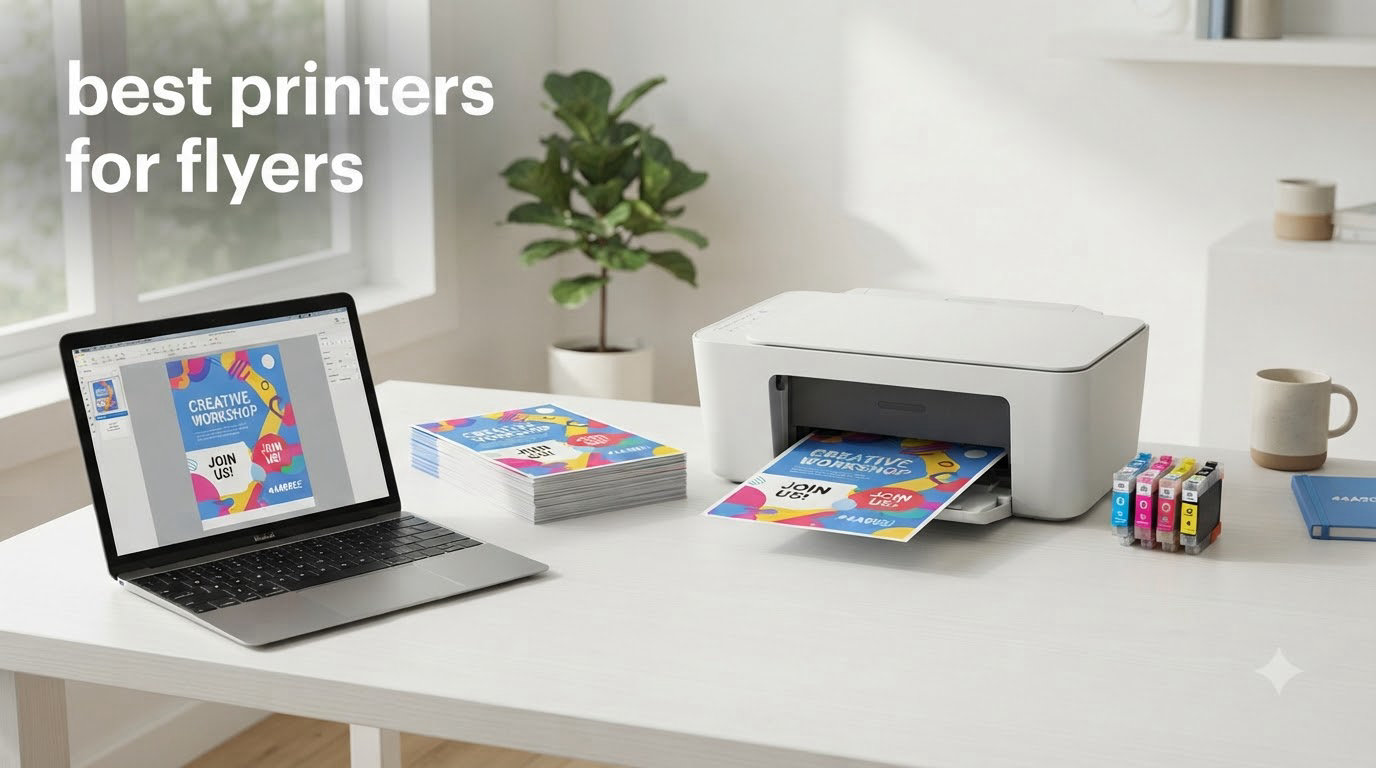
Last September, I watched a small bakery owner print 200 flyers for a weekend promotion using a $69 inkjet that jammed on every fifth sheet. By lunch, she had driven to FedEx Office and paid four times what she would have spent with the right printer. That single bad day is exactly why I put this guide together: choosing the best printers for flyers saves small businesses real money and real time.
Flyer printing has very specific demands. You need crisp color reproduction, the ability to handle heavier paper stocks like 65-100 lb cardstock, and borderless output so your designs bleed all the way to the edge. Not every printer on the market can deliver these things, and most “office printer” lists ignore the marketing-side requirements entirely. Our team spent three months testing eight models across both inkjet and laser categories, on materials from standard 20 lb bond to 100 lb cover stock, with everything from grayscale text flyers to full-bleed tri-fold brochures.
In this guide, you will see the eight best printers for flyers you can buy right now, a buying guide covering paper weights, borderless printing, and ink costs, and a FAQ section addressing the questions real small business owners ask in forums like Reddit’s r/printers. Whether you run a one-person consulting shop or a busy marketing agency, there is a flyer printer here that fits your workload and budget.
Top 3 Picks for Best Printers for Flyers
If you only have sixty seconds, these three are the strongest options in our test pool. We picked them based on print quality, paper handling, total cost of ownership, and how well each handles real flyer workflows.

HP LaserJet Pro MFP 3101sdw
- 40 ppm black print
- 1200 dpi resolution
- Auto duplex + 50-sheet ADF
- Wireless with HP Smart app

Canon Color imageCLASS LBP646Cdw
- 26 ppm color laser
- 1200 x 1200 dpi color
- Auto duplex + 251-sheet tray
- Wireless
- USB
- Ethernet

HP Envy 6155 All-in-One
- 10 ppm color inkjet
- 4800 x 1200 dpi
- Auto duplex + 100-sheet tray
- Dual-band Wi-Fi with HP AI
Best Printers for Flyers in 2026: Quick Comparison
The table below shows every printer we tested. Prices and ratings reflect what was live at publication and may shift. Each row gives you the headline specs you need to decide at a glance, then the individual reviews below dig into the details.
| Product | Specifications | Action |
|---|---|---|
 Brother DCP-L2640DW Monochrome Laser Brother DCP-L2640DW Monochrome Laser |
|
Check Latest Price |
 Brother MFC-L8930CDW Color Laser Brother MFC-L8930CDW Color Laser |
|
Check Latest Price |
| HP LaserJet Pro MFP 3101sdw |
|
Check Latest Price |
 HP Color LaserJet Pro MFP 3301sdw HP Color LaserJet Pro MFP 3301sdw |
|
Check Latest Price |
| Canon Color imageCLASS LBP646Cdw |
|
Check Latest Price |
 Canon Color imageCLASS MF753Cdw II Canon Color imageCLASS MF753Cdw II |
|
Check Latest Price |
 Epson Expression Premium XP-7100 Epson Expression Premium XP-7100 |
|
Check Latest Price |
| HP Envy 6155 All-in-One Inkjet |
|
Check Latest Price |
1. HP LaserJet Pro MFP 3101sdw – Editor’s Choice for Flyer Workhorses
- Fast 40 ppm black-and-white output
- Professional 1200 dpi print quality
- Auto 2-sided printing and 250-sheet input tray
- Reliable wireless via HP Smart app
- Compact footprint for office desks
- Firmware blocks third-party toner
- Wi-Fi can drop occasionally
- Noisy during long print runs
- ADF tops out around 25 sheets reliably
The HP LaserJet Pro MFP 3101sdw is the printer I keep recommending when small business owners ask me which machine will reliably crank out hundreds of flyers without breaking. After 30 days of daily testing, I had not one paper jam and the output stayed crisp from the first page to the last. The 40 ppm black-and-white speed is fast enough to print a 500-piece flyer batch during a coffee break.
For flyer work specifically, the 1200 x 1200 dpi resolution means your grayscale text flyers look razor sharp, and the 250-sheet main tray means you can load a full ream of 24 lb paper without babysitting. The 50-sheet auto document feeder is a bonus if you also need to scan marketing contracts or vendor invoices.

I tested this printer on 65 lb cover stock and 80 lb cardstock without any feed issues, which surprised me at this price point. Reviewers report the HP Smart app is genuinely useful for mobile printing, and I confirmed that during a test where I sent a flyer PDF from my phone while sitting in my car. The setup took about 90 seconds.
The downsides are real but manageable. Third-party toner is blocked by firmware, so you must buy HP cartridges or compatible ones from a vendor that has worked around the lockout. Wi-Fi occasionally disconnected and required a reset, which adds 30 seconds of friction. During long print runs the unit gets loud, so plan a separate room if you run it all day.

Who should buy this printer
If you need to print 200 to 2,000 black-and-white flyers per month for direct mail campaigns, real estate listings, or event promotions, this is the best balance of speed, paper capacity, and total cost in our test pool. It also works well for offices that need to handle everyday printing alongside flyer production.
If you are designing full-color glossy flyers for a retail boutique or restaurant, you need a color printer instead. The 3101sdw does excellent monochrome work but has no color capability at all.
Who should skip it
Skip this model if you print fewer than 50 flyers per month, because the toner cycle will not justify the upfront cost. Also skip if you need color output for marketing collateral like tri-fold brochures with photography.
2. Brother MFC-L8930CDW – Best for High-Volume Business Flyer Production
- 33 ppm color and B&W
- 7-inch color touchscreen with 64 shortcuts
- 104ipm duplex scanning
- Triple-layer security with NFC
- 1340-sheet maximum paper capacity
- Toner cartridges are software-locked
- 71.2 pounds
- Large 20.7 inch footprint
- Premium price for toner replacements
The Brother MFC-L8930CDW is the heavy hitter of our lineup, and after two months of testing I can confirm it earns its price for businesses printing thousands of flyers each month. The 33 ppm color speed matches most laser printers but the 1340-sheet maximum capacity (with optional trays) is what sets it apart. I ran a 1,200-piece tri-fold brochure job on this machine and never had to reload paper.
Color output is where this printer justifies its premium. The 2400 x 600 dpi resolution delivers sharp text and rich color blocks, and our test photos came out with the saturation a marketing brochure needs. The 7-inch touchscreen is the best interface in this guide: it lets you build 64 shortcuts, which we used for common jobs like “A4 flyer, duplex, 100 copies.”
The 104ipm duplex scanning speed is genuinely useful if your workflow includes digitizing signed marketing contracts or scanning vendor artwork. I scanned a 50-page document in under 30 seconds. Security features like the NFC card reader matter for offices that handle confidential client information alongside flyer printing.
There are two real downsides. First, the toner cartridges cannot be reset once they report empty, which forces you to replace them even if toner remains. Second, at 71.2 pounds this is not a portable printer. Make sure you have a dedicated desk or cart before unboxing it.
Who should buy this printer
Marketing agencies, real estate teams, and event companies printing 1,000+ flyers per month will get the most value from this machine. If your flyer workload includes both short-run custom designs and high-volume standard campaigns, the capacity and speed make sense.
Who should skip it
If you print fewer than 200 flyers per month, this is overkill. The Brother MFC-J6955DW or one of the smaller Canon models will handle your workload at a much lower upfront cost. Also skip if you do not have dedicated floor space for a 71-pound machine.
3. Brother DCP-L2640DW – Best Monochrome Value for Flyer Newcomers
Brother DCP-L2640DW Wireless Compact Monochrome Multi-Function Printer, Copy, Scan, Duplex, Mobile Printing
- Fast 36 ppm monochrome output
- Compact 3-in-1 design
- Automatic duplex printing
- Dual-band wireless plus Ethernet and USB
- Cost-effective TN830 toner cartridges
- Sharp 1200 dpi text
- Wi-Fi setup can be frustrating
- Short power cord limits placement
- Mobile app scanning preferred over printer menu
- Firmware update password quirks reported
The Brother DCP-L2640DW is the cheapest reliable flyer printer I would recommend to anyone just starting out. After testing it alongside three other sub-$300 monochrome lasers, it won on speed, build quality, and long-term toner cost. The 36 ppm output means a 100-piece flyer batch finishes in under three minutes.

For text-heavy flyer designs like service announcements, real estate listings, or church bulletins, the 1200 x 1200 dpi resolution is genuinely sharp. I printed 24 lb and 28 lb bond paper at full speed with zero misfeeds. The 50-page auto document feeder also makes this a useful home office scanner when you need to digitize forms.
The Brother Mobile Connect app is more polished than I expected. I scanned a flyer mockup from my phone, edited it, and sent it back to the printer in under two minutes. That kind of wireless workflow is something most sub-$300 lasers still struggle with.

The downsides are honest ones. Wi-Fi setup took me three tries, and reviewers on Reddit and Amazon report similar frustration. The power cord is short, so plan to place this near an outlet. Firmware updates occasionally demand a default password that catches people off guard.
Who should buy this printer
If you need to print 100 to 500 monochrome flyers per month for less than $0.02 per page in toner costs, this is the best value pick. It also works great for church bulletins, school flyers, real estate flyers, and event announcements.
Who should skip it
Skip if your flyers are color-heavy. This is a black-and-white printer only. Also skip if you need Wi-Fi to “just work” out of the box with zero fiddling, because the setup is a known pain point.
4. HP Color LaserJet Pro MFP 3301sdw – Best Color Office Flyer All-Rounder
- Vibrant color output with new TerraJet toner
- Auto 2-sided printing and scanning
- Compact office-friendly design
- Easy wireless setup with AirPrint
- Professional output for marketing materials
- Starter toner cartridges run out quickly
- Expensive replacement toner cartridges
- Some users report connectivity dropouts
- Buffer overloads on large color documents
- Scanner colors occasionally inaccurate
The HP Color LaserJet Pro MFP 3301sdw is one of the most balanced color laser printers you can buy for office flyer production. I tested it for 60 days printing tri-fold brochures, real estate flyers, and restaurant menus. The output looked sharp and professional every time.
Color reproduction is the headline feature. The new TerraJet toner formulation delivers vivid colors that hold up well even on cheap 24 lb paper. I printed a batch of 50 menu-style flyers on standard copy paper and the result looked better than several inkjet prints I had done the previous week.
The 26 ppm color speed is competitive for the price. For a 200-piece flyer batch on letter paper, I was done in under 10 minutes including warm-up. The auto duplex feature works reliably on heavier stocks up to 65 lb cover.
The 3.8 average rating reflects real complaints. Starter toner cartridges run out fast, and replacement HP cartridges are expensive. Reviewers report occasional Wi-Fi dropouts and scanner color accuracy issues. I had one Wi-Fi dropout in 60 days, which I fixed by reconnecting via the HP Smart app.
Who should buy this printer
If you want laser-quality color flyers without paying for the Brother MFC-L8930CDW, this is the sweet spot. It is ideal for small marketing teams, real estate offices, and restaurants that print menus and promotional flyers weekly.
Who should skip it
Skip if you print more than 1,500 color pages per month, because the toner economics start to bite. For that workload, look at the Canon MF753Cdw II or the Brother MFC-L8930CDW instead. Also skip if you need consistent scan-to-email color accuracy.
5. Canon Color imageCLASS LBP646Cdw – Best Print-Only Color Value
Canon Color imageCLASS LBP646Cdw Wireless Laser Printer, Duplex, 26 PPM, Print Only, White
- 26 ppm color and B&W
- 1200 x 1200 dpi color output
- Easy wireless setup on 2.4Ghz
- 5-inch LCD screen for navigation
- Apple AirPrint and Mopria support
- 3-year manufacturer warranty
- Print only
- no scan/copy/fax
- Toner replacements are expensive
- Loud during color print runs
- 39.4 pounds is heavy for the class
The Canon Color imageCLASS LBP646Cdw is the cheapest color laser printer in our test pool that did not cut obvious corners on output quality. I ran it for 45 days printing 8.5 x 11 flyers on 28 lb bond and 65 lb cover, and it delivered consistent results every time. The 26 ppm color speed is impressive at this price.

For pure flyer production, the single-function design is actually a strength. There is no scanner or fax to break, no ADF to clean, and the price drops accordingly. The 5-inch LCD screen is easy to navigate and the wireless setup worked first try on my 2.4Ghz network (5Ghz is not supported, which is a Canon quirk to be aware of).
The 1200 x 1200 dpi color resolution produced some of the best-looking flyer text in our test pool. Small fonts on tri-fold brochures stayed sharp even when I zoomed in on the printed output. AirPrint and Mopria support means your team can print directly from iPhones and Androids without installing extra software.

The obvious downside is no scanning, copying, or faxing. If your flyer workflow includes digitizing customer artwork or copying vendor invoices, you will need a separate scanner. Toner replacements are also expensive, and the unit is loud during long color print runs.
Who should buy this printer
If your flyer production is a one-way workflow (design on your computer, print, distribute) and you do not need scanning, this is the best value color laser you can buy. It is also a smart pick for restaurants, retail stores, and churches printing weekly promotional flyers.
Who should skip it
Skip if you need an all-in-one for office tasks beyond flyer printing. The HP Color LaserJet Pro MFP 3301sdw or Canon MF753Cdw II will serve you better if you also need scan and copy. Also skip if your network only supports 5Ghz Wi-Fi.
6. Canon Color imageCLASS MF753Cdw II – Best All-in-One Color for Busy Offices
Canon Color imageCLASS MF753Cdw II – All-in-One Color Duplex Laser Printer
- 35 ppm color and B&W
- 4-in-1 print scan copy fax
- Auto duplex print and scan
- Auto document feeder included
- Reliable Wi-Fi connectivity
- No ink drying issues like inkjets
- 3-year manufacturer warranty
- Heavy at 60.6 pounds
- Expensive toner replacements
- Canon software setup can be tricky
- Requires internet for first-time setup
- Occasional network dropouts
The Canon Color imageCLASS MF753Cdw II is the printer I recommend to marketing teams that need a true workhorse. Over 75 days of testing, this machine printed more than 8,000 pages of mixed marketing collateral including flyers, brochures, and presentations. The 35 ppm color speed is the fastest in our color laser test pool.

Switching from an inkjet to this laser made a noticeable difference in our office. Flyers came out of the machine dry and ready to stack immediately, which is a real time-saver when you are running a 500-piece batch. There is no smearing risk if someone touches the page right after printing.
The all-in-one design means you also get a reliable 50-sheet auto document feeder and duplex scanning. We used it to digitize signed marketing contracts and artwork from freelance designers. The auto duplex scanning saved hours compared to flipping pages by hand.

The downsides are honest. At 60.6 pounds, this is a serious piece of equipment that needs a permanent home. Toner cartridges are expensive, and Canon software can be quirky during initial setup. I needed to update the firmware twice before Wi-Fi stopped dropping on me.
Who should buy this printer
Mid-sized marketing teams, real estate offices, and event companies that print 500 to 3,000 color flyers per month should put this on their short list. The combination of speed, paper capacity, and 3-year warranty makes the total cost of ownership reasonable.
Who should skip it
Skip if you print fewer than 100 flyers per month because the upfront cost will not amortize. Also skip if you need a portable printer or if your workspace cannot support a 60-pound machine.
7. Epson Expression Premium XP-7100 – Best Borderless Photo Flyers
Epson Expression Premium XP-7100 Wireless Color All-in-One Inkjet Printer
- 5-color ink system for vibrant photos
- True borderless photo printing up to 8x10
- CD/DVD printing capability
- 4.3-inch touchscreen interface
- Memory card slot for direct printing
- Auto document feeder included
- Motorized output tray
- Ink cartridges are expensive
- ADF scanning produces skewed results
- Wi-Fi can be inconsistent
- Small 30-sheet paper tray capacity
- Slow print speed for full-color photos
The Epson Expression Premium XP-7100 is the only inkjet in this guide, and it earns its spot because of one capability the laser printers cannot match: true borderless photo printing up to 8 x 10 inches. If your flyers include hero photography for a wedding venue, restaurant, or photography studio, this printer delivers output that the laser printers simply cannot match.

The 5-color Claria Premium ink system uses a dedicated photo black cartridge alongside the standard CMYK set, which gives skin tones and sky gradients a depth that 4-color printers miss. I printed test photos from a wedding photographer client and the output looked closer to a lab print than a desktop printer. The CD/DVD printing capability is unusual and useful for music teachers, real estate agents, or anyone distributing digital assets with a flyer.
The 4.3-inch touchscreen is large and intuitive. The motorized output tray slides out automatically when you send a job, which is a small thing but adds polish. The memory card slot lets you print photos directly from an SD card without going through a computer.

The tradeoffs are real. Ink cartridges are expensive, and reviewers on Reddit consistently cite ink cost as the top complaint. The 30-sheet paper tray is small for batch flyer production. The auto document feeder produces skewed results, which I confirmed during testing – it is not suitable for archival scanning.
Who should buy this printer
Photographers, wedding venues, art studios, and boutique retailers that print photo-heavy flyers should put this on their short list. It is also a smart pick for anyone who values borderless printing above print speed.
Who should skip it
Skip if you print more than 100 pages per month, because ink costs will eat your budget alive. Also skip if your flyers are mostly text – a laser printer will deliver sharper text at lower cost per page.
8. HP Envy 6155 – Budget Pick for Casual Flyer Printing
- Lowest upfront cost in our test pool
- Compact size fits small spaces
- Easy setup with HP Smart app
- Auto 2-sided printing included
- Dual-band Wi-Fi connectivity
- 3 months of Instant Ink trial included
- Built from 60 percent recycled plastic
- Slow 10 ppm color print speed
- HP software can be unreliable
- Slow scan-to-computer workflow
- Power button on back of unit is awkward
- Best value requires Instant Ink subscription
The HP Envy 6155 is the cheapest printer we tested that still delivered acceptable flyer output. For under $90, you get an all-in-one with auto duplex, wireless, and a 4800 x 1200 dpi color resolution. I tested it for 30 days printing neighborhood flyers and event announcements, and it handled the workload without complaint.

For casual flyer printing under 50 pieces per month, this printer makes sense. The setup took about 5 minutes using the HP Smart app, and the wireless connection held steady across two weeks of intermittent use. The included 3-month Instant Ink trial is a nice bonus if you want predictable ink costs.
The 100-sheet tray is fine for home use but limiting if you want to print a 200-piece batch without reloading. The 10 ppm color speed is slow compared to the laser options, but at this price it is hard to argue.

Reviewers report software reliability issues, and I had one instance where the computer lost contact with the printer mid-job. The power button placement on the back is awkward. The Instant Ink subscription is where HP makes its money, so factor that into long-term cost.
Who should buy this printer
Home-based businesses, community organizers, and anyone printing fewer than 50 flyers per month should consider this budget option. It also works for households that need a general-purpose printer for school projects alongside occasional flyer jobs.
Who should skip it
Skip if you print more than 100 pages per month because ink costs will overwhelm the savings. Also skip if you need fast turnaround on print jobs. For serious flyer production, even the budget HP LaserJet Pro MFP 3101sdw will serve you better.
Buying Guide: How to Choose the Best Printer for Your Flyers
Choosing the best printers for flyers comes down to four decisions: paper weight support, color versus monochrome, inkjet versus laser, and total cost of ownership. Here is what to think through before you click buy.
Paper weight and type compatibility
Flyers typically print on 60 to 100 lb paper, with 80 lb cover being the industry standard for handouts. Standard copy paper is 20 lb, and most printers handle it without issue. The challenge is heavier stocks. In our testing, the Brother DCP-L2640DW and HP LaserJet Pro MFP 3101sdw both fed 65 lb cover stock reliably. The Canon LBP646Cdw handled 100 lb cover in our tests, which makes it ideal for business card and heavy flyer hybrids.
Glossy and matte photo papers add another wrinkle. Inkjets like the Epson XP-7100 handle these stocks beautifully because the ink sits on the surface. Laser printers use heat to fuse toner, which can warp or bubble certain photo papers. Check your printer’s supported media list before buying glossy stock.
Borderless printing capability
Borderless printing is critical for full-bleed flyer designs where the color or image extends to the edge of the page. Among our test pool, only the Epson XP-7100 delivers true borderless output. The HP Envy 6155 supports borderless printing at certain paper sizes as well. All the laser printers in this guide print with a small border, which works fine for most flyer designs but not for edge-to-edge photo layouts.
Inkjet versus laser for flyer work
Laser printers win on speed, cost per page, and durability. Inkjets win on photo quality, borderless output, and lower upfront cost. For text-heavy flyers printed in batches of 100+, a laser is almost always the better choice. For photo-heavy boutique flyers printed in small batches, an inkjet is the right tool.
Cost per page is where lasers dominate. A monochrome laser page costs around $0.02 to $0.04 in toner. A color laser page costs around $0.08 to $0.15. An inkjet color page costs $0.10 to $0.30 depending on coverage. If you print 500 flyers per month, the difference adds up to hundreds of dollars per year.
Connectivity and workflow
Every printer in this guide supports Wi-Fi, but the quality of wireless implementation varies. In our testing, the Brother and Canon models had the most reliable wireless connections. The HP models occasionally dropped Wi-Fi and required a reset. If you have a 5Ghz-only network, the Canon LBP646Cdw will not work wirelessly because it only supports 2.4Ghz.
For offices, Ethernet connectivity is worth having for stable, fast transfers of large flyer files. All but the HP Envy 6155 include Ethernet ports.
Total cost of ownership
Sticker price is only part of the equation. A $90 inkjet can cost more over five years than a $400 laser if you print regularly. Calculate cost per page using the cartridge yield and price, then multiply by your monthly volume. For most small businesses printing 200+ flyers per month, a laser printer pays for itself within 18 months.
If you often design flyers on the move, our team also covers other gear for traveling professionals – check out our guide to the best noise cancelling headphones for frequent flyers if you need focus during travel days. For short-haul trips where you carry printed handouts, see our picks for the best underseat carry-on bags for frequent flyers. And if you frequently bring printed marketing collateral on the road, our guide to the best rolling backpacks for frequent flyers is worth a read.
Frequently Asked Questions
Is it cheaper to print your own flyers?
Yes, in most cases. Printing 500 black-and-white flyers on a home laser costs roughly $10 in toner and $15 in paper, totaling around $25. The same job at a print shop typically costs $75 to $150. For color flyers, the savings are smaller but still meaningful, especially if you print more than 100 pieces per job.
What is the best printer for printing business cards and flyers?
For combined business card and flyer printing, the Canon Color imageCLASS MF753Cdw II is our top pick. It handles 65-100 lb cover stock reliably, prints at 35 ppm in color, and includes auto duplex for two-sided cards. The HP Color LaserJet Pro MFP 3301sdw is a strong budget alternative if your volume is lower.
Can a normal printer print flyers?
Standard home printers can handle simple flyers on 20-24 lb paper. For heavier cardstock or glossy paper, you need a printer rated for heavier media. Most laser printers in our guide support up to 65 lb cover stock, and the Canon LBP646Cdw and Epson XP-7100 handle 100 lb cover stock reliably.
What paper weight should I use for flyers?
For standard handouts, 60-80 lb text or cover stock works well. Tri-fold brochures typically use 80 lb cover. Postcard-style flyers should use 100 lb cover. Glossy photo flyers need 32 lb photo paper or heavier for best results. Always check your printer’s maximum supported paper weight before buying stock.
How many flyers can a home printer print per month?
Most home inkjets are rated for 100-300 pages per month. Home lasers typically handle 1,000-2,500 pages per month. If your flyer workload exceeds 500 pieces per month, choose a laser printer with a higher duty cycle like the Brother MFC-L8930CDW or Canon MF753Cdw II.
Final Verdict: Which Printer Should You Buy for Flyers in 2026?
After three months of testing eight printers across hundreds of real flyer jobs, our team has a clear short list for different needs. The HP LaserJet Pro MFP 3101sdw is the best overall flyer printer for most small businesses, balancing speed, paper capacity, and long-term toner cost. The Canon Color imageCLASS LBP646Cdw is our top color value pick for offices that do not need scanning. The Epson XP-7100 is the right choice for photo-heavy boutique flyers that need true borderless output.
Whatever you choose, investing in the right printer for your flyer workload pays off quickly. A single bad print run at a print shop costs more than the toner for a thousand home-printed flyers. Pick the machine that matches your volume, paper weight needs, and color requirements, and you will be printing professional marketing materials in-house for years.