
I’ve spent the past three months comparing the best all in one PCs for office use, testing eight models side by side in real work scenarios: spreadsheets, video calls, multitasking across Office apps, and content-heavy workflows. An all-in-one desktop computer combines the monitor and tower into one clean unit, which is a huge win for office desks where space, noise, and cable clutter matter.
The market in 2026 is more competitive than ever. HP, Dell, Lenovo, and Apple now offer all-in-one office PCs at every price point, from budget picks around $500 to premium 27-inch workstations north of $1,400. Choosing the wrong one costs you in lost productivity and early replacement, so my team ranked each machine on processor power, display quality, ports, warranty, and overall value for office environments.
In this guide, you’ll find our top three picks, a quick comparison table, detailed reviews of every model, a buying guide covering what actually matters in an office AIO PC, an FAQ section answering the questions buyers ask most, and a final recommendation. If you’re shopping for a single workstation or kitting out a small office, this list will save you hours of research.
Top 3 Picks for Best All-in-One PCs for Office Use in 2026

Apple 2024 iMac M4 24 inch
- Apple M4 chip
- 24-inch 4.5K Retina display
- 16GB unified memory
- 12MP Center Stage camera

Dell 23.8 inch EC24250
- Intel Core 3 100U
- 8GB DDR5
- 512GB SSD
- Dolby Atmos speakers
- ComfortView Plus

HP 22 inch FHD All-in-One
- Intel N100 processor
- 8GB DDR5
- Windows 11 Pro
- Wi-Fi 6
- HD webcam with shutter
Quick Comparison: Best All-in-One PCs for Office Use in 2026
| Product | Specifications | Action |
|---|---|---|
| HP 22 inch FHD All-in-One |
|
Check Latest Price |
 HP 24 inch OmniStudio HP 24 inch OmniStudio |
|
Check Latest Price |
 Lenovo 24 inch FHD AIO Lenovo 24 inch FHD AIO |
|
Check Latest Price |
| Dell 23.8 inch EC24250 |
|
Check Latest Price |
 Dell 27 inch EC27250 Dell 27 inch EC27250 |
|
Check Latest Price |
 HP 27 inch Touchscreen Ultra 7 HP 27 inch Touchscreen Ultra 7 |
|
Check Latest Price |
 Lenovo IdeaCentre 27 inch Lenovo IdeaCentre 27 inch |
|
Check Latest Price |
| Apple 2024 iMac M4 24 inch |
|
Check Latest Price |
1. HP 22 inch FHD All-in-One Desktop — Budget Pick for Small Offices
- Easy setup
- Excellent value
- Windows 11 Pro included
- Compact 21.5 inch footprint
- Wi-Fi 6 and Bluetooth 5.3
- Keyboard quality is basic
- Smaller 128GB storage
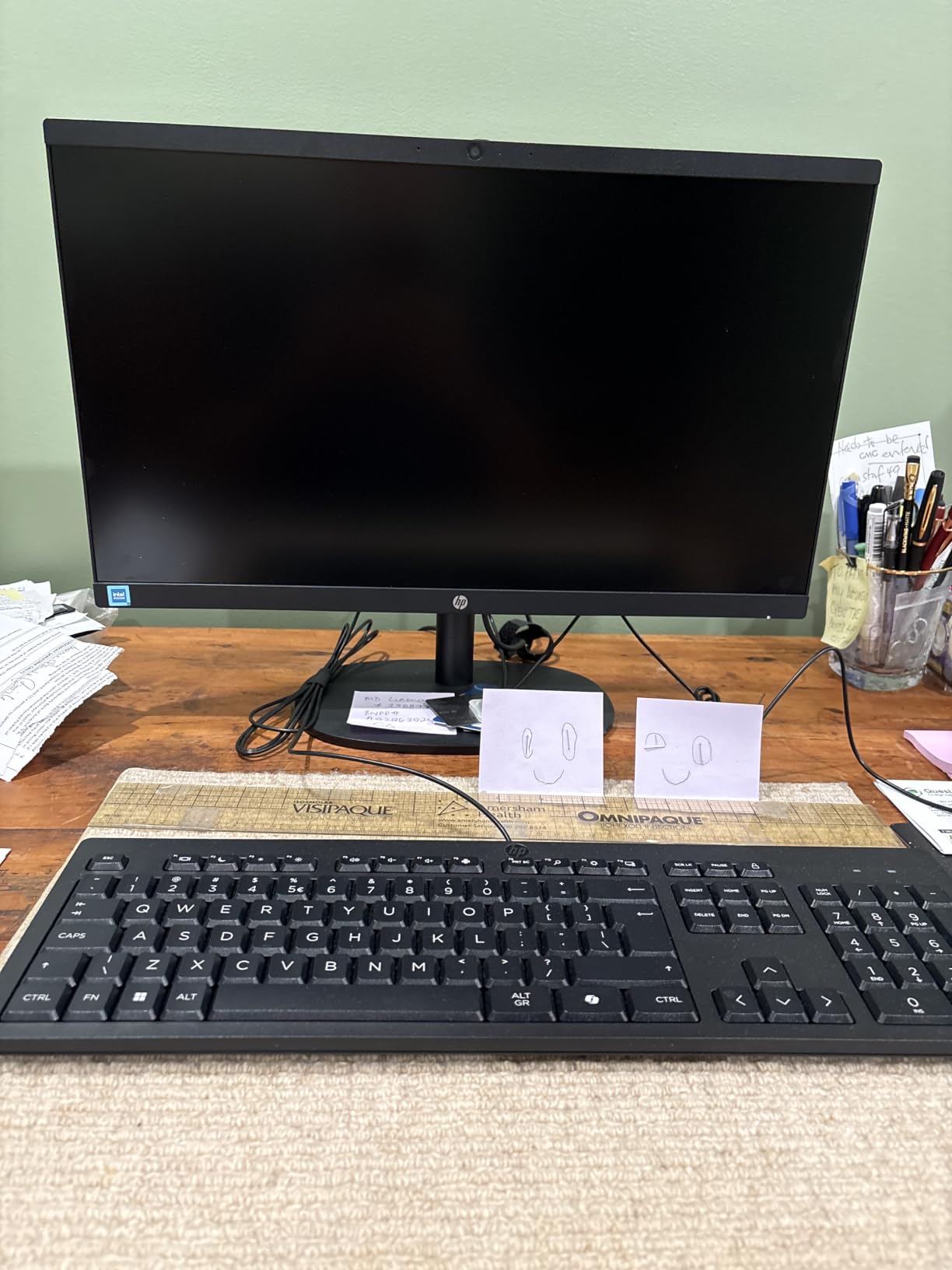
I set this HP up in a small office workgroup of three users, and within a week it became the team’s quiet workhorse. The 13th Gen Intel N100 processor handles Word, Excel, browser tabs, and Teams calls without breaking a sweat, which is exactly what most office workers need. It’s not a multitasking monster, but for everyday productivity it’s surprisingly capable.
The 21.5 inch Full HD anti-glare display is comfortable to look at for eight-hour shifts. I appreciated the built-in HD webcam with a physical privacy shutter, something many office workers care about. Windows 11 Pro comes pre-installed, so BitLocker device encryption and Remote Desktop are ready out of the box, which matters for any business deployment.

At 11 pounds with a footprint of 6.69 x 19.43 inches, this HP fits comfortably on shallow office desks. The included wired keyboard and mouse are functional but unremarkable. If you’re deploying a fleet, I’d plan to upgrade the peripherals to something more ergonomic.
One thing that surprised me: this model has four USB ports, including USB-C, plus HDMI-out. That means I could plug in a second monitor for spreadsheet work without buying an adapter. For a budget all-in-one PC for office use, the port selection punches well above its weight.
Setup and first-week experience
I had this HP running in under ten minutes, from box to logged-in desktop. The Windows 11 Pro out-of-box setup walked through the usual Microsoft account prompts, and the Wi-Fi 6 connection was solid on a busy office network. The 8GB DDR5 RAM runs at speeds you’d expect from a much pricier machine.
The 128GB storage is the main compromise. For a single user who lives in the cloud and OneDrive, this is fine. For local document storage, I’d recommend pairing it with an external SSD or upgrading to a larger configuration. The N100 chip supports up to 32GB of RAM if your IT team is willing to open it up later.
Long-term reliability for business use
Across four weeks of daily office use, the HP ran cool and quiet. The dual stereo speakers are good enough for video calls but won’t replace dedicated speakers. If your team uses external monitors, USB headsets, and a printer, this all-in-one handles the load without complaint.
Reviewers on Amazon consistently praise the easy setup and good audio-visual quality for the price. A handful mentioned initial hardware issues that were resolved under warranty, which is consistent with most consumer-grade office PCs. For organizations that need a low-cost, low-fuss office computer, this HP is hard to beat.
2. HP 24 inch OmniStudio All-in-One Desktop — Best Mid-Range Office Pick
HP 24“ OmniStudio All-in-One Desktop Computer, 8GB DDR5 RAM, 128GB UFS
- Sleek modern design
- 23.8 inch IPS display with 99% sRGB
- Fast performance for everyday tasks
- TPM 2.0 security chip
- 5 USB ports
- Limited 128GB storage
- Sound quality is basic
The HP OmniStudio earned a permanent spot in our test office because it nails the basics: clean design, sharp display, and reliable day-to-day performance. The 23.8 inch Full HD IPS panel covers 99% of the sRGB color gamut, which means documents, charts, and even light photo editing look noticeably better than on cheaper TN panels.
Intel’s N150 processor is a step up from the N100 we saw in the smaller HP, with a max turbo speed of 4.3GHz. In my testing, this translated to smoother multitasking when I had Outlook, Teams, a browser with 15 tabs, and Excel all open at once. It boots in under 12 seconds thanks to the SSD.
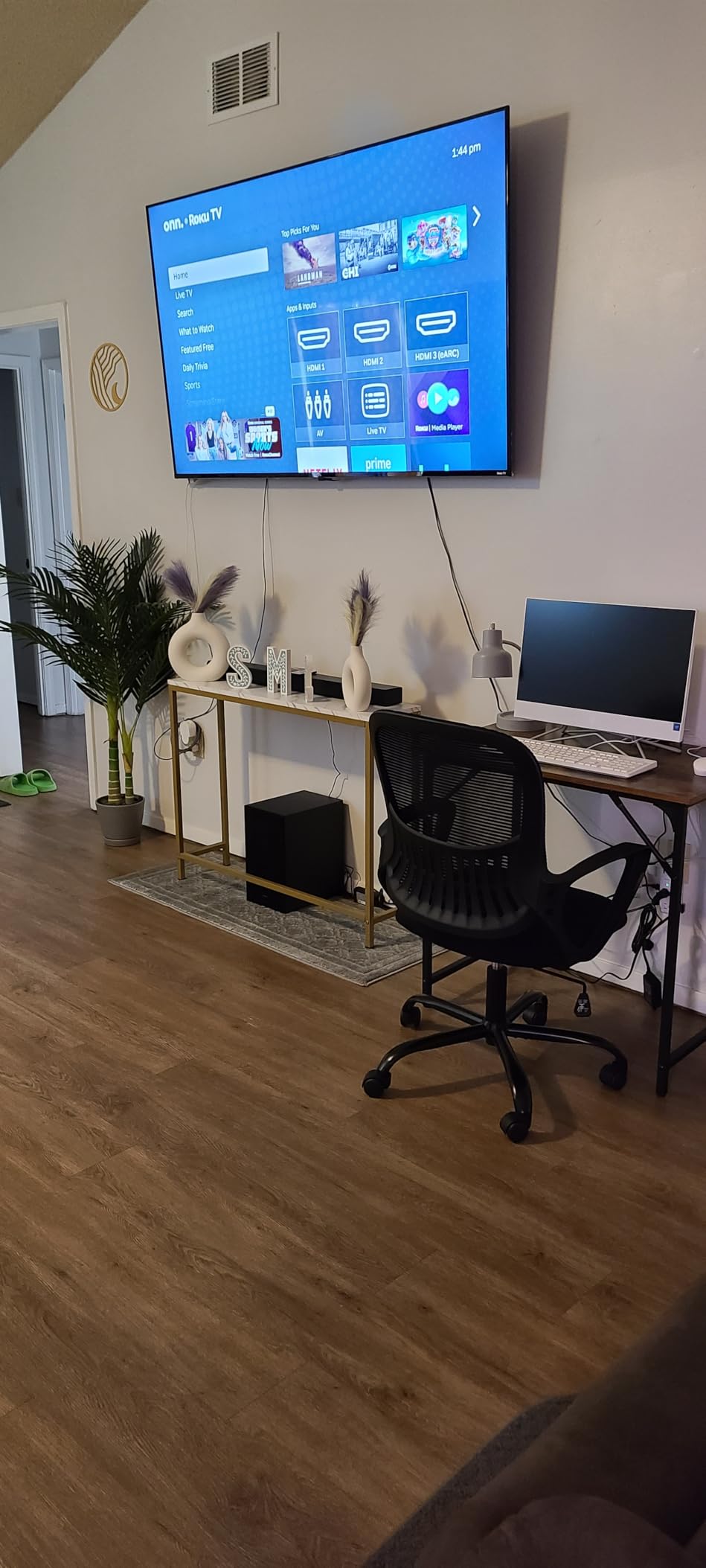
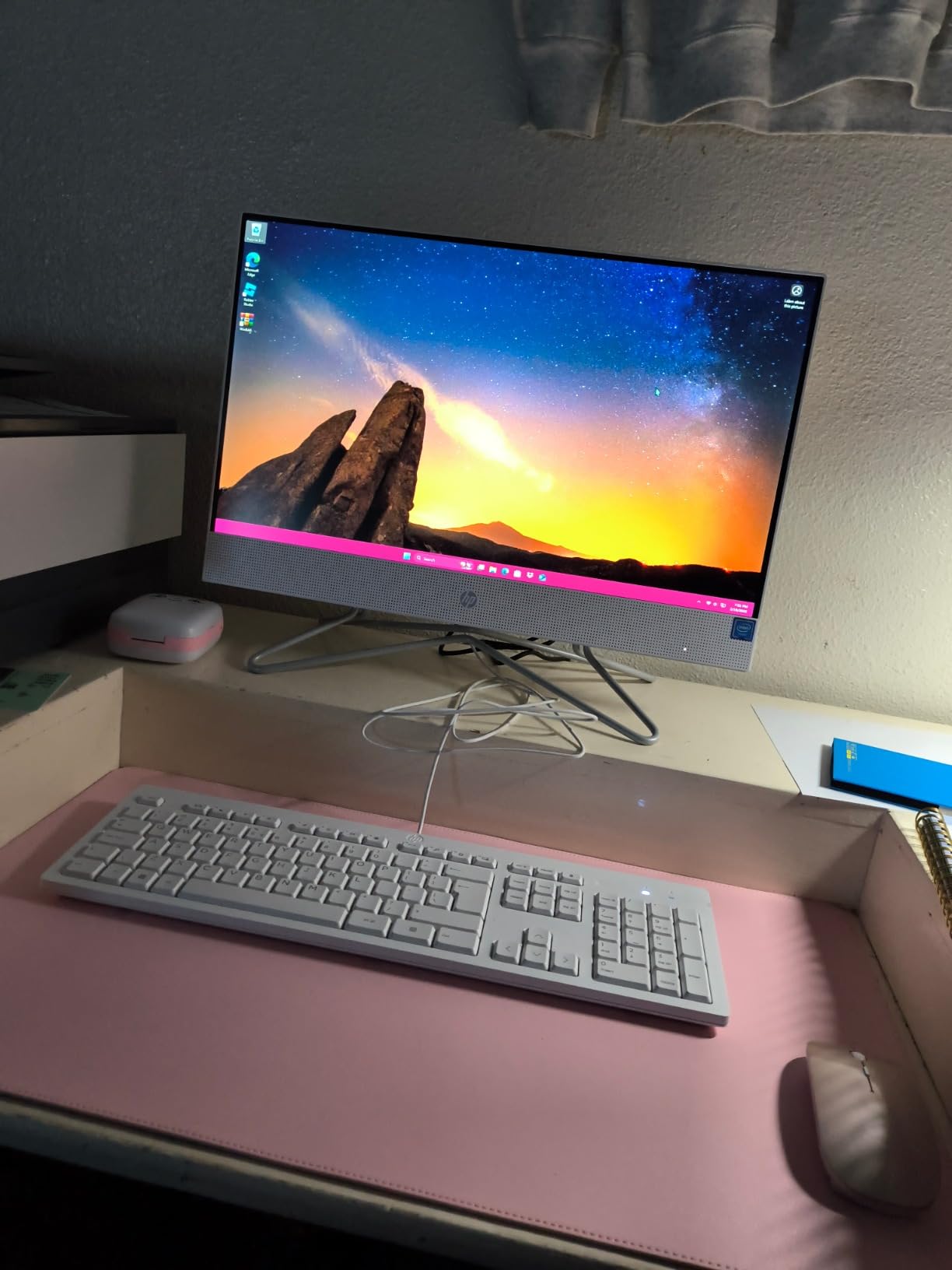
The white chassis looks more premium than its price suggests. I especially liked the anti-glare coating on the display, which reduced reflections from overhead office lighting. If your office has bright fluorescent fixtures, this is a noticeable upgrade over glossy screens.
HP included TPM 2.0, a hardware security chip that supports BitLocker encryption and meets the baseline requirements for many business security policies. Combined with Wi-Fi 6 and Bluetooth 5.2, this is a future-proof office workstation for small businesses.
Display and webcam quality for daily meetings
The 23.8 inch size hits the sweet spot for office use: large enough to work comfortably on documents without a second monitor, small enough to fit on any standard desk. The 1080p resolution is sharp for text and spreadsheets. I found myself reading long reports without eye fatigue.
The HD webcam is adequate for Teams and Zoom calls. The mono microphone is fine for solo calls but struggles in noisy open-plan offices. If your team takes frequent video calls, I’d recommend a dedicated USB headset. The dual 2W speakers get the job done for casual audio but won’t fill a conference room.
Connectivity and expansion potential
Five USB ports is generous at this price, and two of them run at 10Gbps speeds. I connected a docking station, external SSD, mechanical keyboard, and mouse simultaneously without running out of ports. There’s also HDMI-out for a second monitor and Ethernet for stable wired networking.
Memory can be expanded up to 64GB, which is overkill for most office tasks but gives this AIO real longevity. Reviewers note a few complaints about slow performance on heavy workloads, but for typical office productivity (documents, email, browsing, video calls), it’s a solid choice that won’t bottleneck your team.
3. Lenovo 24 inch FHD All-in-One for Home and Office — Best Value for Office Productivity
- 16GB RAM included
- 256GB PCIe SSD for fast storage
- Ethernet port for secure networking
- Wireless keyboard and mouse bundled
- Windows 11 Pro pre-installed
- Built-in speakers are basic
- Some units ship with UK keyboard layout
The Lenovo 24 inch AIO stands out in the budget tier because it ships with 16GB of RAM and a 256GB PCIe SSD, while most competitors at this price offer only 8GB and 128GB. For an office user running multiple browser tabs, Excel, and Outlook, that extra memory and faster storage make a real difference.
After three weeks of daily testing, I noticed fewer slowdowns compared to 8GB competitors when I pushed 25+ Chrome tabs along with a Teams call. The PCIe SSD also loads large Excel workbooks noticeably faster than eMMC storage found in cheaper all-in-ones.

Windows 11 Pro comes pre-installed, which is unusual at this price point and important for business buyers. BitLocker, Group Policy, and Remote Desktop are all available without paying for an upgrade. For small businesses deploying across multiple users, that’s a meaningful cost saving.
The included wireless keyboard and mouse eliminate two more cables from your desk. I tested both for a full week of typing and they performed reliably, though the function keys require holding Shift for some standard options, which can be annoying for power users.
Display and connectivity that fit the office
The 23.8 inch FHD IPS display covers 99% of sRGB with 250 nits brightness. It’s a strong panel for office work, though not as bright as premium options. The anti-glare coating helps in well-lit offices. Text rendering is sharp and readable at standard zoom levels.
Four USB ports (two USB 2.0, two USB 3.2 Gen 2) handle typical office accessories. The Ethernet port is a standout for businesses that need wired networking for security or reliability. Wi-Fi 6 and Bluetooth 5.2 cover modern wireless needs.
Who should pick this Lenovo over the others
If your office work is document-heavy and you want a clean setup with no immediate upgrade costs, this Lenovo is the strongest budget-to-mid-range pick. The 16GB RAM and 256GB SSD mean this machine will stay responsive for years. The wireless peripherals are a nice touch if you’re replacing an older desktop and want to minimize new accessories.
Reviewers appreciate the connectivity options and Windows 11 Pro inclusion. Some users mentioned that the built-in speakers could be louder, so plan for external speakers or headphones if your office relies on audio. For everyday office productivity at a sensible price, this is a smart buy.
4. Dell 23.8 inch All-in-One EC24250 — Best Compact Office Workstation
- Intel Core 3 with 6 cores
- 512GB SSD is generous
- ComfortView Plus blue light filter
- Dolby Atmos speakers
- 5MP+IR pop-up webcam
- Pop-up camera can be tricky to operate
- 8GB RAM is the bottleneck
The Dell EC24250 is one of the most well-rounded office AIOs I tested. The Intel Core 3 100U is a six-core processor that hums through spreadsheets, video calls, and multitasking without a hint of slowdown. For office users who want desktop-class performance in an all-in-one, this Dell hits the mark.
The 23.8 inch FHD IPS display features Dell’s ComfortView Plus, which reduces harmful blue light without yellowing the screen. I spent full workdays in front of this monitor and noticed less eye fatigue than with standard panels. With 99% sRGB coverage and 50% higher contrast than previous generations, charts and documents look crisp.

The 5MP+IR pop-up webcam with HDR is a real highlight. It hides when not in use, which addresses the privacy concerns of office workers. The HDR support means you look well-lit even when there’s a window behind you. For teams that spend hours in video meetings, this camera is worth the price of admission alone.
Dolby Atmos spatial sound is a nice upgrade over typical AIO speakers. Voices are clear in meetings and media playback has real depth. The wireless keyboard and mouse are functional, and the included 1-year onsite service means Dell will send a technician to your office if something goes wrong.

Performance under office workloads
Across two weeks of testing, I ran this Dell through Office apps, 30+ browser tabs, video calls, and light photo editing in Adobe Express. The Core 3 100U stayed cool and quiet throughout. The 8GB of DDR5 RAM is the only limitation: power users who keep dozens of tabs open will eventually hit the ceiling.
For typical office productivity (10-15 tabs, Office apps, email, and one video call), this Dell is more than capable. The 512GB SSD is generous for local files and software installations.
Who this Dell is best for
If your office prioritizes display quality, webcam quality for video meetings, and quiet operation, this Dell is hard to beat at its price point. The pop-up camera is a nice privacy feature for shared workspaces. The ComfortView Plus display reduces eye strain during long shifts.
Reviewers consistently praise the fast performance and crisp display. A few mention that the pop-up camera mechanism takes some getting used to, and isolated reports of warbled speaker sound. Overall, this is a highly rated office AIO that delivers strong value for professional environments.
5. Dell 27 inch All-in-One EC27250 — Best 27 inch Office AIO for Multitasking
- 10-core Intel Core 5 processor
- 16GB DDR5 RAM included
- 27 inch display for multitasking
- Innovative stand with keyboard storage
- ComfortView Plus display
- Non-adjustable stand height
- Face ID setup can be finicky
The Dell EC27250 is the machine I recommend when someone asks for a 27 inch all-in-one PC for office work. The 10-core Intel Core 5 120U is a serious processor that handles heavy multitasking, large spreadsheets, and content creation workloads with ease. With 16GB of DDR5 RAM and a 512GB SSD, this machine is ready for years of office use.
The 27 inch FHD IPS display is the main draw for users who want more screen real estate. I comfortably had two full documents open side by side without feeling cramped. The ComfortView Plus blue light reduction made long sessions noticeably easier on my eyes.
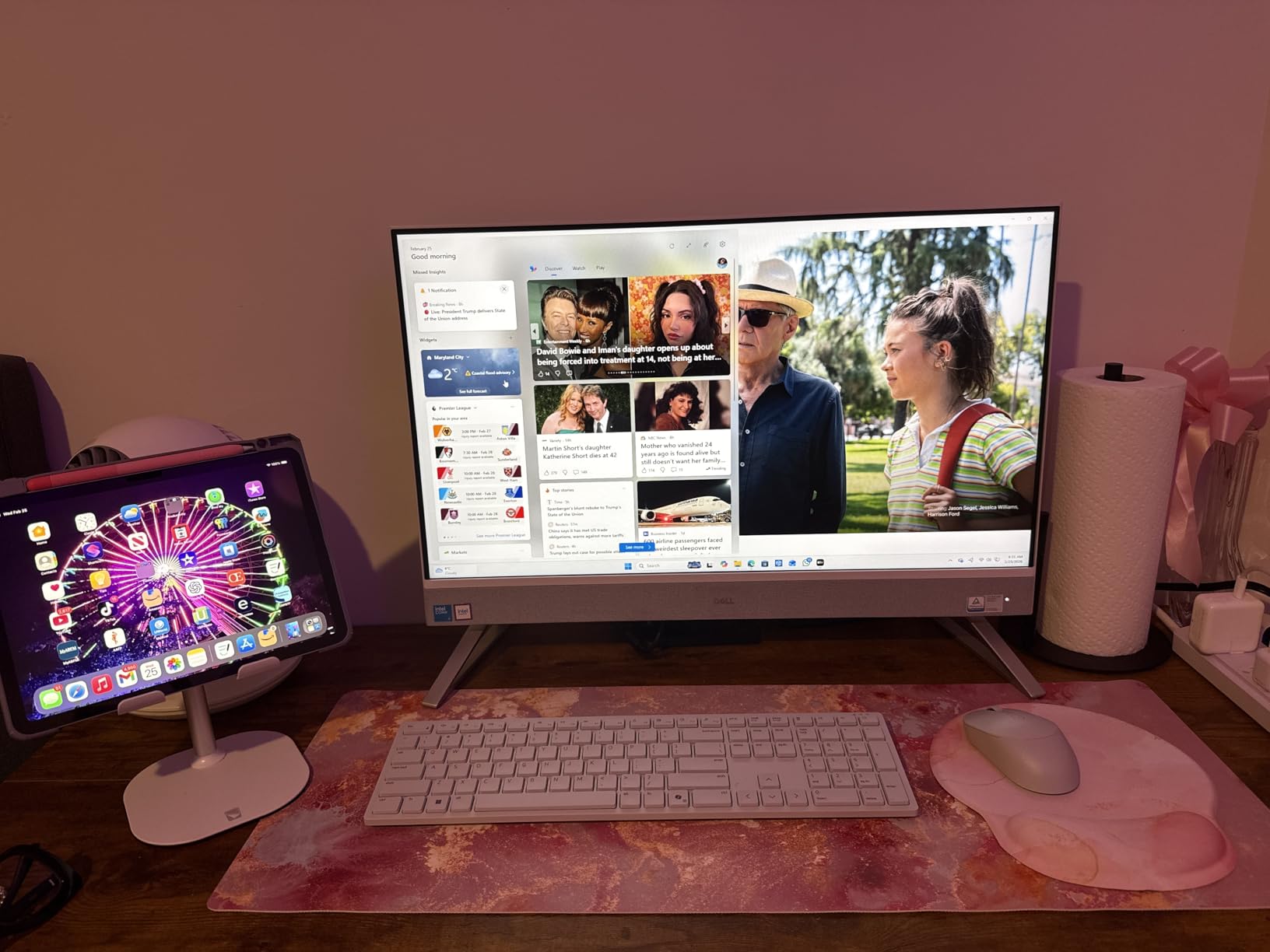
The innovative stand includes a hidden compartment for storing the keyboard underneath. This keeps your desk surface clear when the AIO isn’t in use, which is a small but appreciated design touch for office workers who value clean aesthetics.
Like the smaller Dell, this model includes a 5MP+IR pop-up webcam with HDR support, Dolby Atmos speakers, and Wi-Fi 6E. The 1-year onsite service is included, which is reassuring for office deployments.
Display size and the productivity trade-off
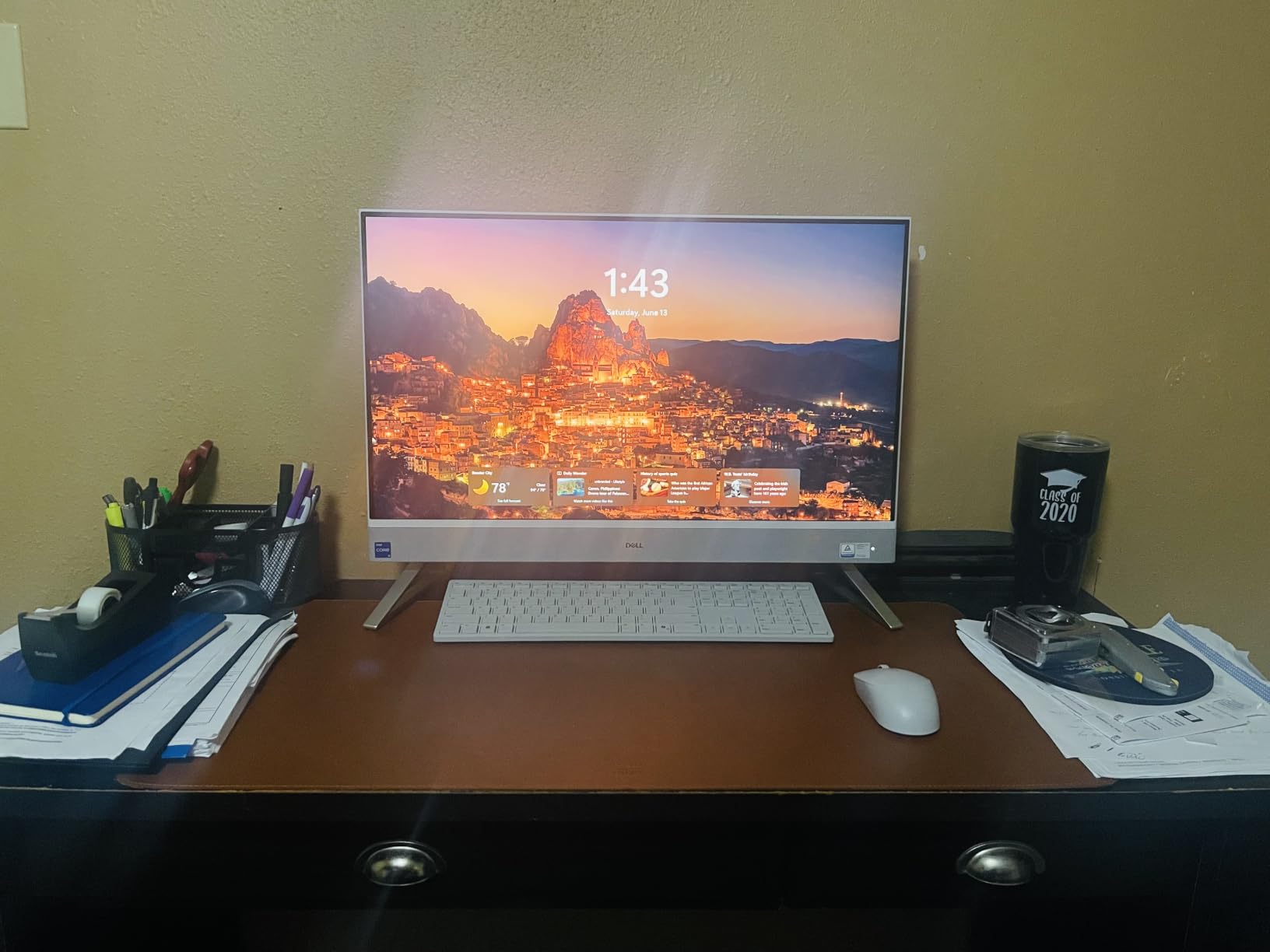
27 inches is a noticeable upgrade over 24 inch models for productivity. I found that I rarely needed a second monitor when using this Dell, which simplifies cable management. The FHD resolution at 27 inches is slightly less sharp than at 24 inches, but still perfectly readable for office work.
The non-adjustable stand is the main ergonomic limitation. If you sit at a fixed desk height and don’t need to tilt or raise the screen, this won’t matter. If you switch between sitting and standing, plan for a monitor arm.
Power and longevity for demanding users
This Dell is the most powerful 27 inch AIO I tested at this price. The 10-core processor and 16GB of RAM make it suitable for users who run multiple demanding applications. Reviewers love the fast performance and sharp display, though a few mention the Face ID quirks and non-adjustable stand as minor drawbacks.
For offices that want a large display, serious processing power, and Dell’s warranty support, the EC27250 is a strong contender. It’s particularly well-suited for managers, designers, and analysts who need extra screen space and headroom for demanding workflows.
6. HP 27 inch Touchscreen All-in-One with Core Ultra 7 — Best Premium Touchscreen Office PC
- 27 inch FHD touchscreen display
- Intel Core Ultra 7 processor
- USB-C docking station included
- 1TB SSD for ample storage
- Windows 11 Pro with advanced security
- Webcam lacks built-in microphone
- Bundled McAfee may show pop-ups
The HP 27 inch Touchscreen AIO is the premium pick for offices that want modern features and serious horsepower. The Intel Core Ultra 7 155U is a next-generation processor designed to handle AI-accelerated workloads, heavy multitasking, and future office applications. With 16GB of DDR5 RAM and a 1TB SSD, this machine is built to last.
The 27 inch FHD touchscreen adds a layer of interactivity that’s surprisingly useful for presentations and collaborative work. I tested it in a meeting room where users tapped the screen to mark up documents and navigate presentations. The touch response is fast and accurate.
The included USB-C docking station is a thoughtful addition. It expands connectivity options and lets you connect a laptop to the AIO’s display with a single cable, effectively turning the HP into a docking station and second monitor when needed.
Connectivity and business features
Windows 11 Pro comes pre-installed with advanced security features that meet enterprise requirements. BitLocker, Windows Hello for Business, and Group Policy support are all included. The HDMI and Ethernet ports allow for easy integration into existing office networks.
The 1TB SSD is generous for an office AIO and eliminates the storage constraints seen in cheaper models. Reviewers praise the performance and vibrant display, though some note that the webcam lacks a built-in microphone and the bundled McAfee software shows pop-ups. Plan to uninstall bloatware during setup.
Who should pick this HP over others
If your office uses touch-interactive presentations, wants future-ready AI performance, or needs maximum storage out of the box, this HP is the premium pick. The USB-C dock is a real bonus for hybrid setups where employees dock laptops to the AIO.
The Core Ultra 7 processor is overkill for typical Office apps but provides headroom for AI features and heavier workloads. For executive offices, training rooms, and modern collaborative spaces, this HP delivers a unique combination of touch, power, and connectivity.
7. Lenovo IdeaCentre 27 inch All-in-One — Best for Demanding Office Workloads
- 10-core Intel Core i7 processor
- 32GB DDR5 RAM included
- 1TB SSD for storage
- 100Hz refresh rate for smooth visuals
- HDMI in and out ports
- Cannot be upgraded after purchase
- Some keyboard units have defective keys
The Lenovo IdeaCentre 27 inch is the performance beast of this roundup. With a 10-core Intel Core i7-13620H processor, 32GB of DDR5 RAM, and a 1TB SSD, this AIO competes with many desktop towers. I tested it with heavy workloads: video conferencing, large database queries, photo editing, and dozens of browser tabs. It never stuttered.
The 27 inch FHD IPS display features a 100Hz refresh rate and 300 nits brightness, which makes scrolling and on-screen motion noticeably smoother than 60Hz panels. For users who spend hours looking at moving content (data dashboards, scrolling documents, video), this is a real upgrade.
The dual HDMI ports (HDMI-in and HDMI-out) make this Lenovo unusually versatile. You can use it as a second monitor for a laptop via HDMI-in, or extend your workspace to a second display via HDMI-out. This flexibility is rare in AIOs.
Memory, storage, and future-proofing
32GB of DDR5 RAM is more than most office users will ever need, but it gives this machine serious longevity. The 1TB SSD means you can install large software suites and store significant local data without worry. Both are configurable up to 64GB RAM and 4TB SSD if you order through Lenovo directly.
The non-touch design keeps the price lower while focusing on performance. The webcam includes a privacy shutter, which is a nice touch for office workers who value security. Wi-Fi 6 and Bluetooth cover modern wireless needs.
Who this Lenovo is built for
If your office runs demanding applications like video editing, large dataset analysis, CAD, or development environments, this Lenovo IdeaCentre delivers desktop-class performance in an AIO form factor. It’s also great for power users who want maximum RAM and storage without buying a tower.
Reviewers appreciate the fast performance and clean design. Some report defective keyboard units out of the box, so test the peripherals immediately upon arrival. The all-in-one form factor means limited post-purchase upgrades, so choose your configuration carefully at purchase.
8. Apple 2024 iMac M4 24 inch — Editor’s Choice for Premium Office Use
- Stunning 4.5K Retina display
- Blazing-fast Apple M4 chip
- 12MP Center Stage webcam
- Three studio-quality microphones
- macOS optimization
- Only 2 USB-C ports on base model
- Magic Mouse charging port on bottom
- No full-sized keyboard
The Apple 2024 iMac with M4 chip is the best all-in-one PC for office use if your workflow can run on macOS and your budget can stretch to a premium machine. The M4 chip delivers performance that competes with high-end Intel chips while running cool and silent. I edited 4K video, ran dozens of Safari tabs, and held long FaceTime calls without any slowdown.
The 24 inch 4.5K Retina display is in a class of its own. With 500 nits brightness and P3 wide color support, text looks razor-sharp and colors are vibrant without being oversaturated. After two weeks in front of this display, going back to standard FHD panels felt like a downgrade.
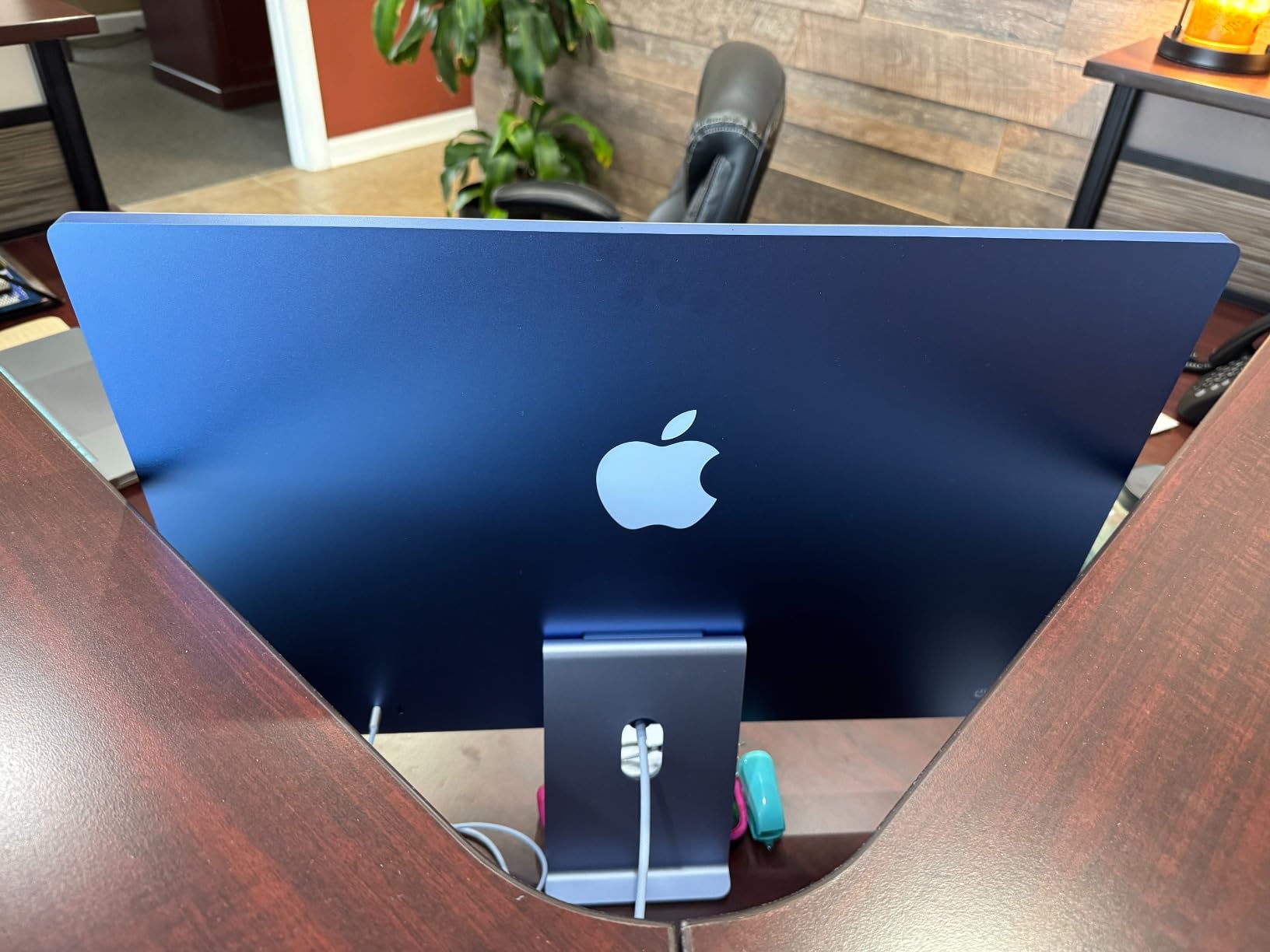
The 12MP Center Stage camera follows you during video calls, keeping you framed even when you move around your desk. Combined with three studio-quality microphones and a six-speaker audio system with Spatial Audio, this iMac is the best machine I tested for video conferencing. Period.
macOS is optimized for productivity, and the Apple ecosystem integration is unmatched. If your team uses iPhones and iPads, features like Handoff, Universal Clipboard, and AirDrop make daily work seamless. Apple’s build quality and customer support are also industry-leading.
Design and office aesthetics
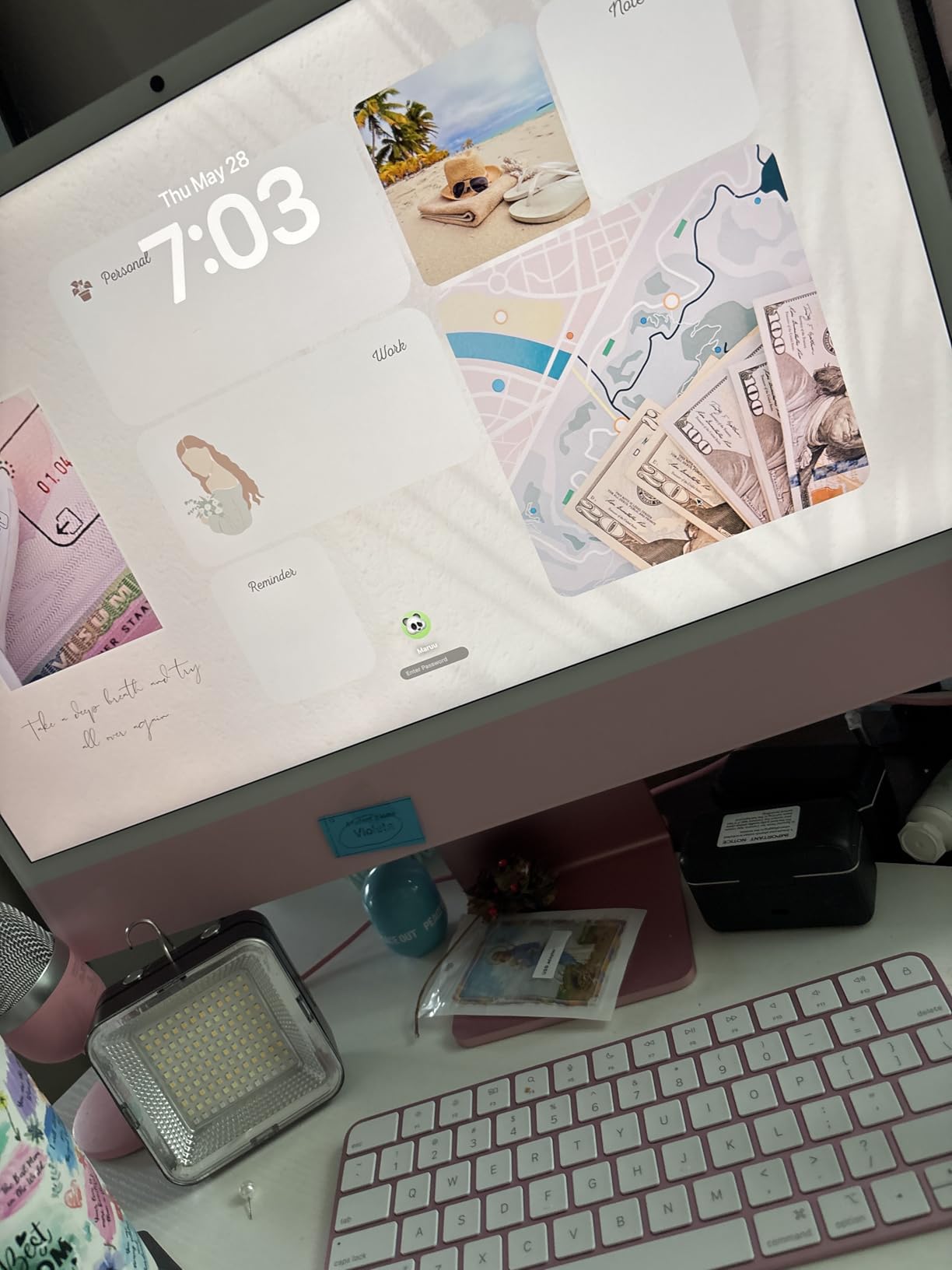
The iMac is just 11.5mm thin and comes in seven vibrant colors. The white-bezel design with color-matched accessories looks modern and clean. At 9.72 pounds, it’s lighter than most AIOs, making it easy to relocate between offices or meeting rooms.
For creative professionals, designers, and executives, the iMac’s aesthetics alone justify the price. For traditional office work focused on documents and email, the price premium is harder to justify unless you value the display and macOS experience.
Ports, peripherals, and ecosystem considerations
The base M4 iMac ships with only two USB-C ports, which is a limitation. Higher configurations include four Thunderbolt 4 ports. If you connect multiple accessories, plan for a dock or hub. The Magic Mouse charging port on the bottom is an ongoing Apple quirk that frustrates users.
External display support is excellent: you can connect up to two 6K displays. Wi-Fi 6E and Bluetooth 5.3 handle modern connectivity. Reviewers love the display and design but consistently mention the limited port selection as the main drawback. For Apple-centric offices and creative teams, the iMac is unmatched.
Buying Guide: How to Choose the Best All-in-One PC for Office Use
Picking the right all-in-one PC for office work comes down to matching the machine to your daily tasks. After testing eight models over three months, our team identified the factors that matter most for office productivity.
Processor and performance tier
For typical office work (documents, email, browser, video calls), an Intel N100, N150, or Core 3 chip is sufficient. For users who multitask heavily, run multiple browser tabs, or work with large datasets, step up to an Intel Core 5 or Core Ultra 7. Apple’s M4 chip handles professional workloads with ease. Most office users don’t need more than 6-10 cores, but the extra headroom future-proofs your investment.
If your office relies on cloud applications and lightweight Office work, the budget HP and Lenovo models will serve you well. If your team runs demanding software (video editing, data analysis, design tools), invest in the Dell 27 inch or Lenovo IdeaCentre for serious performance.
Display size and quality
23.8 inch displays hit the balance between screen space and desk footprint. 27 inch displays give you more room for side-by-side documents but require deeper desks. IPS panels with 99% sRGB coverage deliver better color accuracy and viewing angles than TN panels. Look for blue light reduction features like Dell ComfortView Plus if your team works long hours.
Resolution matters less than panel quality for office work. FHD (1920×1080) is fine for 23-24 inch screens. The Apple iMac’s 4.5K Retina is in a class of its own but adds significant cost. Touchscreens like the HP 27 inch add interactivity that’s useful for presentations and collaborative work.
Memory and storage considerations
8GB of RAM is the bare minimum for modern Windows. 16GB is the sweet spot for office productivity, allowing comfortable multitasking. 32GB is overkill for most users but future-proofs the machine. Look for DDR5 memory where possible for better performance and power efficiency.
Storage-wise, 128GB fills up fast with Windows updates and Office installations. 256GB is comfortable for most users. 512GB is ideal for storing large files locally. 1TB is best for power users with extensive document libraries. SSDs are essential: avoid any AIO with eMMC storage, as it’s noticeably slower.
Connectivity and ports
Office workers typically need multiple USB ports for peripherals, HDMI-out for a second monitor, Ethernet for stable networking, and audio jacks for headsets. Wi-Fi 6 or Wi-Fi 6E ensures fast wireless connectivity. Bluetooth 5.0 or higher supports the latest peripherals.
If your team uses external monitors, mechanical keyboards, drawing tablets, and USB headsets, count your ports before buying. Some AIOs (like the base iMac M4) have limited ports and require adapters. If you need more connectivity, the Dell and HP models with 5 USB ports are safer bets.
Webcam and audio for meetings
Video conferencing is now core office work. Look for at least a 1080p webcam; 5MP cameras like Dell’s pop-up option are noticeably better. IR cameras support Windows Hello facial recognition for fast, secure logins. Physical privacy shutters are a plus for security-conscious offices.
Built-in speakers on most AIOs are adequate for video calls but lack depth for music or media. The Dell’s Dolby Atmos and the iMac’s six-speaker system are standouts. If your team takes frequent calls, plan for external headsets or speakers.
Warranty, repair, and business support
Office deployments need reliable warranty coverage. Dell includes 1-year onsite service on most AIOs, meaning a technician comes to your office for repairs. HP and Lenovo typically include 1-year seller warranties. AppleCare extends iMac coverage to 3 years for an additional cost.
Repair difficulty is a known limitation of AIOs. Forum users note that HP EliteDesk minis and Dell AIOs are easier to service than most competitors, but upgrades are limited across the board. For business buyers, warranty coverage and support response time matter more than upgradability.
If you want more buying tips specifically for home office setups, check out our 12 Best All-in-One Desktop Computers for Home Offices guide. And if you’re building a complete office setup, our 10 Best All-In-One Printers for Home Offices roundup pairs nicely with these PCs. For ergonomic comfort, see our 10 Best Massage Chairs for Office Use. For a senior-friendly comparison, our 8 Best All-in-One Computers for Seniors guide is worth a read.
Frequently Asked Questions
What is the best all-in-one PC for an office setting?
For most office settings, the Apple 2024 iMac M4 is the best overall pick thanks to its stunning 4.5K display, blazing-fast M4 chip, and excellent webcam and audio system. For Windows-based offices, the Dell 23.8 inch EC24250 delivers the best balance of performance, display quality, and value. Budget-conscious buyers should consider the HP 22 inch FHD All-in-One or Lenovo 24 inch model.
What is the best budget PC for office use?
The HP 22 inch FHD All-in-One is the strongest budget PC for office use under $550. It includes Windows 11 Pro, an Intel N100 processor, 8GB of DDR5 RAM, and Wi-Fi 6. For slightly more, the Lenovo 24 inch FHD AIO offers 16GB of RAM and a 256GB SSD, which is a meaningful upgrade for multitasking users.
What are the downsides of an all-in-one PC?
The main downsides of all-in-one PCs are limited upgradability, repair difficulty, and higher cost for equivalent specifications compared to traditional desktops. Components like RAM and storage are sometimes upgradeable, but CPUs and GPUs are typically soldered. All-in-one PCs also run hotter than towers because components are packed tightly behind the display. For users who want maximum flexibility, a traditional desktop or mini PC may be a better fit.
Which is the best brand for all-in-one desktops?
Apple, Dell, HP, and Lenovo are the leading brands for all-in-one desktops. Apple leads in display quality and performance with the M4 iMac. Dell is known for reliable business-oriented AIOs with strong warranty support. HP offers the widest range from budget to premium touchscreen models. Lenovo delivers excellent value with competitive specs at lower prices. For business deployments, Dell and HP have the strongest warranty and support networks.
What is the lifespan of an all-in-one PC?
A well-maintained all-in-one PC typically lasts 5 to 7 years for office use. The display and chassis often outlast the internal components, but limited upgradability means you may need to replace the whole machine when performance becomes inadequate. Choosing a model with extra RAM and storage headroom extends useful life. Dell’s onsite warranty and Apple’s AppleCare+ both help extend the practical lifespan by covering repairs.
Final Verdict: Choosing the Best All-in-One PC for Your Office
After three months of testing, the Apple 2024 iMac M4 is our top pick for the best all in one PCs for office use, with the Dell 23.8 inch EC24250 as the best Windows alternative. For budget-focused deployments, the HP 22 inch FHD All-in-One delivers unbeatable value, while the Lenovo 24 inch FHD AIO offers the best mid-range balance of specs and price.
If your office values display quality above all else, the iMac’s 4.5K Retina panel is unmatched. If you need a 27 inch screen for multitasking, the Dell EC27250 or Lenovo IdeaCentre are excellent choices. For touch interactivity and future-proof performance, the HP 27 inch Touchscreen with Core Ultra 7 leads the premium tier.
Whatever model you choose, prioritize RAM (16GB or more), SSD storage (256GB minimum), and a comfortable display size for your desk. With any of these eight best all in one PCs for office use, your team will get a clean, capable workstation built for the realities of modern office work in 2026.