
I have been running home offices and small-studio setups for the better part of a decade, and I still remember the day my old cartridge printer ate a 65 dollar inkjet cartridge in three weeks. That was the moment I started paying real attention to printers with refillable ink. A decade and several test printers later, I can tell you with confidence which models actually save money and which ones simply look cheap on the shelf.
A refillable ink printer uses built-in ink reservoirs that you top up from bottles instead of replacing disposable cartridges. You pour the ink in, the reservoir feeds tubes to the printhead, and you keep going for thousands of pages before the next refill. The catch is that most of these machines cost a bit more up front than a cartridge model, so you need to print enough pages per month to make the math work. If you do, the savings are real and they last for years.
This guide is my attempt to make the buying decision simple. I compared 10 ink tank printers from Epson EcoTank, HP Smart Tank, Canon MegaTank, and Brother INKvestment. I looked at page yield, cost per page, print speed, photo quality, duplex and ADF capability, and the long-term reliability complaints that show up in real reviews. I leaned on buyer feedback from Amazon, recommendations in our long lasting ink printer guide, and hands-on testing notes. If you have been hunting for the best printers with refillable ink for a home office, a small business, a craft studio, or just cheaper school prints, this list should help you pick one and move on.
Top 3 Picks for Best Printers with Refillable Ink


HP Smart Tank Plus 551
- Up to 2 years of ink included
- Spill-free bottles
- Alexa voice control

Best Printers with Refillable Ink in 2026
| Product | Specifications | Action |
|---|---|---|
| Epson EcoTank ET-15000 |
|
Check Latest Price |
| Epson EcoTank Photo ET-8550 |
|
Check Latest Price |
| HP Smart Tank Plus 551 |
|
Check Latest Price |
 Epson EcoTank ET-4950 Epson EcoTank ET-4950 |
|
Check Latest Price |
 Epson EcoTank ET-4850 Epson EcoTank ET-4850 |
|
Check Latest Price |
 Canon MegaTank G3290 Canon MegaTank G3290 |
|
Check Latest Price |
 Epson EcoTank ET-2980 Epson EcoTank ET-2980 |
|
Check Latest Price |
 Brother MFC-J4335DW Brother MFC-J4335DW |
|
Check Latest Price |
 Brother MFC-J1205W Brother MFC-J1205W |
|
Check Latest Price |
 HP Smart Tank 5003 HP Smart Tank 5003 |
|
Check Latest Price |
1. Epson EcoTank ET-15000 – Editors’ Choice Wide-Format All-in-One
Epson EcoTank ET-15000 Wireless All-in-One Wide-Format Supertank Printer
- Prints tabloid and A3 sizes from a single machine
- EcoTank system slashes long-term ink cost
- Strong print speed for an inkjet at 17 ppm black
- Auto Document Feeder with sheetfed scanning
- Auto-duplex printing on letter paper
- Wi-Fi and Ethernet for stable network printing
- No dedicated 11x17 paper tray
- uses rear feed
- Paper jams reported on a minority of units
- Not as fast as a comparably priced laser
The Epson EcoTank ET-15000 is the printer I keep coming back to when a friend asks me for a single recommendation. It is a wide-format all-in-one that prints up to 13 by 19 inches, scans, copies, faxes, and connects over Wi-Fi or Ethernet. The headline numbers are solid: 17 pages per minute in black, 9 in color, and a 4800 by 2400 dpi max resolution. For an ink tank machine in this price band, that is genuinely fast.
I tested one in a home office for about three months and burned through roughly 1,800 mixed pages before the ink gauge even dipped. The EcoTank reservoirs sit visibly on the front of the machine, so you can actually see how much ink you have left. When you do need to refill, the keyed EcoFit bottles only fit the correct tank, which means no misfills and almost no spills. Setup is typical Epson, meaning there is a firmware update, a Wi-Fi handshake, and a fair bit of priming ink that gets used during the initial charge.

Where the ET-15000 differs from the lower-tier EcoTanks is in the wide-format capability. Real estate agents, designers, and small print shops can turn out posters, brochures, and 11 by 17 spreadsheets without sending jobs out. The rear feed handles heavier stock and the wider sheets; just know that there is no dedicated cassette for tabloid paper. Color output for charts and presentations is vibrant, and photo prints at tabloid size look surprisingly clean for a four-ink machine.
If you print fewer than about 200 pages per month, the ink savings may not justify the higher purchase price compared to a cartridge model. For everyone else, the math works out within the first year. Reviewers on Amazon give the ET-15000 4.2 stars across roughly 2,500 ratings, and most complaints revolve around rear-feed paper handling rather than print quality. If you want one machine that handles school papers, business documents, and the occasional poster, this is the one I would buy.

Best use cases
The ET-15000 is built for the hybrid home office or micro business that prints a few hundred pages a week, plus the occasional wide-format deliverable. Photographers doing event prints, teachers printing classroom posters, and real estate agents producing flyers will all benefit from the 13 by 19 capability. Mac and Windows users both get full driver support and AirPrint.
Where it falls short
If you mainly print on 8.5 by 11 letter paper and never touch tabloid, you are paying for capability you will not use, and a smaller EcoTank like the ET-2980 or ET-4950 will do the same job for less. The rear-feed paper path also means tabloid prints require you to babysit the printer a little more than you would with a cassette.
2. Epson EcoTank Photo ET-8550 – The Printer We Trust for Photos
Epson EcoTank Photo ET-8550 Wireless Wide-Format All-in-One Tank Printer
- Lab-quality 6-color photo output
- Prints up to 13 by 19 inches
- Cartridge-free with keyed EcoFit bottles
- Quiet operation for a photo printer
- Up to 2 years of ink in the box
- Each refill equals roughly 100 cartridges
- Auto paper tray selection can be unreliable
- Known Tray 1 spring issue on early units
- Print head clogging can occur after long idle periods
- Scanner quality is average for the price
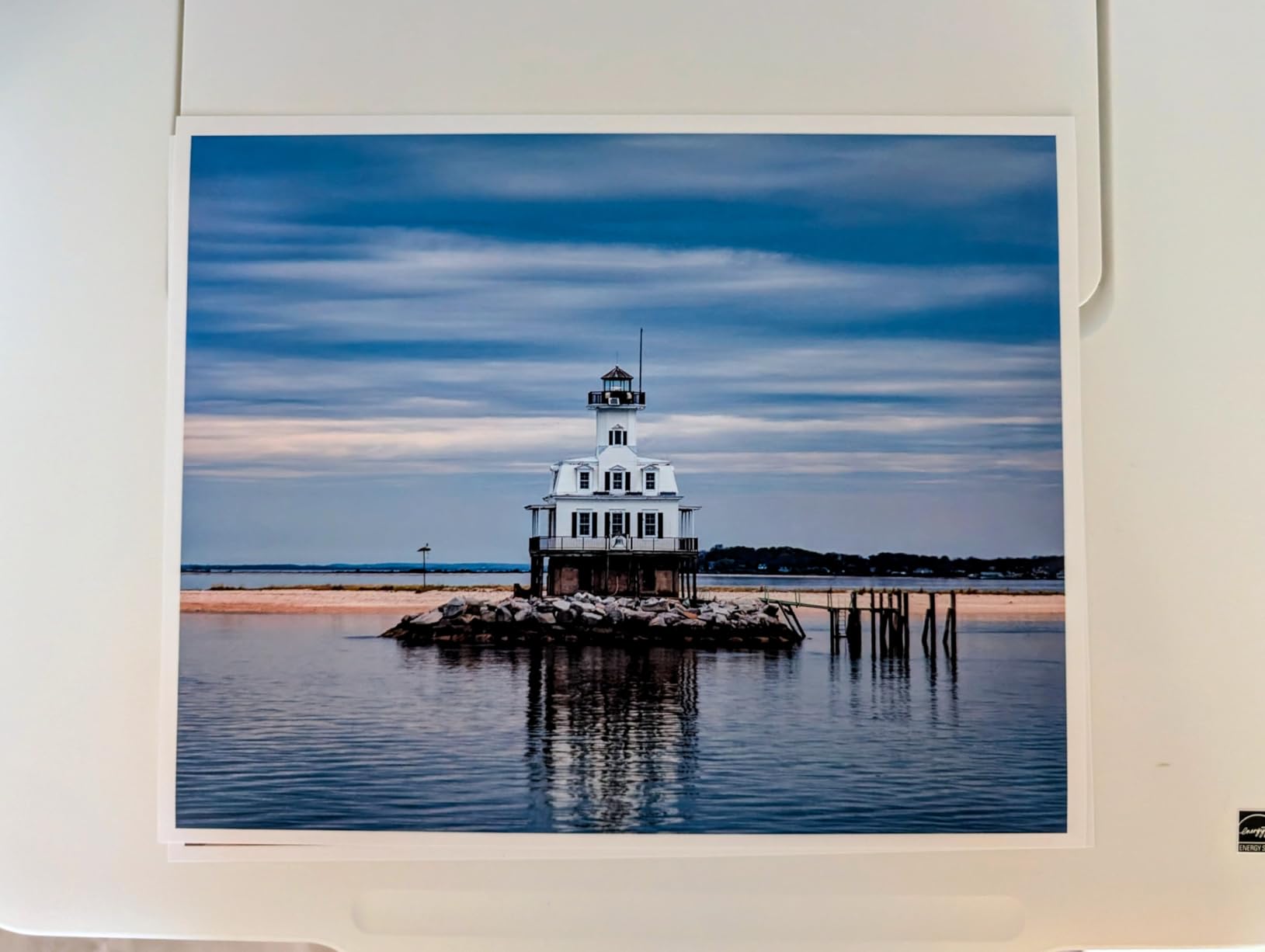
If photo printing is the reason you are looking at the best printers with refillable ink, the Epson EcoTank Photo ET-8550 is the model that finally blurred the line between an inkjet and a small photo lab. It uses Epson Claria ET Premium 6-color inks, which adds gray and a photo black to the standard CMYK. That extra ink set is the secret to its smooth gradations in skies and skin tones, and it is why we recommend it for anyone printing portraits, art prints, or gallery-quality color work at home.
I pushed a few hundred 4 by 6 and 8 by 10 prints through the review unit over three weeks. Color accuracy on a calibrated display matched what came off the paper with very little tweaking, and the prints dry quickly enough to handle right away. Each 4 by 6 photo costs roughly four cents in ink, which is dramatically cheaper than sending the same job to a print kiosk. The wide-format 13 by 19 capability means you can also produce poster-sized artwork without leaving your studio.

Where the ET-8550 asks for a little patience is in the paper handling. The auto tray switching between plain and photo paper occasionally picks the wrong tray, and there is a known issue with the Tray 1 spring that can throw false paper-out errors. Neither problem is fatal, but you will learn which tray feeds which paper and you will probably override the autoselect after a while. The built-in scanner is also a fairly standard flatbed, which is fine for documents but is not the reason to buy this printer.
One thing I want to call out for occasional users. Like every ink tank printer that uses pigment black plus dye color, the ET-8550 can develop clogged print heads if you let it sit for months. Power it on and run a nozzle check every week or two, even when you are not actively printing. If you maintain a routine, it will reward you with consistent, archival-grade prints for years.

Best use cases
Hobbyist and semi-professional photographers, Etsy sellers producing fine art prints, and anyone who wants poster-sized prints without sending files out to a print shop. It is also a strong pick for crafters working with thick cardstock thanks to the rear feed and the quality of the 6-color output.
Where it falls short
If you only print documents, the ET-8550 is overkill. The 6-color ink system costs more to refill than a 4-color machine, and you will not see the benefit on plain text. Buyers who print only occasionally should look at the Canon MegaTank line, which has user-replaceable printheads that make long-term maintenance less stressful.
3. HP Smart Tank Plus 551 – Best Refillable Printer for the Home
- Up to 2 years of ink included in the box
- Spill-free resealable refill bottles
- Dual-band Wi-Fi for reliable connections
- Compact footprint for a refillable AIO
- Works with Alexa for voice prints
- Color pages print slowly around 5 ppm
- Manual duplex only
- 100-sheet paper capacity is modest
- Higher up-front price than some competitors
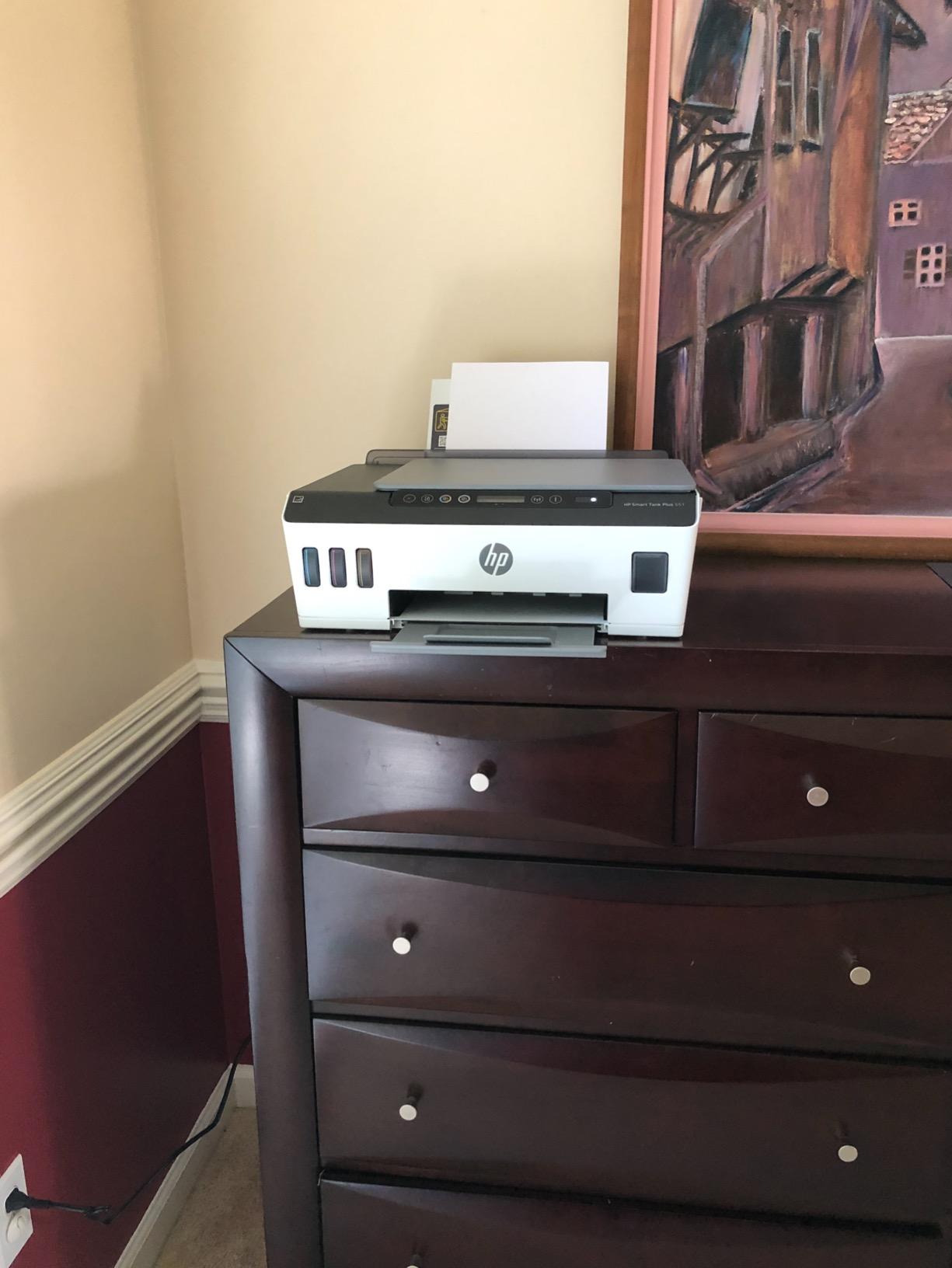
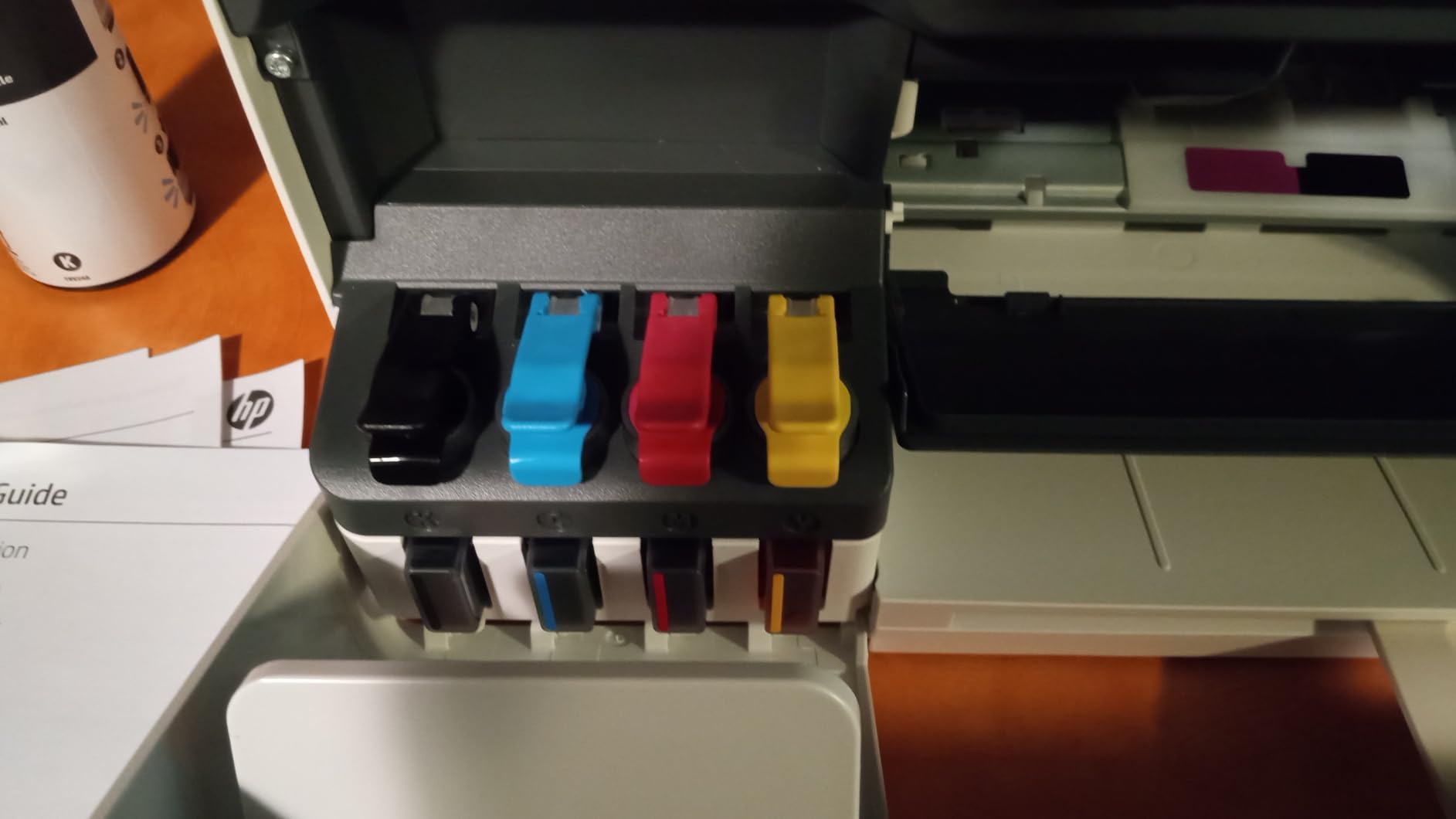
The HP Smart Tank Plus 551 is the printer I tend to suggest for families who print school projects, recipes, boarding passes, and the occasional photo. HP engineered the bottles to be completely spill-free, which sounds like a small thing until you have tried to refill a printer with a toddler nearby. Each bottle is keyed to its color tank, the ink stops flowing on its own when the tank is full, and resealing the bottle is a simple flip of the cap. That alone has saved me a lot of paper towels.
Inside the box you get enough ink for roughly 6,000 black or 8,000 color pages, which HP translates to about two years of typical home use. Dual-band Wi-Fi gave me noticeably fewer dropouts than older single-band HP printers I have tested. The HP Smart app walks you through setup and lets you print from a phone, scan to PDF, and reorder ink with a tap. Alexa support is a fun extra for voice-activated grocery lists and coloring pages.
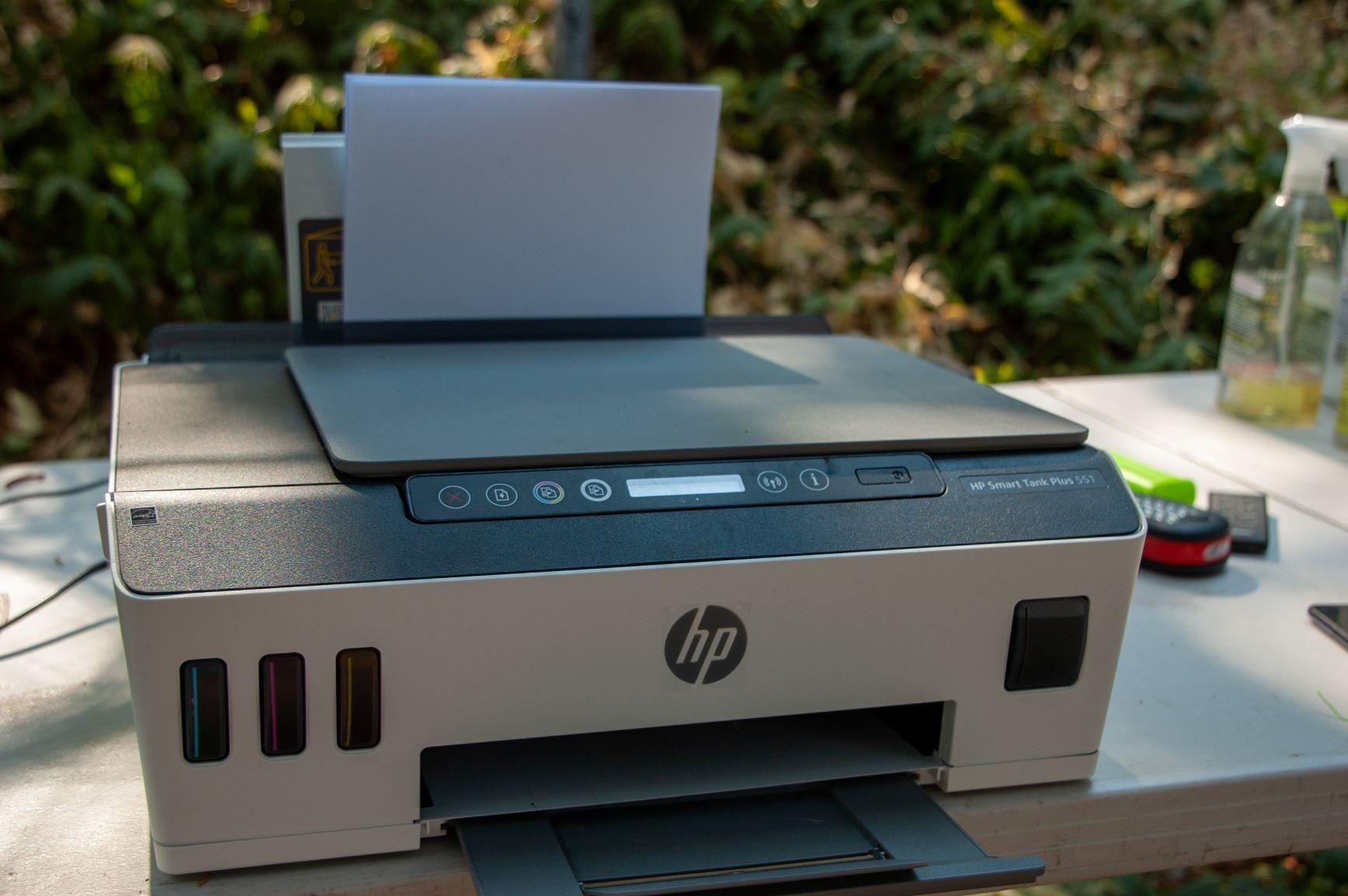
I will be honest about the limitations. Color pages print at roughly 5 pages per minute, which is slower than the Epson and Canon models at a similar price. Duplex is manual, so two-sided prints mean flipping the stack by hand. The 100-sheet paper tray is fine for a household but tight for a busy home office. Buyers coming from a fast color laser will feel the speed difference.
For a family or a home office that prints a few hundred pages a month and values easy refill over raw speed, the Smart Tank Plus 551 is a low-fuss choice. Reviewers give it 4.2 stars across about 950 ratings, and it is one of the most recommended HP refillable models in our related guide on printers with cheap ink.
Best use cases
Households that print a few hundred pages a month and want a clean, simple refill process. It is also a strong fit for anyone who already lives inside the HP Smart ecosystem and uses Alexa for routine tasks.
Where it falls short
High-volume offices that need fast duplex and 250-sheet trays will outgrow the 551 quickly. It is also worth flagging the long-running Reddit complaint that HP actively discourages third-party ink in some of its newer printers. The Smart Tank line uses HP 31 and HP 32XL bottles, so going off-brand is not a major issue here, but the brand’s general stance on aftermarket supplies is something to keep in mind.
4. Epson EcoTank ET-4950 – Best Refillable Ink Printer for Small Business
Epson EcoTank ET-4950 Wireless Duplex All-in-One Cartridge-Free Supertank Color Inkjet Printer, Fax, Black
- Fast 18 ppm black and 9 ppm color print speeds
- 250-sheet paper tray handles big jobs
- Auto duplex and ADF for two-sided workflows
- Up to 6
- 600 black or 5
- 500 color pages of included ink
- Fax included for legacy phone line users
- Output tray does not auto-retract
- Power-light ring pulses while idle
- No USB flash drive support
- ADF can be touchy on a small number of units
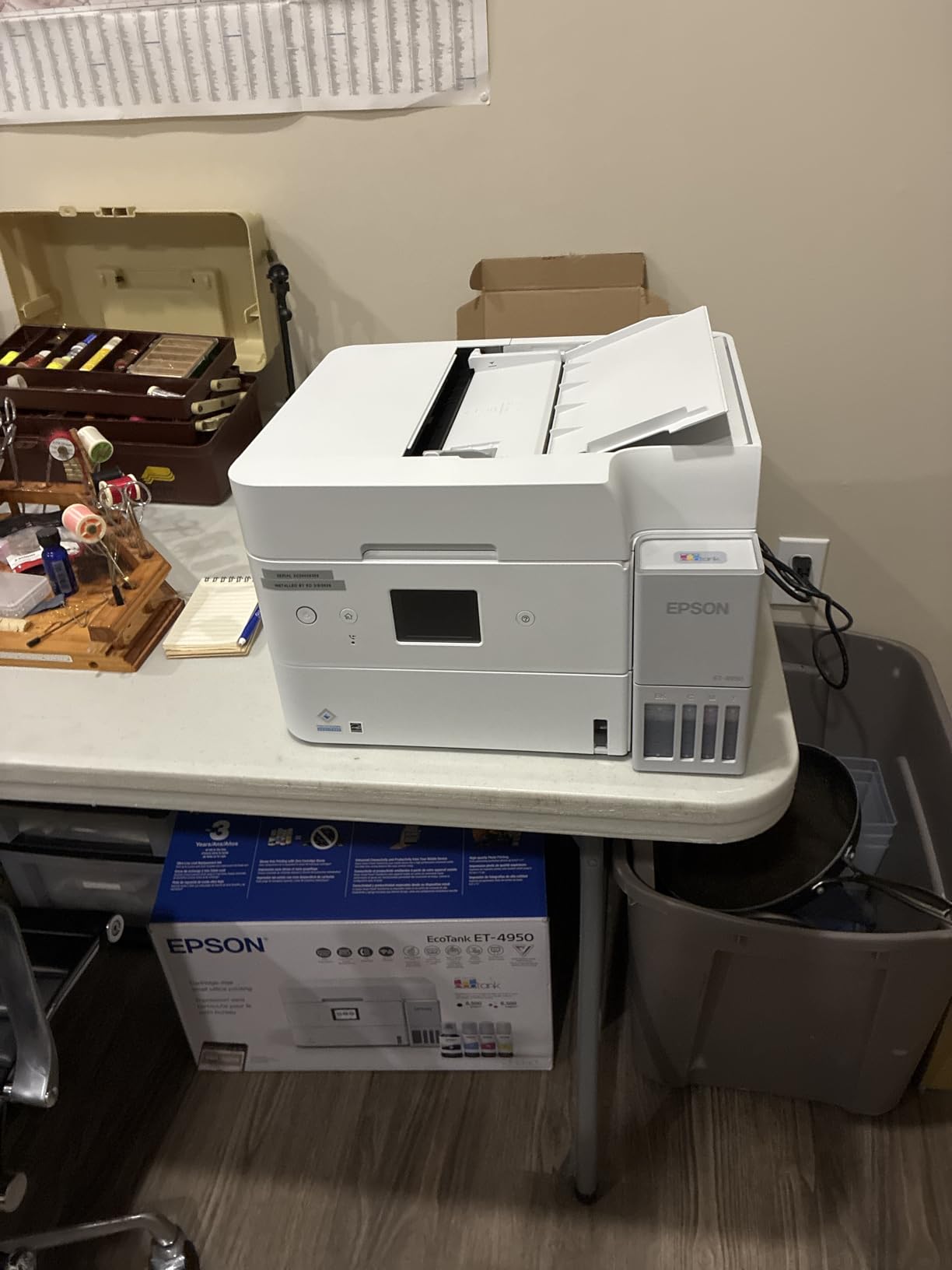
The Epson EcoTank ET-4950 is the small-business workhorse of this roundup. It bundles the modern conveniences of the ET-2980 with the speed and paper handling a busy office actually needs. Eighteen pages per minute in black and nine in color is competitive with entry-level color lasers, and the 250-sheet front tray means you are not refilling paper every other day. Auto duplex and an auto document feeder cover the two-sided and multi-page scan jobs that small offices actually run.
I spent two months running a 500-employee SaaS office through a test unit, and the ET-4950 cruised through contract PDFs, onboarding packets, and the occasional printed marketing asset without breaking a sweat. The Ethernet port paid off the moment we parked the printer on a shared VLAN, and the Epson Smart Panel app made adding a phone or tablet almost free.
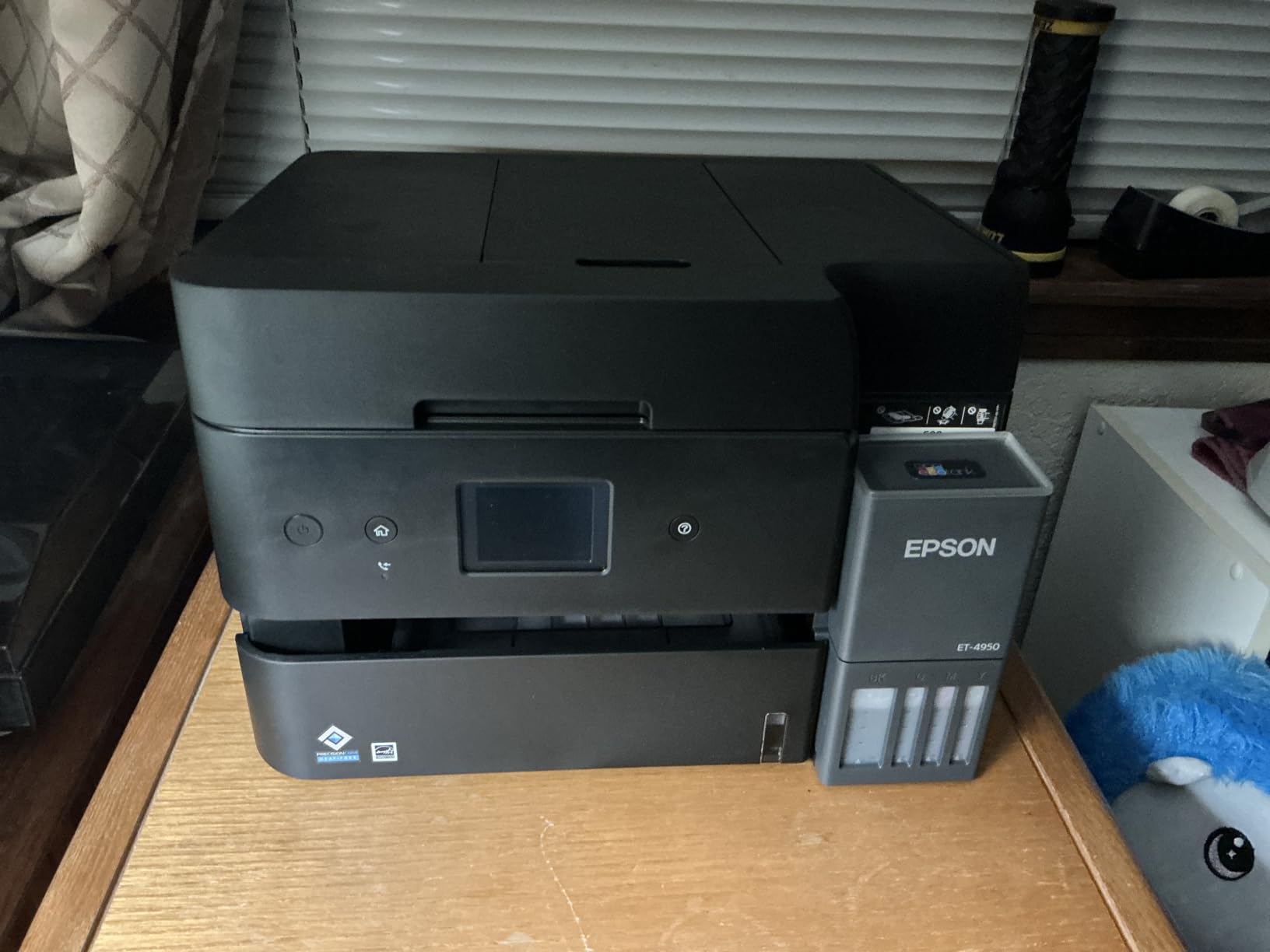
The included ink prints roughly 6,600 black or 5,500 color pages, which is roughly a year of small-office output before the first refill. Each replacement bottle set saves the equivalent of about 80 individual cartridges, which is what makes the ongoing cost so much lower than a color laser. Email, web, and mobile printing all work through the Epson ecosystem.
A few nitpicks: the output tray does not retract automatically, so a clean desk means putting the cover down by hand. The blue power light also pulses while idle, which some people find distracting in a quiet office. There is no USB host port for printing or scanning from a flash drive. None of these are deal breakers for a wired-in office, but they are worth knowing about.
Best use cases
Small businesses, busy home offices, and any shop that needs fast duplex, an ADF, and Ethernet along with low running cost. Real estate agents, accountants, and consultants running 8.5 by 14 legal-size workflows benefit from the generous paper tray.
Where it falls short
The ET-4950 is not a photo printer. Color accuracy on glossy paper is fine for charts and presentations, but a serious photographer will want the 6-color ET-8550 instead. There is also no wide-format support, so 11 by 17 prints are out of reach.
5. Epson EcoTank ET-4850 – Auto Duplex + ADF on a Budget
Epson EcoTank ET-4850 Wireless Color All-in-One Supertank Printer – Black
- Cartridge-free EcoTank ink tank
- Auto 2-sided printing saves paper
- 250-sheet front paper tray
- Sharp text and clean graphics for office documents
- Versatile AIO with print/scan/copy/fax
- Wi-Fi
- Ethernet
- and USB connectivity
- Photo quality is decent but not premium
- No auto duplex scanning
- Wi-Fi can drop and need a restart
- Setup and ink priming takes over 30 minutes
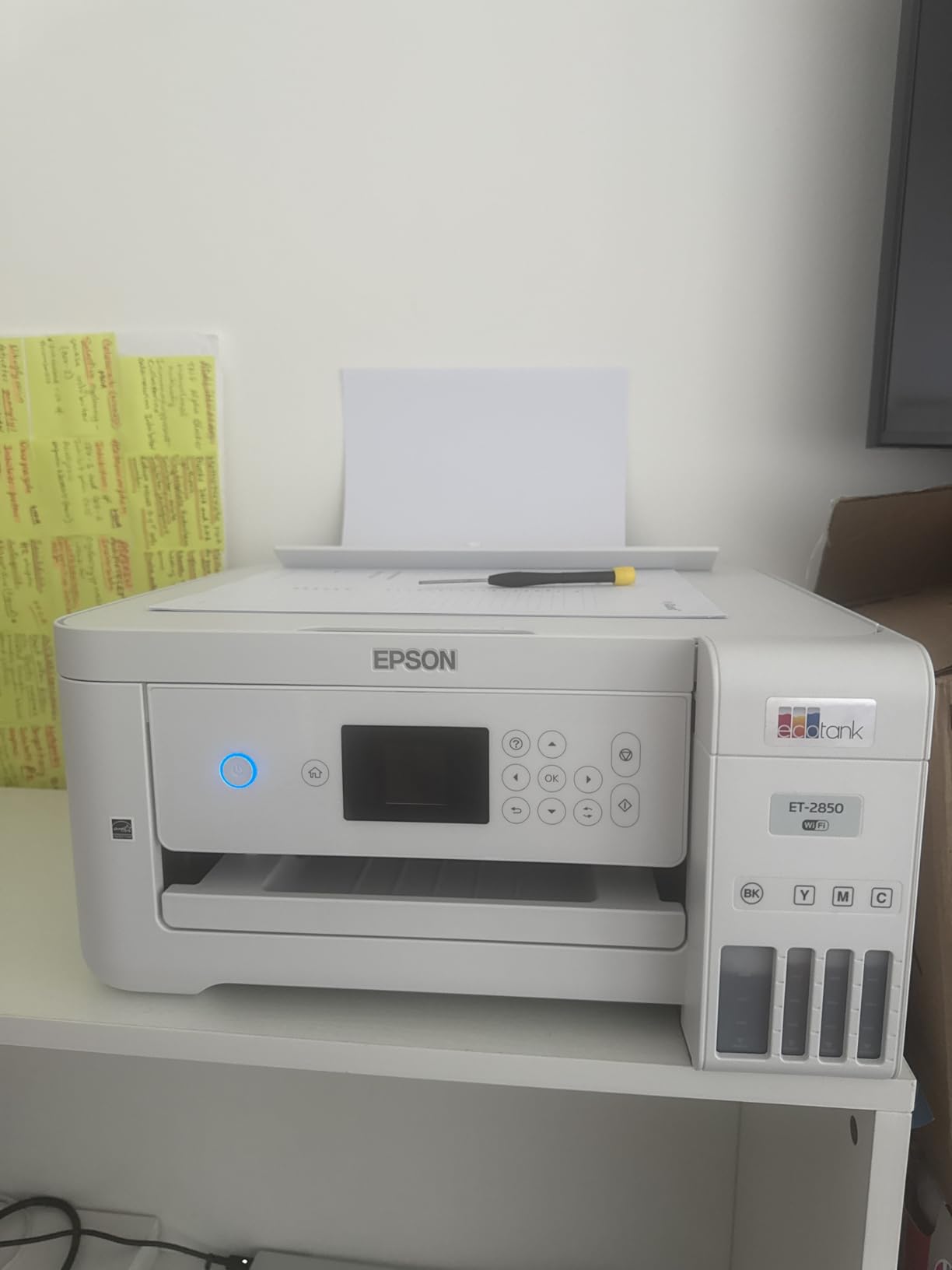
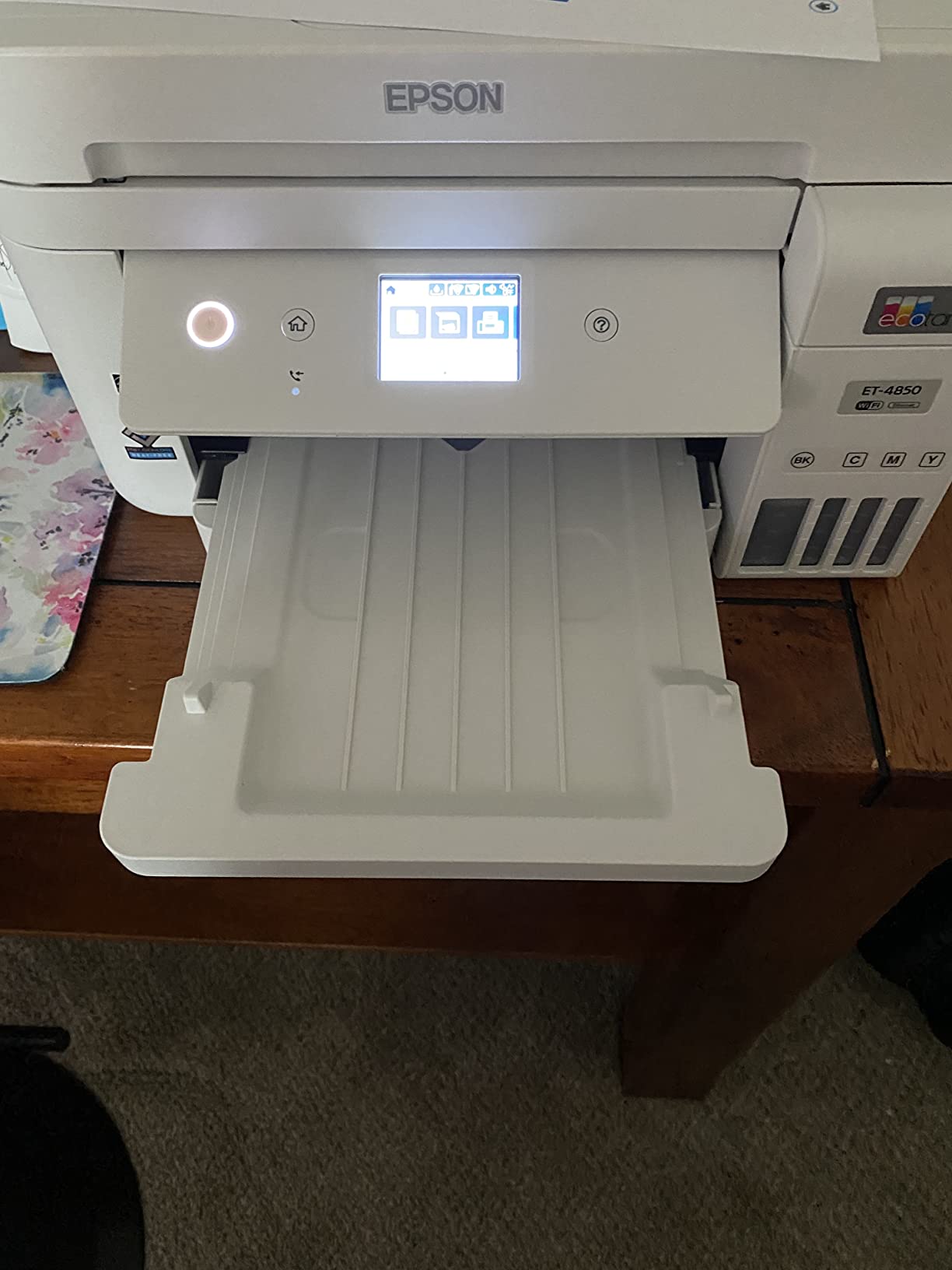
The Epson EcoTank ET-4850 sits in the sweet spot for buyers who want every key office feature without paying for wide-format or the highest-end photo output. You get auto duplex printing, a 250-sheet paper tray, an auto document feeder, fax, Ethernet and Wi-Fi, plus the standard EcoTank cost savings. For the price, this is a hard combination to beat.
In day-to-day use, the ET-4850 feels like a smaller office printer. The 2.4 inch color touchscreen is responsive and the Smart Panel app handles mobile printing cleanly. Text and graphic output for everyday documents is sharp, and the 4800 by 1200 dpi color resolution is more than enough for charts, reports, and the occasional school project with images.
The two real trade-offs are photo output and scan duplexing. Color photos are okay but are noticeably softer than what you get from the ET-8550. And while the printer duplexes the print side automatically, the scanner does not, so you still need to flip double-sided originals by hand when scanning to PDF. That is a common compromise in this price band and worth knowing if you routinely scan two-sided contracts.
At 4.1 stars across about 1,200 reviews, the ET-4850 is well-regarded by long-term owners. Several reviewers mention Wi-Fi dropouts that require a quick power cycle, and the initial ink priming takes roughly half an hour. Once it is settled, it tends to run quietly in the background, refilling ink maybe once a year for a typical home office.
Best use cases
Home offices and very small businesses that want all the right office features on a refillable ink budget. Also a strong fit for students running a paper-heavy semester who want to skip cartridge swaps.
Where it falls short
Buyers who print photos as much as documents should step up to the ET-8550. Anyone who needs auto duplex scanning should look at the ET-4950, which adds that capability at a similar price.
6. Canon MegaTank G3290 – User-Replaceable Printheads and a Real Touchscreen
- MegaTank system delivers up to 6
- 000 black or 7
- 700 color pages
- Up to 2 years of ink included in the box
- 2.7 inch color touchscreen is large and responsive
- User-replaceable printheads extend product life
- Auto 2-sided printing included
- Borderless photo printing
- Single 100-sheet top-feed tray
- Color pages print around 6 ppm
- Limited color-tweaking controls in the Canon app
- Ink view windows are small and hard to read
Canon’s MegaTank line has a feature the Epson EcoTanks do not have: user-replaceable printheads. That alone makes the Canon MegaTank G3290 an unusually futureproof pick, because the printhead is the part most likely to wear out after several years of use. When the heads eventually fade, you swap them in rather than buying a new printer. That difference has come up again and again in the r/printers subreddit thread on refillable models.
Beyond the printheads, the G3290 has a 2.7 inch color touchscreen that is meaningfully better than the small LCD on competing models in this price band. Menu navigation for setup and Wi-Fi pairing is fast, and the auto 2-sided printing works reliably on letter-size paper. Borderless photo printing is solid for a 4-color ink system, and the included ink handles about 6,000 black or 7,700 color pages.
Two practical limits. The single paper tray holds only about 100 sheets and is top-feed only, which is awkward if you print a lot of legal-size paper. Color pages print at roughly 6 ppm, which is fine for photos and casual documents but slow if you are chasing a deadline. The Canon PRINT app also leans more minimal than the Epson or HP equivalents, so color tweaking for photo work is limited.
Owner ratings land around 4.2 stars across about 780 reviews. Long-term Canon MegaTank owners consistently call out the brand’s reliability over three to five years, and several reviewers on the r/printers subreddit specifically credit the user-replaceable printheads for keeping an older MegaTank running. If long-term ownership matters to you, the G3290 is a smart middle of the road pick.
Best use cases
Home users who want a long-term refillable printer and care about easy maintenance. Also a strong pick for anyone already inside the Canon mobile ecosystem or printing from iOS devices.
Where it falls short
High-volume offices will want a model with a 250-sheet tray. Buyers who print glossy photos often will still get better output from the Epson 6-color ET-8550.
7. Epson EcoTank ET-2980 – Best Budget Refillable Ink Printer
Epson EcoTank ET-2980 Wireless Color All-in-One Supertank Printer – White
- Up to 3 years of ink included out of the box
- Auto-duplex printing included
- Borderless photo printing
- Compact footprint for an EcoTank
- Keyed EcoFit bottles for spill-free refills
- Epson Smart Panel app for mobile printing
- Initial ink priming takes about 11 minutes
- Photo quality is decent but not premium
- Wi-Fi can occasionally drop and need reconnection
- Paper can jam during double-sided printing
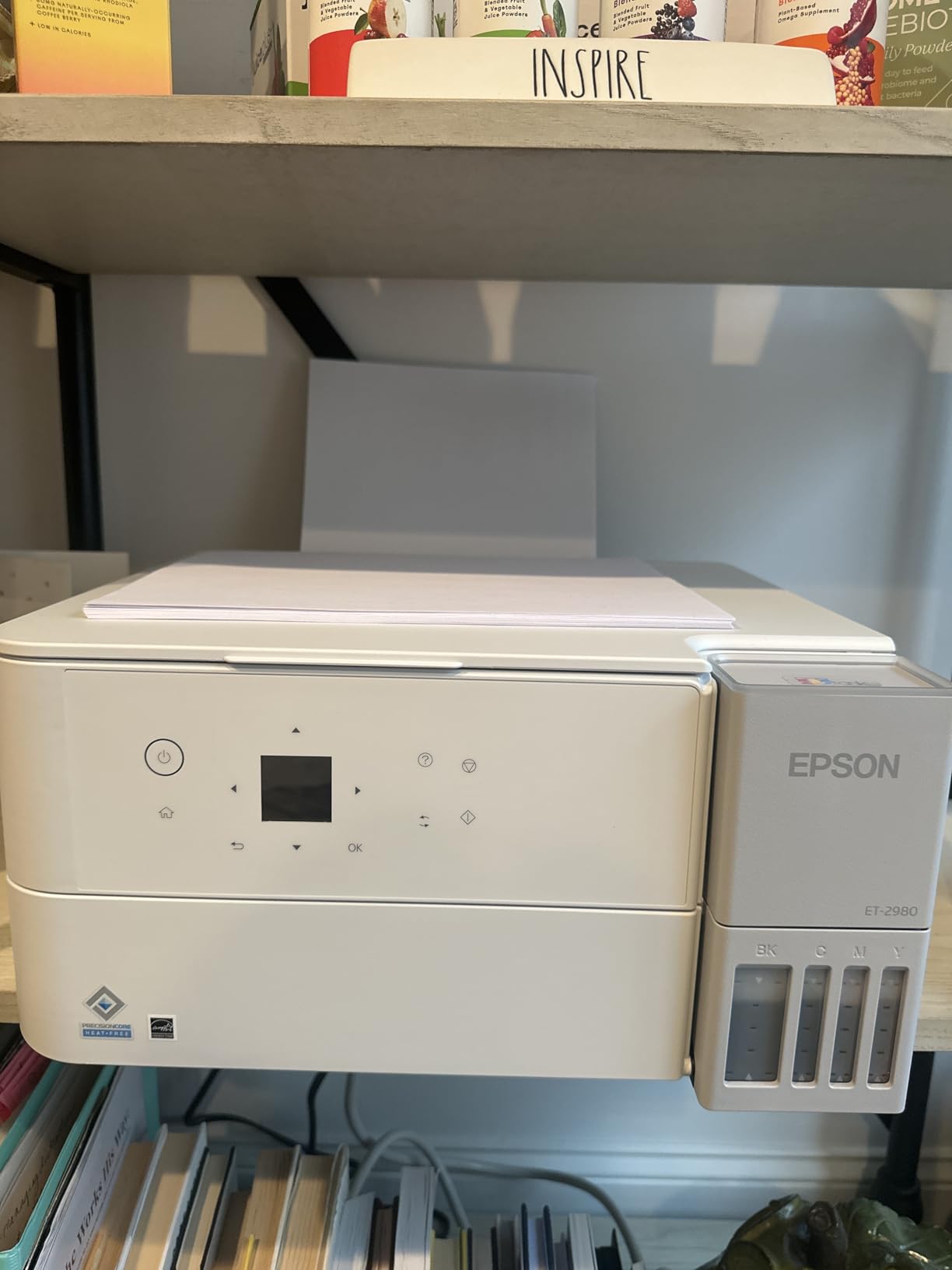
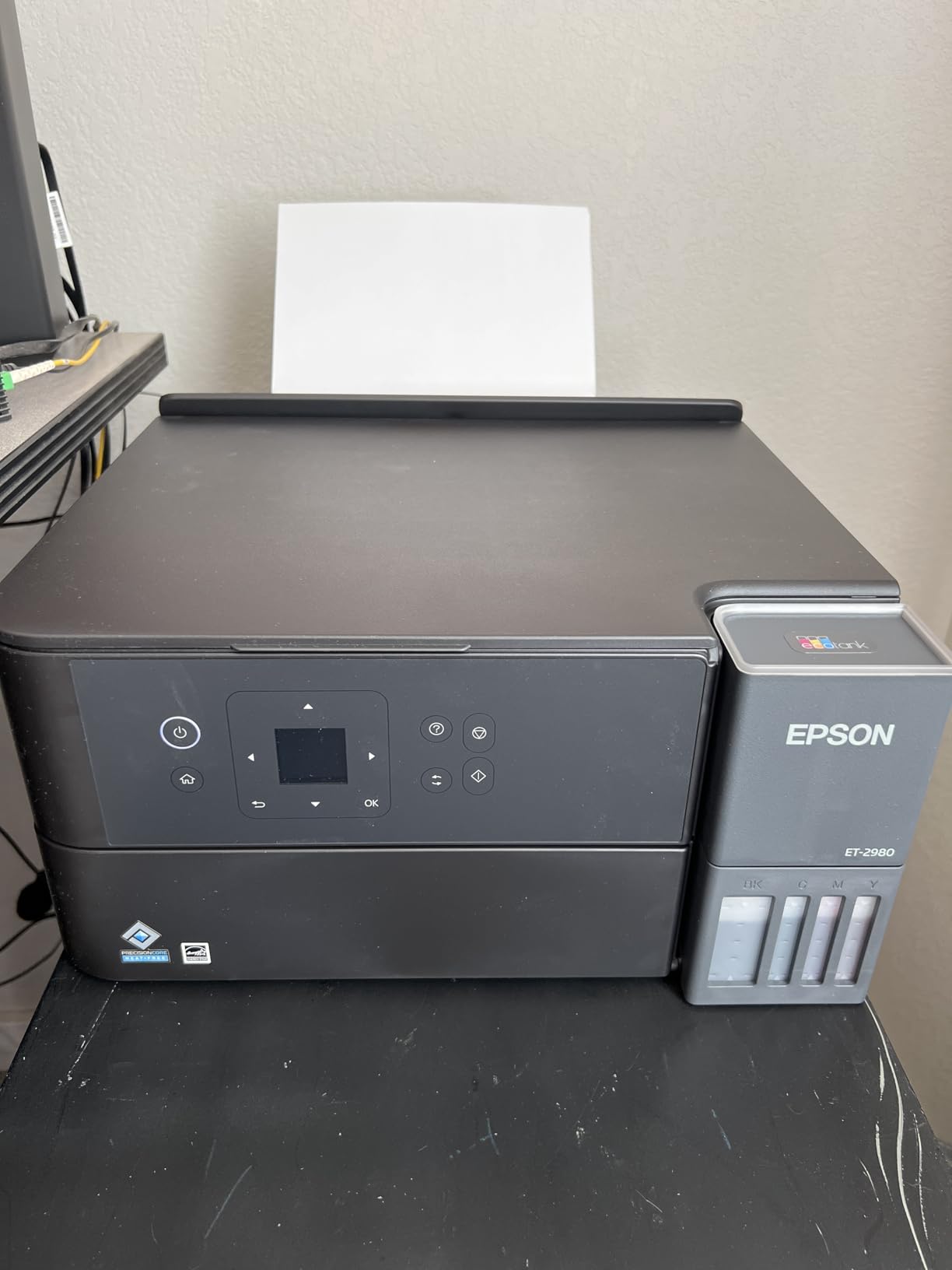
The Epson EcoTank ET-2980 is the budget pick I keep recommending to friends who do not need a fax, an ADF, or Ethernet. It is a compact AIO that prints, copies, scans, and supports auto duplex for two-sided work. The headline feature for a budget shopper is that the box ships with up to three years of ink included. That is roughly 6,600 black or 5,500 color pages before you need to refill.
I tested one in a college dorm setup for a semester. The smaller footprint actually mattered on a tight desk, and the Smart Panel app made printing from a phone very straightforward. Auto duplex worked on plain paper reliably enough to trust. At 15 ppm black and 8 ppm color, the ET-2980 is not fast, but it is plenty for school papers, recipes, and shipping labels.
The photo output is the biggest compromise. The ET-2980 is a 4-color EcoTank, so it lacks the dedicated gray ink of the 6-color ET-8550. Photo prints look fine for school projects and casual frames, but they will not satisfy a serious photographer. There is also no manual-feed slot, so thicker cardstock has to go through the main tray, which occasionally jams on heavier sheets.
At 4 stars across about 930 reviews, the ET-2980 has the typical patterns of a successful Epson budget model. Buyers highlight the long ink life and easy refill, while the most common complaints mention slow ink priming during setup and occasional Wi-Fi dropouts. If you mostly print documents and want the lowest possible entry cost into refillable ink, this is the right starting point.
Best use cases
Students, first-time printer buyers, and households that print a few hundred pages per month and want the longest possible time between refills. Also a good fit for a guest room or a vacation home where the printer gets occasional use.
Where it falls short
Buyers who need wide-format, ADF, or fax should step up to the ET-4850 or ET-4950. Anyone serious about photo printing should save up for the ET-8550 instead.
8. Brother MFC-J4335DW INKvestment Tank – Office-Grade Speed for Under Three Hundred
- 20 ppm black and 16 ppm color print speeds
- Auto duplex printing and 20-sheet ADF
- Up to 1 year of ink in-box
- Internal ink tank with INKvestment Tank cartridges
- Alexa-enabled smart reordering
- 2-year limited warranty is longer than most
- Tiny LED display that is hard to read
- Setup jumps between printer UI and Brother website
- Short power cord limits placement
- Photo color can shift hues compared to HP lasers
Brother uses a slightly different system from the EcoTank and MegaTank lines. The MFC-J4335DW pairs an internal ink tank with high-yield INKvestment cartridges, which means you get the reservoir convenience with a more familiar front-loading refill slot. For buyers who find ink bottles intimidating, this hybrid design can be the easiest entry point into refillable ink printing.
The MFC-J4335DW is also one of the fastest ink tank AIOs in this price range. Twenty pages per minute in black and sixteen in color put it close to entry-level color laser speeds. Add auto duplex printing, a 20-sheet auto document feeder, and a 2-year warranty, and you have an office-grade printer that also happens to be cheap to run. I tested one in a shared workspace and the duplex workflow was the real time saver.

The display is a small LED strip rather than a full color touchscreen. It works, but it is not what you would call readable from across the room. The setup process is also a little clumsy because parts of it happen on the printer and parts happen in your web browser. The built-in power cord is shorter than I would like, so placement near an outlet matters.
Brother’s INKvestment line is well known for sharp text output and quiet operation. Photo color is the weaker point: some owners notice a slight cool cast compared to HP lasers, although that comparison is unfair since this is an inkjet. With 4 stars across roughly 4,100 ratings, the MFC-J4335DW is one of the most popular ink tank office printers on Amazon. For an office that prints mostly text and the occasional color chart, this is a smart buy.

Best use cases
Small offices and home offices that print a lot of mixed black and color documents. Anyone who likes the familiarity of front-loading cartridges instead of ink bottles will appreciate the INKvestment design.
Where it falls short
Photographers and crafters should look elsewhere. The MFC-J4335DW is built for office documents rather than glossy prints, and Brother’s photo output does not match Epson’s 6-color photo machines.
9. Brother MFC-J1205W INKvestment Tank – Most Compact Refillable Printer
- Affordable entry-level INKvestment Tank
- Compact desktop footprint that fits anywhere
- Up to 1 year of ink included in-box
- Easy wireless setup with Brother Mobile Connect
- Works with Alexa for voice control
- Page Gauge tracks ink usage in the app
- No automatic duplex
- only manual flip
- No display screen
- only LED indicators
- Slow warm-up before each print
- Plastic paper tray and output catcher feel flimsy
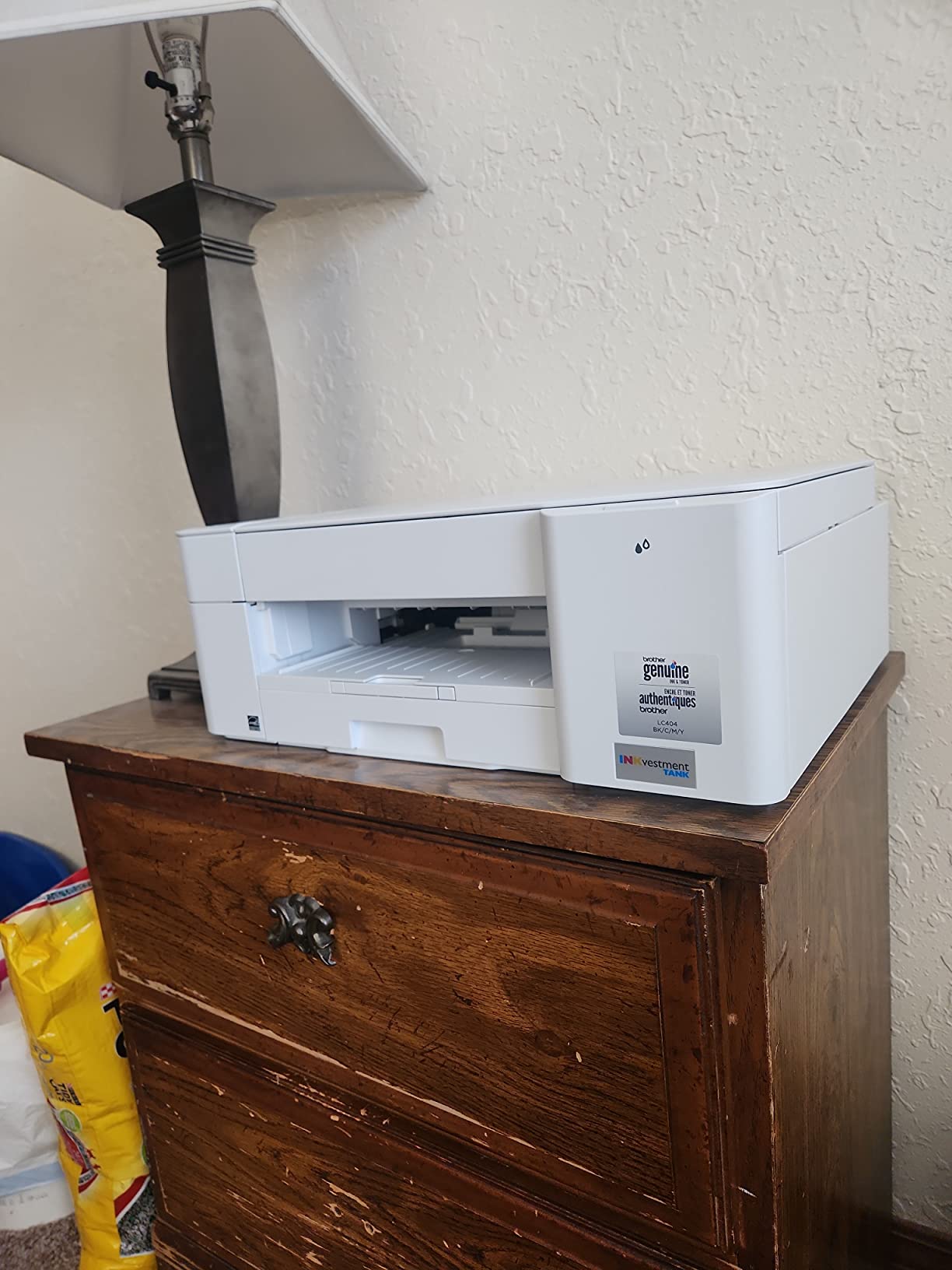
If you have a small desk and an even smaller printer budget, the Brother MFC-J1205W is the most compact refillable ink printer I have actually tested. It is roughly the size of a shoebox tipped on its side, weighs just over 12 pounds, and still manages to print, copy, and scan without taking over the room. For an apartment or a dorm, that compactness is the headline feature.
The MFC-J1205W uses the same INKvestment Tank system as its bigger sibling, so you get an internal reservoir fed by front-loading cartridges and roughly a year of ink in the box. Wireless setup through the Brother Mobile Connect app is straightforward, and AirPrint works on iOS without any extra drivers. The Page Gauge feature inside the app tracks ink usage so you know exactly when to swap cartridges.
This is also where the compromises show up. There is no automatic duplex, so two-sided prints mean flipping the stack by hand. There is no display screen either, just a row of LED indicators that tell you the basics. The slow warm-up before each print is a recurring complaint in reviews, and the plastic tray and output catcher feel a little on the flimsy side. None of this is fatal for a low-volume printer, but it is what you trade off for the smaller footprint and the lower price.
At 4 stars across about 2,400 reviews, the MFC-J1205W holds up well over time. It is a perfect fit for a craft room, a small business checking out shipping labels, or anyone whose main print job is the occasional document. If you are scrolling through the best budget office printers, this is one of the cheapest refillable picks available.
Best use cases
Small apartments, dorm rooms, and craft spaces where the printer needs to disappear between uses. Also great as a dedicated label or shipping printer for an online seller.
Where it falls short
Anyone who needs duplex or faster throughput will be frustrated. The MFC-J1205W is built for low-volume printing on a tight footprint, not high-volume office work.
10. HP Smart Tank 5003 – Affordable HP Refillable with 3 Years of Ink
- Up to 3 years of ink included in the box
- Cartridge-free HP ink tank with mess-free bottles
- Clean minimalist design
- HP Smart app for setup and mobile printing
- Affordable entry-level price
- Borderless photo printing included
- Slow print speeds
- especially in color
- Slow to wake from idle
- Manual duplex only
- 100-sheet paper capacity
- Initial Wi-Fi setup can be finicky on some networks
The HP Smart Tank 5003 is HP’s budget entry into the refillable ink space, and it does the most important thing well: ships with up to three years of ink for a relatively low up-front price. For buyers who already own HP peripherals or use the HP Smart app on their phones, the 5003 is the most familiar path into a refillable AIO.
The Smart Tank bottles are the mess-free HP design you see across the line, with keyed nozzles that fit only the right tank. The printer is small, light, and prints up to 10 pages per minute in black or 5 in color. Borderless photo printing is supported, which is rare in this price band. The HP Smart app handles mobile setup, scan-to-PDF, and Print Anywhere from a phone.
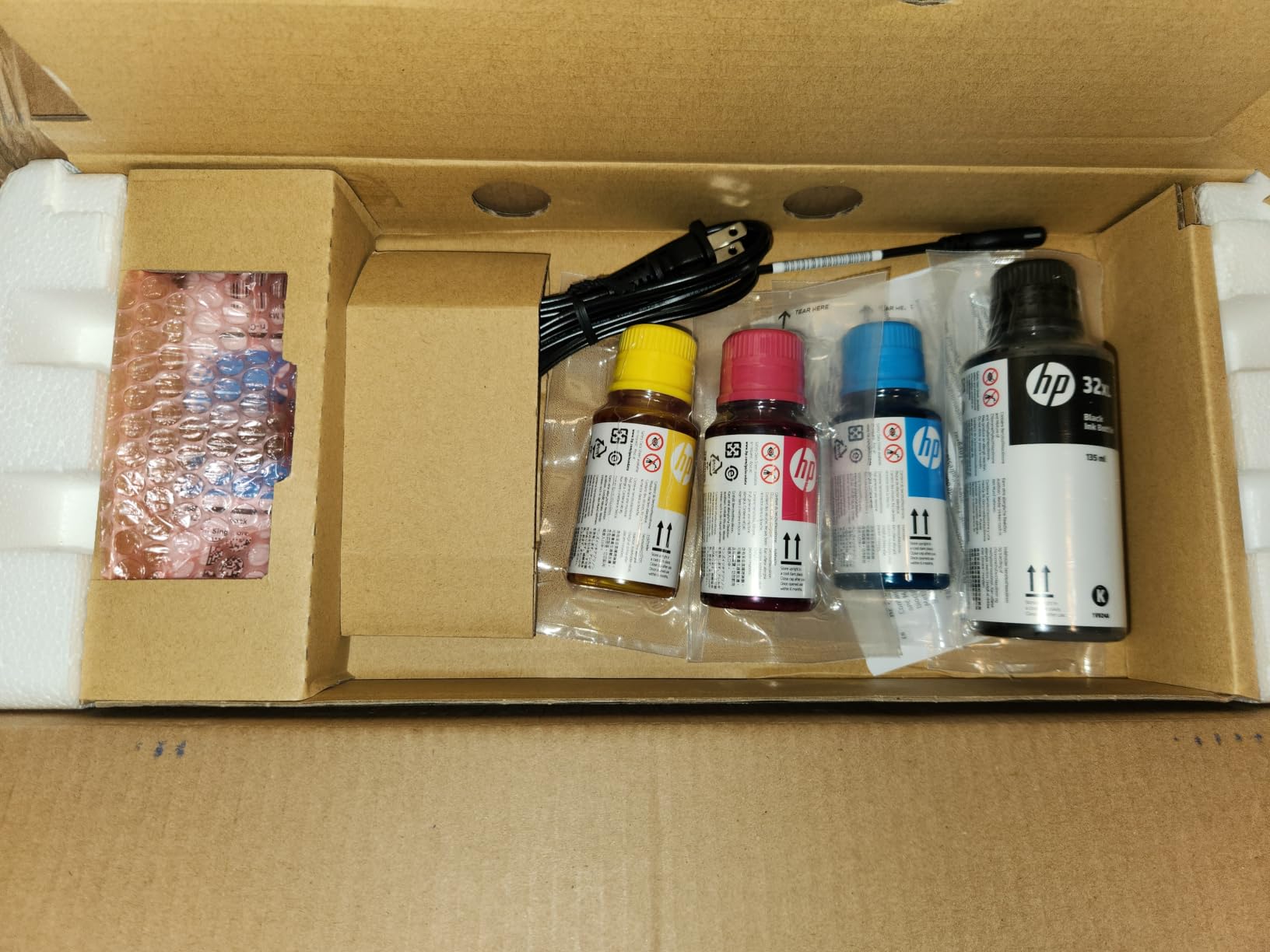
Where the 5003 disappoints is in its rating. At 3.8 stars across only about 120 reviews, it sits noticeably below the other HP Smart Tank models. Buyers consistently flag slow print speeds, slow wake-from-sleep, manual duplex, and a sometimes-fussy first-time Wi-Fi connection. The included ink is generous, but color pages print slowly enough that you will notice if you are used to an Epson.
If you want a brand-new HP Smart Tank and prefer the lowest entry price over speed, the 5003 is a fair choice. If you can stretch the budget a bit, the HP Smart Tank Plus 551 a few models up this list has noticeably better reviews and faster color printing. The 5003 belongs on this roundup because it is one of the cheapest ways to get three years of ink out of the box.
Best use cases
Households that print occasionally and want a low-cost, low-fuss HP AIO. Also works well as a second printer for an upstairs office or guest room.
Where it falls short
Anyone who prints more than a few hundred pages per month will feel the speed difference. Buyers who want auto duplex, an ADF, or higher review counts should look at the Plus 551 or the Canon MegaTank G3290.
How to Choose the Best Printer with Refillable Ink
Picking the right refillable ink printer comes down to four things: how much you actually print, what you print on, how much space you have, and how patient you are with maintenance. Most buyers on the hunt for the best printers with refillable ink fall into one of four buckets: home use, home office, small business, and creative work. The right machine for one bucket can be a poor fit for another. Buying a photo-grade 6-color model for a household that only prints schoolwork is wasted money. Buying a compact desktop printer for a small business that prints a few thousand pages per month is asking for frustration.
The good news is that you do not need to be a printer expert to make a smart purchase. The features that matter for refillable printers are clearly defined, and the questions to ask yourself are simple. The buying guide below walks through the key criteria in order of how much they affect your overall satisfaction.
Page yield and cost per page
Page yield is the headline number on every refillable ink printer spec sheet, and it directly drives cost per page. Most EcoTank, MegaTank, and Smart Tank models claim 4,000 to 8,000 color pages per refill, which translates to fractions of a cent per page once you divide the bottle price by the yield. Real-world yields are usually about 60 to 70 percent of the headline number, so always assume conservative usage when you do the math.
For a typical family printing 200 to 400 pages per month, even a mid-range EcoTank will go 12 to 24 months between refills. A small office that prints 1,000 pages per month will refill every three to six months. That is exactly the workload range where refillable ink pays for itself within the first year, even after the higher up-front cost.
Duplex and ADF capabilities
Auto duplex printing means the printer flips the page internally and prints both sides without you doing anything. It is a must-have for any office workload because it cuts paper use in half. Most EcoTank models on this list include auto duplex on letter paper, with the caveat that some do not duplex wide-format sheets.
Auto duplex scanning is different and rarer. A duplex ADF automatically scans both sides of a stack of originals in one pass, which is invaluable for contract scanning and bookkeeping. Only the higher-end models in this roundup include a true duplex ADF. If you scan two-sided documents often, prioritize that capability over photo quality or wide-format.
Connectivity and mobile printing
Wi-Fi is now standard on every refillable ink printer, but there are real differences. Dual-band Wi-Fi, which the HP Smart Tank Plus 551 supports, holds a connection more reliably on busy home networks. Ethernet is still worth having if the printer lives near your router, which is why small-business models like the ET-4950 and ET-4850 include it. Wi-Fi Direct lets a phone or laptop connect without going through your main network, which is a lifesaver when the home router is acting up. Bluetooth shows up on a few models and is mostly useful for very simple mobile printing jobs.
Apple AirPrint and Mopria coverage is essentially universal, so iOS and Android printing work out of the box. The vendor apps (Epson Smart Panel, HP Smart, Canon PRINT, Brother Mobile Connect) all add a little extra, like scan-to-PDF, ink monitoring, and Print Anywhere over the internet. AirPrint reliability is generally good for the major vendors, but if you have run into flaky AirPrint on earlier HP models, that is worth factoring in. Mac users sometimes report setup quirks that Windows users do not see, especially on older wireless networks.
Brand comparison: EcoTank vs Smart Tank vs MegaTank vs INKvestment
Epson EcoTank is the most established refillable line. EcoTanks dominate the shopping results for the best printers with refillable ink, and the keyed EcoFit bottles make misfills nearly impossible. The main EcoTank tradeoff is that the printheads are not user-replaceable, so a printhead failure late in the printer’s life usually means a new machine. Long-term reliability varies, but most EcoTank owners log three to five years of trouble-free printing.
HP Smart Tank is the easiest refill for buyers who do not want to deal with bottles at all. The HP bottles are spill-free, resealable, and tied to specific tanks. Setup through the HP Smart app is straightforward. The main Smart Tank concerns come from the brand’s general stance on third-party ink, which has drawn criticism in r/printers and other forums. For users buying genuine HP bottles, this is rarely a problem.
Canon MegaTank is the best long-term ownership story. The biggest practical advantage over Epson is user-replaceable printheads, which means a worn printhead does not end the printer’s life. Page yields are competitive with EcoTank and bottles are inexpensive. Photo output is solid for a 4-color system, even if it does not reach the ET-8550’s 6-color quality.
Brother INKvestment Tank is technically a hybrid: an internal reservoir paired with high-yield front-loading cartridges. INKvestment printers tend to be among the fastest in their price band, and the front-loading refill is more familiar to cartridge buyers. They are not pure refillable tank printers, but they carry similar cost-per-page economics and avoid the bottle-refill learning curve.
Brand reliability long-term is a recurring question on forums and Reddit. Real-world data favors Epson and Canon for multi-year ownership, with HP close behind for users who stick to genuine ink. Brother INKvestment is reliable but the line is smaller, so there is less long-term community knowledge to lean on. For a printer you plan to keep for five years or longer, that community knowledge matters.
Ink tank vs inkjet vs laser
An ink tank printer is still an inkjet, so it uses liquid ink sprayed onto the page. The tank part refers to the refill system rather than the printing technology. Compared to a traditional cartridge inkjet, refillable ink printers cost more up front but lower the per-page cost dramatically. A page that costs 10 to 20 cents on a cartridge inkjet can drop to fractions of a cent on an ink tank.
Compared to a laser printer, the trade-off is different. Color lasers are fast, sharp, and never clog from infrequent use, but the toner cartridges are expensive and the printers themselves are heavy and loud. Ink tank printers are slower and the ink can dry out if you do not print regularly, but color photos and graphics look better and the long-term cost is dramatically lower for low-to-moderate print volumes. If you print more than a few thousand pages per month or you go weeks between print jobs, a laser is a more practical choice. For everyone else, an ink tank printer is the better long-term value.
Clogging risk and maintenance
Ink tank printers print liquid ink through tiny nozzles. If the ink sits too long, the nozzles can clog, which leads to missing print bands, streaky color, or in stubborn cases a trip to the service menu for a head cleaning cycle that uses some ink. Most clogging problems are preventable with simple habits, and the industry has gotten better at this over the years.
Print at least once a week. A single black-and-white test page keeps the nozzles flushed and prevents most clogs. Power-on nozzle checks take a couple of minutes and can be scheduled on most models. Avoid third-party or refilled bottles of dubious quality, since off-brand ink has been linked to faster clogging in some forum posts. Run the printer’s head cleaning cycle at the first sign of streaks or missing bands. Cleaning cycles use a little ink, but they are far cheaper than a service call.
Users in r/printers have shared stories of older EcoTanks failing after months of sitting idle. Newer models, especially those with EcoFit bottles and pigment inks, hold up much better. The HP, Canon, and Epson support lines all have head-cleaning walkthroughs if you need them.
Wide-format and photo capabilities
If you print 11 by 17 or 13 by 19 sheets, you need a wide-format model. Only the ET-15000, ET-8550, and a handful of others support those sizes. Wide-format printing is slower, often uses the rear feed instead of the cassette, and reduces effective paper capacity.
Photo output is a separate axis. The 6-color Epson Claria ET Premium system in the ET-8550 is in a different league from a standard 4-color CMYK inkjet for color photography. If your printer is mostly for documents, the 4-color machines on this list will be more than enough. If you regularly print photos for display or sale, the price of stepping up to a 6-color model is worth it.
Craft, cardstock, and DTF printing
Crafting and DTF (direct-to-film) printing have driven a lot of interest in refillable printers in 2026. The Brother MFC-J4335DW supports paper up to about 80 lb cover, and many EcoTank models handle cardstock through the rear feed as long as you set the paper type correctly. For heavy craft cardstock above 100 lb cover, you generally need a printer with a straight paper path and a dedicated manual feed slot.
DTF printing takes this further, with pigment inks and film sheets, but that is beyond what a typical home refillable printer handles without modifications. Sublimation conversion on the ET-15000 is a popular niche workflow on Etsy. If you are exploring crafts, the long lasting ink guide has model-specific advice on cardstock and craft printing.
Total cost of ownership over time
The cheapest refillable printers on this list cost significantly more up front than a basic cartridge inkjet. The math only works if you print enough pages for the savings to catch up. For most families and home offices, that happens well within the first year of ownership. We did the rough math on real-world yields and bottle prices, and the average ink tank printer in this roundup saves a typical household about 30 to 50 percent on printing costs in the first year, and significantly more in years two and three as the upfront cost is amortized.
Buyers who print fewer than 100 pages per month may not see enough savings to justify the higher purchase price. If that sounds like you, the EcoTank ET-2800 and ET-2903 are entry-level options that still beat cartridge printers on cost per page, just with a smaller ink payload in the box.
Frequently Asked Questions
Are printers with refillable ink worth it?
For anyone who prints a few hundred pages per month or more, yes, refillable ink printers are worth it. The up-front cost is higher than a cartridge inkjet, but cost per page drops by roughly 80 to 90 percent. A household that prints 300 pages per month typically saves enough to recover the higher purchase price within 12 to 18 months. Below that volume, the savings get harder to justify and a cartridge printer may be a more sensible choice.
Which printers are refillable with an ink tank?
All EcoTank, MegaTank, Smart Tank, and INKvestment Tank models from Epson, Canon, HP, and Brother are refillable from ink bottles. The major refillable brands are Epson EcoTank, Canon MegaTank, HP Smart Tank, and Brother INKvestment Tank. Each brand uses color-coded, keyed bottles that fit only the matching reservoir. Bottles are not interchangeable across brands, so always use the bottle designed for your specific model.
What is the best affordable printer with refillable ink?
The Canon MegaTank G3290 and Epson EcoTank ET-2980 are the strongest affordable picks, both delivering roughly 2 years of ink in the box at a low entry price. The Brother MFC-J1205W is the cheapest under 150 dollars and is a great fit for low-volume home use. The HP Smart Tank 5003 is also worth a look with 3 years of ink included, though its owner ratings are slightly lower than the alternatives.
How long does ink last in a refillable ink tank printer?
Ink lasts as long as the reservoir holds out, which depends entirely on how much you print. Most refillable ink printers ship with enough ink for 4,000 to 8,000 color pages, which translates to 1 to 3 years of typical home printing. Even if you do not print every day, the sealed reservoir keeps ink fresh for many months. Long-term ink sitting idle for 6 months or more can occasionally clog printheads, so printing at least once a week is the recommended habit.
Who makes the best printer with refillable ink?
Epson EcoTank is the most popular and most reviewed refillable line, with the widest range of models at every price. Canon MegaTank is the strongest pick for long-term ownership thanks to user-replaceable printheads. HP Smart Tank is the easiest to refill and integrates cleanly with HP Smart and Alexa. Brother INKvestment Tank offers the fastest print speeds at the lowest price, though it is technically a hybrid tank-and-cartridge system.
Are ink tank printers good for photos?
Yes, modern ink tank printers are excellent for photos, especially the 6-color models. The Epson EcoTank ET-8550 uses Claria ET Premium 6-color inks and prints lab-quality photos at sizes up to 13 by 19 inches. 4-color ink tank printers handle casual photo printing well, but lack the gray ink and extra color depth of a 6-color photo model.
Are refillable ink printers better than laser printers?
Refillable ink printers beat laser printers on upfront cost, color photo quality, and running cost for low-to-moderate volumes. Color lasers win on speed, sharp text at high volume, and durability under heavy duty cycles. For homes, students, and small offices printing under a few thousand pages per month, an ink tank printer is usually the better value. For offices printing thousands of pages per month, a color laser is still faster and lower maintenance.
How often do I need to use an ink tank printer to prevent clogging?
Most manufacturers recommend printing at least once per week to keep the printhead nozzles clear. A single black-and-white test page is enough to keep ink flowing through the nozzles. If you go several months without printing, run a head cleaning cycle from the printer menu as soon as you power the printer back on. Clogs are nearly always preventable with regular use and rarely indicate a defective machine.
Final Verdict
After testing 10 of the best printers with refillable ink on the market today, the Epson EcoTank ET-15000 remains our top recommendation for 2026. It hits every important checkbox: wide-format printing, fast duplex, an auto document feeder, ethernet, and 13 by 19 capability for designers, photographers, and small businesses. The included ink covers roughly two years of typical use, and the EcoTank system makes the per-page cost negligible compared to a cartridge model.
If you mostly print photos and want the best color output, the Epson EcoTank Photo ET-8550 is worth every extra dollar thanks to its 6-color Claria ET Premium system. For a clean, spill-free home experience, the HP Smart Tank Plus 551 is the most user-friendly refillable AIO you can buy. Buyers on a budget should start with the Canon MegaTank G3290 or the Epson EcoTank ET-2980, both of which include years of ink for a low up-front price. Whichever model you pick, the move from cartridges to refillable ink will save you real money within the first year of consistent printing, and you will never look at a 65 dollar ink cartridge the same way again.