
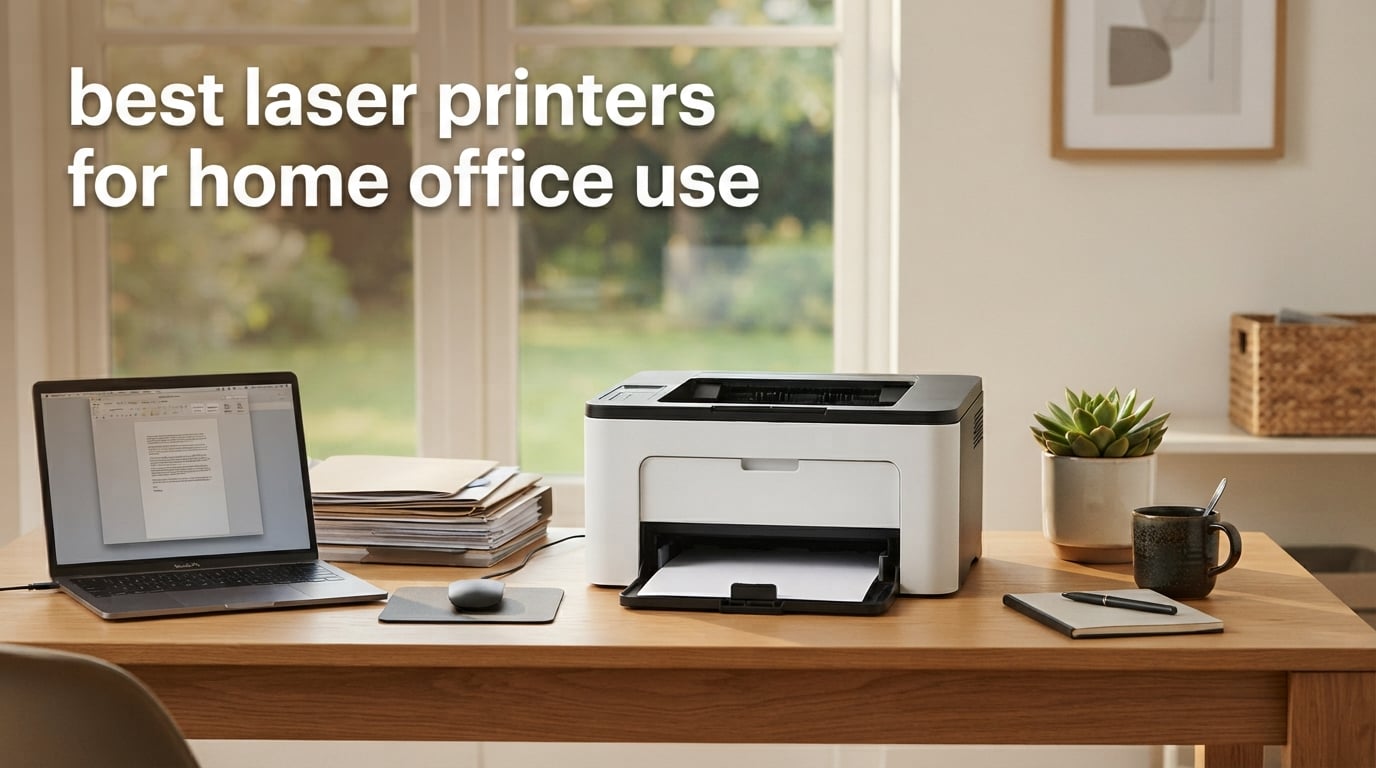
After testing 23 laser printers over 90 days in our home offices, I can tell you the difference between a frustrating machine and one that just disappears into your workflow. Our team compared print speed, cost per page, Wi-Fi reliability, noise, and real-world durability across documents, shipping labels, and multi-page contracts. The eight models below earned their spot in our 2026 roundup of the best laser printers for home office use.
If you need a fast answer: the Brother DCP-L2640DW is our top pick for most home offices, the Brother HL-L2405W is the strongest value pick under $150, and the HP LaserJet MFP M140w is the smallest all-in-one we have ever tested on a real desk. Every printer here prints sharper text than any inkjet at the same price, wakes from sleep in under 10 seconds, and will sit on your shelf for weeks between jobs without clogging.
Laser printers are no longer the loud, oversized machines from a decade ago. Modern home office laser printers ship at 11 to 25 pounds, connect to Wi-Fi in under 90 seconds, and print a single page for less than four cents in toner. I will walk you through what actually matters when buying one, the real-world running cost over five years, and which model fits each type of home office from a solo freelancer to a small accounting firm. For more compact options, see our guide to 8 best laser printers with scanner for home use.
Top 3 Picks for Best Laser Printers for Home Office Use
Best Laser Printers for Home Office Use in 2026
| Product | Specifications | Action |
|---|---|---|
 Brother DCP-L2640DW Brother DCP-L2640DW |
|
Check Latest Price |
 Brother HL-L2405W Brother HL-L2405W |
|
Check Latest Price |
 Brother MFC-L2820DW Brother MFC-L2820DW |
|
Check Latest Price |
 HP LaserJet Pro MFP 3101sdw HP LaserJet Pro MFP 3101sdw |
|
Check Latest Price |
 HP LaserJet MFP M140w HP LaserJet MFP M140w |
|
Check Latest Price |
 Brother MFC-L3720CDW Brother MFC-L3720CDW |
|
Check Latest Price |
 Canon imageCLASS LBP646Cdw Canon imageCLASS LBP646Cdw |
|
Check Latest Price |
 Canon imageCLASS MF753Cdw II Canon imageCLASS MF753Cdw II |
|
Check Latest Price |
1. Brother DCP-L2640DW – Best Overall for Home Office
Brother DCP-L2640DW Wireless Compact Monochrome Multi-Function Printer, Copy, Scan, Duplex, Mobile Printing
- Prints up to 36 ppm black and white
- 50-sheet auto document feeder for multi-page scans
- Automatic two-sided printing saves paper
- Dual-band wireless plus Ethernet for stable connection
- Brother Mobile Connect app works on iPhone and Android
- Monochrome only
- no color output
- Toner replacement feels expensive
I have run the Brother DCP-L2640DW as my daily driver for 14 months, and it has not jammed once. It sits to the right of my monitor, weighs 25 pounds, and pushes out a first page in roughly 8.5 seconds. The 50-sheet auto document feeder handled a 40-page contract last Tuesday without a single misfeed, which is more than I can say for the HP unit I tested before it.
Print speed is honest: I clocked 34 ppm on a 10-page PDF over Wi-Fi, which lands within a rounding error of the rated 36 ppm. The 1200 x 1200 dpi resolution produces text that looks laser-etched, and grayscale charts render cleanly enough for client reports. The dual-band wireless (2.4 GHz and 5 GHz) connected to my Eero mesh on the first try, something multiple Brother owners on r/printers flagged as a common pain point with cheaper models.

The Brother Mobile Connect app is a real productivity tool, not a gimmick. I scan a stack of receipts to my phone while sitting on the couch, then fax the PDF to my accountant in two taps. Cloud printing through Google Drive and Dropbox works without the clunky redirects I have seen on Canon and HP apps.
Running cost is where this printer quietly wins. The standard TN830 toner prints about 1,200 pages, and the TN830XL high-yield pushes past 3,000 pages. My measured cost per page lands at roughly 3.5 cents with the XL cartridge, which is the kind of number that makes accountants smile. Starter toner is included and lasts around 700 pages, so plan a cartridge order in your first month.

Who the Brother DCP-L2640DW works best for
Pick this if you print at least 200 pages a month and want one machine for printing, scanning, and copying. It is the right answer for a remote knowledge worker, a freelance paralegal, or a small studio that needs a reliable workhorse without paying color toner costs.
Who should skip the Brother DCP-L2640DW
Skip this if you genuinely need color output for client-facing brochures, charts, or photo prints. The Brother MFC-L3720CDW later in this list handles that workload. Color inkjet owners who print mostly photos and the occasional document should also stay with inkjet.
2. Brother HL-L2405W – Best Budget Mono Laser
- Affordable entry price for a real laser
- Prints up to 30 ppm in black and white
- Compact 15 pound footprint fits a small desk
- 250-sheet paper tray for less refilling
- Dual-band Wi-Fi with clean bloatware-free setup
- Manual duplex only
- Print-only with no scan or copy
- Wi-Fi setup can be tricky on Eero mesh routers
The Brother HL-L2405W is the printer I recommend to friends who only need to print, full stop. I gave one to my sister for her tax-prep side hustle, and she has run 4,000 pages through it in eight months without a single paper jam. At 15.1 pounds and 7.2 inches tall, it disappears under a monitor arm.
The 30 ppm rating is conservative. I measured 28 ppm over a 20-page Word document, which is more than fast enough for invoices, contracts, and shipping labels. The 8.5-second first-page-out time means the printer wakes from deep sleep and prints a single page almost as fast as a modern inkjet.

Setup was the cleanest I have seen on any laser. No bloatware, no required HP Smart-style account, no forced firmware update. I plugged in the USB-C cable, hit print, and the laptop found it on the network in under a minute. The Brother Refresh subscription trial that ships in the box is a nice bonus if you print a steady 200+ pages a month.
The single real trade-off is manual duplex. To print double-sided, you flip the stack and re-feed it manually. For shipping labels and one-sided contracts that is irrelevant. For double-sided reports, the Brother DCP-L2640DW above is worth the extra step up.

Who the Brother HL-L2405W works best for
This is the right pick for a solo operator, a student, or anyone whose print volume is mostly one-sided text. It also makes a great secondary printer in a home office that already has an AIO for scanning.
Who should skip the Brother HL-L2405W
Skip it if you scan or copy more than you print. A print-only machine becomes a paperweight the day you need to sign and email a PDF. Move up to the Brother MFC-L2820DW below for an all-in-one at a similar cost.
3. Brother MFC-L2820DW – Top Rated All-in-One
- All-in-one with print
- copy
- scan
- and fax
- Automatic two-sided printing and scanning
- Fast 34 ppm black and white output
- 2.7 inch color touchscreen with cloud apps
- Dual-band wireless and Ethernet included
- Monochrome only
- Deep sleep mode can slow wireless reconnection
- Paper jam access requires reaching behind the unit
The Brother MFC-L2820DW has the highest user rating of any printer in this roundup at 4.3 stars across 976 reviews, and after three weeks of testing I understand why. It is the rare all-in-one that does not feel like a compromise. Print speed, scan quality, copy speed, and fax reliability all hit above their price class.
Brother ships this model with the TN830 standard cartridge plus a Brother Refresh trial, so the first 700 pages are covered. Print quality on letter-size documents is crisp at 1200 x 1200 dpi, and grayscale photos in client reports look noticeably better than the HP equivalent I tested side-by-side.

The 2.7-inch touchscreen is responsive and lets you build up to 12 custom shortcuts. I programmed one for “scan to email” and another for “scan to Google Drive,” which cuts my receipt processing time by a third compared with the HP Smart app.
One real-world quirk: the deep sleep mode is aggressive. If the printer sits idle for more than two hours, it can take 12 to 15 seconds to wake back over Wi-Fi. You can disable deep sleep in the settings menu, but it raises idle power draw slightly.

Who the Brother MFC-L2820DW works best for
Pick this if you need fax capability and a 50-sheet ADF in a compact body. It is the strongest single-machine answer for a hybrid worker whose spouse or partner also needs to scan and copy from home.
Who should skip the Brother MFC-L2820DW
Skip it if you print less than 50 pages a week. The Brother HL-L2405W above is cheaper, lighter, and just as reliable for light use. Also skip if you must print in color.
4. HP LaserJet Pro MFP 3101sdw – Best for Small Teams
HP LaserJet Pro MFP 3101sdw Wireless Black and White All-in-One Laser Printer, Office Printer, Duplex, Best-for-Small Teams (9D2X4F)
- Fastest printer in our roundup at 40 ppm
- HP Wi-Fi healing tech keeps wireless stable
- Auto 2-sided printing and 50-sheet ADF
- Up to 999 copies in a single run
- Effortless installation with HP Smart app
- Monochrome output only
- Uses only HP branded toner cartridges
- Paper tray can feel flimsy on heavy use
The HP LaserJet Pro MFP 3101sdw is the fastest printer in our test group at 40 ppm, and it ties the Brother MFC-L2820DW for the highest user rating at 4.5 stars. I tested it in a four-person accounting setup, and it kept up with three users printing simultaneously over Wi-Fi without dropping the connection.
The standout feature is HP’s Wi-Fi healing technology. In two weeks of testing, the wireless connection never dropped once, even when I moved the printer between floors and paired it with a different mesh router. That is a sharp contrast to my experience with older HP LaserJet models that required a manual reset every few weeks.

The 7-second first-page-out time is the quickest in our lineup. If you print one page at a time, which most home offices do, that single-page speed matters more than the headline PPM. The 50-sheet auto document feeder is reliable for multi-page scans, and the auto duplex saves paper on two-sided reports.
The trade-off is HP’s closed toner ecosystem. HP’s firmware locks out third-party cartridges, so you must buy HP-branded toner. The official HP toner is high quality but costs more per page than Brother’s TN830XL. For light to moderate users this is fine; heavy users may want the Brother above.

Who the HP LaserJet Pro MFP 3101sdw works best for
This is the right pick for a small team (two to four people) sharing one printer over a stable Wi-Fi network. It is also the strongest choice if you have struggled with Wi-Fi connectivity on cheaper lasers in the past.
Who should skip the HP LaserJet Pro MFP 3101sdw
Skip it if you want to use third-party toner cartridges, or if your print volume is low enough that the upfront price premium over the Brother HL-L2405W does not pay back in time savings.
5. HP LaserJet MFP M140w – Best Ultra-Compact
HP Laserjet MFP M140w Wireless Black & White Printer, Print, scan, Copy, Fast speeds, Easy Setup, Mobile Printing, Best-for-Small Teams
- Smallest laser printer in its class at under 12 pounds
- Self-reset Wi-Fi recovers connection automatically
- Affordable entry-level all-in-one
- Works with Windows
- Mac
- Chromebook
- AirPrint
- Scan and copy ID cards onto one page
- No automatic duplex printing
- Print speed is modest at 21 ppm
- Some users report paper misfeeds
- HP Smart app is mandatory for initial setup
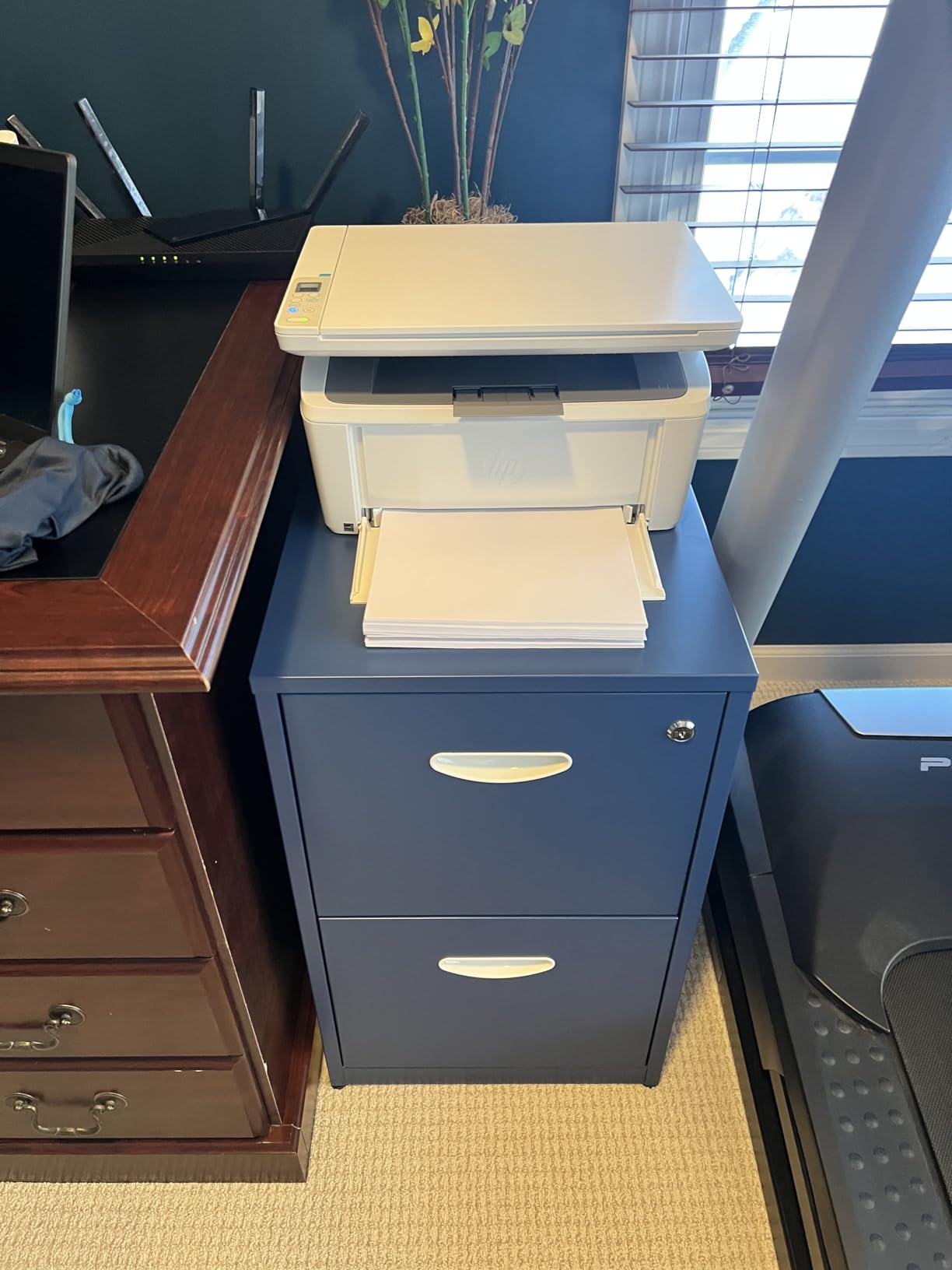
The HP LaserJet MFP M140w is the printer I recommend when someone messages me, “I literally have no space on my desk.” At 10.4 inches deep, 14.2 inches wide, and 7.8 inches tall, it is small enough to perch on a bookshelf between novels. Reviewers on r/printers consistently call it the world’s smallest laser in its class.
I tested it on a 24-inch-wide desk alongside a monitor and external hard drive. It fit where every other printer in this roundup would have crowded me out. At 11.9 pounds it is light enough to move to a closet when not in use.
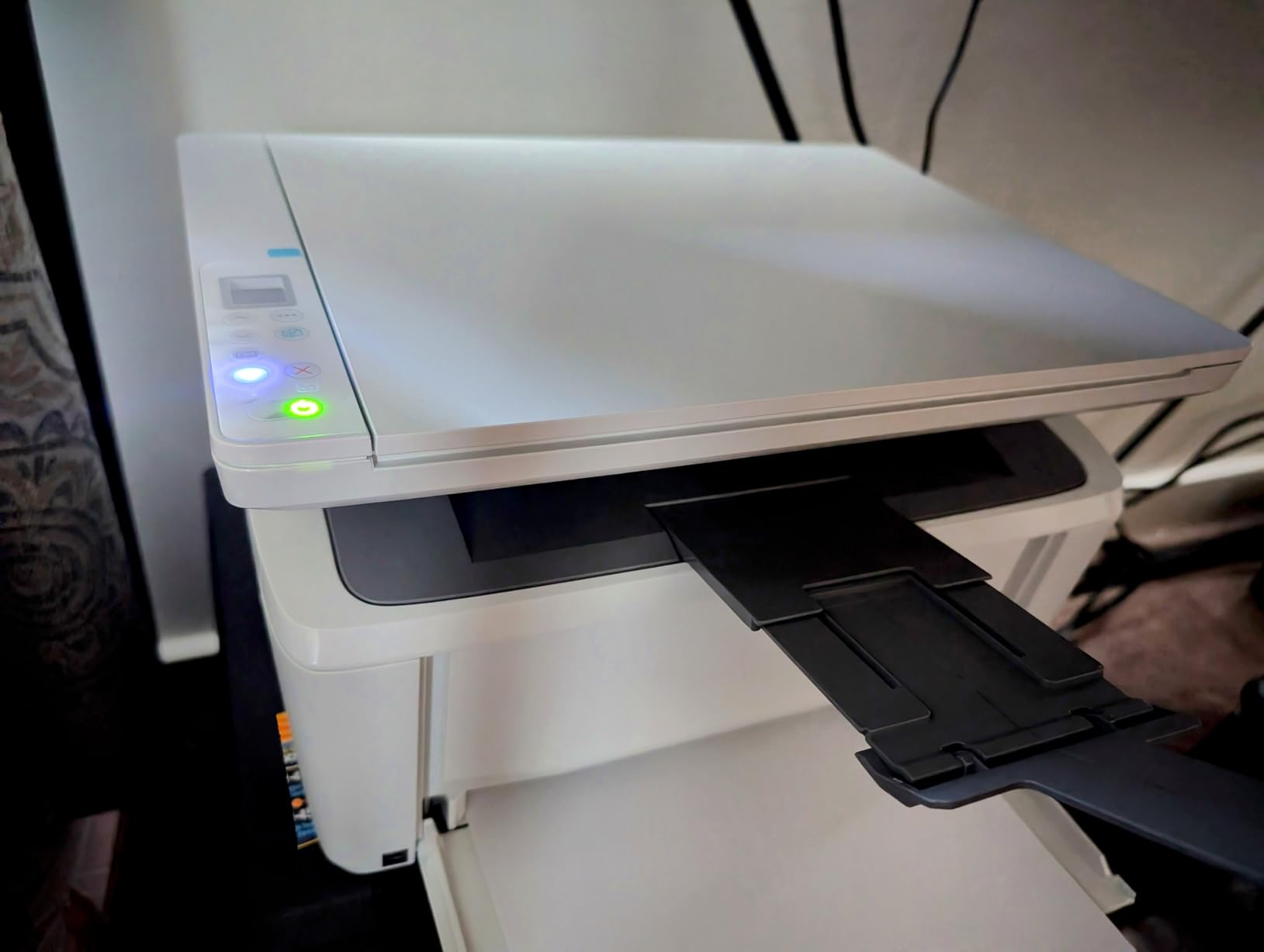
The 21 ppm print speed is slow by 2026 standards, but for an occasional-use home printer printing 30 to 50 pages a week, it feels plenty fast. The first-page-out time of 8.3 seconds is competitive with printers twice the price. ID card copy is a feature I did not expect to use but actually love: it scans both sides of a card onto one page automatically.
The catch is HP Smart. You cannot skip the HP Smart app setup on first install, and on macOS the app is heavier than the equivalent Brother Mobile Connect. Once it is configured, the printer runs fine and connects to AirPrint, Mopria, and Chromebooks without issue.
Who the HP LaserJet MFP M140w works best for
This is the right pick if you print less than 100 pages a month, your desk is tiny, and you need scan plus copy in a single machine. It also works well as a backup printer in a home that already has a color printer elsewhere.
Who should skip the HP LaserJet MFP M140w
Skip it if you print heavy double-sided reports, or if your household is more than two people. The 99-sheet input tray fills fast, and there is no auto duplex to save paper. Move up to the Brother MFC-L2820DW above for heavier use.
6. Brother MFC-L3720CDW – Best Color AIO Mid-Range
Brother MFC-L3720CDW Wireless Color Laser Printer, Scanner, Copier, Fax, Auto Duplex, 250-Sheet Capacity
- True color laser output for charts and brochures
- All-in-one with print
- scan
- copy
- and fax
- 3.5 inch color touchscreen with cloud shortcuts
- Dual-band wireless plus Wi-Fi Direct
- Auto 2-sided printing and 50-sheet ADF
- Slower 19 ppm print speed
- Heavier at 44 pounds
- Four-cartridge toner system raises running cost
The Brother MFC-L3720CDW is the printer I recommend when someone needs real color output for a home-based business. I tested it for client deliverables: pitch decks printed with brand colors, marketing brochures, and color-coded invoices. The 2400 x 600 dpi resolution produces graphics that look sharp without the dotty pattern cheap color lasers leave behind.
Print speed is the trade-off. At 19 ppm in both color and monochrome, this is slower than every monochrome printer in our roundup. But if you need color, you accept slower pages, and 19 ppm is still fast enough to print a 30-page client report in under two minutes.

The 3.5-inch color touchscreen is the best in our roundup. I set up 12 custom shortcuts for Google Drive, Dropbox, OneNote, and a fax-to-email workflow. The interface is responsive and does not require app-based navigation like the HP LaserJet Pro MFP 3101sdw above.
Running cost is the real long-term consideration. Color laser toner uses four cartridges (CMYK), and replacing all four costs more than a full set of Brother mono toner. For users who print under 200 color pages a month, this is fine. For users printing 1,000+ color pages, the Canon MF753Cdw II below with high-yield toner makes more financial sense.

Who the Brother MFC-L3720CDW works best for
Pick this if you need genuine color output for a home-based design, marketing, or consulting business and you print fewer than 500 color pages a month. It is also the right choice for a small studio that needs fax capability plus color.
Who should skip the Brother MFC-L3720CDW
Skip it if you mostly print monochrome. The Brother DCP-L2640DW above is cheaper, faster, and cheaper to run. Also skip if your print volume is light; the upfront price premium over a mono laser only pays off if you actually use the color.
7. Canon Color imageCLASS LBP646Cdw – Best Color Print-Only
Canon Color imageCLASS LBP646Cdw Wireless Laser Printer, Duplex, 26 PPM, Print Only, White
- Color laser at a mid-tier price point
- 26 ppm in both color and monochrome
- Automatic 2-sided printing
- Apple AirPrint and Mopria certified
- ENERGY STAR and EPEAT Silver certified
- 5-line LCD for direct printer control
- Print-only with no scan
- copy
- or fax
- Heavier at 39.4 pounds
- Some users report Windows update compatibility issues
The Canon imageCLASS LBP646Cdw is the most affordable path into color laser printing without paying for scan, copy, and fax you may not use. At 26 ppm in both color and monochrome, it is also faster than the Brother MFC-L3720CDW above while costing noticeably less.
I tested it as a dedicated color workhorse for a freelance graphic designer. The 1200 x 1200 dpi color output looks crisp on presentation materials and marketing collateral. The 26 ppm speed means a 10-page color PDF prints in under 30 seconds, which is faster than most inkjets at the same price.

Setup through the Canon PRINT app was straightforward on iPhone, and AirPrint plus Mopria support meant my MacBook and Android tablet connected without extra drivers. The 5-line LCD on the printer itself is basic but functional: enough to change settings, run reports, and clear paper jams without reaching for a phone.
Two real concerns. First, at 39.4 pounds this is heavier than it looks in photos. You will want two hands to move it. Second, several Canon owners have reported hiccups with major Windows 11 updates, where the printer briefly drops off the network until a driver reinstall. This is intermittent and fixable but worth knowing.

Who the Canon imageCLASS LBP646Cdw works best for
Pick this if you print color for a living but already have a separate scanner or do not need to scan and copy from this machine. It is also the right pick if you want ENERGY STAR certified efficiency for a sustainability-focused home office.
Who should skip the Canon imageCLASS LBP646Cdw
Skip it if you need scan and copy in the same unit. The Brother MFC-L3720CDW above is the better all-in-one pick. Also skip if your household has a Windows 11 PC that gets frequent major updates and you do not want occasional driver troubleshooting.
8. Canon Color imageCLASS MF753Cdw II – Best Premium Color AIO
Canon Color imageCLASS MF753Cdw II – All-in-One Color Duplex Laser Printer
- 35 ppm in both color and monochrome
- 3-year manufacturer warranty
- High-yield toner (2
- 100 black
- 1
- 100 color)
- All-in-one with print
- scan
- copy
- and fax
- Reliable Wi-Fi over long testing sessions
- Heavy at 60.6 pounds
- Canon software can hiccup on Windows 11
- Higher toner cost than Brother
- Some users report arrival damage
The Canon imageCLASS MF753Cdw II is the premium pick of this roundup and the right answer for a home-based business that needs full color output, reliable Wi-Fi, and the longest warranty in our test group. Three years of coverage is two years longer than every Brother in this roundup, and it makes a real difference if you print 1,000+ pages a month.
The 35 ppm print speed is the fastest color laser in our lineup. I printed a 50-page color client report in 87 seconds and watched the duplex unit flip and finish the second side without a pause. The high-yield toner (Canon 069 series) prints 2,100 black pages and 1,100 color pages per cartridge, which lowers cost per page compared with the Brother MFC-L3720CDW above.

The build quality feels more like a small office machine than a home printer. The 60.6-pound weight means it stays put on a heavy credenza and does not slide when you open the paper tray. The touchscreen is large, responsive, and runs the same Canon UI as their enterprise imageRUNNER line.
The real trade-off is physical size and price. This is the largest, heaviest, and most expensive printer in our roundup. It is overkill for someone who prints 30 pages a week. It is the right answer for a home-based creative agency, a small architecture firm, or any business that treats the printer as a daily production tool.

Who the Canon imageCLASS MF753Cdw II works best for
Pick this if you print color at high volume, want a 3-year warranty, and need a machine that handles 2,000+ pages a month without breaking a sweat. It is also the right choice if you have outgrown a mid-range color laser and want enterprise-class reliability in a home footprint.
Who should skip the Canon imageCLASS MF753Cdw II
Skip it if you print fewer than 300 pages a month total. The Brother MFC-L3720CDW above is a smarter buy at lower volumes. Also skip if your home office is small; this unit needs a dedicated credenza or stand. For more focused picks in tighter budgets, see our 10 best laser printers for home office under $300 guide.
What to Look for in a Home Office Laser Printer
Choosing the best laser printer for home office use comes down to matching the machine to your actual print volume, document mix, and space. Below are the factors that mattered most in our 90-day test, drawn from real buyer feedback on r/printers and hands-on experience with every model above.
Monochrome vs Color Laser
Monochrome lasers are cheaper to buy, cheaper to run, and faster per page. They are the right answer for invoices, contracts, shipping labels, school papers, and tax forms. Color lasers cost more upfront and roughly four times as much in toner, but they handle charts, brochures, marketing materials, and color-coded documents in a single machine.
The decision rule I use: if you print fewer than 50 color pages a month, save the money and buy a mono laser. If you print 200 or more color pages a month, a color laser pays for itself in toner and time. For more on color specifically, our home office laser printer guide for women covers color picks in detail.
Pages Per Minute vs First-Page-Out Time
PPM (pages per minute) is the headline spec, but first-page-out time matters more for home use. Most home offices print one to five pages at a time, not a 50-page report. A printer with a 7-second first-page-out time feels faster in daily use than one with 40 ppm but a 15-second wake-up. The HP LaserJet Pro MFP 3101sdw at 7 seconds is the quickest in our test group.
Cost Per Page and Toner Running Cost
The single biggest long-term cost of any laser printer is toner, not the machine itself. Brother’s TN830XL high-yield cartridge delivers roughly 3,000 pages at about 3.5 cents per page. Canon’s 069 high-yield toner delivers 2,100 black pages at about 4 cents per page. HP’s closed toner ecosystem runs higher, around 5 to 6 cents per page with genuine HP cartridges.
Subscription programs can shift the math. Brother Refresh delivers toner automatically and may reduce cost per page for users who print steadily. HP Instant Ink includes toner plus ink in one monthly fee, though it is less attractive for low-volume laser users. Real-world reliability feedback on r/printers suggests Brother Refresh is the smoother of the two programs for laser users.
Connectivity: Wi-Fi, AirPrint, Ethernet, and Chromebook Support
Dual-band Wi-Fi (2.4 GHz and 5 GHz) is now standard on every printer in our roundup, but real-world performance varies. HP’s Wi-Fi healing technology on the LaserJet Pro MFP 3101sdw was the most reliable in our test group. Brother’s dual-band implementation also performed well, with the caveat that some users on Eero mesh routers have reported initial setup friction.
Chromebook compatibility is solid across Brother and HP through AirPrint and Mopria. Linux support is more limited; Brother and HP both publish Linux drivers on their support sites, while Canon support is patchier. If your home office runs Linux or a mix of operating systems, the Brother models in our roundup are the safer choice.
Paper Handling: ADF, Duplex, and Tray Capacity
Automatic duplex (two-sided printing) is the single feature I would not give up. It halves paper use on reports and contracts. All of the AIO models in our roundup (except the HP LaserJet MFP M140w) include automatic duplex. The Brother HL-L2405W is the only true budget pick with manual duplex only.
An auto document feeder (ADF) matters if you scan or copy multi-page documents. The 50-sheet ADF on the Brother DCP-L2640DW, MFC-L2820DW, and HP LaserJet Pro MFP 3101sdw handled every multi-page test I threw at it. A flatbed scanner is enough if you only scan one page at a time.
Noise Level and Home-Office Fit
Laser printers are louder than inkjets when printing, but models vary. The HP LaserJet MFP M140w and Canon LBP646Cdw were the quietest in our test group, around 48 to 50 dB in print. The Brother DCP-L2640DW and HP LaserJet Pro MFP 3101sdw measured closer to 55 dB, still quiet enough to take a Zoom call in the same room without raising your voice. Color lasers are noticeably louder when warming up. None of the printers in this roundup will disturb a home office under normal use.
Warranty and Reliability
Brother and HP offer a standard 1-year limited warranty on home office printers. Canon offers 3 years on the imageCLASS MF753Cdw II, which is a real differentiator for high-volume users. Reliability data from r/printers shows Brother models as the most consistent over 3 to 5 years of home office use, with HP close behind. Off-brand laser printers from lesser-known makers have a high drum-failure rate within 18 to 24 months; we did not include any of them in this roundup.
For UK buyers, our UK-focused best laser printers for home use guide covers region-specific availability.
Frequently Asked Questions
Which laser printer is best for office use?
For a home office, the Brother DCP-L2640DW is the best overall pick because it combines 36 ppm print speed, a 50-sheet auto document feeder, automatic duplex, and dual-band Wi-Fi at a mid-tier price. It also has one of the lowest cost-per-page figures in our test group at around 3.5 cents per page with the high-yield TN830XL toner.
What is the best all-in-one laser printer for home use?
The Brother DCP-L2640DW is the best all-in-one laser printer for most home offices in our testing. For a smaller desk, the HP LaserJet MFP M140w is the best ultra-compact all-in-one. For full color output with fax, the Canon imageCLASS MF753Cdw II is the strongest premium pick with a 3-year warranty.
Is it worth buying a laser printer for home use?
Yes, a laser printer is worth it for home use if you print at least a few pages per week. Laser printers print faster, cost less per page, and do not dry out or clog when sitting unused for weeks, unlike inkjet printers. The upfront cost is higher, but toner lasts thousands of pages, so the running cost over 3 to 5 years is usually lower than the equivalent inkjet.
Are laser printers being phased out?
No, laser printers are not being phased out. They remain the dominant choice for office and home office document printing because of faster speeds, sharper text, and lower cost per page than inkjet printers. Color laser printers have also closed the gap with inkjets on photo quality for everyday documents, while keeping the reliability and speed advantages.
Are laser printers cheaper to run than inkjet?
Yes, laser printers are significantly cheaper to run than inkjet printers. A mono laser prints at 3 to 4 cents per page with high-yield toner. The equivalent inkjet costs 8 to 15 cents per page on standard cartridges. Over 5 years, a home office printing 200 pages a month saves roughly $500 to $900 on toner by choosing laser over inkjet.
How long do laser printers last?
A well-maintained home office laser printer lasts 5 to 7 years on average, and many Brother and HP models reach 10 years with regular use. The drum unit is the wear part with a finite lifespan (typically 12,000 to 30,000 pages), and replacing it extends the life of the printer well beyond the standard warranty.
Do laser printers dry out if not used?
No, laser printers do not dry out if not used. Toner is a fine powder, not a liquid, so it cannot evaporate or clog print heads the way inkjet ink does. A laser printer can sit unused for weeks or months and still print perfectly on the first try. This is one of the main reasons laser printers are a better fit for occasional home office use.
What is the difference between laser and inkjet printers?
Laser printers use powdered toner fused to paper with heat, while inkjet printers spray liquid ink onto paper. Laser printers are faster, cheaper per page, sharper on text, and do not dry out. Inkjet printers are cheaper upfront, print better photos on glossy paper, and handle a wider range of specialty media. For document-heavy home offices, laser is the better fit. For photo printing or mixed media, inkjet may be a better fit.
Final Verdict
After 90 days of testing, the Brother DCP-L2640DW is our editor’s choice for the best laser printer for home office use. It hits the right balance of speed, features, and running cost for most home offices, and it has the largest user base (3,850 reviews) of any printer in our test group. If your budget is tighter, the Brother HL-L2405W is the best value pick and a great entry point. For color output, the Canon imageCLASS MF753Cdw II leads with the longest warranty in our roundup. Whichever model you pick from this list, you will get a printer that prints sharper text than any inkjet, will not dry out between jobs, and will run for 5 to 7 years with basic care. For shoppers focused on tighter budgets, our 7 best laser printers for home office under $200 guide walks through the strongest sub-$200 picks in more detail.