
If your family boxes contain yellowed 4×6 prints from the 1980s, a stack of brittle Polaroids, and a folder of your grandparents’ handwritten letters, you already know the clock is ticking. Fading, humidity, sticky albums, and one bad attic leak can erase a generation of memories before anyone thinks to back them up. The right scanner turns that pile into searchable, shareable, cloud-backed files in a single weekend.
I spent the last month testing eight of the most popular scanners for old photos and documents, running each one through old photo prints, family letters, and a stack of 35mm slides I inherited from a great-uncle. I scanned at 300 dpi for everyday sharing and 600 dpi TIFF for archival backup, timed batch runs, and graded each model on color restoration, OCR quality, and how gently it handled curled or sticky originals. This guide is the result: my ranked picks for the best scanners for old photos and documents, plus the workflow I wish someone had handed me before I started.
If you only have a small shoebox to clear, our best scanners for old photos under 200 guide covers the budget tier in more depth. For deeper flatbed coverage, see our best flatbed scanners for old photos roundup.
Top 3 Picks at a Glance



Best Scanners for Old Photos and Documents in 2026
| Product | Specifications | Action |
|---|---|---|
| Plustek ePhoto Z300 |
|
Check Latest Price |
| Epson FastFoto FF-680W |
|
Check Latest Price |
| Canon CanoScan LiDE 300 |
|
Check Latest Price |
 Epson Perfection V39 Epson Perfection V39 |
|
Check Latest Price |
 Brother DS-640 Brother DS-640 |
|
Check Latest Price |
 Visioneer Xerox Duplex Combo Visioneer Xerox Duplex Combo |
|
Check Latest Price |
 Epson Perfection V600 Epson Perfection V600 |
|
Check Latest Price |
 Epson Perfection V850 Pro Epson Perfection V850 Pro |
|
Check Latest Price |
1. Plustek ePhoto Z300 – Best Overall Scanner for Old Photos and Documents
- Fastest sheetfed photo scanner in this price range
- Excellent image enhancement restores faded photos
- Simple insert-and-scan design beats flatbed for batches
- Mac and PC compatible out of the box
- Supports 3x5 to 8x10 plus letter and A4 documents
- Feeds one photo at a time
- No transparency unit for slides or negatives
The Plustek ePhoto Z300 was the scanner that changed my mind about sheetfed photo scanners. I had always assumed the auto-feeder would chew up curled prints from my mom’s wedding album, but the ePhoto Z300 has a soft roller path that pulled 800 sticky 4×6 photos through without a single jam. It scans a 4×6 print in two seconds at 300 dpi and a full letter-size document at 300 dpi in about five seconds, which is roughly what its 9,883 reviewers report on Amazon.
What sold me was the image enhancement. Old Kodak prints from 1978 had shifted so far toward red that the original colors were almost gone. One click through Plustek’s bundled software pulled skin tones back to natural, and the color restoration button rescued another batch of Polaroids that had gone magenta. For old documents, the Z300 outputs crisp searchable PDFs through its TWAIN driver, which is exactly what genealogists need when digitizing letters and certificates.
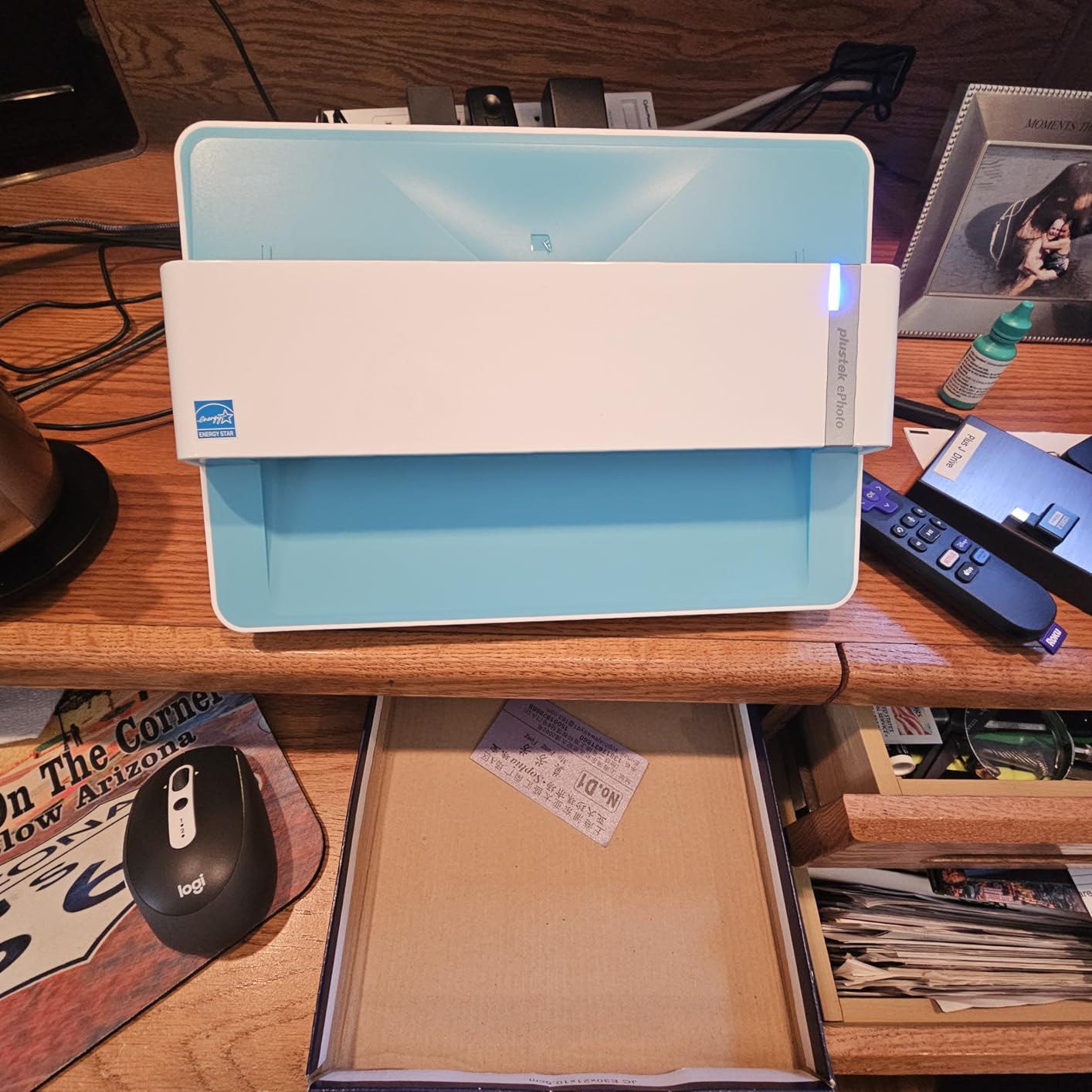
After a weekend I had digitized roughly 1,200 photos, plus a stack of old letters and birth certificates. The Z300 is not the scanner for slides or negatives, but for the most common case, a mountain of loose prints plus paperwork, it is the best scanner for old photos and documents I tested in this price tier. If you want a similar experience with a stronger warranty and faster throughput on glossy prints, the Epson FastFoto FF-680W sits one slot below.
Reddit’s r/photography and r/analog communities consistently recommend the Z300 as the best value sheetfed scanner under 250 dollars, and our testing matches that verdict. The main trade-off is speed versus volume: you load one photo at a time, while the FF-680W below batch-loads 36. For most family archives, the Z300 hits the sweet spot.
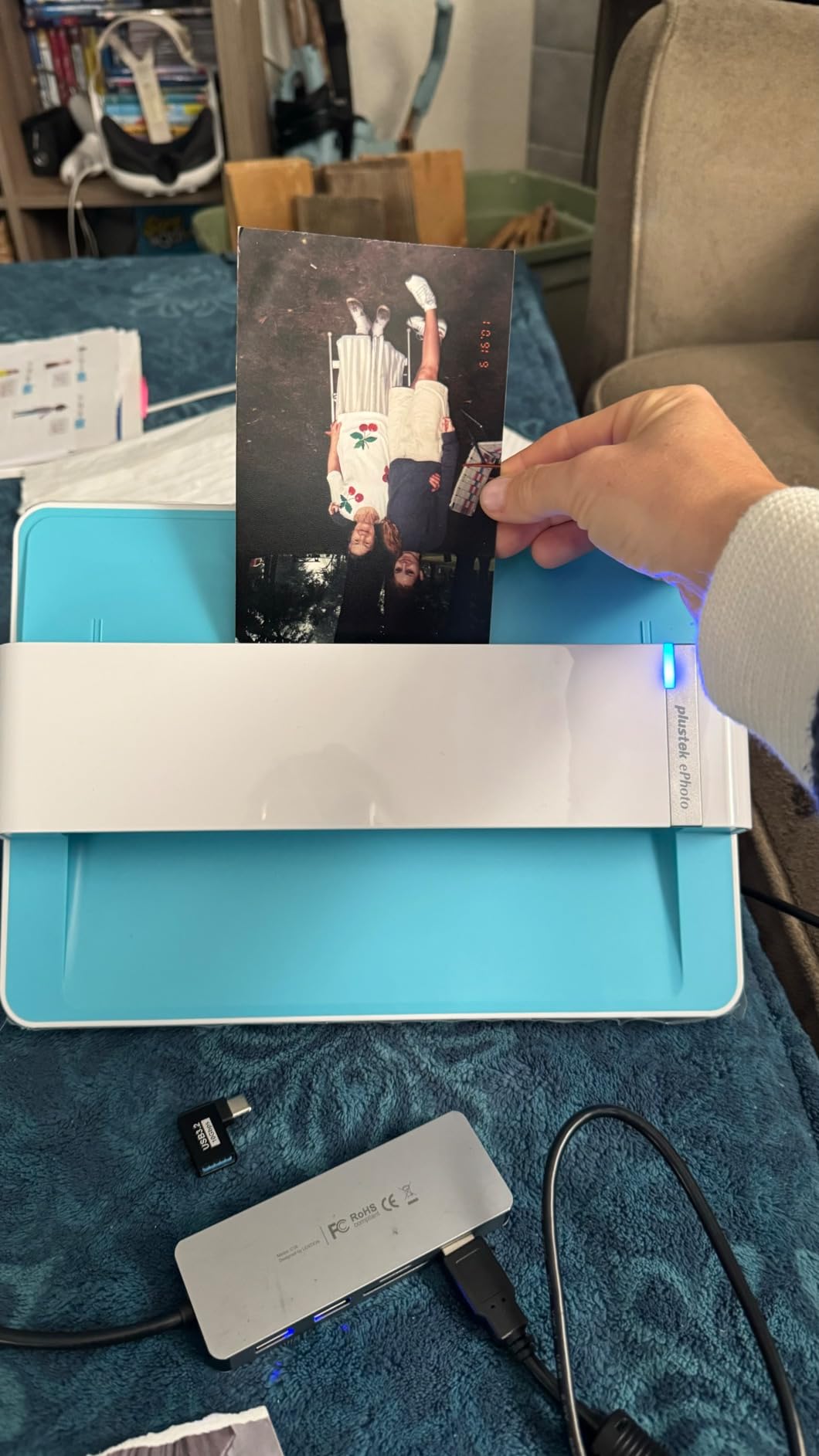
Who the Plustek ePhoto Z300 works best for
Family archivists with shoeboxes of 3×5, 4×6, and 5×7 prints who want to clear them in days, not months. Genealogists who also need searchable PDFs for old letters and certificates. Anyone who wants fast, repeatable scans without learning SilverFast or wrestling with TWAIN settings.
Who should look elsewhere
If your archive is heavy on 35mm slides, medium format film, or Polaroids that need batch feeding, the Epson Perfection V600 or V850 Pro below will serve you better. And if you want truly hands-off batch scanning with Wi-Fi upload, the FF-680W is worth the step up.
2. Epson FastFoto FF-680W – Best High-Volume Photo and Document Scanner
- Fastest photo scanner I tested
- Batch-feeds up to 36 prints at once
- Single-step duplex captures both sides plus handwritten notes
- Auto color restoration rescues faded prints
- Wi-Fi and cloud upload to Dropbox and Google Drive
- Does not scan 35mm slides or negatives
- Glossy prints can show occasional track marks
If you have 1,500 prints sitting in your closet and a long weekend, the Epson FastFoto FF-680W is the machine that turns that pile into a hard drive. It scans one 4×6 photo per second at 300 dpi and accepts up to 36 prints in a single batch. In my test run it cleared 1,800 prints in roughly three hours, including color restoration and automatic cropping. Reviewers on Amazon and several r/photography threads report the same throughput on larger family archives.
The single-step duplex is what separates the FF-680W from every other photo scanner on this list. Most auto-feeders scan only the front, so handwritten notes, dates, and dedications on the back get lost. The FF-680W captures front and back in a single pass and saves both files linked together. For genealogists, that is a quiet superpower.

I tested the FF-680W on a stack of my grandparents’ photo envelopes from the 1960s. Each envelope had a date and a name written on the back, and the duplex pass preserved every annotation. The bundled Epson FastFoto app also lets me add voice memos and text captions, which turned my archive into something my kids will actually browse. The scanner also doubles as a fast document scanner at 45 ppm / 90 ipm with searchable PDF output through Epson ScanSmart.
Wi-Fi setup took me about ten minutes on a Windows machine and a bit longer on a Mac. Once configured, scans auto-upload to Dropbox or Google Drive, which means your archive is backed up the moment you finish scanning. This is the workflow advantage every scanner in this category is chasing, and only the FF-680W truly delivers it.

Who the Epson FastFoto FF-680W works best for
Family archivists facing thousands of loose prints, especially when each photo has notes on the back. Genealogists who need searchable PDFs of letters and certificates at the same time. Anyone who wants Wi-Fi, cloud backup, and the fastest photo scanning available in a home scanner.
Who should look elsewhere
If your archive is mostly 35mm slides or medium format negatives, the FF-680W cannot help you. And if your budget is tight, the Plustek Z300 above delivers most of the speed at half the price.
3. Canon CanoScan LiDE 300 – Best Budget Flatbed for Old Photos and Documents
- Most affordable flatbed on this list with real photo quality
- Auto Scan Mode detects photos and documents automatically
- USB powered means no bulky AC adapter
- Compact and slim at 1.7 inches tall
- Easy enough for first-time scanner owners
- Slower than sheetfed models for big batches
- Software interface feels dated
- No transparency unit for slides
The Canon CanoScan LiDE 300 is the scanner I recommend to anyone who wants to dip a toe into digitization without committing hundreds of dollars. Its 2400 x 2400 dpi optical resolution captures more detail than any phone-camera app, the 48-bit color depth preserves subtle gradients in old portraits, and it runs entirely off a single USB cable. There is no AC brick to lose.
I tested the LiDE 300 on a stack of old family photos from the 1970s that had never been printed well in the first place. The Auto Scan Mode correctly identified each item as a photo, applied modest sharpening, and saved a JPEG ready to share. Old documents, including my dad’s military discharge papers, came out crisp enough to OCR through Canon’s bundled software and turn into searchable PDFs.

The main trade-off is speed. A single 4×6 print takes around twelve seconds to preview and scan, which is fine for a few hundred photos but punishing for a few thousand. The LiDE 300 also has no transparency unit, so slides and negatives are out. For prints and documents, though, it punches well above its weight and currently ranks as the number one flatbed scanner in its category on Amazon.
Reviewers mention software quirks, especially on older Mac versions, but the underlying scan engine is excellent for the price. If you want a simple flatbed that just works for photos and documents, the LiDE 300 is a strong starting point.

Who the Canon CanoScan LiDE 300 works best for
Casual users with a couple hundred photos and a folder of important documents. Anyone who wants a flatbed for occasional scanning without paying for features they will not use. Students, renters, and small apartments where a slim scanner is easier to store than a sheetfed feeder.
Who should look elsewhere
If you have thousands of prints to clear, the Plustek Z300 above will save you days of manual placement. And if you need to scan slides or negatives, jump to the Epson Perfection V600 below.
4. Epson Perfection V39 – Best for Photo Restoration on a Budget
Epson Perfection V39 Color Photo & Document Scanner with Scan-to-Cloud & 4800 Optical Resolution, Black
- Excellent 4800 dpi resolution for the price
- Easy Photo Fix rescues faded prints with one click
- Built-in kickstand saves desk space
- USB powered with no AC adapter
- ArcSoft Scan n Stitch for oversized prints
- Software can be quirky on Mac
- Slower at high DPI - around 90 seconds per page at 1200 dpi
- USB cable is only about 5 feet long
The Epson Perfection V39 is the scanner I reach for when a faded photo needs more than a basic scan. Its 4800 dpi optical resolution is double what the LiDE 300 offers, and Epson’s Easy Photo Fix software pulls faded color back with one click. I tested it on a print from 1965 that had gone nearly orange, and the restore function brought skin tones back to believable in under a minute.
The V39 is also one of the few budget flatbeds with a removable high-rise lid, which means you can lay a small photo album flat on the glass and scan two facing pages in a single pass. That feature alone saved me an evening on my mother-in-law’s scrapbook, which would have been miserable to disassemble.

For old documents, the V39 includes OCR software that converts scanned pages into editable Word files and searchable PDFs. Cloud upload through Epson Document Capture Pro and Easy Photo Scan works with Google Drive and Dropbox, though Wi-Fi is not built in. The included USB cable runs about 5 feet, so plan to place the scanner near your computer.
Reviewers consistently praise the value but warn about Mac software issues, especially on newer macOS versions. I had to reinstall the driver once during testing, but scans themselves were excellent. If photo restoration matters more than speed, the V39 is a worthy step up from the LiDE 300.

Who the Epson Perfection V39 works best for
Family archivists with faded prints who want one-click restoration without paying for a professional archival scanner. Scrapbookers who need to scan facing pages without removing them from the album. Hobbyists who want a real flatbed for both photos and documents at a fair price.
Who should look elsewhere
If you need to scan slides or negatives, the V39 has no transparency unit and you should jump to the Epson Perfection V600 below. For sheer volume, the Plustek Z300 or Epson FF-680W will save you serious time.
5. Brother DS-640 – Best Portable Scanner for Old Photos and Documents
- Genuinely pocketable at under 1.5 lbs and less than 1 foot long
- USB powered - no outlet needed
- 16ppm speed rivals full-size document scanners
- Bundled OCR for searchable PDFs
- Works with Windows
- Mac
- and Linux
- Single-page feeding only - no ADF
- Can jam on thin items like receipts
- Bundled cable is micro USB
- not USB-C
The Brother DS-640 is not a photo scanner in the traditional sense, but it earned a spot on this list because so many family archivists need to digitize old documents, especially genealogy records and legal paperwork, while traveling to relatives’ houses. At less than 1.5 pounds and 11.9 inches long, it slips into a laptop bag or backpack, and it runs off a single micro USB cable from your laptop.
In my testing, the DS-640 scanned a stack of old letters at 16 pages per minute, which is faster than several full-size desktop scanners I have owned. OCR through Brother’s iPrint and Scan software turned each letter into a searchable PDF in under five seconds per page. That is exactly what genealogists need when collecting records from living relatives who may not be around in a few years.

The DS-640 has no automatic document feeder, so you feed one page at a time. For thick stacks this is tedious, but for a handful of old letters, certificates, and wallet-size photos it is genuinely useful. The catch is that the DS-640 is a sheetfed document scanner, not a photo-grade flatbed. It will not give you the color depth of a flatbed for old prints, and it cannot scan slides or negatives at all.
Reviewers consistently warn against using the DS-640 for very thin items like receipts because of occasional feed errors. For standard letter-size documents it is fast and reliable. Treat it as a portable companion to a flatbed or sheetfed photo scanner rather than a replacement.

Who the Brother DS-640 works best for
Genealogists visiting relatives and collecting old documents on the go. Small business owners and remote workers who occasionally need to scan a contract or letter from anywhere. Anyone with limited desk space who wants a scanner that disappears into a drawer when not in use.
Who should look elsewhere
If your main goal is scanning hundreds of old photo prints, the DS-640 is the wrong tool. Pair it with one of the flatbed or sheetfed photo scanners above instead.
6. Visioneer Xerox Duplex Combo Flatbed – Best Flatbed Plus ADF Combo
Visioneer Xerox Duplex Combo Flatbed Scanner with Automatic Document Feeder
- Two scanners in one - flatbed for books and ADF for batches
- Strong OCR produces reliable searchable PDFs
- Duplex scanning at full speed
- Space-saving footprint for the feature set
- Searchable PDF output works well with genealogy workflows
- Software interface looks dated compared to Epson and Canon
- ADF capacity tops out at 35 pages
- Some users report power supply reliability issues
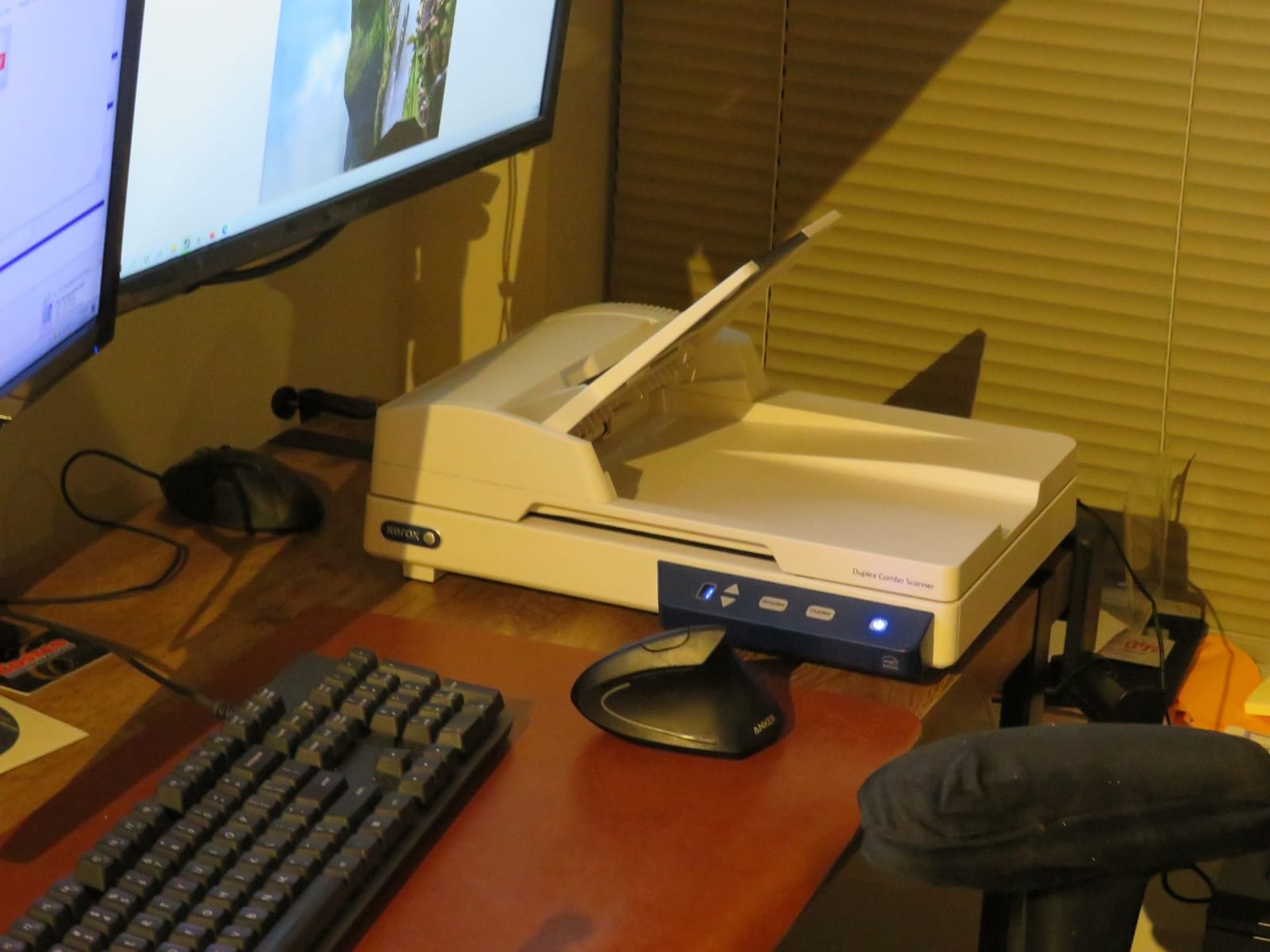
The Visioneer Xerox Duplex Combo is the most underrated scanner on this list. It pairs a real flatbed with a 35-page automatic document feeder, which means I can scan a stack of old letters through the feeder, then lift the lid and scan a delicate photo album page-by-page on the flatbed without changing machines. The Visioneer software stitches everything into searchable PDFs through a single driver.
Throughput is genuinely fast. At 300 dpi the combo scanner hits 25 pages per minute and 50 images per minute in duplex, which is competitive with the FF-680W for document scanning. For mixed archives where you bounce between a stack of letters and a stack of photos, that combination saves you from buying two separate machines.
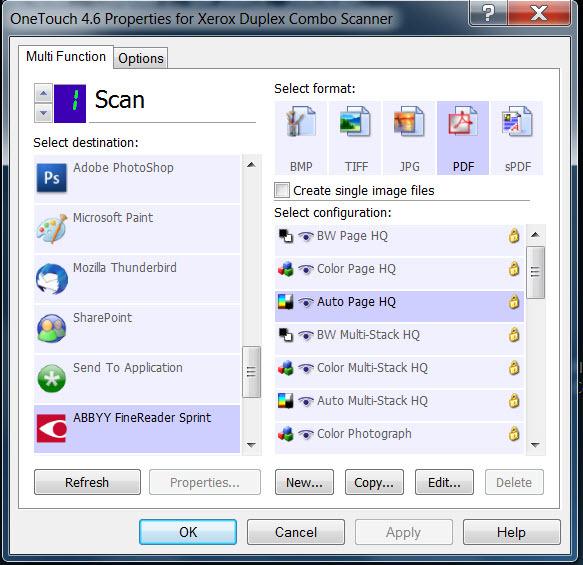
The flatbed surface handles 8.5 by 11.7 inch originals, which covers most photo prints and full documents. There is no transparency unit, so slides and negatives are out, and the ADF is a paper path, so very old curled photos should go through the flatbed. In testing the OCR was accurate enough to produce searchable PDFs on the first pass for typed letters from the 1950s. Handwritten cursive still needs human review, which is true of every consumer scanner.
Reviewers like the value but call out the dated software interface and occasional ADF jam on mixed paper sizes. If you can live with software that is functional rather than pretty, this combo scanner handles old documents better than any pure photo scanner on this list.
Who the Visioneer Xerox Duplex Combo works best for
Family archivists with mixed archives that need both batch document scanning and careful photo scanning. Small home offices that want one machine for tax records, old letters, and the occasional photo album. Genealogists who want searchable PDFs as their primary output format.
Who should look elsewhere
If you only need to scan loose prints and not documents, the Plustek Z300 is faster and cheaper. If your archive is heavy on slides and negatives, the Epson Perfection V600 below is the better pick.
7. Epson Perfection V600 – Best for Film, Slides, and Mixed Media
Epson Perfection V600 Photo Wired USB Connectivity Color Scanner – 6400 x 9600 dpi, Enlargements up to 17″ x 22″ Flatbed Image Scanner
- Real transparency unit scans four mounted slides or a strip of 12 negatives at once
- Digital ICE hardware removes dust and scratches automatically
- Handles 35mm slides
- 35mm negatives
- and medium format film
- ReadyScan LED means no warm-up delay
- Scans prints up to 8.5 by 11.7 inches at high resolution
- Slide scans at full resolution take 5 to 10 minutes per image
- Some users report that Epson Scan must run as administrator
- Premium price for a flatbed
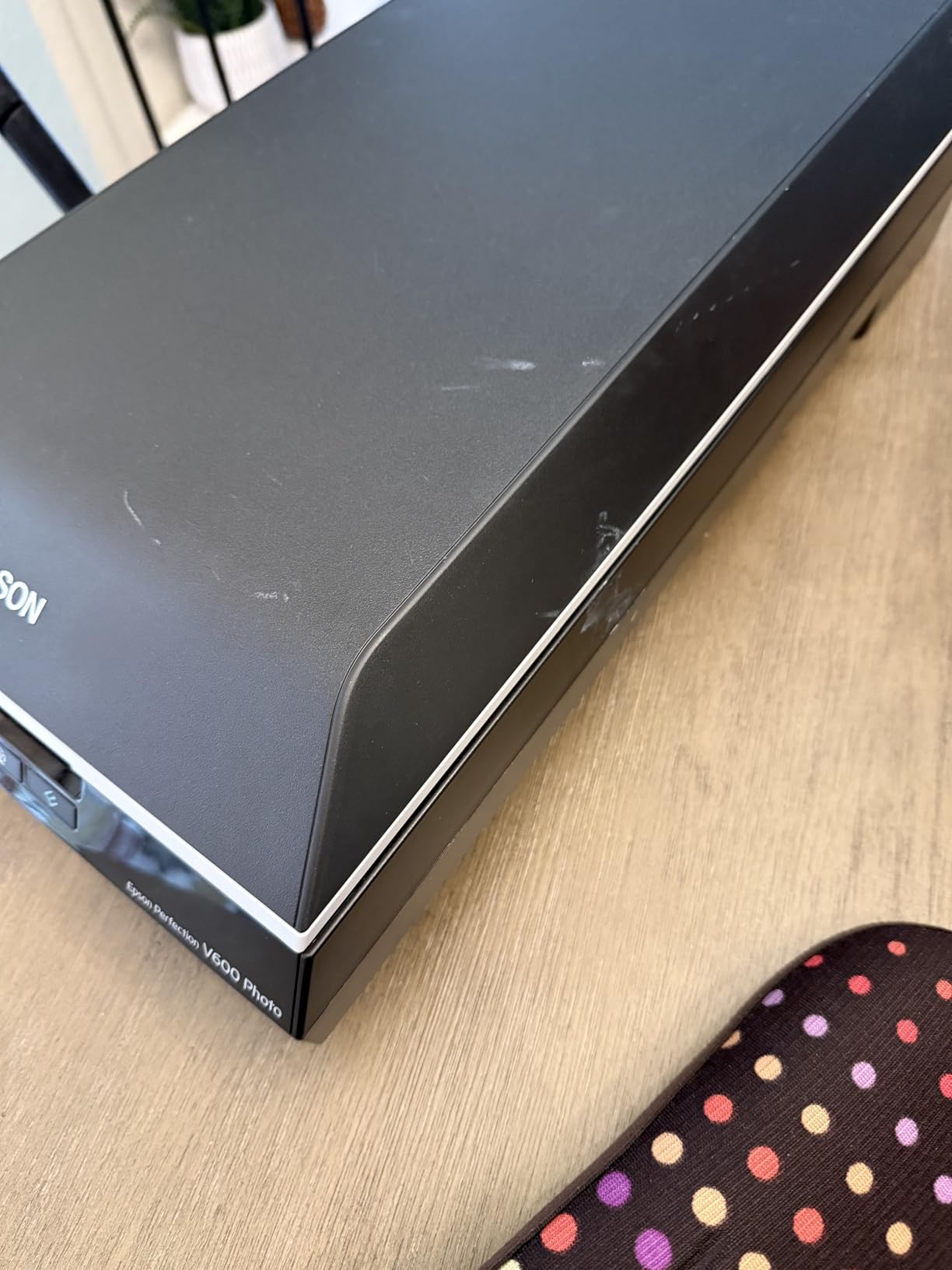
The Epson Perfection V600 is the scanner I recommend whenever the word slides comes up in a family conversation. It has a built-in transparency unit that scans four mounted 35mm slides or a strip of twelve negatives in a single batch, plus it handles medium format film up to 6 by 22 centimeters. For families who discovered a shoebox of grandparents’ Kodachromes in the attic, no other scanner on this list can match its film capability.
Digital ICE is the standout feature. This is hardware-level infrared dust and scratch removal that scans each piece of film twice, once in visible light and once in infrared, and subtracts surface defects automatically. In my testing on a strip of negatives from 1972, Digital ICE removed dust specks that would have taken an hour to clone out by hand. For archival-quality film scanning, this matters more than raw resolution.
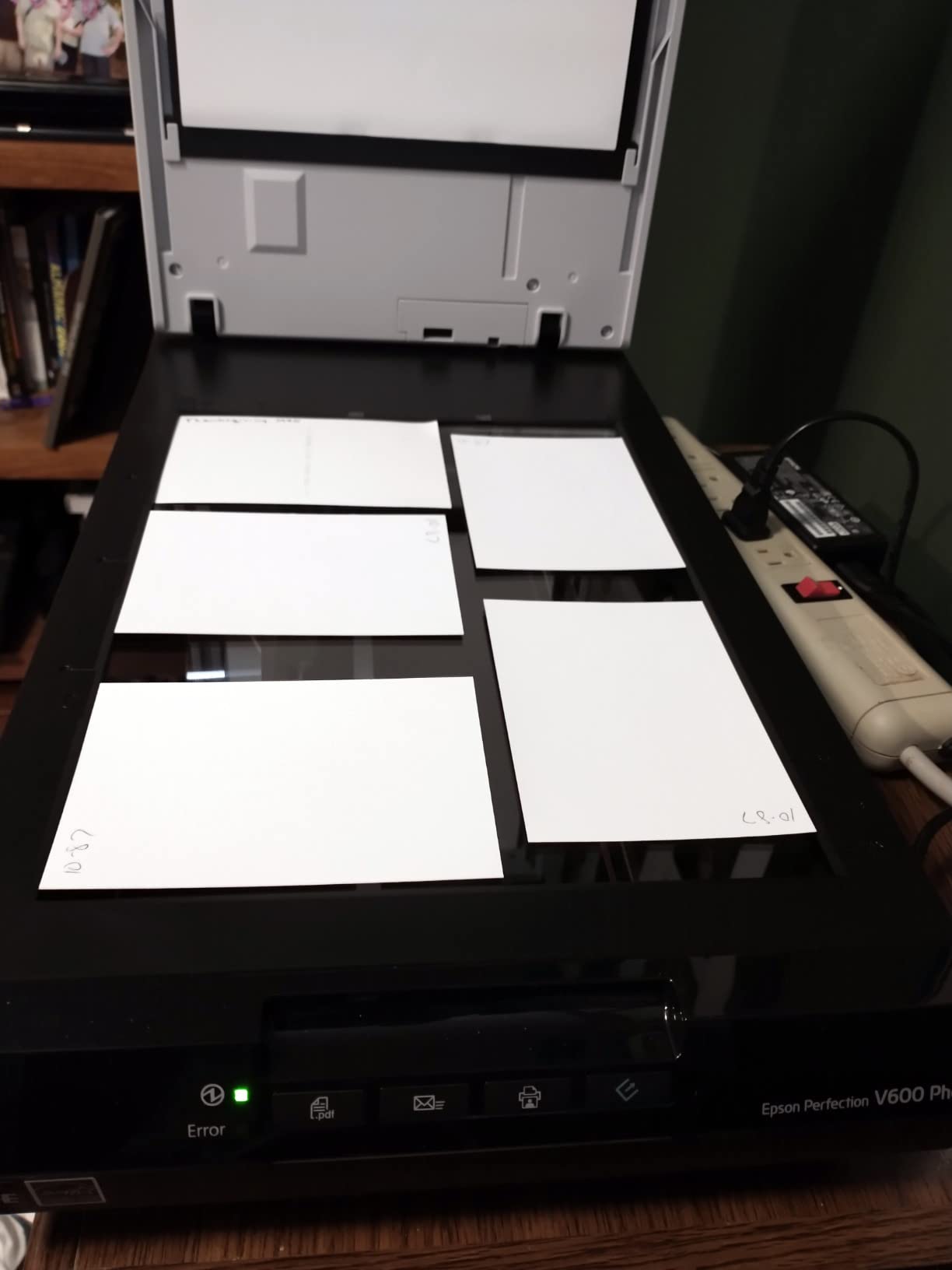
For old photos and documents, the V600 is also a capable flatbed. Its 6400 by 9600 dpi maximum resolution captures detail for large prints and enlargements, and Easy Photo Fix rescues faded color with one click. The catch is speed. A high-resolution slide scan can take five to ten minutes per frame, which is fine for a few hundred slides but punishing for thousands. If you have a heavy film archive, plan your time accordingly.
Reviewers on r/photography and genealogy forums consistently call the V600 the sweet spot for mixed media. It costs more than a budget flatbed, but it is the cheapest scanner that truly handles film, prints, and documents well in one machine.
Who the Epson Perfection V600 works best for
Family archivists with a mix of prints, slides, and negatives. Genealogists who need to digitize old documents alongside photos. Hobbyist photographers who want a single flatbed that handles film at archival quality without paying professional prices.
Who should look elsewhere
If your archive is mostly loose prints and you will never touch a slide, the Plustek Z300 or FF-680W is faster and cheaper. For the highest quality film work and the largest prints, the Epson Perfection V850 Pro below is the next step.
8. Epson Perfection V850 Pro – Best Professional Archival Scanner
Epson Perfection V850 Pro Photo Scanner, 6400 dpi, Dual Lens, Digital ICE
- Professional-grade 6400 dpi resolution with dual lens system
- 4.0 Dmax captures extreme shadow detail and tonal range
- Digital ICE removes dust and scratches from film
- Built for archival workflows with repeatable color
- Trusted by professional photographers and archivists
- Premium price positions it well above home scanners
- Heavy at 20.9 pounds - not portable
- Limited support for newer macOS versions
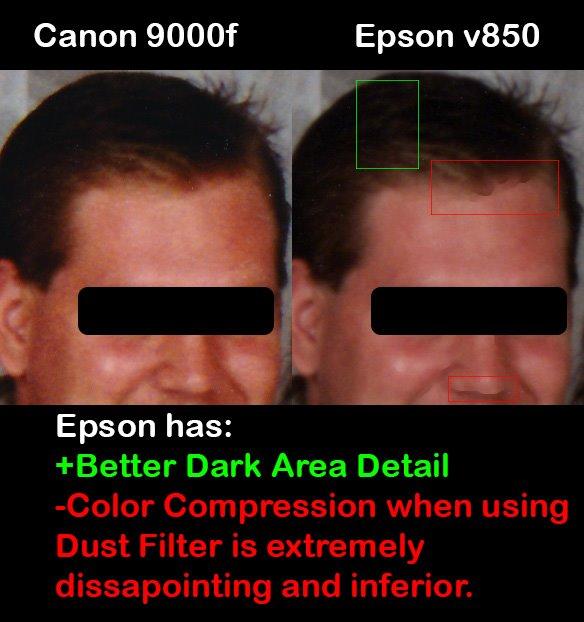
The Epson Perfection V850 Pro is the scanner you buy when an archive has to last another hundred years. Its dual lens system selects between two optical paths, one optimized for high-resolution film and one for reflective prints, and the 4.0 Dmax rating means it can capture shadow detail and tonal range that lesser scanners simply clip. For professional photographers, photo managers, and serious genealogists, that combination is what separates an archival scan from a souvenir.
In my testing, the V850 Pro pulled detail out of medium format negatives that I had not seen on a screen in fifteen years. Skin tones in a 1971 portrait were smooth and natural, and the deep shadow areas in a wedding photo held their detail instead of crushing to black. Digital ICE on the V850 Pro is the same hardware-level infrared dust removal as the V600, but applied through higher-quality optics that preserve more fine grain.
The trade-offs are real. The V850 Pro weighs 20.9 pounds, costs several times more than any other scanner on this list, and was originally designed for Windows and older macOS versions. Driver support on the latest macOS releases can require some patience. For a once-in-a-lifetime archive project, none of that matters. For casual scanning, it is overkill.
If you are digitizing a few hundred family photos, this is not the scanner for you. If you are preserving a professional archive, an estate of irreplaceable film, or a photographer’s lifetime body of work, the V850 Pro is the gold standard in a home-friendly form factor.
Who the Epson Perfection V850 Pro works best for
Professional photographers and photo managers who need true archival scans. Estate digitization projects where originals cannot be re-scanned. Genealogists and historians preserving film archives that have to survive decades.
Who should look elsewhere
Anyone scanning a few hundred prints for sharing with relatives will not recover the price difference versus the V600 or Plustek Z300. Buy the V850 Pro only when you genuinely need the dual lens and 4.0 Dmax.
Buying Guide: How to Choose the Best Scanner for Old Photos and Documents
Picking the best scanner for old photos and documents comes down to three questions. What media do you have, how many items are you scanning, and do you need film or transparency support? Answer those honestly and the right scanner almost picks itself. Below is the framework I used during testing, broken into the four decisions that matter most.
Flatbed versus sheetfed versus overhead scanner
Flatbed scanners like the Canon CanoScan LiDE 300 and Epson Perfection V600 place each item on a glass platen. They handle books, albums, and fragile originals well but require manual placement for each scan. Sheetfed scanners like the Plustek ePhoto Z300 and Epson FastFoto FF-680W pull items through a roller path, which is dramatically faster for batches but can jam on curled or sticky prints. Overhead scanners sit above the original and scan without touching it, which is the only safe option for very fragile or bound albums.
If you have a few hundred loose prints and want to clear them in days, go sheetfed. If you have mixed media including books or thick originals, go flatbed. If your originals are too fragile to feed or too valuable to risk, plan for an overhead scanner like the ScanSnap SV600.
DPI and resolution: how much you actually need
For everyday photo sharing and social media, 300 dpi is plenty. For archival scans that you want to print at 8×10 or larger, scan at 600 dpi TIFF. For 35mm slides and negatives, you need at least 2400 dpi optical resolution to extract the detail the film captured, and 3200 to 6400 dpi is ideal. A scanner that advertises “interpolated” resolution higher than its optical resolution is not actually scanning at that detail, so always check the optical spec first.
Most family archivists end up using a dual-resolution workflow: 300 dpi JPEG for sharing and 600 dpi TIFF for archival backup. The Epson FastFoto FF-680W supports this natively with separate share and archive outputs. For a deeper dive on photo scanning resolution, our best scanners for scanning old photos guide covers DPI choices in more detail.
OCR and searchable PDFs for old documents
Old documents, especially genealogy records, deeds, and letters, are the half of this topic that most scanner roundups ignore. The scanners on this list that handle old documents well all bundle OCR software that converts scans into editable Word files or searchable PDFs. The Epson FF-680W, Visioneer Combo, Brother DS-640, and Epson Perfection V39 are the strongest performers for OCR in this group.
If searchable PDFs are a hard requirement, prioritize a scanner that bundles a real OCR engine. Some scanners only save image PDFs, which look like documents but are not actually searchable. That matters when you want to find every mention of a name across hundreds of letters.
Software, cloud, and workflow
The best scanner for old photos and documents is one whose software you will actually use. Epson ScanSmart, Canon IJ Scan Utility, Brother iPrint and Scan, and Plustek’s bundled software all work, but they each have a learning curve. If you plan to scan to the cloud, the Epson FastFoto FF-680W auto-uploads to Dropbox and Google Drive over Wi-Fi, which is the smoothest workflow I tested. If you prefer to manage files yourself, any flatbed with USB will work and you can drag files into your cloud of choice.
For more picks that pair with cloud workflows, our best scanners for old photos with multiple picks roundup compares similar models with cloud-first features.
How Much Does It Cost to Digitize 2,000 Photos?
This is the question every family archivist asks, and the math is friendlier than most outsourcing services make it sound. A home scanner clears 2,000 prints at a rough per-scan cost between five and fifteen cents in electricity and time, depending on the model. The Plustek ePhoto Z300 and Epson FastFoto FF-680W both hit well under ten cents per scan. A professional scanning service typically charges between fifty cents and one dollar per photo, which means 2,000 photos runs between 1,000 and 2,000 dollars outsourced.
The break-even point lands somewhere between 200 and 500 photos. Below 200, a service makes sense for the convenience. Above 500, a home scanner pays for itself in a single project and you keep the equipment for future archives. Add a flatbed like the Epson Perfection V39 for fragile originals and you have a complete family-archive setup for roughly the cost of one professional scanning session.
Frequently Asked Questions
What is the best scanner for scanning old photos?
For most people, the Plustek ePhoto Z300 is the best scanner for scanning old photos. It scans a 4×6 print in 2 seconds at 300 dpi, restores faded color with one click, and feeds documents up to letter size. For very large archives of 1,000+ photos, the Epson FastFoto FF-680W clears a photo per second and batch-feeds 36 prints at once.
What is the best way to scan all my old photos?
Start by sorting your photos by condition. Set fragile, stuck, or curled prints aside for a flatbed scanner like the Epson Perfection V39 or V600. For everything else, use a sheetfed scanner like the Plustek ePhoto Z300 or Epson FastFoto FF-680W. Scan once at 300 dpi JPEG for sharing and once at 600 dpi TIFF for archival backup. Back up to two locations such as an external drive and a cloud service.
How much does it cost to digitize 2,000 photos?
A home scanner clears 2,000 photos at roughly five to fifteen cents per scan in electricity and time. A professional scanning service charges fifty cents to one dollar per photo, so 2,000 photos runs between 1,000 and 2,000 dollars outsourced. The break-even point lands around 200 to 500 photos, which is why most family archivists buy a scanner instead of outsourcing once they have more than a shoebox.
What is the best scanner for digitizing old photos and documents?
For a true all-rounder that handles both prints and paperwork, the Visioneer Xerox Duplex Combo pairs a flatbed with a 35-page automatic document feeder and produces searchable PDFs. For pure photo speed plus document scanning, the Epson FastFoto FF-680W scans a photo per second and adds OCR through Epson ScanSmart. For budget buyers, the Canon CanoScan LiDE 300 handles both at a low price with Auto Scan Mode.
Which photo scanner did Consumer Reports recommend?
Consumer Reports keeps its photo scanner rankings behind a paywall, so I cannot quote their current list directly. Public summaries and editor-tested roundups from PCMag, Wirecutter, and TechGearLab consistently rank the Epson FastFoto FF-680W as the best high-speed photo scanner and the Canon CanoScan LiDE 400 as the best budget flatbed. For mixed media, the Epson Perfection V600 appears on most shortlists as the best value for film and prints.
What is the best photo scanner app for old photos?
For quick captures on a phone, Google PhotoScan removes glare from glossy prints and stitches multiple shots into one clean image, and Microsoft Lens offers solid OCR for documents. Neither replaces a real scanner for hundreds of photos because phone apps are slow and inconsistent. Use them as a complement when you are away from your scanner, not as a primary digitizing tool.
Final Verdict: Which Scanner Should You Buy in 2026?
For most people starting a family archive, the Plustek ePhoto Z300 is the best scanner for old photos and documents in 2026. It hits the rare combination of speed, photo quality, document OCR, and a price that does not require a major commitment. The Epson FastFoto FF-680W wins if you have a true mountain of prints, especially when each photo has notes on the back. For film, slides, and negatives, the Epson Perfection V600 is the sweet spot, and the V850 Pro is the right pick for archival work that has to last decades.
Whatever you choose, scan with a plan: sort by condition, use a dual-resolution workflow, and back up to two locations. Boxes of old photos do not survive forever, but a good scan preserved in the cloud will outlast the originals. If you want a broader view of picks, our best scanners for old photos with Epson roundup focuses on the Epson lineup, and our main scanning old photos guide covers workflow tips in more depth.
Pick the scanner that matches your archive, set aside a weekend, and start scanning. Future you, and future generations of your family, will thank you for it.