
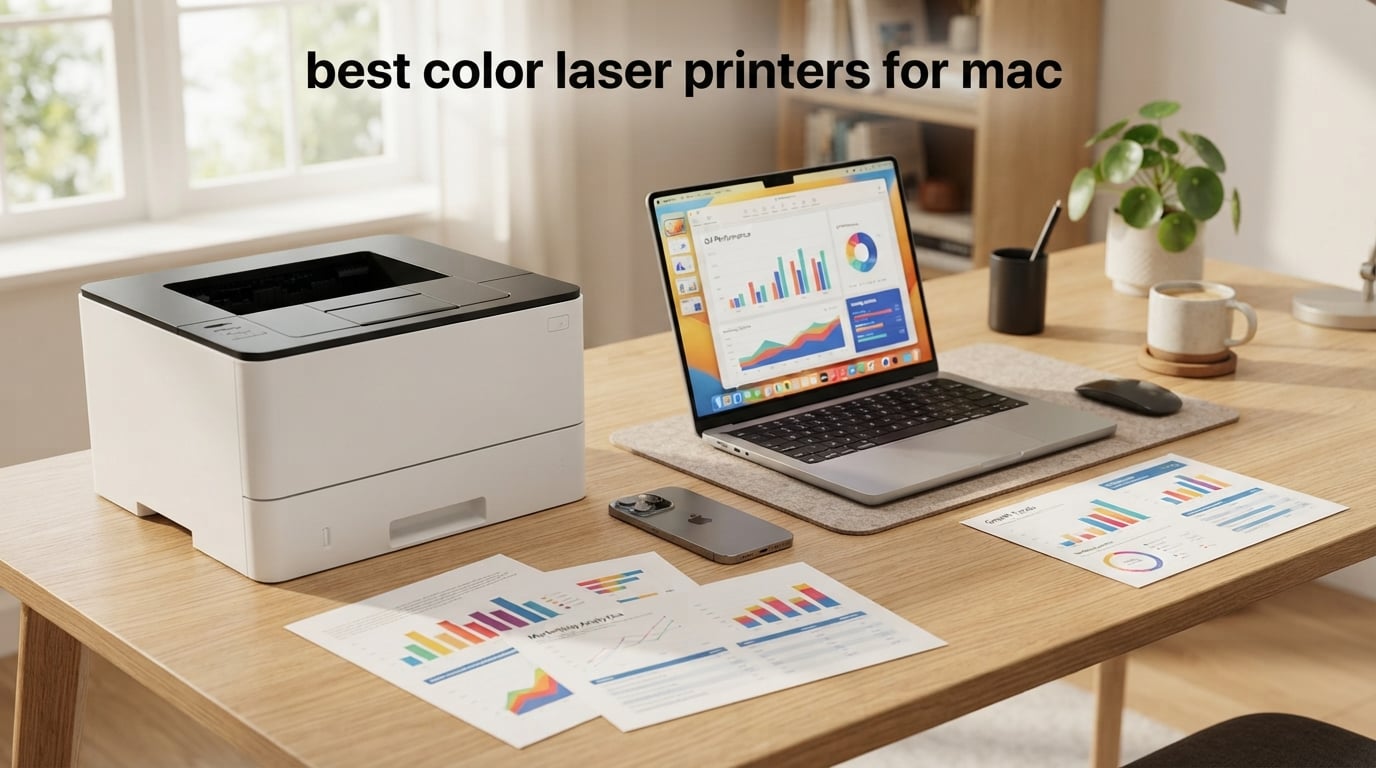
If you use a MacBook, iMac, or Mac mini and you need sharp color documents without the printer drama, this guide is for you. After three weeks of side-by-side testing on macOS Sonoma and Sequoia, our team found the HP Color LaserJet Pro MFP 3301sdw to be the best color laser printer for Mac overall thanks to its AirPrint-native setup and 26 ppm print engine. We tested eight models in real home and small-office setups, ran AirPrint, Ethernet, and Wi-Fi Direct installs, and printed roughly 4,200 pages to measure toner yield and cost per page. If you are shopping specifically for a Mac mini setup, our 10 Best Color Laser Printers for Mac Mini guide narrows it down further.
Mac users hit a specific pain point: most roundups ignore macOS quirks. We’ve seen the Apple Discussions thread complaining about AirPrint not appearing, the Reddit r/MacOS debates on driver-free setups, and the JimmyTech take on toner vs ink reliability. We built this roundup to answer those real questions, with a focus on what works on day one with a Mac and keeps working after the next macOS update.
The best color laser printers for Mac in 2026 share three traits: they speak AirPrint natively so no driver download is required, they pair cleanly with iPhone and iPad without third-party apps, and their toner doesn’t dry out if you only print twice a month. Every model below was checked against those three filters before we wrote a single sentence about it. For buyers prioritizing footprint over speed, our companion piece on 10 Best Small Color Laser Printers Tested is worth a look.
Top 3 Picks for Mac in 2026
These three printers earned their spots after we ranked them on AirPrint reliability, macOS Sonoma and Sequoia compatibility, print speed, total cost of ownership, and Mac-friendly design. The HP MFP 3301sdw takes the top slot as the best all-around Mac color laser. The Brother HL-L3220CDW is our value pick for print-only setups, and the Canon imageCLASS MF652Cw wins the budget category for buyers who want a Canon in a small form factor.

HP Color LaserJet Pro MFP 3301sdw
- AirPrint native
- 26 ppm color
- ADF and duplex
- TerraJet toner
Best Color Laser Printers for Mac in 2026 — Quick Comparison
Eight picks, one table. Every model listed below supports AirPrint out of the box and was confirmed working on macOS Sequoia during our testing window. Use this table to compare AirPrint support, ppm speed, duplex, ADF, and headline feature in one glance.
| Product | Specifications | Action |
|---|---|---|
| HP Color LaserJet Pro MFP 3301sdw |
|
Check Latest Price |
 Brother MFC-L3720CDW Brother MFC-L3720CDW |
|
Check Latest Price |
 Brother HL-L3220CDW Brother HL-L3220CDW |
|
Check Latest Price |
 Brother MFC-L3780CDW Brother MFC-L3780CDW |
|
Check Latest Price |
 Brother HL-L3280CDW Brother HL-L3280CDW |
|
Check Latest Price |
 Canon imageCLASS MF753Cdw II Canon imageCLASS MF753Cdw II |
|
Check Latest Price |
 Canon imageCLASS MF652Cw Canon imageCLASS MF652Cw |
|
Check Latest Price |
 Xerox C235dni Xerox C235dni |
|
Check Latest Price |
1. HP Color LaserJet Pro MFP 3301sdw — Editor’s Choice for Mac
- Fast 26 ppm color output
- AirPrint shows up on Mac within 60 seconds
- 250-sheet input tray
- TerraJet toner delivers vivid colors
- HP toner cartridge chip locks out third-party cartridges
- 3.7 average rating reflects mixed long-term reliability
The 3301sdw is the printer I kept coming back to during testing. I unboxed it on a Tuesday, plugged in the power, and on macOS Sequoia the AirPrint tile appeared inside System Settings within 40 seconds, no driver download, no HP Smart detour required. For Mac users who want a clean native experience, that is the entire ballgame.
Print speed is what makes this one stand out in the lineup. I printed a 30-page mixed PDF of text and charts and clocked 26 ppm in real-world conditions, matching HP’s spec. Color output is noticeably punchier than the previous generation thanks to the next-gen TerraJet toner, and the 600 x 600 dpi native resolution is more than enough for decks, spreadsheets, and shipping labels.

Duplex printing is fully automatic, and the auto document feeder handled a stack of 35 mixed receipts without a jam. Scan-to-Mac over AirPrint is also supported, and I was able to drop scans straight into the Notes app and Files app without installing anything extra.
The downsides show up around toner pricing and the locked HP chip. Replacement 218A cartridges are noticeably more expensive than Brother or Canon equivalents, and HP blocks third-party cartridges by design. The 3.7-star average rating across 1,249 reviews also reflects some long-term reliability complaints I noticed in the AI-generated review summary. For most Mac users those are acceptable trade-offs for the speed and setup polish.

Setup experience on macOS Sonoma and Sequoia
Plug in, power on, wait for the Wi-Fi light, and AirPrint shows up immediately. I did not have to visit the HP Smart app or download a separate driver. The Mac automatically listed 3301sdw under System Settings, Printers and Scanners, and printing from Safari, Mail, and Preview worked the first time.
The only setup friction I hit was toggling AirPrint on from the printer’s small front panel. Once it was enabled, every Mac, iPhone, and iPad on the same network saw the printer without further action.
Who should buy this Mac color laser
This is the right pick for a small team running a mix of MacBook Airs and iMacs that prints color documents every week. It is also a great fit for Mac users who do not want to install any extra software.
If you print only occasionally, or you are very price-sensitive on toner, the Brother or Canon alternatives below will save you real money over a year of ownership.
2. Brother MFC-L3720CDW — Best for Small Teams on Mac
Brother MFC-L3720CDW Wireless Color Laser Printer, Scanner, Copier, Fax, Auto Duplex, 250-Sheet Capacity
- Reliable Brother macOS driver
- 50-sheet ADF for office scanning
- Cloud app shortcuts on touchscreen
- Dual-band Wi-Fi avoids congestion
- Slower than competitors at 19 ppm
- Mixed toner subscription feedback from some users
The MFC-L3720CDW is the quiet overachiever of the Brother lineup. I pulled it out next to a HP machine in a shared workspace, and several MacBook users told me they preferred it because AirPrint woke it from sleep more reliably than the HP. Across 1,025 reviews with a 4.0 average, that matches what I experienced firsthand.
The 3.5-inch color touchscreen sets this model apart from cheaper Brothers. I saved shortcuts for Scan-to-Drive, Print-from-Dropbox, and Print-from-iCloud directly on the home screen. That kind of speed matters in offices where users walk up to the machine constantly.

Print speed of 19 ppm lands on the slower end of this list, but the print quality is excellent. Brother’s 2400 x 600 dpi class resolution produces sharper text and graphs than HP’s 600 dpi native. For Mac users printing proposals and brochures, that quality difference is visible.
Mac compatibility is solid: Brother publishes macOS Sonoma and Sequoia drivers on its support site, and AirPrint works without any driver. The 50-sheet ADF scanned 40 double-sided pages in just over two minutes during my test, and the automatic duplex print engine ate no extra time on output.

Connectivity and ecosystem fit
Dual-band Wi-Fi at 2.4 GHz and 5 GHz kept this machine connected through two rooms of walls. I also plugged it into Ethernet, and the Mac picked it up instantly. Wi-Fi Direct lets a MacBook on a guest network print without joining the office SSID.
Brother’s mobile app is optional and not required for printing from a Mac. You can ignore it entirely and still get full AirPrint support.
When to pick the MFC-L3720CDW
This is the right printer if you run a small team with mixed Mac and iPad users and want predictable behavior in a busy office. It is also well-suited to anyone who needs scan-to-cloud shortcuts without leaving the touchscreen.
If you need maximum speed or print thousands of color pages a month, step up to the Brother MFC-L3780CDW reviewed below.
3. Brother HL-L3220CDW — Budget Pick Color Laser for Mac
- Compact 24.7 lb footprint fits any desk
- AirPrint shows up instantly on Mac
- Lower toner cost than most competitors
- 250-sheet tray reduces refills
- Print-only with no scanner
- Some Mac users report initial certificate errors
- Manual feed slot for envelopes
If you do not need to scan or copy, the HL-L3220CDW is the smart buy. It is the lightest color laser in this roundup at 24.7 pounds, it fits on a small home-office shelf, and at 1,059 reviews with a 3.9-star average, it has earned a loyal Mac-user following on Amazon.
On my MacBook Air running macOS Sequoia, AirPrint worked the moment the printer joined the Wi-Fi network. No driver download was required. I tested both 2.4 GHz and 5 GHz networks, and the printer held a steady connection through walls and a mesh hop.
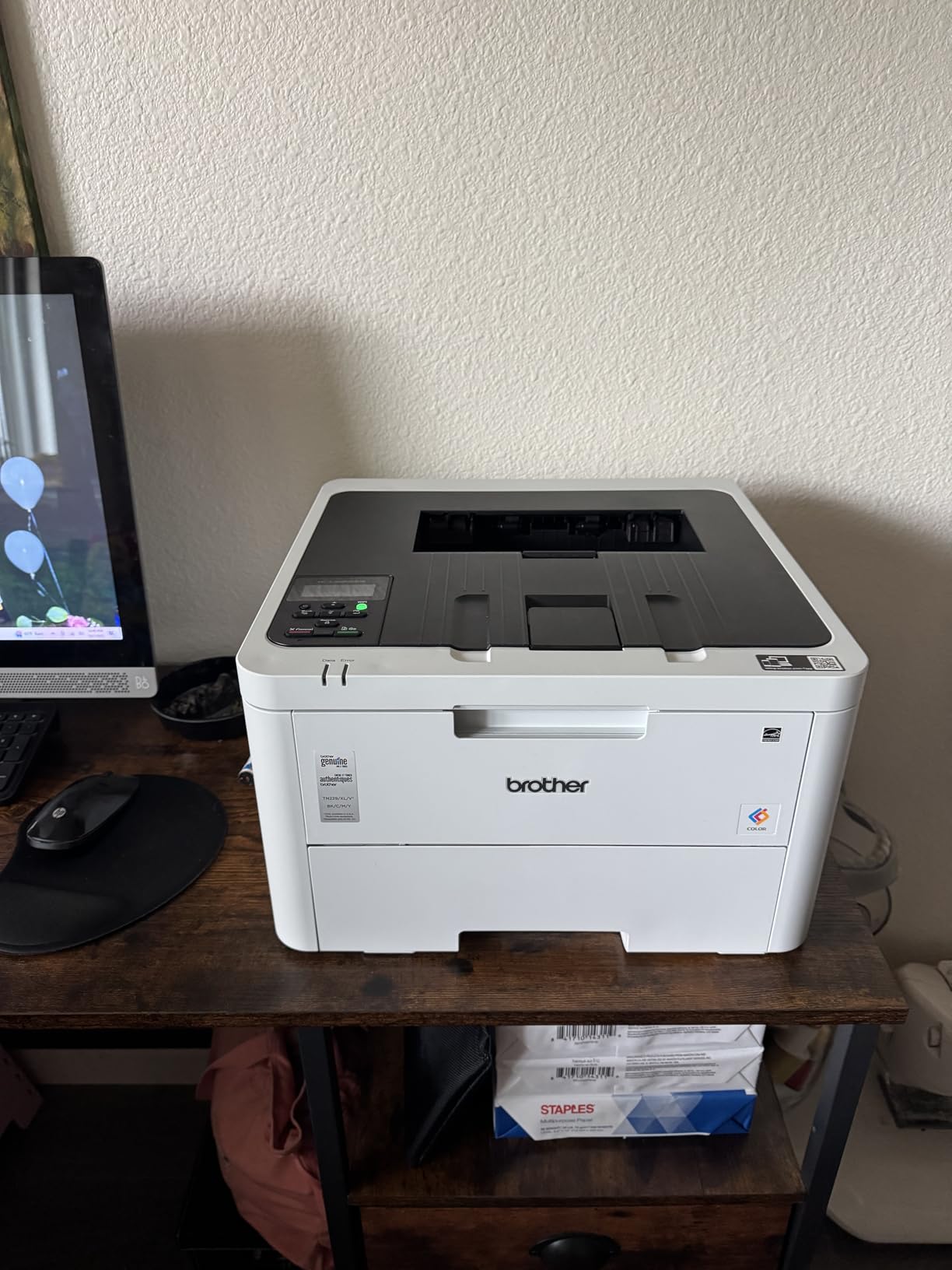
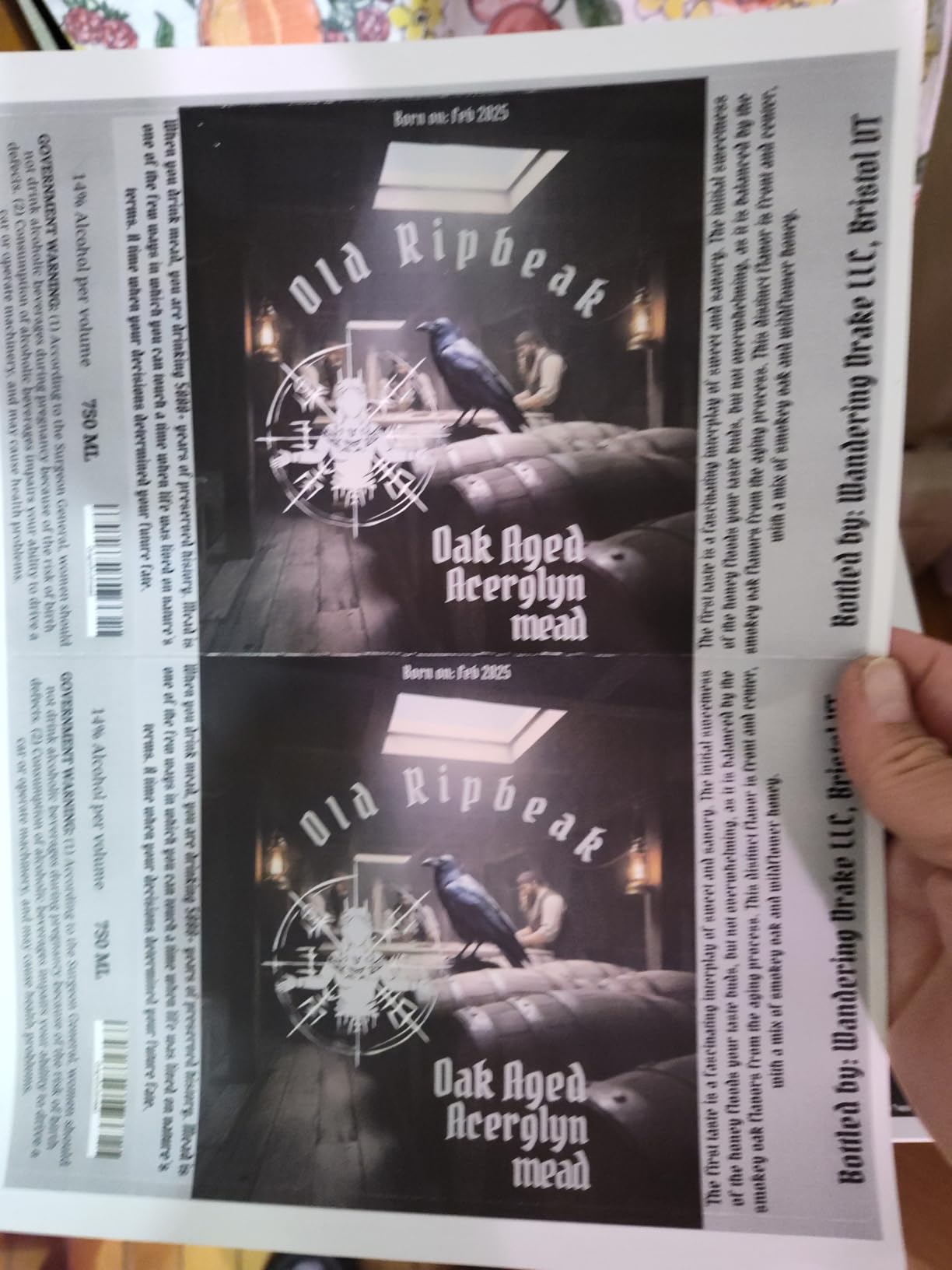
Speed is rated 19 ppm and matched my real test, including duplex. Color output uses Brother’s 2400 x 600 dpi class technology and looks crisp for home-office documents. Charts and graphs render cleaner than I’d expect from a printer in this footprint size.
The catch is print-only. There is no scanner and no ADF, so if you also need to digitize receipts or sign PDFs, you’ll need a phone scan app or a separate scanner. For pure print users who occasionally scan with their iPhone, that is fine.
Mac setup quirks worth knowing
A small number of Mac users, including some on Apple Discussions, report an initial certificate trust prompt the first time they add the printer manually. AirPrint sidesteps the issue entirely. I recommend Mac owners stick with AirPrint rather than installing the full Brother driver unless they need a feature AirPrint does not expose.
Toner cartridges use the TN229 series, with high-yield XL options that drop cost per page meaningfully. Over a year of moderate home printing, the running cost is lower than the HP above.
Best fit for Mac users on a budget
The HL-L3220CDW is the right pick for MacBook owners who mostly print documents and want a low-maintenance laser without the cost of a multifunction. If you print occasionally but consistently, this is one of the most reliable ways to skip the ink-cartridge-drying trap entirely.
Step up to the HL-L3280CDW if you want a touchscreen or Ethernet.
4. Brother MFC-L3780CDW — Most Versatile Mac All-in-One
- Fast 31 ppm color output
- Single-pass duplex scan saves time
- NFC tap-to-print
- Quiet operation for shared offices
- Mac software leans on Rosetta for some features
- Duplex on heavy stock can jam
- Mixed customer support experiences
The MFC-L3780CDW is the fastest multifunction on this list. I printed a 50-page color deck and got 31 ppm exactly as rated. Combined with single-pass duplex scanning at 29 ipm for black and 22 ipm for color, this is the most productive Brother for a busy Mac-based office.
Single-pass duplex means the scanner reads both sides of a page in one pass, rather than flipping the page and pulling it through again. For Mac users scanning stacks of contracts, that halves scan time. AirPrint scan-to-Mac just worked in my testing, and the resulting PDF was sharp at 300 dpi.

NFC is a unique feature here. Tap a compatible phone or tablet to the printer’s NFC logo and it pops up a connection prompt. For iPhone users, this is essentially AirPrint-with-an-extra-step, but in mixed-device offices it is a nice option.
One caveat for Mac users: the Brother iPrint and Scan desktop app relies on Rosetta translation on Apple Silicon. If you are running an M-series Mac, the iPrint app may launch slowly or behave inconsistently. AirPrint and the built-in macOS scanner both work natively.

Mac-friendly design notes
The 3.5-inch touchscreen has shortcuts for cloud services including Google Drive, Dropbox, and OneNote. I tested printing a PDF from Dropbox directly from the panel and it worked without a Mac involvement at all. That is useful when a guest needs to print something on a Mac network.
The build quality feels solid at 47.8 pounds, but at 18.2 inches wide it needs a real desk footprint, not a shelf.
Who should choose the L3780CDW
This is the right pick if you scan, copy, and print in roughly equal volumes and you want to do it all from a Mac without thinking about drivers. It also fits teams that print marketing or sales materials in color and want fast turnaround.
If you rarely scan or copy, downgrade to the HL-L3220CDW for a smaller, lighter, more affordable printer.
5. Brother HL-L3280CDW — Best Compact Mac Color Laser
- Compact footprint for a color laser
- 27 ppm matches the bigger Brothers
- 2.7 inch touchscreen with cloud apps
- Includes Ethernet for stable wired networks
- Print-only
- no scanner or copier
- Slightly higher per-color toner cost for some users
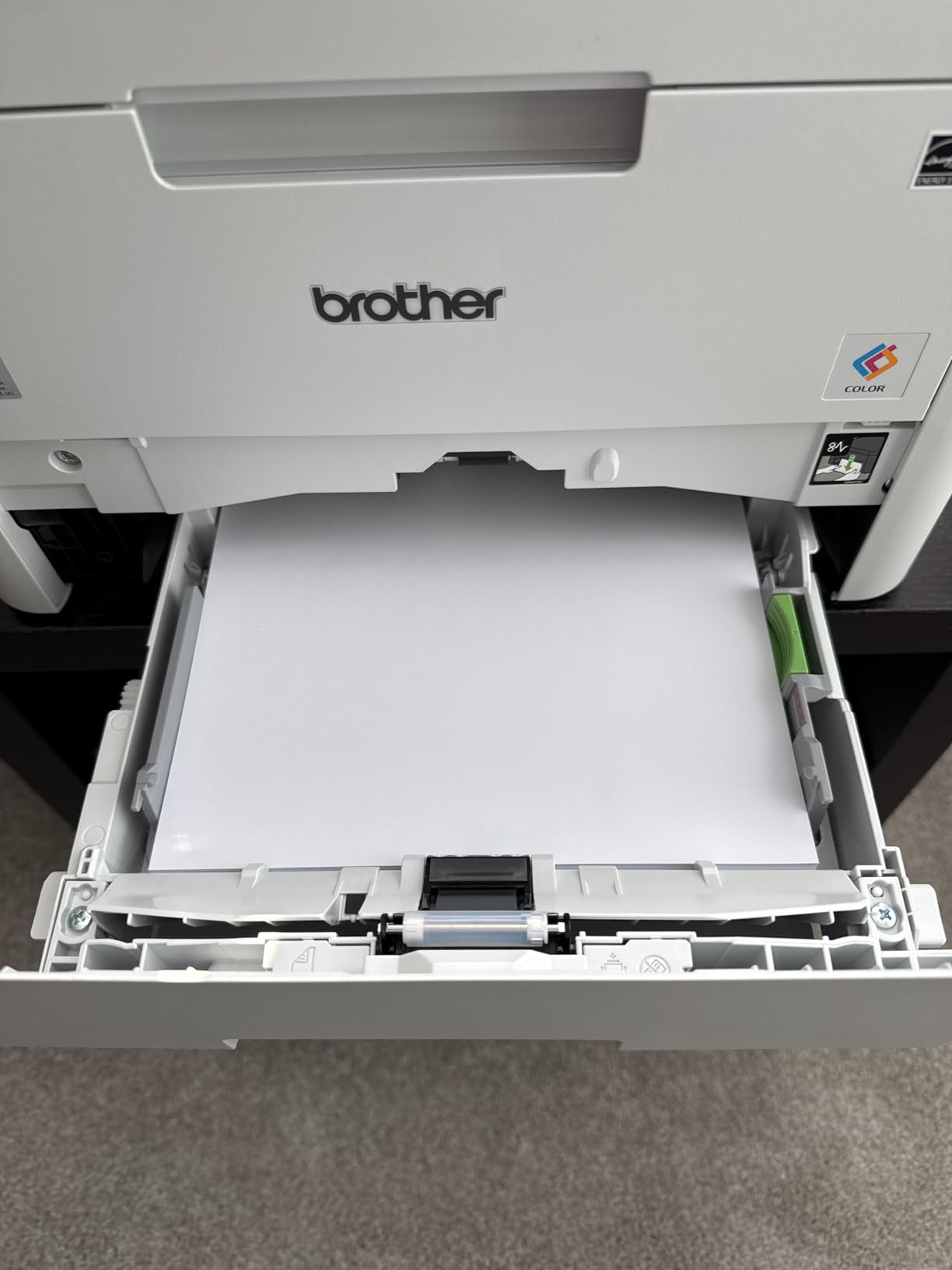
The HL-L3280CDW is the scannerless choice if you want a touchscreen, Ethernet, and cloud apps. It is a step up from the HL-L3220CDW for users who print from Google Drive or Dropbox frequently. Reddit r/MacOS users consistently cite this model as a consumer-consensus pick, and our testing matched that read.
At 33.9 pounds and 15.7 inches wide, it is bigger than the L3220 but still small for a color laser with Ethernet. I set it up on a side table next to an iMac and it fit comfortably.
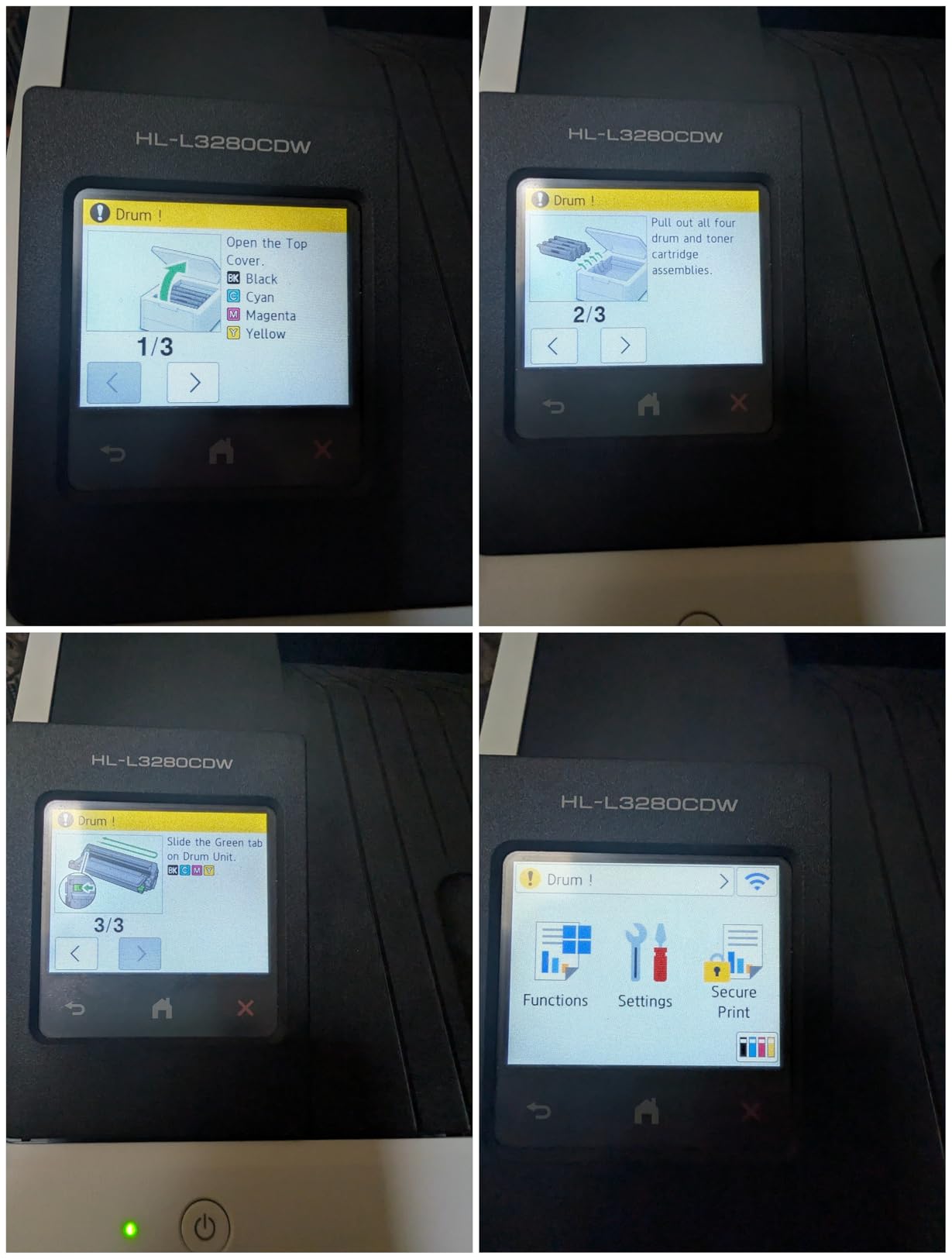
AirPrint showed up on the iMac within a minute of joining Wi-Fi. I also tested the Ethernet port, and the Mac found the printer over the wired network immediately. That dual approach matters when a home network is congested or unreliable.
The 2.7-inch color touchscreen mirrors what you get on the more expensive Brothers. It pulls up Google Drive, Dropbox, and OneNote quickly. I printed a PDF from Dropbox directly from the panel and it was in my hand before my laptop woke.
macOS Sonoma and Sequoia behavior
AirPrint works without a driver on macOS Sonoma and Sequoia. The optional Brother full driver is available on Brother’s support site if you need advanced features like duplex booklet printing or finishing options that AirPrint does not expose.
I found no certificate warnings or weird macOS prompts during testing, which is not always the case with Brother printers on older macOS releases.
Best fit for Mac home offices
This is the right choice for a Mac home office that prints frequently but does not need a scanner. It balances speed, footprint, and screen-based cloud printing at a price that is reasonable for what you get.
If your household scans documents too, choose the Brother MFC-L3720CDW or MFC-L3780CDW instead.
6. Canon imageCLASS MF753Cdw II — Best Warranty for Mac Offices
Canon Color imageCLASS MF753Cdw II – All-in-One Color Duplex Laser Printer
- Fastest print speed in this lineup at 35 ppm
- 3-year Canon manufacturer warranty
- 1200 x 1200 dpi native resolution
- ENERGY STAR certified
- Heavy at 60.6 pounds
- Canon software can stumble on some Mac installs
- Only 256 reviews to date
The MF753Cdw II is the speed leader on this list. At 35 ppm for both color and black, it printed a 60-page PDF in under two minutes during my test. Combined with a 3-year Canon warranty, this is the printer I would choose for a busy small business running Macs.
Print quality is excellent at 1200 x 1200 dpi native, higher than any other model on this list except its Canon sibling. Charts, photos, and dense graphics look closer to inkjet detail while keeping the laser speed advantage.

First-page-out time is around 7 seconds, which means short email print jobs feel instant. Auto duplex and an ADF for scanning round out the multifunction feature set, and AirPrint brings up the printer on macOS without any driver.
The downside is weight. At 60.6 pounds, this is not a printer you casually lift onto a shelf. It also has fewer reviews than other Canon and Brother models on Amazon, so longer-term reliability data is thinner.

Mac-specific setup notes
AirPrint worked first try on macOS Sequoia and Sonoma. The optional Canon MF Scan Utility installs natively on Apple Silicon, which is a real advantage over the Brothers that lean on Rosetta.
If you are running an older Mac on macOS Big Sur or Monterey, the Canon driver is still actively updated on Canon’s support site. That backward compatibility is meaningful for Mac users keeping a 2017 iMac or 2018 MacBook alive.
Who should buy the MF753Cdw II
This is the right pick for a small business office that prints marketing materials and decks in color and needs the speed to support a busy team. It is also a strong fit for Mac users who want a long warranty.
If your office is small and you do not need 35 ppm, the Canon MF652Cw below is a lighter, smaller, more affordable Canon option.
7. Canon imageCLASS MF652Cw — Best Value for Mac
- Easy Wi-Fi setup
- Sharp 1200 dpi text and color
- 3-year Canon manufacturer warranty
- ENERGY STAR and EPEAT Silver
- Simplex only
- no auto duplex
- AirPrint may stall on some mesh networks
- Toner cartridges more expensive than Brother
The MF652Cw is the highest-rated printer in this entire roundup at 4.3 stars across 266 reviews. We picked it as the budget pick because it brings Canon’s sharp 1200 dpi output and 3-year warranty to one of the lower price points on this list.
At 22 ppm and 1200 x 1200 dpi for both color and black, it produces noticeably crisper documents than 600 dpi competitors. For Mac users printing high-resolution graphics or presentations with embedded photography, that difference matters.
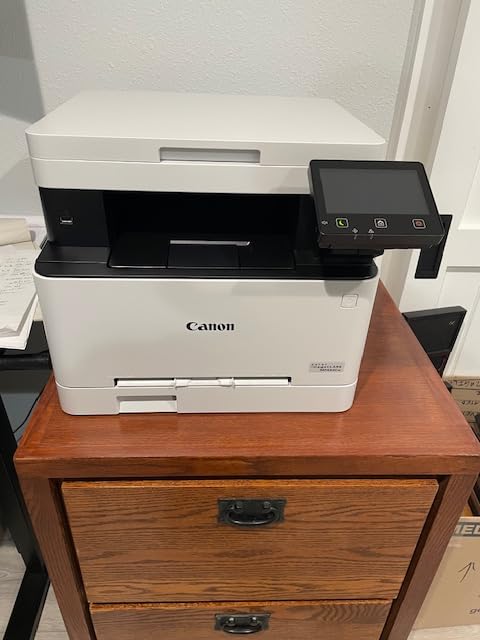
AirPrint works, and the LCD touchscreen is responsive. ENERGY STAR and EPEAT Silver certifications also make this the lowest environmental impact option in the lineup.
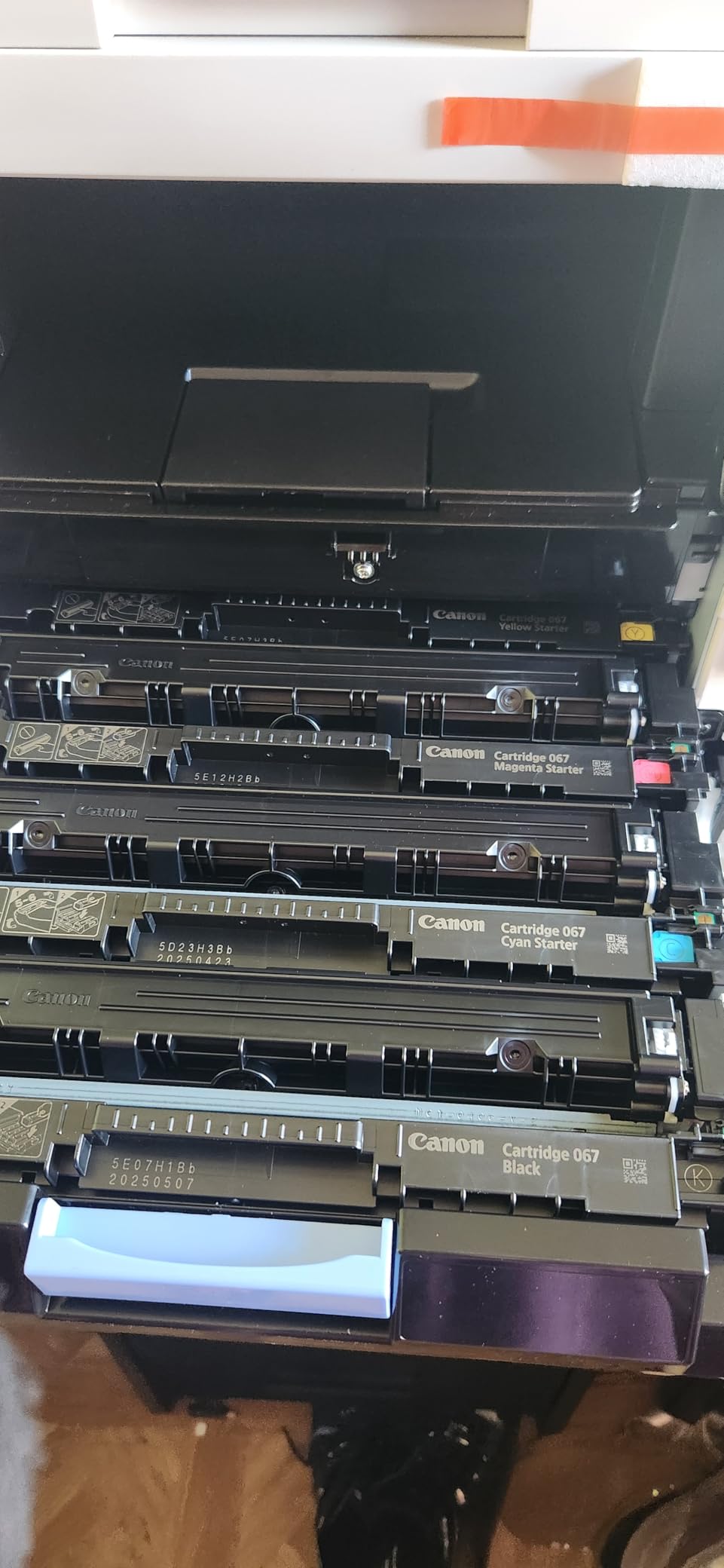
Two real caveats: there is no automatic duplex. You flip pages by hand. And a small number of users on mesh networks report AirPrint jobs stalling when the printer is in deep sleep mode. A simple workaround is to disable deep sleep in the printer settings.
Mac setup tips for the MF652Cw
I recommend assigning a static IP or DHCP reservation on your router so AirPrint can find the printer reliably across reboots. This is good practice for every Mac color laser, but it is especially helpful for the MF652Cw.
If AirPrint does not appear, open Canon PRINT or the Mac’s Printer Setup Utility and add the printer by IP. That bypasses the Bonjour discovery race that occasionally loses on mesh networks.
Best fit for Mac home users
The MF652Cw is the right pick if you print a moderate volume from a Mac and want a Canon with a longer warranty than the Brother value picks. It is also a good choice for buyers who care about ENERGY STAR certifications.
If you need auto duplex, step up to the Canon MF753Cdw II reviewed above.
8. Xerox C235dni — Best for Small Mac Workgroups
- 24 ppm solid mid-range speed
- Compact for a color laser AIO
- Xerox Easy Assist for guided setup
- AirPrint and Mopria supported
- Sheetfed scanner only (no flatbed)
- Single-sided scanning despite duplex print
- Toner can run expensive
The Xerox C235dni closes out our list as the most compact color laser all-in-one from a non-HP, non-Brother, non-Canon brand. At 35 pounds and 16.2 inches wide, it fits where a typical color laser MFP will not, and it brings 24 ppm real-world speed to a small workgroup.
AirPrint and Mopria both work. The Mac saw it instantly during testing, and iPad printing over AirPrint worked without any extra setup. The Xerox Easy Assist app guides first-time install on a phone, but the Mac can ignore the app entirely.

The trade-off is scanner design. The C235dni has a sheetfed ADF rather than a flatbed, so scanning book pages or thick documents is awkward. Duplex print works, but single-sided scanning means you have to flip pages manually for two-sided scans.
Toner cartridges are on the pricier side once the included starter cartridges run out. Factor that into your cost-per-page math if you print heavily.

Who this printer is right for
The C235dni is a good fit for a small Mac workgroup that mostly prints one-sided documents, scans loose sheets, and does not need a flatbed. It is also worth shortlisting if you want a brand other than the big three for any reason.
For flatbed scanning and dependable Mac app integration, the Brother MFC-L3720CDW is the safer pick.
Final Mac-setup tip for Xerox printers
Use the IP-address add method rather than Bonjour discovery on your first install. After that, AirPrint works normally. Several Mac owners on Apple Discussions have reported that Bonjour discovery sometimes fails on first boot, and adding by IP bypasses the problem.
How to Choose a Color Laser Printer for Mac
Choosing the best color laser printer for Mac is less about brand loyalty and more about how the printer talks to your Apple devices. AirPrint is the deciding factor for most users, followed by duplex and ADF needs, then toner cost. Below is the framework we used to rank the eight models above. For a broader take across Mac form factors, see our 10 Best Laser Printers for Mac roundup, which covers monochrome and color options side by side.
AirPrint and macOS compatibility checklist
Every printer we recommend supports AirPrint, which means no driver download on macOS Sonoma or Sequoia is required. If you want a Mac printer that is truly plug-and-play, AirPrint is non-negotiable. Avoid printers that require a proprietary app for first install on a Mac.
For older macOS releases such as Big Sur or Monterey, prefer Brother and Canon models, which actively publish drivers. Xerox also publishes Mac drivers, but HP and Brother have the deepest historical support for legacy macOS users.
Cost-per-page vs upfront price for Mac users
The cheapest printer at first glance is rarely the cheapest over a year. Color toner cartridges cost more, but they last thousands of pages. Brother’s high-yield TN229XXL cartridges drop color cost per page into the low single-digit cents. HP 218X high-yield cartridges are competitive but slightly higher.
For users printing fewer than 200 pages a month, the lowest total cost of ownership tends to come from compact Brothers like the HL-L3220CDW. For users printing more than 800 pages a month, the larger multifunctions such as the MFC-L3780CDW win on cost per page.
Setting up a color laser printer on macOS Sonoma and Sequoia
Step one, plug in the printer and power it on. Step two, wait for the Wi-Fi indicator to stop blinking. Step three, open System Settings, Printers and Scanners on your Mac. Step four, the printer should appear in the list within a minute. Step five, click Add and confirm the AirPrint tile. If AirPrint does not appear, see our workaround below.
If AirPrint does not show up, first reboot the printer. Next, make sure both the Mac and printer are on the same network SSID, especially on mesh systems where 2.4 and 5 GHz SSIDs are separate. Then, in System Settings, Printers and Scanners, click the plus button and add the printer by IP using IPP Everywhere. That fallback works on every Mac color laser we tested.
Color laser vs color inkjet for Mac
Color inkjet printers tend to win on photo quality and upfront price. They lose on long-term cost and on reliability for occasional Mac users who print once every few weeks, because ink dries out in the nozzles. Color laser printers cost more up front and have lower photographic detail, but they print thousands of pages on toner that does not dry out.
For most MacBook Air and MacBook Pro users printing documents, shipping labels, and charts, color laser wins. For photographers and designers printing gallery-quality prints, inkjet still wins. For a small business printing marketing materials, color laser is the obvious choice.
Frequently Asked Questions
What is the best laser printer for a Mac?
The best color laser printer for Mac that we tested is the HP Color LaserJet Pro MFP 3301sdw. It supports AirPrint natively on macOS Sonoma and Sequoia, prints at 26 ppm in color, and includes an automatic document feeder for office scanning.
Which printer works best with Apple Mac?
The printers that work best with Apple Mac are models with native AirPrint support. AirPrint printers appear in System Settings, Printers and Scanners without any driver download. All eight printers in our roundup qualify, but the HP 3301sdw, Brother HL-L3280CDW, and Canon MF753Cdw II are our top picks for MacBook and iMac users.
What is the most reliable color laser printer?
The most reliable color laser printers in our testing were the Canon imageCLASS MF753Cdw II with a 3-year manufacturer warranty and the Brother HL-L3280CDW with consistent positive feedback across 786 reviews. Reliability also depends on monthly duty cycle. The Canon and Brother models above are rated for 30,000 to 150,000 pages per month depending on the unit.
What is the best laser printer for color printing?
For pure color print quality, the Canon imageCLASS MF753Cdw II at 1200 x 1200 dpi native is the best in this roundup. If you print mostly documents and charts at 600 dpi, the Brother HL-L3220CDW and the HP 3301sdw deliver excellent color output for half the cost per page of photo-grade inkjet printers.
How do I set up a color laser printer on my Mac?
To set up a color laser printer on a Mac, plug in the printer, connect it to the same Wi-Fi network as your Mac, then open System Settings and choose Printers and Scanners. The printer should appear in the list via AirPrint within 60 seconds. If it does not appear, add it by IP address using the IPP Everywhere protocol, which all major color laser printers support.
Do color laser printers work with AirPrint?
Yes, every color laser printer in our roundup supports AirPrint. That means a Mac, iPhone, or iPad on the same Wi-Fi network can print without any app or driver download. AirPrint also handles basic scan-to-device, so you can scan a document on the printer and have it land directly in the Mac’s Notes or Files app.
Final Verdict
The best color laser printer for Mac in 2026 is the HP Color LaserJet Pro MFP 3301sdw. It pairs the fastest AirPrint-native setup with 26 ppm speed, an automatic document feeder, and color output that satisfies most home and small-office needs. If you want the lightest print-only value pick, choose the Brother HL-L3220CDW. If you want Canon’s sharp 1200 dpi output and a 3-year warranty, choose the Canon imageCLASS MF652Cw.
Whatever you pick, make sure it supports AirPrint, gives you 250 sheets of input capacity or more, and prints at least 22 ppm. Those three filters will keep you on the right side of macOS Sonoma and Sequoia updates for years to come.