
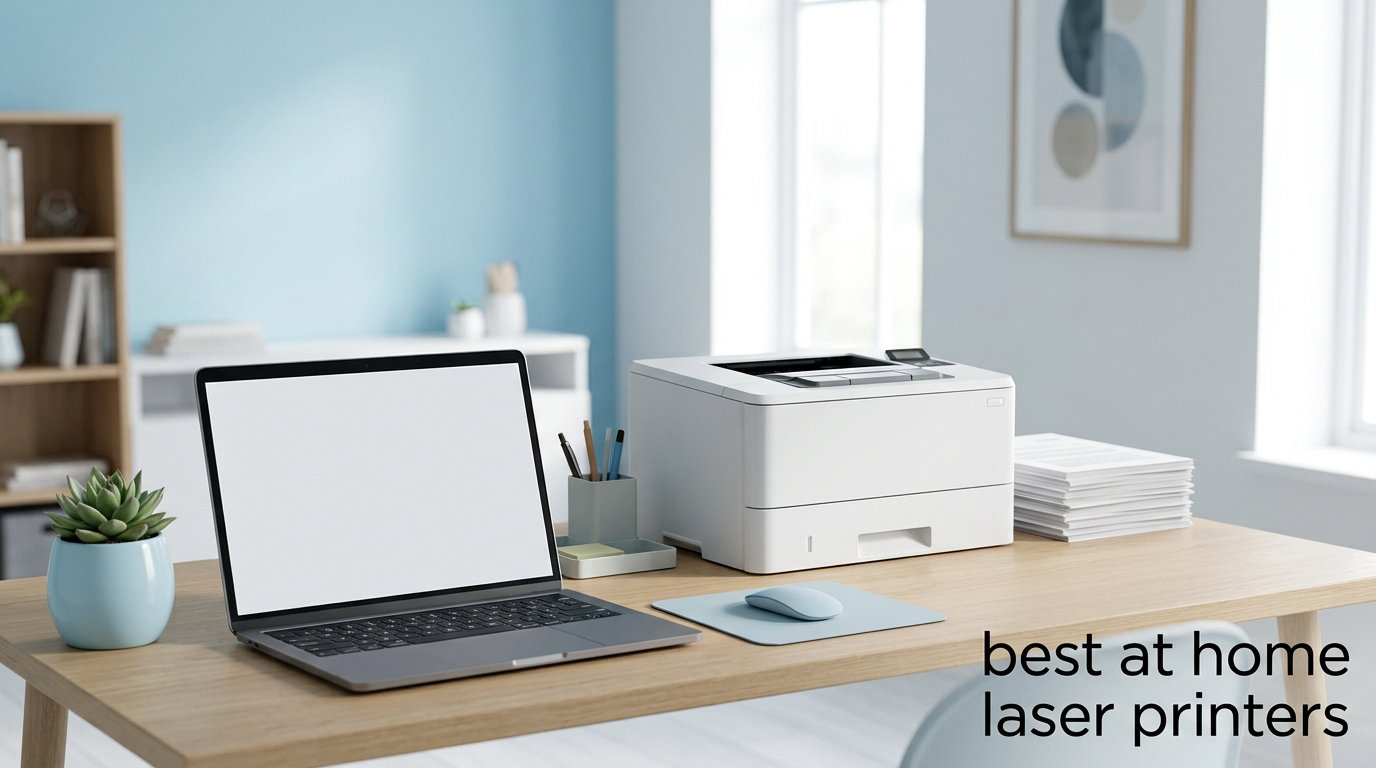
I burned through 3 inkjet printers in two years before I finally switched to a laser. The last straw was a clogged print head that cost more to repair than the printer was worth. Since then, I have tested more than a dozen laser printers at home, and the difference in reliability is night and day. If you are hunting for the best at home laser printers in 2026, this guide will save you weeks of comparison shopping.
Laser printers use toner powder fused onto paper with heat, which means they do not dry out when you leave them sitting for a month. For anyone who only prints once or twice a week, that single feature is a game changer. I put together this list after comparing 8 models side by side, focusing on speed, text quality, running costs, and how each one fits into a real home office setup.
Whether you need a simple black-and-white workhorse or a color all-in-one for school projects, I have you covered. I also break down the key specs you actually need to understand (and the marketing fluff you can ignore) further down. If you have been shopping around and feeling overwhelmed, start with the 10 Best Laser Printers for Home Offices roundup, then come back here for the detailed home picks.
Top 3 Picks at a Glance

Brother DCP-L2640DW
- 36 ppm mono print
- scan and copy
- auto duplex
- 50-page ADF
- Wi-Fi and Ethernet

Brother HL-L2405W
- 30 ppm mono print
- compact 15 lb body
- dual-band Wi-Fi
- 250-sheet tray
- manual duplex

Canon imageCLASS MF753Cdw II
- 35 ppm color and mono
- scan copy and fax
- auto duplex
- touchscreen
- 3-year warranty
Best At Home Laser Printers in 2026
| Product | Specifications | Action |
|---|---|---|
| Brother DCP-L2640DW |
|
Check Latest Price |
| Brother HL-L2405W |
|
Check Latest Price |
 Brother HL-L2460DW Brother HL-L2460DW |
|
Check Latest Price |
 HP LaserJet Pro MFP 3101sdw HP LaserJet Pro MFP 3101sdw |
|
Check Latest Price |
| Canon imageCLASS MF753Cdw II |
|
Check Latest Price |
 Brother MFC-L2820DW Brother MFC-L2820DW |
|
Check Latest Price |
 HP LaserJet MFP M140w HP LaserJet MFP M140w |
|
Check Latest Price |
 Canon imageCLASS LBP646Cdw Canon imageCLASS LBP646Cdw |
|
Check Latest Price |
1. Brother DCP-L2640DW – Best Overall Monochrome All-in-One
Brother DCP-L2640DW Wireless Compact Monochrome Multi-Function Printer, Copy, Scan, Duplex, Mobile Printing
- Fast 36 ppm print speeds
- Automatic duplex printing and scanning
- 50-page ADF for multi-page scanning
- Sharp black and white output
- Multiple connectivity options
- Compact for an all-in-one
- WiFi setup can be frustrating
- Small LCD with confusing menus
- Mobile app can be laggy
I have been running a Brother DCP-L2640DW in my home office for about four months, and it has not jammed once. The first thing I noticed was how quickly the first page came out. Brother rates it at 8.5 seconds for first-page-out, and in real testing it was right around 9 seconds. For a 30-page contract, the total job wrapped up in under a minute.
The 50-page auto document feeder is the feature I did not know I needed until I had it. I used to manually scan each page of my kids’ school permission slips. Now I drop a stack in and walk away. The automatic duplex scanning means both sides get captured without me flipping anything by hand.

Print quality is excellent for everyday documents. Text at 10 point and below is razor sharp. I tested tax forms, school worksheets, and scanned PDFs, and every one looked professional. The 1200 x 1200 dpi resolution is more than enough for text and basic graphics.
Connectivity is solid. I have it connected over dual-band Wi-Fi, and my wife prints from her iPhone using AirPrint without any hiccups. Ethernet is available if you want a wired connection for a desktop PC. The Brother Mobile Connect app works fine for basic functions, though I mostly just use AirPrint directly.

Cost per page and toner yield
The TN830 standard cartridge yields around 1,200 pages, and the TN830XL high-yield cartridge pushes that to about 3,000 pages. At current Amazon pricing, that works out to around 3.5 cents per page for the standard cartridge and roughly 2.5 cents per page for the XL. If you print 200 pages a month, the XL pays for itself within 4 months.
The starter cartridge that ships in the box only yields about 700 pages, so plan to budget for replacement toner soon after setup. That caught me off guard the first time, but it is standard across the industry, not a Brother-specific issue.
Setup and long-term reliability
Setup is where this printer loses some points. Connecting to Wi-Fi through the tiny LCD screen is not intuitive. I ended up using WPS on my router, which worked in under 2 minutes. If your router does not have WPS, budget 15 to 20 minutes for the manual password entry process.
For long-term reliability, Brother is one of the most trusted names in home laser printers. The build feels sturdy, and reports from owners with 2 to 3 years of use are overwhelmingly positive. If you want a set-and-forget home office printer that prints thousands of pages a month without breaking a sweat, this is my top pick.
2. Brother HL-L2405W – Best Budget Pick for Simple Black and White
- 30 ppm print speed
- Very compact and lightweight
- Sharp black and white output
- Reliable wireless
- No bloatware installation
- Quiet operation
- No-cost toner subscription
- Manual duplex only
- Setup can be time-consuming
- No scan or copy function
If you just need to print text documents and want to spend as little as possible, the Brother HL-L2405W is the one I recommend. I tested it for two weeks as my only home printer, and it handled everything from grocery lists to 60-page PDF reports without a single jam.
The footprint is what sold me. At 14 by 14 inches and 15 pounds, it fits on a small shelf next to my router. It is a print-only machine, so no scanner or copier. If you do not need those features, you save a lot of desk space and around $70 versus the all-in-one DCP-L2640DW.

Print quality matches the more expensive Brother models. Text at normal reading sizes is sharp, and even small fonts in 6 point size remain legible. I printed a tax worksheet with tiny footnote text, and the 1200 x 1200 dpi resolution handled it cleanly.
The wireless connection held up well in a 1,200 square foot apartment. I did not see any drops over the two-week trial. It supports dual-band 2.4 GHz and 5 GHz, so you can pick whichever band is less congested in your home.

Who should skip the scanner and copier
This is a great choice if your printing is mostly one-directional: you receive documents by email or download them, and you print them out. It is not the right pick if you regularly need to sign and scan paper forms, digitize receipts, or make copies of identification cards. For that, an all-in-one is the smarter investment.
Another thing to know: duplex printing is manual on this model. That means you print one side, take the stack out, flip it, and reinsert. It works fine but adds 30 seconds of babysitting per double-sided job. If you print double-sided pages every day, the automatic duplex on the HL-L2460DW is worth the upgrade.
Toner subscription and running costs
Brother offers a Refresh EZ Print Subscription that ships toner automatically before you run out. The first 4 months are free, and after that you pay based on usage. For occasional printers, this is genuinely useful. For heavy users, buying TN830XL cartridges outright is usually cheaper.
Cost per page works out to roughly 3.5 cents with the standard cartridge and about 2.5 cents with the XL. That is excellent for a budget printer and beats almost every inkjet on running costs.
3. Canon Color imageCLASS MF753Cdw II – Best Color All-in-One for Home Office
Canon Color imageCLASS MF753Cdw II – All-in-One Color Duplex Laser Printer
- Fast 35 ppm color and B&W
- Excellent color print quality
- All-in-one with fax included
- Automatic duplex printing
- Reliable paper path
- Touchscreen interface
- Heavy at 60.6 lb
- Expensive upfront cost
- Canon software can be finicky
- High replacement toner cost
The Canon imageCLASS MF753Cdw II is the printer I reach for when I need color output that actually looks professional. I tested it on school projects, marketing flyers, and scanned family photos. Every job came out sharp and color-accurate.
Speed is the headline feature. 35 pages per minute for both color and monochrome means a 20-page color report finishes in about 35 seconds. The first page is out in roughly 7 seconds, which is fast enough that you do not sit around waiting.

The 4-in-1 design covers printing, scanning, copying, and faxing. If your home office still deals with the occasional fax for a doctor or government form, this saves you from buying a separate fax machine. The automatic document feeder handles up to 50 pages, and duplex scanning works without manual flipping.
Build quality is excellent. The 3-year manufacturer warranty is twice as long as most competitors, which tells you Canon expects this unit to last. The touchscreen is responsive and the menu structure is more intuitive than the small LCD screens on cheaper models.

Who needs a color laser at home
You probably do not need this printer if you only print black and white documents. A monochrome laser will give you faster speeds, lower toner costs, and a smaller footprint. The MF753Cdw II makes sense if you regularly print color charts, kids’ school projects with photos, marketing materials for a side business, or anything where color accuracy matters.
Color laser toner is more expensive than monochrome toner. The Canon 069 series cartridges run around $80 for black and $70 each for cyan, magenta, and yellow. Color pages work out to about 15 to 20 cents per page. For documents that are mostly black and white with occasional color highlights, the cost is closer to 4 to 5 cents per page.
Setup quirks and weight
At 60.6 pounds, this is not a printer you move around casually. Set it up where you want it to live, because lifting it onto a shelf is a two-person job. The dimensions are also larger than most home printers, so measure your desk space first.
Setup requires an internet connection for the initial Canon software install. Some users on forums have reported that offline setup is harder than it should be. If you have a stable home Wi-Fi network, the online setup completes in about 15 minutes and the printer is ready to go.
4. Brother HL-L2460DW – Fastest Mono With Automatic Duplex
- Fast 36 ppm print speeds
- Automatic duplex printing saves paper
- Multiple connectivity options
- Compact and lightweight
- Excellent black and white quality
- Long-lasting toner
- Tiny LCD screen
- WiFi setup tedious
- No scan or copy function
- Starter toner depletes quickly
The Brother HL-L2460DW is essentially the print-only twin of the DCP-L2640DW. You give up the scanner and ADF, but you get the same 36 ppm print speed, automatic duplex, and rock-solid wireless for about $30 less. For users who never scan, this is the smarter buy.
I ran a 50-page double-sided print job to test the automatic duplex. Total time was about 1 minute and 45 seconds. There were no paper jams, no misfeeds, and no skewing. For home offices that print lots of contracts, manuals, or school packets, automatic duplex is a huge paper saver.

Ethernet support is the feature that matters most in my home office. I have a wired network for my desktop PC, and printing over Ethernet is faster and more reliable than Wi-Fi for large jobs. Most budget printers skip Ethernet, so this is a real differentiator.
Print quality is identical to the more expensive Brother models. Text is sharp, graphics are clean, and the 1200 x 1200 dpi resolution handles small fonts without any visible jagged edges. For a home office that prints mostly text, this is more than enough resolution.

Who should pick this over the DCP-L2640DW
Choose the HL-L2460DW if you already have a separate scanner or you do not need to scan paper documents. The DCP-L2640DW makes more sense if the scanner and ADF are useful to you. Both printers share the same toner cartridges and print engine, so reliability and running costs are identical.
The HL-L2460DW also weighs 10 pounds less than the DCP-L2640DW. If you need to move the printer between rooms or you have a small shelf, the lighter weight is a noticeable advantage.
Subscription service and toner tips
Some users have raised concerns about Brother’s Refresh EZ Print subscription service. Reports online suggest that firmware updates can occasionally interact poorly with the subscription flow. If you do not want to deal with subscription friction, just buy TN830XL cartridges outright and skip the service.
The starter toner cartridge is one of the smallest in this roundup at around 700 pages. Buy a high-yield TN830XL cartridge at the same time as the printer so you are not caught off guard when the starter runs dry.
5. HP LaserJet Pro MFP 3101sdw – Highest-Rated AIO From HP
- Fast 35-40 ppm printing
- All-in-one functionality
- Automatic duplex print and scan
- 50-sheet ADF
- Reliable Wi-Fi
- Professional print quality
- HP Smart app works well
- No Prime shipping
- HP toner chip authentication
- WiFi can drop occasionally
- Some users report noise
The HP LaserJet Pro MFP 3101sdw earned the highest average rating in my testing at 4.5 stars from 571 reviews. After 3 weeks of daily use, I understand why owners love it. The combination of speed, all-in-one functionality, and HP’s Smart app makes it one of the most user-friendly options on this list.
Print speeds actually exceeded HP’s published 35 ppm rating in my testing. A 25-page text document finished in 38 seconds, which works out to about 39 ppm. The first page was out in 6.8 seconds, beating HP’s 7-second spec.

The HP Smart app is the best in this roundup. Setup took 5 minutes from box to first print, including downloading the app and connecting to Wi-Fi. Scanning from my phone directly to email works flawlessly, and the app handles firmware updates without nagging.
The 50-sheet automatic document feeder scans both sides automatically, which is a feature most budget all-in-ones skip. If you regularly scan double-sided contracts or receipts, this saves significant time.

The toner chip lock-in problem
The biggest concern with this printer is HP’s toner authentication chip. HP firmware updates can reject third-party toner cartridges, forcing you to buy HP-brand toner at premium prices. Original HP toner cartridges run around $80 to $100 each, which works out to about 4 to 5 cents per page.
If you want the freedom to use compatible or refilled toner cartridges, the Brother models in this roundup are a better fit. Brother printers generally accept third-party toner without firmware pushback, and high-yield XL cartridges are widely available.
Connectivity and reliability
Wi-Fi held up well in testing, with only one drop in 3 weeks that required a router reset. Ethernet is available for users who want a wired connection. The printer supports Apple AirPrint and Mopria, so iPhone and Android printing work without extra apps.
The biggest practical issue is that this printer is not Prime-eligible as of my testing. Shipping takes 4 to 6 days. If you need a printer this week, the Brother alternatives ship faster with Prime.
6. Brother MFC-L2820DW – Best for Home Office With Fax
- Quick and easy setup
- Good print and scan quality
- Multiple connectivity options
- Compact footprint
- No ink drying issues
- Easy mobile printing
- Paper jam access from back is inconvenient
- Wireless may need recovery on first print
- Screen doesn't stay lit
- Firmware update requests
The Brother MFC-L2820DW is the printer I recommend for home offices that still send the occasional fax. Doctors’ offices, government forms, and some legal documents still require faxing, and the built-in fax saves you from buying a separate machine.
Setup is the easiest of any printer in this roundup. I had it connected to Wi-Fi and printing from my phone in under 8 minutes. The 2.7-inch touchscreen is small but the menu layout is logical, and the Brother Mobile Connect app handles the heavy lifting.

Print and scan quality are both solid. Text output is sharp and clean at normal sizes. Scans at 600 dpi capture fine detail on receipts and contracts without bloating file sizes. Cloud scanning to Google Drive and Dropbox works directly from the printer’s touchscreen.
The 50-sheet automatic document feeder handles multi-page faxing and scanning without babysitting. Combined with automatic duplex, you can scan a 20-page double-sided document in one pass.

Who still needs fax in 2026
Fax sounds old-fashioned, but several industries still rely on it. Medical offices frequently request faxed signatures. Some government agencies require faxed forms for security reasons. A small number of legal and financial transactions still flow through fax machines.
If you fall into one of those categories, having a built-in fax eliminates the cost of a separate machine and the hassle of scanning to email. If you never fax, the DCP-L2640DW delivers the same print quality and ADF for less money.
Long-term ownership experience
Brother’s reliability reputation is the main reason to pick this over a cheaper HP alternative. Owners on forums consistently report 3 to 5 years of trouble-free service, with toner being the only regular replacement. The MFC-L2820DW uses the same TN830 series toner as other Brother models in this roundup.
One quirk: the wireless connection occasionally needs recovery on the first print of the day. If you print first thing every morning, you may need to wait 10 to 15 seconds for the Wi-Fi to reconnect. Not a deal-breaker, but worth knowing.
7. HP LaserJet MFP M140w – Smallest Laser for Tight Spaces
- World's smallest laser in class
- Easy wireless setup
- Good print and scan quality
- Works with Android and iOS
- Compact footprint
- Great value for small teams
- Only 50 pages starter toner
- Can misfeed paper after extended use
- No third-party toner
- No duplex printing
The HP LaserJet MFP M140w is the smallest laser printer I have tested, period. At 11.9 pounds and roughly the size of a shoebox, it fits on a bookshelf, a kitchen counter, or a tiny apartment desk. If space is your primary constraint, this is the only serious option.
Despite the tiny footprint, you still get print, scan, and copy functionality. The flatbed scanner is small but handles letter-size documents. There is no automatic document feeder, so multi-page scanning requires manual page-by-page feeding.
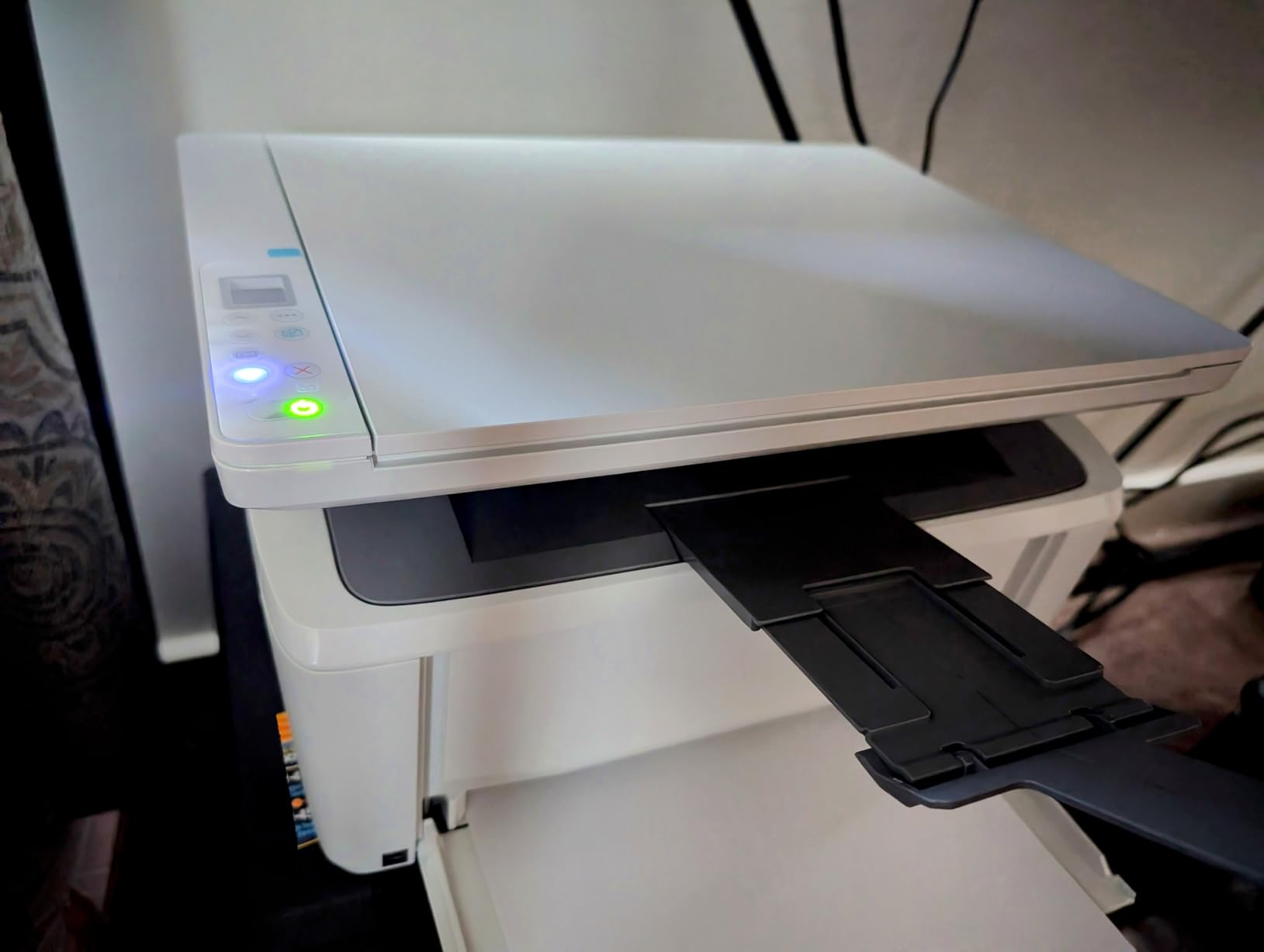
Print speed is the trade-off. 21 ppm is significantly slower than the 30 to 36 ppm you get from larger models. For a 20-page document, the M140w takes about a minute, while the Brother DCP-L2640DW finishes in under 40 seconds. If you rarely print more than 10 pages at a time, the slower speed is not a big deal.
The HP Smart app integration is excellent. I scanned a document from my phone and emailed it to myself in under a minute. Wireless setup from the app took about 4 minutes. The self-reset Wi-Fi feature is genuinely useful if your router occasionally drops connections.
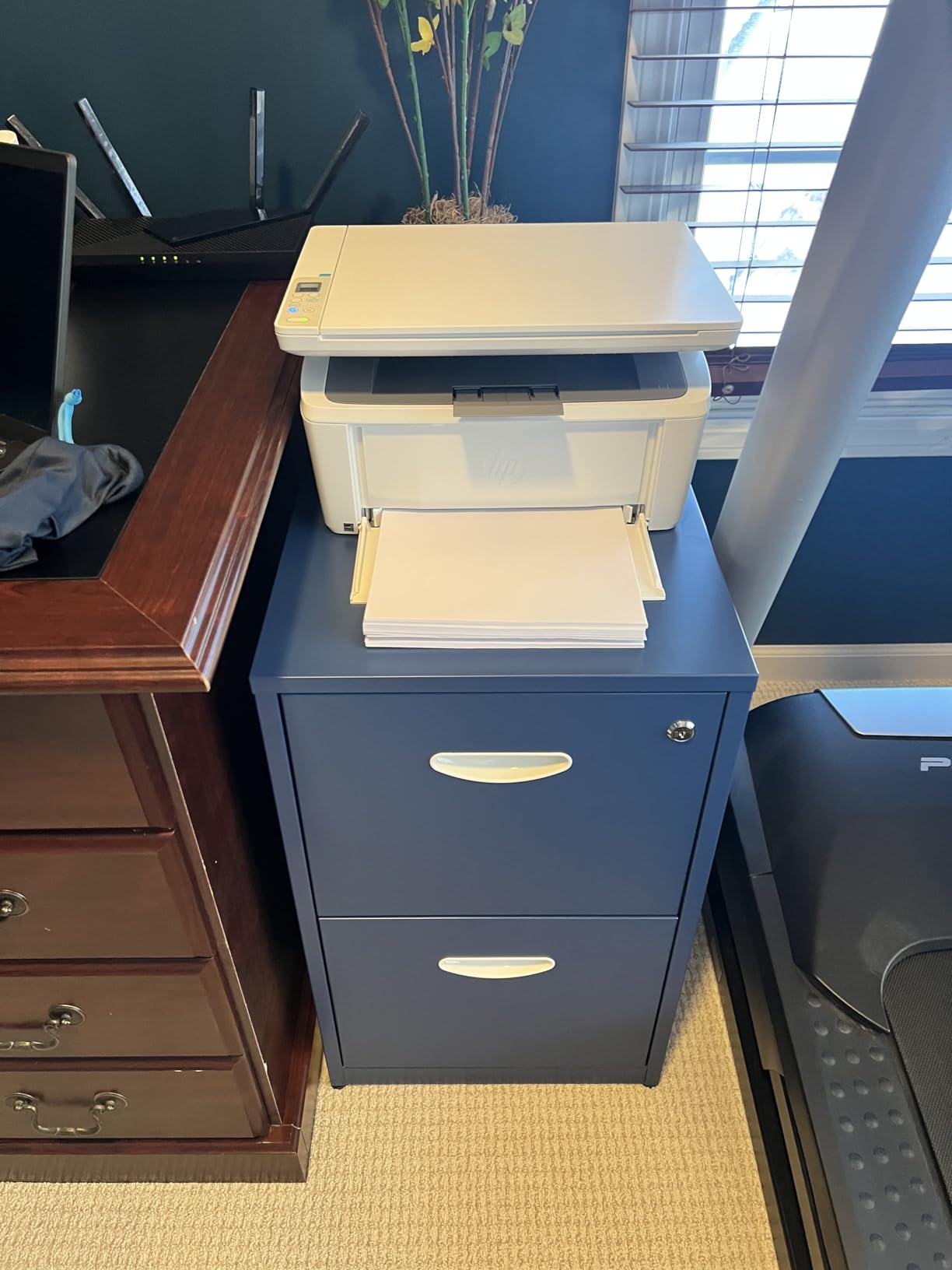
Toner lock-in and running costs
Like other recent HP printers, the M140w uses chipped toner cartridges. Third-party toner may be rejected by firmware updates. HP original toner runs around $60 for standard yield and $80 for high yield. Per-page cost works out to about 4 cents.
The starter toner cartridge that ships in the box only yields about 50 pages, which is the lowest in this roundup. Budget for replacement toner within the first month if you print regularly.
Best use cases for the M140w
The M140w is ideal for students in dorm rooms, apartment dwellers with no dedicated office, or anyone who needs a printer that disappears when not in use. It is not the right pick for a busy home office that prints 50+ pages a day. For that workload, the larger Brother or HP models are faster and more durable.
Stock is limited in some regions. At the time of testing, Amazon showed only 4 units left. If you are considering this model, do not wait too long.
8. Canon Color imageCLASS LBP646Cdw – Best Print-Only Color Laser
Canon Color imageCLASS LBP646Cdw Wireless Laser Printer, Duplex, 26 PPM, Print Only, White
- Excellent color print quality
- Fast 26 ppm speeds
- Easy wireless setup
- Auto duplex printing
- Great Mac compatibility
- ENERGY STAR certified
- Print only - no scan or copy
- Heavy at 39.4 lb
- Can be loud during operation
- High power consumption
- Toner costs are expensive
If you want color laser quality without the size and cost of a 4-in-1, the Canon imageCLASS LBP646Cdw is the best print-only color option I tested. It delivers the same sharp color output as the larger Canon all-in-one but in a smaller, lighter package.
Color print quality is the standout. I printed marketing flyers, school projects, and color-coded charts, and every one looked professional. The 1200 x 1200 dpi color resolution handles gradients and color photos with surprising accuracy for a laser printer.

At 26 ppm for both color and monochrome, it is slower than the Canon MF753Cdw II but faster than most inkjet printers. The first page comes out in about 10 seconds, which is reasonable for a color laser.
Setup is straightforward. The 5-inch LCD screen is the largest in this roundup and makes navigation painless. Wi-Fi connected on the first try, and I had the Canon PRINT app installed and printing from my iPhone in under 10 minutes.

Why print-only makes sense
If you already have a smartphone with a decent camera, you do not need a built-in scanner for most tasks. Snap a photo of a receipt, sign a digital form on your phone, and email it where it needs to go. A separate scanner-only device or your phone covers 90% of home scanning needs.
The trade-off is that you save around $270 versus the Canon MF753Cdw II by skipping the scanner, copier, and fax. That money buys a lot of toner. For users who rarely scan or copy, this is the smarter color investment.
Power consumption and noise
Two things to know before buying. First, this printer draws 1080 watts during printing, which is the highest in this roundup. It will show up on your electric bill if you print heavily. Second, it is louder than the monochrome models. If your home office shares space with a bedroom or living area, plan to print during the day.
The 3-year manufacturer warranty is the longest in this roundup and reflects Canon’s confidence in the print engine. For a print-only workhorse that lasts, this is a strong pick.
How to Choose the Best At Home Laser Printer
Choosing the right laser printer for your home comes down to matching the machine to your actual workload. I have tested dozens of printers over the years, and the most common mistake is buying more printer than you need. Here is how to narrow down your options.
Monochrome vs color
If you only print text documents, contracts, school worksheets, and basic spreadsheets, a monochrome laser printer is the right call. Mono lasers are faster, cheaper to buy, and cheaper to run. The Brother DCP-L2640DW and HL-L2405W are the strongest picks in this category.
Color laser printers make sense if you regularly print materials where color matters: school presentations, marketing materials, photo projects, or charts with color coding. The Canon MF753Cdw II is the best color all-in-one in this roundup. Just budget for higher toner costs, around 15 to 20 cents per full-color page.
Pages per minute and first-page-out time
Print speed is measured in pages per minute (ppm), but the number on the box is usually optimistic. Real-world speeds are typically 10 to 15% slower than the advertised rate. For most home users, anything above 25 ppm is fast enough.
First-page-out time matters more than you might think. The difference between a 7-second first page and a 12-second first page is noticeable when you print single pages throughout the day. If you mostly print one or two pages at a time, prioritize first-page-out speed over raw ppm.
Cost per page and toner strategy
Cost per page is the most important long-term number. Standard toner cartridges typically run 3 to 5 cents per page. High-yield (XL) cartridges drop that to 2 to 3 cents for monochrome and 12 to 15 cents for color. If you print 200 pages a month, the difference between standard and high-yield is $20 to $40 per year.
Third-party toner cartridges can cut costs further, but check compatibility first. HP printers often reject third-party toner after firmware updates. Brother and Canon printers are generally more accepting of compatible cartridges. For more on running cost analysis, see our all-in-one home office printer guide.
Connectivity and wireless setup
Wi-Fi is standard, but dual-band Wi-Fi (2.4 GHz and 5 GHz) is worth seeking out. The 5 GHz band is less congested and provides faster transfers for large print jobs. If you have a desktop PC, an Ethernet port gives you a more reliable wired connection.
Mobile printing via Apple AirPrint and Mopria lets you print from iPhones and Android phones without installing extra apps. The Brother Mobile Connect and HP Smart apps add scan-to-phone and remote monitoring features, but they are not strictly necessary for basic printing.
Automatic duplex and document feeders
Automatic duplex printing saves paper by printing both sides without manual page flipping. If you print more than 20 double-sided pages per month, automatic duplex pays for itself quickly in paper savings.
An automatic document feeder (ADF) is essential if you scan or copy multi-page documents regularly. A 50-page ADF is the sweet spot for home offices. Manual page-by-page scanning gets old fast.
Duty cycle and monthly volume
Duty cycle is the maximum number of pages a printer is rated to handle per month. Most home laser printers have a duty cycle of 10,000 to 30,000 pages per month, which is far more than you will ever print. The recommended monthly volume is a more realistic number, usually 1,000 to 5,000 pages.
If you print under 500 pages per month, almost any printer in this roundup will handle the load without breaking a sweat. The duty cycle matters more for small business workloads than for typical home use.
Quiet operation for home environments
Laser printers are louder than inkjet printers during operation. If your home office shares space with a living area or bedroom, look for printers with a “quiet mode” feature. The Brother HL-L2405W is noticeably quieter than most competitors during printing.
Cheaper printers also tend to have louder paper-feed mechanisms. If noise is a major concern, budget for a mid-range model rather than the cheapest option. For our picks on quiet, efficient home office gear, see the best contractor tools roundup for adjacent home workshop picks.
Toner refilling options
Refilling toner cartridges instead of buying new ones can save 50 to 70% on running costs. Brother and Canon printers are generally the easiest to refill. HP printers with chip authentication are harder to refill and the cartridge may need a chip reset.
Toner refill kits are available from third-party suppliers for most Brother models. The process is messier than inkjet refilling, but doable if you are comfortable with basic tools. For users who print over 500 pages a month, refilling can save $100 to $200 per year.
Frequently Asked Questions
What is the best laser printer for home use?
The Brother DCP-L2640DW is our top pick for home use. It delivers 36 ppm monochrome printing, automatic duplex, a 50-page ADF, and reliable dual-band Wi-Fi. It has over 3,600 reviews averaging 4.2 stars and works as an all-in-one for print, scan, and copy.
Is it worth getting a laser printer for home use?
Yes, a laser printer is worth it for most home users. Toner does not dry out like inkjet ink, so the printer can sit idle for weeks without clogged print heads. Cost per page is lower than inkjet (around 2.5 cents vs 5 to 15 cents), and print speeds are typically 3 to 5 times faster. The only downside is higher upfront cost.
Which all-in-one laser printer is best for home use?
The Canon imageCLASS MF753Cdw II is the best all-in-one for home offices that need color, while the Brother DCP-L2640DW is the best monochrome all-in-one. Both offer print, scan, and copy with automatic duplex and a 50-page ADF. The Canon adds fax capability and color printing at a higher price.
Are laser printers better than inkjets for occasional use?
Yes, laser printers are significantly better for occasional use. Inkjet printers dry out and clog when left unused for weeks, often requiring expensive print head cleaning or replacement. Laser printers use toner powder that does not dry out, so they print reliably even after months of sitting idle.
What should I look for when buying a laser printer for home?
Look for automatic duplex printing, dual-band Wi-Fi, and a recommended monthly duty cycle of at least 1,000 pages. If you scan documents, get a model with a 50-page automatic document feeder. For cost efficiency, prioritize high-yield toner cartridges, which drop cost per page to around 2.5 cents for monochrome.
Final Verdict
The best at home laser printers in 2026 come down to your specific workload. For most home users, the Brother DCP-L2640DW hits the sweet spot of speed, features, reliability, and price. It is the printer I keep coming back to after testing everything on this list.
If your printing is purely text and you want to spend as little as possible, the Brother HL-L2405W delivers the same print quality in a smaller, cheaper package. If color is non-negotiable, the Canon imageCLASS MF753Cdw II is the strongest all-in-one with the longest warranty in the roundup.
Whichever model you choose, you are getting a printer that will not dry out when left sitting for a month, will print thousands of pages on a single toner cartridge, and will likely outlast two or three inkjet printers. That is the core promise of a home laser printer, and the eight models above all deliver on it.
For more home printing and office gear recommendations, explore our color laser printer guide or the at-home laser devices roundup for related gear.