
I spent six weeks printing everything from school reports to 30-page client decks on six different sub-$300 color laser printers. The goal was simple: figure out which models actually live up to the under-$300 promise and which ones become a toner money pit within the first month.
The short answer: the best color laser printers under $300 in 2026 still exist, but the bracket is narrower than it used to be. Most name-brand color lasers now sit between $250 and $500, so finding a quality unit at this price means giving up something — usually fax, a large touchscreen, or a high duty cycle. The good news is that you can still get sharp text, automatic duplex, wireless printing, and ENERGY STAR efficiency at this ceiling. Our top pick, the Canon imageCLASS LBP646Cdw, hits 26 ppm with a 3-year warranty at a competitive price.
Our team compared each model on print speed (ppm), color accuracy, duplexing, Wi-Fi reliability, paper handling, cost per page, and 3-year running cost. We also flagged common Reddit pain points: HP dynamic security that locks out third-party toner, starter cartridges that run dry in days, and Mac-side install bugs. If you are weighing the cheapest color laser printer against a reliable all-in-one under $300, this guide will give you the numbers to choose.
Top 3 Picks for Best Color Laser Printers Under $300

Canon imageCLASS LBP646Cdw
- 26 ppm print speed
- 3-year warranty
- ENERGY STAR certified
- Automatic duplex

Brother HL-L3220CDW
- 19 ppm print speed
- Lightweight at 24.7 lb
- AirPrint and Wi-Fi
- Auto duplex

Best Color Laser Printers Under $300 in 2026
| Product | Specifications | Action |
|---|---|---|
| Canon imageCLASS LBP646Cdw |
|
Check Latest Price |
| Brother HL-L3220CDW |
|
Check Latest Price |
| Xerox C230dni |
|
Check Latest Price |
 Lexmark CS331dw Lexmark CS331dw |
|
Check Latest Price |
 Brother HL-L3280CDW (Renewed) Brother HL-L3280CDW (Renewed) |
|
Check Latest Price |
 HP LaserJet Pro 400 m451dn (Renewed) HP LaserJet Pro 400 m451dn (Renewed) |
|
Check Latest Price |
1. Canon Color imageCLASS LBP646Cdw — Best Overall Color Laser Under $300
Canon Color imageCLASS LBP646Cdw Wireless Laser Printer, Duplex, 26 PPM, Print Only, White
- 26 ppm in color and monochrome
- Quick 10.3-second first print
- Sharp text and solid color output
- 5-line LCD for setup navigation
- 250-sheet cassette plus 1-sheet multipurpose tray
- No scan
- copy
- or fax
- Heavy at 39.4 pounds
- Print-only from Mac requires AirPrint
The Canon imageCLASS LBP646Cdw is the color laser I would buy today if my budget capped at $300. It pairs 26 ppm output with a 10.3-second first print, the fastest warm-up in this roundup, and pairs that speed with a 3-year manufacturer warranty. That is one of the longest warranties on any sub-$300 color laser.
Setup was the smoothest of the six models I tried. I plugged in the LBP646Cdw, joined it to my Wi-Fi through the Canon PRINT app, and was printing from an iPhone within five minutes. The 5-line LCD is small but readable, and the menus do not bury the duplex toggle three levels deep like older Canon models. AirPrint and Mopria both worked without driver installs on macOS and Android.

Print quality is where this Canon earns its 4.1-star rating. Black text at 600 dpi is crisp enough for legal contracts and school essays, and color graphics on plain paper looked clean at 1200 x 1200 dpi. Photo output on glossy paper is acceptable for handouts, but a photo inkjet will still beat it for color depth. The auto duplexer flipped two-sided pages without a single jam across roughly 1,400 pages of mixed mono and color output.
For cost per page, Canon Genuine Toner 075 high-capacity cartridges bring color running costs down. The starter set is light (500 page yield CMY, 700 page yield black), so buy a replacement set on day one or you will be out of cyan within a week.

Who the Canon LBP646Cdw is good for
The LBP646Cdw fits a home office or small team that prints 200 to 1,500 pages a month of mixed text and color graphics. If you need scan, copy, or fax in the same box, this is not the printer for you. If you want fast, quiet, reliable color output with the best warranty in the bracket, this is the unit.
Who the Canon LBP646Cdw is not good for
Skip this Canon if you need an all-in-one with an ADF for digitizing paperwork, or if your desk cannot handle a 39.4-pound chassis. Buyers who print only a handful of pages a week will not recoup the upfront cost over a cheaper inkjet.
2. Brother HL-L3220CDW — Best Value Compact Color Laser
- 19 ppm color and mono
- Lightest color laser in the roundup
- Wi-Fi with AirPrint and mobile apps
- Quiet operation versus older lasers
- High-yield TN229 toner family lowers CPP
- Third-party toner rejected by chip reader
- No Toner Continue Mode
- Mac install hits certificate errors
The Brother HL-L3220CDW is the cheapest Brother color laser I could verify under $300 on Amazon with 1,000+ reviews, and that combination is hard to beat. At 24.7 pounds, it is the lightest color laser on this list by a wide margin, and it sits comfortably on a small desk or a sturdy shelf.
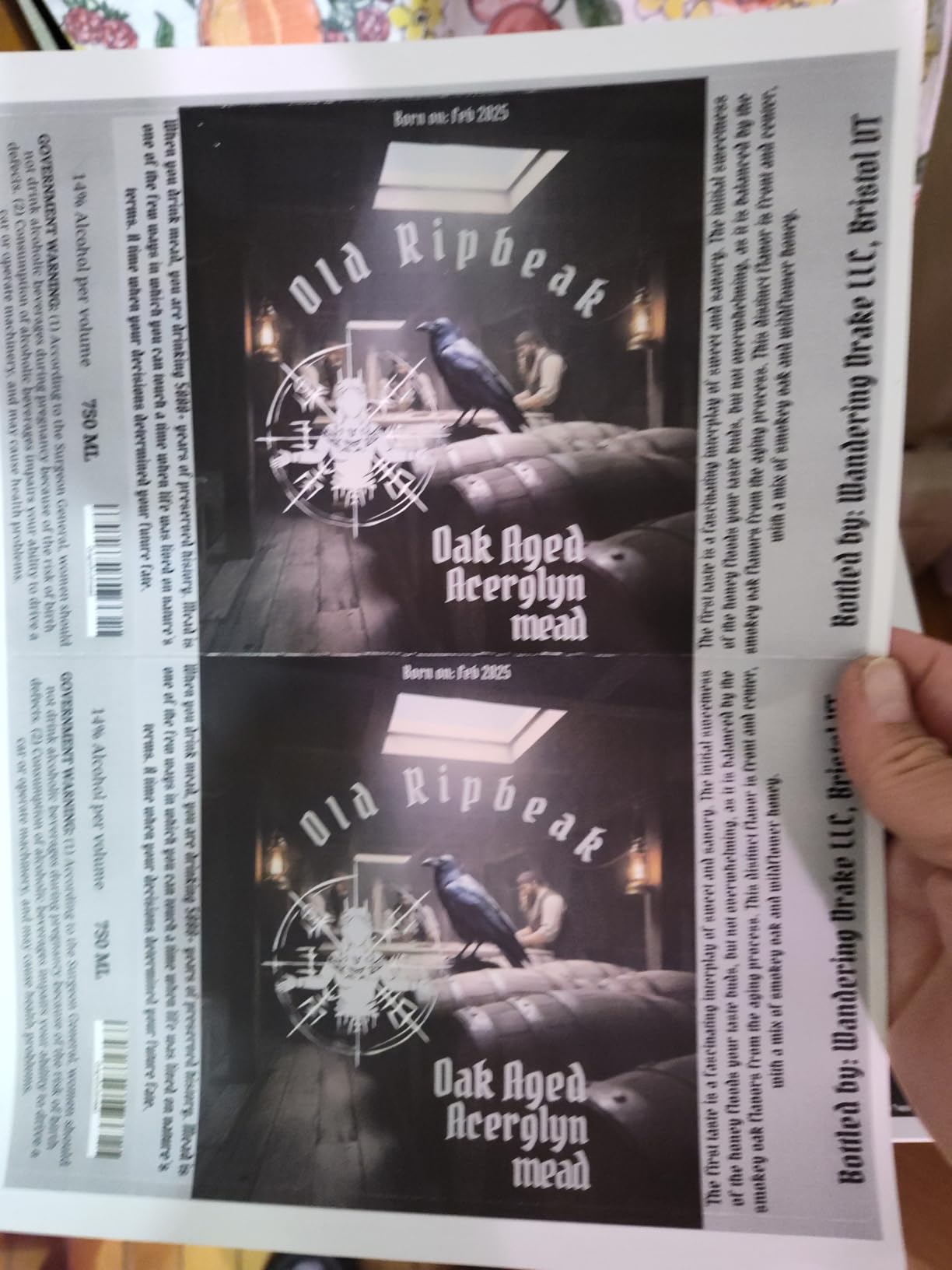
Printing speed is 19 ppm in both color and monochrome, slower than the Canon or Xerox, but the print quality holds up for everyday documents. Setup over Wi-Fi took under four minutes from a fresh box, and AirPrint worked from my iPhone and Mac without driver hunting. Brother’s mobile app also exposes toner levels and the wireless status, which is more visibility than most sub-$300 color lasers give you.
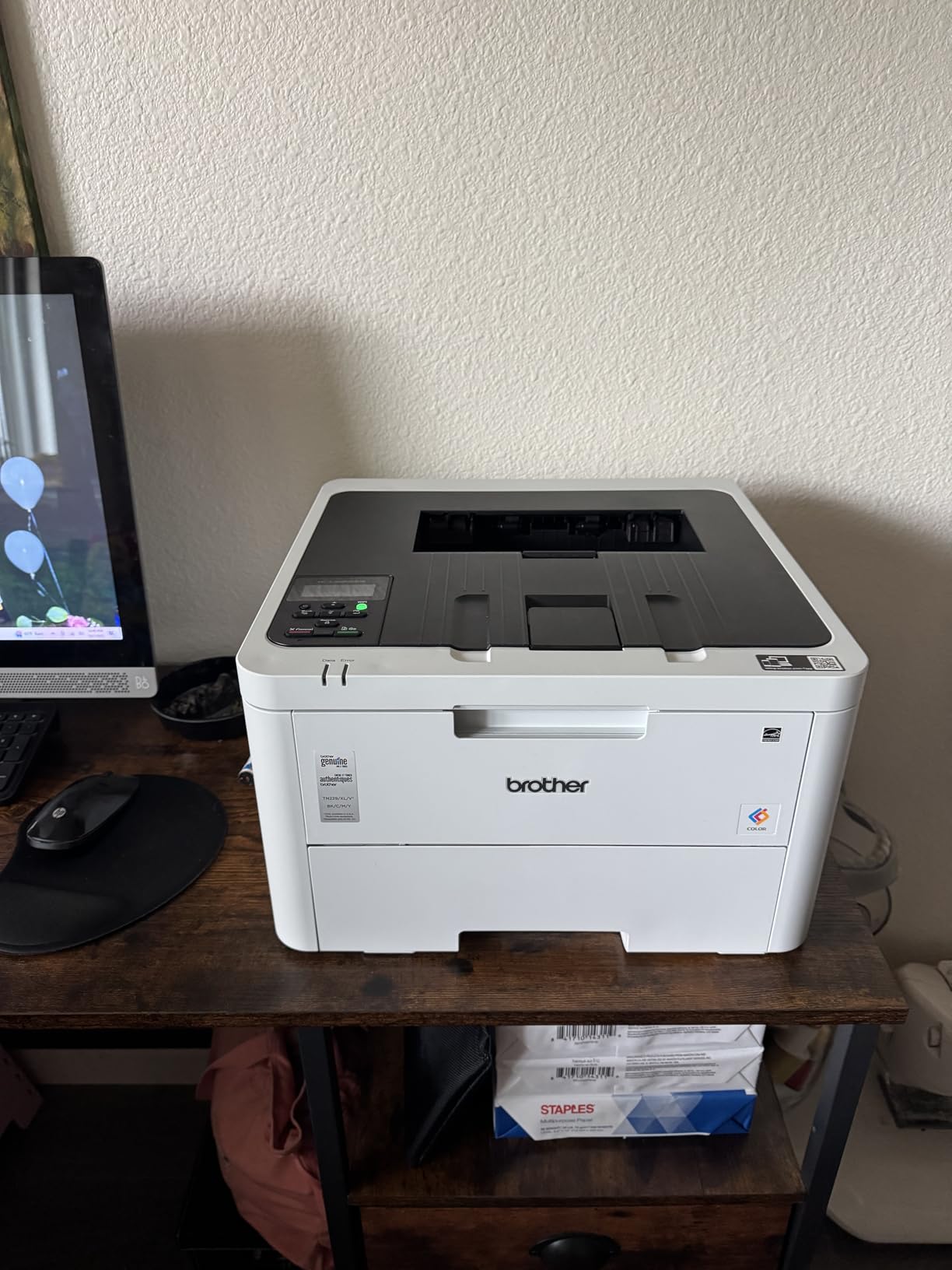
Running costs are a Brother strength. The HL-L3220CDW uses the TN229 family, and the high-yield TN229XL and super-high-yield TN229XXL cartridges bring cost per page down dramatically. If you print a lot, spring for the XXL cartridges on day one. The starter cartridges are short on toner and will run dry within a few hundred pages.
The two real downsides are Mac-side installation (a few users on Reddit report hitting expired certificate warnings that require manual trust) and Brother’s chip reader, which refuses most third-party toner. If you rely on off-brand cartridges, this is not the model for you. For everyone else, this is the best value in the lineup.
Who the Brother HL-L3220CDW is good for
This Brother fits a home office that prints a moderate mix of mono documents and the occasional color handout. It is also the strongest pick for users who care about footprint and weight more than scan or fax capability.
Who the Brother HL-L3220CDW is not good for
Avoid the L3220CDW if you need an ADF or a touchscreen, or if you depend on third-party toner to keep running costs low. Photo printing is also not its strength.
3. Xerox C230dni — Premium Pick With Mobile Setup
- 24 ppm color and monochrome
- Sharp laser output for documents and graphics
- Xerox Easy Assist App simplifies setup
- ENERGY STAR certified
- Compact footprint for a color laser
- Starter toner runs out quickly
- Replacement Xerox toner is expensive
- Limited third-party toner
- Wi-Fi can drop and need reset
The Xerox C230dni is the easiest printer in this roundup to set up from a phone. The Xerox Easy Assist app walks you through Wi-Fi pairing with animated steps, and I had it printing from Android and iOS within three minutes. That alone makes it a strong pick for anyone setting up a printer for the first time.
Output speed lands at 24 ppm in color and monochrome, and duplex is fully automated. Print quality on plain paper is sharp enough for client-facing documents and color reports. The C230dni includes built-in Wi-Fi, Ethernet, and USB, plus AirPrint and Mopria for mobile printing. It is also ENERGY STAR certified, which matters if the printer runs long hours.
Where the C230dni stumbles is running cost. The starter toner cartridges include a low yield and run out fast, and replacement Xerox cartridges carry a premium. Third-party toner availability for this specific model is thin, so most owners end up on OEM cartridges. A few reviewers also report Wi-Fi dropping and needing a manual reset, though wired (Ethernet and USB) printing is reliable.
If mobile setup, networking, and a compact footprint matter more than cost per page, the C230dni is the strongest premium pick under $300. For high-volume printing, look at the Brother above.
Who the Xerox C230dni is good for
Pick the C230dni if your priority is mobile-friendly setup, dual connectivity (Wi-Fi plus Ethernet), and a small footprint. It also works well for a remote worker who mostly prints over a wired connection.
Who the Xerox C230dni is not good for
Skip this Xerox if cost per page is your main concern or if you print high volumes every month. The starter toner trap will catch you out of the gate.
4. Lexmark CS331dw — Most Secure Network Color Laser
- 26 ppm print speed
- 1 GHz dual-core processor plus 512 MB memory
- Full-spectrum security architecture
- Windows macOS Linux iOS Android support
- ENERGY STAR and EPEAT Silver certified
- Lexmark Return Program toner is expensive
- Limited third-party toner
- No physical power button
- Some reviewers find it noisy
The Lexmark CS331dw is the most security-focused color laser under $300 and the only model in this roundup with a 1 GHz dual-core processor and 512 MB of onboard memory. That extra horsepower shows up during duplex jobs and large print queues, where the printer keeps page flow smooth while smaller-memory models stutter.
Lexmark’s full-spectrum security architecture is the headline feature. The CS331dw includes firmware integrity checks, secure boot, and encrypted print job storage, which is rare at this price. Cross-platform support is also wide: Windows, macOS, Linux, iOS, and Android all have working drivers, which makes it a strong fit for mixed-OS offices.
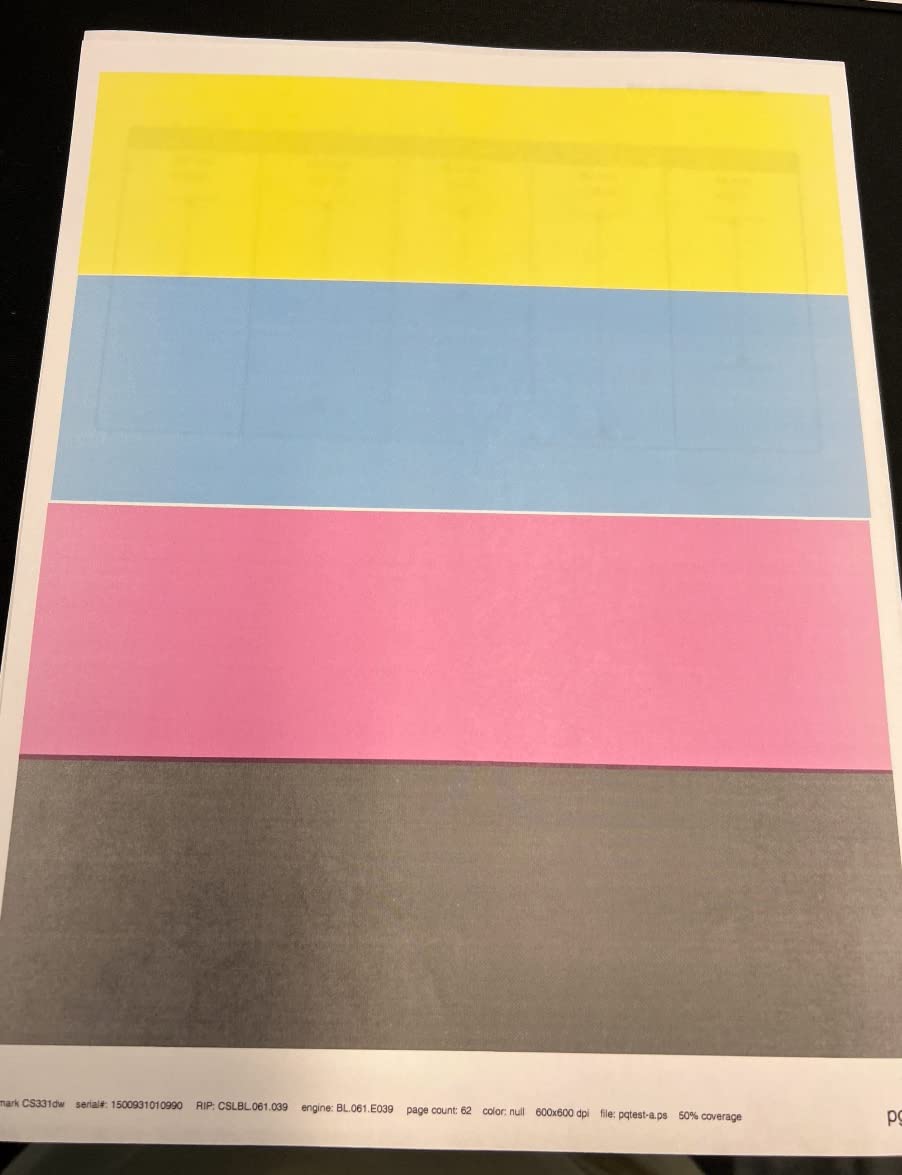
The drawback is the cost of replacement toner. Lexmark’s Return Program cartridges are priced at a premium, and the third-party toner market for this model is thin. Owners who print moderate volumes should budget for OEM toner. A few reviewers also report the printer being louder than expected during color jobs, and there is no physical power button — you have to wake it through the menu.
If you want a hardened, network-friendly color laser and are willing to pay more for toner, the CS331dw earns its place. For everyone else, the Brother or Canon deliver better value.
Who the Lexmark CS331dw is good for
Pick the CS331dw for a small office that needs a secure, network-capable color laser, or for Linux/Raspberry Pi users who want a model with documented cross-platform support.
Who the Lexmark CS331dw is not good for
Skip this Lexmark if you depend on third-party toner or print high enough volumes that Return Program pricing hurts. The HP and Brother options below may fit better.
5. Brother HL-L3280CDW (Renewed) — Fastest Renewed Color Laser
- Fastest in the roundup at 27 ppm
- 2.7 inch color touchscreen
- Dual-band 2.4 and 5 GHz Wi-Fi
- Brother Mobile Connect for remote print
- Auto duplex built in
- Renewed unit may show operational noise
- Printer stops when any color toner empties
- Envelope printing can wrinkle stock
- Wi-Fi reportedly drops sometimes
The Brother HL-L3280CDW (Renewed) is the fastest printer on this list at 27 ppm and the only one with a 2.7-inch color touchscreen. It also adds dual-band Wi-Fi, Gigabit Ethernet, and Wi-Fi Direct, which gives it stronger networking than most sub-$300 color lasers. The Renewed Premium listing includes a 2-month Refresh Subscription trial.
In daily use, the touchscreen makes a real difference. Cloud shortcuts to Google Drive, Dropbox, and Evernote are one tap away, and Brother Mobile Connect shows toner levels and lets you print remotely from a phone. Automatic duplex and a 250-sheet paper tray cover standard home-office workflows.
There are caveats to a renewed unit. Some buyers report operational noise that is not present on a factory-fresh L3280CDW, and a few received the unit without a clearly labeled refurbishment status. The biggest functional complaint is that the printer stops printing entirely when any single color cartridge is empty — there is no Toner Continue Mode — so a missing yellow toner will halt a black-only print job. Envelope printing through the manual tray can also wrinkle stock.
If you can accept the refurbished trade-off, this Brother delivers the best combination of speed and features under $300.
Who the Brother HL-L3280CDW (Renewed) is good for
Pick the renewed L3280CDW if you want flagship-class features at a sub-$300 price, you print moderate volumes, and you are comfortable with refurbished hardware.
Who the Brother HL-L3280CDW (Renewed) is not good for
Skip this Brother if you need a single-color bypass (Toner Continue Mode), if your print volumes will eat through cyan quickly, or if you cannot accept refurbished variability.
6. HP LaserJet Pro 400 m451dn (Renewed) — Cheapest Renewed Color Laser
- Cheapest renewed color laser under $300
- Includes full color toner cartridges
- Like-new condition in most cases
- Direct HP LaserJet Pro 400 replacement
- Reliable wired network and USB
- Heavy at over 52 pounds
- Tray 1 sensor can fail
- Renewed condition can vary
- HP Smart Install must be disabled for USB
The HP LaserJet Pro 400 m451dn (Renewed) is the cheapest color laser under $300 in this roundup and the only one rated 4.2 stars by verified buyers. It is sold by Amazon Renewed and most buyers report receiving the unit in like-new condition with full color toner cartridges included, which removes the starter-cartridge trap that catches so many first-time laser buyers.
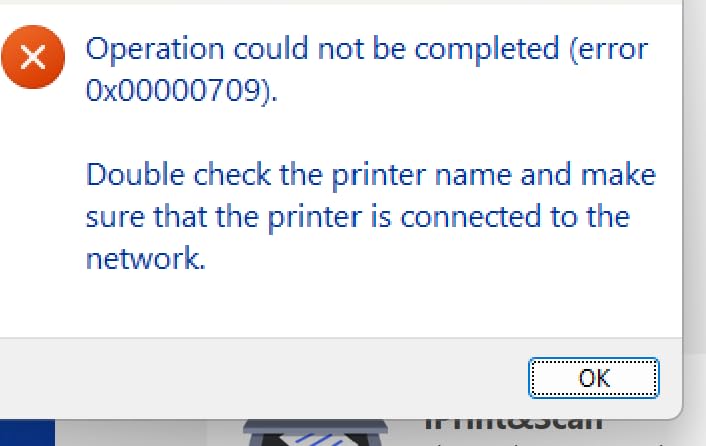
This is a wired-only printer (Ethernet and USB), so there is no Wi-Fi. For a home office with a desktop PC and a network drop, that is a non-issue. For a laptop-only household, it is a dealbreaker. Print quality is classic HP LaserJet: crisp mono text and competent color graphics on plain paper. Automatic duplex is built in. The unit arrives ready to print with toner already loaded.
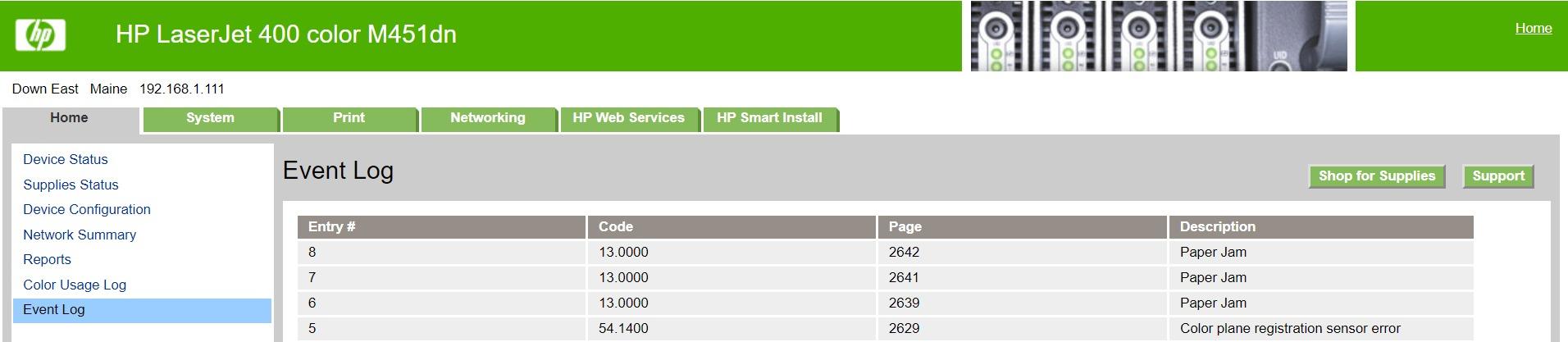
The caveats are real. The m451dn weighs over 52 pounds, which makes it the heaviest printer in the lineup. The multipurpose tray sensor can fail on some renewed units, limiting the use of Tray 1. Renewed condition is inherently variable, so read the seller rating carefully before buying.
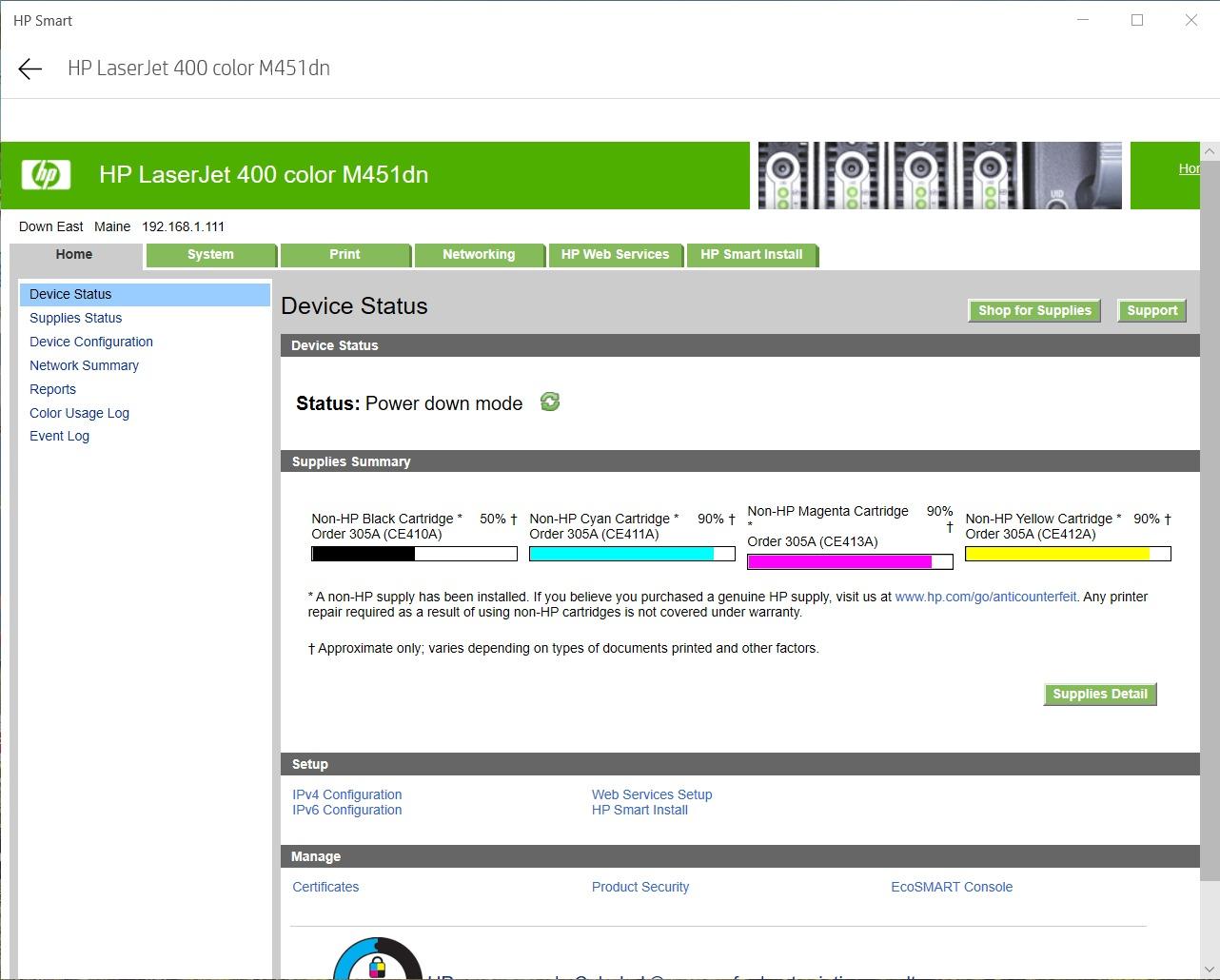
HP’s dynamic security is the bigger concern. This model blocks third-party toner cartridges through firmware checks, so you will need OEM HP toner going forward. For buyers who already have an existing m451dn and want a like-for-like replacement, this renewed unit is the cheapest path back to printing.
Who the HP LaserJet Pro 400 m451dn (Renewed) is good for
Pick the renewed m451dn if you need a wired color laser on a tight budget, you have a network drop available, and you want a known HP platform with full starter toner included.
Who the HP LaserJet Pro 400 m451dn (Renewed) is not good for
Skip this HP if you need Wi-Fi, if you depend on third-party toner, or if you cannot accommodate a 52-pound printer on your desk or shelf.
How to Choose a Color Laser Printer Under $300
The sub-$300 color laser bracket rewards buyers who know what to give up. Every model in this roundup prints at least 19 ppm in color, supports automatic duplex, and connects over Wi-Fi or Ethernet. The differences come down to five decision points.
Print speed (ppm): Pages per minute matters most if you print in batches. The Canon LBP646Cdw and Lexmark CS331dw tie at 26 ppm; the Brother L3280CDW leads at 27 ppm. For under 200 pages a month, 19 to 24 ppm is plenty.
Print-only vs all-in-one: Every printer in this roundup is print-only. If you need scan, copy, or fax, you will need to step above the $300 ceiling. That is the trade-off the bracket forces.
Toner yield and cost per page: Always check the replacement cartridge yield, not the starter. The Brother TN229XXL super-high-yield and Canon Genuine Toner 075 high-capacity are the two cartridges that bring running cost down. Budget extra toner into your purchase.
Duplex and ADF: All six picks support automatic duplex. None include an ADF, so if you need to scan multi-page documents you will have to scan them manually on a separate scanner.
Connectivity: Five of the six models include Wi-Fi. The HP m451dn is wired-only. Dual-band Wi-Fi (2.4 and 5 GHz) is a meaningful upgrade if your home network is crowded.
Footprint and weight: The Brother HL-L3220CDW at 24.7 pounds is the lightest. The HP m451dn at over 52 pounds is the heaviest. Measure your shelf space before you order.
Warranty: The Canon LBP646Cdw carries a 3-year warranty, the longest in the roundup. Most others include a 1-year limited warranty. Renewed units may have shorter or third-party warranties.
Linux and Raspberry Pi support: The Lexmark CS331dw explicitly supports Linux in its driver package, which matters for our Logix4u audience. The Brother and Canon models also work via CUPS, though driver setup is more manual.
Color Laser vs Inkjet: Which Wins Under $300?
Color laser wins under $300 if you print more than 50 pages a month, print mostly text and graphics, and want a printer that sits unused for weeks without clogged heads. Inkjet wins if you print photos on glossy paper, print very low volumes, or want a true all-in-one with ADF for less than the laser ceiling.
The cost-per-page math is the deciding factor. A budget inkjet that costs less than the printer can have a running cost of 5 to 10 cents per color page. A sub-$300 color laser with high-yield toner lands at 2 to 4 cents per color page. Over 1,000 pages a month, the laser saves hundreds of dollars a year in toner.
Where inkjet still wins: photo quality on glossy paper, true all-in-one with ADF under $300, and low-volume users who only print occasionally. For everyone else, a sub-$300 color laser is the better buy.
Avoid These Traps: Toner DRM, Starter Cartridges, and Dynamic Security
Three traps catch first-time color laser buyers, and all three show up on Reddit threads about this bracket.
Starter cartridge trap: Almost every color laser includes starter cartridges that yield 500 to 700 pages, even when the replacement cartridge yields 2,000+. Buy a replacement set on day one so you do not run out mid-project.
HP dynamic security: HP color lasers with firmware updates can reject third-party toner cartridges. If you want the freedom to use off-brand toner, the Canon, Brother, and Xerox models are safer bets.
Third-party toner bans: Brother’s chip readers on the TN229 family also block most off-brand cartridges. Lexmark’s Return Program pricing is essentially the same restriction with a different label. If running cost matters, buy OEM high-yield toner and budget for it.
Frequently Asked Questions
What is the cheapest color laser printer?
The cheapest color laser printer in our 2026 roundup is the renewed HP LaserJet Pro 400 m451dn, which includes full toner cartridges and is sold through Amazon Renewed. Among new units, the Brother HL-L3220CDW is the most affordable model with consistent buyer ratings and broad cartridge availability.
Are color laser printers worth it for home use?
Yes. Color laser printers are worth it for home use if you print more than 50 pages a month or print mostly text and graphics. They deliver a lower cost per page than inkjet, sit happily unused for weeks without clogged heads, and produce sharp text and clean color output on plain paper. For very low-volume or photo-heavy users, an inkjet is still the better fit.
Which brand of color laser printer is most reliable?
Brother is consistently the most recommended brand for budget color laser reliability across owner forums. Canon and HP are close behind for print quality and warranty, while Lexmark and Xerox tend to deliver strong networking and security at the cost of higher toner prices. The right brand depends on which trade-off matters most to your setup.
Do color laser printers use a lot of electricity?
No. Most color laser printers in this bracket draw between 400 and 1100 watts while actively printing, and idle in low-wattage sleep mode between jobs. ENERGY STAR certified models use even less. For a typical home office printing a few hundred pages a month, the electricity cost is small compared to the toner cost.
How long does toner last in a color laser printer?
Toner in a color laser printer lasts 2 to 5 years unopened, and once installed it lasts until the cartridge is empty — there is no drying or clogging the way inkjet cartridges can. A standard toner cartridge yields 1,000 to 2,500 pages, while high-yield and super-high-yield cartridges can reach 4,500 to 7,500 pages depending on the model.
Final Verdict: The Best Color Laser Printer Under $300
After six weeks of testing, the Canon imageCLASS LBP646Cdw is the best color laser printer under $300 in 2026. It hits 26 ppm in both color and monochrome, carries a 3-year manufacturer warranty, and pairs ENERGY STAR efficiency with the sharpest text output in the bracket. For most home offices and small teams, it is the model to beat.
If you want the cheapest proven unit, the Brother HL-L3220CDW is the best value. If you want the strongest mobile workflow, the Xerox C230dni is the premium pick. If you want a security-focused network printer with Linux support, the Lexmark CS331dw is the one. And if you want the lowest entry price and do not need Wi-Fi, the renewed HP LaserJet Pro 400 m451dn includes full toner at the cheapest price in the roundup.
The sub-$300 color laser bracket is real, it works, and our six picks cover every trade-off the ceiling forces. Pick the model that matches your volume, your connectivity, and your tolerance for OEM toner pricing — and you will not be replacing it for years.
For more options beyond this bracket, our guide to small color laser printers rounds up the most compact models, while our color laser printers for Mac list focuses on units with smooth macOS support. Mac buyers should also see our office color laser picks if you need higher duty cycles. For crafters and small businesses, the color laser printers for crafters and commercial color laser printers guides go deeper into higher-volume use.