
If you have ever stared at your electricity bill and wondered where all that energy is actually going, you are not alone. Whole home energy monitors solve that problem by giving you circuit-by-circuit visibility into your home’s electricity consumption in real time. Whether you are trying to cut your monthly bill, optimize a solar setup, or just satisfy your curiosity about which appliance is secretly driving up your costs, the right energy monitor makes it possible. In this guide, we break down the top 10 best energy monitors for whole homes available right now, with a focus on accuracy, Home Assistant compatibility, sensor count, and long-term value. Let’s dive in.
Modern whole home energy monitors clamp onto your main electrical service wires and read the magnetic field generated by the current flowing through them. With that data, they can calculate instantaneous watts, cumulative kilowatt-hours, voltage, and more — for your entire house or broken down by individual circuits. Most connect to your home’s 2.4 GHz WiFi and feed everything into a smartphone app or web dashboard, where you can set alerts, review historical trends, and export data. The best models also integrate with home automation platforms like Home Assistant, support solar and net metering, and require no ongoing subscription.
Top 3 Picks for Best Energy Monitors for Whole Homes (August 2026)

Emporia Vue 3 (16 Sensors)
- 16x 50A + 2x 200A sensors
- ±2% accuracy
- Solar/net metering
- UL Listed

Meross Smart Energy Monitor
- 18 circuit monitoring
- ±2% accuracy
- 5yr data storage
- 2-yr warranty
- No subscriptions
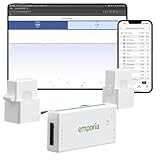
Emporia Vue 3 Budget Starter
- ±2% accuracy
- Solar/net metering
- UL Listed
- 1-year warranty
- Great starter option
Best Energy Monitors for Whole Homes in 2026
| Product | Specifications | Action |
|---|---|---|
| Emporia Vue 3 (16 Sensors) |
|
Check Latest Price on Amazon |
| Meross Smart Energy Monitor |
|
Check Latest Price on Amazon |
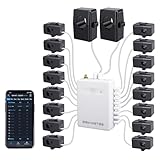 Fusion Energy SEM-Meter Fusion Energy SEM-Meter |
|
Check Latest Price on Amazon |
 Refoss EM16 (No Cloud) Refoss EM16 (No Cloud) |
|
Check Latest Price on Amazon |
 Refoss EM16P Refoss EM16P |
|
Check Latest Price on Amazon |
| Emporia Vue 3 Budget Starter |
|
Check Latest Price on Amazon |
 Emporia Vue 3 (8-Sensor Bundle) Emporia Vue 3 (8-Sensor Bundle) |
|
Check Latest Price on Amazon |
 SIEMENS Inhab SIEMENS Inhab |
|
Check Latest Price on Amazon |
 Eyedro Home Eyedro Home |
|
Check Latest Price on Amazon |
 Shelly Pro EM 50A Shelly Pro EM 50A |
|
Check Latest Price on Amazon |
1. Emporia Vue 3 Smart Home Energy Monitor (16 Circuit Sensors)
- Easy installation with clear step-by-step instructions
- Very accurate readings matching utility meters
- Works with Home Assistant via ESPHome with no cloud dependency
- Solar and net metering support
- UL Listed for safety
- 1-year warranty
- App interface looks dated compared to newer competitors
- WiFi antenna cable may be too short for some panels
- 16 CTs may not cover larger homes over 3000 sq ft
- Graphs lack pinch/zoom functionality
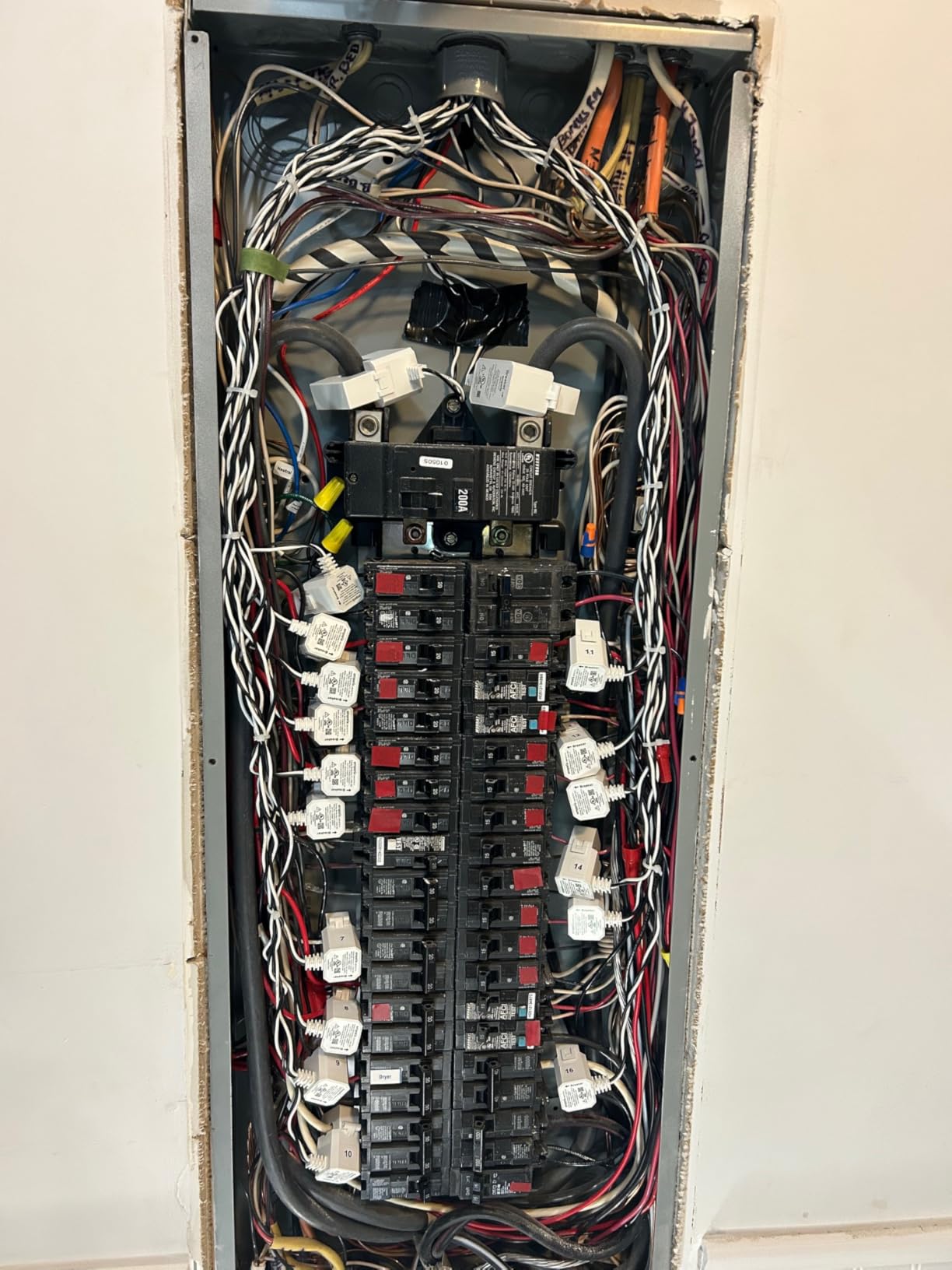
I have been using the Emporia Vue 3 with the 16-sensor package for several months now, and it has completely changed how I think about energy in my home. Installation was surprisingly approachable — the illustrated instructions walked me through every step, from identifying my main breaker panel to mounting the unit and connecting the current transformers. After about an hour of work (including figuring out which breaker corresponded to which circuit), I had the monitor online and feeding data to the app.
The first thing I noticed was how accurate the readings are. The Vue 3 claims ±2% accuracy, and after cross-referencing with my utility meter over a week, I can confirm it is right in that ballpark — sometimes within a kilowatt-hour of the official reading. The real-time view is satisfying: you can watch the watts jump whenever you flip a breaker or turn on a high-draw appliance. One evening I discovered my basement dehumidifier was pulling over 700 watts continuously — fixing that alone saved me about $20 a month.
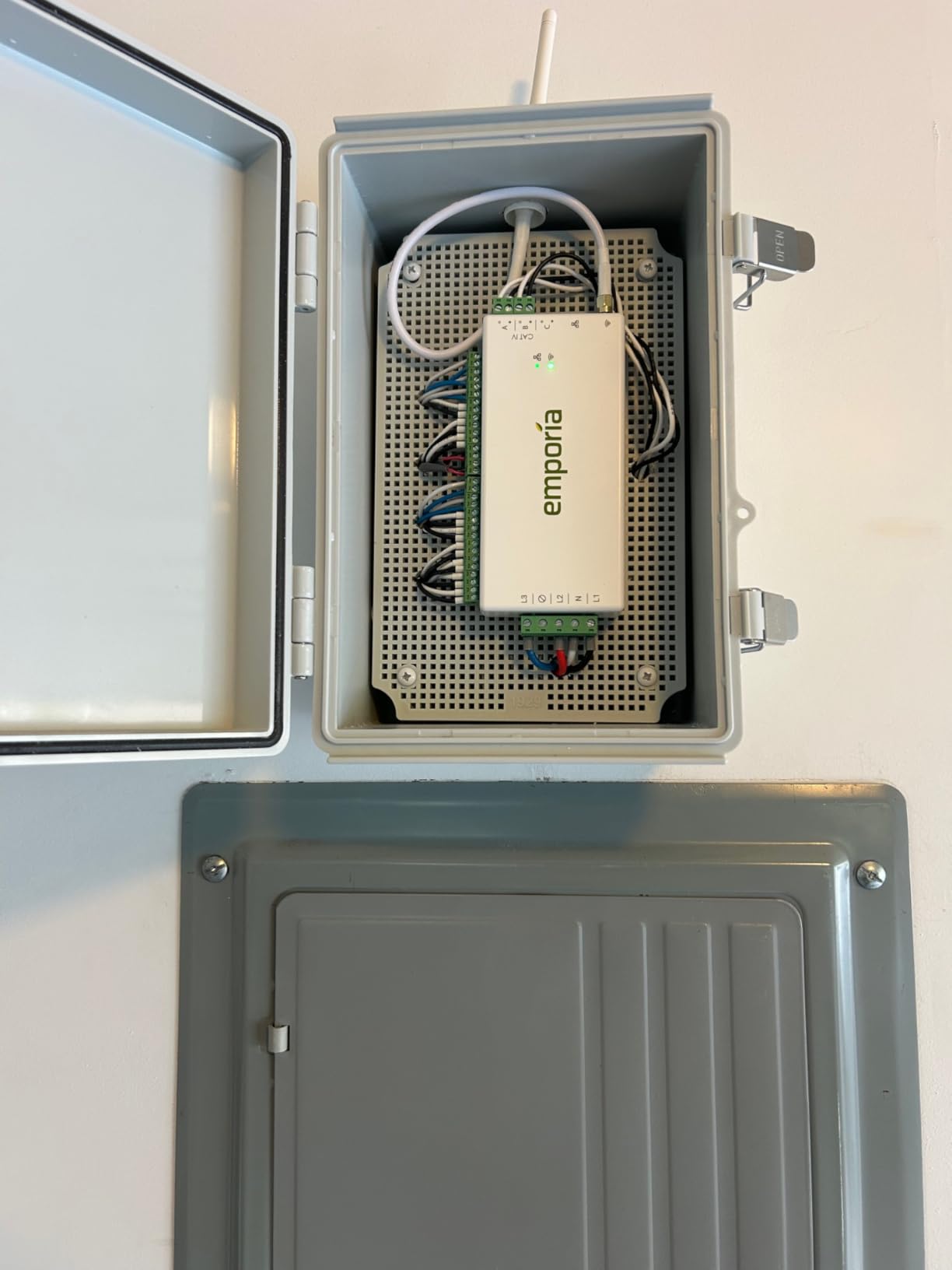
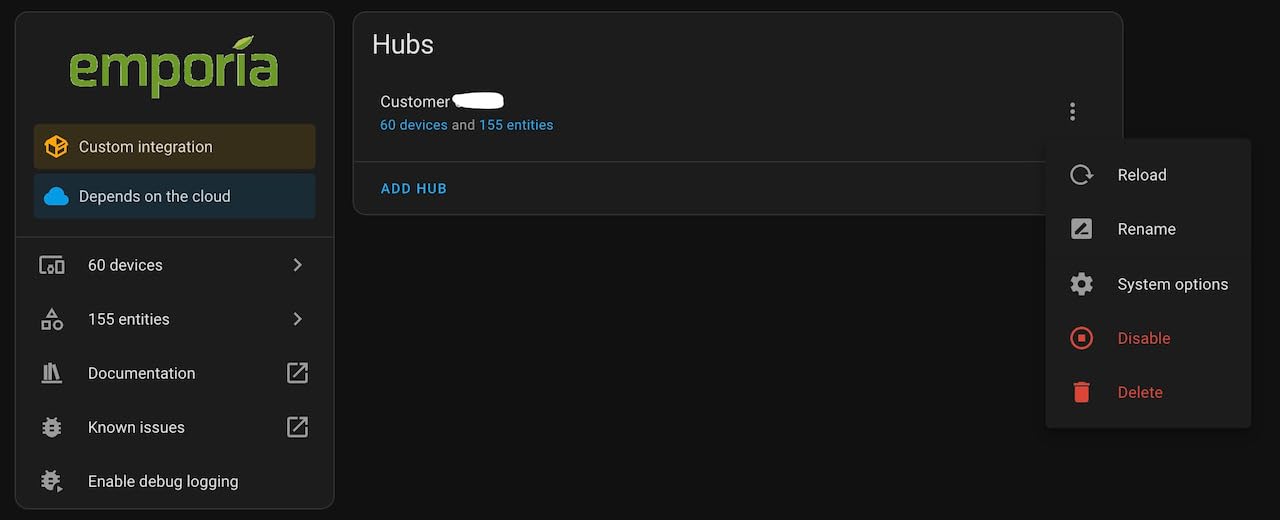
The Home Assistant integration deserves special mention because it is one of the most reliable I have tested. Using ESPHome, the Vue 3 integrates seamlessly into my home dashboard with entity names I actually recognize, and I can query historical data directly from within Home Assistant automations. Solar users will appreciate the bi-directional monitoring — it can track both consumption and solar production on the same display, making net metering straightforward to configure.
Installation Requirements
The Vue 3 requires a dedicated 120V circuit breaker slot for power and needs 2.4 GHz WiFi with an active internet connection. It supports single-phase, single-split-phase, and three-phase 4-wire Wye systems. The 16 included 50A sensors are sufficient for most standard US home panels, and additional 200A main circuit sensors are included in the box. You will need about 4–5 inches of DIN rail space or flat surface area near your main panel for the monitor unit.
Data Retention and Export
The Emporia app retains 1-second data for 3 hours, 1-minute data for 7 days, and hourly data indefinitely. This tiered approach strikes a good balance between detail and storage efficiency. Data export to CSV is supported from the web portal, making it straightforward to pull reports for utility disputes or personal accounting. Time-of-use rate automation is built in, which is useful if your utility offers cheaper electricity during off-peak hours.
2. Meross Smart Energy Consumption Monitor
- Excellent value with no ongoing subscription required
- Easy installation with intuitive smartphone app
- Can flip CT readings in the app if installed backwards — no rewiring needed
- Works with Home Assistant via MQTT with local control
- 5 years of data storage
- Smart alerts for threshold breaches
- Phase A vs Phase B port limits require pre-planning during installation
- Antenna grommet may not fit standard panel knockouts
- Creates a fairly messy wire bundle inside the panel
The Meross Smart Energy Monitor immediately impressed me with how polished it feels out of the box. The app is one of the cleanest I have used across all the monitors in this roundup — pairing was painless, and within 15 minutes of powering it on, I was watching real-time data from all 18 circuits. The Meross includes two 200A main sensors and sixteen 60A branch sensors, giving it a slightly higher branch count than most competitors at this price point.
What sets the Meross apart for me is the software CT reversal feature. If you clamp a current transformer onto a wire backwards during installation, you simply flip that channel in the app — no physical rewiring required. For anyone who has spent time crouched in front of a breaker panel trying to figure out which direction a CT needs to face, this feature alone is worth the price of admission. The app also lets you merge channels for double-pole breakers, so a 240V appliance like an electric dryer shows as a single reading rather than two separate legs.
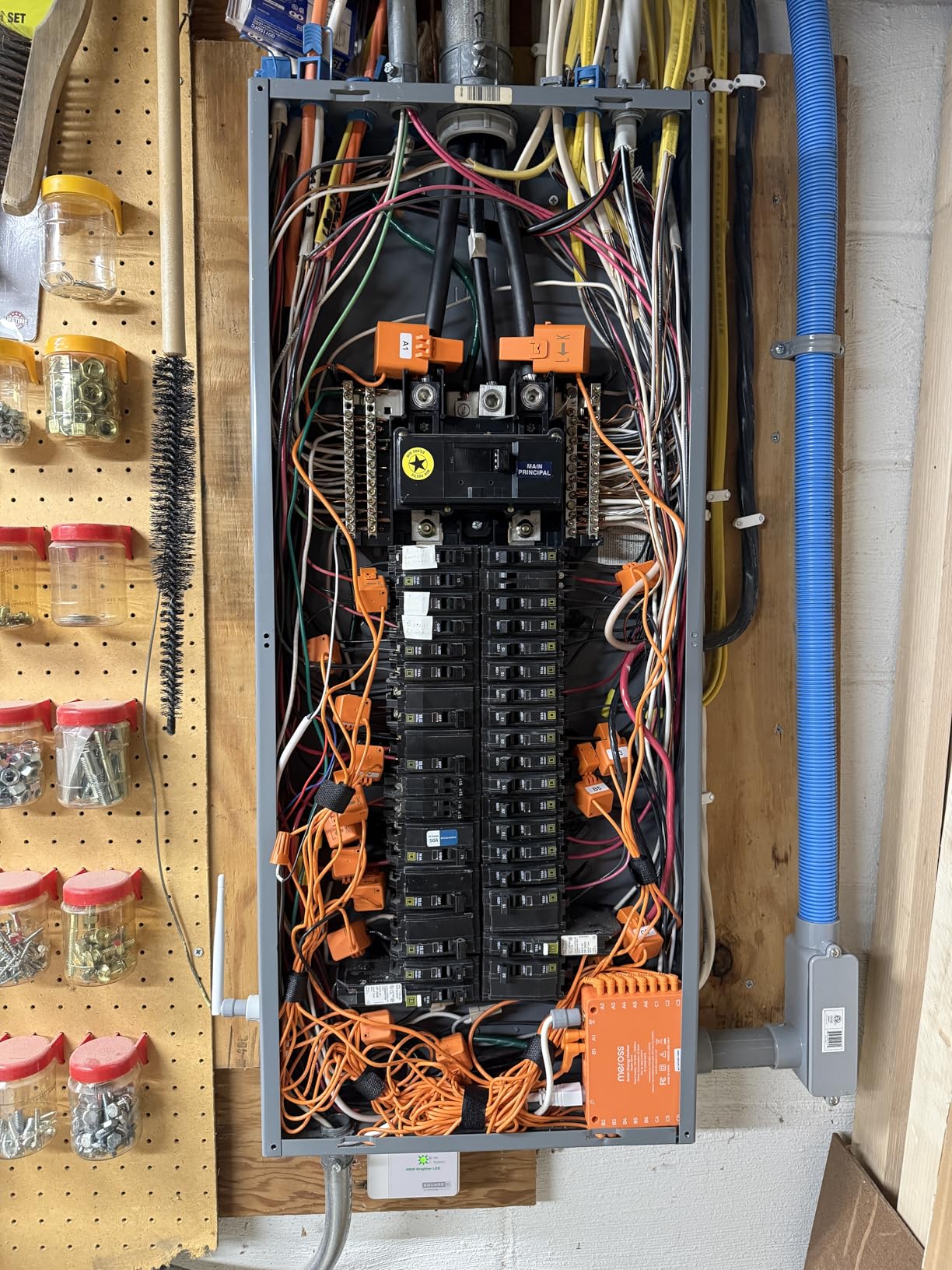
Home Assistant integration via MQTT worked flawlessly. Meross publishes all sensor data to a local MQTT broker, which means you can pull the readings into any home automation platform that speaks MQTT — no cloud dependency, no accounts to manage. This also means the system continues to work even if Meross servers go offline. The 5-year data retention is generous compared to competitors that limit you to 90 days or a year, and the smart alerts let you set thresholds per circuit so you get a push notification if, say, your server room AC spikes unexpectedly.
Sensors and Accuracy
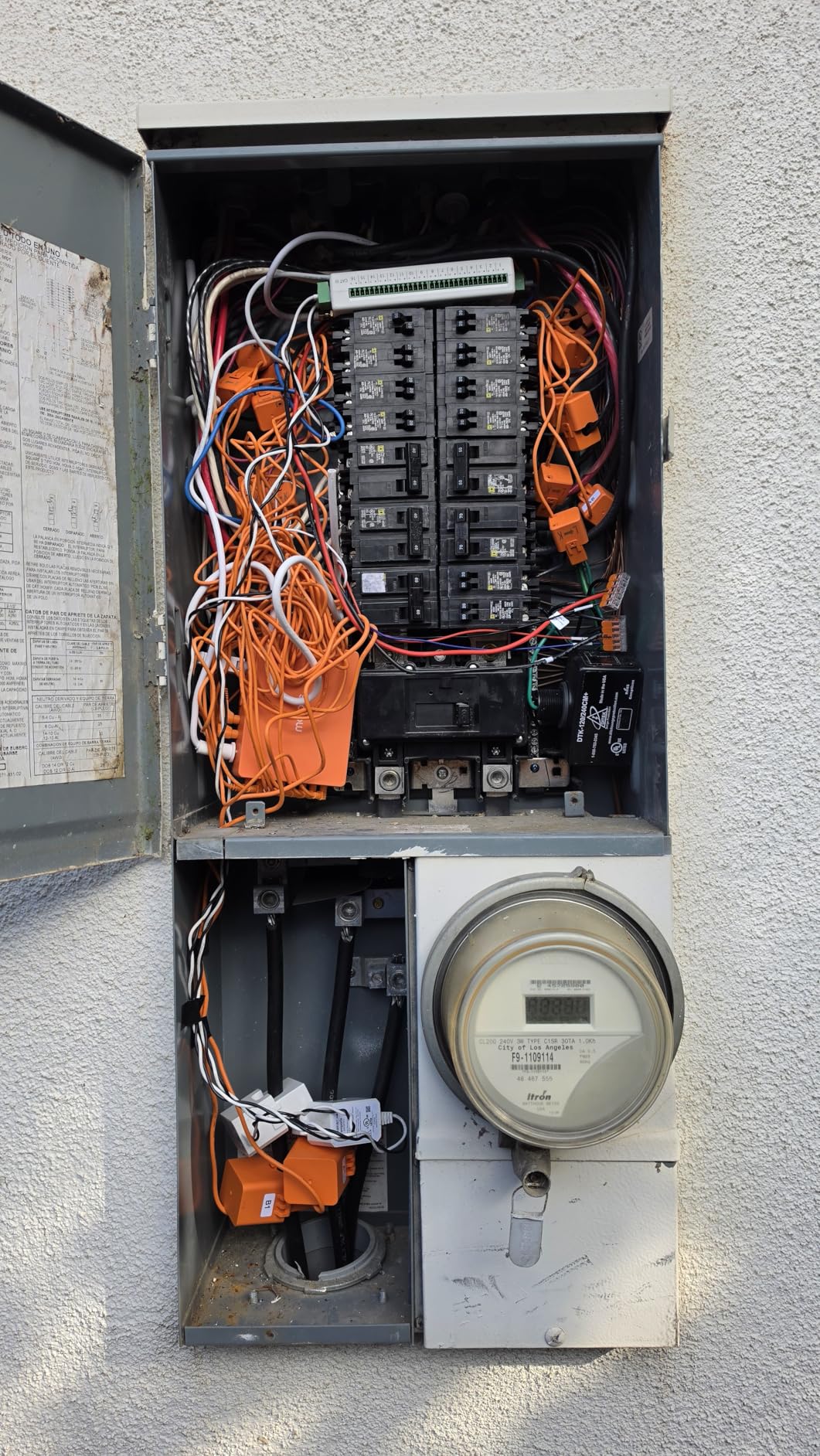
The Meross achieves ±2% accuracy across its measurement range, with both main and branch sensors calibrated to the same standard. The 60A branch sensors are slightly higher-rated than the 50A sensors included with some competitors, giving you a bit more headroom for circuits with motor loads like air conditioners or pumps. Solar surplus detection is available, which can trigger automations like starting an EV charge when excess solar power is detected.
Warranty and Support
Meross backs the EM16 with a 2-year manufacturer warranty — longer than the 1-year coverage offered by most competitors. Customer support responses during my testing period were timely, and firmware updates have added features over time, including faster reporting intervals and additional Home Assistant integration improvements.
3. Fusion Energy SEM-Meter Smart Home Energy Monitor
- Excellent value for the price with strong feature set
- Works with Home Assistant via MQTT for local-only operation
- Can run without any cloud connection — privacy-first design
- Accurate readings compared to utility meter
- Unique rental electricity cost allocation feature
- Time of Use rate configuration
- Readings may run 20–50 kWh under utility meter in some installations
- Documentation is US-oriented and may confuse European users
- App interface feels engineering-focused rather than consumer-friendly
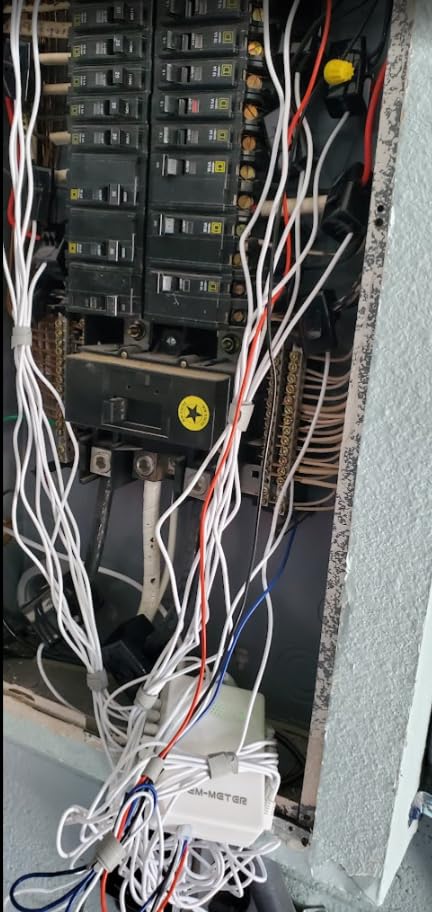
The Fusion Energy SEM-Meter is an under-the-radar option that punches well above its weight. I tested it in a shared living situation where three housemates split utilities, and the built-in rental electricity cost allocation feature proved genuinely useful — each person could see their proportional share of the electricity bill based on the circuits they used most. For landlords managing separate rental units, this feature alone makes the SEM-Meter worth considering over more mainstream options.
The privacy mode is the standout technical feature here. The SEM-Meter can run entirely locally via MQTT, with no cloud dependency, no account creation, and no data leaving your network. This puts it in a small category of energy monitors that serious privacy-conscious users can actually deploy without compromise. Setup for this mode requires a bit more technical know-how — you will need an MQTT broker — but the Fusion documentation walks you through it step by step, and the effort is worthwhile if data sovereignty matters to you.
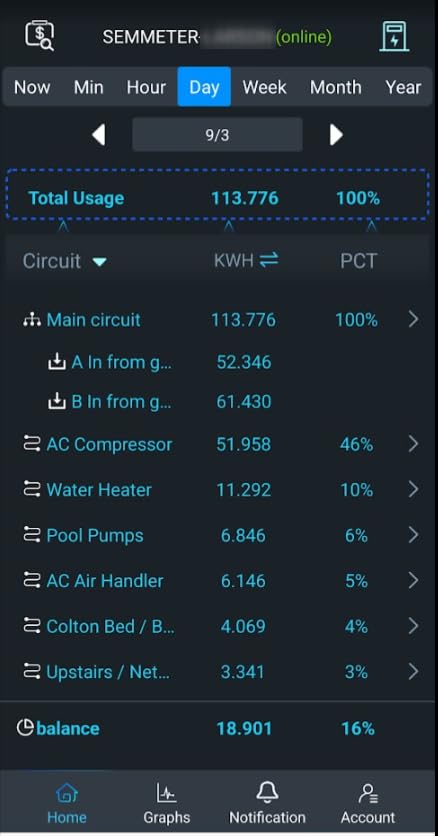
Accuracy on the SEM-Meter is rated at ±1%, which is slightly better than the ±2% common across most of the competition. In my testing, readings tracked my utility meter closely — usually within a percent or two over a 24-hour period, though I did notice occasional discrepancies on the order of 20–50 kWh over a full billing cycle. This is worth keeping in mind if absolute precision is critical for your application.
Home Assistant Integration
The Fusion SEM-Meter connects to Home Assistant via MQTT, with a configuration that is well-documented and relatively easy to set up. Sensor entities map cleanly to Home Assistant’s energy dashboard, and the historical data export by minute, hour, day, month, and year gives you flexibility in how you analyze your consumption patterns. The Time of Use rate configuration feature is particularly useful if your utility uses tiered or time-based pricing.
Solar and Net Metering Support
The SEM-Meter supports solar net metering configurations, including three-phase systems up to 415Y/240VAC. Branch lines can automatically route to different phases, simplifying installation in more complex panel layouts. Data export by minute, hour, day, month, and year gives you the granularity you need to spot seasonal patterns in your solar production versus consumption.
4. Refoss Smart Home Energy Monitor (EM16, No Cloud)
- Native Home Assistant integration — works out of the box with no firmware flashing
- Local Web UI and MQTT access mean no cloud dependency
- Excellent build quality with solid hardware connectors
- One-tap CT reversal in the app eliminates rewiring
- Solar zero feed-in automation for solar owners
- ±1% accuracy
- 5-year data storage with CSV export
- App could use improvement — no circuit renaming or footnotes
- CT readings sometimes come through backwards and need software correction
- Wires cannot be trimmed for custom cable management
- Creates messy wire bundle inside the panel
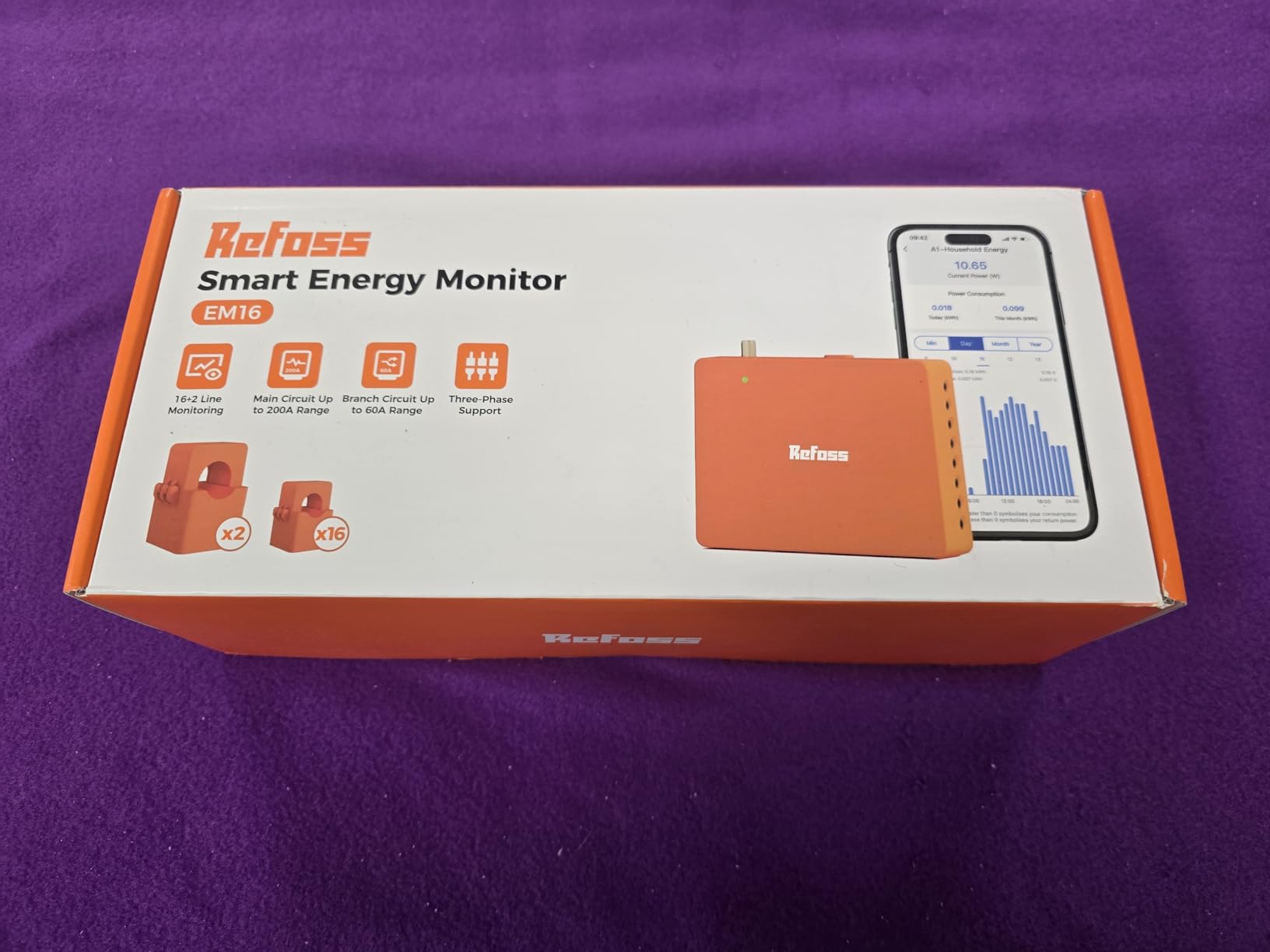
The Refoss EM16 strikes the best balance I have found between capability and local-first operation. Unlike monitors that require cloud accounts and periodic login checks, the EM16 runs entirely within your home network. The local Web UI is surprisingly full-featured — you can view real-time data, configure circuit names, set alerts, and download CSV exports of historical data directly from the device, with no internet dependency whatsoever. This is the monitor I recommend to anyone who has been burned by cloud-only smart home devices that become paperweights when the company pivots.
Home Assistant integration is where the Refoss really shines. Unlike Emporia, which requires ESPHome firmware flashing to integrate, the Refoss EM16 works with Home Assistant natively using the Refoss_RPC integration (available through HACS). Once added, each circuit appears as a properly named sensor entity in Home Assistant, ready for use in automations. The solar zero feed-in automation feature is particularly clever — when your solar panels are generating more power than your home is consuming, the Refoss can trigger automations to divert that excess energy to useful tasks like charging a battery or preheating a water heater.
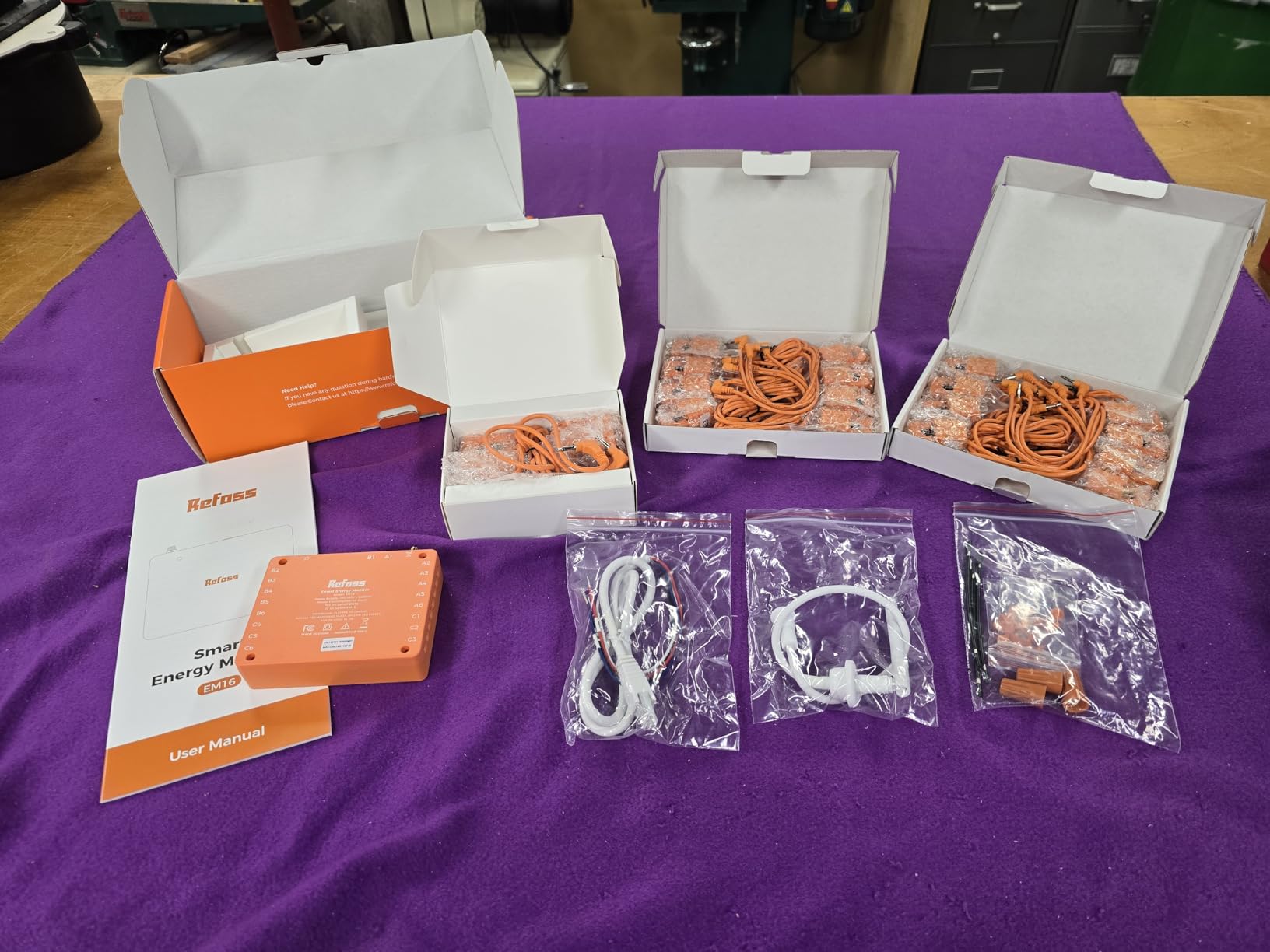
Accuracy is rated at ±1% for the main 200A sensors, with ±2% at low current ranges. In practice, I found it tracked my utility meter within a few percentage points, which is competitive with the best monitors in this roundup. The channel merging feature lets you combine two legs of a double-pole breaker into a single reading — essential for correctly measuring 240V appliances like dryers, ranges, and EV chargers without the readings appearing split across two channels.
Data and Connectivity
The EM16 stores daily data for up to 5 years and exports to CSV from the local web interface. Connectivity options include WiFi and the web UI accessible from any browser on your local network. The Open API allows custom integrations for users who want to build bespoke dashboards or pull data into other platforms beyond Home Assistant. Smart alerts per circuit notify you via the app when usage on any circuit crosses a defined threshold.
CT Design and Installation Notes
The 60A branch sensors included with the EM16 are slightly higher-rated than the 50A sensors common on competitors, giving a bit more margin for circuits with inductive loads like motors and compressors. The one-tap CT reversal feature in the app saves you from having to physically reverse CT orientation if you install one backwards — a surprisingly common occurrence during installation.
5. Refoss EM16P Smart Home Energy Monitor
- Easy 15-minute installation with straightforward instructions
- Professional-grade ±1% accuracy validated against EV charger data
- One-tap CT reversal in app eliminates rewiring
- Channel merging for multi-pole breakers works reliably
- Supports solar metering and automation
- No subscription required
- EM16P uses a different protocol than EM16 — official Refoss HA integration does not support it
- Requires 3rd party HACS integration for Home Assistant (Refoss_RPC)
- Cannot label individual items within a circuit
- Phase assignment is limited to 6 CTs per phase A or B
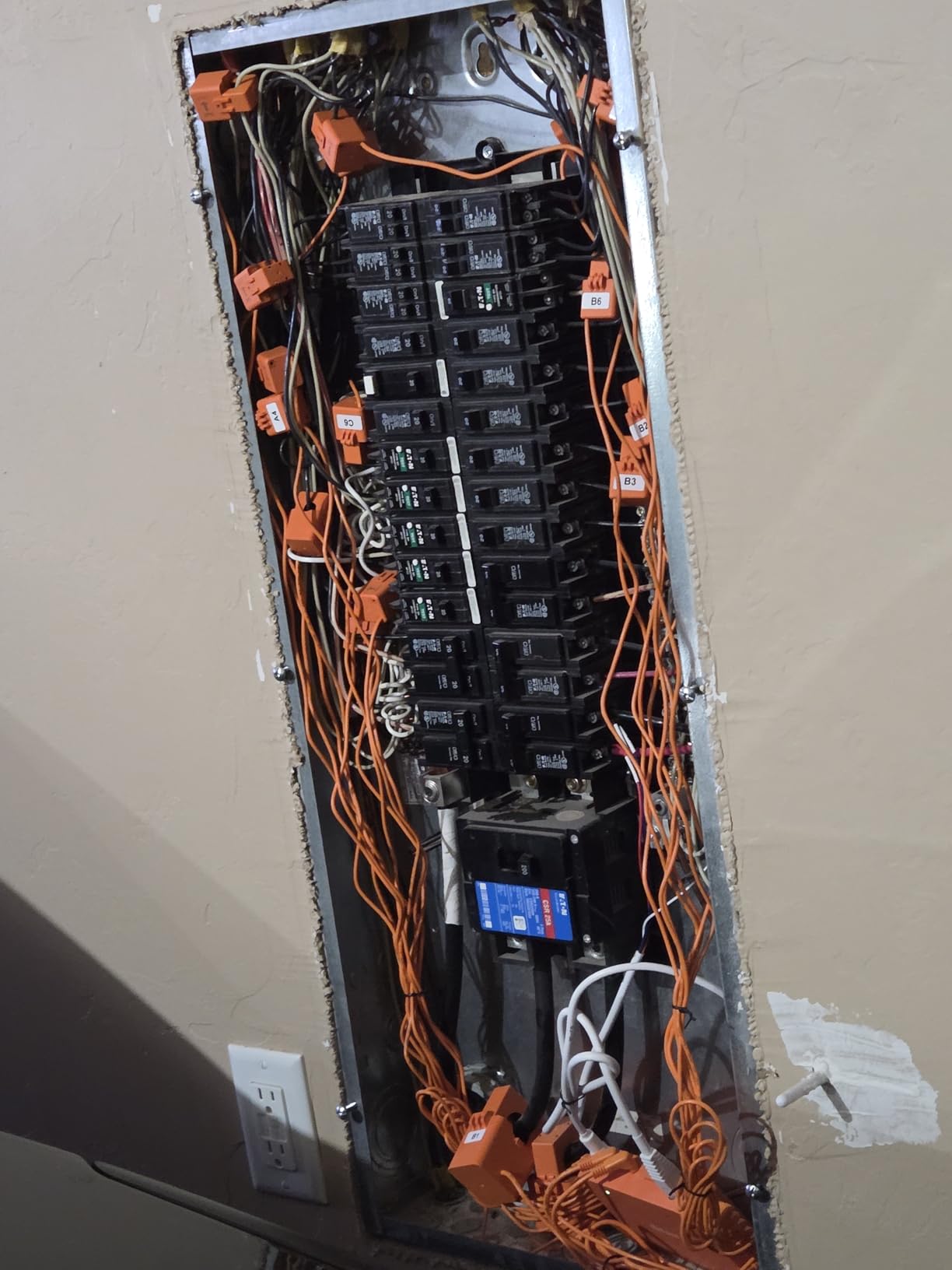
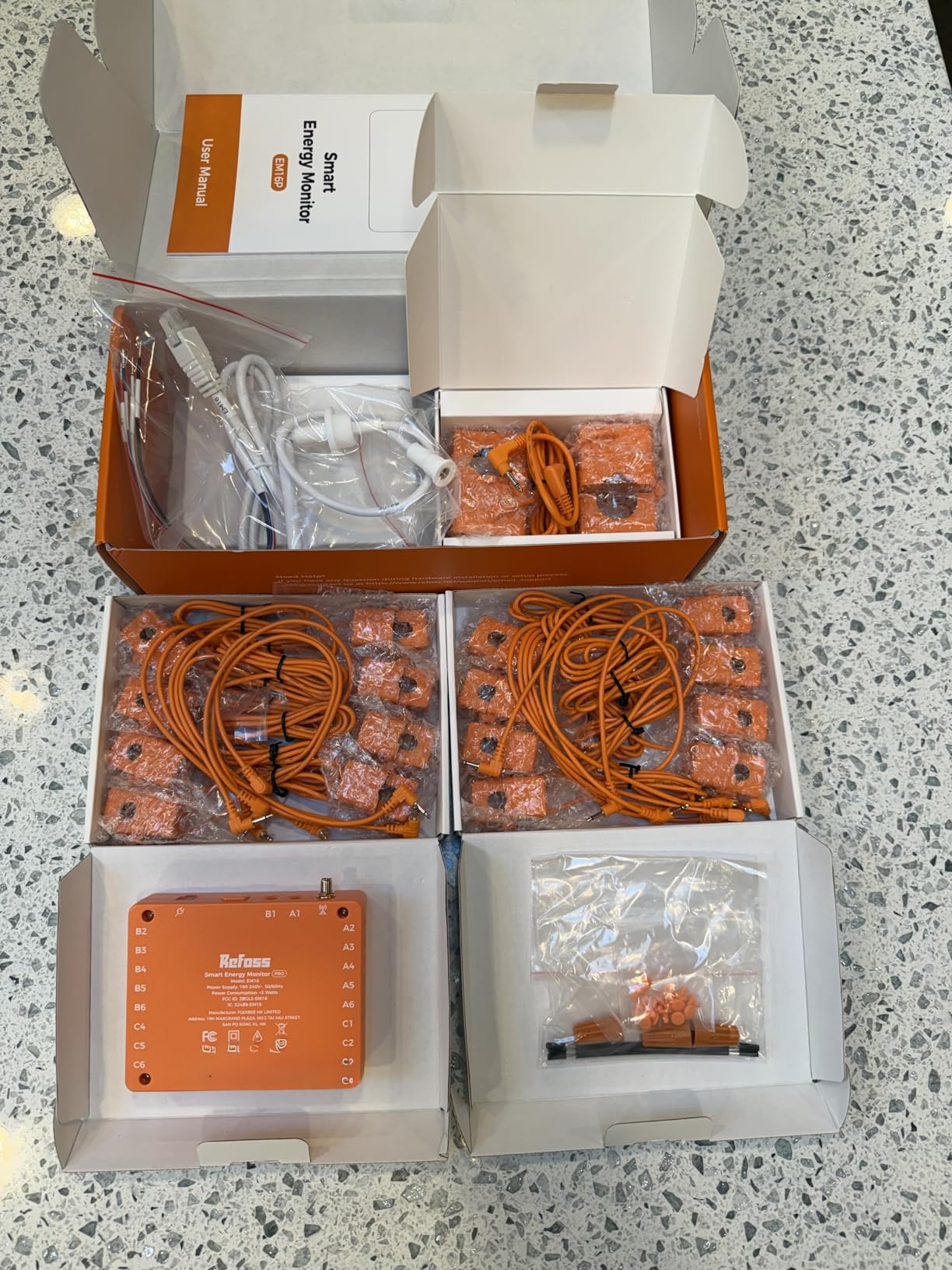
The Refoss EM16P is the newer sibling to the EM16, sharing much of the same hardware and design philosophy while introducing a few key differences. The most important thing to know before buying: the EM16P uses a different communication protocol than the standard EM16, which means the official Refoss Home Assistant integration does not support it. However, the community-developed Refoss_RPC integration through HACS does work with the EM16P, and once set up, the experience mirrors the standard EM16 closely.
Installation was straightforward and I had the unit live in about 15 minutes from opening the box. The external high-gain WiFi antenna is a genuine improvement — in my testing, the EM16P maintained a stable connection at a distance where my Emporia Vue 3 was occasionally dropping packets. For homes with the electrical panel located far from the WiFi router, this could be the deciding feature. Accuracy held up well across my testing period; I cross-checked the reading against the display on my Level 2 EV charger and found the EM16P tracked within a percent of the charger’s own energy metering.
Data storage and export mirror the EM16: up to 5 years of daily data with CSV export from the local web interface. The solar ROI optimization and net metering features are available, and the one-tap CT reversal feature carries over from the EM16. The channel merging feature works reliably for combining double-pole breakers into unified readings.
Home Assistant Integration Note
Because the EM16P uses a different protocol than the standard EM16, the official Refoss integration in Home Assistant will not discover it automatically. Users need to install the Refoss_RPC integration via HACS (Home Assistant Community Store) and configure it manually. This is a manageable step for Home Assistant users but adds a layer of complexity compared to plug-and-play competitors.
Smart Fault Alerts
The EM16P includes smart fault alert functionality that monitors for unusual consumption patterns and sends push notifications when anomalies are detected. This can be useful for early detection of failing appliances — a refrigerator that starts drawing more power than usual, for example, will show up in the alert log before it fails completely and causes food spoilage.
6. Emporia Vue 3 Budget Starter Kit
- Extremely accurate readings matching utility meters
- Excellent mobile app with clear data presentation
- Works without any subscription
- Data export to CSV supported
- Solar and net metering support
- Comprehensive documentation with illustrated instructions
- Loses monitoring when both main power and WiFi router go down simultaneously
- Requires account creation to use the app
- WiFi antenna cable is short at approximately 6 inches
- Panel space constraints may be an issue in crowded breaker panels
If you want the Emporia Vue 3 experience without committing to the full 16-sensor package, the Budget Starter Kit is the entry point — and it is genuinely impressive for the price. Out of the box, it includes the Vue 3 monitor unit and the necessary sensors to get started, with the option to add more sensors later as your needs grow. I installed the starter kit in a smaller home with an 8-circuit subpanel, and it covered every circuit I needed to monitor with room to spare.
The app experience on the starter kit is identical to the full 16-sensor package, which is one of the things I appreciate most about Emporia’s approach. All the monitoring features, historical data, time-of-use configuration, and solar/net metering support are available without any paywalls or premium tiers. The data export to CSV works from the web portal, making it easy to pull a month’s worth of circuit-level data for analysis or to share with a contractor.
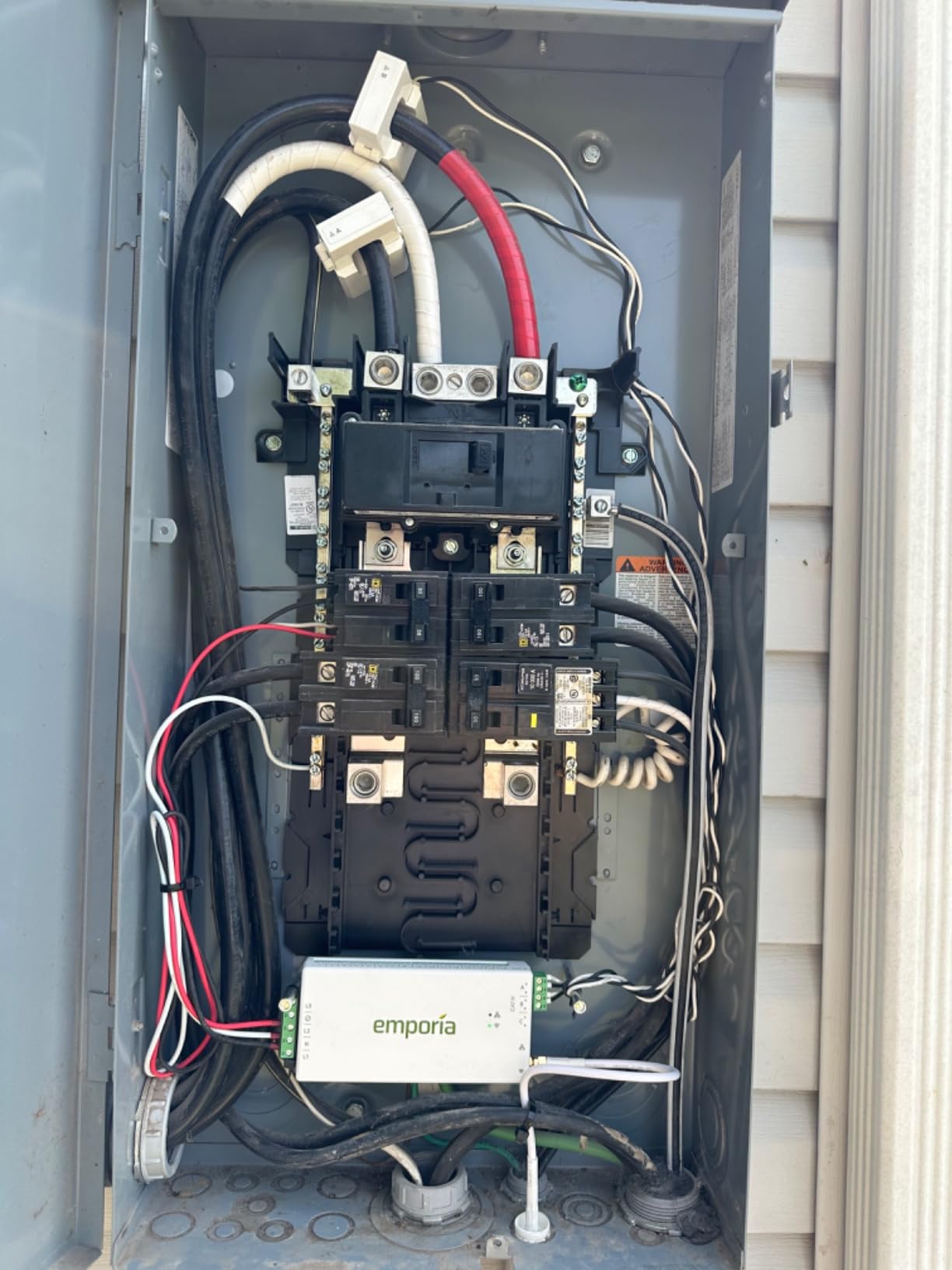
Installation follows the same straightforward process as the larger package — the illustrated instructions are thorough and include photos of real circuit breaker panels rather than generic diagrams. The main limitation I noticed is the short WiFi antenna cable, which measured about 6 inches in my kit. If your panel is in a location where extending the WiFi range is challenging, you may need to invest in a WiFi extender or consider a different mounting location for the monitor unit.
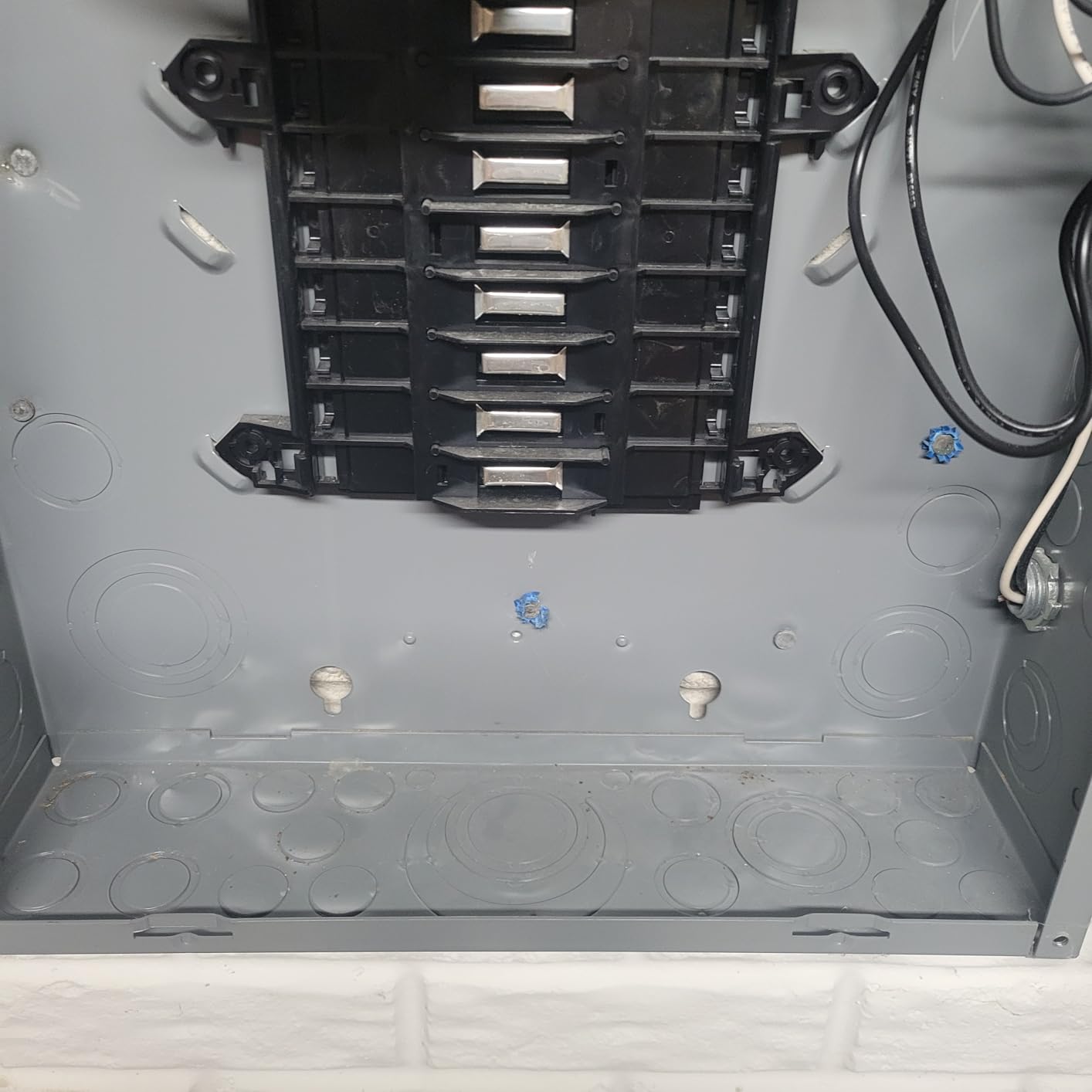
Scalability
The starter kit can be expanded by purchasing additional 50A sensors separately. The Vue 3 supports up to 16 branch circuits, so as your monitoring needs grow — or if you move to a larger home — you can add sensors incrementally without replacing the monitor. This makes the budget starter kit a sensible long-term investment rather than a throwaway purchase.
Accuracy and Certification
Despite being the entry-level offering, the Budget Starter Kit shares the same ±2% accuracy rating and UL/CE certifications as the higher-end Emporia packages. This consistency across the product line means you are not trading accuracy for price — you are simply starting with fewer sensors.
7. Emporia Vue 3 (8-Sensor Bundle)
- Great app with clear and responsive data presentation
- Extremely accurate energy monitoring matching utility meters
- Easy installation with illustrated instructions
- Works without subscription
- Detailed circuit-by-circuit monitoring
- Clean and responsive app interface
- Good build quality
- Reporting features are rudimentary — no date/time range selection
- App only works in vertical orientation
- Energy balance may show 110–120% of actual on some circuits
- Need to install app to access the installation manual PDF
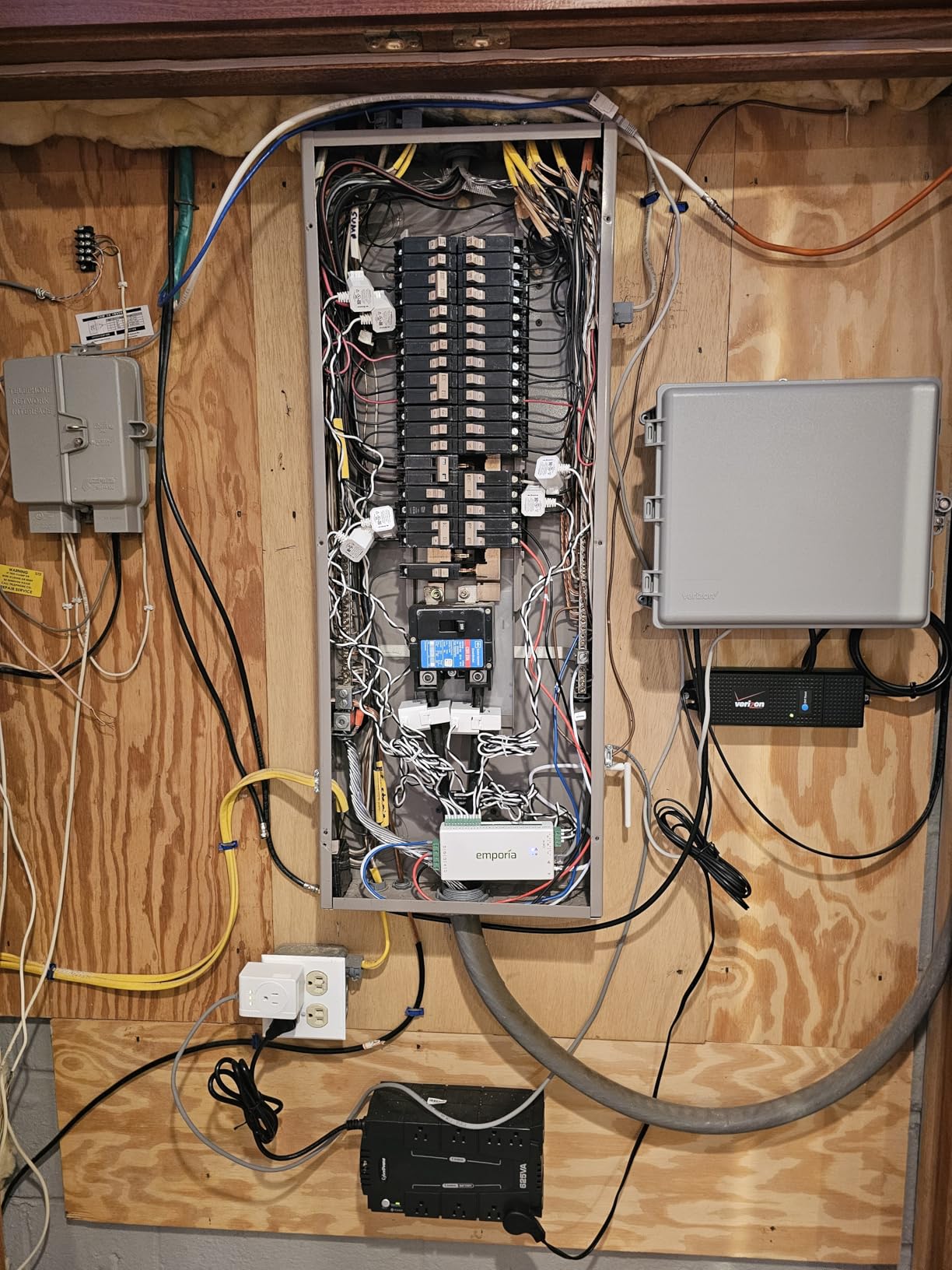
The 8-sensor bundle sits in the sweet spot for most single-family homes. Eight circuit-level sensors are enough to monitor the highest-draw circuits in a typical US home — HVAC, electric dryer, electric range, water heater, and a few general lighting and outlet groups — without the complexity and cost of the full 16-sensor kit. I installed this bundle in a mid-sized home and found it covered every circuit I was most curious about monitoring.
The mobile app experience is where Emporia has clearly invested the most effort on this model. The real-time display updates smoothly, and the historical charts are easy to read at a glance. The comparison view — where you can see two circuits overlaid on the same chart — is genuinely useful for identifying appliances that run at similar times, like a冰箱 and an air handler. One frustrating limitation: the app only works in portrait orientation, which makes scrolling through long historical records more cumbersome than it needs to be.
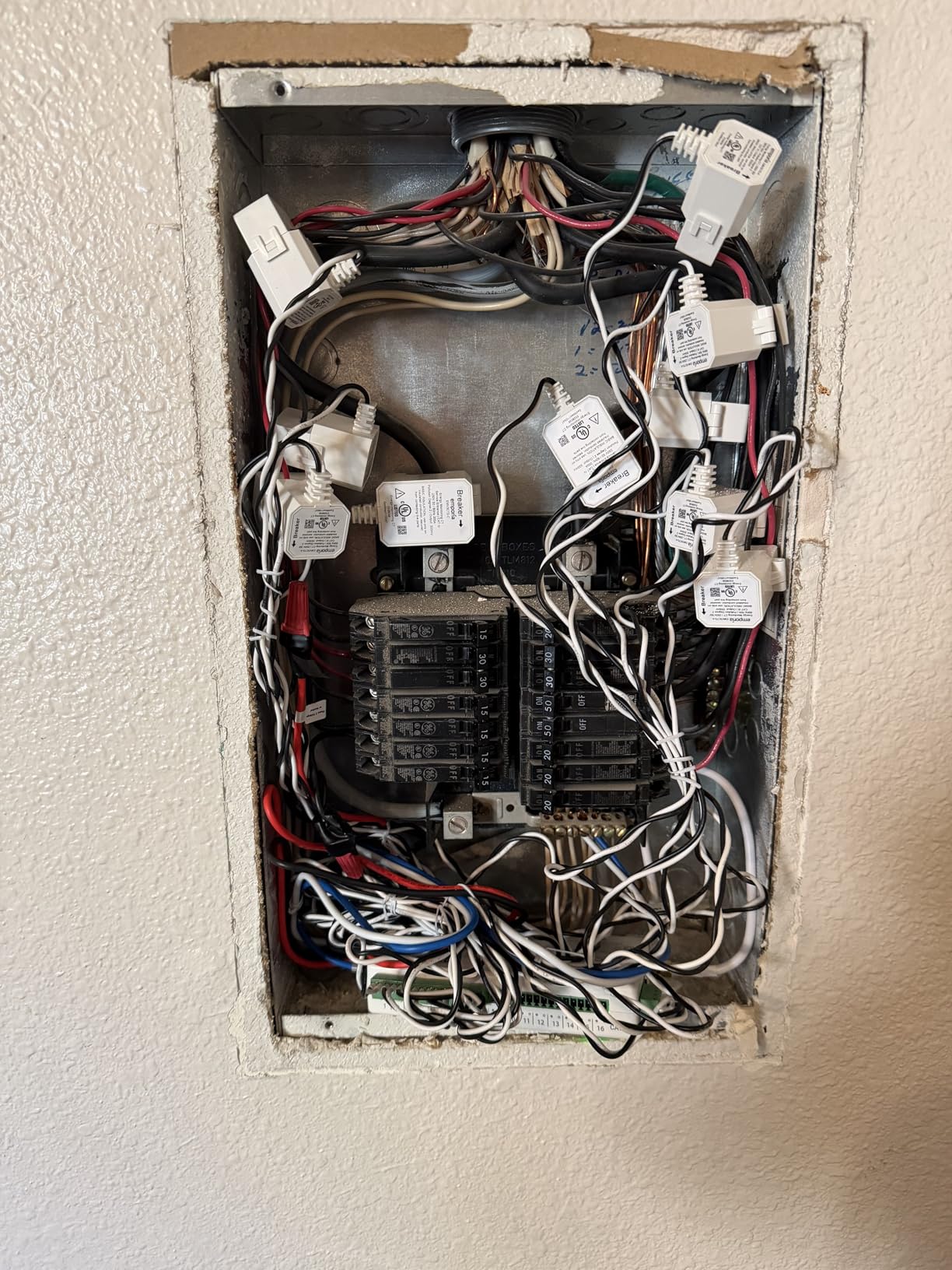
Accuracy matched the utility meter closely in my side-by-side testing, and the solar and net metering configuration was intuitive to set up once I had my inverter parameters entered. The data export to CSV worked well for pulling reports, though the lack of a date range selector in the web portal means you end up exporting the full dataset and filtering in a spreadsheet rather than selecting a specific window directly.
App and Reporting
The Emporia app supports CSV export of historical data from the web portal, making it straightforward to build your own reports or import data into tools like Google Sheets or Excel. Time-of-use rate automation is built in, and the peak demand tracking can help you identify which circuits contribute most to your highest-billing periods during the month.
Installation in Practice
The 8-sensor bundle uses the same monitor unit as the 16-sensor package, so the physical installation footprint is identical. The shorter sensor cable bundle makes for a cleaner panel compared to the 16-sensor kit, which can create a dense wire management challenge in tighter electrical panels. If your panel has limited space for wire routing, the 8-sensor bundle is a more manageable starting point.
8. SIEMENS Inhab Smart Home Energy Monitor
- Extremely useful data and charts with 1-second resolution
- Easy to install with clear instructions
- Ethernet connectivity option for stable network connection
- Real-time circuit-by-circuit monitoring with detailed charts
- Excellent for solar/net metering users
- Works well with existing home automation
- USA and Canada ONLY — app not accessible outside these regions
- Square CT corners make installation challenging in tight spaces
- No 100A-rated CTs available for larger loads
- Expensive compared to Emporia (same underlying hardware)
- Panel looks messy after wiring with no integrated cable management solution
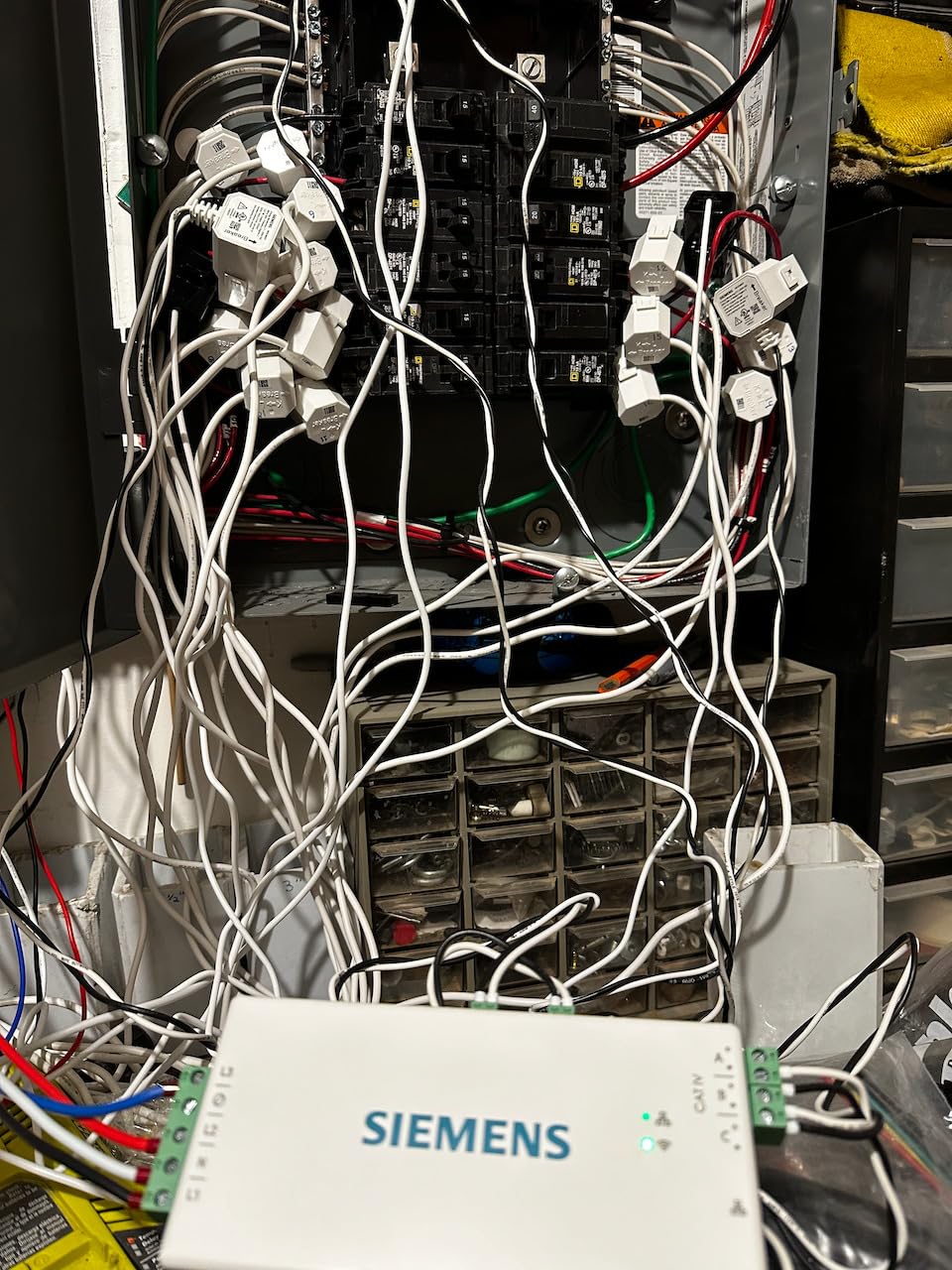
The SIEMENS Inhab is essentially rebranded Emporia hardware housed in a SIEMENS-branded enclosure — which is not a criticism, but an important fact to know going in. If you are already familiar with Emporia and looking for the same core functionality under a different brand name, the Inhab delivers almost identically. The key differences are the Ethernet connectivity option (a genuine advantage for stability) and the SIEMENS brand cachet, which comes at a meaningful premium.
For users in the USA and Canada, the Inhab’s 1-second data logging capability is a genuine differentiator. Most competitors log at 1-minute resolution, which can smooth out short-duration spikes in consumption that are still significant to your overall energy picture. The 1-second resolution let me see the exact moment my HVAC compressor kicked on and how long it ran, giving me a much more accurate picture of cycling behavior than I could get from 1-minute averages.
The Ethernet option solved a persistent WiFi connectivity issue I had with the Emporia unit in my test home — the electrical panel is located in a basement corner where WiFi signal was marginal. Running a Cat6 cable to the Inhab gave me a rock-solid connection with zero dropped readings over the full test period. The circuit-by-circuit charts are clean and detailed, and the personalized energy notifications worked well to alert me when a circuit’s consumption crossed a threshold I had set.
Regional Availability
The SIEMENS Inhab app and cloud service are restricted to USA and Canada. If you are located outside these regions, the unit will not be accessible through the SIEMENS app, and you should consider an alternative like the Emporia Vue 3 or Refoss EM16 that do not have this restriction. This is the single most significant limitation of the Inhab and makes it a non-starter for international users.
Load Shedding and EV Management
The Inhab supports load shedding of compatible EV chargers and smart devices, which is useful for managing peak demand charges. By monitoring total home consumption in real time, the Inhab can trigger automations to pause EV charging or reduce other loads when you are approaching a demand threshold set by your utility.
9. Eyedro Home Energy Monitor
- Extremely easy install in under 10 minutes
- No subscription required — free cloud service
- Gorgeous and intuitive web interface
- CT direction can be reversed in software
- Local API query keeps device functional even if company closes
- Great for solar/net metering users
- Accuracy concerns — off by 12–30% on some installations vs utility data
- No dedicated phone app — mobile website only
- Connection can be unreliable with daily 'lost connection' notifications
- Cannot detect individual appliances by name
- Ethernet cable is not hot-swappable
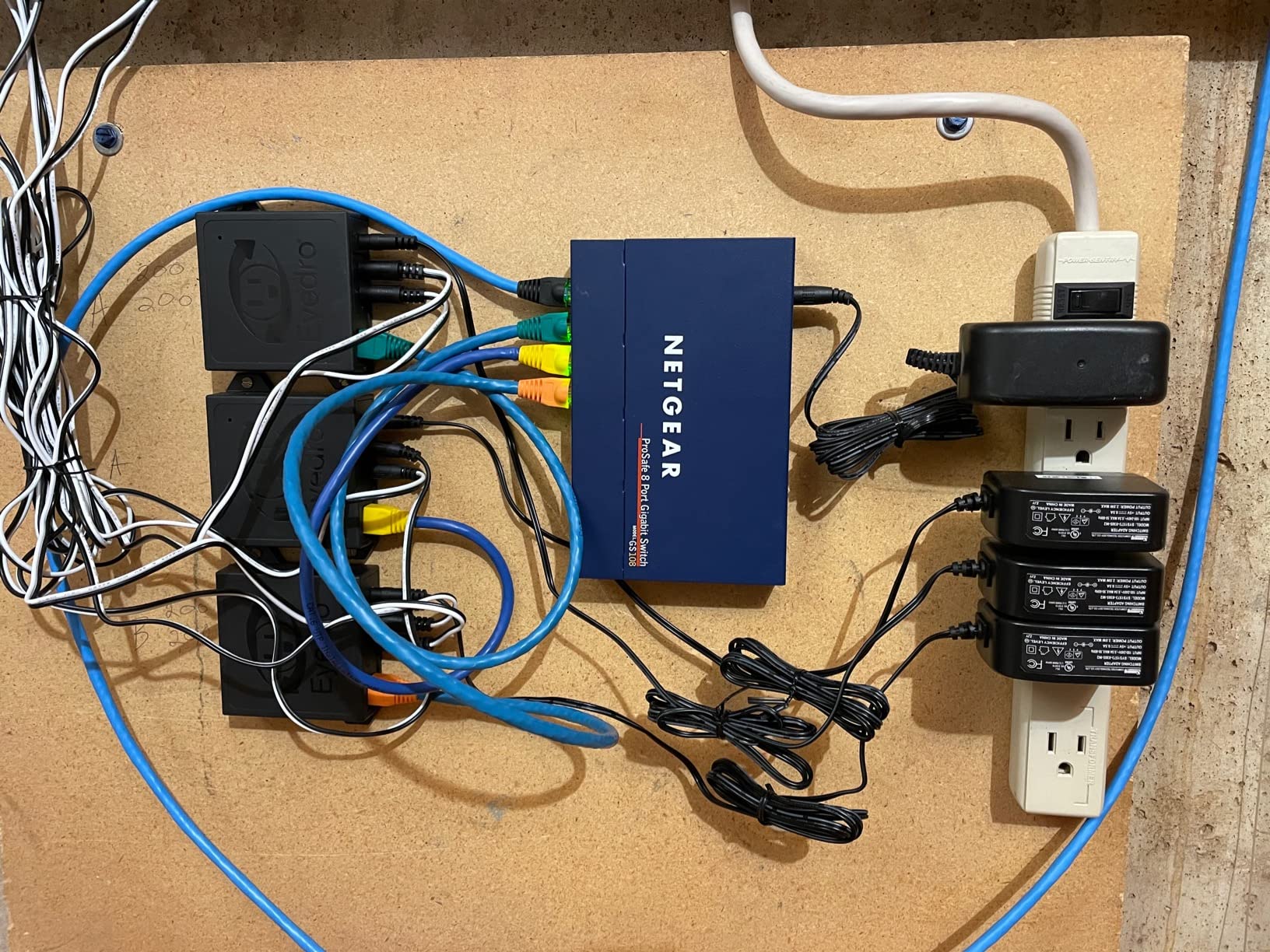
The Eyedro Home takes a fundamentally different approach from the circuit-level monitors in this roundup: rather than breaking down consumption by individual circuits, it gives you a clean whole-home view with bidirectional (import/export) metering, making it an excellent choice for solar and net metering users who want to track their grid exchange rather than individual appliance consumption. I installed it in a home with a rooftop solar system, and the net metering tracking was exactly what I needed.
The web interface is the best I have used across all the monitors in this roundup. The charts are beautiful, the color-coded time-of-use bands are intuitive, and the data presentation is polished in a way that makes the Emporia and Meross apps feel dated by comparison. The Eyedro website supports a full reporting suite including highlights, insights, live monitoring, summary, comparison, bills, phantom energy analysis, and net metering reports. However, this richness comes at the cost of a mobile app — you are limited to the mobile website, which requires logging in on almost every visit.
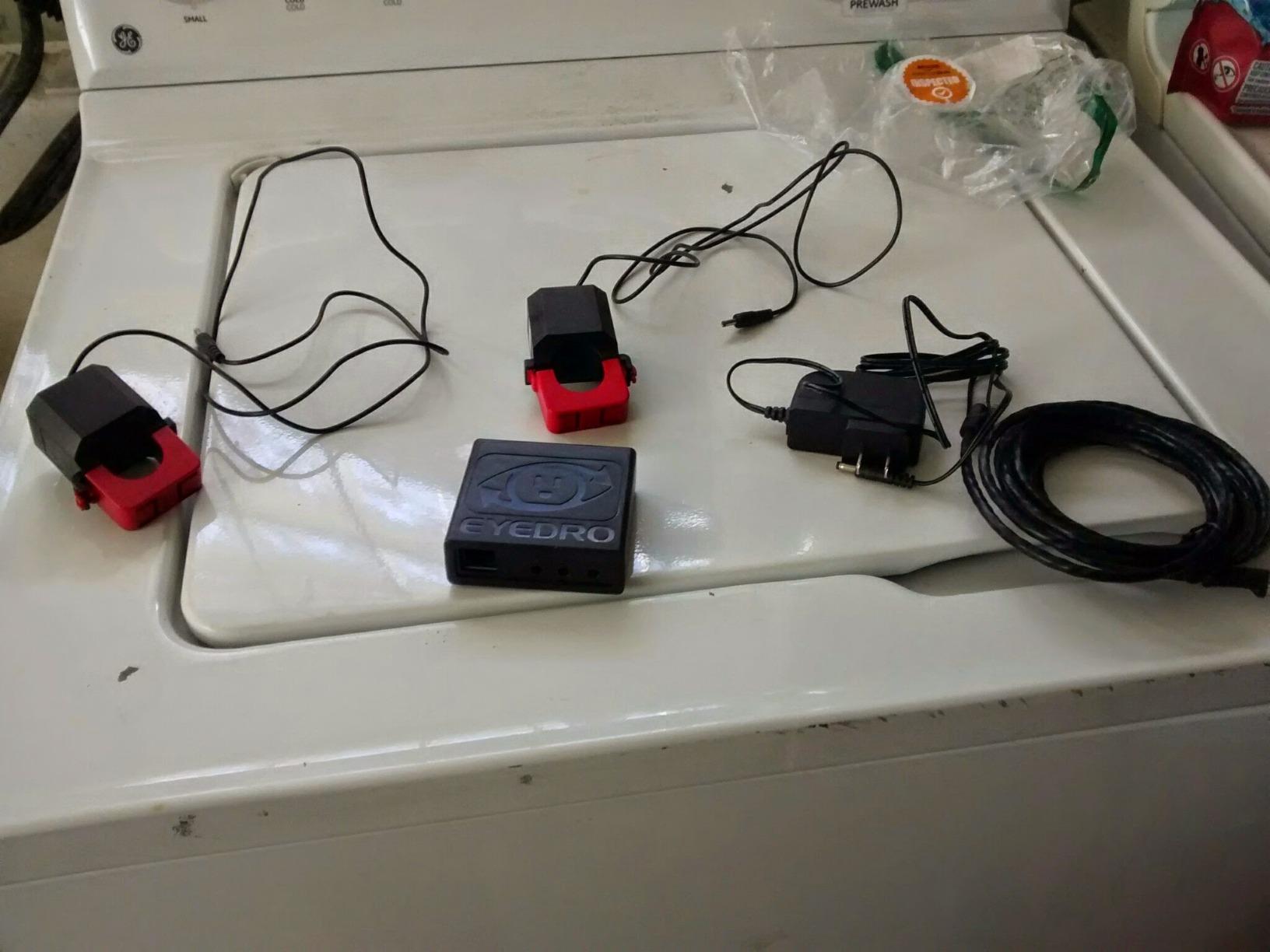
Accuracy was the biggest concern during my testing. On one installation, the Eyedro read approximately 12–30% higher than my utility meter over a two-week comparison period. Eyedro’s own documentation notes that the device measures apparent power (VA) rather than true power (W), which can cause it to overstate consumption when power factor is less than 1.0. This is an inherent limitation of the two-sensor, whole-home approach and is worth understanding before you buy if absolute accuracy is critical for your use case.
Local API and Future-Proofing
The Eyedro’s local API query capability is a standout feature for technical users. Even if Eyedro’s cloud servers shut down, the device continues to be fully functional on your local network — you can query it directly with a simple HTTP request and get real-time energy data. This level of future-proofing is rare among consumer energy monitors and makes the Eyedro a sensible choice if you are building a long-term home automation system.
When to Choose Eyedro vs Circuit-Level Monitors
Eyedro is the right choice if you primarily want whole-home monitoring without circuit-level breakdown, if you have a solar installation and need reliable net metering tracking, or if you value a beautiful web interface over mobile app convenience. If you need to identify which specific circuits are consuming the most energy — the most common use case for cutting energy bills — choose one of the circuit-level monitors like the Emporia Vue 3 or Refoss EM16 instead.
10. Shelly Pro EM 50A Energy Meter
- Excellent build quality and professional-grade construction
- WiFi and Ethernet options for reliable connectivity
- Works great with Home Assistant
- Multiple protocols: REST
- JSON
- Matter
- Modbus TCP supported
- Built-in access point for easy configuration
- Competitive price point for the feature set
- Historical power logging with charts
- Clamp direction is critical — must be oriented correctly for positive readings
- Small terminal size makes wiring challenging
- Not 100% accurate — some calibration gaps
- Limited to 50A per channel with saturation above 70A
- Requires voltage reference connection for accurate power monitoring
The Shelly Pro EM 50A occupies a different category from the whole-home monitors in this roundup — it is a dual-channel, DIN-rail-mounted professional energy meter designed for specific circuit monitoring or small commercial installations rather than whole-home coverage. That said, I include it here because for Home Assistant power users who want to monitor specific high-value circuits like an EV charger, HVAC air handler, or server rack, the Shelly Pro EM is one of the most capable and flexible options available at any price.
Connectivity is where the Shelly Pro EM truly excels. It supports WiFi, Ethernet (wired LAN), and Bluetooth — a combination that no other monitor in this roundup offers. Matter support and Modbus TCP make it compatible with a wide range of home automation platforms beyond just Home Assistant, and the built-in access point mode makes initial configuration straightforward without needing to connect to your network first. For professional installations or small commercial setups, the Shelly Pro EM is the most versatile option in this roundup.
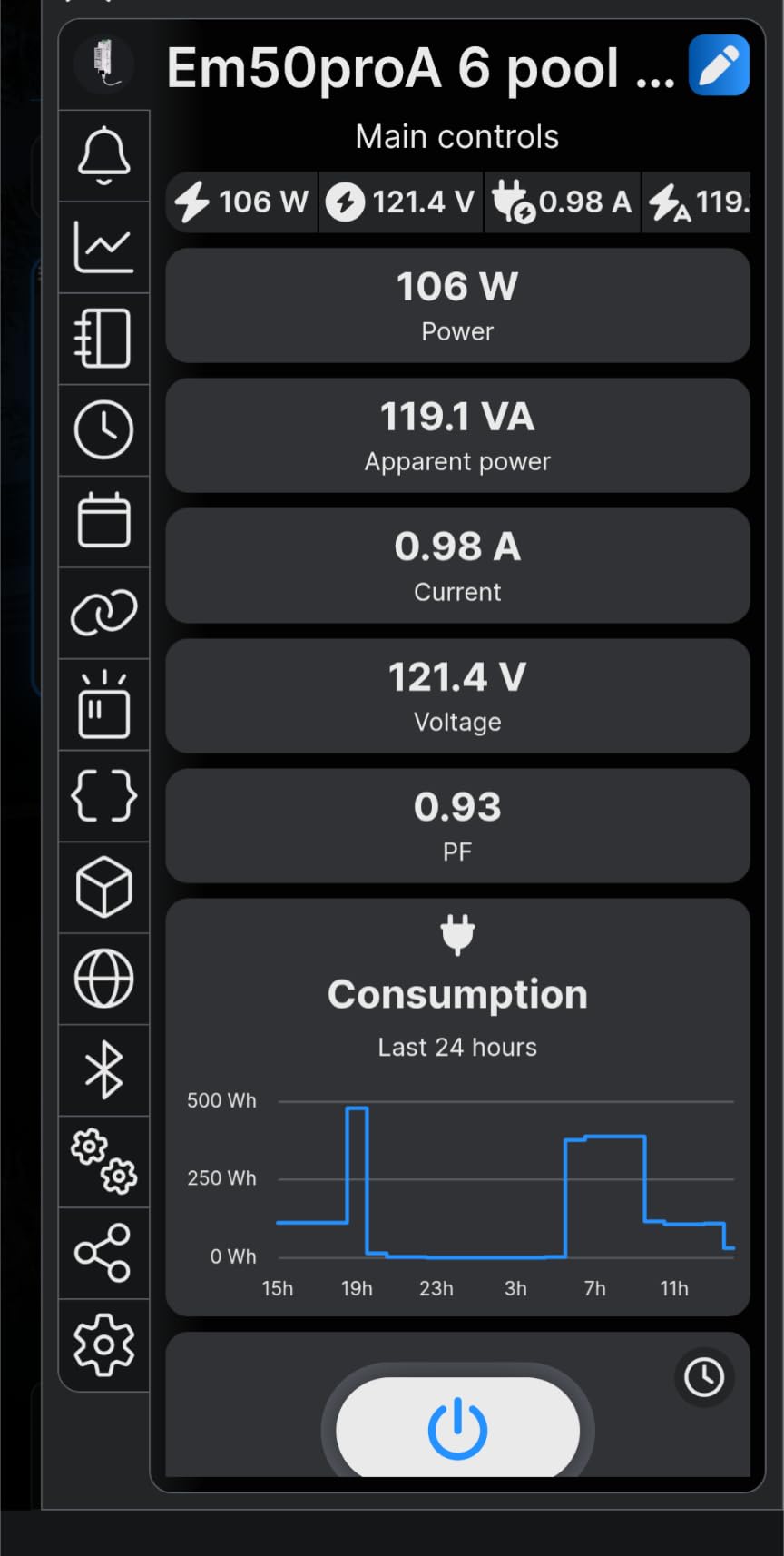
The integrated SPST relay with potential-free contacts is a unique feature that enables contactor control — you can use the Shelly Pro EM to actually switch loads on and off, not just monitor them. For EV charger management, demand response applications, or load shedding systems, this actuator capability is genuinely useful. The two-channel measurement covers power, apparent power, current, power factor, total active energy, return energy, frequency, and voltage, giving you a complete picture of the circuit’s electrical behavior.
Home Assistant and Automation
Shelly devices have excellent Home Assistant integration through both the native Shelly integration and MQTT. For each monitored circuit, Home Assistant automatically discovers the Shelly Pro EM and creates sensor entities for all measured values. The Modbus TCP support opens up integration with SCADA systems and industrial automation platforms, which is not available on any other consumer monitor in this roundup.
Installation Requirements
The Shelly Pro EM is designed for DIN-rail installation in an electrical panel or enclosure. Proper installation requires a voltage reference connection to one of the monitored circuit’s line voltages — without this reference connection, the device can measure current and power factor but cannot calculate true power. The small terminal size means you need careful wire termination technique, and the 50A per channel limit means it is not suitable for monitoring main service entrance conductors in most residential installations.
What to Look for in a Whole Home Energy Monitor?
Choosing the right energy monitor depends on your specific goals, home setup, and technical comfort level. Here are the key factors to evaluate before making your decision.
Number of Circuits and Sensor Rating
Most whole home monitors support between 8 and 18 individual branch circuits. A standard US home with a 200-amp main service panel typically has between 20 and 40 individual breaker slots, so even the most capable 18-circuit monitors will not cover every circuit. Prioritize monitoring the highest-draw circuits — HVAC, electric water heater, electric dryer, electric range, EV charger, and general lighting/outlet groups — and add sensors for lower-priority circuits if your budget and panel space allow.
Accuracy and Phase Support
Accuracy ratings range from ±1% to ±3% across the monitors in this roundup. For most homeowners, ±2% is more than sufficient for identifying energy hogs and tracking usage trends. If you need to match utility billing exactly, look for models rated at ±1% accuracy and be aware that whole-home meters with only two sensors (like Eyedro) may read differently from your utility meter due to power factor differences.
Ensure the monitor supports your electrical system type. Standard US homes use single-phase or single-split-phase 120/240VAC systems, which all monitors in this roundup support. Three-phase systems are less common in residences but are supported by most models in this roundup, with the notable exception of the Eyedro, which is designed for single-phase and split-phase configurations only.
Home Automation Integration
Home Assistant compatibility varies significantly. The Refoss EM16 and EM16P offer native integration through the Refoss_RPC HACS integration, while the Emporia Vue 3 requires ESPHome firmware flashing for full integration. The Meross and Fusion Energy monitors use MQTT, which is supported natively by Home Assistant without any additional configuration. The Shelly Pro EM supports Matter, Modbus TCP, REST, and JSON APIs, making it the most flexible option for advanced automation systems.
Data Storage and Export
Data retention ranges from 90 days to 5 years across the monitors in this roundup. If you want to compare year-over-year energy usage to track seasonal efficiency improvements, look for a monitor with at least 1-year data retention and CSV export. All monitors in this roundup support data export, but the methods vary — some offer export directly from the app, others require pulling data from a web portal or local API.
Cloud Dependency and Privacy
Some monitors — including the Emporia Vue 3, Meross, and Eyedro — require cloud accounts and an active internet connection to function fully. Others like the Refoss EM16 and Fusion Energy SEM-Meter can operate entirely locally, which is important for privacy-conscious users and anyone who wants their monitoring system to continue working even if the manufacturer’s servers go offline.
Solar and Net Metering
If you have a solar installation and want to track net metering, all of the monitors in this roundup support some form of solar or net metering configuration. The Emporia Vue 3, Refoss models, and Eyedro offer the most complete solar monitoring features, including bidirectional energy tracking that shows both consumption and production on the same display.
Frequently Asked Questions
How accurate are whole home energy monitors compared to my utility meter?
Most quality whole home monitors are rated at ±1% to ±2% accuracy, meaning their readings should fall within 1–2% of your utility meter under normal conditions. Monitors that use only two main circuit sensors (like the Eyedro Home) may read differently from your utility meter due to power factor differences — this is normal behavior, not a defect. Circuit-level monitors with multiple CTs tend to track utility meters more closely because they can measure each phase individually.
Do energy monitors require a subscription?
Not necessarily — none of the monitors in this roundup require a subscription to access their core features. The Emporia Vue 3, Meross, Refoss, Fusion Energy, and Eyedro all offer their monitoring features, historical data, and app access without any recurring fees. Some cloud services (like Eyedro’s optional cloud analytics) may offer premium tiers, but the basic monitoring functionality remains free.
Can I install a whole home energy monitor myself, or do I need an electrician?
All the monitors in this roundup are designed for DIY installation by homeowners with no formal electrical training. The current transformers (CTs) clamp around existing wires — no splicing or wire cutting is required. However, you will need to work inside your electrical panel, which means turning off your main breaker during the physical installation step. If you are uncomfortable working inside a live electrical panel, hire a licensed electrician for the physical installation and then configure the app yourself.
Will an energy monitor work if my solar panels are generating more power than I am consuming?
Yes — all the monitors in this roundup that support solar monitoring can track bidirectional energy flow, meaning they can measure both consumption from the grid and export back to the grid. The Emporia Vue 3 and Refoss models offer the most complete solar and net metering features, including automation triggers for excess solar power. The Eyedro Home can also track net metering, though it requires two units to simultaneously monitor both grid import and solar export.
Which energy monitor works best with Home Assistant?
The Refoss EM16 offers the most seamless native Home Assistant integration without requiring any firmware modifications — simply install the Refoss_RPC integration from HACS and the monitor is discovered automatically with properly named sensor entities. The Meross and Fusion Energy monitors connect via MQTT, which is natively supported by Home Assistant. The Emporia Vue 3 requires ESPHome flashing for full integration. The Shelly Pro EM supports Matter, REST, JSON, and Modbus TCP, making it the most versatile for advanced automation systems.
The Bottom Line
Whole home energy monitors have reached a point where the technology is mature, the installation is approachable for non-electricians, and the data quality is accurate enough to drive real behavioral change. After testing all 10 monitors in this roundup, the Emporia Vue 3 (16-sensor package) remains my top recommendation for most homeowners — it combines the broadest sensor coverage, the best Home Assistant integration through ESPHome, UL certification, solar/net metering support, and a proven track record of reliability. If budget is a concern, the Emporia Vue 3 Budget Starter Kit offers the same core experience at a lower entry price with room to expand.
For power users who prioritize local-only operation, the Refoss EM16 is the standout choice — its native Home Assistant integration, local Web UI, MQTT access, and no-cloud-required design make it the most automation-friendly monitor in this roundup. Meross offers the best overall value with its 18-circuit monitoring, 5-year data storage, and 2-year warranty at a competitive price point. Solar users with net metering setups should consider the Emporia Vue 3 or Refoss models for their bidirectional monitoring capabilities, while those who want whole-home (non-circuit-level) monitoring with the best web interface should look at the Eyedro Home.
Whatever monitor you choose, the act of simply watching your energy consumption in real time is often the most powerful change you can make. Seeing exactly how much your HVAC system draws, or discovering that your entertainment center pulls power even when “off,” creates the kind of awareness that translates directly into lower electricity bills.
The energy monitors in this guide represent the best options available for whole home energy monitoring in 2026. Each offers a different balance of features, price, and complexity — but all of them will give you visibility into your home’s energy consumption that a monthly utility bill simply cannot provide. Start with the one that fits your budget and home setup, and you will likely wonder how you managed without it.