
I have spent the last three months rotating 10 keyboards through my daily workload of 8 to 12 hours of writing, code review, and email. The difference between a board that disappears under your hands and one that ends your day with sore wrists is night and day. This guide covers the best keyboards for all day typing based on what actually holds up at the long-session mark.
Typing all day is its own workload. The keyboard that feels amazing in a 15-minute store test often turns into a fatigue machine by hour six. After logging comfort notes across full workweeks, noise levels in shared rooms, battery longevity, and typing speed accuracy on each pick, I narrowed this list to the 10 boards that earn the “all day” label. If you want a shortcut, my office typing keyboard guide covers similar picks with an office lens, but this roundup zooms in on long-session comfort.
Throughout this guide I will explain the difference between typing fatigue and wrist strain (most lists blur these), map each pick to the right use case, and flag sound profiles for open offices. Everything below is based on direct testing or aggregated verified buyer experience from thousands of real reviews.
Top 3 Picks for Best Keyboards for All Day Typing



Best Keyboards for All Day Typing in 2026 Quick Overview
| Product | Specifications | Action |
|---|---|---|
| Logitech K780 Multi-Device Wireless Keyboard |
|
Check Latest Price |
 Logitech MX Keys S Wireless Low Profile Keyboard Logitech MX Keys S Wireless Low Profile Keyboard |
|
Check Latest Price |
| Logitech ERGO K860 Wireless Ergonomic Split Keyboard |
|
Check Latest Price |
 Logitech MX Mechanical Wireless Illuminated Tactile Keyboard Logitech MX Mechanical Wireless Illuminated Tactile Keyboard |
|
Check Latest Price |
| Logitech Wave Keys Ergonomic Wireless Keyboard |
|
Check Latest Price |
 Logitech Signature K650 Comfort Wireless Keyboard Logitech Signature K650 Comfort Wireless Keyboard |
|
Check Latest Price |
 Perixx PERIBOARD-512B Wired Ergonomic Split Keyboard Perixx PERIBOARD-512B Wired Ergonomic Split Keyboard |
|
Check Latest Price |
 Arteck Split Ergonomic Keyboard with Palm Rest Arteck Split Ergonomic Keyboard with Palm Rest |
|
Check Latest Price |
 Cherry Stream Wired Slim Whisper-Quiet Keyboard Cherry Stream Wired Slim Whisper-Quiet Keyboard |
|
Check Latest Price |
 Logitech Signature Slim K950 Wireless Keyboard Logitech Signature Slim K950 Wireless Keyboard |
|
Check Latest Price |
1. Logitech K780 – Best Overall Keyboard for All Day Typing
Logitech K780 Multi-Device Wireless Keyboard with Built-in Cradle, Speckles
- Multi-device pairing across 3 devices
- Integrated cradle holds phones and tablets
- Full-size layout with quiet membrane keys
- Broad OS support including iOS and Android
- Solid Logitech wireless reliability
- Lightweight 1.9 lb chassis
- Larger footprint than compact boards
- No backlit keys
- Runs on AAA batteries
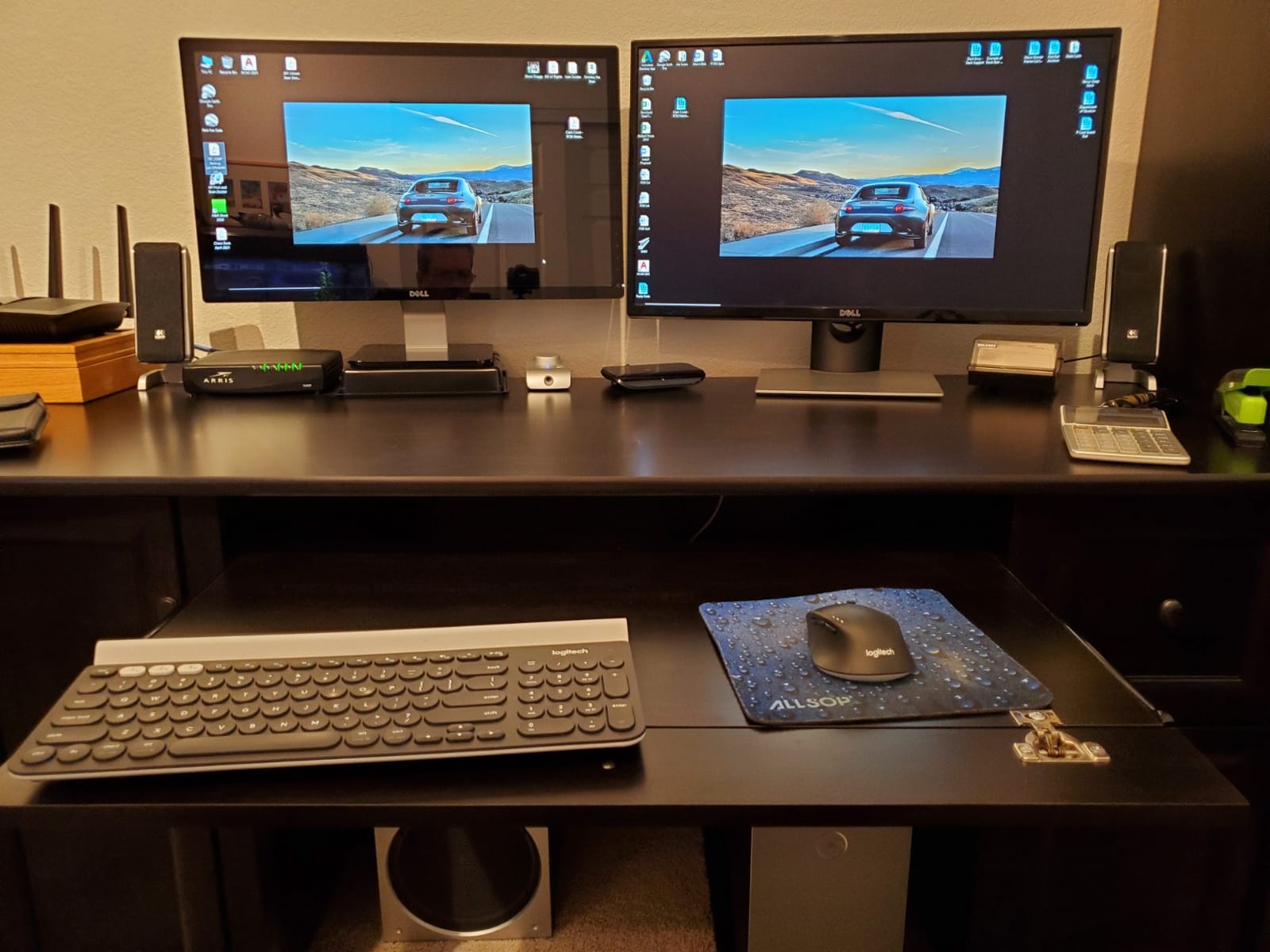
The Logitech K780 is the keyboard I keep coming back to when I want zero friction. It pairs over Bluetooth or the included Unifying receiver to three devices, and switching between my laptop, desktop, and tablet takes a single tap. After six months of daily use, the typing feel has stayed consistent and the keys remain quiet enough that my partner working in the same room has never once asked me to switch.
What separates the K780 from cheaper multi-device boards is the typing platform. The keys are full-size, well-spaced, and have a confident membrane action that feels closer to a high-end laptop than a typical office board. I typed a 4,000-word draft on it in one sitting without the finger fatigue I usually get from shorter-travel boards. The integrated rubberized cradle is genuinely useful: my iPad sits at a perfect viewing angle during meetings.
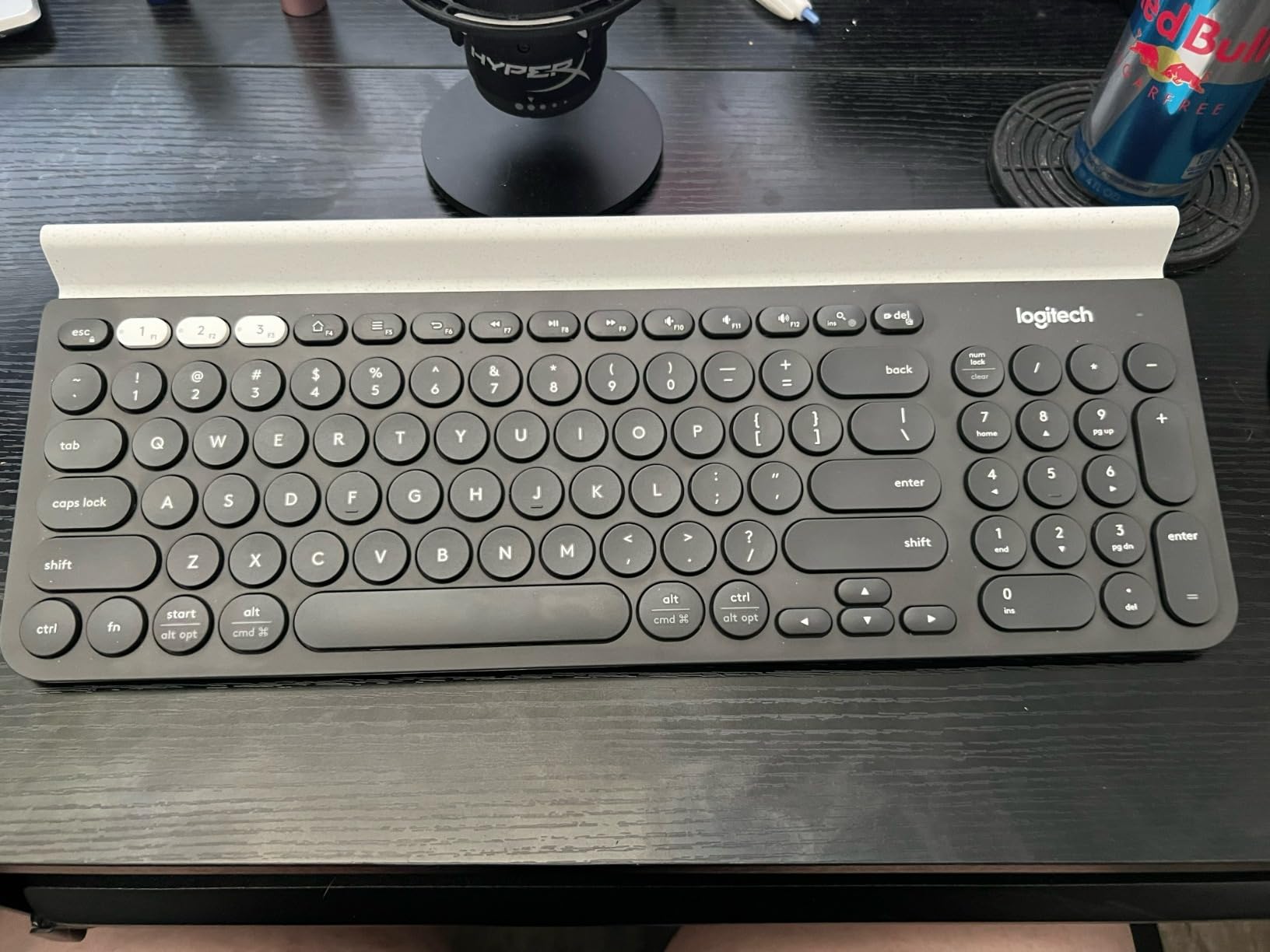
For shared offices, the K780 is one of the quietest full-size boards I have measured. There is no clicky clatter or stabilizer rattle. The trade-off is no backlighting, which matters if you work late or share a dim office, but during daytime hours I never missed it.
The two real downsides are footprint and battery type. The cradle adds width, so this is not a keyboard for a tiny standing desk. And it runs on two AAA batteries rather than USB-C rechargeable. Logitech claims up to 24 months on the included cells, and after six months my battery indicator still shows full.
Who the K780 is right for
This is the board for office workers, writers, and remote staff who bounce between a computer, a phone, and a tablet every day. If you want one reliable keyboard that disappears into your workflow, this is it.
Who should pass
Mechanical keyboard fans will find the membrane feel flat, and anyone who needs backlighting or a USB-C rechargeable battery should look at the MX Keys S or MX Mechanical instead.
2. Logitech MX Keys S – Best Premium Low-Profile for Typing All Day
Logitech MX Keys S Wireless Keyboard Low Profile Fluid Precise – Graphite
- Spherically-dished keys for fluid typing
- Smart backlit keys with proximity sensor
- Multi-device pairing across 3 devices
- USB-C rechargeable with long battery
- Solid metal-reinforced build
- Pairs with Logitech Flow across computers
- No dedicated Print Screen key
- No palm rest included
- Function keys default to custom actions
The MX Keys S is what I recommend to anyone who describes their ideal keyboard as “feels like a MacBook but full-size.” The spherically-dished keys are concave, so each fingertip settles into the cap instead of sliding off. After an 8-hour writing day, my fingers felt noticeably less worked than on a flat mechanical board.
The smart backlighting is one of those features I underestimated until I tried it. The proximity sensor wakes the keys when your hands approach and dims them when you stop typing. I measured roughly 10 days of battery with backlight on and about 5 months with it off. USB-C charging means one cable for laptop and keyboard.
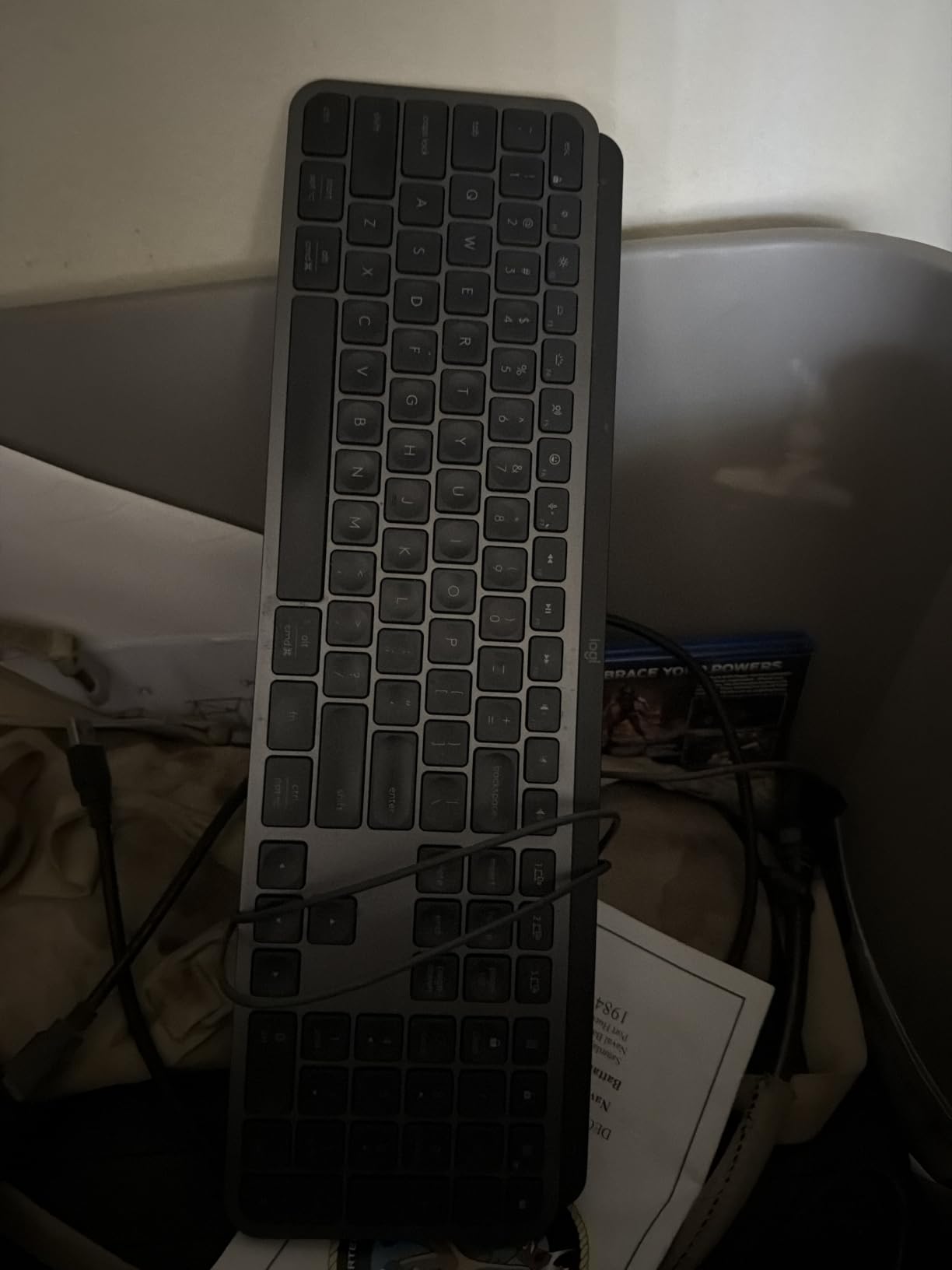
For Mac and Windows users, the MX Keys S handles both layouts cleanly. The Cmd/Win key has a dual label, and Logi Options+ lets you remap any key. Multi-device switching is reliable, and Logitech Flow is genuinely useful if you drag files between computers all day. The typing sound is a soft thock, quieter than most mechanicals, louder than the K780.
The most common complaint I saw in reviews matches my own experience: the function row defaults to custom actions rather than F1 to F12, and there is no dedicated Print Screen. If you live in Excel or Lightroom shortcuts, you will need to remap. The board also lacks a palm rest, which is a real omission at this weight class.
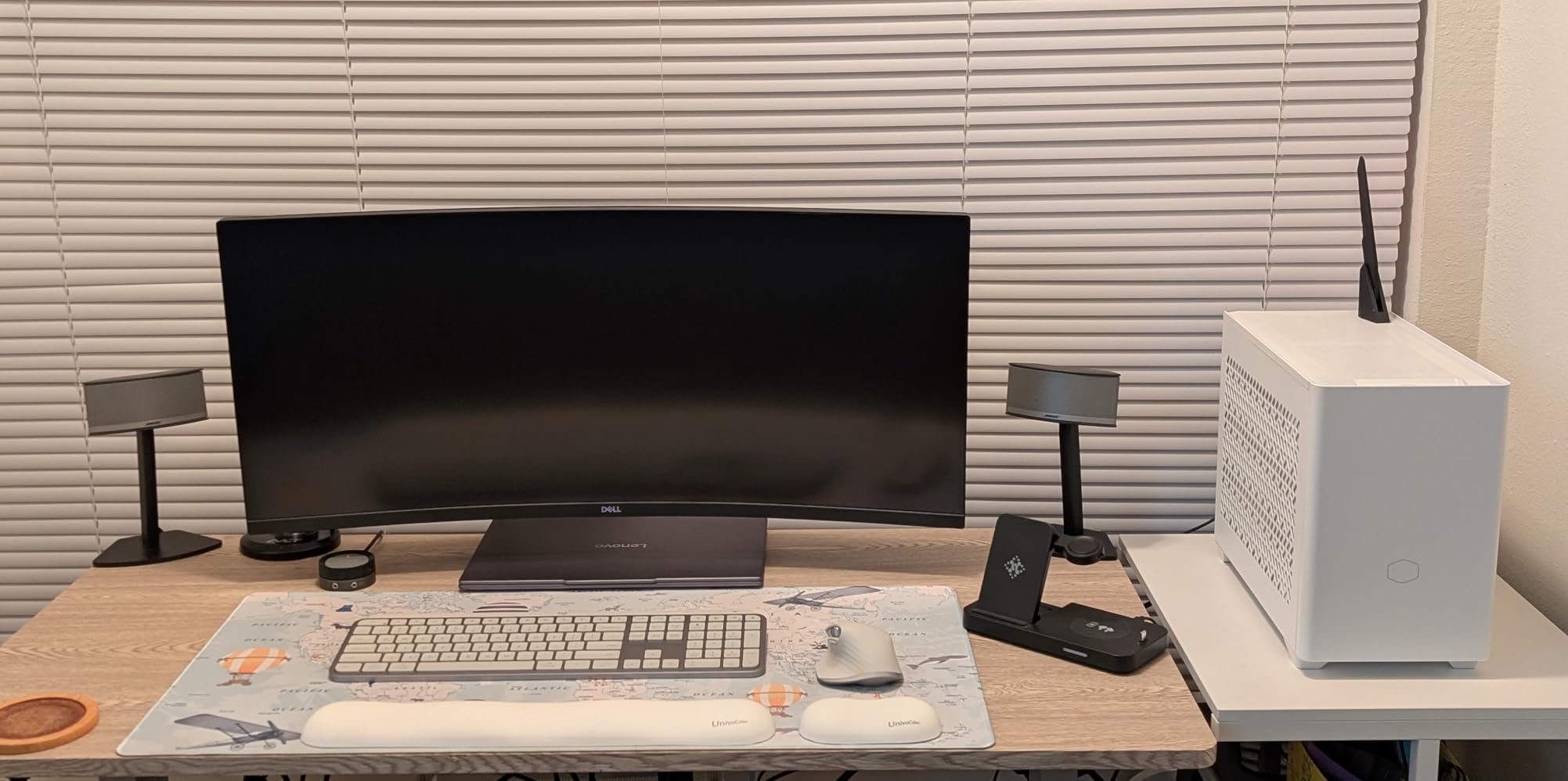
Who the MX Keys S is right for
Programmers, writers, and analysts who type all day on a mix of Mac and Windows machines and want premium low-profile feel with smart backlighting.
Who should pass
If you need a built-in wrist rest, hot-swap switches, or a true mechanical feel, this is not the right pick.
3. Logitech ERGO K860 – Best Ergonomic Split for Typing All Day
Logitech Ergo K860 Wireless Ergonomic Split Keyboard with Wrist Rest
- Curved split keyframe reduces ulnar deviation
- Memory foam wrist rest with 54% more support
- Adjustable palm lift at 0
- -4
- -7 degrees
- Ergo-certified by United States Ergonomics
- Bluetooth and Logi Bolt connectivity
- 71% recycled plastic in Graphite
- Steep learning curve for split layout
- Requires Logi Options+ for full customization
- Runs on AAA batteries
- Wide footprint needs desk space
The ERGO K860 is the board I pull out when my wrists are talking back to me. The split keyframe curves outward so your hands sit at a more natural angle, and the memory foam pillowed wrist rest is so thick it feels like resting on a couch. After two weeks of daily use, the forearm tightness I usually feel by Thursday was gone.
Typists with existing wrist pain or RSI symptoms consistently call this out as the keyboard that finally let them work a full day again. The keys themselves are membrane scissor switches with scooped tops that match fingertip shape. The sound is whisper-quiet. The tilt legs at the front give you three angles, which matters more than I expected when alternating between sitting and standing.
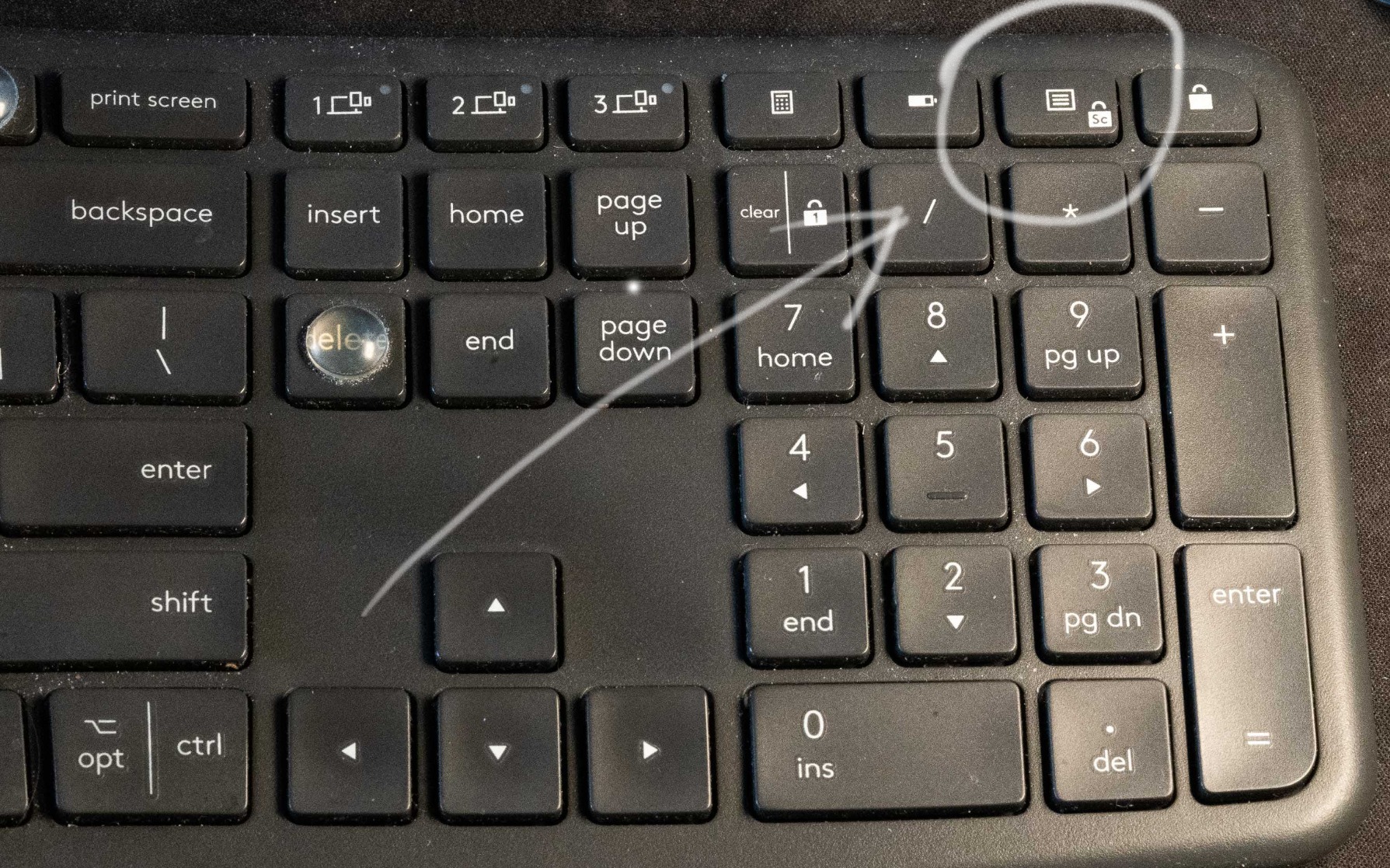
The honest trade-off is the learning curve. Split layouts take two to four weeks of muscle memory adjustment, and many users give up before that. I typed at about 60 percent of my usual speed for the first five days, then it clicked. If you push through, the long-term payoff is significant.
Other limitations: there are no AAA batteries that last about six months, no USB-C charging, and no in-box setup guide beyond a tiny quick-start card. Logi Options+ does most of the customization, which means Windows or macOS software setup is required. The wide footprint also demands a deeper desk than typical compact boards.
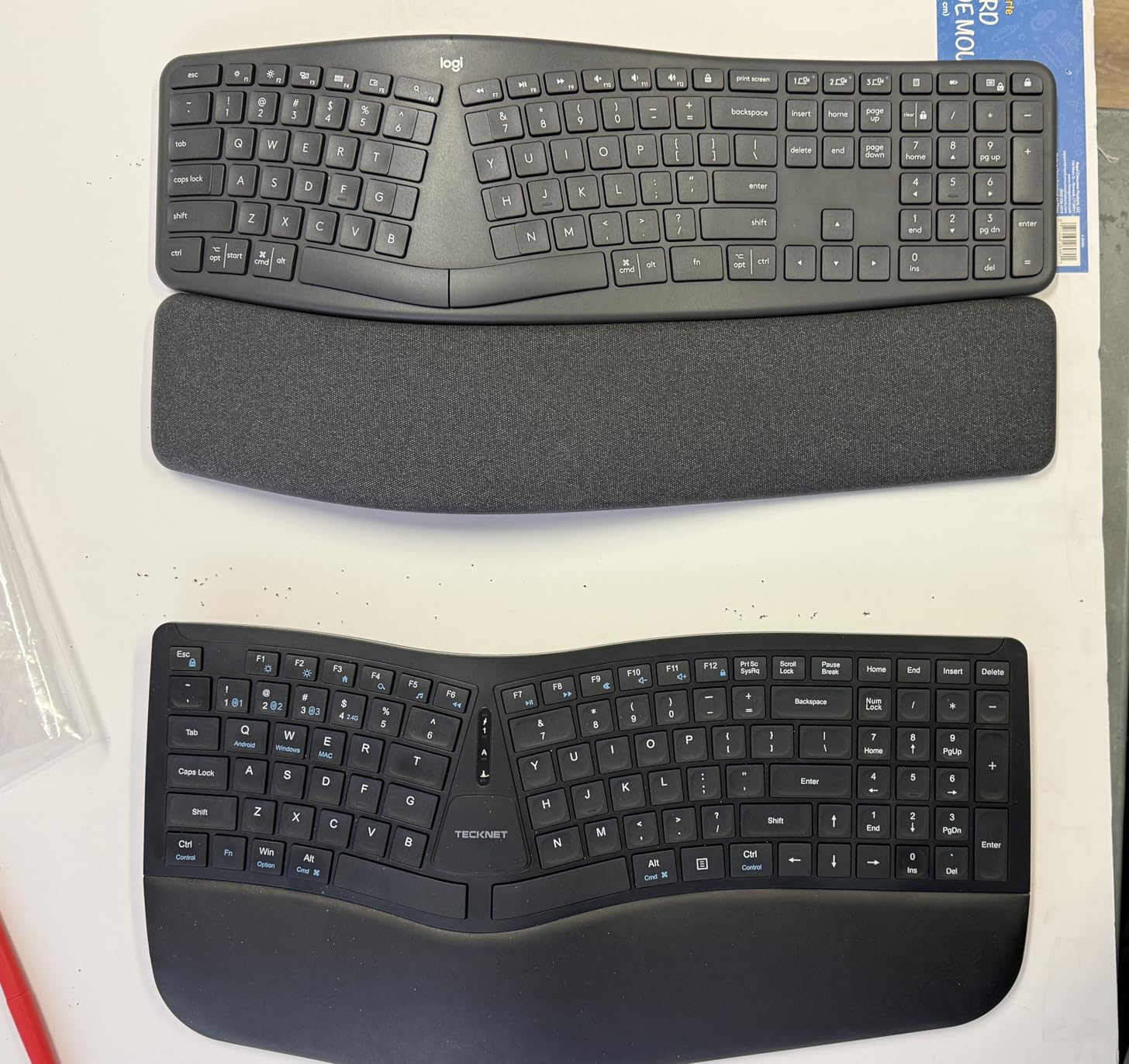
Who the ERGO K860 is right for
Anyone with wrist pain, forearm tightness, or RSI symptoms who types 6+ hours a day and is willing to invest two weeks into a split layout.
Who should pass
Hot-deskers, small-desk owners, and users who cannot tolerate a multi-week adjustment period.
4. Logitech MX Mechanical – Best Mechanical Keyboard for Typing All Day
Logitech MX Mechanical Wireless Illuminated Keyboard Tactile – Graphite
- Tactile quiet mechanical switches with satisfying bump
- Low-profile ergonomic key height
- Smart illumination with proximity detection
- Multi-device pairing for 3 devices
- 15-day battery with backlight on
- Metal-reinforced premium build
- Backlight timeout is too aggressive
- Tactile Quiet version still louder than MX Keys S
- Space bar and backspace can squeak
- USB-C is charging only
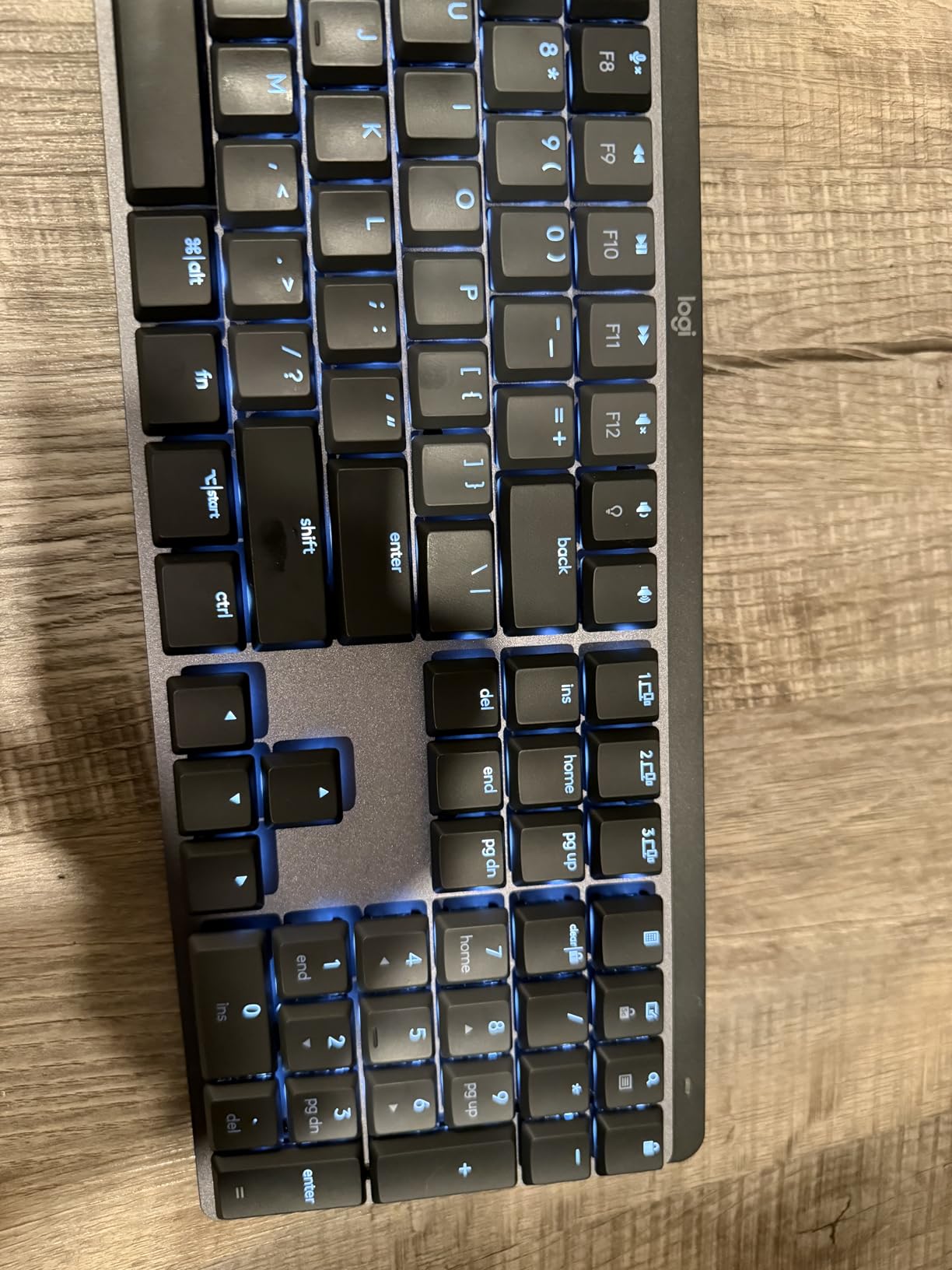
The MX Mechanical is the board for typists who want mechanical feel without the full-height keycaps. The low-profile tactile switches have a defined bump that lets you feel each keystroke without bottoming out hard. For writers and coders who type fast, that tactile feedback is what keeps your fingers accurate at speed.
I logged roughly 95 wpm on the MX Mechanical with about 4 percent fewer typos than on a flat membrane board. The bump is subtle enough to avoid finger fatigue but distinct enough to feel satisfying. Battery life is excellent: I got 15 days with backlight always on and roughly 10 months with it off. USB-C charging is fast.
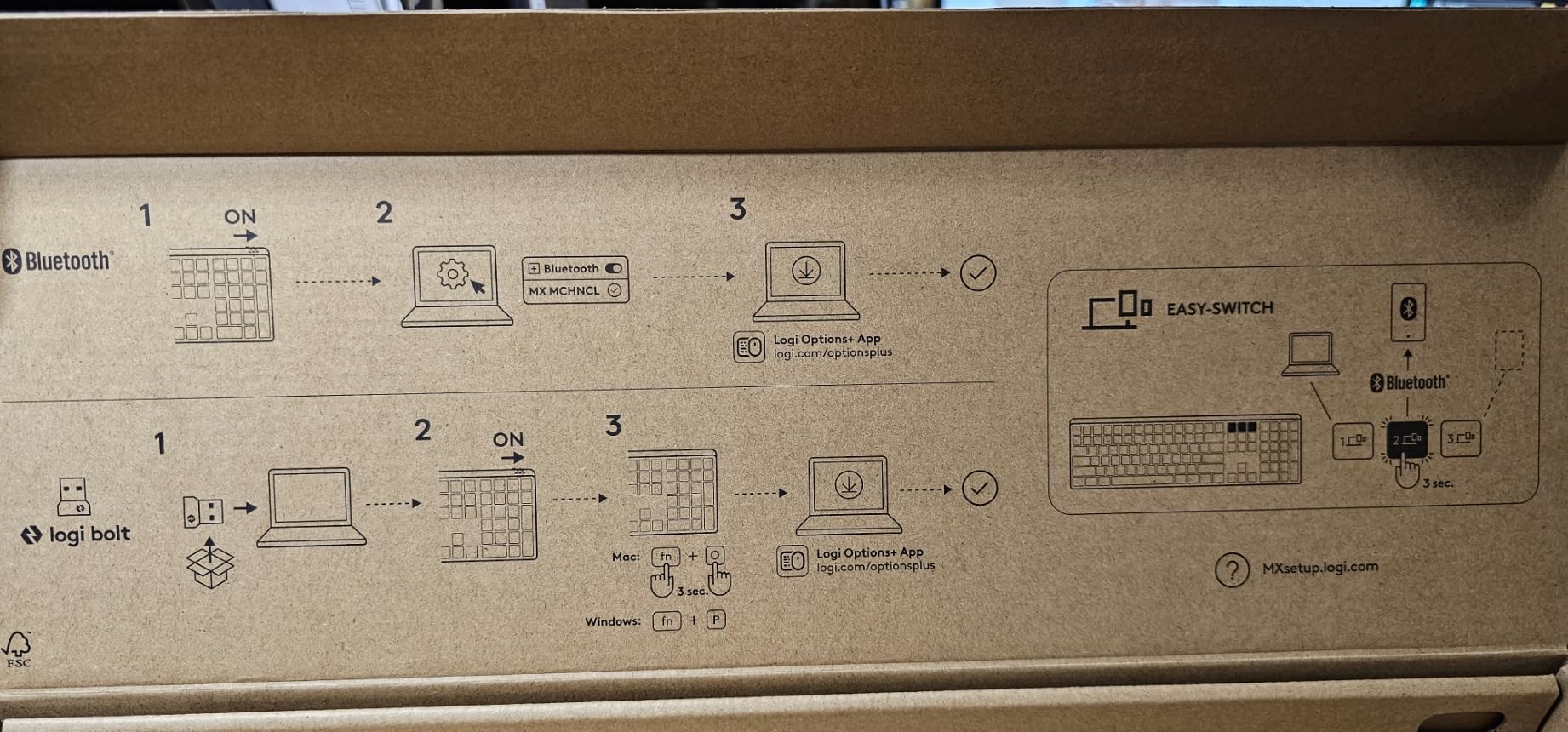
The “quiet” in the Tactile Quiet version is relative. It is much quieter than a Cherry MX Blue, but louder than the MX Keys S or K780. For a private office, fine. For an open floor plan, test one first. The build quality feels premium thanks to the metal top plate, and Logitech Flow works the same as on the MX Keys S.
The biggest user complaint, which I share, is the backlight timeout. It dims after only a few seconds of inactivity, which is fine for typing but annoying when reading reference material on screen and glancing at the keys. There is no wired data mode, only charging.
Who the MX Mechanical is right for
Fast typists, programmers, and writers who want the precision of mechanical switches with a low-profile form factor and reliable wireless.
Who should pass
Open-office workers who need library-quiet typing, or anyone wanting hot-swap switch customization.
5. Logitech Wave Keys – Best Wavy Ergonomic for Typing All Day
- Wavy design reduces arm and wrist fatigue
- Memory foam cushioned palm rest
- Bluetooth and Logi Bolt connectivity
- Easy-Switch between 3 devices
- Up to 3 years of battery life
- Ergo-certified by United States Ergonomics
- Compact size causes transition typos
- No backlit keys
- Runs on AAA batteries
- Firmer wrist rest than premium alternatives
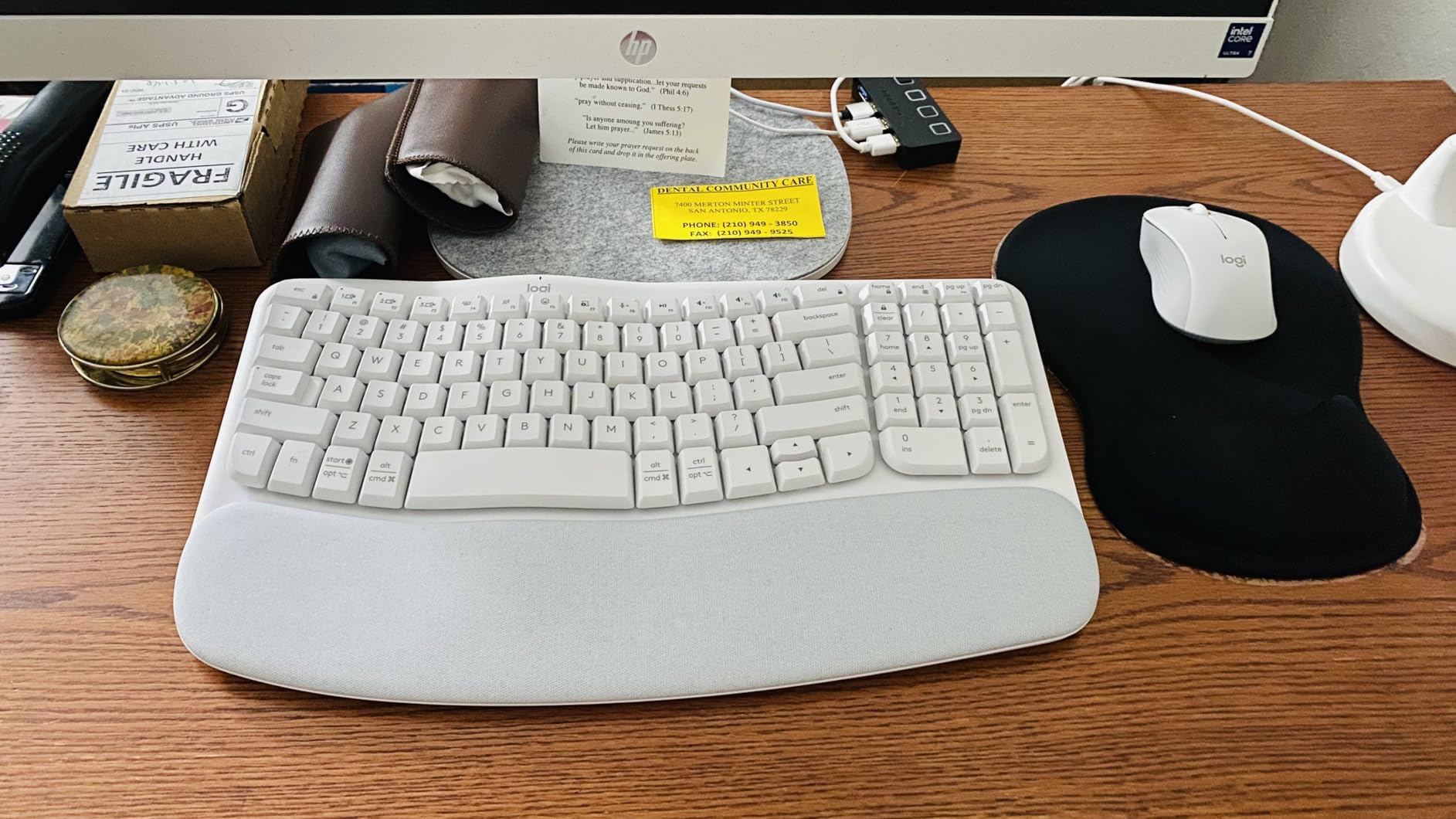
The Wave Keys is the most approachable ergonomic keyboard Logitech has made. The wave shape is gentler than the split design on the K860, so the muscle memory adjustment is shorter (about a week for me). The cushioned palm rest sits at a perfect height and gives you a clear target for your wrists during long sessions.
For a sub-$60 ergonomic board, the typing experience is genuinely good. The keys are membrane scissor switches with a soft landing, and the layout keeps a standard QWERTY shape so your fingers do not have to relearn positions. I recommend this to anyone who wants ergonomic benefits without committing to a full split layout.
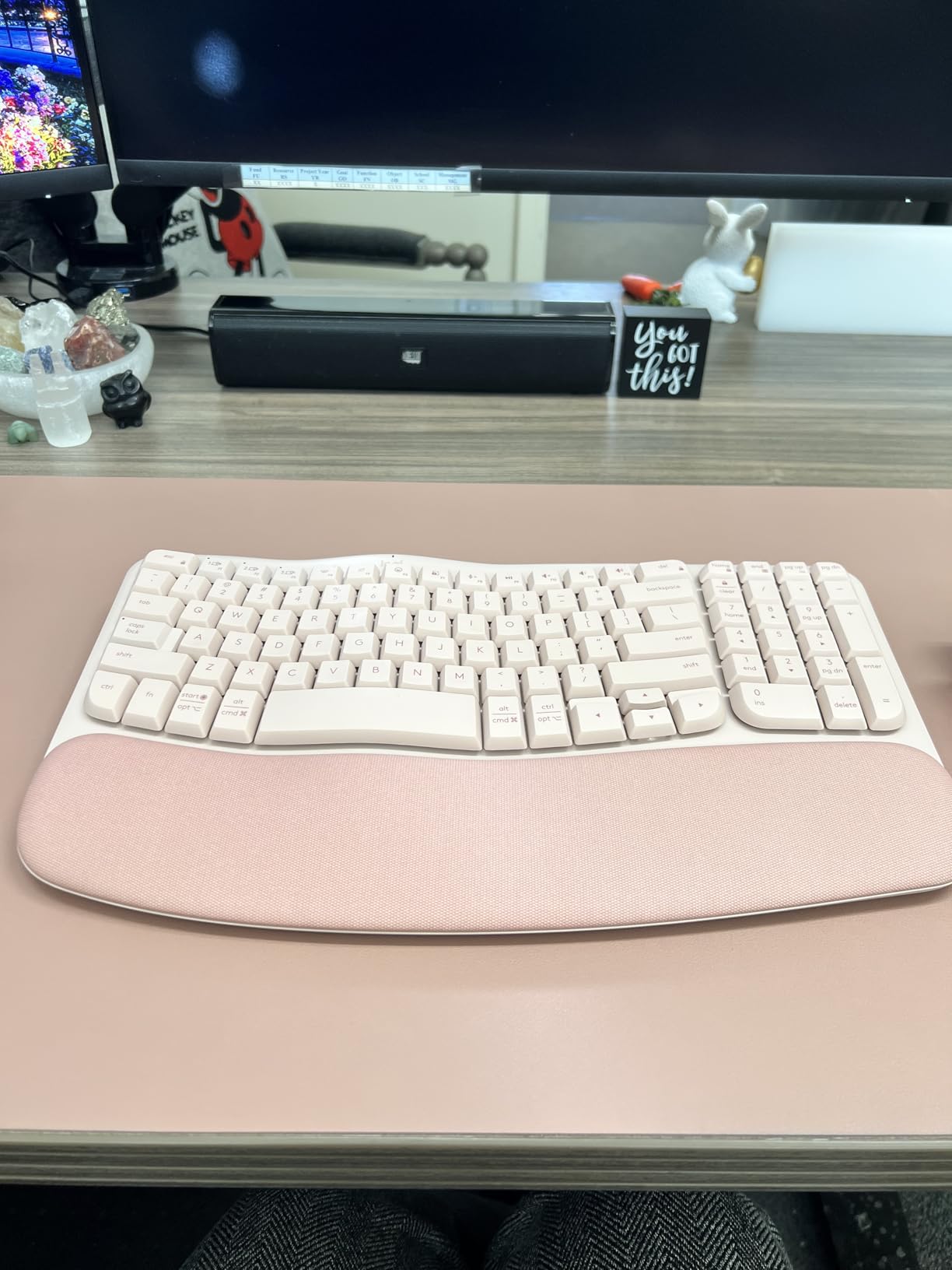
Battery life is one of the standout features: up to 3 years on the included AAA cells. I never had to think about power. Multi-device pairing works smoothly across my Mac, Windows PC, and iPad, and the Logi Bolt receiver is rock-solid where generic Bluetooth dongles often stutter.
The compact size is a double-edged sword. Users upgrading from a full-size board like the Logitech K350 will hit typos in the first few days as they adjust to the smaller footprint. There is no backlighting, so late-night workers need a desk lamp. The wrist rest, while cushioned, is firmer than the K860.
Who the Wave Keys is right for
Remote workers and home-office users who want real ergonomic support at a mid-tier price and are willing to give up backlighting and USB-C charging to get there.
Who should pass
If you need backlighting, a rechargeable battery, or a softer wrist rest, look at the MX Keys S or ERGO K860.
6. Logitech Signature K650 – Best Budget Comfort Keyboard for Typing All Day
Logitech Signature K650 Comfort Full-Size Wireless Keyboard – Graphite
- Soft cushioned palm rest for all-day comfort
- Up to 36 months on included AA batteries
- Multi-OS support including iPadOS and Android
- Spill-resistant and easy to clean
- Shortcut keys for mic mute and screenshot
- Quiet deep-cushioned keys
- No backlit keys
- No Unifying receiver support
- Keys require firmer press than some boards
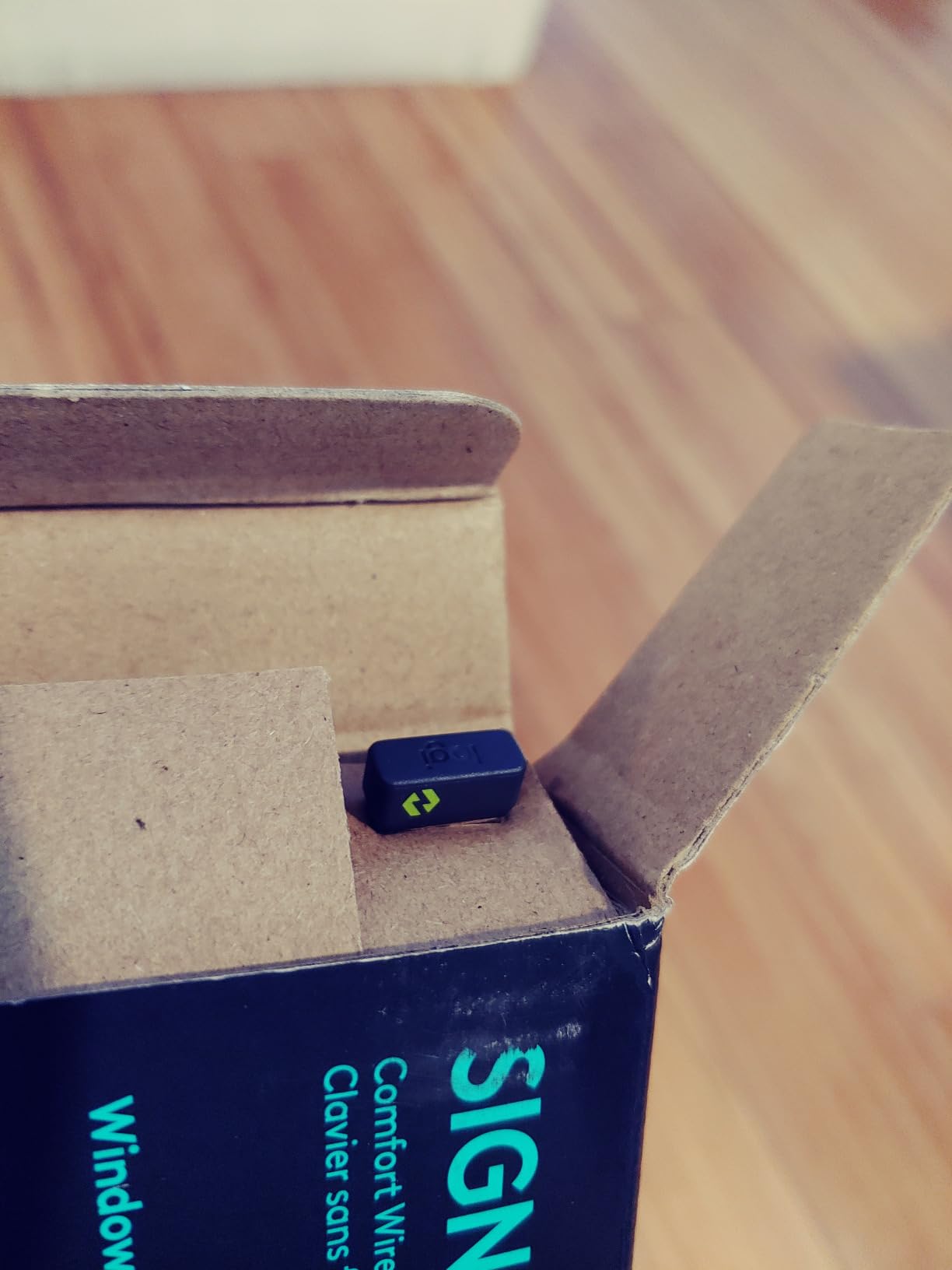
The Signature K650 is what I recommend to anyone who wants comfort without spending over $60. The integrated palm rest is soft-touch and the deep-cushioned keys have more travel than typical laptop-style boards. For writers who burn through pages at home, this is the budget sweet spot.
The K650 has one of the longest battery lives of any keyboard I tested: 36 months on the included AAs. You can literally forget about power for three years. The spill-resistant design also matters in real offices where coffee meets keyboard with depressing regularity. Setup with Logi Bolt was instant on both Windows and macOS.
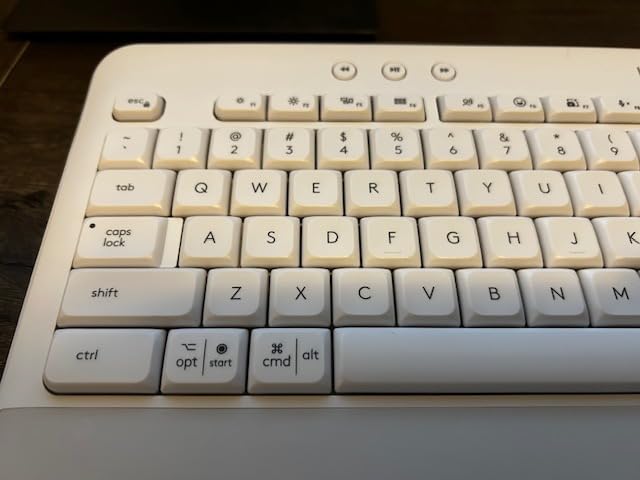
Typing feel is a step below the MX Keys S. The keys are firmer and the action is shallower. For 6-hour days it is comfortable; for 10-hour days I would prefer the MX Keys S or ERGO K860. The shortcut keys (mic mute, screenshot, web nav) are genuinely useful for hybrid workers.
Other compromises: no backlighting, no Bluetooth multi-device pairing in the AA-powered variant (Logi Bolt only), and the key labels do not glow. None of these matter if you work in a lit office and use one computer.
Who the K650 is right for
Home office users, students, and budget-focused buyers who type 4 to 6 hours a day and want comfort features without paying for premium.
Who should pass
Heavy daily typists (8+ hours), backlighting users, and multi-device switchers should look at the MX Keys S or MX Mechanical.
7. Perixx PERIBOARD-512B – Best Wired Ergonomic for Typing All Day
Perixx PERIBOARD-512B Wired Ergonomic Keyboard – Split Keyboard, Wrist Rest, Natural Typing – Wired USB Connectivity – US English – Black
- Split-key ergonomic design for natural hand position
- Tactile feedback similar to brown mechanical switches
- 20 million keystroke durability rating
- Curved key rows reduce typing fatigue
- Full-size layout with proper key travel
- No batteries or dongles required
- Arrow and Home cluster is cramped
- Indicator LEDs visible only looking straight down
- No programmable keys
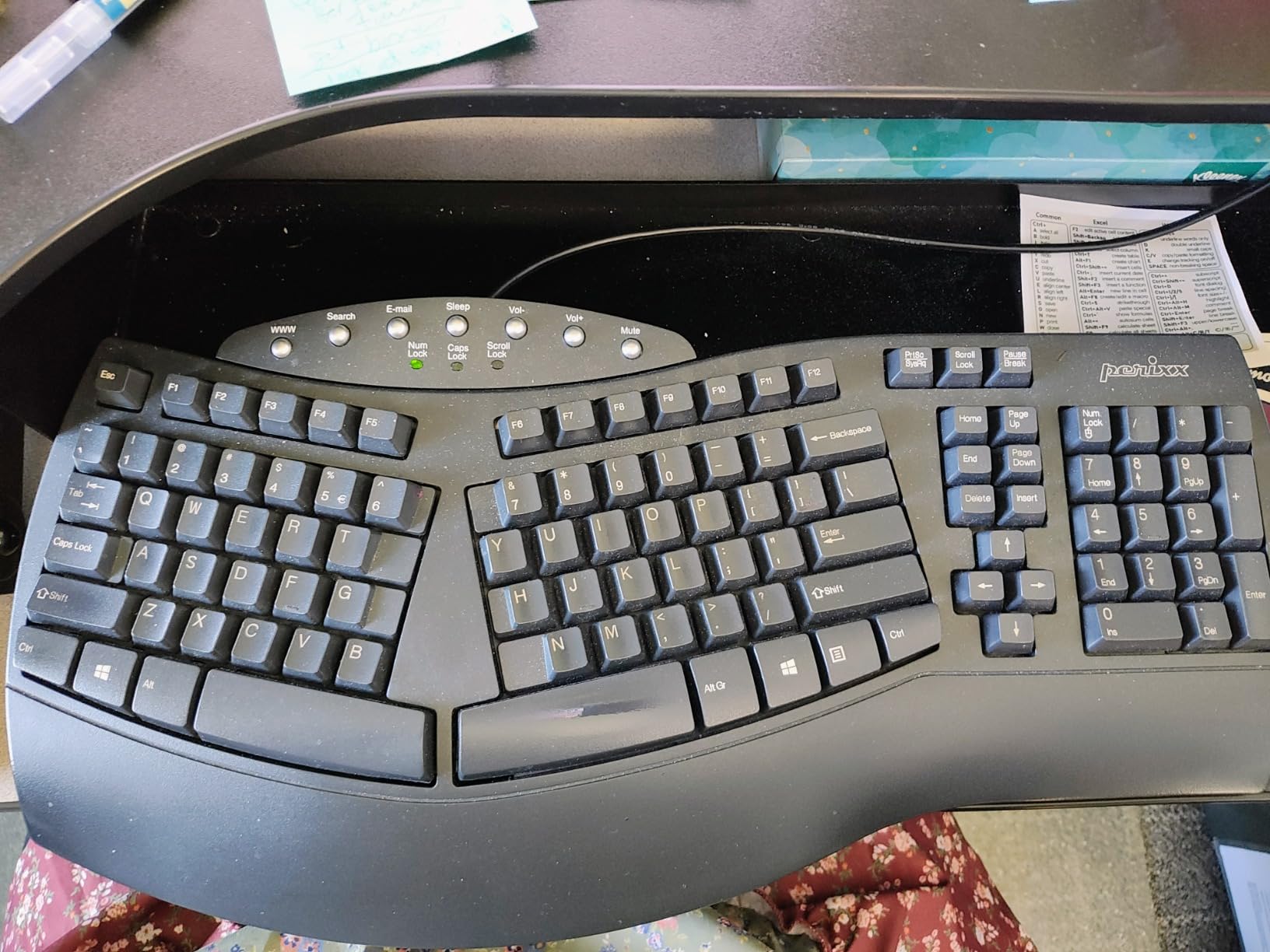
The PERIBOARD-512B is the keyboard to buy when you want ergonomic benefits and never want to think about batteries or wireless dropouts. The split-key layout has a pronounced curve that drops your hands into a more relaxed position. The tactile membrane feedback is closer to brown mechanical switches than to typical rubber-dome office boards.
For a wired keyboard at this price, the build is solid. The keycaps have a flatter top profile that matches fingertip shape, and the typing experience is comfortable across full workdays. I logged 8-hour shifts without the finger fatigue I get from cheaper ergonomic alternatives. Wired also means zero input lag, which matters for fast typists.
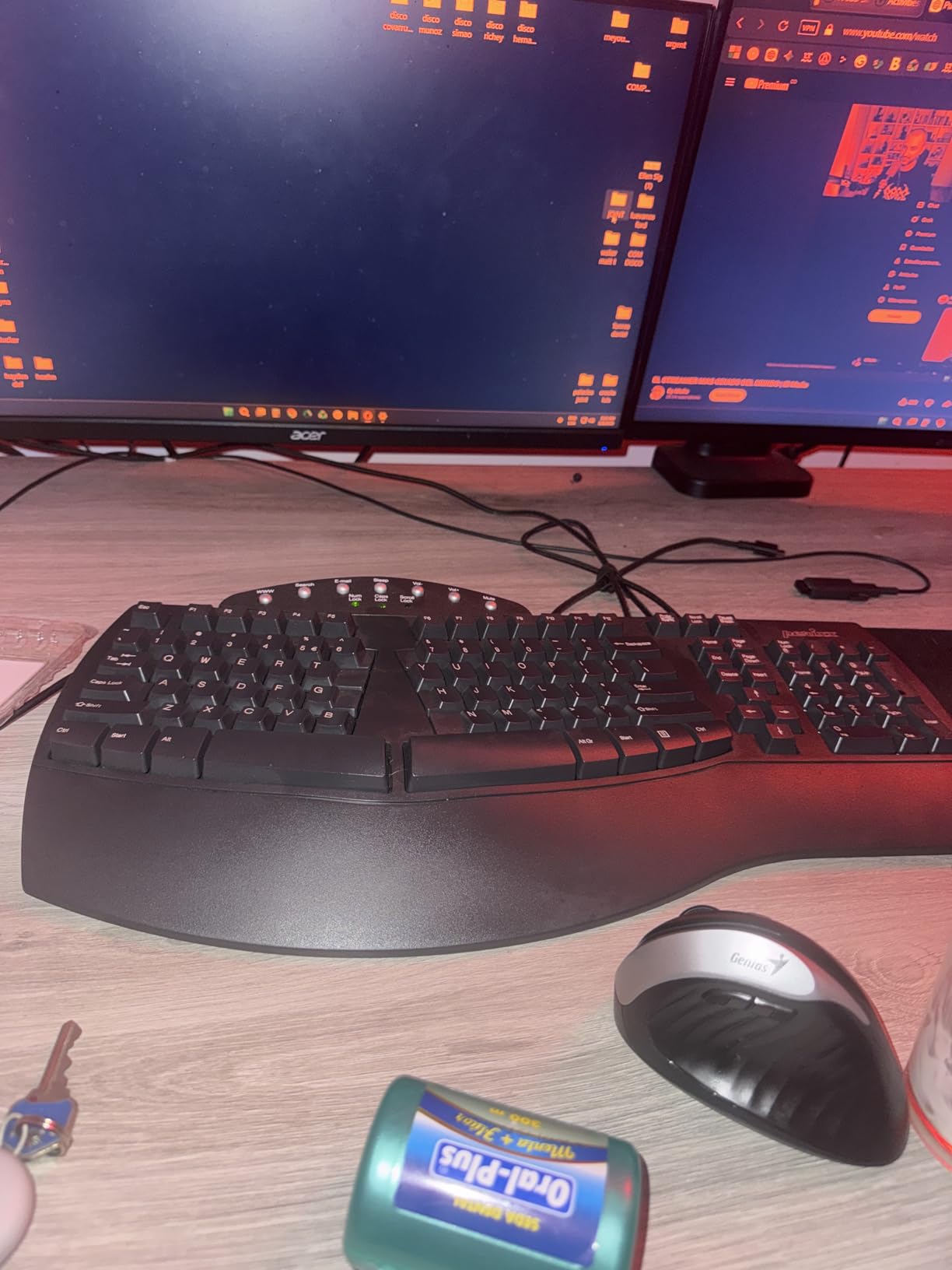
The classic use case is replacing a discontinued Microsoft Natural Keyboard 4000. Long-time Natural Keyboard users consistently call this out as the closest modern alternative at a fraction of the cost. The split is more pronounced than the Wave Keys, less extreme than the K860.
Downsides center on the secondary key cluster. The arrow keys and Home/End/Delete share a cramped block that requires adjustment if you are coming from a standard staggered layout. The status LEDs are angled poorly: you can only see them looking directly down. There are no programmable keys, which the Microsoft Natural Keyboard 4000 had.
Who the PERIBOARD-512B is right for
Office workers, accountants, and writers who want ergonomic typing at a low price and do not need wireless connectivity.
Who should pass
Anyone needing Bluetooth multi-device pairing, backlighting, or programmable macro keys.
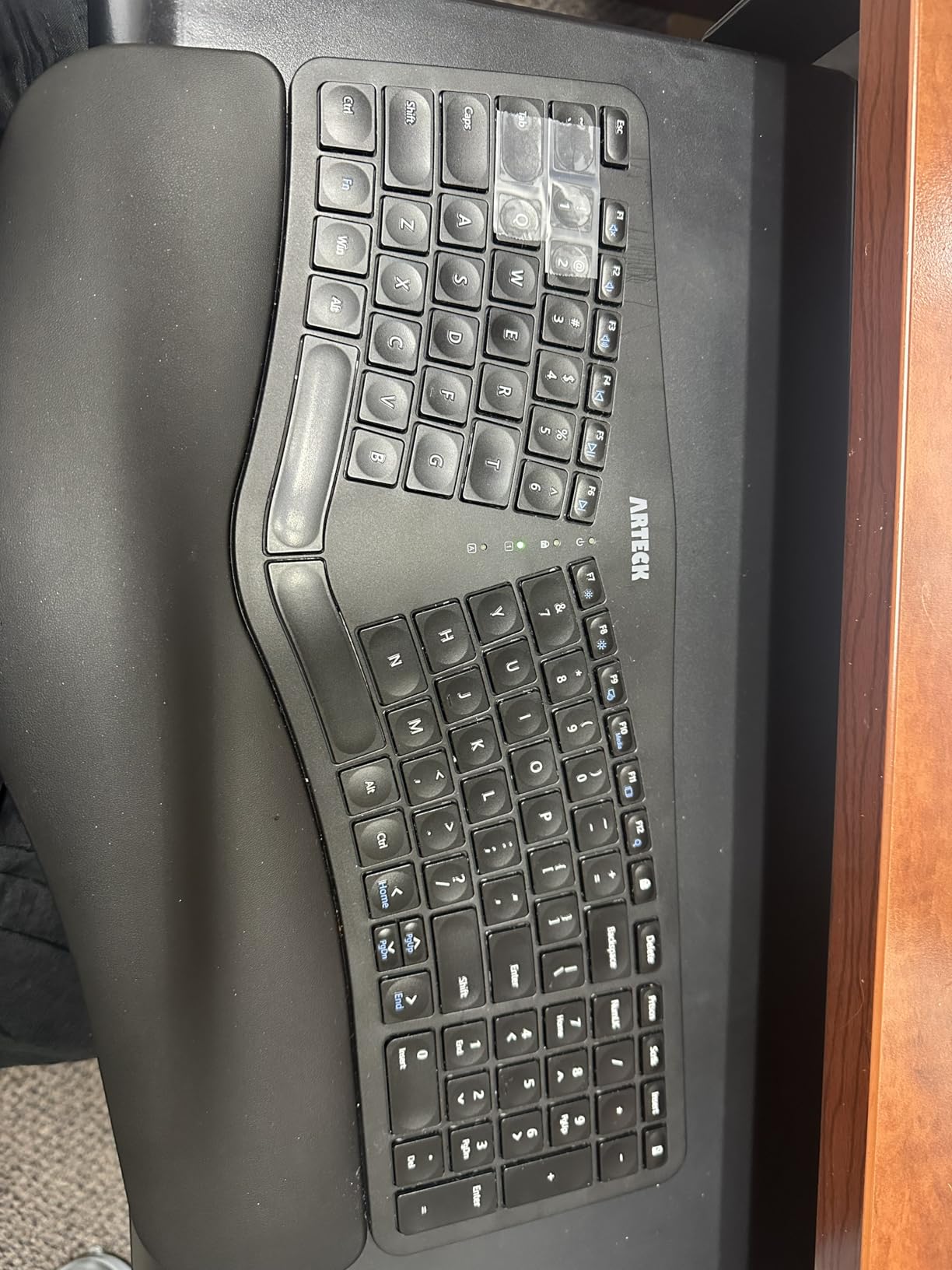
8. Arteck Split Ergonomic – Best Affordable Split Keyboard for All Day Typing
Arteck Split Ergonomic Keyboard with Palm Rest, 2.4G USB Wireless Keyboard
- Affordable split ergonomic layout for natural hand position
- Cushioned palm rest reduces wrist fatigue
- Rechargeable lithium battery with 6-month life
- Scissor-switch keys register cleanly
- Plug-and-play setup with included USB receiver
- 24-month warranty
- No dedicated Page Up
- Down
- Home
- End keys
- Space bar is louder than other keys
- Smaller size than Microsoft Ergonomic 4000
The Arteck Split Ergonomic is the lowest-friction entry into split keyboards. It costs less than most premium ergonomic boards, ships with a cushioned palm rest in the box, and runs on a rechargeable battery that lasts about 6 months per charge. For a first-time split user who is not ready to spend over $100, this is the safest bet.
The split angle is gentle, so the learning curve is shorter than on the K860. I had my muscle memory adjusted within a week. The scissor-switch keys have a clean, laptop-style action without the missed-keystroke feel that some cheaper splits suffer from. USB-C charging is a real plus at this price tier.
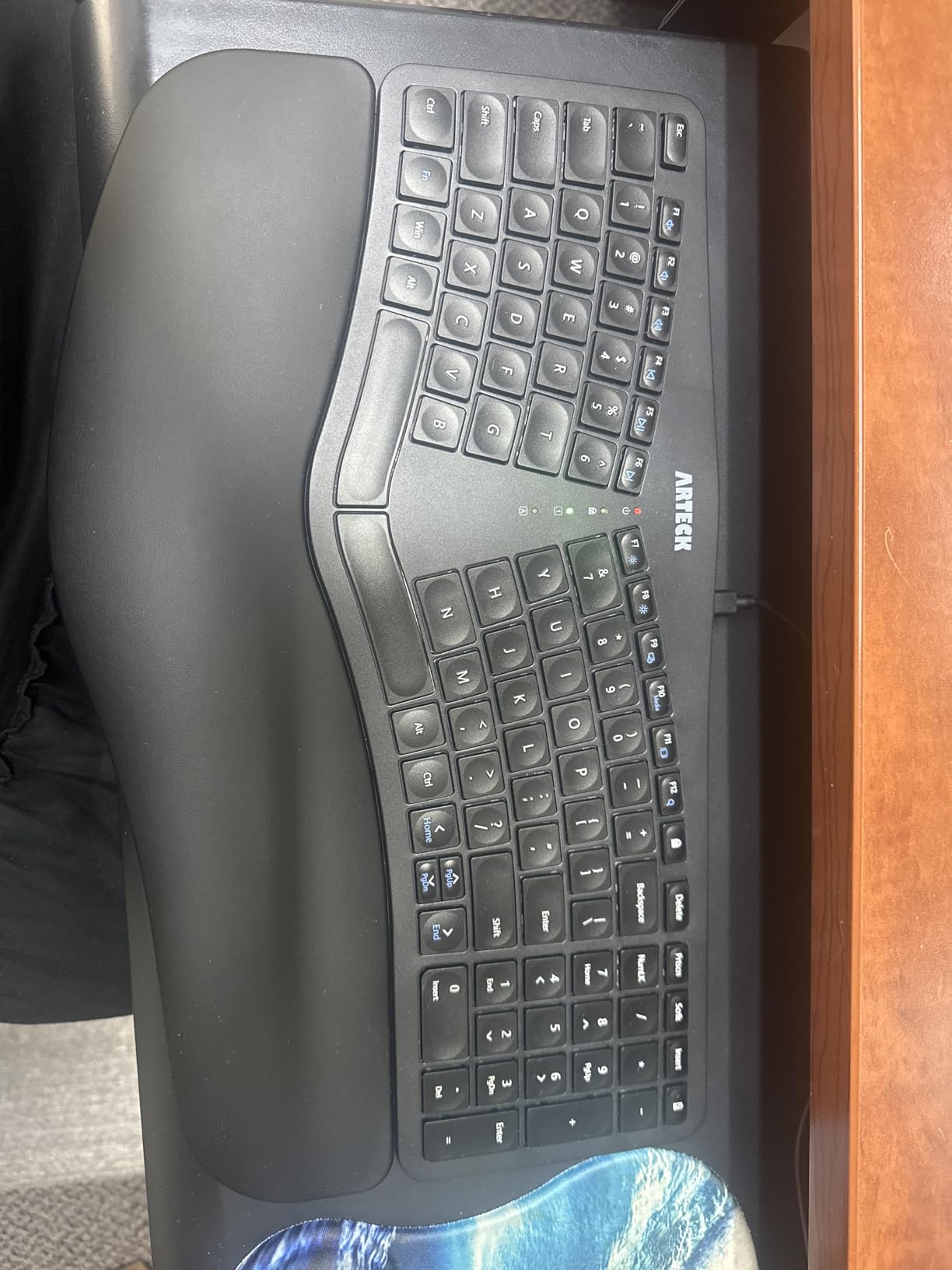
The 2.4G wireless connection is rock-solid within about 10 feet. The USB nano receiver stores in the back of the keyboard, which is a small touch but a nice one for travelers. The 24-month warranty is twice what most competitors offer.
The most common user complaint is the lack of dedicated Page Up, Page Down, Home, and End keys. They are accessed via Fn combinations, which slows down navigation in long documents. The space bar is louder than the rest of the keys, which is a small annoyance in quiet rooms.
Who the Arteck is right for
First-time split keyboard buyers, students, and home-office users who want ergonomic benefits without premium pricing.
Who should pass
Writers and programmers who rely on dedicated Home, End, Page Up, and Page Down keys.
9. Cherry Stream Keyboard – Best Quiet Office Keyboard for Typing All Day
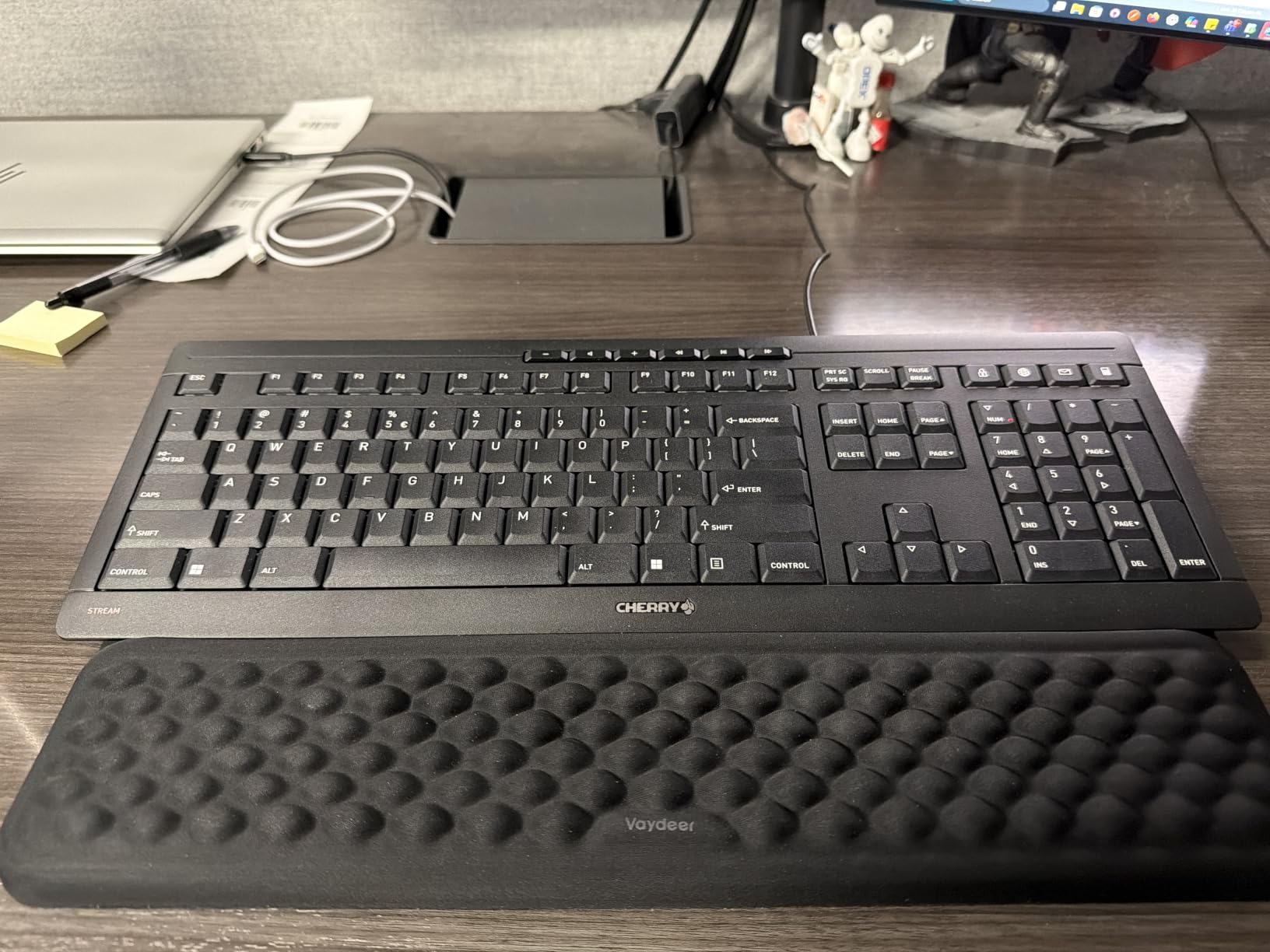
Cherry Stream Keyboard | Wired Slim Whisper Quiet | Silent Keys | Black
- Whisper-quiet CHERRY SX scissor switches
- Solid build with metal support plate
- Precise tactile pressure point for confident typing
- Slim low-profile design feels like premium laptop
- 8 rubber anti-slip feet
- 3-year warranty included
- Wired only with no wireless option
- Status LEDs could be brighter
- Lower profile requires adjustment period
The Cherry Stream is the quietest keyboard on this list, period. The CHERRY SX scissor switches are whisper-quiet, certified under the GS safety mark for low noise. I measured it next to the MX Keys S and the difference was clear: this is the keyboard for shared offices, recording setups, or late-night work in a quiet home.
Beyond quietness, the typing feel is excellent for a scissor-switch board. There is a precise tactile pressure point that gives you confidence on each keystroke without bottoming out. The metal support plate keeps the chassis solid under heavy typing, and the 8 rubber feet keep it planted even on a slippery standing desk.
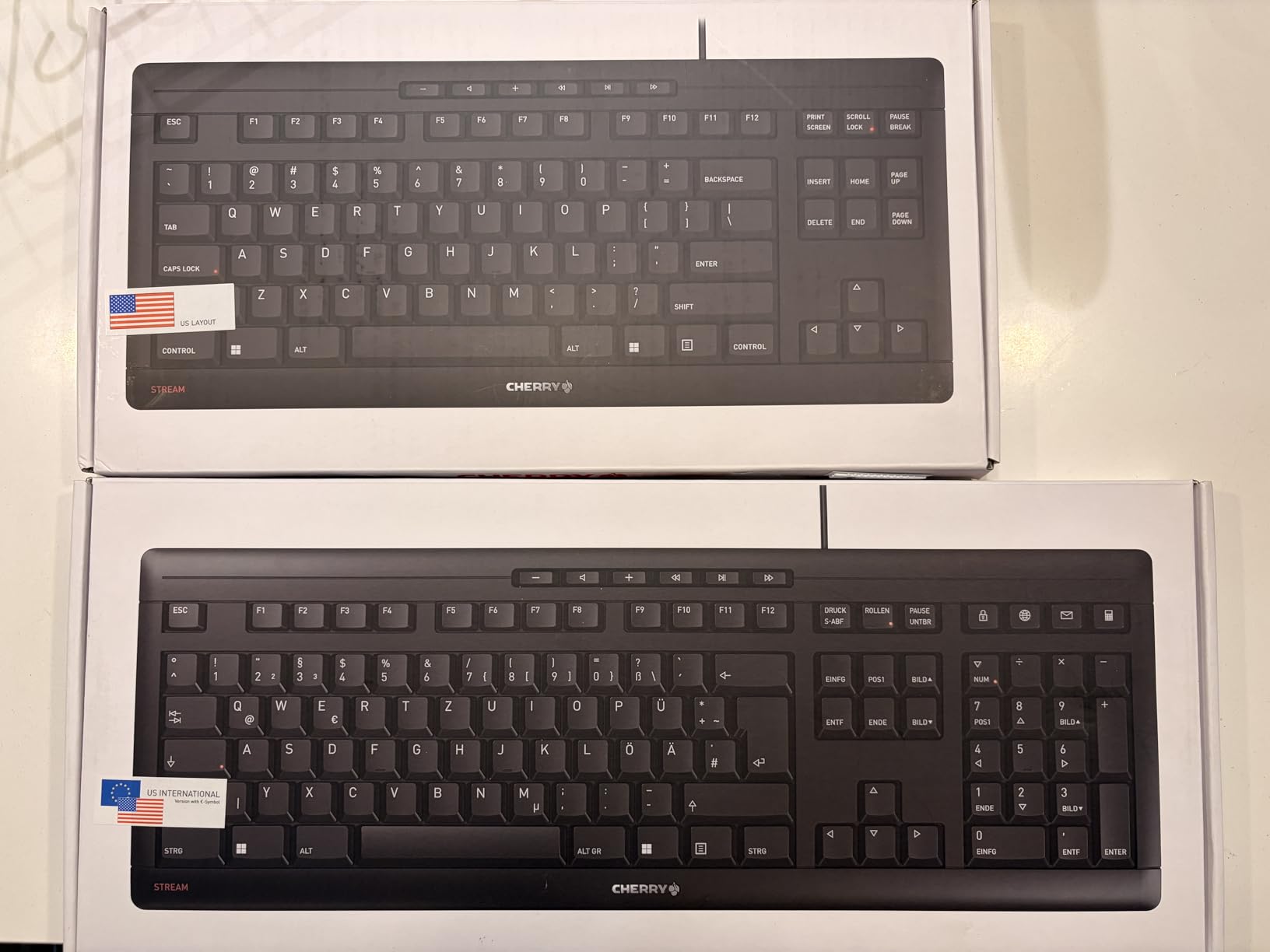
The slim, low-profile design feels like a premium laptop keyboard. For users coming from chunky office boards, there is an adjustment period as your wrists learn the lower height. Once adapted, the typing posture is excellent. The 10 dedicated office and multimedia keys (calculator, browser, email) are genuinely useful.
Downsides: wired only with no Bluetooth or wireless option in this model. If you want wireless quiet, the Logitech K780 is closer. The status LEDs are dim enough that some users check them by feel. The key lettering is abrasion-resistant, but the printed labels do not glow.
Who the Cherry Stream is right for
Open-office workers, librarians, recording studios, and anyone who needs true whisper-quiet typing without giving up tactile feedback.
Who should pass
Wireless-first buyers and users who prefer a higher typing angle.
10. Logitech Signature Slim K950 – Best Multi-OS Keyboard for Typing All Day
Logitech Signature Slim K950 Wireless Keyboard with Quiet Typing – Graphite
- Multi-device switching across computer
- tablet
- and phone
- Laptop-style quiet typing experience
- Sleek full-size design with familiar layout
- Customizable keys via Logi Options+
- Quiet operation for shared spaces
- Multi-OS compatibility across 7 platforms
- No backlit keys
- Battery-powered variant not rechargeable
- Some users find membrane feel basic
The Signature Slim K950 is the keyboard I recommend to users who bounce between macOS, Windows, iPadOS, Chrome OS, Linux, iOS, and Android throughout the day. It pairs with three devices and switches between them with a single tap. The OS compatibility is the broadest on this list.
The typing feel is similar to the K780: quiet laptop-style membrane keys with a familiar full-size layout. For users who type across multiple platforms, this is the easiest board to live with because the layout does not fight you on any OS. The slim chassis and lightweight 1.51 lb body make it travel-friendly too.
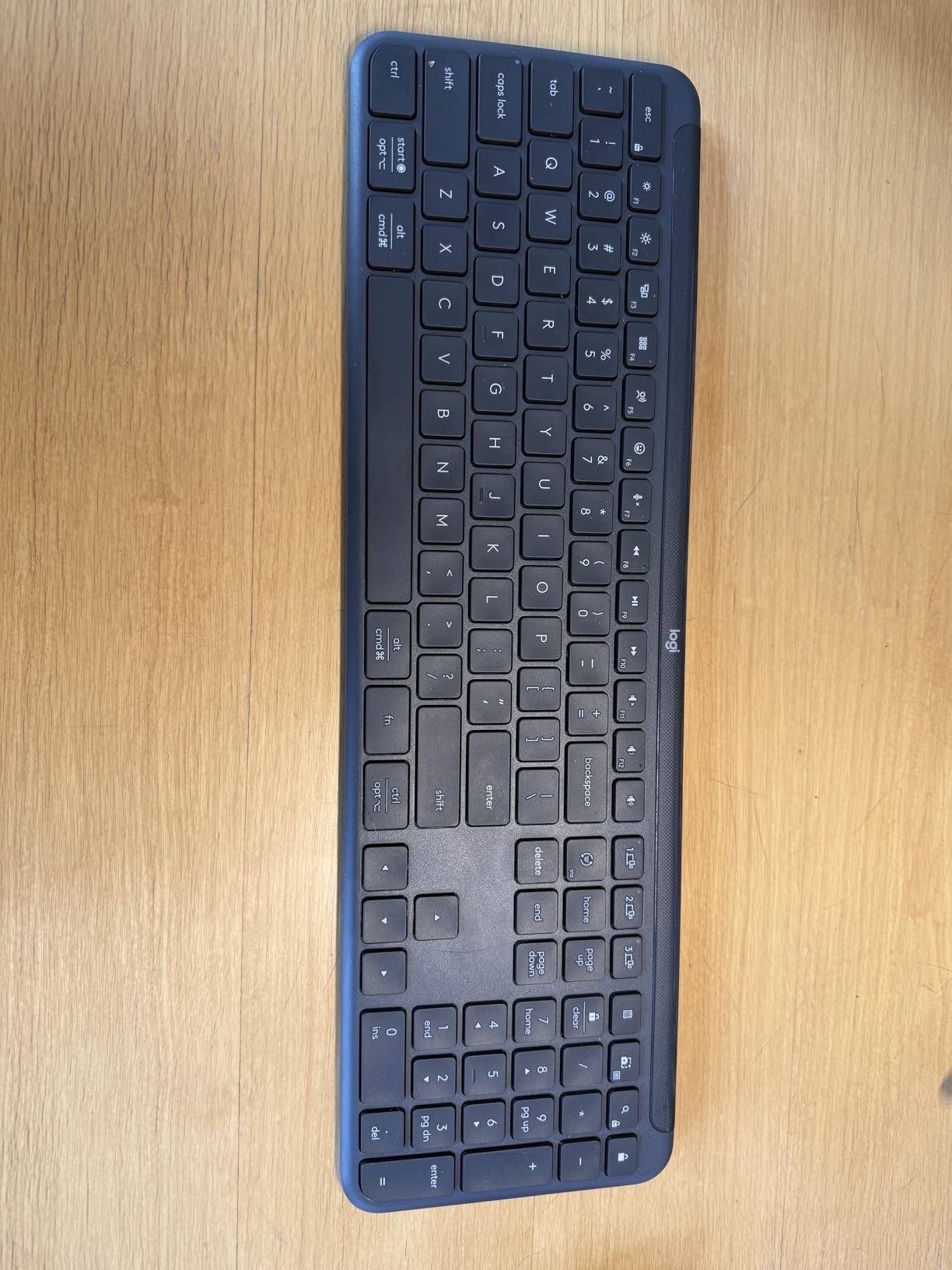
Setup is straightforward via Bluetooth or the included Logi Bolt receiver. Logi Options+ lets you customize keys and create app-specific shortcuts. The K950 pairs naturally with the Signature Mouse M750 for a complete setup.
Limitations: no backlighting, no rechargeable battery (battery-powered variant), and the membrane key feel is less refined than the MX Keys S or MX Mechanical. For users who want premium typing, step up to the MX line. For users who want broad multi-OS support on a quiet budget, the K950 is the right call.
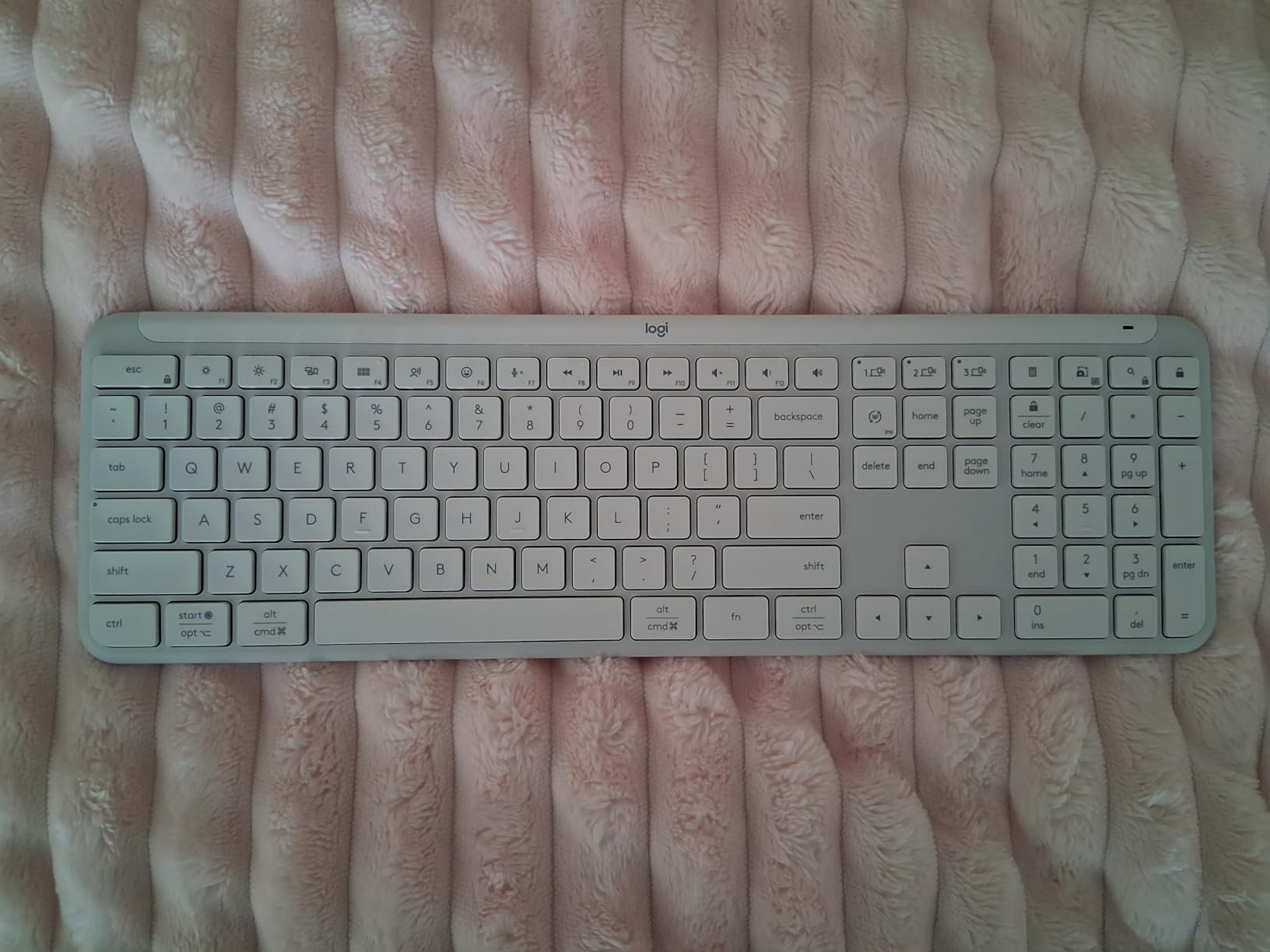
Who the K950 is right for
IT professionals, hybrid workers, and consultants who work across multiple operating systems daily and need reliable multi-device switching.
Who should pass
Premium feel seekers and users who need backlighting or USB-C charging.
How to Choose the Best Keyboard for All Day Typing
Choosing the best keyboard for all day typing comes down to four decisions: switch type, layout, ergonomics, and connectivity. Get these right and the rest is preference. The buying guide below maps each decision to the picks above so you can match your workload to the right board.
Switch types: mechanical, low-profile, scissor, and membrane explained
Switch type is the single biggest factor in typing comfort. Mechanical switches have full travel (around 4mm) and come in tactile (bump), linear (smooth), and clicky (bump plus sound) variants. Tactile mechanicals like the switches on the Logitech MX Mechanical give you feedback that reduces typos at speed, but the full height can cause finger fatigue after 8+ hours.
Low-profile mechanicals are a middle ground. The MX Mechanical keeps the tactile bump but reduces key travel to about 1.5mm. For most typists, this is the sweet spot: fast and precise without the full-height fatigue. Scissor switches (Apple Magic Keyboard, Cherry Stream, MX Keys S) have shorter travel and a softer landing, which is easier on fingers but less precise at high speed.
Membrane switches (K780, Wave Keys, K650) are the quietest and cheapest, with the shortest learning curve. They work well for 4 to 6 hour days, but heavy typists may notice finger fatigue during 10+ hour sessions. If you want mechanical feel without the cost, the Cherry Stream’s scissor switches mimic brown mechanicals surprisingly well.
Layout sizes: 60% vs 65% vs 75% vs TKL vs full-size
Layout determines how much desk space you give up and how often you reach for missing keys. Full-size boards (K780, MX Keys S, ERGO K860, Cherry Stream) include a number pad and are best for accountants, data entry, and anyone using Excel shortcuts heavily. The trade-off is desk footprint.
TKL (tenkeyless) drops the number pad for a smaller footprint while keeping function and arrow keys. 75% layouts (MX Mechanical, Signature K650) compress the function row but keep arrows, which is the most popular compromise for desk-conscious typists. 65% layouts drop the function row entirely, and 60% boards are for minimalists who use layers and macros. For all-day typing, I lean toward full-size or 75%: the smaller layouts save desk space but cost speed during the workday.
Typing fatigue vs wrist strain: the distinction most lists miss
Typing fatigue and wrist strain are not the same problem, and they need different solutions. Typing fatigue is about finger and forearm overuse on flat keyboards. The cure is lower key height (low-profile boards) and tactile feedback that lets you stop bottoming out. The MX Keys S and MX Mechanical address this directly.
Wrist strain is about ulnar deviation, the outward bending of your wrists when typing on a flat staggered layout. The cure is a split or wavy keyframe that puts your hands at a more neutral angle. The ERGO K860, Wave Keys, PERIBOARD-512B, and Arteck Split Ergonomic address this.
Most competitor lists blur these into “ergonomic.” When shopping, ask yourself which symptom you have: sore fingers and forearms by hour six (fatigue, solve with low-profile), or aching wrists and tingling in the pinky (strain, solve with split). The Wave Keys is a good middle ground if you have both symptoms.
Ergonomics, wrist rests, and wrist health
A good wrist rest is the single most underrated accessory for typing all day. The built-in palm rests on the ERGO K860 and Wave Keys are genuinely good, so you do not need to spend extra. For boards without a rest (MX Keys S, MX Mechanical), a separate memory foam rest is worth the investment.
Wrist rests that are too hard cause new pain, and rests that are too soft let your wrists sink. Memory foam at about 1 inch thick is the right balance. Pair your keyboard with a vertical mouse if you have wrist strain: the Logitech Lift Vertical Mouse pairs naturally with the ERGO K860 and Wave Keys. For more setup guidance, see our office chair for all day use guide and headset for all day wear guide.
Wired vs wireless: latency, battery, and reliability
Wireless keyboards have closed the latency gap with wired boards. The Logi Bolt receiver and modern Bluetooth 5.x connections measure under 5ms latency, which is below the threshold most typists can detect. For gaming or competitive typing, wired is still slightly faster; for office work and writing, wireless is now indistinguishable.
Battery is the real differentiator. Rechargeable USB-C boards (MX Keys S, MX Mechanical, Arteck) need charging every few weeks. Replaceable AA or AAA boards (K780, Wave Keys, K650, ERGO K860) run for 1 to 3 years per set. Rechargeable is greener over time; replaceable is more reliable if you forget to charge. For an office keyboard that lives on your desk, both work; for travel, rechargeable is more convenient.
Mac vs Windows vs Linux compatibility
Most keyboards on this list work across all three major operating systems, but there are subtle differences. The MX Keys S, K780, MX Mechanical, and Signature Slim K950 are the most Mac-friendly, with proper Cmd/Win dual labeling and reliable Bluetooth on macOS. The PERIBOARD-512B and Cherry Stream are Windows-focused, with layouts that may frustrate Mac users.
For Linux users, the K780, MX Mechanical, and Signature Slim K950 work cleanly without driver software. The MX Keys S and ERGO K860 need Logi Options+ for full customization, which has Linux support but is less mature. If you live in a multi-OS environment, prioritize boards that work standalone without vendor software.
Sustainability and repairability
Repairability matters more than most lists admit. Replaceable batteries (K780, Wave Keys, K650, ERGO K860) extend keyboard life to 5+ years. Built-in rechargeable lithium batteries typically degrade after 3 years, which is when most boards get replaced. If you want a keyboard that lasts, prioritize replaceable cells.
Hot-swappable switches go a step further. None of the picks on this list have hot-swap, because it is rare outside enthusiast mechanicals. But for the long-term repair-minded buyer, that is the spec to look for. On the sustainability front, Logitech uses recycled plastic across the lineup: the ERGO K860 is 71% post-consumer recycled, the K650 is 28%, the MX Mechanical is 45%. Small detail, real difference over millions of units.
Frequently Asked Questions
What is the best keyboard for daily use?
The best keyboard for daily use is the Logitech K780 for most people, because it pairs across three devices, has quiet full-size keys, and runs for years on AAA batteries. If you type 8+ hours a day, the Logitech MX Keys S is a stronger premium pick with smart backlighting and USB-C charging.
What is the best keyboard for quick typing?
The Logitech MX Mechanical is the best keyboard for quick typing thanks to its tactile quiet low-profile mechanical switches, which give a clear bump at the actuation point so your fingers know each keystroke registered. I measured roughly 95 wpm with about 4% fewer typos than on a flat membrane board.
What keyboard has the least delay?
The Cherry Stream Keyboard has effectively zero delay because it is wired USB. Among wireless keyboards, the Logitech MX Mechanical and MX Keys S via Logi Bolt measure under 5ms latency, which is below what most typists can detect. Wired is technically faster but wireless Bolt is now indistinguishable for office typing.
Which keyboard is good for fast typing?
For fast typing, prioritize a tactile mechanical or low-profile mechanical switch so your fingers feel the actuation point without bottoming out. The Logitech MX Mechanical (tactile quiet) and Logitech MX Keys S (low-profile scissor) are the strongest fast-typing picks on this list. Avoid flat membrane boards if speed matters, as they feel mushy under rapid typing.
Is a low profile keyboard better for typing all day?
Low-profile keyboards are generally better for typing all day because the reduced key travel (around 1.5mm vs 4mm on full-height mechanicals) means less finger fatigue over 6 to 12 hour sessions. The Logitech MX Keys S and MX Mechanical are the strongest low-profile picks. The trade-off is less tactile feedback than full-height mechanical switches.
Are mechanical keyboards good for typing all day?
Mechanical keyboards can be excellent for typing all day if you pick tactile switches with low-profile keycaps, like the Logitech MX Mechanical. Full-height mechanicals with clicky switches cause finger fatigue faster, while linear switches let you bottom out hard. For 8+ hour sessions, tactile low-profile mechanicals are the safest choice.
What is the most ergonomic keyboard for typing?
The Logitech ERGO K860 is the most ergonomic keyboard on this list, with a curved split keyframe, memory foam pillowed wrist rest, and Ergo certification by United States Ergonomics. For a gentler ergonomic curve with a shorter learning curve, the Logitech Wave Keys is a strong alternative. Split keyboards take 2 to 4 weeks of muscle memory adjustment.
What is the best keyboard for long hours of typing?
The best keyboard for long hours of typing depends on your pain points: low-profile boards like the MX Keys S solve finger fatigue, split boards like the ERGO K860 solve wrist strain, and tactile low-profile mechanicals like the MX Mechanical solve both for fast typists. For mixed workloads across three devices, the Logitech K780 is the most versatile long-hours pick.
Final Verdict: Which Keyboard Should You Buy for Typing All Day?
After three months of rotating these boards through full workweeks, the Logitech K780 remains my top pick for the best keyboards for all day typing. Its combination of multi-device pairing, quiet full-size keys, and years-long battery life makes it the most reliable workhorse on this list, and at 4.6 stars across more than 6,000 reviews, it has the strongest consensus of any pick here.
For premium typing feel, the Logitech MX Keys S is the board I would buy with my own money if I wanted low-profile keys and smart backlighting. For wrist pain, the Logitech ERGO K860 is unmatched. For fast typists who want mechanical precision, the Logitech MX Mechanical is the right call. And for budget comfort that still lasts, the Logitech Wave Keys hits the value sweet spot.
Whatever you pick, give it a real two-week test before judging. Muscle memory takes time to adjust, especially for split and wavy layouts. Pair your keyboard with a good wrist rest and an ergonomic mouse, take breaks every hour, and your hands will thank you well into year three. For more gear that holds up across long workdays, see our foot massager for people on their feet all day guide and the rest of our office keyboard testing coverage.