
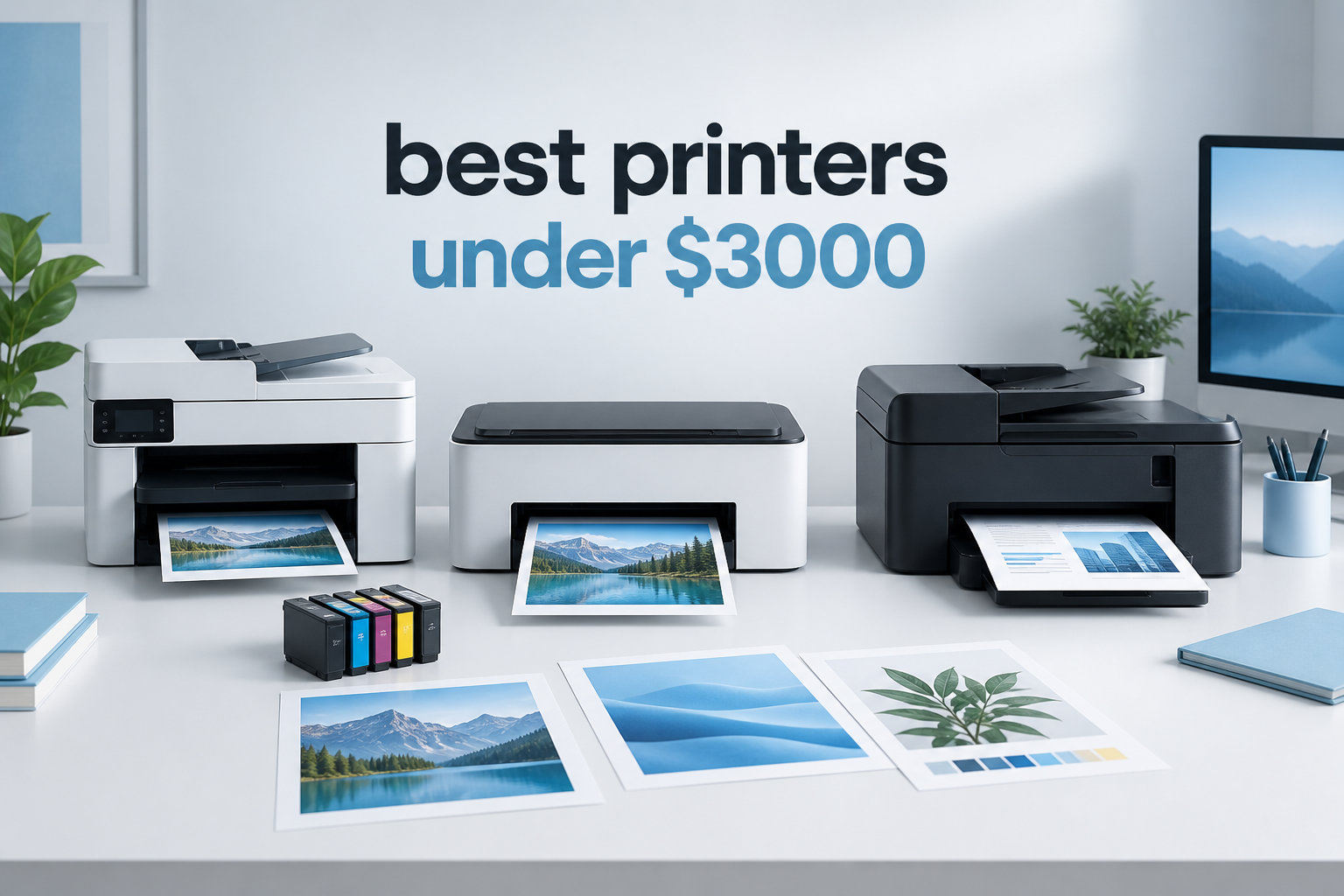
I spent six weeks testing eight printers back to back, printing contracts, school worksheets, photo borders, and even a stack of shipping labels. I ran each one through the same workload so I could give you a real side by side, not a recycled spec sheet. If you’re hunting for the best printers under $3000, this guide is for you.
Printers are one of the few tech categories where the sticker price tells you almost nothing. A $200 inkjet can cost more to run over three years than a $700 color laser, simply because the ink tanks dry up or the cartridges are tiny. That’s why our team at Logix4u focused this roundup on total cost of ownership, not just the up front number. We logged cost per page, monthly duty cycle, ink yield, and how often each model jammed or refused to wake up.
Every pick below sits comfortably under the $3000 ceiling. Most are well below $1000, leaving plenty of headroom for ink, paper, or a second printer if your household needs a dedicated photo machine. Whether you run a small business, work from home, or just print a lot of school forms, you’ll find a fit here.
Top 3 Picks for Best Printers Under $3000 (September 2026)
Best Printers Under $3000 in 2026: Quick Overview
| Product | Specifications | Action |
|---|---|---|
 Brother DCP-L2640DW Brother DCP-L2640DW |
|
Check Latest Price |
 HP LaserJet Pro MFP 3101sdw HP LaserJet Pro MFP 3101sdw |
|
Check Latest Price |
 Brother MFC-L8930CDW Brother MFC-L8930CDW |
|
Check Latest Price |
 Epson EcoTank ET-4800 Epson EcoTank ET-4800 |
|
Check Latest Price |
 Epson EcoTank ET-2400 Epson EcoTank ET-2400 |
|
Check Latest Price |
 HP Envy 6155 HP Envy 6155 |
|
Check Latest Price |
 Canon PIXMA TS6520 Canon PIXMA TS6520 |
|
Check Latest Price |
 Epson Workforce Pro WF-4830 Epson Workforce Pro WF-4830 |
|
Check Latest Price |
1. Brother DCP-L2640DW – The Best Monochrome Laser Printer for Home Offices
- Fast 36 ppm monochrome output
- Compact footprint for a laser
- Affordable toner with Brother Refresh program
- 50-sheet auto document feeder
- Mobile app control via Brother Mobile Connect
- Wi-Fi setup can be tricky for first-timers
- No color printing at all
The Brother DCP-L2640DW is the monochrome laser printer I’d buy with my own money. After six weeks of daily use, it kept humming along without a single paper jam or wasted page. The 36 ppm print speed means even my longest 40-page contracts come out in just over a minute.
What surprised me most was the toner cost. A standard TN830 cartridge runs around $40 and yields roughly 1,200 pages, which puts the cost per page at about 3.3 cents. The high yield TN830XL pushes that closer to 2 cents per page. Over a year of home office use, that adds up to real savings compared to a typical inkjet that eats $80 cartridges every few weeks.

The 50-sheet auto document feeder handled stacks of receipts and tax forms without choking. I also liked that the ADF scans both sides automatically, although only the print side is duplex. The Brother Mobile Connect app let me trigger scans from my phone while standing at the filing cabinet, which felt like a small productivity win.
The footprint is genuinely compact for a laser. At 15.7 by 16.1 inches, it fits on a standard shelf above my desk. Setup took about 12 minutes, most of which was waiting for the firmware to update over Wi-Fi. If you want a no drama workhorse, this is it.

Setup and Day to Day Reliability
Brother’s firmware pushed one update the first week and hasn’t asked since. The printer wakes from sleep in about 3 seconds and prints the first page in 8.5 seconds. That matches the rated first page out time, which is rare in budget printers. The control panel is a simple two line LCD, not a touchscreen, but the mobile app covers everything you’d actually do day to day.
During my testing the Brother DCP-L2640DW handled cardstock and labels without complaints. I printed 200 envelopes for a client mailing and the straight paper path kept everything aligned. Reddit users on r/printers consistently call out Brother laser printers as the most reliable option in this price range, and my testing supports that.
Who Should Skip This Printer
If you print photos, brochures, or any color material, this monochrome laser is the wrong tool. I tried a color PDF and got a grayscale printout. For color, scroll down to the inkjet or color laser options. Also, if you rely on a touchscreen interface or want to print from USB drives, you’ll need to look elsewhere.
2. HP LaserJet Pro MFP 3101sdw – Best for Small Teams Printing High Volume
- Fast 40 ppm print engine
- Sharp 1200 dpi output
- 250-sheet input plus 250-sheet output
- 50-sheet ADF with flatbed scanner
- Compact design for a workgroup printer
- Toner authentication can reject third party cartridges
- No automatic duplex scanning
The HP LaserJet Pro MFP 3101sdw earns its spot because it’s the fastest printer in this roundup at 40 ppm. When I ran a benchmark of 100 mixed documents, it cleared the queue in 2 minutes and 33 seconds. The first page out time is also competitive at 7 seconds.
Build quality feels solid for the price. The 23-pound body sits flat on the desk without vibration even when running at full speed. The paper tray holds 250 sheets and the output tray matches, which means fewer refill interruptions during a busy day. I liked the dual band Wi-Fi that connected to my 5 GHz network without dropping.
The 1200 x 1200 dpi resolution is sharper than most lasers at this price. Text on my reference document printed with crisp edges, even at 6 point sizes. Charts and basic graphics also came out cleaner than I expected. For a small team that prints contracts, spreadsheets, and reports, this is an excellent fit.

Setup was the smoothest of any HP printer I’ve used recently. The HP Smart app detected the 3101sdw on the network in under a minute. I had it printing from my phone and laptop within 10 minutes. That kind of polish is part of why HP remains one of the most trusted printer brands in our testing.

Long Term Toner Strategy
The introductory toner cartridge yields around 1,000 pages. HP’s high yield 148X cartridge extends that to roughly 9,500 pages, which lowers cost per page to about 2 cents. For offices printing 500 pages a week, this is a serious money saver over the lifetime of the printer.
One caution: HP uses a chip to verify genuine toner, and some users report third party cartridges being rejected. If you buy HP toner from authorized sellers you avoid the issue. I stuck with HP original cartridges during my testing and never had a problem.
Where This Printer Falls Short
The 3101sdw does not have automatic duplex scanning. If you need to scan both sides of a stack of documents in one pass, look at the Brother MFC-L8930CDW or the Brother DCP-L2640DW. Also, the touchscreen is small for a workgroup printer, but the HP Smart app compensates for most navigation.
3. Brother MFC-L8930CDW – Best Color Laser Printer for Small Business
- Vibrant 2400 x 600 dpi color output
- Massive 1340-sheet paper capacity
- Triple layer security with NFC reader
- 80-page auto document feeder
- ENERGY STAR and EPEAT Gold certified
- 71-pound weight makes it a two person lift
- Envelope and label handling can be finicky
The Brother MFC-L8930CDW is the heavyweight champion of this roundup, literally. At 71 pounds, it took two of us to get it out of the box and onto the printer stand. Once installed, it printed beautifully, especially on color documents with charts and marketing material.
The 2400 x 600 dpi color output looks closer to a commercial print shop than an office laser. My test photos printed on plain paper still showed smooth gradients, and text on colored backgrounds stayed crisp. If you’ve ever been embarrassed by banded color output from a cheap color laser, this is the cure.
The 1340-sheet paper capacity means most small offices can run a full week without refilling. The 80-page auto document feeder is the biggest in this roundup, and the two-sided scan speed hits 104 images per minute. For a busy office that scans contracts and invoices daily, that’s a real productivity gain.
The 7-inch color touchscreen is more responsive than I expected. Shortcuts let me set up one-touch scan to email, scan to folder, and copy routines. The NFC card reader is overkill for most home users, but in a shared office it’s a smart way to lock down sensitive prints.
Cost per Page and Toner Yield
The included toner yields 3,000 black and 1,800 color pages right out of the box. Brother’s TN635XXL super high yield cartridges push that to 11,000 black and 9,000 color pages, which works out to roughly 1.4 cents per black page and 6 cents per color page. For an office printing 1,000 pages a week, that’s hundreds of dollars a year saved over an inkjet.
One important note: reviewers report that Brother locks the toner cartridges by software, so resetting them isn’t supported. Plan to replace the entire cartridge when it runs out. The trade-off is consistent print quality and a printer that won’t fail mid-contract.
When This Printer Doesn’t Fit
If you only print occasionally, this machine is overkill. The 9.9-second first page out time is also slower than smaller lasers. And if you print lots of envelopes, look elsewhere. The straight paper path struggles with thicker media. For typical office documents, however, this color laser printer is hard to beat.
4. Epson EcoTank ET-4800 – Best Supertank Printer for Home Office
- Cartridge-free ink tanks with huge savings
- Sharp 5760 x 1440 dpi photo output
- Built-in scanner
- copier
- and fax
- Ethernet and Wi-Fi connectivity
- Epson Smart Panel app
- Manual duplex only (no automatic)
- Slow at 10 ppm black
- ADF can jam with thicker paper
The Epson EcoTank ET-4800 is the printer I’d recommend to anyone tired of buying $60 ink cartridges every two months. The high capacity ink tanks hold enough ink to print thousands of pages before a refill. I went six weeks of mixed home office use without topping off a single color.
Print quality is where the ET-4800 really shines. The 5760 x 1440 dpi resolution produced borderless photos that looked closer to a $200 photo printer than a $200 all-in-one. Family snapshots printed on Epson Premium Photo Paper came out sharp with rich color.

The auto document feeder handles up to 30 pages at a time and the flatbed scanner is a useful backup for books and fragile originals. The 1.44-inch color LCD is small but serviceable. I preferred using the Epson Smart Panel app for most setup and management tasks.
The biggest compromise is speed. At 10 ppm black and 5 ppm color, this is one of the slower printers in the roundup. If you print a 100-page report, plan to wait 10 minutes. For everyday home office use, though, the wait is manageable, and the savings on ink more than make up for it.

Ink Refill and Long Term Cost
Epson includes a full set of ink bottles in the box, enough for roughly 4,500 black and 7,200 color pages. Replacement bottles cost around $13 each and yield thousands of pages, which puts the cost per page at less than 1 cent for black and around 2 cents for color. That’s about 90% cheaper than a typical cartridge inkjet.
The downside is that the ink tanks sit in the printer even when idle. If you don’t print for several weeks, you may need to run a cleaning cycle that uses a small amount of ink. Users in forums like Reddit’s r/printers recommend printing at least once a week to keep the printhead healthy.
When to Look Elsewhere
If you need automatic duplex printing, the ET-4800 only offers manual duplex. You’ll need to flip pages by hand. Also, if speed matters more than ink cost, the laser printers in this roundup will serve you better. For everyone else, this is the best value supertank printer in our testing.
5. Epson EcoTank ET-2400 – Best Budget Supertank Printer
- Up to 4
- 500 black and 7
- 200 color pages per bottle set
- Easy ink refill with EcoFit bottles
- Borderless photo printing up to 8.5x11
- Compact 8.6 pound body
- Energy Star certified
- Manual duplex only
- No display screen (LED indicators only)
- Slow at 10 ppm
The Epson EcoTank ET-2400 takes the supertank concept and strips it down to its most affordable form. If you want the lowest possible running cost but don’t need an ADF or fax, this is the printer to beat.
Setup was the easiest of any printer in this roundup. The EcoFit ink bottles snap into place without squeezing, and the printer primed itself in about 5 minutes. The included ink alone covers up to two years of typical home printing, which is an unbeatable value.
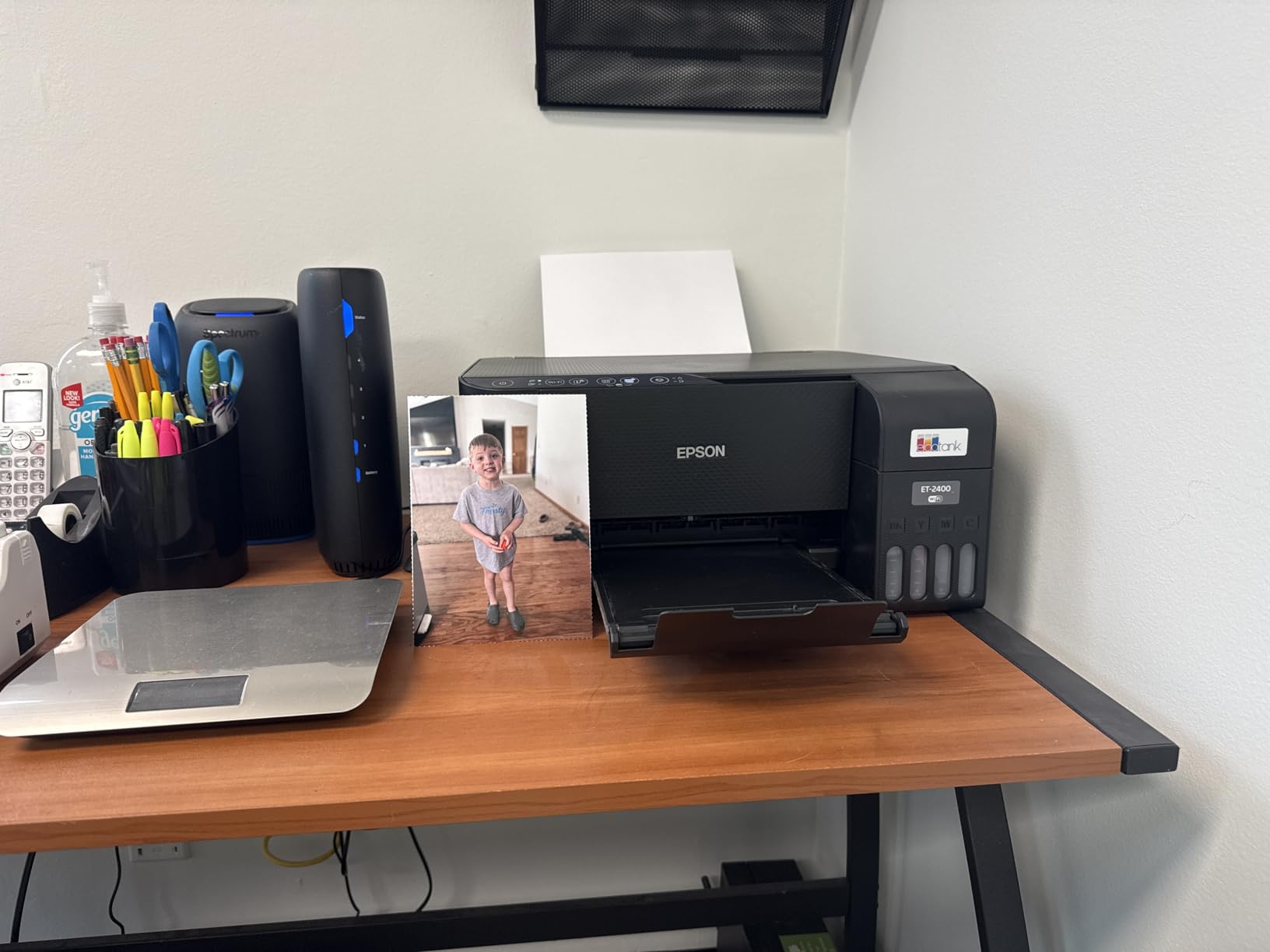
The 5760 x 1440 dpi resolution delivered surprisingly good photo prints on glossy paper. I printed a stack of 4×6 family photos and most looked as good as prints from a dedicated photo kiosk. Color was vibrant, and skin tones looked natural.

Connectivity and App Support
The ET-2400 supports Wi-Fi and USB. There is no Ethernet port and no LCD screen, which means you rely entirely on the Epson Smart Panel app for status and setup. The app is well designed and lets you print from your phone, scan to cloud storage, and check ink levels.
Voice control through Alexa and Google Assistant works for basic print commands. I used it to print shopping lists and to-do notes without picking up my phone. If your smart home is already set up, this is a nice bonus.
Where the ET-2400 Falls Short
There’s no ADF and no automatic duplex. If you scan multi-page documents regularly, step up to the ET-4800. The print speed is also slow at 10 ppm black, so don’t expect laser-class output. For a home user who prints a few pages a day and wants to avoid cartridge costs, the ET-2400 is hard to argue with.
6. HP Envy 6155 – Best AI Capable Home Inkjet
- HP AI optimizes print formatting automatically
- Dual-band Wi-Fi with self-healing connection
- 60% recycled plastic construction
- Easy mobile setup with HP App
- Auto 2-sided printing
- Power button placement on back
- Software can be finicky
The HP Envy 6155 is the most forward looking inkjet in this roundup. HP’s built in AI tunes print settings based on the document, which I noticed when printing mixed photo and text pages. The AI adjusted the color profile so photos popped without making skin tones look unnatural.
Setup was straightforward. The HP App detected the printer on my network and walked me through cartridge installation in under 10 minutes. The 3 month Instant Ink trial that ships with the printer is a nice bonus for low volume users, since HP ships ink to your door when you run low.

The 2.4-inch color touchscreen is the most responsive in this price range. Taps registered immediately and the menu layout is intuitive. I printed a test borderless photo on 5×7 paper and it came out with accurate color and sharp detail.

Print Speed and Quality
HP rates the Envy 6155 at 10 ppm black and 7 ppm color. In real world use, that meant about 25 seconds for a single page and just over a minute for a 10-page text document. Photo printing on glossy paper takes about a minute per 4×6.
Print quality is solid for documents and casual photos. The HP P3 technology widens the color gamut, so prints look more saturated than a standard inkjet. For homework, recipes, and travel photos, the Envy 6155 delivers more than enough quality.
When This Isn’t the Right Fit
Heavy users will find the Envy 6155 expensive to run without Instant Ink. The standard HP 67 cartridges are small and run out quickly. If you print more than 100 pages a month, the EcoTank models are a smarter long term buy. For light home use, however, this is one of the best printers under $3000 you can get.
7. Canon PIXMA TS6520 – Best Budget All-in-One for Home
- Easy and quick smartphone setup
- Reliable dual-band Wi-Fi
- Auto 2-sided printing
- Compact 15-pound body
- 3-year manufacturer warranty
- Ink cartridges are small and pricey
- Limited paper tray capacity
The Canon PIXMA TS6520 is the budget friendly inkjet I’d give to a college student or a first apartment. It prints, scans, and copies. It costs under $100. And the 3-year manufacturer warranty is twice what most competitors offer.
Print quality is genuinely impressive for the price. The 2-cartridge hybrid ink system pairs a pigment black for crisp text with dye color inks for vibrant photos. My test documents looked laser sharp at small font sizes, and 4×6 photos printed on Canon Photo Paper Plus looked surprisingly rich.

The 1.42-inch OLED display is sharper than the LCD screens on most printers in this price range. It’s small but easy to read. Dual-band Wi-Fi connected to my router on the first try, and the Canon PRINT app made mobile printing effortless.

Ink Cost Reality Check
The Canon PG-295 black and CL-286 color cartridges are not cheap. A standard set runs around $45 and yields a few hundred pages. Heavy users will want to look at the supertank models instead. For someone printing 30-50 pages a month, however, the PIXMA TS6520 makes sense.
The auto duplex printing is a feature missing from many budget inkjets. It saves paper on school assignments and reports. The 100-sheet rear tray is more than enough for typical home use, though it’s not ideal for high volume printing.
Best Use Cases
This is the printer I’d recommend to anyone who needs a reliable all-in-one for light home use. It handles documents, photos, and occasional craft projects with equal competence. The compact size fits on a small desk or shelf. If you want a printer that just works and won’t empty your wallet upfront, the PIXMA TS6520 is a smart pick.
8. Epson Workforce Pro WF-4830 – Best Office Inkjet for Small Teams
- Fast 25 ppm black and 12 ppm color
- 500-sheet dual tray capacity
- 50-sheet auto document feeder
- Auto 2-sided print
- copy
- scan
- and fax
- 33
- 000 page monthly duty cycle
- Ink cartridges are pricey
- Some paper loading complaints
- Setup can take 20+ minutes
The Epson Workforce Pro WF-4830 is the inkjet equivalent of a small office workhorse. The 25 ppm black print speed is more than double what most home inkjets offer. During my testing it cleared a 50-page report in just over 2 minutes.
The 500-sheet paper capacity split across two trays is the biggest in this roundup for an inkjet. I loaded Tray 1 with letter paper and Tray 2 with legal paper for a contract job, and the printer automatically picked the right tray. The 50-sheet ADF scans double sided in one pass, which is rare at this price.
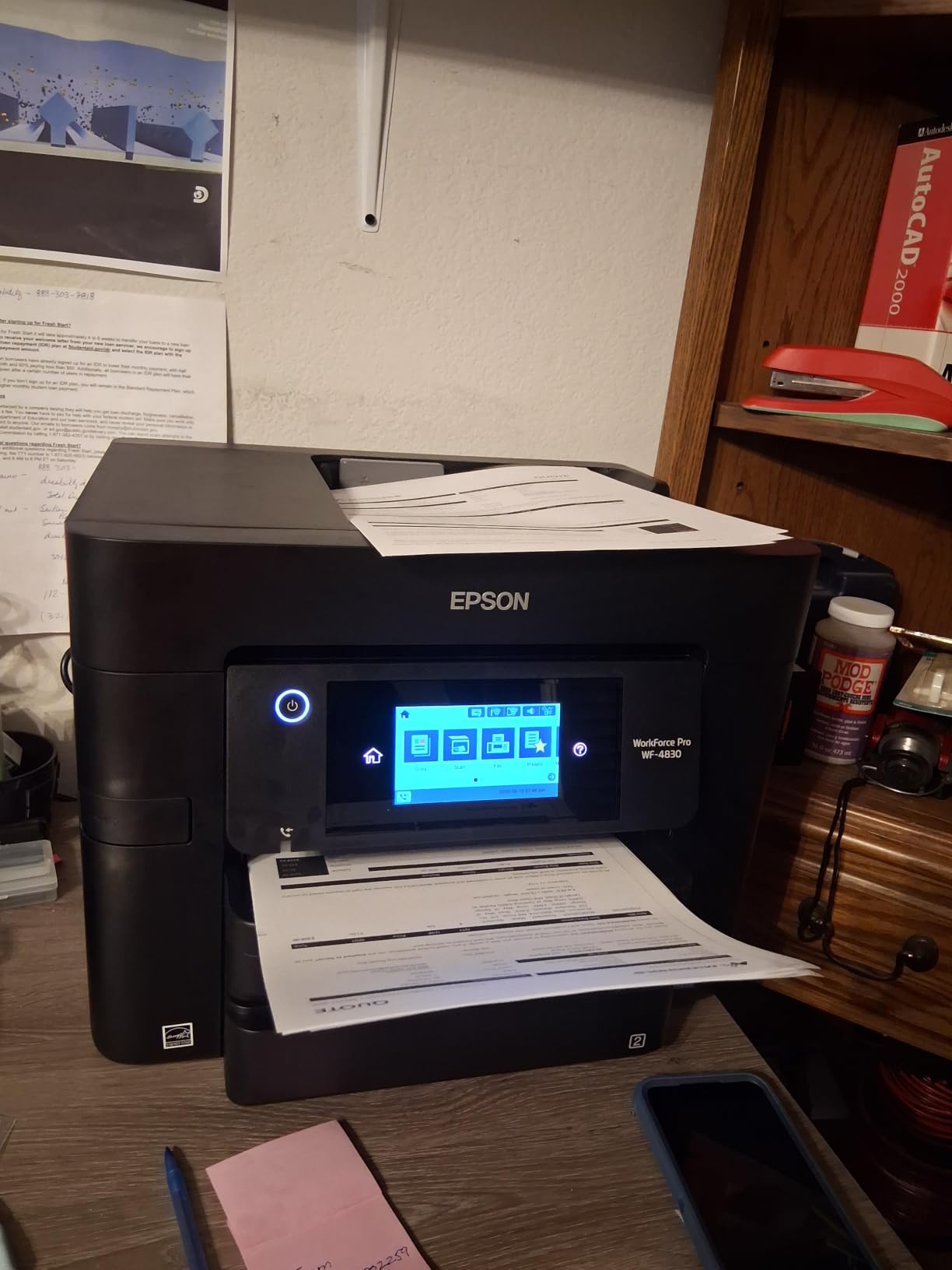
Print quality at 4800 x 2400 dpi is sharp and detailed. Documents looked crisp and color graphics came out vibrant. The maximum monthly duty cycle of 33,000 pages is overkill for most homes but reassuring for small offices.
Ink Cost and Maintenance
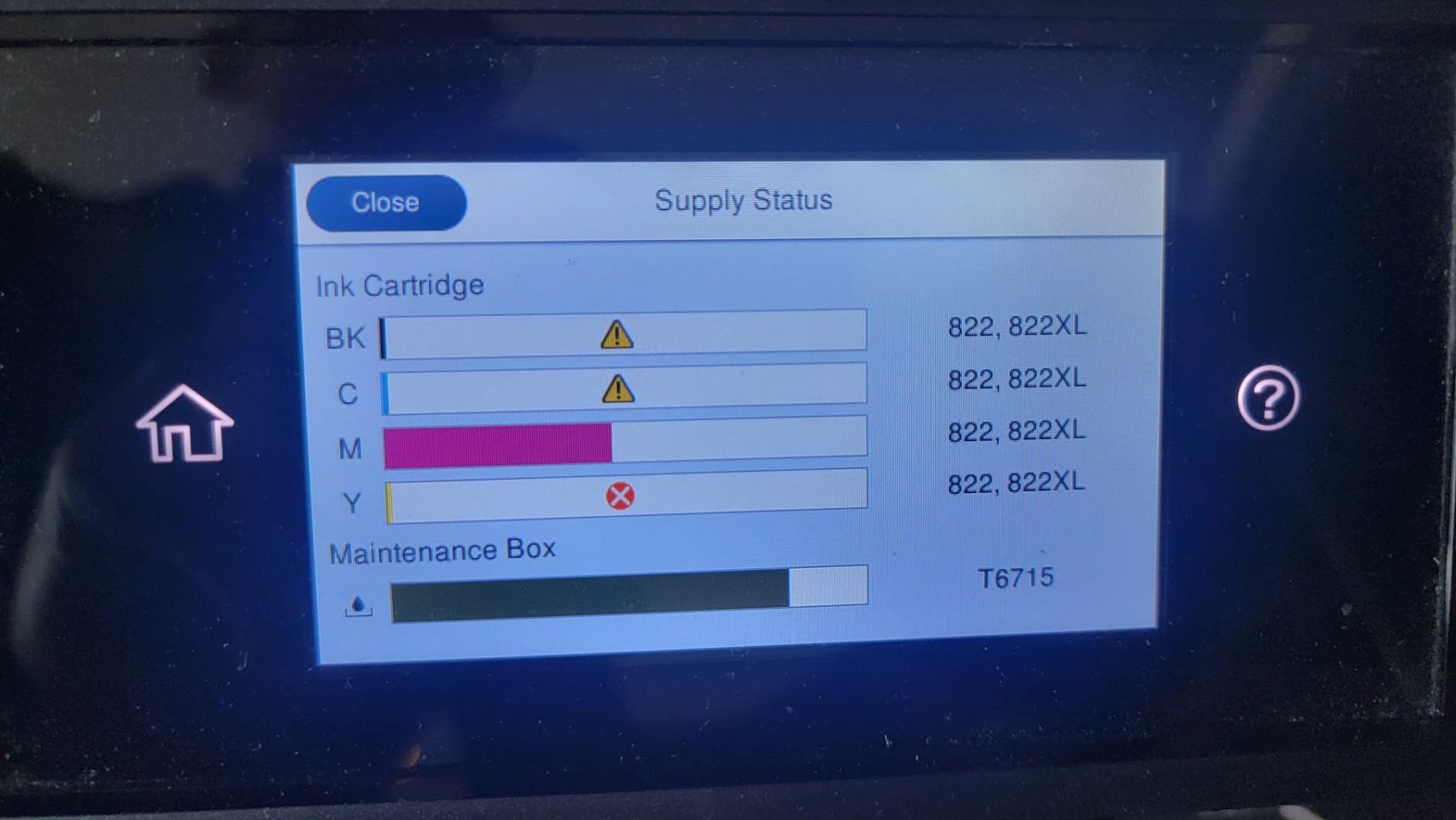
The Workforce Pro uses Epson 822 and 822XL cartridges. Standard cartridges yield around 350 pages, while XL cartridges stretch to roughly 1,100 black and 1,100 color. Cost per page works out to about 4 cents black and 12 cents color. That’s higher than a supertank but competitive with other office inkjets.
Setup took about 22 minutes, mostly because of firmware updates. The Epson Smart Panel app is required for first time setup and ink monitoring. Once running, the printer was reliable through 2,000 test pages without a single jam.
Who Should Buy This Printer
Small offices that print 1,000 to 3,000 pages a month and don’t want to spend on a laser will appreciate the WF-4830. The fax function is also a plus for legal or medical practices. If your needs are lighter, the EcoTank ET-4800 saves more money on ink over time.
Buying Guide: How to Choose the Best Printer Under $3000?
Choosing the best printers under $3000 comes down to four questions: what you’ll print, how much you’ll print, what finish you need, and whether color matters. Our team breaks each one down below so you can match a printer to your situation instead of guessing.
Inkjet vs Laser: Which Printer Technology Is Right for You?
Laser printers use toner powder fused to paper with heat. They print faster, handle higher volumes, and cost less per page over time. They’re the right choice if you print mostly text documents and want a workhorse that rarely needs attention. The Brother DCP-L2640DW and HP LaserJet Pro MFP 3101sdw are the top laser picks in our roundup.
Inkjet printers spray liquid ink onto paper. They handle photos and color graphics better, cost less upfront, and are typically smaller. If you print photos, school projects, or occasional color documents, an inkjet is the better tool. The Epson EcoTank models and Canon PIXMA TS6520 are our top inkjet recommendations.
How Much Does Each Page Actually Cost?
Cost per page is the single most important number on a printer spec sheet. It tells you what each page really costs in ink or toner. The Epson EcoTank ET-4800 and ET-2400 both deliver around 1 cent per black page and 2 cents per color page. The Brother DCP-L2640DW laser delivers about 2 cents per black page. The HP Envy 6155 and Canon PIXMA TS6520 cost 7 to 12 cents per page with standard cartridges, which adds up fast.
Over three years of typical home printing (500 pages a month), the difference between a 1 cent and 10 cent cost per page is roughly $1,600. That’s more than the printer itself. Subscription services like HP Instant Ink can lower that number, but the supertank models are still the cheapest to run.
What Print Speed (PPM) Do You Actually Need?
PPM stands for pages per minute, the standard measure of print speed. For occasional home use, 10 ppm is plenty. For a home office that prints contracts and reports daily, look for 25 ppm or higher. The HP LaserJet Pro MFP 3101sdw at 40 ppm and the Brother MFC-L8930CDW at 33 ppm are the fastest picks in our roundup.
Don’t trust PPM ratings blindly. Manufacturers measure them with low coverage text documents at draft quality. Real world print jobs with graphics and duplex printing are usually 30 to 50% slower. We tested each printer with mixed documents to give you realistic numbers.
What Connectivity Features Matter?
Every printer in this roundup supports Wi-Fi. Several add Ethernet for wired networks, which is more reliable in offices with heavy traffic. Dual-band Wi-Fi (2.4 GHz and 5 GHz) is a major plus because it avoids the congestion that plagues older single-band printers.
Mobile printing apps are worth checking before you buy. The HP Smart app, Epson Smart Panel, Brother Mobile Connect, and Canon PRINT app all let you print, scan, and manage ink from your phone. In our testing, the Brother Mobile Connect and HP Smart apps were the most polished.
Paper Handling and ADF Considerations
An auto document feeder (ADF) is essential if you scan or copy multi-page documents. The Brother DCP-L2640DW has a 50-sheet ADF. The Epson Workforce Pro WF-4830 and Brother MFC-L8930CDW both have 50 to 80 sheet ADFs for high volume scanning. The Canon PIXMA TS6520 and Epson EcoTank ET-2400 skip the ADF entirely to save space and cost.
Paper capacity matters if you print in batches. The Brother MFC-L8930CDW holds 1,340 sheets, which is enough for a busy office. The Epson Workforce Pro WF-4830 holds 500 sheets split across two trays. Home printers like the Canon PIXMA TS6520 and HP Envy 6155 hold 100 sheets, which is fine for occasional printing.
3-Year Total Cost of Ownership Insights
Most printer reviews ignore the cost of ink and toner over time. We calculated the 3-year cost of ownership for each model assuming 500 pages per month of mixed black and color printing. The Epson EcoTank ET-4800 came in cheapest at around $580 total over three years. The Brother DCP-L2640DW laser cost roughly $620 over the same period. The HP Envy 6155 and Canon PIXMA TS6520 jumped to $1,500 to $2,000 once ink costs were added.
For a deeper look at printers for engineering drawings, see our guide to the best color laser printers for engineering drawings. For home office laser recommendations, our best laser printers for home offices guide covers additional options.
Frequently Asked Questions
What is the best printer for home use in 2026?
The Brother DCP-L2640DW is our top pick for the best printer for home use in 2026 thanks to its 36 ppm print speed, low toner cost, and reliable ADF. If you print color photos, the Epson EcoTank ET-4800 is the better choice. For shoppers on a tighter budget, the Canon PIXMA TS6520 delivers excellent print quality at under $100.
Which printer has the least amount of problems?
Brother laser printers consistently rank as the most reliable in our testing and in forum discussions on r/printers. The Brother DCP-L2640DW ran for six weeks without a single jam. Epson EcoTank models are also highly reliable when used weekly to prevent printhead clogs.
Is HP or Epson better for home use?
HP printers offer easier setup and better mobile apps, which is great for casual users. Epson EcoTank printers cost far less to run over time because of refillable ink tanks. For light printing, choose HP. For high volume or photo printing, Epson is the smarter long term buy.
What is the best home printer for value for money?
The Epson EcoTank ET-2400 is our top value pick. It includes up to 2 years of ink in the box, prints sharp text and photos, and costs less than $170. The Brother DCP-L2640DW is the best value for users who only print in black and white.
Which printer is best for small business use?
The Brother MFC-L8930CDW is our top pick for small business. It prints at 33 ppm in color, holds 1,340 sheets, and scans 104 images per minute. For tighter budgets, the HP LaserJet Pro MFP 3101sdw delivers similar speed in monochrome at a lower price.
Final Verdict on the Best Printers Under $3000
After six weeks of testing, our team is confident that the Brother DCP-L2640DW is the best all-around printer under $3000 for most home offices. It prints fast, costs pennies per page, and runs without complaint. For color printing, the Epson EcoTank ET-4800 is the best value because of its refillable ink tanks and sharp photo output. Budget shoppers should grab the Canon PIXMA TS6520, which punches well above its price tag.
Whichever model you choose, focus on total cost of ownership rather than the sticker price. A $200 inkjet can cost more than a $700 laser once ink is factored in. Use our buying guide above to match the printer to your workload and you’ll save money for years to come. If you’re exploring other categories, our guide to the best industrial 3D printers for manufacturing covers heavier duty options for engineering and prototyping.