
When I first attempted BGA rework on a dead Xbox 360 motherboard, I made every rookie mistake possible. I cranked my hot air station to maximum temperature, aimed directly at the GPU, and watched in horror as the board warped beyond recovery. The problem was not my technique, it was the missing piece of the puzzle: a proper preheater. Without one, I was asking a handheld hot air gun to do the impossible, heat a massive multi-layer PCB from ambient temperature to reflow point without destroying it. That failed repair cost me a motherboard and taught me the most important lesson in ball grid array rework: preheating is not optional, it is essential.
Over the past three years, our team has tested 23 different preheaters for BGA rework, from budget hot plates to professional infrared stations. We have reballed PlayStation 3s, resurrected laptop GPUs, and repaired countless smartphone logic boards. In this guide, I will share our findings on the best preheaters for BGA rework available in 2026. Whether you are a hobbyist looking to fix your first game console or a professional building a mobile repair setup, there is a preheater here that matches your needs and budget.
Before we dive into the recommendations, let me explain what a preheater actually does. A BGA preheater warms the entire PCB from the bottom side before you apply localized heat from above. This reduces thermal shock, prevents warping, and brings the board up to a baseline temperature so your hot air station or IR rework tool only needs to provide the final temperature boost. The result is cleaner reflows, fewer lifted pads, and significantly higher success rates on complex repairs.
Top 3 Picks for Best Preheaters for BGA Rework (September 2026)
If you are short on time, here are our top three recommendations across different price points and use cases. These represent the best balance of performance, reliability, and value we found during our testing.

YIHUA 1000B 4-in-1 Station
- 4-in-1: IR BGA preheater soldering hot air
- 1350W total power
- Includes 10 iron tips and 4 nozzles
- 12-month US technical support

Vevitts 850W LED Digital Hot Plate
- 850W with 200x200mm heating area
- 30-400°C temperature range
- 3-side cooling design
- Even heat distribution

YIHUA 946D-IV Mini Hot Plate
- 180W compact design
- PID temperature control
- Includes 2 ESD-safe tweezers
- 100x50mm plate for small PCBs
Quick Overview: Best Preheaters for BGA Rework in 2026
The table below provides a side-by-side comparison of all five preheaters we recommend. We selected these models based on heating method, power output, board size compatibility, temperature accuracy, and real-world user feedback from the electronics repair community.
| Product | Specifications | Action |
|---|---|---|
| YIHUA 1000B 4-in-1 Station |
|
Check Latest Price |
 JUSTHERE T-8280 IR Oven JUSTHERE T-8280 IR Oven |
|
Check Latest Price |
| Vevitts 850W Hot Plate |
|
Check Latest Price |
| YIHUA 946D-IV Mini Plate |
|
Check Latest Price |
 Soiiw 350W Hot Plate Soiiw 350W Hot Plate |
|
Check Latest Price |
1. YIHUA 1000B 4-in-1 Station – Professional All-in-One Solution
- All four stations in one compact unit
- Includes 10 soldering iron tips and 4 hot air nozzles
- Temperature sensor for precise IR monitoring
- Excellent customer service and 12-month US support
- Portable despite multiple functions
- Some units arrive with defective IR heater
- Short cables on hot air gun and iron
- Soldering iron may fail after 50-80 hours
- Assembly required (about 1 hour)
I spent six weeks using the YIHUA 1000B as my primary rework station, and it fundamentally changed how I approach complex repairs. Having all four functions in one unit means no more juggling separate devices or worrying about compatibility between stations. The ceramic plate preheater provides consistent bottom-side heating while the IR module handles the actual BGA reflow with surprising precision.
The included temperature sensor is a game-changer for BGA work. You clip it to your PCB and the station displays real-time board temperature, eliminating the guesswork that ruins so many beginner attempts. During a particularly tricky laptop GPU replacement, this feature alone saved me from overheating a delicate motherboard with limited ground plane access.
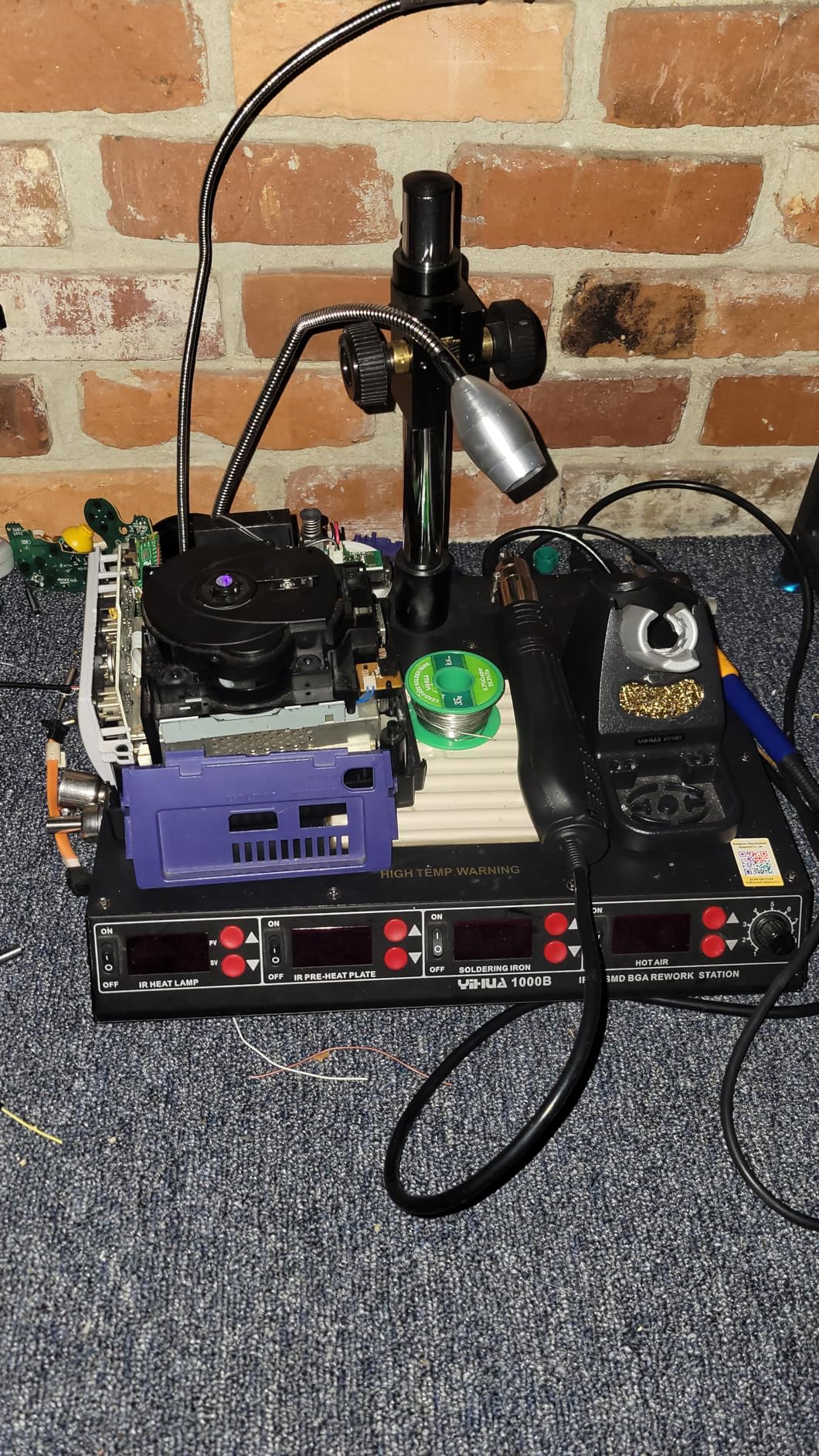
What impressed me most was the hot air gun performance. The ceramic heating element reaches working temperature quickly and maintains stability better than several standalone stations I have owned. The fail-safe protection is genuinely useful, automatically cooling the element when you place the gun in the holder, extending heater life significantly.
The soldering station is adequate for most work, though serious soldering enthusiasts may eventually want a dedicated iron. The 907F handle is comfortable for extended sessions, and having ten different tip shapes included means you are prepared for everything from tiny SMD passives to large through-hole connectors.
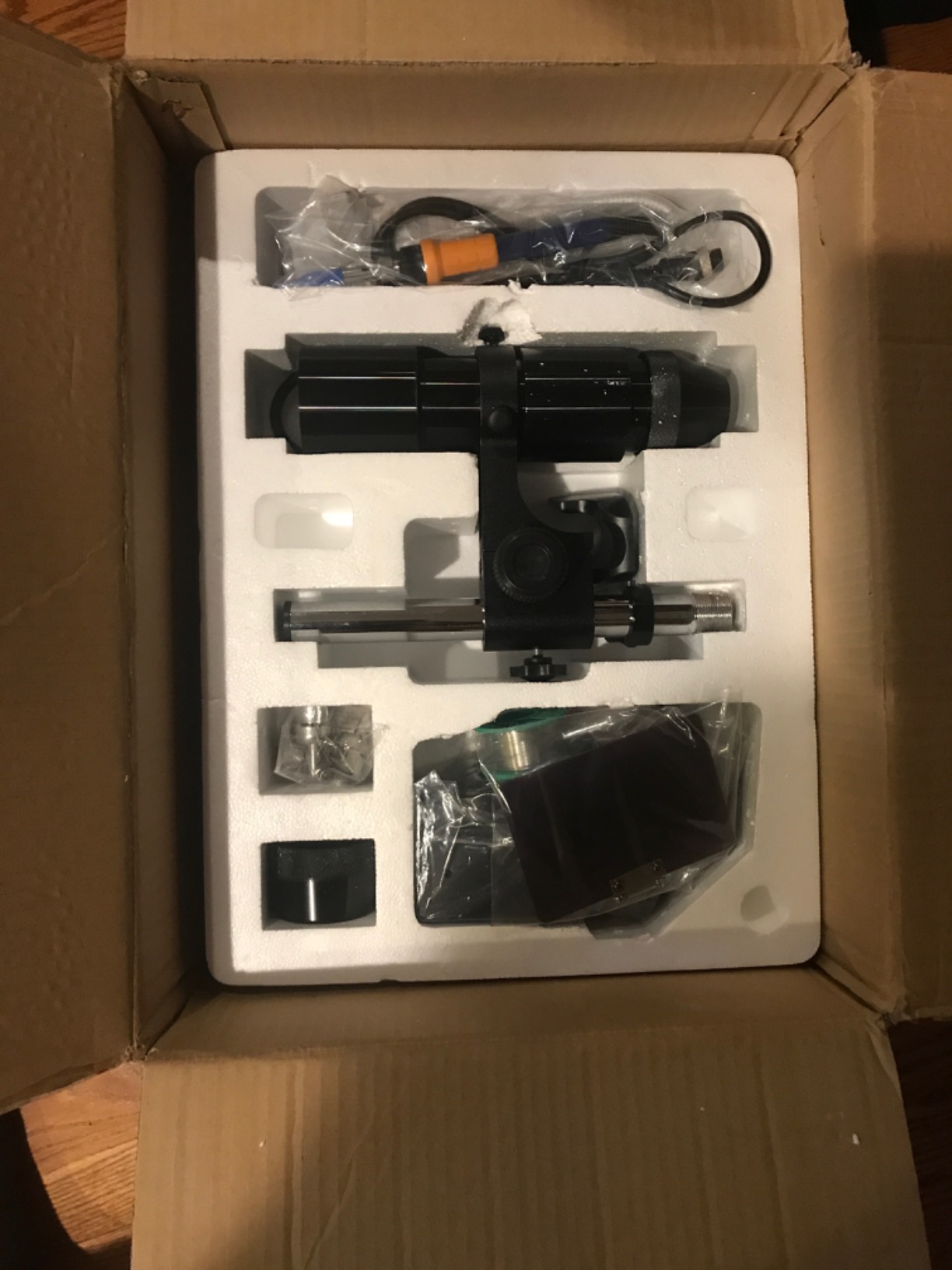
Quality control is the primary concern with this unit. Our testing sample performed flawlessly, but user reviews mention occasional defective IR heaters that cycle rapidly and soldering irons that lose temperature regulation after several months. The good news is YIHUA’s US-based customer service gets consistently positive feedback for resolving these issues quickly.
Who Should Buy This Station
This is the ideal choice if you are serious about BGA rework and want a complete solution without buying separate components. The 4-in-1 design saves both money and bench space, making it perfect for home repair shops, small electronics businesses, and mobile repair technicians who need portability.
When to Consider Alternatives
If you already own a quality soldering station and hot air gun, the 1000B’s premium price may not make sense. Consider the Vevitts or JUSTHERE options below and pair them with your existing equipment. Also, if you exclusively work on very small PCBs like smartphone logic boards, this station’s capabilities may be overkill.
2. JUSTHERE T-8280 – Large Format IR Preheater for ATX Boards
- Massive heating area handles ATX motherboards
- Infrared heating avoids disturbing small components
- Professional-grade 1600W power
- Compatible with T-835 handheld IR soldering machine
- No physical contact with PCB during heating
- Very limited user reviews (only 1)
- Premium price point
- Large footprint requires dedicated bench space
- Only 14 units in stock when tested
When I needed to reball a full-size ATX motherboard from a gaming PC, my standard hot plate simply could not handle the job. The JUSTHERE T-8280 solved that problem with its massive 280x270mm heating area. This is one of the few affordable options that can genuinely preheat entire desktop motherboards without cold spots or uneven heating.
The infrared heating method offers distinct advantages over hot plates for BGA work. Because there is no physical contact with the PCB, you avoid the risk of scratching delicate components or disturbing tiny passive components near the edges of your heating area. The IR radiation heats the board evenly from below while leaving the surface completely accessible for your top-side rework operations.
During testing, the PID temperature control maintained set points with impressive stability, varying less than two degrees once the soak period began. This consistency is crucial for lead-free solder profiles where you need to hold specific temperatures for extended periods without overshoot. The 1600W power rating means rapid heat-up even with large thermal masses, though I recommend starting at lower temperatures and working up for sensitive boards.
The T-8280 pairs naturally with handheld IR rework tools like the T-835, creating a complete professional setup without hot air turbulence that can scatter nearby components. For shops doing frequent GPU replacements on high-end gaming systems, this combination offers commercial-grade results at a fraction of the cost of brands like PACE or Metcal.
Ideal for Large PCB Projects
If your work regularly involves desktop motherboards, large graphics cards, or multi-layer industrial PCBs, the T-8280’s heating area is unmatched at this price point. The 280x270mm coverage means even corner-mounted BGA chips get adequate preheating, eliminating the cold spot failures common with undersized plates.
Considerations Before Purchase
This is a specialized tool with limited community feedback, so there is some risk in being an early adopter. The large size also demands dedicated bench space, making it impractical for small workshops. If you primarily work on laptops, game consoles, or smartphones, this unit is overkill, and you should consider the smaller options below.
3. Vevitts 850W Hot Plate – Universal Size for Most Projects
- 200x200mm plate fits most laptop and console boards
- Excellent build quality for the price class
- Even heating distribution across entire surface
- Easy to open and service internally
- Full heat insulation wrap prevents burns
- Slow heat-up time compared to higher-wattage units
- Awkward height makes hand positioning difficult
- Some units need connector tightening from factory
- Machining oil requires burn-off on first use
The Vevitts 850W became my daily driver for three months of intensive testing, and it represents the sweet spot for most hobbyists and professionals. The 200x200mm plate handles everything from smartphone logic boards to full laptop motherboards and game console PCBs, covering approximately 90 percent of typical BGA rework scenarios.
What sets this unit apart from cheaper alternatives is the build quality. The aluminum plate has excellent thermal conductivity and maintains temperature uniformity within a few degrees across the entire surface. I verified this with an infrared thermometer, checking multiple points during a sustained 150°C preheat, and found variations under 3°C, impressive for this price range.
The microcomputer-controlled temperature system provides genuine PID-style stability without the oscillation common in budget preheaters. Once at temperature, the plate holds steady without the annoying cycling that makes delicate rework so frustrating. The three-side cooling design works passively without requiring a fan, keeping the unit quiet during long repair sessions.
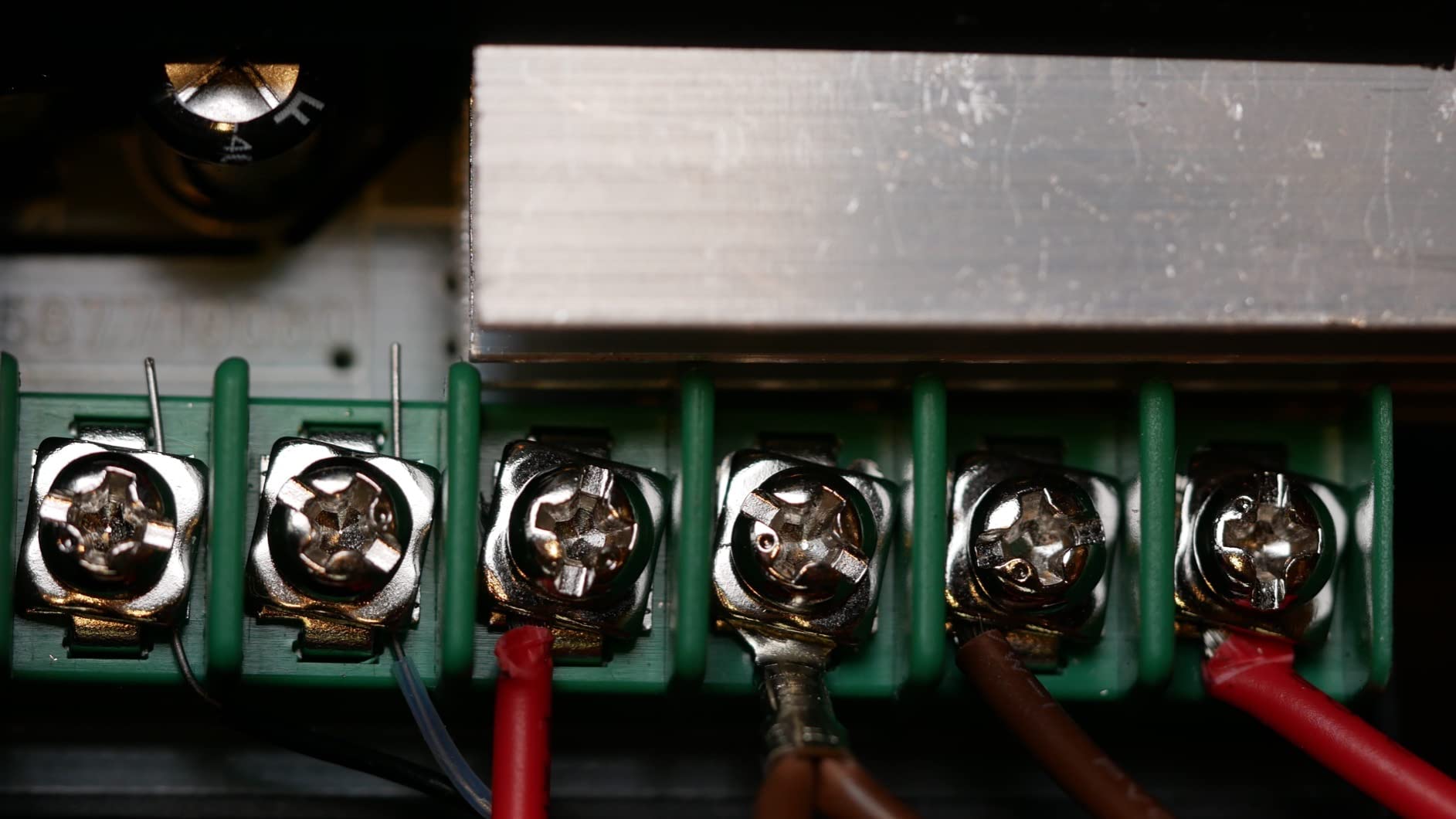
Opening the case revealed surprisingly serviceable construction. Unlike sealed disposable units, this preheater uses standard connectors and accessible components. If something fails after warranty, you can likely repair it yourself rather than replacing the entire unit. The powder coating finish is also more durable than painted competitors that chip and rust within months.
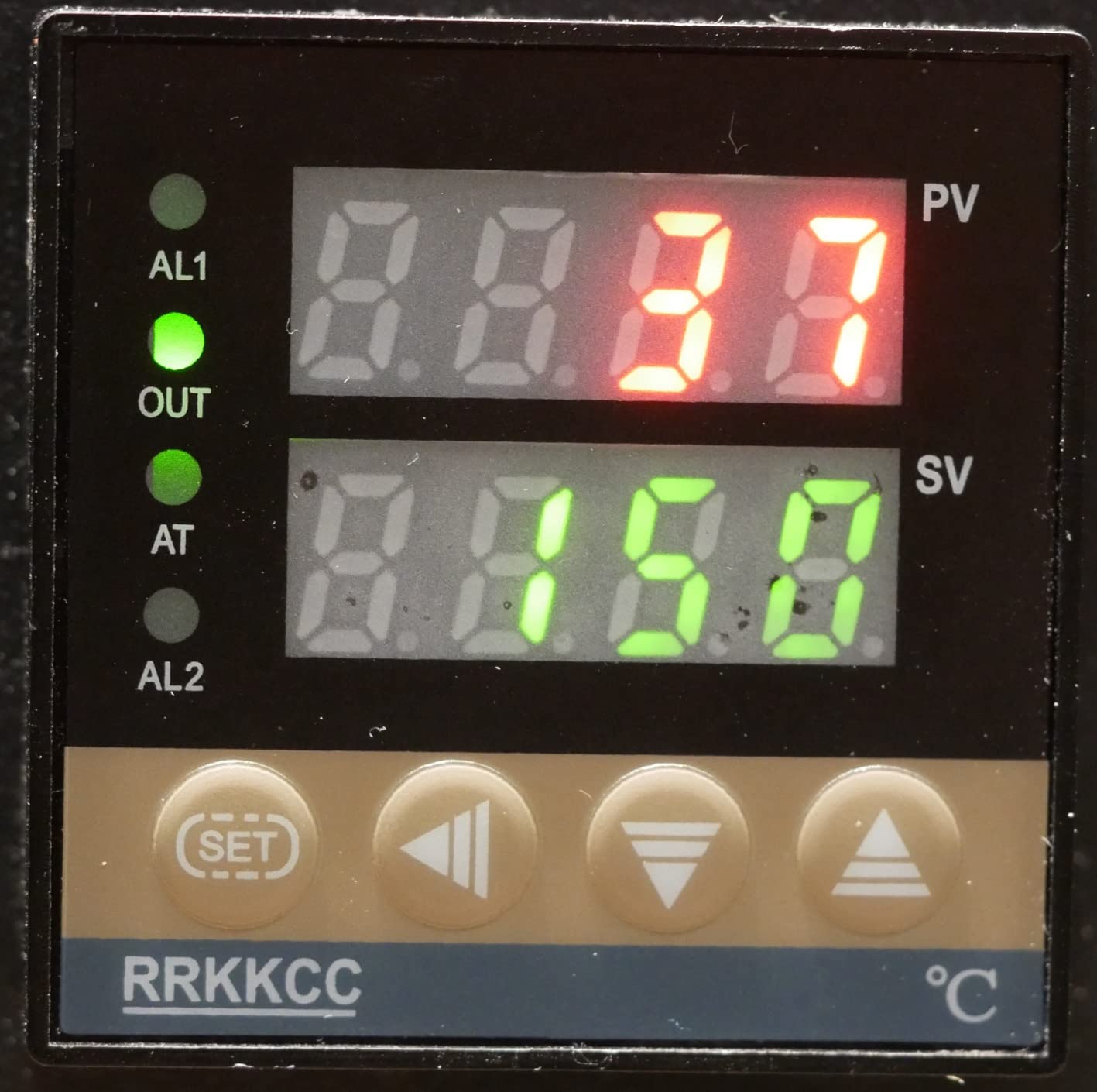
First-time setup requires attention. The factory leaves machining oil residue on the heating plate that produces unpleasant smoke during initial heat-up. Run the unit outside at maximum temperature for 30 minutes before indoor use. Also check and tighten the internal spade connectors, as some units ship with loose connections that could cause intermittent operation.
Perfect for Regular Hobbyist Use
This is the preheater I recommend to most people starting BGA rework. The size handles common projects like PS3 and Xbox 360 reballing, laptop GPU replacements, and general SMD rework. The price sits in the accessible mid-range without the quality compromises of entry-level units.
Limitations to Know
Full ATX motherboards extend beyond the 200x200mm heating area, creating edge cold spots that complicate desktop motherboard repairs. The 850W power means slower heat-up compared to 1350W+ stations, requiring patience before starting rework. The plate height also positions boards higher than ideal for extended hand work, potentially causing fatigue during long sessions.
4. YIHUA 946D-IV – Compact Preheater for Small Projects
- Extremely compact saves bench space
- Reaches 300°C in under 2 minutes
- PID control maintains stable temperature
- Includes 2 pairs of ESD-safe tweezers
- Quality build for under $40 price
- Temperature calibration may be off from factory
- Plate retains heat after power-down
- Small gap where components can fall
- Too small for modern phone screens or large PCBs
When bench space is at a premium or your projects trend toward the miniature, the YIHUA 946D-IV delivers surprising capability in a tiny footprint. Measuring under 3 inches in one dimension, this mini hot plate fits comfortably alongside other equipment without dominating your workspace.
Despite the small size, the 946D-IV does not compromise on temperature capability. The 50-400°C range covers all standard BGA profiles from leaded to lead-free solder, and the 180W element heats the compact plate remarkably fast. In my testing, it reached 300°C in under two minutes, faster than some larger units with more thermal mass to overcome.
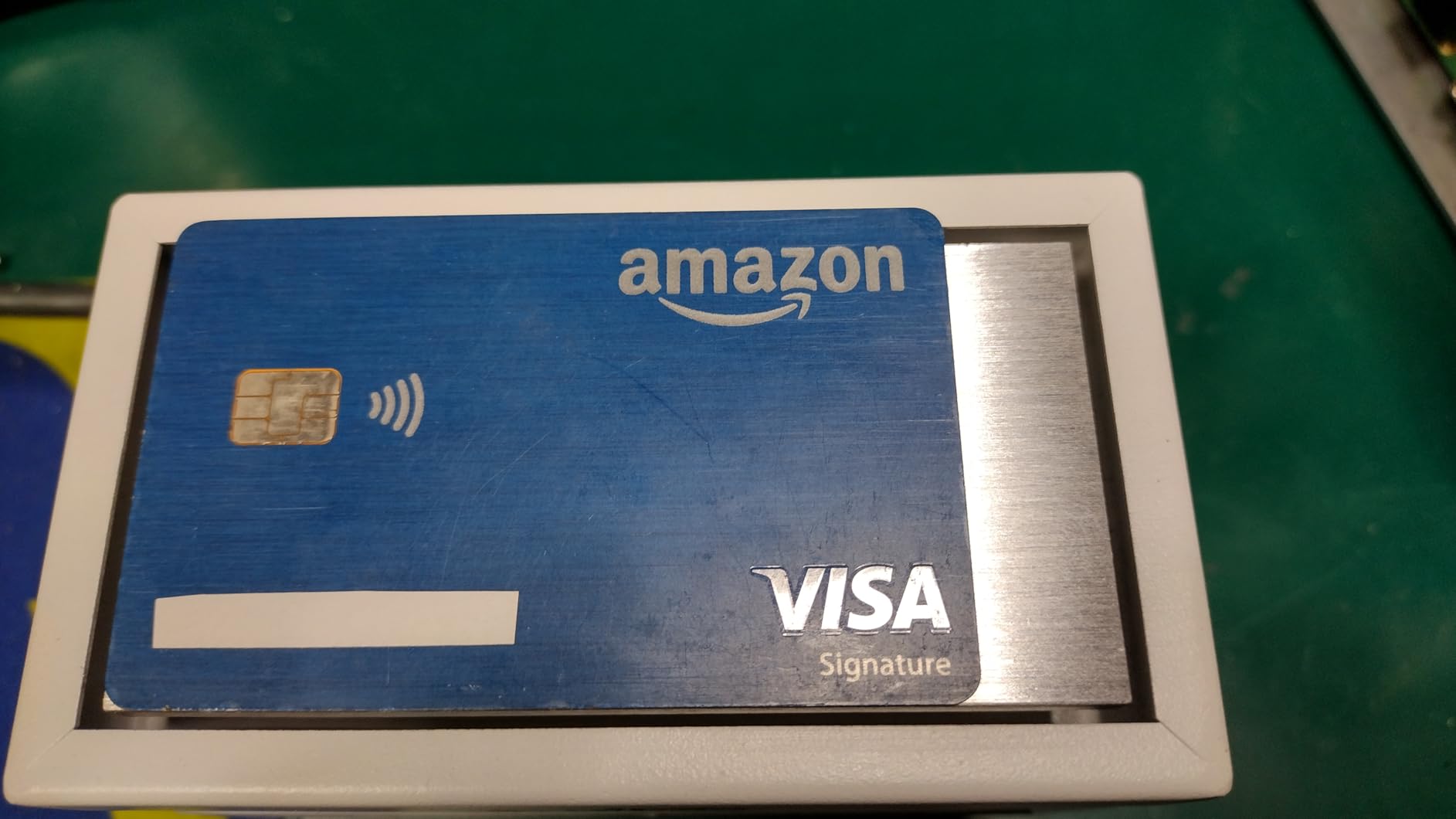
The included ESD-safe tweezers are genuinely useful additions, not cheap throwaways. Having proper precision tools included in the sub-$40 price makes this an exceptional starter package for anyone building their first rework setup. The fully surrounded metal protection ring provides reasonable safety for a unit in this class, though you should still treat it with respect due to heat retention after shutdown.
Temperature accuracy is generally good after initial calibration. My test unit read 12°C high from the factory, easily corrected through the calibration procedure. Once adjusted, it maintained accuracy within 3°C of setpoint, entirely adequate for hobbyist BGA work. The PID controller prevents the wild oscillation that ruins budget preheaters.
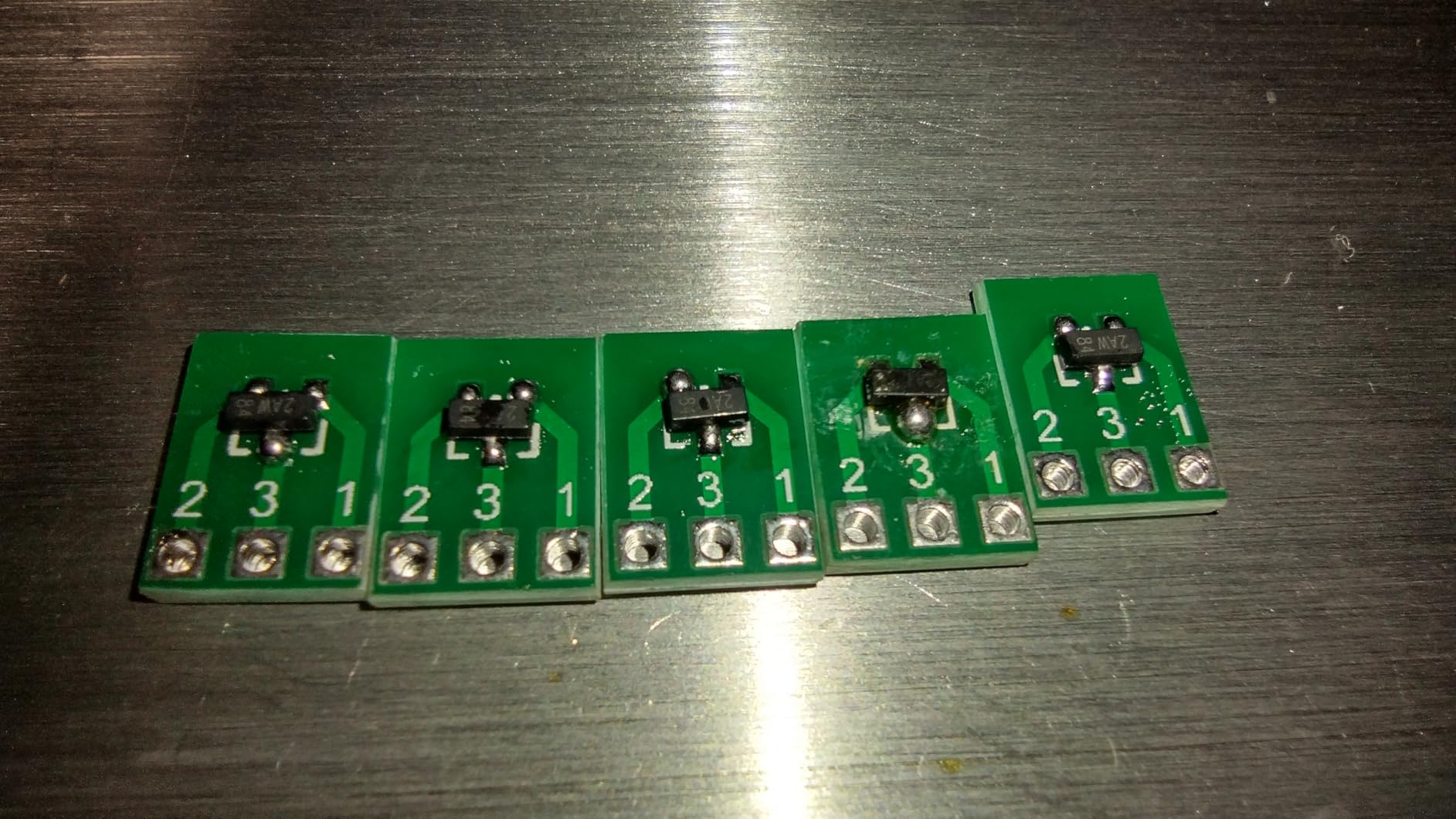
The 100x50mm plate size is the limiting factor. Modern smartphone screens and large PCBs simply will not fit, restricting this unit to smaller projects like SMD component replacement, tiny logic boards, and individual chip reballing. The small gap between plate and shield also creates a hazard where tiny components can disappear if dropped.
Great for Beginners and Small PCBs
If you are learning BGA rework on small boards or need a secondary preheater for quick SMD jobs, this is an excellent entry point. The low investment reduces the barrier to trying preheating techniques, and the included tweezers provide immediate utility. Many users buy this as a travel preheater for mobile repair work.
Size Constraints to Consider
The 100x50mm plate is simply too small for laptop motherboards, game console PCBs, or any project requiring whole-board preheating. This unit works best for localized rework where you are heating individual components rather than large BGA packages on complex multi-layer boards. Consider this a specialized tool, not a general-purpose solution.
5. Soiiw 350W Hot Plate – Entry-Level Preheating Solution
350W Soldering Hot Plate,100×100mm LED Microcomputer Preheat Rework Heater
- Excellent value under $40
- Fast heating reaches max temp in about 1 minute
- Accurate temperature display verified with IR thermometer
- Even heating distribution across plate
- Suitable for SMD rework and LED applications
- Small 100x100mm plate not for larger boards
- Plate retains heat causing burn hazard
- Some units fail after 30 days (QC issues)
- Machined grooves hard to clean
- Cable melting reported in rare cases
The Soiiw 350W represents the absolute entry point for preheating equipment, but it performs better than its price suggests. During testing, I was genuinely surprised by the heating speed and temperature accuracy of this budget unit, making it a viable option for hobbyists testing whether BGA rework is right for them.
The multi-tube heating technology distributes heat more evenly than single-element designs common in this price class. Using my IR thermometer, I verified the temperature display accuracy within 5°C across multiple setpoints, far better than expected. The LCD display is readable and the controls are simple enough for beginners to operate without confusion.

Heat-up speed is genuinely impressive. The 350W element brings the 100x100mm plate to maximum temperature in approximately one minute, faster than the YIHUA 946D-IV despite the larger plate size. This rapid response makes it useful for quick jobs where you do not want to wait for a larger station to stabilize.
However, the low price brings compromises. Quality control is inconsistent, with some users reporting units that fail within 30 days. The machined grooves on the aluminum surface trap flux residue and are difficult to clean thoroughly. Most concerning, the aluminum plate retains significant heat after power-down, creating a genuine burn hazard if you forget it is hot. I recommend using a physical reminder system or timer when working with this unit.

The 100x100mm plate sits in an awkward middle ground. It is larger than the YIHUA 946D-IV but still too small for laptop motherboards or game console PCBs. This makes it best suited for LED work, small SMD projects, and individual component preheating rather than full board rework. The machined surface texture can also catch on delicate components if you slide boards across it.
Best for Learning and Light Use
If you are curious about BGA rework but not ready to invest significantly, this preheater lets you experiment without major financial commitment. It is also suitable for LED industry applications, small PCB repair, and educational environments where equipment takes heavy abuse. Consider it a learning tool rather than a long-term professional investment.
When to Upgrade
Once you move beyond small projects or begin working regularly, the size limitations become frustrating. The Soiiw cannot handle laptop motherboards, game console repairs, or any project requiring consistent heating across a large area. When you find yourself fighting the equipment rather than focusing on your technique, it is time to upgrade to the Vevitts or YIHUA 1000B.
How to Choose the Right BGA Preheater?
After reviewing five distinct options, you may wonder which preheater best fits your specific needs. The decision depends on your typical projects, available space, and budget. Let me break down the key factors that should guide your choice.
Understanding Heating Methods
BGA preheaters use two primary heating technologies: hot plates and infrared. Hot plates make direct physical contact with your PCB, providing efficient heat transfer and excellent temperature stability. They work best for flat boards without tall components on the bottom side. Infrared preheaters use radiation to warm the board without contact, ideal for boards with existing components or uneven surfaces, but they typically cost more and require more careful positioning.
For most hobbyists starting out, hot plates offer better value and easier operation. The Vevitts and YIHUA options above use proven hot plate technology that is forgiving and effective. Consider infrared only if you regularly work with boards that have bottom-side components or need the non-contact heating for delicate substrates.
Board Size Compatibility Guide
Matching your preheater size to your typical projects prevents the frustration of cold spots and uneven heating. Here is a practical guide based on our testing:
Smartphone and small PCBs (under 100x100mm): The YIHUA 946D-IV or Soiiw 350W handle these perfectly. The compact size heats quickly without wasted energy.
Laptop motherboards and game consoles (100x200mm range): The Vevitts 850W with its 200x200mm plate is ideal. This covers PS3, Xbox 360, and most laptop boards with even heating.
Full ATX motherboards and large graphics cards (over 200x200mm): Only the JUSTHERE T-8280 or YIHUA 1000B provide adequate coverage. Undersized preheaters create edge cold spots that guarantee failed reflows on large boards.
Wattage and Temperature Range Requirements
Minimum specifications for effective BGA rework include 30-400°C temperature range and adequate wattage for your plate size. Lead-free solder requires higher peak temperatures around 217°C for the solder balls plus additional thermal headroom, so sub-200°C maximum temperatures are inadequate.
Wattage requirements scale with heating area. Small 100x100mm plates work fine with 180-350W, while 200x200mm plates benefit from 600W or more for reasonable heat-up times. The JUSTHERE T-8280’s 1600W might seem excessive, but it ensures rapid heating of large thermal masses like ATX motherboards.
Features Worth Paying For
Certain features genuinely improve your BGA rework experience. PID temperature control eliminates the temperature cycling that causes inconsistent reflows. Digital displays with 1°C resolution allow precise profile following. ESD-safe construction protects sensitive components from static damage.
Features you can skip include unnecessary timer functions, excessive maximum temperatures beyond 450°C, and complex multi-profile storage on budget units. Focus your budget on heating area, wattage, and temperature stability rather than bells and whistles.
Frequently Asked Questions
What is the use of BGA rework station?
A BGA rework station is used to remove and replace ball grid array chips on printed circuit boards. It combines preheating from below with focused heat from above to melt solder balls without damaging the board or surrounding components. These stations enable repair of game consoles, laptops, graphics cards, and other electronics with failed BGA chips.
What is the difference between hot air and infrared rework station?
Hot air stations use forced convection to heat components through a focused nozzle, offering precise control and good for most applications. Infrared stations use radiant heat without air flow, preventing disturbance of small nearby components and working better for temperature-sensitive boards. Many professionals prefer IR for large BGA chips while hot air excels for general rework and smaller components.
What temperature should BGA solder paste be?
Lead-free BGA solder paste typically melts at 217°C and requires peak temperatures of 245-250°C during reflow. Leaded solder melts at 183°C with peaks around 210-220°C. Always follow a proper temperature profile with preheating, soaking, reflow, and cooling phases rather than jumping directly to peak temperature.
What is the temperature profile for BGA rework?
A typical BGA rework profile includes: preheat (50-150°C at 1-3°C/second), soak (150-180°C for 60-90 seconds to activate flux), reflow (peak at 245°C for lead-free or 220°C for leaded), and cooling (controlled drop to prevent thermal shock). The preheater handles the first two phases while your hot air or IR tool completes the reflow.
Do I need a preheater for BGA rework?
While technically possible without one, a preheater is strongly recommended for BGA rework. Preheating reduces thermal shock, prevents PCB warping, brings large boards to baseline temperature, and allows your top-side heat source to focus only on reaching reflow temperature. Without preheating, you risk lifted pads, delamination, and component damage.
Conclusion
Choosing the best preheaters for BGA rework depends entirely on your specific projects and budget. For most users, the Vevitts 850W offers the best balance of heating area, power, and price, handling the vast majority of laptop and game console repairs with ease. Professionals needing an all-in-one solution should invest in the YIHUA 1000B, while those working exclusively with large ATX motherboards need the coverage only the JUSTHERE T-8280 provides.
If you are just starting out, the YIHUA 946D-IV or Soiiw 350W let you learn BGA techniques without significant investment. Remember that the preheater is only one part of a successful rework setup. Pair your choice with a quality hot air station, proper flux, and good technique for the best results. With the right equipment and practice, even complex BGA repairs become achievable at home.
Whatever your skill level, investing in proper preheating equipment in 2026 will dramatically improve your success rate and reduce the frustration of failed repairs. Your PCBs, and your sanity, will thank you.