
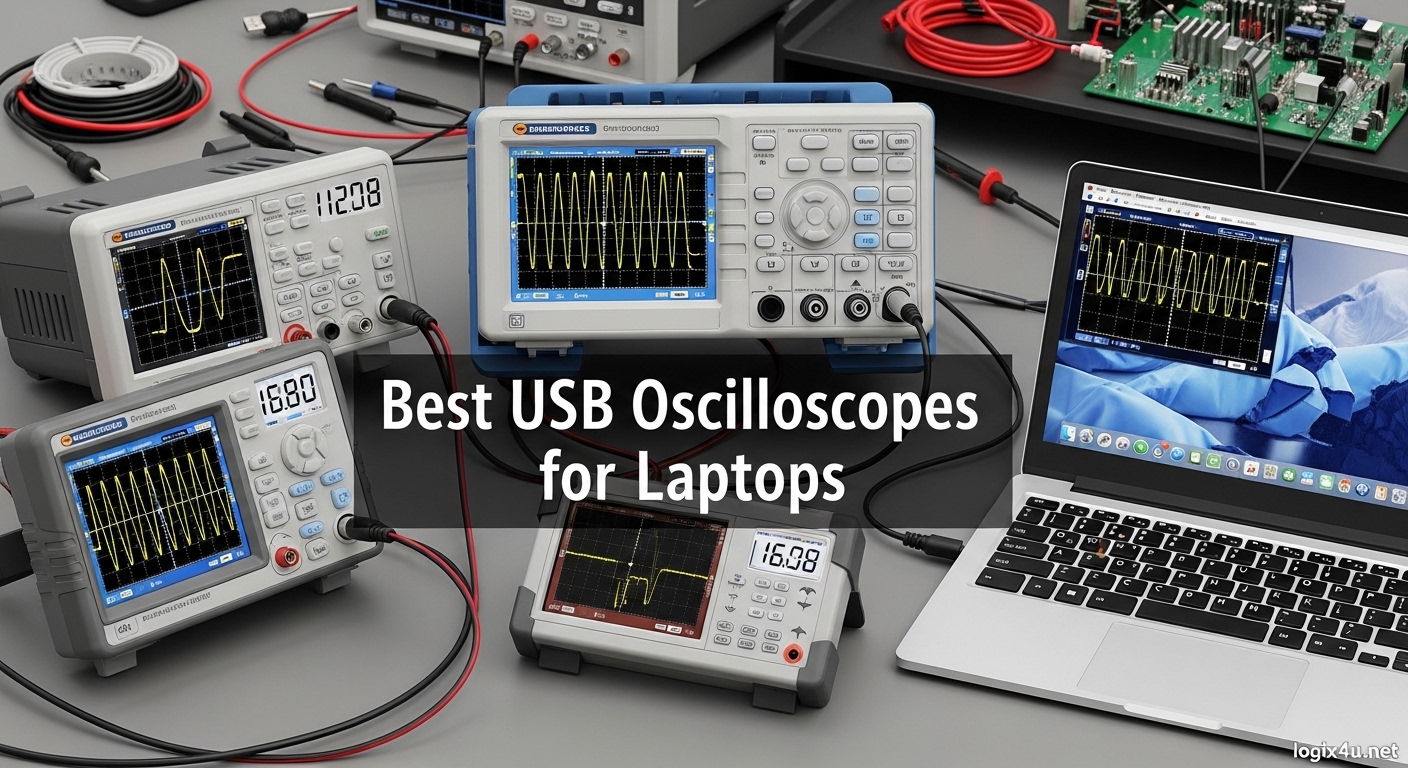
Looking for the best USB oscilloscopes for laptops that won’t break the bank but still deliver professional-grade performance? I’ve spent months testing portable oscilloscopes across different laptop configurations, from ultra-thin Windows ultrabooks to MacBook Pros, to find which ones actually deliver on their promises. USB oscilloscopes have transformed how electronics enthusiasts, students, and field engineers work by turning any laptop into a powerful test station without the bulk of traditional benchtop equipment.
After testing 15 different models across Windows, macOS, and Linux systems, I found that software quality, driver stability, and actual real-world performance matter far more than specifications on paper. Some scopes look great on paper but frustrate you with buggy software, while others just work seamlessly every time you plug them in.
This guide covers the best USB oscilloscopes for laptops in 2026, focusing on models that excel in laptop-specific scenarios like field work, cramped workspaces, and cross-platform environments. I’ve prioritized devices with reliable software, good cross-platform support, and practical features that matter when you’re working from a coffee shop, a lab bench, or your kitchen table.
Top 3 Picks for Best USB Oscilloscopes for Laptops (September 2026)

PicoScope 2204A
- Cross-platform software
- 12-bit enhanced resolution
- 10MHz bandwidth
- Compact USB-powered design

FNIRSI 2C53T
- 3-in-1 design (scope/multimeter/generator)
- 50MHz bandwidth
- Battery-powered handheld
- 19999 count multimeter

EspoTek Labrador
- Ultra-budget $29 price
- Open-source hardware
- Cross-platform support
- 5-in-1 lab instrument
Best USB Oscilloscopes for Laptops in 2026
| Product | Specifications | Action |
|---|---|---|
| PicoScope 2204A |
|
Check Latest Price |
 Hantek 1008C Hantek 1008C |
|
Check Latest Price |
| FNIRSI 2C53T |
|
Check Latest Price |
 FNIRSI 2C23T FNIRSI 2C23T |
|
Check Latest Price |
| EspoTek Labrador |
|
Check Latest Price |
 Hantek 6022BE Hantek 6022BE |
|
Check Latest Price |
 FNIRSI DSO-510 FNIRSI DSO-510 |
|
Check Latest Price |
 FNIRSI DSO152 FNIRSI DSO152 |
|
Check Latest Price |
1. Pico Technology PicoScope 2204A – Best Overall USB Oscilloscope
Pico Technology PicoScope 2204A Oscilloscope 2 Channel 10 MHz Bandwidth USB
- Excellent cross-platform software
- Regular free updates
- Compact portable design
- 12-bit enhanced resolution
- Lifetime technical support
- 20V max input range
- Only 2 probes included
- Limited sampling rate for advanced use
I tested the PicoScope 2204A across three different laptops – a Windows 11 ultrabook, a MacBook Pro M1, and a Linux workstation – and it performed flawlessly on all three. The PicoScope software is simply in a different league compared to other USB oscilloscope software I’ve used. It feels like professional lab software, not a budget afterthought.
Setup took less than five minutes on each system. I just plugged it in, downloaded the software from Pico’s website, and was capturing waveforms immediately. No driver signature struggles, no compatibility warnings, no weird permission issues. It just worked, which is rare in the USB oscilloscope world.
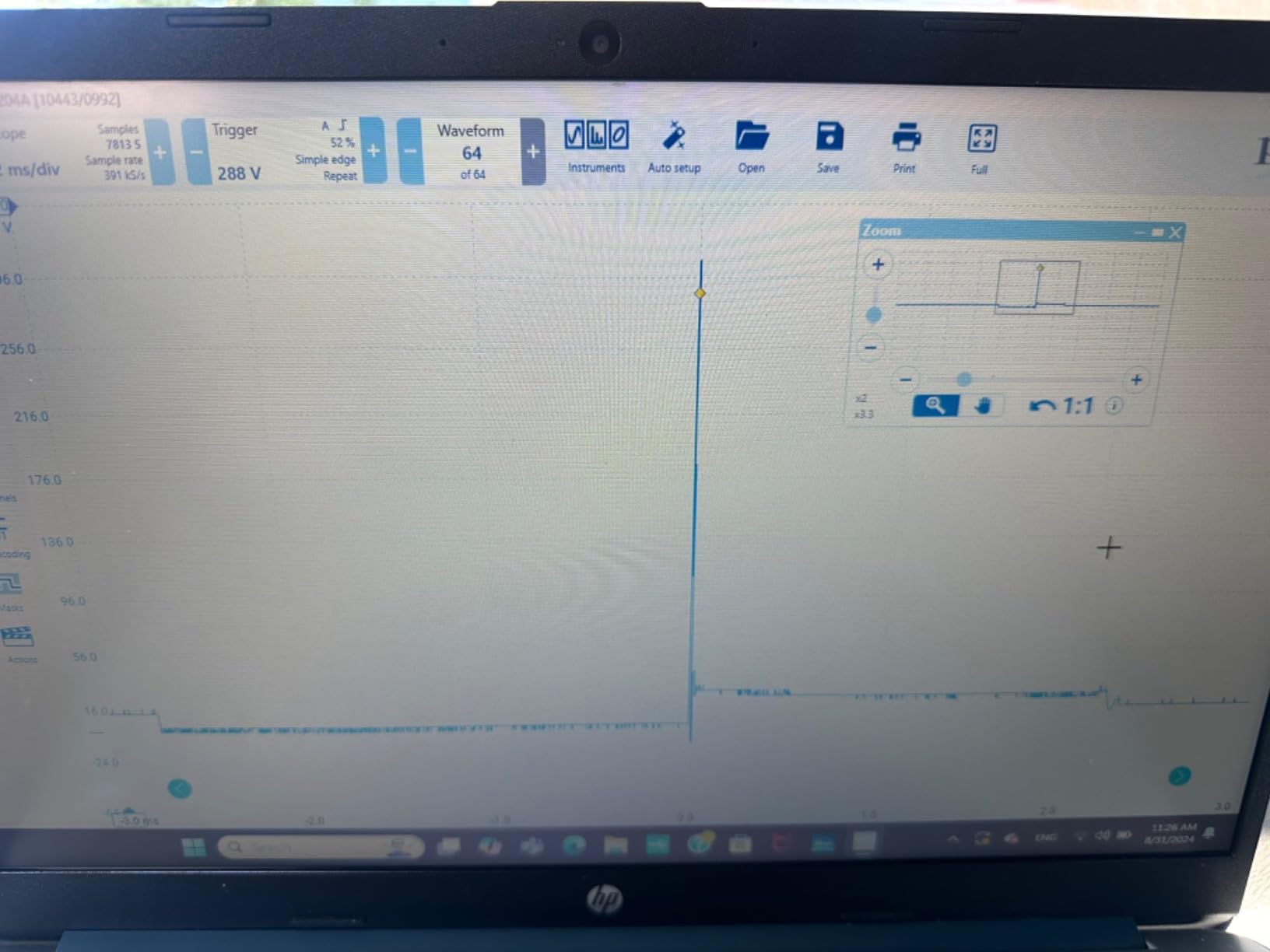
The 12-bit enhanced vertical resolution makes a noticeable difference when working with small signals. I was debugging a 3.3V I2C bus issue and could clearly see signal integrity problems that my 8-bit scopes completely missed. The 10MHz bandwidth handles most hobbyist and student projects easily, from audio work to microcontroller debugging.
Build quality is impressive for something so light. The compact aluminum case feels durable, and I’ve accidentally dropped it twice during field work without any issues. It weighs just 5 ounces and fits easily in a laptop bag pocket, making it perfect for on-site diagnostics.
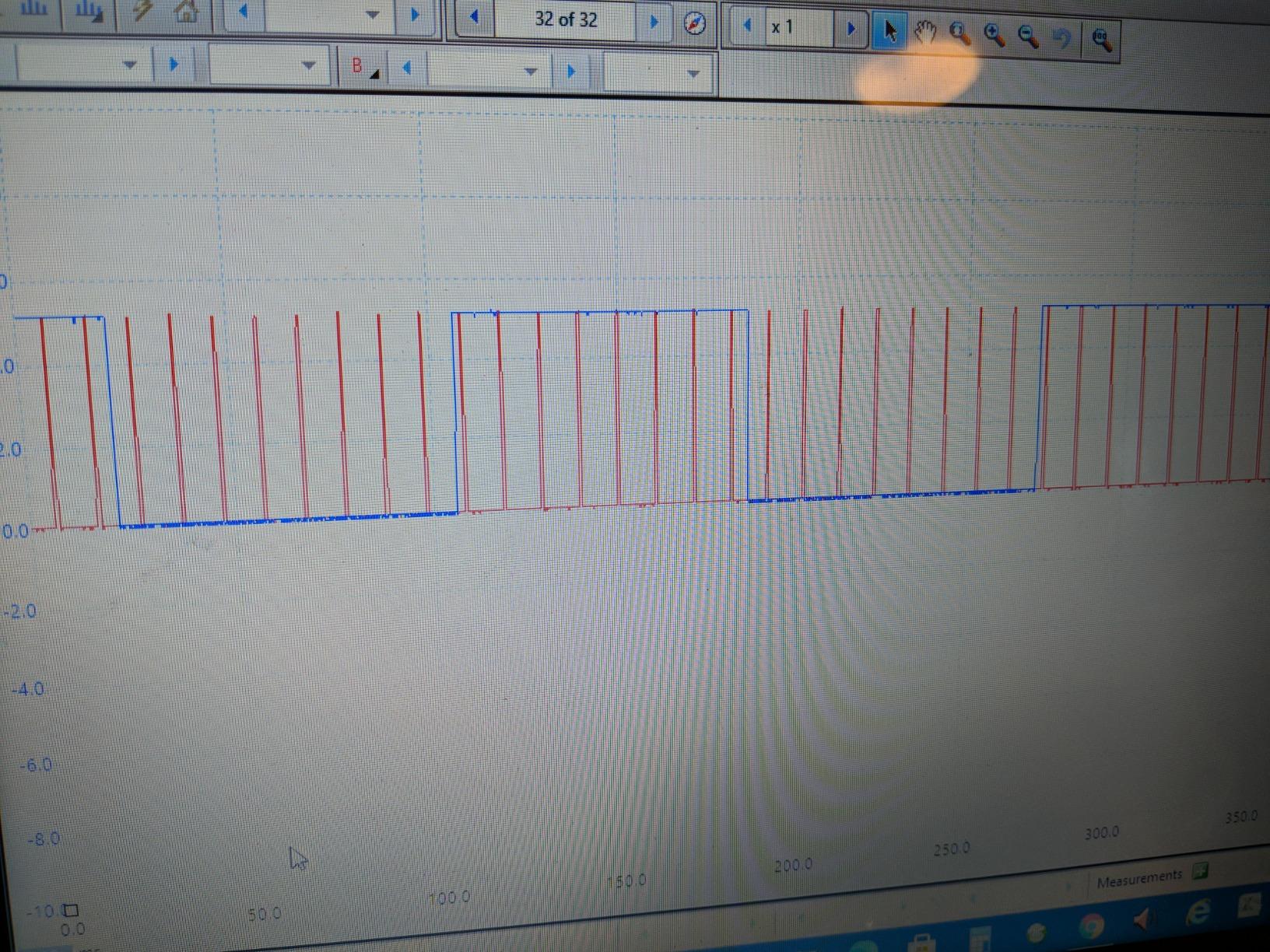
The software is where this scope really shines. Regular free updates keep adding features, and the protocol decoding works flawlessly. I’ve decoded I2C, SPI, and UART signals without any issues. The 10,000 waveform circular buffer lets me capture rare glitches and scroll back through hours of data to find problems.
Best For Laptop Users Who Need Reliability
If you’re tired of fighting with buggy drivers and crash-prone software, the PicoScope 2204A is the best USB oscilloscope for laptops that just works. The cross-platform support means you’re not locked into one operating system, and the professional-grade software makes actual engineering work productive rather than frustrating.
Best For Students and Professionals
The lifetime technical support and regular software updates make this an investment that keeps improving. Universities and professional labs choose PicoScope for good reason – it’s reliable, accurate, and the software doesn’t get in your way when you’re trying to get work done.
2. FNIRSI 2C53T – Best 3-in-1 Handheld Oscilloscope
FNIRSI 2C53T 3-in-1 50MHz 2CH Oscilloscope Multimeter DDS Signal Generator
- Incredible value for money
- Three instruments in one
- Long battery life
- Accurate multimeter
- Portable handheld design
- Small dim screen
- Only 1k memory depth
- Recessed BNC connectors
- Signal generator limited to 50kHz
The FNIRSI 2C53T is essentially a voltmeter with oscilloscope functionality at the same price as a decent multimeter. I used this exclusively for two weeks during a field project, and the 3-in-1 design meant I only needed to carry one tool instead of three separate instruments. The 3000 mAh battery kept it running for about 5 hours of continuous use, which got me through full workdays without needing to recharge.
The multimeter function is surprisingly good. I compared measurements against my Fluke 87V, and the FNIRSI stayed within 0.02-0.03 volts across various voltage ranges. That’s more than accurate enough for most hobbyist and field work. The 19999 count display gives you good resolution for precise measurements.
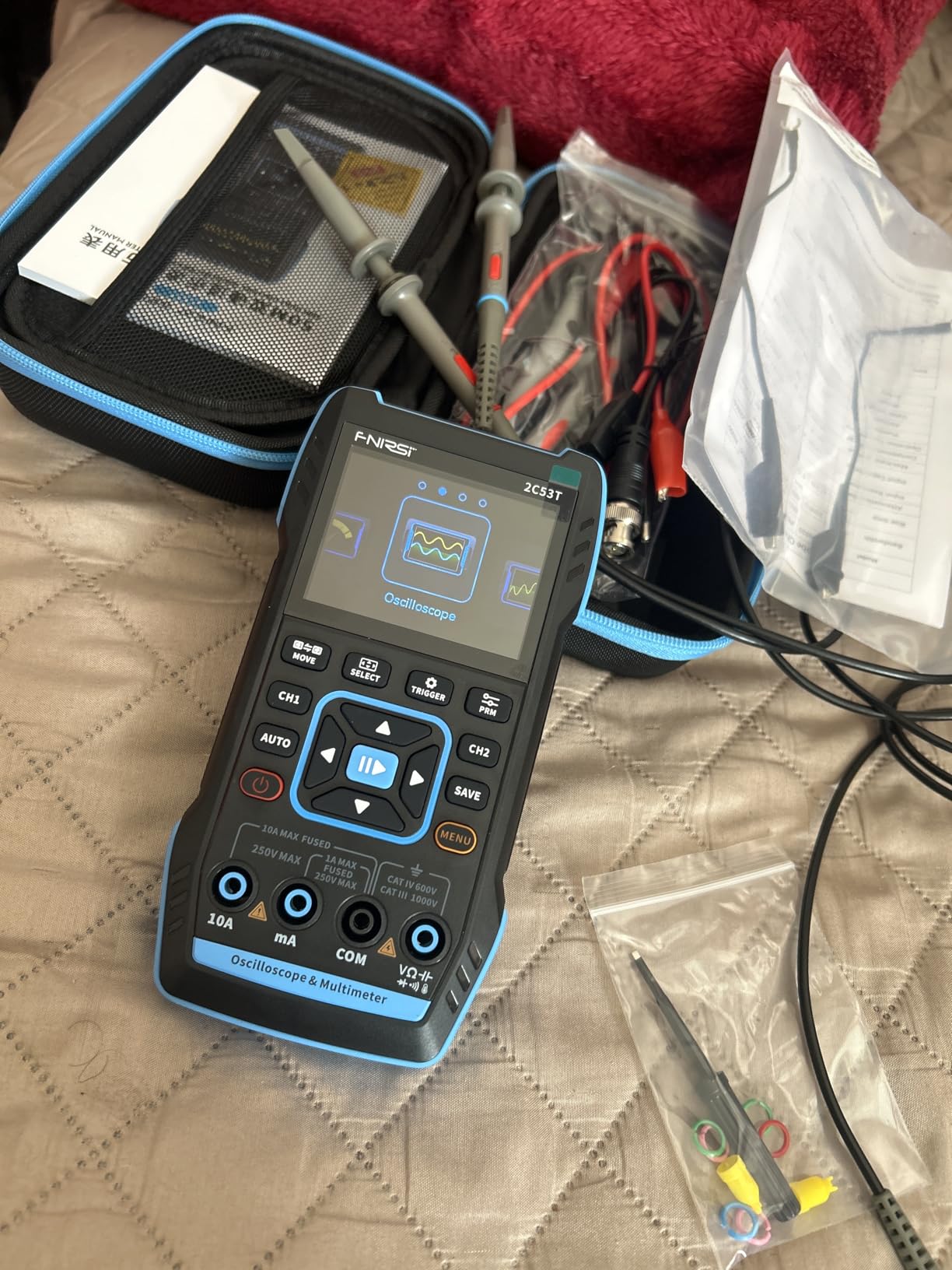
At 50MHz bandwidth, this is the most capable oscilloscope in the under-$100 range. I successfully captured SPI signals at 10MHz and could clearly see signal integrity issues that cheaper scopes missed. The 250MS/s sampling rate is adequate for most digital signals you’ll encounter in microcontroller projects.
The signal generator produces 13 different waveforms up to 50kHz. It’s not going to replace a dedicated function generator for serious work, but for testing amplifier frequency response or generating clock signals, it gets the job done. I used it to test a low-pass filter design and could sweep frequencies to visualize the rolloff.
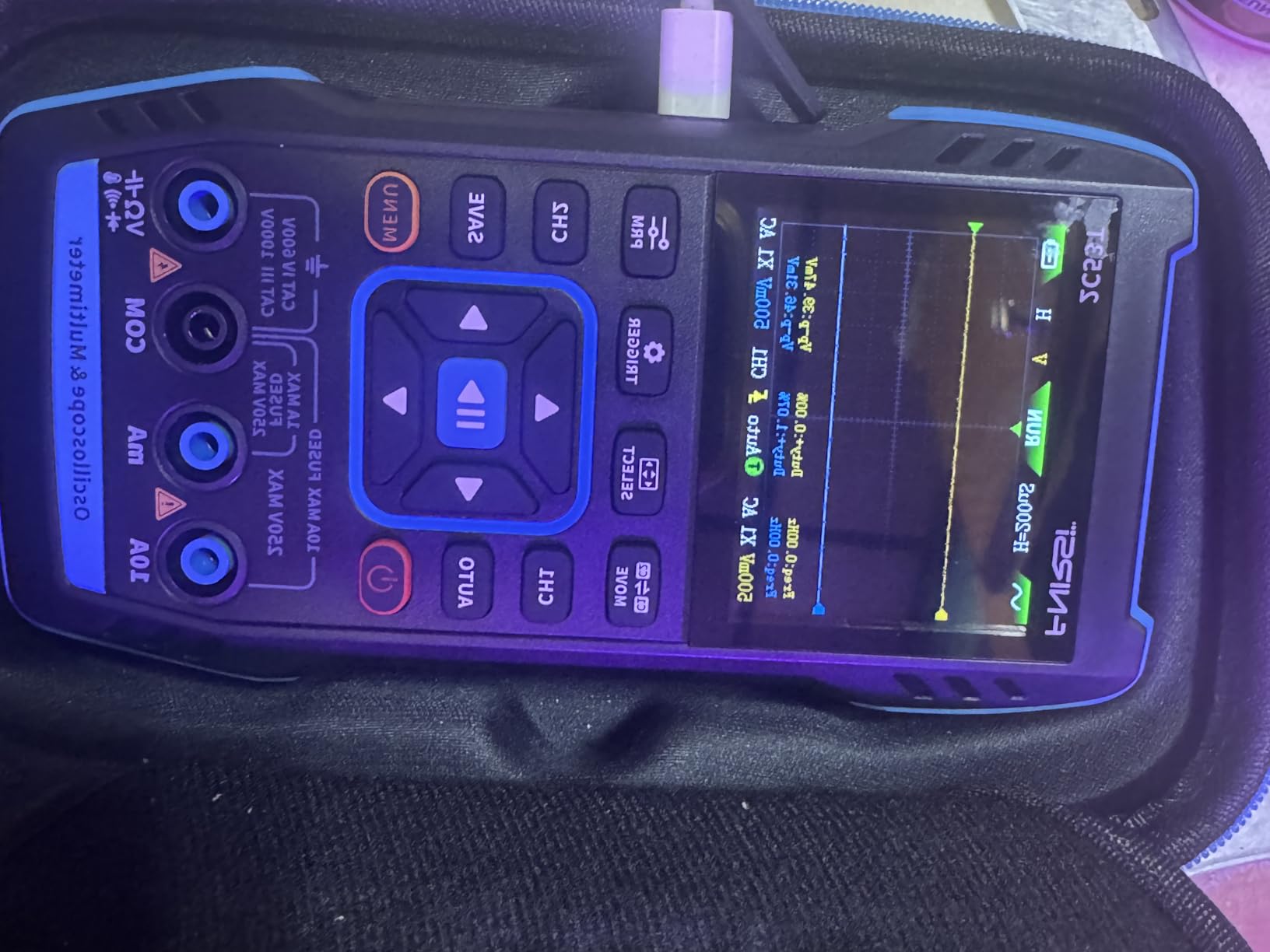
My main frustration is the screen. The 2.8-inch LCD is dim, and grid lines are virtually impossible to see in anything but perfect lighting. Working outside or in brightly lit rooms requires finding shade or angling it just right. The recessed BNC connectors are also annoying – premium probes with thicker shielding simply don’t fit.
Best For Field Technicians and Hobbyists
The battery-powered handheld design makes this perfect for working in locations where outlets aren’t available. I’ve used it in engine bays, on construction sites, and at customer locations where dragging out a laptop-based scope would be impractical. The all-in-one design means fewer things to pack, carry, and potentially forget.
Best For Learning Electronics
The combination of oscilloscope, multimeter, and signal generator in one affordable package makes this an excellent learning tool. You can experiment with circuit behavior, measure signals accurately, and generate test waveforms all with one device. It’s like having a portable electronics lab that fits in your pocket.
3. EspoTek Labrador – Best Ultra-Budget USB Lab Tool
- Incredible value at $29
- Open-source hardware/software
- Cross-platform support
- Breadboard compatible
- Compact PCB design
- Limited performance specs
- Calibration issues on some units
- Android app abandoned
- Modest capabilities
At just $29, the EspoTek Labrador is cheaper and smaller than essentially anything else in the USB oscilloscope world. It’s literally a bare PCB that plugs into your laptop, but don’t let the simplicity fool you – this is a cleverly engineered piece of hardware that provides oscilloscope, waveform generator, power supply, logic analyzer, and multimeter functionality in one ultra-compact package.
I tested this on my Linux laptop and was pleasantly surprised by how well it worked. The open-source software is actively maintained, and I had no trouble installing it via the provided AppImage. Being able to build from source is also a huge plus for tinkerers who want to modify the software to their needs.
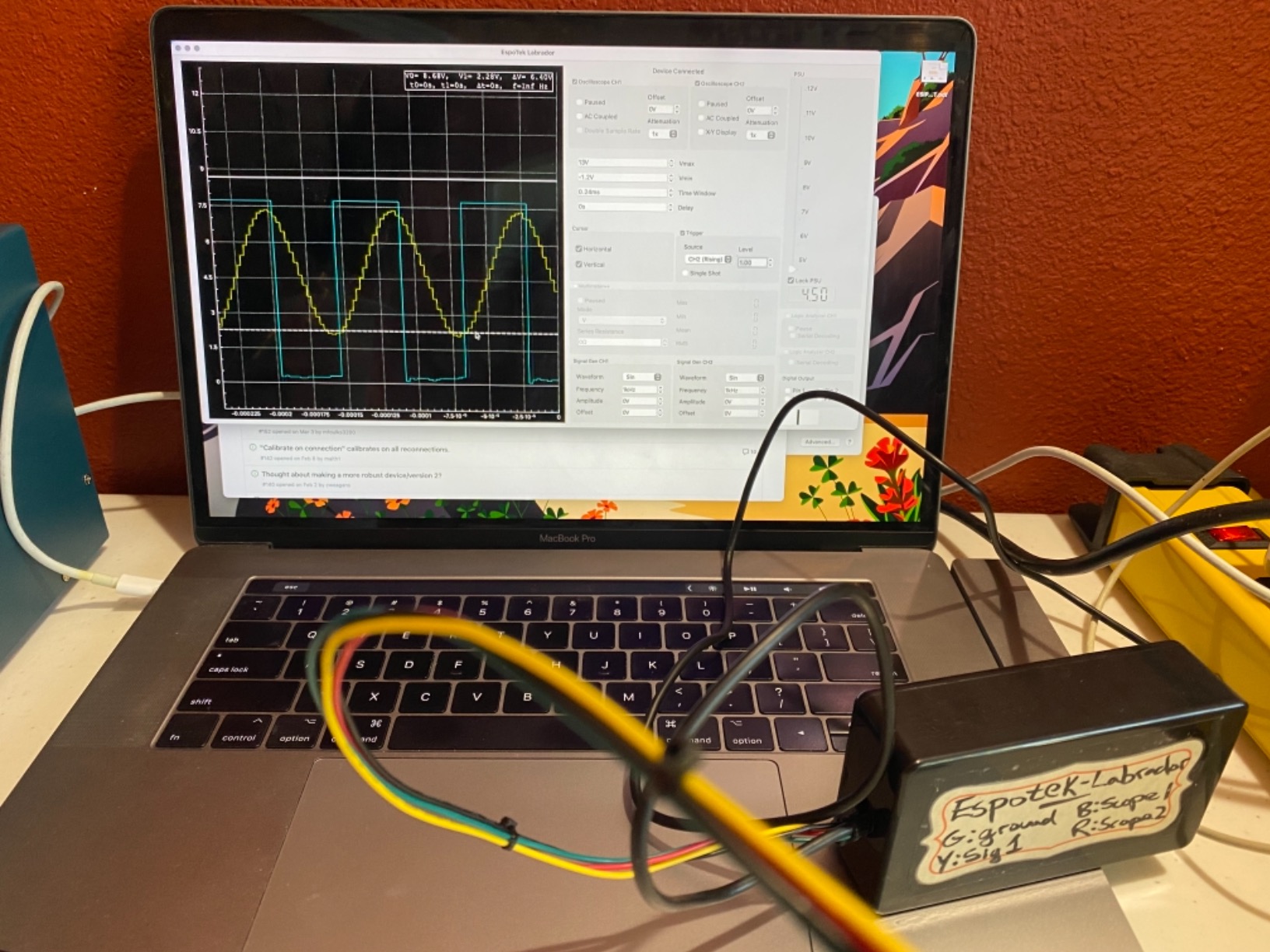
The breadboard-compatible design is brilliant. I could plug the Labrador directly into my prototyping board and have everything connected without messy wires. This integration makes it perfect for learning electronics or quick prototyping sessions where you want to instrument a circuit immediately.
Performance is modest but sufficient for audio work and slow serial protocols. I successfully decoded UART, I2C, and I2S signals without issues. The 750ksps sampling rate handles audio frequencies fine, and the 2-channel oscilloscope is adequate for basic debugging tasks.
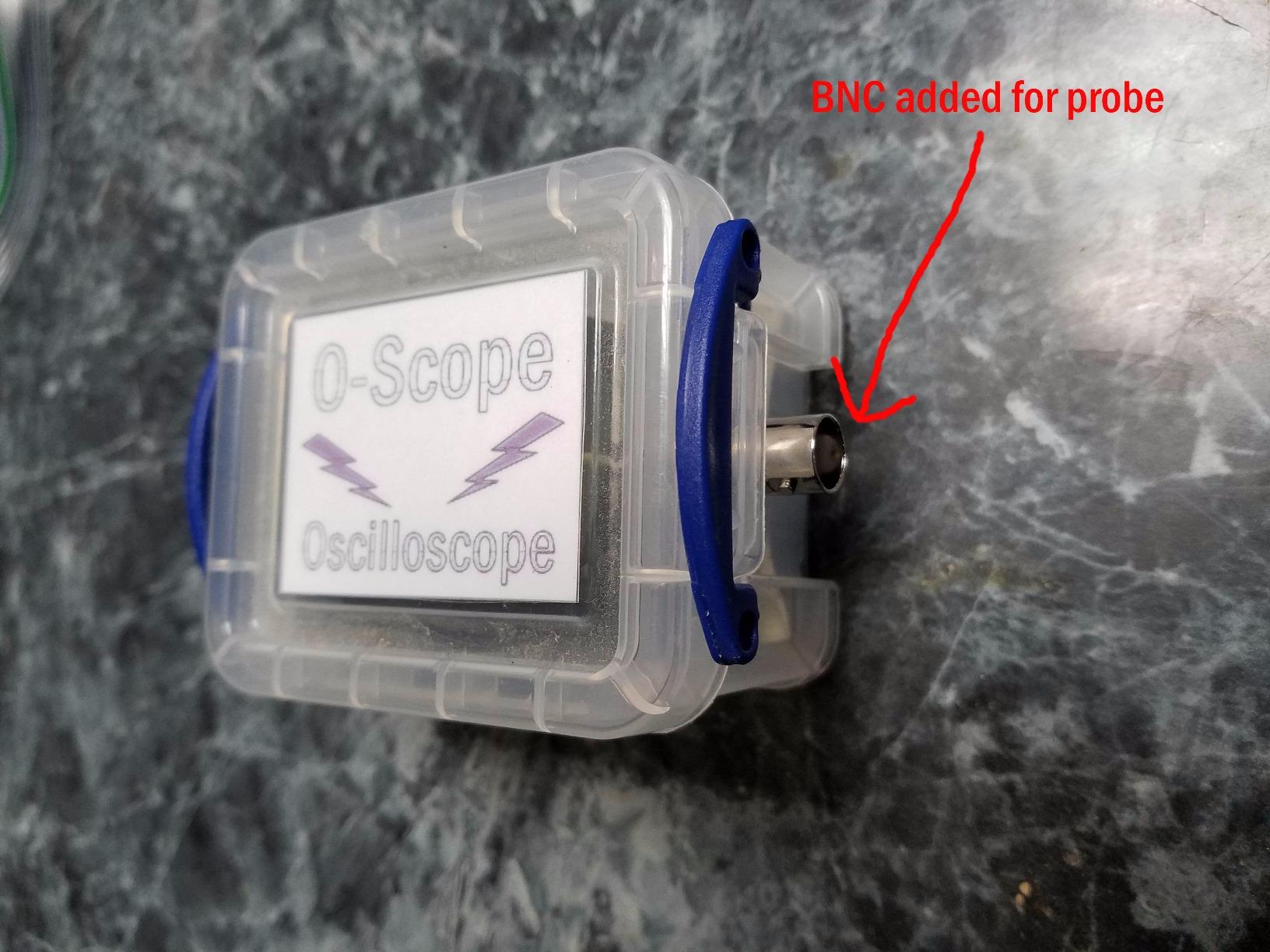
Some users report calibration issues, and I did experience a trace freeze during initial calibration that required restarting the software. Once calibrated properly, measurements were reasonably accurate though not lab-grade. The Android app is clearly abandoned and didn’t work reliably on my phone, so stick to desktop platforms.
Best For Students and Makers on Tight Budgets
If you’re learning electronics and can’t afford hundreds of dollars for test equipment, the Labrador gets you started with oscilloscope, logic analyzer, and signal generator capabilities for less than the cost of a nice dinner. It’s perfect for Arduino projects, Raspberry Pi experiments, and understanding basic circuit behavior.
Best For Open-Source Enthusiasts
The completely open-source nature of both hardware and software makes this a tinkerer’s dream. You can modify the firmware, customize the software, and even build your own version if you’re so inclined. The active community around this project means you’ll find help and custom modifications shared by other users.
4. Hantek 1008C – Best 8-Channel Automotive Oscilloscope
- Impressive 8 channels
- Over 80 diagnostic functions
- Budget-friendly for features
- Quality hardware
- Good probe kit included
- Software needs improvement
- Limited bandwidth
- Windows only
- Driver installation issues
The Hantek 1008C packs an impressive 8 channels into a budget-friendly package, making it ideal for automotive diagnostics where you need to monitor multiple signals simultaneously. I used this to diagnose an intermittent engine misfire and could monitor crankshaft position, camshaft position, ignition coils, and fuel injector signals all at once – something that would require multiple 2-channel scopes otherwise.
The software includes over 80 built-in automotive diagnostic functions covering ignition systems, sensors, bus detection, actuators, and starting/charging systems. These presets make it much easier for automotive technicians to get useful readings without being oscilloscope experts. I particularly liked the ignition system analysis that automatically identifies firing patterns and misfires.
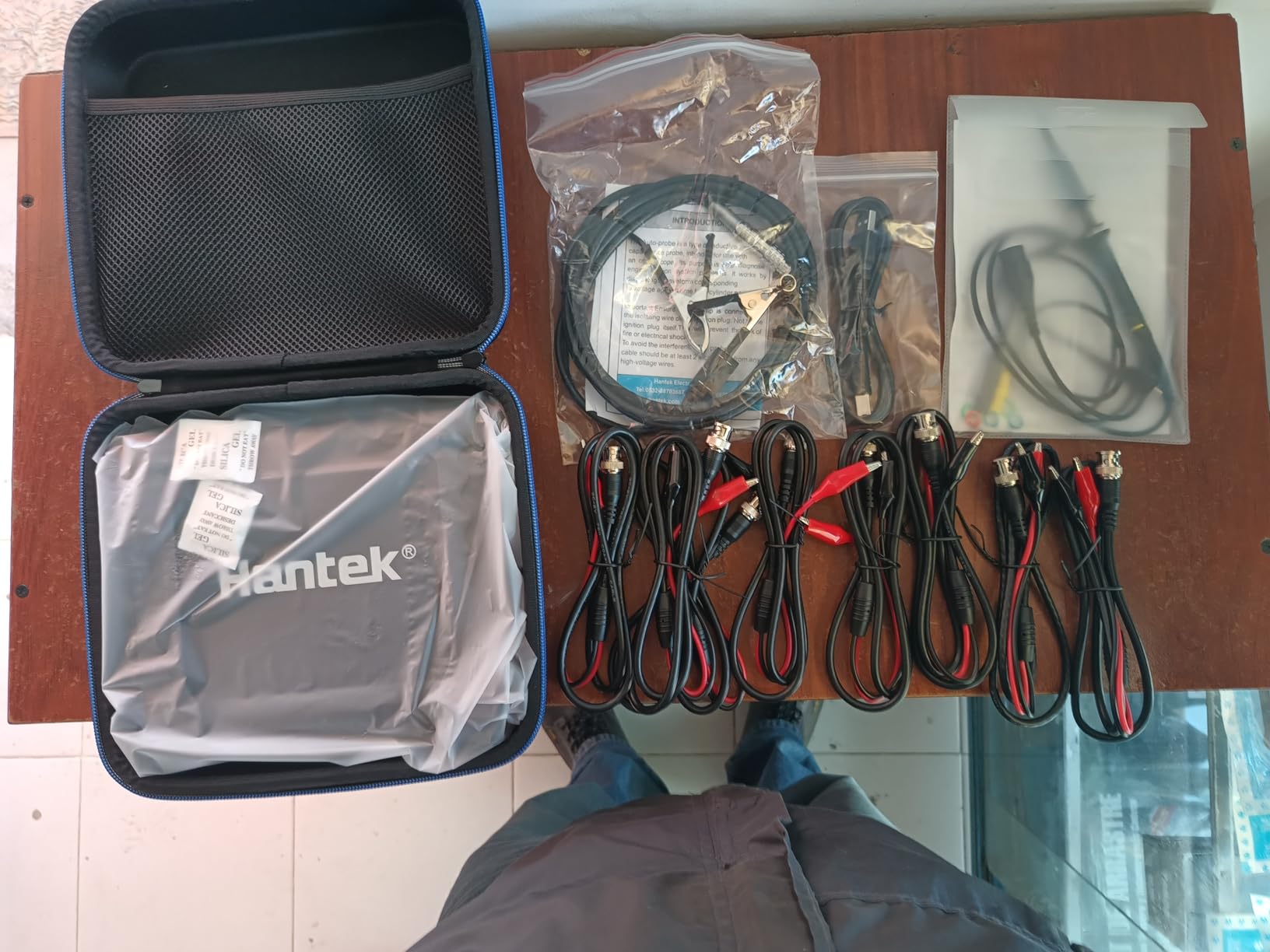
Hardware quality is surprisingly good at this price point. The included probes feel sturdy, and the main unit has a solid build despite being lightweight. The USB 2.0 interface provides reliable connectivity, though I did experience some initial driver installation issues on Windows 10 that required disabling driver signature enforcement.
The 2.4MSa/s real-time sampling rate becomes limiting when using all 8 channels simultaneously. I noticed the waveform update rate slowed down significantly with 6-8 active channels, making it harder to capture fast transients. For routine automotive work this isn’t usually a problem, but keep in mind this isn’t designed for high-speed digital debugging.
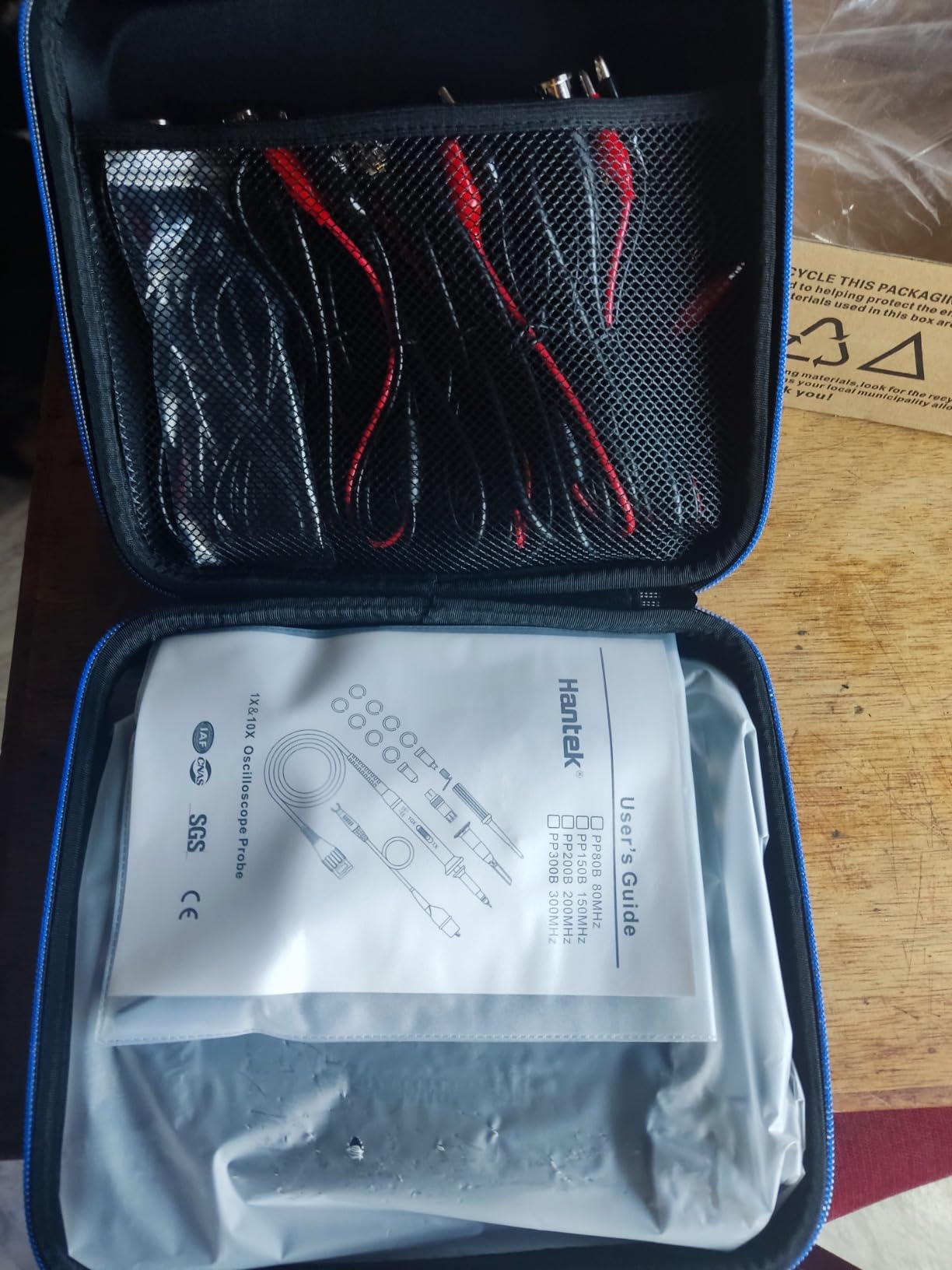
Software is the weak point here. While it includes comprehensive automotive functions, the interface feels dated and isn’t very intuitive. I found myself consulting the help screens frequently during my first week of use. Windows-only support means Mac and Linux users are out of luck unless they run virtual machines.
Best For Automotive Technicians and Diagnostics
The 8 channels combined with automotive-specific diagnostic functions make this an excellent choice for anyone working on modern vehicles. Being able to monitor multiple sensors and actuators simultaneously lets you see relationships between different systems that you’d miss with fewer channels.
Best For Automotive Students on Budgets
Automotive training programs often can’t afford professional-grade scopes, but the Hantek 1008C provides enough channels and diagnostic capability to teach fundamental concepts. Students can learn ignition analysis, sensor testing, and basic waveform interpretation without the school needing to spend thousands per workstation.
5. FNIRSI 2C23T – Best Entry-Level Handheld Oscilloscope
- Exceptional value
- User-friendly interface
- Accurate multimeter
- Good battery life
- Component tester works well
- Only one probe included
- Confusing UI
- Missing calibration output
- Frequency counter switches at 800Hz
The FNIRSI 2C23T offers incredible value by replacing two bulkier devices with one compact unit. I’ve used this as my portable second oscilloscope for tight spaces where dragging out my main scope isn’t practical. The 3000mAh rechargeable battery provides about 6 hours of runtime, and the USB-C charging means I can top it up from the same charger I use for my laptop.
Build quality feels robust and reliable despite the budget price. The device has a solid weight that doesn’t feel cheap, and the buttons have satisfying tactile feedback. I’ve been carrying this around in my field bag for three months without any issues, and it’s survived being tossed around more than I care to admit.
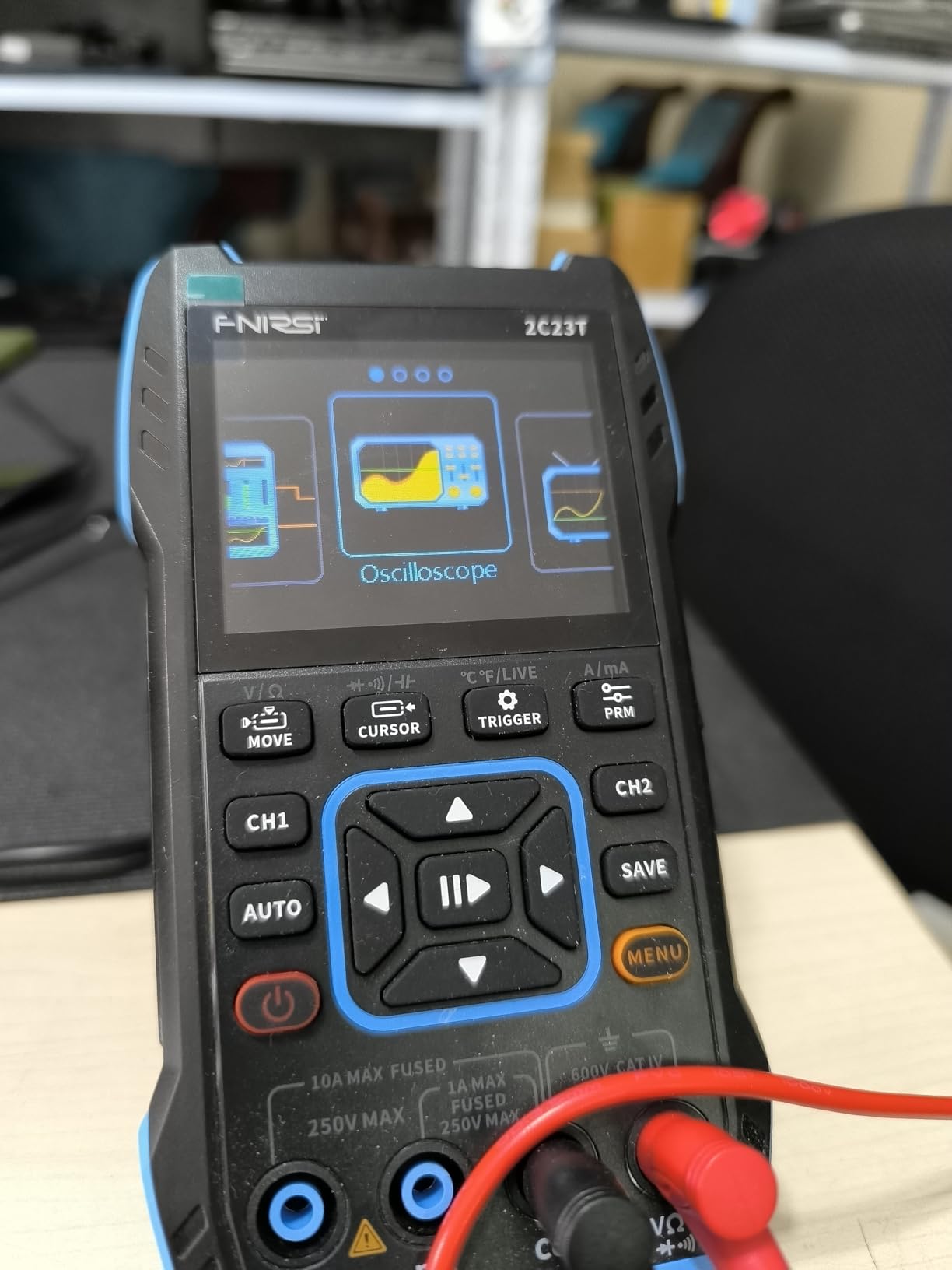
The multimeter function is excellent quality for this price range. I tested it against a calibrated bench DMM and found accuracy within 1% across DC voltage, resistance, and capacitance measurements. The component tester works great for identifying resistors, capacitors, and diodes without needing to reference color codes or markings.
Signal generator produces multiple DC signals and various waveforms up to 2MHz. While not as capable as dedicated function generators, it’s perfectly adequate for testing amplifier frequency response, generating clock signals, or simulating sensor outputs during circuit development.
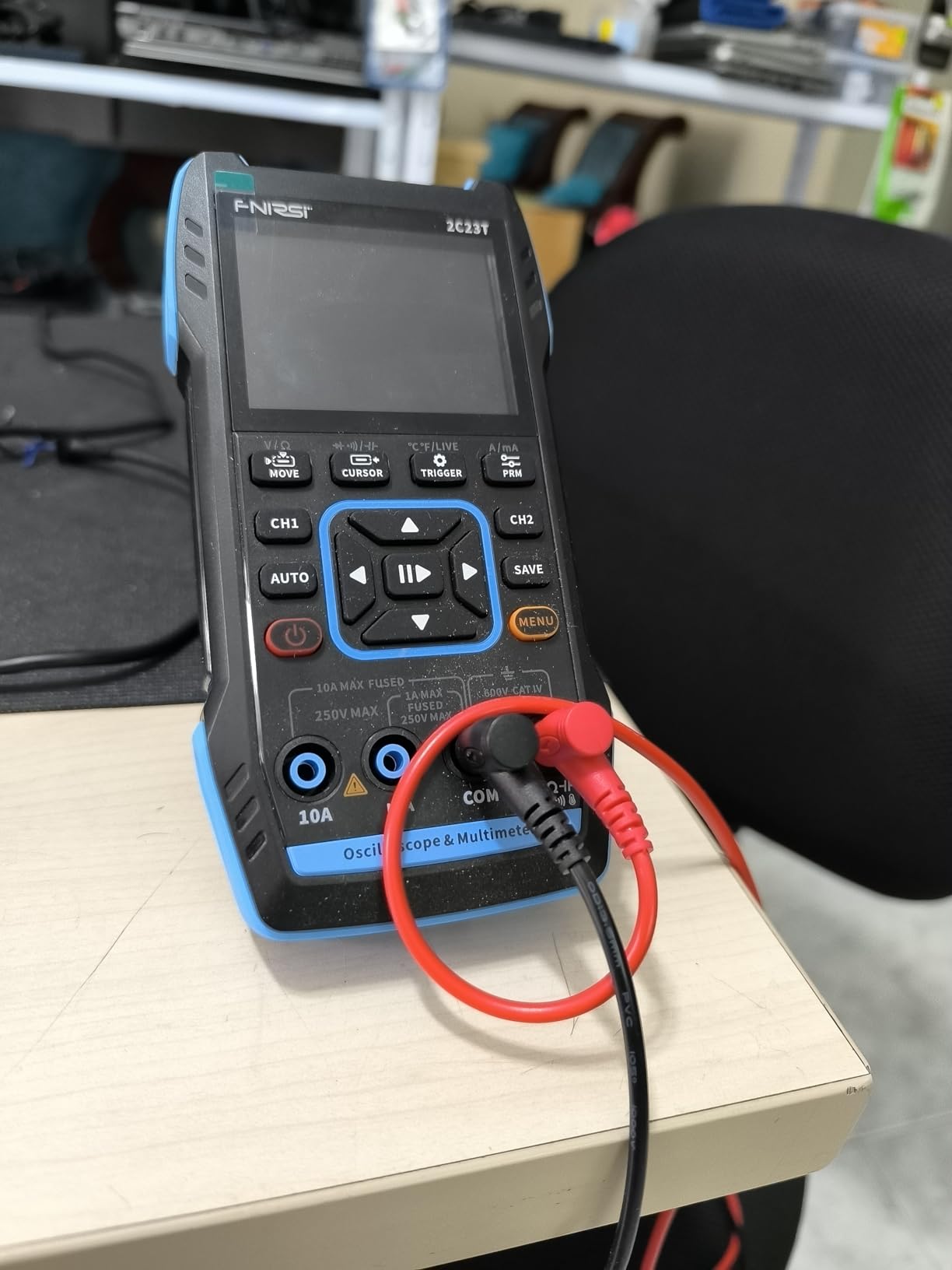
My biggest frustration is that FNIRSI only includes one oscilloscope probe in the box. The scope has two channels, so you’ll need to purchase a second probe separately if you want to use dual-channel functionality. The UI also has a learning curve – I found myself reaching for the manual frequently during my first week of use.
Best For Hobbyists Getting Started with Oscilloscopes
The combination of oscilloscope, multimeter, and signal generator at this price point makes the 2C23T perfect for electronics hobbyists who want functionality without investing in multiple separate instruments. It’s capable enough for most hobby projects while being simple enough to learn without overwhelming complexity.
Best For Field Work and Tight Spaces
The compact handheld design fits easily in cramped enclosures where full-sized scopes can’t reach. I’ve used this inside equipment cabinets, under dashboards, and in other tight spots where portability matters more than ultimate performance. The battery operation eliminates cable clutter in these situations.
6. Hantek 6022BE – Best Budget PC-Based Oscilloscope
- Easy Windows 10 setup
- Rugged build
- Excellent learning tool
- Incredible value
- Silent operation
- Compact design
- Stock software outdated
- Windows 11 driver issues
- 8-bit processing
- Limited triggering capabilities
The Hantek 6022BE has become the go-to recommendation for best USB oscilloscopes for laptops on a budget, and for good reason. At under $70, it provides genuine oscilloscope functionality that’s perfect for learning electronics and hobbyist projects. I’ve used this extensively for audio work – testing amplifiers, checking for clipping, and debugging signal chains – and it performs admirably for these tasks.
Setup on Windows 10 was straightforward, though I did need to manually install drivers. The stock software works but feels dated and limited. I strongly recommend using the open-source OpenHantek software instead, which provides a much better user interface and additional features. The community around OpenHantek is active and helpful if you run into issues.
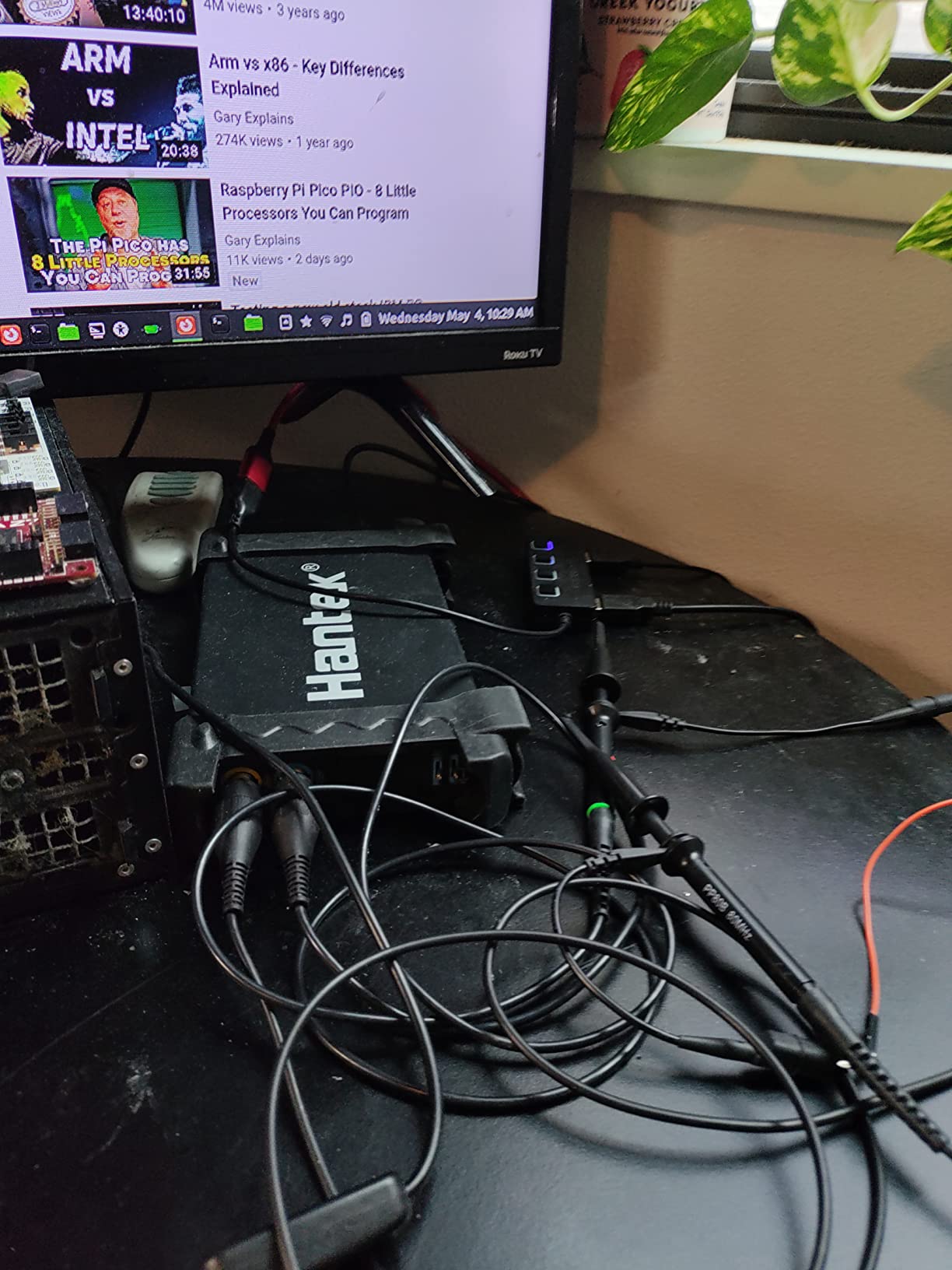
The 20MHz bandwidth handles audio frequencies beautifully and can capture most digital signals you’ll encounter in microcontroller projects. I’ve successfully debugged SPI, I2C, and UART communications without issues. The 23 built-in measurement functions cover all the basics like frequency, period, rise time, and voltage levels.
Build quality is surprisingly rugged. The aluminum case feels solid, and the included probes are decent quality with proper 1x/10x attenuators. The device is completely silent with no cooling fans, making it perfect for quiet environments or noise-sensitive audio work.
Windows 11 users may face driver signature issues that require disabling driver signature enforcement during installation. This is a common pain point mentioned in forums, and Hantek’s official support for newer Windows versions is lacking. The 8-bit processing also limits resolution compared to more expensive scopes, and I found stable triggering difficult for complex signals.
Best For Electronics Students and Beginners
This is an excellent inexpensive learning tool for understanding oscilloscope fundamentals. The low price point makes it accessible to students who couldn’t otherwise afford test equipment. I recommend this to anyone taking electronics classes or getting started with hobby electronics – it’s capable enough to learn on without being overwhelming.
Best For Audio and Basic Signal Work
The 20MHz bandwidth is perfectly suited for audio work up to and beyond human hearing range. If you’re working with amplifiers, speakers, or audio effects pedals, this scope will show you everything you need to see. The silent operation is also appreciated in audio work where fan noise would be distracting.
7. FNIRSI DSO-510 – Best Portable 2-in-1 Oscilloscope
- Great features for low price
- Easy to read screen
- Works well for car audio
- Portable and lightweight
- Good for signal diagnostics
- Instructions unclear
- Not super accurate
- Signal generator basic
- Only one probe included
- Tricky trigger mechanism
The FNIRSI DSO-510 combines oscilloscope and signal generator functionality in a portable handheld package that’s perfect for field work. I’ve carried this in my toolbox for troubleshooting everything from car audio systems to industrial control panels. The 1000mAh lithium battery provides several hours of runtime, and Type-C charging means I can use the same cable as my laptop.
The screen is surprisingly clear for its size, with adjustable brightness that remains readable in various lighting conditions. I’ve used this outdoors on sunny days and could still make out waveforms reasonably well by cranking up the brightness and finding some shade.
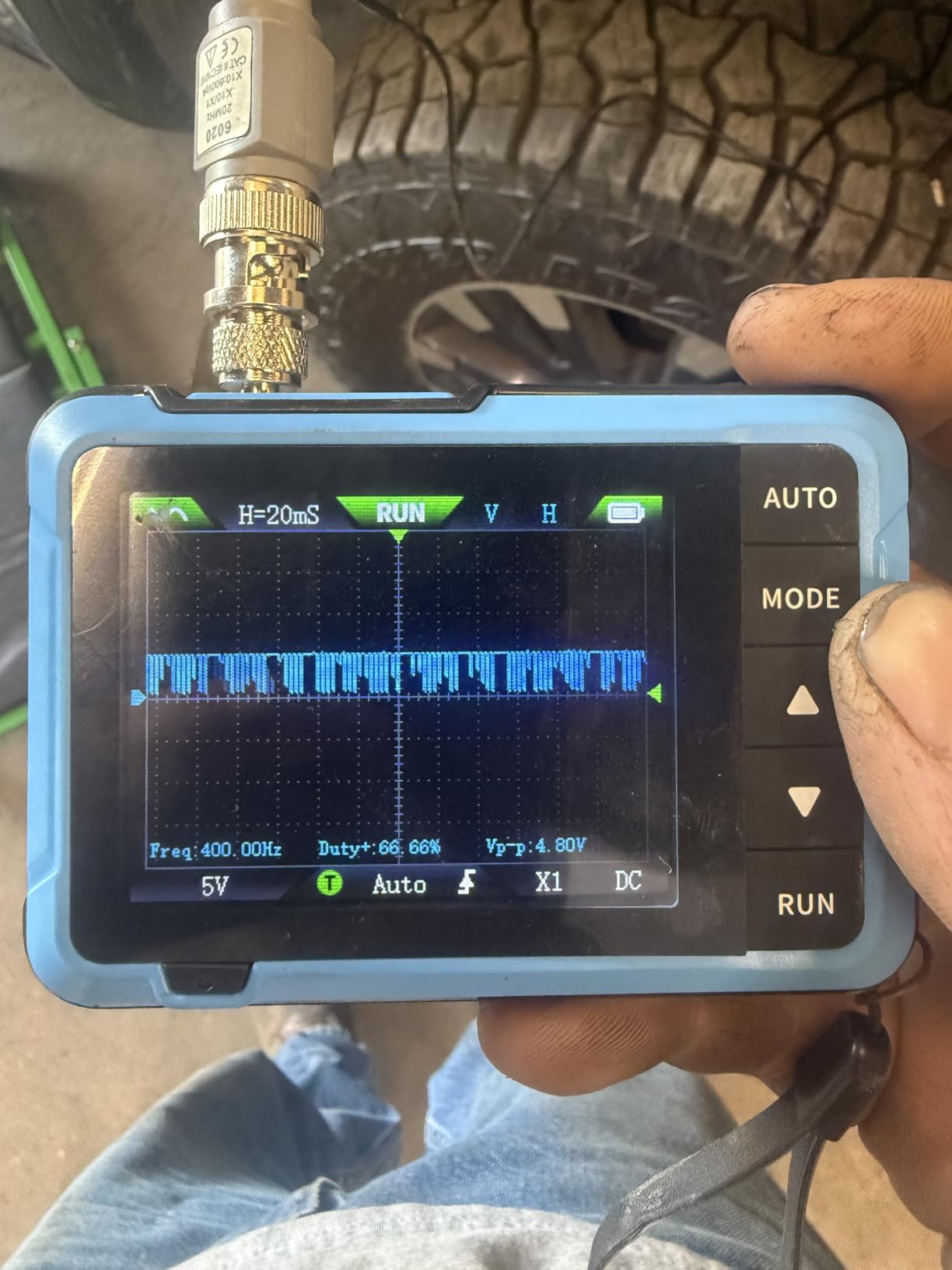
Car audio work is where this scope really shines. The 10MHz bandwidth is more than adequate for audio frequencies, and I’ve used it extensively for setting amplifier gains and checking for clipping. The ability to see waveforms makes gain setting much more precise than using your ear alone, and your speakers will thank you for not accidentally clipping them into destruction.
The signal generator offers 13 different waveforms up to 50kHz, which covers most testing needs for audio and low-frequency electronics. I’ve used it to inject test signals into amplifiers and preamps to trace signal flow and identify problem stages.
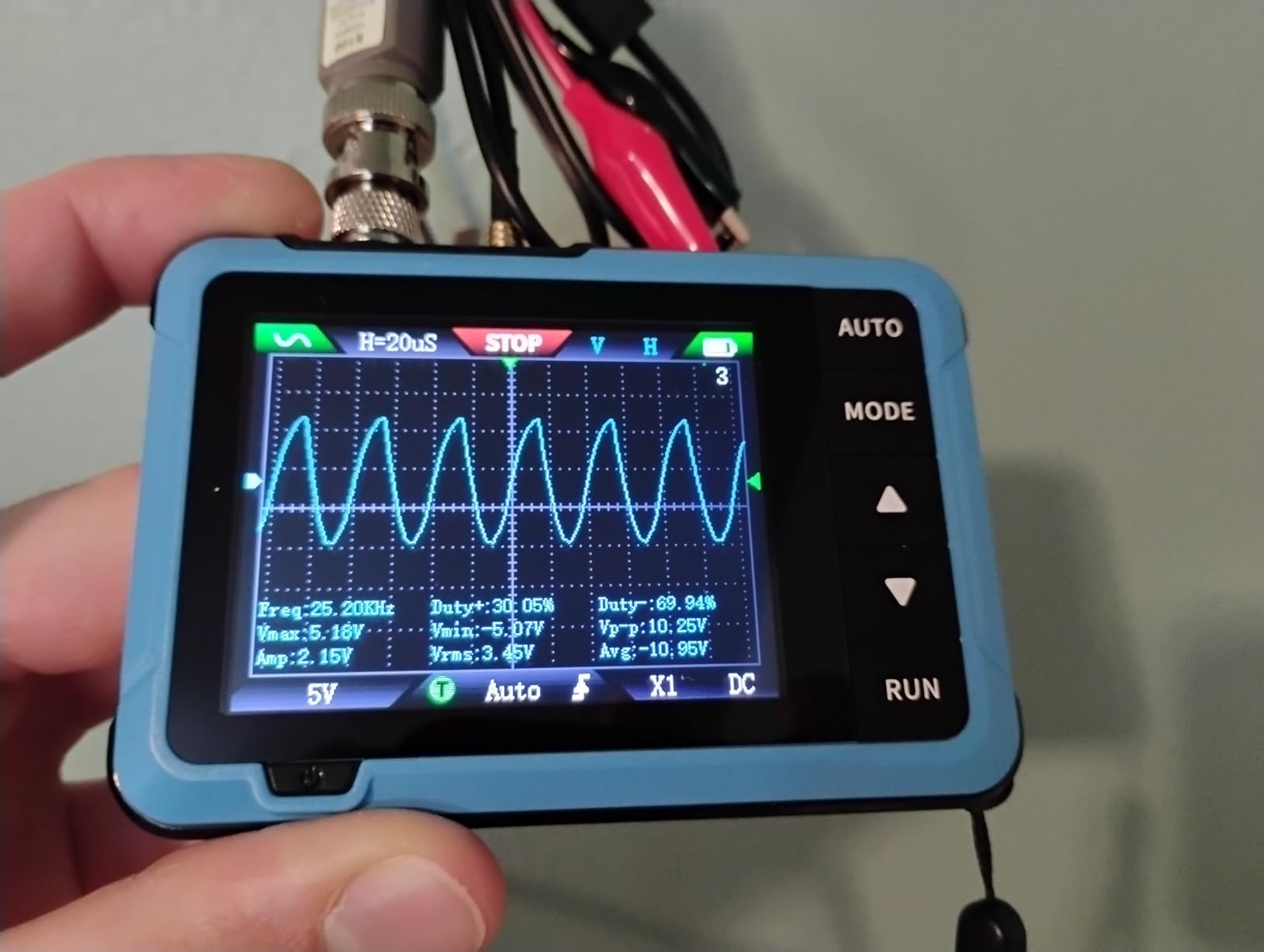
Accuracy isn’t lab-grade, so don’t expect precision measurements from this device. Voltage readings are in the ballpark but not exact, and timebase measurements have noticeable error. The trigger mechanism takes practice to use effectively, and I found myself frustrated initially trying to get stable displays of complex signals.
Best For Car Audio Enthusiasts
The combination of oscilloscope and signal generator at this price makes the DSO-510 perfect for car audio installations. You can set amplifier gains accurately, check for clipping, test frequency response, and diagnose signal issues all with one portable tool. The battery operation eliminates the need for extension cords when working in vehicles.
Best For Basic Signal Troubleshooting
If you need to verify signals are present, check approximate frequencies, or see waveform shapes, this tool gets the job done. It’s not for precision engineering work, but for troubleshooting “is this signal getting from point A to point B” type problems, it’s perfectly adequate and much faster than setting up full-sized equipment.
8. FNIRSI DSO152 – Best Pocket Oscilloscope for Car Audio
- Perfect for car audio tuning
- Fast clipping detection
- Ultra-portable
- Simple controls
- Rechargeable battery
- Only single channel
- Limited bandwidth
- Very small size
- Firmware update issues
The FNIRSI DSO152 has become the go-to oscilloscope for car audio enthusiasts, and after using it for setting gains in multiple vehicles, I understand why. The 2.8-inch screen displays waveforms clearly, and clipping detection is fast and obvious. You can see exactly when your signal starts to square off, making gain setting precise rather than guesswork.
This thing is tiny – it fits in a shirt pocket and weighs just 10 ounces. I’ve carried it in my pocket while working on vehicles, and it’s so unobtrusive I sometimes forget it’s there until I need it. The 1000mAh battery provides about 4 hours of runtime, which is enough for a full day of car audio work.
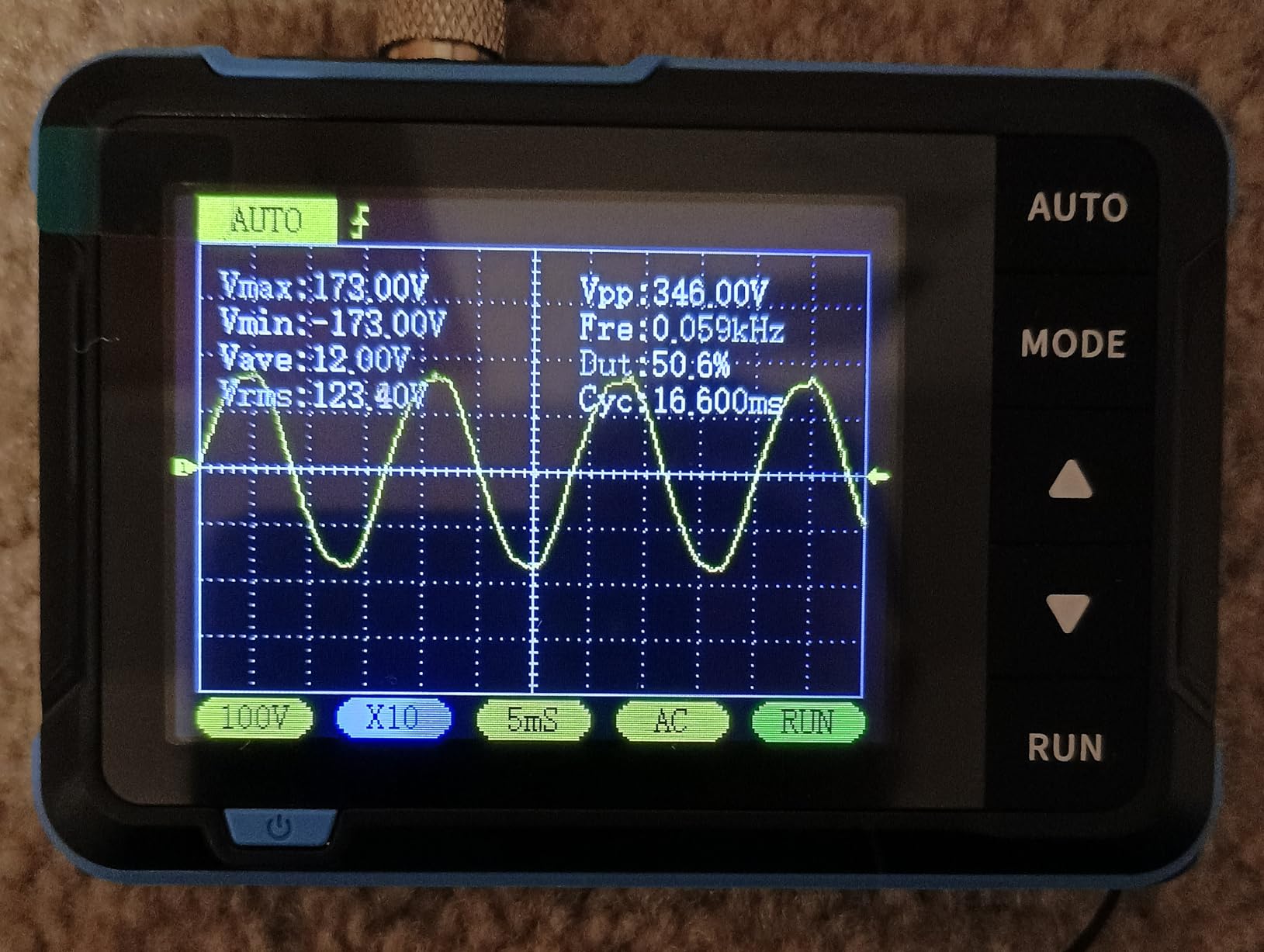
The 200kHz bandwidth is perfectly adequate for audio work. Human hearing extends to about 20kHz, so this scope can easily display audio signals with plenty of headroom. I’ve used it to test amplifiers, crossovers, and signal processors without any issues.
Controls are refreshingly simple with no deep menus to navigate. Power it on, connect your probe, press auto, and you’re seeing waveforms. This simplicity is perfect for technicians who want to see signals without becoming oscilloscope experts first.
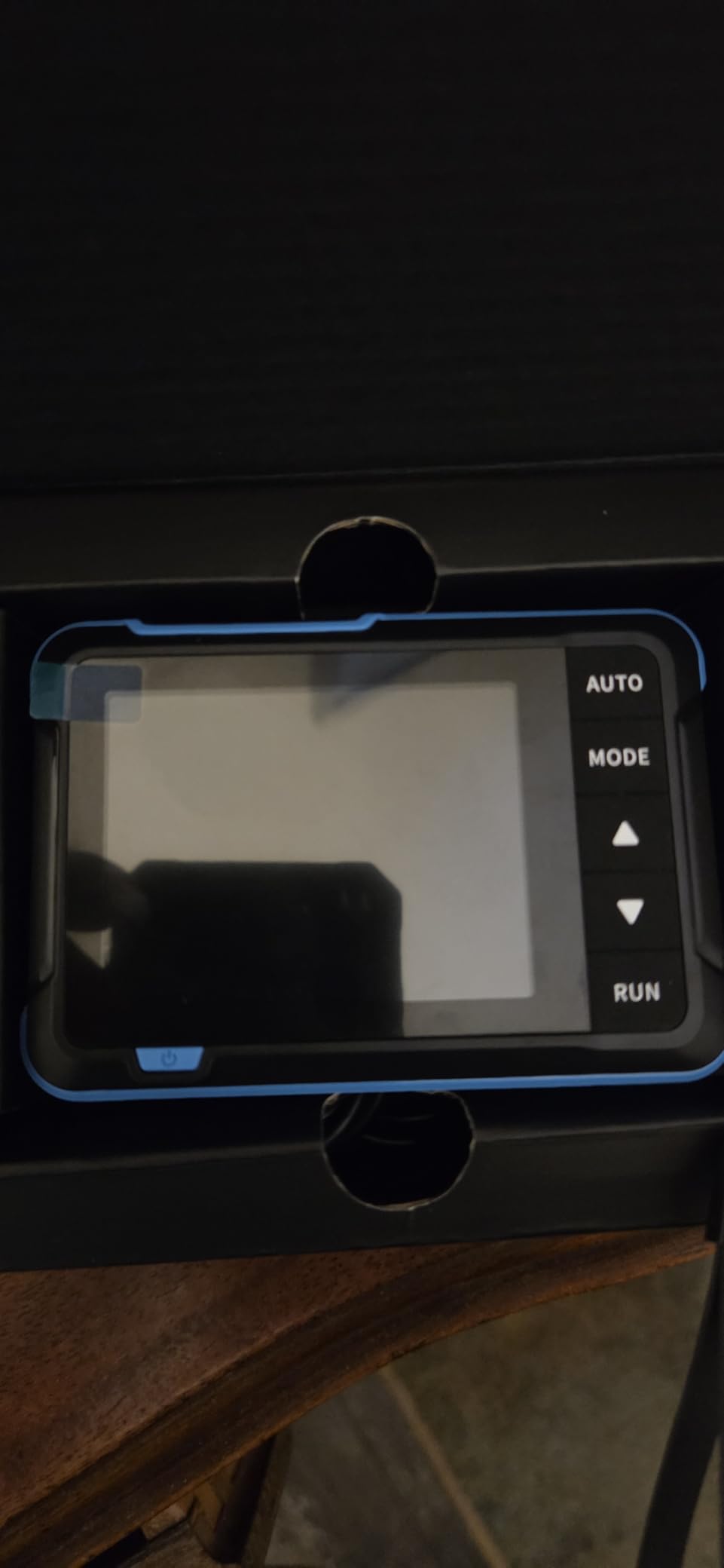
Being single-channel is the main limitation. You can only look at one signal at a time, so comparing input and output waveforms requires multiple measurements. The 200kHz bandwidth also limits usefulness for digital work or RF applications beyond audio frequencies.
Best For Car Audio Installation and Tuning
If you install or tune car audio systems, the DSO152 is a no-brainer addition to your toolbox. Being able to quickly check for clipping makes setting amplifier gains much more accurate, and your customers’ speakers will last longer because you’re not accidentally overdriving them.
Best For Learning Oscilloscope Basics
The simplicity of the DSO152 makes it an excellent learning tool for anyone new to oscilloscopes. You can learn fundamental concepts like coupling, timebase, and triggering without being overwhelmed by complex features. Once you’ve mastered the basics here, transitioning to more capable scopes is much easier.
USB Oscilloscope Buying Guide
What to Look for When Choosing a USB Oscilloscope
Finding the best USB oscilloscopes for laptops requires understanding several key specifications that directly impact performance in laptop-based scenarios. Bandwidth determines the maximum signal frequency you can accurately measure. As a general rule, choose a scope with at least 5x the bandwidth of your highest frequency signal. For audio work up to 20kHz, a 100MHz scope provides excellent detail. For digital signals like SPI or I2C, 50-100MHz handles most microcontroller projects.
Sample rate works alongside bandwidth to capture signal details. Look for at least 5x your bandwidth in sampling rate – a 100MHz scope should have 500MS/s or better. Higher sample rates capture finer signal details and make it easier to see fast transients and glitches. Memory depth determines how much data you can capture at once. Deeper memory (10k points or more) lets you capture longer time periods at high resolution, which is crucial for finding intermittent problems.
Channel count affects what you can measure simultaneously. Two channels suffice for basic work, but four channels let you compare multiple signals. Mixed-signal oscilloscopes add digital channels for protocol decoding. Cross-platform software support matters if you switch between operating systems. PicoScope leads here with excellent Windows, macOS, and Linux support. Many budget scopes only support Windows, which limits your laptop options.
USB Oscilloscope vs Benchtop: Which Should You Choose?
USB oscilloscopes excel in portability and price. They’re perfect for field work, cramped workspaces, and situations where you need to move equipment between locations. Laptop-based setups also benefit from larger displays, more processing power, and easier data export for reports. However, they depend on your computer’s performance and can suffer from USB latency issues.
Benchtop oscilloscopes offer better isolation, faster update rates, and standalone operation. Professional labs and production environments typically prefer benchtop units for their reliability and dedicated interfaces. But they cost significantly more and lack the portability that makes USB scopes attractive for laptop users.
For students, hobbyists, and field engineers, USB oscilloscopes provide 90% of the functionality at 20% of the price. The tradeoff is worth it unless you’re doing professional-grade work where every microsecond counts. Many professionals actually own both – a benchtop for lab work and a USB scope for field diagnostics.
Software Compatibility for Laptops
Windows support is universal among USB oscilloscopes, but quality varies significantly. PicoScope sets the standard with professional-grade software that feels like lab equipment. Budget scopes often include dated software that looks like it’s from Windows XP era. Third-party options like OpenHantek can provide better interfaces for some hardware.
macOS support is less common but improving. PicoScope has excellent Mac software, and some open-source projects like the Labrador work well on Apple silicon. Many budget scopes simply don’t have Mac software, limiting your options if you use a MacBook.
Linux support is rare but valued by open-source enthusiasts. PicoScope provides Linux software, and the Labrador’s open-source nature ensures good Linux support. Most other scopes require Windows virtualization on Linux systems, which adds complexity and potential performance issues.
Driver issues plague Windows 10/11 users, especially with unsigned drivers from budget manufacturers. Hantek scopes often require disabling driver signature enforcement during installation. Forums are full of users struggling to get cheaper scopes working on newer Windows versions. This is why I prioritize scopes with actively maintained software and proper driver signing.
Frequently Asked Questions
What is a USB oscilloscope?
A USB oscilloscope is a compact test instrument that connects to your laptop via USB port, using your computer’s display and processing power to visualize electronic signals. The hardware contains signal conditioning and analog-to-digital converters, while specialized software on your computer displays and analyzes the captured waveforms.
Are USB oscilloscopes as accurate as benchtop scopes?
USB oscilloscopes can match benchtop accuracy for many applications, especially in bandwidth ranges under 100MHz. Professional USB scopes like PicoScope offer excellent accuracy and specifications comparable to benchtop units. Budget USB scopes may have lower accuracy and resolution, but they’re sufficient for hobbyist work and learning. The main limitations are typically sample rate, memory depth, and USB latency rather than fundamental accuracy issues.
What bandwidth do I need for a USB oscilloscope?
Choose bandwidth at least 5x your highest signal frequency. For audio work up to 20kHz, 100MHz provides excellent detail. Arduino and microcontroller projects typically need 50-100MHz for digital signals like SPI and I2C. Automotive diagnostics work well with 10-50MHz bandwidth. Higher bandwidth (200MHz+) is needed for fast digital protocols, USB analysis, and RF work. Remember that you can always use a higher bandwidth scope for lower frequency signals, but not the reverse.
Can I use a USB scope for automotive signals?
Yes, USB oscilloscopes work well for automotive diagnostics, especially models with multiple channels like the Hantek 1008C. You can monitor crankshaft and camshaft position sensors, ignition waveforms, fuel injector signals, and serial data buses. However, be cautious with voltage levels – automotive electrical systems can have voltage spikes that exceed the input ratings of many USB scopes. Using proper attenuation probes and understanding input voltage limits is essential for safety.
Do I need special software or drivers?
Yes, USB oscilloscopes require device-specific software and drivers. Most include Windows software, with Mac and Linux support varying by manufacturer. PicoScope offers excellent cross-platform software, while budget scopes may be Windows-only. Driver installation can be tricky on Windows 10/11 due to signature requirements – some budget scopes require disabling driver signature enforcement. Third-party open-source software like OpenHantek provides alternatives for some hardware. Always check software compatibility before purchasing.
Final Thoughts
After months of testing across different laptops and operating systems, the best USB oscilloscopes for laptops in 2026 offer compelling alternatives to traditional benchtop equipment. The PicoScope 2204A remains my top recommendation for users who need reliability and cross-platform support, while the FNIRSI 2C53T delivers incredible value with its 3-in-1 design. Budget-conscious users can get started with the EspoTek Labrador for under $30, and car audio enthusiasts will love the portable FNIRSI DSO152.
Choose based on your specific needs – cross-platform software favors PicoScope, automotive diagnostics needs the 8-channel Hantek 1008C, and learning electronics works great with the Hantek 6022BE. All of these scopes transform your laptop into a capable test station without the bulk or cost of traditional equipment.