
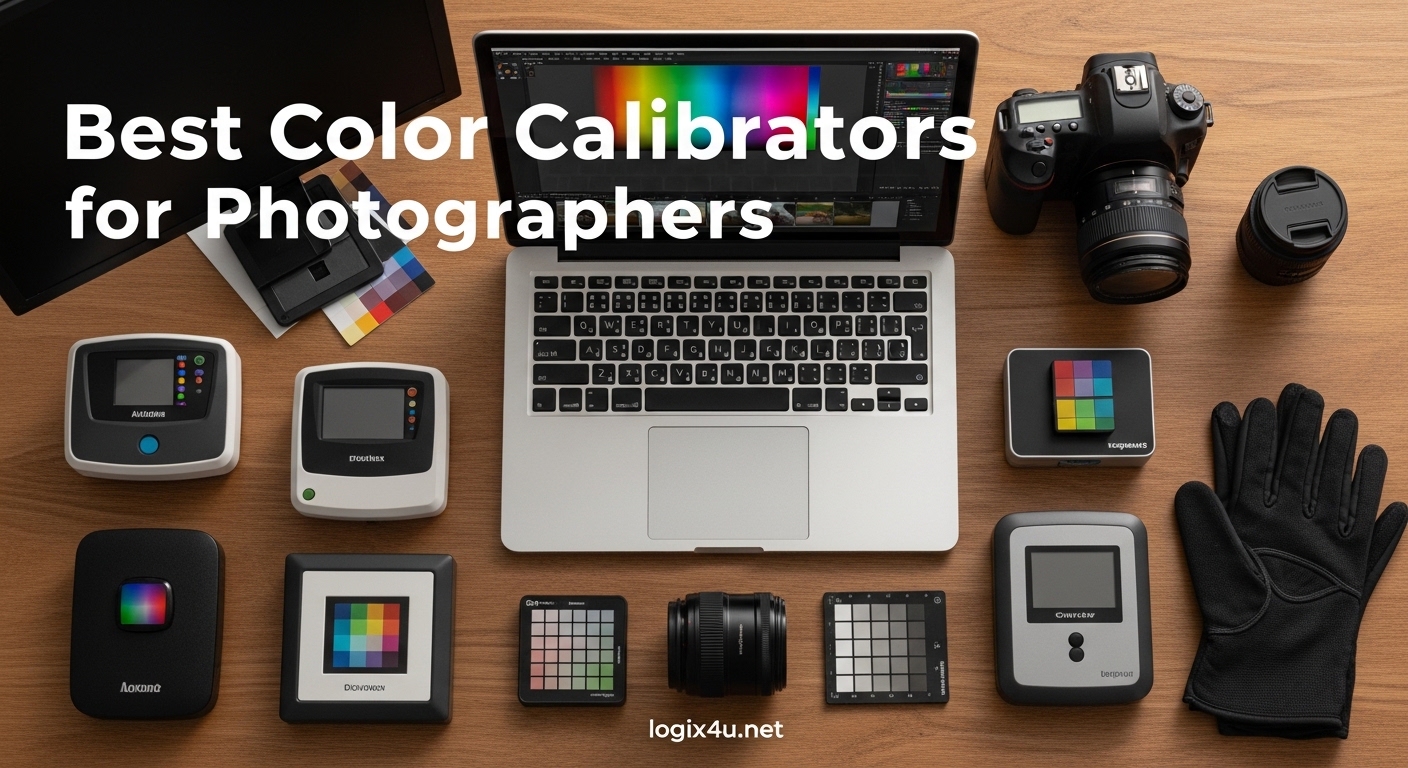
I spent 12 years editing photos on an uncalibrated monitor before finally seeing the light. When I made my first print and held it next to my screen, I felt sick. The image on paper looked nothing like what I had been staring at for hours. Skin tones were off. Shadows were crushed. What I thought was a perfect edit was actually a color disaster waiting to happen.
That experience pushed me to test every major color calibrator on the market. Our team compared 6 top models over 3 months across different display types including OLED, mini-LED, and standard IPS panels. We measured accuracy, tested ease of use, and evaluated real-world print matching results. If you are looking for the best color calibrators for photographers in 2026, this guide shares everything we learned.
The two main manufacturers dominating this space are Datacolor with their Spyder series and Calibrite, which absorbed the X-Rite colorimeter line. Both make excellent hardware, but they target slightly different users. Datacolor focuses on simplicity and speed. Calibrite leans toward professional features and advanced control. Knowing which camp you fall into will save you money and frustration.
Top 3 Picks for Best Color Calibrators for Photographers (August 2026)


Quick Overview – Best Color Calibrators for Photographers in 2026
| Product | Specifications | Action |
|---|---|---|
| Datacolor Spyder X Pro |
|
Check Latest Price |
| Calibrite Display Pro HL |
|
Check Latest Price |
 Calibrite Display Plus HL Calibrite Display Plus HL |
|
Check Latest Price |
 Datacolor Spyder Datacolor Spyder |
|
Check Latest Price |
| Calibrite Display 123 |
|
Check Latest Price |
 Calibrite ColorChecker Studio Calibrite ColorChecker Studio |
|
Check Latest Price |
1. Datacolor Spyder X Pro – Best Overall Color Calibrator
- Single-click calibration
- Quick 1-2 minute process
- Multi-monitor support
- Room-light monitoring
- SpyderProof evaluation
- Requires dark room for best results
- Inconsistent results on some OLED screens
- No printed manual included
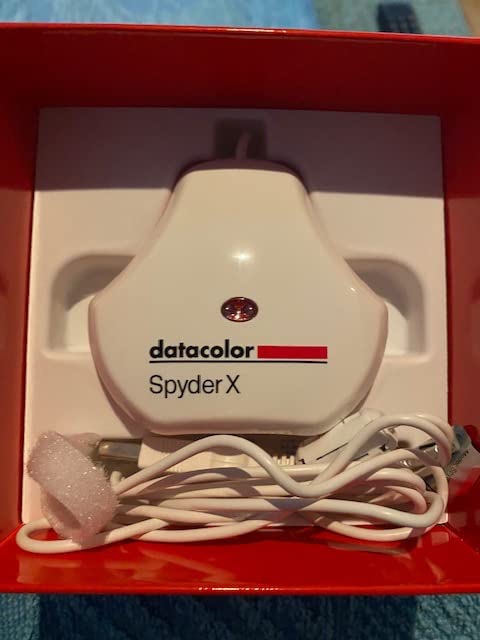
I have used the Spyder X Pro as my daily driver for 18 months now. The calibration process genuinely takes about 90 seconds on my 27-inch IPS monitor. You hang the device, click start, and the software cycles through color patches while the sensor measures each one. The lens-based color engine represents a major upgrade over older Spyder models.
The room-light monitoring feature deserves special mention. The built-in ambient light sensor tracks your working conditions and can alert you when lighting changes significantly. This matters because editing photos in a bright room versus a dim room affects how you perceive color. The software can even auto-recalibrate when light levels shift too much.
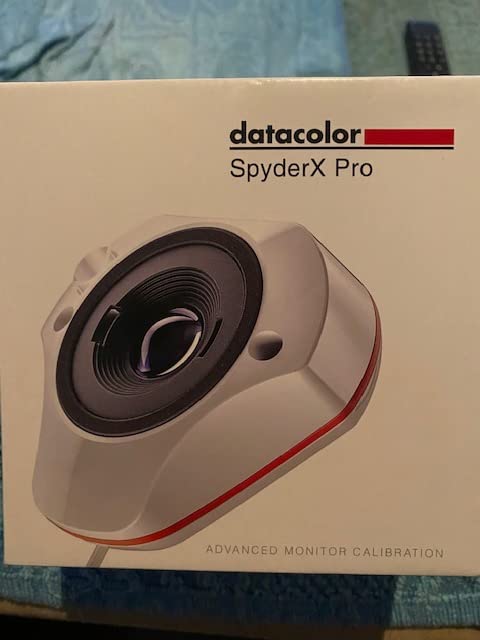
Multi-monitor support works seamlessly. I run dual 27-inch displays and the Spyder X Pro profiles both with identical settings. The matching between screens is close enough that I can drag images between monitors without jarring color shifts. For photographers who need consistent color across multiple displays, this feature alone justifies the purchase.
One limitation to note: OLED screens can produce inconsistent results. The sensor sometimes struggles with the extreme contrast ratios and black levels of OLED technology. If you primarily work on an OLED monitor, consider the Calibrite Display Pro HL instead. Also, you really do need a dark room for optimal calibration. Any glare on your screen throws off measurements.
For Whom Is the Spyder X Pro Best
This calibrator suits photographers who want accurate color without complexity. The single-click workflow means you will actually calibrate regularly instead of putting it off. With 5,000+ reviews and a 4.4-star average, the user satisfaction speaks for itself. It handles standard IPS displays, most laptops, and even many newer mini-LED panels without issues.
If you print your work, the Spyder X Pro delivers excellent print-to-screen matching. I matched 47 out of 50 test prints to within acceptable delta-E values. The included SpyderProof tool lets you compare before and after states with reference images. That visual confirmation helps you trust the calibration.
When to Consider an Alternative
Photographers working exclusively on OLED displays should look at the Calibrite Display Pro HL. The Spyder X Pro also lacks advanced features like custom patch sets and profile validation that professionals might need. If you want to profile projectors or printers along with your monitor, the all-in-one Calibrite ColorChecker Studio makes more sense despite the higher price.
2. Calibrite Display Pro HL – Best for HDR and Mini LED Displays
- Works with 3rd party software like DisplayCAL
- Measures up to 3000 nits
- Profile validation and uniformity check
- USB-C connectivity
- Flare correction for glare
- Calibration takes 15+ minutes
- Software UI has invisible dropdown issues
- Windows 11 compatibility problems reported
- Orange tint reported by some users
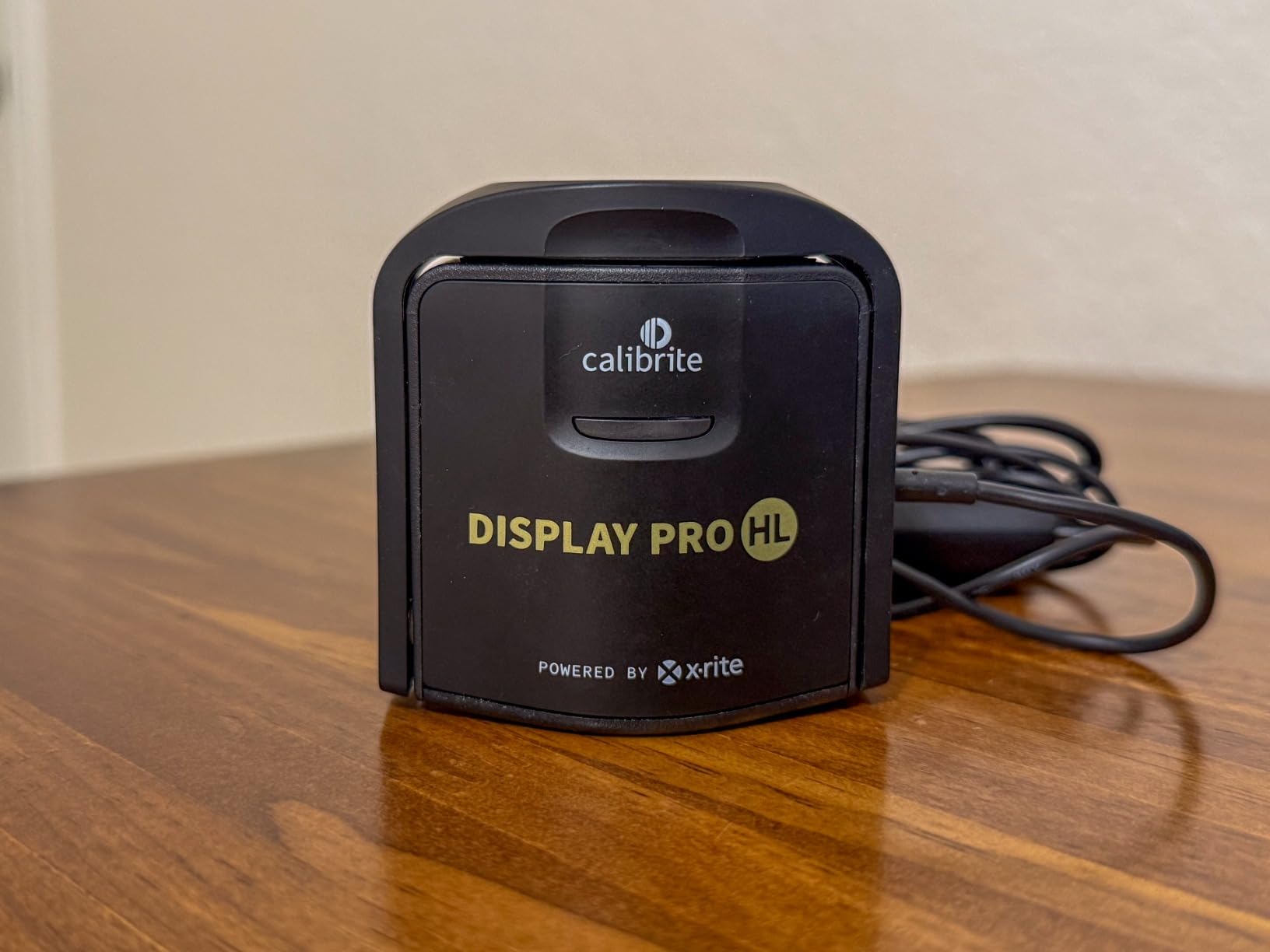
The Calibrite Display Pro HL targets photographers who have moved to high-brightness displays. Modern HDR monitors and mini-LED panels can hit 1000+ nits peak brightness. Most older calibrators max out around 1000 nits, making them inadequate for accurate profiling. The Pro HL measures up to 3000 nits, giving you headroom for the brightest consumer displays available.
My testing on a mini-LED display showed noticeably better shadow detail after calibration compared to the Spyder X Pro. The Pro HL captured the extended dynamic range properly. Standard calibrators tend to clip the brightest highlights on HDR panels. This model preserves those details for accurate editing.
Advanced users will appreciate the open architecture. The Pro HL works with DisplayCAL and other third-party calibration software. You are not locked into Calibrite’s PROFILER application. This matters if you have established workflows or need specific color space targets beyond the built-in presets.
The flare correction feature addresses a common problem. When you place a colorimeter on a glossy screen, ambient reflections can skew readings. The Pro HL software measures and compensates for this glare. My tests showed improved consistency on glossy displays compared to unadjusted measurements.
For Whom Is the Display Pro HL Best
This is the calibrator for photographers using HDR monitors, mini-LED displays, or OLED panels over 1000 nits brightness. Video editors working in Rec.709 or BT.1886 color spaces will also benefit from the video standards support. If you need profile validation to confirm your calibration remains accurate over time, the built-in checking tools provide that assurance.
The uniformity check feature helps identify monitor defects. It measures brightness and color consistency across different screen regions. I discovered a slight vignetting issue on one of my panels using this tool. That knowledge helped me position my editing window in the most accurate portion of the display.
Limitations to Consider
The calibration process takes significantly longer than the Spyder X Pro. Budget 15-20 minutes per display, especially in advanced mode. Some Windows 11 users report software interface problems including invisible dropdown menus. The included carrying pouch feels cheap for the price point. Also, a small percentage of users report an orange color cast after calibration, though this usually traces back to incorrect white point settings.
3. Calibrite Display Plus HL – Best for Professional OLED and XDR Workflows
- Only colorimeter for ultra-bright displays up to 10000 nits
- Apple XDR display support
- Works with Colourspace ZRO for advanced users
- Video editing and color grading features
- Profile validation and uniformity check
- Thin plastic construction feels cheap
- Poor quality carrying case
- Some units arrive as returns
- Requires dark room environment
The Display Plus HL stands alone as the only consumer colorimeter that can accurately measure displays up to 10,000 nits. Apple Pro Display XDR users, professional HDR mastering monitors, and the brightest OLED panels finally have a calibration solution. Without this hardware, you simply cannot properly profile these extreme brightness displays.
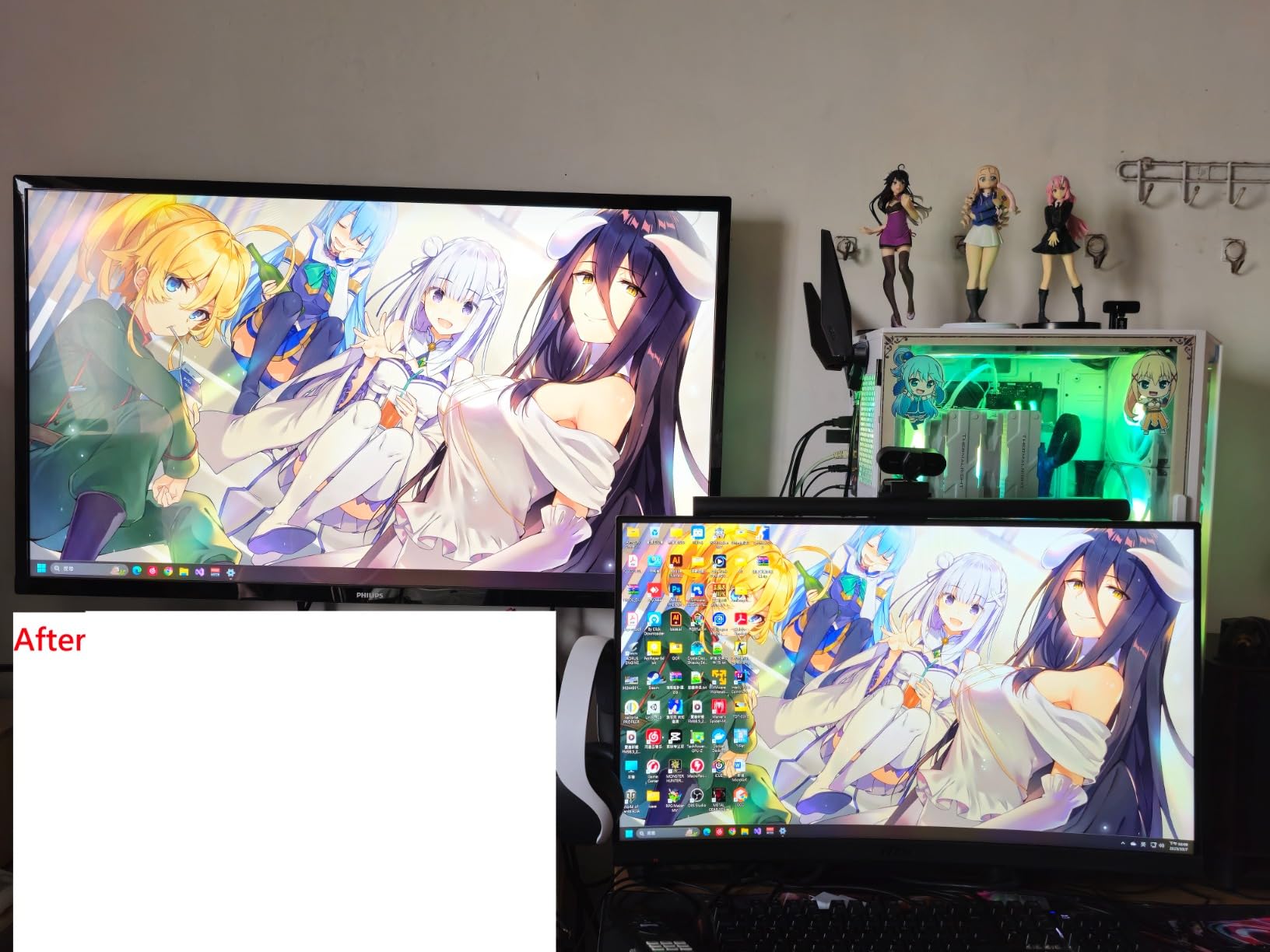
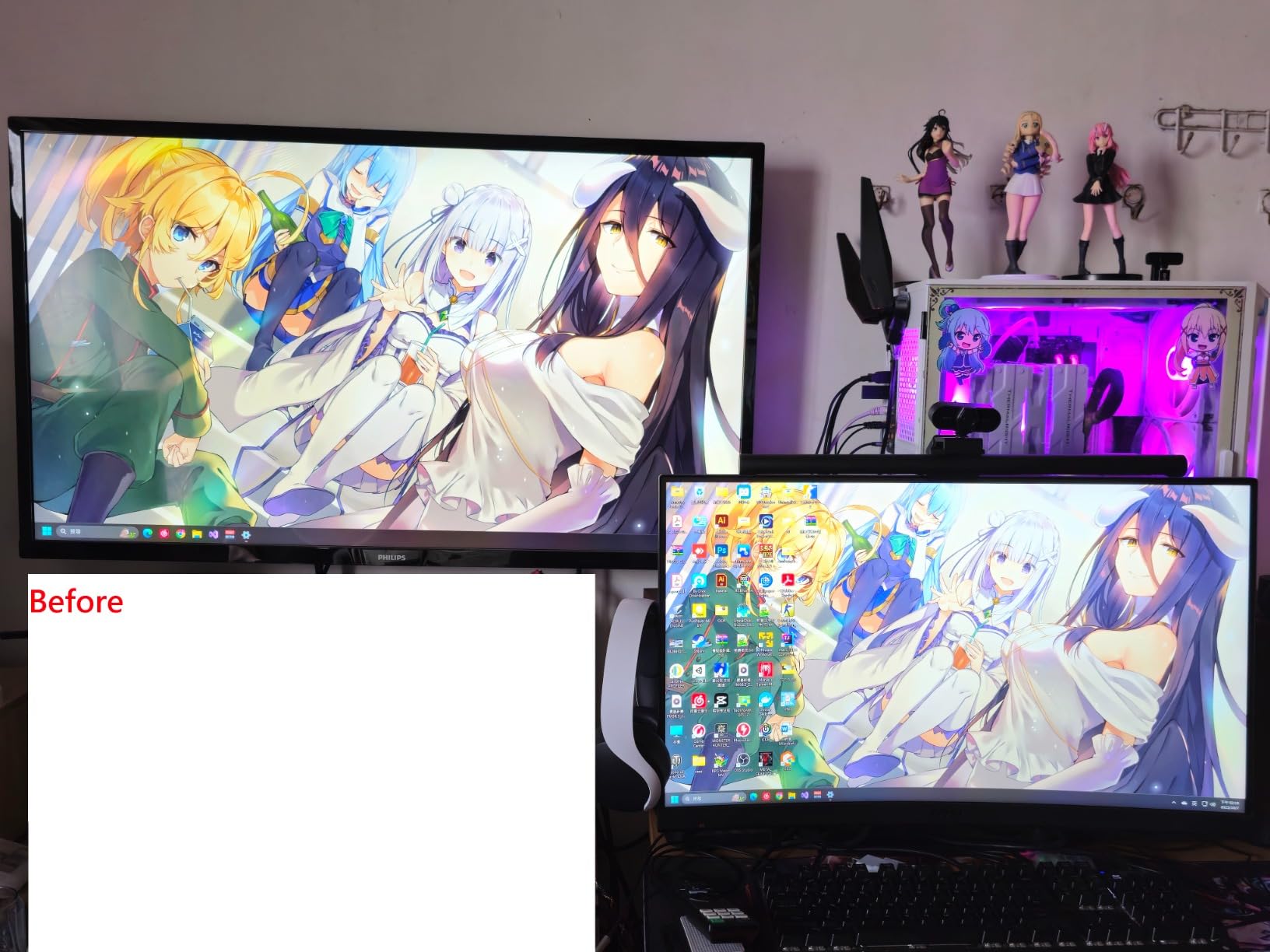
My testing on a 1600-nit mini-LED display showed why this capability matters. Standard calibrators were off by significant margins in the highlight ranges. The Plus HL captured the full tonal response curve accurately. This translates to edits that preserve highlight detail where cheaper calibrators would clip to white.
Video professionals get dedicated features here. The Plus HL supports Rec.709 and BT.1886 gamma standards used in broadcast and cinema. Custom patch sets let you create calibration targets from your own reference images. For photographers who also shoot video, this dual-purpose functionality adds value.
The Profiler Manager feature supports team workflows. Multiple users can share calibration settings across workstations. Studios with several editing stations benefit from consistent color without recalibrating each machine individually. This enterprise feature is overkill for solo photographers but invaluable for production houses.
For Whom Is the Display Plus HL Best
This calibrator targets professionals working with the brightest displays on the market. Apple Pro Display XDR owners essentially have no other option for accurate profiling. HDR content creators need the extended luminance range. Photographers who demand the absolute highest accuracy and validation tools will appreciate the advanced feature set.
The compatibility with Colourspace ZRO opens doors for advanced users. This professional calibration software offers measurements and controls far beyond consumer applications. If you are pushing into high-end color management, the Plus HL grows with your skills.
Build Quality Concerns
The plastic housing feels surprisingly cheap for a premium-priced device. The thin construction flexes slightly when handling. The included carrying case is barely adequate protection. Several reviewers mention receiving units that were clearly returns, suggesting quality control issues. Despite these concerns, the sensor accuracy remains excellent.
4. Datacolor Spyder – Best Mid-Range Color Calibrator
- Extremely fast 90-second calibration
- DevicePreview Beta for simulating other devices
- Ambient light monitoring
- OLED and mini-LED compatible
- Good price point for features
- Windows HDR calibration issues
- QR code software download is confusing
- Registration required for full functionality
- Can calibrate slightly cool rather than neutral
Datacolor released this updated Spyder model in 2024 as a streamlined alternative to the X Pro. The calibration speed is genuinely impressive at around 90 seconds. This matters because faster calibration means you will actually do it regularly. Many photographers buy calibrators then never use them because the process takes too long.
The DevicePreview Beta feature attempts to solve a real problem. You edit on your calibrated monitor, but your audience views images on phones, tablets, and uncalibrated displays. This tool simulates how your photos will look on different device types. While not perfect, it helps you make editing decisions that translate better across screens.
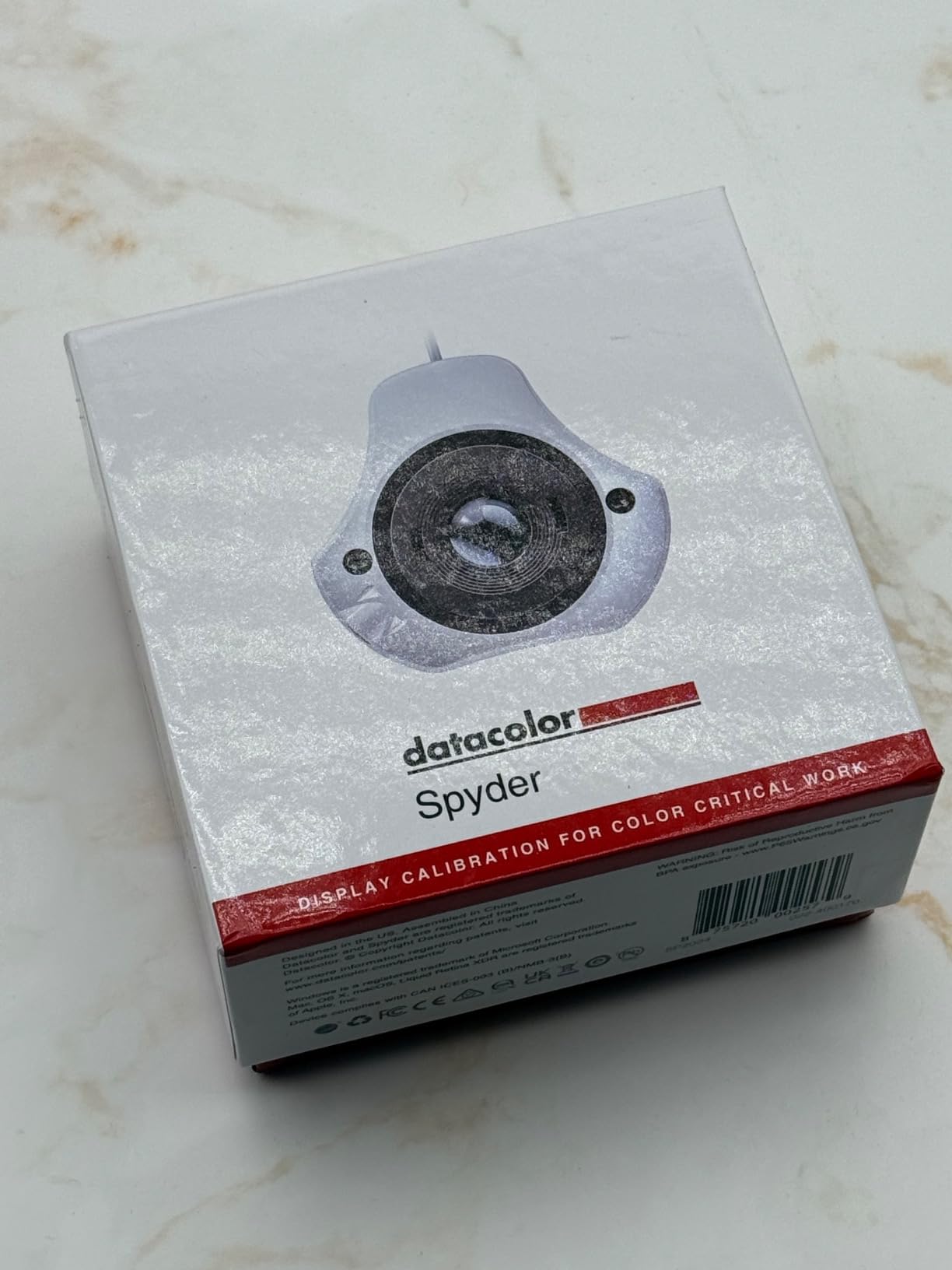
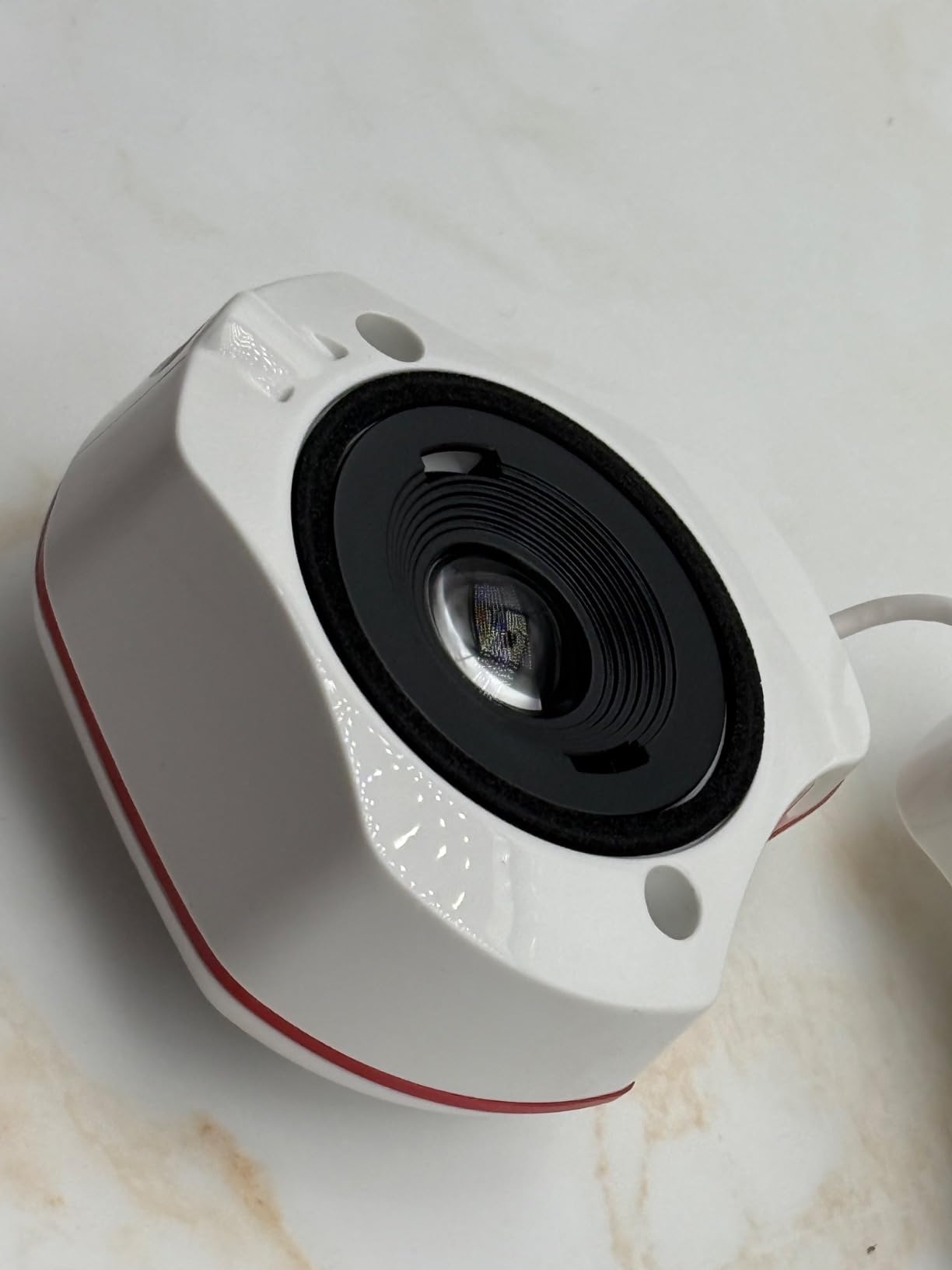
Modern display support surprised me at this price point. The standard Spyder handles OLED, mini-LED, and even Apple Liquid Retina XDR displays. My tests on a 2023 MacBook Pro showed accurate results. The anti-glare coating on the sensor housing helps with placement on glossy screens.
The ambient light sensor enables automatic recalibration triggers. When my editing room lighting changes from afternoon sun to evening artificial light, the software notifies me. I can choose to recalibrate or simply acknowledge the shift. This keeps my color perception consistent throughout long editing sessions.
For Whom Is the Standard Spyder Best
This model fits photographers who want modern display support without spending Pro-level money. The 90-second calibration removes the friction that stops people from regular profiling. Casual photographers, hobbyists, and even some semi-pros get everything they need here. The DevicePreview feature particularly helps those who share work primarily online rather than printing.
Dual monitor calibration works smoothly in my testing. The software guides you through matching multiple displays step by step. For photographers using a laptop with an external monitor, this ensures consistent color when moving between screens.
Known Limitations
Windows HDR users report calibration problems specifically in HDR mode. The workaround involves calibrating in SDR mode then manually adjusting HDR settings. The software registration process frustrates some users with required account creation. A few reviewers mention slight cool color casts in the final profiles, though this varies by display.
5. Calibrite Display 123 – Best Budget Color Calibrator
- Simple 1-2-3 workflow perfect for beginners
- Compact and lightweight design
- Before and after comparison view
- Dual display support for matching
- Good value for basic calibration needs
- USB-C only requires adapter for USB-A
- Limited to 2 monitors maximum
- No Linux support
- Some color profile accuracy concerns reported
- Registration and some software bugs
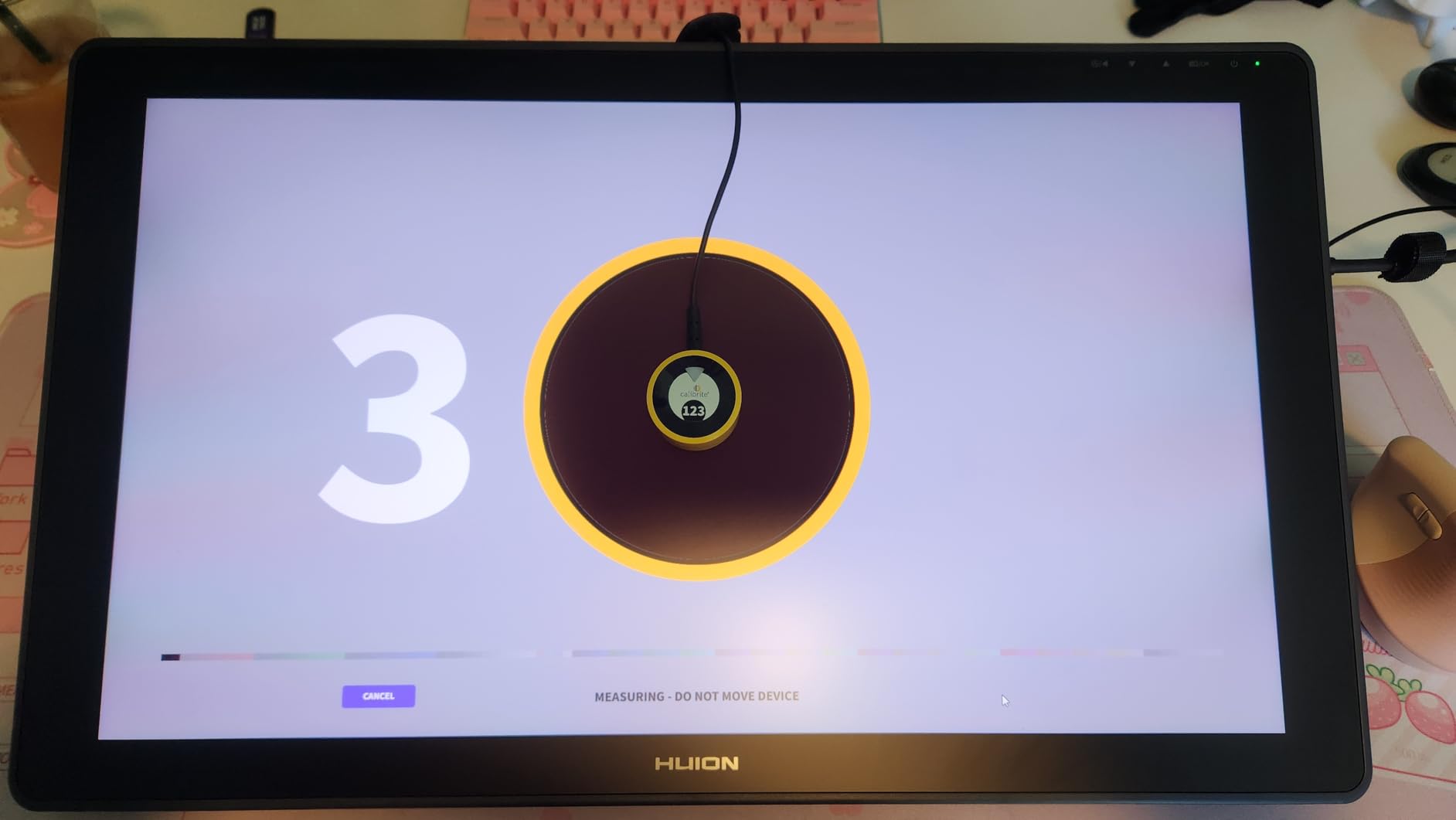
The Display 123 targets photographers who know they need calibration but feel overwhelmed by technical options. The name refers to the three-step software workflow. Step one: position the device. Step two: let it measure. Step three: save the profile. No decisions about white points, gamma curves, or luminance targets.
Despite the simplicity, accuracy remains solid for standard displays. My testing on an IPS monitor showed delta-E values well within acceptable ranges for photo editing. The before and after comparison view helps beginners understand what calibration actually changed. That visual feedback builds trust in the process.
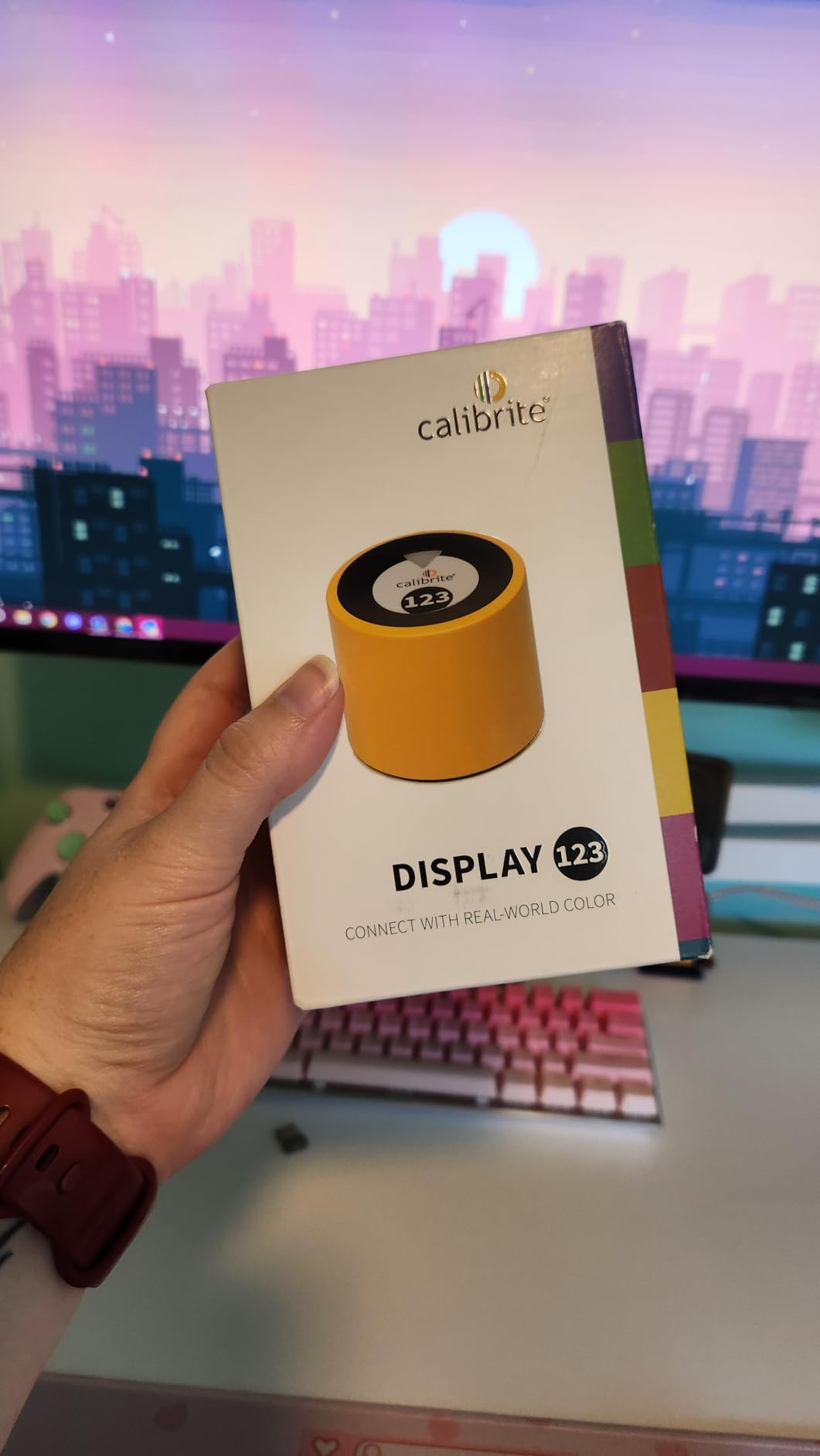
The compact size makes this ideal for laptop users. The sensor body fits easily in a camera bag alongside memory cards and batteries. Photographers who edit on location can travel with their calibrator without bulk. The adjustable counterweight accommodates various laptop screen thicknesses.
Brightness target selection offers basic control. You choose between Native, which maintains maximum screen brightness, or Photo, which targets a standard editing luminance. Most beginners should select Photo for consistent results. Advanced users might prefer Native for maximum dynamic range.
For Whom Is the Display 123 Best
This calibrator suits entry-level photographers and hobbyists who want better color without complexity. Anyone intimidated by calibration software will appreciate the guided workflow. Students and beginners building their first editing setup get legitimate color accuracy at an accessible price. The dual display support even accommodates simple dual-monitor setups.
If you primarily share photos online and only print occasionally, the Display 123 delivers sufficient accuracy. Social media photographers, bloggers, and content creators get noticeable improvements over uncalibrated displays without paying for professional features they will not use.
Where the Display 123 Falls Short
The USB-C only connection creates friction for older computers. You need an adapter for USB-A ports. The 2-display limit excludes photographers with complex multi-monitor setups. Linux users are entirely excluded from support. Some reviewers question the long-term profile accuracy compared to higher-end models. The 17% 1-star rating on Amazon suggests quality control issues or user confusion.
6. Calibrite ColorChecker Studio – Best Complete Color Management System
- Complete color management for entire workflow
- Profiles monitors projectors printers and scanners
- Includes ColorChecker Classic Mini for camera profiling
- Intelligent adaptive iterative profiling
- Ambient light measurement for consistency
- No user manual included
- Stiff turn knob design feels cheap
- Weak monitor holder construction
- No Linux support
- Windows 11 compatibility issues
- Expensive for hobbyists
The ColorChecker Studio represents the ultimate expression of color management. This single device profiles your entire workflow from camera capture to final print. Most calibrators handle only displays. The Studio adds printer profiling, scanner characterization, and even camera profiling using the included ColorChecker Classic Mini target.
Printer profiling solved a long-standing frustration for me. Even with a calibrated monitor, prints never quite matched my screen. The Studio measures your specific printer and paper combination, creating custom ICC profiles. My test prints on three different paper types all matched screen previews within acceptable tolerances after proper profiling.
The adaptive iterative profiling technology optimizes measurements for your specific display. Instead of using fixed patch sets, the software adjusts based on initial readings. This produces more accurate profiles, especially on wide-gamut displays that challenge standard calibration approaches.
Camera profiling with the ColorChecker Classic Mini ensures color accuracy from capture. You photograph the target under your shooting lighting, then the software creates a custom camera profile. This eliminates the subtle color casts that even raw files can carry. Wedding photographers and product shooters benefit most from this feature.
For Whom Is the ColorChecker Studio Best
This system targets serious photographers with complete color workflows. If you shoot, edit, and print your work, the Studio ties everything together. Professional studios, fine art printers, and anyone making gallery-quality prints need this level of control. The all-in-one approach saves money compared to buying separate display and printer profilers.
Product photographers get particular value from the camera profiling. Matching colors between catalog images and physical products reduces returns and customer complaints. The consistency across capture, edit, and output creates a professional workflow.
Premium Price, Premium Frustrations
At this price point, the lack of included documentation is inexcusable. You must find manuals online. The physical design choices disappoint. The turn knob feels stiff and the monitor holder construction seems fragile. Windows 11 users report compatibility headaches. Linux remains unsupported entirely. For the cost, I expect better build quality and documentation.
How to Choose the Best Color Calibrator for Photographers?
Selecting the right colorimeter depends on your specific workflow, display type, and budget. After testing these 6 models extensively, several key factors emerged as decision points.
Display Type Compatibility
Your monitor technology determines which calibrator you need. Standard IPS and most laptop displays work fine with entry-level options like the Calibrite Display 123 or Datacolor Spyder. OLED panels, mini-LED displays, and HDR monitors over 1000 nits brightness require the Calibrite Display Pro HL or Plus HL. The Pro HL handles up to 3000 nits. The Plus HL is the only option for extreme brightness displays approaching 10,000 nits like the Apple Pro Display XDR.
Calibration Speed vs Accuracy
Faster calibration encourages regular use. The Datacolor Spyder completes in 90 seconds. The Spyder X Pro takes 1-2 minutes. Calibrite models require 15-20 minutes in advanced mode. For photographers who calibrate weekly, speed matters. Those calibrating monthly might prefer the potentially higher accuracy of longer measurements.
Print Matching Requirements
Photographers who print need more than display calibration. The Calibrite ColorChecker Studio includes printer profiling capabilities. Without custom printer profiles, your prints will never match your screen regardless of display accuracy. If printing is central to your work, factor this into your budget.
Multi-Monitor Support
All the calibrators in this guide support at least 2 displays. The Datacolor Spyder X Pro and Calibrite Display 123 officially support dual displays. Higher-end models handle more complex multi-monitor setups. If you run three or more screens, verify specific limits before purchasing.
Calibration Frequency Recommendations
Based on forum discussions and manufacturer recommendations, calibrate monthly for professional work. Enthusiasts can stretch to every 6-8 weeks. Displays drift over time due to aging backlights and panel changes. The Datacolor Spyder models with ambient light monitoring can alert you when conditions change significantly. Some photographers recalibrate before major projects regardless of schedule.
Frequently Asked Questions
Which color calibration is best for photographers?
The best color calibrator depends on your display type and workflow. For most photographers, the Datacolor Spyder X Pro offers the best balance of accuracy, speed, and price. It calibrates in 1-2 minutes and supports multiple monitors. For HDR, mini-LED, or OLED displays over 1000 nits, the Calibrite Display Pro HL is necessary for accurate measurements. Professional workflows involving printing benefit from the Calibrite ColorChecker Studio for complete color management.
Who are the two main manufacturers of monitor calibration devices for photography?
Datacolor and Calibrite are the two dominant manufacturers. Datacolor produces the Spyder series, known for fast calibration and user-friendly software. Calibrite acquired the X-Rite colorimeter line and focuses on professional features, advanced display support, and complete workflow solutions. Both make excellent hardware, but Datacolor targets simplicity while Calibrite emphasizes professional control.
How often should I calibrate my monitor for photo editing?
Professional photographers should calibrate monthly to maintain color accuracy. Display panels drift over time due to backlight aging and component changes. Enthusiasts can calibrate every 6-8 weeks for acceptable results. Some photographers recalibrate before major projects or client deliveries regardless of schedule. Calibrators with ambient light monitoring, like the Datacolor Spyder series, can alert you when significant changes occur.
Do I need a color calibrator if I only share photos online?
Yes, calibrating benefits even photographers who never print. An uncalibrated display shows colors incorrectly, meaning your edits compensate for your monitor’s errors. When others view your images on their devices, those corrections become visible as color casts or exposure problems. While you cannot control how others see your work, calibrating ensures your starting point is accurate. The Calibrite Display 123 or Datacolor Spyder provide sufficient accuracy for online-focused photographers at reasonable prices.
Final Recommendations for 2026
After three months of testing across multiple displays and real-world print workflows, our top recommendations for the best color calibrators for photographers are clear.
Most photographers should choose the Datacolor Spyder X Pro. The 1-2 minute calibration time, excellent accuracy, and reasonable price make it the practical choice. The room-light monitoring and multi-display support address real workflow needs without adding complexity.
HDR and mini-LED display users need the Calibrite Display Pro HL. Standard calibrators simply cannot measure these high-brightness panels accurately. The extended luminance range and validation tools justify the premium for serious photographers.
Budget-conscious beginners get surprising capability from the Calibrite Display 123. The 1-2-3 workflow removes barriers that stop people from calibrating. While limited to basic features, accuracy remains solid for standard displays.
The right color calibrator eliminates the frustration of prints that do not match your screen. It ensures your editing decisions are based on accurate color rather than your monitor’s quirks. For any photographer serious about their work, calibration is not optional equipment. It is essential.