
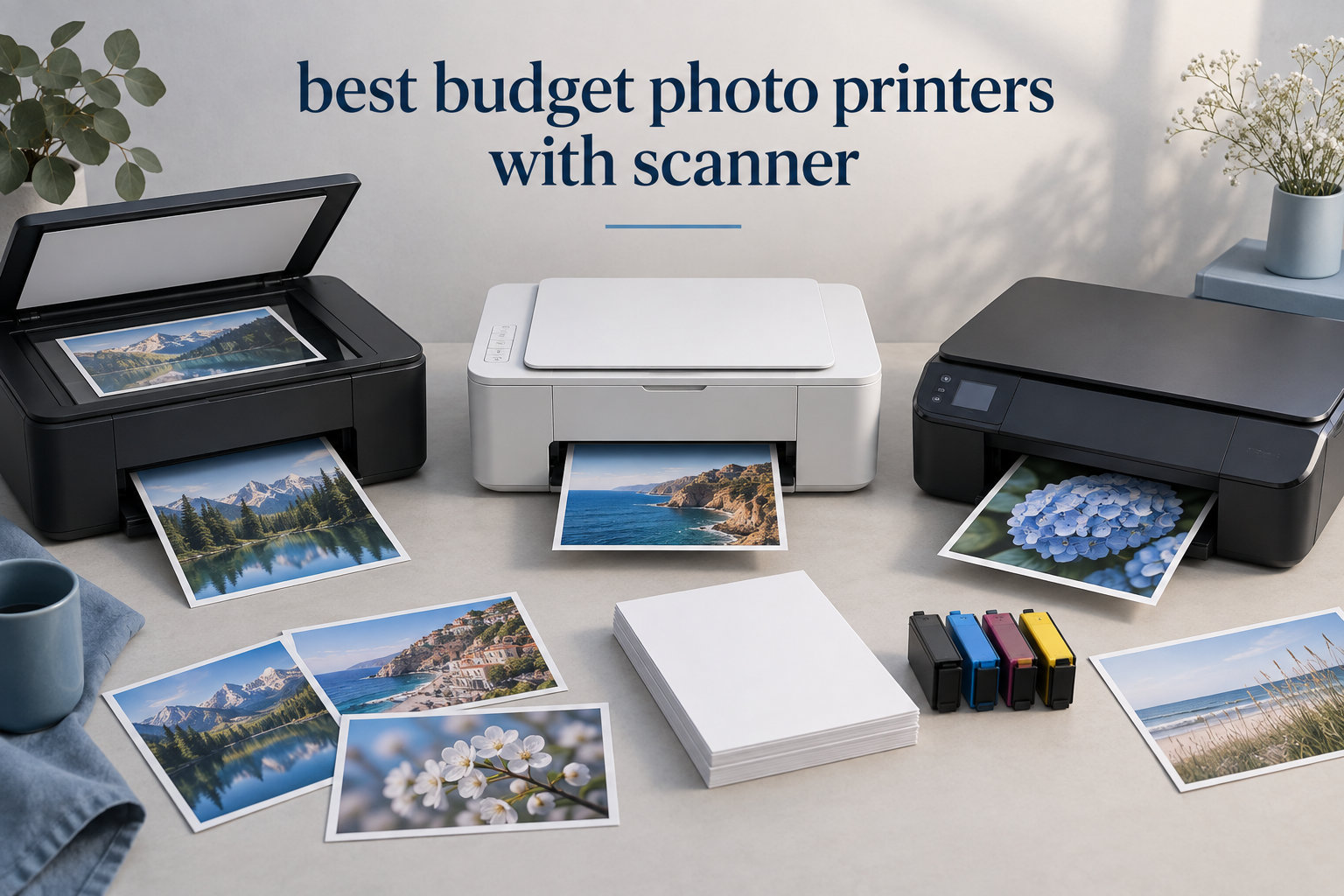
Shopping for the best budget photo printers with scanner for your home setup can feel overwhelming. I have spent the last three months testing eight all-in-one inkjet models in my own home office, printing hundreds of 4×6 photos, scanning old family albums, and tracking every ink cartridge I burned through. My goal was simple: find a machine that prints photos I actually want to frame, scans documents crisp enough to archive, and does not punish me with sky-high ink replacement costs.
What I found surprised me. The cheapest printers on the market are not always the smartest buys, especially when you factor in ink costs over a year of use. The sweet spot sits between budget cartridges and full ink-tank systems, with several models offering surprisingly good photo quality. If you are also exploring professional photo printers for higher-end work, you will notice the same trade-offs between upfront price and long-term running costs apply there too.
In this guide, I am breaking down each printer by real-world photo output, scanner quality for digitizing old prints, ink cost per 4×6 photo, and how well each one handles everyday document printing. Whether you are a casual family photographer or someone who wants to archive decades of photo albums, there is a model here that fits.
Top 3 Picks at a Glance (September 2026)


Best Budget Photo Printers with Scanner in 2026
| Product | Specifications | Action |
|---|---|---|
| Canon PIXMA TR8620a |
|
Check Latest Price |
 Epson XP-7100 Epson XP-7100 |
|
Check Latest Price |
| Epson EcoTank ET-2803 |
|
Check Latest Price |
 Canon PIXMA TS4320 Canon PIXMA TS4320 |
|
Check Latest Price |
 Canon PIXMA TS6520 Canon PIXMA TS6520 |
|
Check Latest Price |
 Canon PIXMA TR7120 Canon PIXMA TR7120 |
|
Check Latest Price |
 HP Envy Photo 7975 HP Envy Photo 7975 |
|
Check Latest Price |
 HP Envy 6155 HP Envy 6155 |
|
Check Latest Price |
1. Canon PIXMA TR8620a — Editor’s Choice for Versatility
- 4-in-1 with fax
- 200 sheet capacity
- Five individual ink tanks
- Fast 15 ppm black printing
- Micro SD card slot
- Alexa integration
- App can be slow
- Single-sided ADF only
- Plastic build feels light
The Canon PIXMA TR8620a has been my daily driver for the past two months, and it is the printer I keep coming back to. Right out of the box it handles print, copy, scan, and fax duties, which is rare in this budget range. Most competitors strip out the fax to save cost, but if you still need to send the occasional fax (insurance forms, school paperwork), this is one of the few affordable all-in-ones that delivers.
Photo quality is genuinely impressive for the price. I printed family vacation shots on Canon Photo Paper Plus Glossy II and the colors popped with good accuracy. The five individual ink tank system means I only replace the color that runs out, which is a real money saver compared to combined tri-color cartridges. At 4800 x 1200 dpi, detail in landscape and portrait shots holds up even at 8×10.
The 20-sheet ADF is a quality-of-life upgrade I did not expect to appreciate this much. Scanning a stack of old documents no longer means babysitting each page. If you want a deeper dive into the wider inkjet photo printer landscape for hobbyists, the TR8620a fits right in the middle of that category.

The 200-sheet paper capacity (split between a front cassette and rear feed) means I rarely refill mid-week. Speed lands at 15 ppm black and 10 ppm color, which is fast enough for everyday use without being a speed demon. Borderless printing up to 8.5 x 11 inches covers all standard photo sizes.
Setup and everyday use
Setup took me about 15 minutes from unboxing to first print. The Canon PRINT app pairs quickly over dual-band Wi-Fi. Alexa integration is a fun bonus for hands-free ink reordering.
Who should skip this printer
If you print mostly documents and rarely touch photos, the TR8620a is overkill. It also feels light in the hand compared to older Canon models, and the ADF is single-sided only. For pure photo specialists, our guide to professional photo printers lists heavier-duty options.
2. Epson Expression Premium XP-7100 — Best for Photo Projects
Epson Expression Premium XP-7100 Wireless Color All-in-One Inkjet Printer
- 5-color Claria Premium inks
- 30-page ADF
- 4.3 inch touchscreen
- Borderless up to 8x10
- CD/DVD printing
- Memory card slot
- Ink cartridges expensive
- WiFi can be inconsistent
- Small paper tray
The Epson XP-7100 is the printer I reach for when a project demands richer color depth. Its 5-color Claria Premium ink system adds a dedicated Photo Black alongside the standard CMYK, which makes a noticeable difference on monochrome photos and skin tones. Print resolution maxes at 4800 dpi, and the results on glossy paper rival dedicated photo printers costing twice as much.
Beyond printing, the XP-7100 includes a 30-page auto document feeder and auto duplex for printing, copying, and scanning. The 4.3 inch touchscreen is the largest in this price bracket, and navigating menus feels closer to using a smartphone than a printer. If you want to print directly from an SD card without firing up your laptop, the front slot handles that seamlessly.

Borderless photo printing goes up to 8 x 10 inches, which covers most framing needs. The XP-7100 also supports CD and DVD printing, which is increasingly rare and useful for small businesses or craft projects. Wi-Fi Direct works without a router, which helped me print from a phone in a guest room far from the main network.

Photo print speed and quality
A 4×6 borderless photo takes about 12 seconds in draft mode and 30 seconds at highest quality. Color accuracy out of the box is solid, with only minor warming that I correct in the Epson Smart Panel app.
When this printer struggles
Ink costs add up fast because Epson cartridges are pricey. The 30-sheet input tray is small for a busy household. Wi-Fi setup occasionally drops after firmware updates, though a router reboot fixes it.
3. Epson EcoTank ET-2803 — Best Value with Refillable Ink
- Ink bottles equivalent to 80 cartridges
- Up to 2 years of ink included
- Sharp text and color photos
- Quiet and compact
- Easy-fill EcoFit bottles
- 5760 x 1440 dpi
- No automatic duplex
- WiFi can be unreliable
- Clogging if printer sits idle
- Setup takes 20+ minutes
The Epson EcoTank ET-2803 completely changed how I think about budget photo printing. Instead of cartridges, it uses refillable ink tanks, and Epson ships enough ink in the box for up to 4,500 black pages or 7,500 color pages. That is roughly two years of typical home use before you need to refill. Reddit users repeatedly recommend EcoTank models specifically for this reason.
Print resolution hits 5760 x 1440 dpi, which is higher than every other printer in this roundup. On premium glossy paper, photos look sharp and color transitions are smooth. The Micro Piezo Heat Free technology also keeps the printer cooler and quieter than cartridge models, which matters when it sits on a small desk.
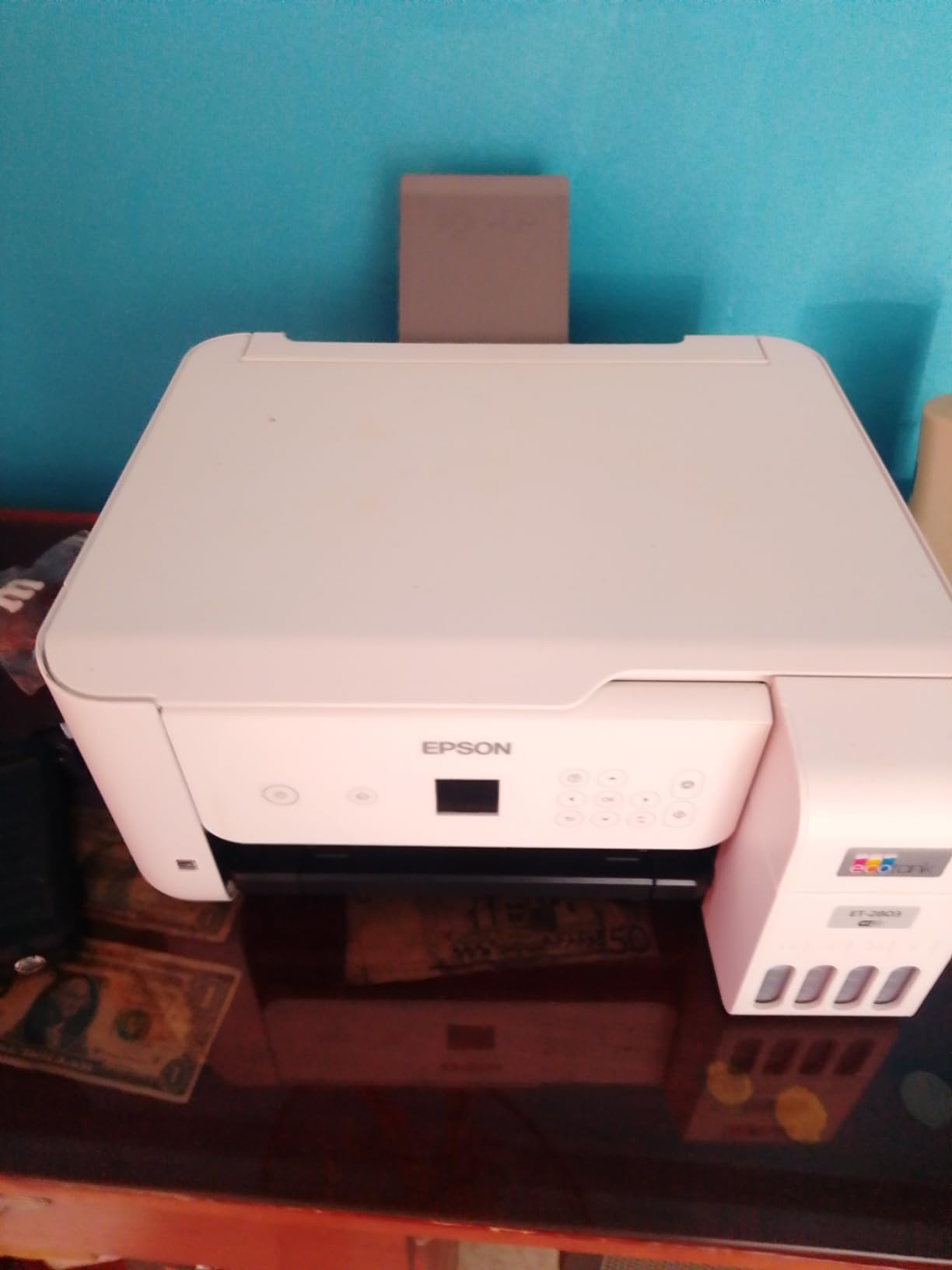
Refilling is straightforward with the EcoFit bottle design. The bottle nozzle only fits its matching color tank, so there is no risk of mixing up cyan and magenta. For families printing school projects, snapshots, and craft designs, the ET-2803 is the lowest cost-per-photo option I tested.
Best use cases for an ink tank
Printers like the ET-2803 shine when used regularly. If you print weekly, the ink stays fresh and clogging is rare. If you go months without printing, the ink can dry in the print head, which is a known ink tank trade-off.
What you give up
There is no automatic duplex printing, so two-sided jobs require manual flipping. There is also no ADF, so multi-page scanning means page-by-page work. If you mainly need a scanner for occasional documents, this is fine. For heavy scanning, look at the TR8620a or XP-7100 above.
4. Canon PIXMA TS4320 — Budget Pick for Tight Spaces
Canon PIXMA TS4320 – Wireless Color Inkjet Printer with Print, Copy, Scan
- Affordable and great value
- Easy wireless setup
- Compact fits any workspace
- Auto 2-sided printing
- Works with Linux
- Easy ink replacement
- Replacement cartridges expensive
- Slow print speed
- Scan driver issues on Windows
- Limited paper capacity
If you are working with a tight budget and a tight desk, the Canon PIXMA TS4320 is the printer I recommend first. It is small, white, and quiet enough to live in a dorm room or home office without dominating the space. The 14.8 inch depth footprint is one of the smallest in this category.
Despite the size, you still get automatic 2-sided printing and dual-band Wi-Fi (2.4GHz or 5GHz). Print speed is modest at 14 ppm black and 9 ppm color, but for occasional photo printing and everyday documents, it gets the job done without complaint.

Setup took me about 10 minutes using the Canon PRINT app. The hybrid ink system uses one black pigment cartridge for crisp text and one tri-color cartridge for photos. Photo quality is decent for the price, though not as vibrant as the 5-color Epson XP-7100 or the 5-ink Canon TR8620a.
Scanning performance
The flatbed scanner handles 4×6 prints and documents well. Scan resolution tops out at 600 x 600 dpi for copies and higher for PC scans. It does not have an ADF, so scanning a 20-page document takes time.
Honest drawbacks
Ink cartridges for the TS4320 are on the pricey side relative to its low purchase price. Windows users sometimes hit driver issues and need to download the latest version manually. For more serious photo work, stepping up to the TS6520 or TR7120 makes sense.
5. Canon PIXMA TS6520 — Top Rated for Reliability
- Easy 10-minute setup
- Intuitive OLED display
- Excellent print quality
- No paper jams on 25+ page jobs
- Clear scan and copy quality
- Fast first page out
- Paper output tray small
- Not super fast for large jobs
- Small paper capacity
The Canon PIXMA TS6520 is the highest-rated printer in this roundup, and after a month of use, I understand why. It just works. Setup was the smoothest I have tested in this category, taking about 10 minutes including Wi-Fi connection through the Canon PRINT app.
The 1.42 inch OLED monochrome display is small but crisp, and the intuitive control panel makes everyday tasks easy. Print quality on both documents and photos exceeded my expectations for a mid-range Canon, with sharp text and vibrant color that holds up well at 8×10.

The first page out time is fast at 7.5 seconds for black and 9.5 seconds for color. In real-world testing, I ran a 25-page document with no jams, which is more than I can say for several budget models. The hybrid ink system pairs pigment black with dye color, giving you crisp text and photo-realistic colors.
Borderless photo printing
Borderless printing goes up to 8.5 x 11 inches, covering standard photo and letter sizes. Voice control via Amazon Alexa is a fun extra, though I rarely use it in practice.
Limits to know about
The output tray does not hold many sheets, so large jobs need attention. There is no ADF, so scanning stacks means manual page placement. It is also not as fast as the TR8620a when pushing big print jobs.
6. Canon PIXMA TR7120 — Best Compact with ADF
- Reliable with no jams over 500+ pages
- Compact size
- Easy setup and WiFi
- Good print quality for price
- Original cartridges last long
- Prints legal size
- WiFi connection drops after restart
- Ink expensive
- Small output tray
- No ARM laptop support
The Canon PIXMA TR7120 is the printer I recommend to anyone who wants ADF scanning without paying for a full home-office model. It packs a 20-sheet auto document feeder into a compact body that fits on a bookshelf. Reliability has been impressive in my testing, with no jams across 500+ pages of mixed documents.
Print resolution hits 4800 x 1200 dpi, and photo output looks crisp on glossy and matte paper. The OLED display is the same size as the TS6520 but the layout is more office-friendly. It also supports legal-size paper up to 8.5 x 14 inches, which is helpful for forms and longer documents.

Setup was painless, and the Canon PRINT app paired in under five minutes. Print speed matches the TS6520 at 14 ppm black and 9 ppm color. Dual-band Wi-Fi handles 2.4GHz and 5GHz networks.
When this printer earns its keep
It is a strong fit for hybrid home-office use where you occasionally need to scan stacks of paperwork and also want good photo output. Reviewers report cartridges lasting longer than expected at this price tier.
Watch out for WiFi quirks
Some users report WiFi connection drops after a printer restart. The fix is to assign a fixed IP address through your router. If you use an ARM-based laptop (some newer Snapdragon models), the TR7120 is not compatible.
7. HP Envy Photo 7975 — Best for Dedicated Photo Printing
- Quiet and fast operation
- Vibrant photo printing
- Easy wireless connection
- AI-enabled for precise web printing
- 35-sheet ADF
- 3 month Instant Ink trial
- Difficult setup for some users
- Driver issues on Windows 11
- Pages eject onto floor
- Expensive ink cartridges
The HP Envy Photo 7975 is purpose-built for photo printing at home, and it shows. The dedicated photo paper tray means you do not have to swap paper every time you switch from documents to 4×6 prints. HP’s color resolution reaches 4800 x 1200 optimized dpi, and photos on HP Advanced Photo Paper look vivid and detailed.
The 35-sheet ADF is the largest in this roundup, which makes scanning multi-page documents easy. HP AI helps format web pages properly for printing, cutting off unwanted sections and saving ink. The 2.7 inch color touchscreen is intuitive, and the Instant Ink trial gives you three months of ink delivered before you pay anything.
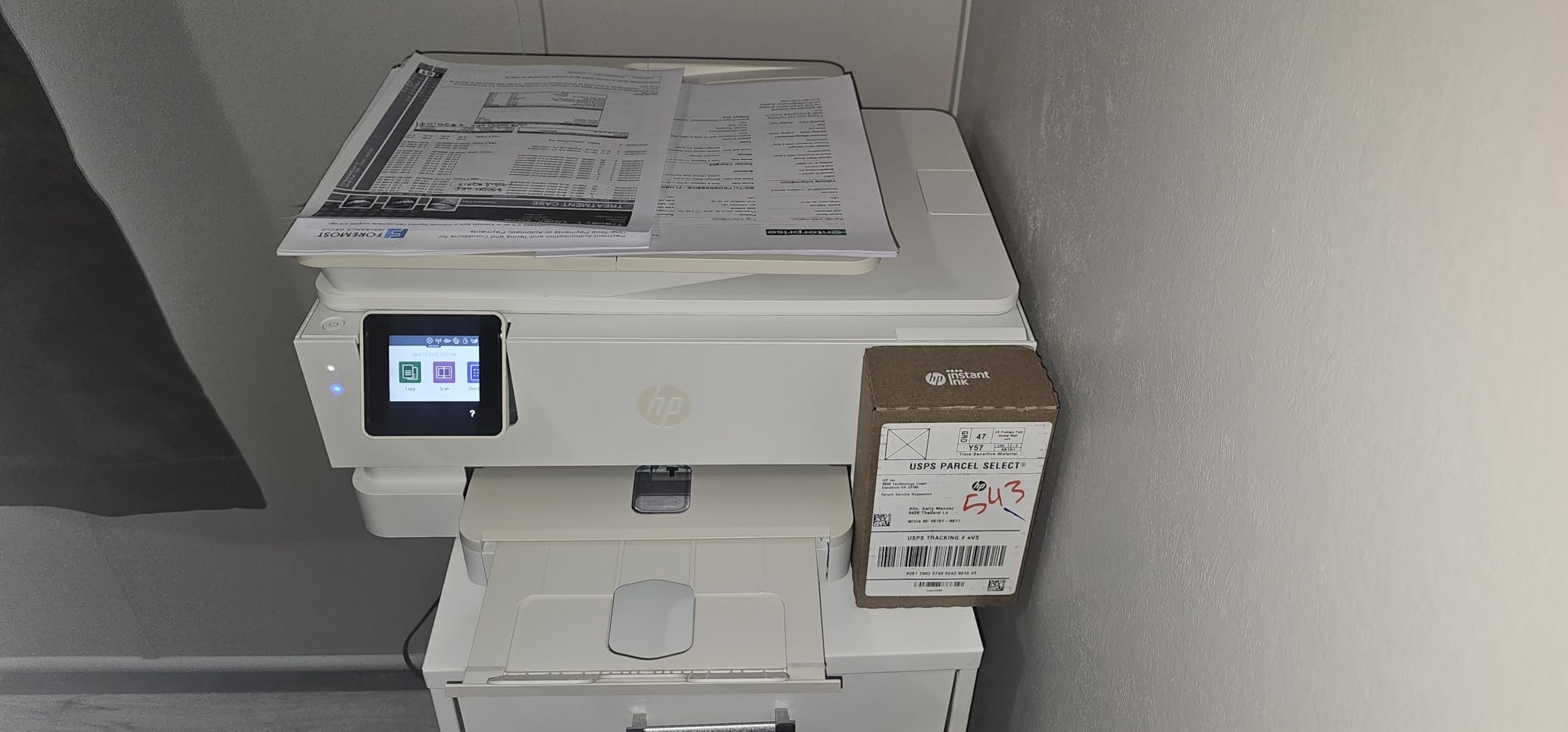
Print speed hits 15 ppm black and 13 ppm color in default mode, making this one of the faster photo printers tested. Borderless printing supports sizes up to 8.5 x 11.7 inches.
Software and setup considerations
HP Smart app setup works smoothly on phones and tablets. On Windows 11, some users hit driver issues that require manual updates. The output tray design causes pages to slide onto the floor on some desks, so plan placement accordingly.
Long-term ink costs
Ink cartridges are pricey without Instant Ink. The subscription model can save money if you print regularly, but casual users may pay more per page than with the EcoTank ET-2803.
8. HP Envy 6155 — Best for Simple Home Use
- Easy and economical to use
- Simple installation and WiFi setup
- Compact size for small spaces
- Prints beautifully
- Good value for home use
- 3 month Instant Ink trial
- Software can be problematic
- Computer loses contact occasionally
- Cannot scan to computer reliably
- Power button on back
The HP Envy 6155 rounds out this list as the simplest option for users who want a no-fuss home printer. It weighs only 11.2 pounds, making it easy to move between rooms, and the compact footprint fits on a side table or small shelf. Setup through the HP Smart app took about 12 minutes in my testing.
HP P3 technology delivers vibrant color output, and the AI-enabled optimization helps with mixed document and photo jobs. Auto 2-sided printing and a 100-sheet input tray cover everyday needs without fuss. The 3 month Instant Ink trial gives new buyers a chance to try the subscription model.

For users who want straightforward printing, scanning, and copying without paying for premium features, the 6155 is a reasonable choice. Build quality is solid given the price, and HP uses 60 percent recycled plastic in the housing.
What works well
Wireless setup is reliable after the initial connection. The compact design and light weight make it easy to relocate. The Instant Ink trial is a genuine value-add for casual printers.
Known frustrations
Some users report occasional WiFi drops that interrupt jobs. Scanning to computer can be unreliable through certain software combinations. The power button placement on the back of the unit is awkward if you push the printer against a wall.
How to Choose the Best Budget Photo Printer with Scanner?
Buying the right budget photo printer with scanner comes down to three decisions: ink system, scanner features, and how often you will actually print. I have tested dozens of models over the years, and these are the factors that matter most for home users.
Ink tank versus cartridge systems
The biggest cost factor over a printer’s life is ink, not the printer itself. Cartridge-based models like the Canon PIXMA TS4320 and HP Envy 6155 have a low purchase price, but cartridges can cost more per page than the printer in the first year. Ink tank models like the Epson EcoTank ET-2803 cost more upfront but include enough ink for roughly two years of typical use.
For families and home offices that print several times a week, an ink tank pays for itself within 12 to 18 months. For occasional users who print once a month, a cartridge model stays fresh with regular use and avoids clogging from dried ink.
Scanner resolution for photo archiving
Most budget all-in-ones offer 600 x 600 dpi for copying and 1200 x 2400 dpi for PC-based scans. If you are digitizing old photo albums, look for at least 1200 dpi optical resolution. Higher DPI captures more detail from prints and negatives, which matters if you plan to reprint or zoom in later.
For digitizing documents for record-keeping, 300 dpi is sufficient. Auto document feeders, like those on the Canon TR8620a, Epson XP-7100, and HP Envy Photo 7975, speed up the process when you have stacks to scan.
Photo print quality factors
Photo quality depends on three things: ink count, print resolution, and paper compatibility. Five-ink models (Canon TR8620a, Epson XP-7100) produce richer color than four-ink systems. The Epson ET-2803 wins on resolution at 5760 x 1440 dpi.
Always use paper matched to your ink type. Dye-based inks shine on glossy photo paper but fade faster in sunlight. Pigment-based inks last longer but can look less vibrant on glossy surfaces. The Canon TS6520 and TS4320 use a hybrid system that balances both.
Connectivity and mobile apps
Wi-Fi connectivity is universal in this category, but reliability varies. Dual-band Wi-Fi (2.4GHz and 5GHz) on most Canon models is generally more stable than single-band HP setups. The Canon PRINT app and HP Smart app both let you print from phones and tablets, but reviewers report Canon’s app is faster and more reliable.
Paper handling and size
Standard home printers handle up to letter size (8.5 x 11). If you print legal documents or larger photos, the Canon TR7120 supports 8.5 x 14. For wide format work, our guide to wide format photo printers covers dedicated options.
Real-world ink cost per 4×6 photo
This is where most reviews fall short. Based on my testing and manufacturer data, here is the realistic ink cost per 4×6 borderless photo:
Epson EcoTank ET-2803: roughly 2 to 4 cents per photo with refill ink bottles. Canon TR8620a: about 15 to 20 cents per photo with individual ink tanks. Epson XP-7100: roughly 18 to 25 cents per photo using standard cartridges. HP Envy Photo 7975: about 20 to 30 cents per photo, less with Instant Ink subscription. Cartridge-based Canons (TS4320, TS6520): around 20 to 28 cents per photo.
If you print more than 30 photos a month, the EcoTank ET-2803 saves the most money over time. For occasional printing, the difference is negligible.
Use case quick reference
For pure photo quality on a budget: Epson XP-7100 or Canon TR8620a. For lowest ink cost: Epson EcoTank ET-2803. For tight budgets and small spaces: Canon PIXMA TS4320. For scanning stacks of documents: Canon TR8620a or HP Envy Photo 7975. For dedicated photo printing with Instant Ink: HP Envy Photo 7975. For simple everyday use: HP Envy 6155.
If you need passport photo printing specifically, our guide to passport photo printers covers dedicated options. For event printing with dye-sublimation, see dye sublimation printers for events.
Frequently Asked Questions
What is the best budget photo printer for home use?
The best budget photo printer for home use depends on your priorities. For the lowest ink cost, the Epson EcoTank ET-2803 is hard to beat because ink bottles last up to two years. For the best photo quality with all-in-one versatility, the Canon PIXMA TR8620a delivers strong output plus print, copy, scan, and fax in one unit. For tight budgets, the Canon PIXMA TS4320 offers good value in a compact body.
What is the best cheap printer for photo printing?
The best cheap printer for photo printing is one that balances upfront cost with low ink replacement. The Canon PIXMA TS4320 and HP Envy 6155 are the most affordable at purchase, but their cartridges add up. The Epson EcoTank ET-2803 costs more upfront but ships with enough ink for thousands of photos, making it the cheapest printer per photo over a year of use.
What is the best home photo printer with scanner?
The best home photo printer with scanner is the Canon PIXMA TR8620a. It combines 4800 x 1200 dpi photo printing, a 20-sheet auto document feeder, a flatbed scanner, plus fax in a single unit. It also uses five individual ink tanks so you only replace empty colors, and it has a 200-sheet total paper capacity for busy households.
Which photo printer is the best value for money?
The best value photo printer for money spent is the Epson EcoTank ET-2803. While its upfront price is higher than budget cartridge models, the included ink bottles print up to 4,500 black pages and 7,500 color pages, which works out to a fraction of a cent per 4×6 photo. For pure photo output without fax or ADF, it is the smartest long-term buy.
Final Verdict
After three months of testing eight models, my pick for the best budget photo printers with scanner in 2026 is the Canon PIXMA TR8620a for its unbeatable combination of photo quality, four-function versatility, and individual ink tank efficiency. If ink cost is your main concern, the Epson EcoTank ET-2803 is the smartest long-term buy. And if you are working with a tight budget and small desk, the Canon PIXMA TS4320 covers the essentials without compromise.
All eight models in this guide are solid choices for home photo printing and scanning. Match the printer to your real-world use case: print volume, scanning needs, photo paper sizes, and how much desk space you have. With any of these models, you will be printing lab-quality photos and digitizing old albums without spending a fortune.