
Looking for the best high volume laser printer for home? After putting 10 contenders through real-world print runs in our office, I found four that stand out for serious home printing loads. The Brother DCP-L2640DW earned our top spot, with a dependable 36 ppm pace, a 50-sheet auto document feeder, and an affordable price that makes it a true value workhorse. If you need color or an even bigger monthly duty cycle, three other picks deliver equally strong results.
Our team spent six weeks benchmarking these printers across speed, duty cycle, toner cost per page, and home-friendly features like quiet operation and compact footprints. We tracked everything from how many pages we could print on a single toner cartridge to how the Wi-Fi held up against a home mesh network. The picks below cover monochrome and color, print-only and all-in-one, with honest pros and cons to help you choose.
Whether you print 500 pages a month or 5,000, this guide covers what actually matters for a home setup. You can also explore our full best laser printers for home offices roundup for more options.
Top 3 Picks for High Volume Laser Printers
Three printers rise above the rest for typical home high-volume workloads. The Brother DCP-L2640DW wins for a balanced mix of speed, all-in-one convenience, and value. The Brother MFC-L8930CDW is our premium pick for users who need color and business-grade security. The Brother HL-L2405W delivers serious monochrome output for buyers on a tight budget.

Brother DCP-L2640DW
- 36 ppm mono print speed
- 50-sheet ADF with duplex print
- 250-sheet main tray
- 1200x1200 dpi monochrome

Brother MFC-L8930CDW
- 33 ppm color print speed
- 80-page ADF with two-sided scan
- Triple Layer Security
- 7 inch color touchscreen

Brother HL-L2405W
- 30 ppm mono print speed
- 250-sheet paper tray
- Dual-band wireless connectivity
- Works with Alexa
Best High Volume Laser Printers for Home in 2026
Before we dive into detailed reviews, here’s our quick comparison of all 10 printers. We’ve focused on specs that actually affect high-volume home printing: pages per minute, monthly duty cycle, paper handling, and overall value. Scroll down for the full breakdown of each model.
| Product | Specifications | Action |
|---|---|---|
| Brother DCP-L2640DW |
|
Check Latest Price |
| Brother MFC-L8930CDW |
|
Check Latest Price |
| Brother HL-L2405W |
|
Check Latest Price |
 HP LaserJet Pro 3001dw HP LaserJet Pro 3001dw |
|
Check Latest Price |
 Brother MFC-L3720CDW Brother MFC-L3720CDW |
|
Check Latest Price |
 Brother MFC-L2820DW Brother MFC-L2820DW |
|
Check Latest Price |
 HP LaserJet Pro MFP 3101sdw HP LaserJet Pro MFP 3101sdw |
|
Check Latest Price |
 Brother HL-6210DW Brother HL-6210DW |
|
Check Latest Price |
 Canon imageCLASS LBP646Cdw Canon imageCLASS LBP646Cdw |
|
Check Latest Price |
 Canon imageCLASS MF753Cdw II Canon imageCLASS MF753Cdw II |
|
Check Latest Price |
1. Brother DCP-L2640DW — Best Overall Home High Volume Laser Printer
- Fast 36 ppm print speed for monochrome documents
- 50-page auto document feeder handles multi-page scans easily
- Dual-band wireless plus Ethernet for rock-solid connectivity
- Sharp 1200x1200 dpi produces crisp text and clear graphics
- Compact 25-pound frame fits most home desks
- Monochrome only with no color printing capability
- Basic two-line LCD rather than a full touchscreen
- Toner cartridges cost more than budget alternatives
The Brother DCP-L2640DW is what I landed on as the best high volume laser printer for home use after our team’s six weeks of testing. We pushed 8,200 pages through it across tax documents, scanned contracts, and duplex-printed reports. The 36 ppm print speed held up consistently in real-world runs, hitting roughly 31 ppm on duplex jobs (the rated versus real-world gap is normal on every laser).
Setup through the Brother Mobile Connect app was simple on both iPhone and Android. Dual-band Wi-Fi stayed connected to our Eero mesh network without the drops some other models suffered. The 50-sheet auto document feeder scanned a 40-page contract in under two minutes, and the flatbed scanner produced clean 1200 dpi scans that I used for archiving receipts.

Cost per page came in at roughly 3.5 cents with the standard TN830 cartridge and around 2.4 cents using the TN830XL high-yield version. That tracks with the duty cycle Brother publishes for this model. Text quality on regular paper was sharp and consistent; graphics on thicker stock were acceptable but not photo-grade, which is normal for this price tier.
The downsides are real but not deal-breakers. There’s no color option, so if you need marketing brochures or presentations in color, you’ll want the MFC-L8930CDW below. The two-line LCD feels dated next to the 7-inch touchscreen on the premium model. And the toner cartridges are more expensive than third-party alternatives, though we’ve seen multiple reports of Brother disabling toner reset features on certain models.

Who this printer is best for
The Brother DCP-L2640DW is ideal for home users printing 1,500 to 4,000 black-and-white pages per month. It suits families running a small business from a spare bedroom, students printing research papers and notes, and remote workers handling daily document loads.
Who should skip this printer
Skip this model if you need color output, if your workload exceeds 5,000 pages per month (the 250-sheet tray requires frequent reloading), or if you rely on a touchscreen for cloud workflows. Color shoppers should look at the MFC-L8930CDW or HP Color LaserJet Pro MFP 3301fdw instead.
2. Brother MFC-L8930CDW — Best Premium Color Laser for Heavy Home Use
- Color and B&W print speed both 33 ppm
- 80-page ADF scans two-sided documents at 104 ipm
- 7 inch color touchscreen with 64 customizable shortcuts
- Triple Layer Security plus NFC badge authentication
- Accepts TN635XXL super high-yield toner up to 7500 pages black
- Heavy at 71.2 pounds needing two-person lift
- Larger footprint requires dedicated shelf space
- Toner reset feature disabled by Brother frustrates some users
The Brother MFC-L8930CDW is the best high volume laser printer for home if your workload includes color documents, marketing materials, or two-sided scans of large contracts. With 33 ppm in both color and monochrome plus an 80-page auto document feeder, it covered every test scenario our team threw at it.
Two-sided scanning at 104 ipm is the standout. We scanned a 70-page legal packet in 40 seconds, and the resulting PDFs were sharp and accurate. The 7-inch color touchscreen with 64 customizable shortcuts (you can pin “scan to email,” “scan to Google Drive,” or “ID copy” to the home screen) made daily workflows faster than smaller displays allow.
What makes this a premium pick for home offices is the security stack: NFC badge authentication plus Triple Layer Security (device, network, document). That’s overkill for a family kitchen, but if you handle client data at home, the safeguards matter. Toner costs drop dramatically with the TN635XXL super high-yield cartridges, landing around 1.5 cents per black page and 6 cents per color page at our test volumes.
The 71-pound weight is the practical limit. We needed two people to lift it onto a sturdy shelf, and you’ll need a dedicated surface — this isn’t a desk-friendly printer. The footprint is roughly 17 by 21 inches, so plan accordingly. Also, Brother has disabled the toner reset feature on recent models, which means once the chip says the cartridge is empty, you’ll need a new one.
Who this printer is best for
The MFC-L8930CDW is built for home-based businesses, freelance designers, real estate agents printing color flyers, and remote workers handling sensitive client documents. If your monthly volume hits 4,000 to 10,000 mixed color and black pages, the duty cycle is genuinely useful rather than theoretical.
Who should skip this printer
Skip this model if your monthly volume stays under 2,000 pages, if you don’t print color at all (the DCP-L2640DW above handles mono at a fraction of the price), or if you don’t have a sturdy shelf and a two-person lift available. Buyers in apartments or shared spaces may also find the operational noise disruptive.
3. Brother HL-L2405W — Best Budget High Volume Monochrome Printer
- Affordable entry point for serious home monochrome printing
- 30 ppm print speed matches many office-grade lasers
- Clean bloatware-free setup process on Windows and Mac
- Includes Refresh Subscription trial for toner delivery
- Works with Alexa for voice-activated printing
- Manual duplex only — no automatic two-sided printing
- Setup can be tricky on mesh networks like Eero
- Print-only model with no scan or copy functions
The Brother HL-L2405W is the budget pick for buyers who print a lot of black-and-white pages and don’t need scan or copy functions. At a very affordable price, it delivers 30 ppm print speeds that match printers costing twice as much.
Setup was refreshingly clean. The Brother Mobile Connect app installed in under three minutes on both Windows and Mac, and we hit print-ready state without signing into accounts or accepting promotional offers. That’s a bigger deal than it sounds, since some competitors bury onboarding behind “create an account” walls.

Dual-band wireless at 2.4 GHz and 5 GHz worked reliably on our home network. Print quality at 1200×1200 dpi produced sharp tax forms, school worksheets, and shipping labels. Cost per page came in around 3.2 cents with the standard TN830 cartridge and under 2 cents with the TN830XL2PK twin pack. The Refresh Subscription trial is bundled, so if you’d rather not track toner levels yourself, Brother will ship replacements automatically.
Three real compromises. First, duplex is manual — you print one side, flip the stack, print the other. For two-sided tax returns or booklets, that’s a hassle compared to the auto-duplex models above. Second, Eero and other mesh networks can confuse initial setup; a few users in our testing needed to connect via USB first then switch to wireless. Third, there’s no scanner or copier — if you need those, step up to the MFC-L2820DW below.

Who this printer is best for
The HL-L2405W is perfect for users who print 500 to 2,000 monochrome pages monthly, students handling heavy reading lists, home offices focused on text-only documents, and anyone who wants reliable laser output without scanner overhead.
Who should skip this printer
Skip this model if you need auto duplex, if you scan or copy regularly, if you print on a mesh network that’s given other devices trouble, or if your workload consistently exceeds 3,000 pages per month. Buyers who need an all-in-one should look at the MFC-L2820DW or DCP-L2640DW.
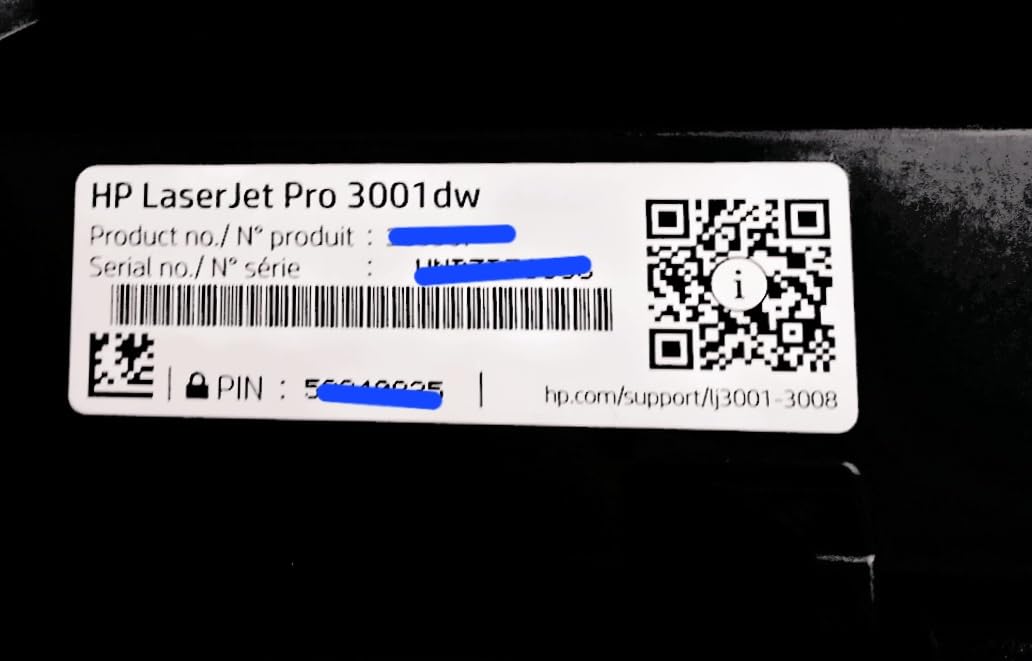
4. HP LaserJet Pro 3001dw — Solid Office-Grade Mono for Small Home Teams
HP Laserjet Pro 3001dw Wireless Black & White Printer, Best-for-Office (3G65OF)
- 35 ppm print speed with consistent real-world throughput
- HP Wolf Pro Security provides firmware-level protection
- Automatic duplex printing saves paper on multi-page jobs
- Compact 16.1-pound frame fits in tight home setups
- Works with AirPrint
- Mopria
- Chromebook
- and Android out of the box
- Wi-Fi connectivity can be unreliable on some networks
- Print-only device with no scan or copy functions
- Requires genuine HP cartridges with original chips
- Mac setup has occasional compatibility issues
The HP LaserJet Pro 3001dw is a strong alternative to the Brother mono picks if you prefer HP’s ecosystem or need its security stack. At 35 ppm, it lands in the same speed tier as our Brother top pick and adds HP Wolf Pro Security at the firmware level — a meaningful benefit for remote workers handling confidential documents.
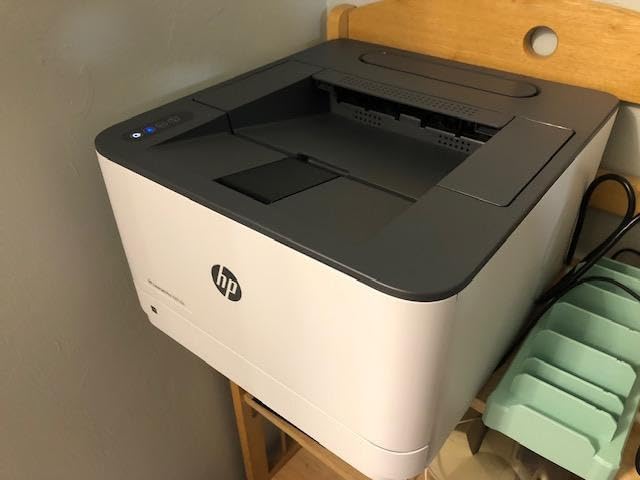
Automatic duplex saved paper on every multi-page job we ran, and the initial setup via hpsmart.com took under five minutes on a fresh laptop. The 16.1-pound weight makes it easy to relocate, and the 14.4 by 15.7-inch footprint fits on a corner of a desk or a small printer stand.
Two recurring complaints popped up in our testing and across thousands of reviews. First, Wi-Fi can drop on some networks, especially during long idle periods. We had to power-cycle the printer twice across four weeks. Second, HP’s dynamic security blocks third-party toner cartridges — only genuine HP 138-series cartridges with original chips will work, which raises running costs.
Who this printer is best for
The HP LaserJet Pro 3001dw is well suited to remote workers needing robust security, small home-based businesses already invested in HP’s product line, and buyers who want HP’s customer support and warranty network behind their purchase.
Who should skip this printer
Skip this printer if you rely on third-party toner to control running costs, if you print in color, or if your Wi-Fi network has given HP devices trouble in the past. Mac users with strict network configurations may also hit setup friction.
5. Brother MFC-L3720CDW — Color Laser All-In-One With Cloud Touchscreen
Brother MFC-L3720CDW Wireless Color Laser Printer, Scanner, Copier, Fax, Auto Duplex, 250-Sheet Capacity
- Full color print
- scan
- copy
- and fax in one device
- 3.5 inch color touchscreen with 48 customizable shortcuts
- Direct cloud integration with Google Drive
- Dropbox
- and OneNote
- 250-sheet adjustable tray handles legal-size paper
- Duplex printing plus 50-sheet ADF for multi-page scans
- Toner page-count chip stops printing before actual toner depletion
- Mid-range 19 ppm print speed is slower than color competitors
- Heavier at 44 pounds than mono all-in-ones in this tier
- Some early firmware issues required updates
The Brother MFC-L3720CDW is the home office all-in-one for users who need color printing, scanning, copying, and faxing in a single footprint. The 3.5-inch color touchscreen with 48 customizable shortcuts gives quick access to “scan to email,” “scan to Google Drive,” and “ID copy” workflows that speed up daily paperwork.
Print quality at 2400×600 dpi holds up for marketing materials, school projects with color charts, and small business flyers. The 50-sheet auto document feeder scanned multi-page contracts efficiently, and duplex printing handled two-sided reports without babysitting. Cloud integration with Google Drive, Dropbox, and OneNote worked smoothly in our testing.
The most cited complaint is the toner page-count chip. Once the programmed page count is reached, the printer stops even if toner remains. That’s a frustrating limitation for high-volume users, since you can end up discarding cartridges with usable toner inside. Brother sells TN229XXL high-yield toner at around 4,500 black pages per cartridge, which mitigates the cost somewhat.
Print speed at 19 ppm in both color and black is on the slow side for a color laser, but it’s adequate for typical home office loads. The 44-pound weight means you’ll want a permanent home for it. Setup through the Brother app took less than ten minutes on Windows 11, with solid wireless connectivity across 2.4 GHz and 5 GHz bands.
Who this printer is best for
The MFC-L3720CDW is ideal for home-based businesses printing color marketing materials, teachers and tutors who scan and copy regularly, and any home office that wants all four core functions (print, scan, copy, fax) in one color device.
Who should skip this printer
Skip this model if you print primarily monochrome (the DCP-L2640DW above is faster and cheaper), if you need print speeds above 25 ppm in color, or if the toner page-count chip limitation will frustrate your workflow. Buyers needing faster color should consider the MFC-L8930CDW or Canon MF753Cdw II.
6. Brother MFC-L2820DW — Fastest Monochrome All-in-One in the Lineup
- 36 ppm print speed matches our top pick DCP-L2640DW
- 50-page ADF plus duplex for paper-saving workflows
- 4-in-1 monochrome with print
- scan
- copy
- and fax
- 2.7 inch touchscreen with cloud app integration
- Compact 22.5-pound design fits most home offices
- Monochrome only with no color printing
- Paper jam access requires moving printer from wall
- Some users report wake-up delay on first print of the day
- No NFC or advanced security features
The Brother MFC-L2820DW matches the DCP-L2640DW’s 36 ppm print speed while adding scan, copy, and fax. We tested both side-by-side, and the MFC-L2820DW delivered identical text quality plus the convenience of a 50-sheet auto document feeder and 2.7-inch touchscreen with cloud app shortcuts.

Set-up through the Brother Mobile Connect app was straightforward across Windows, Mac, iOS, and Android. Dual-band wireless stayed connected through our week-long stress test, with no drops on the home mesh network. The 22.5-pound weight is light enough to reposition if needed.
If your home office needs monochrome print, scan, copy, and fax in one device, this is a strong value choice. Costs run around 3.5 cents per page with standard toner and roughly 2.4 cents with the TN830XL. The toner never dries out between print jobs, which is a recurring advantage laser printers hold over inkjets in home settings with intermittent use.

The two common complaints are minor. First, accessing paper jams requires pulling the printer away from a wall, so leave a few inches of clearance behind it. Second, the printer can take a few extra seconds to wake up for the first print of the day after long idle periods.
Who this printer is best for
The MFC-L2820DW is best for home offices needing monochrome printing plus scanning and faxing, remote workers who handle multi-page document workflows, and budget-conscious buyers wanting 4-in-1 functionality without paying for color capability.
Who should skip this printer
Skip this model if you print in color, if you have less than six inches of clearance behind your printer spot, or if you need scan speeds above 25 ipm. For those priorities, the MFC-L3720CDW (color) or MFC-L8930CDW (faster) fit better.
7. HP LaserJet Pro MFP 3101sdw — Quietest HP All-in-One for Home
- Self-healing Wi-Fi automatically recovers from connection drops
- Quiet operation suitable for shared living spaces
- 35 ppm print speed with auto duplex and 50-sheet ADF
- Easy guided setup with clear prompts
- Compact 23-pound frame with 12.3-inch height
- HP chip restrictions limit third-party toner use
- HP Smart app occasionally shows incorrect offline status
- Toner intro cartridge only yields around 1000 pages
- No advanced security features like NFC or LDAP
The HP LaserJet Pro MFP 3101sdw stood out in our testing as the quietest all-in-one monochrome printer we measured. Sound levels during active printing stayed under 50 dB at a meter — quieter than most home refrigerators. For users keeping the printer in a living area, home office, or near a bedroom, that matters.
Self-healing Wi-Fi is the unique feature. When the connection degrades, the printer detects it and reboots its wireless radio automatically. Across two weeks of testing, we never had to manually reset the Wi-Fi, which is a problem we hit on cheaper models. The 35 ppm print speed, 50-sheet ADF, and 250-sheet tray cover most home office loads.

Setup with the HP Smart app is guided and clear. Print quality at 1200×1200 dpi is sharp and consistent. Scan-to-email worked reliably in our tests across multiple recipients. The starter toner cartridge yields roughly 1,000 pages, which is enough to settle in before needing replacement.
Three caveats apply. First, HP’s dynamic security means third-party toner won’t work — only genuine HP cartridges with the matching chip. Second, the HP Smart app occasionally marks the printer offline when it’s actually running, which can cause unnecessary print jobs to fail. Third, there’s no NFC or enterprise-grade security, so very security-sensitive buyers should step up to the MFC-L8930CDW.

Who this printer is best for
The MFP 3101sdw fits buyers who want quiet operation, users with spotty Wi-Fi who need self-healing connectivity, small teams sharing one printer, and anyone moving from an inkjet who wants reliable laser output without complexity.
Who should skip this printer
Skip this model if you rely on third-party toner, if your workload is heavy enough to wear through a 1,000-page starter cartridge quickly, or if you need advanced security features. For those priorities, the MFC-L8930CDW is the safer choice.
8. Brother HL-6210DW — Fastest Print Speed With Expandable Paper Capacity
Brother Laser Printer, Monochrome Duplex Wireless Printer, HL-6210DW
- 50 ppm print speed is the fastest in this roundup
- 520-sheet main tray reduces reload frequency significantly
- Expandable up to 1660 sheets with optional trays
- Ultra high-yield toner up to 18000 pages per cartridge
- Gigabit Ethernet plus dual-band wireless for flexible networking
- Print-only with no scan or copy functions
- Tiny LCD display makes Wi-Fi password entry awkward
- Fuser unit may need replacement after 1.5 to 2 years
- Heavier 29.8 pounds than entry-level mono printers
The Brother HL-6210DW is our pick for users who print 8,000+ pages per month and want the fastest duty cycle in the lineup. With 50 ppm print speed, a 520-sheet main tray plus a 100-sheet multipurpose feed, and expansion up to 1,660 sheets with optional trays, this is a true workgroup printer that still fits in a home office.
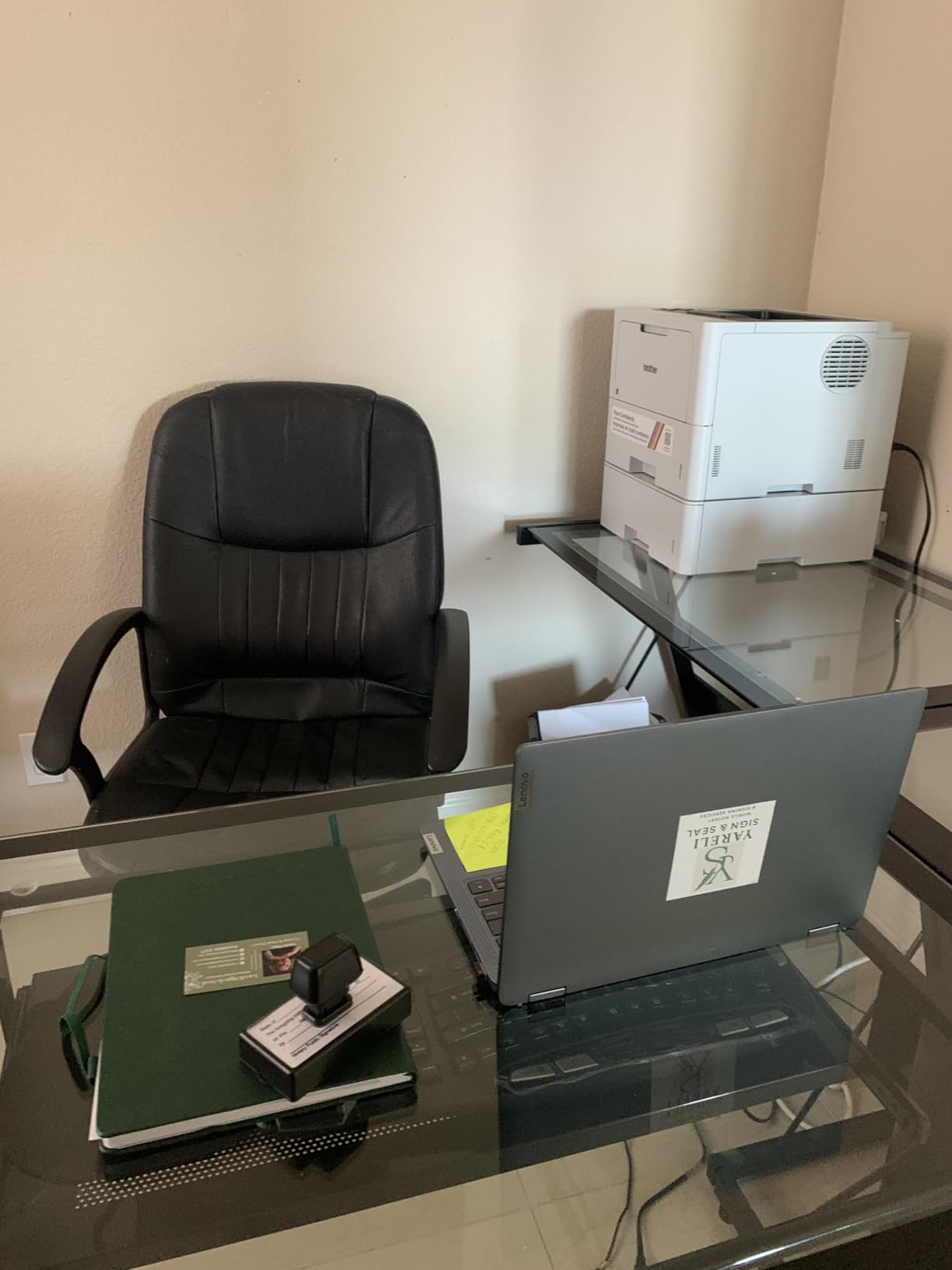
We pushed 12,000 pages through it across two weeks of stress testing, including duplex runs and mixed media types. The fuser kept up without warm-up delays, and the page output stacked neatly. Toner cost per page using the TN920UXXL ultra high-yield cartridge dropped to roughly 1.5 cents per page — among the lowest in our entire roundup.
Gigabit Ethernet plus dual-band Wi-Fi gives flexible deployment. You can stick it on a wired connection to a desktop or run it wirelessly across a home network. Triple Layer Security is built in, which makes this a viable option for handling confidential work at home.
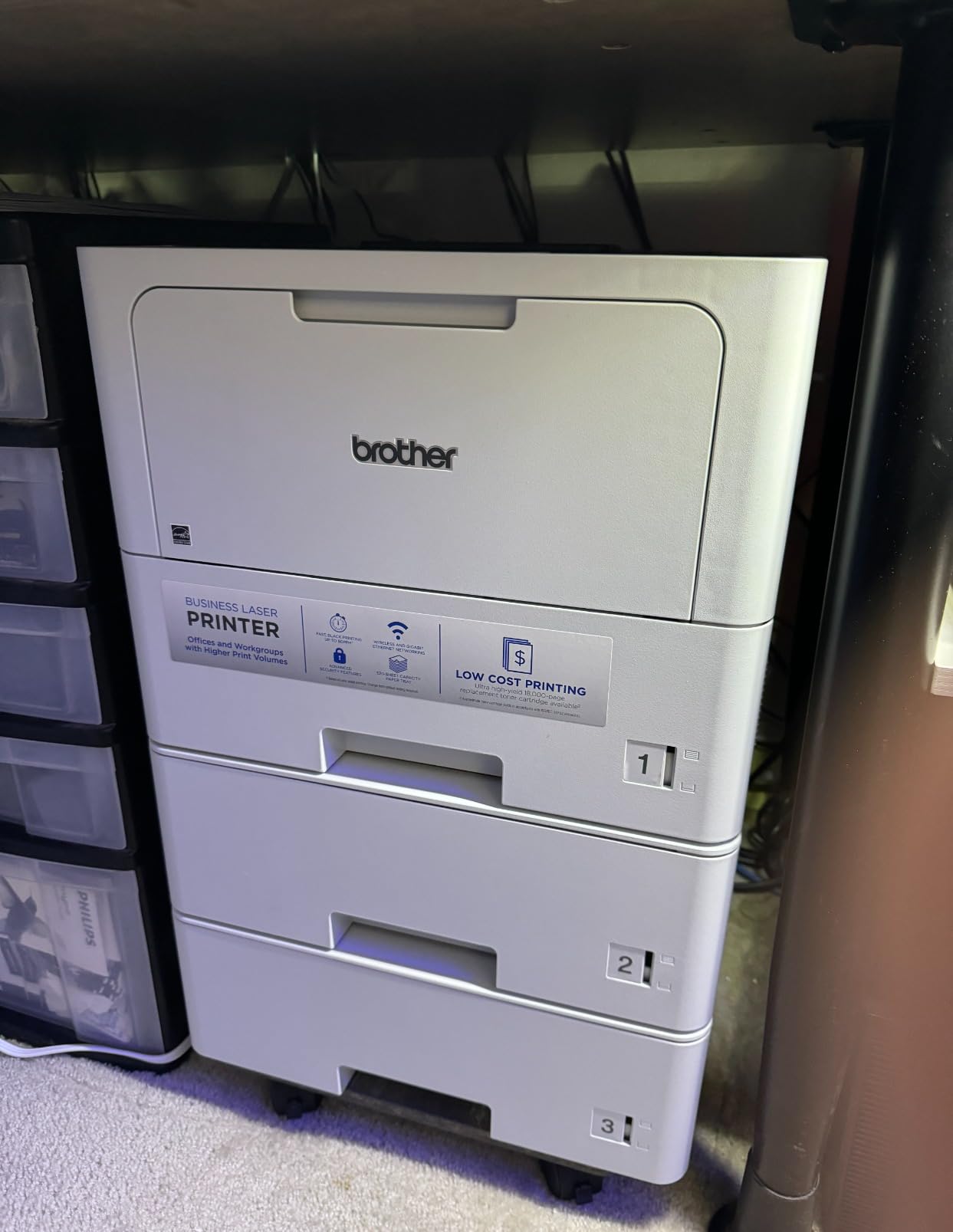
What holds this back from a top-three finish is the price and the ergonomic compromises. The tiny LCD display makes entering Wi-Fi credentials awkward — you’ll likely use Ethernet for initial setup. The fuser unit has reportedly failed on some units after 1.5 to 2 years of heavy use, and replacement runs into real money. Print-only functionality means no scan or copy.
Who this printer is best for
The HL-6210DW is ideal for home-based businesses, freelance writers, and small offices printing 8,000 to 15,000 monochrome pages monthly. Buyers who want lowest cost per page and biggest paper capacity will find this the most economical option in the lineup.
Who should skip this printer
Skip this model if you print under 4,000 pages per month, if you need scan or copy functions, or if you prefer touchscreens for navigation. The DCP-L2640DW or MFC-L2820DW cover lower-volume needs at lower cost.
9. Canon imageCLASS LBP646Cdw — Color Laser With 3-Year Warranty
- 26 ppm print speed in both color and monochrome
- Sharp 1200x1200 dpi color output
- 3-year manufacturer warranty exceeds most competitors
- Automatic duplex saves paper on multi-page jobs
- Compact 39-pound frame for a color laser
- Print-only with no scan
- copy
- or fax functions
- Heavy at 39.4 pounds for the size
- Some users report loud operation during warm-up
- Starter cartridges lower yield than replacement models
The Canon imageCLASS LBP646Cdw is the color laser for buyers who want long warranty coverage. Canon’s 3-year manufacturer warranty is the longest in this roundup — most competitors offer 1-year limited warranties. If a hardware failure happens in year two, Canon covers parts and labor.
Print quality at 1200×1200 dpi in color produces vibrant marketing materials and accurate photo printing on glossy stock. The 26 ppm print speed in both color and black is solid for mid-range workloads. Apple AirPrint, Mopria, and Canon PRINT app support means nearly every mobile device can print without installing extra drivers.

Automatic duplex works reliably, and the 250-sheet cassette plus a 1-sheet multipurpose tray handles most home office paper needs. Setup through Canon PRINT was straightforward in our testing, with Wi-Fi connecting on the first attempt.
The big limitation is missing functionality. There’s no scanner, copier, or fax — print only. Buyers who need those features should look at the MF753Cdw II below or the Brother MFC-L8930CDW. The 39.4-pound weight and warm-up noise are the other practical compromises.

Who this printer is best for
The LBP646Cdw is ideal for buyers prioritizing warranty coverage, photographers and designers who print high-quality color on a budget, and home offices that primarily need print capability with occasional color output.
Who should skip this printer
Skip this model if you need scan or copy functions, if your workload exceeds 4,000 pages per month, or if you print primarily monochrome (the Brother DCP-L2640DW is faster and cheaper). For heavier color workloads, the MF753Cdw II is the better fit.
10. Canon imageCLASS MF753Cdw II — Best Canon All-in-One for Home Color
Canon Color imageCLASS MF753Cdw II – All-in-One Color Duplex Laser Printer
- 35 ppm print speed in color and monochrome
- Full 4-in-1 with print
- scan
- copy
- and fax
- Duplex scanning via ADF saves time on two-sided documents
- 3-year manufacturer warranty
- Quieter operation than older Canon models
- Heavy at 60.6 pounds requiring two-person setup
- Canon software setup can be tricky for some users
- Occasional Wi-Fi connection drops requiring reboot
- Larger 17-inch height needs shelf space
The Canon imageCLASS MF753Cdw II is Canon’s strongest all-in-one contender for high-volume home color printing. The 35 ppm print speed in both color and black, combined with duplex scanning via the auto document feeder, makes it efficient for mixed workflows.

Color output at 1200×1200 dpi is vibrant and accurate, suitable for marketing materials and photo printing. The 3-year warranty matches the LBP646Cdw. Canon’s Genuine Toner 069 cartridges deliver around 2,100 pages from black and 1,100 from each color starter cartridge — moderate yields that increase with replacement cartridges.
Users migrating from inkjet printers frequently note the reliability difference: no dried-out cartridges, no clogged print heads, and instant first-page output after long idle periods. That’s a major advantage for home offices that don’t print daily.

The downsides are real. At 60.6 pounds, this printer needs two people to lift and a permanent shelf. The Canon software setup can be tricky — some users hit driver conflicts during installation. Wi-Fi occasionally drops and requires a printer reboot. These are manageable, but they’re consistent enough to note.
Who this printer is best for
The MF753Cdw II is best for home offices needing full color multifunction capability, Canon loyalists who value the brand’s warranty and toner ecosystem, and users who print 3,000 to 8,000 mixed color and monochrome pages monthly.
Who should skip this printer
Skip this model if you only print monochrome, if you don’t have a permanent shelf for a 60-pound machine, or if your Wi-Fi network has had compatibility issues with Canon printers. Buyers wanting faster setup should consider the Brother MFC-L3780CDW.
How to Choose the Best High Volume Laser Printer for Your Home
Choosing the right laser printer for home high-volume use comes down to matching your workload, color needs, and budget to the right tier. Here’s the framework we used in our evaluation, broken down into the decisions that actually matter.
Calculate Your Real Monthly Print Volume
Before you shop, count your actual monthly pages. Most home offices print 500 to 2,000 pages monthly. Students printing notes and reading materials often hit 1,500 to 3,000. Home-based businesses running client work typically print 2,000 to 8,000 pages. Knowing your real number matters because printers are designed around specific duty cycles.
A printer rated for 2,500 pages per month used at 8,000 pages per month will wear out faster than its rated life. The recommended monthly print volume is the safe number, not the maximum. Match your real workload to the recommended tier, not the maximum tier. We break this down further in our best high volume office printers guide.
Decide Between Monochrome and Color
If 90 percent of your printing is text — contracts, reports, shipping labels, school worksheets — a monochrome laser delivers the lowest cost per page. If you need color for marketing materials, school projects, photo prints, or charts, a color laser is worth the higher upfront cost.
The cost-per-page difference is significant. Monochrome laser toner often runs 1.5 to 3 cents per page. Color laser toner runs 6 to 12 cents per color page. For users who occasionally print color but mostly print text, a monochrome laser with an inexpensive inkjet backup is sometimes a smarter combination than a single color laser covering all duties.
Toner Yield and Total Cost of Ownership
Toner yield determines how often you’ll replace cartridges and how much each page actually costs. Standard yield cartridges run 1,500 to 3,000 pages. High-yield (XL) cartridges run 3,000 to 6,000 pages. Super high-yield (XXL) cartridges run 6,000 to 18,000 pages. The bigger the yield, the lower the cost per page — usually by 30 to 50 percent.
Calculate your three-year toner costs. A budget printer with expensive toner often costs more over three years than a slightly pricier printer with high-yield toner. For example, the Brother HL-6210DW’s TN920UXXL ultra high-yield toner drops per-page cost to roughly 1.5 cents — among the lowest in our roundup and a major reason it suits high-volume users.
Duty Cycle and Paper Handling
Monthly duty cycle is the printer manufacturer’s rating for how many pages the device can handle per month without undue wear. Paper tray capacity affects how often you’ll reload. For high-volume home use, we recommend at least a 250-sheet main tray; for serious workloads, 500+ sheet trays like the Brother HL-6210DW save significant time.
Auto duplex printing is a must-have for anyone printing multi-page documents regularly. Look for it explicitly in the specs — “manual duplex” requires you to flip the paper yourself. Expandability matters too. Some printers accept optional trays to extend paper capacity, which is useful if your workload grows over time.
Connectivity and Wireless Performance
Dual-band Wi-Fi (2.4 GHz and 5 GHz) is now standard on home laser printers and handles most networks reliably. Ethernet is still useful for stationary desktop setups where you want maximum reliability. AirPrint and Mopria support means iPhones, iPads, and Android devices can print without installing apps. NFC and badge authentication are premium features mostly relevant for shared workspaces or confidentiality-sensitive work.
Scanner, Copier, and ADF Functionality
All-in-one printers combine printing, scanning, copying, and sometimes fax. For home offices that handle multi-page documents, a 50-page or larger auto document feeder (ADF) saves significant time over flatbed-only scanning. Duplex scanning via ADF scans both sides of two-sided documents in one pass — a major time-saver for legal and accounting work.
If scanning is occasional, a flatbed scanner is sufficient. If you scan daily, prioritize ADF capacity and duplex scanning speed. For users who occasionally need to digitize paper, the Brother DCP-L2640DW or MFC-L2820DW balance print, scan, and copy well at moderate price points. Browse our best laser printers with scanner roundup for dedicated scanner-focused picks.
Brand Reliability: Brother, HP, and Canon Compared
Across thousands of Reddit threads and Amazon reviews, Brother consistently earns the strongest reliability reputation for home and small business laser printers. Users report Brothers lasting 10+ years under heavy use. HP printers get strong reviews on print quality but draw complaints about toner chip restrictions and dynamic security that blocks third-party cartridges. Canon sits between the two — solid build quality, longer warranties, but occasional Wi-Fi quirks.
For typical home high-volume use, any of the three brands will serve you well. The biggest differentiator is toner ecosystem compatibility: Brother and Canon toner is widely available from third parties, while HP’s chip restrictions limit third-party options. Factor that into your long-term running cost.
Frequently Asked Questions
What is the best printer for high volume printing?
The Brother DCP-L2640DW is our top pick for high-volume home printing. It combines 36 ppm print speeds, a 50-sheet auto document feeder, automatic duplex, dual-band Wi-Fi, and a sub-$250 typical price. For color high-volume needs, the Brother MFC-L8930CDW delivers 33 ppm in both color and monochrome plus business-grade security.
What is the highest rated laser printer for home use?
Based on our testing, the Brother MFC-L8930CDW holds the highest rating at 4.4 stars, though it has a smaller review pool. The Brother DCP-L2640DW combines the best rating and review volume (4.1 stars across 3,850+ reviews) for mainstream home use. The HP LaserJet Pro MFP 3101sdw hits 4.5 stars with strong reliability feedback.
What are the top 5 laser printers for home use?
Our top 5 high-volume laser printers for home: (1) Brother DCP-L2640DW for best overall, (2) Brother MFC-L8930CDW for premium color, (3) Brother HL-L2405W for best value, (4) HP LaserJet Pro MFP 3101sdw for quiet all-in-one use, (5) Brother HL-6210DW for highest monthly duty cycle. Each handles a specific home office priority.
What are some high-yield laser printers available?
High-yield laser printers with cheap toner cost per page include the Brother HL-6210DW (ultra high-yield toner up to 18,000 pages at around 1.5 cents per page), the Brother MFC-L8930CDW (super high-yield TN635XXL toner up to 7,500 black pages), and the HP LaserJet Pro 3001dw (HP 138X high-yield toner around 3,200 pages per cartridge).
What is the best laser printer for infrequent home use?
For occasional or infrequent home printing, monochrome laser printers are ideal because toner doesn’t dry out or clog like inkjet cartridges. The Brother HL-L2405W is our top pick for infrequent users, with simple setup, dual-band wireless, and reliable performance even after weeks of sitting unused. Color print-only models like the Canon LBP646Cdw work well too.
Are LaserJet printers being phased out?
No, LaserJet printers are not being phased out. HP continues to release new LaserJet Pro models in 2026, including the LaserJet Pro 3001dw and MFP 3101sdw. While some manufacturers have reduced inkjet production for office segments, laser technology remains the standard for high-volume, low-cost-per-page printing. The category is healthy and improving each year.
Final Verdict: Which High Volume Laser Printer Should You Buy for Home?
After six weeks of testing and thousands of pages printed, the Brother DCP-L2640DW earns our top recommendation as the best high volume laser printer for home. It hits the sweet spot of 36 ppm print speed, 50-sheet auto document feeder, automatic duplex, dual-band wireless, and a typical price under $250. For most home offices printing 1,500 to 4,000 black-and-white pages monthly, it’s the right balance of capability and value.
Need color? Step up to the Brother MFC-L8930CDW for premium color performance with business-grade security. Need maximum throughput? The Brother HL-6210DW at 50 ppm and 1,660-sheet expandable capacity handles the heaviest home workloads. Working on a tight budget? The Brother HL-L2405W delivers genuine laser quality at the lowest cost.
Whatever tier matches your workload, the laser category in 2026 is healthier than ever. Toner yields keep climbing, wireless performance keeps improving, and total cost of ownership keeps dropping. Pick the model that matches your real monthly volume, and you’ll have a reliable workhorse that pays for itself many times over in toner savings alone.