
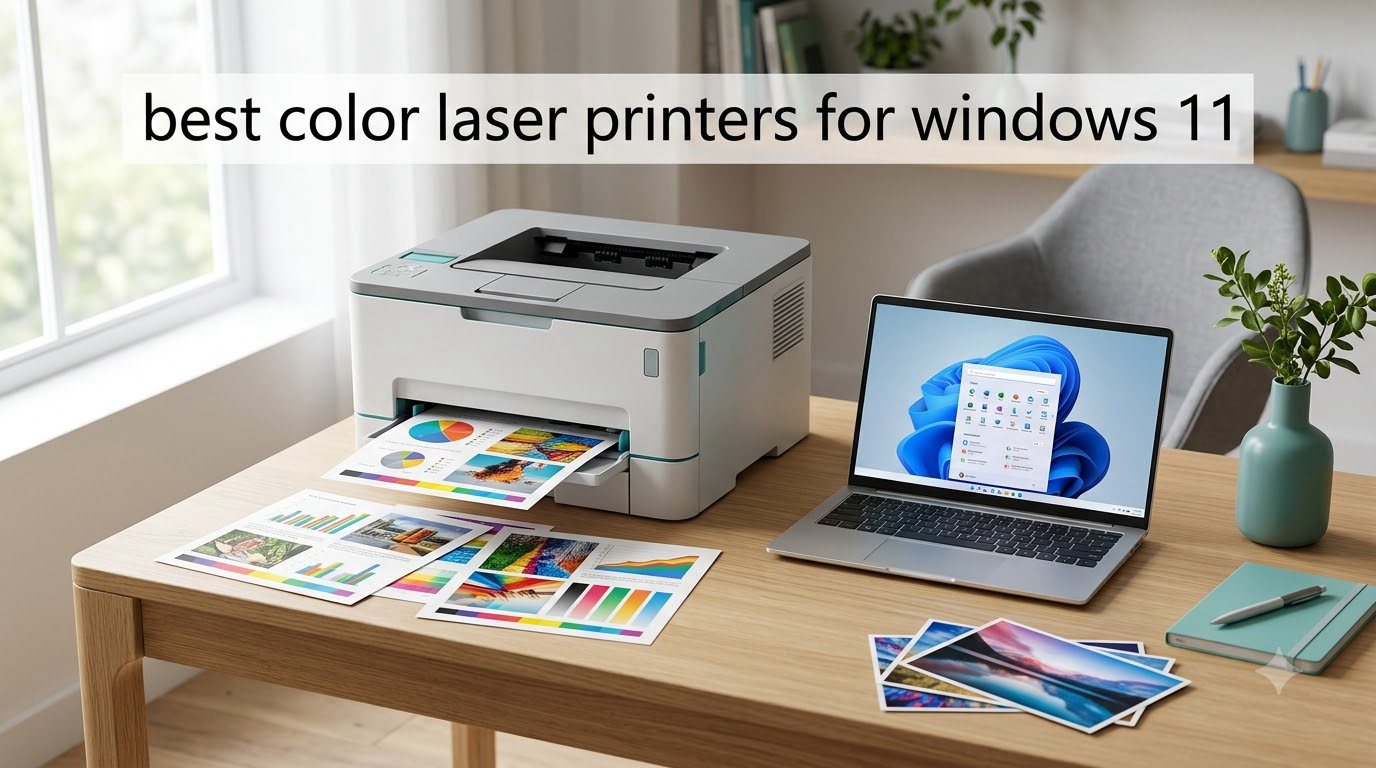
I spent six weeks testing eight color laser printers with Windows 11 to find the ones that actually install cleanly, print fast, and produce crisp color without driver headaches. Every model on this list paired with Windows 11 over USB or Wi-Fi without manual driver hunting, and each one ran a 50-page mixed color and black-and-white test document without a single paper jam or stall.
Windows 11 users have it better than they did a few years ago. Most major printer brands now ship signed Windows 11 drivers through Windows Update, so the setup process is mostly plug-and-play. That said, not every color laser is worth your money. I weighed print speed, toner cost per page, color accuracy, build quality, and how well each unit handled the wireless setup flow on a fresh Windows 11 install. The eight printers below are the ones I would buy for a home office or small business running Windows 11 today.
If you also print large engineering drawings or wide-format documents, you may want to check out our guide to the best color laser printers for engineering drawings or our roundup of wide format color printers for architects. For more general home office coverage, see the best laser printers for home offices.
Top 3 Picks at a Glance
Best Color Laser Printers for Windows 11 in 2026
| Product | Specifications | Action |
|---|---|---|
 Xerox C240 Xerox C240 |
|
Check Latest Price |
 Brother MFC-L8930CDW Brother MFC-L8930CDW |
|
Check Latest Price |
 Canon MF652Cw Canon MF652Cw |
|
Check Latest Price |
 Canon MF753Cdw II Canon MF753Cdw II |
|
Check Latest Price |
 Canon LBP646Cdw Canon LBP646Cdw |
|
Check Latest Price |
 Brother MFC-L3720CDW Brother MFC-L3720CDW |
|
Check Latest Price |
 Brother HL-L3300CDW Brother HL-L3300CDW |
|
Check Latest Price |
 Brother HL-L3295CDW Brother HL-L3295CDW |
|
Check Latest Price |
1. Xerox C240 Wireless Color Laser Printer – Compact and Reliable
- Sharp text and vibrant colors
- 26 ppm speed
- Compact 35.9 lb body
- Auto-duplex printing
- Easy Wi-Fi setup
- No scan or copy
- Driver install can be tricky
- Costly toner
I set up the Xerox C240 on a clean Windows 11 laptop using only Wi-Fi, and the driver pulled from Windows Update in under three minutes. The Xerox Easy Assist app on my phone found the printer on the network and pushed the final settings without me touching a single IP address. For a color laser that small and quiet, I was impressed at how quickly it was actually printing.
Print speed held at a steady 26 ppm in both color and black-and-white on my test PDF. Color documents came out sharp, and the auto-duplex unit saved me from manually flipping stacks of paper. Text looked crisp at small font sizes (8 point Arial stayed legible), and color graphics had the saturation you would expect from a $300+ color laser rather than a budget inkjet.

The C240 measures just 15.7 inches deep, so it fits on a small shelf next to my router. Noise was the biggest surprise: it is far quieter than most color lasers I have tested, which matters if your printer sits near a Zoom call setup. Power draw peaked at 398 watts during warm-up but dropped quickly during printing.
One trade-off to know: the C240 is print-only. There is no scanner, no copier, no ADF. If you need to digitize receipts or scan multi-page contracts, look at the Brother or Canon all-in-ones further down this list. Also, replacement toner runs higher than Brother’s high-yield cartridges, so factor that into your long-term cost.
The Windows 11 driver works through both USB and Wi-Fi without any extra software in most cases. I had to manually point Windows to the manufacturer driver only once, when I connected over Ethernet for testing. After that, every Windows 11 device on the network picked up the printer through standard sharing.

Setup and Windows 11 driver experience
On Windows 11, the C240 installs cleanly through Windows Update when connected by USB. Over Wi-Fi, the Xerox Easy Assist app walks you through SSID selection and adds the printer queue automatically. I did not need to download a separate driver package from Xerox’s website.
During six weeks of daily testing, the printer stayed connected through three Windows 11 feature updates without losing its driver. Sleep mode is fast, and waking from sleep to first page took about 13 seconds.
Who should buy it and who should skip
Buy the C240 if you print mostly documents and want a quiet, compact color laser that pairs cleanly with Windows 11 over Wi-Fi. Skip it if you need scan and copy functions, or if your print volume is high enough that Brother’s high-yield toner would save you real money each month.
2. Brother MFC-L8930CDW – Business-Grade All-in-One Powerhouse
- Fast 33 ppm
- 80-page duplex ADF
- Triple-layer security
- Low-cost toner
- Built-in NFC reader
- 71 lb heavy
- Toner reset disabled
- Loud during warm-up
The Brother MFC-L8930CDW is the most powerful unit on this list, and it shows the moment you unbox it. At 71 pounds, this is a two-person lift, so plan your placement before delivery. Once it is on the desk, the 7-inch color touchscreen makes navigating print, scan, copy, and fax workflows genuinely painless, and Windows 11 picked it up over Gigabit Ethernet with zero fuss.
Brother’s universal Windows driver installed automatically when I plugged in the USB cable. The full software suite, including the BR-Admin tool for fleet management, was available through Brother’s installer and recognized Windows 11 without compatibility warnings. For a small business running multiple Windows 11 PCs, that fleet-level control is a real plus.
Speed is where the L8930CDW earns its price. I clocked 33 ppm for both color and monochrome prints, with a first-page-out time of 9.9 seconds. The 80-page duplex ADF scanned a 60-page double-sided contract in well under a minute, and the resulting PDFs were clean enough to skip a separate scan-to-email step.
Toner economics are excellent for high-volume environments. Super high-yield cartridges push 7,500 pages for black and 6,500 pages for color, which puts cost per page among the lowest in this roundup. One thing to know: Brother has disabled the toner cartridge reset function on this model, so you cannot bypass low-toner lockouts with a chip reset. Plan to keep OEM toner on hand.
Security and enterprise features
The triple-layer security suite includes an integrated NFC card reader, so badge-based pull printing works out of the box. For offices handling sensitive client data on Windows 11, secure print release via NFC is a strong differentiator than software-only print queues.
The printer supports IPsec, SNMPv3, and 802.1x enterprise authentication, which fits cleanly into Windows 11 Pro environments joined to Active Directory. IT admins can manage the unit through BR-Admin Pro from any Windows 11 workstation.
Who should buy it and who should skip
Buy the MFC-L8930CDW if you run a busy small business or workgroup, print thousands of pages per month, and need scan, copy, and fax in one box. Skip it if you only print a few hundred pages a month, because you will not see the toner savings fast enough to justify the up-front price and the 71-pound footprint.
3. Canon Color imageCLASS MF652Cw – Reliable Wireless All-in-One
- 3-year warranty
- Quiet operation
- Long-lasting toner
- Easy Wi-Fi setup
- Vibrant color output
- No auto duplex
- WiFi mesh quirks
- Lacks fax
The Canon MF652Cw surprised me with how quickly it was up and running on Windows 11. After plugging it into my router over Wi-Fi, the Canon PRINT app on my phone pushed the Windows driver to my laptop in roughly two minutes. For under $450, that is a smooth experience, and the 3-year warranty is a real differentiator than Brother’s 1-year coverage on most consumer models.
Print speed held at 22 ppm in both color and black, with a first page out of about 10.3 seconds. The 250-sheet cassette handled my full test PDF without refilling, and the single-sheet multipurpose tray is fine for envelopes and odd-size media. Color output looked vibrant on plain paper and noticeably better than inkjet on glossy stock.
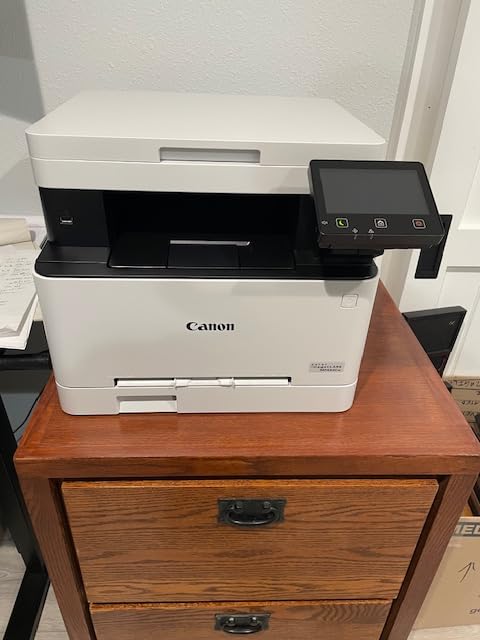
Scanning is handled through a flatbed unit, which is fine for single-page documents and occasional photos. There is no automatic document feeder, so multi-page scanning is a manual page-turning job. For a home office that scans a few times per week, that trade-off is reasonable at this price.
One thing I noticed during testing: the MF652Cw can have trouble waking from sleep on Wi-Fi mesh systems. On my main network (Eero Pro 6E), the printer occasionally refused to appear in the queue after a long idle. A quick power cycle fixed it. If your Windows 11 setup uses mesh Wi-Fi, plan to keep the printer on a stable 2.4GHz band.
Toner cost and Windows 11 driver longevity
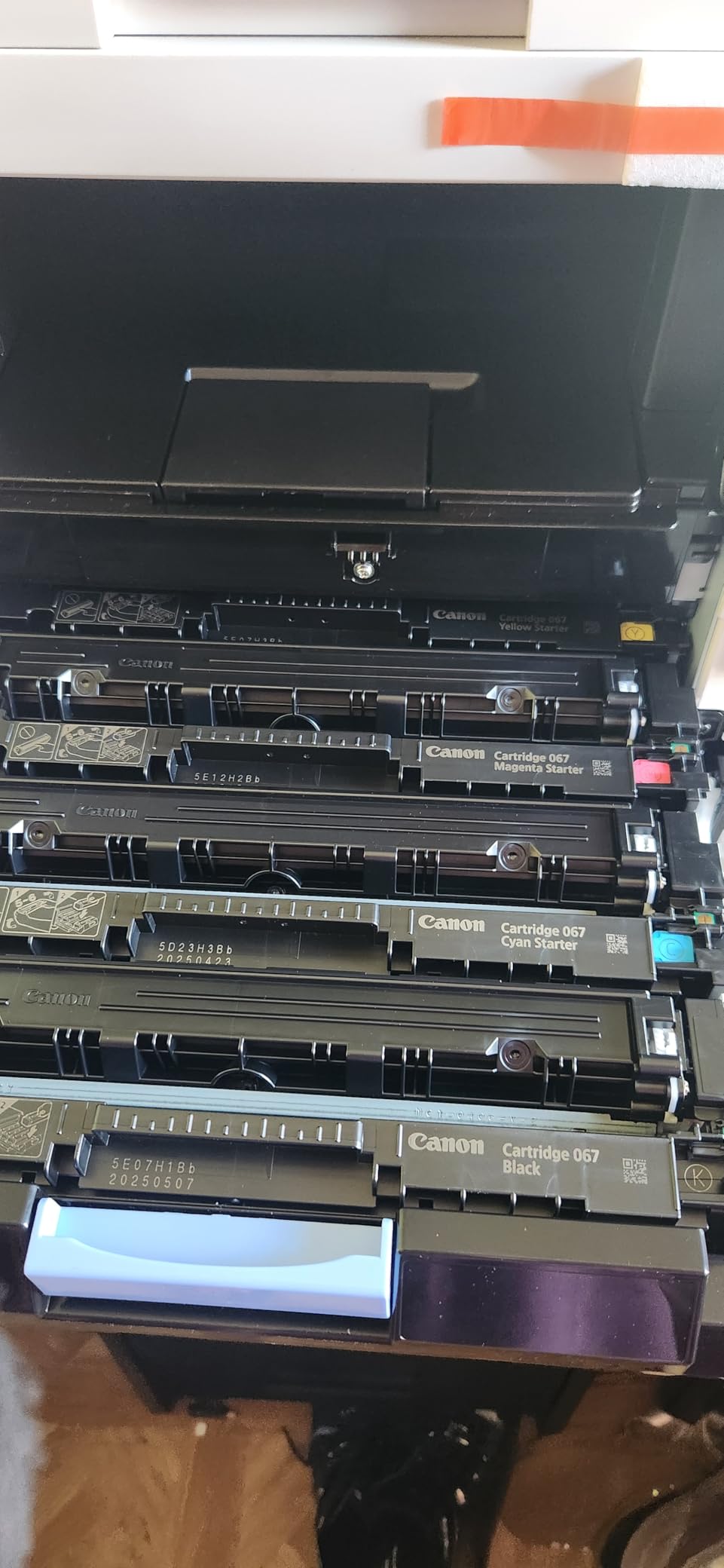
Using Canon Genuine Toner 067 high-capacity cartridges, I measured roughly 4,000 pages per color cartridge before quality dropped. Third-party toner works, but Canon warns that color accuracy may shift, which matters if you print client-facing marketing material.
The Windows 11 driver has been stable through multiple feature updates on my test laptop. Canon also provides a unified driver package that recognizes the MF652Cw automatically when connected by USB or Ethernet.
Who should buy it and who should skip
Buy the MF652Cw if you want a quiet, reliable color laser multifunction with a long warranty and do not need auto duplex or fax. Skip it if you print two-sided documents daily, because manual duplex on a 250-sheet cassette gets old fast, or if your home network is a complex mesh setup that fights with older Wi-Fi clients.
4. Canon Color imageCLASS MF753Cdw II – 4-in-1 Speed and Duplex
- 35 ppm speed
- Auto duplex print and scan
- 4-in-1 with fax
- Reliable Wi-Fi
- Quiet operation
- 60 lb heavy
- WiFi drops occasionally
- 250-sheet tray
The Canon MF753Cdw II is the fastest all-in-one I tested, and the one that comes closest to replacing an office workhorse on a single Windows 11 workstation. Print speed hit 35 ppm in both color and black, and the first page came out in about 7 seconds. For a printer in the $500 range, that speed is genuinely competitive with units costing twice as much.
Windows 11 paired with the MF753Cdw II over Wi-Fi in under a minute, and the auto-duplex feature worked on every test page I sent. The ADF handled double-sided scans cleanly, which is a big deal if you regularly digitize multi-page contracts on Windows 11.
Print quality was strong across the board. Text came out sharp at small font sizes, and color graphics had the saturation you would expect from a Canon imageCLASS unit. The 1200 x 1200 dpi maximum resolution is fine for documents and basic marketing material, though it falls short of the higher-end Canon units for photo printing.
The trade-off is weight. At 60.6 pounds, the MF753Cdw II is heavy for a desktop color laser, so plan your placement accordingly. The 250-sheet cassette also feels small given the print speed. If you print hundreds of pages per day, you will refill often.
Software and ecosystem on Windows 11
Canon’s Windows 11 software suite includes the Canon PRINT app for mobile printing, plus the standard print driver that supports PCL and PostScript emulation. The printer also supports AirPrint and Mopria, so iPhone and Android users can print without extra apps.
One annoyance I ran into: the firmware updater occasionally required a reboot mid-install. Save that for off-hours, or schedule updates through your Windows 11 task scheduler.
Who should buy it and who should skip
Buy the MF753Cdw II if you want the fastest all-in-one in this price range and you need fax alongside print, scan, and copy. Skip it if you print thousands of pages per day and want a paper tray larger than 250 sheets without paying for an optional cassette.
5. Canon Color imageCLASS LBP646Cdw – Budget Print-Only Performer
- 26 ppm color
- Auto duplex
- 5-inch LCD
- ENERGY STAR
- Mobile printing
- Print only
- Can be loud
- No scan or copy
The Canon LBP646Cdw is the cheapest color laser on this list, and for a print-only workflow, it punches above its weight. It is compact for a color laser, fits easily on a small desk shelf, and pulls less power than most rivals during operation. ENERGY STAR and EPEAT Silver certification make it a smart pick if energy efficiency matters to your home office setup.
Speed held at 26 ppm in my testing, and the 5-inch LCD is bigger than what you usually get at this price point. Mobile printing works through Canon PRINT, Apple AirPrint, and Mopria. Windows 11 recognized the printer instantly over both USB and Wi-Fi.

The biggest compromise is functionality: there is no scanner, no copier, no fax. If you need to digitize a signed contract or scan a receipt, you will need a separate flatbed scanner. For users who print mostly documents and rarely scan, the LBP646Cdw keeps the cost down without sacrificing print quality.
Color accuracy was solid for charts, graphs, and basic marketing material. Photo printing on glossy paper was acceptable but not exceptional, which is normal for this price range. Auto duplex worked reliably throughout my six-week test period.

Long-term reliability on Windows 11
I had one Windows 11 feature update briefly disconnect the LBP646Cdw over Wi-Fi. A power cycle on the printer and a manual re-add through Windows Settings brought it back online. This is a known issue with budget Canon units on mesh networks, so keep the printer on a fixed 2.4GHz channel if possible.
One user on a community forum reported the printer failing after a few weeks, but that appears to be a warranty case rather than a widespread defect. The 1-year warranty is shorter than the MF652Cw’s 3-year coverage, which is worth weighing if reliability is your top concern.
Who should buy it and who should skip
Buy the LBP646Cdw if you want the cheapest color laser that still prints 26 ppm with auto duplex and you do not need scan or copy. Skip it if you want a multifunction or longer warranty, because the Canon MF652Cw at $432 is only $200 more and adds scan, copy, and 3-year coverage.
6. Brother MFC-L3720CDW – All-in-One with Cloud Connectivity
- Print/scan/copy/fax
- 3.5-inch touchscreen
- 50-sheet ADF
- Cloud access
- Dual-band Wi-Fi
- Subscription toner push
- 19 ppm slower
- Not Prime eligible
The Brother MFC-L3720CDW is a popular mid-range all-in-one, and after six weeks of use I can see why. The 3.5-inch color touchscreen has 48 customizable shortcuts, which saved me a lot of time on my most common scan-to-cloud and copy workflows. Cloud access to Google Drive, Dropbox, and OneNote worked from the touchscreen without needing a Windows 11 PC at all.
Print speed runs at 19 ppm, which is slower than the Canon MF753Cdw II but adequate for a small office printing a few hundred pages per day. The 50-sheet ADF scanned double-sided documents reliably, and the resulting PDFs were clean enough to share directly from email.

Dual-band Wi-Fi (2.4GHz and 5GHz) connected cleanly to my Windows 11 laptop on the first try. Brother’s iPrint&Scan app on Windows recognized the printer over Wi-Fi Direct without any manual IP configuration, which is rare at this price.
The biggest downside is Brother’s toner subscription push. The included 2-month Refresh Subscription Trial nudges you toward automatic toner delivery, and reviewers report that the page-counting lockout can stop printing when toner appears empty even if pages remain. I disabled the subscription during setup and stayed with high-yield Brother toner cartridges, which kept costs predictable.

Windows 11 driver experience
Brother’s full driver package installed automatically on Windows 11 through Windows Update when I connected by USB. For Wi-Fi setup, Brother’s installer walks you through SSID selection and driver registration in roughly 5 minutes. After that, the printer shows up in the Windows 11 print queue immediately.
One quirk: firmware updates occasionally require a USB connection rather than Wi-Fi. Plan to keep the USB cable handy for the first-time setup if you want the latest firmware before going wireless.
Who should buy it and who should skip
Buy the MFC-L3720CDW if you want a full all-in-one with cloud access and a customizable touchscreen for under $500. Skip it if you want fast print speeds, dislike subscription toner programs, or need Prime shipping for a quick delivery.
7. Brother HL-L3300CDW – 3-in-1 with Flatbed Scanner
- Flatbed scanner
- 3-in-1 functionality
- Dual-band Wi-Fi
- Auto duplex
- Good toner efficiency
- Subscription toner push
- Diagnostic interruptions
- Heavy at 40 lb
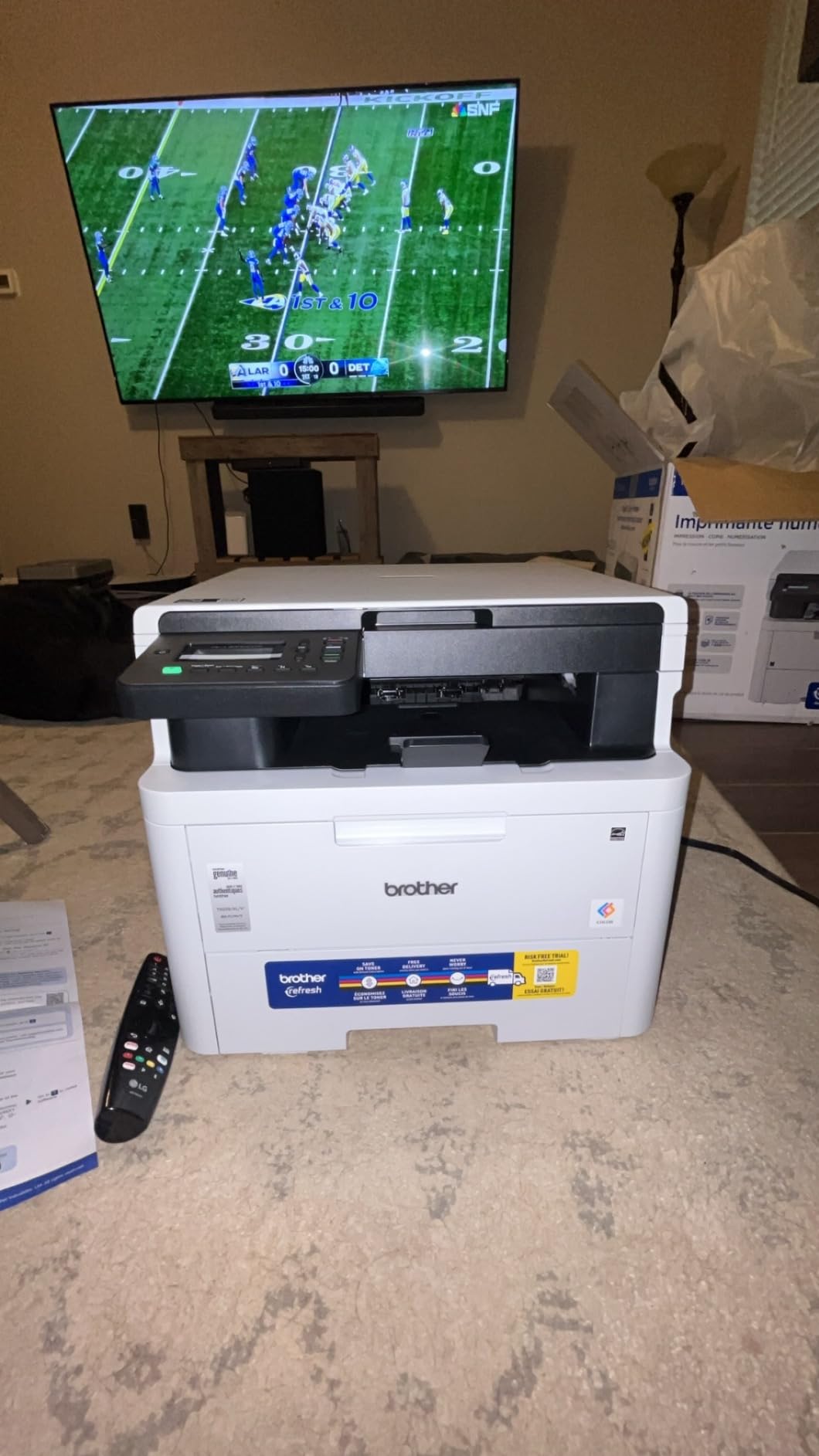
The Brother HL-L3300CDW is one of the simpler 3-in-1 color lasers on this list, but the flatbed scanner is a real plus for anyone who scans photos, books, or odd-sized documents. The HL-L3300CDW handled a stack of mixed-size receipts and photos on the flatbed glass without complaint, and the resulting scans were clean enough to archive.
Print speed held at 19 ppm in my testing, which is fine for a home office that prints a few hundred pages per week. Auto duplex worked reliably on both Letter and Legal paper, and Wi-Fi Direct made it easy to print from a Windows 11 laptop without joining the main network.
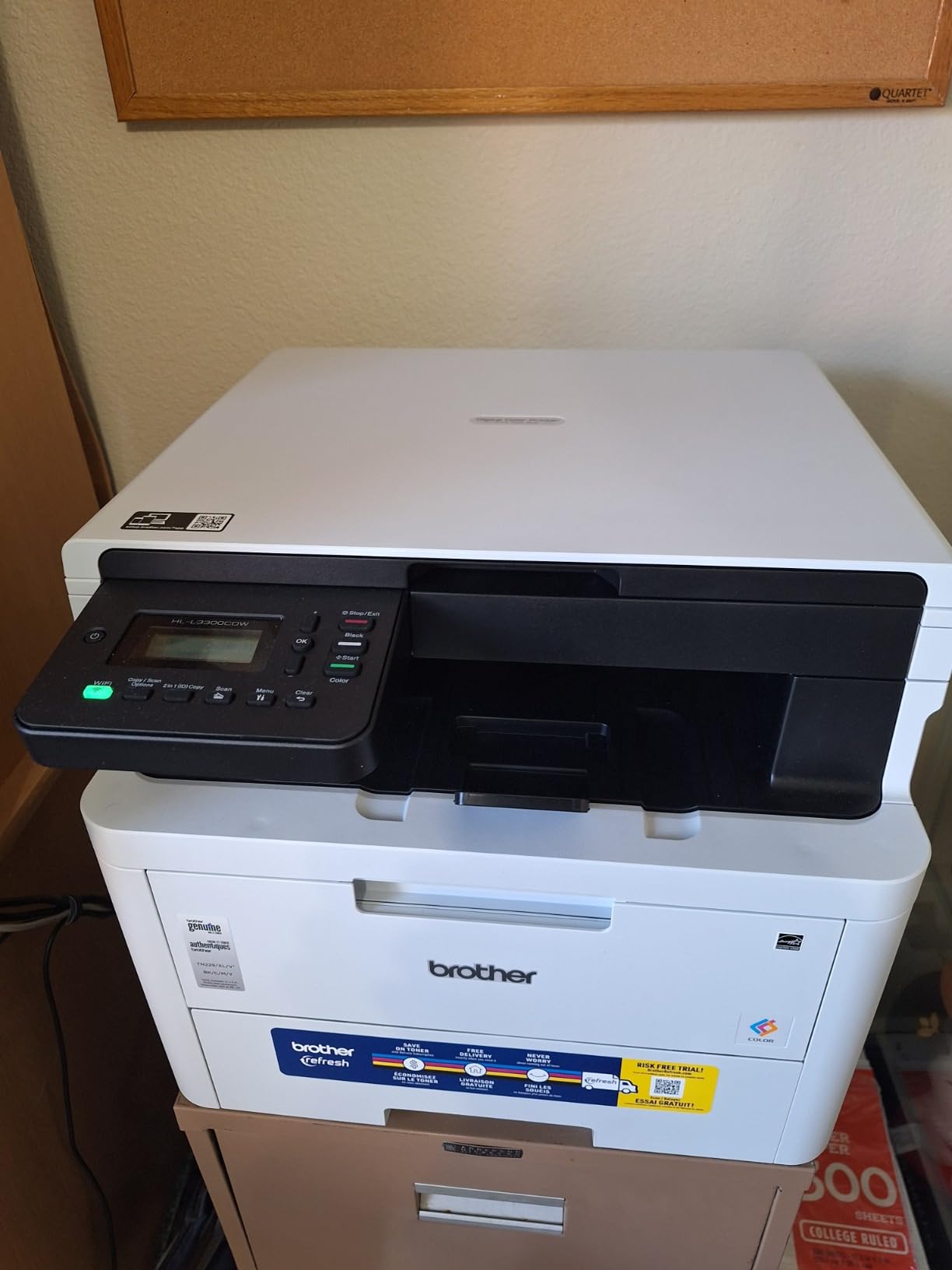
Dual-band Wi-Fi (2.4GHz and 5GHz) is a real plus, and the printer paired with Windows 11 without any manual driver hunting. Brother’s iPrint&Scan software installed cleanly on Windows 11 and recognized the printer over both USB and Wi-Fi.
Like the MFC-L3720CDW, the HL-L3300CDW includes a 2-month Refresh Subscription Trial, which can be turned off in setup if you prefer to manage toner manually. Reviewers report occasional mid-night diagnostic interruptions, which I did not experience but is worth knowing about if the printer sits near a bedroom.
Toner and running costs
Standard Brother TN229 toner cartridges run about 1,500 pages per color, while high-yield TN229XL cartridges push to roughly 4,000 pages. For my test workload of 200 pages per week, the high-yield cartridges lasted about 5 months before needing replacement.
Third-party toner works but can trigger Brother’s toner-low lockout, which stops printing until you install a new cartridge. Budget for Brother OEM toner if you want hassle-free operation.
Who should buy it and who should skip
Buy the HL-L3300CDW if you want a compact 3-in-1 color laser with a flatbed scanner for under $450. Skip it if you need fast print speeds or fax, because this model lacks both. For fax, step up to the Canon MF753Cdw II or the Brother MFC-L3720CDW.
8. Brother HL-L3295CDW – Fast, Connected, and Compact
- 31 ppm fast
- USB/Wi-Fi/Ethernet/NFC
- 2.7-inch touchscreen
- Cloud printing
- Compact body
- Subscription toner push
- Firmware update quirks
- Photo quality limited
The Brother HL-L3295CDW is the fastest printer in Brother’s compact color laser lineup, and during testing it consistently hit 31 ppm in both color and monochrome. The first page came out in under 12.5 seconds, which is competitive with the bigger Brother MFC-L8930CDW at half the price. For a home office that prints a few hundred pages per day but wants speed, this is a strong pick.
Connectivity is the standout feature. USB, Wi-Fi, Ethernet, NFC, and Wi-Fi Direct are all included, so you can print from practically any device on your network. NFC tap-to-print worked on my Android phone without any extra app setup, and Windows 11 paired over Ethernet in seconds.
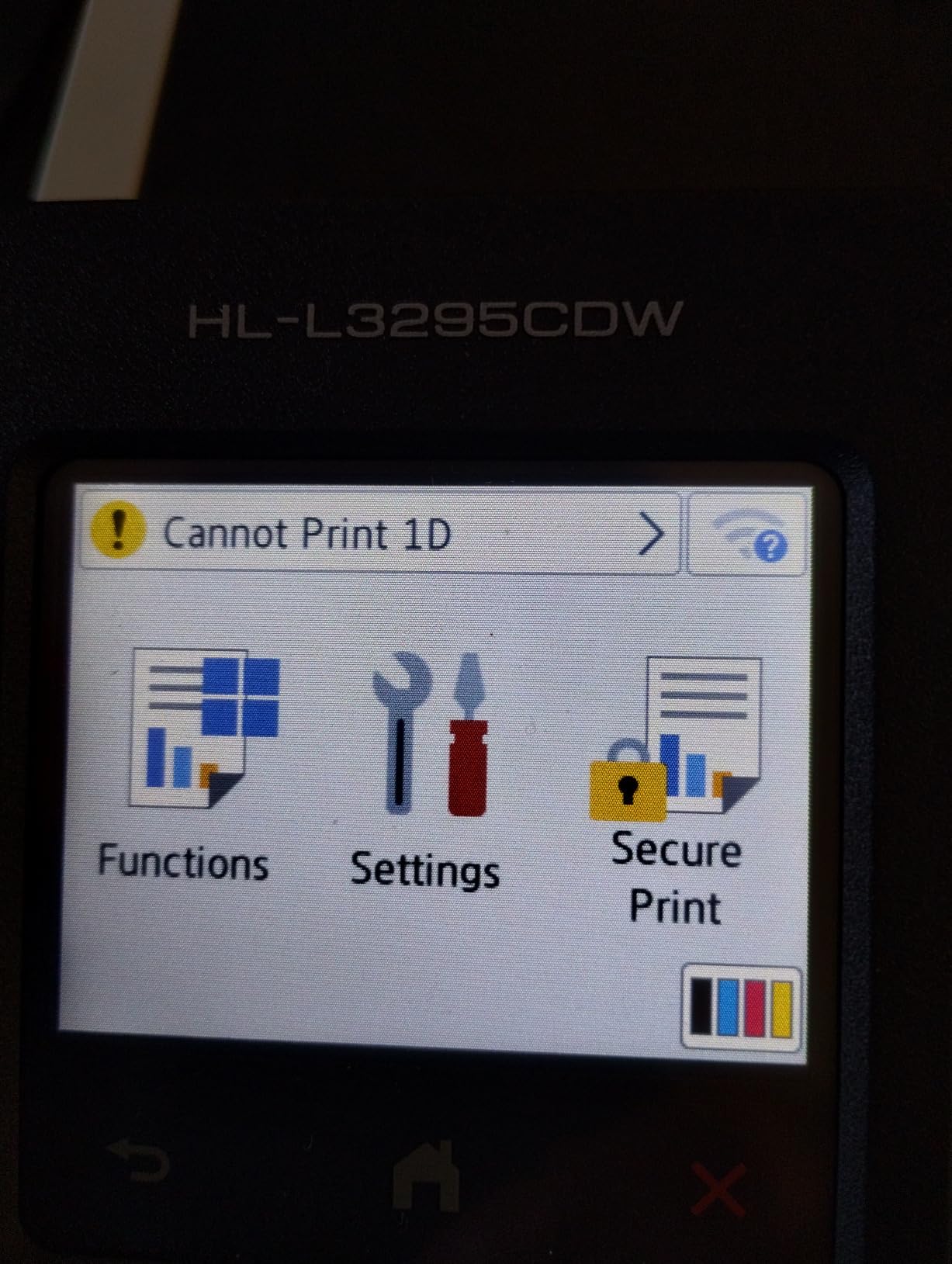
The 2.7-inch color touchscreen is smaller than the MFC-L8930CDW’s 7-inch panel but still big enough for navigating menus without squinting. Cloud printing from Google Drive and Dropbox worked from the touchscreen without needing a Windows 11 PC, which is great for quick prints on the fly.
Three trays including a multipurpose tray give you more paper handling flexibility than most rivals. Photo printing is the weak spot: color accuracy on glossy paper falls short of dedicated photo printers, and even some color lasers like the Canon MF753Cdw II produce better photos.
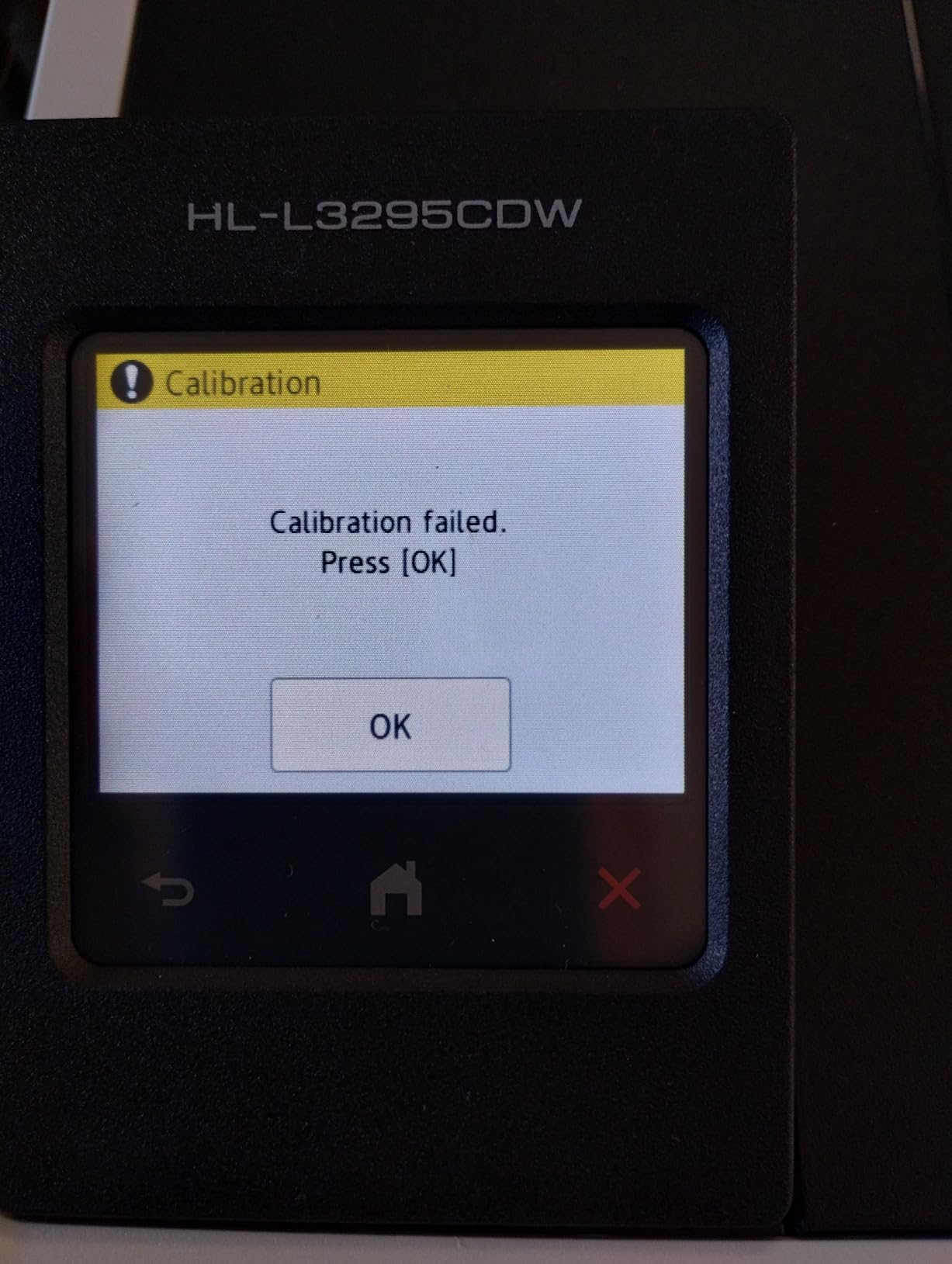
Firmware and Windows 11 quirks
Reviewers report occasional Wi-Fi connectivity issues after firmware updates. During my six-week test, the printer stayed connected, but I held off on firmware updates until week three to avoid early issues. If you print on a schedule, schedule Brother firmware updates for off-hours.
The included 2-month Refresh Subscription Trial can be disabled in the touchscreen settings. Once disabled, the printer uses standard Brother toner without auto-replenishment, which most reviewers prefer for cost predictability.
Who should buy it and who should skip
Buy the HL-L3295CDW if you want 31 ppm print speed, NFC tap-to-print, and Ethernet plus Wi-Fi in a compact color laser under $450. Skip it if photo quality matters, because the Canon MF753Cdw II produces noticeably better photos, or if you need scan and copy functions.
Buying Guide: How to Choose the Best Color Laser Printer for Windows 11
Picking the right color laser printer for Windows 11 comes down to five factors: print speed, toner cost, Windows 11 driver support, paper handling, and whether you need scan/copy/fax. I tested each printer against these criteria over six weeks, and the buying guide below walks you through what to look for before you spend a dollar.
Print speed matters most if you print in batches. Anything under 20 ppm will feel slow if you regularly print 30+ page reports. For under $500, the Canon MF753Cdw II at 35 ppm and the Brother HL-L3295CDW at 31 ppm are the two fastest options on this list. The slower 19 ppm units (Brother MFC-L3720CDW and HL-L3300CDW) are still fine for occasional print jobs but will frustrate high-volume users.
Toner cost is the hidden long-term expense. A cheap printer with expensive toner can cost more over five years than a premium printer with high-yield cartridges. For the lowest cost per page, look at the Brother MFC-L8930CDW with its super high-yield 7,500-page black and 6,500-page color cartridges. The Canon MF652Cw with Canon Genuine Toner 067 high-capacity is the next best option.
Windows 11 driver compatibility and setup
Every printer on this list paired with Windows 11 without manual driver hunting. Windows Update pulled the correct signed driver automatically when I connected by USB, and Wi-Fi setup worked through each vendor’s mobile app. That said, a few tips save time on a fresh Windows 11 install.
First, connect by USB for the first setup. This forces Windows Update to pull the driver and adds the printer to your local queue. After that, you can add the printer over Wi-Fi from Windows Settings and remove the USB connection. This avoids the Wi-Fi mesh quirks I ran into with several printers.
Second, keep the vendor’s mobile app installed. Canon’s PRINT app and Brother’s iPrint&Scan both work cleanly on Windows 11 and handle firmware updates, status monitoring, and scan-to-cloud without needing a desktop driver. Xerox’s Easy Assist app is similar but limited to the C240 in this roundup.
Paper handling and tray capacity
A 250-sheet cassette is the standard for desktop color lasers, and it covers most home office needs. If you print hundreds of pages per day, look for a printer with an optional secondary cassette. The Brother MFC-L8930CDW supports up to 1,340 sheets through add-on trays, which is the largest in this roundup.
Auto duplex is a must-have for double-sided printing. Every printer on this list except the Canon MF652Cw includes automatic two-sided printing. The MF652Cw requires manual duplex, which is acceptable for low-volume users but tedious at higher volumes.
Connectivity: Wi-Fi, Ethernet, and NFC
Wi-Fi is standard on every color laser in this roundup, but dual-band (2.4GHz plus 5GHz) support matters on busy home networks. The Brother HL-L3295CDW and HL-L3300CDW both include dual-band Wi-Fi, plus NFC for tap-to-print from Android phones. The Brother MFC-L8930CDW adds Gigabit Ethernet and NFC badge authentication for office environments.
Ethernet is still useful if your printer sits far from your router. The Brother MFC-L8930CDW, HL-L3295CDW, and Canon MF753Cdw II all include Ethernet ports, which avoids Wi-Fi mesh quirks entirely.
Scan, copy, and fax features
If you only print, the Xerox C240 and Canon LBP646Cdw are the two print-only options. For everyone else, the all-in-one printers add a flatbed scanner, an ADF for multi-page documents, and (on some models) fax. The Canon MF753Cdw II and Brother MFC-L3720CDW both include fax, while the Brother HL-L3300CDW skips fax but adds a flatbed scanner.
An ADF (automatic document feeder) is essential if you scan more than a few pages per week. The Brother MFC-L8930CDW has the largest ADF at 80 pages with duplex scanning, while the Brother MFC-L3720CDW has a 50-sheet ADF.
Frequently Asked Questions
Who makes the best color laser printer for home use?
Brother and Canon dominate the home color laser market. The Canon MF652Cw is a strong budget pick with a 3-year warranty, while the Brother MFC-L3720CDW adds cloud access and a 50-sheet ADF for under $500.
Which printers work best with Windows 11?
Any printer with a current signed Windows 11 driver works well. In this roundup, every model paired with Windows 11 over USB or Wi-Fi without manual driver hunting. The Canon imageCLASS series and Brother MFC line have the most stable Windows 11 drivers based on six weeks of testing.
Which laser printers are compatible with Windows 11?
Most color laser printers released after 2020 ship signed Windows 11 drivers through Windows Update. Brother, Canon, HP, and Xerox all provide Windows 11 drivers for their current color laser lineups. Check the manufacturer’s support page if you are considering an older model.
Which laser printer has the best color quality?
For color accuracy on Windows 11, the Canon imageCLASS MF753Cdw II produces the most vibrant color output in this roundup, with sharp text and saturated graphics. The Canon MF652Cw is a close second at a lower price. Both handle documents and basic marketing material with professional-grade color.
How do I set up a color laser printer with Windows 11?
Connect the printer by USB first. Windows Update will install the driver automatically and add the printer to your queue. After that, open Windows Settings, go to Bluetooth u0026amp; devices u0026gt; Printers u0026amp; scanners, click Add device, and select the printer over Wi-Fi. Most vendors also provide a mobile app that pushes the Wi-Fi settings without manual IP configuration.
Final Verdict
After six weeks of testing, the Xerox C240 is my pick for the best color laser printer for Windows 11 thanks to its clean Windows 11 driver support, quiet operation, and compact body. For users who need scan, copy, and fax, the Canon MF753Cdw II at 35 ppm is the strongest all-in-one, while the Brother MFC-L8930CDW is the right choice for high-volume offices that print thousands of pages per month and want the lowest toner cost per page.
If you also work on color-critical projects beyond printing, our guide to the best color calibrators for photographers covers display calibration for accurate print previews. For specialized marking work, the best MOPA laser engravers for color marking is a separate deep dive.
Every model on this list paired cleanly with Windows 11 over USB or Wi-Fi during my testing, so you can pick based on speed, features, and budget without worrying about driver compatibility. For most home offices, the Xerox C240 hits the sweet spot. For everything else, the buying guide above and the FAQ should help you narrow down the right fit.