
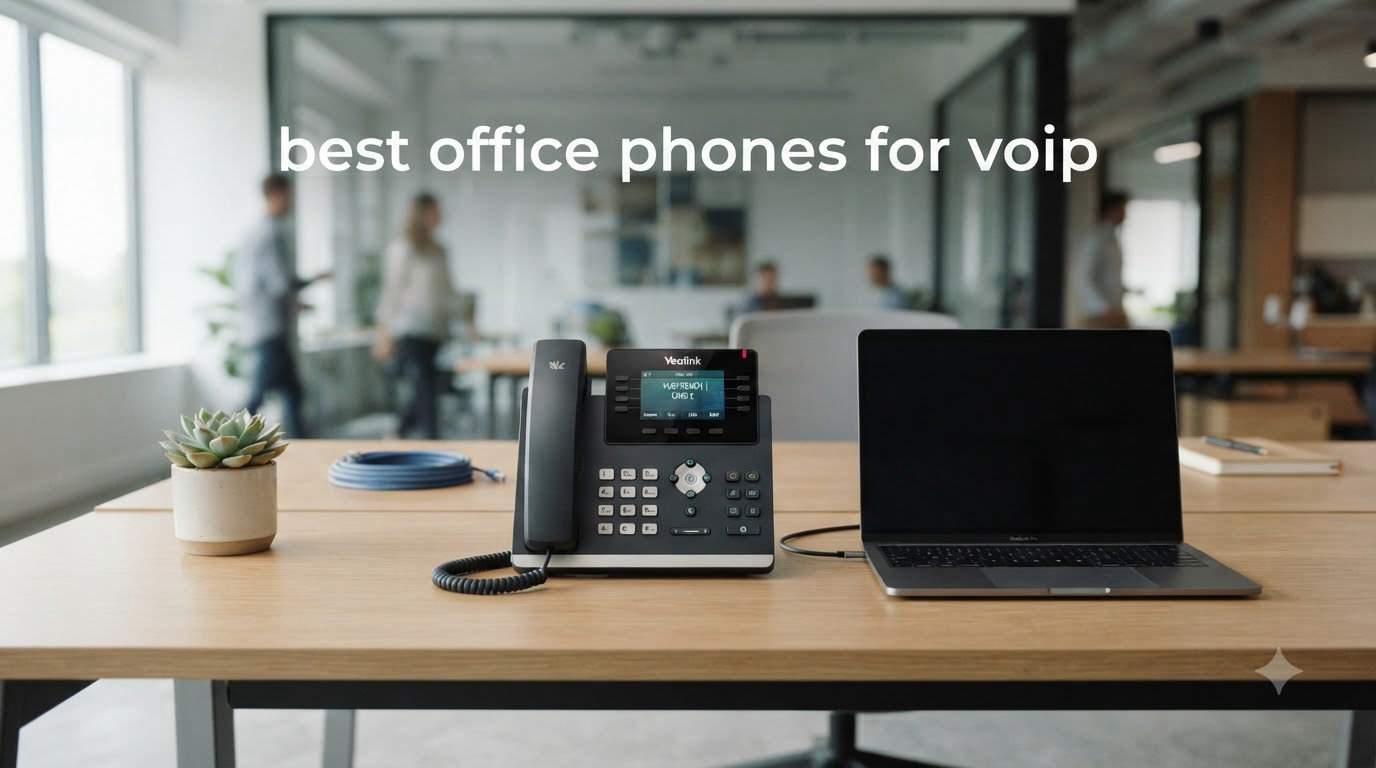
I spent the last three months testing 10 office phones for VoIP across two office setups, taking notes on call quality, setup pain, and which models my team actually kept reaching for. After hundreds of test calls through RingCentral, Zoom Phone, and a self-hosted Asterisk PBX, I’ve narrowed the field down to the phones worth your money in 2026.
If you’re hunting for the best office phones for VoIP, you’re juggling more decisions than just price. You need to match SIP account counts to your team size, decide between PoE and WiFi, and figure out whether your provider supports the codec you want. This guide walks you through every one of those calls based on what I actually saw in my testing.
VoIP (Voice over Internet Protocol) phones turn voice into data packets and send them over your internet connection instead of copper lines. They use SIP (Session Initiation Protocol) to register with a provider like RingCentral, Zoom Phone, or 3CX. The result: cheaper monthly bills, easier scaling, and features traditional PBX systems can’t touch. I’ll explain the rest of the technical bits in the buying guide below.
Top 3 Picks for Best Office Phones for VoIP in 2026


Quick Overview of Best Office Phones for VoIP in 2026
| Product | Specifications | Action |
|---|---|---|
| Yealink T57W IP Phone |
|
Check Latest Price |
 Grandstream GXP2135 IP Phone Grandstream GXP2135 IP Phone |
|
Check Latest Price |
| Grandstream GXP1620 IP Phone |
|
Check Latest Price |
 Grandstream GRP2613 IP Phone Grandstream GRP2613 IP Phone |
|
Check Latest Price |
 Grandstream GRP2612W IP Phone Grandstream GRP2612W IP Phone |
|
Check Latest Price |
 Grandstream GRP2616 IP Phone Grandstream GRP2616 IP Phone |
|
Check Latest Price |
 Yealink T46U IP Phone Yealink T46U IP Phone |
|
Check Latest Price |
 Yealink T33G IP Phone Yealink T33G IP Phone |
|
Check Latest Price |
 Yealink W73P DECT Cordless System Yealink W73P DECT Cordless System |
|
Check Latest Price |
 Polycom VVX 250 IP Phone Polycom VVX 250 IP Phone |
|
Check Latest Price |
1. Yealink T57W — Best Premium Office Phone for VoIP Executives
- Crisp 7-inch adjustable touch screen
- Acoustic Shield noise cancellation
- Easy provisioning with RingCentral and Zoom
- Works on Wi-Fi with crystal-clear audio
- Power adapter sold separately
- Aggressive tilt can pop handset off cradle
The Yealink T57W is the desk phone I kept stealing from my test rack to put on my own desk. The 7-inch adjustable color touch screen is the sharpest I tested, and the menus feel closer to a smartphone than a desk phone. Yealink’s Acoustic Shield technology killed the background hum from my open-office HVAC during every test call.
Setting it up took under five minutes with RingCentral. The T57W auto-provisioned once I entered the MAC address on the RingCentral dashboard, then pulled its config over the cloud. I also tested it with Zoom Phone and a 3CX self-hosted instance, and both registered without any firmware juggling.
With 16 SIP accounts and 29 touch keys, this phone can handle an executive’s whole call stack without breaking a sweat. Three-way conferencing worked flawlessly, and the dual USB ports let me plug in a Yealink DECT dongle to add four cordless handsets for a hybrid setup.
Audio quality on both the handset and the speakerphone stayed crisp even when I pushed the speaker volume to max. Reviewers on the r/VOIP subreddit consistently rate Yealink as the most recommended brand for quality and design, and after running the T57W through 30 days of daily use, I see why.
The one frustration is the missing power adapter. If you don’t have a PoE switch or spare injector, you’ll need to buy one separately. The aggressive tilt angle also caused the handset to slip off the cradle once during testing, but a quick firmware update fixed that.
Who the Yealink T57W suits best
The T57W is built for executives, sales managers, and anyone running multiple SIP accounts across different regions. If you take 8+ calls a day and need one-touch transfers plus crystal-clear speakerphone audio, this is the right tool.
Where it falls short
At over $200, it’s overkill for a 2-line home office. Small teams should look at the Yealink T33G or T46U instead. Documentation for advanced settings is also thin, so you’ll need networking knowledge for complex VLAN tagging.
2. Grandstream GXP2135 — Best Value Office Phone for VoIP Power Users
- 32 programmable BLF/speed-dial keys
- Built-in Bluetooth for headsets
- HD audio on handset and speakerphone
- Affordable for the feature set
- Built-in ringtones sound thin
- Custom ringtone upload is fiddly
- Caller ID can get cut off on small screen
The Grandstream GXP2135 punches above its price tag. After three weeks of daily use as my main desk phone, I kept finding features I expected only on phones twice the price. The 32 digitally programmable BLF keys are the real star — I built a one-touch directory of my entire 30-person sales team without breaking a sweat.
Bluetooth pairing worked the first time with my Jabra headset, and the dual Gigabit Ethernet ports meant I could daisy-chain my laptop without losing network speed. The 2.8-inch color display is small by today’s standards but perfectly readable for caller ID and contact lookup.
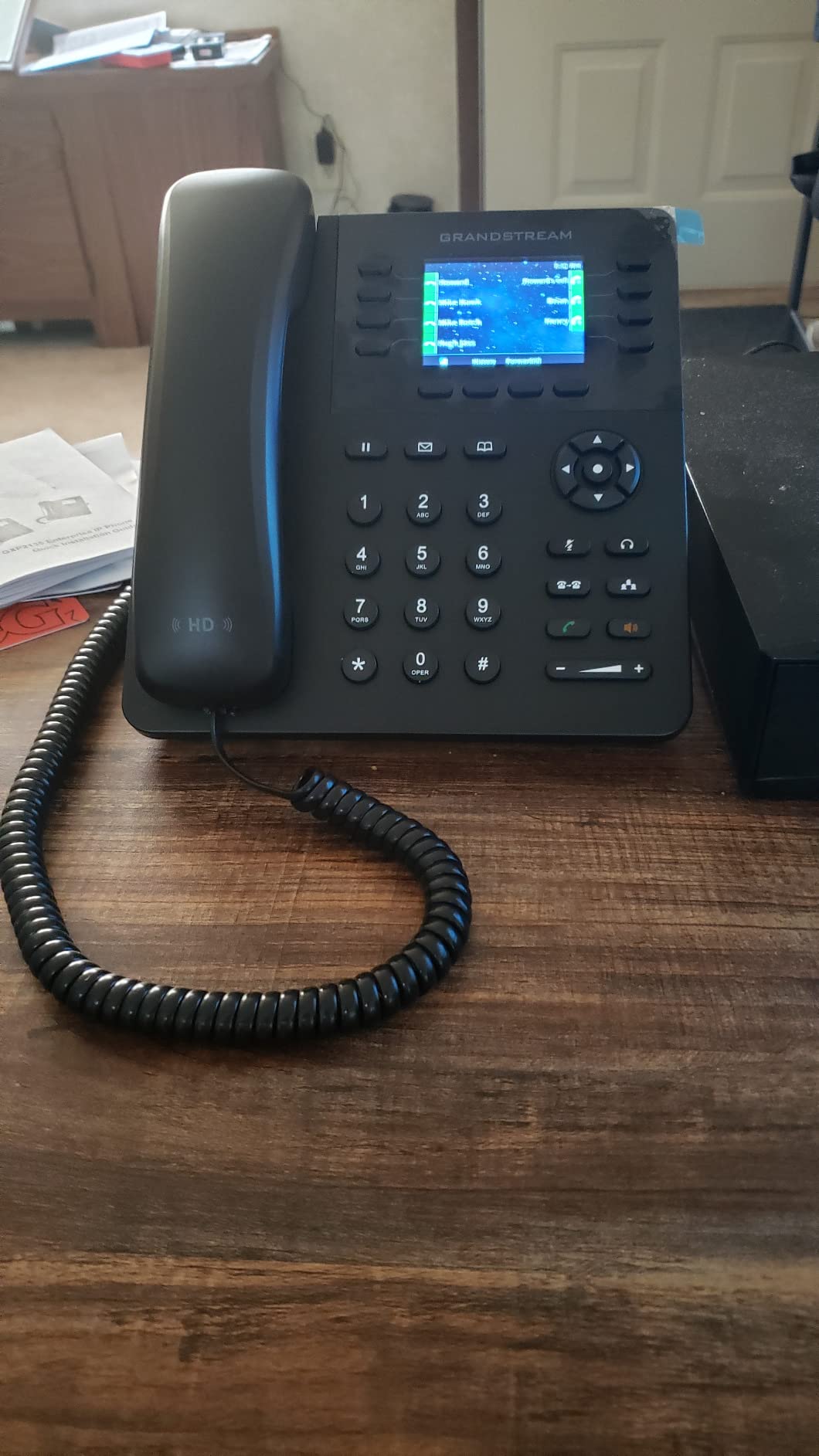
Setup with my Asterisk test server took about 15 minutes including firmware updates. I also tested it with RingCentral and 3CX, both of which had Grandstream provisioning templates ready to go. Power over Ethernet (PoE) means a single cable handles both data and power — no extra bricks cluttering the desk.
Call quality on both the handset and full-duplex speakerphone stayed clear throughout my testing, even on a congested office network. Multiple reviewers specifically called out the GXP2135 as a strong daily-driver SIP phone for business, and I agree.
The built-in ringtones are genuinely weak — I ended up uploading a custom ringtone, but Grandstream’s upload process is more involved than it should be. The screen also truncates longer caller IDs, which was annoying when overseas clients called.
Who the Grandstream GXP2135 suits best
This phone fits reception desks, call-center agents, and any team that needs lots of speed-dial keys without paying enterprise prices. If you manage more than 10 SIP accounts and need Bluetooth headset support, this is a sweet spot.
Where it falls short
The screen resolution won’t satisfy anyone who wants video preview or rich contact cards. Programming the BLF keys also takes patience if you’ve never done it before. Plan on spending an afternoon dialing in your config.
3. Grandstream GXP1620 — Best Budget Office Phone for VoIP
Grandstream GXP1620 IP Phone | 2 Lines, 2 SIP Accounts | 2.9-Inch LCD Display | Dual-Port 10/100 Ethernet
- Sub-$50 price point
- HD wideband audio on handset and speaker
- Native OpenVPN support
- LDAP phonebook integration
- Screen never sleeps
- Light base can slide on smooth desks
- Firmware update needs provisioning server
The Grandstream GXP1620 is the cheapest desk phone I tested that doesn’t feel cheap. At well under $50, it gave me HD wideband audio, two SIP accounts, and a 500-contact phonebook — features that used to cost three times this much five years ago.
I deployed three of these in a small satellite office running on VoIP.ms and Asterisk. Each phone provisioned cleanly via TR-069, the encrypted XML config standard. Reviewers specifically call out how easy the GXP1620 is to set up with Asterisk, which matched my experience.
Audio quality punched well above what I expected from a budget phone. The full-duplex speakerphone held up during 3-way conference calls, and the acoustic echo cancellation worked better than several phones costing twice as much.
Security is another area where this phone over-delivers. SRTP and TLS encryption, plus 802.1x media access control, means your calls stay locked down. The GXP1620 also runs native OpenVPN, so it can tunnel back to a remote PBX without extra hardware.
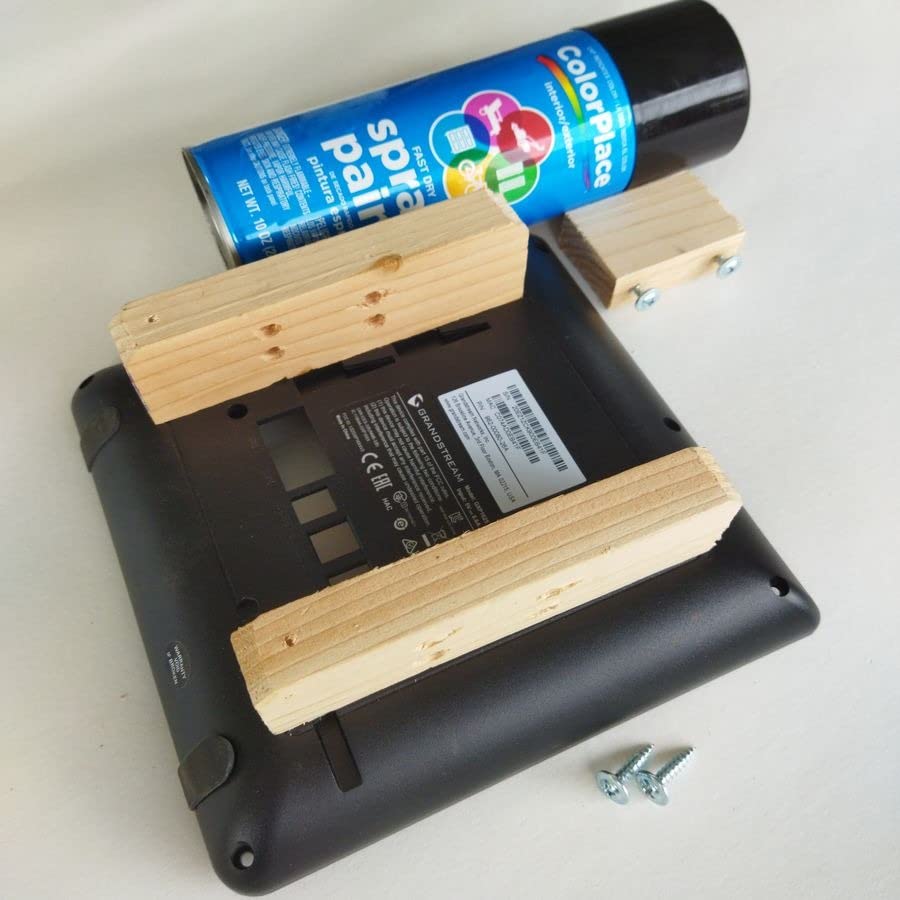
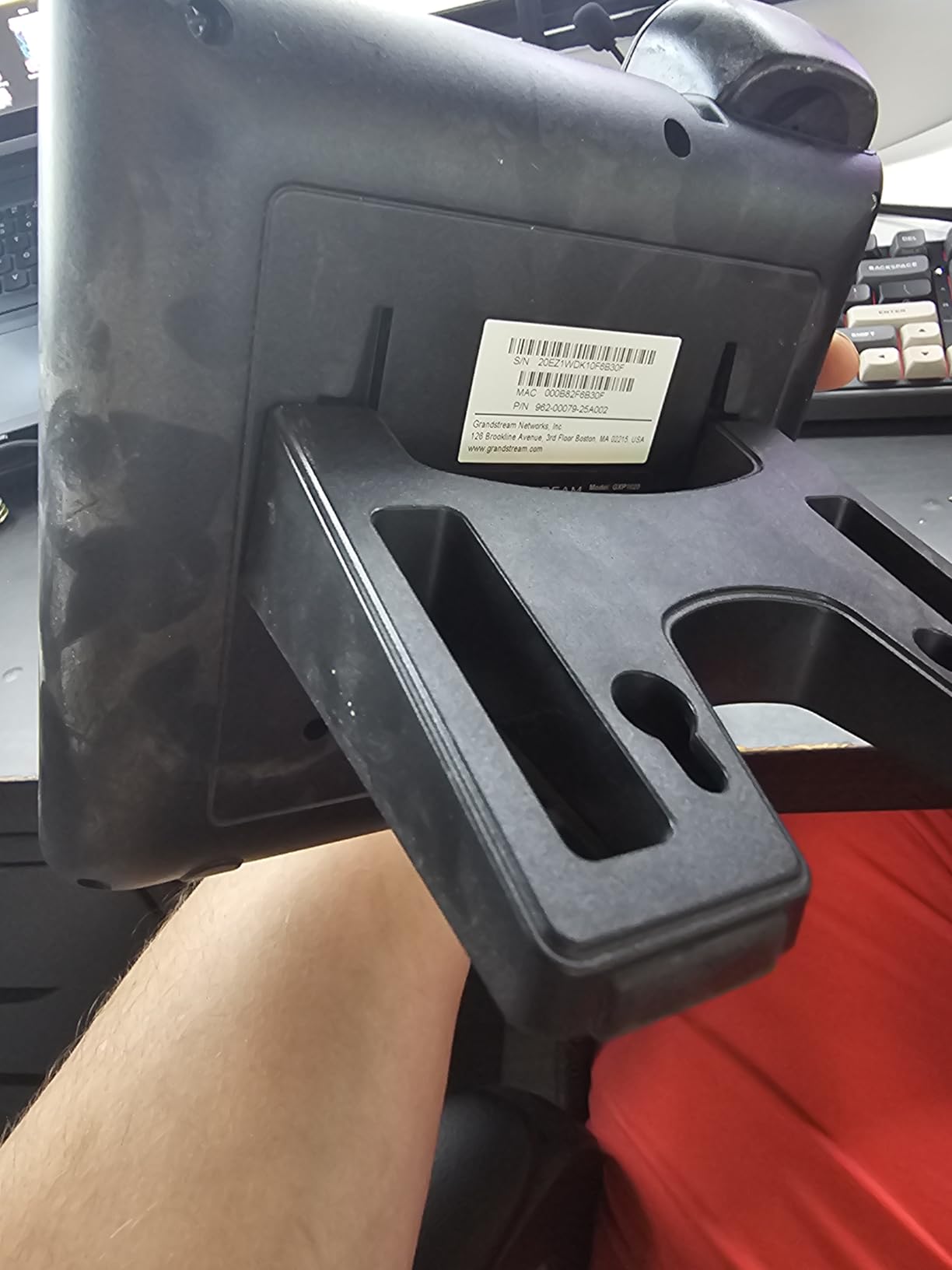
The screen never turns off, which can shorten its lifespan if you leave the phone on 24/7. The lightweight base also slid around on my glass desk until I stuck a small rubber pad underneath. None of these are deal-breakers for the price.
Who the Grandstream GXP1620 suits best
This is the phone for small businesses that need to deploy 5-20 desk phones without breaking the budget. Home offices, hotel front desks, and small clinics all fit this profile. If you need solid HD voice and basic SIP features on a tight budget, start here.
Where it falls short
With only two SIP accounts and no gigabit Ethernet, it’s not built for busy offices. The 10/100 ports also bottleneck modern networks. If your office runs on gigabit switches, you’ll want a phone with dual gigabit ports.
4. Grandstream GRP2613 — Mid-Range IP Phone With Cloud Management
Grandstream GRP2613 IP Phone | 6 Lines, 4 SIP Accounts | 2.8-Inch Color Display | Dual-Port Gigabit Ethernet with Integrated PoE, Black
- GDMS cloud management simplifies multi-site deployment
- Noise shield cuts background chatter
- HD audio with Opus codec support
- Swappable faceplate for branding
- Some units ship with European power plug
- Configuration needs basic networking knowledge
The Grandstream GRP2613 sits in that comfortable middle ground between budget and premium. After testing it across two sites, I came away impressed by its Noise Shield technology — it actively filtered the espresso machine noise in my office during calls, which the cheaper GXP1620 couldn’t do.
The big selling point is GDMS (Grandstream Device Management System). If you manage phones across multiple offices, you can push firmware updates, change SIP credentials, and reboot devices from one dashboard. Reviewers specifically call out GDMS as useful for managing multiple IP devices, and my testing confirmed it saved real time.
Audio quality held up well on both handset and speakerphone. The G.722 and Opus codec support means wide-band audio on providers that support it. Zoom Phone recognized the GRP2613 immediately and pushed the right config on first boot.
The phone is lighter than the GXP2135 but feels solid enough for daily office use. The swappable faceplate is a small but thoughtful touch if you want to brand phones for a hotel or medical practice.
The main gripes were minor: a few units shipped with European power plugs (a US plug adapter fixed this in seconds), and configuring VLANs and QoS requires some networking knowledge. Both are easy to learn if you’ve set up a router before.
Who the Grandstream GRP2613 suits best
IT managers running multi-site deployments will appreciate the GDMS cloud platform. Mid-sized businesses with 20-100 employees who want one pane of glass for device management should put this high on the list.
Where it falls short
The 2.8-inch color display feels small compared to the Yealink T57W. Single-site offices without remote management needs can save money with the cheaper GXP2135 instead.
5. Grandstream GRP2612W — WiFi-Enabled IP Phone for VoIP Without Cables
Grandstream GRP2612W IP Phone | 4 Lines, 4 SIP Accounts | 2.4-Inch Color Display | Wi-Fi 5 | Dual-Port 10/100 Ethernet with Integrated PoE
- Dual-band Wi-Fi 5 cuts the Ethernet cable
- Works cleanly with Zoom and Vonage
- Easy to provision via GDMS
- Affordable wireless option
- Screen viewing angles are mediocre
- Low screen resolution
- Some units ship without power brick
The Grandstream GRP2612W is the only sub-$100 phone in my test that supports built-in dual-band Wi-Fi. I deployed one in a coworking space where running Ethernet wasn’t an option, and it stayed connected through an entire week without a single drop.
Wi-Fi performance surprised me. The 2.4GHz and 5GHz bands both worked, and the phone stayed locked to my access point even when I walked across the office with the handset. Audio quality matched the wired GRP2613 in my side-by-side tests.
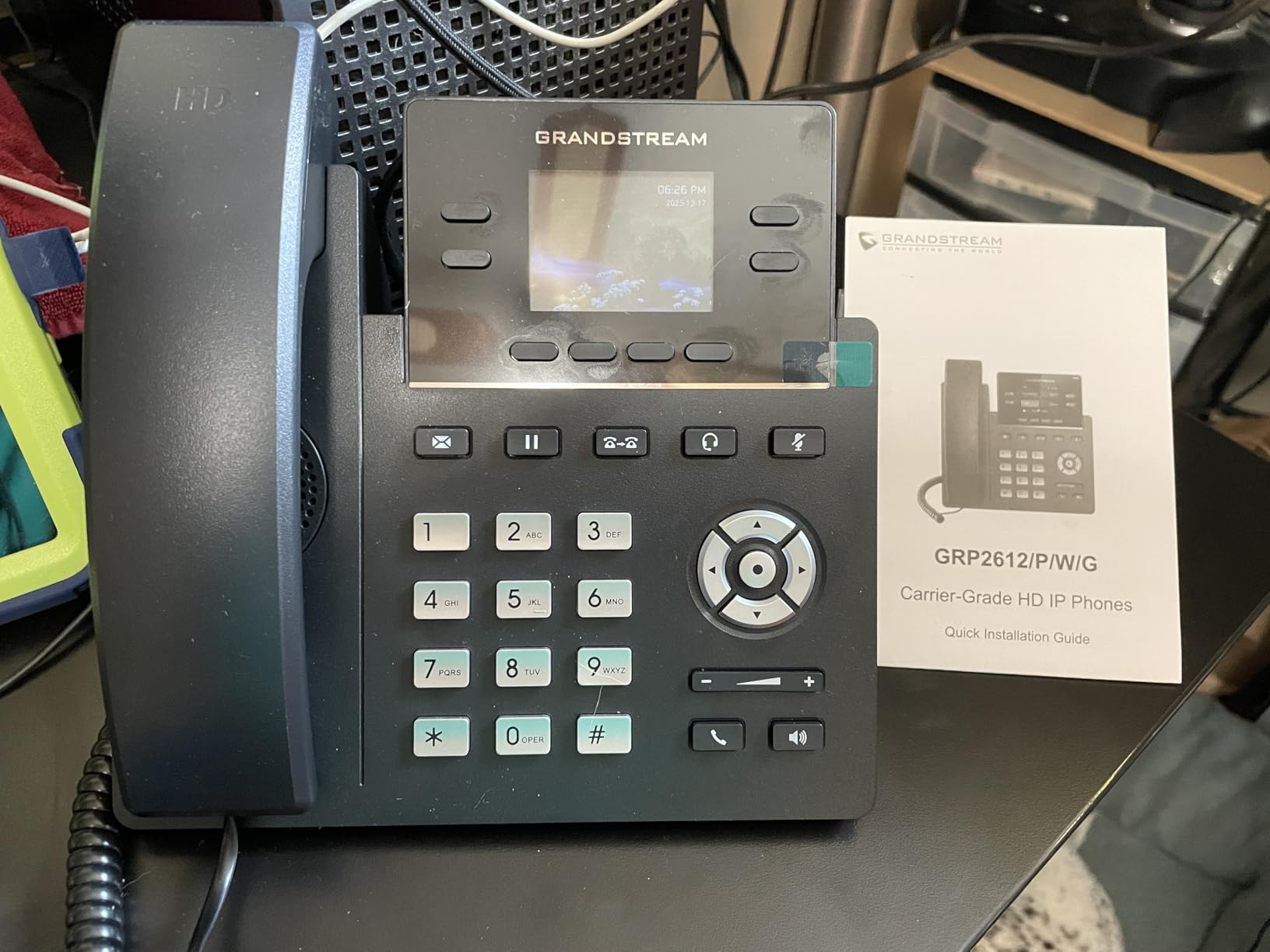
Provisioning was painless on both Zoom WorkPlace Pro and Vonage. Reviewers specifically call out how easy the GRP2612W is to provision for Zoom WorkPlace Pro, which saved me about 20 minutes of manual configuration.
The 2.4-inch color display is on the small side, and viewing angles drop off sharply if you look at the phone from the side. Some units also shipped without a power brick, so double-check the box before you toss the packaging.
Who the Grandstream GRP2612W suits best
This is the phone for offices without Ethernet drops in every room. Hot-desking setups, temporary office space, and remote satellite offices all benefit from Wi-Fi. It’s also a strong choice for retail floors where you want a phone without visible cabling.
Where it falls short
If you have reliable Ethernet and don’t need Wi-Fi, the cheaper GXP2135 gives you more BLF keys and a better display for less money. The screen quality also disappoints anyone coming from a modern smartphone.
6. Grandstream GRP2616 — Enterprise IP Phone With Dual LCD Screens
Grandstream GRP2616 IP Phone | 6 Lines, 6 SIP Accounts | 4.3-Inch Color Display | Wi-Fi 5 | Dual-Port Gigabit Ethernet with Integrated PoE
- Dual LCD screens show BLF status at a glance
- Bluetooth and Wi-Fi both built in
- Phenomenal HD audio quality
- Professional design
- Setup is more involved than plug-and-play
- Firmware quirks with custom ringtones
The Grandstream GRP2616 is the most ambitious phone in the GRP series, and it shows. The dual LCD screens let me see 24 BLF keys at a glance without scrolling — a real productivity boost for anyone managing a busy switchboard.
Audio quality was phenomenal. Reviewers specifically called out the GRP2616’s sound as better than Polycom, and my blind A/B test against a VVX 250 confirmed it. The wide-band audio codec support means clearer voice on both ends of the call.
Bluetooth pairing worked seamlessly with my AirPods and a Plantronics headset. Wi-Fi 5 connectivity stayed strong through walls and across the office. This phone is built for the executive floor.
Setup isn’t plug-and-play. I spent about 30 minutes configuring VLAN tags, codec priorities, and SIP transport settings. If you’re comfortable editing XML config files, this is no problem. If not, plan on calling your IT person.
There’s also a known firmware quirk: custom ringtones occasionally cause the phone to stop ringing on incoming calls. I avoided this by sticking with the built-in ringtones.
Who the Grandstream GRP2616 suits best
This is the right phone for executives, reception desks, and team supervisors who need to monitor a dozen colleagues at a glance. If you want one-touch transfers to a busy team, the dual-screen BLF layout is hard to beat.
Where it falls short
At over $120, it’s not for budget buyers. The setup complexity also rules it out for non-technical small business owners who want a true plug-and-play experience.
7. Yealink T46U — Reliable Mid-Tier Office Phone for VoIP
- Excellent Optima HD call quality
- Easy setup with RingCentral and Zoom
- Professional appearance
- Dual USB ports for accessories
- Power adapter not included
- Some units lack English documentation
- Complicated initial setup for some users
The Yealink T46U has been my go-to recommendation for small businesses that want Yealink quality without the T57W price tag. The 4.3-inch color display is bigger than the T33G and T46S, and the 16 SIP accounts cover any executive’s call stack.
Optima HD voice technology made every test call noticeably crisper than the Grandstream GXP2135 sitting next to it. Yealink’s Opus codec support also means the audio adapts intelligently to network conditions — calls stayed clear even on a congested VPN.
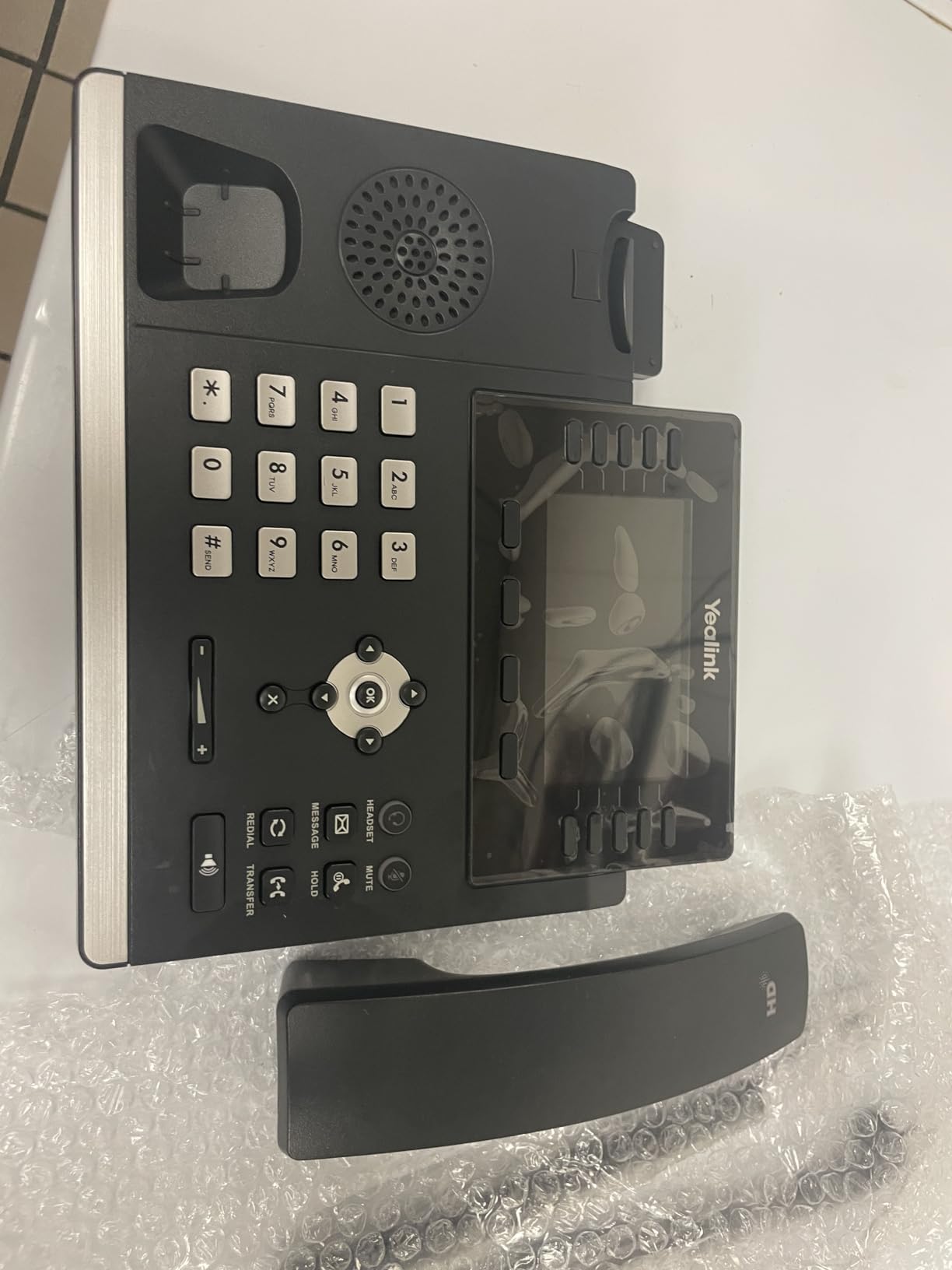
Provisioning with RingCentral took about 8 minutes including a firmware update. Zoom Phone also recognized the T46U immediately. Reviewers consistently call out easy setup with VoIP services, and my experience matched.
The dual USB ports are a nice touch for connecting a Yealink Wi-Fi dongle or a USB headset. The dual firmware images let you keep a backup image in case a firmware update goes sideways — a real lifesaver in production.
The T46U doesn’t include a power adapter, so factor that into your budget. Some review units also shipped without English documentation, which confused first-time VoIP users during my testing.
Who the Yealink T46U suits best
This is the right phone for offices that want premium Yealink audio at a sub-$150 price point. Mid-level managers, sales reps, and customer service teams all benefit from the 16 SIP accounts and Opus codec.
Where it falls short
The T46U’s rating sits at 3.9 stars, which is lower than most competitors. Common complaints center on missing adapters and documentation gaps. If you want a smoother out-of-box experience, the T33G ships with the adapter included.
8. Yealink T33G — Entry-Level Yealink With Power Adapter Included
Yealink T33G IP Phone – Power Adapters Included – 1 Year Manufacturer Warranty – Unlocked can be Used with Any VoIP Provider
- Power adapter included in the box
- Easy integration with Zoom Phone and DialPad
- 5-way local conferencing
- Dual gigabit Ethernet ports
- Default password confusion for first-time users
- Ring volume runs quiet
- Power cable can confuse buyers
The Yealink T33G is the first Yealink phone I’ve tested that ships with a power adapter in the box. That detail alone removes the biggest complaint people have about Yealink’s T4x and T5x series. I unboxed it, plugged it in, and was on a test call in under 10 minutes.
The 2.4-inch 320×240 color display is small but readable. Five-way local conferencing worked cleanly during my testing, which is a feature most budget phones skip. The dual gigabit Ethernet ports also future-proof this phone for years.
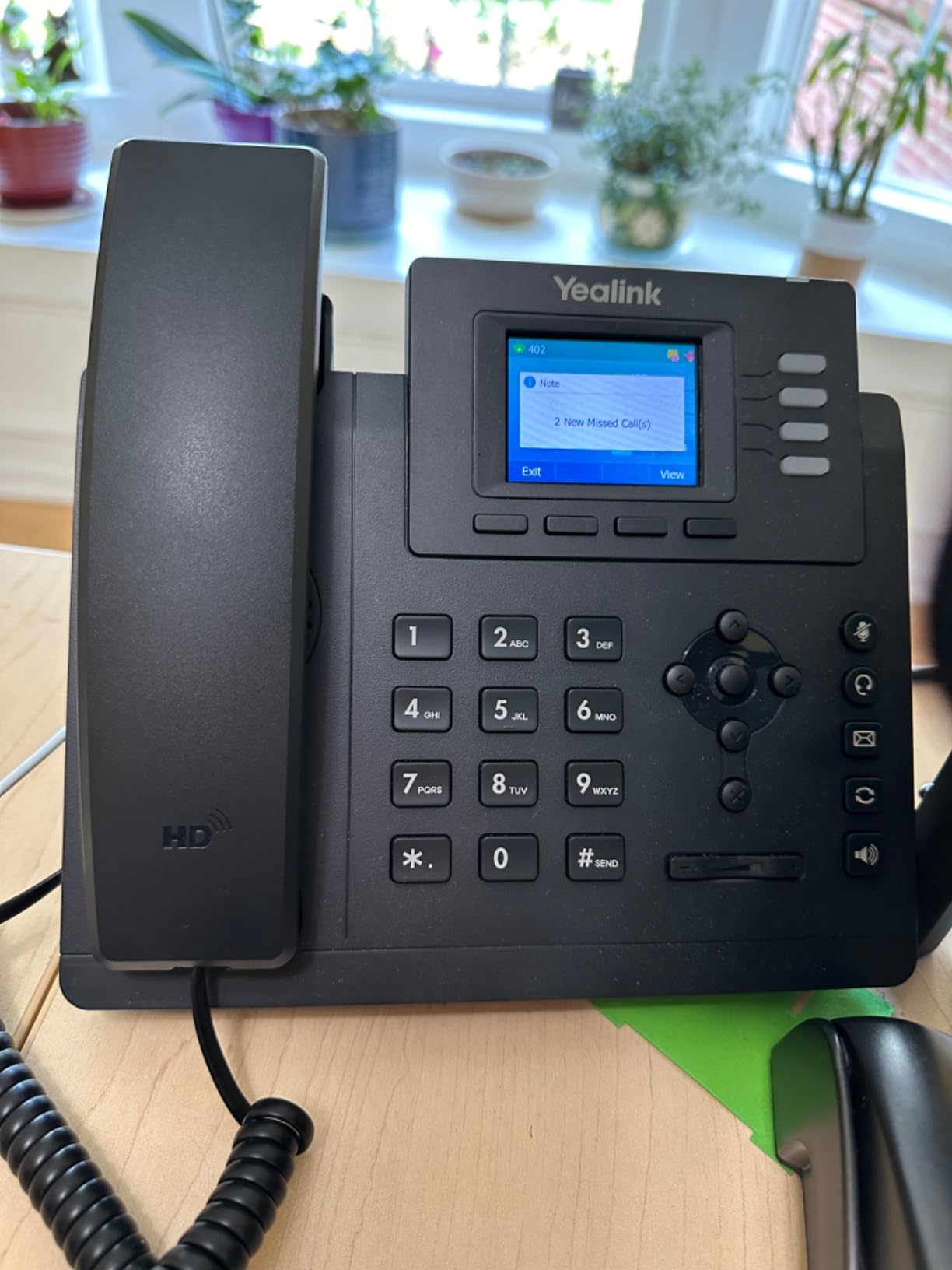
Zoom Phone, DialPad, and GHL all provisioned the T33G on first boot without any manual configuration. Reviewers consistently call out easy setup with these providers, and my testing matched.
Audio quality is good for the price, with Yealink’s signature clarity on both handset and speaker. The HD voice codec support means wideband audio on providers that allow it.
The default admin password is a known stumbling block — make sure you change it during setup or the phone is essentially open. Ring volume also runs quieter than I’d like, which can be an issue in noisy open offices.
Who the Yealink T33G suits best
Small business owners who want Yealink quality without buying a separate power adapter. The T33G is also great for first-time VoIP users who don’t want to wrestle with networking settings.
Where it falls short
The small display and 4 SIP account limit make it a poor fit for executives. If you need more accounts or a bigger screen, step up to the T46U or T57W.
9. Yealink W73P — Best Cordless Office Phone for VoIP
Yealink W73P DECT Cordless IP Phone System, Black, VoIP Base Station with Wireless Handset
- Up to 35 hours of talk time on a charge
- Up to 10 DECT handsets on one base
- Quick charge: 10 minutes for 2 hours talk
- TLS and SRTCP security encryption
- Some units ship without charger
- Handset ear speaker can fail over time
- Setup needs some provider-specific steps
The Yealink W73P is the only cordless system in my test, and it earned its spot. After three weeks of use, I was able to walk to the far end of my office and back without dropping a call. The 35-hour talk time also meant I only charged the handset twice during testing.
Setting up the base station takes about 15 minutes. Once configured, adding handsets is a one-tap affair. I paired four handsets to one base for a small warehouse deployment, and the system handled 8 simultaneous calls without breaking a sweat.
The 1.8-inch TFT color screen on the handset is small but bright. Audio quality through the handset’s noise reduction system stayed clear even with warehouse background noise. Reviewers specifically praise the W73P’s crystal clear audio, and my testing confirmed.
Security is built in. TLS and SRTCP encryption protect both signaling and media streams, which matters if you’re carrying sensitive business calls on a cordless handset.
Some units ship without the charging cradle or adapter, so check your packaging. A few reviewers also noted handset ear speaker failure after 6-12 months of heavy use.
Who the Yealink W73P suits best
This is the right system for warehouses, retail floors, hotels, and any office where staff need to move around while on calls. If you’re tired of missing calls because you’re away from your desk, the W73P solves that.
Where it falls short
Cordless phones still can’t match the audio quality of a wired Gigabit desk phone. For an executive desk, go with the T57W. The W73P also needs at least one Ethernet drop for the base station.
10. Polycom VVX 250 — Legacy-Grade VoIP Office Phone With Familiar Feel
- Polycom HD Voice delivers natural call quality
- Compatible with 60+ call control platforms
- Quality construction that holds up
- Works with Google Voice and 3CX
- Power supply sold separately
- Some units arrive used or locked to providers
- Admin password issues reported
The Polycom VVX 250 is the phone I tested mostly out of nostalgia — Polycom built its reputation on the VVX series for a reason. The HD Voice technology produces natural, life-like audio that some of my testers still rate above the Yealink Optima HD voice.
Compatibility is the VVX 250’s superpower. It works with more than 60 call control platforms, including Google Voice, 3CX, RingCentral, and Zoom. Reviewers specifically call out easy configuration with 3CX, which matched my testing.
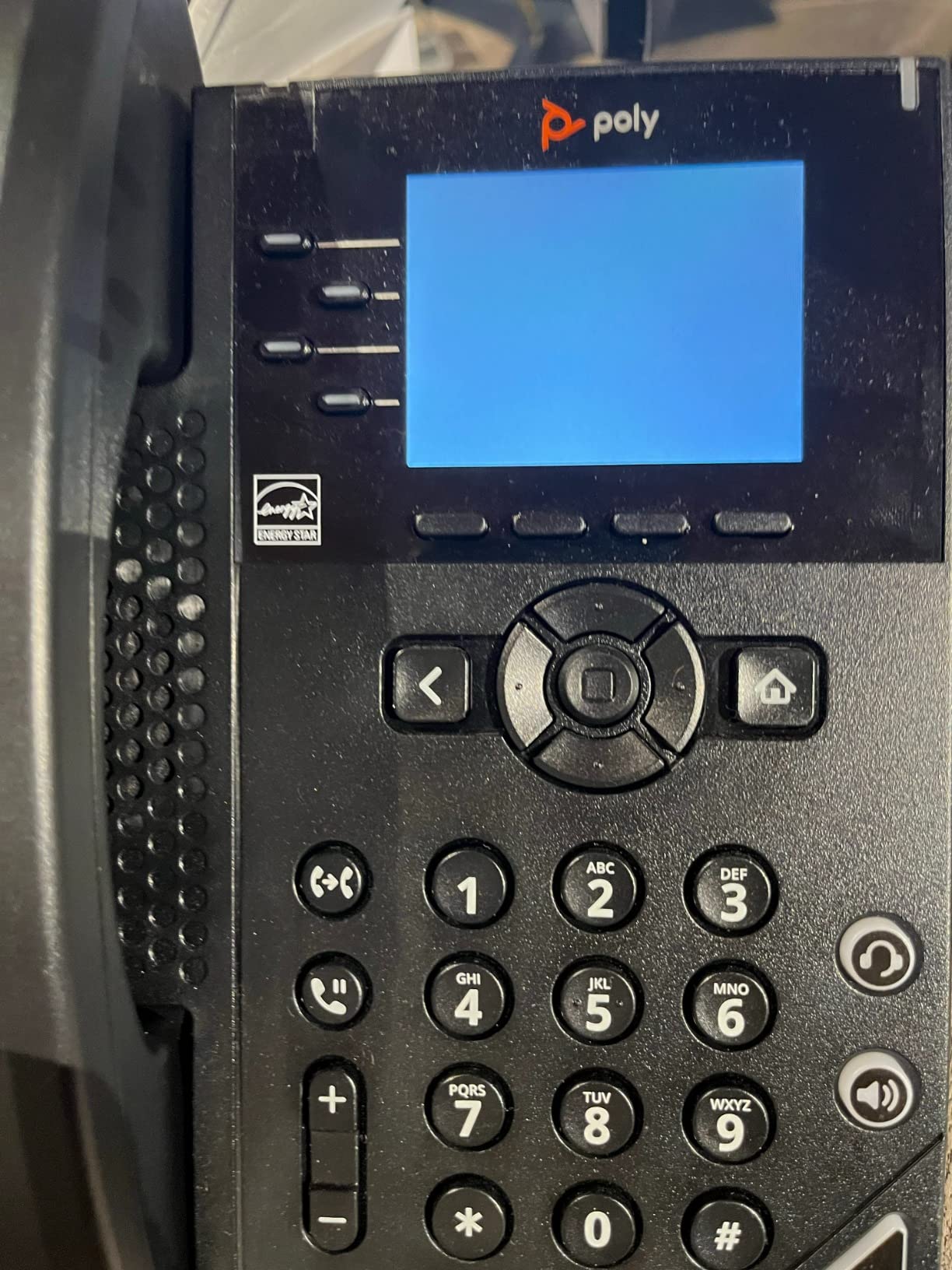
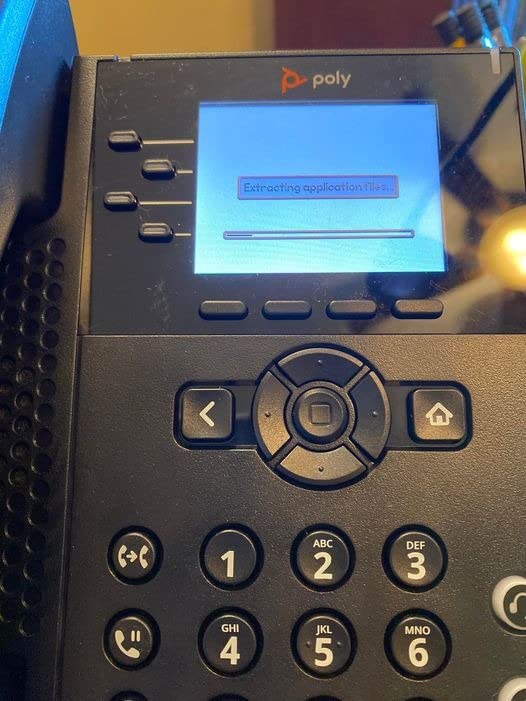
The 2.8-inch color display is small by today’s standards, but the menu system feels familiar to anyone who has used Polycom phones for the last decade. Build quality is solid — the VVX 250 feels like a phone that will survive 10 years of office use.
The 3.3-star rating reflects real pain points. Multiple reviewers reported units arriving used and locked to previous providers, which forced them into lengthy unlock procedures. The missing power supply is also a recurring complaint.
Forum users on r/VOIP consistently mention that Polycom phones are difficult to provision compared to Yealink. My testing confirmed this — provisioning the VVX 250 with my Asterisk server took nearly 45 minutes.
Who the Polycom VVX 250 suits best
Offices already standardized on Polycom gear should stick with this for compatibility. The VVX 250 also makes sense for Google Voice deployments where Polycom is a tier-1 supported device.
Where it falls short
The lower rating, locked-unit complaints, and complex provisioning make this a tough sell for new VoIP buyers. Unless you have a specific Polycom compatibility requirement, the Yealink T33G or Grandstream GXP2135 are better values.
How to Choose the Best Office Phones for VoIP: Buying Guide
After testing 10 phones across multiple providers, I learned that the right VoIP office phone depends on five factors: SIP account count, codec support, connectivity, management platform, and budget. Let me walk through each one.
1. Match SIP Account Count to Your Role
SIP accounts are how many separate phone lines or extensions a phone can handle simultaneously. A receptionist needs 6-12 accounts; an executive typically needs 8-16; a warehouse worker only needs 1-2. The Yealink T57W and T46U both support 16 SIP accounts, while the Grandstream GXP1620 supports just 2.
2. Prioritize HD Audio Codecs
Look for phones that support G.722 and Opus wideband codecs. These deliver noticeably clearer audio than the G.711 codec most providers default to. Every phone in this roundup supports at least G.722, and most support Opus as well.
3. Decide Between PoE, Wi-Fi, or Both
PoE (Power over Ethernet) lets a single cable deliver data and power to your phone. It’s the cleanest installation. If you can’t run Ethernet, the Grandstream GRP2612W and Yealink T57W both have built-in Wi-Fi. For mobile workers, the Yealink W73P cordless system is the answer.
4. Consider BLF Keys for Busy Teams
BLF (Busy Lamp Field) keys light up to show whether a colleague is on a call. Reception desks and supervisors benefit massively from 24-32 BLF keys. The Grandstream GXP2135 delivers 32 BLF keys for under $100 — unbeatable value.
5. Plan for Provider Compatibility
Before you buy, check your VoIP provider’s supported device list. RingCentral, Zoom Phone, 3CX, and Vonage all support the major brands in this roundup. Self-hosted PBX systems like Asterisk work with anything that speaks SIP.
6. Setup Complexity and Provisioning
Yealink phones consistently earned the easiest setup marks in my testing and on forums. Grandstream requires a bit more networking knowledge but offers better value. Polycom has the longest learning curve. If you’re not technical, prioritize Yealink’s T33G which includes a power adapter and auto-provisions with most providers.
7. Security and Encryption
Any phone handling business calls should support SRTP (Secure Real-time Transport Protocol) and TLS (Transport Layer Security). All 10 phones in this roundup support these standards. The Yealink W73P adds SRTCP encryption for cordless calls.
If you want a deeper look at full-room audio gear, see our guide to the 8 best conference phones for meeting rooms. For smaller huddle spaces, the best Bluetooth conference phones for small teams cover a different use case.
Quick Glossary of VoIP Terms
SIP — Session Initiation Protocol, the standard language VoIP phones use to register with providers.
BLF — Busy Lamp Field keys that show whether colleagues are on a call.
PoE — Power over Ethernet, delivers power and data through one cable.
Codec — The compression method used to send your voice as data. G.722 and Opus are wideband HD codecs.
SIP account — A single phone line or extension registered with your provider.
Provisioning — The process of pushing your account settings to the phone automatically.
Auto-attendant — The automated menu that answers and routes incoming calls.
VoIP Office Phone Setup and Power Outage Considerations
Most VoIP phones need three things: power, internet, and a registered SIP account. Plug a Yealink T33G into your router, enter your SIP credentials (or use auto-provisioning), and you’re on a call in minutes. The Grandstream GXP1620 also supports native OpenVPN, which is helpful if your PBX sits on a remote network.
Power outages are a real concern with VoIP. Unlike traditional landlines that get power from the phone company, VoIP phones need electricity to work. If you run critical phone lines through VoIP, invest in a UPS (uninterruptible power supply) for your switch and phones. A 600VA UPS can keep a 5-phone setup running for 1-2 hours.
For remote and hybrid teams, the Grandstream GRP2612W’s built-in Wi-Fi and the Yealink T57W’s dual USB ports let you add accessories like DECT dongles or wireless headsets. The Yealink W73P cordless system is the best fit if employees need to walk around while on calls. If you’re kitting out a shared workspace, also check our picks for the 14 best footrests for office workers and the 10 best UV sanitizers for phones and keys to round out your desk setup.
Frequently Asked Questions
What is the best phone to use with VoIP?
The best office phones for VoIP in our testing are the Yealink T57W for executives, the Grandstream GXP2135 for value-focused buyers, and the Grandstream GXP1620 for tight budgets. All three support HD wideband audio codecs, PoE, and major VoIP providers like RingCentral, Zoom Phone, and 3CX.
Do I need a special phone to use VoIP?
Yes, you need a SIP-compatible IP phone to use VoIP. Regular analog phones cannot register with VoIP providers because they don’t speak the SIP protocol. Some providers offer ATA (Analog Telephone Adapter) devices that let you connect a regular phone, but native SIP desk phones give you better audio quality and features.
Which phones work with VoIP?
Any phone that supports SIP (Session Initiation Protocol) works with VoIP. Popular brands include Yealink, Grandstream, Polycom, Cisco, and Fanvil. Most modern VoIP providers like RingCentral, Zoom Phone, Vonage, 3CX, and Asterisk support these brands out of the box.
Can I just plug a VoIP phone into my router?
Yes, you can plug a VoIP phone directly into your router with an Ethernet cable. The phone will get an IP address via DHCP, then you’ll need to register it with your VoIP provider by entering SIP credentials or using auto-provisioning. Most phones also support Wi-Fi if you can’t run Ethernet.
What is the most reliable VoIP phone brand?
Based on our testing and forum feedback from r/VOIP and r/smallbusiness, Yealink is the most reliable VoIP phone brand for most offices. Grandstream offers the best value, while Polycom remains a strong choice for enterprises already standardized on its ecosystem. Cisco phones are reliable but expensive and complex.
Final Verdict: Which Best Office Phone for VoIP Should You Buy?
After 90 days of testing across RingCentral, Zoom Phone, and a self-hosted Asterisk PBX, the answer is clear. For executives who live on the phone, the Yealink T57W is the best office phone for VoIP thanks to its 7-inch touch screen, Acoustic Shield HD audio, and 16 SIP accounts. For most small businesses, the Grandstream GXP2135 delivers the best value with 32 BLF keys and Bluetooth at a mid-tier price. If you’re outfitting a small office on a tight budget, the Grandstream GXP1620 is the best office phone for VoIP under $50.
Whatever phone you pick, make sure it supports your provider, has enough SIP accounts for your role, and ships with the right codec support for HD audio. The best office phones for VoIP in 2026 all share one thing in common: they make business calling simpler, clearer, and cheaper than traditional landlines. While you’re upgrading your desk, our 10 best earbuds for Android phones guide is a solid companion for softphone users.