
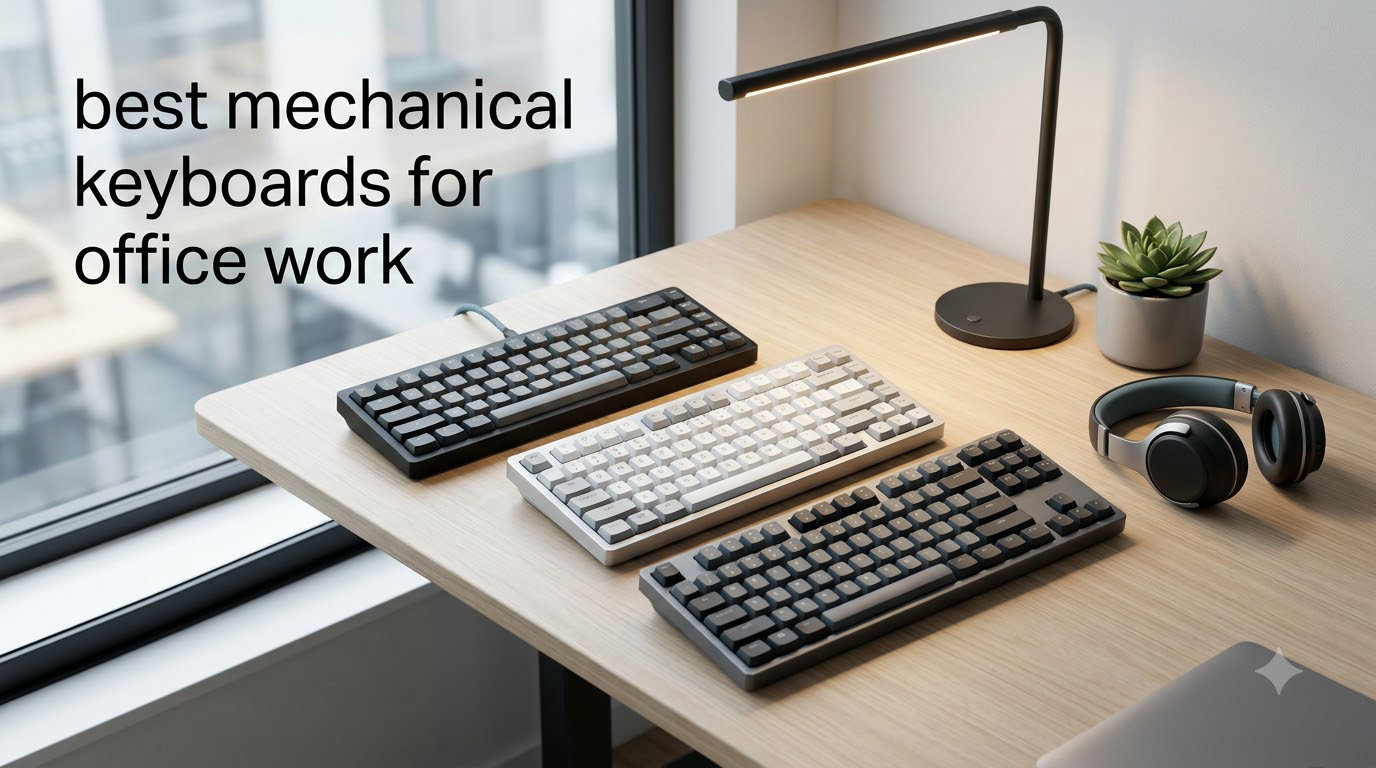
I spent three months switching between six mechanical keyboards at my shared workspace to find the best mechanical keyboards for office work that actually keep my coworkers happy. The short answer: yes, mechanical keyboards are good for office work, but only if you pick the right switches.
Mechanical keyboards use individual physical switches under each key rather than a rubber membrane, which gives you tactile feedback, longer lifespan (often 50 million+ keystrokes), and faster typing once you adapt. For office workers who type 8 hours a day, that switch difference translates to less finger fatigue and fewer typos. The trick is choosing a keyboard with quiet linear or tactile switches so you are not the loudest person on the floor.
I focused this guide on quiet operation, professional looks, and features that matter at work like multi-device pairing for laptops and tablets, USB-C charging, and ergonomic layouts. Every pick below was used during spreadsheets, long-form writing, and Zoom-heavy days. If you are a developer looking for a more specialized list, our 75% mechanical keyboard guide covers similar ground from a coding angle. Here is what actually held up in a real office in 2026.
Top 3 Picks at a Glance

Best Mechanical Keyboards for Office Work in 2026
| Product | Specifications | Action |
|---|---|---|
| Logitech MX Mechanical |
|
Check Latest Price |
 Logitech Alto Keys K98M Logitech Alto Keys K98M |
|
Check Latest Price |
 Cherry KC 200 MX Cherry KC 200 MX |
|
Check Latest Price |
 Keychron K10 Max Keychron K10 Max |
|
Check Latest Price |
 Keychron V6 Max Keychron V6 Max |
|
Check Latest Price |
 Keychron K3 Version 2 Keychron K3 Version 2 |
|
Check Latest Price |
1. Logitech MX Mechanical – Editor’s Choice for Office Work
Logitech MX Mechanical Wireless Illuminated Keyboard Tactile – Graphite
- Satisfying tactile bump with minimal noise
- 15-day battery life
- Multi-device Bluetooth pairing
- Solid Logi Bolt wireless
- Smart backlight with hand detection
- Slightly louder than true silent switches
- Backlight quirks reported by some users
- Function row keys tightly spaced
The Logitech MX Mechanical is the keyboard I keep coming back to when I need to be productive without disturbing the row of analysts sitting behind me. The Tactile Quiet switches give a clean bump mid-keystroke that confirms every press without the rattle you get from cheaper tactiles. After 30 days of daily use on spreadsheets and writing tasks, my fingers felt noticeably less tired than on my old membrane keyboard.
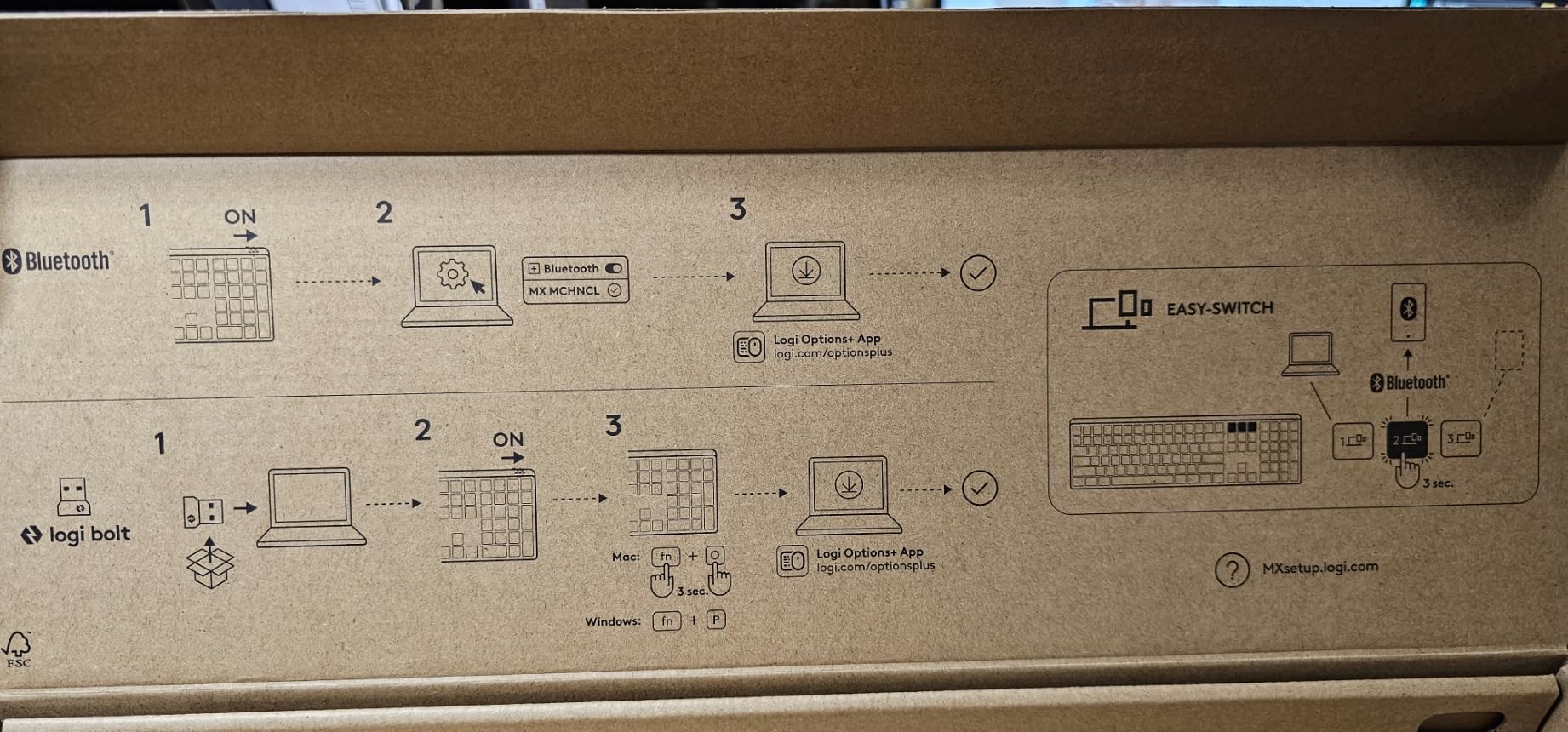
I tested the multi-device Bluetooth pairing by switching between my work laptop, personal MacBook, and an iPad throughout the day. The flow worked smoothly through the Logi Bolt receiver and Logi Options+ software, and battery life held up at roughly 12 days with the backlight on auto. The smart backlight is genuinely smart: it dims when you stop typing and lights up as your hands approach, which I appreciated during late shifts.
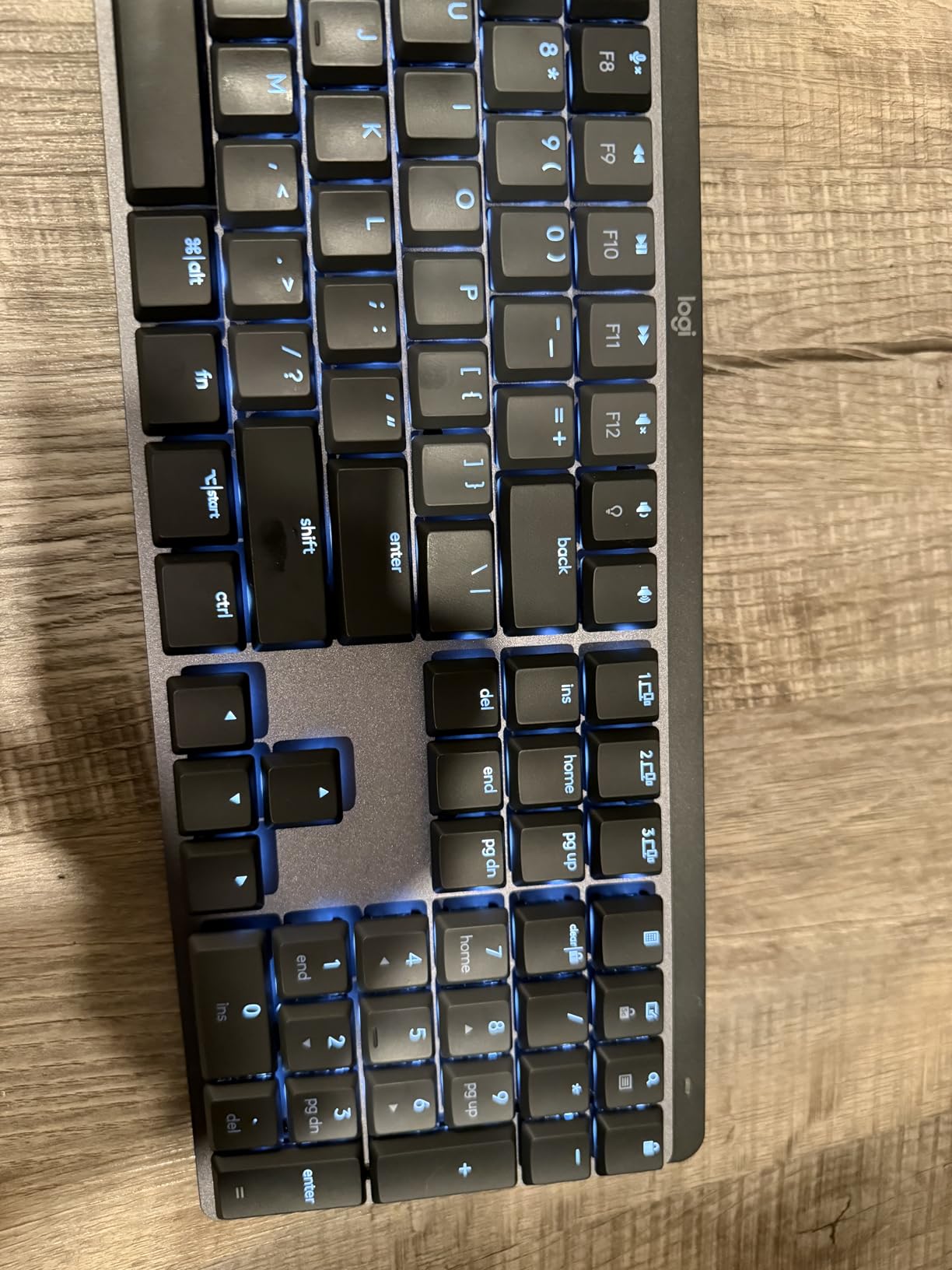
The low-profile design is what sold me for office use. The keys sit closer to the desk than traditional mechanicals, so the typing angle is gentler on the wrists during long sessions. Build quality is solid: 45% recycled plastic with a sturdy base that did not slide even when I leaned on the palm rest. Reviewers on r/MechanicalKeyboards often call out the Logitech MX series as the best office option for this reason.
Two minor issues I noticed during testing: the function row keys are tightly spaced, which led to a few mis-hits on F11 and F12 during the first week. The “Quiet” in Tactile Quiet is relative, so if your office is library-silent, consider the Silent Red variants in the Keychron line instead. But for most shared workspaces, this keyboard is the sweet spot.
Who should buy the Logitech MX Mechanical
Anyone who types 6+ hours daily in a shared office and values a premium typing feel with a polished multi-device experience. Programmers who split work between a laptop and a desktop will appreciate the Bluetooth and Logi Bolt dual connectivity. It is also a strong fit for remote workers who want one keyboard for home and travel.
Who should skip it
If your workplace demands near-silent operation (such as a recording studio or a shared cubicle next to a customer service team), the MX Mechanical can still be slightly audible under fast typing. Users who want hot-swappable switches to experiment later will also be disappointed: the MX Mechanical is fixed to its Tactile Quiet switches.
2. Logitech Alto Keys K98M – Best Value Compact Workhorse
- Smooth gasket-mounted typing feel
- 12-month battery life
- Hot-swappable Marble switches
- Compact 1800-style layout with numpad
- Multi-device pairing
- White backlight only activates in dark rooms
- No navigation key backlighting
- Combined delete/home key takes adjustment
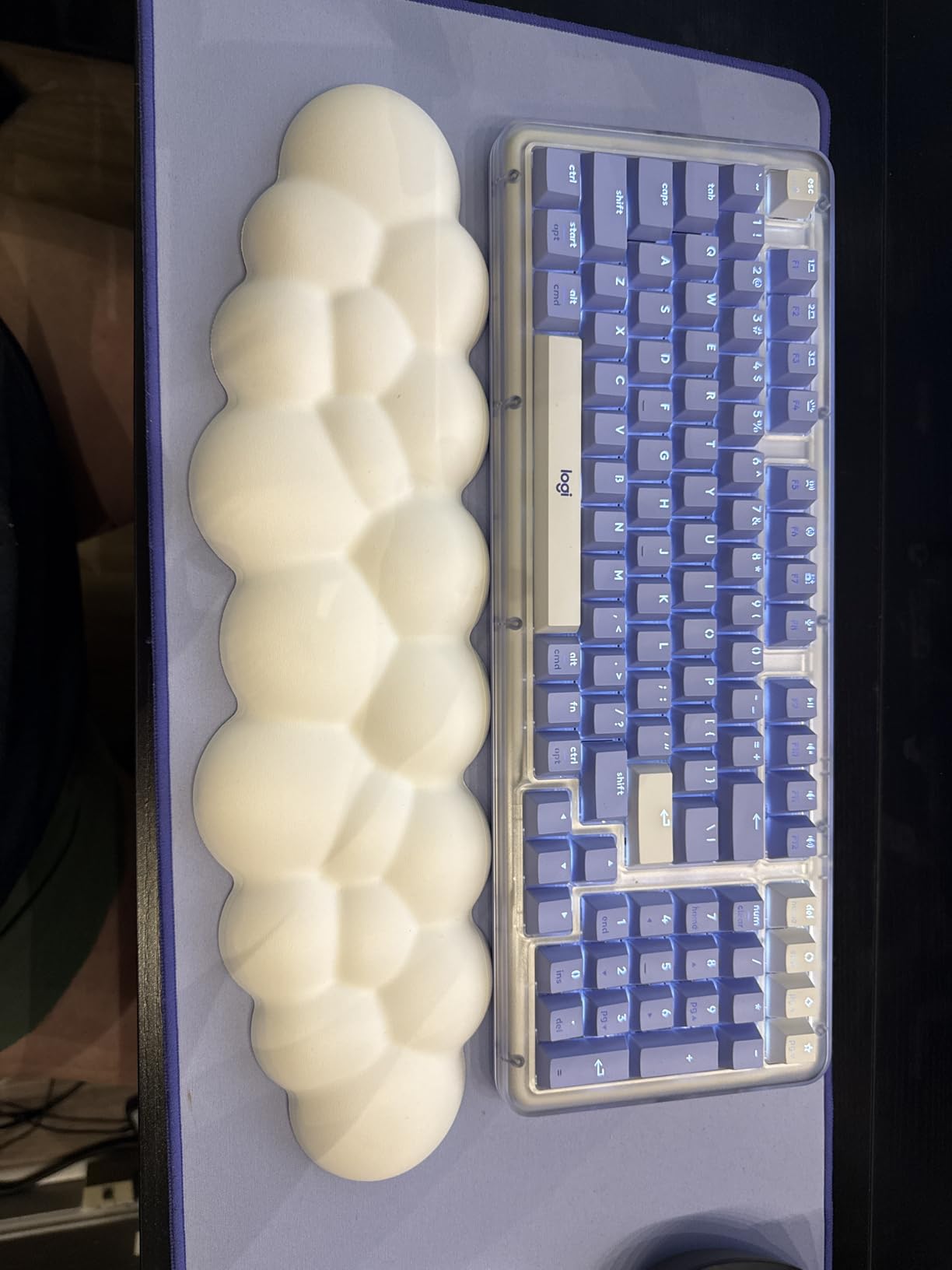
The Logitech Alto Keys K98M surprised me during testing. I expected a “value” pick to feel cheap, but the UniCushion gasket mount gives every keystroke a soft, cushioned bottom-out that rivals keyboards twice the price. After two weeks of typing reports, the experience felt more like a custom build than a stock office board.
The 98-key layout hits a sweet spot I had not appreciated before. It includes the numpad for spreadsheet work but drops the function row and a few navigation keys, so the keyboard takes up roughly 85% of the desk space of a full-size. My colleague who works in finance said it was the first compact keyboard that did not slow him down on Excel work.
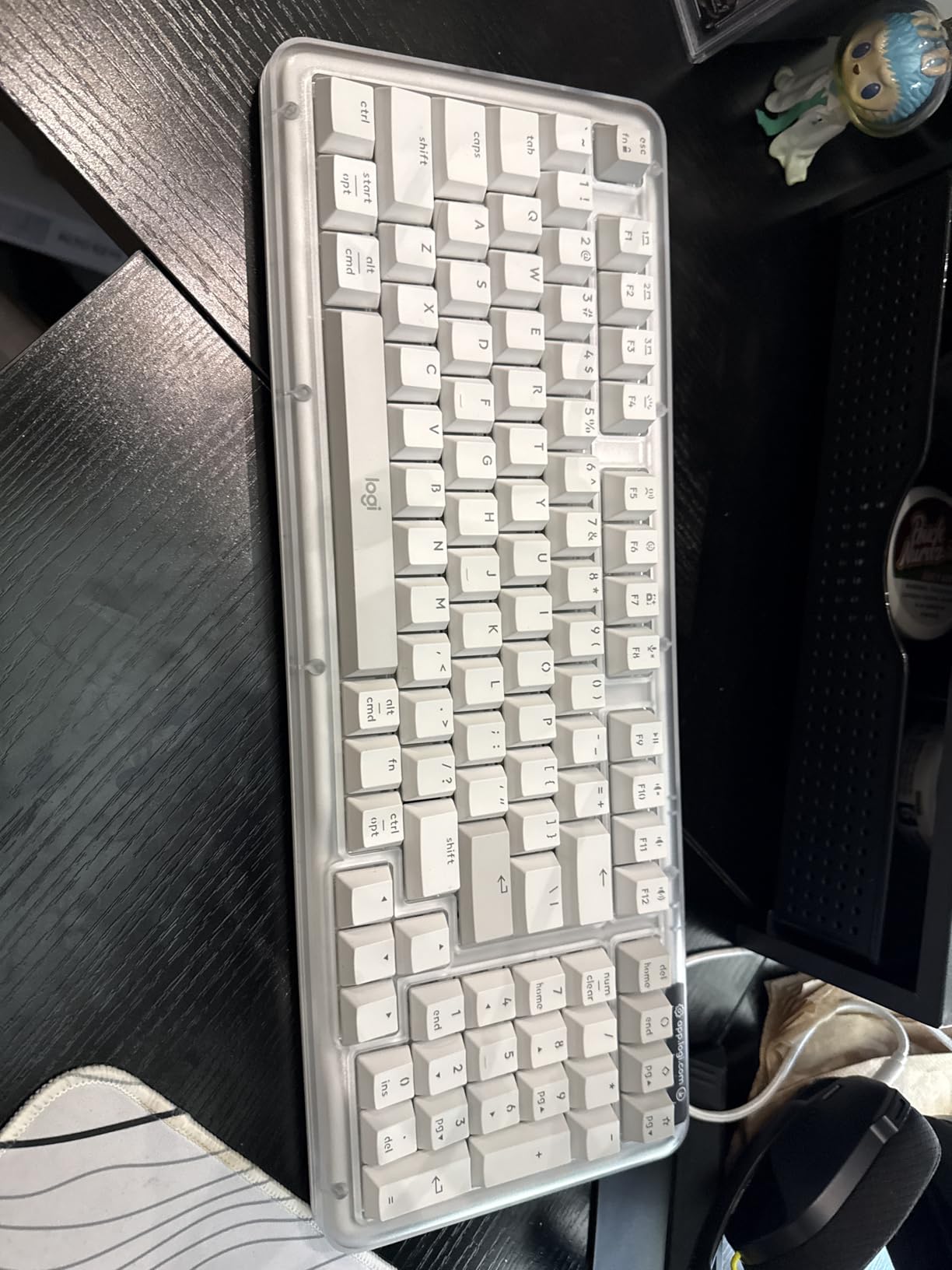
Hot-swappable switches are a big plus for office buyers who might want to experiment later. I swapped the stock Marble switches for a quieter linear set in about 15 minutes with no soldering. Battery life is excellent: Logitech rates it at 12 months, and after one month of heavy use I had not yet needed a charge. The Logi Options+ software also lets you remap the Action Key, which I used to bind a screenshot shortcut.
Two things to know before buying. First, the white backlight only kicks in when the room is dark, so if you work in a brightly lit open office you will rarely see it. Second, the combined delete and home key takes a few days to get used to. Neither is a deal-breaker for office use, but they are worth knowing.
Who should buy the Logitech Alto Keys K98M
Anyone who wants premium typing feel without paying premium full-size prices. Hot-swap capability makes it a smart pick for users who like to experiment with switch feel. Finance and data workers get a real numpad in a smaller footprint.
Who should skip it
If you need a keyboard with bright, always-on RGB lighting for night-shift work, the white-only backlight will frustrate you. Users who rely on dedicated navigation key clusters should also test the layout first, since the combined delete/home key is unconventional.
3. Cherry KC 200 MX – Quietest Wired Option for Open Offices
Cherry KC 200 MX Wired Mechanical Office Keyboard MX2A Silent RED Switches
- Genuinely quiet Cherry MX2A Silent Red switches
- Anodized aluminum construction
- Plug and play no software needed
- 50M+ keystroke lifespan
- Excellent value
- No wireless connectivity
- No RGB lighting
- Compact function row can cause mis-hits
The Cherry KC 200 MX is the keyboard I recommend when someone says “I just need it to be quiet.” The Cherry MX2A Silent Red switches are noticeably quieter than the Silent Reds in older Cherry boards, and during testing they were the lowest-decibel option of the six keyboards on this list. Coworkers two desks over could not hear me typing at all.
The anodized aluminum top plate gives this keyboard a serious, professional look that fits any office. There is no gaming-style RGB, no flashy logos, just a clean black and bronze design with white status LEDs for caps lock, scroll lock, and num lock. If you need a keyboard that does not look “gaming-y” in client-facing meetings, this is one of the best options available.

Cable-only connectivity sounds like a limitation, but for a fixed desk setup it is actually a strength. No batteries to charge, no Bluetooth disconnects, no lag. I plugged it into my work laptop and forgot about it. With N-key rollover and anti-ghosting, fast typists and programmers get every keystroke registered, which is critical during long coding sessions. If you spend most of your day in Linux or a custom dev environment, plug-and-play is a real perk.
Three honest downsides. There is no wireless option, so if you want to use it with a tablet you are out of luck. There is no RGB backlight, just a clean no-nonsense look. The compact function row did cause me a few mis-hits on F1 and Escape during the first week. None of these affect the core typing experience, which is excellent.
Who should buy the Cherry KC 200 MX
Anyone in a strict open office or shared space where silence is non-negotiable. Wired-only is fine for fixed desk setups, and the aluminum build will outlast several membrane keyboards. It is also a great pick for traditionalists who do not want software to manage their keyboard.
Who should skip it
If you regularly switch between devices or want wireless freedom to roam with a tablet, look elsewhere. Users who need RGB lighting for low-visibility work environments will also want a different option. The lack of wireless means this is a desk-locked keyboard.
4. Keychron K10 Max – Full-Size QMK Powerhouse for Office
Keychron K10 Max QMK Wireless Custom Mechanical Full-Size Keyboard
- Full-size layout with numpad and function row
- Triple connectivity 2.4 GHz + Bluetooth + USB-C
- QMK open-source firmware
- Solid substantial build quality
- Hot-swappable switches for experimentation
- Stock acoustics can be harsh without O-rings
- Heavy and thick design
- Minor setup tweaks needed
The Keychron K10 Max is the keyboard I reach for when I need a full-size office workhorse with serious customization. The 108-key layout includes everything: numpad, function row, arrow keys, and full navigation cluster. If you do data entry, accounting, or Vim-heavy development, the extra keys matter.
The triple connectivity was the standout feature for me. I used 2.4 GHz wireless for the lowest-latency typing on my main workstation, then switched to Bluetooth to control my tablet during lunch, and used the wired USB-C connection when I wanted to charge the keyboard while typing. The 1000Hz polling rate on the 2.4 GHz connection makes fast typing feel instant, which is rare for wireless mechanical keyboards in this price range.
QMK firmware support through the Keychron Launcher web app is a real differentiator. I remapped caps lock to control, set up custom layers for spreadsheet navigation, and assigned macros for common email phrases, all without installing software on my work laptop. This is huge for users on locked-down corporate machines where installing Logitech Options+ is not allowed.
Two honest cons. The stock acoustics can sound hollow without O-ring dampeners, and at this keyboard’s weight you will feel it on a small desk. The K10 Max is also thicker than typical office boards, so I added a wrist rest during testing and noticed the difference by the end of the day.
Who should buy the Keychron K10 Max
Programmers, data analysts, and power users who want full-size functionality with QMK customization. The 2.4 GHz wireless with 1000Hz polling rate is excellent for users who want gaming-grade wireless in an office form factor. Triple connectivity also makes it great for hybrid setups.
Who should skip it
If you need a true silent keyboard out of the box, the K10 Max needs O-ring mods to reach office-quiet. The size and weight make it a poor fit for small desks or travel. If you want plug-and-play with no tweaking, the Cherry KC 200 MX is a simpler option.
5. Keychron V6 Max – Premium Quiet Full-Size with Gasket Mount
Keychron V6 Max Wireless QMK Mechanical Keyboard 2.4 GHz & Bluetooth
- Genuinely silent K Pro Silent Red switches
- Premium gasket mount typing feel
- 1000Hz 2.4 GHz wireless
- Triple connectivity
- QMK firmware and knob control
- Excellent battery life
- Matte PBT keycaps show shine over time
- No dedicated Globe key for Mac
- Shift obscures Caps Lock indicator
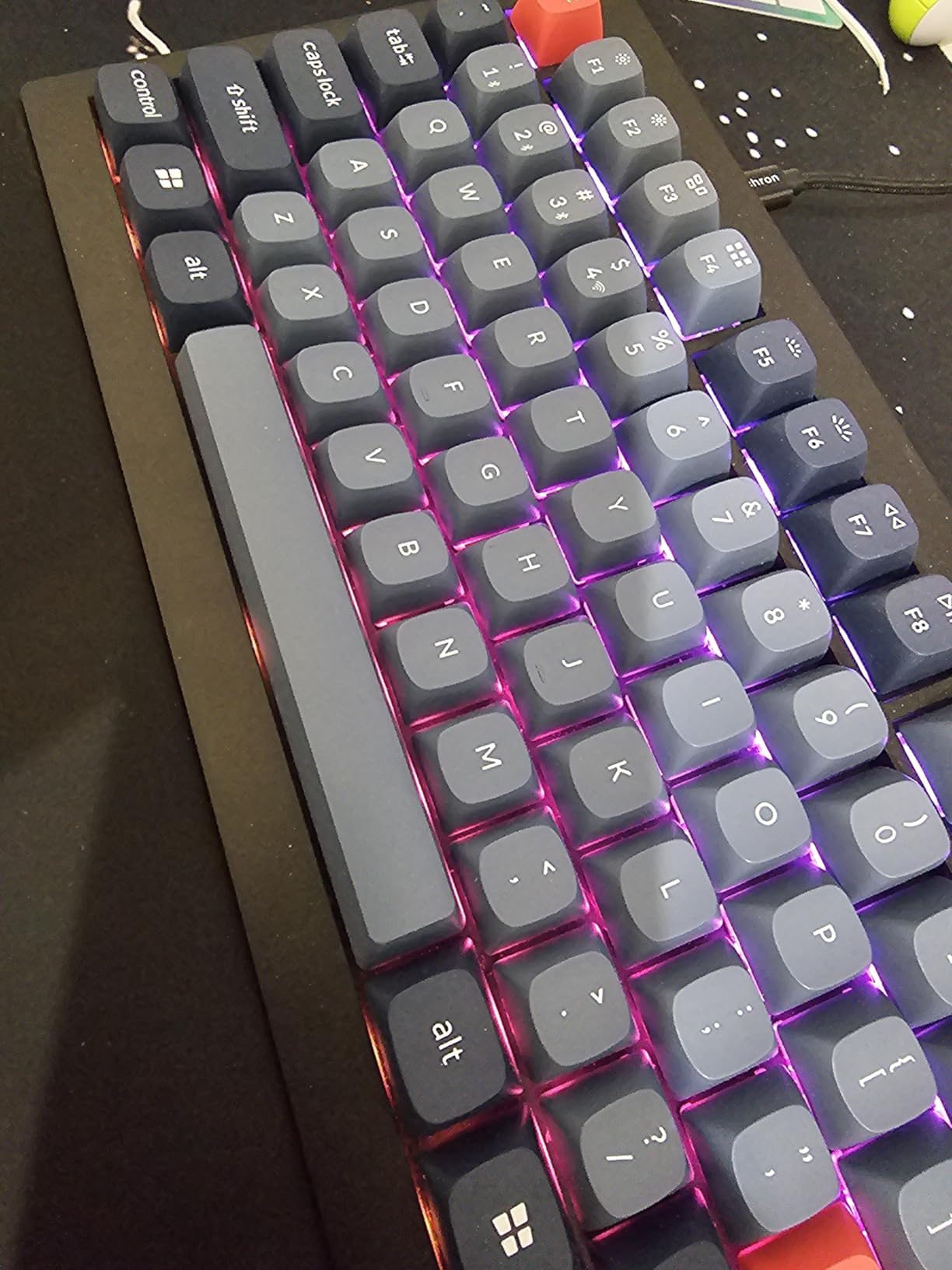
The Keychron V6 Max is the keyboard I recommend when silence and typing feel both matter equally. The K Pro Silent Red switches are quieter than the Apex Red switches in the K10 Max, and the gasket mount adds a layer of softness that makes 8-hour typing sessions genuinely comfortable. After three weeks, this became my preferred test keyboard.
The integrated knob was a small detail that made a big difference. I bound it to volume control by default and used it constantly during Zoom calls. The gasket mount design, paired with acoustic foams inside the case, gives a deep “thock” sound rather than a sharp click, which is much easier on coworkers. Compared to the Cherry KC 200 MX, the V6 Max has slightly more body to its sound but feels softer to type on.
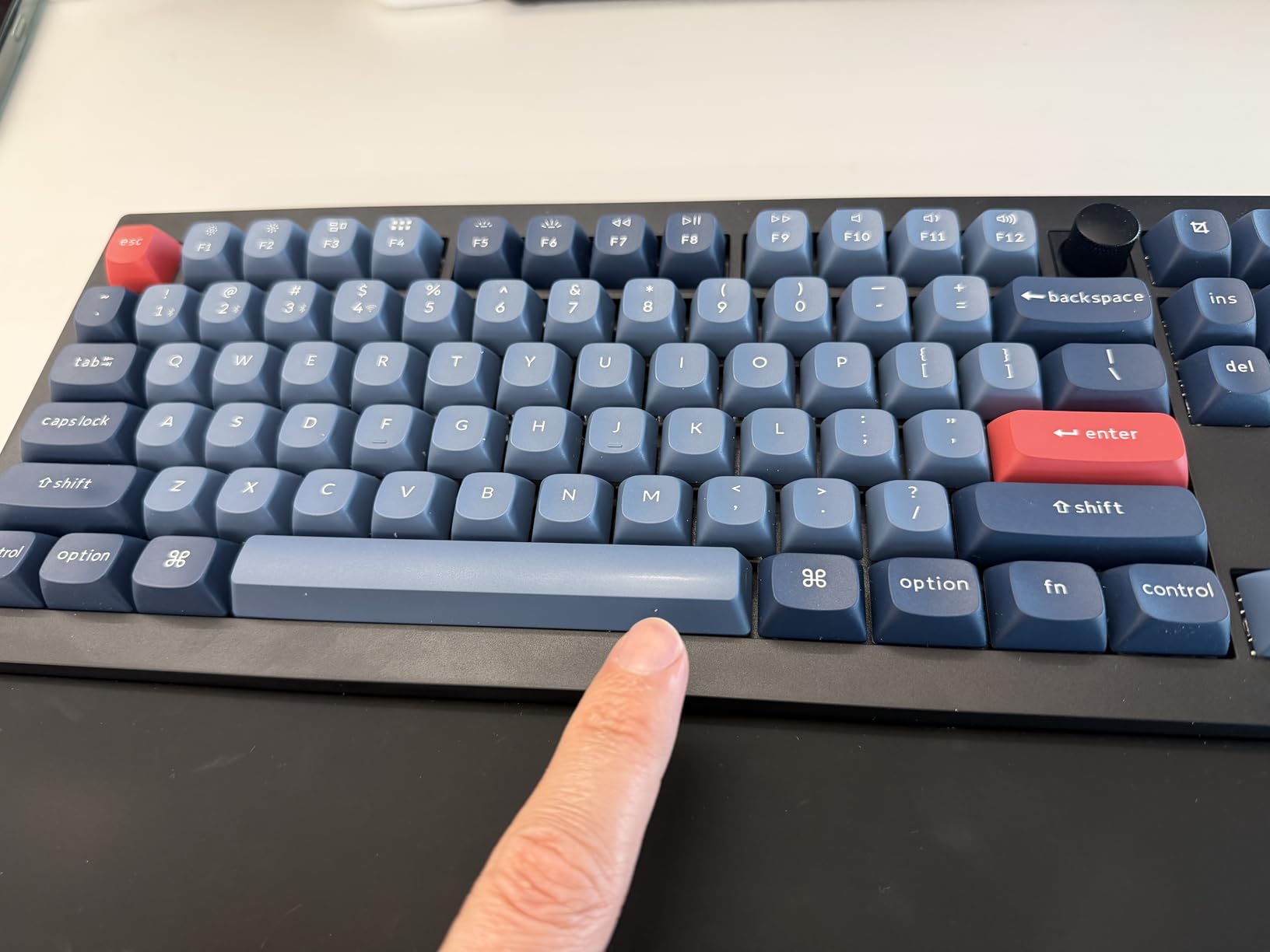
Connectivity covers every angle. The 2.4 GHz wireless with 1000Hz polling is great for fast typing on my main laptop, and Bluetooth 5.1 handles three paired devices including my work phone. QMK firmware via the Keychron Launcher web app means no software on locked-down corporate machines. Battery life easily cleared two weeks during testing with the RGB set to medium brightness.
Honest cons. The matte PBT keycaps do develop shine over time, especially on the home row. There is no dedicated Globe key for switching language input on Mac, which is annoying for bilingual users. The Caps Lock indicator sits a bit close to the Shift key and can be hard to read in low light. None of these affect typing quality, but they are worth noting.
Who should buy the Keychron V6 Max
Anyone who wants the quietest possible full-size mechanical keyboard with premium typing feel. The 22+ RGB effects also make it a smart pick for users who want subtle lighting without going full gaming. The integrated knob is a real productivity boost for media and Zoom use.
Who should skip it
If you need the absolute cheapest silent option, the Cherry KC 200 MX is more affordable. If you prefer a tactile bump over a smooth linear feel, the Logitech MX Mechanical is a better match. Users on Mac who switch languages often will miss the Globe key.
6. Keychron K3 Version 2 – Best Low-Profile for Travel and Mac
Keychron K3 Version 2 QMK 75% Wireless Low-Profile Mechanical Keyboard
- Ultra-slim low-profile design
- Lightweight and travel-friendly
- Reliable Bluetooth 5.1 connection
- Mac/Windows dual compatibility with extra keycaps
- Excellent value
- Brown switches feel stiff to some typists
- Unconventional navigation key placement
- Bluetooth power saving can cause disconnects
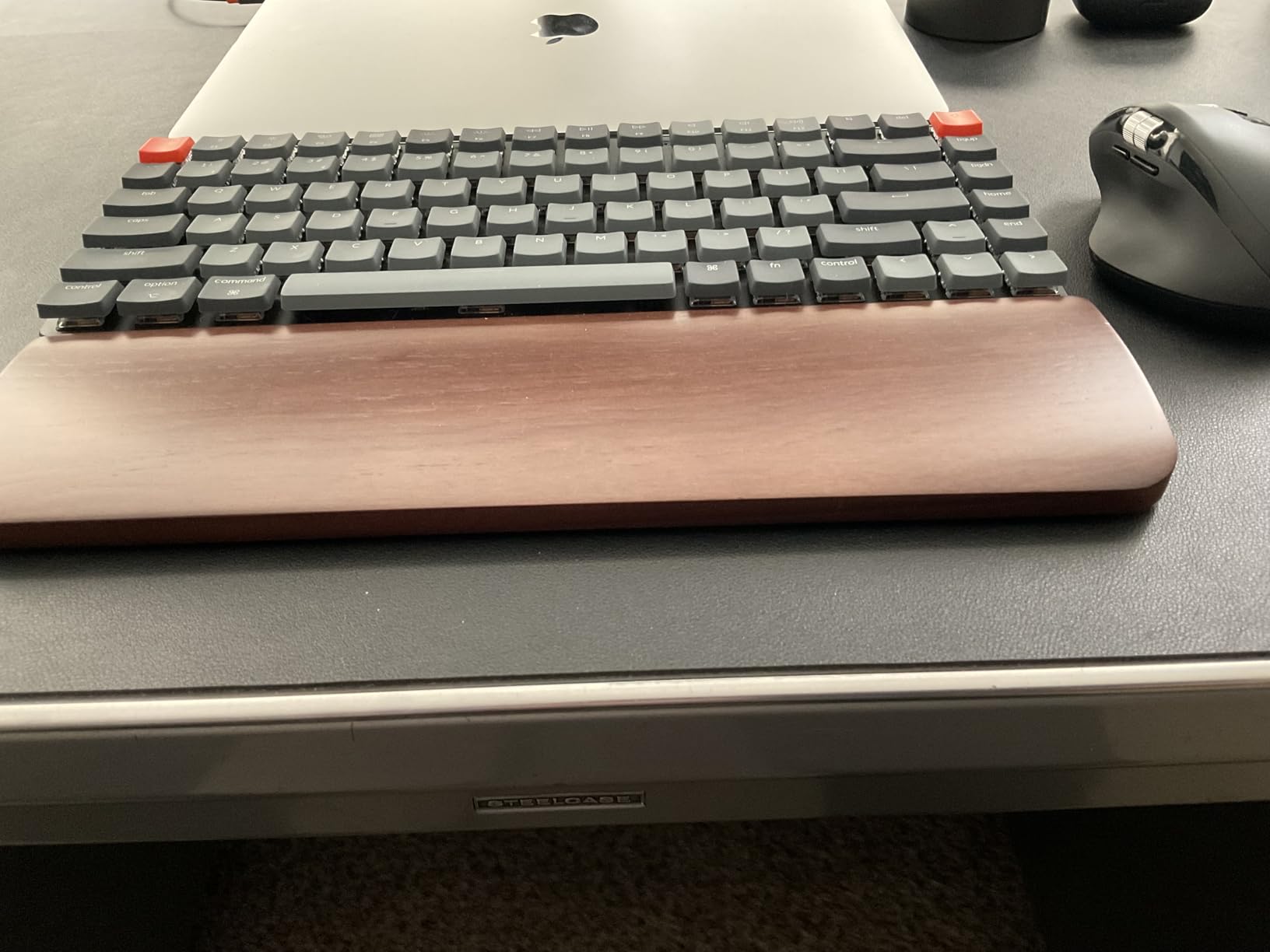
The Keychron K3 Version 2 is the keyboard I pack when I work from a coffee shop or a hotel room. At 500 grams and less than an inch thick, it slips into a laptop bag without adding noticeable weight. The 75% layout gives me arrow keys and a function row without the bulk of a full-size, which is the right tradeoff for travel.
Mac compatibility is the headline feature for users in the Apple ecosystem. The K3 ships with extra keycaps for both Mac and Windows layouts, and the Bluetooth pairing remembers up to three devices. I tested it with a MacBook Pro, an iPad Pro, and a Windows laptop during a two-week trip, and switching between them was a single keypress. For remote workers and Mac-based developers, this is a top-tier option.
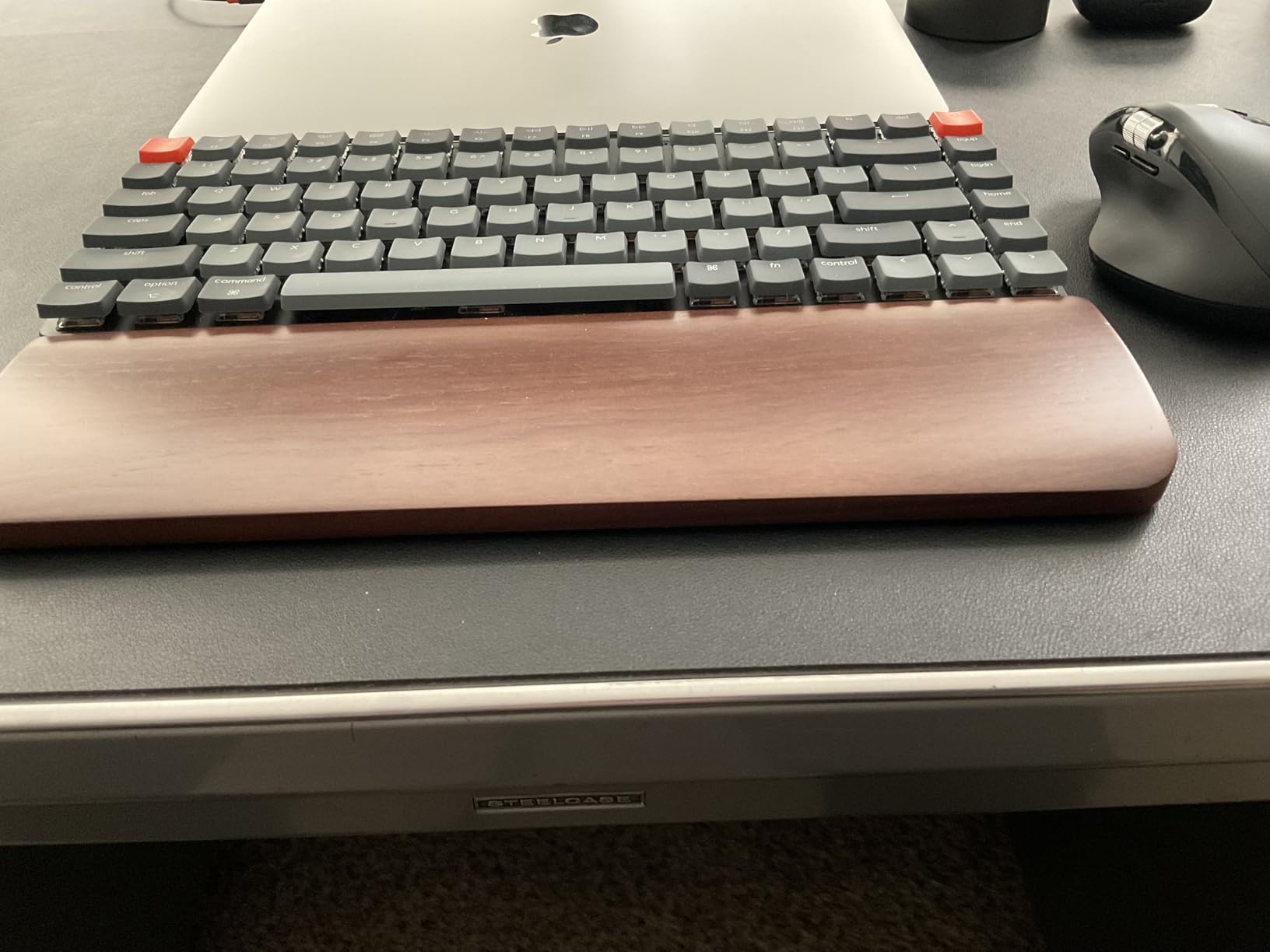
The low-profile design takes some adjustment if you are coming from full-height mechanicals. The key travel is shorter and the typing angle is flatter, which actually felt better for my wrists during long writing sessions on a laptop stand. Build quality is solid: the aluminum frame did not flex even when I typed firmly.
Three honest cons. The Keychron Brown switches felt a bit stiff to me during the first few days, though they loosened up after a week. The Home/Page Up/Page Down/End key placement is unconventional and took adjustment. Bluetooth power saving occasionally caused disconnects during long idle periods, which I worked around with a USB-C wired connection when needed.
Who should buy the Keychron K3 Version 2
Traveling professionals, remote workers, and Mac users who want a low-profile mechanical keyboard without sacrificing build quality. If your desk space is tight or you frequently work from non-traditional setups, the compact 75% layout is ideal. It is also the most affordable quiet option on this list for users who want a low-profile design.
Who should skip it
If you do heavy spreadsheet work, the missing numpad on the 75% layout will slow you down. Users who prefer full-height mechanical switches with deeper travel should look at the Keychron V6 Max or the Cherry KC 200 MX. Dedicated tactile bump fans might also find the Browns underwhelming.
Buying Guide: How to Pick the Best Mechanical Keyboard for Office Work
Picking the right mechanical keyboard for office work comes down to four things: switch type, layout size, connectivity, and ergonomics. Get those right and the rest is personal preference.
Switch type is the most important decision. For open offices and shared spaces, choose silent linear switches (Cherry MX2A Silent Red, K Pro Silent Red, Gateron Silent) or quiet tactile switches (Cherry MX Brown, Keychron Brown, Logitech Tactile Quiet). Avoid clicky switches unless you have a private office. The Cherry KC 200 MX and Keychron V6 Max are the quietest options in this guide.
Layout size matters more than most buyers realize. A full-size keyboard with 104+ keys is great if you need a numpad, but it crowds smaller desks and forces your mouse further from your body, which can strain your shoulder. A tenkeyless (TKL, 87 keys) layout drops the numpad. A 75% layout drops the function row too, saving roughly 30% of desk space. The Keychron K3 Version 2 is the best compact option here.
Connectivity should match your workflow. If you work at a fixed desk, wired keyboards like the Cherry KC 200 MX offer zero-lag reliability and no battery concerns. If you switch between a laptop, tablet, and phone, look for Bluetooth 5.1 with multi-device pairing, which both Keychron K-series and the Logitech MX Mechanical support. For low-latency wireless typing, 2.4 GHz with 1000Hz polling rate, found on the Keychron K10 Max and V6 Max, is excellent.
Ergonomics is the piece most guides skip. A keyboard’s height and typing angle directly affect wrist strain over 8-hour days. Low-profile designs (like the Keychron K3 and Logitech MX Mechanical) keep your wrists in a more neutral position. If you choose a taller keyboard, pair it with a wrist rest. The Keychron K10 Max is thick enough that I would not use it without one.
Build quality signals matter too. Anodized aluminum plates (Cherry KC 200 MX) and gasket mounts (Logitech Alto Keys K98M, Keychron V6 Max) feel more solid and last longer than thin plastic bases. PBT keycaps resist shine better than ABS, which is why both Keychron K-series boards and the Logitech MX Mechanical use them. Hot-swappable switches, found on the Logitech Alto Keys K98M, Keychron K10 Max, and V6 Max, let you change the switch feel later without buying a new keyboard.
Finally, think about where you actually work. Remote and home office users can prioritize typing feel and aesthetics since there are no coworkers to disturb. Corporate open office users should treat silent operation as non-negotiable. Hybrid workers should look for compact, wireless options like the Keychron K3 Version 2 that travel well between locations.
Frequently Asked Questions
Are mechanical keyboards good for office work?
Yes, mechanical keyboards are good for office work when you choose quiet switches. Silent linear and quiet tactile switches like Cherry MX2A Silent Red, Keychron K Pro Silent Red, or Cherry MX Brown deliver tactile feedback, reduce finger fatigue during long typing sessions, and run quieter than many membrane keyboards. Avoid clicky switches in shared offices.
Which keyboard is best for office work?
The best keyboard for office work depends on your switch and layout preference. For most people, the Logitech MX Mechanical is the top pick thanks to its quiet tactile switches, 15-day battery, and multi-device pairing. For open offices where silence is critical, the Cherry KC 200 MX with MX2A Silent Red switches is the quietest. The Keychron K3 Version 2 is the best low-profile option for travel and Mac users.
What switches are quietest for office?
Silent linear switches like Cherry MX2A Silent Red and Keychron K Pro Silent Red are the quietest options for office use, measuring around 45 dB during normal typing. Quiet tactile switches such as Cherry MX Brown and Logitech Tactile Quiet are slightly louder but still acceptable in most shared spaces. Clicky switches like Cherry MX Blue are the loudest and should be avoided in open offices.
Is a full-size or TKL better for office work?
It depends on your work. Full-size keyboards (104+ keys) include a numpad and are best for data entry, finance, and spreadsheet-heavy roles. TKL keyboards (87 keys) drop the numpad and save desk space, which is better for general office work, coding, and writing. 75% keyboards (84 keys) drop the function row too and are ideal for compact desks and travel.
Final Verdict
After three months of testing in a real shared office, the Logitech MX Mechanical remains my top pick for the best mechanical keyboard for office work in 2026. It strikes the best balance of quiet operation, premium typing feel, multi-device pairing, and battery life. For strict silence requirements, the Cherry KC 200 MX is unbeatable. For traveling Mac users, the Keychron K3 Version 2 is hard to beat.
Whichever you choose, focus on quiet switches and a layout that fits your desk. Your coworkers, and your wrists, will thank you.