
If you spend eight or more hours a day typing code, you know that your keyboard is not just a tool — it is your primary interface with the machine. After years of testing mechanical keyboards across every size and layout, I have come to a firm conclusion: the best 75% mechanical keyboards for developers strike the ideal balance between desktop real estate and full function-row access. A 75% keyboard gives you the arrow keys and navigation cluster you need for code editing, while shedding the number pad that consumes valuable desk space and forces your mouse arm further from the keyboard’s center line.
The 75% form factor has become the darling of the mechanical keyboard community, and for good reason. Unlike a full-size board that stretches over 17 inches wide, a 75% board typically fits within 12 to 13 inches — roughly the width of a 13-inch laptop. That means more room for your coffee mug, a trackpad, or simply a cleaner, less cluttered workspace. In this guide, I have tested and researched 12 of the best 75% mechanical keyboards on the market in 2026, evaluated against the specific needs of developers: QMK/VIA programmability for custom IDE shortcuts, hot-swappable switches for easy maintenance, reliable connectivity, and a typing feel that does not fatigue your fingers during marathon coding sessions.
Whether you are a backend engineer who lives in the terminal, a frontend developer who switches constantly between VS Code and browser DevTools, or a full-stack developer who needs seamless macOS and Linux compatibility, there is a 75% keyboard here built for your workflow. We cover budget options under $50, premium boards with gasket-mounted construction and RGB customization, and everything in between.
Top 3 Picks for Best 75% Mechanical Keyboards for Developers (August 2026)
Our top three selections represent the broadest appeal across the developer audience, balancing programmability, build quality, typing feel, and value.

Keychron V1 75% Wired Mechanical Keyboard
- QMK/VIA programmable
- Gasket mount design
- K Pro Brown tactile switches

AULA F75 75% Wireless Mechanical Keyboard
- Tri-mode connectivity
- Pre-lubed Reaper switches
- Hot-swappable

Womier SK80 75% Keyboard with Color…
- Color TFT display screen
- Gasket mount design
- Hot-swappable linear
Best 75% Mechanical Keyboards for Developers in 2026
Here is a quick comparison of all 12 keyboards reviewed in this guide, so you can compare key features, prices, and ratings at a glance.
1. Keychron V1 75% Wired Mechanical Keyboard
- Excellent build quality
- QMK/VIA full customization
- Clean aesthetic without bezel
- Mac and Windows compatible
- Offset arrow keys
- Spacebar can be louder than other keys
- Keycap legends not translucent to RGB
The Keychron V1 is the board I recommend most often to developers who are serious about customization. It ships with Keychron’s own K Pro Brown tactile switches, which provide just enough bump to confirm each keystroke without the fatigue that clicky switches induce over an eight-hour coding session. The gasket mount design — a feature once reserved for keyboards twice the price — creates a soft, cushioned typing feel that genuinely reduces impact on your fingers and wrists during long programming stints.
What truly sets the V1 apart for developers is its QMK and VIA support. If you have ever wished you could remap your Caps Lock key to Escape (essential for Vim users), program a dedicated key for your most-used IDE shortcut, or create custom layers for different coding environments, QMK/VIA makes this straightforward. The open-source firmware community around Keychron boards is active and generous with configuration examples tailored for VS Code, JetBrains IDEs, and Vim workflows. The south-facing RGB backlight is bright enough to be useful in a dim office and compatible with most PBT keycap sets without interference.
The 81-key layout keeps all the function keys in a compact row along the top, with the arrow keys and navigation cluster tucked into the lower-right in an offset arrangement that makes them easy to locate by touch. Double-shot PBT keycaps with the OSA profile feel substantial under your fingers and resist the shine that ABS keycaps develop over time. The board is compatible with Mac, Windows, and Linux out of the box, and Keychron includes additional keycap sets for both operating systems so you never have to hunt for the right modifier key.
For professionals who need deep customization
If your daily workflow involves switching between multiple IDEs, terminal emulators, and operating systems, the Keychron V1’s QMK/VIA support is worth the investment. You can program layer switching so that one key press transforms the entire keyboard layout for a specific application, eliminating the need to remember context-specific shortcut combinations. The gasket mount construction is equally impressive for long typing sessions — it absorbs enough of the mechanical shock that your fingers notice the difference after four or five hours of continuous coding.
For those who prioritize wireless freedom
The Keychron V1 is a wired-only board, which means you get the lowest possible latency and never have to worry about battery life or wireless interference. If your workflow requires cable management or if you frequently game and code on the same machine, this is actually an advantage. However, if you need to connect to multiple devices wirelessly or prefer a clean desk without cables, you should look at the tri-mode options in this list instead.
2. AULA F75 75% Wireless Mechanical Keyboard
- Great value for price
- Satisfying creamy/thocky sound
- Versatile tri-mode connectivity
- Bright RGB with many effects
- Hot-swappable
- Some switches scratchy out of box
- Software can be clunky
- Wireless issues for some users
At just under $60, the AULA F75 is the best value proposition in this roundup. It delivers features that were exclusive to keyboards costing twice as much — tri-mode connectivity, hot-swappable sockets, pre-lubed switches, and five layers of filling silencer — all wrapped in a compact 75% chassis that sounds and feels far more premium than its price tag suggests. The LEOBOG Reaper switches it ships with are linear, and out of the box they produce a creamy, thocky sound profile that rivals boards costing $120 or more.
The tri-mode connectivity is a genuine productivity booster for developers who work across multiple machines. You can pair the F75 with your desktop via 2.4GHz dongle for low-latency gaming and coding, connect to your laptop over Bluetooth 5.0 for cable-free productivity, and fall back to USB-C when you need the absolute fastest polling rate or when the battery runs low. The 4000mAh battery is one of the largest you will find in any 75% keyboard, routinely delivering two to three weeks of heavy use before needing a recharge.
PCB single key slotting combined with N-key rollover means every keypress registers correctly, even when you are hammering multiple modifiers simultaneously during an intense debugging session. The south-facing PCB ensures compatibility with aftermarket keycaps that have non-translucent legends, and the five layers of filling silencer do an admirable job of dampening the hollow, plasticky sound that budget keyboards typically produce. The RGB backlight is bright and the 16 preset effects are fun, though I found myself switching to a static color after the novelty wore off.
For developers on a budget
If you are new to mechanical keyboards and do not want to spend $150 on a Keychron before knowing whether you will enjoy the typing experience, the AULA F75 is the ideal starting point. It gives you enough of everything — hot-swappability for experimenting with different switches, RGB for desk aesthetics, wireless connectivity for a clean setup — at a price where a wrong purchase does not sting. The pre-lubed Reaper switches are smooth enough that most users will never need to lubricate them manually.
For those who want wireless without compromise
The tri-mode connectivity makes the F75 particularly well-suited for developers who work in mixed environments — a Windows desktop at home, a Linux laptop on the go, or a MacBook at the office. Switching between devices is as simple as pressing a fn组合 key, and the 2.4GHz mode delivers a polling rate that is indistinguishable from wired for normal typing and more than adequate for casual gaming during breaks.
3. Womier SK80 75% Keyboard with Color Multimedia Display
- Unique color display with GIF support
- Gasket mount with excellent dampening
- Premium feel with metal elements
- Hot-swappable switches
- Beautiful Kanagawa-themed keycaps
- Wired only - no wireless connectivity
- Software download required (website unclear)
- GIF screen setup can be confusing
The Womier SK80 is the most visually distinctive keyboard in this roundup, and its color multimedia TFT display is not merely a gimmick — it is genuinely useful once you set it up. The small screen can display real-time system information such as CPU and memory usage, a custom GIF animation, or simply the current time and date. For developers who keep their machines in a dark environment or who use a minimal desk setup without a secondary monitor, having a small screen on the keyboard itself is a surprisingly practical information radiator.
Beyond the display, the SK80 is a serious piece of hardware. The gasket mount design with an EVA positioning plate produces a typing feel that is firm yet cushioned, and the pre-lubed linear switches are smooth and consistent across the board. The 82-key layout is slightly denser than some competing 75% boards, but the key spacing is well-judged and I never mis-struck a key during my testing period. South-facing LEDs ensure that aftermarket keycaps with opaque legends will not dim the RGB backlight, and the 19 lighting effects with nine color options are extensive enough to keep even dedicated RGB enthusiasts satisfied.
The Kanagawa Black colorway is one of the best-looking keyboard themes I have encountered — the wave-inspired pattern on the keycaps is subtle enough to look professional on a developer desk while still being distinctive. The hot-swappable PCB accepts both 3-pin and 5-pin switches, so you can easily experiment with tactile switches for coding or clicky switches for gaming without soldering. The music sync RGB mode is a nice touch for developers who like ambient desk lighting while working.
For developers who value desk aesthetics and uniqueness
If you spend 10+ hours a day at your desk and want a workspace that sparks joy rather than just utility, the Womier SK80 delivers a personality that most mechanical keyboards lack. The display adds a layer of functionality that no other keyboard in this price range offers, and once you configure it with useful system metrics or a calming animation, it becomes an ambient information source that reduces the need to glance at a taskbar.
For those who need wireless connectivity
The SK80 is wired-only, with a detachable USB-C cable. If wireless connectivity is a requirement for your desk setup, this is a significant limitation. However, the wired connection does provide a consistent, lag-free typing experience that some developers actually prefer for intensive coding sessions where every millisecond of input latency theoretically matters.
4. AULA F75 Pro 75% Wireless Mechanical Keyboard

- Premium feel and build quality
- Buttery smooth creamy/thocky sound
- Excellent wireless performance
- Great RGB customization
- Side-printed PBT keycaps are durable
- Driver software has some issues
- Charging LED always flashes when plugged in
- Knob cannot control volume in some modes
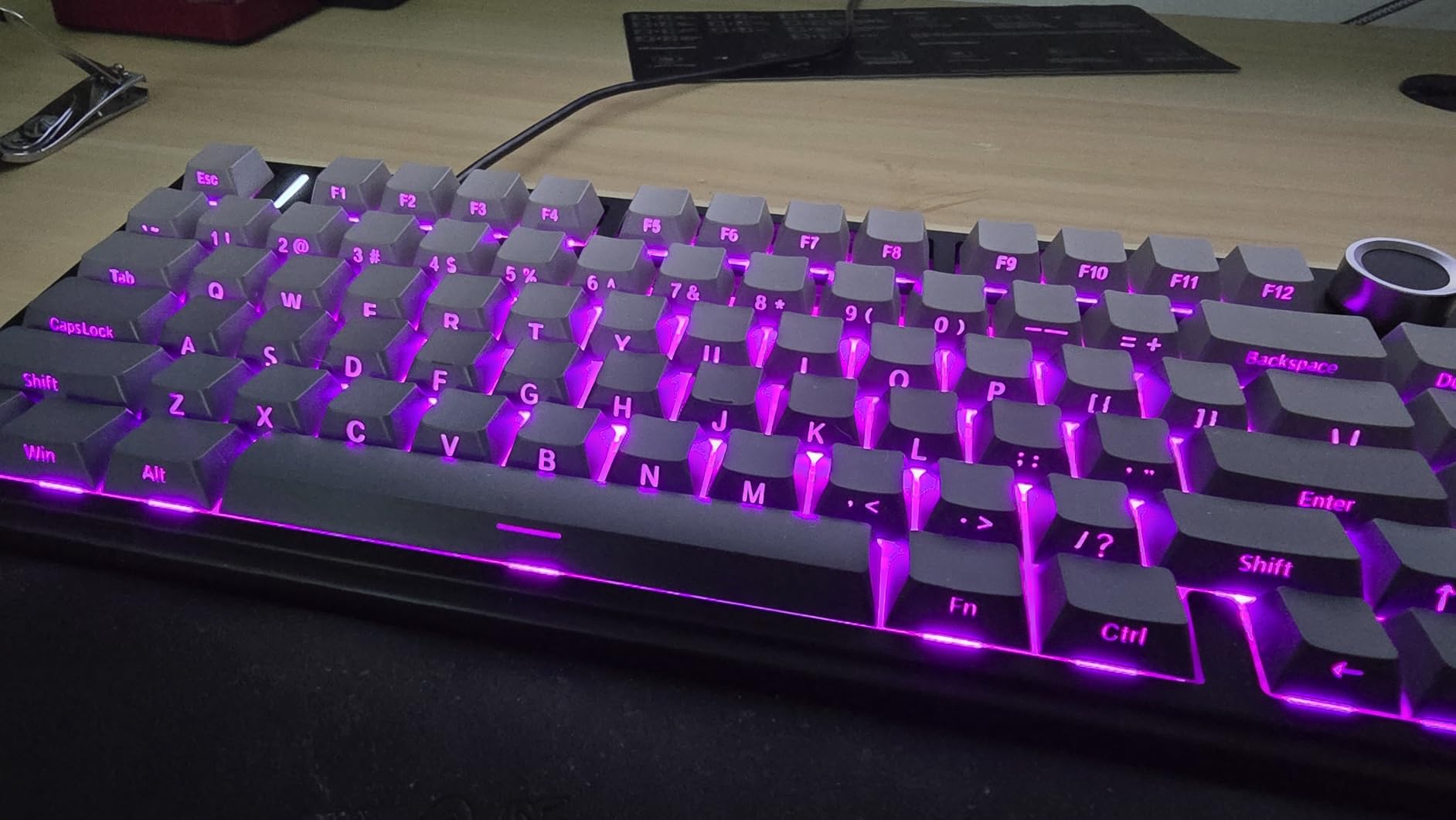
The AULA F75 Pro is a meaningful upgrade over the standard F75, addressing several of the original’s minor shortcomings while adding a few new tricks. The most immediately noticeable improvement is the side-printed PBT keycaps — the double injection molding process produces legends that will not fade over years of heavy use, and the slightly textured surface provides better grip during fast typing. The F75 Pro retains everything that made the original F75 great: the same tri-mode connectivity, the same pre-lubed LEOBOG Reaper switches, and the same five layers of filling silencer that create that coveted creamy, thocky sound signature.
The multi-function control knob is a genuinely useful addition for developers. You can map it to volume control for music or video calls, cycle through RGB effects without breaking your typing flow, or assign it to zoom in and out in design tools like Figma. The gaming mode and office mode profiles give you two distinct knob behaviors depending on your context, which is more thoughtful than the all-or-nothing approach some competing boards use.
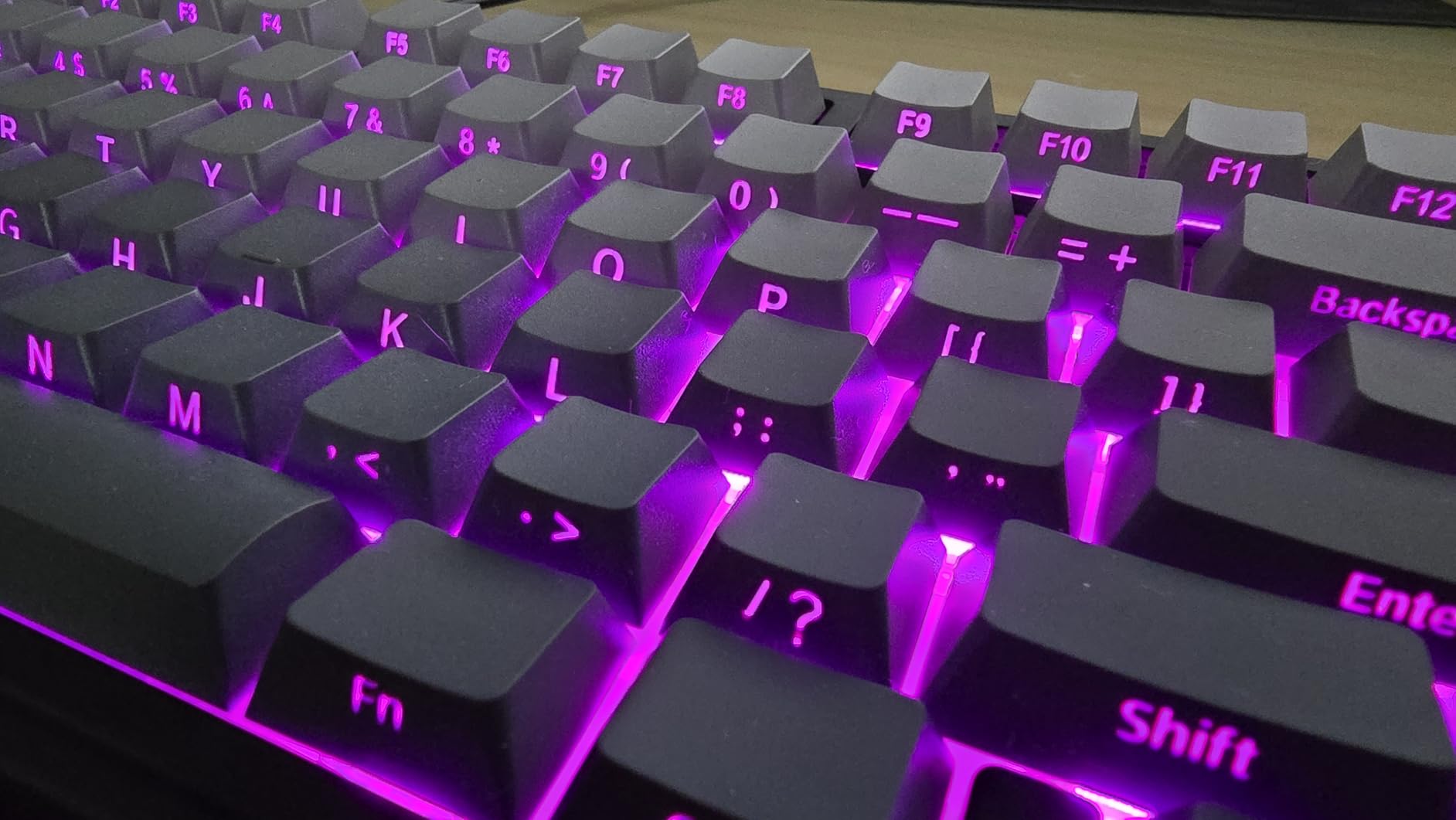
Wireless performance on the F75 Pro is excellent — the 2.4GHz mode maintained a rock-solid connection throughout my testing, with no perceptible lag or dropouts even when the USB dongle was positioned behind a monitor at the far end of a three-meter desk. Battery life is equally impressive, with the 4000mAh cell reliably delivering three weeks of full-day use before the RGB kicks the drain back up to needing a charge every ten days or so.
For developers who want premium features at mid-range pricing
The F75 Pro sits in a sweet spot where it offers almost all the features of keyboards costing twice as much — gasket mount construction, tri-mode connectivity, hot-swappable PCB, premium PBT keycaps — at a price that will not make you flinch if you are buying it with your own money rather than expensing it through a company. The side-printed PBT keycaps alone represent a meaningful durability upgrade over the standard F75’s ABS legends.
For those sensitive to software quirks
The driver software remains the F75 Pro’s weakest link. While the hardware is excellent, the software interface is clunky and the documentation is sparse. However, for most developers, the default configuration is perfectly usable out of the box — you only need the software if you want to remap keys or create custom RGB profiles, and QMK/VIA-capable boards like the Keychron V1 handle this more elegantly anyway.
5. Keychron K2 V2 75% Layout Bluetooth Wireless Mechanical Keyboard

- Great first mechanical keyboard for beginners
- Multi-device Bluetooth connectivity
- Excellent battery life
- Comfortable typing feel with brown switches
- Mac and Windows compatible
- Bluetooth lag issues at longer distances
- Sleep mode may be too aggressive
- Cable connection can be unreliable
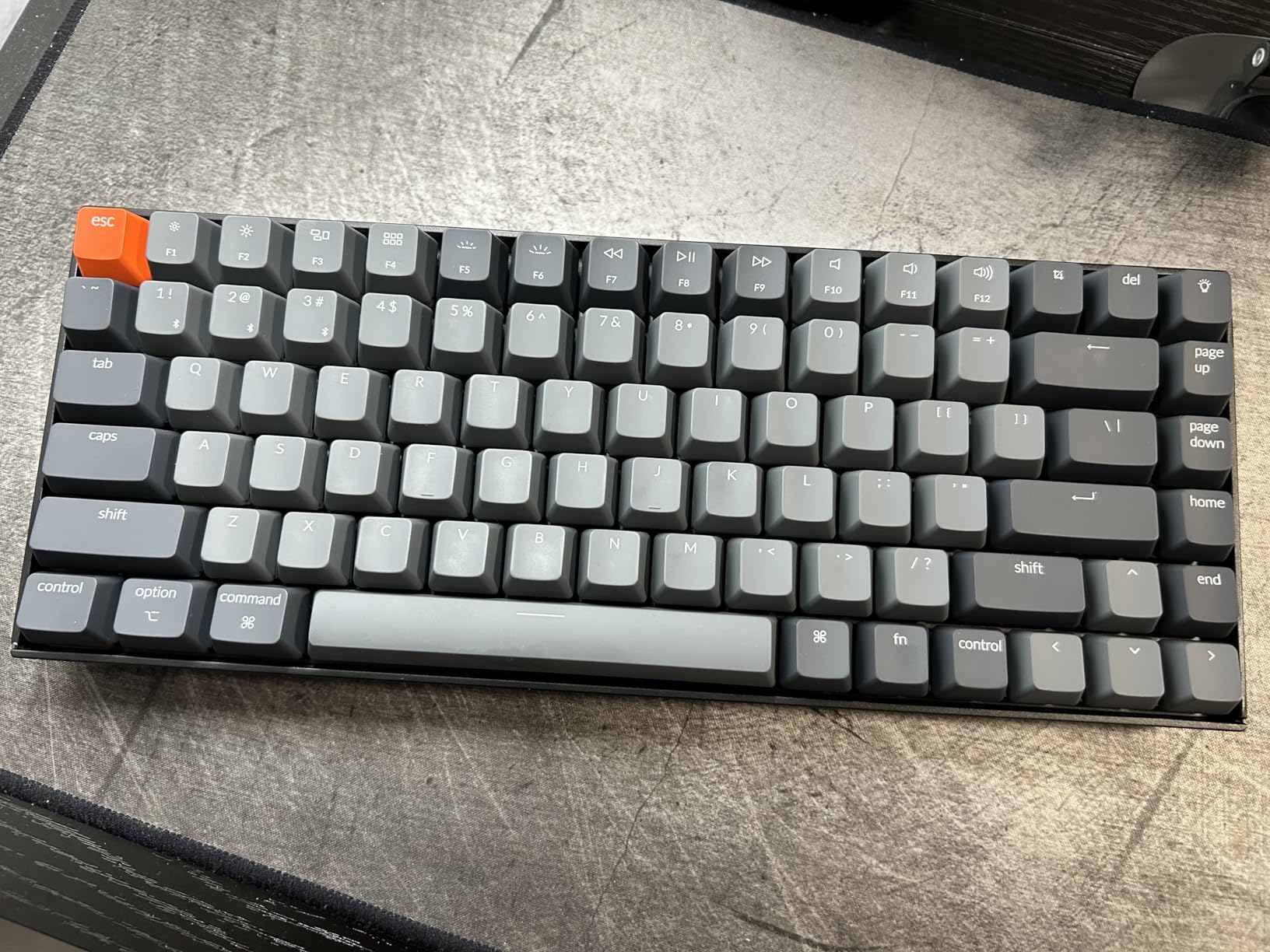
The Keychron K2 V2 is the most established name in the 75% mechanical keyboard space, and its reputation is well-earned. With over 1,600 reviews on Amazon and a rating that has remained consistently high, the K2 has introduced more developers to the mechanical keyboard world than perhaps any other board on the market. It uses Gateron G Pro Brown switches, which are smooth and provide a gentle tactile bump that is satisfying for all-day typing without being so pronounced that it interferes with fast keystroke sequences.
The Bluetooth 5.1 connectivity is the K2’s defining feature. You can pair with up to three devices simultaneously and switch between them with a key combination — this is invaluable for developers who regularly move between a desktop workstation, a laptop, and a tablet. The 4000mAh battery is large enough that many users report going a month or more between charges with moderate RGB usage. The white LED backlight is functional rather than flashy, providing enough illumination to find keys in a dim room without the distraction of full RGB color cycling.
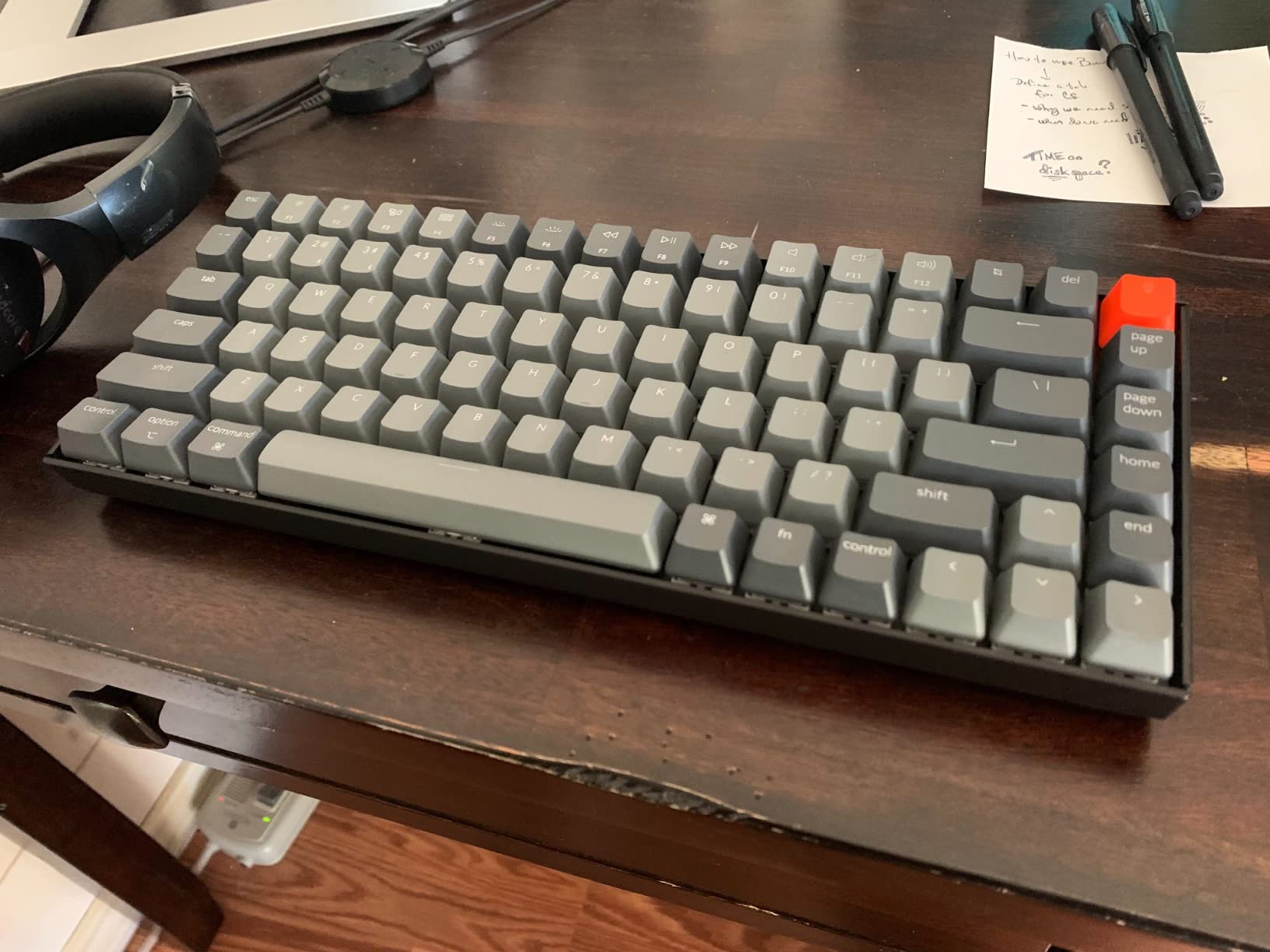
The 84-key layout includes a full function row and the navigation cluster, though the right Shift key is shorter than standard to accommodate the arrow key block. This is a common tradeoff in 75% boards and most users adapt within a day or two. The K2 V2 ships with both Mac and Windows keycap sets, making it one of the most macOS-friendly options in this roundup — the Cmd and Option legends are correct out of the box, and the layout matches Apple’s keyboard philosophy more closely than most third-party boards.
For developers who work across multiple machines daily
If you are constantly pairing and unpairing a keyboard between your work desktop, personal laptop, and maybe a home server, the K2 V2’s three-device Bluetooth multipoint is a genuine productivity multiplier. The ability to pair once and switch contextually — rather than re-pairing via Bluetooth settings every time you change machines — is one of those quality-of-life features you do not appreciate until you have used it.
For competitive gamers or those needing minimal latency
The K2 V2’s 6KRO in wireless mode is a limitation for developers who also game competitively. If you need N-key rollover for simultaneous multiple key presses during gaming sessions, you will need to use the wired USB-C connection, which negates the wireless freedom that is the K2’s main selling point. For pure coding use without gaming, the wireless performance is more than adequate.
6. RK Royal Kludge R75 Wired Mechanical Keyboard
- Exceptional value for the price
- Deep creamy thocky sound
- Gasket mount provides excellent typing feel
- Great RGB customization
- VIA/QMK support
- No wireless connectivity
- Keycaps are not premium quality
- PCB is very flexy (may not suit all preferences)
The RK Royal Kludge R75 is the biggest surprise in this roundup. At under $50, it delivers a typing experience that rivals keyboards costing two or three times as much. The gasket mount design with triple absorption layers — poron cotton, IXPE foam, and sponge — creates a sound and feel that is deeply satisfying: a low-pitched thock rather than a high-pitched clack. The Speed Silver Switch Pro linear switches have a shorter travel distance than standard switches, which actually suits coding well — faster actuation means less finger travel, and over thousands of keystrokes per day, this adds up.
VIA/QMK support on a keyboard under $50 is almost unheard of, and the R75 delivers both. This puts it in rare air among budget keyboards — you get the same level of key remapping and layer customization that the Keychron V1 offers, at a price point closer to a pack of snacks than a mechanical keyboard. The hot-swappable PCB means you can pop in tactile switches for coding or speed switches for gaming without any soldering, and the pre-lubed stabilizers on the spacebar and modifier keys are already well-tuned from the factory.
The MDA profile PBT keycaps that come bundled are serviceable but not exceptional — they are doubleshot, which is good for longevity, but the legends are not as crisp as what you get with premium keycap sets. This is an easy upgrade path, though, and the keyboard sounds noticeably better once you pair it with a decent set of aftermarket keycaps. The CNC aluminum volume knob is a premium touch that feels solid and precise, and it sits at a natural angle for thumb adjustment during coding or media playback.
For developers who want QMK/VIA on a budget
If you have been wanting to explore QMK/VIA programmability but did not want to spend $150+ to try it, the R75 is your entry point. The firmware is stable, the VIA interface is intuitive, and the community has published configuration files for popular IDE setups that you can import directly. The gasket mount typing feel punches well above its price class.
For Windows-only environments
The R75 is optimized for Windows, and while it will function on macOS and Linux with basic keymapping, the software and firmware support for non-Windows platforms is limited. If your development machine runs Windows as your primary OS, this is a non-issue; if you are on a Mac or Linux workstation, you may want to look at the Keychron V1 or one of the other boards with better cross-platform VIA support.
7. Kisnt KN85 75% Wireless Mechanical Gaming Keyboard

- Creamy thocky typing sound
- Solid premium build quality for price
- Hot-swappable for easy customization
- Tri-mode connectivity
- Gasket mount design
- Proprietary software can be sketchy
- No extra keycaps or switches included
- Limited Linux/Mac software support
The Kisnt KN85 is a dark horse contender in the budget 75% space, offering gasket-mounted construction and tri-mode connectivity at a price that undercuts most of the competition. The retro beige colorway is distinctive and refreshingly different from the sea of black and gray keyboards, and the gasket-mounted design with base dampener, silicone pad, and sound-dampening foam layers produces a typing experience that is noticeably cushioned compared to boards in this price range that rely on tray-mounted construction.
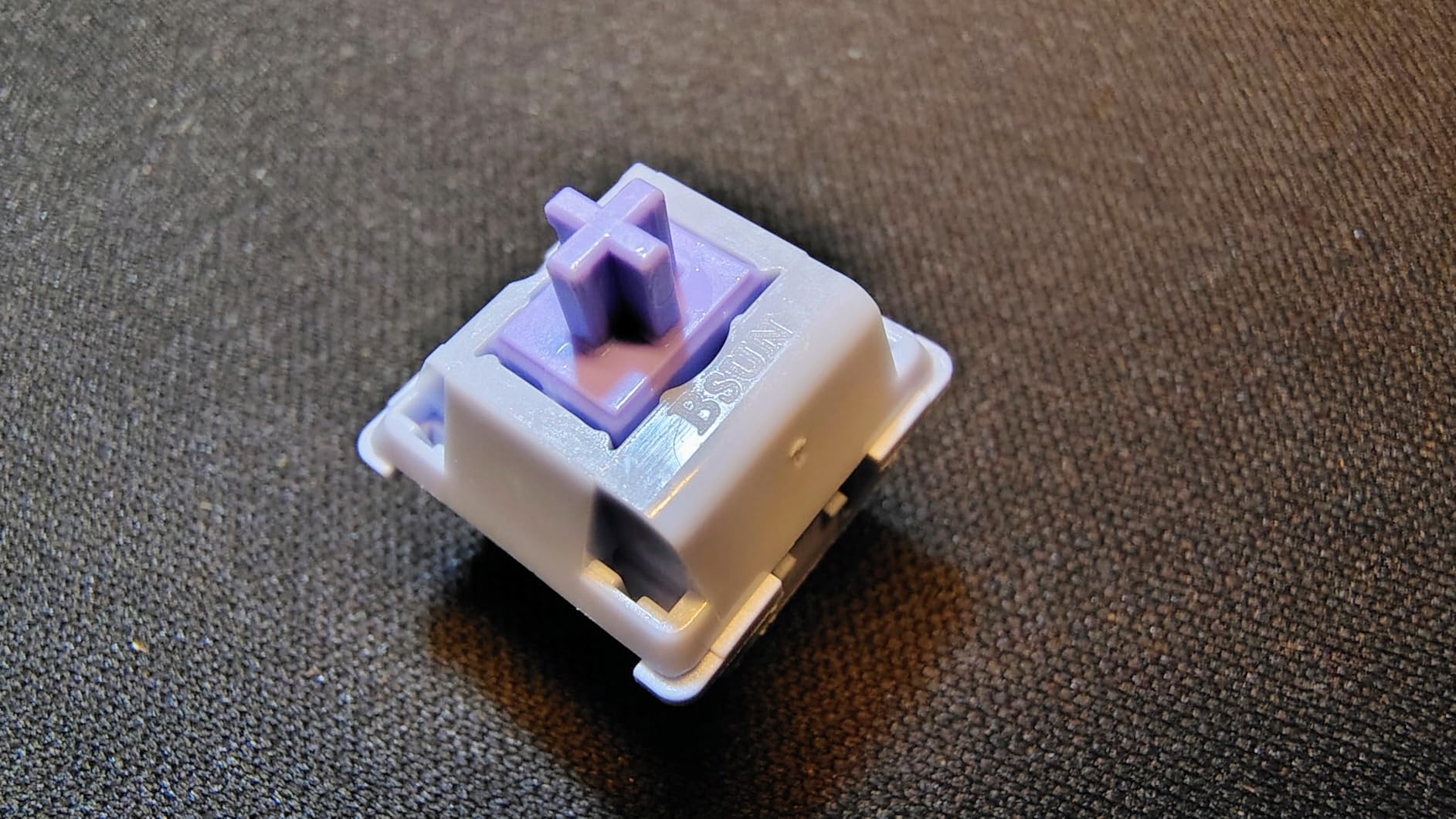
The pre-lubed Bsun linear switches are smooth out of the box, with a 45-50gf actuation force that sits in the middle of the sweet spot for most typing styles. The 5-pin and 3-pin hot-swappable socket support means you are not locked into the stock switches — you can experiment with different spring weights and actuation characteristics as your preferences evolve. South-facing LEDs ensure shine-through keycaps will illuminate properly, though the bundled keycaps are opaque PBT.
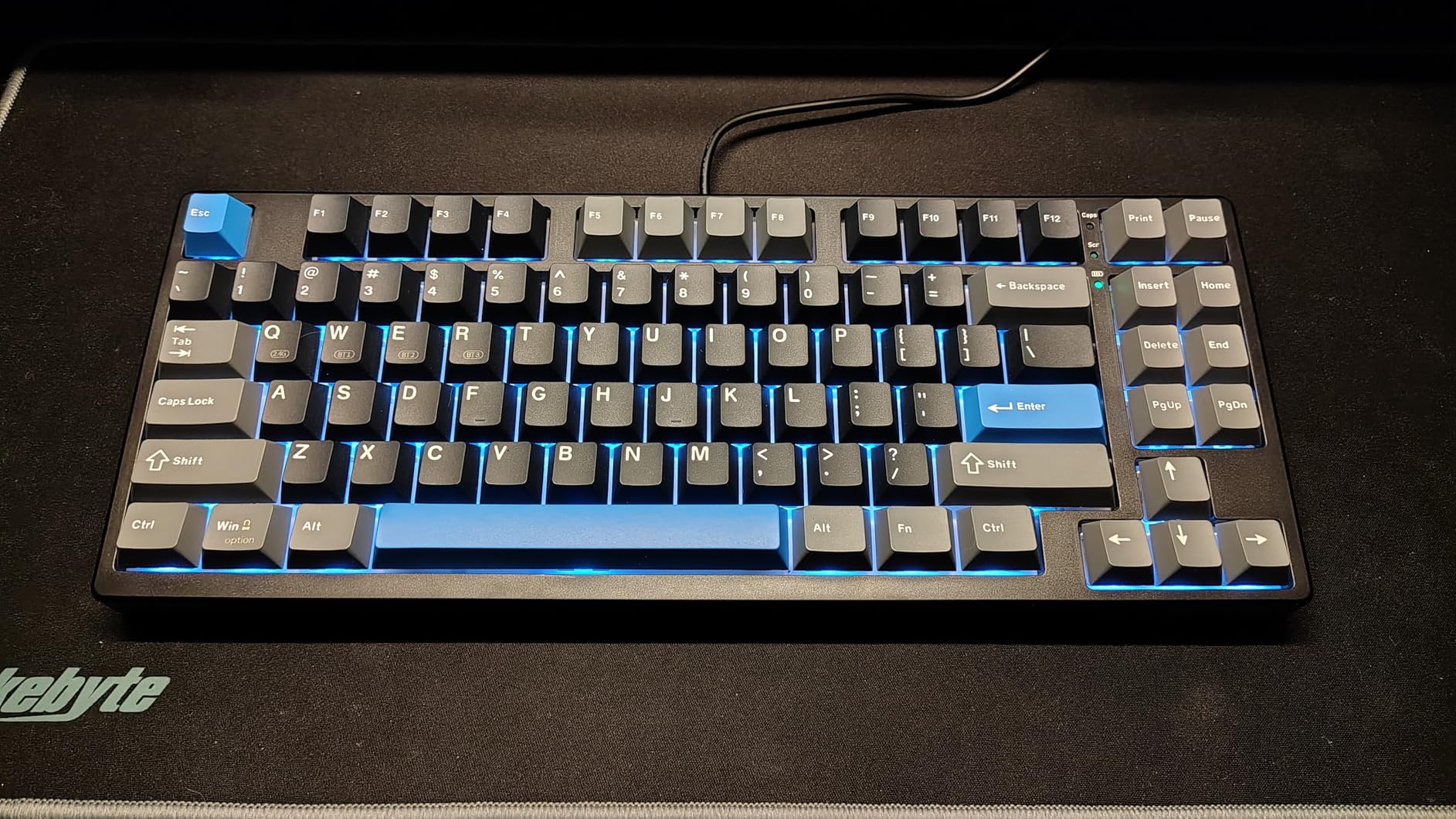
Tri-mode connectivity covers all the bases: USB-C for the lowest latency and direct power, 2.4GHz for gaming and time-sensitive work, and Bluetooth 5.0 for general productivity and cable-free desk setups. The 4000mAh battery is generous, and the 7-8 hour charging time is reasonable for the capacity. RGB lighting offers 20 preset effects, which is more than most competing boards in this price bracket, though the animated modes will drain the battery significantly faster than a static color.
For Linux developers
While the KN85’s proprietary software does not offer deep Linux integration, the keyboard itself is fully functional in Linux — it uses standard USB HID protocols, so keymapping, layers, and RGB effects can be configured through open-source tools like QMK Toolbox if you flash custom firmware. The hardware foundation is solid enough that it rewards a bit of manual configuration.
For those new to mechanical keyboards
The KN85 ships ready to use out of the box with minimal configuration required. The pre-lubed switches, gasket mount dampening, and solid build quality mean you get a satisfying typing experience immediately without needing to understand the nuances of switch lubrication or mount tuning. It is an excellent “learn as you go” board.
8. Redragon K673 PRO 75% Wireless Gasket RGB Gaming Keyboard

- Excellent gasket mount construction
- Quiet yet satisfying typing sound
- Tri-mode wireless connectivity
- Metal volume control knob
- 5-layer noise dampening
- Sleep timer not adjustable on battery
- Bluetooth disconnections reported occasionally
- Cable connection can be loose
Redragon has been building gaming peripherals for years, and the K673 PRO shows that the company’s mechanical keyboard engineering has matured significantly. The 5-layer noise dampening system is the standout feature — if you work in an open office or a shared living space where a clacky keyboard would disturb others, the K673 PRO’s silenced typing sound is remarkably contained without sacrificing the tactile feedback that makes mechanical keyboards preferable to membrane boards.
The gasket mount structure with precision-locked covers creates a firm but cushioned typing feel that sits between the bouncy softness of some gasket-mounted boards and the firm, direct feel of tray-mounted boards. The linear Red switches it ships with are well-lubed from the factory and require no break-in period. The metal volume knob is one of the best-implemented in this roundup — it has a satisfying resistance curve and precise detents that make it easy to set an exact volume level without overshooting.
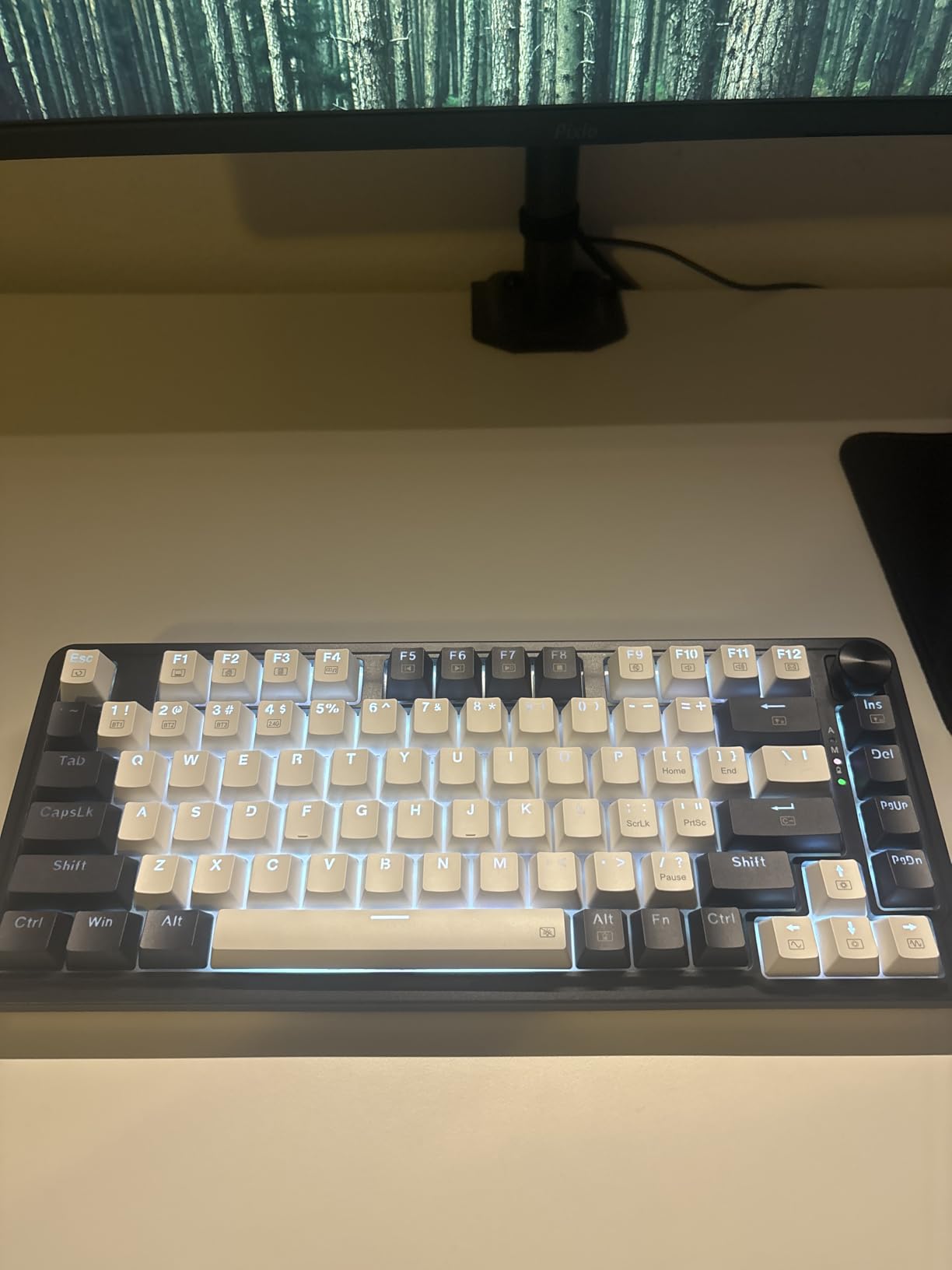
SignalRGB compatibility is a significant plus for developers who want unified RGB control across all their peripherals. Instead of managing three different software utilities for your keyboard, mouse, and headset, SignalRGB lets you synchronize lighting effects across all supported devices from a single application. The tri-mode connectivity covers all use cases, though the Bluetooth mode is where some users report occasional disconnections — the 2.4GHz dongle mode is more reliable for daily use.
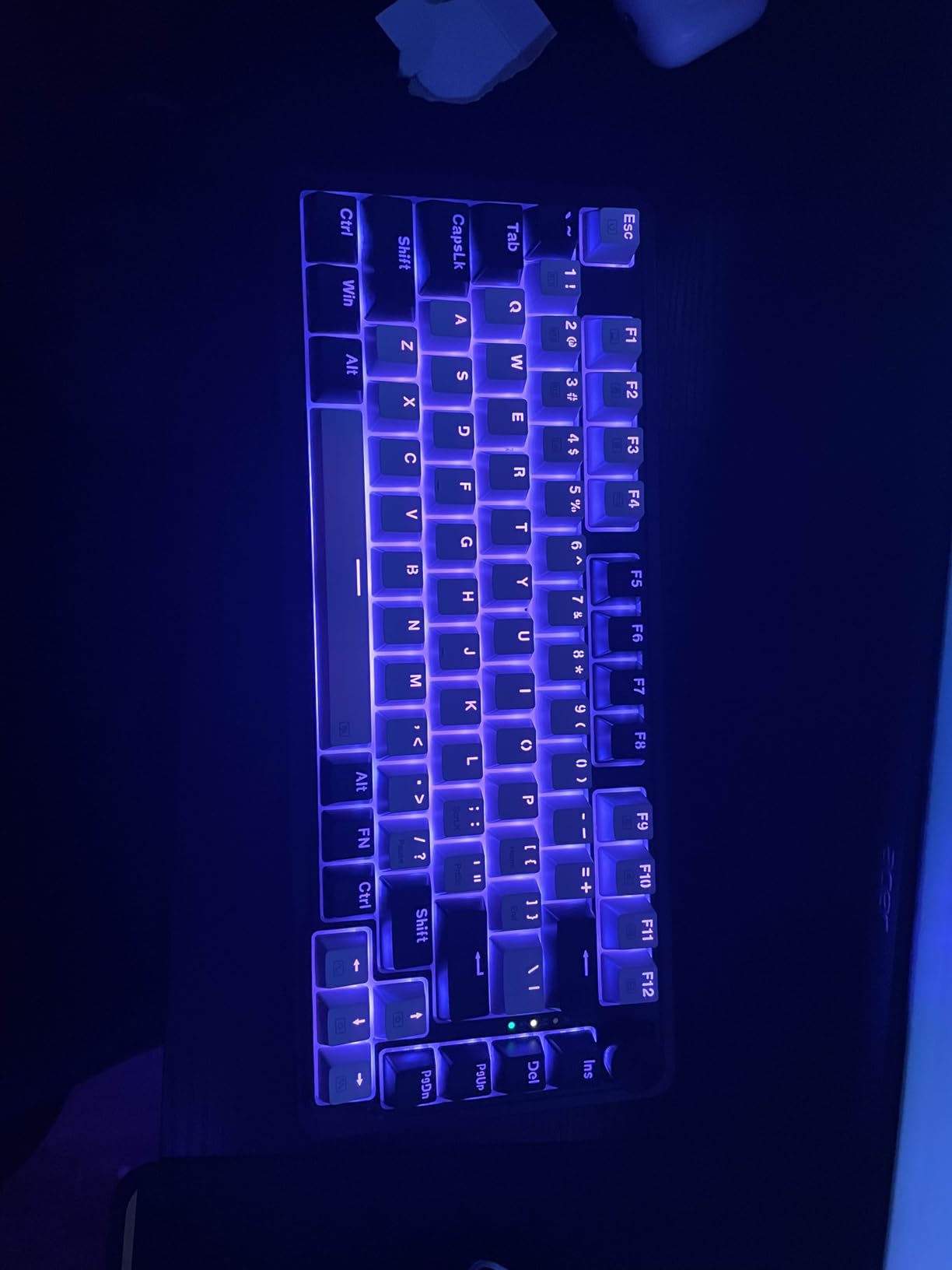
For open office and shared workspace environments
The 5-layer noise dampening makes the K673 PRO one of the quietest mechanical keyboards in this roundup. If you have ever felt self-conscious about the sound of your keyboard in a quiet office, the K673 PRO’s muffled, thocky sound profile solves that problem without requiring you to switch to a membrane board. It is the best option in this lineup for office environments where typing noise is a social concern.
For users who want unified RGB control
SignalRGB support means the K673 PRO integrates cleanly into a full RGB gaming or productivity setup. If you already use SignalRGB for other peripherals or if you want to set up ambient desk lighting that reacts to your screen content, the K673 PRO is one of the few budget keyboards that supports this workflow natively.
9. DIERYA DK81E 75% Mechanical Gaming Keyboard

- Excellent value for the price
- Gasket mount with 6-layer dampening
- Hot-swappable for easy customization
- Creamy satisfying typing sound
- Double-shot keycaps resist fading
- Privacy concerns due to built-in microphone
- Software is basic and limited
- No extendable feet
At just under $40, the DIERYA DK81E is the most affordable keyboard in this roundup and it earns its place through sheer value. The 6-layer sound-absorbing foam stack is the most extensive dampening system in any keyboard at this price — layers of poron cotton, IXPE foam, PET sound pad, bottom socket foam, and silicone bottom pad combine to produce a typing sound that is surprisingly deep and muted. The pre-lubed JI XIAN switches are rated for 50 million keystrokes and are smooth enough that most users will not feel compelled to replace them immediately.
The zero-memory web-based driver is an underrated feature. Unlike most mechanical keyboard software that requires a downloaded application with persistent background processes, the DK81E’s configuration tool runs entirely in your browser. This means no software installation, no bloatware, and your settings travel with you when you move to a different machine. You access it through a local web server on the keyboard itself — a clever approach that eliminates the privacy concerns that sometimes accompany keyboard configuration software.
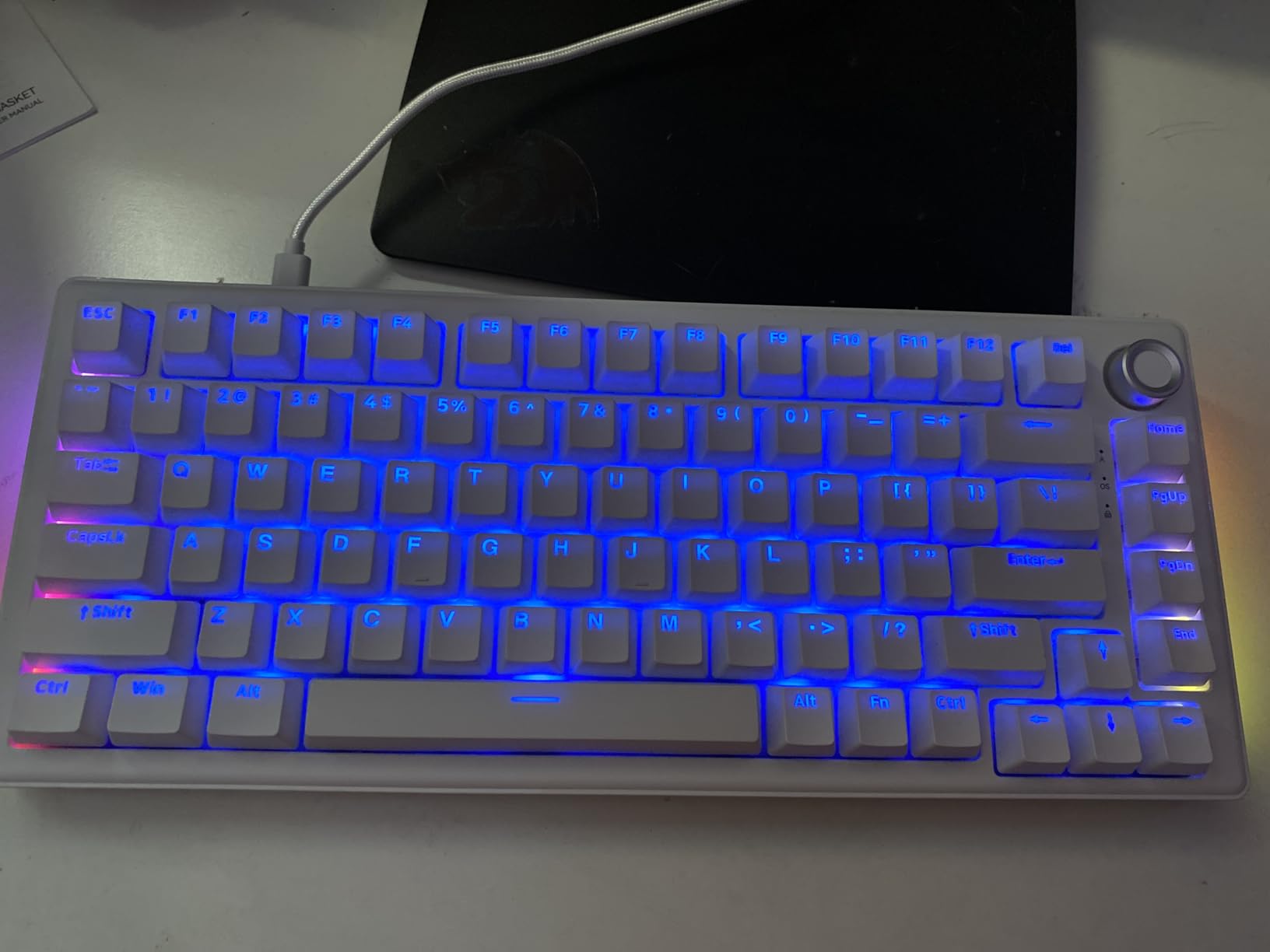
The 1000Hz polling rate in wired mode is a genuine competitive gaming spec that also benefits developers — it means the keyboard scans its matrix every millisecond, ensuring that fast successive keypresses (common during competitive gaming or rapid coding) are registered without input lag. The double-shot injection molded keycaps are built to last, with legends that will not fade even after years of heavy use. A volume knob for multimedia control is a practical addition that many 75% boards omit.
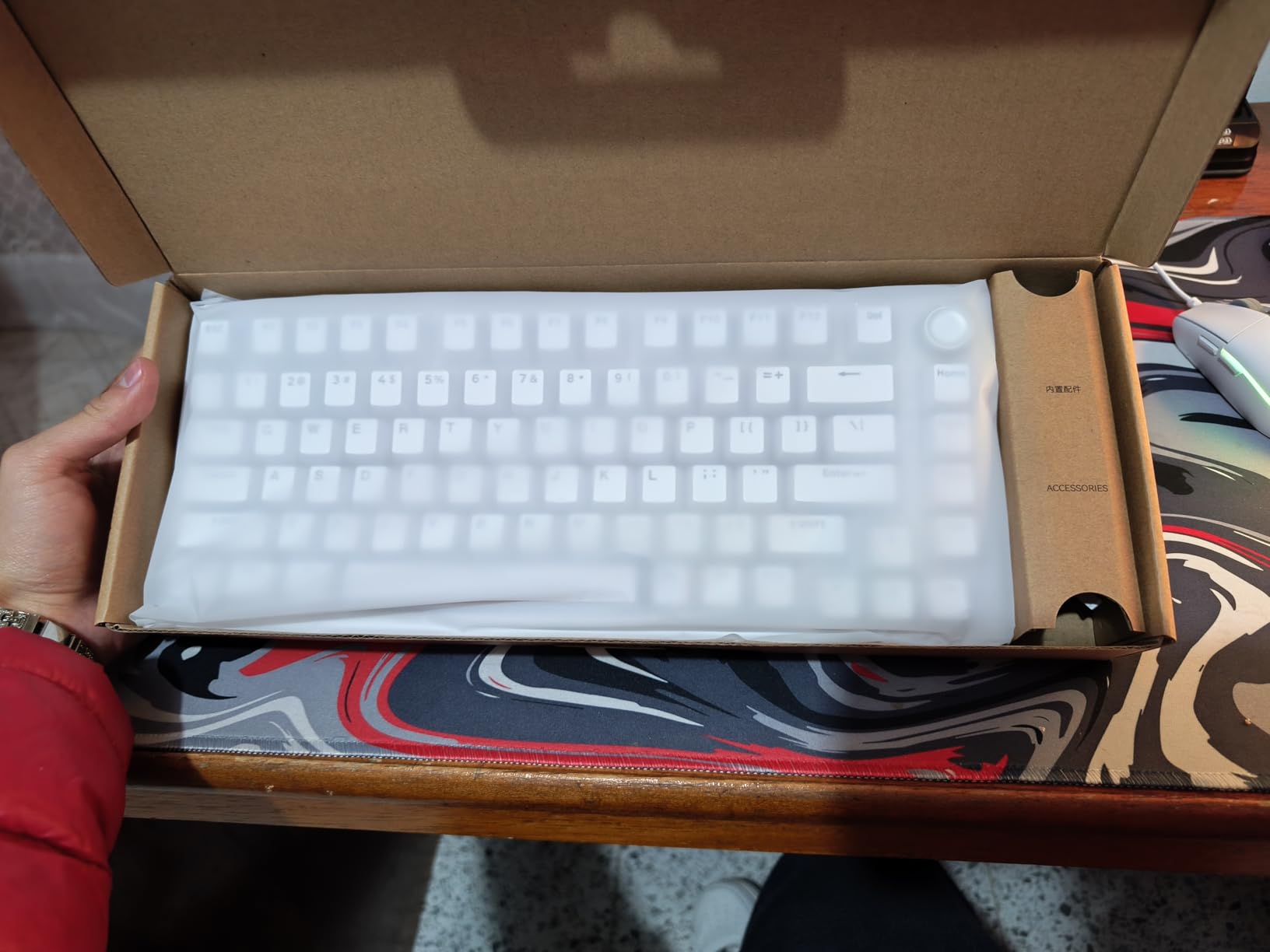
For privacy-conscious developers
The web-based driver approach is genuinely innovative for developers who are cautious about what software runs on their machines. No installation means no background processes, no update checks, and no data collection beyond what you explicitly configure in the browser. The trade-off is a more basic feature set compared to dedicated keyboard configuration software, but for most users, the core remapping and RGB customization needs are covered.
For those on an extremely tight budget
At under $40, the DK81E is the clear choice if price is your primary constraint. It delivers gasket mount construction, hot-swappability, and a sophisticated dampening system at a cost where you would normally expect a basic tray-mounted board with no acoustic tuning whatsoever. The only notable omission is wireless connectivity — it is wired only.
10. EPOMAKER Ajazz AK820 Pro 75% Wireless Mechanical Keyboard

- TFT display screen is interactive and useful
- Gasket mount with flex-cut PC plate
- Tri-mode connectivity
- South-facing LEDs for keycap compatibility
- Excellent typing sound and feel
- Software is hard to find and confusing
- Plastic build quality
- Double-typing issue reported by some users
The EPOMAKER AK820 Pro shares the Womier SK80’s TFT display concept but takes a different approach: rather than a large multimedia screen aimed at GIF animations and system metrics, the AK820 Pro’s compact TFT display focuses on real-time status information — connectivity mode, battery percentage, current time, and layer status. It is less visually flashy but arguably more useful in a daily workflow context, because it gives you exactly the information you need at a glance without the distraction of an animated display.
The gasket-mounted construction with a flex-cut PC plate and PCB produces a softer, more cushioned typing feel than rigid gasket implementations — the PCB itself flexes slightly under keypresses, which some users describe as a “gel” typing sensation. The Ajazz Gift Switches that ship with the board have a medium-linear feel that sits between the light linear preference of gamers and the heavier tactile feedback preferred by many programmers. You can easily swap them for something more suited to your typing style thanks to the hot-swappable sockets.
Tri-mode connectivity covers all connection scenarios: Bluetooth 5.1 for the lowest power consumption when connected to a laptop or tablet, 2.4GHz for lag-sensitive gaming and coding sessions, and USB-C for the most reliable wired connection with 4000mAh battery charging. The 4000mAh battery provides approximately two weeks of heavy use between charges, and the white purple colorway is a refreshing departure from the typical black keyboard aesthetic without being unprofessional.
For developers who want status information at a glance
If you regularly switch between Bluetooth devices or need to monitor battery levels without pulling out your phone or checking system tray icons, the AK820 Pro’s TFT display serves as a compact heads-up display for your keyboard’s state. The battery percentage readout alone justifies the display for users who are sensitive to unexpected keyboard shutdowns.
For those prioritizing Linux compatibility
The AK820 Pro’s basic USB HID functionality works on Linux without any proprietary drivers, and the VIA/QMK open-source ecosystem can be used to configure the board if you flash QMK firmware. The software confusion mentioned in reviews applies primarily to Windows and macOS users — Linux users can bypass the official software entirely.
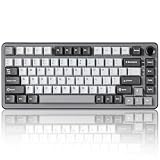
11. YUNZII B75 PRO 75% Wireless Mechanical Keyboard
- Creamy/thocky switch sound
- Satisfying smooth tactile feel
- Gasket mount provides soft comfortable typing
- Multi-mode connectivity
- Hot-swappable for customization
- RGB lighting not super bright
- Keycaps have non-transparent lettering
- Software lacks in-depth customization
The YUNZII B75 PRO is a versatile mid-range option that prioritizes typing comfort through its five-layer padding system. Between the gasket mount structure, the multiple foam layers, and the pre-lubed linear switches, the B75 PRO produces one of the creamiest, most satisfying typing sounds in this roundup. It is the kind of keyboard that makes you want to keep typing just to experience the sound and feel — a quality that makes long coding sessions more pleasant rather than more fatiguing.
The tri-mode connectivity pattern will be familiar by now — Bluetooth for cable-free productivity, 2.4GHz for gaming, and USB-C for wired charging and lowest-latency input. What sets the B75 PRO apart is the completeness of its accessories bundle: it ships with a dust cover, extra keycaps and switches, a function card and manual, a switch and keycap puller, and both USB-C and 2.4GHz dongle cables. Most keyboards skimp on accessories, and the B75 PRO’s generous bundle suggests a manufacturer that thinks about the full unboxing experience.
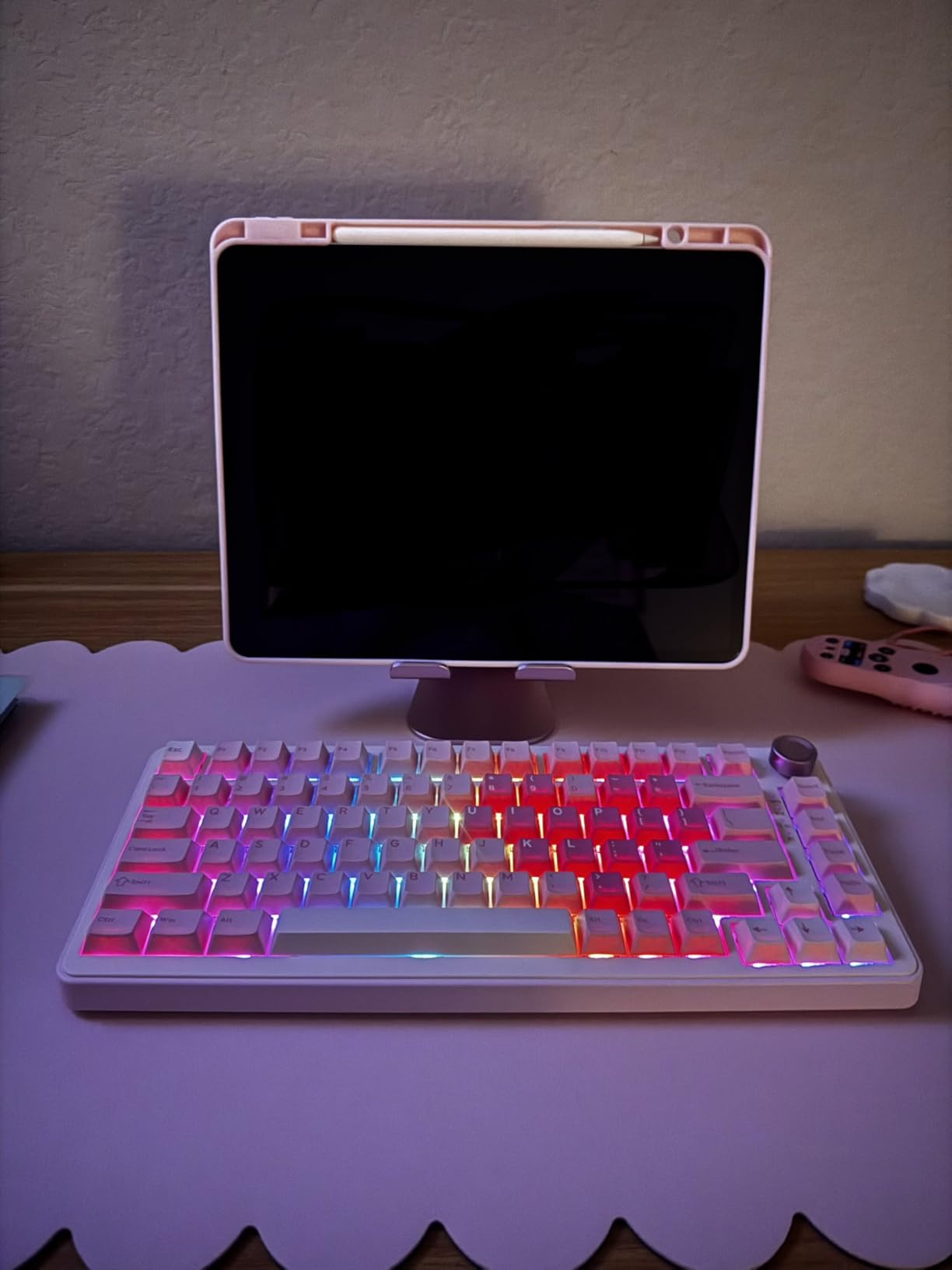
The South-facing LEDs with 20+ RGB backlight modes provide adequate illumination and customization, though the keycaps’ non-transparent lettering means the RGB glow is subtler than on boards with translucent legends. This is actually a positive for professionals who want RGB aesthetics without an overly gamery look — the B75 PRO’s lighting is tasteful rather than aggressive. The 82-key layout is slightly different from some competing 75% boards in its key spacing, so if you are coming from a different keyboard, allow a short adjustment period.
For developers who type for extended hours daily
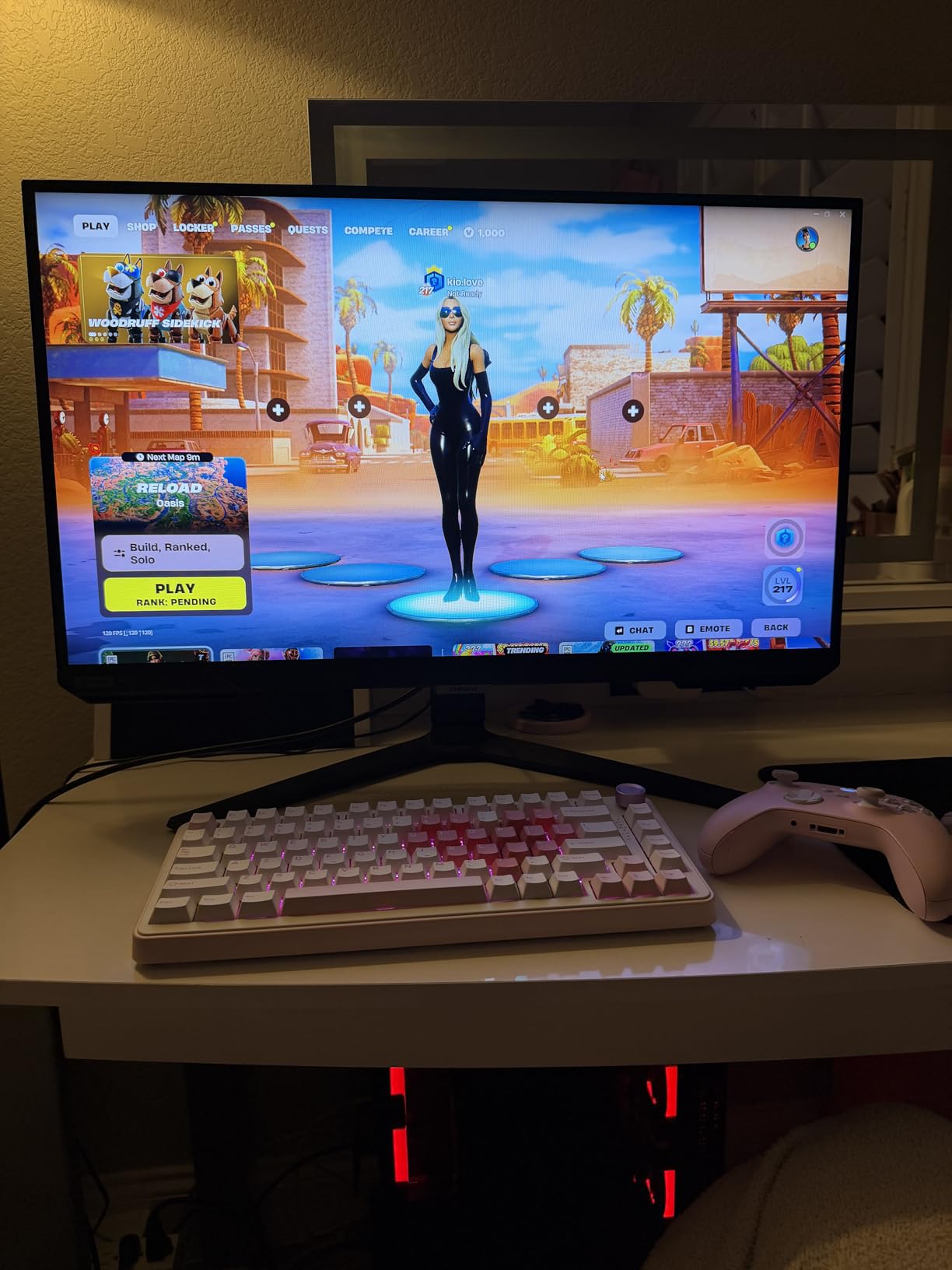
The five-layer padding and gasket mount combination genuinely reduces typing fatigue over long sessions. The linear switches are smooth and require minimal force, the cushioning absorbs impact, and the overall typing feel is relaxed rather than hard-edged. If your fingers ever ache after a full day of coding, the B75 PRO’s comfortable construction is worth serious consideration.
For those who want a complete out-of-box experience
Unlike some keyboards that require immediate aftermarket upgrades to reach their potential, the B75 PRO ships with everything most users need. The included dust cover is a thoughtful touch that protects the board when it is not in use, and the extra switches give you something to experiment with as you learn about switch customization.
12. Redragon K738 75% Wireless Gasket Mounted Mechanical Keyboard
- Creamy/buttery switch sound
- Sturdy build quality with good weight
- Smooth volume knob with retro feel
- Multi-mode connectivity
- Excellent value for budget
- RGB lighting could be brighter
- Cord plugs into side rather than top
- Small right Shift key
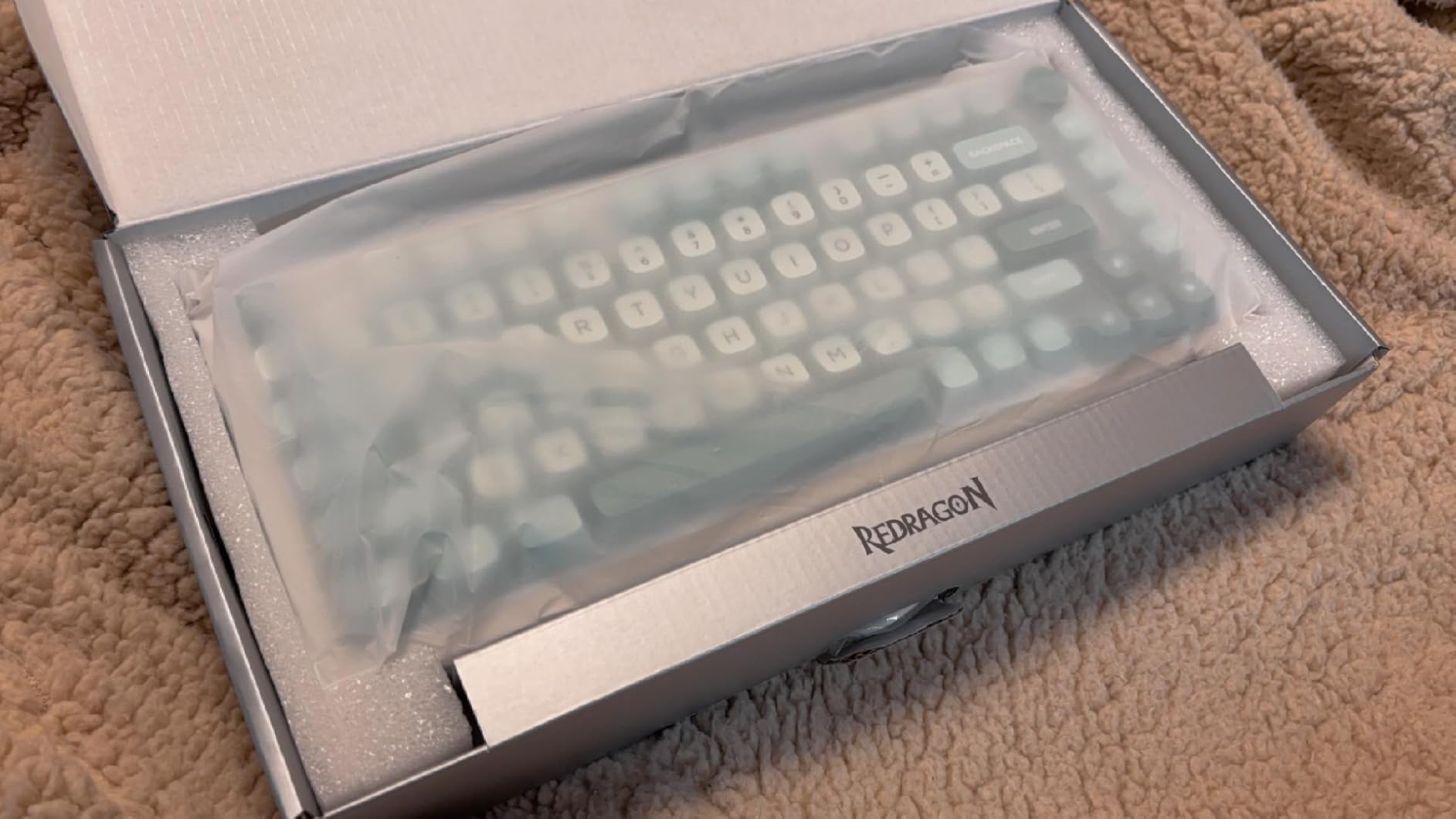
The Redragon K738 rounds out this roundup as a solid budget option that gets the fundamentals right without frills. The gasket structure with PCB single key slotting produces a firm but cushioned typing feel, and the pre-lubed linear switches are smooth and consistent. The tri-mode connectivity covers all the major use cases — Bluetooth for general productivity, 2.4GHz for gaming sessions where latency matters, and USB-C for wired charging. The 4000mAh battery is one of the larger capacities available in any 75% keyboard, which means fewer charging interruptions during your workday.
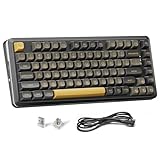
The Black Gold colorway is understated and professional, with a retro aesthetic that stands out from the sea of monochrome gaming keyboards. The rounded keycap profile feels comfortable under the fingers and the two height options for the flippy feet allow you to adjust the typing angle to your preference — an ergonomic consideration that some competing boards overlook. The volume knob has a satisfying, weighted feel that is more premium than its price suggests.
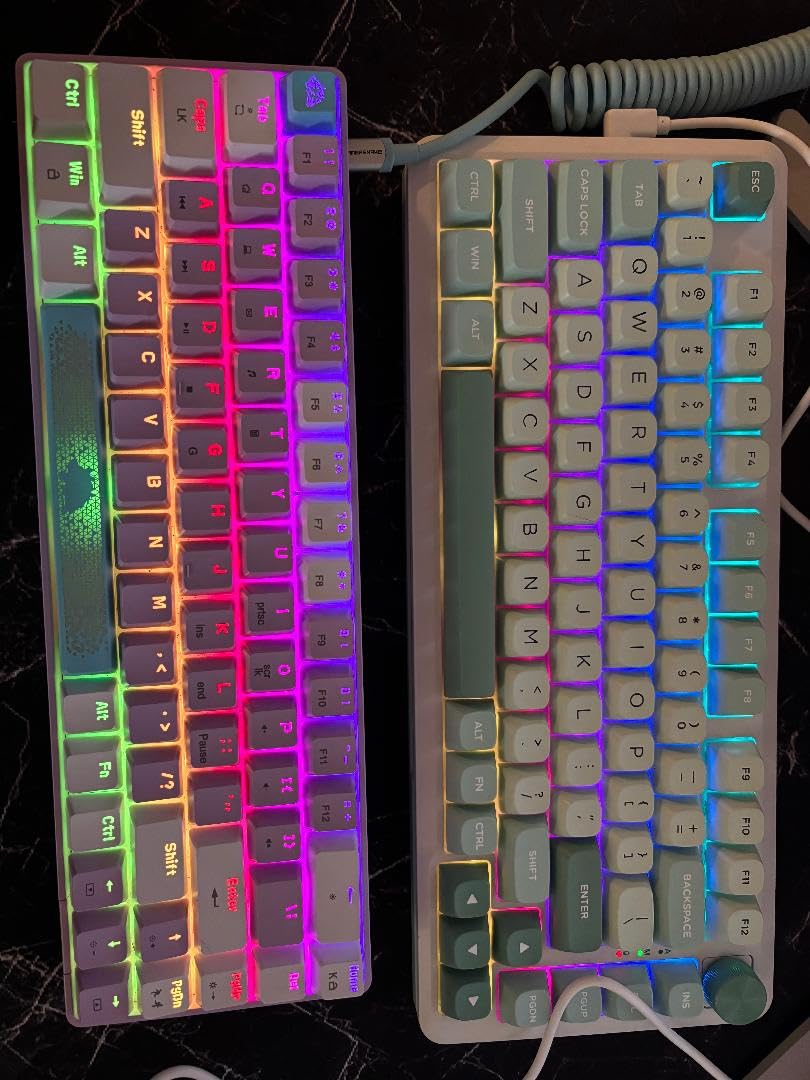
RGB lighting offers 16.8 million colors across 16 preset modes, though the brightness is somewhat limited compared to higher-end boards. For most office environments, this is actually preferable — the K738’s RGB is visible but not distracting, maintaining a professional appearance while still adding character to your desk setup. The 82-key layout keeps the function row, arrow keys, and navigation cluster within easy reach.
For developers seeking a professional-looking desk setup
The Black Gold colorway and restrained RGB implementation make the K738 one of the more office-appropriate keyboards in this roundup. It has enough personality to make your desk feel personal without looking like a gaming tournament setup — a balance that many developers appreciate but few keyboards achieve at this price point.
For those who prioritize battery life
At 4000mAh, the K738’s battery capacity matches keyboards costing significantly more. If you work in environments where charging opportunities are unpredictable — coffee shops, shared workspaces, or frequent travel — the large battery provides genuine peace of mind that your keyboard will not die mid-session.
How to Choose a 75% Keyboard for Programming?
Choosing the right 75% mechanical keyboard for your development workflow involves weighing several factors that interact with each other in ways that are not always obvious. Here is a practical framework for making your decision.
Switch Types: Tactile vs Linear vs Clicky
The switch type is the most personal choice in keyboard selection, and it is worth understanding the tradeoffs before you buy. Tactile switches like the Keychron K Pro Brown provide a noticeable bump at the actuation point, which gives your fingers confirmation that a keystroke has registered. Many developers prefer tactile switches for coding because the feedback reduces the uncertainty about whether a keypress was registered — a real concern when you are executing commands in a terminal or IDE.
Linear switches actuate smoothly without any bump, which makes them faster to bottom out and preferred by many gamers and developers who type with a light, fast touch. The pre-lubed linear switches in most of the boards in this roundup are smooth enough that the lack of tactile feedback is not a problem. Clicky switches add an audible click alongside the tactile bump, which is satisfying for some users but can be disruptive in shared workspaces.
Connectivity: Wired, Wireless, or Tri-Mode
Wired keyboards offer the lowest possible input latency and never require charging or battery management. For competitive gaming or coding in time-sensitive environments, wired is the technically superior choice. Wireless keyboards — particularly those with Bluetooth multipoint — offer freedom from cable clutter and the ability to connect to multiple devices seamlessly. Tri-mode boards give you both options, which is the most flexible approach if your workflow spans multiple machines or if you simply value having choices.
Programmability and QMK/VIA Support
For developers, QMK/VIA support is one of the most important features to look for. QMK (Quantum Mechanical Keyboard) is an open-source firmware that enables per-key customization, layers, macros, and complex key remapping. VIA is a graphical interface for configuring QMK without needing to write code. Together, they let you remap Caps Lock to Escape for Vim, program layer switches for different IDEs, create sticky keys for modifier-heavy shortcuts, and much more.
Boards like the Keychron V1 and RK Royal Kludge R75 offer native QMK/VIA support with active community configurations for popular development environments. Even if you do not plan to customize heavily when you first buy a keyboard, having QMK/VIA support future-proofs your investment — you can grow into the features as your needs evolve.
Build Quality and Gasket Mount
Gasket mount construction uses silicone gaskets to isolate the PCB and plate from the keyboard’s case, which reduces the transmission of vibrations and produces a softer, more cushioned typing feel. It has become the preferred mounting style among mechanical keyboard enthusiasts, and the fact that it is now available in keyboards under $50 (like the RK Royal Kludge R75 and DIERYA DK81E) is a testament to how quickly the technology has democratized.
The quality of the keycaps also matters. PBT (polybutylene terephthalate) keycaps are more durable and resist shine better than ABS (acrylonitrile butadiene styrene), though ABS often produces crisper legends. Double-shot keycaps — where the legend is molded separately from the keycap body and fused together — offer the best of both worlds: durable PBT material with crisp, fade-resistant legends.
Layout Efficiency for Coding
The 75% layout is not just a space-saving compromise — it is a deliberate design choice that reflects how developers actually use their keyboards. A full-size keyboard dedicates over 30% of its width to a number pad that most developers use for only occasional numeric input. The 75% layout reclaims that space while preserving the function row (critical for F5 debugging, F12 go-to-definition, and other IDE shortcuts), the arrow keys (essential for navigating code), and the navigation cluster (Insert, Delete, Home, End, Page Up, Page Down).
The one tradeoff is that some 75% keyboards place the right Shift key in a non-standard position or shrink it to accommodate the arrow cluster. If you type long passages with the right Shift modifier, this is worth testing before committing to a particular board. Most users adapt within a few days.
Frequently Asked Questions
What is the best 75% keyboard for programming?
The Keychron V1 is our top recommendation for developers who prioritize programmability, with its QMK/VIA support and gasket-mounted construction. If budget is a primary concern, the AULA F75 offers exceptional value with tri-mode connectivity and hot-swappable switches at under $60. For developers who want the best overall balance of features, build quality, and value, the best 75% mechanical keyboards for developers featured in this guide represent the strongest options available in 2026.
Is a 75% keyboard good for developers?
Yes. A 75% keyboard is an excellent choice for developers because it preserves the function row (needed for IDE shortcuts like F5 to debug or F12 to go to definition), the arrow keys (essential for code navigation), and the navigation cluster, while eliminating the number pad that consumes desk space without proportional utility for most coding tasks. The compact footprint also keeps your mouse arm closer to the keyboard’s center, which can reduce shoulder fatigue over an eight-hour workday.
What switch type is best for programming?
Tactile switches are generally preferred for programming because the tactile bump confirms each keystroke without requiring you to bottom out the key, which reduces finger fatigue during long coding sessions. The Keychron K Pro Brown switches used in the Keychron V1 are a popular choice. However, linear switches like the pre-lubed LEOBOG Reaper switches in the AULA F75 are equally suitable if you prefer a smoother, faster bottom-out feel. Clicky switches are less ideal for shared workspaces due to their loud noise output.
Is a 75% keyboard better than TKL for programming?
For most developers, a 75% keyboard is a better choice than a tenkeyless (TKL) keyboard because it provides virtually the same functionality in a significantly smaller footprint. TKL boards typically span about 14 inches wide, while 75% boards fit within 12 to 13 inches. That one to two inch difference translates to meaningful desk space savings and a more ergonomic mouse positioning. The only situation where a TKL might be preferable is if you rely heavily on the right-side navigation cluster in a non-compact arrangement, though most 75% boards include these keys in a slightly denser layout.
How to choose a keyboard for programming?
When choosing a mechanical keyboard for programming, prioritize these factors in order: switch type (tactile or linear based on your typing preference), QMK/VIA programmability (for custom IDE shortcuts and layers), hot-swappability (for easy maintenance and switch experimentation), connectivity (tri-mode if you work across multiple devices), and build quality (gasket mount for comfort during long sessions). Your keyboard is your primary tool — investing in one that suits your specific workflow pays dividends in comfort and productivity over years of daily use.
Conclusion
If you are looking for other keyboard types to complement your setup, check out our guides to mechanical keyboard guides for general-purpose typing, slim keyboards for mobile workstations for developers on the go, or our roundups of mechanical keyboards for big hands if you need a larger form factor.
The keyboard you choose is a deeply personal decision that depends on your specific workflow, desk setup, typing preferences, and budget. The best 75% mechanical keyboards for developers in 2026 span a wide range of prices and feature sets, but all 12 boards in this guide share one thing in common: they are built with the understanding that a developer spends more time interacting with their keyboard than with almost any other tool. Investing in a board that feels good under your fingers, adapts to your workflow, and fits your desk is investing in your daily productivity and comfort.
If you are upgrading from a membrane keyboard or an old OEM board, any of the 12 options in this guide will represent a transformative improvement. Start with the Keychron V1 if you want the best balance of quality and customization potential. Go with the AULA F75 if budget is a concern. Choose the Womier SK80 if desk aesthetics and unique features matter to you. Whatever you pick, your fingers will thank you after the first hour of coding on a properly tuned mechanical switch.