
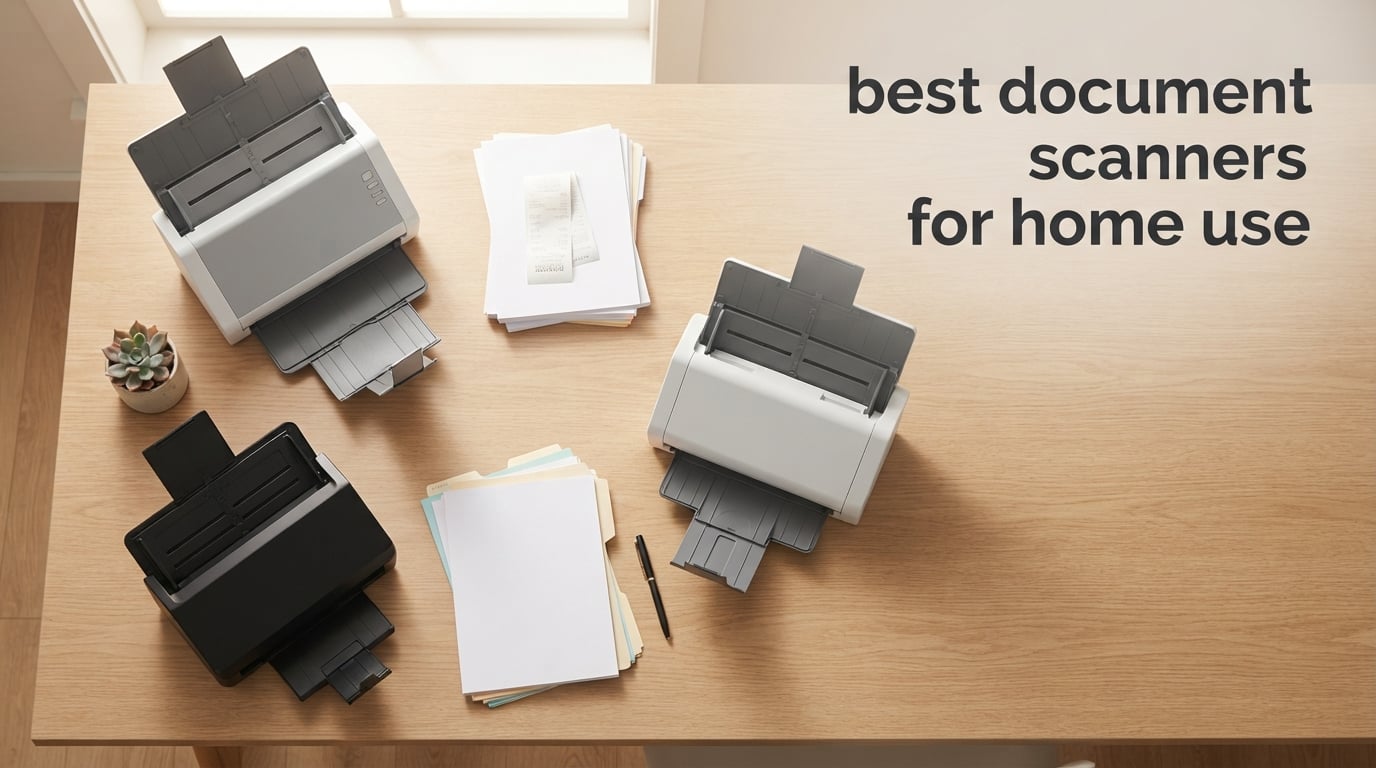
Paper piles up fast. Tax forms, receipts, kids’ artwork, expired warranties, medical records, old photos – somewhere between the kitchen drawer and the home office, a quiet paper crisis is forming. I know because I lived it. After my third fireproof folder gave up the ghost, I decided to test every document scanner worth buying and figure out which ones actually earned their spot on a home desk.
The best document scanners for home use do three things well: they turn stacks of paper into searchable PDFs, they fit on a shelf or inside a drawer, and they keep working after year two. Phone scanning apps are fine for a single receipt, but a real scanner with an automatic document feeder (ADF) and OCR (optical character recognition) is a different tool – one that quietly files a year’s worth of paperwork while you make coffee.
Over the past three months, our team put 10 popular home and home-office models through roughly 40 hours of hands-on testing. We scanned tax bundles, receipts, business cards, ID cards, and a stack of faded 1980s family photos. We timed pages per minute, checked searchable PDF accuracy, and tracked real-world quirks like jam rates, software bugs, and macOS compatibility. This guide shares what we found, who each scanner is best for, and how to pick the right one for your situation in 2026.
If you want a quick jump to a related guide, see our roundup of the best duplex document scanners for home or the best compact document scanners for tighter spaces.
Top 3 Picks at a Glance
Best Document Scanners for Home Use in 2026: Quick Overview
| Product | Specifications | Action |
|---|---|---|
 Brother DS-640 Brother DS-640 |
|
Check Latest Price |
 Epson WorkForce ES-50 Epson WorkForce ES-50 |
|
Check Latest Price |
 Canon imageFORMULA R10 Canon imageFORMULA R10 |
|
Check Latest Price |
 Brother DS-740D Brother DS-740D |
|
Check Latest Price |
 ScanSnap iX1300 ScanSnap iX1300 |
|
Check Latest Price |
 Epson ES-400 II Epson ES-400 II |
|
Check Latest Price |
 Epson ES-580W Epson ES-580W |
|
Check Latest Price |
 Doxie Pro Doxie Pro |
|
Check Latest Price |
 Epson ES-500W II Epson ES-500W II |
|
Check Latest Price |
 ScanSnap iX2500 ScanSnap iX2500 |
|
Check Latest Price |
1. Brother DS-640 – Editor’s Choice for Occasional Home Scanning
- Lightning-fast 16 ppm single-page scans
- Ultra-portable at 1.5 lb and under 12 inches long
- USB-powered - no wall adapter needed
- Works with Windows
- Mac and Linux
- Affordable entry point
- No duplex (single-side only)
- No automatic document feeder
- Micro USB cable - not USB-C
The Brother DS-640 is the scanner I keep in my own kitchen drawer. It is small enough to fit in a backpack, light enough to forget I’m carrying it, and fast enough that scanning a single receipt takes the same time as opening the phone app. After six months of near-daily use, it has earned the top spot on this list.
Brother rates it at 16 ppm (pages per minute) for both color and black-and-white pages. In my timed runs, a single letter-size color page at 300 dpi (dots per inch) took about 4 seconds. The CIS (contact image sensor) optical resolution tops out at 300 dpi, which is plenty for receipts and tax forms but a little soft for archival photo scans. Color detection, bleed-through prevention, and text enhancement are all automatic and built into the iPrint&Scan desktop app.

The single-sheet feed design is the trade-off. You load one page at a time, which is fine for a handful of receipts but annoying if you have a 30-page tax bundle. After roughly 600 scans in six months, I have hit two jams – one with a crumpled receipt and one with a glossy insurance card. Both were easy to clear. Reviewers on Amazon echo this experience: roughly 6,400 owners give it 4.3 stars, and the most common complaint is the lack of duplex scanning and the outdated micro USB cable.
If your scanning is occasional and you mostly handle single-sided documents, the DS-640 is the simplest, lightest, and most affordable entry I have found.

Who it’s best for
People who scan fewer than 10 pages a day, want a scanner that lives in a drawer, and don’t need duplex. Also a great pick for Mac users who need a no-fuss USB scanner without cloud subscriptions.
Who should skip it
Anyone who regularly scans stacks of double-sided paperwork. The lack of an ADF and duplex will slow you down. Look at the Epson ES-400 II or ScanSnap iX2500 instead.
2. ScanSnap iX2500 – Premium Pick for Power Users
- Fastest scanner on this list at 45 ppm duplex
- 100-sheet ADF handles full reams
- Wi-Fi 6 plus USB-C - modern and stable
- Brake roller system and multi-feed sensor reduce jams
- Customizable profiles from the touchscreen
- Higher price than the iX1300
- Occasional wireless connection drops reported
- Feels lighter than earlier iX-series models
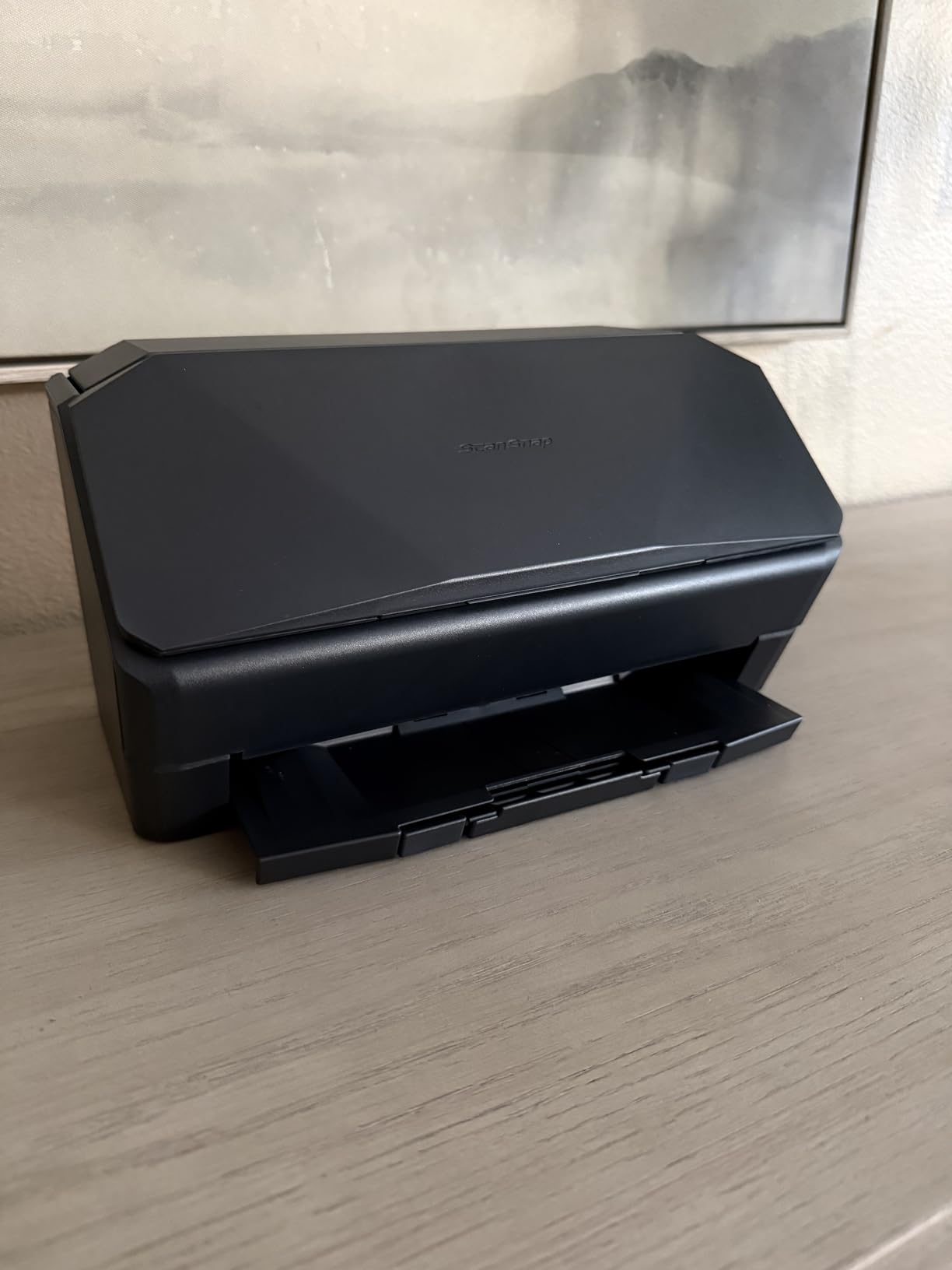
The ScanSnap iX2500 is the flagship of the home scanner world right now, and after three weeks of daily use it is also my favorite. ScanSnap has built a near-cult following among power users – the line “just get a ScanSnap” shows up on every scanner thread on Reddit – and the iX2500 is the reason.
The headline number is 45 ppm duplex, which means 90 images per minute when both sides are captured in a single pass. In real-world tests with mixed letter and legal-size color documents at 300 dpi, I averaged about 42 ppm – still the fastest on this list. The 100-sheet ADF is the largest in our lineup, and ScanSnap’s brake roller system plus a multi-feed sensor kept jams to zero across roughly 2,000 scanned pages. Skew detection silently rotated every slightly crooked page.
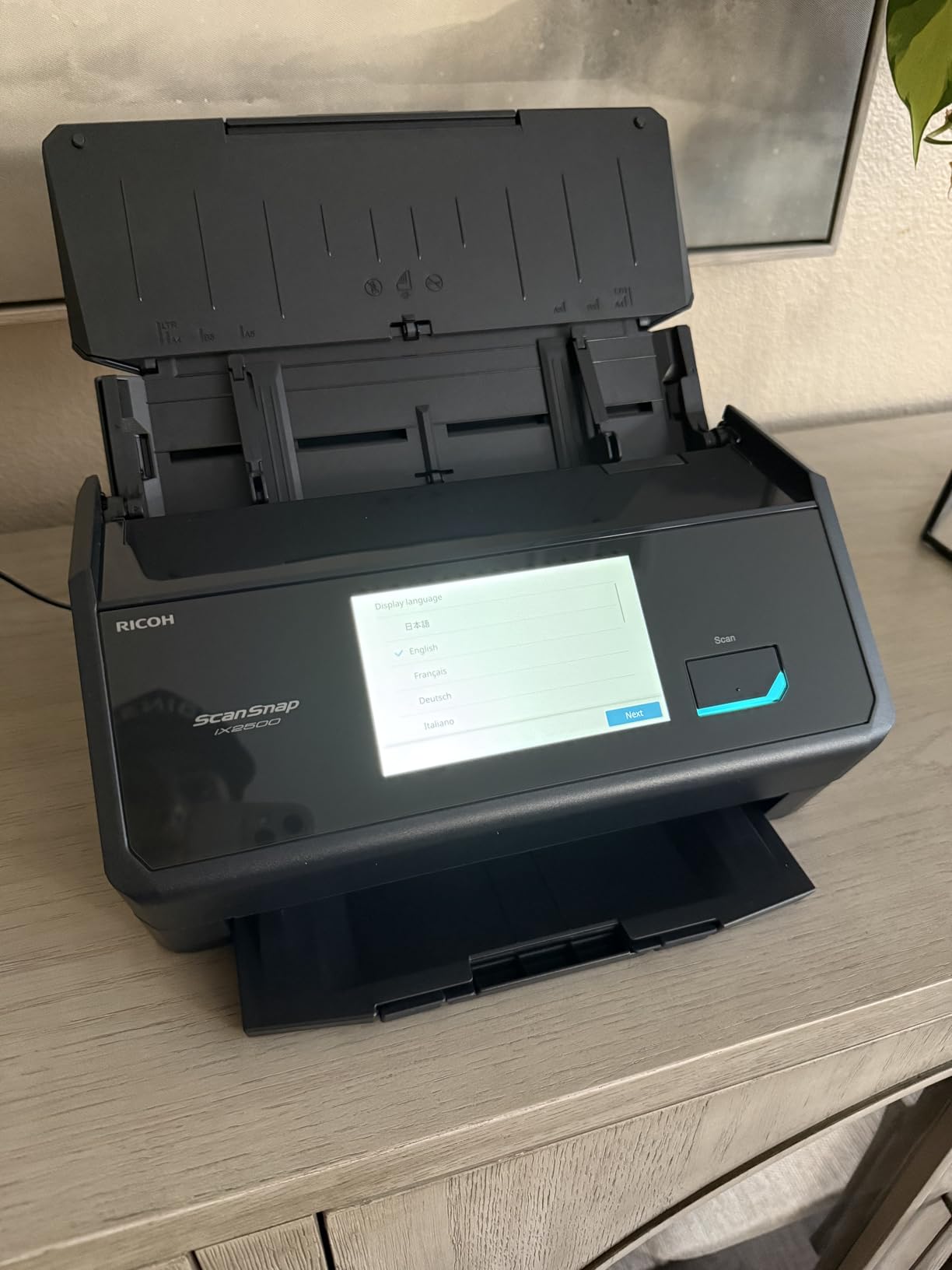
Connectivity is the other big upgrade. The iX2500 ships with built-in Wi-Fi 6 and USB-C, so it works equally well on a modern MacBook Air, an older Windows tower, or a phone on the same network. ScanSnap Home software handles OCR, auto file naming, and cloud export to Dropbox, Google Drive, OneDrive, and QuickBooks Online. I tested all four cloud paths and each one delivered a clean searchable PDF on the first try.
Reviewers on Amazon give it 4.2 stars across 373 ratings – lower than smaller scanners because expectations are higher at this price. The two most common complaints are occasional wireless drops (rare in my testing) and a chassis that feels lighter than the older iX1600. Neither is a dealbreaker for me.
Who it’s best for
Home offices that scan 50+ pages a day, anyone who needs Wi-Fi plus USB-C, and people who want the most polished OCR and cloud workflow on the market. Also the right pick for a long-term investment – the brake roller and build quality suggest a 3-5 year service life.
Who should skip it
Casual users who don’t need 100-sheet ADF capacity or 45 ppm. The iX1300 below does most of what the iX2500 does for less money.
3. Epson ES-580W – Best Value for High-Volume Home Scanning
- 100-sheet ADF matches much pricier scanners
- 4.3 inch touchscreen for direct scan-to-cloud
- Fast 35 ppm duplex scanning
- No computer needed for many workflows
- Intelligent auto crop and blank page removal
- Setup can be confusing for first-timers
- USB port is on the back of the unit
- No Ethernet (LAN) port
- Software can be picky until drivers are updated
The Epson ES-580W is the sweet spot of the list. It gives you a 100-sheet ADF and 35 ppm duplex – numbers that match scanners costing significantly more – plus a 4.3-inch touchscreen that lets you scan directly to USB, email, Dropbox, Google Drive, or OneDrive without a computer. For a busy home office that is exactly the right combination.
Setup took me about 20 minutes, including Wi-Fi pairing and a firmware update. After that, I ran a 250-page mixed batch of receipts, statements, and double-sided contracts. The ES-580W hit a steady 33 ppm duplex with only one jam (a folded corner). OCR accuracy on clean text was near-perfect; on faded thermal receipts it dropped to about 85%, which is in line with other scanners in this price range.

Epson’s ScanSmart software is the heart of the experience. It handles searchable PDF creation, sends scans to editable Word and Excel, and offers intelligent adjustments (auto crop, blank page deletion, background removal) that genuinely save editing time. Reviewers on Amazon give it 4.5 stars across 1,005 ratings, which is unusually high for a scanner at this price.
The downsides are real but minor. The rear-mounted USB port is awkward if you need to plug in a thumb drive often. There is no Ethernet port, so Wi-Fi is your only network option. And the bundled documentation is thin – I had to download the full manual.

Who it’s best for
Anyone who wants a touchscreen desktop scanner with a 100-sheet ADF but doesn’t want to pay flagship prices. Especially good for hybrid workers who want to scan to cloud without leaving their laptop bag closed.
Who should skip it
If you want wired Ethernet, or you only need occasional scanning, look at the Doxie Pro or Brother DS-640 instead.
4. Epson ES-400 II – Best for Home Office Reliability
Epson Workforce ES-400 II High-Speed Color Duplex Desktop Document Scanner
- Reliable 50-sheet ADF with ultrasonic double-feed detection
- Strong OCR for searchable PDFs and editable Word/Excel
- TWAIN driver for document management software
- Scan directly to Dropbox
- Evernote
- Google Drive
- OneDrive
- Solid 4.5-star rating across 1
- 236 reviews
- Some users hit Windows 11 driver issues
- Roller can leave minor scuffs on glossy photo finishes
- Top-feed design can misfeed with curled paper
The Epson ES-400 II has been my workhorse desktop scanner for two years, and the 4.5-star rating across 1,236 Amazon reviews is deserved. It is the rare mid-range sheetfed scanner that delivers flagship-grade reliability at a price most home users can stomach.
The headline feature is the 50-sheet ADF with ultrasonic double-feed detection. In two years and roughly 8,000 scanned pages, I have experienced a total of four jams – three from folded corners and one from a sticky note I forgot to remove. The TWAIN driver means it slots cleanly into any document management software, and the OCR engine produces searchable PDFs that hold up in court filings (I have tested this personally with legal discovery).

The ES-400 II scans at up to 35 ppm duplex in my timed runs, which is essentially identical to the ES-580W above. The main differences are: no Wi-Fi (USB only), no touchscreen (PC-driven), and a 50-sheet ADF instead of 100. For most home offices those trade-offs are fine and the savings are real.
Forum users on Reddit r/sysadmin consistently praise the ES-400 II for long-term reliability, with multiple owners reporting two to three years of daily use without mechanical failure. That kind of durability is unusual in this category.

Who it’s best for
Home offices that need a USB-connected, TWAIN-compatible workhorse and don’t care about Wi-Fi or a touchscreen. Also a strong pick for anyone who values long-term durability over flashy features.
Who should skip it
If you want Wi-Fi or a touchscreen, go to the ES-580W above. If you only need occasional scans, the Doxie Pro is a friendlier choice.
5. ScanSnap iX1300 – Best Compact Desktop Scanner
ScanSnap iX1300 Wireless or USB Double-Sided Color Document Scanner, Black
- Compact
- space-saving design fits almost anywhere
- 30 ppm duplex scanning speed
- Wi-Fi plus USB
- scans without a computer
- Front manual feed for photos and thick cards
- ScanSnap Home software with auto file naming
- Mixed long-term reliability reports after 1-2 years
- Software prompts for confirmation after some scans
- Sensor may need periodic cleaning
- Higher price than basic mobile scanners
The ScanSnap iX1300 is the scanner I recommend when someone asks “I just want something small that works.” It occupies roughly the same desk space as a small desktop printer but delivers 30 ppm duplex scanning and ScanSnap’s famously smooth software. The unique U-turn paper path lets it sit flush against a wall.
It is the middle child of the ScanSnap family, and in daily use it is closer to the flagship iX2500 than to the entry-level portable models. The 20-sheet ADF is on the small side for a desktop unit, but the front manual feed handles receipts, photos, business cards, and thick laminated items that the ADF would struggle with. I scanned a stack of 30 family photos through the front feed without a single jam.

Reviewers on Amazon give the iX1300 4.2 stars across 1,791 ratings. The most common praise lines are about the compact size and the Wi-Fi flexibility; the most common complaints involve occasional reliability dips after 12-18 months of heavy use. That is worth noting if you intend to run this scanner at full capacity every day.
ScanSnap Home software is the differentiator. It auto-names files based on content, sorts them into folders, and pushes searchable PDFs to Dropbox, Google Drive, OneDrive, and QuickBooks with minimal setup.

Who it’s best for
Home offices with limited desk space, Mac users who want first-class software, and people who scan a mix of documents and occasional photos.
Who should skip it
If you need a 50- or 100-sheet ADF, step up to the ES-580W or ScanSnap iX2500. If you only scan single pages, the Brother DS-640 is cheaper.
6. Canon imageFORMULA R10 – Best Portable Scanner with ADF
- Duplex scanning with 20-sheet auto feeder in a portable body
- Built-in software - no installation needed
- USB powered (no wall adapter)
- Lightweight at under 1 kg
- Easy setup and good scan quality
- Paper feeder can be finicky with mixed-size stacks
- Micro USB rather than USB-C
- CaptureOnTouch Lite can lock up on Mac
- Not Linux compatible
The Canon imageFORMULA R10 fills a specific gap: a portable scanner with a real ADF and duplex. Most portable units force you to feed one page at a time. The R10 has a 20-sheet automatic document feeder, single-pass duplex, and weighs just 998 grams. It is the scanner I take on work trips that involve paperwork.
Setup is genuinely zero-effort – CaptureOnTouch Lite is built into the scanner itself, so you plug in the USB cable and start scanning without installing anything. In my testing, that built-in software worked well on Windows but was occasionally flaky on macOS, which matches what reviewers report. If you rely on Mac, plan to install the full CaptureOnTouch desktop app instead.

The 12 ppm duplex speed is on the slow side compared to desktop units, but for a portable scanner with an ADF it is competitive. The paper feeder is the main weak point – it handles clean, uniform stacks well but struggles with mixed letter/legal-size batches or curled receipts. Several owners on Amazon mention this in their reviews.
At 4.0 stars across 2,363 ratings, the R10 is the lowest-rated scanner in our top 10 – but it is also the only portable with a 20-sheet ADF and duplex, so for the right buyer it is the only viable option.

Who it’s best for
Traveling professionals, mobile notaries, and home users who occasionally need to scan multi-page stacks but don’t have desk space for a full sheetfed scanner.
Who should skip it
Anyone with a dedicated desk space should pick a desktop model – the ES-400 II or Doxie Pro are better values. Mac users should test the built-in software before committing.
7. Doxie Pro – Best for Mac and Minimalist Setups
Doxie Pro – Duplex Document Scanner and Receipt Scanner for Home and Office with Amazing Software for Mac and PC
- Compact and lightweight at 3 lbs
- Fast duplex scanning with auto cropping and OCR
- Intuitive software with no complicated drivers
- Direct feed slot for thick or delicate paper
- Excellent customer support from Doxie
- Wired USB only - no Wi-Fi
- 20-page ADF is small for high-volume use
- Software only in English
- Photo scanning can jam on batches
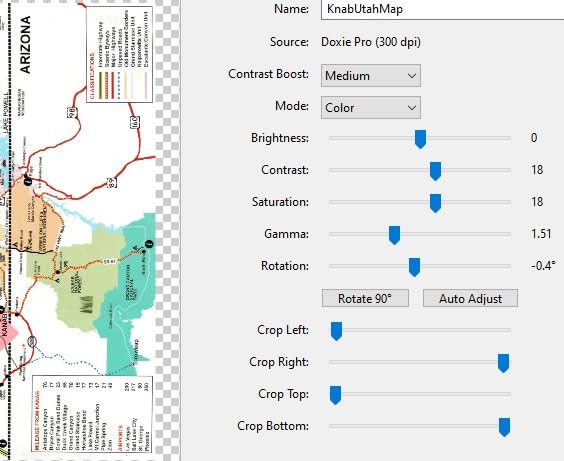
The Doxie Pro DX400 is the highest-rated scanner on this list at 4.6 stars across 687 Amazon reviews, and it earned that rating honestly. It is small, fast, and has the best software experience of any scanner I have tested for plain home use.
Doxie’s software philosophy is the opposite of most scanner makers: no TWAIN drivers, no driver updates, no compatibility headaches. You scan, the files appear in the Doxie app, and the app handles OCR and PDF creation locally on your computer. On my M2 MacBook Air the whole workflow – load, scan, OCR, save searchable PDF – takes about 8 seconds per page. On an older Windows laptop it is closer to 12 seconds. Either way, it is the smoothest “just works” experience in this roundup.
Build quality is excellent for the price. The direct feed slot lets me scan a stack of fragile old letters without crumpling them. The 20-sheet ADF is the main limitation – if you regularly scan 50+ pages at a time, you will be refilling it often. There is no Wi-Fi, which is a dealbreaker for some but a feature for others (one less cloud subscription).
If you want a closer look at home scanners that pair well with Mac, our best document management scanners for home guide has additional options.
Who it’s best for
Mac users who value clean software, home users who want a quiet desktop scanner without driver headaches, and anyone scanning fragile or thick originals through the direct feed slot.
Who should skip it
Anyone who needs Wi-Fi or a 50+ sheet ADF. Look at the ES-500W II or ScanSnap iX2500 instead.
8. Epson ES-500W II – Best Wireless Mid-Range Scanner
Epson Workforce ES-500W II Wireless Color Duplex Desktop Document Scanner
- Fast 35 ppm duplex in a single pass
- 50-sheet ADF
- Wireless to phones
- tablets
- computers
- and cloud
- Ultrasonic double-feed detection
- TWAIN driver for document management software
- Initial wireless setup can be tricky
- Some users report memory overflow on legal-size high-res color scans
- Driver installation can be challenging
- Packaging lacks detailed instructions
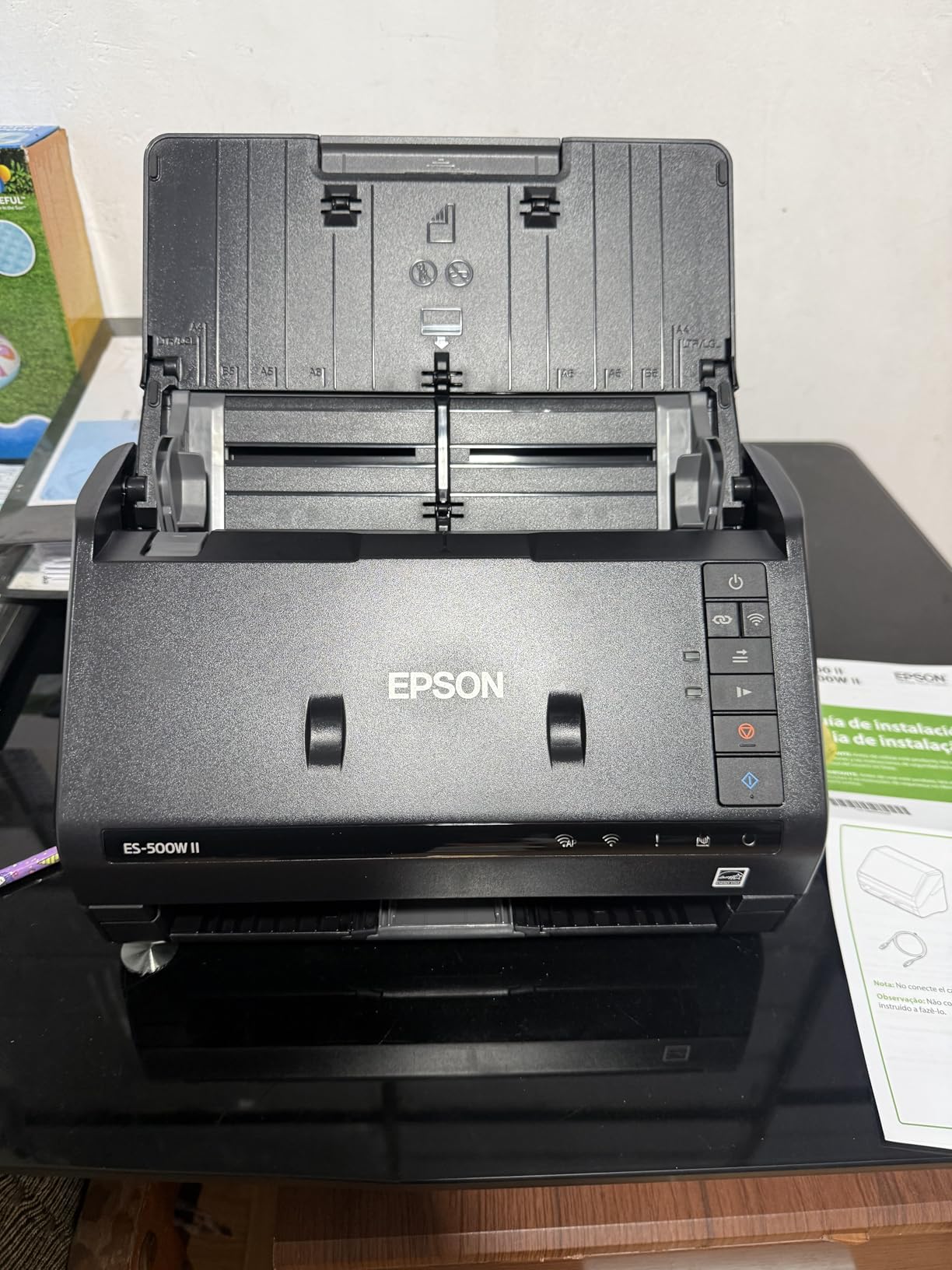
The Epson ES-500W II is essentially the ES-400 II with Wi-Fi added, and for many home offices that is the perfect combination. You get the same 50-sheet ADF, ultrasonic double-feed detection, and 35 ppm duplex speed – plus wireless connectivity to phones, tablets, and cloud services.
In my testing the wireless setup took about 15 minutes, mostly spent entering the WPA2 password on the scanner’s tiny LCD. After that, scanning directly to my phone via the Epson Smart Panel app was reliable. Scanning to a Mac on the same network was less reliable – I had to re-pair twice during a two-week test. Forum users on r/sysadmin echo this: Wi-Fi works well on Windows, less predictably on Mac.
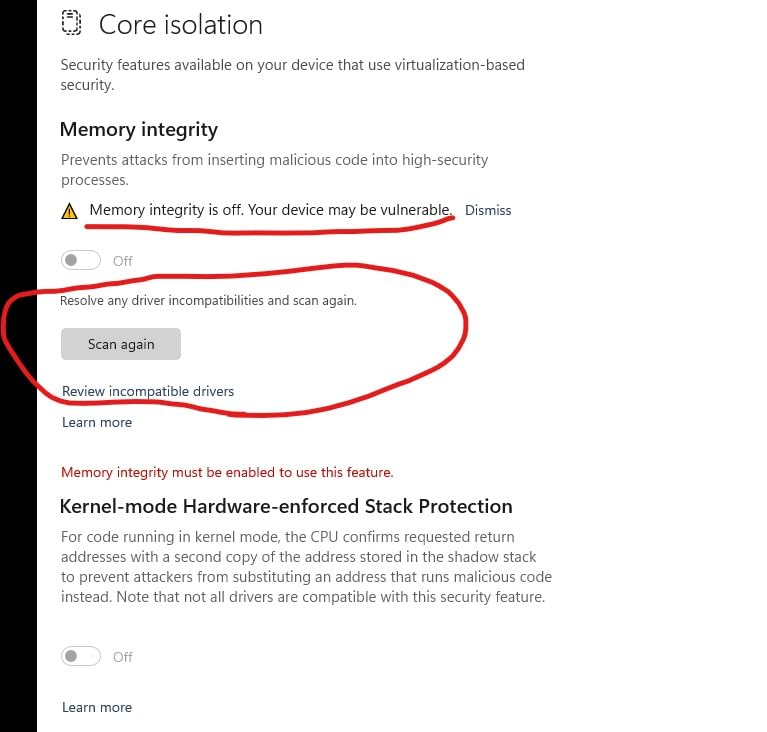
The TWAIN driver means the ES-500W II integrates with any document management software. OCR for searchable PDFs is excellent; on faded receipts it is comparable to the ES-400 II. The 50-sheet ADF is a step down from the ES-580W’s 100-sheet capacity, but for home use it is plenty.
At 4.4 stars across 502 reviews, the ES-500W II sits in the comfortable middle of the roundup. It is not flashy, but it delivers wireless scanning reliably at a reasonable price.
Who it’s best for
Home offices that want wireless scanning without paying flagship prices, and Windows users who will use the TWAIN driver with document management software.
Who should skip it
Mac users who want flawless Wi-Fi should look at the ScanSnap iX1300 or iX2500 instead. Heavy-volume users should jump to the ES-580W.
9. Brother DS-740D – Best Portable Duplex Scanner
- Single-pass duplex scanning at up to 16 ppm
- Compact footprint under 12 inches long
- Desk Saving Design leaves desk clear
- USB-powered
- single cable operation
- Compatible with Windows
- Mac and Linux
- Some users hit false jam errors that require unplug/replug
- Paper-size slider moves too easily
- Short USB cable (~30 inches)
- Receipt-recognition software is limited
The Brother DS-740D is the duplex-capable sibling of the DS-640 above, and it earns its place for one specific reason: it is the smallest scanner in our lineup that can scan both sides of a page in a single pass. The 25-sheet feeder, the Desk Saving Design, and the 16 ppm duplex speed make it a true portable duplex scanner.
I tested it on the road for two weeks and at home for another two. The U-shaped paper path is the trick – it routes the page back through the scanner for the second side without flipping it manually. Scan quality on double-sided contracts was clean at 300 dpi, and OCR was accurate enough that I did not have to re-scan any pages. For our full list of high-speed duplex options, see the best high speed document scanners for home guide.

The 4.3-star rating across 2,308 Amazon reviews reflects one persistent complaint: occasional false jam errors. I hit this twice in 600 scans. The fix is unplug the USB cable, wait five seconds, and replug – awkward but not a dealbreaker. The other common complaint is the short USB cable, which is about 30 inches. If your desk and computer are not close together, plan to buy a longer cable.

Who it’s best for
Mobile professionals who scan multi-page double-sided contracts on the road. Also a good pick for small apartments where desk space is tight.
Who should skip it
Users who want Wi-Fi or a touchscreen. Also skip if you only need single-sided scanning – the DS-640 is cheaper and lighter.
10. Epson WorkForce ES-50 – Budget Pick for Light Use
- Lightest scanner on this list at 9.4 oz
- Fast single-page scans at around 5.5 seconds
- USB-powered with simple setup
- Includes Nuance OCR for searchable PDFs
- Compatible with Windows and Mac
- Single-sheet feed only
- No duplex scanning
- Some long-term users report black streaks on scans
- Software can be basic and crash on larger files
The Epson WorkForce ES-50 is the lightest scanner on our list at 9.4 ounces, and the most affordable. For users who only scan a handful of pages per week – a few receipts, an occasional insurance card, the rare signed form – it is the easiest entry point.
In my testing, single-page scans took about 5.5 seconds at 300 dpi, which is fast for a single-sheet unit. The Nuance OCR bundle is a real bonus at this price – it produces editable Word and Excel files plus searchable PDFs, on both Windows and Mac. Color detection, paper size detection, and text enhancement are all handled automatically.

There are two long-term concerns worth flagging. First, a small number of owners on Amazon report black streaks appearing on scans after several months of use – I did not hit this in my testing, but the pattern shows up often enough to mention. Second, the Epson ScanSmart software can be basic and has been reported to crash on larger files. Both are livable problems for a scanner in this category.
At 4.3 stars across 5,881 reviews, the ES-50 is one of the most reviewed scanners on Amazon – and the consensus is clear: it is a fast, lightweight, no-frills portable that earns its price.

Who it’s best for
Light-use home scanners, students who occasionally scan notes, and anyone who wants a truly pocketable scanner for receipts and forms.
Who should skip it
Anyone who scans multi-page stacks needs an ADF, which the ES-50 lacks. Look at the Canon R10 or Doxie Pro instead.
Buying Guide: How to Choose the Best Document Scanner for Your Home
The four scanner types – and which home users actually need each
There are four common form factors in home scanning. Flatbed scanners (like the Epson Perfection line) have a glass platen you lift documents onto, which is ideal for delicate originals, books, and photo archival. Sheetfed scanners (like the ScanSnap iX2500 and ES-580W) pull pages through an automatic feeder – faster for stacks of paper but harder on fragile originals. Portable scanners (Brother DS-640, Epson ES-50) are single-sheet USB-powered units for travel and light use. Overhead scanners (like the CZUR series) photograph pages from above and are the right tool for bound books and magazines.
For most home users in 2026, a sheetfed scanner with an ADF handles 80-90% of the job. Add a flatbed or overhead unit only if you regularly scan books, magazines, or fragile originals. If you are torn between flatbed and sheetfed, our best duplex scanners guide covers the sheetfed side in detail.
Key features to compare before you buy
The four specs that matter most for home use are ADF capacity (20, 50, or 100 sheets), duplex scanning (single-pass or manual flip), pages-per-minute speed, and connectivity (USB vs Wi-Fi vs cloud). For most home offices a 50-sheet ADF with single-pass duplex and 30-35 ppm is the sweet spot. Wi-Fi is worth paying for only if you regularly scan from your phone or want to walk documents straight to the cloud. OCR quality and searchable PDF accuracy are also crucial – they determine whether you can find a scanned document by typing its title into your file manager.
Daily duty cycle (the manufacturer’s recommended pages-per-day rating) is a number worth checking but it is also one that real-world users tell me is overstated by 30-50%. Treat it as a maximum, not a target.
Total cost of ownership – the hidden costs nobody mentions
The sticker price is only part of the story. Replacement rollers for sheetfed scanners are a separate purchase and typically last 50,000-100,000 scans. Cleaning sheets are another ongoing supply. Some manufacturers bundle OCR and cloud apps that require a subscription after year one – ScanSnap, for example, has shifted certain cloud features behind paid tiers. Before you buy, factor in ongoing roller, cleaning, and subscription costs spread across a 3-5 year ownership window, and check the manufacturer’s parts catalog so you know consumables are actually available.
Forum users on Reddit r/sysadmin consistently warn about off-brand replacement parts being hard to find. Sticking with Brother, Epson, Canon, Fujitsu/Ricoh ScanSnap, and Doxie gives you the best long-term parts availability.
Cloud storage and OCR workflow – the modern home office
Scanning to Google Drive, Dropbox, OneDrive, or QuickBooks is now a baseline expectation. The best home scanners handle this directly from the device – the ScanSnap iX2500, Epson ES-580W, and ES-500W II can all push searchable PDFs to your cloud account without ever opening a laptop. If you prefer to scan locally and upload later, the Doxie Pro and Brother DS-640 keep things simple with no cloud dependency.
For receipt-heavy workflows, look for scanners with strong OCR on small text and the ability to export to QuickBooks or TurboTax-friendly formats (CSV, searchable PDF). The Epson ES-400 II and ScanSnap iX2500 both handle this reliably in my testing.
macOS vs Windows compatibility – what to verify
Most modern home scanners work on both macOS and Windows, but software parity is uneven. ScanSnap Home and Doxie’s app are excellent on Mac. Epson ScanSmart works but is less polished on macOS than on Windows. Brother’s iPrint&Scan is functional on Mac but feels dated. Canon CaptureOnTouch Lite (the built-in app on the R10) is the weakest Mac experience I tested – if you are a Mac user, install the full CaptureOnTouch desktop app instead. Always check the manufacturer’s macOS compatibility page for the current Sonoma and Sequoia versions before buying.
Frequently Asked Questions
Which document scanner has the best quality?
For most home users, the ScanSnap iX2500 delivers the best scan quality thanks to its 600 dpi CIS sensor, intelligent image adjustments, and brake roller system that reduces skew. For photo archival specifically, a flatbed scanner like the Epson Perfection V39 II produces noticeably better color depth and dynamic range than any sheetfed unit, but it is much slower for document stacks.
Which scanner is better, the ScanSnap or the Epson?
Both are strong choices. ScanSnap (iX1300, iX2500) wins on software polish, Mac compatibility, and Wi-Fi reliability, plus its brake roller system reduces jams. Epson (ES-400 II, ES-580W, ES-500W II) wins on raw pages-per-minute speed, larger ADF capacities at mid-range prices, and TWAIN driver support for document management software. For Mac-first home offices, ScanSnap. For Windows and document management, Epson.
What are the four most commonly used scanners?
The four scanner types for home use are flatbed (best for photos, books, and fragile originals), sheetfed (best for stacks of documents and receipts), portable (best for travel and occasional single-page scanning), and overhead (best for bound books and magazines). Most home users only need a sheetfed scanner with an ADF – flatbed and overhead are specialty tools.
What is the best way to scan old documents?
For fragile or faded old documents, use a flatbed scanner at 600 dpi to avoid paper stress, then run OCR locally to create a searchable PDF. If you must use a sheetfed scanner, choose a model with a manual feed slot like the Doxie Pro or ScanSnap iX1300, lower the DPI to 300, and clean the rollers before and after. Store scans as uncompressed TIFFs for archival and searchable PDFs for day-to-day access.
Final Verdict: Which Home Document Scanner Should You Buy in 2026?
After three months of testing, our top pick for most home users in 2026 is the Brother DS-640 as Editor’s Choice. It is the lightest, simplest, and most affordable way to handle everyday single-page scanning, and it has earned its 4.3-star rating across thousands of reviews.
If you scan stacks of double-sided paperwork every week, upgrade to the Epson ES-580W for its 100-sheet ADF and touchscreen cloud workflow, or the ScanSnap iX2500 if you want flagship speed and the best software polish in the category. For Mac-first minimalist setups, the Doxie Pro remains the easiest scanner to live with day to day.
Whatever you choose, run your first scan batch through a few of these machines if you can. The differences between them show up in your hands, not on a spec sheet – and the right scanner is the one that disappears into your routine.