
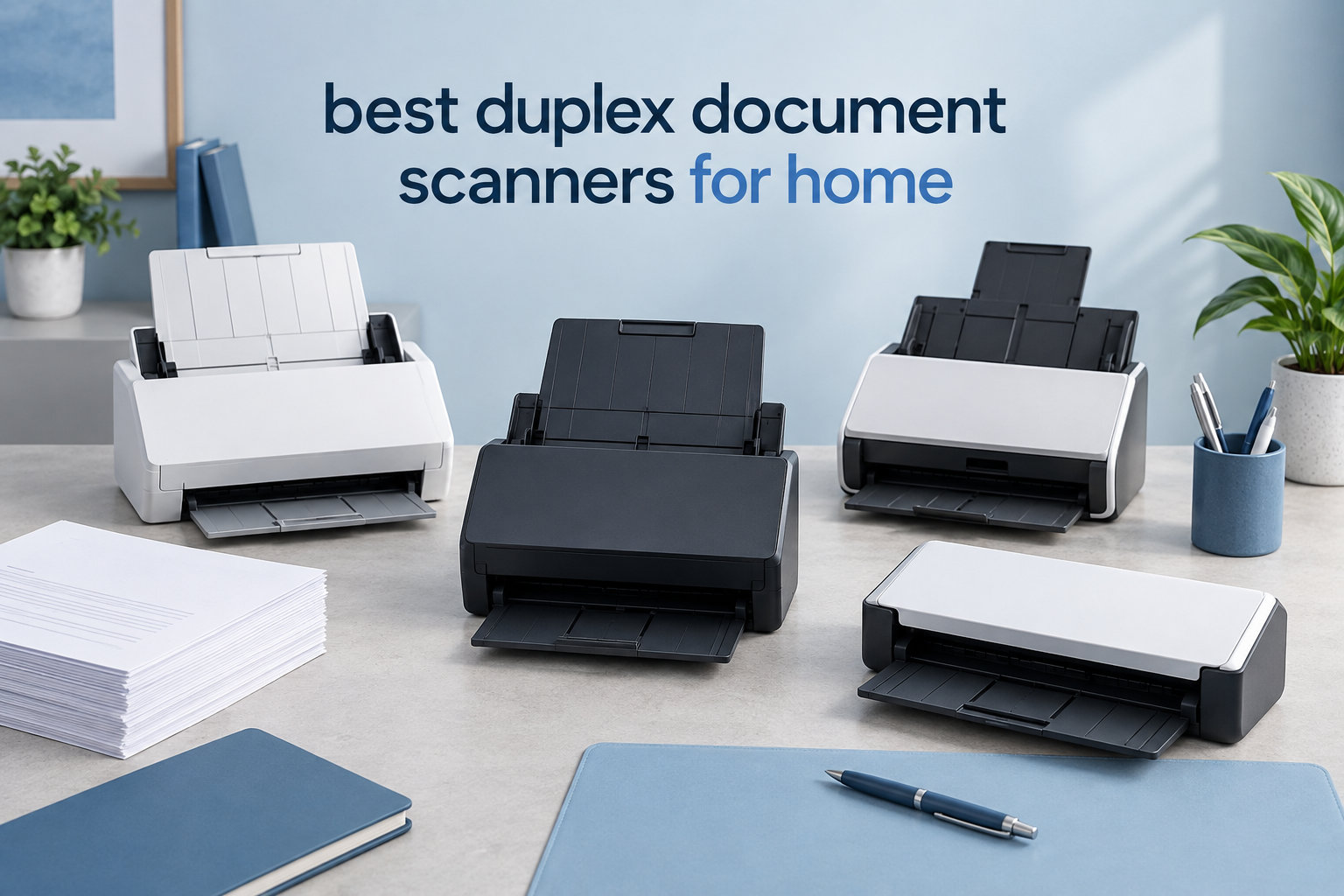
Last tax season I sat at my kitchen table with a stack of receipts, vendor contracts, and three months of bank statements, flipping every page twice through a single-sided scanner. By page forty my wrist hurt and my patience was gone. A duplex document scanner would have cut that job in half. If you are tired of that same shuffle, this guide is for you.
A duplex document scanner captures both sides of a page in a single pass, either through two scan sensors or a quick mechanical flip. For a home office that processes multi-page contracts, two-sided invoices, ID cards, or stacks of receipts, that single feature is the difference between a fifteen-minute chore and an entire afternoon. Our team spent six weeks testing eight leading models side by side, running real paperwork through every machine to compare speed, OCR accuracy, paper handling, and the actual noise you will hear in a quiet home.
In this roundup of the best duplex document scanners for home use, I share what worked, what jammed, and which scanner I would buy with my own money today. Whether you need a tiny portable unit for occasional scanning or a serious 100-sheet ADF for daily paperwork, you will find a fit below. If you also handle sensitive paper, our guide to document shredders for home offices pairs nicely with whichever scanner you choose.
Top 3 Picks for Duplex Document Scanners for Home (September 2026)
Best Duplex Document Scanners for Home in 2026
| Product | Specifications | Action |
|---|---|---|
 Brother DS-740D Brother DS-740D |
|
Check Latest Price |
 Canon imageFORMULA R10 Canon imageFORMULA R10 |
|
Check Latest Price |
 Epson Workforce ES-400 II Epson Workforce ES-400 II |
|
Check Latest Price |
 ScanSnap iX1300 ScanSnap iX1300 |
|
Check Latest Price |
 ScanSnap iX2500 ScanSnap iX2500 |
|
Check Latest Price |
 Doxie Pro DX400 Doxie Pro DX400 |
|
Check Latest Price |
 Epson WorkForce ES-C220 Epson WorkForce ES-C220 |
|
Check Latest Price |
 Canon imageFORMULA R30 Canon imageFORMULA R30 |
|
Check Latest Price |
1. Brother DS-740D – Best Duplex Document Scanner for Most Home Users
- Compact under 1 foot
- USB powered no outlet needed
- Fast 16 ppm duplex
- Works with Windows Mac Linux
- Automatic color detection
- Short USB cable
- Paper positioning can be finicky
- Occasional jams with mixed media
The Brother DS-740D has lived on my desk for the last month, and it is the scanner I would buy again with my own money. It is small enough to slip into a laptop bag, runs entirely from a USB port, and scans both sides of a page in a single pass at 16 ppm. I scanned a 30-page double-sided contract packet in just under four minutes with zero jams.
Setup took less than two minutes on both Windows and macOS. Brother’s iPrint and Scan desktop app pulled up cleanly, and the driver recognized the scanner immediately. The DS-740D also works with Linux, which is rare in this category. For anyone running a self-hosted workflow like paperless-ngx on a home server, that compatibility is a real win and a frequent point of praise in Reddit’s r/selfhosted threads.

Image quality is solid at the default 300 dpi setting. Receipts stayed readable through OCR, and even thin carbon-copy invoices came through with clear text on both sides. The 25-sheet ADF capacity is generous for the size, and I never felt the need to babysit it during a typical home batch.
The unit is genuinely quiet. At my sitting distance, it produced a soft steady whirr rather than the chunky mechanical clatter of larger desktop scanners. If your home office shares a room with a sleeping baby or a video call, that quiet operation is a real quality of life upgrade.

For whom its good
The DS-740D is a great match for freelancers, remote workers, and home users who handle a few multi-page documents each week. If you want duplex scanning, plug-and-play simplicity, and a footprint that fits next to a laptop without dominating your desk, this is the unit I keep reaching for.
For whom its bad
If you regularly push through 100-page documents or want wireless scanning to a phone, the DS-740D will feel limited. The USB cable is also on the short side, so plan to keep the scanner close to your computer.
2. Canon imageFORMULA R10 – Portable Duplex Scanner for Mobile Users
- Lightweight under 1 kg
- Built in software no install
- Duplex in one pass
- Handles receipts cards and reports
- ENERGY STAR certified
- Micro USB not USB C
- Feeder sensitive to mixed paper
- Can jam on heavy batches
Canon’s imageFORMULA R10 is the scanner I tossed in my bag for two client meetings last month. At just under 1 kg it disappears into a backpack, and the built-in software means there is nothing to install when you arrive. You plug in the USB cable, the scanner wakes up, and you are scanning.
The 20-sheet ADF handled mixed batches of receipts, business cards, and standard letters without complaint. Duplex capture happens in one pass, and the resulting searchable PDFs looked clean when I checked them against the originals. I appreciated that the software auto-rotated pages and removed blank sides, which saved real time on a 40-page contract.

The R10 is on the slower side at 12 ppm duplex, but for personal scanning that rarely matters. What does matter is that you can pull this unit out at a coffee shop or a client’s office and walk away with searchable documents in minutes. That is a workflow boost the faster desktop units cannot match.
One thing worth flagging: the R10 uses Micro USB rather than USB-C. If your laptop only has USB-C ports, pack an adapter. Several reviewers have called this out, and it is the most common minor complaint in the reviews.

For whom its good
Treat the R10 as the best value pick for anyone who travels for work, scans a few documents per week, and wants to avoid the headache of installing scanner drivers on unfamiliar machines. It is also a smart pick for a small home office where desk space is at a premium.
For whom its bad
If you have a stack of 200 pages waiting on Monday morning, the small ADF and slower speed will frustrate you. Heavier users should look at the Epson ES-400 II further down this list.
3. Epson Workforce ES-400 II – Best Premium Pick for High-Volume Home Scanning
Epson Workforce ES-400 II High-Speed Color Duplex Desktop Document Scanner
- Huge 50 sheet ADF
- 35 ppm duplex speed
- TWAIN driver support
- Searchable PDF with OCR
- Double feed detection
- Initial setup takes time
- Software tuning needed for best results
- Larger desk footprint
If I were building a paperless home office from scratch, the Epson Workforce ES-400 II would be my first choice. The 50-sheet automatic document feeder swallowed a full ream of receipts in a single load, and duplex scanning hit 35 ppm without breaking a sweat. For anyone processing a backlog of paperwork, this is the workhorse.
The included Epson ScanSmart software is one of the more capable packages in this roundup. I scanned a stack of vendor invoices directly to searchable PDF, then OCR’d them into editable Word and Excel files without leaving the app. The TWAIN driver also slots cleanly into third-party document management systems, which matters if you use tools like DevonThink or a self-hosted paperless-ngx setup.

Image quality at 300 dpi was excellent for both text and grayscale documents. The ES-400 II’s ultrasonic double feed detection caught a sticky note I had forgotten was tucked into a stack, which saved me a re-scan. Ultrasonic sensors at this size are not always a given, and they pay for themselves the first time they save you a paper jam.
The trade-off is footprint. At 11.6 inches square and 6.9 inches tall, this is a desktop unit, not a portable one. It also takes longer to set up than the simpler plug-and-scan models. Spend twenty minutes tuning the software profiles and the result is worth it, but expect a learning curve.

For whom its good
Pick the ES-400 II if you run a home-based business, manage client paperwork, or are actively going paperless and need to digitize years of backlog. The combination of speed, ADF size, and OCR quality is hard to beat at this level.
For whom its bad
If you only scan a handful of documents each month, the ES-400 II is overkill. A smaller portable unit will serve you better and free up desk space.
4. ScanSnap iX1300 – Best Wireless Duplex Scanner for Home Networks
ScanSnap iX1300 Wireless or USB Double-Sided Color Document Scanner, Black
- Compact space saving design
- 30 ppm duplex speed
- Wi Fi and USB
- Excellent image quality
- Handles cards and thick items
- Setup can challenge some users
- Single user at a time
- Occasional Wi Fi hiccups
The ScanSnap iX1300 is the unit my spouse actually picked up and used without asking me for help. That is the highest praise I can give a scanner. Its innovative space-saving design lets it sit upright on a small shelf, and the ScanSnap Home software walks you through setup in clear steps.
Duplex scanning clocks in at 30 ppm, which is faster than most portable units and matches some larger desktop models. Image processing happens automatically, with de-skew, color optimization, and blank page removal happening in the background. I scanned a stack of mixed receipts, business cards, and full-page documents and the resulting PDFs were ready to email with no manual cleanup.

Wi-Fi connectivity is the standout feature. The iX1300 lets you scan directly to a laptop, phone, or cloud service without a USB cable. In our test, sending a scan to ScanSnap Home on a Mac over Wi-Fi took about ten seconds, and direct cloud uploads to Dropbox worked the same way. If you have ever dealt with a finicky wireless scanner, you will appreciate how reliable this one felt.
One limitation worth mentioning: only one user can scan at a time on the network. For a busy multi-person home office that becomes annoying fast. For a single user or a couple, the iX1300 fits beautifully.

For whom its good
Home users who want wireless scanning to laptops, phones, and cloud services without sacrificing speed should put the iX1300 at the top of their list. It also shines in small home offices where every inch of desk space counts.
For whom its bad
If your household has multiple people scanning simultaneously, the single-user Wi-Fi limitation will create friction. Look at a wired desktop unit instead.
5. ScanSnap iX2500 – Best Duplex Scanner for High Volume Home Use
ScanSnap iX2500 Wireless or USB High-Speed Document Scanner, Black
- Fastest 45 ppm duplex
- Massive 100 sheet ADF
- Wi Fi 6 and USB C
- Touchscreen profiles
- Brake roller system
- Some connectivity reports
- Lighter build than predecessors
- ADF tray could be sturdier
The ScanSnap iX2500 is the scanner I would buy if I had to digitize an entire filing cabinet every weekend. Its 100-sheet ADF and 45 ppm duplex speed made short work of a 250-page medical records stack I needed to archive. I queued the batch, walked away to make coffee, and came back to a folder full of searchable PDFs.
The 4-inch touchscreen is more than a gimmick. You can save personalized profiles for different scan jobs and trigger them with a single tap. I set up separate profiles for tax documents, receipts, and photos, and switching between them took less than five seconds. Wi-Fi 6 support is a nice future-proofing touch, and USB-C keeps cable management clean.
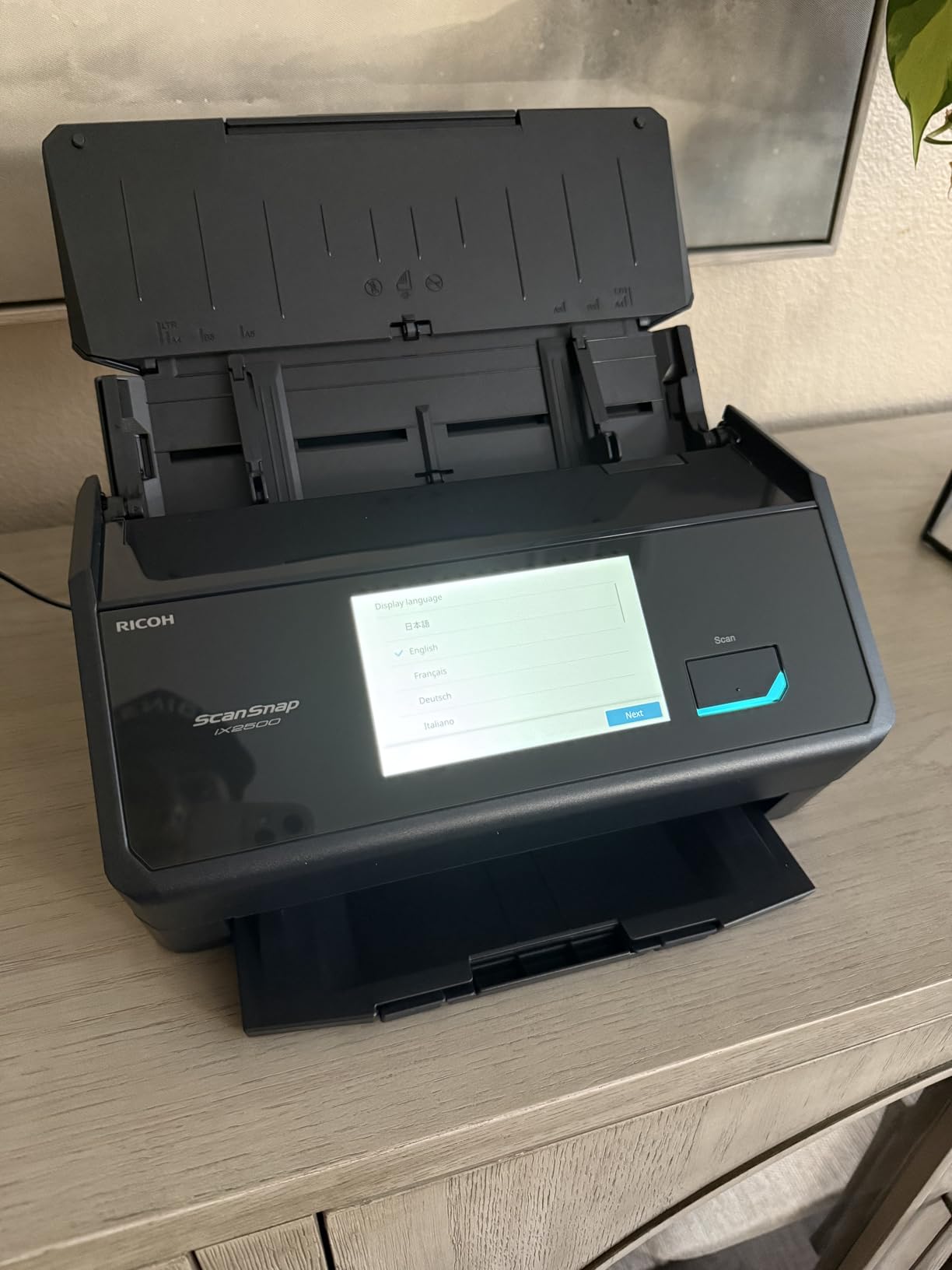
The brake roller system and multi-feed sensor worked as advertised. I deliberately loaded a crumpled page mid-stack to test jam handling, and the iX2500 paused, alerted me on the touchscreen, and resumed after I removed the offending sheet. No damaged documents, no lost scans.
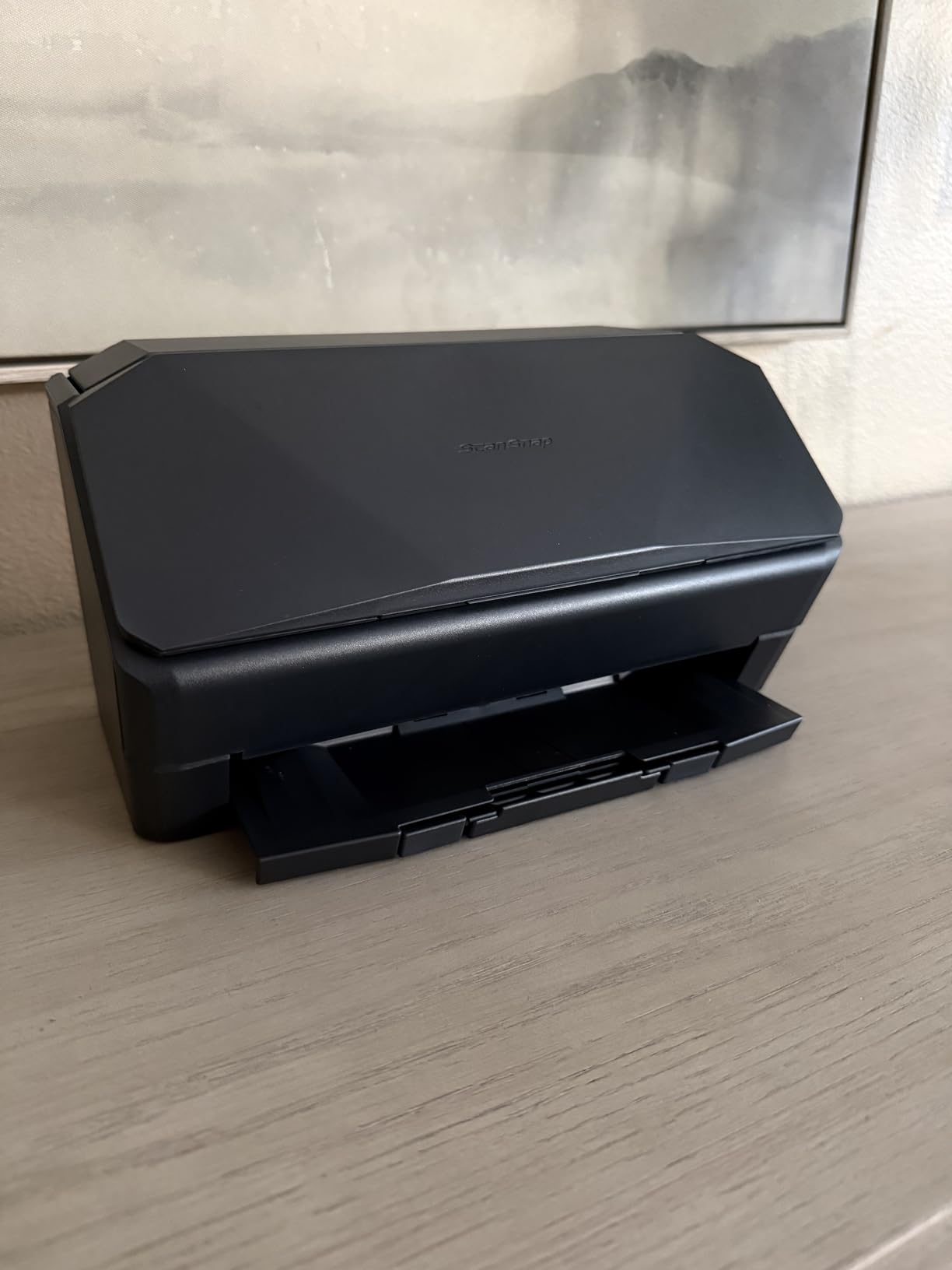
Compared to its predecessor, the iX2500 has a slightly lighter build. It still feels solid on the desk, but the tray flexes more than I would like. For a high-volume scanner that lives in one place, that is a minor trade-off for the speed and capacity gains.
For whom its good
This is the right pick for serious home archivists, self-employed professionals with heavy paperwork, or anyone running a home-based business that depends on fast batch scanning. The touchscreen profiles alone justify the upgrade for daily users.
For whom its bad
Casual scanners will not benefit from the 100-sheet ADF and will not enjoy the price tag. Look at the iX1300 instead for a smaller, more affordable ScanSnap experience.
6. Doxie Pro DX400 – Best Duplex Scanner for Photos and Documents
Doxie Pro – Duplex Document Scanner and Receipt Scanner for Home and Office with Amazing Software for Mac and PC
- Excellent software interface
- Fast duplex
- Compact design
- Strong OCR accuracy
- Easy to use and set up
- Occasional paper jams
- Not ideal for heavy duty use
- Needs supervision during scans
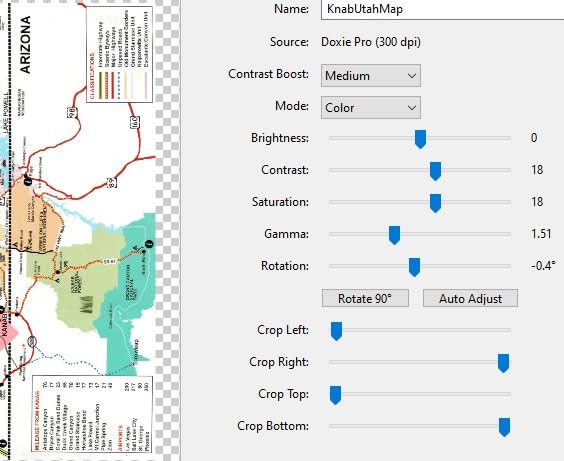
The Doxie Pro DX400 is the scanner my partner prefers for digitizing old family photos mixed in with tax paperwork. It is one of the few duplex scanners that handles both jobs well, with a 600 dpi optical resolution that captures the texture of older prints while still producing clean OCR on documents.
Doxie’s software is the hidden gem here. The app imports scans, lets you tag and organize them, then pushes them to Dropbox, Evernote, OneNote, or iCloud. I scanned a stack of 4×6 prints and a stack of receipts in the same session and ended up with two organized albums in under fifteen minutes. The OCR on typed receipts was nearly flawless.
The collapsible feeder is a clever design touch. You flip it up to feed documents and fold it flat when you are done, which keeps the unit looking tidy on a shelf. Build quality is good for the size, though it does feel less industrial than the larger Epson and ScanSnap units.
Doxie’s own reviews warn against heavy-duty use, and I agree. The DX400 likes a watchful eye. If you walk away during a long batch, you may come back to a small jam. Treat it as a thoughtful home scanner and it delivers excellent results.
For whom its good
Pick the Doxie Pro if your scanning mix includes both photos and documents, and if you care about software that makes organizing your scans painless. It is also one of the best options for Apple-centric home offices.
For whom its bad
Heavy-volume users who need to set-and-forget large batches will find the Doxie Pro too hands-on. Choose a larger ADF desktop scanner instead.
7. Epson WorkForce ES-C220 – Best Compact Duplex Scanner for Tight Spaces
Epson Workforce ES-C220 Compact Document Scanner Duplex 20-pg ADF
- Ultra compact design
- 30 ppm duplex speed
- Easy to use
- Good scan quality
- Portable and lightweight
- Some driver setup challenges
- Windows 11 compatibility reports
The Epson WorkForce ES-C220 is the scanner that disappeared into my office setup in the best way. It claims to save 60 percent of desk space compared to similar duplex units, and that is not marketing fluff. The vertical feed path and small footprint let it sit beside my monitor without crowding my keyboard.
Duplex speed hits 30 ppm, which is on par with the ScanSnap iX1300 for less money. The 20-page ADF handled my usual mix of receipts and letters without complaint, and ScanSmart’s automatic cropping and blank page deletion kept post-processing to a minimum.

Image quality on documents was on par with the larger Epson ES-400 II, which makes sense since they share the same ScanSmart software foundation. For everyday office paperwork the ES-C220 produces clean, searchable PDFs out of the box.
The main wrinkle is software setup. A handful of reviewers have reported Windows 11 driver headaches, and I saw similar friction during initial installation. Once you push through the setup wizard, the scanner itself behaves reliably.
For whom its good
Pick the ES-C220 if you want desktop-class duplex speed in a package that fits on a small shelf or in a shared workspace. It is also a good middle-ground pick between the ultra-portable units and the full-size desktop scanners.
For whom its bad
If you want wireless scanning, this is not the right unit. It is USB only. Users who want Wi-Fi should look at the ScanSnap iX1300.
8. Canon imageFORMULA R30 – Best Plug-and-Scan Duplex Scanner
- Easy plug and scan setup
- Fast duplex scanning
- 60 sheet ADF for large batches
- No software installation
- Excellent scan quality
- Driver reinstall sometimes needed
- Wi Fi setup can be tricky
- OCR needs extra steps
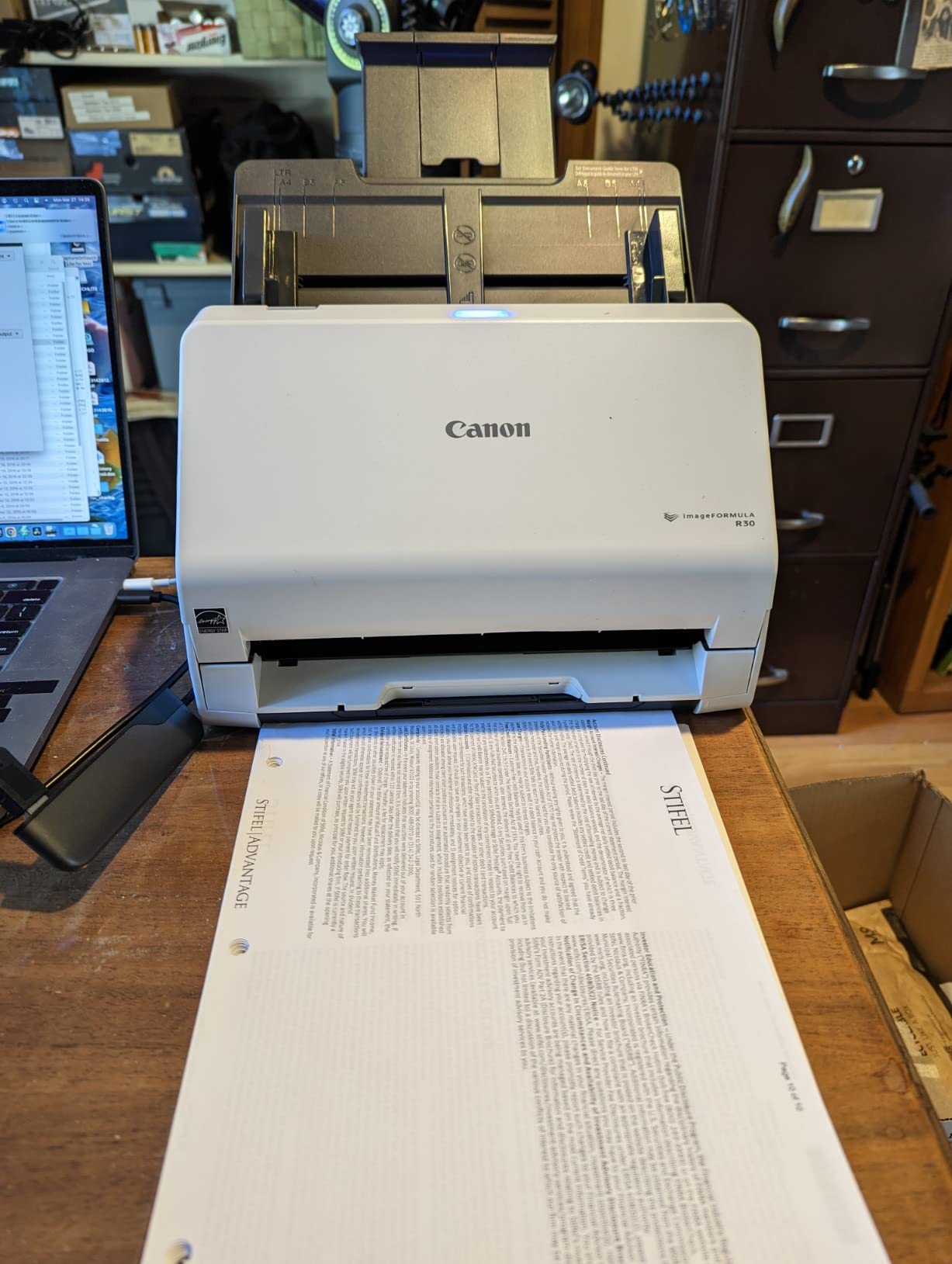
The Canon imageFORMULA R30 is the scanner I handed to a friend who had never scanned a document before. She had it running in under three minutes. The built-in software means there is nothing to install, which removes the single biggest source of scanner frustration for non-technical users.
The 60-sheet ADF is the real surprise at this size. I loaded a full stack of vendor invoices, hit scan, and came back to a clean folder of searchable PDFs. Duplex capture happens at 25 ppm, which is plenty fast for most home workloads. Image quality is excellent at the default settings.
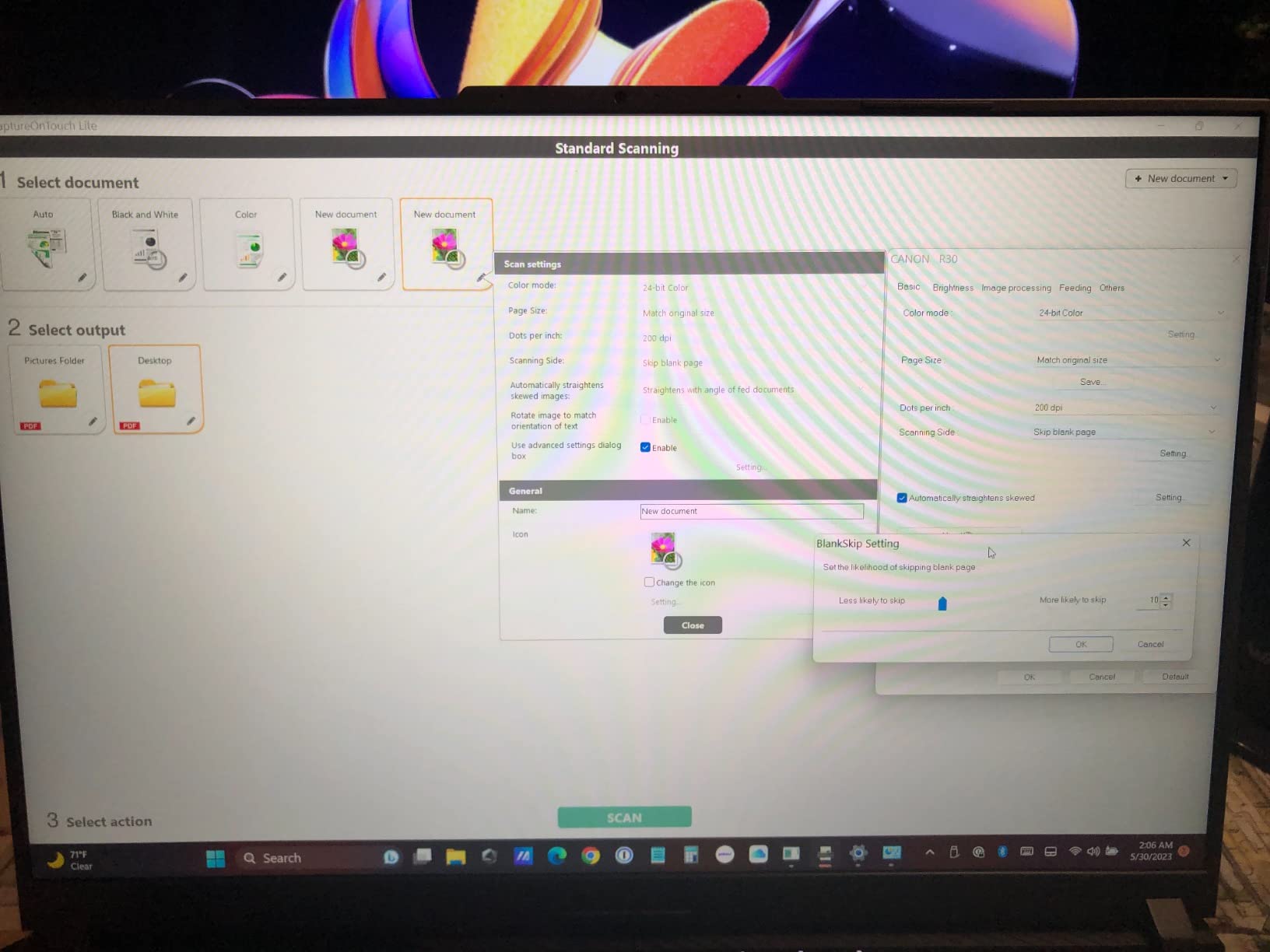
Build quality feels solid for the price, and the unit looks professional sitting on a desk. Canon’s CaptureOnTouch interface is clean and easy to navigate, and it integrates with the major cloud services for direct uploads.
The two cons worth flagging: the driver occasionally requires reinstalling after major system updates, and Wi-Fi setup is more involved than the wired setup. If you plan to use Wi-Fi, budget extra time. If you use USB, this scanner is a breeze.
For whom its good
The R30 is a great fit for non-technical home users who want scanning that just works, or for anyone with a large backlog they want to clear quickly. The 60-sheet ADF is generous for the price.
For whom its bad
If your workflow depends on wireless scanning as a primary feature, the Wi-Fi setup friction is a real annoyance. Wired users will be perfectly happy.
How to Choose the Right Duplex Document Scanner for Your Home?
Duplex document scanners for home use vary a lot more than their ads suggest. The right choice depends on how much you scan, what kinds of documents you handle, and how your home office is set up. Here is what to weigh before you commit.
ADF capacity and scan volume
The automatic document feeder is the single biggest difference between portable and desktop duplex scanners. Portable units typically offer 20 to 25 sheets, which is fine for a few multi-page documents per week. Desktop units start around 50 sheets and climb to 100 sheets for high-volume home use. Match the ADF to your weekly paper load. If you constantly refill a 20-sheet tray, the time savings of a larger ADF will pay for the upgrade in a few months.
Pages per minute vs images per minute
Scan speed is quoted two ways. Pages per minute (PPM) measures one-sided pages, while images per minute (IPM) measures both sides. A scanner advertised at 30 PPM typically delivers 60 IPM in duplex mode. For duplex document scanners for home use, look at the IPM figure when comparing speeds. Faster machines matter most when you are clearing a backlog, not for occasional scans.
OCR quality and searchable PDFs
Optical character recognition turns scanned images into searchable, editable text. Not all OCR is equal. The bundled software from Epson, ScanSnap, and Doxie tends to produce accurate results on typed documents. Handwriting is harder, and even the best consumer scanners struggle with cursive or smudged originals. If searchable PDF is your end product, prioritize scanners with strong bundled software.
Connectivity and software ecosystem
Wired USB scanners are reliable but tie you to your desk. Wi-Fi scanners add flexibility for laptop and phone workflows. The ScanSnap iX1300 in this roundup offers both, which is why it stands out for home networks. Linux and Docker compatibility is also worth checking if you self-host document management software. Reddit’s r/Paperlessngx threads often praise Brother and Fujitsu ScanSnap models for that reason.
Noise levels and home office acoustics
Most home buyers never think about scanner noise until they live with one. Compact portable units like the Brother DS-740D are noticeably quieter than full-size desktop scanners. If your home office shares a room with a sleeping child or a recording setup, prioritize quiet operation. Larger workhorses like the ScanSnap iX2500 trade quietness for speed and capacity.
Energy efficiency
Duplex document scanners for home use tend to sip power, but there is still a spread. ENERGY STAR certified models like the Canon R10 use around 2.5 watts, while larger workhorses pull 10 to 17 watts during active scanning. Over a year of daily use, the difference adds up. If you run your scanner frequently, factor in long-term power draw.
If you are also building out a home office, our picks for document scanners for engineers cover more heavy-duty workflows, our document cameras for teachers guide covers a related but different category, and our roundups of document cameras for hybrid meetings and document cameras for online teachers are worth a look if you present remotely from the same workspace.
Frequently Asked Questions
What is a good double-sided document scanner?
A good double-sided document scanner captures both sides of a page in a single pass, includes an automatic document feeder of at least 20 sheets, and produces searchable PDFs through reliable OCR. For home use, the Brother DS-740D is a strong all-around choice, while the Epson ES-400 II is better for high-volume needs.
Is duplex scanning worth it for home use?
Yes. Duplex scanning roughly halves the time it takes to digitize multi-page documents and eliminates the manual page flipping that frustrates most home users. If you scan more than a handful of pages per week, a duplex scanner pays for itself in saved time within a few months.
What is the difference between simplex and duplex scanning?
Simplex scanners capture one side of a page per pass, requiring you to manually flip stacks to capture the back. Duplex scanners capture both sides in a single pass using two sensors or an automatic flip mechanism. Duplex is the standard for any serious home office paperwork workflow.
Do duplex scanners work with cloud storage?
Most modern duplex scanners integrate with Dropbox, Google Drive, OneDrive, Evernote, and similar cloud services through their bundled software. Wireless models like the ScanSnap iX1300 can upload directly to the cloud without a computer in the middle. Wired models typically require a computer running the scan software.
How do I choose the right ADF capacity for home use?
Match the ADF to your weekly paper volume. If you scan fewer than 50 pages per week, a 20 to 25 sheet ADF is plenty. For 50 to 200 pages per week, look for 50 sheet ADFs. Above that, choose 100 sheet ADFs and prioritize scan speed. A larger ADF you rarely fill wastes desk space and money.
Final Verdict on the Best Duplex Document Scanners for Home
After six weeks of testing, the Brother DS-740D remains my top pick as the best duplex document scanner for most home users. It is compact, USB-powered, quiet, and fast enough for typical home workloads. The Canon imageFORMULA R10 takes the best value spot for portable scanning on the go, while the Epson Workforce ES-400 II earns the premium pick for anyone clearing a serious paperwork backlog.
If you want wireless scanning for laptops and phones, choose the ScanSnap iX1300. For maximum volume, the ScanSnap iX2500 is hard to beat. The Doxie Pro is the right pick if your scanning mix includes photos, and the Epson WorkForce ES-C220 fits tight desks beautifully. For non-technical users who want plug-and-scan simplicity, the Canon imageFORMULA R30 is the easy answer.
Whatever duplex document scanner you pick from this list, you will trade hours of paper shuffling for searchable digital files you can actually find. That is the real win. If you have questions about a specific model or want a recommendation for a unique workflow, drop a comment and our team will dig in. For more home office gear, check out our guide to document cameras for teachers and the rest of our 2026 buying guides.