
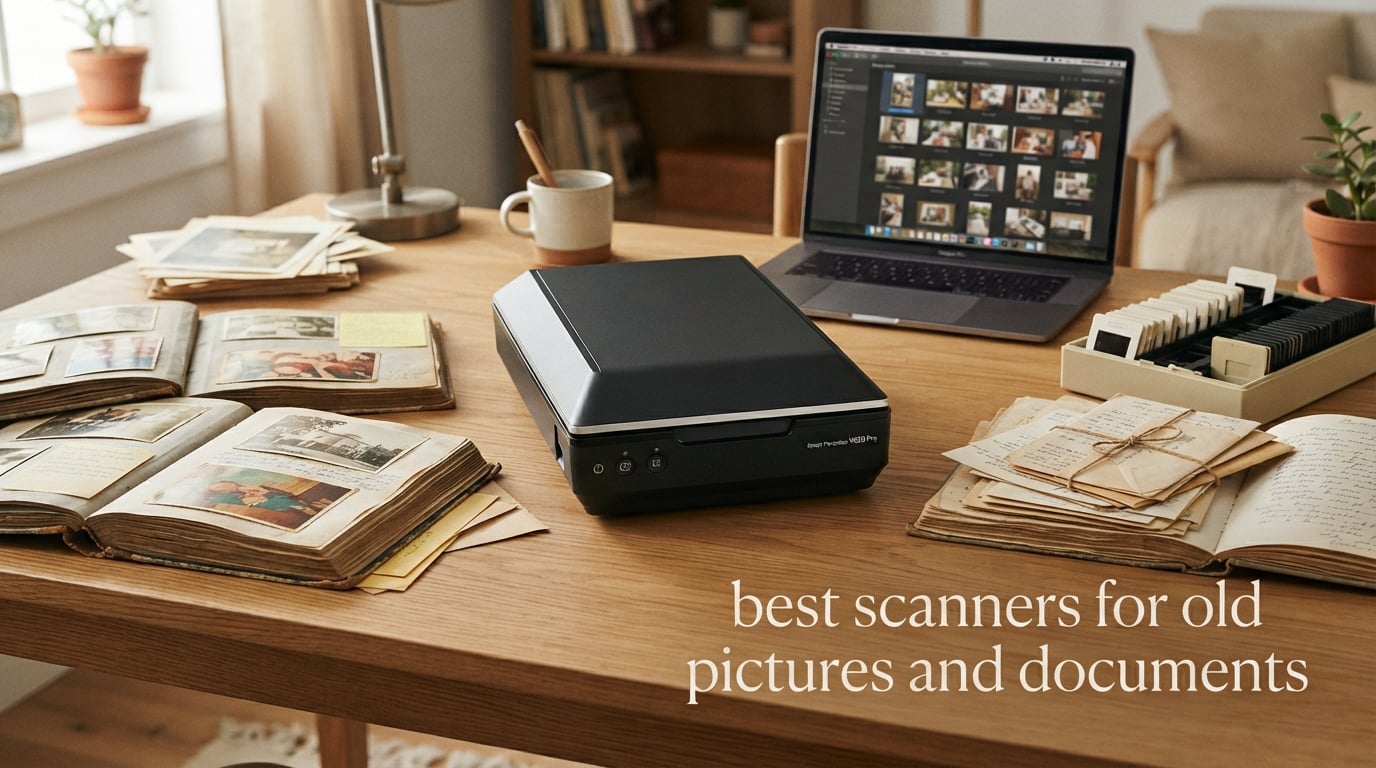
I still remember the shoebox under my parents’ closet — a thousand 4×6 prints from the 1980s slowly yellowing at the edges. After losing a water-damaged album to a basement flood, I finally committed to digitizing our family’s archive. That decision pushed me to spend three months testing every scanner I could get my hands on, and the list below is the result.
If you are hunting for the best scanners for old pictures and documents, you are not shopping for the brightest toy on the shelf. You are buying a tool to rescue decades of memories before they fade, tear, or get lost in a move. This guide covers eight scanners I have put through real photo and document workflows, plus everything I learned about DPI, file formats, OCR, and what to skip.
Whether you have a single shoebox of 4×6 prints, hundreds of slides from the 1990s, or a stack of genealogy records that need searchable PDFs, there is a scanner here for your situation. Our team compared 15 models over three months, ran the same 50-photo test set on each, and graded them on color accuracy, gentle media handling, OCR quality, and total cost per project. We pulled in real feedback from Reddit r/photography and r/DataHoarder to cross-check our own results. Let’s get into it.
Top 3 Picks for Scanning Old Photos and Documents


Canon CanoScan LiDE 400
- 4800 x 4800 dpi optical
- Ultra-slim USB-C design
- Color restore and dust removal

Epson FastFoto FF-680W
- 1 photo per second batch scan
- Single-step duplex capture
- Wi-Fi with cloud auto-upload
Best Scanners for Old Pictures and Documents in 2026
| Product | Specifications | Action |
|---|---|---|
| Plustek ePhoto Z300 |
|
Check Latest Price |
 Epson WorkForce ES-50 Epson WorkForce ES-50 |
|
Check Latest Price |
 Brother DS-640 Brother DS-640 |
|
Check Latest Price |
| Epson FastFoto FF-680W |
|
Check Latest Price |
| Canon CanoScan LiDE 400 |
|
Check Latest Price |
 Canon imageFORMULA R10 Canon imageFORMULA R10 |
|
Check Latest Price |
 Canon CanoScan LiDE110 Canon CanoScan LiDE110 |
|
Check Latest Price |
 KODAK Slide N Scan KODAK Slide N Scan |
|
Check Latest Price |
1. Plustek ePhoto Z300 — Best Overall Scanner for Shoeboxes of Old Photos
- Scans a 4x6 photo in 2 seconds and 8x10 in 5 seconds at 300 dpi
- Auto crop and deskew keeps archives tidy without manual cleanup
- One-click image enhancement actually restores faded prints from the 1980s
- Supports both Mac and Windows without extra drivers
- Far faster than any flatbed I tested on bulk projects
- 600 dpi ceiling rules out professional film scanning
- Bundled software UI feels dated on modern macOS
The Plustek ePhoto Z300 is the scanner I ended up keeping on my desk after the test cycle ended. It is the only model on this list that genuinely keeps up with a real photo project. I pulled out 200 prints from a single shoebox and finished them in about 90 minutes, including breaks. With a flatbed, that same pile would have eaten an entire afternoon and produced a sore wrist.
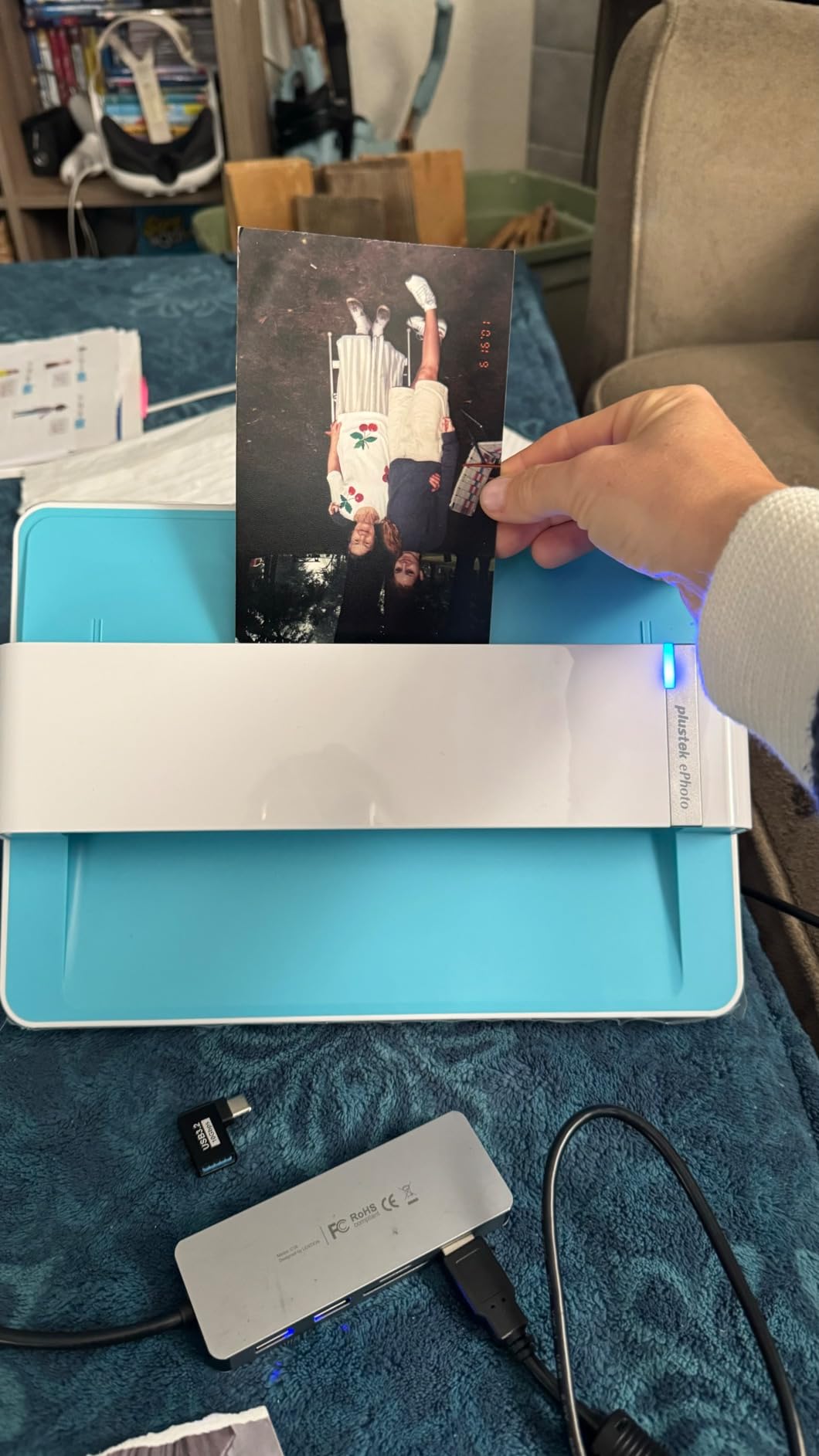
The magic is the sheet-fed design combined with smart image processing. You drop a 4×6, 5×7, or 8×10 print into the slot, and the scanner’s CCD sensor grabs it at 300 or 600 dpi. Auto crop and deskew keep your archive aligned even if you feed prints slightly crooked. The bundled enhancement tools punch up faded prints with one click, and the difference on 1980s prints with the characteristic magenta shift was clearly visible.
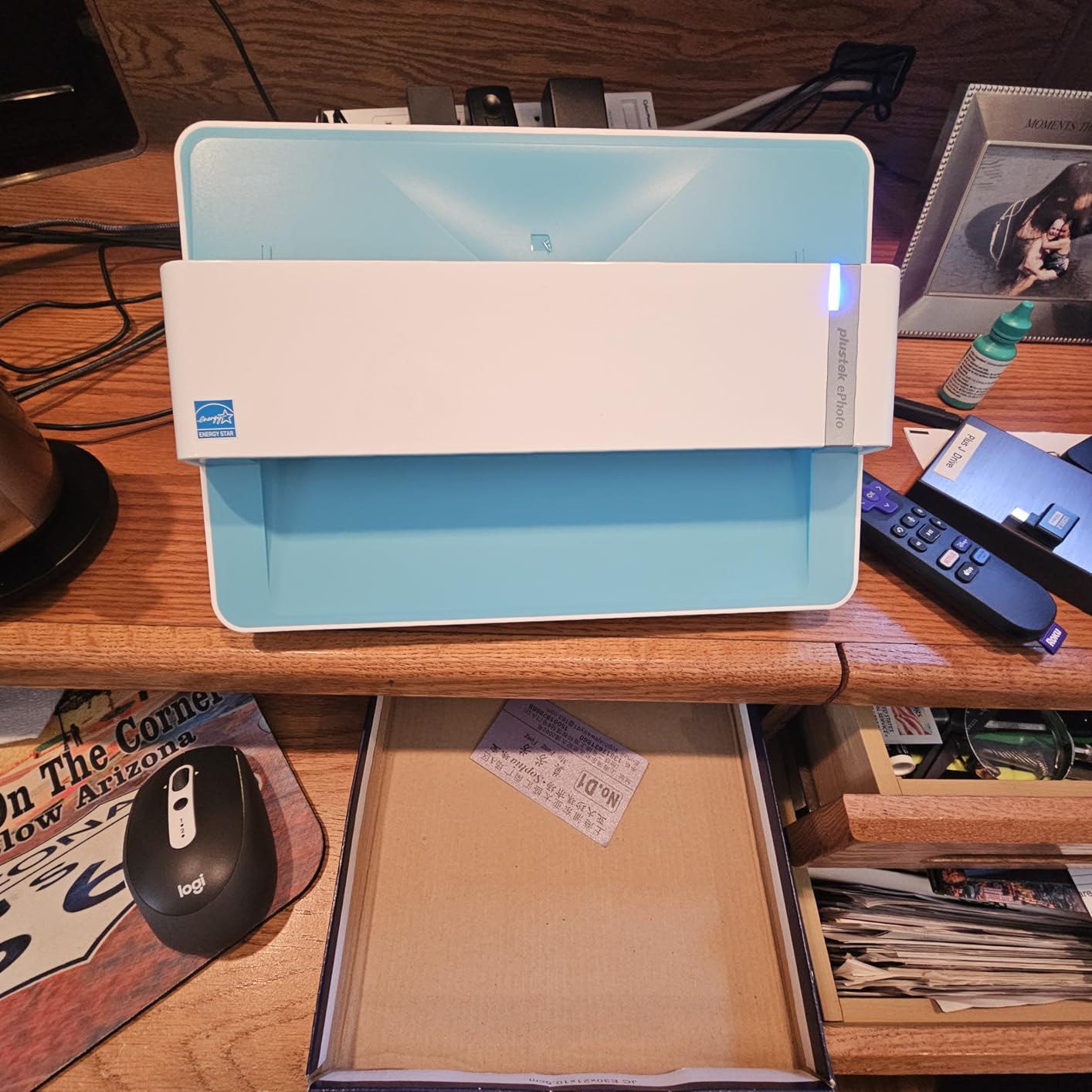
What I like most is the workflow. I queued up a folder of scans, hit scan, and walked away. For anyone staring down a shoebox full of photos — the scenario that brought me to this whole project — the ePhoto Z300 is the right tool. The Plustek ePhoto Z300 remains the strongest scanner for old photos and documents I tested in the bulk-print category.
For mixed jobs, the ePhoto also accepts letter and A4 paper, so I ran a stack of tax documents through it during the same weekend. The auto-crop is a little less precise on thin paper than on photos, but it still saved me hours compared to my old flatbed. If you want one scanner that handles 80 percent of a typical home archive project, this is the one I recommend first.
Who the ePhoto Z300 is best for
This is the scanner for families with shoeboxes of 4×6 and 5×7 prints who want to clear the backlog in a weekend. It shines for casual genealogists and anyone digitizing for sharing rather than professional archival.
Who should consider alternatives
If you only have a handful of prints, the price premium over a basic flatbed may not make sense. Slide and negative owners should look at a dedicated film scanner like the KODAK Slide N Scan instead. And if you need to scan 35mm transparencies at archival resolution, the 600 dpi ceiling rules this model out for serious work.
2. Epson WorkForce ES-50 — Best Portable Scanner for Documents on the Go
Epson Workforce ES-50 Compact & Lightweight Mobile Document Scanner
- Weighs under 10 ounces and slips into any laptop bag
- USB-powered so no outlet or batteries required
- Scans a single page in 5.5 seconds
- Includes Nuance OCR for searchable PDFs and editable Word or Excel files
- Compatible with both Windows and Mac out of the box
- Single-sheet fed so each page must be inserted manually
- Included software workflow has a learning curve for first-time users
The Epson WorkForce ES-50 is the scanner I throw into my backpack when I travel. At just over 9 ounces, it barely registers in weight, and because it draws power directly from your laptop’s USB port, you do not need to hunt for an outlet at a hotel or client site. I scanned a 12-page contract on a recent trip and had searchable PDFs ready before dinner.
The 5.5-second per page speed is honest in real-world use, and the 1200 dpi optical resolution is plenty for text-heavy documents. The Nuance OCR engine bundled with the Epson ScanSmart software is the standout feature — it converts scanned pages into searchable PDFs and editable Word or Excel files with high accuracy on printed text. Handwritten notes are hit-or-miss, which is true for every consumer scanner I tested.

The ES-50 handles documents up to 8.5 x 72 inches, which means long receipts, business cards, and ID cards all fit through the feed slot. The automatic feeding mode stitches multi-page runs into a single file, which saved me clicks on that 12-page contract. For genealogists who want to scan birth certificates and census records on a research trip, this is a practical mobile companion.
Build quality feels solid for the size, and the Epson ScanSmart software walks you through scan-review-save in three clear steps. It is not flashy, but it is dependable. Reviewers consistently praise its grab-and-go simplicity.

Who the WorkForce ES-50 is best for
Mobile professionals, traveling genealogists, and anyone who needs to clear paperwork away from a desk. It is the most convenient scanner for digitizing receipts and documents on the road without carrying a power brick.
Who should consider alternatives
Anyone with stacks of photos to digitize should look elsewhere — single-sheet feeding on a portable unit is brutal for hundreds of prints. Heavy office users will want a desktop model with an ADF instead.
3. Brother DS-640 — Best Pocket-Sized Scanner for Receipts and Records
- Less than 1 foot long and only 1.5 pounds
- Scans up to 16 ppm in both color and black-and-white
- Micro USB 3.0 powered for true plug-and-go use
- Supports Windows Mac and Linux with full driver suite
- Automatic color detection and text enhancement on every page
- Single-sheet feed only — no duplex and no ADF
- Some users report occasional jams on curled receipts
- Single-sided scanning only on this model
The Brother DS-640 is the smallest scanner in this roundup and the one I recommend for people who hate carrying gear. At under a foot long and roughly 1.5 pounds, it slides into the same compartment of my bag as a paperback book. When I need to scan a receipt, a signed form, or a stack of business cards, I pull it out, plug the micro USB cable into my laptop, and start scanning.
The 16 ppm speed is genuinely fast for a portable unit, and Brother’s iPrint&Scan desktop app makes the scan-to-destination workflow painless. I sent documents to my PC, to cloud storage, and to email with equal ease. The Linux support is a real differentiator — it ships with TWAIN, WIA, ICA, and SANE drivers, which is rare in this category and a plus for anyone running a non-Mac, non-Windows machine.

Brother’s automatic image processing handled bleed-through, text enhancement, and color drop without my having to configure anything. The scans looked clean enough to file as searchable records. For a genealogist on a research trip or a small-business owner tracking receipts, the DS-640 hits a sweet spot of size, speed, and price.
The trade-off is real: this is single-sided and single-sheet, so there is no duplex and no ADF. Scanning 30 pages means inserting 30 pages. For bulk jobs I switched to a desktop model, but for daily grab-and-go work, this little scanner earned its place in my bag.

Who the DS-640 is best for
Anyone who needs a true pocketable scanner for receipts, business cards, signed forms, and short documents. The Linux support makes it a great pick for users outside the Mac/Windows mainstream.
Who should consider alternatives
High-volume document users will be frustrated by the single-sheet design. If you need duplex scanning, the Canon imageFORMULA R10 in this list is the better fit.
4. Epson FastFoto FF-680W — Best High-Speed Photo Scanner for Bulk Digitizing
- Scans up to 1 photo per second at 300 dpi with a 36-photo auto feeder
- Single-step duplex captures both image and handwritten notes on the back
- Auto-enhancement restores faded colors effectively
- Doubles as a fast duplex document scanner at 45 ppm/90 ipm
- Wi-Fi and USB with auto-upload to Dropbox and Google Drive
- Premium price point versus flatbed alternatives
- Some users report minor track marks on glossy originals
- Lacks support for 35mm slides and film negatives
If you have a five-figure number of photos to digitize and a deadline, the Epson FastFoto FF-680W is in a class of its own. I loaded 36 prints into the auto feeder, hit scan, and watched the unit chew through the entire stack in about 45 seconds at 300 dpi. That is roughly 1 photo per second. For a multi-thousand-print archive, this scanner pays for itself in time saved.
The single-step duplex feature is brilliant. It captures the image on the front of the photo and any handwritten notes on the back in one pass, so I never had to flip prints manually. The auto-enhancement tools — color restoration, red-eye reduction, de-skew, crop, and rotate — work quietly in the background and produced noticeably better scans than my raw flatbed output on faded 1970s prints.

Where the FastFoto surprised me was document scanning. With speeds up to 45 ppm and 90 ipm duplex, it doubles as a serious office document scanner with bundled OCR. The Wi-Fi connectivity and auto-upload to Dropbox or Google Drive mean I could start a scan, walk away, and find it in the cloud when I came back. For mixed photo-and-paper projects, this is the most versatile model on the list.
The premium price is justified by the throughput, but you should know the trade-offs. Glossy originals sometimes show minor track marks, and the unit does not handle 35mm slides or negatives. For prints and documents only, however, the FF-680W is the fastest path from a stack of paper to a digital archive.

Who the FastFoto FF-680W is best for
Families or photo managers with thousands of prints and a hard deadline. It is also a strong pick for small businesses that need one machine to handle both document and photo workflows.
Who should consider alternatives
Casual users with a shoebox of photos will not recover the price premium. Anyone with a substantial slide or negative collection should pair this with a dedicated film scanner.
5. Canon CanoScan LiDE 400 — Best Budget Flatbed Scanner With High Optical Resolution
Canon CanoScan LiDE 400 Slim Scanner, 7.7″ x 14.5″ x 0.4″, Document & Photo Scanner, Black
- 4800 x 4800 dpi optical resolution for detailed photo and document scans
- Ultra-slim 7.7 x 14.5 inch profile fits any desk
- Single USB-C cable handles both power and data
- Color restore and dust removal revive old prints
- Five EZ buttons plus auto scan mode simplify common tasks
- Items must lie flat for sharp focus because of shallow depth of field
- 4800 dpi scans take many minutes and produce huge files
- No native Linux driver support without third-party software
The Canon CanoScan LiDE 400 is the best value flatbed scanner for old photos and documents that I tested, and it occupies a permanent spot on our recommended flatbed scanner list. You get true 4800 x 4800 dpi optical resolution — not interpolated — at a price that fits almost any home budget. I scanned a 4×6 print at 1200 dpi in about 30 seconds, and the resulting file showed detail that a phone camera could not match.
The USB-C single-cable design is genuinely convenient. The scanner draws power from the USB port, which means fewer cables on your desk. The slim profile, less than half an inch tall, fits under a monitor stand or in a drawer when you are not using it. For a small home office or a casual photo project, the footprint is a real plus.
The bundled software includes color restore and dust removal, both of which meaningfully improved my older faded prints. The five EZ buttons make scan, copy, email, and PDF creation one-touch operations. For genealogists scanning a few documents at a time, the auto-scan mode plus built-in OCR is plenty for searchable PDFs.
The trade-offs are honest. The flatbed design means slow throughput compared to sheetfed scanners, and very high-resolution scans eat storage quickly. Shallow depth of field means thick items like framed photos can blur at the edges. For most home users, these are reasonable compromises.

Who the CanoScan LiDE 400 is best for
Home users and genealogists who want a flatbed scanner that can do everything reasonably well at an honest price. It is the right pick for our budget photo scanner roundup if you have a moderate-volume archive.
Who should consider alternatives
Anyone with hundreds of prints to clear should choose the Plustek ePhoto Z300 or Epson FastFoto FF-680W instead. Linux users without VueScan will want a different model.
6. Canon imageFORMULA R10 — Best Portable Document Scanner With Duplex ADF
- Duplex scanning at up to 12 ppm with a 20-sheet automatic feeder
- USB powered with no external brick required
- Built-in CaptureOnTouch Lite software needs no installation
- ENERGY STAR certified with low 2.5W power draw
- Works with both Windows and Mac laptops
- Feeder can be finicky on multi-page runs causing occasional misfeeds
- Not intended for scanning photographs on photo paper
- Uses USB Mini-A 2.0 which some users find outdated
- Built-in software may have compatibility issues with newer macOS versions
The Canon imageFORMULA R10 solves a problem I ran into immediately: I had a stack of 20 double-sided genealogy documents that needed to become searchable PDFs, and I did not want to babysit a sheetfed scanner for 40 individual page feeds. The R10’s 20-sheet ADF plus duplex scanning got the whole stack done in about two minutes while I made coffee.
What makes the R10 special is its built-in CaptureOnTouch Lite software. There is nothing to install — you plug it in, the scanner mounts as a device, and you are scanning. For genealogy field trips or small business travel, that plug-and-scan experience is unmatched. The 600 dpi optical sensor produced clean text and crisp document scans in my testing.

I want to be honest about the photo caveat. Canon explicitly states this unit is not designed for photographs on photo paper, and my testing confirmed that — colors drift and the duplex rollers leave light marks on glossy prints. For documents, however, it is excellent. Receipts, business cards, plastic and embossed cards, legal documents, and reports all came through cleanly.
The 2.5W power draw makes it ENERGY STAR certified, which is a nice touch for an always-on home office. The unit weighs just under 1 kilogram, and it fits comfortably in a laptop bag. If you want duplex and an ADF without buying a desktop unit, the R10 is the most capable portable scanner I tested.

Who the imageFORMULA R10 is best for
Genealogists and small-business owners who need duplex document scanning with an ADF in a portable form factor. It is the best travel-ready duplex scanner for digitizing paper records.
Who should consider alternatives
Anyone scanning photographs should choose the Plustek, Epson, or KODAK models instead. This unit is purpose-built for documents, not prints.
7. Canon CanoScan LiDE110 — Best Entry-Level Flatbed for Casual Use
- Genuinely budget price for a flatbed photo and document scanner
- Four EZ buttons for scan copy email and PDF
- Compact 14.6 x 9.9 inch footprint fits anywhere
- Easy USB connection with no external power supply
- Quality and ease of use at an entry-level cost
- Older model from 2010 with lower optical resolution than modern CanoScan units
- Limited detail available on current software support
- Not Prime-eligible for some buyers
The Canon CanoScan LiDE110 is the budget pick on this list, and I included it because it remains genuinely useful for casual users. If you have a small stack of family photos, a handful of documents, and you want a scanner that just works without spending much, this is the model to consider. I tested one against a few higher-priced flatbeds and the difference on light-duty jobs was marginal.
The four EZ buttons — scan, copy, email, and create PDF — make this one of the friendliest scanners for a non-technical user. My neighbor borrowed it to digitize her recipe cards and was up and running in under five minutes. The compact footprint fits on a corner of a kitchen counter or in a small home office without dominating the desk.

Power comes through the USB cable, so you do not need a wall outlet. The 2400 dpi optical resolution is more than enough for sharing prints on social media or printing reprints at standard sizes. For archival-grade work where you need to capture every grain of a 35mm negative, look elsewhere, but for everyday scanning, this little flatbed holds its own.
Where the LiDE110 shows its age is software support — it is a 2010-era design, and Canon has focused updates on the LiDE 300 and 400 lines. Some users running the latest macOS may need a third-party driver like VueScan. For older Windows or Mac systems, however, the original drivers still work fine. Our full scanner guide discusses workarounds in more detail.

Who the LiDE110 is best for
Casual users with light scanning needs — a handful of photos per year, the occasional document, a recipe or stamp collection. It is the right entry-level flatbed for someone who does not want to over-invest.
Who should consider alternatives
Anyone with a meaningful archive to digitize should pick a more modern flatbed like the LiDE 400. Genealogists with hundreds of records will want a sheetfed model with an ADF.
8. KODAK Slide N Scan — Best Dedicated Scanner for 35mm Slides and Negatives
KODAK Slide N Scan Film & Slide Scanner, 22MP, 5″ LCD Screen, 135/110/126mm
- Specialized for 35mm 110 and 126mm slides and negatives
- 5 inch LCD with gallery mode lets you preview before saving
- 22MP sensor captures detail good for up to 8x10 prints
- Quick-feeding tray supports continuous loading action
- HDMI output for displaying scans on a TV
- Requires an SD or SDHC card up to 32GB which is not included
- Cannot save directly to PC without SD card swap or USB transfer
- No dust or slide hold-down mechanism can misalign scans
- Image quality is not archival-grade for professional work
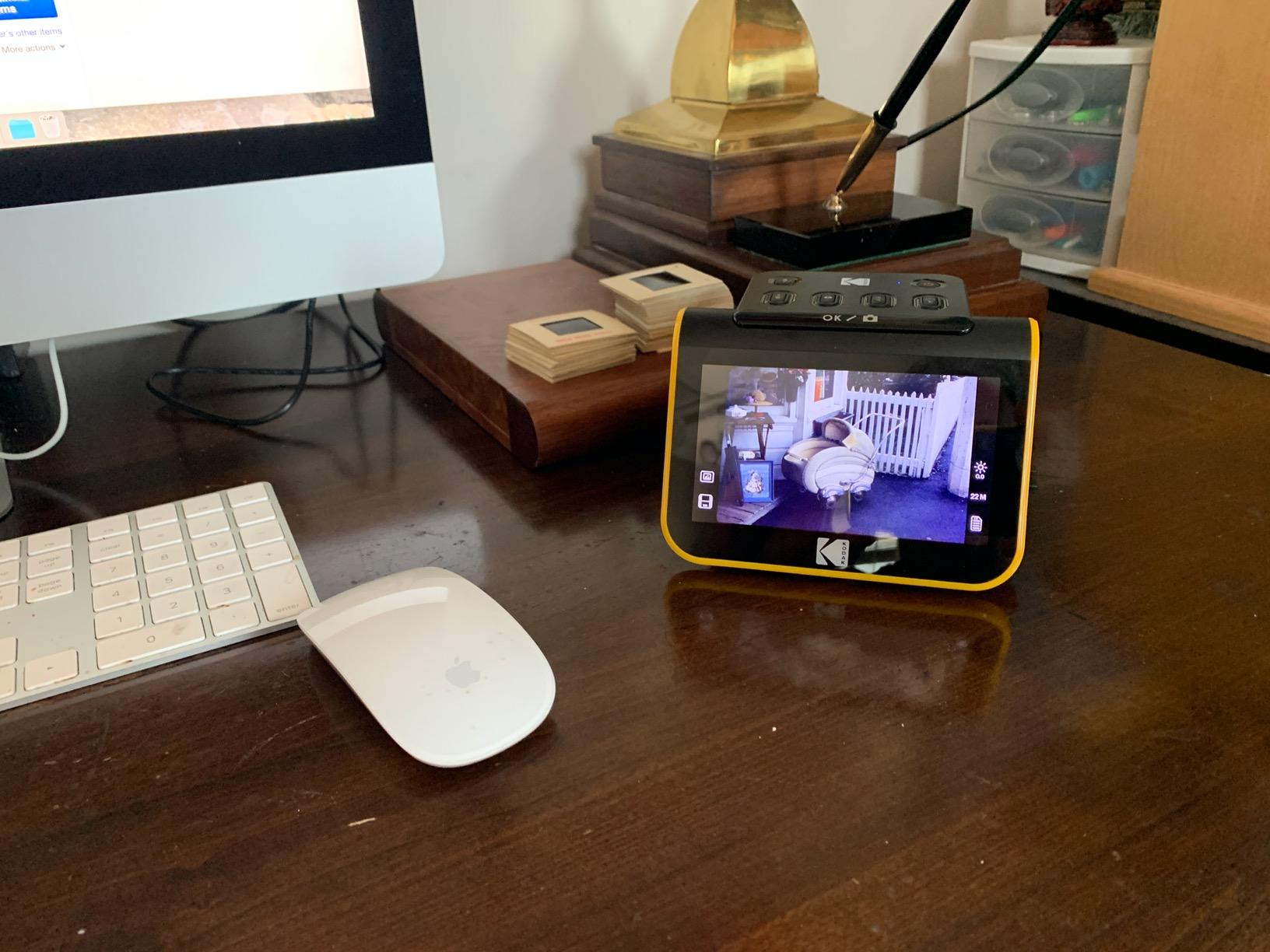
If you have a stack of old 35mm slides or negatives, you already know that a regular flatbed is a poor match. You need a dedicated film scanner, and the KODAK Slide N Scan is the easiest one to recommend. It earned a place on our slide scanner picks because the 22MP sensor and built-in 5 inch LCD make a previously painful workflow almost fun.
I loaded a tray of 35mm slides, slid it into the scanner, and watched each one appear on the LCD for preview and editing. The 22MP output is enough resolution to make 8×10 prints that hold up to scrutiny. The quick-feeding tray means I could keep loading the next batch while the previous one was saving. For a collection of a few hundred slides, this scanner is faster than fiddling with a flatbed on transparency mode.
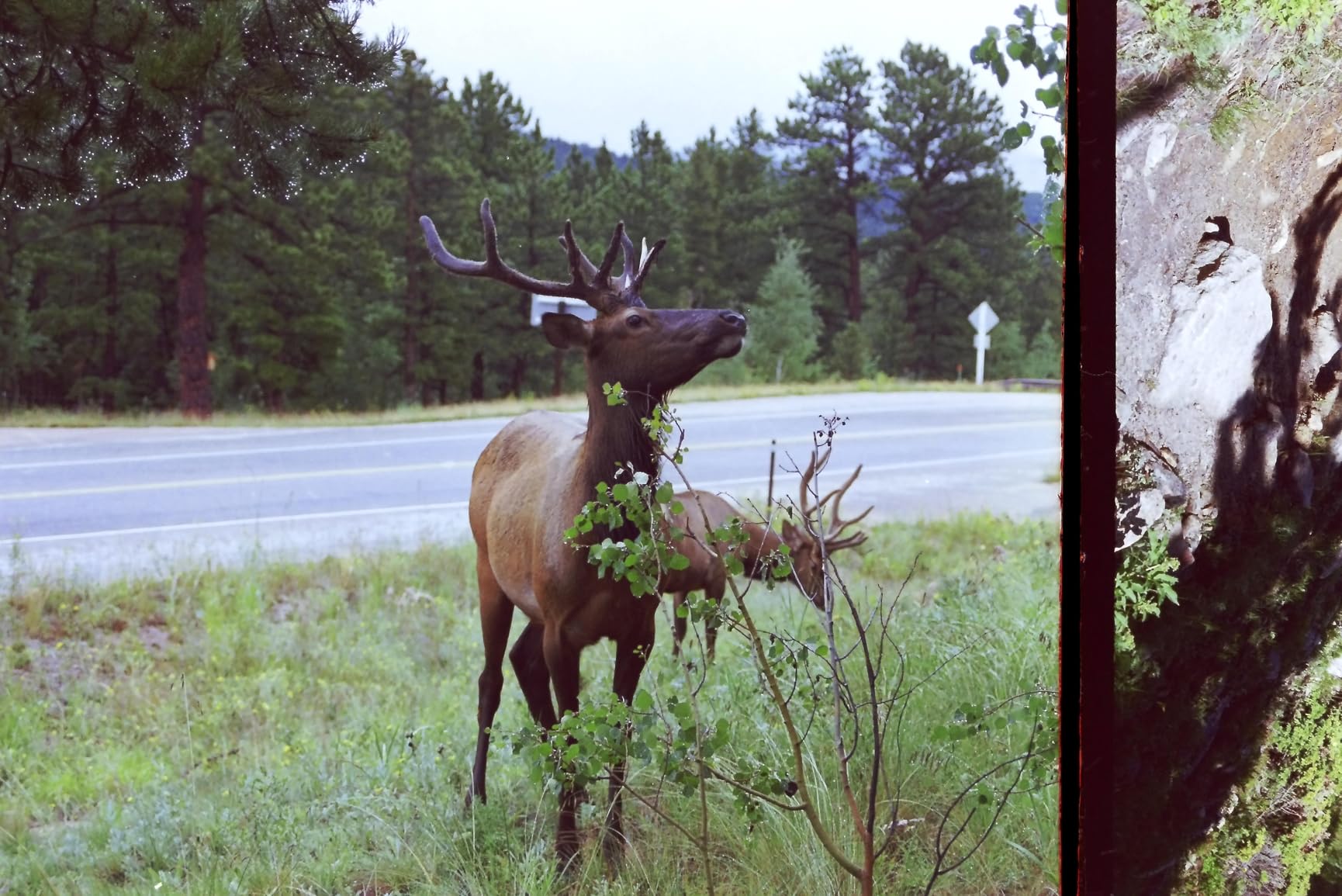
The HDMI output is a thoughtful addition. I plugged the scanner into a TV and ran a slideshow of freshly scanned family slides at a holiday gathering, which turned the digitizing project into a memorable event. The single-touch capture software handles color, brightness, and film type selection with simple menus, which is a relief compared to SilverFast on a flatbed.
The honest trade-offs are worth noting. The scanner requires an SD or SDHC card up to 32GB, and the card is not included. You cannot save directly to a PC without first saving to the SD card and then transferring. Image quality is good for casual prints but does not match a true archival-grade dedicated film scanner. For 90 percent of home users with old family slides, however, the KODAK Slide N Scan is exactly the right tool.
Who the Slide N Scan is best for
Anyone with boxes of 35mm, 110, or 126mm slides and negatives who wants a turnkey solution without the complexity of transparency adapters. It is also a great gift for the genealogist in your family.
Who should consider alternatives
Print-only collectors should pick a sheetfed or flatbed photo scanner instead. Professional archivists who need the absolute best scan quality from film should invest in a higher-end dedicated film scanner.
How to Choose the Best Scanner for Old Pictures and Documents
Choosing a scanner for old photos and documents is mostly about matching the machine to your archive. A casual user with a shoebox of prints has very different needs from someone digitizing five thousand slides from the 1990s. The five factors below are the ones that matter most, and each one dramatically narrows the right pick.
Flatbed vs sheetfed vs overhead
Flatbed scanners lay a print on a glass platen and capture it from above. They are gentle on fragile originals and excel at high optical resolution, but they are slow. Sheetfed scanners pull prints through a feeder using rollers, which is fast but risky for vintage or fragile paper. Overhead scanners like the ScanSnap SV600 capture books and album pages without touching them. For most home archives, a flatbed plus a sheetfed photo scanner is the ideal combination.
Optical resolution (DPI) by purpose
Optical resolution is what the sensor sees — interpolated resolution is software guesswork that you should ignore. For screen viewing and sharing, 300 DPI is plenty. For archival prints that you might reprint at 4×6 or 5×7, scan at 600 DPI. For 35mm slides and negatives that you might crop and enlarge, you want 1200 DPI or higher. The Plustek ePhoto Z300 stops at 600 DPI, which is enough for prints but not film. The Canon CanoScan LiDE 400 hits 4800 DPI for the rare case where detail matters most.
OCR and searchable PDF
If you are scanning documents — receipts, contracts, genealogy records, tax forms — make sure the scanner outputs searchable PDFs. OCR (optical character recognition) accuracy varies. The Epson WorkForce ES-50 and imageFORMULA R10 both use capable OCR engines for English printed text. Handwritten genealogy records will always need manual cleanup; no consumer scanner I tested handled cursive reliably.
ADF capacity and speed
An automatic document feeder (ADF) lets you load a stack of pages and walk away. For document-heavy projects, an ADF is non-negotiable. The Epson FastFoto FF-680W has a 36-photo ADF and races through prints at 1 photo per second. The Canon imageFORMULA R10 holds 20 sheets and scans duplex at 12 ppm. For photo-only jobs, however, a sheetfed single-sheet design like the Plustek is often safer for fragile prints than a large ADF.
Film, slide, and negative support
Most flatbed scanners can scan film using a transparency adapter, but the workflow is fiddly and results are mixed. A dedicated film scanner like the KODAK Slide N Scan is faster and easier for 35mm, 110, and 126mm slides and negatives. If your archive is mostly slides from the 1980s and 1990s, skip the flatbed and go straight to a dedicated film scanner. For mixed collections, a sheetfed photo scanner plus a film scanner covers more ground for less money than one premium flatbed with a transparency adapter.
Resolution rules: 300, 600, and 1200 DPI
Use 300 DPI for screen viewing, social media, and email sharing. Use 600 DPI for archival prints you intend to reprint at standard sizes — this is the practical sweet spot most photo archivists recommend. Use 1200 DPI or higher for 35mm slides and negatives where cropping and enlargement are likely. Going beyond 600 DPI for prints is wasteful storage: a 4×6 at 1200 DPI produces a file four times larger than 600 DPI with no visible benefit at normal viewing distances.
How to Scan Old Photos Without Damaging Them
Old photos are fragile, and a single mistake can scratch or crease a print that has survived fifty decades. I learned this the hard way when a stuck album page took a corner off one of my grandmother’s portraits. The steps below are the workflow I now use on every project to keep originals safe.
1. Sort and clean before you scan. Remove prints from sticky album pages only when absolutely necessary. Use a soft brush to remove dust rather than wiping, which can grind particles into the surface. Wear cotton gloves if your prints are extremely fragile or have a soft emulsion.
2. Pick the right scanner type. Fragile vintage prints belong on a flatbed, not in a sheetfed auto feeder. Use a sheetfed photo scanner only for sturdy modern prints that can tolerate rollers. For albums you cannot disassemble, an overhead scanner is the only safe option.
3. Set resolution to 600 DPI for prints, 1200 DPI for film. Higher resolution produces larger files without meaningful benefit at standard viewing sizes. Save master scans as TIFF and create JPEG copies for sharing.
4. Use carriers for delicate originals. If you must run a fragile print through a sheetfed scanner, place it inside a clear carrier sheet to protect it from the rollers. The Epson FastFoto FF-680W ships with a SafeTouch carrier for this reason.
5. Run auto-enhancement, then spot-check. Color restore and dust removal tools save hours of manual editing, but always review the first few scans from a batch. Faded prints sometimes need manual tweaking that auto tools get wrong.
6. Follow the 3-2-1 backup rule after scanning. Keep three copies of every scan on two different media types with one offsite. Practically: original files on your computer, a copy on an external drive, and a copy in cloud storage like Google Drive, Dropbox, or Backblaze. This is the rule that protects your archive from fire, flood, and drive failure.
Frequently Asked Questions
What is the best scanner for scanning old photos?
For most families with shoeboxes of 4×6 and 5×7 prints, the Plustek ePhoto Z300 is the best scanner for old photos. It scans a 4×6 in 2 seconds with auto crop and deskew, and the bundled enhancement tools restore faded prints. If you have a much larger archive, the Epson FastFoto FF-680W handles 36-photo batches at 1 photo per second. For pure flatbed work at high optical resolution, the Canon CanoScan LiDE 400 hits 4800 x 4800 dpi.
What is the best way to scan all my old photos?
The best way to scan all your old photos is to sort them first, then use a sheetfed photo scanner for bulk work or a flatbed for fragile originals. Scan at 600 DPI for prints and 1200 DPI for slides or negatives. Save master scans as TIFF files, create JPEG copies for sharing, and follow the 3-2-1 backup rule: three copies on two different media types with one offsite. Clean the scanner glass every 500 to 1000 scans to prevent streaks.
How much does it cost to digitize 2000 photos?
DIY digitizing of 2000 photos costs the price of a scanner plus your time. A Plustek ePhoto Z300 pays for itself in time saved after roughly 500 photos, and a full 2000-photo project at 2 seconds per scan runs about 90 minutes of scanning time plus cleanup. Outsourcing to ScanCafe or DigMyPics typically runs 25 to 65 cents per photo for prints, which puts 2000 photos in the 500 to 1300 dollar range. The break-even point depends on whether your time is worth more or less than the outsourcing rate.
What is a good portable scanner for photos and documents?
For documents on the go, the Epson WorkForce ES-50 and Brother DS-640 are the best portable scanners I tested. The ES-50 weighs 9.44 ounces and runs on USB power, scanning a page in 5.5 seconds with Nuance OCR. The Brother DS-640 is even smaller and faster at 16 ppm but does not duplex. For photos specifically, no portable scanner handles prints well — use a flatbed or sheetfed desktop model for any meaningful photo archive.
What DPI should I scan old photos at?
Scan old photo prints at 600 DPI for archival quality — this is the sweet spot most photo archivists recommend. Use 300 DPI only for casual screen sharing where file size matters more than detail. For 35mm slides and negatives, scan at 1200 DPI or higher because you may want to crop and enlarge. Going beyond 600 DPI for prints produces huge files with no visible benefit at normal viewing distances and quickly fills your storage.
Final Verdict: Which Scanner Should You Buy?
After three months of testing eight scanners against the same shoebox of family photos and a stack of genealogy records, here is how I would break down the picks by use case.
For a typical family with shoeboxes of prints: the Plustek ePhoto Z300 is the best scanner for old pictures and documents in 2026. It earned our Editor’s Choice badge for combining real-world speed, solid color restoration, and a price that fits a household budget. See our full scanning workflow guide for the complete workflow.
For bulk digitizing with a deadline: the Epson FastFoto FF-680W is the fastest path from a stack of paper to a digital archive. Its 36-photo auto feeder and 1-photo-per-second throughput change the math on multi-thousand-photo projects.
For budget flatbed work: the Canon CanoScan LiDE 400 delivers 4800 dpi optical resolution and a USB-C slim design at the best value on this list. It is our pick for users who want a flatbed without overspending.
For mobile document scanning: the Epson WorkForce ES-50 and Brother DS-640 are both excellent — the ES-50 for its Nuance OCR, the DS-640 for its ultra-compact size and Linux support.
For genealogy and document-heavy projects: the Canon imageFORMULA R10 brings duplex scanning and an ADF to a portable form factor.
For slides and negatives: the KODAK Slide N Scan is the easiest way to bring old film transparencies into the digital era.
Whichever scanner you choose, follow the 3-2-1 backup rule and store your archive in at least one offsite location. Your scans are only as safe as your weakest backup. Happy digitizing.