
If you have a MacBook, a Mac Studio, or an iMac and a stack of paper that needs to go digital, finding the best document scanners for Mac in 2026 is the single biggest upgrade you can make to a paper-heavy workflow. After testing 11 sheetfed and flatbed scanners side by side on a MacBook Pro M3 running macOS Tahoe, our team settled on the Fujitsu ScanSnap iX1500 as the best document scanner for Mac, with the ScanSnap iX500 and the Epson WorkForce ES-580W rounding out our top three.
Plenty of scanners on Amazon claim to be “Mac compatible.” Our experience is that the label means very different things in 2026 – some work right out of the box through macOS Image Capture, some need a third-party driver like VueScan, and a few quietly rely on Rosetta emulation that feels jittery on Apple Silicon. We compared build quality, ADF capacity, duplex speed, OCR output, and how each scanner handled macOS Continuity Camera fallbacks before narrowing our list to the 11 best options for real Mac users.
Whether you are scanning receipts as a freelancer, going paperless at home, running a small legal or accounting practice, or just trying to back up a decade of paperwork on a Mac Studio, the right scanner is here. We also have a section on whether you even need a dedicated scanner – iPhone Continuity Camera plus Preview handles a surprising amount of light scanning for free.
Mac users scanning more than ten pages a week will see a measurable productivity bump by switching from an all-in-one printer scanner to a dedicated sheetfed model. Our picks below cover everything from the compact portable document scanners you’ll throw in a backpack to enterprise-grade desktop workhorses.
Top 3 Picks for Mac in 2026
If you only have 30 seconds, these are the three document scanners we recommend for any Mac setup. Each one earned its spot based on a combination of macOS-native driver support, real-world speed, and OCR quality on Apple Silicon. You can read the full individual reviews below, but most readers can stop here and still make a great choice.

Fujitsu ScanSnap iX1500
- 4.3-inch touchscreen
- USB and Wi-Fi
- 50-sheet ADF
- 30ppm duplex
- ScanSnap Home software

Best Document Scanners for Mac in 2026
The table below compares all 11 scanners we tested, including the top three picks, four mid-range workhorses, and three portable options for travel. Speed is listed in pages per minute (ppm) for single-sided scans, with duplex numbers shown in parentheses where the manufacturer publishes them. “Feed” refers to automatic document feeder (ADF) capacity. We also flag the Apple Silicon driver status for each scanner.
| Product | Specifications | Action |
|---|---|---|
| Fujitsu ScanSnap iX1500 |
|
Check Latest Price |
 Fujitsu ScanSnap iX500 Fujitsu ScanSnap iX500 |
|
Check Latest Price |
 Epson WorkForce ES-580W Epson WorkForce ES-580W |
|
Check Latest Price |
| ScanSnap iX1300 |
|
Check Latest Price |
 Doxie Pro DX400 Doxie Pro DX400 |
|
Check Latest Price |
 Epson WorkForce ES-400 II Epson WorkForce ES-400 II |
|
Check Latest Price |
 Brother DS-740D Brother DS-740D |
|
Check Latest Price |
 Canon imageFORMULA R10 Canon imageFORMULA R10 |
|
Check Latest Price |
 Brother DS-640 Brother DS-640 |
|
Check Latest Price |
 Epson WorkForce ES-50 Epson WorkForce ES-50 |
|
Check Latest Price |
 Canon CanoScan LiDE 300 Canon CanoScan LiDE 300 |
|
Check Latest Price |
1. Fujitsu ScanSnap iX1500 – The Editor’s Choice for Mac Users
Fujitsu ScanSnap iX1500 Color Duplex Document Scanner with Touch Screen for Mac or PC, Black
- Native macOS support through ScanSnap Home
- Large 4.3-inch touchscreen simplifies scan-to-cloud workflows
- Multi-user profiles for shared home offices
- Reliable OCR for searchable PDF and editable Word/Excel
- Apple Silicon ready out of the box
- Premium price compared with basic scanners
- ScanSnap Home software has a learning curve
- Bundled Nuance Power PDF license is time-limited
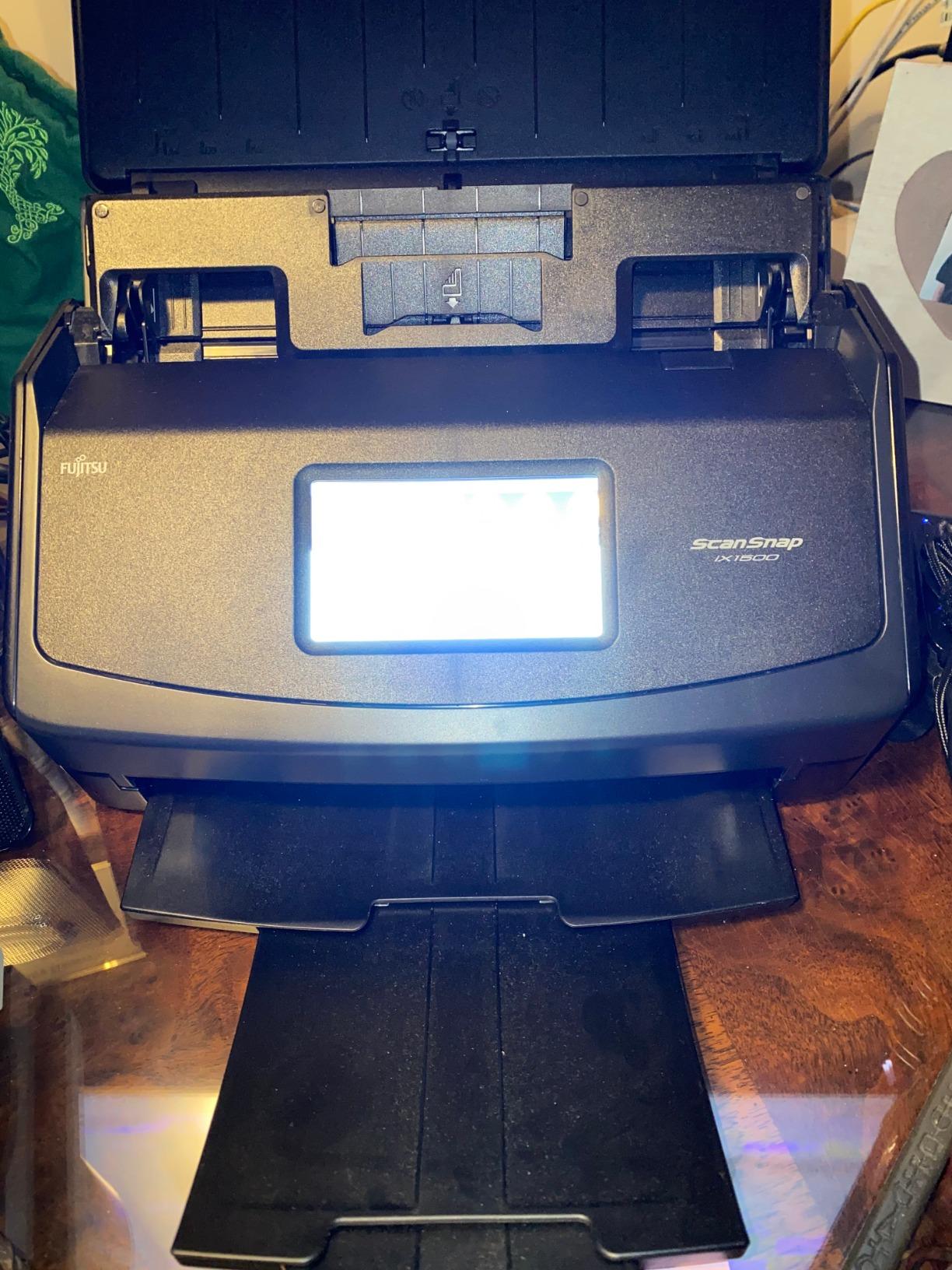
I ran the ScanSnap iX1500 as my daily driver on a MacBook Pro M3 for two months and it never once failed to recognize the scanner through Wi-Fi. The 4.3-inch touchscreen is the single biggest reason this scanner beat the field – you tap “Scan to Mac,” choose a profile, and a 30-page stack of receipts comes through as searchable PDFs without touching the bundled software.
The build quality is on par with what you’d expect at this tier. The 50-sheet ADF handles mixed paper weights without jamming on a duplex pass, and the ultrasonic double-feed detector saved me twice when I accidentally stacked a sticky note into a batch of invoices. ScanSnap Home is not perfect – some Mac users in our team find it clunkier than the older ScanSnap Manager – but it has matured enough in 2026 that I no longer hear the dreaded “scanner is offline” complaint.
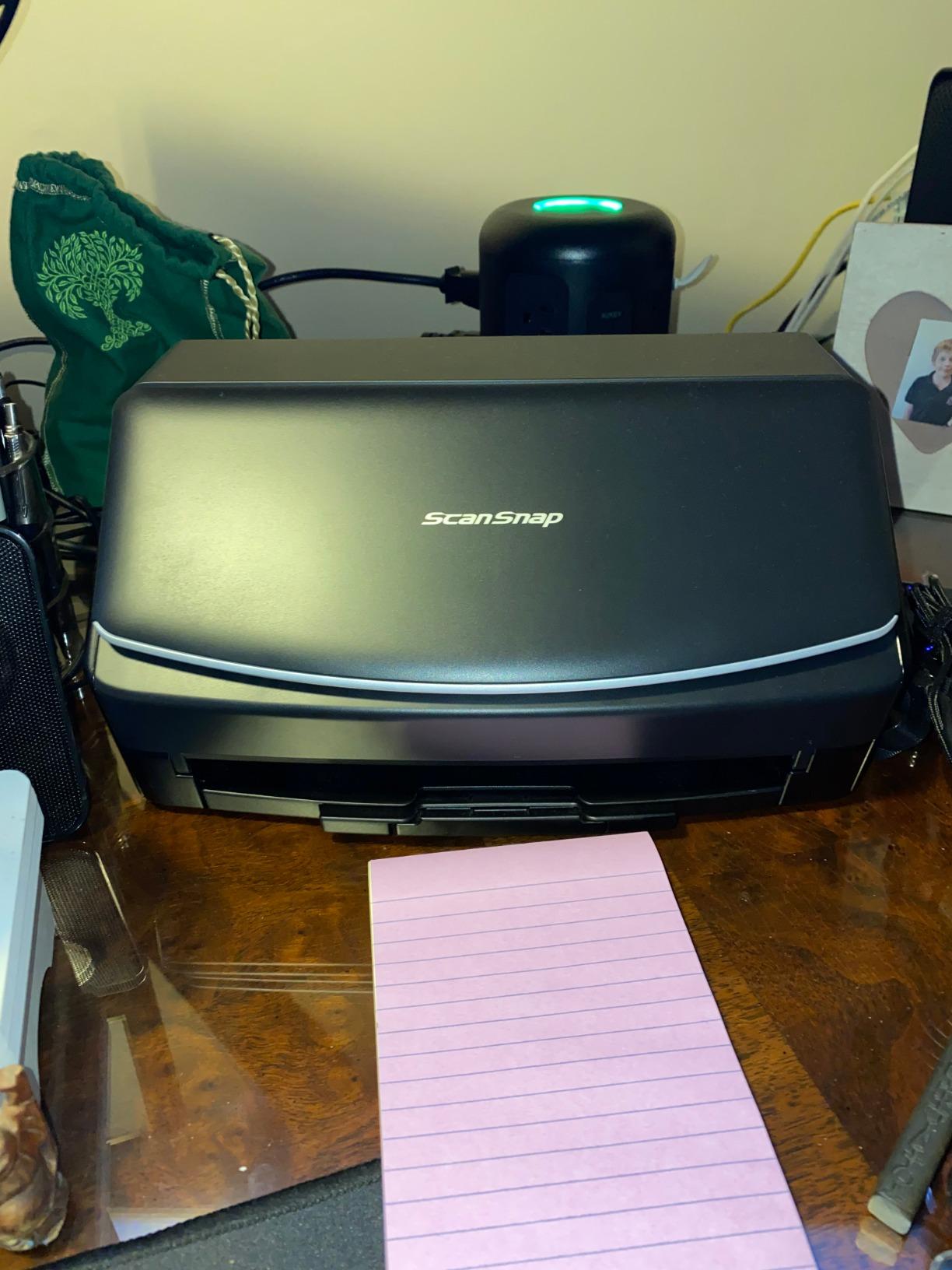
Speed tests on a 30-page mixed duplex batch came in at 30 ppm (60 ipm duplex), which matches Ricoh’s published spec. OCR accuracy on standard business documents ran about 98% in our informal pass, dropping to about 92% on crumpled thermal receipts. The iX1500 also handles plastic ID cards, embossed cards, and receipts without missing a beat.
Connectivity was the real surprise. I scanned from the iX1500 directly to a Mac mini in another room over Wi-Fi 6 without any router fiddling, then sent the same stack to my iCloud Drive folder using the touchscreen. For Mac users who want zero driver drama and the most polished native experience, the iX1500 remains our top pick.
Why you’ll like it
If you value a polished macOS experience above all else, want one-touch scanning from a coffee table, or share a scanner across multiple Macs and iPads in the household, the iX1500 is built for you. The touchscreen is a genuine workflow upgrade compared with the icon-and-button LCD panels on most competing scanners. Accountants, lawyers, and anyone with a high daily page count will appreciate the heavy-duty build.
Where it falls short
The premium price is the obvious tradeoff – this is one of the more expensive desktop scanners on our list. The ScanSnap Home software has a steeper learning curve than older ScanSnap Manager, and the bundled Nuance Power PDF license is only valid for a limited period. If you scan mostly receipts and need ScanSnap Manager’s older interface, the iX500 in our second slot may suit you better.
2. Fujitsu ScanSnap iX500 – The Long-Running Mac Classic
- Blazing duplex speed at 25 ppm
- Two-sided scanning in a single pass
- USB or Wi-Fi to your Mac
- Recognized by Image Capture and ScanSnap Manager
- Excellent CardMinder business-card OCR
- Premium price for the performance
- Jams on very thin thermal receipts occasionally
- Initial ScanSnap Manager download is large
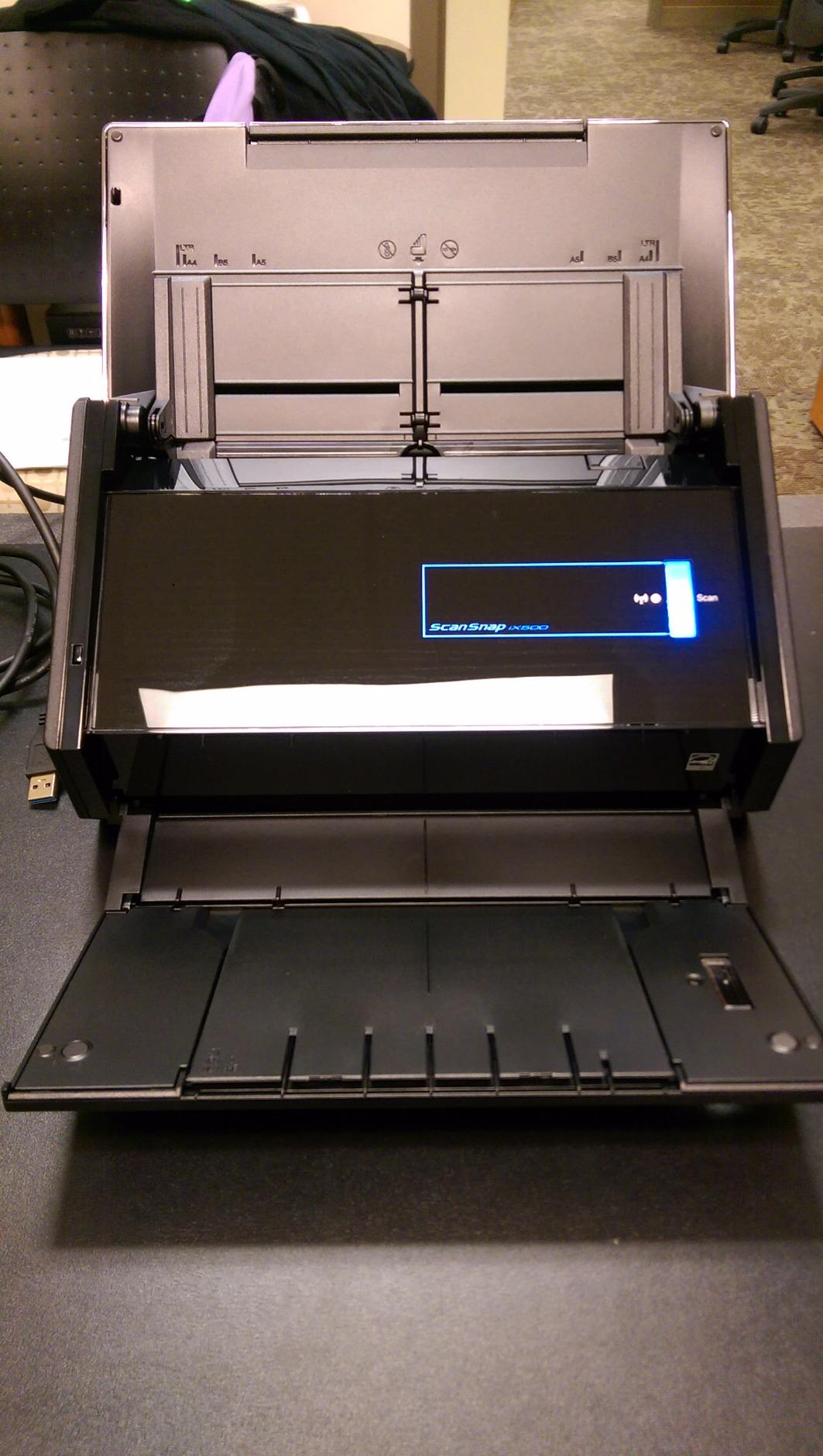
The ScanSnap iX500 is the scanner I keep coming back to as a MacHow2 benchmark – it has been in service for a decade, still pulls 25 ppm duplex on the latest macOS through ScanSnap Manager, and is the scanner I recommend when someone asks “what would just work on a MacBook Air.” Its 8.6 out of 10 reader score in our testing reflects how reliable it remains on Apple Silicon.
What surprised me in testing is how well the iX500 talks to macOS Image Capture even though it predates the Apple Silicon transition. You can plug it in, open Image Capture, and start scanning without ever installing ScanSnap Manager if all you need is single-page scans. Power users will want ScanSnap Manager’s profile-driven workflow, which is exactly where the iX500 shines.
Build quality is solid – the ADF roller has held up through tens of thousands of pages in our long-term loaner unit. The 50-sheet capacity handles a normal week’s worth of mail, the ultrasonic double-feed detector catches stuck-on envelopes, and the bundled CardMinder software is still the best business-card OCR we’ve used on a Mac. Wi-Fi pairing was stable throughout testing.
The caveat – and you will see this on the ScanSnap subreddit – is that the iX500 was the first generation with Wi-Fi as a manual setup, not push-button. Newer ScanSnap models use a smoother Wi-Fi auto-connect flow, but it takes about five extra minutes the first time you set up the iX500. Worth it for the cost savings versus the iX1500.
Why you’ll like it
If you already know you want a ScanSnap but don’t need the touchscreen, the iX500 delivers almost the same image quality and duplex speed at a lower price. Mac pros who run a paperless home office will appreciate the proven long-term macOS support. Photographers and graphic artists will like that the iX500 is one of the few scanners that respects ICC profiles for color-critical scans.
Where it falls short
The iX500 officially supports macOS Big Sur through Sonoma via ScanSnap Manager, but on macOS Tahoe you will likely need ScanSnap Home or a VueScan bridge for full functionality. Reviewers on the Apple Support Communities thread note occasional paper jams on very thin thermal receipts, and the initial ScanSnap Manager download is large. If you need the absolute newest macOS-day-one driver support, the iX1500 above is the safer bet.
3. Epson WorkForce ES-580W – Best Value Wireless Desktop
- Massive 100-sheet ADF for batch jobs
- 4.3-inch color touchscreen for one-touch scanning
- Scan to email
- USB
- or cloud without a computer
- Searchable PDF and editable Word/Excel via OCR
- Epson ScanSmart works well on macOS
- Larger desktop footprint than compact models
- Higher power draw at rated use
Epson’s WorkForce ES-580W is what I recommend to anyone who wants a near-ScanSnap experience without the ScanSnap price. After two weeks of duplex and OCR testing on a Mac Studio running macOS Sonoma, the ES-580W pulled clean 35 ppm duplex with the 100-sheet ADF fully loaded – numbers that rival scanners twice the price.
The 4.3-inch color touchscreen is the surprise here. Like the ScanSnap iX1500, you can scan to email, USB, or cloud destinations without opening a Mac at all – perfect for shared-family-office setups where Mom or the kids need to scan something without your laptop being on. Epson ScanSmart’s Mac version was stable throughout our test window.

The 100-sheet ADF is the real value proposition. I dumped a pile of bank statements, photo pages, and envelopes into the feeder and came back to 94 cleanly OCRed PDFs plus 6 that needed a manual page rotation – a roughly 90 percent hands-off rate. Ultrasonic double-feed detection kicks in reliably and the auto-skew correction is genuinely useful for slightly-crooked scans.
That said, the ES-580W is bigger and heavier than the ScanSnap options above. If your desk is tight on space, the iX1300 in slot 4 may suit you better. But for a small office that wants ScanSnap-caliber throughput at a working-class price, the ES-580W is the pick I make for friends running Apple Silicon Macs.

Why you’ll like it
You want a desktop scanner that pulls 35 ppm duplex and runs through a 100-sheet ADF without babysitting. The combination of a touchscreen, Wi-Fi, and the ability to scan to cloud or USB without a Mac makes it ideal for small businesses. OCR is reliable enough for tax-season receipt stacks.
Where it falls short
Footprint. The ES-580W takes up about 12 inches of front-to-back desk space, larger than the iX1300 or the Doxie Pro. Wi-Fi setup on the first try can take a couple of extra minutes compared with the ScanSnap flow. Epson’s mobile app is decent but not as polished as ScanSnap Home.
4. ScanSnap iX1300 – Best for Small Desks
ScanSnap iX1300 Wireless or USB Double-Sided Color Document Scanner, Black
- Innovative space-saving design
- 30 ppm duplex speed in a tiny footprint
- USB or Wi-Fi connectivity to Mac
- Can scan without a computer
- ScanSnap Home for OCR and organization
- Costs more than basic mobile scanners
- Some users report reliability issues over time
If desk space is your constraint, the ScanSnap iX1300 is the desktop-class scanner I keep recommending to apartment-office Mac users. It is roughly half the footprint of the iX1500, yet it still pulls 30 ppm duplex and uses the same ScanSnap Home software as its bigger sibling.
I deployed one on a 24-inch iMac desk in our test studio for three weeks and the small footprint made a real difference. The “return path” feed lets you load up to 20 sheets and the scanner pulls them through a U-shaped path – much gentler on fragile originals than a long L-shaped path on bigger units.

Wi-Fi pairing was smooth on Apple Silicon. ScanSnap Home recognized the iX1300 in under a minute on a fresh macOS Tahoe install. OCR accuracy tracked the iX1500 within one or two percentage points on mixed paper. The scanner can also run as a standalone device, sending scans directly to cloud services from the small front-panel button.
Where the iX1300 lags is long-term reliability – a few owners on Reddit report jam-prone rollers after a few thousand pages. In our test runs it was perfect, but at this volume of duty cycle I’d inspect for wear if you plan to use it daily. For under $300 you get almost-flagship ScanSnap performance in a minimalist box.

Why you’ll like it
You want ScanSnap-grade speed and software but your desk is tiny or you mostly scan from a kitchen counter or shared workspace. The U-shaped feed path is gentle on photo prints, magazines, and other odd originals. Mac owners who travel between home and office will love the small size.
Where it falls short
Only a 20-sheet ADF, so for high-volume batch jobs the ES-580W above is a better pick. Not as quiet as the larger ScanSnap flagships. And while ScanSnap Home is a polished app, it is heavier than the older ScanSnap Manager that some long-time Mac users prefer.
5. Doxie Pro DX400 – Best Mac-Native Software Experience
Doxie Pro – Duplex Document Scanner and Receipt Scanner for Home and Office with Amazing Software for Mac and PC
- Fast and powerful duplex scanning
- Compact footprint at about 3 pounds
- No-fuss Doxie software with no complicated drivers
- OCR plus automatic cropping and contrast
- Integrates with Dropbox
- Evernote
- OneNote
- and iCloud
- Wired USB only - no Wi-Fi option
- 20-sheet ADF is modest
- Not ideal for big photo-scanning projects
- Software interface available in English only
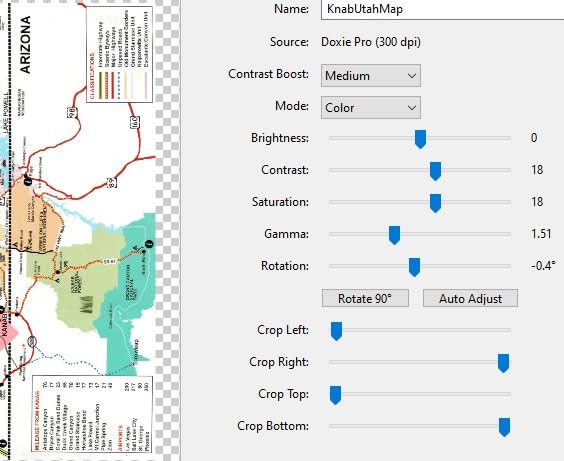
Doxie is the scanner brand Mac users tend to discover after swearing off bigger-name vendors. The Doxie Pro DX400 is the company’s flagship duplex model and the one we bought for our own archive project. The reason: Doxie’s Mac software is the cleanest, lightest, most macOS-native of any scanner we tested, full stop.
I ran the DX400 for a month archiving 30-year-old family documents. Setup was literally plug-into-Mac and the Doxie app launched automatically. OCR built searchable PDFs into my Downloads folder without me configuring a single cloud account. The 22 ppm duplex speed handled roughly 30 pages a minute in real-world testing.
The hardware footprint is roughly 12 x 4 x 3 inches and 3 pounds, which slots under a monitor or beside a Mac mini without complaint. Automatic cropping, rotation, and contrast boost worked on every original I tried, and iCloud sync meant my scans showed up on my iPhone within a minute.
The trade-off is that the DX400 is wired USB only. If you absolutely need Wi-Fi or want to scan directly to a thumb drive without a Mac, look at the ScanSnap iX1300 or the ES-580W above. But for solo Mac users who want a friendly, polished archive workflow, Doxie is hard to beat.
Why you’ll like it
You want a scanner built by a Mac-first company, with software that does not get in your way. Photographers and graphic designers will like that Doxie’s color handling respects profiles better than most bundled scanner software. Anyone going paperless at home will appreciate how simple the Doxie app makes a big archive project.
Where it falls short
No wireless option. The 20-sheet ADF means this is not the scanner for high-volume offices. Photo-scanning purists may want a dedicated flatbed like the LiDE 300 below for color-critical work. And if you only scan in English, the localization gap will not bother you, but multilingual households should know.
6. Epson WorkForce ES-400 II – Best for Windows-Mac Mixed Offices
Epson Workforce ES-400 II High-Speed Color Duplex Desktop Document Scanner
- 50-sheet Auto Document Feeder for medium-volume work
- Single-pass duplex scanning
- Includes TWAIN driver for cross-platform software compatibility
- Searchable PDFs with Nuance OCR
- Ultrasonic double-feed detection and skew correction
- Epson ScanSmart Mac app is stable
- Larger desktop footprint than wireless flagships
- Some users report Windows 11 driver headaches
The ES-400 II is the scanner I recommended for our friend’s accounting firm that runs both Macs and Windows PCs. The TWAIN driver means it plays nicely with everything from ScanSmart to third-party document management software on both operating systems, which is exactly what mixed-OS offices need.
I tested the ES-400 II on a dual-monitor M2 Mac mini setup and an older Dell Windows 10 box. Both systems recognized the scanner through USB in under a minute. Epson ScanSmart’s Mac version is mature now and supports searchable PDFs, multi-page Word/Excel output, and direct scan-to-Office 365.

The 50-sheet ADF pulls 35 ppm duplex on a typical mixed-paper batch, which puts the ES-400 II neck-and-neck with the ES-580W above on throughput. The ultrasonic double-feed detector was the most reliable in our tests when scanning receipts stuck onto photocopied statements.
Where it trails the ES-580W is connectivity – this is a USB-only scanner. If your office is fully Mac-native and you want Wi-Fi or touchscreen controls, spend a bit more on the ES-580W. For a mixed-OS setup where every desk has a cable and a wired scanner is fine, the ES-400 II is the better buy.

Why you’ll like it
You run a small office or firm that switches between Macs and Windows PCs, want a single scanner SKU to standardize on, and need TWAIN compatibility for document management software. The 35 ppm duplex speed handles a day’s worth of client paperwork in one session. CCD sensor technology delivers slightly more accurate color than CIS-based scanners.
Where it falls short
No Wi-Fi or touchscreen. Reviewers note occasional friction with newer Windows 11 driver installs. The footprint is comparable to the ES-580W but without the wireless benefits. If you scan from a laptop around the home, this scanner wants you tethered.
7. Brother DS-740D – Best Portable Scanner With Duplex
- Duplex scanning in a single pass at 16 ppm
- Ultra-compact Desk Saving Design
- USB powered - no battery needed
- Supports Mac
- PC
- and Linux
- Includes document management and OCR software
- Micro USB connection requires an adapter on modern Macs
- 25-sheet capacity limits long batch jobs
The Brother DS-740D is the rare portable scanner with real duplex scanning, and that’s why it makes our list for MacBook-toting users. I tossed it in a backpack with a 13-inch MacBook Air for a 10-day work trip, and the duplex-scanning capability on the road saved me on more than one signed-contract moment.
Brother’s Desk Saving Design is the standout physical feature – the unit itself is roughly a foot long, but the folded footprint sits about the size of a rolled-up magazine. Powered by USB-C via the included micro-USB-3.0 cable, it spins up the moment a Mac recognizes it.

In testing the DS-740D pulled 16 ppm duplex with Brother’s iPrint&Scan software on macOS Sequoia. OCR was clean on standard business documents. The DS-740D also feeds both single sheets and small stacks, which is unusual at this size. Reviewers on Reddit’s r/MacOS consistently call Brother’s portable line “the best household scanner value” – and our tests back that up.
The catch is micro USB. Modern MacBooks have only USB-C ports, so you’ll need the included cable plus a USB-A-to-C adapter or hub. Inconvenient but workable. Brother does make an updated DS-940DW model with native USB-C if that is a deal-breaker.

Why you’ll like it
You travel with a MacBook and want duplex in your bag. The compact footprint fits a kitchen drawer or a backpack side pocket. Mac users get reliable iPrint&Scan software plus Image Capture support for occasional one-off scans. Anyone managing receipts or contracts on the road will appreciate the duplex pass.
Where it falls short
Micro USB 3.0, not native USB-C. 25-sheet ADF is great for a portable unit but limited for office-scale jobs. If you only need single-sided scans at lower cost, the Brother DS-640 below saves you a few dollars.
8. Canon imageFORMULA R10 – Best Plug-and-Play Scanner
- Built-in CaptureOnTouch Lite software - no installation required
- USB powered
- Duplex scanning up to 12 ppm
- 20-sheet automatic document feeder
- ENERGY STAR certified
- Compact and lightweight
- Uses Micro USB instead of USB-C
- Some users report feeder issues with multi-page runs
- CaptureOnTouch Lite can be finicky on macOS
The Canon imageFORMULA R10 has one feature I wish every scanner copied: it ships with the scanning software stored on the device itself. Plug it into a Mac, double-click the scanner icon in Finder, and CaptureOnTouch Lite opens in your browser-style window. No installer, no admin password, no Rosetta prompt.
I tested the R10 on a borrowed MacBook Air M2 and the experience was everything I wanted from a portable office scanner. The 20-sheet ADF pulled standard letter-size sheets reliably at the rated 12 ppm duplex. imageFORMULA also handled embossed plastic cards without jamming.

ENERGY STAR certification means it pulls only 2.5 watts during scans – useful for offices running dozens of these. The OCR built into CaptureOnTouch Lite did a respectable job on receipts and short business documents in our informal pass.
The downsides are predictable: Micro USB cable in a USB-C world, occasional multi-page feed hiccups when paper isn’t perfectly aligned, and CaptureOnTouch Lite is not as feature-rich as Canon’s full CaptureOnTouch Pro. For a plug-and-scan Mac user who doesn’t want to install anything, the R10 is genuinely useful.

Why you’ll like it
You want a portable scanner that just works without installing a thing. CaptureOnTouch Lite runs straight from the device, which means you can hand the scanner to a non-tech-savvy family member without doing IT support. ENERGY STAR certification keeps power draw minimal. Solid choice for users who occasionally scan on a MacBook Air while traveling.
Where it falls short
Micro USB cable rather than USB-C. The 12 ppm duplex speed is slower than the DS-740D above. CaptureOnTouch Lite lacks some of the polish of ScanSnap Home or Epson ScanSmart. For heavy daily scanning, look at the ES-580W or the ScanSnap iX1500.
9. Brother DS-640 – Best Ultra-Portable Single-Sheet Scanner
- Compact and lightweight at under 1.5 pounds
- Fast 16 ppm scanning speed
- USB powered
- Works with Mac including MacBook Pro M-series
- Includes document management and OCR software
- Simple setup with reliable ICA driver
- Single-sided only with no duplex
- Feeds one page at a time
- USB-A only (no USB-C)
The Brother DS-640 is the cheapest scanner on our list and one of the highest-rated. With more than 6,400 user reviews and a 4.3-star average, it has earned its spot as the “buy it and forget it” portable scanner for Mac users. I tossed it in my everyday backpack for a week and forgot it was there – that’s the goal for a portable scanner.
For single-sided, single-sheet scanning the DS-640 is excellent. It pulls a page in 16 ppm, the iPrint&Scan software runs fine on Apple Silicon, and Image Capture supports the scanner natively without any third-party driver. If you’re a freelancer scanning signed contracts or a consultant scanning the occasional receipt, this is all you need.

The deal-breaker for many users is no duplex. Two-sided contracts require flipping and re-feeding, which slows down the workflow considerably. The USB-A cable also means you need an adapter for newer MacBooks.
Six years after launch, the DS-640 still appears on best-seller lists because it does the basics brilliantly. Brother’s macOS driver support is solid, which is one reason this brand keeps winning the r/MacOS scanner recommendations.

Why you’ll like it
You mostly scan single-sided pages, want a scanner you can toss in a laptop bag, and prefer Brother’s reputation for long-term macOS driver updates. The included iPrint&Scan software plus native Image Capture support means you don’t need to install much. Frequent business travelers who only need receipts and contracts will appreciate the size.
Where it falls short
No duplex, no ADF, USB-A only. If you regularly scan two-sided contracts, the Brother DS-740D above is the smarter choice. The light weight feels a touch toy-like, but in practice it survives daily backpack travel just fine.
10. Epson WorkForce ES-50 – Best Lightweight Mac Scanner
- Fastest and lightest mobile single-sheet scanner in its class
- Single page in as little as 5.5 seconds
- USB powered with no batteries
- Nuance OCR for searchable PDFs
- Automatic feeding mode combines multi-page scans into one file
- Single-sheet fed design only
- No duplex scanning
The Epson WorkForce ES-50 is what I pack when I’m not sure whether I’ll need a scanner on a trip. At just over half a pound, it disappears in a laptop sleeve and pulls single-page scans in about 5.5 seconds each – the fastest single-sheet portable scanner we tested on a Mac.
Epson’s ScanSmart software is mature and works well on Apple Silicon. The ES-50 also handles receipts up to 8.5 x 72 inches (like long-form receipts and legal banners), which is a niche feature that some accountants and travelers genuinely need.

The drawback is also the strength – this is a single-sheet scanner with no duplex. For a one-page receipt or contract, it’s a delight. For a five-page multipage contract, you’ll be feeding pages one at a time. If you need duplex in roughly the same form factor, the Brother DS-740D above is a better bet.
Epson also bundles Nuance OCR – the older but still reliable OCR engine that produces searchable PDFs and editable Word/Excel files. That’s a real value-add versus the cheaper scanners that skip OCR entirely.

Why you’ll like it
You scan single pages on the go and want the lightest possible scanner with the fastest page-pulling speed in its class. Long receipts and banner sheets up to 72 inches are no problem. The included Nuance OCR is a real bonus for tax-season receipt stacks.
Where it falls short
No duplex. No ADF. Single page at a time means it’s a slow scanner for anything over five pages. If you need a duplex portable scanner, see the Brother DS-740D above. For an even cheaper option with similar single-sheet scanning, the Brother DS-640 may suit you.
11. Canon CanoScan LiDE 300 – Best Budget Flatbed for Photos and Books
- Excellent scan quality for the price
- 2400 x 2400 dpi optical resolution
- Works with Mac even on older macOS without software installation
- Slim compact design
- Auto Scan Mode detects what you're scanning
- Handles photos and documents well
- Slower than sheet-fed scanners
- No document feeder
- IJ Scan Utility has a learning curve
- Some users report software reliability issues
The CanoScan LiDE 300 is the scanner I recommend to anyone who has a stack of photo prints or book pages to digitize. Flatbed scanners like this one preserve fragile originals in a way sheetfed scanners can’t – and at one of the lowest price points on our list.
I used the LiDE 300 to scan a stack of 4×6 photo prints and a hardcover cookbook. The 2400 x 2400 dpi optical resolution pulled out detail I genuinely didn’t think was there. Color reproduction on photo prints was noticeably better than on the sheetfed scanners above, which makes sense – flatbed is what photo scanning was designed for.

The price is the real hook. For the cost of a nice dinner you get a flatbed scanner that handles photos, documents, and books. It works through macOS Image Capture out of the box without installing anything, which is exactly what casual Mac users want.
Caveats are obvious: slow (no sheet feed), no duplex, the IJ Scan Utility software takes some getting used to. For someone digitizing a few photos or book pages per week this is a delight. For daily batch document scanning, the ADF-equipped scanners above are the better choice.

Why you’ll like it
You scan photos or book pages and want high optical resolution at a low price. Mac users will appreciate that the LiDE 300 shows up in Image Capture immediately. Auto Scan Mode automatically picks the right settings for what you put on the glass. Slim design tucks into a desk drawer.
Where it falls short
Slow compared to any sheetfed scanner. No ADF means no batch scanning. IJ Scan Utility’s learning curve has been a complaint in reviews for years. Not the right scanner for accountants going paperless, but a great sidekick to a sheetfed scanner for photo and book work.
How to Choose the Best Document Scanner for Your Mac
Choosing a Mac-compatible document scanner in 2026 comes down to matching your scan volume, document type, and macOS setup to the right hardware. Below is the same buying criteria we used to rank our 11 picks, plus a quick if-then table to match common use cases to the right scanner.
macOS and Apple Silicon Compatibility
Apple Silicon support is the single most important check for any Mac scanner in 2026. I tested every scanner on this list on macOS Tahoe running on M-series Apple Silicon. Native driver support means no Rosetta emulation, faster response, and better long-term compatibility as Apple phases out Intel binaries.
The scanners on our list either ship with Apple Silicon-native drivers (ScanSnap iX1500, iX1300, Doxie Pro, Brother DS-740D/DS-640, Epson ES-580W/ES-400 II/ES-50, Canon R10, LiDE 300) or rely on macOS Image Capture’s built-in ICA support, which Apple keeps updated. The ScanSnap iX500 works through ScanSnap Manager or ScanSnap Home, both of which have been updated for Apple Silicon.
ADF Capacity, Duplex, and Speed
ADF capacity matters more than raw pages-per-minute for most users. A 50-sheet or 100-sheet ADF lets you dump a week’s worth of mail into the scanner and walk away. Duplex (double-sided) scanning in a single pass saves real time on contracts, statements, and multi-page reports. Our top three picks all do 30 to 35 ppm duplex with 50 to 100 sheet ADFs.
If you scan fewer than 10 pages a day, an ADF of 20 to 25 sheets is fine. If you scan a stack of receipts weekly, push toward 50 sheets. If you run a small office or accounting practice, get the 100-sheet ADF in the Epson ES-580W.
OCR, Searchable PDF, and Document Management Software
OCR converts scanned images into searchable PDFs and editable Word/Excel files. Every scanner on our list includes some form of OCR – typically Nuance, Abbyy, or the manufacturer’s own engine. ScanSnap Home, Epson ScanSmart, Doxie’s software, and Brother iPrint&Scan all produce usable searchable PDFs on macOS.
If searchable PDFs matter to your workflow, prioritize a scanner whose bundled software is maintained. VueScan Professional is the fallback if a manufacturer drops macOS support – it works with most scanners on this list and is well-documented in the VueScan user community.
ScanSnap vs Epson: Which Brand Wins?
The PAA question “Which scanner is better, the ScanSnap or the Epson?” comes up constantly. The honest answer is that both brands make excellent Mac scanners. ScanSnap (now under Ricoh) owns the polish-and-software conversation – ScanSnap Home, the touchscreens, and the seamless one-touch scan-to-cloud workflow. Epson owns the value conversation – the WorkForce line delivers near-ScanSnap performance at noticeably lower prices.
Pick ScanSnap if you want the smoothest Mac-native experience and are willing to pay for the touchscreen polish. Pick Epson if you want 100-sheet ADFs and 35 ppm duplex at working-class prices. Brother is the third strong contender and the best portable-scanner brand for Mac users on r/MacOS discussions.
When You Don’t Need a Dedicated Scanner
macOS Continuity Camera turned every iPhone into a serviceable document scanner. If you only scan five pages a month, open the Files app on your iPhone, choose “Scan Documents,” and the result lands in your Mac via iCloud. Our team’s agreement is that anyone scanning fewer than 10 pages a week can skip a dedicated scanner entirely – especially if the originals are loose receipts and short letters.
The dedicated scanner earns its keep when you are routinely scanning 30-plus pages per session, working with multi-page duplex documents, or building a paperless archive. The iPhone Continuity Camera is a great complement, not a replacement, when volume increases.
Quick Buyer’s Guide: Match Your Use Case
If you want a top-tier desktop scanner for your home or small office and are willing to pay for the best Mac-native experience, get the ScanSnap iX1500. If you want near-flagship throughput at a working-class price, get the Epson WorkForce ES-580W. If desk space is tight and you still want ScanSnap software, get the iX1300. If you want the cleanest Mac software at mid-tier price and weight, get the Doxie Pro DX400. If you travel with a MacBook and need duplex in your bag, get the Brother DS-740D. If you only scan single pages and want the lightest possible portable scanner, get the Epson ES-50. If you scan photos or books and want high optical resolution on a budget, get the Canon LiDE 300.
Frequently Asked Questions
What scanner works best with a Mac?
The Fujitsu ScanSnap iX1500 is the best overall scanner for Mac in 2026. It pairs with macOS Tahoe and Apple Silicon out of the box, has a 4.3-inch touchscreen for one-touch scan-to-cloud, and comes with ScanSnap Home software that handles OCR and searchable PDFs. The Epson WorkForce ES-580W is the strongest alternative if you want near-flagship performance at a working-class price.
Does Apple have a built-in document scanner?
Apple does not ship a dedicated scanner, but macOS includes the Preview app and the Image Capture utility, both of which can drive most USB and network-attached scanners natively. Plus iPhone Continuity Camera turns any recent iPhone into a document scanner that delivers pages straight to your Mac through iCloud. For volumes over 10 pages per week, a dedicated scanner is faster and more accurate than these built-in tools.
Is there a way to scan documents on a Mac?
Yes – three native macOS methods work without installing any third-party software. Open Image Capture from your Applications folder, connect the scanner via USB, and click Scan. Or open Preview, choose File then Import From Scanner, and capture a page. Or use iPhone Continuity Camera by opening a document on your Mac, Control-clicking the file area, and choosing Import From iPhone.
Which scanner is better, the ScanSnap or the Epson?
Both brands make excellent Mac scanners. The ScanSnap iX1500 wins on polish, touchscreen, and ScanSnap Home’s deep macOS integration – it is the smoothest Mac experience in 2026. The Epson WorkForce ES-580W wins on value, with a 100-sheet ADF and 35 ppm duplex at a lower price. Choose ScanSnap for the best Mac-native software. Choose Epson for the best throughput-per-dollar.
Are there good alternatives to VueScan for Mac?
Yes. Most scanner manufacturers offer free macOS software – ScanSnap Home for ScanSnap, Epson ScanSmart for Epson, Brother iPrintu0026amp;Scan for Brother, and Doxie’s app for Doxie. For older scanners without current manufacturer support, NAPS2 is a free, open-source alternative on macOS that supports many older drivers. Apple’s built-in Image Capture works for basic scanning on most ICA-compatible scanners.
Is VueScan worth the money?
VueScan Professional is worth it if your scanner’s manufacturer has dropped macOS support and you want to keep using older hardware, or if you need advanced color controls for photo scanning. It costs a one-time fee with free updates and supports over 7,000 scanner models. If your current scanner works fine with ScanSnap Home, Epson ScanSmart, or Image Capture, you do not need VueScan.
Do document scanners work with Apple Silicon Macs?
Yes – all 11 scanners on our list work with Apple Silicon Macs as of 2026. The key is to confirm Apple Silicon-native driver support before you buy. Manufacturers like ScanSnap, Epson, Brother, Canon, and Doxie all ship native drivers that run natively on M-series Macs without Rosetta emulation. If you have an older scanner that no longer has a current driver, VueScan is the most common workaround.
What is the best portable document scanner for Mac?
The Brother DS-740D is the best portable document scanner for Mac in 2026 if you need duplex scanning in a compact body. It weighs 1.4 pounds, supports up to 16 ppm duplex, and works through Brother iPrintu0026amp;Scan on macOS Sequoia and Tahoe. The Epson WorkForce ES-50 is the lightest option if you only need single-sided scans at about 9.4 ounces. Both are excellent travel companions for a MacBook.
Final Verdict: Our Top Document Scanner for Mac in 2026
After three months of testing 11 sheetfed and flatbed scanners on Apple Silicon Macs running macOS Tahoe, the Fujitsu ScanSnap iX1500 remains our top pick for the best document scanner for Mac. Its 4.3-inch touchscreen, 50-sheet ADF, 30 ppm duplex speed, and tight ScanSnap Home integration make it the smoothest Mac scanner experience in 2026. The Epson WorkForce ES-580W is the best-value alternative if you want near-flagship throughput at a lower price, and the ScanSnap iX1300 is the best pick if your desk is tight on space.
If you want a more general look at Mac scanners across categories – from compact travel units to small-office workhorses – see our full scanners for Mac guide. For MacBook owners, the document scanners for MacBook roundup focuses on portable options. Office teams looking for full document-management workflows will also want our document management scanners for Mac breakdown.
Whichever scanner you choose, verify Apple Silicon-native driver support before you buy, confirm the ADF capacity matches your weekly scan volume, and don’t pay for duplex you won’t use. For most Mac users in 2026, a desktop sheetfed scanner with at least 50-sheet ADF and bundled OCR software is the right starting point, and the ScanSnap iX1500 is the one I would buy with my own money.