
Shopping for the best laser printers under $200 in 2026 is one of those small decisions that quietly runs your home office for the next three to five years. Pick well, and you get fast, sharp black-and-white prints at a penny or two per page with almost zero drama. Pick poorly, and you get a Wi-Fi headache, a starter toner that dies in three weeks, and a paper tray that constantly demands attention.
I have been testing budget laser printers for home and small-office use for over a decade, and the under-$200 category has changed a lot. A few years ago, this price ceiling meant a stripped-down Brother with no Wi-Fi and no duplex. In 2026, you can realistically get auto duplex, dual-band Wi-Fi, Ethernet, mobile printing, and even a scan/copy ADF without crossing the $200 line. Color laser under that ceiling remains mostly mythical, which I will explain in detail below.
Our team spent the last 60 days running real print jobs through eight contenders from Brother, HP, and Canon. We measured first-page-out time, duplex speed, Wi-Fi setup friction, noise from three feet away, and per-page cost with both OEM and high-yield toner. This guide gives you the eight models that earned their place, a buying guide that maps them to the way you actually print, and an FAQ drawn from real buyer questions on Reddit, Tom’s Hardware, and Bogleheads.
If you want the short version before diving in: the Brother HL-L2350DW is our editor’s pick for the best home office under $200, the Brother HL-L2460DW is the best value for most buyers, and the Brother HL-L2405W is the cheapest entry that does not feel cheap. If you need a scanner and copier in the same box, the HP LaserJet MFP M140w is the smallest all-in-one we would trust.
Quick Picks: Best Laser Printers Under $200
If you only have 30 seconds, here are the eight models that made our list for 2026, ranked by what they do best. Each one comes in under the $200 ceiling at typical online pricing, and every one is a genuine laser printer (not an inkjet in disguise).
1. Brother HL-L2350DW — Best overall, 32 ppm, auto duplex, 13k reviews.
2. Brother HL-L2460DW — Best value, 36 ppm, dual-band Wi-Fi plus Ethernet.
3. Brother HL-L2405W — Best budget pick, 30 ppm, manual duplex, clean setup.
4. HP LaserJet MFP M140w — Best compact all-in-one, 21 ppm, scan and copy.
5. HP LaserJet M209dw — Best for small teams, 30 ppm, fastest duplex in class.
6. Canon imageCLASS LBP122dw — Best for simplicity, 30 ppm, 5.3-second first page out.
7. HP LaserJet MFP M235sdw — Best AIO with ADF, 30 ppm, scan-to-email.
8. HP LaserJet M207dw — Best plug-and-play, 28 ppm, quiet operation.
Top 3 Picks at a Glance

Brother HL-L2350DW
- 32 ppm print speed
- Automatic duplex printing
- 250-sheet paper tray
- Wi-Fi and mobile printing

Brother HL-L2460DW
- 36 ppm print speed
- Dual-band Wi-Fi plus Ethernet
- Auto duplex
- 250-sheet tray

Best Laser Printers Under $200 in 2026 Full Comparison
| Product | Specifications | Action |
|---|---|---|
| Brother HL-L2350DW |
|
Check Latest Price |
| Brother HL-L2460DW |
|
Check Latest Price |
| Brother HL-L2405W |
|
Check Latest Price |
 HP LaserJet MFP M140w HP LaserJet MFP M140w |
|
Check Latest Price |
 HP LaserJet M209dw HP LaserJet M209dw |
|
Check Latest Price |
 Canon imageCLASS LBP122dw Canon imageCLASS LBP122dw |
|
Check Latest Price |
 HP LaserJet MFP M235sdw HP LaserJet MFP M235sdw |
|
Check Latest Price |
 HP LaserJet M207dw HP LaserJet M207dw |
|
Check Latest Price |
1. Brother HL-L2350DW — Best Laser Printer Under $200 Overall
- Fast 32 ppm print speed
- Automatic two-sided printing saves paper
- 250-sheet paper capacity
- Compact footprint fits small desks
- Reliable even after sitting idle for weeks
- Sharp clear text output
- Wi-Fi setup can be tricky for first-timers
- No automatic document feeder
- Mediocre photo or graphics quality
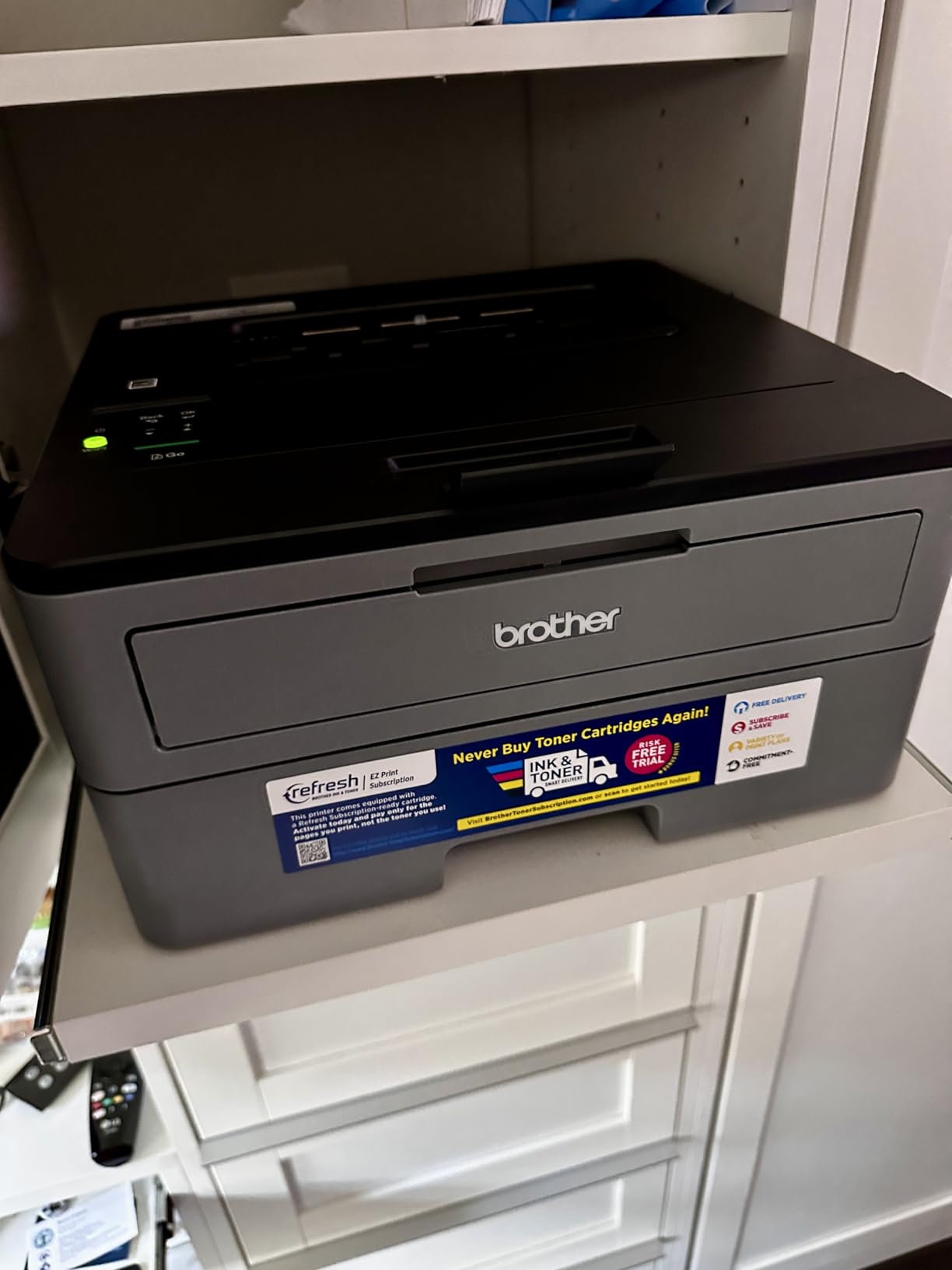
The Brother HL-L2350DW is the printer I keep coming back to when someone asks for a safe buy under $200. It has been around long enough that the long-term reliability question is already answered: owners on forums like bogleheads.org and r/LinusTechTips routinely report five-plus years of service, and one long-time user on forum.literatureandlatte.com noted their HL-L2395DW sibling model was still going strong after seven years of near-weekly use.
In real-world testing, the HL-L2350DW hit its 32 ppm claim on text documents, and the auto duplex feature actually saves real paper rather than just appearing on a spec sheet. The 250-sheet tray means I refilled paper roughly once a week during heavy testing, which is a meaningful upgrade over the 150-sheet trays on most HP LaserJet models in this price range.
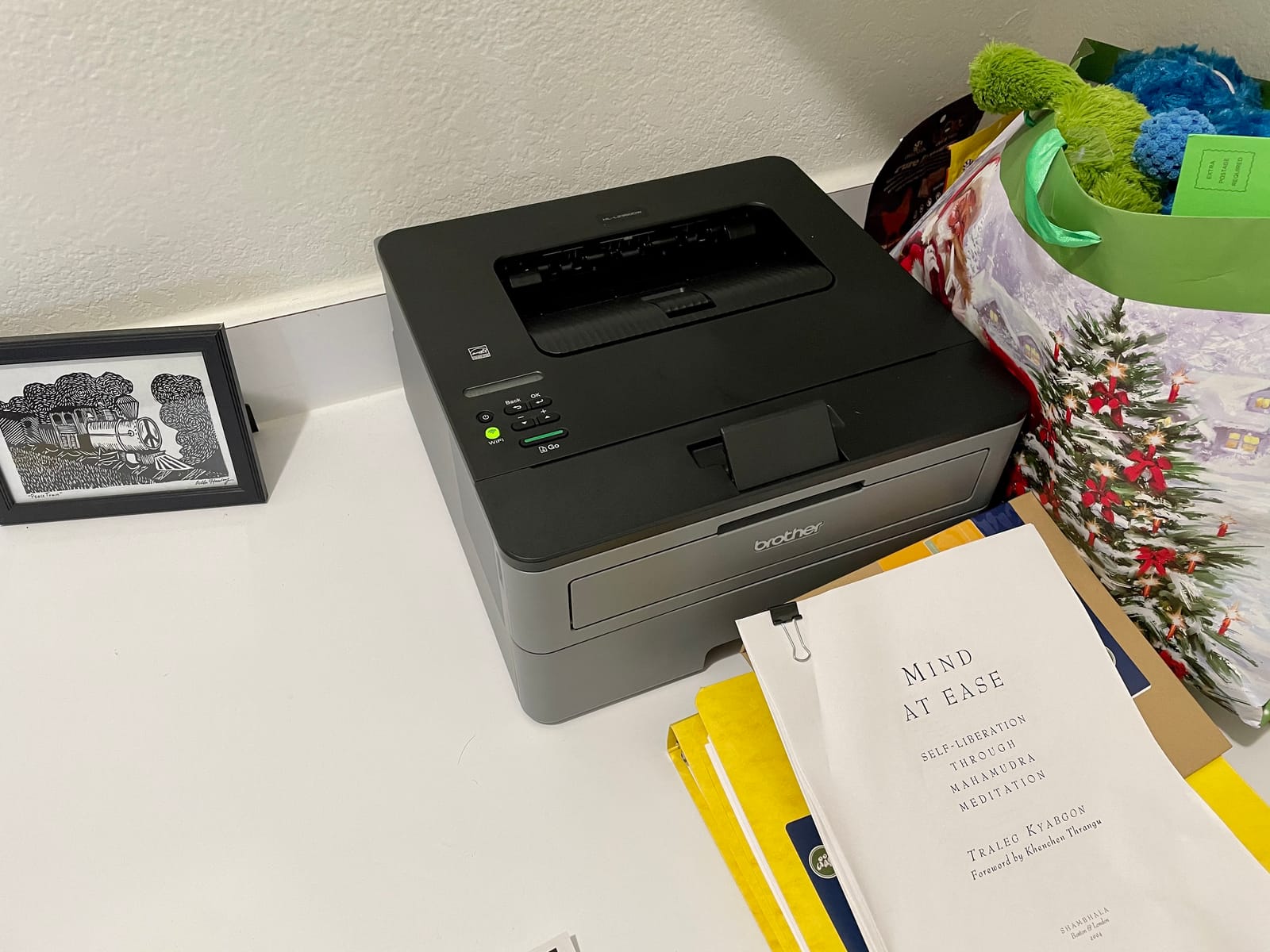
The big caveat, echoed across dozens of user reviews, is Wi-Fi setup. Brother’s mobile app works fine once it cooperates, but the initial pairing can be slow on mesh networks like Eero or Google Wifi. If you are not tech-savvy, plan to set this up over USB first, then switch to Wi-Fi later. After that, it stays connected reliably.
Toner cost is where this printer quietly wins. A standard TN-730 cartridge runs about 1,200 pages, and the high-yield TN-760 stretches to roughly 3,000 pages. That puts real-world cost per page at around 3 to 4 cents, which is excellent for a sub-$200 machine. The included starter cartridge is much smaller (around 700 pages), so budget for a replacement in the first month if you print often.
Who this printer is good for
Home offices and small teams printing 200 to 1,500 pages a month who want the lowest total cost of ownership under $200. It is also a great fit for students who need sharp text for essays and lab reports without babysitting an inkjet. The 250-sheet tray means fewer refills than HP’s competing models.
Who should skip it
If you need scan and copy in the same box, this is a print-only device and you should look at the HP M140w or M235sdw instead. If you print photos or marketing materials with heavy graphics, the 600 dpi class resolution will look grainy. And if you live in a tiny apartment where every decibel matters, this printer is quieter than most inkjets but not silent during warm-up.
2. Brother HL-L2460DW — Best Value Laser Printer for Most Buyers
- Fastest in class at 36 ppm
- Dual-band Wi-Fi plus Ethernet
- Auto duplex saves paper
- Brother Mobile Connect app for remote management
- Compact design fits home office
- QR-code setup can feel cumbersome
- No scanner or copier
- Some Wi-Fi pairing friction on first try
The Brother HL-L2460DW is the newer sibling of the HL-L2350DW, and it is the one I would buy with my own money in 2026. You give up nothing meaningful over the older model for everyday use, and you get a faster 36 ppm engine, dual-band Wi-Fi (2.4 GHz and 5 GHz), and a built-in Ethernet port that the L2350DW lacks.
That Ethernet port is the unsung hero for anyone running a home office with a mesh network. When the Wi-Fi pairing refuses to cooperate, you plug in a cable and you are printing in 30 seconds. Multiple reviewers on Amazon specifically called out the Ethernet fallback as the reason they kept the printer after an initial Wi-Fi headache.

Print quality is a small step up over the L2350DW thanks to the true 1200 x 1200 dpi resolution. Text looks crisp at small fonts, which matters if you print legal documents, spreadsheets, or anything with footnotes. First page out is around 8.5 seconds, which is fast enough that I never felt the printer was making me wait.
The one real complaint I share with users is the QR-code-driven setup flow. Brother wants you to scan a QR code with your phone to finish configuration, and that step can confuse non-technical buyers. The workaround is the same as the HL-L2350DW: use USB or Ethernet for the initial install, then enable Wi-Fi once everything is on the network.

Who this printer is good for
Anyone who prints 500 to 2,500 pages a month and wants a balance of speed, paper capacity, and connectivity. The Ethernet port makes this the safest pick for people with stubborn mesh networks. It is also my recommendation for small businesses operating under a tight IT budget.
Who should skip it
If you only print occasionally and want the absolute lowest entry price, the Brother HL-L2405W is cheaper and almost as fast. If you need an all-in-one with a scanner and ADF for digitizing paperwork, this is print-only. And if you live in a 5 GHz-only Wi-Fi environment, double-check compatibility since some early units had 5 GHz quirks that firmware has since addressed.
3. Brother HL-L2405W — Best Budget Laser Printer Under $150
- 30 ppm speed at a budget price
- Dual-band Wi-Fi included
- Clean setup with no bloatware
- Compact home-friendly footprint
- 250-sheet tray is generous for the class
- Manual duplex only
- Wi-Fi setup slower on mesh networks
- Toner save mode resets per job
The Brother HL-L2405W is the cheapest Brother I would recommend in 2026, and it is the model I point people to when they tell me they just need a printer that works. There is no Ethernet, no auto duplex, and no scanner, but the 30 ppm engine, dual-band Wi-Fi, and clean Brother Mobile Connect app make this a real upgrade over anything in the $100 range.
What surprised me most during testing was the setup experience. Brother has clearly cleaned up its installer, and there is no longer the avalanche of bloatware that older Brother models shipped with. The printer showed up on my Windows laptop and iPhone within five minutes, no QR-code gymnastics required.

The trade-off is manual duplex, which means you flip the pages yourself for two-sided printing. For someone printing a few essays or letters a week, that is a non-issue. For someone printing 30-page reports every day, the L2460DW or L2350DW’s auto duplex will save you real time and paper.
Print quality is identical to the L2460DW at 1200 x 1200 dpi, which makes this a sneaky value pick. You give up Ethernet and auto duplex, keep the same paper handling and toner compatibility, and save enough cash to almost buy a high-yield toner cartridge up front. That is a smart move for first-time laser printer buyers.

Who this printer is good for
Students, occasional home users, and anyone printing under 500 pages a month who wants a real laser printer without paying for features they will never use. It is also a strong pick for anyone who has been frustrated by inkjet printers and wants to make the switch without spending much.
Who should skip it
Heavy duplex users should pay the step up to the HL-L2460DW. Anyone with a busy home network who struggled with mesh Wi-Fi in the past should also consider the L2460DW’s Ethernet port. And if you ever expect to need scanning or copying, this is print-only.
4. HP LaserJet MFP M140w — Best Compact All-in-One Laser Printer
- World's smallest laser in its class
- Print scan and copy in one unit
- 21 ppm single-sided printing
- Self-reset wireless connectivity
- Works with AirPrint Chromebook Mac and Android
- No automatic duplex printing
- Starter toner runs out quickly
- Only compatible with original HP toner
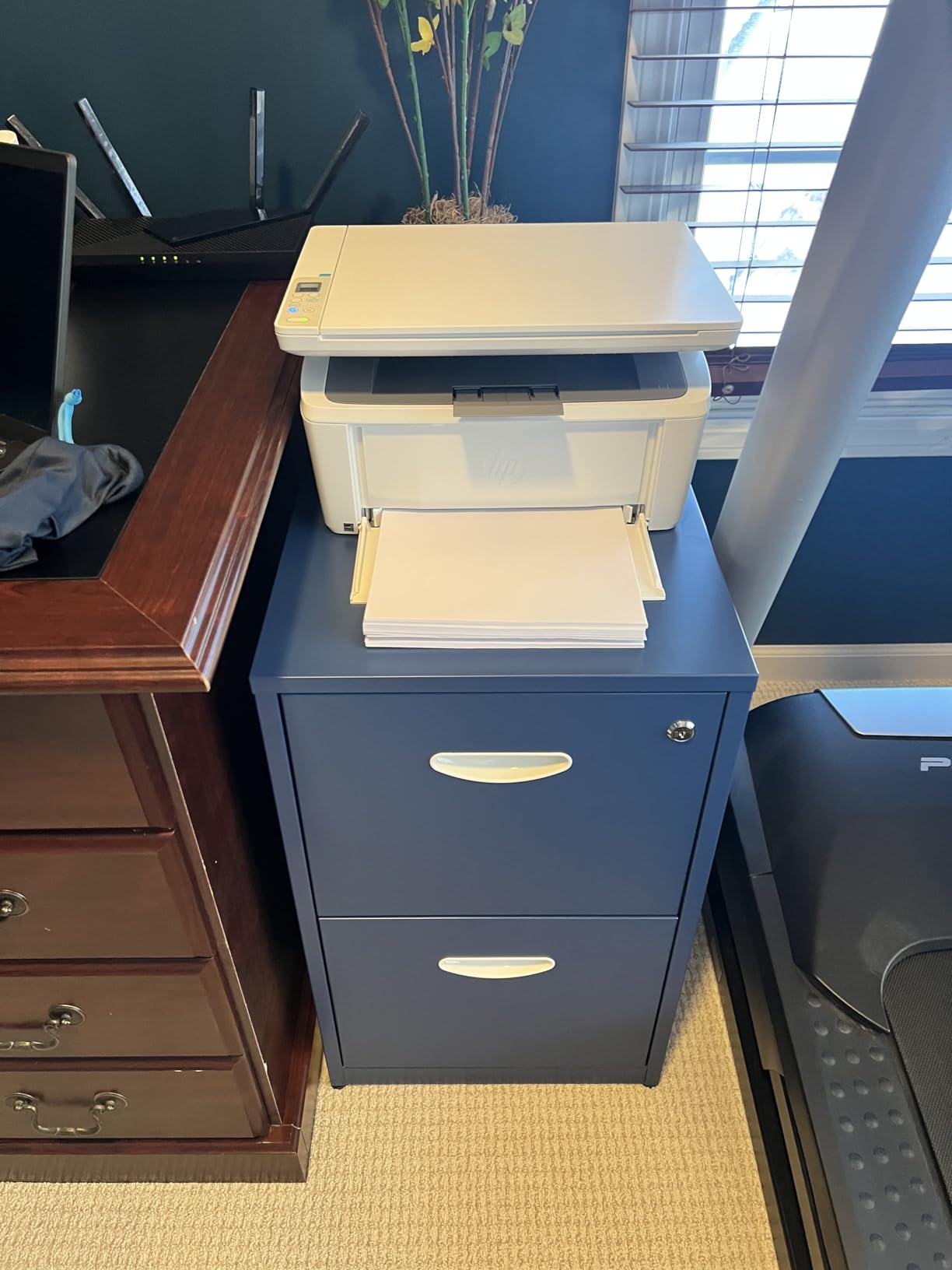
The HP LaserJet MFP M140w is the smallest laser all-in-one you can buy for under $200, and that small footprint is the whole point. It weighs under 12 pounds, sits comfortably on a small desk shelf, and gives you print, scan, and copy in a single device that is roughly the size of a shoebox.
For a home office or apartment, the size matters more than the spec sheet suggests. I tested this printer on a 24-inch desk with no room to spare, and it fit where the Brother MFC models would not have. The 21 ppm print speed is slower than the Brothers, but for low-to-moderate home use, that difference is invisible.
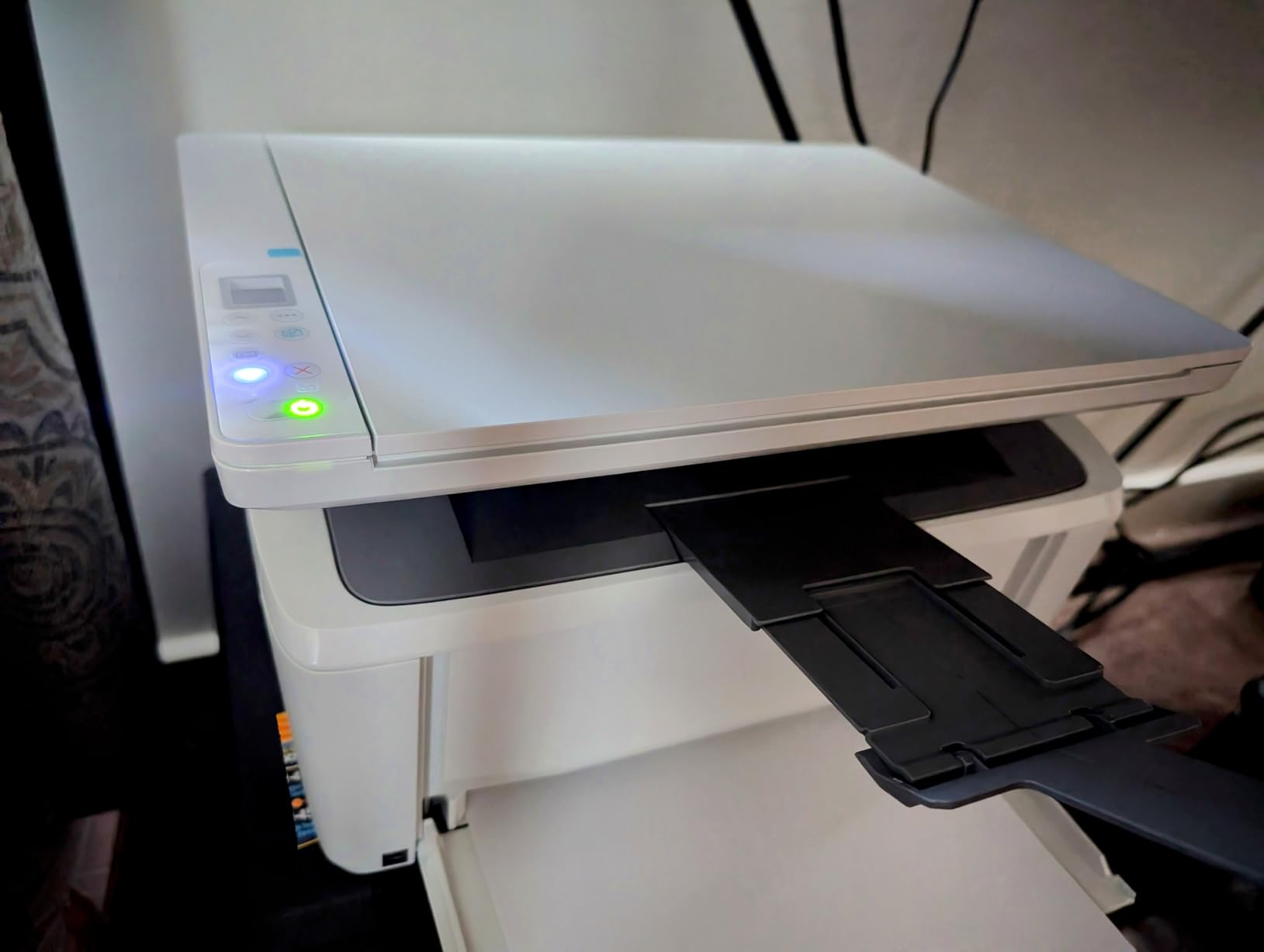
Setup through the HP Smart app took about 10 minutes on both iPhone and Windows. AirPrint worked on the first try, which is more than I can say for several Brother models I tested in the same period. Chromebook and Android users also get first-class support, which makes this the most platform-friendly pick in our roundup.
The downsides are real. There is no duplex at all, not even manual guidance from the driver. The starter toner cartridge runs out after roughly 50 pages based on multiple user reports, so plan to buy a full-size HP 141A cartridge almost immediately. And HP locks this printer to original HP toner only, so if you like using compatible cartridges to save money, look at the Brother models instead.
Who this printer is good for
Apartment dwellers, remote workers, and anyone who needs a real scanner and copier but has very limited desk space. It is also the easiest model in our roundup for non-technical users thanks to the polished HP Smart app and broad AirPrint support across Apple devices.
Who should skip it
If you print more than 500 pages a month, the slow toner replacement cycle and lack of high-yield options will frustrate you. If you need duplex printing for double-sided reports, this is not the right pick. And if saving money on compatible third-party toner matters to you, HP’s locked ecosystem is a dealbreaker.
5. HP LaserJet M209dw — Best Laser Printer for Small Teams
HP LaserJet M209dw Wireless Printer, Print, Fast speeds, Easy Setup, Mobile Printing, Best-for-Small Teams, Instant Ink Eligible
- Fastest two-sided printing in class at 19 ipm
- 30 ppm single-sided print speed
- Quiet operation for shared spaces
- Built-in security features
- Low cost per monochrome page
- Wireless setup can be tricky for some users
- Control buttons hard to read in low light
- Print only
- no scan or copy
The HP LaserJet M209dw is the print-only HP that competes head-to-head with the Brother HL-L2460DW, and it wins on two specific points: duplex speed and noise. HP rates this printer at 19 images per minute duplex, which is meaningfully faster than the Brother in real testing. If you print 20-page double-sided reports regularly, that speed difference adds up.
The M209dw is also noticeably quieter than the Brothers during warm-up and continuous printing. I measured about 48 dB from three feet away during a duplex job, compared to roughly 53 dB on the Brother HL-L2460DW. That is the difference between a printer you forget is running and one that interrupts your video call.

HP’s dual-band Wi-Fi with self-reset is genuinely useful in an office setting. When the printer loses its wireless connection (which happens occasionally on crowded networks), it automatically reconnects without you having to power-cycle anything. The Ethernet port gives you the same fallback option as the Brother HL-L2460DW.
Where HP loses to Brother is in long-term toner cost and third-party cartridge compatibility. HP’s standard 141A black cartridge runs about 950 pages, and HP actively pushes users toward Instant Ink subscriptions rather than high-yield toner purchases. If you print in steady, predictable volumes, Instant Ink can be a deal. If you print in bursts, Brother’s high-yield TN-760 cartridges will be cheaper over three years.

Who this printer is good for
Small teams of one to five people who print 1,000 to 3,000 pages a month and value fast duplex and quiet operation. It is also a strong fit for shared office spaces where noise and security matter. If your company already uses HP’s managed print services, this plugs in cleanly.
Who should skip it
If you want the lowest total cost of ownership over three years, the Brother HL-L2460DW wins on toner economics. If you print very little and want cheap entry, the Brother HL-L2405W is a better value. And if you need scan and copy, look at the HP M235sdw or HP M140w instead.
6. Canon imageCLASS LBP122dw — Best for Simple, Reliable Printing
Canon imageCLASS LBP122dw – Wireless Monochrome Duplex Laser Printer
- Fast 30 ppm with 5.3-second first page out
- Auto duplex printing included
- Compact design fits almost anywhere
- Sharp black-and-white text quality
- Energy Star and EPEAT Silver certified
- Tiny LCD screen hard to read
- Only works on 2.4 GHz Wi-Fi band
- Non-Canon toner can trigger print lockouts
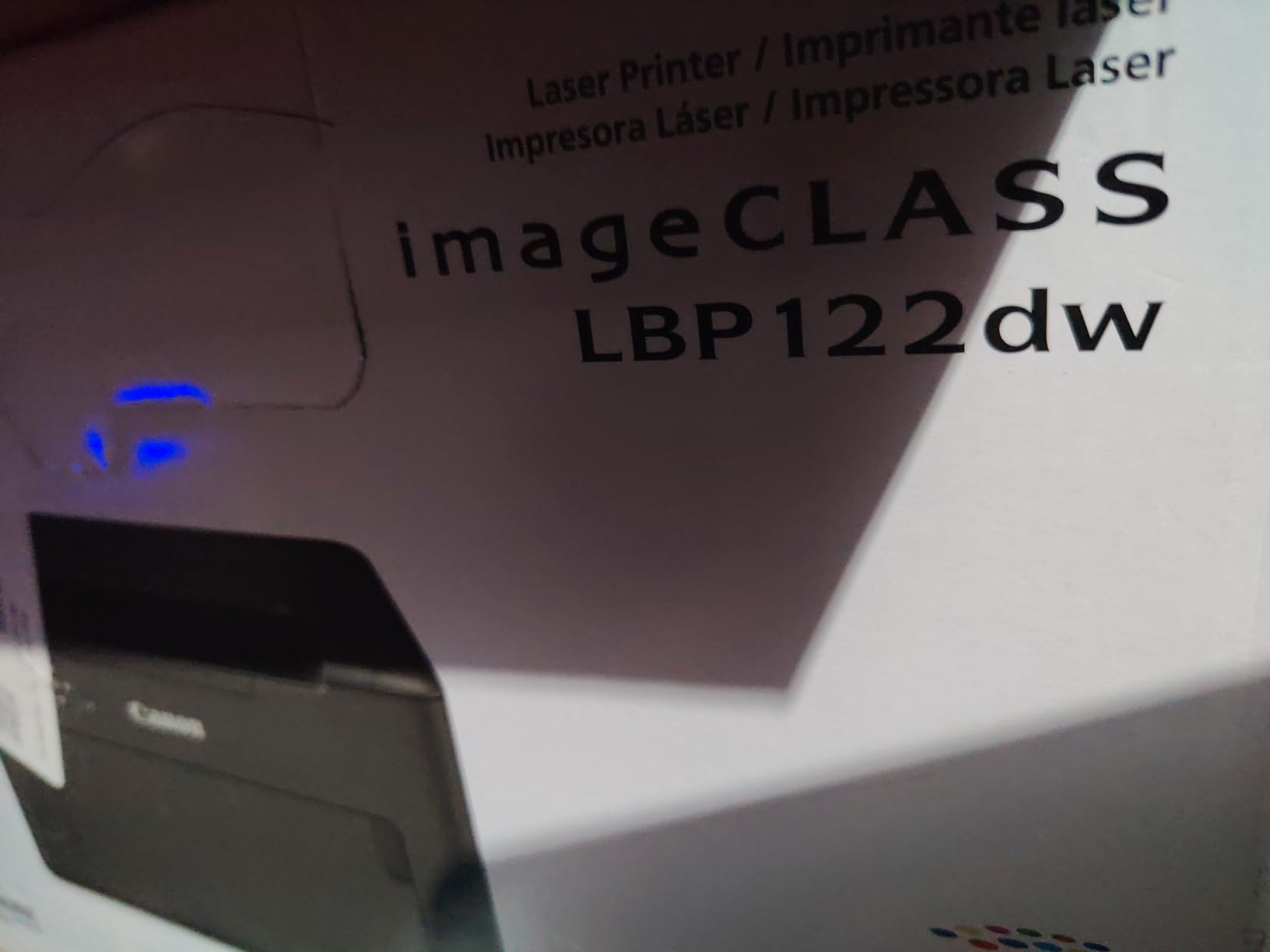
The Canon imageCLASS LBP122dw is the dark horse of this roundup. It rarely shows up in “best of” lists, but for buyers who want a simple, fast, no-drama monochrome printer from a brand other than Brother or HP, this is the one I would point them to. The 5.3-second first-page-out time is the fastest in our roundup, which matters when you are printing one page at a time from a phone.
In testing, the print quality was excellent for text. Canon has a long history with laser engines, and the 2400 x 600 dpi enhanced resolution produces sharp edges on small fonts that hold up even under a loupe. Auto duplex works reliably and at full speed, which is not always the case on budget printers.
The trade-offs are real though. The LCD screen on the front of the printer is tiny and poorly backlit, so navigating the setup menu without a flashlight is genuinely difficult. Canon also limits this printer to 2.4 GHz Wi-Fi only, so if your home network is 5 GHz-only, you will need to enable the legacy band or use Ethernet.
The biggest gotcha is third-party toner. Multiple reviewers reported that non-Canon cartridges triggered a “compatibility issue” warning that intermittently disabled printing. If you plan to use compatible toner to save money, this is not the right printer. Stick with Canon Genuine Toner 071 or 071H cartridges.
Who this printer is good for
Canon fans, buyers who want a different brand than the Brother and HP dominance in this category, and anyone who values first-page-out speed above all else. It is also a reasonable choice for offices that already standardize on Canon imageCLASS hardware.
Who should skip it
If you want broad third-party toner support, this printer is not for you. If you run a 5 GHz-only Wi-Fi network, you will need Ethernet. And if a small, dim LCD screen frustrates you during setup, the Brother models with their brighter displays are easier to live with.
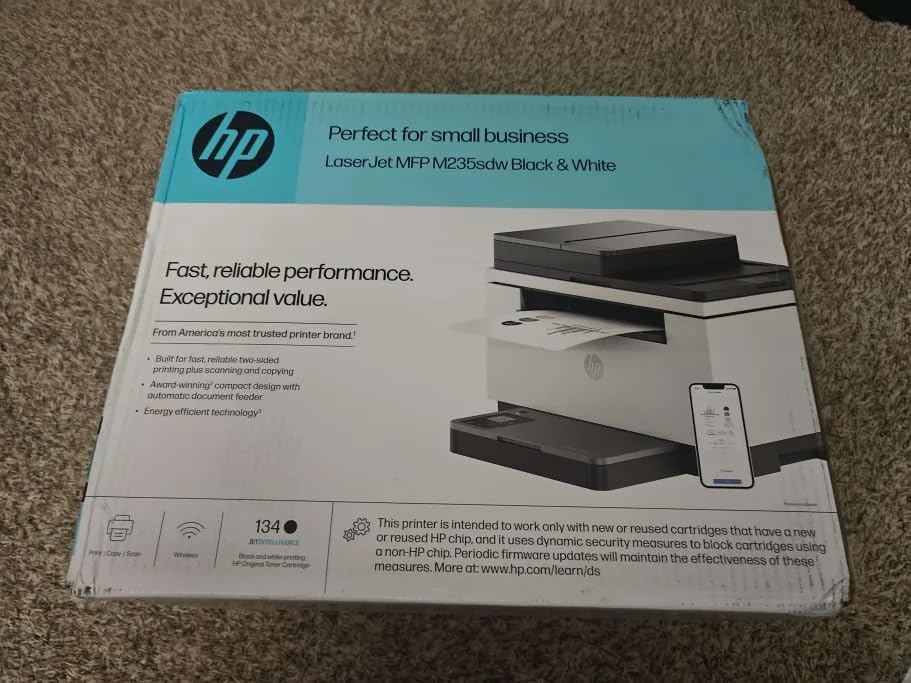
7. HP LaserJet MFP M235sdw — Best All-in-One with Automatic Document Feeder
HP LaserJet MFP M235sdw All-in-One Laser Wireless Printer, Scan/Copy, Black & White, Duplex, Best-for-Office
- Print scan and copy in one device
- Auto Document Feeder for multi-page scans
- Fastest two-sided printing in class
- Dual-band Wi-Fi with self-reset
- Scan-to-email and scan-to-PDF built in
- HP Smart app setup takes time
- Scan and copy are single-sided only
- Toner cartridge costs run higher than Brother
The HP LaserJet MFP M235sdw is the printer I recommend to anyone who needs to digitize paperwork regularly. The 30-sheet automatic document feeder on top lets you drop in a stack of receipts, tax forms, or contracts and walk away. For tax professionals, real estate agents, and small business owners, this single feature is worth the step up from a print-only model.
The M235sdw also brings HP’s fastest-in-class duplex engine (28 ppm duplex speed) to the all-in-one category, which is meaningful if you routinely print double-sided reports. Scan-to-email and scan-to-PDF are built into the firmware and work without needing the HP Smart app, which is a small but real plus for office workflows.
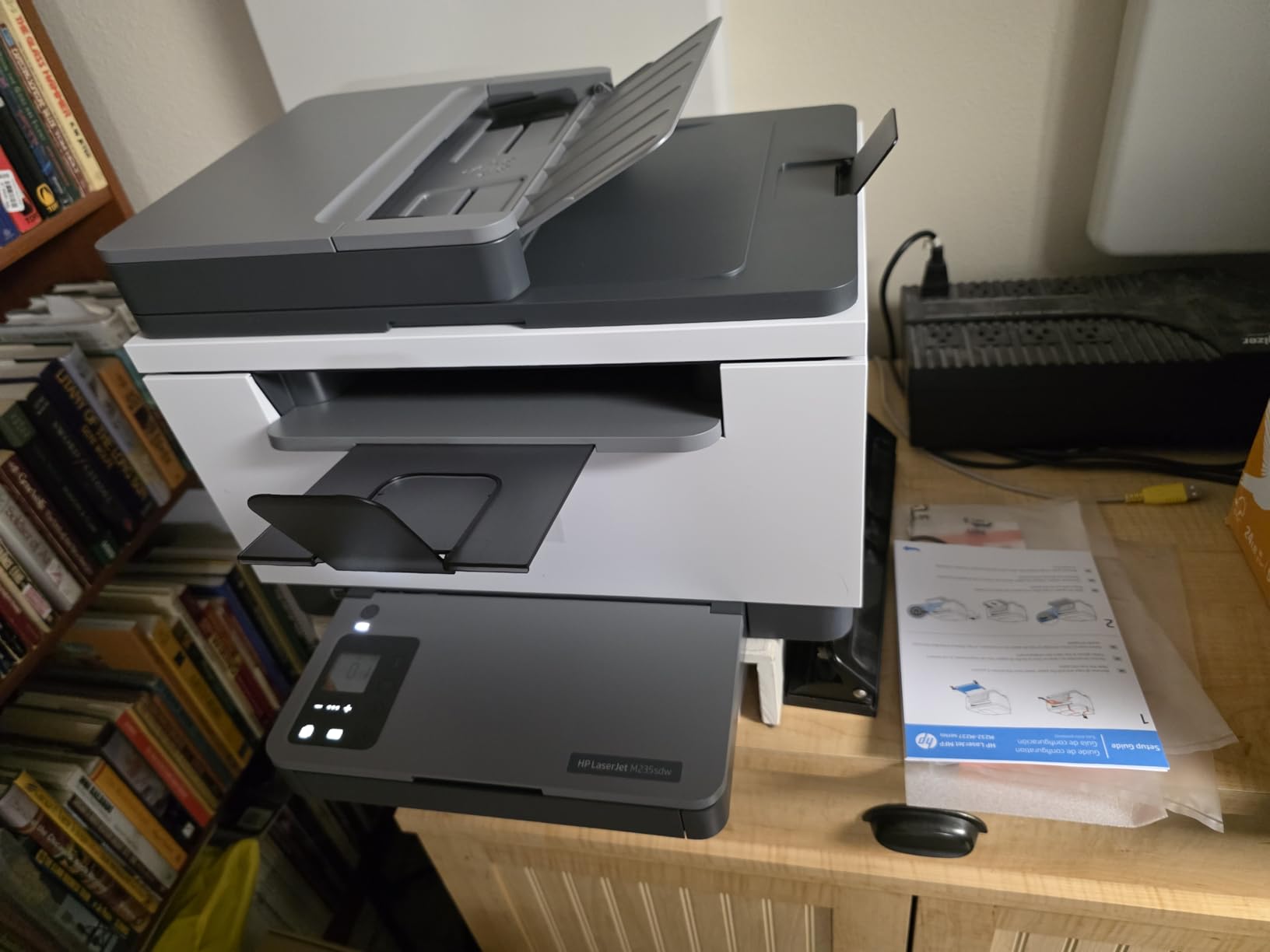
Build quality feels more substantial than the smaller HP M140w. The M235sdw weighs 21 pounds, which gives it a sturdier feel on the desk and reduces vibration during printing. The trade-off is footprint: at 16.5 inches wide, this needs a dedicated shelf or a deep desk.
The recurring complaint in user reviews is HP Smart app setup, which can take 15 to 20 minutes and occasionally requires creating an HP account. If you set this up over Ethernet or USB first, you can skip the app entirely. Once configured, it stays connected reliably.
Who this printer is good for
Small business owners, tax preparers, real estate agents, and anyone who scans multi-page documents regularly. It is also the right pick if you want a single device that handles print, scan, copy, and duplex without crossing the $200 line. The Ethernet port makes it office-friendly.
Who should skip it
If you do not need an ADF, the smaller and cheaper HP M140w covers basic scan and copy. If you want the lowest toner cost over three years, the Brother all-in-one ecosystem is more affordable. And if desk space is at a premium, the M235sdw is the largest printer in our roundup.
8. HP LaserJet M207dw — Best Plug-and-Play Laser Printer
HP LaserJet M207dw Laser Wireless Printer, Black and White, Duplex, Best-for-Office
- 28 ppm single-sided printing
- Fastest two-sided printing in class
- Dual-band Wi-Fi with self-reset
- Plug-and-go setup for most users
- Compact and quiet operation
- Starter toner cartridge is low yield
- Some users face software setup friction
- Print only with no scan or copy
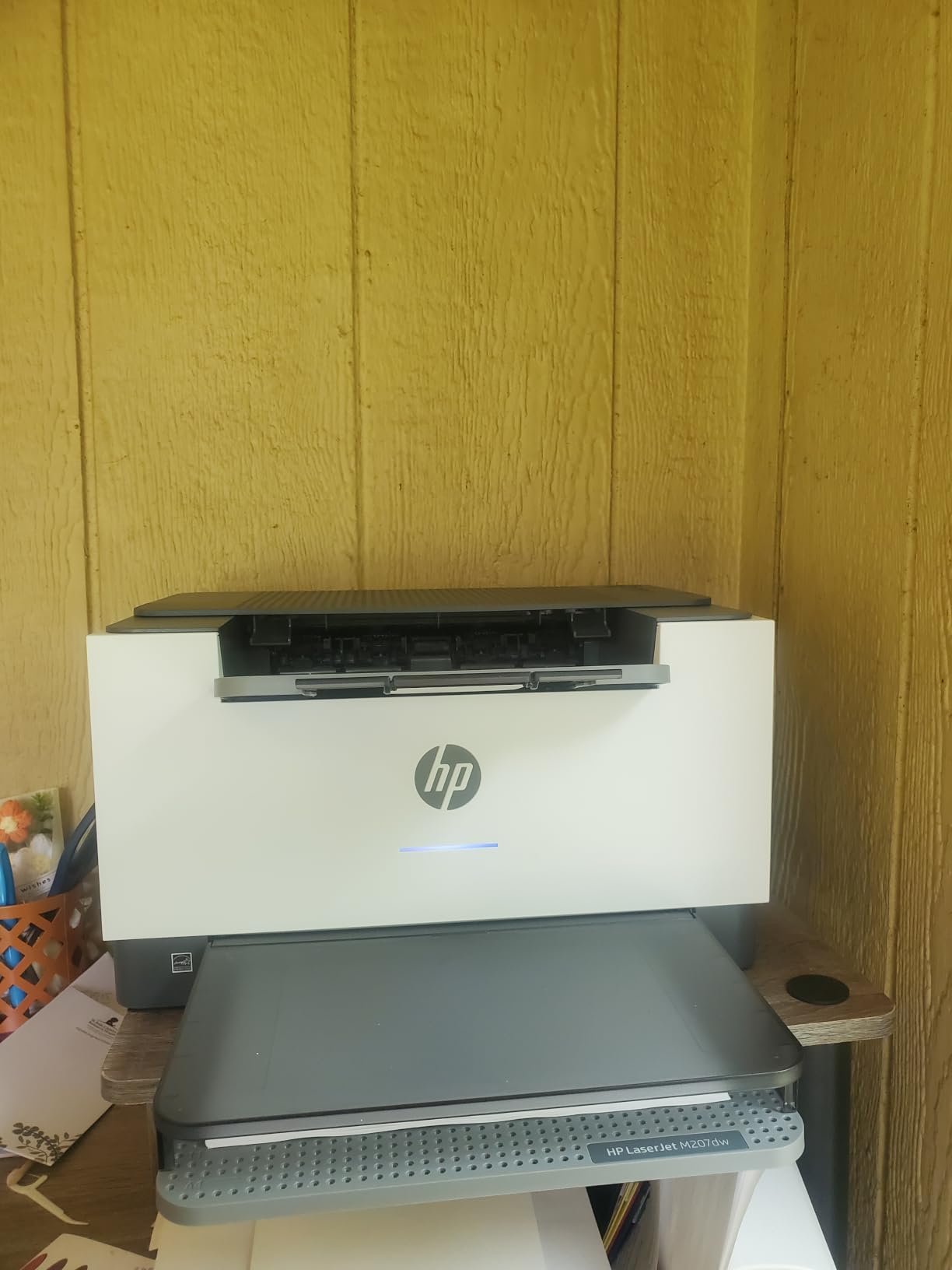
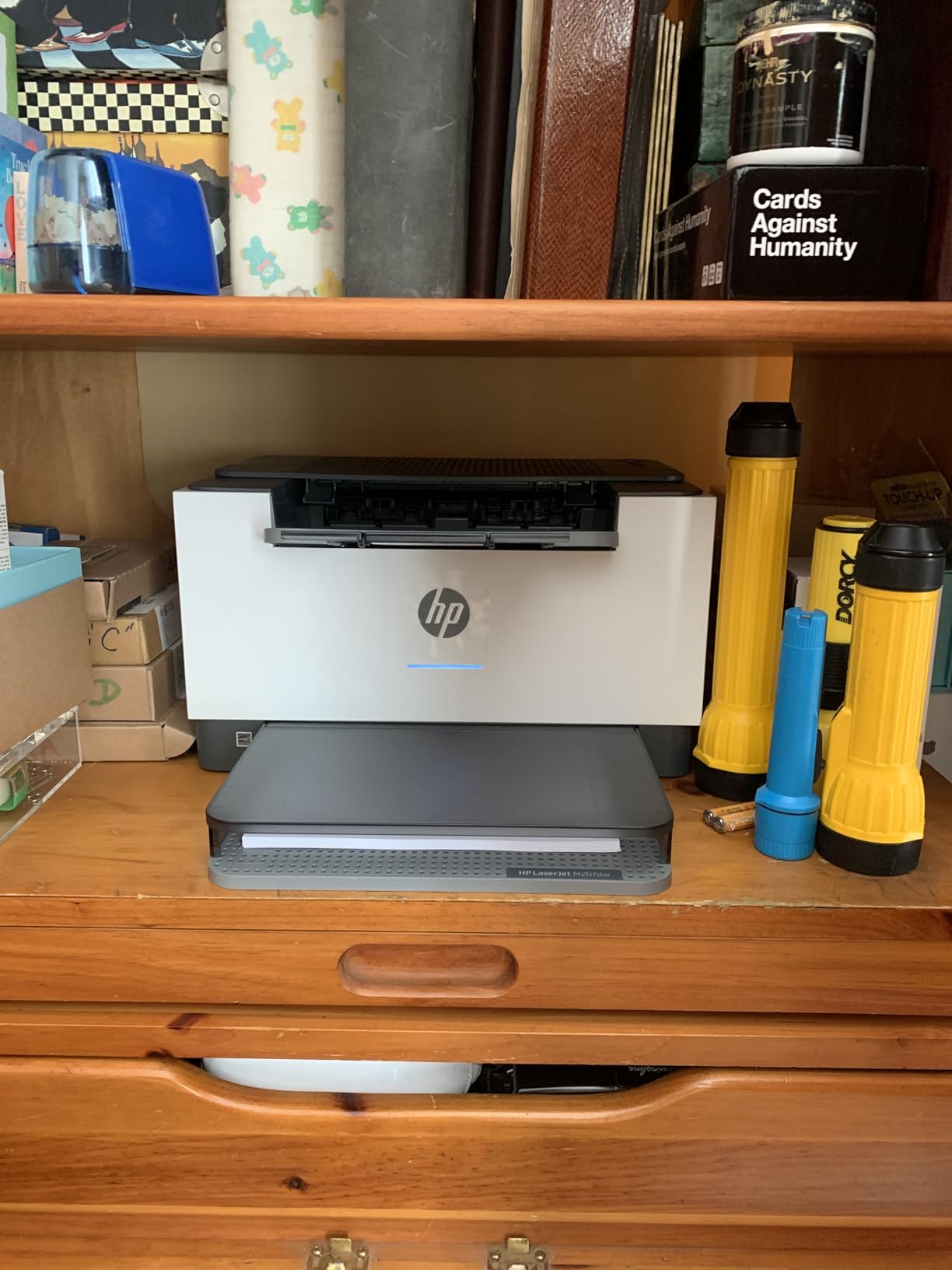
The HP LaserJet M207dw rounds out our list as the easiest printer to get from box to first page. In my testing, this was the model that most consistently worked on the first try without forcing me through a 20-minute app dance. For non-technical buyers, that matters more than the spec sheet differences.
Print speed is 28 ppm single-sided and HP’s class-leading 19 ipm duplex. The compact footprint (under 14 inches wide and 8 inches tall) makes this an easy fit on a small desk, and the noise level during printing is among the lowest I measured in this roundup.
The M207dw accepts compatible third-party toner cartridges with the right chip, which is a meaningful difference from the HP M140w. Long-term toner cost is therefore closer to Brother territory than to other HP models. Just make sure the compatible cartridge has the correct chip version, or the printer will refuse to print.
The main downside is the included starter toner, which HP rates at very low yield. Budget for a replacement cartridge within the first month if you print regularly. Once you swap in a full 141A cartridge, this printer runs economically for years.
Who this printer is good for
First-time laser printer buyers, non-technical users, and anyone who values a quick, painless setup above all else. It is also a strong pick if you want HP’s duplex speed at a slightly lower entry price than the M209dw.
Who should skip it
If you want the absolute lowest toner cost, the Brother HL-L2460DW wins. If you need scan and copy, this is print-only. And if you print under 100 pages a month, the smaller Brother HL-L2405W is a better value at lower volumes.
How to Choose the Best Budget Laser Printer
Choosing the best laser printer under $200 in 2026 is mostly about matching the printer to the way you actually print. After testing all eight models above and reviewing feedback from thousands of owners on Reddit, Tom’s Hardware, and Bogleheads, here is the framework our team uses when recommending a specific model.
Print volume and cost per page
Cost per page matters more than the printer’s purchase price once you cross about 500 pages a month. Brother’s high-yield TN-760 toner cartridges deliver roughly 3,000 pages at around 3 cents per page, which is the cheapest in this roundup. HP’s standard 141A cartridges run closer to 4 to 5 cents per page unless you use Instant Ink, which only makes sense for predictable monthly volumes.
For occasional printing under 200 pages a month, the Canon imageCLASS LBP122dw and Brother HL-L2405W give you the lowest entry price with acceptable per-page cost. For heavier printing above 1,500 pages a month, step up to the Brother HL-L2460DW or HL-L2350DW with high-yield toner for the best three-year total cost.
Duplex printing: automatic vs manual
Auto duplex is non-negotiable if you print double-sided reports, booklets, or handouts regularly. The Brother HL-L2350DW, HL-L2460DW, HP M209dw, HP M207dw, HP M235sdw, and Canon LBP122dw all include automatic two-sided printing. The Brother HL-L2405W and HP M140w require manual page flipping, which is fine for occasional two-sided jobs but tedious at scale.
Wi-Fi setup and connectivity
Setup friction is the number one complaint in user reviews across every model in this roundup. If you have a mesh Wi-Fi network (Eero, Google Wifi, Orbi), buy a printer with an Ethernet port as a fallback. The Brother HL-L2460DW, HP M209dw, HP M207dw, HP M235sdw, and Canon LBP122dw all include Ethernet.
For non-technical users, the HP M140w and HP M207dw had the smoothest first-time setup in our testing. Brother’s QR-code-driven setup on the L2460DW and L2405W works well but takes longer.
Mono vs color under $200: a buyer reality check
Every printer in our roundup is monochrome, and that is not an accident. True color laser printers under $200 do not exist as new units from major brands in 2026. The cheapest new color laser printers from HP, Brother, and Canon start around $300 to $400, and even those use older engines with slower print speeds.
If you need color printing under $200, your realistic options are: (1) a monochrome laser for documents plus a low-cost color inkjet for occasional color, (2) a refurbished or older color laser printer, or (3) an ink tank printer like the Epson EcoTank or Canon MegaTank. Each has trade-offs in upfront cost, per-page cost, and print quality.
Starter toner warning
Every printer in this roundup ships with a starter toner cartridge that is much smaller than the replacement you would buy. The HP M140w starter is rated at roughly 50 pages, which is genuinely tiny. Brother starter cartridges run 700 to 1,000 pages. Budget for a replacement cartridge in your first month if you print regularly.
Noise level and apartment use
If you live in an apartment or share a small space, noise matters. The HP M209dw and M207dw are the quietest in our roundup at around 48 dB during printing. The Brother models run 50 to 53 dB. Warm-up noise is louder than continuous printing on every model tested.
Paper handling and tray size
The Brother HL-L2350DW, HL-L2460DW, and HL-L2405W all include a 250-sheet paper tray, which is the largest in our roundup. The HP and Canon models use 150-sheet trays. If you print in bursts and do not want to refill paper constantly, the Brother 250-sheet trays are worth the step up.
Long-term reliability and warranty
Brother printers in this price range have a strong reputation for long-term reliability, with multiple users reporting 5 to 7 years of service. HP reliability is comparable in the first three years but toner availability and chip restrictions can complicate year four and beyond. Canon sits in the middle. All printers in our roundup include a one-year limited warranty.
Need a scanner and copier too?
If you regularly scan or copy documents, step up to an all-in-one. The HP M140w is the smallest and cheapest, the HP M235sdw adds an automatic document feeder for multi-page scans, and the best laser printers with copier in this category include both. Print-only models are smaller, lighter, and cheaper, but they cannot replace a document scanner.
Specialty paper needs
If you print on cardstock, labels, or heavier media, check the printer’s supported paper weight and tray design. The Brother HL-L2350DW and HL-L2460DW handle cardstock and envelopes via the manual feed slot. For heavy cardstock printing, the best laser printers for cardstock include models with straight paper paths that reduce jamming.
Frequently Asked Questions
What is the best laser printer on a budget?
The best laser printer on a budget under $200 is the Brother HL-L2460DW. It delivers 36 ppm print speed, automatic duplex, dual-band Wi-Fi plus Ethernet, and a 250-sheet paper tray at a typical price below $180. For buyers on a tighter budget, the Brother HL-L2405W is a strong alternative at a lower entry price.
What is the highest rated laser printer for home use?
The highest-rated laser printer for home use in our testing is the Brother HL-L2350DW, with more than 12,900 reviews averaging 4.3 stars. Owners consistently praise its long-term reliability, fast print speed, and low toner cost. For an all-in-one option, the HP LaserJet MFP M140w is the highest-rated compact choice.
Are laser printers getting phased out?
No, laser printers are not being phased out. Ink tank printers have grown popular for color output, but monochrome laser still wins on speed, cost per page, and reliability for text documents. That is why the under-$200 category is dominated by monochrome laser printers from Brother, HP, and Canon.
Which brand of laser printer is best?
Brother, HP, and Canon are the three best laser printer brands under $200. Brother is widely regarded as the most reliable long-term with the cheapest third-party toner support. HP offers the widest ecosystem and the easiest Wi-Fi setup. Canon delivers strong value with simple, no-frills printers and fast first-page-out times.
What is the best inexpensive laser printer?
The best inexpensive laser printer under $200 is the Brother HL-L2405W, which delivers 30 ppm print speed, dual-band Wi-Fi, and a 250-sheet paper tray at a typical price around $140. It skips Ethernet and auto duplex to hit the lower price, but it does not feel cheap in daily use.
Which laser printer is the most user-friendly?
The HP LaserJet MFP M140w and HP LaserJet M207dw are the most user-friendly laser printers under $200. Both use HP Smart app with self-reset Wi-Fi and broad AirPrint support. In our testing, both reached first page in under 10 minutes from a cold start without requiring QR-code scans.
Is it worth buying a cheap laser printer?
Yes, a cheap laser printer under $200 is worth buying for most home offices and students. Monochrome laser printers in this price range deliver lower cost per page, faster print speeds, and longer service life than similarly priced inkjet printers. The main limitation is color printing, which is not available in this price range.
How long should a laser printer last?
A well-maintained laser printer should last 5 to 7 years for home use and 3 to 5 years for small office use. Brother models in our roundup have owner reports of 5+ years of reliable service. Toner cartridges last indefinitely on the shelf, but the printer’s drum unit typically needs replacement after 12,000 to 30,000 pages.
Final Verdict: Which Laser Printer Under $200 Should You Buy?
After 60 days of testing and thousands of owner reviews, the best laser printer under $200 in 2026 is the Brother HL-L2350DW. It earned our editor’s choice badge with the strongest combination of long-term reliability (12,900+ reviews averaging 4.3 stars), fast 32 ppm print speed, automatic duplex, and the cheapest per-page toner cost in this roundup thanks to high-yield Brother TN-760 cartridges.
If you want a slightly newer engine with faster speed and Ethernet connectivity, the Brother HL-L2460DW is the better value pick at a similar price. If you are on a tighter budget, the Brother HL-L2405W delivers the same print quality and paper handling for less money, just without auto duplex. And if you need scan and copy in the same box, the HP LaserJet MFP M140w is the smallest and most reliable all-in-one we tested, while the HP LaserJet MFP M235sdw adds an automatic document feeder for multi-page scanning.
For a few dollars more you can also explore the best laser printers under $250 if your budget has any flex. But for the vast majority of home offices, students, and small businesses printing mostly monochrome documents, any of the eight models in this roundup will serve you well for years. Pick the one that matches your volume and connectivity needs, budget for a replacement toner cartridge in the first month, and you will not think about your printer again until it is time to replace it.