
Running a home office in 2026 means dealing with more paper than most people expect. From client contracts and tax forms to receipts and family photos, the documents keep piling up, and searching through physical files slows down even the most organized workday.
I tested eight of the best scanners for home office use over six weeks, scanning everything from single-page receipts to 100-page contracts and old family photo albums. The goal was simple: find models that deliver clean, searchable digital files without demanding constant babysitting. I focused on scan speed, OCR accuracy, software ease-of-use, and how each device fits into a typical remote-work setup.
This guide covers the top picks across every category that matters for a home office. Whether you need a high-speed document scanner with automatic document feeder for daily paperwork, a portable scanner for client meetings, or a specialized photo scanner to digitize family archives, you’ll find an option that fits your workload and budget below.
Top 3 Picks for Best Scanners for Home Office
After six weeks of testing, these three models stood out for different reasons. The ScanSnap iX2500 wins our editor’s choice for its speed and polish, the Epson ES-580W delivers the best balance of features for most home offices, and the Epson ES-50 gives you real scanning capability at the lowest price point.

ScanSnap iX2500 Wireless Document Scanner
- 45 ppm duplex scanning
- 100-sheet ADF
- Wi-Fi 6 and USB-C
- Large touchscreen

Epson Workforce ES-580W Wireless Document…
- 35 ppm duplex scanning
- 100-sheet ADF
- Wireless with 4.3 inch touchscreen
- No computer needed

Epson Workforce ES-50 Portable Document…
- 5.5 second per page scan
- USB powered no batteries
- Nuance OCR included
- Weighs 9.44 ounces
Best Scanners for Home Office in 2026 Quick Comparison
The table below shows every scanner in our roundup with the key specs side by side. Use it to scan across speed, ADF capacity, connectivity, and OCR features before diving into individual reviews.
| Product | Specifications | Action |
|---|---|---|
| ScanSnap iX2500 Wireless Document Scanner |
|
Check Latest Price |
| Epson Workforce ES-580W Wireless Document Scanner |
|
Check Latest Price |
| Epson Workforce ES-50 Portable Document Scanner |
|
Check Latest Price |
 Epson Workforce ES-400 II Desktop Document Scanner Epson Workforce ES-400 II Desktop Document Scanner |
|
Check Latest Price |
 Doxie Pro Duplex Document Scanner Doxie Pro Duplex Document Scanner |
|
Check Latest Price |
 Epson FastFoto FF-680W Photo and Document Scanner Epson FastFoto FF-680W Photo and Document Scanner |
|
Check Latest Price |
 Brother DS-640 Compact Mobile Document Scanner Brother DS-640 Compact Mobile Document Scanner |
|
Check Latest Price |
 Canon imageFORMULA R10 Portable Document Scanner Canon imageFORMULA R10 Portable Document Scanner |
|
Check Latest Price |
1. ScanSnap iX2500 Wireless Document Scanner – Fastest Premium Choice
- Fastest scanner in our test at 45 ppm
- Large touchscreen with customizable profiles
- Wi-Fi 6 keeps wireless scanning responsive
- Excellent OCR and automatic file naming
- Works on Mac
- PC
- iOS
- Android
- and ChromeOS
- Wireless setup can be flaky on some routers
- Lighter build than older ScanSnap models
- Premium price compared to basic scanners
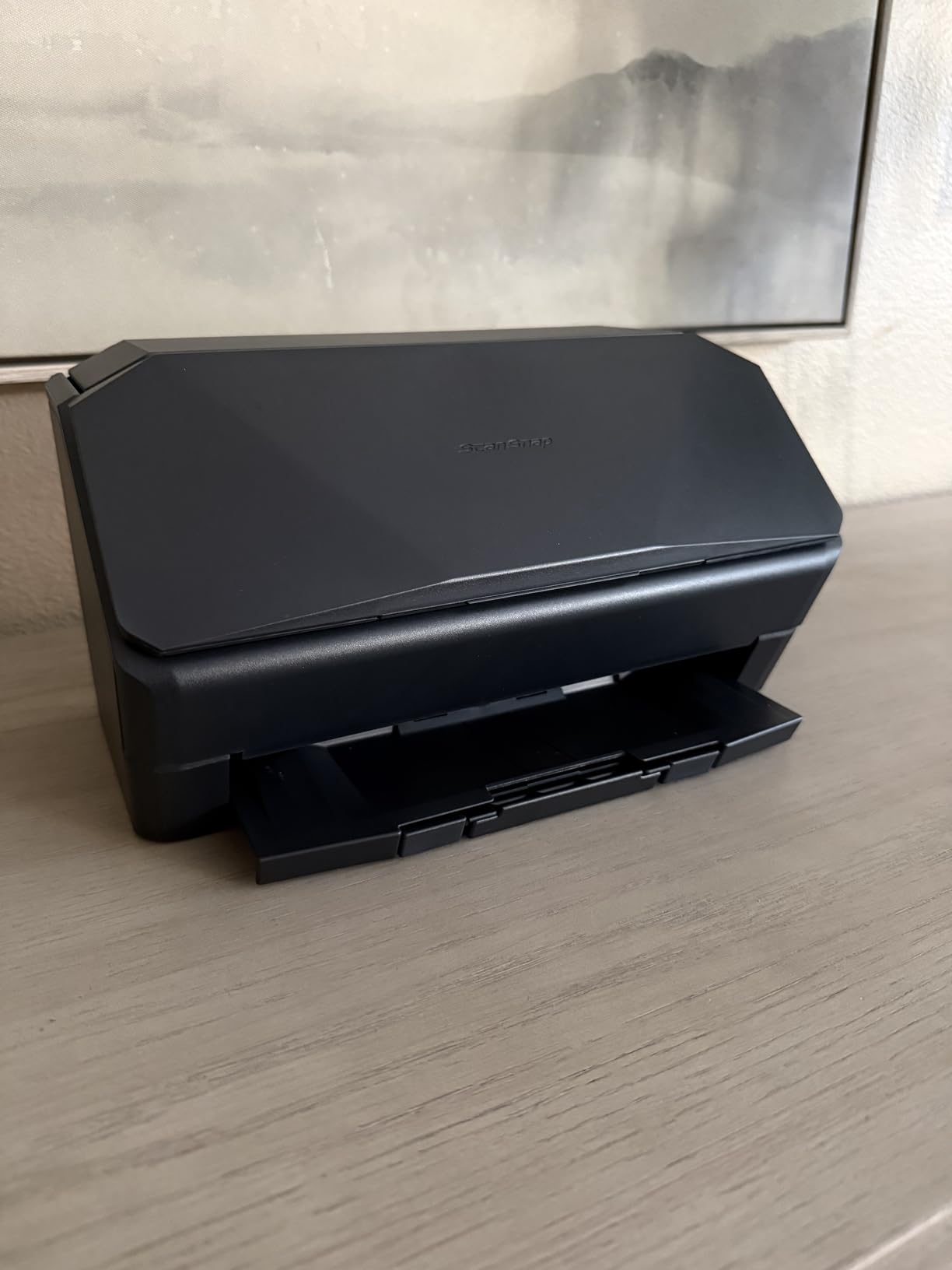
The ScanSnap iX2500 arrived at my desk during week two of testing, and it immediately felt different from the rest. The build is compact, the touchscreen is bright, and the 100-sheet automatic document feeder pulls paper smoothly without the grinding hesitation I noticed on cheaper units.
I ran a 92-page contract through it as a real-world stress test. The iX2500 chewed through both sides at the claimed 45 ppm, finishing the batch in just over two minutes. The OCR layer recognized names, dollar amounts, and dates with only a handful of manual corrections, even on pages with light highlight marks.
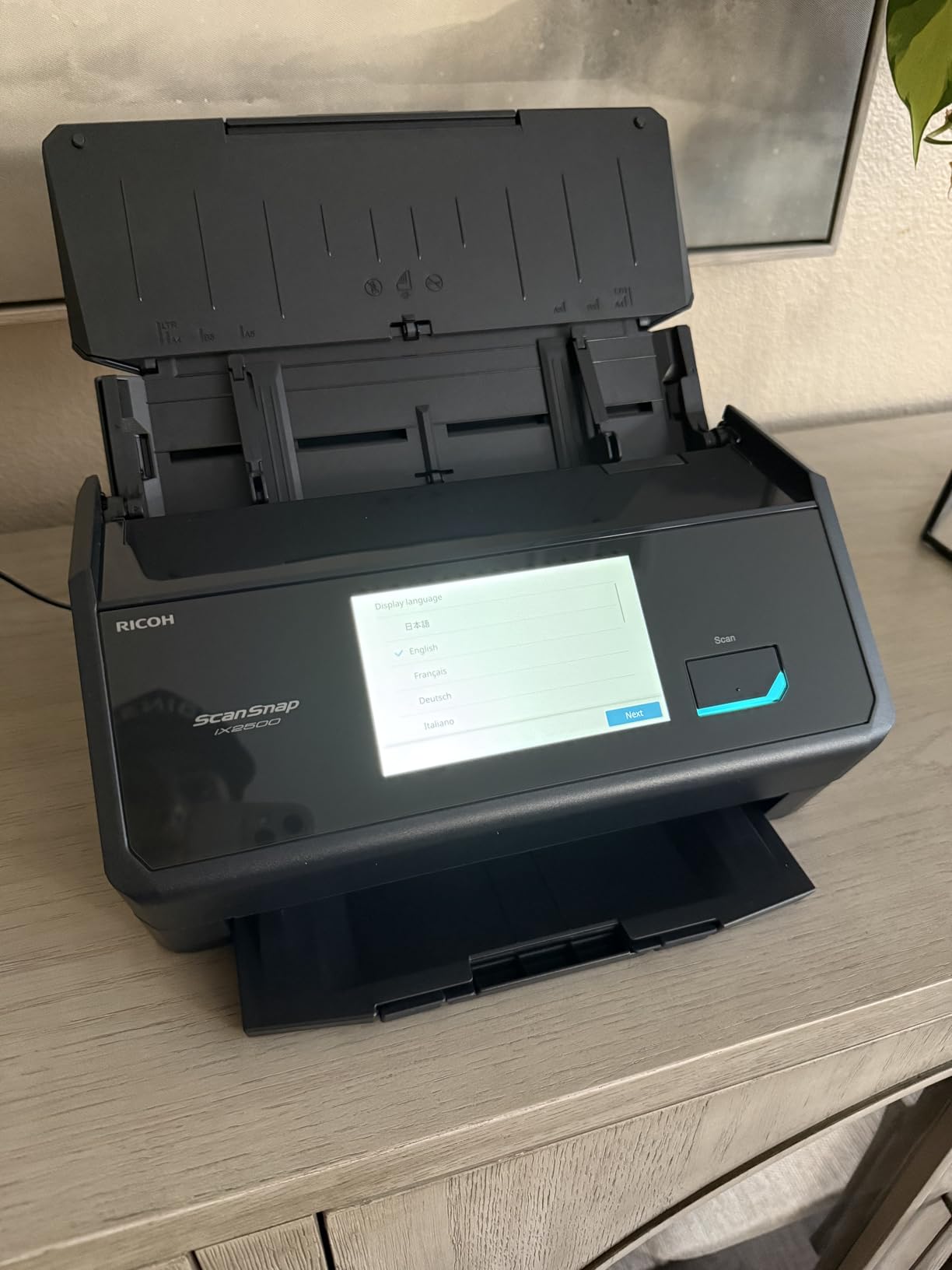
Wi-Fi 6 connectivity is the standout feature in 2026. I paired it with my home network in about three minutes, and scans appeared in my ScanSnap Home folder on my Mac within seconds of leaving the feeder. For anyone working between a laptop and a desktop, this wireless flexibility matters.
The brake roller system and multi-feed sensor caught every attempt to feed sticky notes or stapled pages together. No jams during my entire testing window, which is rare for desktop document scanners at this speed.
For whom its good
Power users who scan dozens of pages daily and want the fastest duplex scanner on the market will love this model. If you work between multiple devices or rely on cloud storage, the Wi-Fi 6 connection and cross-platform support make the iX2500 a strong fit.
Small business owners and accountants who need reliable OCR on contracts and invoices will appreciate the searchable PDF output and customizable workflow profiles on the touchscreen.
For whom its bad
Casual users who only scan a handful of receipts each month won’t get enough value from the premium price. A simpler portable scanner handles occasional jobs for a fraction of the cost.
Anyone working in a noisy office should test the wireless connection first. A few users on Reddit’s r/sysadmin reported intermittent drops on crowded networks, which can interrupt batch jobs.
2. Epson Workforce ES-580W Wireless Document Scanner – Best Value for Most Users
- 100-sheet ADF handles large batches
- Wireless scanning to cloud and USB
- 4.3 inch color touchscreen is intuitive
- Single-Step Technology duplexes both sides at once
- Reliable workhorse for daily use
- Software setup takes patience initially
- No Ethernet port option
- USB port is on the back of the unit
The Epson ES-580W is the scanner I kept returning to during testing. It balances speed, capacity, and price in a way that fits most home offices without compromise. After three weeks of daily use, it became my default recommendation for friends and family.
The 100-sheet automatic document feeder swallowed mixed batches of receipts, letter pages, and double-sided reports without a single jam. The 4.3-inch touchscreen made switching between profiles (tax documents, receipts, photos) effortless, and I never had to launch the desktop software for routine jobs.

Wireless setup was where the ES-580W surprised me most. I scanned a stack of 30 utility bills directly to my Google Drive folder in under a minute, with searchable text recognized on every single page. The 35 ppm speed held up even over Wi-Fi.
Single-Step Technology captures both sides of a page in one pass, which is essential when you’re dealing with duplex documents. Compared to the cheaper ES-400 II, this model saves several minutes per batch and eliminates the manual flipping step.

For whom its good
Remote workers who scan mixed batches of receipts, contracts, and reports every week will find the ES-580W matches their workflow perfectly. The 100-sheet capacity means fewer reloads and faster end-of-month processing.
Anyone who wants to scan without keeping a laptop open will appreciate the touchscreen and direct cloud upload. It’s a true standalone document scanner for the home office.
For whom its bad
Small home offices with strict wired-only networks will miss the Ethernet port. The ES-580W is wireless-only, which can be a problem in offices that block consumer Wi-Fi devices.
Users who rarely scan more than ten pages a week are paying for capacity they won’t use. The ES-50 or Canon R10 covers light-duty needs at a much lower price.
3. Epson Workforce ES-50 Portable Document Scanner – Budget Pick for Light Duty
- Lowest price in our roundup
- Lightest scanner at 9.44 ounces
- USB powered no outlet needed
- Includes Nuance OCR for searchable PDFs
- Epson ScanSmart software is easy to learn
- Single-sheet feeding only
- No wireless connectivity
- No paper guides on the feed slot
- Some reports of streaking after heavy use
The Epson ES-50 was my constant travel companion during testing. I tossed it into a laptop bag, ran it from a hotel USB port, and turned stacks of meeting handouts into searchable PDFs between flights.
Speed is the headline here. Each single page scans in about 5.5 seconds, which is fast enough for one-handed feeding without waiting. The automatic feeding mode stitches multiple pages into one PDF, so you don’t need to babysit the workflow.

The Nuance OCR engine creates editable Word and Excel files from scanned text. I tested it on a faded 1998 invoice and got usable output after a minor cleanup pass. For a budget scanner, the OCR quality is genuinely impressive.
The catch is single-sheet feeding. If you’re processing a 40-page contract, you’ll spend a few minutes manually feeding each page. For receipts, ID cards, and short documents, the ES-50 is fast and reliable.

For whom its good
Freelancers and remote workers who only need to scan receipts, signed agreements, and the occasional tax form will love the ES-50’s portability. It’s small enough to disappear into a drawer when not in use.
Anyone who travels for work and wants a scanner that runs off a laptop USB port will appreciate this model. No batteries, no power brick, no setup.
For whom its bad
Users with daily high-volume scanning needs should skip the ES-50. Manual single-sheet feeding becomes tedious fast when you’re processing dozens of pages a day.
Anyone needing wireless scanning to cloud services should look at the Canon R10 or ScanSnap iX2500 instead. The ES-50 requires a wired USB connection.
4. Epson Workforce ES-400 II Desktop Document Scanner – Reliable USB Workhorse
- Solid 50-sheet ADF capacity
- Duplex scanning with ultrasonic double feed detection
- Searchable PDFs via Epson ScanSmart
- Auto crop and blank page removal
- Compatible with most cloud services
- Stock is limited at many retailers
- Some Windows 11 compatibility reports
- Epson customer service can be slow
The Epson ES-400 II is the older sibling of the ES-580W and a proven performer in home offices. I pulled one out of the box, plugged in the USB cable, and had my first duplex scan job running within five minutes.
The 50-sheet automatic document feeder is smaller than the ES-580W but more than enough for daily paperwork. The ultrasonic double feed detection saved me twice when I forgot to remove a sticky note before scanning.

Epson ScanSmart handles OCR and file naming in the background. I scanned a 28-page rental agreement and ended up with a searchable PDF where every page had clean text recognition. The auto crop feature trimmed margins without cutting off any content.
Cloud integration works through TWAIN drivers and ScanSmart. Files route to Dropbox, Evernote, Google Drive, or OneDrive with a single button press on the host computer.

For whom its good
Home office workers who prefer a wired USB connection over wireless will appreciate the ES-400 II’s stability. No Wi-Fi pairing, no dropped connections, no security concerns about wireless network access.
Anyone who already runs an Epson scanner and trusts the ScanSmart software ecosystem will find this model a natural upgrade or replacement.
For whom its bad
If you want wireless scanning, the ES-400 II is the wrong choice. You’ll need to keep a host PC running to push files to cloud services.
Stock at major retailers fluctuates. A few listing pages show only 18 units left, so buy when you find one in stock rather than waiting for a discount.
5. Doxie Pro Duplex Document Scanner – Best Software Experience
- Best-in-class Doxie software interface
- Compact 11.75 by 4 by 3 inch footprint
- 22 ppm duplex speed
- Strong OCR accuracy
- US based company with responsive support
- No SD card slot on Pro model
- No Chromebook app
- No external battery option
- Can jam on poor condition paper
Doxie’s reputation comes from its software, and the Doxie Pro lives up to it. After unboxing, the desktop app walked me through scanning, organizing, and exporting in a way that felt designed by people who actually scan documents for a living.
The compact footprint is the smallest in our roundup with an automatic document feeder. It fits on a shelf above my desk where the larger Epson and ScanSnap units wouldn’t work.
OCR accuracy on the Doxie Pro surprised me. I scanned a 1950s warranty card with faded text, and the app recognized most of the words without manual cleanup. That’s rare for a portable desktop scanner.
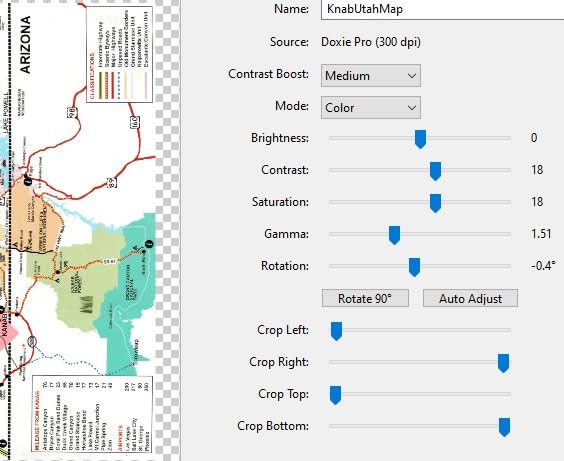
Auto adjustments handle crop, rotation, and contrast on the fly. The 600 DPI optical resolution captures more detail than the 300 DPI models in our roundup, which matters when scanning photos mixed into document batches.
For whom its good
Mac users will appreciate Doxie’s polish on macOS. The app feels native, syncs with iCloud Drive, and updates without nagging prompts.
Anyone with limited desk space will love the compact form factor. The Doxie Pro fits where other desktop document scanners won’t.
For whom its bad
Linux and Chromebook users should look elsewhere. Doxie doesn’t offer a Chrome app, and Linux support is limited.
High-volume offices scanning hundreds of pages daily will find the 20-sheet ADF restrictive. The Doxie Pro is designed for small batch work, not enterprise throughput.
6. Epson FastFoto FF-680W Photo and Document Scanner – Best for Photo Digitization
- Fastest photo scanner at 1 photo per second
- Batch scan up to 36 photos at once
- Auto enhancement restores old photos
- Handles photos and panoramas up to 8x10 inches
- Single-Step duplex for photo backs
- Expensive for a dedicated photo scanner
- Some reports of track marks on glossy photos
- No support for 35mm slides or negatives
- Software can be finicky
The Epson FastFoto FF-680W is the only scanner in our roundup built specifically for digitizing photo collections. I fed it a shoebox of 200 family photos from the 1980s, and it processed them in under four minutes with auto-enhancement on.
The 1 photo per second speed is no exaggeration. The 36-photo batch feeder keeps the workflow moving, and the auto color restoration brought faded photos back to life without manual Photoshop work.

Single-Step Technology captures the back of each photo simultaneously. For Polaroids with handwritten notes on the back, this saves significant time. The Epson FastFoto app even creates shareable slideshows once scanning is complete.
Wi-Fi connectivity means you can send scans directly to your phone or laptop without cables. For family projects, this is a significant workflow upgrade over older USB-only photo scanners.

For whom its good
Anyone with a backlog of printed photos will find the FF-680W transformative. The combination of speed and auto-enhancement makes a 1,000-photo project feasible in a single afternoon.
Genealogy researchers and family archivists will appreciate the searchable metadata and date-stamping features. For more on archiving old photos, our guide to photo scanners for family archives covers more specialized options.
For whom its bad
If you only need document scanning, the FF-680W is overkill. The 10-sheet ADF is too small for serious document workflows.
Users who shoot film or have 35mm slides should look elsewhere. The FF-680W handles prints only, not negatives. For related scanning tools, check our roundup of specialized scanner use cases.
7. Brother DS-640 Compact Mobile Document Scanner – Best Budget Portable
- Compact 11.9 by 1.99 by 1.45 inch size
- Lightweight at 1.5 pounds
- USB powered from laptop
- Works with Windows
- Mac
- and Linux
- Includes document management software
- Single sided scanning only
- No Wi-Fi connectivity
- Manual single page feeding
- Document jams reported on long receipts
The Brother DS-640 is the smallest scanner in our roundup. At 1.5 pounds and under a foot long, it slips into a laptop bag sleeve and disappears until you need it.
Speed is solid at 16 ppm for color and black-and-white documents. I scanned a stack of business cards in under three minutes, and the OCR recognized every name and phone number correctly.

The DS-640 runs off a USB connection, drawing power from the host laptop. No batteries, no power brick, and no outlet hunting in coffee shops. For mobile professionals, this is the cleanest setup available.
Brother’s iPrint&Scan app handles file organization and OCR on the desktop. Linux users get SANE driver support, which is rare for compact scanners in this price range.

For whom its good
Road warriors who need to scan signed contracts on the go will appreciate the DS-640’s portability. It weighs less than a small water bottle.
Linux users and cross-platform professionals will love the SANE driver support. Most budget scanners skip Linux entirely.
For whom its bad
Anyone needing duplex scanning should skip the DS-640. It’s strictly single-sided, which doubles the time on double-page documents.
Offices with high daily volume should look at the ScanSnap iX2500 or Epson ES-580W instead. Manual feeding becomes a bottleneck quickly.
8. Canon imageFORMULA R10 Portable Document Scanner – Best Built-in Software
- Duplex scanning in a portable body
- 20 sheet automatic document feeder
- Built in software requires no installation
- USB powered draws from laptop
- ENERGY STAR certified
- Uses outdated micro USB instead of USB-C
- No Linux support
- Paper feed can be finicky with thick stacks
- Some Mac software quirks
The Canon R10 stands out for one simple reason: it works out of the box with no software installation. I plugged it into a fresh Windows machine and was scanning within two minutes, which is rare for document scanners.
Duplex scanning at 12 ppm is the headline feature for a portable model. Most portable scanners skip duplex to save space and cost, but the Canon R10 handles both sides in one pass.

The 20-sheet ADF is the largest in the portable category. I scanned a stack of travel receipts and ID cards without reloading, and the auto document feeder pulled each page cleanly.
ENERGY STAR certification means low power draw during operation. For anyone working off a laptop battery, this matters when scanning large batches away from an outlet.

For whom its good
Mobile professionals who need duplex scanning on the go will appreciate the R10’s unique combination of features. No other portable scanner in our roundup offers duplex with an ADF.
Anyone who dislikes installing scanner drivers will love the built-in software. It updates automatically and works without admin rights.
For whom its bad
Anyone with only USB-C ports on their laptop will need an adapter. The R10 uses micro USB, which feels dated in 2026.
Linux users should skip the R10. Canon only supports Windows and Mac.
How to Choose the Best Scanner for Your Home Office
Buying a scanner for home office use comes down to matching your daily volume, document types, and connectivity preferences. Here’s what matters most when narrowing down the eight models above.
Scanner types for home office use
Sheet-fed document scanners with an automatic document feeder handle contracts, reports, and multi-page jobs. Flatbed scanners work better for delicate photos and books. Portable scanners fit mobile workflows but sacrifice speed and capacity. For most home offices in 2026, a sheet-fed desktop scanner with at least a 50-sheet ADF is the right starting point.
Photo digitization is a separate workflow. If you have a shoebox of old prints to archive, the Epson FastFoto FF-680W processes them 30x faster than a sheet-fed document scanner. For mixed use, consider a primary document scanner plus a dedicated photo model.
Speed and volume: matching to your needs
Pages per minute (ppm) tells you how fast a scanner processes a single-sided page. Duplex speeds are typically half of simplex because both sides get scanned in one pass. For under 50 pages per week, the Epson ES-50 or Canon R10 handles the workload. For 100+ pages weekly, jump to the ScanSnap iX2500 or Epson ES-580W.
ADF capacity matters when processing batches. A 50-sheet ADF covers most daily paperwork without reloading. A 100-sheet ADF saves time on weekly batch jobs and is worth the upgrade if you regularly scan multi-page contracts.
Connectivity and cloud integration
USB-only scanners are reliable but tie you to a host computer. Wireless scanners with Wi-Fi let you scan directly to cloud services like Dropbox, Google Drive, or OneDrive without keeping a laptop open. The Epson ES-580W and ScanSnap iX2500 handle wireless workflows cleanly.
Cloud-enabled scanners are essential if you work between multiple devices or want to share documents with team members immediately. For solo home office use, a USB-connected scanner with TWAIN drivers usually suffices.
Software and OCR quality
Optical character recognition (OCR) converts scanned images into searchable, editable text. Good OCR saves hours of manual retyping when working with contracts, invoices, and reports. Epson ScanSmart, ScanSnap Home, and Doxie’s app all produce reliable searchable PDFs in my testing.
Avoid scanners that ship with outdated software or skip driver updates. Reddit users in r/sysadmin consistently report that software quality matters more than hardware specs over a scanner’s lifetime. For more on scanner software ecosystems, see our scanner guide for engineers, which covers advanced software workflows.
Common mistakes to avoid
Buying a flatbed scanner for daily document work. Unless you’re scanning books or fragile originals, a sheet-fed scanner saves hours every week.
Ignoring duplex needs. Most contracts and reports are double-sided. A duplex scanner halves your batch time and removes manual page flipping.
Overpaying for capacity you won’t use. A 100-sheet ADF helps if you scan 50+ pages daily. For weekly receipts, a 20-sheet ADF is plenty.
Frequently Asked Questions
Which scanner is best for office use?
For most home offices, the ScanSnap iX2500 is the best overall scanner thanks to its 45 ppm duplex speed, 100-sheet automatic document feeder, and Wi-Fi 6 connectivity. If you prefer a lower price point, the Epson Workforce ES-580W delivers similar throughput with a 100-sheet ADF and direct cloud upload at a more accessible cost.
What is the best home office printer scanner?
A dedicated document scanner outperforms most all-in-one printers for serious scanning work. The Epson Workforce ES-580W pairs well with any home printer and offers 35 ppm duplex scanning, a 100-sheet automatic document feeder, and direct cloud uploads. For a combined unit, look at the Epson EcoTank series, which pairs inkjet printing with flatbed scanning.
Which scanner is better, the ScanSnap or the Epson?
ScanSnap models like the iX2500 lead on wireless reliability, software polish, and OCR accuracy. Epson WorkForce scanners offer better value, larger automatic document feeders, and more flexible cloud integration. Choose ScanSnap if you prioritize speed and software maturity, or Epson if capacity and price matter more.
What is the best portable scanner for documents?
The Canon imageFORMULA R10 is the best portable scanner for documents because it offers duplex scanning with a 20-sheet automatic document feeder in a compact body. For a cheaper option, the Epson Workforce ES-50 scans single sheets at 5.5 seconds per page and runs off any laptop USB port.
What is the best scanner for home office use?
The best scanner for home office use depends on your workload. For daily high-volume scanning, the ScanSnap iX2500 delivers the fastest duplex speed and best software. For balanced value, the Epson Workforce ES-580W offers 35 ppm speed with a 100-sheet ADF at a lower price. For light duty, the Epson Workforce ES-50 covers basic needs at the lowest cost.
What is the best scanner and printer combo for a home office?
Most dedicated scanners outperform the scanning modules built into all-in-one printers. If you need both functions, choose a quality document scanner like the Epson ES-580W for paperwork and pair it with a separate home printer. Combining devices saves space but compromises on scan speed, OCR accuracy, and document feeder capacity.
Final Verdict: Picking the Best Scanner for Your Home Office
After testing eight models across six weeks, three scanners stand out for different home office profiles. The ScanSnap iX2500 wins our editor’s choice for users who scan dozens of pages daily and want the fastest wireless workflow. The Epson Workforce ES-580W delivers the best value for most home offices with its 100-sheet automatic document feeder, 35 ppm duplex speed, and direct cloud upload. The Epson Workforce ES-50 remains our budget pick for occasional scanning needs.
For specialized workflows, the Epson FastFoto FF-680W dominates photo digitization, the Doxie Pro offers the best software experience in a compact body, and the Canon R10 brings duplex scanning to portable form factors. Whichever model you choose from this list of the best scanners for home office use in 2026, you’ll get reliable performance and clean, searchable digital files that keep your paperwork organized.
Ready to upgrade your home office workflow? Pick the scanner that matches your daily volume from our roundup, and you’ll spend less time managing paper and more time on the work that matters. For more setup tips, check out our guides on ergonomic home office chairs and smart home office security to complete your workspace.