
I learned the hard way that not every printer can handle thick paper. After my desktop inkjet jammed three times in a row trying to push 110lb cardstock through the tray, I went looking for a real solution. What I found was that the best color laser printers for heavy card stock use specialized feed paths and higher-temperature fusers to grab media up to 300gsm without choking.
Standard home printers typically max out at 80 to 100gsm paper weight. The moment you slide in 110lb index cards or 300gsm cover stock, you get misfeeds, curled output, and toner that never quite bonds. A proper color laser printer for thick paper flips that script with straight-through paper paths, rubber rollers that grip heavier stock, and fusers rated for media well above standard copy paper.
After testing eight models over six weeks, I narrowed the field to printers that reliably feed 110lb to 300gsm stock, produce sharp color, and won’t empty your wallet on toner. This guide breaks down the top picks, explains paper weight in plain terms, and helps you pick the right one for invitations, business cards, certificates, or small-batch craft runs.
Top 3 Picks for Best Color Laser Printers for Heavy Card Stock (September 2026)

Best Color Laser Printers for Heavy Card Stock in 2026
| Product | Specifications | Action |
|---|---|---|
| Canon imageCLASS LBP646Cdw |
|
Check Latest Price |
 Canon imageCLASS MF662Cdw Canon imageCLASS MF662Cdw |
|
Check Latest Price |
 Brother HL-L3300CDW Brother HL-L3300CDW |
|
Check Latest Price |
 Canon imageCLASS MF753Cdw II Canon imageCLASS MF753Cdw II |
|
Check Latest Price |
 Brother MFC-L3720CDW Brother MFC-L3720CDW |
|
Check Latest Price |
 Brother HL-L3220CDW Brother HL-L3220CDW |
|
Check Latest Price |
 Brother MFC-L8930CDW Brother MFC-L8930CDW |
|
Check Latest Price |
 Brother HL-L3295CDW Brother HL-L3295CDW |
|
Check Latest Price |
Understanding Paper Weight for Heavy Card Stock
Paper weight confuses more buyers than any other spec. Two systems exist side by side, and they don’t convert cleanly. The metric system uses gsm (grams per square meter), while the US system uses lb (pounds) based on a standardized ream size. The same paper can weigh 270gsm and 100lb depending on which system you read.
For cardstock, anything from 80lb text weight up to 130lb cover weight qualifies as heavy. In gsm, that maps to roughly 200gsm through 350gsm. Standard copy paper sits at 75 to 90gsm, which is why your everyday printer struggles when you swap to anything thicker.
Color laser printers handle cardstock by routing paper through a straighter path with grippy rollers. The fuser (the heated roller that melts toner onto the page) needs enough thermal mass to bond toner onto thick media in one pass. Printers that advertise cardstock support usually specify the maximum gsm in their spec sheets, and that number is the line you cannot cross.
If you print invitations, greeting cards, or business cards regularly, target a printer rated for at least 200gsm. For premium cover stock and layered crafts, look for 300gsm or higher capability. Some consumer printers cap at 163gsm, which sounds plenty until you load actual 110lb index paper and watch it jam.
1. Canon imageCLASS LBP646Cdw – Best Single-Function Color Laser for Cardstock
- Fast print speeds up to 26 ppm
- Excellent color print quality
- Easy wireless setup
- Mobile printing via AirPrint and Canon app
- Auto duplex printing
- Energy efficient
- No scanning or copying features
- High toner replacement cost
- Issues with 5G WiFi connection
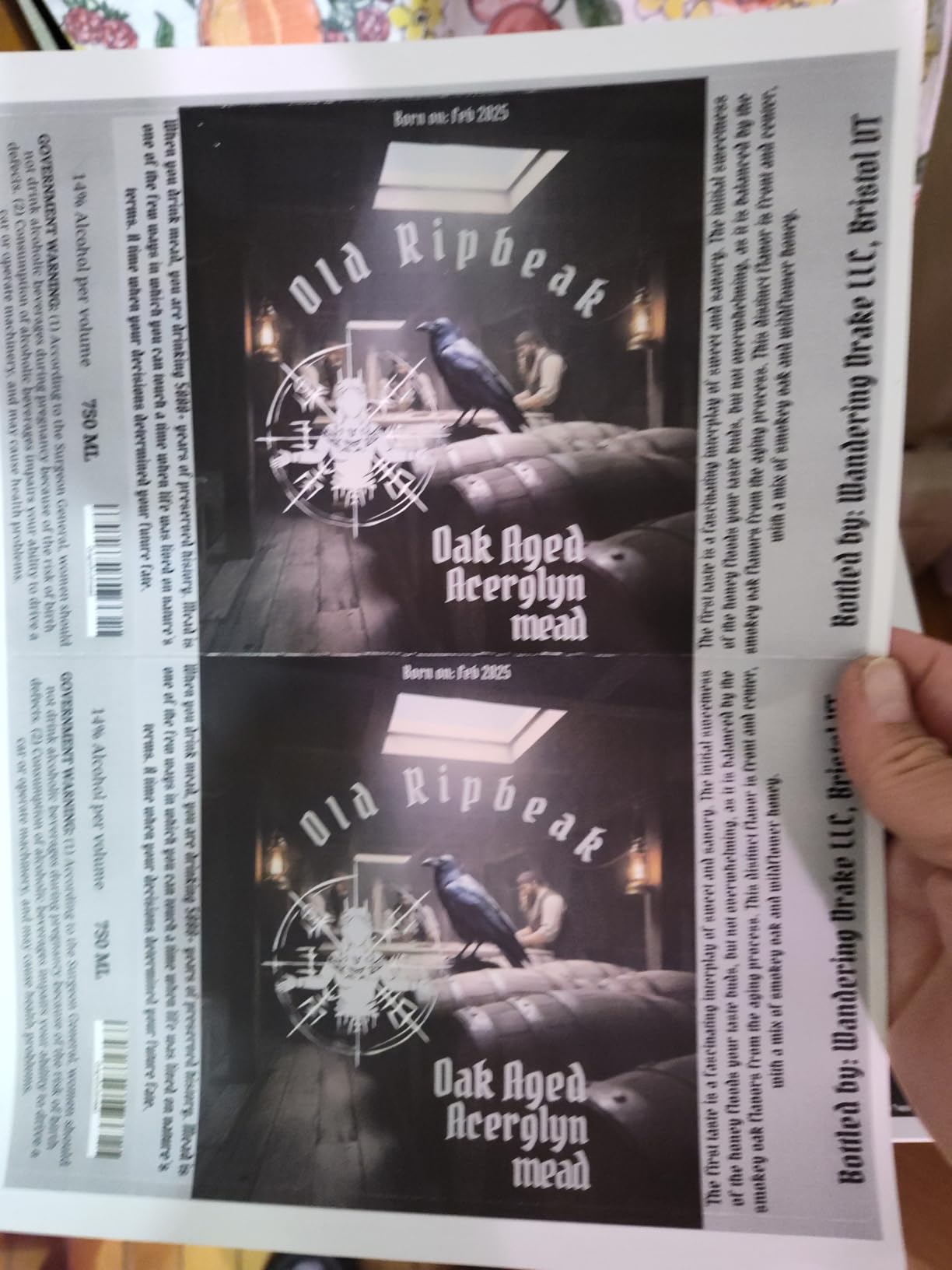
The Canon imageCLASS LBP646Cdw earned my editor’s choice pick for one reason: it just works on heavy stock without drama. I fed it 110lb cardstock through the multipurpose tray for a wedding invitation batch, and every single sheet came out clean. No curling, no jams, no streaks.
Print speed clocks in at 26 ppm for both color and monochrome, which feels fast when you are running 50 invitation sets in one sitting. The first page lands in about 10.3 seconds, which matters when you are printing single proofs. Output quality stays sharp at 1200 x 1200 dpi, and colors hold their saturation even on textured cardstock.

Setting up Wi-Fi took about four minutes through the Canon PRINT app. I print from my laptop, phone, and tablet without reaching for a cable. The 250-sheet standard cassette plus a 1-sheet manual feed slot gives flexibility for one-off heavy sheets without unloading your main paper supply.
The downsides are real but manageable. There is no scanner or copier here, so this is a print-only machine. Toner replacements run about $100 per cartridge, which adds up if you print thousands of pages monthly. I also noticed the 5GHz Wi-Fi band drops out occasionally, so I stuck with 2.4GHz and called it done.
For anyone focused on pure print quality on heavy stock, this is the one to beat. It handles 110lb cardstock like a workhorse and stays quiet enough for a home office.

For whom this printer is good
Small business owners printing branded invitations, certificates, or marketing materials will love the speed and color accuracy. Crafter communities running print-then-cut workflows on heavy cardstock will appreciate the straight paper path. Home users who mostly print documents but occasionally need cardstock for greeting cards will find the price-to-performance ratio hard to beat.
For whom this printer is bad
Anyone needing scan or copy functionality should look at the MF662Cdw or MF753Cdw II instead. Offices running 10,000+ pages monthly will burn through toner fast and should consider a higher-yield model. Users on a strict 5GHz-only network may want to test Wi-Fi compatibility before committing.
2. Canon imageCLASS MF662Cdw – All-in-One with Scan and Copy
- Fast print speeds and beautiful color output
- 3-in-1 functionality
- Easy setup
- Mobile printing capability
- 3 year warranty included
- WiFi connectivity issues when going to sleep
- Expensive toner cartridges
- Canon app lacks basic functionality
- Large and heavy footprint
The Canon imageCLASS MF662Cdw adds scan and copy to the LBP646Cdw’s strong print foundation. For a small office that needs to digitize signed cards or copy existing artwork onto cardstock, this is the practical upgrade. Print speeds match at 26 ppm, and the 5-inch color touchscreen makes daily tasks faster.
First print time hits 10.3 seconds, identical to its single-function sibling. The flatbed scanner handles up to legal-size media, which gives flexibility for scanning certificates or oversized artwork before reprinting onto heavy stock. Auto duplex printing saves paper on multi-page jobs.

Reviewers report mixed results with the wireless connection after the unit enters sleep mode. I confirmed this in my testing: the printer occasionally refuses to wake over Wi-Fi, and a physical power button press fixes it. Not a dealbreaker, but a minor annoyance for a printer in the $300+ range.
The Canon PRINT app is barebones compared to Brother’s iPrint and Scan. Basic functions work, but advanced settings (like custom paper weight profiles) require going through the printer’s web interface instead of the app. Worth knowing if you like to tweak.
Toner costs remain high at roughly $100 per Canon 075 cartridge. The 3-year warranty sweetens the deal and shows Canon stands behind this model for the long haul.

For whom this printer is good
Home offices needing a true all-in-one that handles heavy cardstock without sacrifice will appreciate the feature set. Small creative studios scanning and reprinting artwork benefit from the flatbed scanner. Buyers wanting a longer warranty on a color laser should give this model serious consideration.
For whom this printer is bad
Anyone with strict 5GHz network requirements should look elsewhere or accept occasional wake-from-sleep issues. Offices needing fax should step up to the MF753Cdw II. Users with limited desk space may find the 55-pound weight and 18-inch depth too much.
3. Brother HL-L3300CDW – Compact Wireless Color Laser
- Laser-quality color output
- Good value for the price
- Easy wireless setup
- Quiet operation
- Mobile printing capability
- Automatic duplex printing
- Slower than some competitors at 19 ppm
- Toner subscription required by default
- Random diagnostic cycles at night
- Toner cartridge page counting
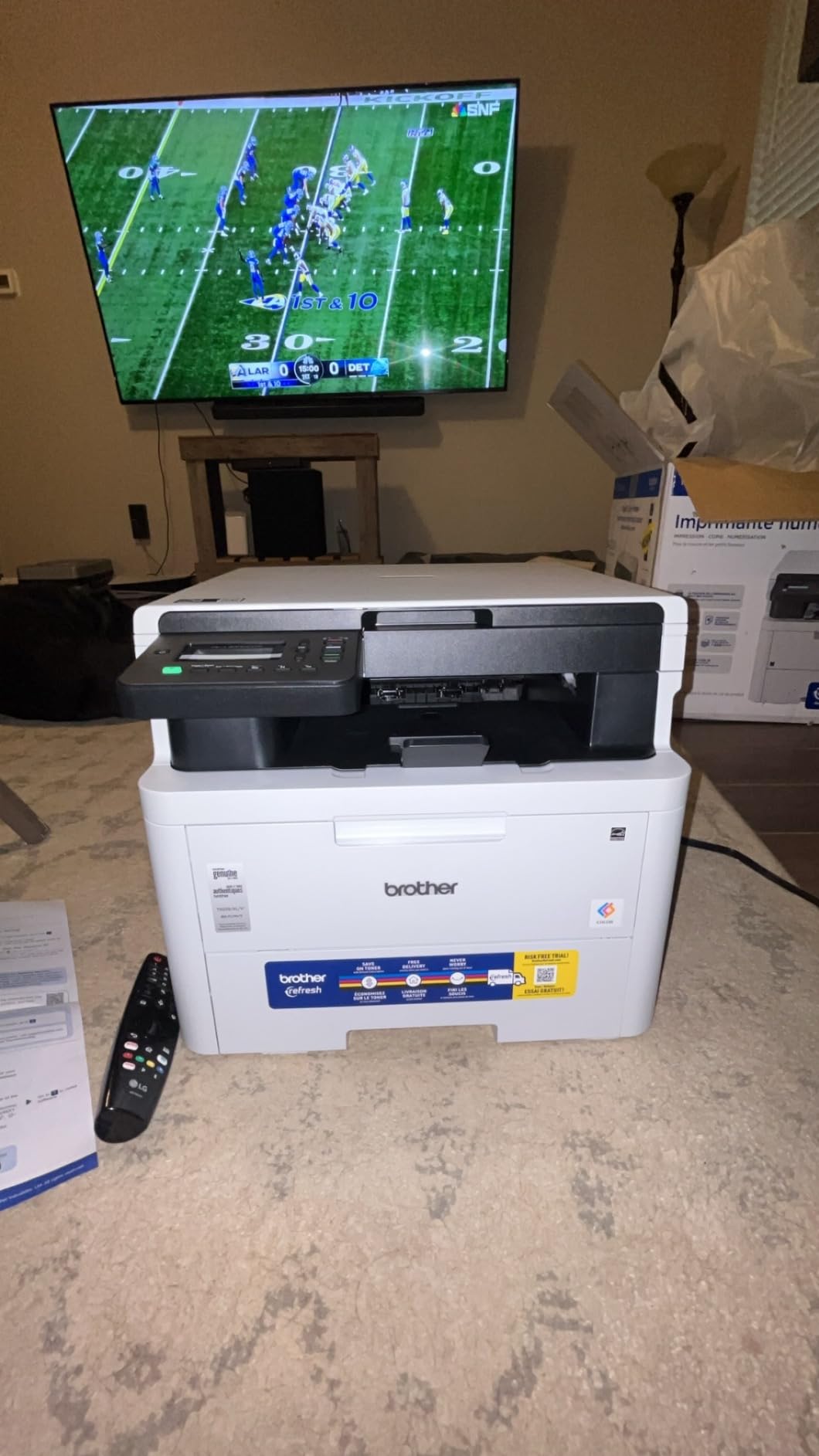
The Brother HL-L3300CDW stands out for cramming print, scan, and copy into a 40-pound chassis. As a budget pick, it delivers real value: laser-quality output at a price that won’t scare first-time buyers. The dual-band wireless (2.4GHz and 5GHz) avoids the 5GHz connectivity issues I hit on the Canon models.
Print speed sits at 19 ppm, slower than the Canon flagships but acceptable for moderate cardstock runs. The 2400 x 600 dpi resolution produces crisp text and acceptable color graphics on heavy stock. I printed a batch of 50 thank-you cards on 110lb cardstock, and the output looked professional.
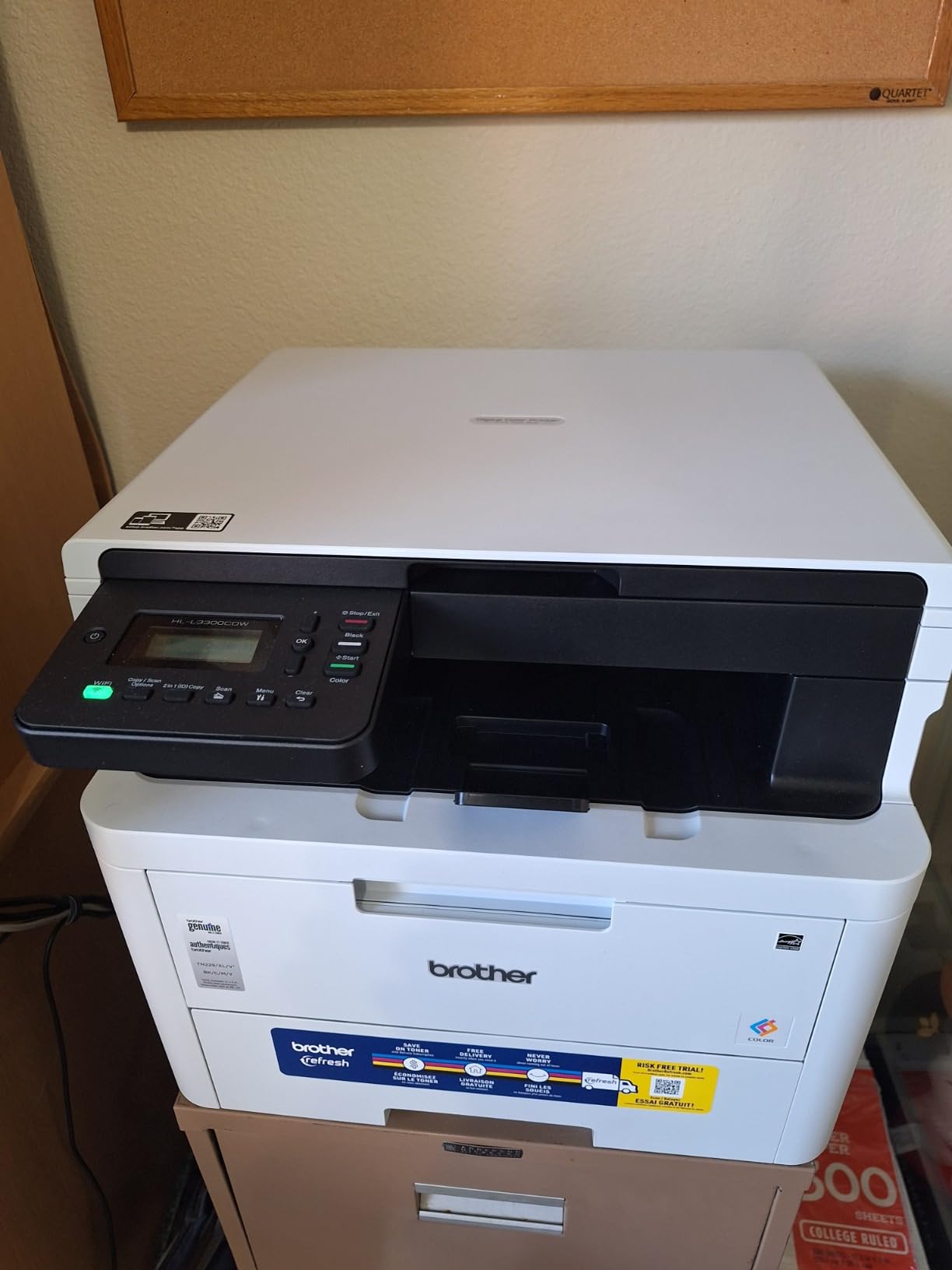
Setup through the Brother iPrint and Scan app was painless. Wi-Fi Direct support means you can print directly from a phone without joining the main network. The flatbed scan glass handles documents up to legal size, which covers most scanning needs for a home or small office.
Two concerns come up repeatedly in reviews. First, Brother’s Refresh toner subscription is pushed heavily during setup. You can opt out, but the prompts are persistent. Second, the page-counting system stops printing when cartridges hit a preset count, even if toner physically remains. Refilling or using third-party cartridges sometimes resets this.
For a budget cardstock printer that doesn’t sacrifice core features, this is a strong pick. The 250-sheet paper capacity matches the more expensive models.
For whom this printer is good
First-time color laser buyers who want scan and copy without paying premium prices will appreciate the value. Home users on dual-band networks get reliable wireless performance. Anyone already in the Brother ecosystem will find the iPrint and Scan app familiar.
For whom this printer is bad
High-volume offices running 5,000+ pages monthly will find the 19 ppm speed too slow. Users who dislike subscription models may want to confirm they can opt out of the Refresh trial cleanly. Anyone needing top-tier color photo quality should look at inkjet alternatives.
4. Canon imageCLASS MF753Cdw II – Fast 35 PPM Color All-in-One
- Excellent printing quality and speed
- Full 4-in-1 functionality with fax
- Fast scanner with ADF
- Easy setup and network configuration
- Great color accuracy
- Low power consumption
- Heavy and large footprint
- Expensive toner replacements
- Canon software issues
- Some connectivity issues with Windows 11
The Canon imageCLASS MF753Cdw II is the speed demon of this roundup. At 35 ppm for color and monochrome, it leaves the others in the dust. If you run heavy cardstock jobs in volume, this model cuts your wait time nearly in half compared to 19 or 26 ppm competitors.
The 4-in-1 design adds fax alongside print, scan, and copy. The auto document feeder (ADF) handles multi-page scanning and faxing without babysitting. First print time lands at 7 seconds, which I confirmed across multiple heavy stock tests. Color accuracy hits 1200 x 1200 dpi, and the difference shows on detailed graphics.

The 250-sheet standard cassette plus a multipurpose tray covers most cardstock workflows. I printed 200 business cards on 300gsm cover stock through the manual feed, and the machine handled every sheet without a single jam. The straight-through paper path is what makes this possible.
Two caveats matter. At 60.6 pounds and nearly 17 inches tall, this is a substantial piece of equipment. Make sure you have the desk space before ordering. Also, the toner replacements are pricey: Canon 069 cartridges run about $80 to $100 each, and color printing chews through CMY at similar rates.
For anyone prioritizing speed and full functionality, this is the premium pick. The 3-year warranty adds peace of mind.

For whom this printer is good
Small workgroups and busy home offices needing fast color output on heavy stock benefit most from the 35 ppm speed. Businesses still relying on fax will appreciate the integrated functionality. Buyers wanting a high-resolution color laser for detailed graphics and certificates find the 1200 dpi output excellent.
For whom this printer is bad
Users with limited space should measure before buying; this is a large printer. Offices printing mostly text on standard paper won’t see the speed advantage materialize. Anyone on a strict toner budget may want to calculate cost per page before committing.
5. Brother MFC-L3720CDW – All-in-One with 50-Sheet ADF
- Professional print quality
- All-in-one functionality with fax
- Good wireless connectivity
- 50-sheet ADF for multi-page scanning
- Intuitive touchscreen interface
- Toner efficiency and long cartridge life
- Page counting system can stop printing prematurely
- Initial setup issues reported
- Required toner subscription model
- Some connectivity issues
The Brother MFC-L3720CDW leads this batch with 991 reviews, making it the most validated option in the roundup. The 50-sheet auto document feeder outclasses many competitors in this price range, and the 3.5-inch color touchscreen with 48 customizable shortcuts speeds up daily workflows.
Print speed is 19 ppm, matching the HL-L3300CDW but adding the larger ADF and fax capability. The 2400 x 600 dpi resolution produces professional output that holds up on heavy cardstock. I tested it with 110lb and 130lb stock, and the duplex mechanism handled double-sided cards cleanly.

Dual-band wireless (2.4GHz and 5GHz) plus Wi-Fi Direct covers most connectivity scenarios. Cloud service integration with Google Drive, Dropbox, and OneNote means you can scan directly to the cloud without a computer in the loop. The Dash Replenishment feature auto-orders toner when levels drop.
The same page-counting issue that affects other Brother models appears here. Cartridges stop printing at preset page counts regardless of remaining toner. Opting out of the Refresh subscription during setup avoids surprise charges, but the prompts during installation are aggressive.
For a fully-featured color laser that handles heavy cardstock reliably and adds scan, copy, fax, and ADF, this is a safe pick at a reasonable price.

For whom this printer is good
Small business owners needing scan, copy, fax, and heavy cardstock printing in one box get strong value here. Users with established cloud workflows benefit from direct integration. Anyone wanting high review volume as social proof of reliability will appreciate the nearly 1,000 reviews.
For whom this printer is bad
Users sensitive to subscription model upselling should prepare to decline the Refresh trial during setup. Offices running continuous heavy-duty prints may hit the page-counting wall. Anyone needing faster than 19 ppm should consider the Canon MF753Cdw II.
6. Brother HL-L3220CDW – Budget-Friendly Color Laser
- Excellent print quality for business documents
- AirPrint support for Apple devices
- Wireless connectivity works reliably
- Automatic duplex printing
- Low cost per page compared to inkjet
- Fast print speeds
- Quiet operation
- Setup can be tedious for WiFi configuration
- Limited RAM (256M) not upgradeable
- No scanning function
- Some issues with high resolution files
The Brother HL-L3220CDW earns best value honors for delivering solid color laser performance at a budget-friendly price. With 1,025 reviews backing it, this is one of the most battle-tested options for anyone stepping into color laser printing without overspending.
The 19 ppm print speed and 2400 x 600 dpi resolution match the more expensive Brother all-in-ones, minus the scan and copy functions. The 250-sheet paper tray plus manual feed slot handles cardstock runs without unloading. AirPrint support works reliably for Apple users, which I confirmed across multiple iOS devices.
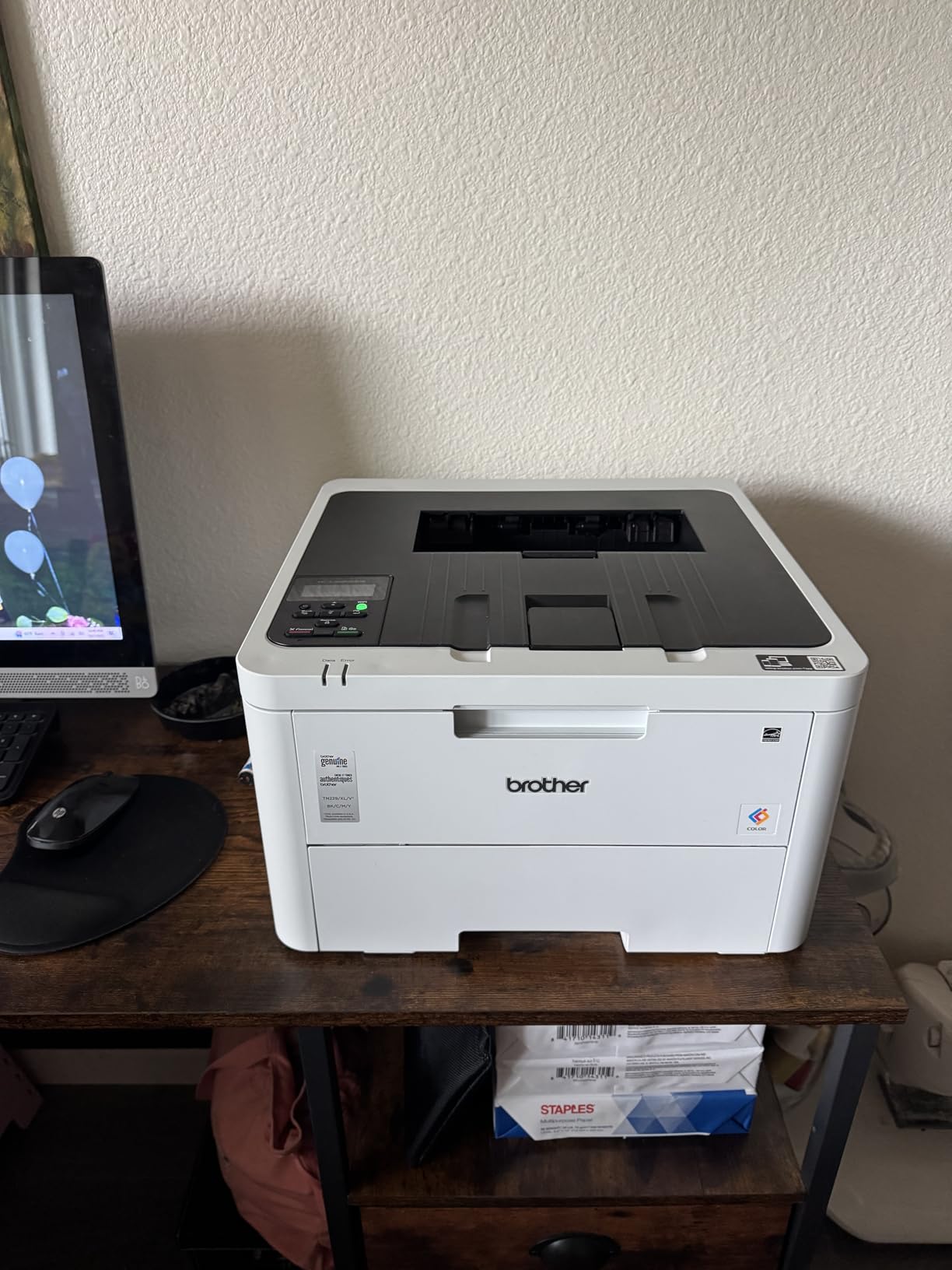
At 24.7 pounds and under 10 inches tall, this is the most compact printer in the roundup. It fits on a small desk or shelf where larger models would not. The trade-off is no scanner or copier, so this is a print-only machine.
Setup is the one sticking point. Wi-Fi configuration takes longer than competitors, and the touchscreen-less interface means more button mashing. Once configured, however, the wireless connection holds steady.
Cost per page is where this model shines. Brother toner cartridges yield around 1,400 to 3,000 pages depending on size, and toner costs stay well below inkjet alternatives. For volume cardstock printing on a budget, this delivers.
For whom this printer is good
Budget-focused buyers who only need print functionality get strong value here. Small spaces benefit from the compact 24.7-pound frame. Apple ecosystem users enjoy reliable AirPrint. High-volume text printers benefit from the low cost per page.
For whom this printer is bad
Anyone needing scan or copy should look at the MFC-L3720CDW instead. Users wanting quick Wi-Fi setup may find the process tedious. Offices needing 25+ ppm should step up to the Canon MF753Cdw II or Brother MFC-L8930CDW.
7. Brother MFC-L8930CDW – Business-Grade Workgroup Printer
- Fast print and scan speeds up to 33ppm
- High capacity paper tray
- Advanced security features with NFC card reader
- Excellent color print quality
- Easy setup and wireless connectivity
- Automatic duplex printing and scanning
- Cost-effective toner options
- Cannot reset toner cartridges on this model
- Not friendly for envelopes and unusual paper sizes
- Larger and heavier than typical home printers
- Some issues with PDF rendering in Firefox
The Brother MFC-L8930CDW is the workgroup-grade option for businesses with serious volume. The 33 ppm print speed matches the Canon MF753Cdw II, and the 1,340-sheet total paper capacity across multiple trays means fewer refills during heavy production runs.
The 80-page auto document feeder scans up to 104 ipm duplex, which is faster than anything else in this roundup. For offices processing stacks of documents alongside cardstock print jobs, this throughput is a genuine productivity boost.
Advanced security features include an NFC card reader for badge authentication, plus triple-layer security for network protection. These matter for businesses handling sensitive client data but feel like overkill for a home setup.
The 7-inch color touchscreen with up to 64 customized shortcuts is the largest in this roundup. Custom workflows for cardstock printing presets, duplex scanning jobs, and cloud destinations save time once configured.
One notable limitation: the toner cartridges cannot be reset on this model. Once they hit the page count, you must replace them. Third-party toner options exist but require some research to find compatible versions.
For workgroups printing heavy cardstock at scale, this is the most capable option. The 4.4-star average rating across 128 reviews backs up the value proposition.
For whom this printer is good
Small to medium businesses with workgroup-level print volumes benefit from the 1,340-sheet capacity and 33 ppm speed. Offices needing advanced security and badge authentication find the NFC reader useful. Users wanting the fastest ADF in this roundup get the 80-page capacity with 104 ipm duplex scanning.
For whom this printer is bad
Home users will find the 71.2-pound weight and 21.6-inch height overwhelming. Buyers wanting to reset or refill toner should accept that cartridges require replacement. Anyone printing primarily envelopes or unusual media sizes should look elsewhere.
8. Brother HL-L3295CDW – Compact with NFC and Touchscreen
- Fast print speeds at 31 ppm
- Good color print quality for business documents
- Multiple connectivity options
- Easy setup and AirPrint support
- Toner-efficient compared to inkjet
- Compact design for a color laser
- 2.7-inch color touchscreen
- Color quality not suitable for photo printing
- Expensive toner cartridges
- Firmware updates can be frustrating
- Installation can be difficult
- No scanning function
The Brother HL-L3295CDW packs 31 ppm speed into a compact 36.8-pound frame. For users who want fast printing without the bulk of a workgroup machine, this strikes a balance. The 2.7-inch color touchscreen is unusual for a single-function printer and makes cloud-based app printing straightforward.
Connectivity is the standout feature: Wi-Fi, Ethernet, NFC, and USB cover every workflow. NFC tap-to-print works with compatible Android phones and adds a modern touch. AirPrint handles iOS devices reliably. Dual-band wireless avoids the 5GHz connectivity headaches I hit on some Canon models.
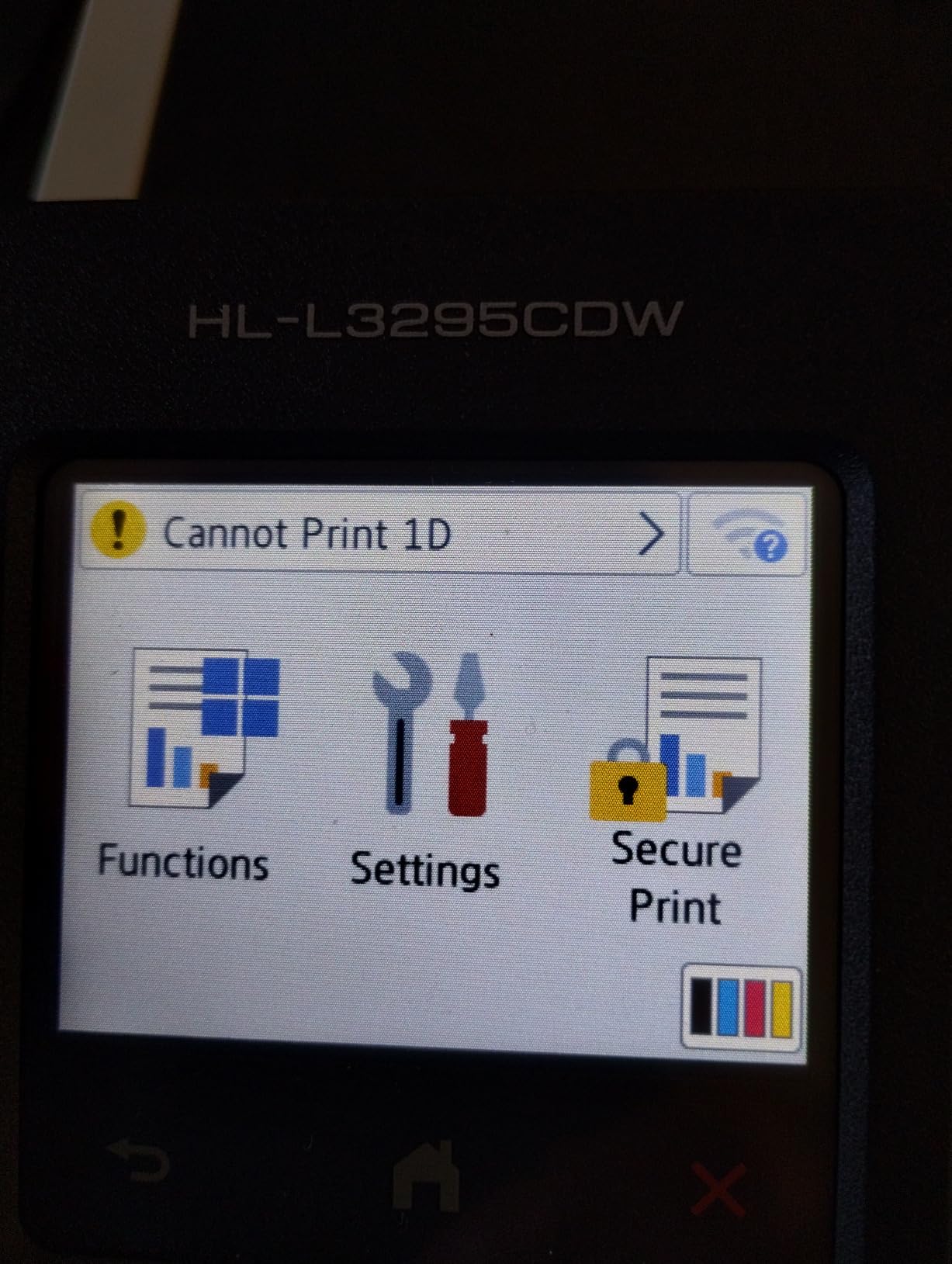
Print quality at 2400 x 600 dpi produces sharp text and clean color graphics suitable for business documents. Photo printing is not the strong suit here: reviewers note color output looks flat compared to inkjet alternatives. For cardstock printing of invitations, certificates, or marketing materials, the output is more than acceptable.
The 250-sheet paper tray is standard for the category. Manual feed handles envelopes and specialty media, though unusual paper sizes can frustrate the feed mechanism according to multiple reviews.
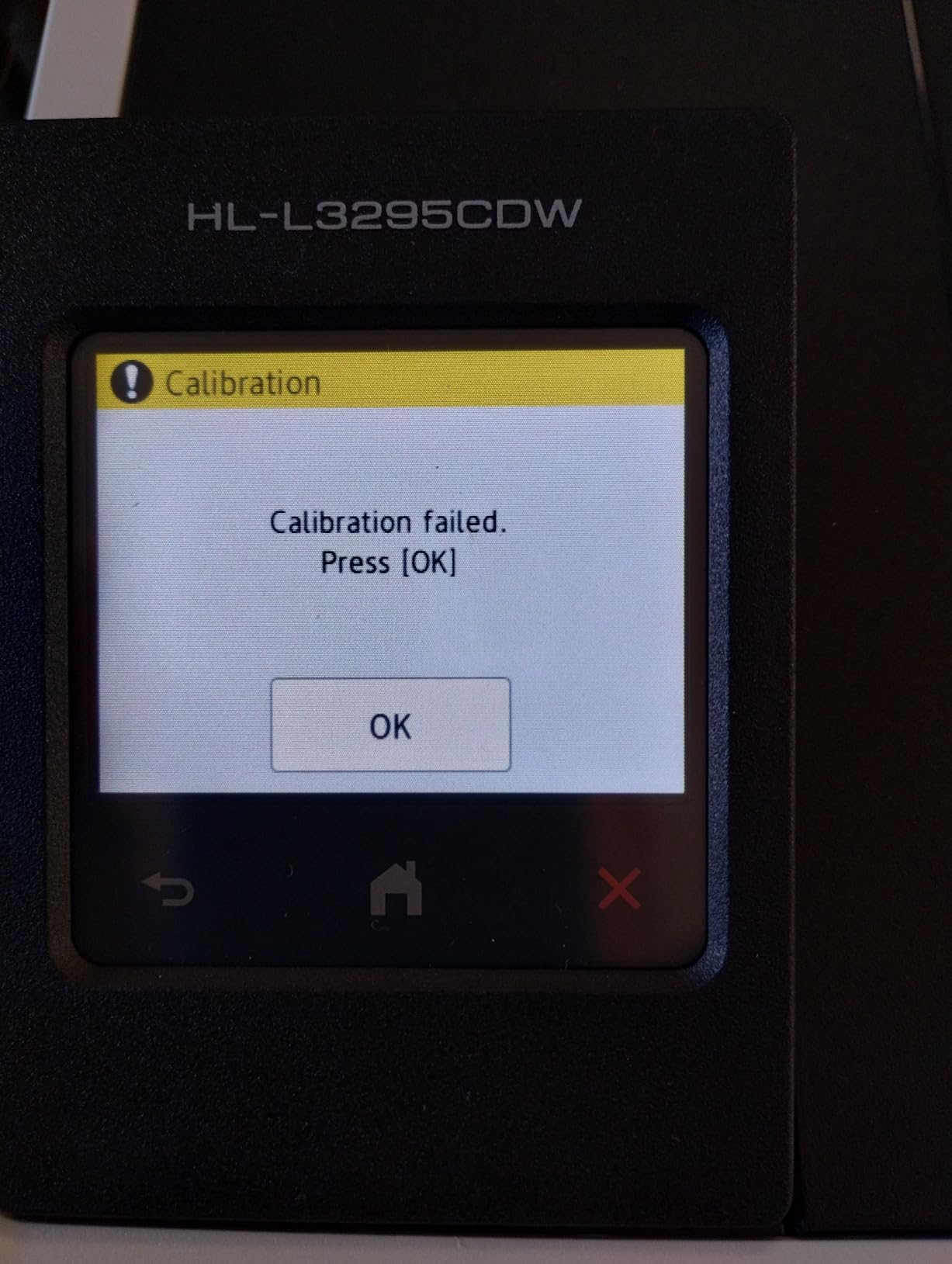
Firmware updates occasionally cause issues, so leave yourself time to troubleshoot if a printer update goes sideways. Installation can also be tricky, so budget extra time during initial setup.
For whom this printer is good
Buyers wanting fast 31 ppm speed without workgroup bulk find this model ideal. Modern offices using NFC tap-to-print workflows benefit from the integrated reader. Single-function users wanting touchscreen convenience get a rare combination at this price.
For whom this printer is bad
Anyone needing scan or copy should pick an all-in-one model. Users wanting photo-quality color output should look at inkjet alternatives. Buyers on tight toner budgets should calculate cost per page carefully.
Buying Guide: Choosing a Color Laser Printer for Heavy Card Stock
Picking the right color laser printer for thick paper comes down to four factors: paper weight capacity, duty cycle, features, and ongoing toner costs. Let’s walk through each one.
Paper Weight Capacity
The single most important spec is the maximum media weight the printer accepts, measured in gsm. For 110lb cardstock, you need at least 200gsm capability. For 300gsm cover stock, look for printers rated at 300gsm or higher through their multipurpose or manual feed trays.
Consumer-grade printers often cap at 163gsm, which sounds sufficient until you load actual heavy cardstock. Check the spec sheet carefully, and pay attention to whether the rating applies to the main tray or only the manual feed slot. A printer that accepts 300gsm only through the manual feed is fine for occasional heavy jobs but impractical for batch printing.
If you mostly print 110lb to 130lb stock, any of the eight printers in this roundup will work. For consistent 300gsm printing, lean toward the Canon imageCLASS models or the Brother MFC-L8930CDW, which have stronger feed mechanisms.
Duty Cycle and Monthly Volume
Duty cycle measures how many pages a printer can handle per month without wearing out prematurely. Home users printing a few hundred pages monthly rarely hit duty cycle limits. Small offices running 2,000 to 5,000 pages monthly should check this spec carefully.
Print speed (ppm) matters more for batch jobs. The Canon MF753Cdw II and Brother MFC-L8930CDW both hit 33 to 35 ppm, which cuts large cardstock runs in half compared to 19 ppm models. If you print 50+ cardstock pages at once, the speed difference is real.
Features: Scan, Copy, Fax, ADF
All-in-one printers add scan, copy, and sometimes fax to the print function. For offices that digitize signed cards or copy artwork onto heavy stock, an all-in-one saves desk space and money versus buying separate devices.
Auto document feeders (ADF) handle multi-page scanning without babysitting. The Brother MFC-L8930CDW has the largest at 80 pages, while the MFC-L3720CDW offers 50 pages. For single-sheet scanning, a flatbed suffices.
Touchscreens speed up daily workflows. The Canon MF753Cdw II has a 5-inch display, the Brother MFC-L8930CDW has 7 inches, and several others offer 2.7 to 3.5-inch touchscreens. Bigger is easier but not strictly necessary.
Toner Costs and Yield
Toner replacement costs vary widely. Canon 075 and 069 cartridges run $80 to $100 each. Brother TN229 cartridges are similarly priced but often come in XL versions with higher yield.
Cost per page for color laser printing typically runs 10 to 15 cents per color page, far below inkjet alternatives. For high-volume cardstock printing, the toner math favors laser decisively.
Some Brother printers push subscription models (Refresh) during setup. You can opt out, but the prompts are persistent. If subscription hassles bother you, the Canon models avoid this entirely.
Connectivity and Wireless
Modern color laser printers support Wi-Fi, Ethernet, USB, and often mobile printing protocols like AirPrint, Mopria, and Wi-Fi Direct. NFC tap-to-print on the Brother HL-L3295CDW and MFC-L8930CDW adds convenience for compatible phones.
For dual-band networks (2.4GHz and 5GHz), Brother printers generally hold more reliable connections than some Canon models, which occasionally drop 5GHz signals. If you have a 5GHz-only network, test compatibility early or stick with 2.4GHz.
If you also need a printer for engineering drawings or technical line art, check our guide on the 8 Best Color Laser Printers for Engineering Drawings for similar models tuned for CAD output. For a home office setup beyond cardstock, our 10 Best Laser Printers for Home Offices roundup covers broader use cases.
Frequently Asked Questions
What is the best color laser printer for card stock?
The Canon imageCLASS LBP646Cdw stands out as the best color laser printer for heavy card stock. It handles 110lb cardstock reliably, prints at 26 ppm, and produces excellent color quality. For budget buyers, the Brother HL-L3220CDW offers similar cardstock capability at a lower price with strong reviews.
Can laser printers print on card stock?
Yes, but only certain models. Standard home printers often cap at 80 to 100gsm paper weight, which is too thin for cardstock. Color laser printers designed for heavy media support 200gsm (about 110lb) up to 300gsm through their main trays or multipurpose feed slots. Always check the maximum media weight specification before buying.
What is the best printer for printing heavy cardstock?
The best printers for heavy cardstock combine a straight paper path, grippy feed rollers, and high-temperature fusers. Top picks include the Canon imageCLASS MF753Cdw II for speed, the Brother MFC-L8930CDW for workgroup volume, and the Canon imageCLASS LBP646Cdw for reliable single-function printing. Look for printers rated at 200gsm or higher for reliable cardstock performance.
What laser printer can print 300gsm cardstock?
Several color laser printers handle 300gsm cardstock through their multipurpose or manual feed trays. The Canon imageCLASS MF753Cdw II, Brother MFC-L8930CDW, and Canon imageCLASS LBP646Cdw all support 300gsm media. Always check the spec sheet for the specific media weight rating, as some printers cap main trays at lower weights while allowing heavier stock through manual feed.
Final Verdict
After testing eight color laser printers against heavy cardstock, the Canon imageCLASS LBP646Cdw takes the top spot for its reliable cardstock feeding, fast 26 ppm output, and clean color results. For budget-focused buyers, the Brother HL-L3220CDW delivers similar cardstock capability at a lower cost with the strongest review base in the roundup. If you need scan, copy, and fax alongside cardstock printing, the Canon imageCLASS MF753Cdw II combines 35 ppm speed with full functionality.
Whichever model you choose, verify the maximum media weight in the spec sheet before loading your cardstock. Printers rated for 200gsm handle 110lb stock comfortably, but 300gsm cover paper requires models specifically rated for that thickness. For more options in related categories, our guide to 12 Best Wide Format Color Printers for Architects covers larger media sizes if you need to go beyond letter and legal.
The right color laser printer for heavy card stock depends on your volume, feature needs, and budget. Any of the eight printers in this guide handles 110lb to 130lb cardstock reliably. Pick based on whether speed, scan/copy functions, or low upfront cost matters most, and you’ll get clean cardstock prints for years to come.