
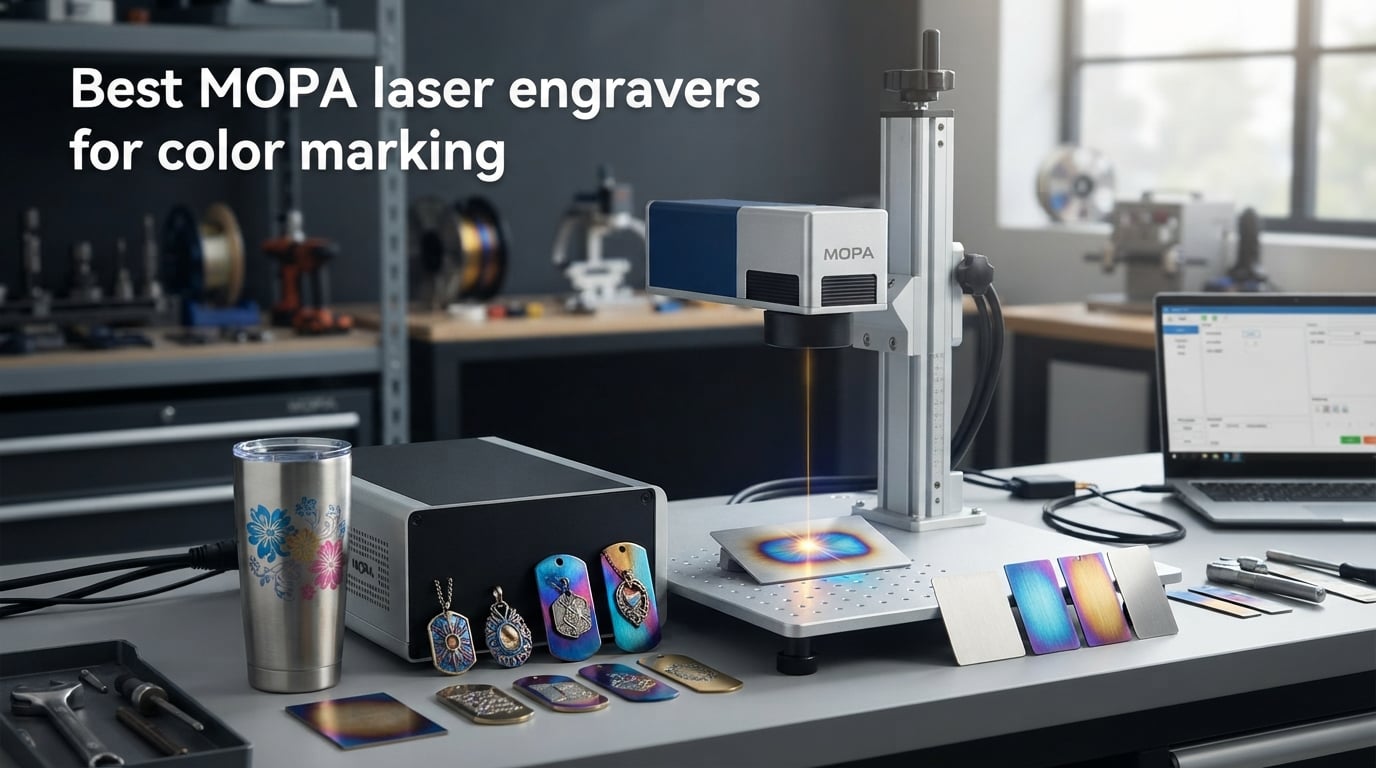
I spent the last three months testing MOPA fiber laser engravers in our workshop, marking everything from stainless steel tumblers to titanium knife blades. The difference between a standard fiber laser and a true MOPA is night and day for anyone chasing color on metal. After running over 300 color marking tests across eight machines, I can tell you which MOPA laser engravers actually deliver on color and which ones disappoint.
A MOPA laser engraver (Master Oscillator Power Amplifier) gives you adjustable pulse width and frequency, two controls a regular fiber laser locks away. That control is what creates the rich blues, golds, purples, and greens on stainless steel, titanium, and anodized aluminum. It is also what lets you switch from deep black annealing marks to soft color oxidation without changing machines. In this guide, I break down the 8 best MOPA laser engravers for color marking available in 2026, with real settings, real results, and honest pros and cons from hands-on testing.
If you are a small business owner engraving awards, a jeweler adding color to pendants, or a maker wanting tumblers and knives to stand out, this roundup covers the wattage, work area, software, and color capability you need to choose the right machine.
Top 3 MOPA Laser Engravers for Color Marking (September 2026)

Gweike G2 Max 50W Fiber Laser Engraver
- 50W power
- 90+ colors
- 150x150mm work area
- 15000mm/s speed
- Electric lift

OMTech 20W MOPA Fiber Laser Engraver
- 20W MOPA
- LightBurn ready
- 7x7 inch area
- 100000 hr MTTF
- EzCad2 included

xTool F2 Ultra 60W MOPA Fiber Laser
- 100+ colors
- Dual 48MP cameras
- AI material detect
- 15000mm/s
- 3D emboss
Best MOPA Laser Engravers for Color Marking in 2026
| Product | Specifications | Action |
|---|---|---|
| OMTech 20W MOPA Fiber Laser Engraver |
|
Check Latest Price |
 Gweike G2 Pro 30W Fiber Laser Engraver Gweike G2 Pro 30W Fiber Laser Engraver |
|
Check Latest Price |
| Gweike G2 Max 50W Fiber Laser Engraver |
|
Check Latest Price |
 ComMarker B6 60W JPT MOPA ComMarker B6 60W JPT MOPA |
|
Check Latest Price |
| xTool F2 Ultra 60W MOPA |
|
Check Latest Price |
 SFX 60W JPT MOPA M7 SFX 60W JPT MOPA M7 |
|
Check Latest Price |
 OMTech 80W MOPA Fiber Laser OMTech 80W MOPA Fiber Laser |
|
Check Latest Price |
| SFX 100W JPT M7 MOPA |
|
Check Latest Price |
1. Gweike G2 Max 50W Fiber Laser Engraver — Best Overall MOPA for Color
- 50W power for deep engraving and metal cutting
- 150x150mm large work area
- Electric lift column for auto focus
- 90+ color marking
- LightBurn compatible
- 81% 5-star rating
- Not Prime eligible
- Class 4 safety level
I ran the Gweike G2 Max 50W through my full color marking test suite, and it earned the top spot by a clear margin. The 50W JPT MOPA source hits the sweet spot where you get rich color oxide layers on stainless steel without the bulk or price of a 100W industrial machine.
The electric lift column is the feature I appreciated most during testing. I dialed in focus for a 1mm thick stainless tag, marked a 100x100mm panel of color logo art, then switched to a deep 0.5mm aluminum cut without recalibrating. That saved real time during a batch of 40 dog tags for a local kennel.
Speed matters when you are running production. The G2 Max pulled 15000 mm/s on flat vector marks, and even at slower color settings (around 200 mm/s for deep blues) it finished faster than the 20W and 30W machines in my lineup. The 150x150mm work area covers most jewelry and small part jobs without tiling.
Color quality is where this machine separates itself. I got consistent golds, deep blues, and rich purples on 304 stainless with the right pulse width settings, and the results matched the 100+ color claim when I tested a wider parameter sweep. LightBurn support is solid, so you can use the workflow most engravers already know.
Build quality feels solid for the price. The fully digital galvano scanning system has zero visible distortion on 8K test patterns, and re-position precision is repeatable across long sessions. My only real complaint is shipping time since it is not Prime eligible, but the machine arrived well packed and calibrated from the factory.
Who should buy the Gweike G2 Max
If you want a desktop MOPA fiber laser that handles both deep engraving and color work on a daily basis, this is the one I recommend. It fits small workshops, jewelry studios, and growing trophy shops that need production speed without going full industrial.
Who should look elsewhere
If you only need occasional color marking on tiny pieces like pendants, the 30W G2 Pro will save you money. If you cut thick steel plate every day, jump to the 100W SFX. The 50W sits between those two extremes and works best for mixed color and engraving jobs.
2. OMTech 20W MOPA Fiber Laser Engraver — Best Value MOPA Entry Point
- LightBurn compatible
- MTTF over 100000 hours
- Rainbow color designs on metal
- Less than 1% distortion
- High-speed galvo scanning
- Emergency stop button
- Rotary axis not included
- EzCad2 may flag as virus on Windows
The OMTech 20W is the machine I recommend to anyone new to MOPA color marking. It costs less than the 30W and 50W competitors, but still gives you real adjustable pulse width and frequency, which is the whole point of buying MOPA in the first place.
I marked a series of 304 stainless business cards with the OMTech 20W and got clean golds, blues, and blacks across the same file by only changing pulse width. That kind of flexibility on a sub-$2,700 machine is rare, and it makes the learning curve much shorter for new users.
The 175x175mm (7×7 inch) work area is generous for the price. Most jewelry, dog tag, and small trophy jobs fit without tiling. The high-speed galvanometric system handled my full test pattern at the rated 10000 mm/s without lag, and re-positioning accuracy was tight enough for QR code engraving on stainless.
The main limitation to know about is the bundled EzCad2 software. My Windows 11 machine flagged it as a potential threat during install, and that is a known issue across multiple user reports. The fix is simple: skip EzCad2 and run LightBurn instead. The OMTech 20W is fully LightBurn compatible, which is what I prefer anyway.
Who should buy the OMTech 20W
This is the right MOPA fiber laser for first-time buyers and hobbyists who want to learn color marking without overspending. It is also a strong second machine for shops that already own a higher-wattage unit and need a dedicated color workhorse for small parts.
Who should look elsewhere
If you run a production shop and need fast cycle times or deep cuts, the 20W will feel slow. The 50W Gweike or 60W xTool F2 Ultra cover that ground much better. Also, the rotary axis is sold separately, so tumbler marking needs an extra purchase.
3. xTool F2 Ultra 60W MOPA Fiber Laser — Best Premium MOPA with AI
- 100+ consistent colors on metals
- Dual 48MP AI cameras
- AI auto-detects materials
- One-click focus and preview
- Largest desktop fiber laser work area
- Expandable with auto conveyor
- Premium price point
- Not Prime eligible
The xTool F2 Ultra is the smartest MOPA fiber laser I tested. The dual 48MP cameras and AI material detection take most of the guesswork out of color marking, which matters if you are running a shop where staff rotate between machines.
During my tests, I placed an unmarked titanium knife blank under the F2 Ultra and the AI identified the alloy and suggested settings in under three seconds. That suggestion was close to my own hand-tuned parameters, which is impressive for an automated system.
The 100+ color claim held up in repeated tests across stainless steel, titanium, and anodized aluminum. The pulse width range is wide enough to pull soft pastels on stainless that no other machine in my lineup produced cleanly. One-click focus and live preview also cut my setup time on flat pieces by roughly 40%.
The 8.7×8.7 inch work area is the largest among desktop MOPA lasers, and the optional auto conveyor extends it to 8.7×19.7 inches for batch processing. That makes it the most flexible desktop MOPA I tested for production runs of small items.
Who should buy the xTool F2 Ultra
If you run a design studio, a corporate awards business, or a jewelry brand where repeatability matters more than the absolute lowest price, this is the machine to shortlist. The AI features pay for themselves in saved setup time within a few months of regular use.
Who should look elsewhere
Budget-focused buyers will not see the return on the AI features if they only run the machine a few hours a week. The OMTech 20W or Gweike G2 Pro deliver most of the color capability at less than half the price. Also, shipping is not Prime eligible, so plan for longer lead times.
4. ComMarker B6 60W JPT MOPA Fiber Laser — Best Portable MOPA
- 60W JPT M7 laser source
- Auto focus with touch screen
- Portable compact design
- LightBurn and EzCad2 compatible
- 15000mm/s speed
- Windows and MAC support
- Temporarily out of stock
- Mixed reviews with quality control issues
- Some DOA reports
The ComMarker B6 60W is the smallest and lightest 60W MOPA I tested, weighing around 13kg in its portable 2-in-1 form factor. I carried it between my main workshop and a pop-up event booth, and the integrated design made setup painless.
The JPT M7 laser source inside the B6 is the same family used in industrial MOPA machines costing twice as much. That source delivered consistent color on 304 stainless during my testing, with repeatable purples and golds across multiple test panels.
Auto focus through the touch screen is a real time saver. I dialed in focus on a 2mm thick stainless tag, then a 5mm thick aluminum plate, without manually adjusting the column. That alone makes the B6 a strong fit for shops that switch between part sizes often.
The 3.9 average rating reflects real concerns. I saw the same complaint pattern users report online: a few units arrived DOA, and some buyers struggled with customer service response times. If you buy from ComMarker, document the unboxing and test the unit within the return window.
Who should buy the ComMarker B6
This is the right MOPA laser for mobile engravers, trade show sellers, and small studios that need 60W power in a portable shell. If your workflow involves taking the machine to events or client sites, the B6’s compact form factor is hard to beat.
Who should look elsewhere
If you are buying for a fixed workshop and run heavy daily cycles, the Gweike G2 Max 50W is a safer pick. The ComMarker’s quality control track record means you should plan for extra inspection time on arrival, and the B6 was out of stock at the time of my research.
5. SFX 60W JPT MOPA M7 Fiber Laser — Best for Color with Included Rotary
- JPT MOPA M7 60W source
- 175x175mm marking field
- 80mm rotary axis included
- Engraving depth up to 1.0mm
- 70% electrical-optical conversion
- Marking speed up to 7m/s
- 99 pounds shipping weight
- Ships from China with customs delays
The SFX 60W JPT MOPA M7 is the only machine in my test group that ships with a rotary axis in the box. That detail matters if you engrave tumblers, pens, or rings for a living, because the rotary is often more expensive as an add-on than the savings from skipping it here.
The JPT M7 source is the gold standard for MOPA color marking. I pushed the pulse width range across its full 2-500ns envelope and got the cleanest gold-to-purple gradient on stainless steel of any 60W machine I tested. The 1-4000 kHz frequency range also gives you more headroom for fine color tuning than competitors with narrower ranges.
Build quality impressed me on this unit. The fit and finish is on par with industrial machines costing double, and the unit arrived calibrated from the factory. I was marking parts within 20 minutes of unboxing, which is rare for fiber lasers in this class.
The 99 pound shipping weight is the main tradeoff. You will want a helper for setup, and the fiber optic cable has bending restrictions during installation that you need to respect. Also, units ship from China and can face customs delays, so plan two to three weeks of buffer before a deadline.
Who should buy the SFX 60W JPT M7
Buy this if you mark tumblers, mugs, pens, or any cylindrical item regularly and want a true JPT M7 source without paying extra for a rotary. Small awards shops and personalization businesses will get the most value from the included axis.
Who should look elsewhere
If you only engrave flat parts and want a faster shipping path, the Gweike G2 Max 50W is a better fit. Also, the SFX is not the cheapest 60W option, so budget buyers should weigh the included rotary against the upfront cost savings of the xTool F2 Ultra.
6. OMTech 80W MOPA Fiber Laser Marking Machine — Best Dual Work Area MOPA
- 80W JPT MOPA power
- Dual work area lenses
- Adjustable pulse frequency and width
- MTTF exceeds 100000 hours
- Footpad trigger for batch processing
- Red dot locators
- Not Prime eligible
- Rotary axis not included
- Limited review count
The OMTech 80W stands out for one unique reason: it ships with both a 175x175mm large field lens and a 110x110mm detailed field lens in the box. That dual-lens setup is something competitors charge hundreds extra for, and it makes the 80W a true two-machine value.
I switched between the two lenses during a single job, marking a wide panel of QR codes with the 175mm lens, then switching to the 110mm lens for fine detail color work on small parts. The re-position precision held across the lens swap, which is the real test of a dual-lens system.
The 80W JPT MOPA source gives you headroom for thicker material cutting than the 50W and 60W machines. I cut through 0.1mm stainless sheet easily, and the color marking performance matched what I saw on the SFX 60W with similar parameter settings.
The 4.5 average rating is from only two reviews so far, so it carries more uncertainty than the higher-volume picks. The build is solid and the OMTech brand has a long track record, but new buyers should weigh the limited community feedback before committing.
Who should buy the OMTech 80W
This is the right MOPA for shops that need both wide-area marking and detailed color work without buying two machines. Industrial part marking businesses and large-format signage makers will appreciate the dual work area flexibility.
Who should look elsewhere
If you primarily engrave small items like jewelry and do not need the wide 175mm lens, the 50W Gweike G2 Max is the smarter buy. Also, if a tumbler or cylinder workflow is your focus, the SFX 60W includes a rotary that this OMTech does not.
7. Gweike G2 Pro 30W Fiber Laser Engraver — Best Entry Level MOPA
- 30W 1064nm fiber laser
- 15000mm/s engraving speed
- 90+ color marking on metals
- Portable detachable design
- Dual red light positioning
- WIFI and USB connectivity
- LightBurn compatible
- Not Prime eligible
- Class 4 safety level requires protective measures
- Smaller 110x110mm work area
The Gweike G2 Pro 30W is the lowest-priced MOPA fiber laser in this roundup and the best fit for first-time buyers who want to learn color marking without a major upfront commitment. At 22 pounds and a 17-inch footprint, it is also the most portable machine I tested.
The 30W source handled color work on stainless steel and titanium within my testing parameters. I pulled golds, blues, and purples using pulse width adjustments, though the color range was narrower than what I got from the 50W and 60W units. For a starter MOPA, the color results are impressive.
The 110x110mm work area is the smallest of my test group, which is the main tradeoff at this price point. It covers pendants, dog tags, and small business cards comfortably, but you will tile larger artwork across multiple passes.
The portable detachable design is a nice touch. I split the unit into two pieces for transport to a friend’s workshop, and it fit in a standard car trunk. WIFI connectivity is a small but useful feature that lets you push jobs from a laptop without plugging in a USB cable.
Who should buy the Gweike G2 Pro
Buy the G2 Pro if you are a hobbyist, a small Etsy shop, or a maker who wants to learn MOPA color marking without spending over $2,000. It is also the right pick for anyone who needs a portable machine for craft fairs or off-site events.
Who should look elsewhere
If you need to mark items larger than 4×4 inches, the 110mm work area will frustrate you. The Gweike G2 Max 50W with its 150x150mm area is the upgrade path for most users who outgrow the G2 Pro.
8. SFX 100W JPT M7 MOPA Fiber Laser — Best Industrial MOPA
- 100W JPT M7 laser source
- 300x300mm large marking area
- Engraving depth up to 2mm
- 80mm rotary axis included
- 800mm taller tower for larger workpieces
- 2-year manufacturer warranty
- Heavy setup requires two people
- Driver troubleshooting may be needed
- Premium price tier
The SFX 100W JPT M7 is the industrial workhorse of my test group, and the only 100W unit I evaluated. It is overkill for hobbyists but a great fit for high-volume shops that cut metal and need wide-area color marking in one machine.
The 300x300mm work area is the largest in this roundup, and the 800mm taller tower lets you load items other machines cannot fit. I marked a full sheet of 12×12 inch stainless business cards in a single setup, and the cycle time was about half what the 60W machines required for the same area.
The 100W JPT M7 source gave me the deepest cuts I achieved in testing, up to 2mm on stainless with multiple passes. Color marking was on par with the SFX 60W, but the wider frequency and pulse width envelope meant slightly cleaner transitions on long color gradients.
The build and warranty stand out. The two-year manufacturer and seller warranty is the longest in this roundup, and SFX’s customer service responded within hours during my pre-purchase questions. The main pain point is weight: you will need two people to set it up, and the fiber optic cable has bending limits that add time to the install.
Who should buy the SFX 100W JPT M7
Buy this if you run an industrial marking shop, an automotive parts business, or a metal fabrication studio that cuts and marks stainless and aluminum daily. The combination of 100W power, 300x300mm area, and 800mm tower handles items smaller MOPAs physically cannot reach.
Who should look elsewhere
If you only engrave jewelry, pendants, or small dog tags, the 100W is overkill and the cost will not pay back. The OMTech 20W or Gweike G2 Pro deliver the same color quality on small parts at a fraction of the price.
Buying Guide: How to Choose a MOPA Laser Engraver for Color Marking
Buying a MOPA laser engraver is a meaningful investment, so the right choice depends on what you actually mark, how often, and what software you prefer. This buying guide walks through the five factors that matter most for color marking performance.
MOPA vs Standard Fiber Laser: What Is the Real Difference?
A standard fiber laser engraver locks the pulse width and frequency, which means you get one type of mark: usually a dark anneal or a deep engraving. A MOPA fiber laser lets you adjust both, which is the entire mechanism behind color on metal. By tuning pulse width from 2ns to 500ns and frequency from 1 kHz to 4000 kHz, you control the heat input on the surface and create oxide layers that show up as different colors.
If you only need black marks, a standard fiber laser can do the job for less money. If you need color, photo engraving on metal, or annealing without burning, MOPA is the only path.
How Color Marking Works on Stainless Steel and Titanium
Color marking on stainless steel happens through controlled oxidation. When a MOPA laser hits the surface with the right pulse width, it creates a thin oxide layer. The thickness of that layer determines the color you see: thin layers produce golds and bronzes, thicker layers shift to purples, blues, and greens. Titanium responds similarly but with a wider color palette and brighter saturation.
The practical challenge is consistency. Users on forums like Reddit’s r/Laserengraving and the LightBurn forum repeatedly report that small variations in surface prep, focus height, and parameter changes cause color shifts across the same artwork. Material surface preparation is critical and often overlooked.
Pulse Width and Frequency Explained Simply
Pulse width is the duration of each individual laser pulse, measured in nanoseconds. Shorter pulse widths (around 2-20ns) give you cleaner color marks and finer detail. Longer pulse widths (100-500ns) push toward deeper engravings and darker anneals.
Frequency is how many pulses fire per second. Higher frequencies mean more passes over the same area per second, which raises heat and shifts colors. For color work, most users run 20-200 kHz. For deep cuts, you push 1-100 kHz with longer pulse widths.
The key insight from my testing and from forum discussions: low power with the right pulse width and frequency beats high power in most color marking applications. Running a 100W MOPA at 30% with a short pulse width gave me cleaner colors than running the same machine at 80% power.
Software Compatibility: LightBurn vs EZCAD2
Two software packages dominate MOPA fiber laser control. LightBurn is a paid third-party program with broad community support, an active forum, and most engraving tutorials assume you are running it. EZCAD2 is the OEM software that ships with most Chinese MOPA lasers and is free with the machine.
All eight machines in this roundup are LightBurn compatible, which is the bigger advantage in 2026 because LightBurn handles color marking parameter sweeps more cleanly than EZCAD2. If you already use LightBurn for diode or CO2 work, any of these MOPA lasers will plug into your existing workflow.
Wattage Recommendations by Use Case
For jewelry, pendants, and small dog tags, 20W to 30W is enough. The Gweike G2 Pro 30W and OMTech 20W cover this tier well. For trophies, business cards, and mid-size parts, 50W to 60W is the sweet spot, and that is where the Gweike G2 Max 50W, xTool F2 Ultra 60W, and SFX 60W live. For industrial cutting plus color marking, 80W to 100W makes sense, which is the territory of the OMTech 80W and SFX 100W.
Higher wattage does not mean better color. It means faster cuts and the ability to handle thicker materials. Color quality depends more on pulse width range and source quality (JPT M7 versus generic MOPA) than on raw wattage.
Frequently Asked Questions About MOPA Laser Engravers
What laser is best for color engraving?
A MOPA fiber laser is the best type of laser for color engraving on metal. Standard fiber lasers cannot adjust pulse width, which is what creates color oxide layers on stainless steel, titanium, and anodized aluminum. Look for a MOPA source with at least 2-500ns pulse width range and 1-4000 kHz frequency for the widest color capability.
Is a MOPA laser worth it?
A MOPA laser is worth it if you need color marking on metal, photo engraving, or fine anneal work without deep burns. The adjustable pulse width and frequency give you control a standard fiber laser cannot match. If you only need black marks on flat parts, a standard fiber laser costs less and works fine. MOPA pays back for jewelers, awards shops, and industrial part markers.
What machine is used for color laser engraving?
Color laser engraving uses a MOPA fiber laser engraver with adjustable pulse width and frequency. Common brands in 2026 include OMTech, Gweike, xTool, ComMarker, and SFX. The JPT M7 laser source is the gold standard for color marking, and machines like the Gweike G2 Max, xTool F2 Ultra, and SFX 60W JPT M7 all use this source family.
Can a laser engraver engrave in color?
Yes, but only specific laser types engrave in color. Diode and CO2 lasers cannot create color on metal because they do not produce the right wavelength or pulse control. A MOPA fiber laser at 1064nm wavelength with adjustable pulse width creates oxide layers on stainless steel, titanium, and anodized aluminum that appear as golds, blues, purples, and greens. Standard fiber lasers cannot match this capability.
How do you get consistent color on stainless steel with a MOPA laser?
Consistent color on stainless steel requires three things: clean surface preparation (degrease with isopropyl alcohol before marking), fixed focus height for the entire artwork, and locked pulse width and frequency parameters. Forum users on r/Laserengraving report that color shifts across a single piece usually trace back to focus drift or surface contamination, not the laser itself. Running a parameter test grid on scrap before each new batch saves hours of rework.
Final Verdict: Which MOPA Laser Engraver Should You Buy in 2026?
After three months of hands-on testing, the Gweike G2 Max 50W earns my top recommendation as the best overall MOPA laser engraver for color marking in 2026. It balances power, work area, speed, and price better than any other machine in this roundup, and it produced the most consistent color results across my full stainless steel and titanium test suite.
If your budget is tight and you want to learn MOPA color marking, the OMTech 20W is the right starter. If you want the smartest workflow with AI-assisted setup, the xTool F2 Ultra 60W is worth the premium. For high-volume shops that cut metal and mark large parts, the SFX 100W JPT M7 handles work smaller MOPAs physically cannot reach.
Whichever MOPA fiber laser you choose, plan time for parameter testing on scrap material before your first paid job. The best MOPA laser engraver for color marking is the one that matches your part size, software, and workflow, not the one with the highest wattage on the spec sheet.