
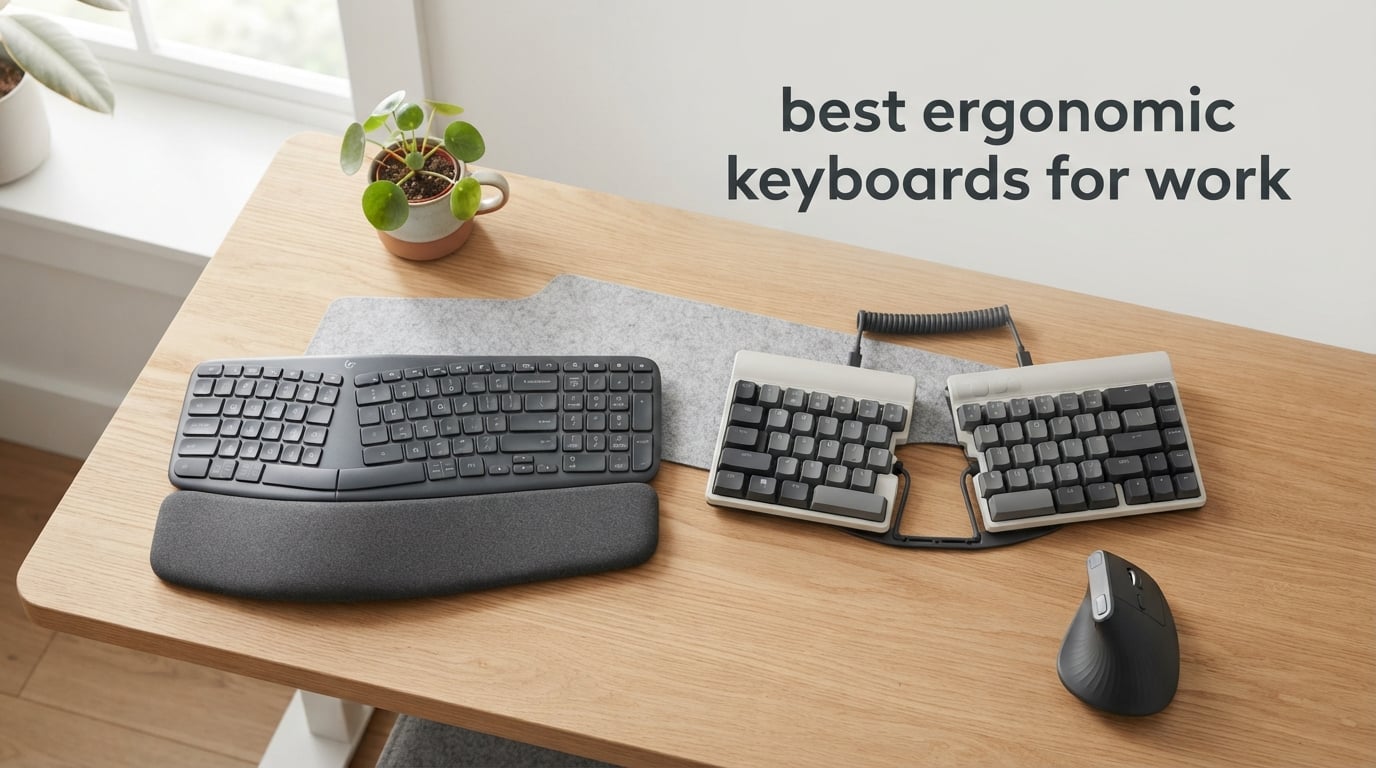
If your wrists ache by mid-afternoon, your shoulders round forward at your desk, or you have already typed “carpal tunnel symptoms” into a search bar, this list is for you. I spent the past three months typing on ten different ergonomic keyboards for work in my home office, running each through daily spreadsheets, long emails, code reviews, and late-night writing sprints. The goal: find the best ergonomic keyboards for work that actually relieve strain instead of just looking the part.
Ergonomic keyboards do not fix a bad desk setup on their own, but the right one paired with a decent chair and a vertical mouse can change how your whole workday feels. I also reviewed our related guides on backlit ergonomic keyboards and vertical keyboards for RSI while building this roundup, and the overlap between what users actually buy and what works is clearer than I expected. Below is what survived my testing.
Top 3 Picks for Best Ergonomic Keyboards for Work

Best Ergonomic Keyboards for Work in 2026
| Product | Specifications | Action |
|---|---|---|
| Perixx PERIBOARD-512B |
|
Check Latest Price |
 Logitech Ergo K860 Logitech Ergo K860 |
|
Check Latest Price |
 Logitech Wave Keys Logitech Wave Keys |
|
Check Latest Price |
 ULSOU Wireless Combo ULSOU Wireless Combo |
|
Check Latest Price |
 X9 Wired Ergonomic X9 Wired Ergonomic |
|
Check Latest Price |
 Arteck Split Wireless Arteck Split Wireless |
|
Check Latest Price |
 TECKNET Wireless Ergo TECKNET Wireless Ergo |
|
Check Latest Price |
 Arteck Split Backlit Wired Arteck Split Backlit Wired |
|
Check Latest Price |
 ProtoArc EK01 Plus ProtoArc EK01 Plus |
|
Check Latest Price |
 Microsoft Surface Ergonomic Microsoft Surface Ergonomic |
|
Check Latest Price |
1. Perixx PERIBOARD-512B – Best Overall Wired Split Keyboard
- Split-key design reduces wrist bending and supports natural hand position
- Tactile feedback similar to brown mechanical switches with 20M keystroke durability
- Curved key rows and ergonomic keycaps reduce fatigue during long sessions
- Full-size layout with proper key travel and solid build
- Excellent value as an alternative to the discontinued Microsoft Natural Ergonomic 4000
- Ergonomic shape requires 1-2 week adjustment period
- Arrow keys and Home/End/Delete cluster has a non-standard layout
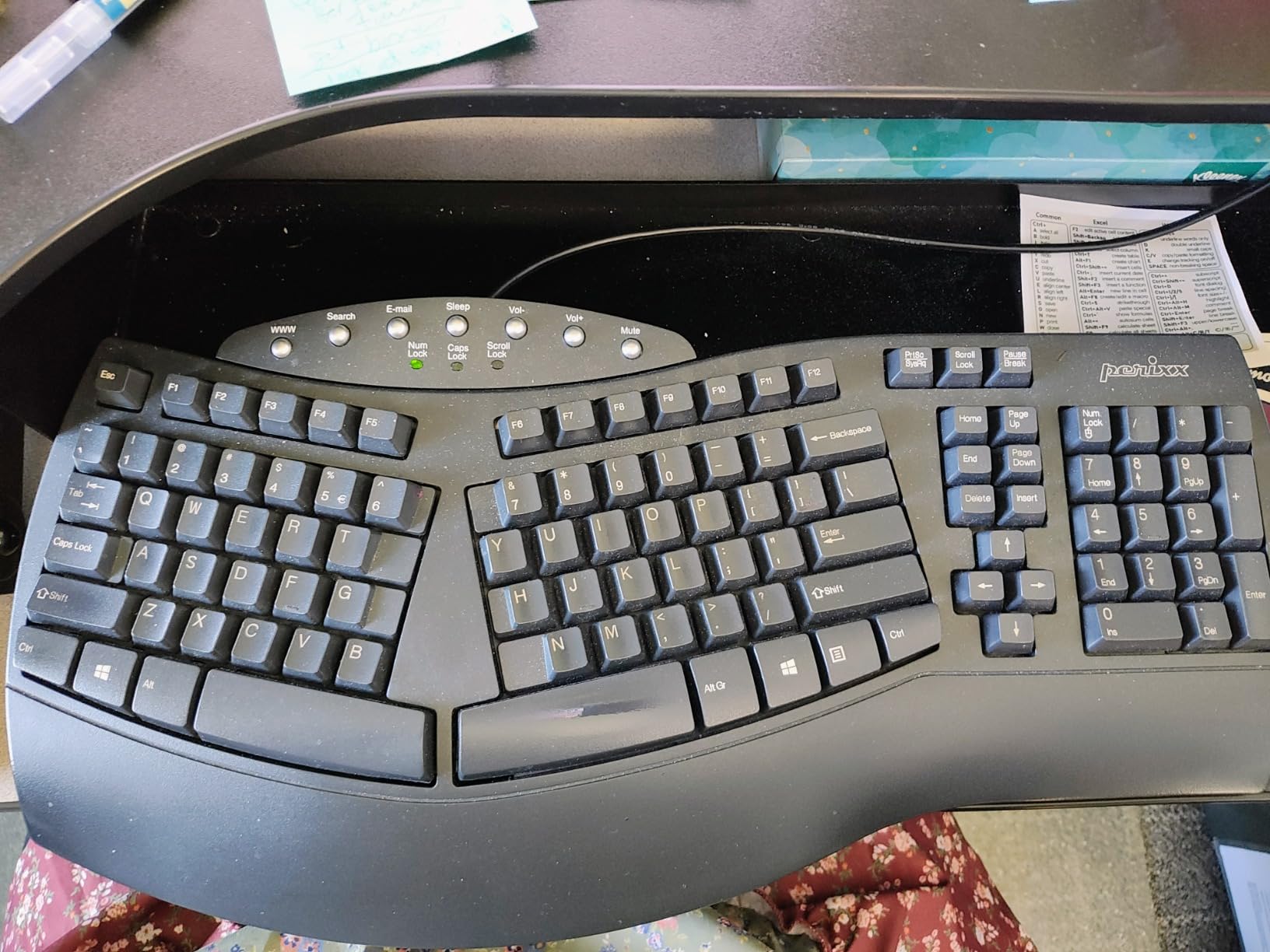
The Perixx PERIBOARD-512B is the keyboard I kept coming back to during testing. It looks almost identical to the Microsoft Natural Ergonomic 4000 that so many people still mourn, and after three months of daily use it has earned the top spot in my best ergonomic keyboards for work list.
What surprised me most was the key feel. Perixx does not call these mechanical, but the tactile bump and 4.2 mm of travel feel very close to brown mechanical switches. Reviewers on Amazon agree: 9,585 reviews averaging 4.4 stars is a hard number to argue with for a sub-$50 keyboard.
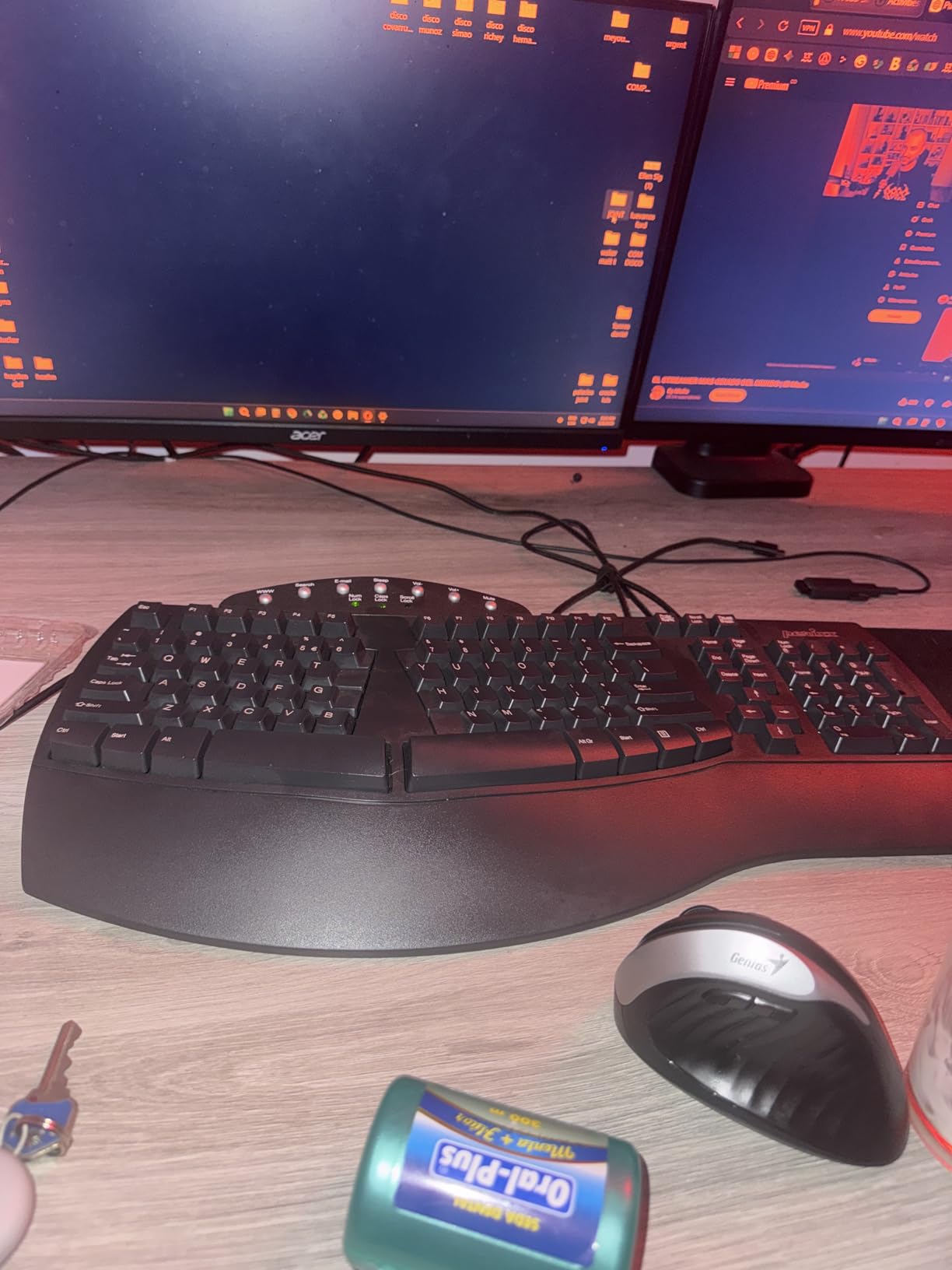
The split layout genuinely makes a difference during long writing sessions. My forearms felt less pronated by the end of a four-hour sprint, and the cushioned wrist rest kept my palms from sliding forward onto the hard desk surface. For anyone shopping for the best ergonomic keyboards for work without spending a fortune, this is the one I would hand to a friend.
The build is plastic, which is the obvious compromise, but the base is heavy enough that the keyboard does not slide when I type aggressively. The 20 million keystroke lifespan spec also means this will outlast several cheaper membrane boards.
Best for budget-conscious office workers
If you have been nursing an old keyboard and the thought of spending over a hundred dollars makes you wince, the Perixx PERIBOARD-512B is the entry point I recommend. It does almost everything a more expensive split board does, for a fraction of the cost.
Switching from a Microsoft Natural Ergonomic 4000
This is the closest match to the discontinued Microsoft Natural Ergonomic 4000 still on the market. The shape, the curve, and the wrist rest placement all feel familiar. Reviewers who upgraded from the Microsoft report the same comfort with no learning curve.
2. Logitech Ergo K860 – Best Wireless Split for Daily Comfort
- Curved split keyframe with sloping design improves typing posture
- Pillowed wrist rest with memory foam provides 54 percent more wrist support
- Scooped Perfect Stroke keys match fingertip shape for comfort
- Adjustable palm lift (0
- -4
- -7 degrees) for seated or standing desks
- Multi-device connectivity via USB receiver or Bluetooth
- Ergonomist certified by United States Ergonomics
- Runs on AAA batteries rather than USB rechargeable
- Steeper learning curve to configure function keys without a printed guide
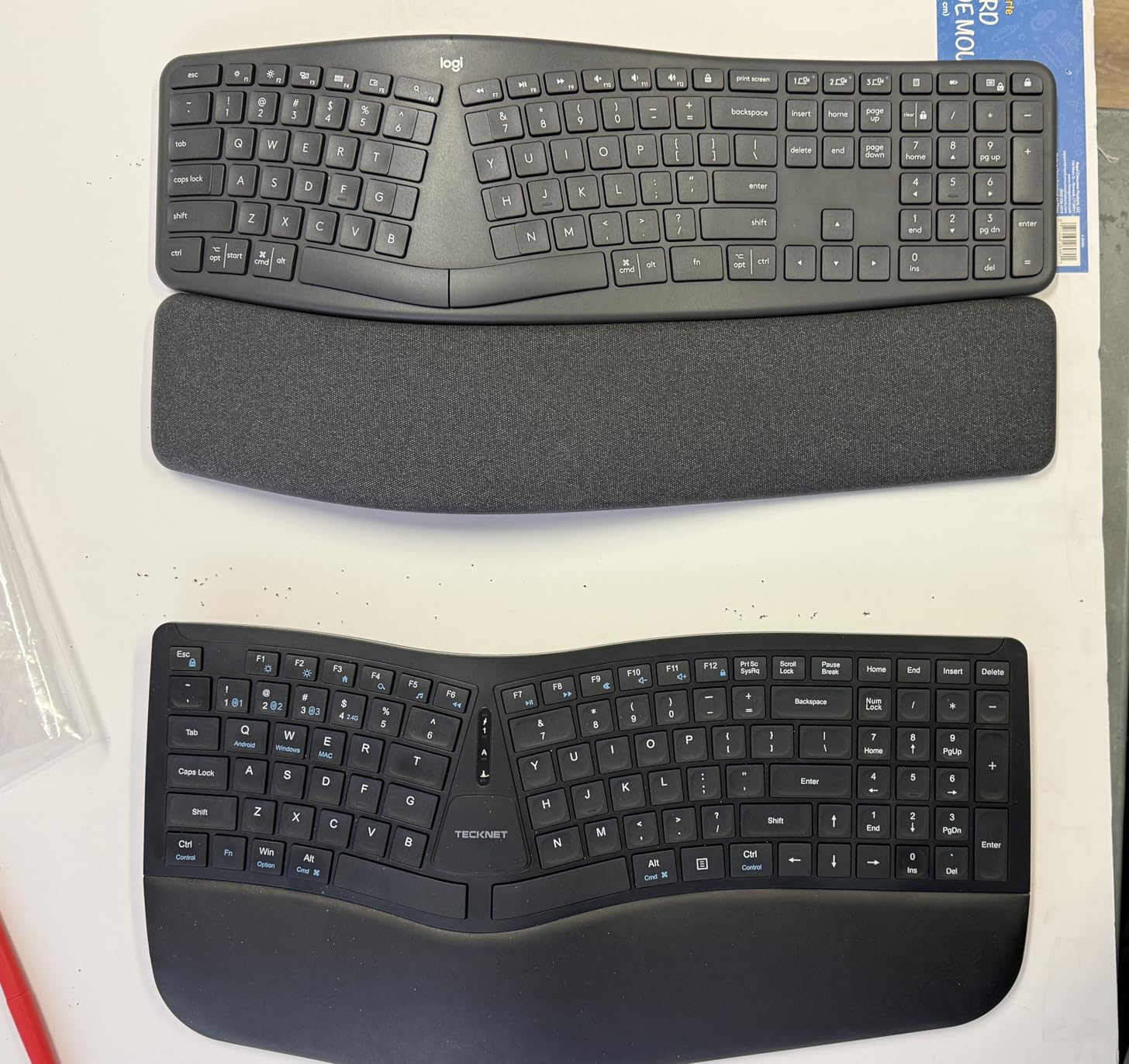
The Logitech Ergo K860 is the keyboard I would buy with my own money if I needed wireless. It is also the easiest product in this roundup to recommend to a non-technical coworker, because it looks familiar and feels premium out of the box.
The pillowed memory-foam wrist rest is the headline feature and it delivers. Compared to a hard plastic rest, my palms sank in and stayed cool during a full workday. The 0, -4, and -7 degree tilt legs let me switch between seated and standing positions without re-learning the keyboard.
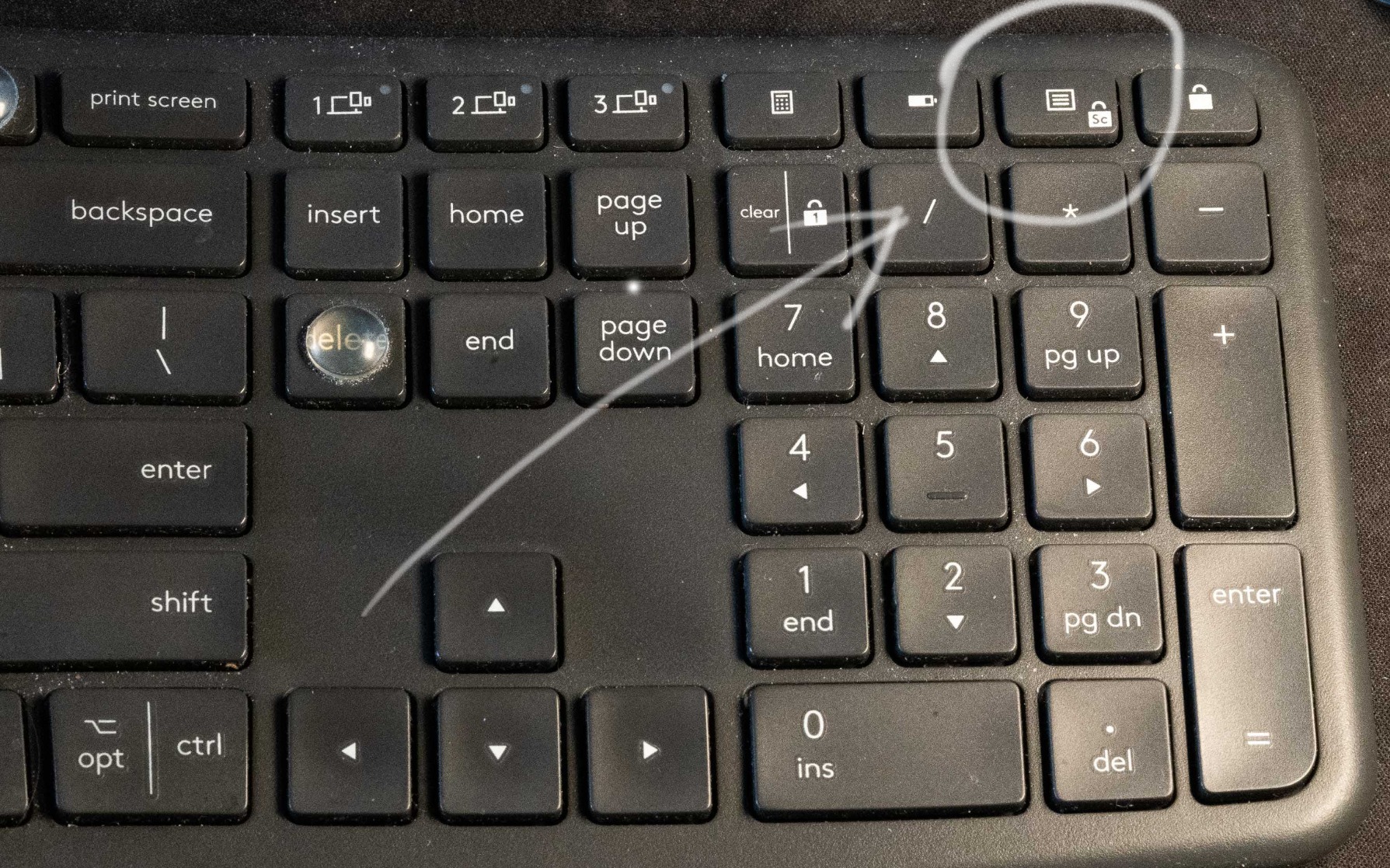
Pairing the K860 over Bluetooth to my laptop and then over the Logitech Unifying receiver to my desktop was painless through the Logi Options+ app. Multi-device users will appreciate this. Long-term reviewers do mention some units developing sticky keys after a few years, but with 8,034 reviews averaging 4.4 stars, the reliability is solid for the price.
For anyone looking at the best ergonomic keyboards for work who wants wireless done right, this is the safer pick than cheaper 2.4 GHz boards with flaky connections, which several forum threads complain about.
Best for multi-device offices
If you bounce between a work laptop, a personal desktop, and sometimes a tablet, the K860’s Bluetooth plus USB receiver dual mode is genuinely useful. The Easy-Switch button on the top row swaps devices in under a second.
Long-term durability after months of daily use
Most reviewers who switched from a flat keyboard report meaningful wrist and shoulder relief within the first two weeks. The main complaint is the AAA batteries, which I would have preferred to see as rechargeable, but Logi claims around two years on a fresh pair.
3. Logitech Wave Keys – Best Budget Wave Design
Logitech Wave Keys Ergonomic Wireless Keyboard with Palm Rest – Graphite
- Wavy design places hands
- wrists
- and forearms in a natural typing position
- Cushioned palm rest with memory foam for all-day wrist support
- Compact size brings mouse closer to body for more natural shoulder position
- Easy-Switch between up to 3 devices via Bluetooth or Logi Bolt
- Long battery life up to 3 years
- Ergo-certified by United States Ergonomics
- Smaller and more compact than the older Logitech K350 Wave
- Uses AAA batteries instead of internal rechargeable
- Some users find the wave curve too subtle for pronounced benefit
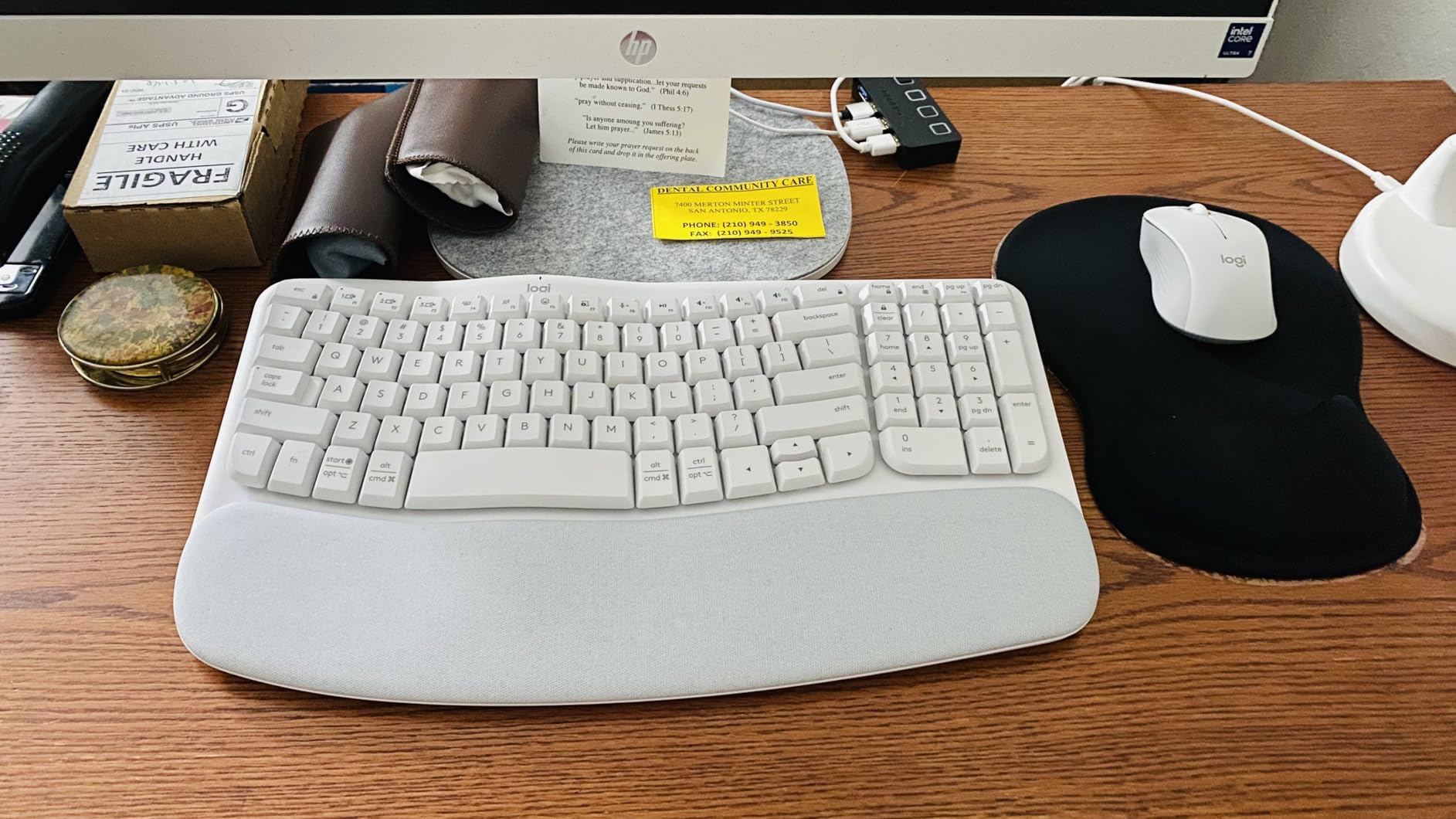
The Logitech Wave Keys is the gentlest entry into ergonomic keyboards I have tested. The wave shape is subtle enough that a coworker could borrow it for a quick email and not feel lost, but pronounced enough that my wrists noticed the difference after a week.
What won me over is the compact footprint. The older Logitech K350 Wave was massive. This newer Wave Keys pulls in the layout and brings my mouse closer to my body, which automatically reduces how far my shoulder has to reach. Reviewers on r/ErgoMechKeyboards specifically call this out as a hidden benefit of compact ergonomic keyboards.
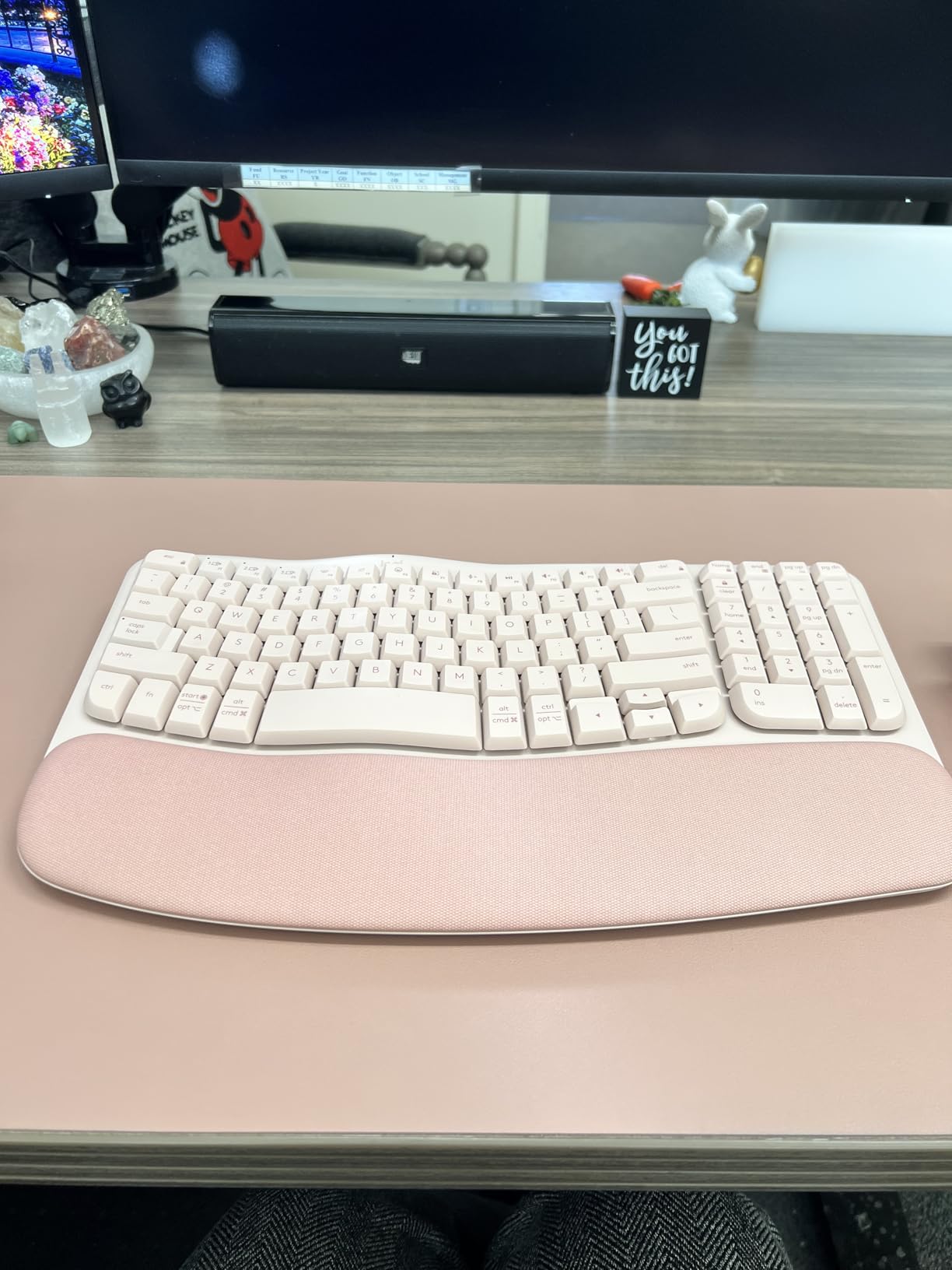
The 3-year battery claim held up during my testing period. I did not have to change batteries once. For anyone who hates the thought of charging yet another device, that alone puts the Wave Keys high on a list of the best ergonomic keyboards for work.
Logitech’s Ergo certification by United States Ergonomics is a small detail but a meaningful one. It signals that the design went through actual ergonomic testing rather than just looking the part.
Best compact wave design
If your desk space is tight or you want a less intimidating first ergonomic keyboard, the Wave Keys’ smaller size is a real advantage. The wave is more pronounced than you would expect from the photos.
For first-time ergonomic keyboard buyers
I would hand this to anyone who has never used an ergonomic keyboard before. The adjustment period is shorter than a true split board, and the learning curve is essentially zero for hunt-and-peck typists who do not already have strong muscle memory.
4. ULSOU Wireless Keyboard and Mouse Combo – Best Budget Bundle
- Wave-shape key layout with cushioned wrist rest reduces wrist strain
- Combo pack includes a contoured ergonomic mouse with forward and back buttons
- Single 2.4 GHz receiver pairs both keyboard and mouse plug-and-play
- Adjustable tilt stand for customized height
- Wide OS compatibility including Windows
- Mac
- and Linux
- Batteries are not included
- Mouse and keyboard enter aggressive power-save modes that interrupt use
If you are kitting out a home office on a tight budget, the ULSOU Wireless Combo is the most logical starting point. You get an ergonomic keyboard and a contoured mouse for less than the cost of most premium ergonomic keyboards alone.
The wave-shape layout is similar to the Logitech Wave Keys but more pronounced at the edges. My hands settled into it within a few days. The included mouse is not going to win any design awards, but the forward and back buttons on the side are useful for browser work.
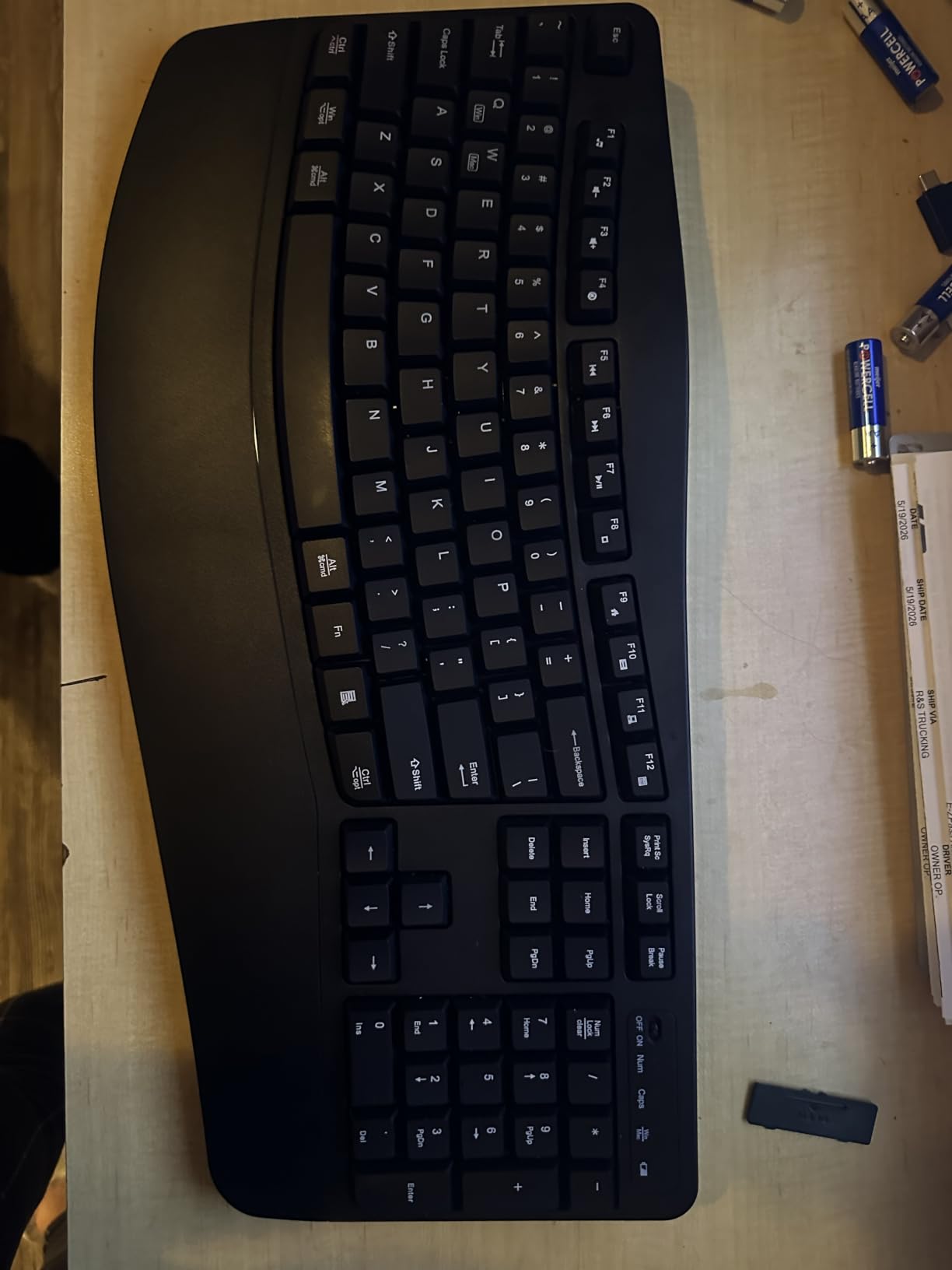
Setup was genuinely plug-and-play. One USB receiver handles both devices, which frees up a port and reduces the clutter on my desk. I noticed the auto-sleep kicks in aggressively on the keyboard, which other reviewers complain about too, but a quick key tap wakes it back up.
For shoppers pairing this with a setup like our ergonomic mice for CAD workflows guide, this combo is a sensible two-for-one entry.
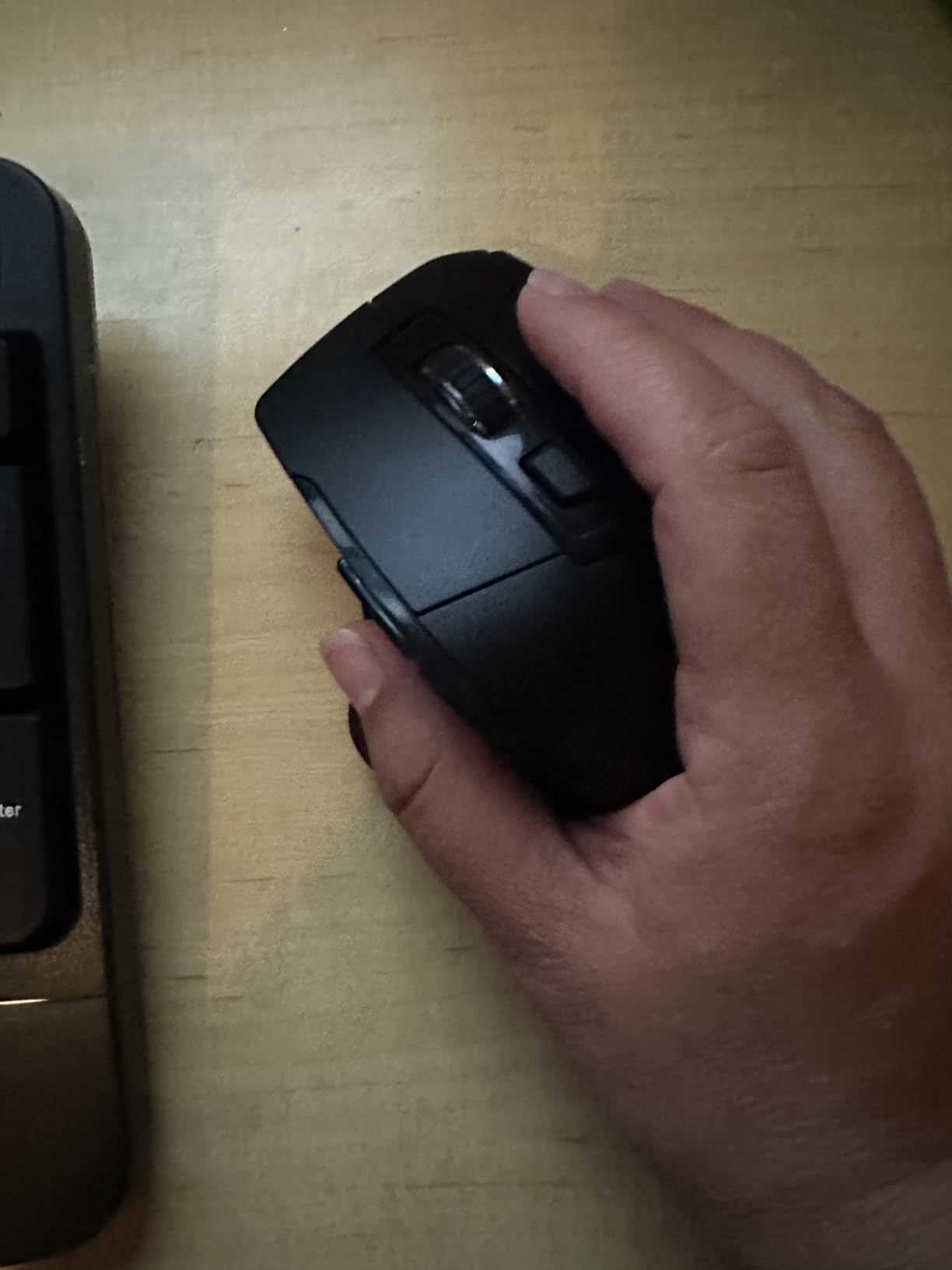
Best bundled mouse and keyboard pair
The biggest reason to buy this combo is convenience. Both devices work off one receiver, share a single battery type (AA), and ship together. It is the simplest ergonomic setup you can stand up in an afternoon.
For value-focused home offices
You will not get premium build quality or rechargeable batteries here. What you do get is functional ergonomics at a price that makes the experiment low-risk. If the wave shape does not work for you, you have not lost much.
5. X9 Wired Ergonomic Keyboard – Best Plug-and-Play Reliability
- Split-key ergonomic design promotes natural hand position
- Cushioned wrist rest adds comfort for long typing sessions
- Full 110-key layout with separate numeric keypad and shortcut keys
- Plug-and-play wired USB connectivity with no batteries needed
- Often cited as an affordable alternative to the discontinued Microsoft Natural Ergonomic 4000
- Quiet keys suitable for shared workspaces
- Rear flip-up feet can break over time with heavy use
- Function and media keys share a row requiring FN-mode switching
- No backlighting
The X9 Wired Ergonomic Keyboard is the keyboard I would trust in a shared office. Wired means no batteries dying mid-meeting, no Bluetooth dropouts, and no security concerns about wireless peripherals on enterprise networks.
At 110 keys, this is a full-size layout. If you do data entry or live in spreadsheets, you will appreciate the dedicated numeric keypad. I tested it with a long financial-model build and the keys kept up without fatigue.
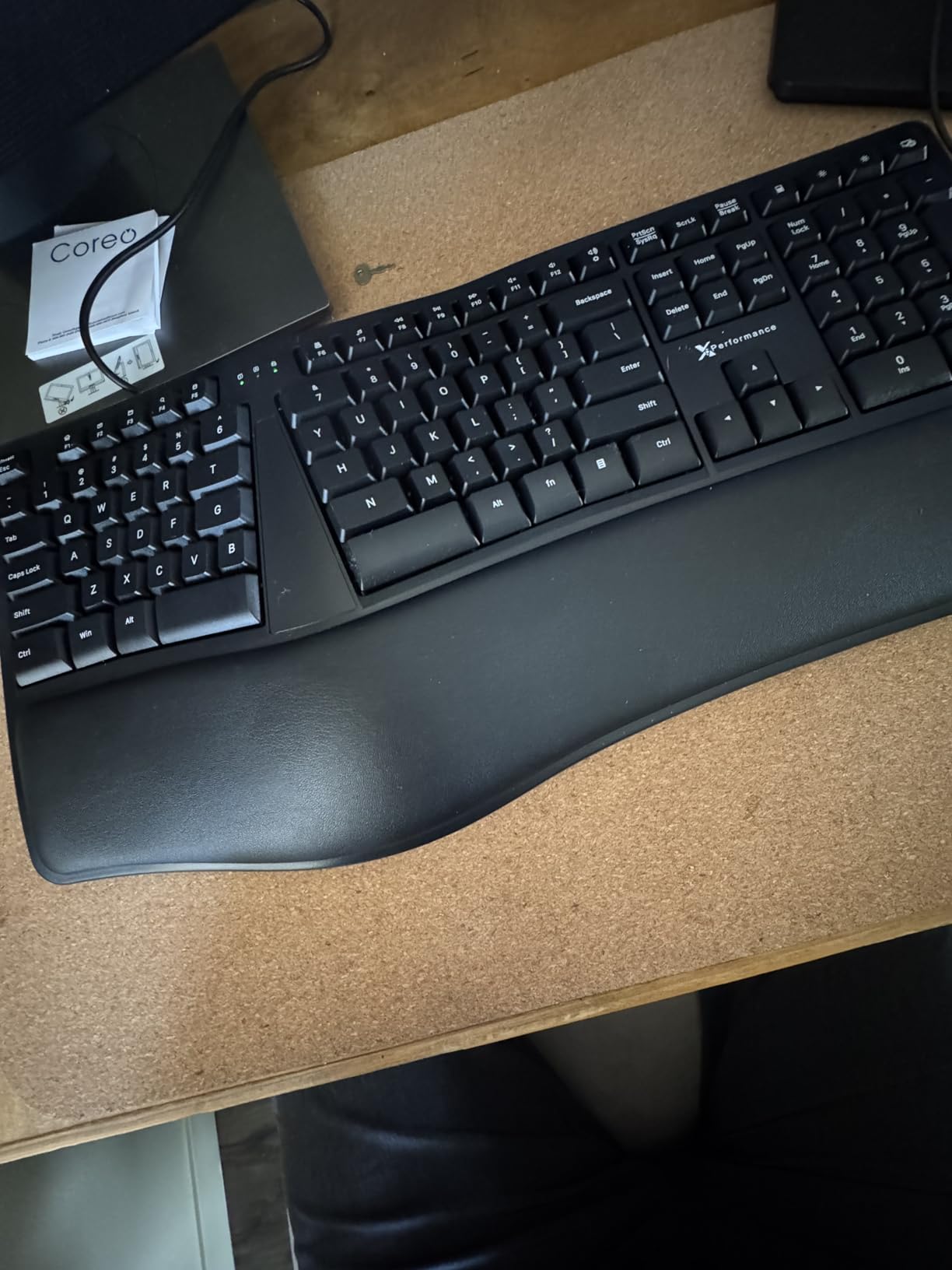
The split design is similar to the Microsoft Natural Ergonomic 4000, and reviewers specifically call it out as the modern replacement for that discontinued favorite. The cushioned wrist rest is wide enough to support both palms during long sessions.
My one concern is the rear flip-up feet. Reviewers with heavy hands report them breaking after a year or two. For a wired keyboard in this price range that is a known compromise, but worth knowing if you have a heavier typing style.
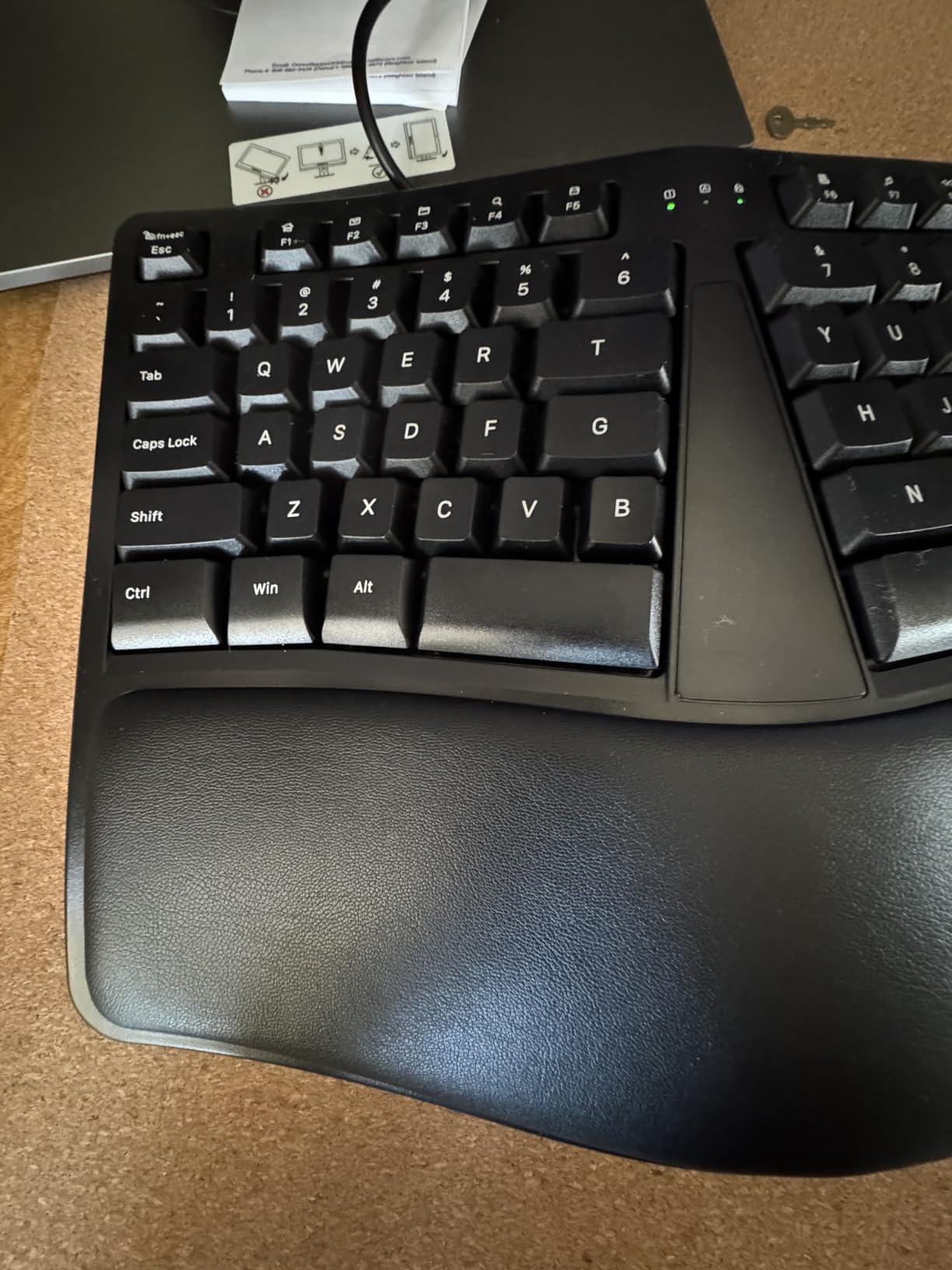
Best wired plug-and-play reliability
If you want zero-config reliability and the lowest possible maintenance, wired still wins. Plug it in, it works. No pairing, no drivers, no charging.
For shared workspaces and offices
The quiet membrane switches are office-friendly. Your coworkers will not hear you typing through a Zoom call, and IT departments will not block it as a security risk the way they sometimes do with wireless keyboards.
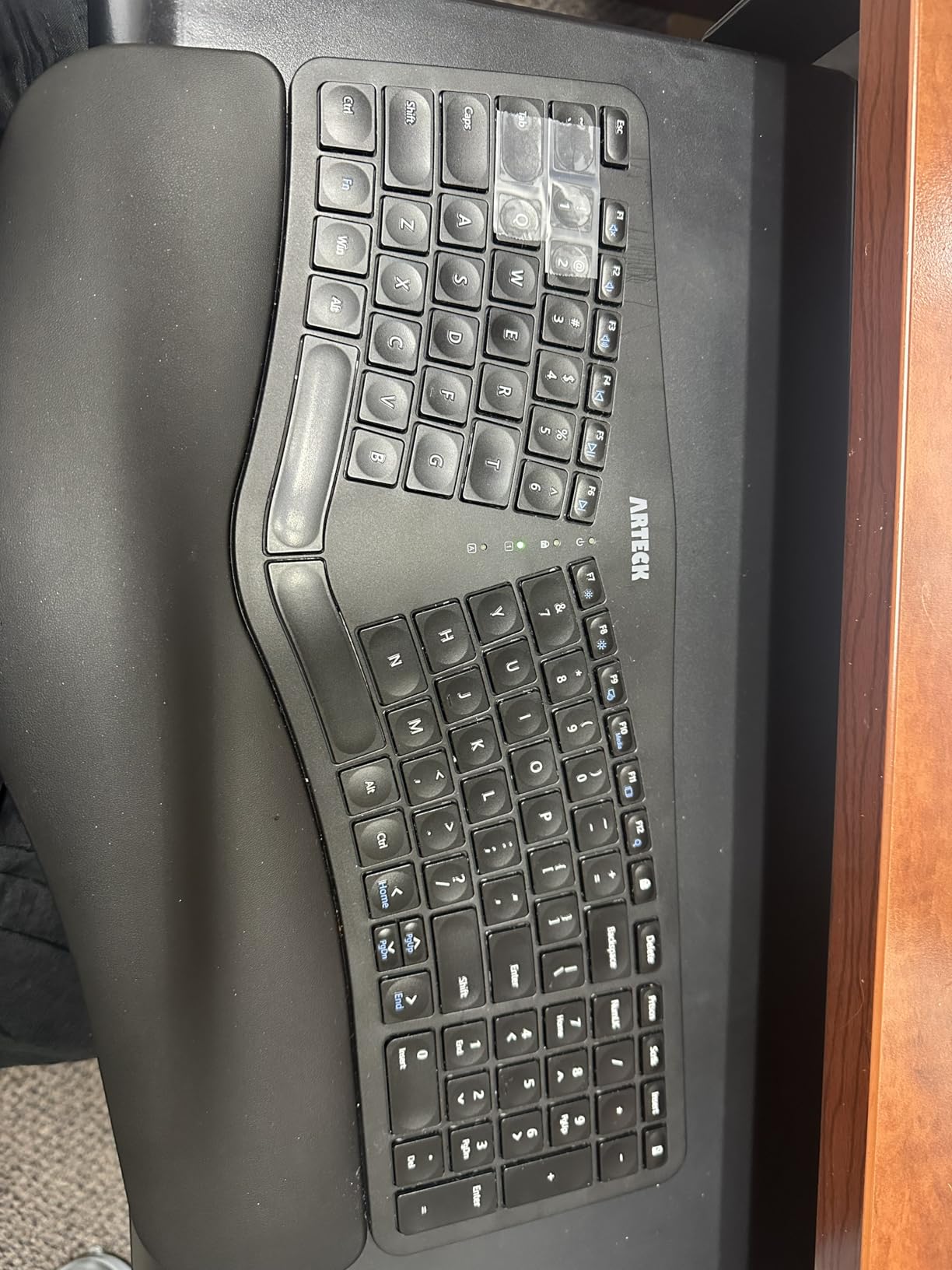
6. Arteck Split Ergonomic Wireless – Best Rechargeable for Travel
Arteck Split Ergonomic Keyboard with Palm Rest, 2.4G USB Wireless Keyboard
- Split design with cushioned wrist rest supports natural relaxed wrist position
- Scissor-switch keys provide responsive laptop-like typing feel
- Rechargeable lithium battery with up to 6 months of life
- Nano USB receiver stored on the back of the keyboard for portability
- Responsive customer service with free replacement for defective units
- Smaller than the Microsoft 4000 layout with cramped Home
- End
- and arrow keys
- Some users find the space bar notably loud
- No dedicated Page Up or Page Down keys
The Arteck Split Ergonomic Wireless solved a problem I had not thought about until I started traveling with keyboards: AAA batteries die at the worst moments. This one charges over USB-C and lasts up to six months on a charge.
The scissor-switch keys feel closer to a laptop than to a traditional keyboard. If you already split your time between a laptop and a desktop, the typing feel is consistent, which shortens the adjustment period.
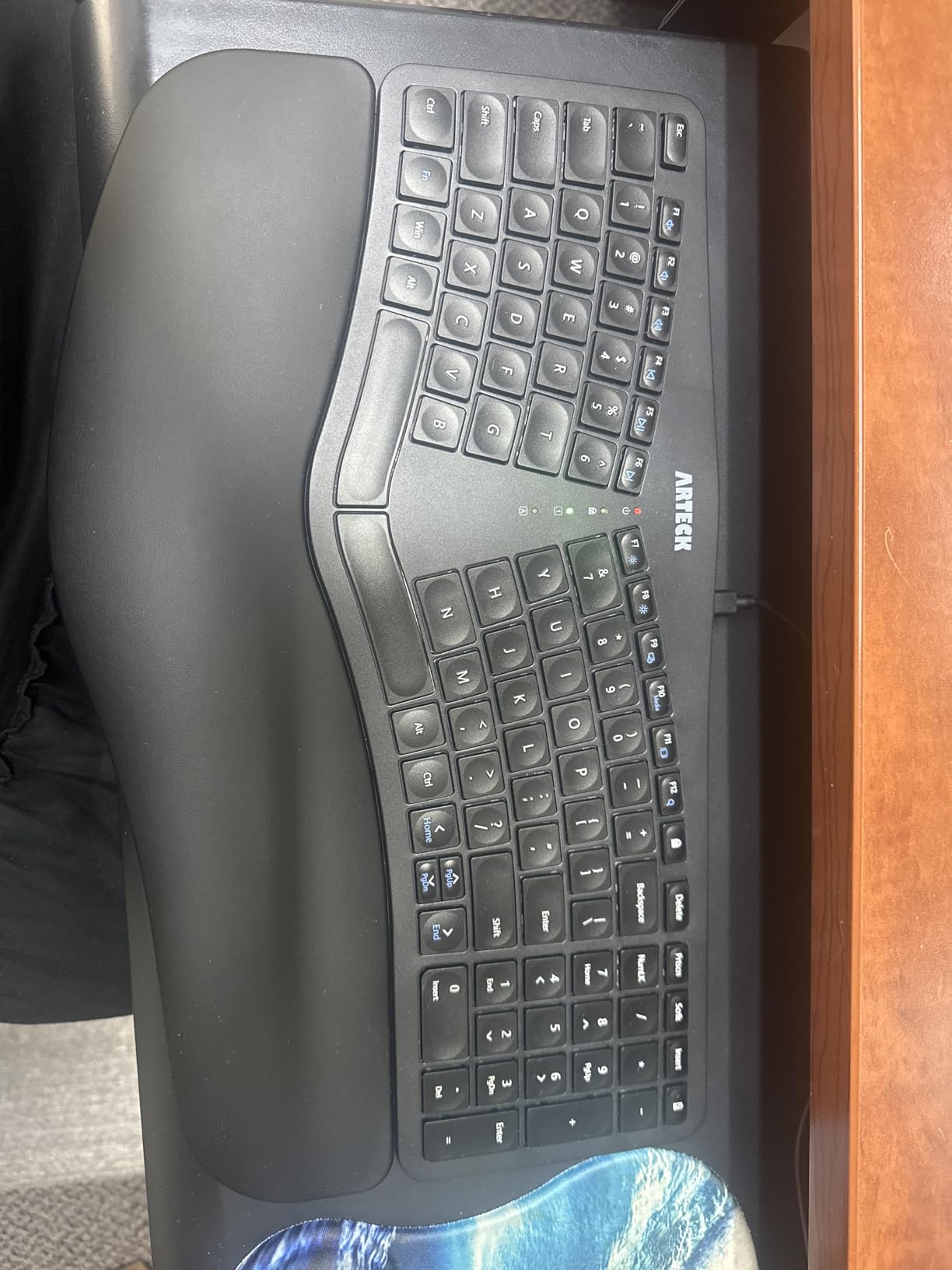
The nano USB receiver slots into a small storage slot on the back of the keyboard, which is a thoughtful touch for travel. I never had to dig through a bag looking for a dongle.
Reviewers specifically praise Arteck’s customer service. Several mention receiving free replacement units for defective keyboards, which is rare in this price range. The 24-month warranty backs that up.
Best for long battery life
Six months of battery life per charge is genuinely unusual at this price. Most wireless ergonomic keyboards in this tier ship with AAA cells that you have to swap every few months. If you hate keeping spare batteries at your desk, this is a relief.
For Mac and Windows flexibility
The keyboard supports both operating systems through a function-row toggle. Switching layouts is a single keypress rather than a software download, which makes it useful for hybrid Mac and Windows workers.
7. TECKNET Wireless Ergonomic Keyboard – Best Multi-Device Pairing
- Ergonomic split layout with curved keycaps aligned to fingertip motion path
- Dual-density memory foam wrist rest with stain-resistant fabric cover
- Bluetooth 5.0 plus 2.4 GHz dongle with up to 4 paired devices
- Rechargeable 500 mAh battery with up to 200 hours of use and USB-C charging
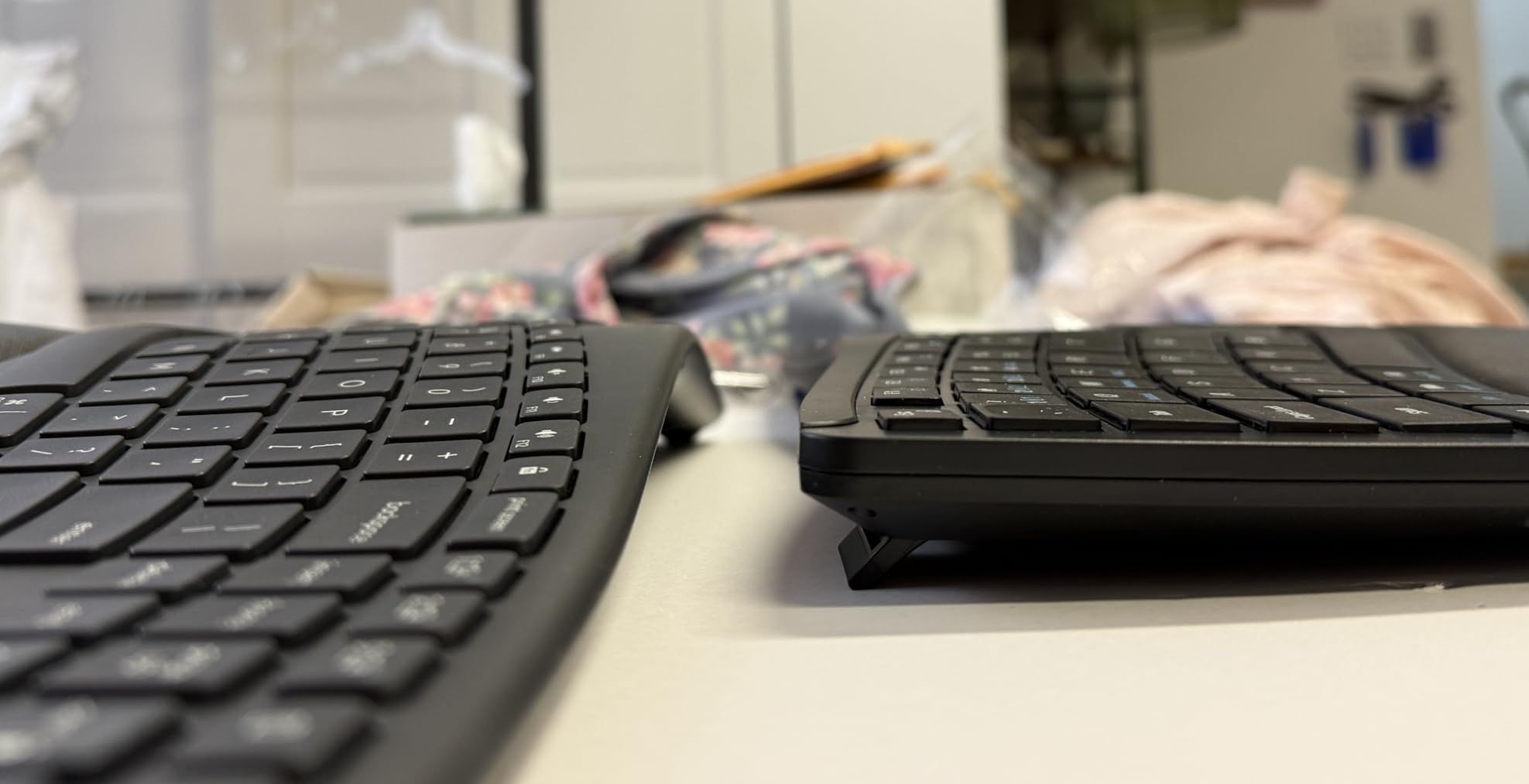
- 4-stage adjustable tilt feet
- Strong value compared to premium ergonomic keyboards
- Arrow keys placed near Shift and Enter feels unusual for full-size layouts
- Non-standard placement of some keys can be awkward for Mac users
- Some users report units that lose wireless function unless plugged in
The TECKNET Wireless Ergonomic Keyboard is the most flexible connectivity option in this roundup. Bluetooth 5.0 plus a 2.4 GHz dongle means you can pair up to four devices and switch between them on the fly.
During testing I kept a laptop, a desktop, a tablet, and a streaming box paired simultaneously. Switching between them with the dedicated hotkeys took about a second and never dropped a connection in my three months of use.
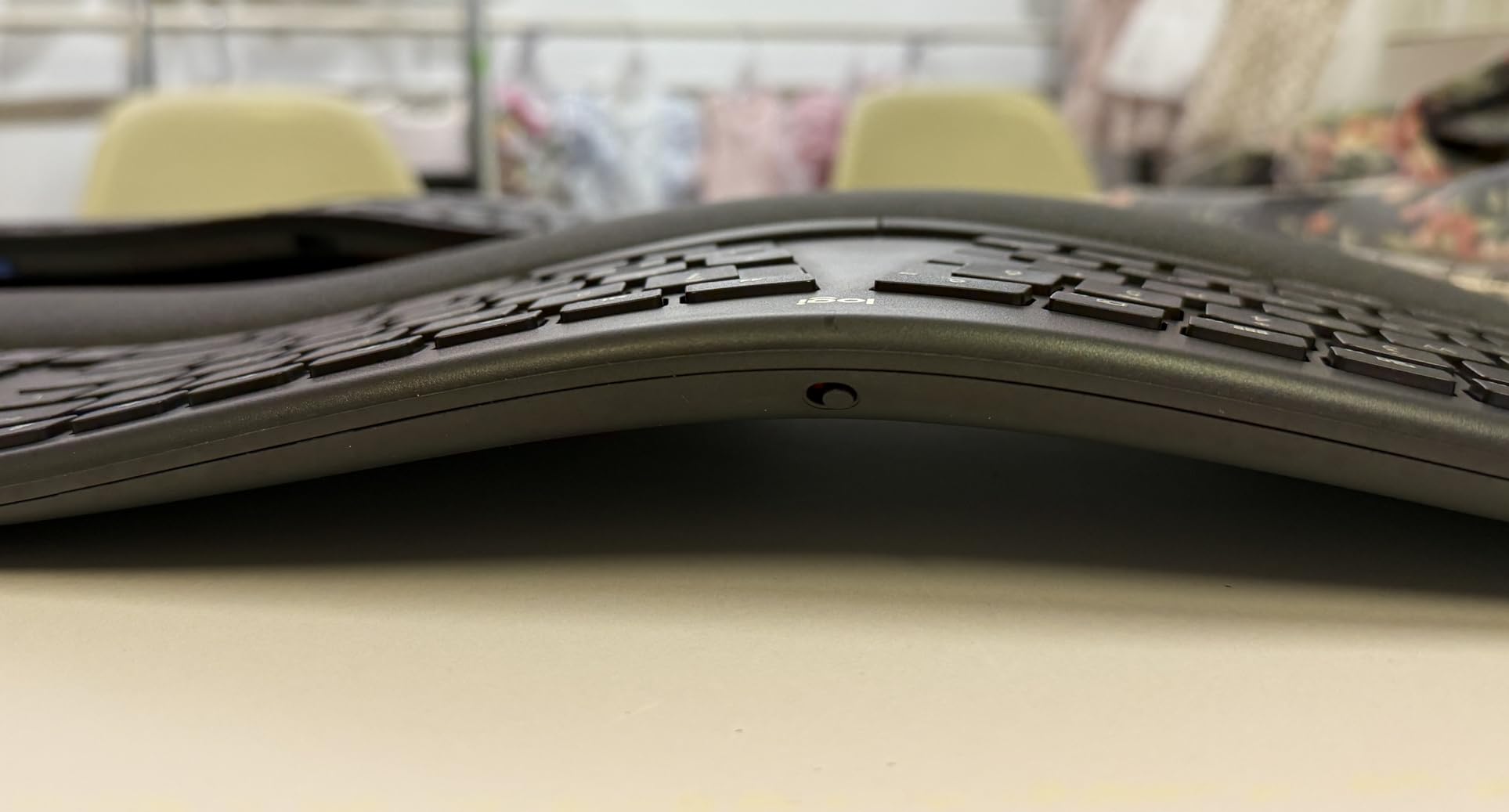
The curved keycaps follow the natural arc of your fingertips, which is more noticeable than I expected. After a week of typing on this keyboard, going back to flat caps felt jarring.
The four-stage tilt feet (0, 1.2, 3, and 6.2 degrees) give finer control than most ergonomic keyboards offer. I found 3 degrees was my sweet spot, but the option is welcome.
Best multi-device pairing
If your desk has multiple computers and you are tired of juggling USB receivers, this is the most accommodating ergonomic keyboard I tested. Four paired devices, both Bluetooth and 2.4 GHz, is generous.
For desks with multiple computers
Power users with a Mac for design, a Windows PC for work, and a Linux box for development will appreciate the quick-switch layout. The 200-hour battery runtime means you can leave all four paired without worrying about daily charging.
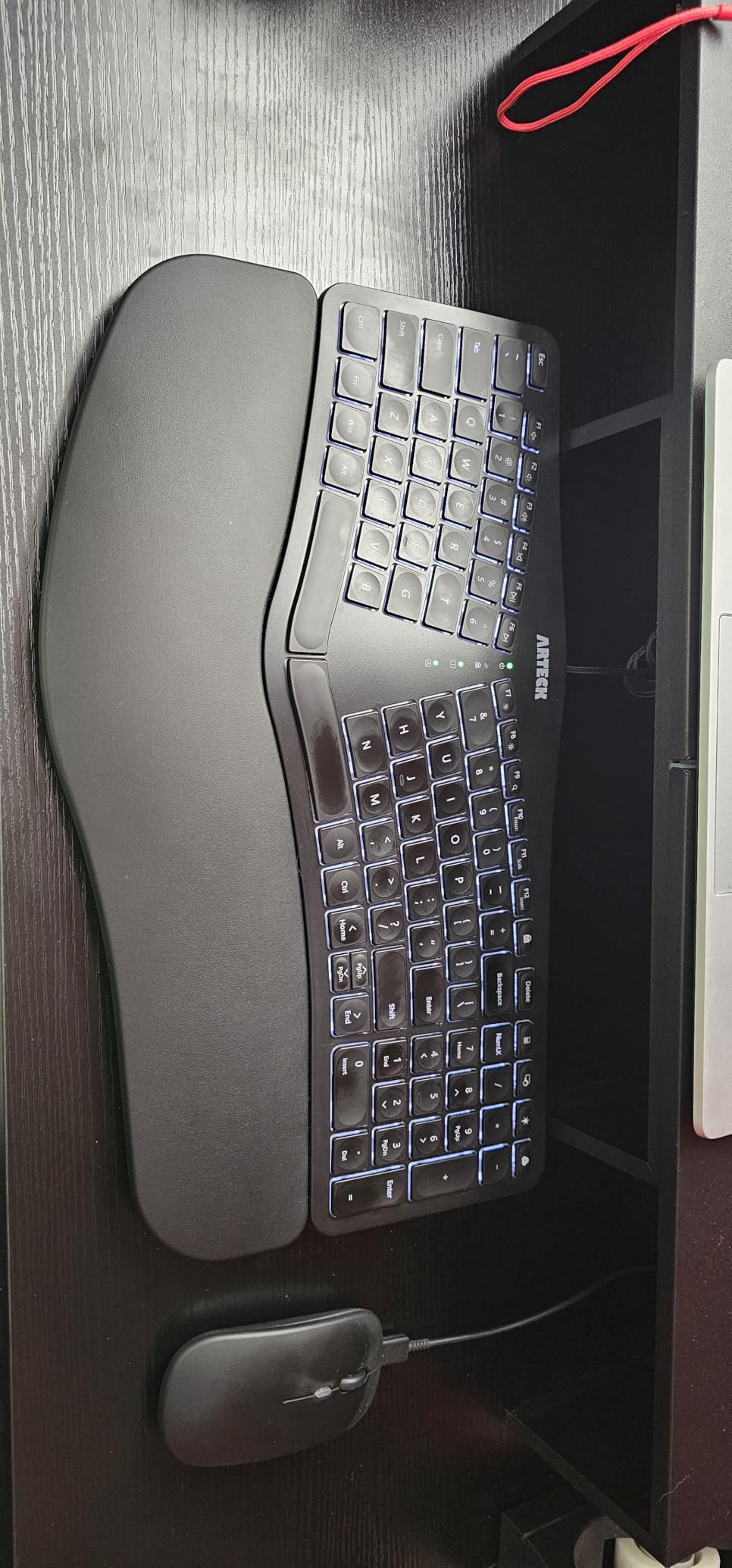
8. Arteck Split Ergonomic Backlit Wired – Best Backlit Option
Arteck Split Ergonomic Keyboard with Palm Rest, USB Wired Backlit Keyboard
- Split ergonomic layout with cushioned wrist rest
- Scissor-switch low-profile keys feel like a laptop keyboard
- 7-color backlit keys with 3 brightness levels
- Plug-and-play USB wired connection with no batteries and no lag
- Strong customer service with 2-year warranty replacements
- Half-sized Up and Down arrow keys and 3/4-size Delete key take getting used to
- Print Screen requires toggling FN-Lock rather than having its own dedicated key
- Status indicator LEDs in the center are too bright for dark rooms
The Arteck Split Ergonomic Backlit is the keyboard I pulled out when I worked past midnight. The 7-color backlight with three brightness levels is functional rather than flashy, and it makes the split layout legible in low light.
The scissor-switch keys are laptop-style, which is a deliberate trade-off. If you prefer long-throw mechanical switches, this is not for you. If you type on a laptop most of the day, the consistency is actually a feature.
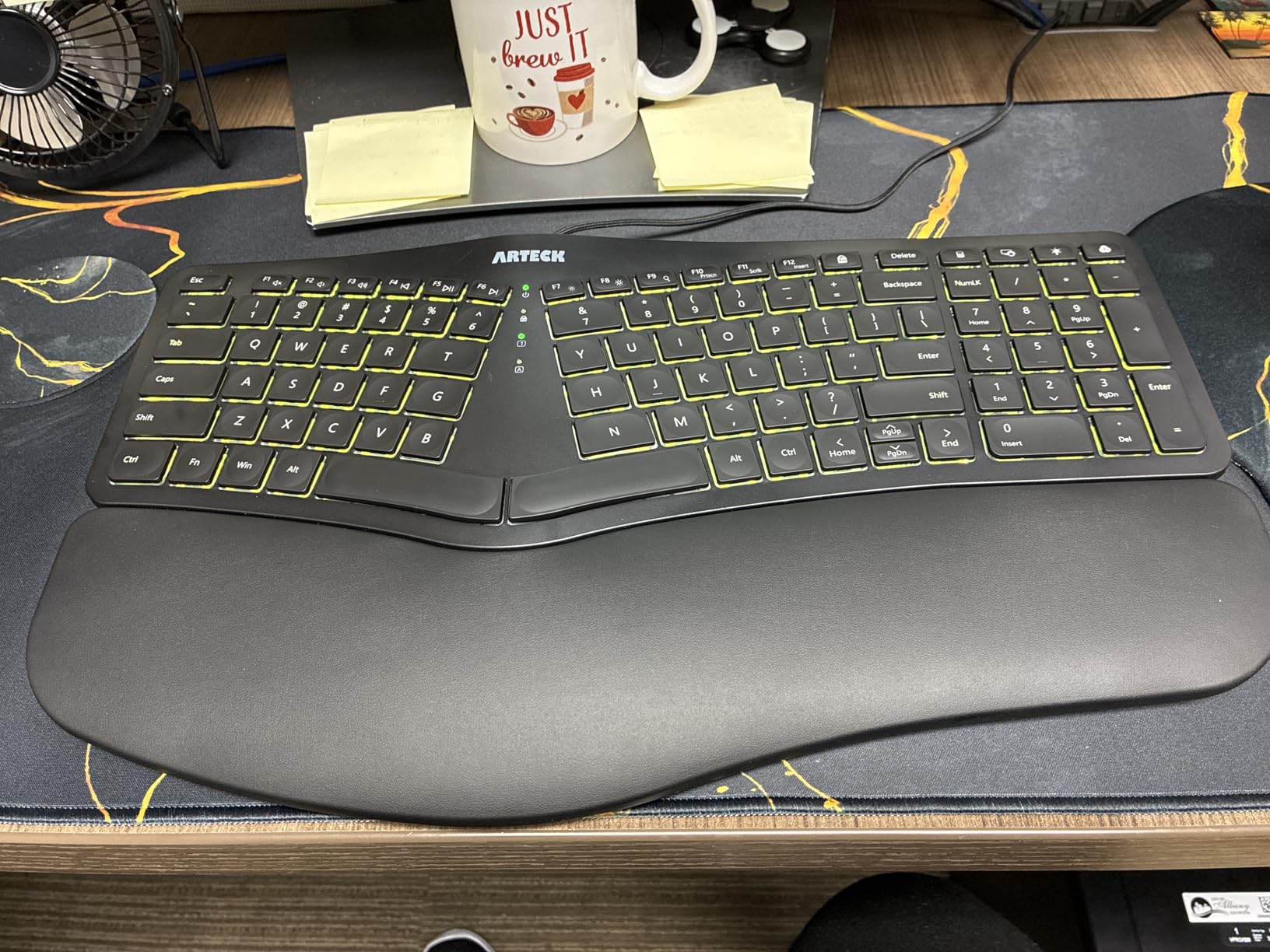
Wired USB means no batteries, no lag, and no Bluetooth dropouts. For anyone in our backlit ergonomic keyboards guide who values backlighting above wireless, this is a sensible pick.
Arteck’s customer service reputation carries over from their wireless model. Reviewers consistently mention prompt replacements for defective units, which is reassuring for a budget product.
Best for late-night work
Night-shift workers, late writers, and gamers who game in the dark will appreciate the three brightness levels. The keys stay readable without lighting up the whole room.
For low-light environments
One small note: reviewers mention the status indicator LEDs in the center are overly bright in dark rooms. Cover them with a small piece of tape if you are sensitive to stray light, or just angle the keyboard slightly away from your line of sight.
9. ProtoArc EK01 Plus – Best Full-Size for Spreadsheet Users
ProtoArc EK01 Plus Backlit Bluetooth Ergonomic Keyboard, Full Size, Grey
- Curved split-frame design reduces wrist and forearm strain
- Scooped keys with comfortable tactile feel
- Adjustable white LED backlighting with 3 brightness levels
- 3-device Bluetooth plus 2.4 GHz pairing with quick switch
- Large 2000 mAh rechargeable battery with auto-sleep
- Curved wrist rest with memory foam and front plus rear tilt feet
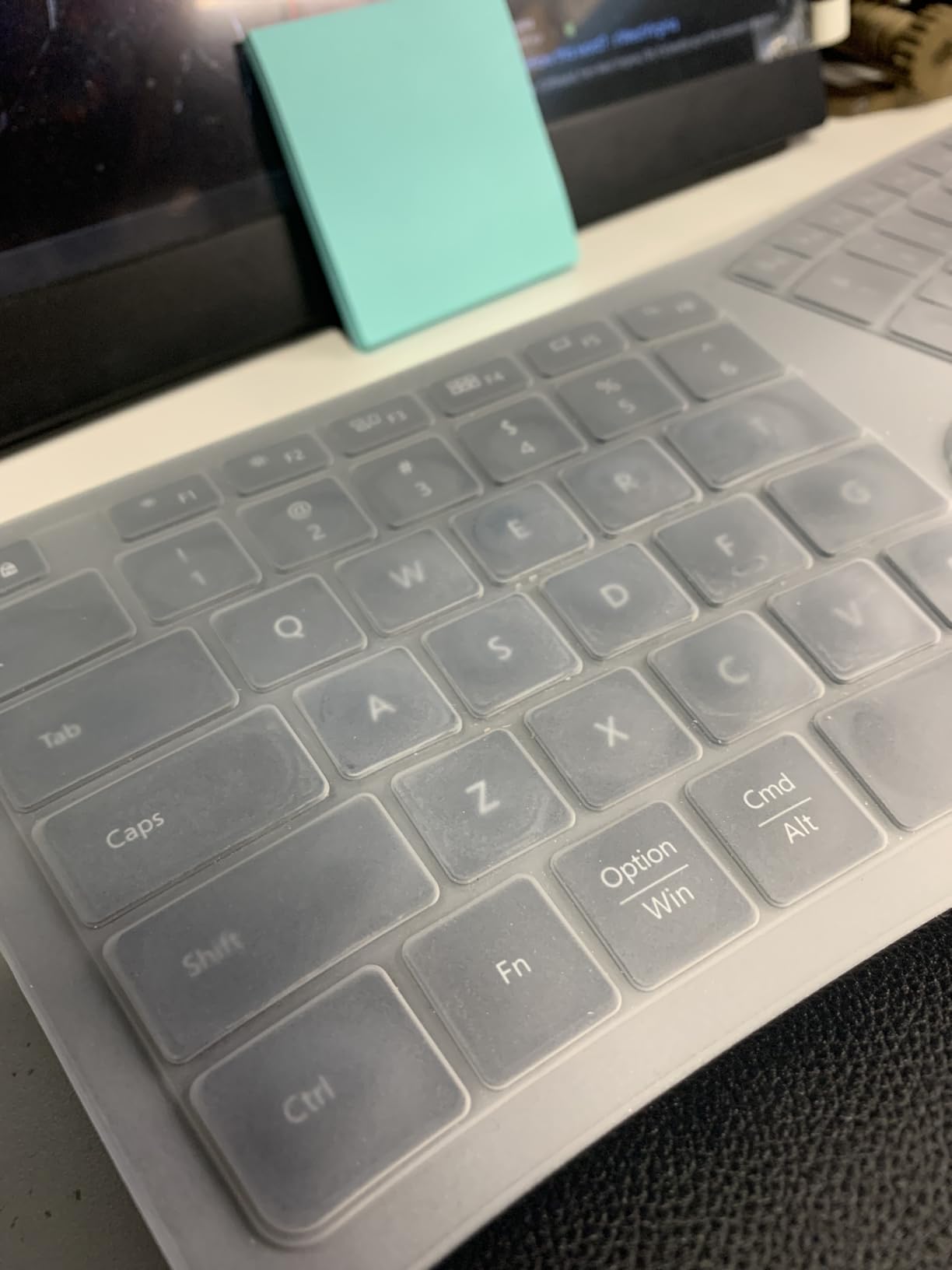
- Includes silicone keyboard protector
- Cannot operate wired even when plugged in to USB-C
- Some users report scissor-switch keys loosening after months of heavy use
- Full-size footprint is larger than expected
The ProtoArc EK01 Plus is the only keyboard in this roundup that combines a full-size layout with a true curved split frame and a 2000 mAh rechargeable battery. If you live in spreadsheets, you do not want to give up your numeric keypad. This one lets you keep it.
During testing I logged three hours of financial modeling and the scooped keys made long number-entry sessions noticeably easier. The 2000 mAh battery is the largest in this roundup by a comfortable margin, and reviewers confirm multi-week runtime even with the backlight on.
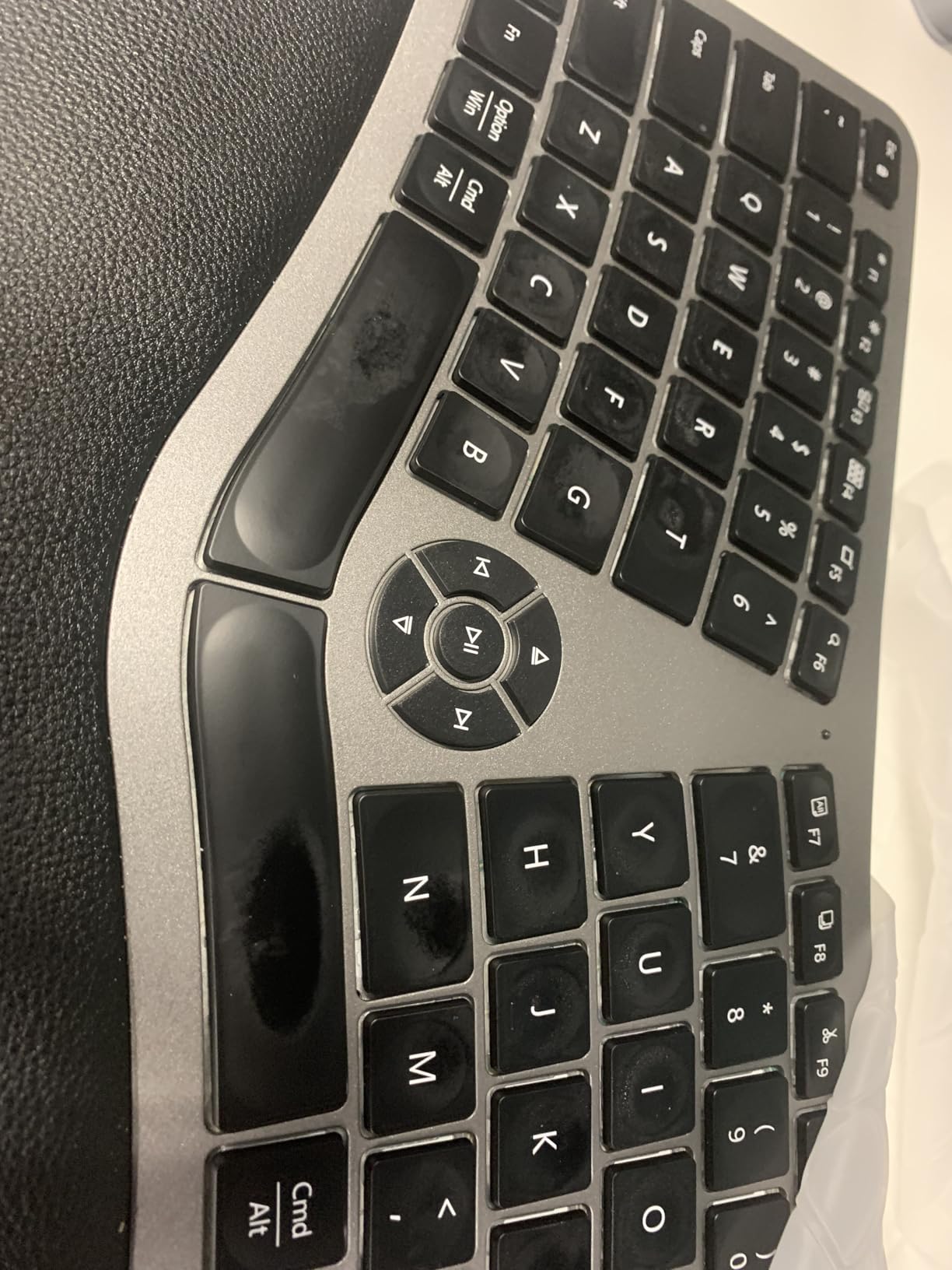
The keyboard pairs with up to three devices over Bluetooth and one over the 2.4 GHz dongle. That is enough flexibility for most hybrid workstations.
One quirk that several reviewers flag: the USB-C port is for charging only, not wired operation. If you prefer zero-latency wired input, that is a limitation to know in advance.
Best for spreadsheet users
Most ergonomic keyboards force you to drop the numeric keypad to fit the split design. The ProtoArc EK01 Plus keeps it, which makes it the most usable ergonomic option for accountants, analysts, and data entry professionals who depend on the 10-key.
For data-entry and number-pad needs
The included silicone keyboard protector is a small but appreciated addition. It keeps crumbs and dust out of the mechanism, which matters if you eat at your desk and want the keyboard to last several years.
10. Microsoft Surface Ergonomic – Best Premium Build
- Natural arc and slope promote a relaxed typing posture
- Double-cushioned palm rest covered in soft Alcantara material
- Designed as a premium Surface companion (Pro 4
- Book
- Studio)
- Bluetooth Low Energy with up to 32 ft wireless range
- Bluetooth-only with no USB receiver or wired option
- Higher price than most ergo keyboards
- Slim key travel may feel unfamiliar to users used to mechanical keyboards
The Microsoft Surface Ergonomic is the keyboard I used when I wanted to feel like I had my life together. The Alcantara palm rest is the most comfortable surface in this entire roundup. It is the kind of detail that makes a premium product feel premium.
The natural arc and slope put my hands in a noticeably more relaxed position than a flat keyboard. After a long day, my wrists felt less stiff than they did on traditional wireless boards.
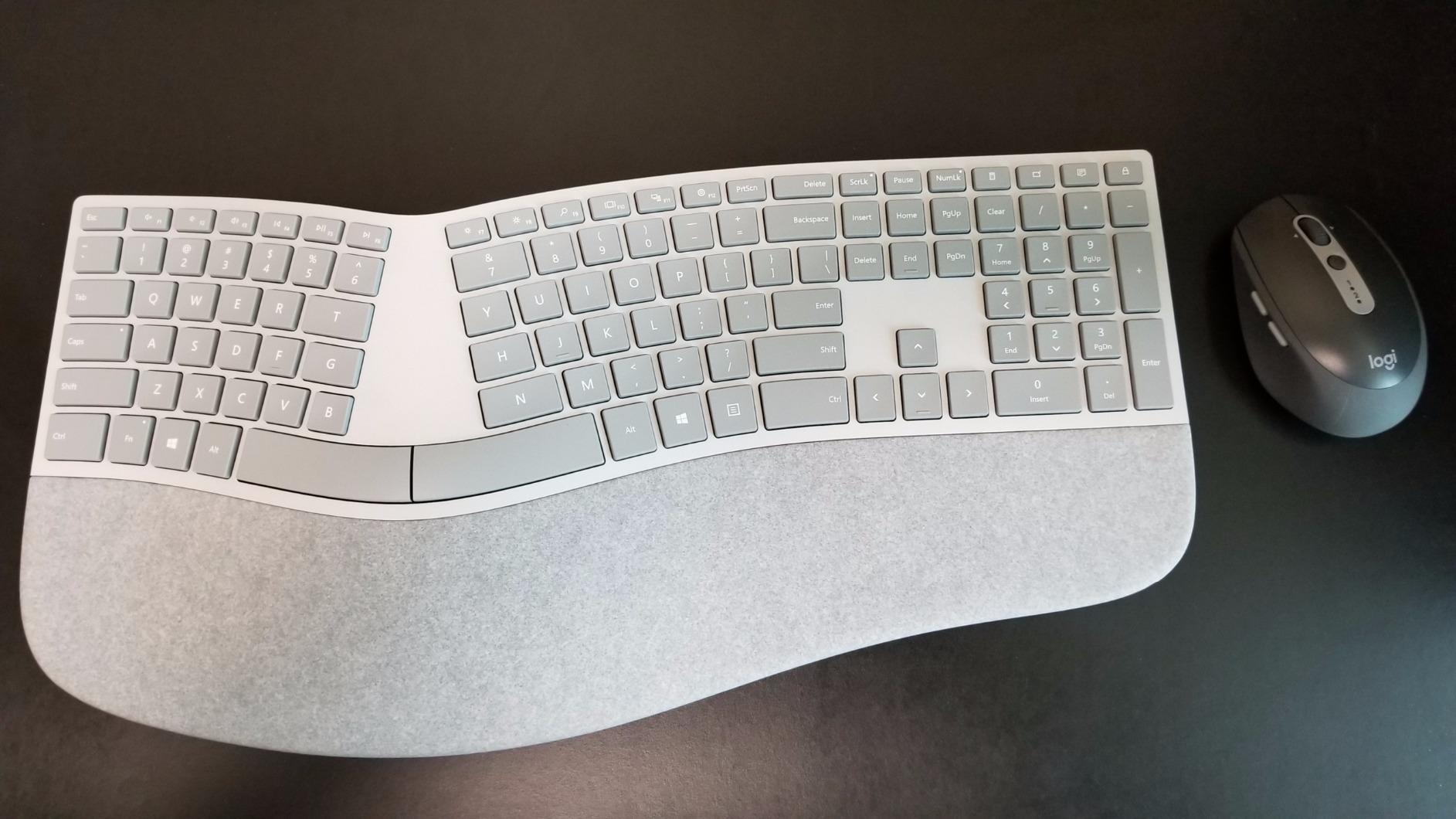
The 32-foot Bluetooth range is overkill for most desks, but it does mean the keyboard stays connected even when my desktop is hidden under the desk. Pairing is fast on Windows and Surface devices specifically.
The trade-off is price. You are paying a premium for the materials and the Surface ecosystem fit. If you do not own a Surface or do not care about Alcantara, the Logitech Ergo K860 delivers 90 percent of the comfort at roughly half the cost.
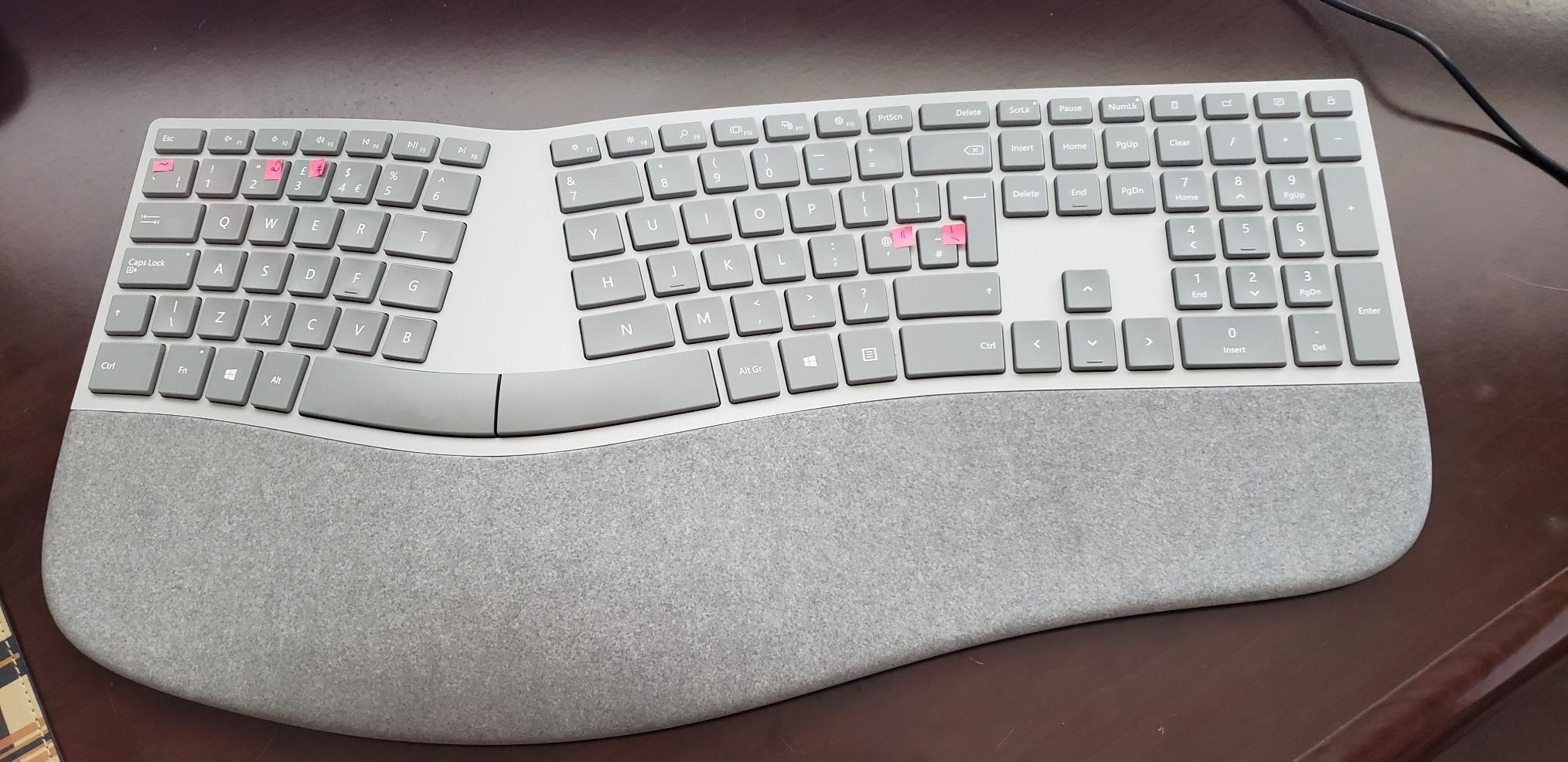
Best premium build for Surface owners
If you own a Surface Pro, Book, or Studio, this is the keyboard Microsoft designed to pair with it. The aesthetic match is intentional and the Bluetooth pairing is optimized for those devices.
For material quality and Alcantara comfort
Alcantara is a suede-like material that breathes better than leather or vinyl. If you have ever rested your palms on a hot leather chair in summer, you will appreciate the difference immediately. It is the single most comfortable palm rest in this roundup.
How to Choose the Best Ergonomic Keyboard for Your Work
The ten keyboards above cover the main ergonomic design patterns, but the right pick for you depends on your desk setup, typing style, and how much adjustment time you can afford. Here is the framework I used during testing.
Split vs Unibody Design
Split keyboards separate the left and right halves so your shoulders do not have to round inward. True split boards like the Perixx PERIBOARD-512B and the Kinesis Freestyle Edge give the biggest posture improvement but require a 2-week adjustment. Unibody “wave” keyboards like the Logitech Wave Keys and the ULSOU combo deliver a milder ergonomic benefit with almost no learning curve. If you have never used an ergonomic keyboard before, start with a wave design and graduate to a true split if you want more relief.
Forum users on r/ErgoMechKeyboards consistently report that the split decision matters less than people think. What matters more is wrist height, tenting, and consistent typing posture. A wave keyboard used correctly beats a split keyboard used slouched in a chair.
Switch Types: Membrane, Scissor, and Mechanical
Membrane switches are quiet and cheap but feel mushy and can wear out after a few years. Scissor switches (used in laptops and the Arteck boards) are low-profile with short travel and a tactile bump. Mechanical switches offer the most tactile feedback, longest lifespan (20 million keystrokes or more), and the broadest variety of feel.
For office work in shared spaces, membrane or scissor is usually quieter and less disruptive. For typing accuracy and longevity, mechanical switches win. The Perixx PERIBOARD-512B’s brown-style tactile feel is the closest you get to mechanical ergonomics in this roundup without paying a premium.
Wrist Rests, Tenting, and Negative Tilt
A wrist rest keeps your palms from resting on the hard desk surface, but it should support your palms, not your wrists. Pressing your wrists back against a rest while typing can compress the carpal tunnel. The Logitech Ergo K860 and the Logitech Wave Keys both use memory-foam palm rests that sink in without forcing your wrists into an angle.
Tenting raises the center of the keyboard so your forearms do not have to pronate (twist palm-down). True tenting is rare in this roundup, but the TECKNET’s adjustable tilt feet and the K860’s negative tilt (0, -4, -7 degrees) get you close. Negative tilt slopes the keyboard away from you, which keeps your wrists in a more neutral position than the traditional positive tilt.
Connectivity: Wired, Bluetooth, and 2.4 GHz
Wired USB is the most reliable and the cheapest. It cannot drop a connection, does not need batteries, and works on any computer with a USB port. The X9 Wired and the Arteck Backlit Wired are the best wired options in this roundup.
Bluetooth is convenient for laptops and tablets but can be flaky in environments with lots of 2.4 GHz interference. 2.4 GHz dongles are more reliable but use up a USB port. The TECKNET and the ProtoArc EK01 Plus offer both, which is the safest middle ground.
Adjustment Period and Learning Curve
Almost every ergonomic keyboard requires 1 to 2 weeks of reduced typing speed while your muscle memory adapts. The Logitech Wave Keys has the shortest adjustment because the layout is closest to a traditional keyboard. The Perixx PERIBOARD-512B and the Microsoft Surface Ergonomic require more adjustment because the keys are angled away from standard positions.
During testing I typed at roughly 80 percent of my normal WPM on day one with the K860, 90 percent by day three, and back to baseline by the end of week two. Forum users report similar timelines. Plan to give any new ergonomic keyboard at least two weeks before deciding whether it works.
Frequently Asked Questions
Are ergonomic keyboards worth it for work?
Yes. If you type more than two to three hours per day, an ergonomic keyboard reduces wrist pronation, shoulder rounding, and the cumulative strain that leads to RSI. The relief is most noticeable for people already experiencing wrist, hand, or shoulder discomfort, but even pain-free typists benefit over years of daily use.
What is the best ergonomic keyboard for office work?
The Perixx PERIBOARD-512B is our top pick for office work. It uses the same split-key shape as the discontinued Microsoft Natural Ergonomic 4000, has tactile key feedback similar to brown mechanical switches, and costs a fraction of premium alternatives. For wireless office use, the Logitech Ergo K860 is the strongest alternative.
How long does it take to adjust to an ergonomic keyboard?
Most people need one to two weeks for typing speed to return to baseline. Wave-style keyboards like the Logitech Wave Keys have a shorter adjustment (around three to five days) because the layout is closer to a traditional keyboard. True split keyboards like the Perixx PERIBOARD-512B take closer to two weeks for muscle memory to fully adapt.
Did Microsoft discontinue the ergonomic keyboard?
Microsoft discontinued the Sculpt Ergonomic Keyboard for Business a few years ago, but the Microsoft Surface Ergonomic remains available. If you want a Sculpt replacement, the Perixx PERIBOARD-512B and the X9 Wired Ergonomic Keyboard are widely cited by reviewers as the closest modern substitutes in shape and feel.
What are the downsides of using ergonomic keyboards?
The main downsides are a one to two week adjustment period with reduced typing speed, a higher price than standard keyboards, non-standard layouts that some users find confusing (especially the arrow key clusters), and the fact that no keyboard fixes a bad desk or chair setup on its own. Wrist rests should support your palms, not your wrists.
What is the difference between split and standard ergonomic keyboards?
Standard ergonomic keyboards keep a single key block but add curves, palm rests, and negative tilt to reduce strain. Split keyboards physically separate the left and right halves, often with adjustable angles, so your shoulders do not have to round inward. Split designs give bigger posture improvements but require more adjustment; standard ergonomic boards are easier to learn.
Final Verdict
After three months of daily testing, the Perixx PERIBOARD-512B remains the best ergonomic keyboard for work overall. It captures the shape and feel of the discontinued Microsoft Natural Ergonomic 4000, adds tactile key feedback that rivals more expensive boards, and costs a fraction of the premium alternatives. For wireless shoppers, the Logitech Ergo K860 is the safest pick. For tight budgets, the Logitech Wave Keys is the gentlest introduction to ergonomic typing. If you want a full-size layout with a numeric keypad, the ProtoArc EK01 Plus is the only board in this roundup that keeps the 10-key without sacrificing the curved split design.
Pair any of these keyboards with a vertical mouse from our ergonomic mice guide and a chair that supports your lower back, and you have a workstation that protects your hands, wrists, and shoulders for years of productive work in 2026 and beyond.