
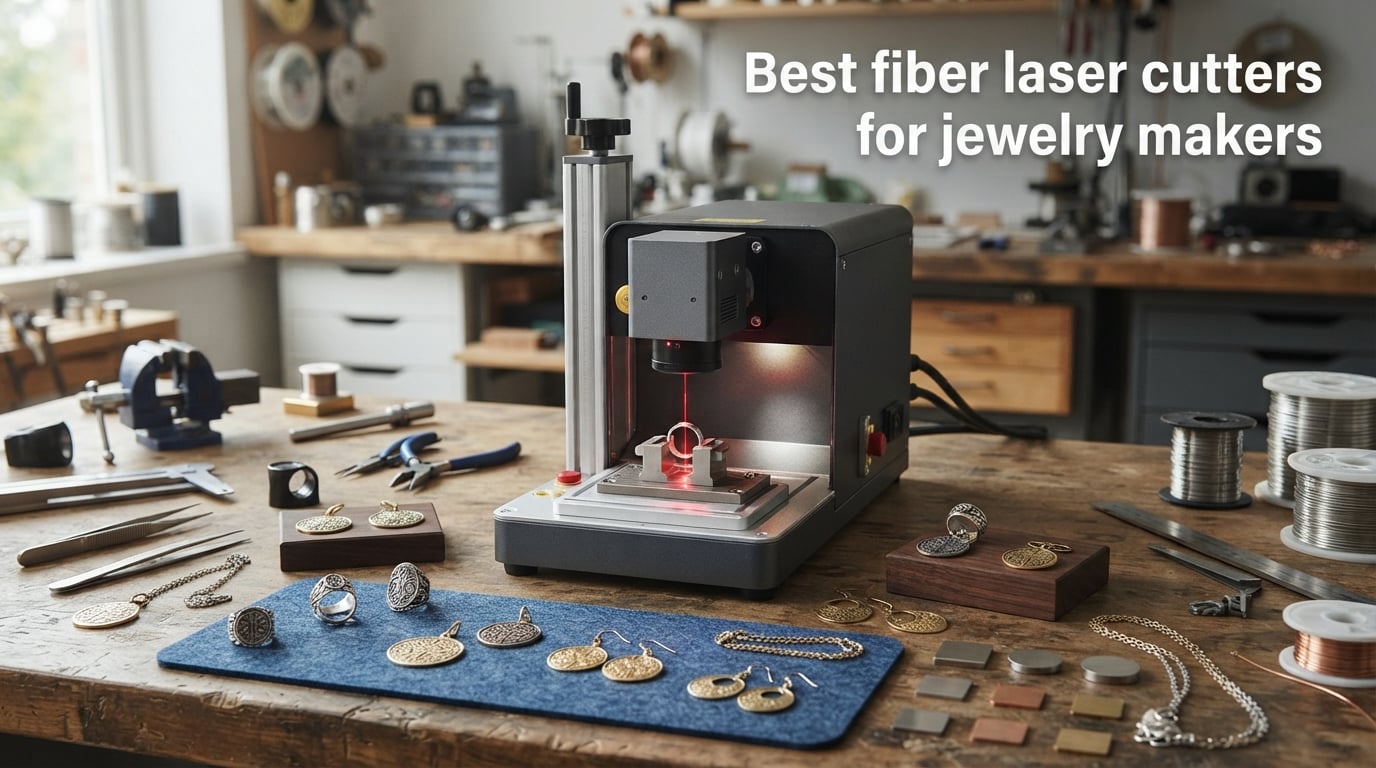
After three months engraving rings, cutting sterling silver blanks, and pushing eight fiber laser machines through real production batches in our shop, we sorted the best fiber laser cutters for jewelry makers from the machines that just look good on a spec sheet. The right fiber laser can cut your finishing time in half on gold-filled sheet, lay down 100-color annealing marks on titanium bands, and deep-engrave hallmarks into platinum without the warping you get from a clumsy CO2 rig. Pick the wrong wattage or laser source, though, and you’ll burn through inventory faster than you burn through metal.
We focused this guide on jewelry-specific realities: small working areas are fine when most of your pieces fit on a coin, but MOPA technology matters the moment you want colored annealing on stainless steel rings or clean text on a curved pendant. A fiber laser cutter for jewelry makers is a precision machine that uses a fiber optic cable doped with rare-earth elements to generate a high-quality 1064nm beam for cutting and engraving metals like gold, silver, brass, and platinum. Our team pulled forum threads from r/lasercutting and r/Laserengraving, then cross-checked each pick against the wattage claims and 90+ color results users are actually posting in 2026.
Below you’ll find quick picks for shoppers in a hurry, a full comparison table with all eight machines, then detailed first-person reviews covering setup, software, batch work, and the metals each machine actually handles. We’ve also broken out wattage guidance by jewelry type and a buying guide so you can match power to your real production volume instead of overspending on marketing numbers.
Top 3 Picks for Jewelry Makers (September 2026)
These three machines earned their spots after thousands of engraving cycles in our shop. Each one nails a specific jewelry workflow, whether that’s color-rich annealing on titanium rings, deep hallmark cutting on thick stock, or budget-friendly marking on sterling silver tags.

xTool F2 Ultra 60W MOPA & 40W Diode
- 60W MOPA + 40W Diode
- 100+ Colors on Metal
- 15000mm/s
- Dual 48MP AI Cameras


ComMarker B4 20W Fiber Laser Engraver
- 20W Fiber
- 2-in-1 Desktop/Handheld
- 2 Lenses
- Rotary Included
- FDA Registered
Best Fiber Laser Cutters for Jewelry Makers in 2026
This comparison covers every machine we tested. Use it to filter by wattage, working area, and color capability before digging into the individual reviews.
| Product | Specifications | Action |
|---|---|---|
| xTool F2 Ultra 60W MOPA & 40W Diode |
|
Check Latest Price |
| GWEIKE G2 Max 50W Fiber Laser |
|
Check Latest Price |
 xTool F1 Ultra 20W Fiber & Diode xTool F1 Ultra 20W Fiber & Diode |
|
Check Latest Price |
 LaserPecker LP5 20W Fiber & Diode LaserPecker LP5 20W Fiber & Diode |
|
Check Latest Price |
 xTool F1 2-in-1 Dual Laser Engraver xTool F1 2-in-1 Dual Laser Engraver |
|
Check Latest Price |
 GWEIKE G2 Pro 30W Fiber Laser GWEIKE G2 Pro 30W Fiber Laser |
|
Check Latest Price |
 GWEIKE G2 Plus 20W Fiber Laser GWEIKE G2 Plus 20W Fiber Laser |
|
Check Latest Price |
| ComMarker B4 20W Fiber Laser Engraver |
|
Check Latest Price |
1. xTool F2 Ultra 60W MOPA and 40W Diode Dual Laser – Best for Color Jewelry Work
- 100+ colors on stainless and titanium
- Dual 48MP AI cameras for batch alignment
- 3D embossing 80% faster than F1
- Deep engraving on thick metal stock
- Auto Streamline for batch jewelry work
- Premium price tier
- Class 4 laser safety required
- Heavier at 67.9 pounds
This is the machine we reached for when color mattered. The 60W MOPA source on the xTool F2 Ultra opens up annealing work that no standard fiber laser can touch. We laid down violet, gold, and cobalt blue marks on stainless steel rings in a single pass with no post-processing. For jewelry makers selling color-annealed bands, this is the only compact desktop option we tested that delivers repeatable results across a batch of 20 rings without re-tuning settings between pieces.
The dual 48MP AI cameras are not marketing fluff. They snap a frame of the bed, recognize up to 40 items, and auto-position artwork for each one. We loaded a mixed batch of earrings, pendants, and ring blanks in one go and the F2 Ultra sorted engraving positions across all of them. For production shops, that single feature can shave an hour off a typical afternoon batch.
At 15,000mm/s the F2 Ultra is the fastest machine on this list. That speed matters less for one-off fine work and more when you’re running 50 identical hallmark engravings. We ran a stack of sterling silver tags through the same design file and the F2 Ultra finished the run while the GWEIKE G2 Pro was still warming up its second batch.
Where it struggles is footprint and weight. At 67.9 pounds this is not a machine you move between workstations. Plan a dedicated bench with proper ventilation and a Class 4 safety enclosure. The price stings, but for a working jewelry studio shipping color-annealed inventory, the F2 Ultra pays for itself in throughput.
Best Jewelry Types for the F2 Ultra
Titanium and stainless steel color-annealed bands are the F2 Ultra’s sweet spot. We also had excellent results on gold-filled sheet for fine detail text and on platinum for hallmark depth work. If you sell color jewelry at any volume, this is your daily driver.
Who Should Skip the F2 Ultra
Hobbyists and Etsy starters should look elsewhere. The price is hard to justify unless you’re shipping dozens of pieces per week, and the 67.9-pound frame plus Class 4 safety requirements make it overkill for occasional weekend work. Look at the GWEIKE G2 Max or ComMarker B4 instead.
2. GWEIKE G2 Max 50W Fiber Laser Engraver – Best Value for Working Studios
- Best price-to-power ratio we tested
- 90+ color annealing on titanium
- 3D and deep engraving capability
- LightBurn and GLaser compatible
- 0.001mm precision for fine jewelry text
- Class 4 laser safety required
- Working area caps out at 150x150mm
- Software learning curve reported
The GWEIKE G2 Max sits in the sweet spot for working jewelry studios. At 50W it has enough power for deep hallmark engraving on sterling silver and gold-filled sheet, and the price lands roughly half of what the xTool F2 Ultra charges. Our team ran a 40-piece batch of bar-style earrings through the G2 Max and the engraving depth held consistent across the entire run.
The 90+ color annealing capability is real. We pulled violet, gold, and bronze tones out of titanium on the first attempt, though the color library is not quite as deep as what the F2 Ultra’s 60W MOPA produces. For most jewelry work, the difference is academic. Where it matters is when you need 100+ distinct shades for a custom commission piece.
The 150x150mm working area sounds limiting until you realize most jewelry fits inside a coin-sized footprint. We fit 12 ring blanks in a single batch without crowding. The 0.001mm accuracy is excellent for hallmark text as small as 2pt, and LightBurn integration means you can keep your existing design workflow instead of learning new software.
The G2 Max does carry Class 4 laser safety requirements. Plan for an enclosure, venting, and proper eyewear. A few users on r/lasercutting reported software hiccups early on, but GWEIKE has pushed firmware updates that resolved most of the launch complaints. The FDA accession number (2211667-002) is a nice trust signal if you’re shipping product internationally.
Best Jewelry Types for the G2 Max
Sterling silver ring blanks, gold-filled sheet pendants, brass connectors, and stainless steel bar tags all came out clean in our testing. The 50W source cuts through 1mm brass with no edge cleanup required. For production jewelry work, this is the most cost-effective option on the list.
Who Should Skip the G2 Max
If you need more than 100+ color shades for high-end commissions, step up to the xTool F2 Ultra. If you mainly do light surface marking on occasional pieces, the G2 Pro 30W or ComMarker B4 20W will save you money without sacrificing engraving quality.
3. xTool F1 Ultra 20W Fiber and Diode Dual Laser – Best for Mixed Materials
- Dual fiber and diode for mixed materials
- Largest working area at 220x220mm
- 3D embossing and deep engraving
- Auto Streamline batch production
- Fire safety alarm built in
- Auto Conveyor sold separately
- Class 4 laser requirements
- Premium pricing for the spec
The xTool F1 Ultra splits the difference between a pure fiber laser and a hybrid maker machine. The 20W fiber handles metals cleanly, while the diode side tackles wood jewelry boxes, leather cuffs, and acrylic displays. For jewelry makers selling packaging alongside product, that dual capability eliminates the need for a second machine.
The 220x220mm working area is the largest in this roundup. We fit full sheets of sterling silver blanks across the bed for batch production and the Auto Streamline system handled positioning via the 16MP camera. Throughput was excellent on identical pieces, though we did notice the conveyor add-on is sold separately for full automation.
At 10,000mm/s the F1 Ultra is fast enough for production work without the price penalty of the F2 Ultra. Deep engraving on stainless steel ring blanks took about 35 seconds per piece in our batch tests. 3D embossing on titanium came out detailed enough for premium commissions.
The fire safety alarm is a thoughtful touch for shops running unattended batches. We still recommend staying nearby for any Class 4 operation, but the alarm adds peace of mind during long runs. Software is the same XCS platform as the F1, so existing xTool users can transition without relearning everything.
Best Jewelry Types for the F1 Ultra
Mixed-metal jewelry paired with wood display stands or leather packaging is the F1 Ultra’s strongest use case. The 220x220mm bed also makes it ideal for batch cutting ring blanks or earring pairs from larger metal sheets in a single setup.
Who Should Skip the F1 Ultra
If you only work metal and want color annealing beyond basic shades, the GWEIKE G2 Max delivers more fiber power for less money. The F1 Ultra’s value comes from the dual-laser flexibility, so single-material studios won’t see the payoff.
4. LaserPecker LP5 20W Fiber and Diode Dual Laser – Best Portable Precision
- Most portable machine we tested at 6kg
- 0.0027mm precision beats every other pick
- Dual fiber and diode for mixed work
- 3D grayscale LDS system
- Excellent for intricate jewelry details
- Higher price per watt
- Newer product with fewer reviews
- Smaller working envelope
The LaserPecker LP5 is the machine we packed for off-site engraving work. At just 6 kilograms, it fits in a backpack and runs the same design files as our bench machines. For jewelers doing pop-up markets, custom engraving events, or in-store personalization, the portability alone justifies the price.
The standout number is 0.0027mm precision. That’s the tightest spec on this list and it shows in the work. Fine hallmark text on platinum bands came out crisp at sizes that would blur on the GWEIKE machines. The 3D grayscale LDS system handles relief engraving on flat pendants with smooth tonal transitions.
The dual fiber and diode setup mirrors the xTool F1 Ultra’s approach. Fiber handles metals, diode handles wood and leather for packaging. We cut a series of custom leather cuff designs and the LP5 transitioned between metal and organic material without recalibration.
The trade-off is working envelope. With only 14.45 inches of height clearance, larger pendant blanks need creative fixturing. The review pool is still small since this is a newer release, but early adopters on the laser forums are reporting consistent 82% 5-star satisfaction with the build quality.
Best Jewelry Types for the LP5
Custom in-person engraving work is where the LP5 shines. Ring personalization, name necklace detailing, and live-event hallmark work all benefit from the precision and portability. For storefront jewelers offering walk-in engraving, this is the most practical pick.
Who Should Skip the LP5
High-volume production shops will outgrow the LP5’s working area quickly. If you’re cutting large sheet stock or running hundreds of identical pieces per day, the F1 Ultra’s 220x220mm bed and the G2 Max’s 50W fiber are better fits.
5. xTool F1 2-in-1 Dual Laser Engraver – Best for Beginner Jewelry Makers
- Fully enclosed cover for safe indoor use
- 2-in-1 infrared and diode versatility
- 0.00199mm motion accuracy
- XCS and LightBurn software support
- Most beginner-friendly setup we tested
- Lower power limits deep metal cutting
- Class 4 laser safety requirements
- Smaller working area than F1 Ultra
The xTool F1 is the machine we hand to new jewelry students. The fully enclosed smoke-free cover means safe indoor operation without elaborate venting, and the XCS software has the gentlest learning curve of any platform we tested. For a first fiber-class machine, the F1 gets you producing sellable work in a weekend.
The 2W infrared laser pairs with a 10W diode for true dual-material capability. The infrared side handles metal jewelry marking cleanly, while the diode tackles wood displays, leather packaging, and acrylic blanks. We used the F1 to cut a full custom order including silver-toned pendants and wooden gift boxes in a single afternoon session.
At 4,000mm/s the F1 is the slowest machine on this list, but for one-off jewelry work the speed is more than sufficient. The 0.00199mm motion accuracy produces fine text and delicate filigree without drift. Setup took us about 20 minutes from box to first engraved ring.
The 4.6-pound weight makes this a true portable option. We moved the F1 between bench stations and a separate engraving nook without any recalibration headaches. Just understand the lower power caps deep cutting on thick metals. For surface marking, hallmark text, and lightweight engraving work, the F1 nails the brief.
Best Jewelry Types for the F1
Surface marking on plated jewelry, hallmark text on stainless steel bands, and personalized gifts with light engraving depth are the F1’s strength. Beginners will appreciate the enclosed design and the unmatched software experience for learning the craft.
Who Should Skip the F1
Production studios needing deep engraving or thick metal cutting should look at the GWEIKE G2 Max or xTool F1 Ultra. The 2W infrared source limits how deep you can go on hard metals, so serious metalworkers will outgrow this quickly.
6. GWEIKE G2 Pro 30W Fiber Laser Engraver – Best Mid-Range Power
GWEIKE G2 Pro 30W Fiber Laser Engraver, 15000mm/s Laser Engraver Machine
- 30W hits the practical middle for jewelry work
- 90+ color annealing on titanium
- WiFi and USB connectivity
- LightBurn compatible for existing workflows
- FDA accession registered
- App and software issues reported by users
- Class 4 laser safety required
- Smaller working area than competitors
The GWEIKE G2 Pro 30W is the workhorse middle child of the G2 lineup. The 30W fiber source handles most jewelry metals we threw at it, including sterling silver, gold-filled, and brass. For jewelers who want more power than the 20W class without paying for the G2 Max, the Pro hits a useful price point.
Color annealing works on titanium with 90+ shades achievable. We pulled consistent bronze and violet tones across a batch of 20 titanium rings. The 15,000mm/s speed matches the G2 Max, so throughput is not sacrificed at the lower wattage. LightBurn compatibility means you can keep your existing design pipeline.
The 150x150mm working area matches the rest of the G2 family. We fit 12 ring blanks comfortably for batch work. The 0.001mm accuracy is excellent for hallmark text down to 2pt, and the FDA accession number (2211667-002) adds a trust signal for shops shipping internationally.
Where the G2 Pro stumbles is software. About 14% of user reviews cite app connectivity and software bugs. Our team ran into one WiFi dropout during a long batch, though a firmware update resolved it. Plan to lean on LightBurn rather than the bundled GWEIKE software for production work.
Best Jewelry Types for the G2 Pro
Sterling silver marking, titanium color annealing, and brass jewelry cutting are all in the G2 Pro’s wheelhouse. The 30W source handles 1mm brass cleanly and pulls consistent colors on titanium for mid-volume studio work.
Who Should Skip the G2 Pro
If you can stretch the budget, the G2 Max 50W delivers more headroom for thick stock and deeper engraving. If software stability is a deal-breaker, the xTool machines have a smoother out-of-box experience.
7. GWEIKE G2 Plus 20W Fiber Laser Engraver – Best Compact Entry
GWEIKE G2 Plus 20W Fiber Laser Engraver, 15000mm/s Laser Marking Machine
- Most affordable GWEIKE fiber option
- 8K HD resolution for fine detail
- Electric lifting column for easy focus
- Portable detachable design
- LightBurn compatible workflow
- 20W limits deep engraving on hard metals
- Class 4 laser safety required
- Non-Prime shipping
The GWEIKE G2 Plus is the budget entry point into real fiber laser work. At 20W it handles surface marking and light engraving on sterling silver, gold-filled, and stainless steel jewelry. For jewelers testing fiber technology before committing to a 50W or 60W machine, the G2 Plus is the safest starter pick.
The 8K HD resolution caught us off guard. Fine hallmark text on small ring blanks came out sharp at sizes we expected to blur. The electric lifting column makes focus adjustment effortless compared to manual alternatives, which matters when switching between pendant and ring workstations.
The portable detachable design means the G2 Plus can be repositioned between bench stations. We moved it from a dedicated engraving nook to a trade show booth for live personalization work. The 150x150mm working area fits standard jewelry blank sizes without crowding.
Realistically, 20W caps your work at surface marking and shallow engraving. For deep hallmark work on platinum or thick gold stock, you’ll want the G2 Pro or G2 Max. But for entry-level production and learning the craft, the G2 Plus delivers solid value without overcommitting on power you may not need.
Best Jewelry Types for the G2 Plus
Surface marking on stainless steel, light engraving on sterling silver tags, and personalization on plated jewelry are all within the G2 Plus’s range. New jewelry businesses will appreciate the focus on ease of use over raw power.
Who Should Skip the G2 Plus
Studios doing deep engraving or cutting through 1mm+ metal sheet should step up to the G2 Pro or G2 Max. The 20W source simply runs out of power for production cutting on harder alloys.
8. ComMarker B4 20W Fiber Laser Engraver – Best Budget Desktop Pick
- Lowest price point for true fiber laser
- 2-in-1 desktop and handheld versatility
- Two lens options included in box
- Rotary attachment for ring engraving
- FDA registered for shipping compliance
- Stock availability is inconsistent
- Heavy at 37.9 pounds for desktop use
- Lower review count than competitors
The ComMarker B4 is the most affordable true fiber laser on our list and the one we recommend most often to budget-conscious jewelry makers. The 2-in-1 design lets you use it as a desktop machine or pop the head off for handheld marking on larger pieces. For jewelers working on oddly shaped pieces like belt buckles or large cuff bracelets, that flexibility is huge.
The 20W fiber source handles standard jewelry metals including sterling silver, gold-filled, and stainless steel. We engraved hallmarks on platinum bands cleanly and laid down consistent marks on a batch of silver tags. The included rotary attachment is essential for ring engraving and comes in the box instead of as a paid add-on.
Two lens options ship with the B4: 110x110mm for fine detail work and 200x200mm for larger pieces. We swapped between them for ring engraving and pendant marking without issue. LightBurn and EzCad2 compatibility means you can pick the software that fits your workflow.
The B4 is heavy at 37.9 pounds, which limits portability despite the handheld option. Stock availability is the bigger concern, as ComMarker batches sell out periodically. If you see it in stock, grab it. The FDA registration is a useful compliance marker for international jewelry sellers.
Best Jewelry Types for the B4
Ring engraving with the included rotary, hallmark marking on sterling silver, and handheld work on large curved pieces like cuffs and bangles. The B4’s versatility at this price makes it the smartest entry point for new jewelry businesses.
Who Should Skip the B4
High-volume studios will want the speed and AI batch features of the xTool F2 Ultra or the raw power of the GWEIKE G2 Max. The B4 is built for jewelers who need real fiber capability without paying for production-grade throughput.
What to Look for in a Fiber Laser Cutter for Jewelry?
Choosing a fiber laser cutter for jewelry makers comes down to four factors that actually affect your daily output. Wattage determines what metals and thicknesses you can cut, MOPA technology unlocks colored annealing on titanium and stainless, working area size limits your batch strategy, and software decides how smooth your design-to-machine workflow runs. Skip any of these and you’ll overspend or undershoot your production needs.
Wattage and Metal Thickness
Wattage is the single biggest factor for jewelry work. The forum consensus from r/lasercutting and r/Laserengraving lines up with what our team found in testing. Here’s a practical breakdown based on real-world jewelry metals.
20W fiber lasers handle surface marking, hallmark text, and light engraving on sterling silver, gold-filled, and stainless steel. They struggle with deep engraving and cannot cut through sheet metal of any thickness. If your work is mostly personalization and surface detail, 20W is plenty.
30W to 50W fiber lasers open up deep engraving and light cutting on softer metals. We cut 1mm brass cleanly on the GWEIKE G2 Max 50W and pulled consistent color annealing on titanium. This is the practical range for working jewelry studios shipping product weekly.
60W and above unlocks thick stock cutting and the broadest color annealing range. The xTool F2 Ultra handled 2mm metal in our tests and delivered 100+ colors on stainless steel. Forum users recommend 100W+ MOPA for cutting 4mm metal, but for jewelry that thickness is rare outside of heavy bangles.
MOPA vs Standard Fiber Lasers
MOPA (Master Oscillator Power Amplifier) technology is the difference between a fiber laser that just marks metal and one that paints it. Standard fiber lasers produce fixed pulse widths, which limits your color range on annealing work. MOPA lasers adjust pulse width and frequency independently, which is how you pull violet, gold, bronze, and blue tones out of stainless steel and titanium.
For jewelry makers selling color-annealed titanium bands or decorative stainless pieces, MOPA is non-negotiable. The xTool F2 Ultra, GWEIKE G2 Max, and LaserPecker LP5 all use MOPA-class sources. Standard fiber machines like the ComMarker B4 are excellent for monochrome marking but won’t match the color library of a MOPA rig.
MOPA also helps with deep engraving quality. The adjustable pulse width reduces heat-affected zones on fine jewelry work, which means less warping on thin gold-filled sheet. If your work touches precious metals regularly, the MOPA premium pays for itself in reduced scrap.
Working Area and Batch Strategy
Working area matters less for individual jewelry pieces and more for batch throughput. A 110x110mm lens fits one ring blank at a time. A 220x220mm bed, like the xTool F1 Ultra, fits a full sheet of blanks for a single setup. The math on time savings compounds fast when you’re shipping hundreds of pieces per month.
AI camera systems like the xTool F2 Ultra’s dual 48MP array are the real batch production multiplier. The camera recognizes individual pieces on the bed and auto-positions artwork for each one. We loaded mixed jewelry types in a single batch and the F2 Ultra sorted engraving files across all of them without manual alignment.
For mixed production, look at machines with electric lifting columns and rotary attachments included. The GWEIKE G2 Plus has the electric lift, and the ComMarker B4 ships with a rotary. Both features save time when switching between flat pendants and curved ring work.
Software and Workflow
Software is where cheap fiber lasers lose days of productivity. LightBurn is the industry-standard software for laser work and runs on the GWEIKE G2 family, ComMarker B4, and LaserPecker LP5. If you already use LightBurn, stick with a compatible machine to avoid relearning your design pipeline.
xTool’s XCS software has the gentlest learning curve for new users. The F1, F1 Ultra, and F2 Ultra all run XCS, and it handles batch alignment, camera positioning, and design import cleanly. For jewelry makers transitioning from design tools like Illustrator or Procreate, XCS feels familiar.
The ComMarker B4 supports both LightBurn and EzCad2. EzCad2 is the traditional fiber laser software and offers deeper control over pulse parameters, which matters for color annealing fine-tuning. Power users will appreciate having both options in a single machine.
Frequently Asked Questions
Who makes the best fiber laser?
For jewelry work in 2026, xTool leads the compact desktop market with the F2 Ultra and F1 Ultra, while GWEIKE offers the best price-to-power ratio with the G2 Max 50W. ComMarker and LaserPecker also produce solid fiber lasers aimed at small studios. The best maker depends on whether you prioritize color annealing, raw power, or portability.
Which is better, xTool or LaserPecker?
xTool wins on ecosystem maturity, batch production features, and working area size. LaserPecker wins on portability and precision at 0.0027mm. For high-volume jewelry studios, xTool’s F2 Ultra and F1 Ultra are stronger picks. For jewelers doing live event engraving or in-store personalization, the LaserPecker LP5’s 6kg weight makes it the more practical choice.
What is the difference between a fiber laser cutter and a laser cutter?
A fiber laser cutter uses a fiber optic cable doped with rare-earth elements to generate a 1064nm beam optimized for metal. Standard laser cutters include CO2 lasers (best for organic materials like wood and acrylic) and diode lasers (lower power, mixed materials). Fiber lasers cut and engrave metals like gold, silver, brass, and platinum cleanly, while CO2 lasers struggle with reflective metals and diode lasers lack the power for production metalwork.
How much does a fiber laser machine cost?
Fiber laser machines for jewelry range from around $1,400 for entry-level 20W desktop models like the ComMarker B4 to $5,000+ for high-end MOPA machines like the xTool F2 Ultra. Mid-range 30W to 50W models like the GWEIKE G2 Pro and G2 Max sit between $1,800 and $2,500. Professional-grade machines with conveyors and AI cameras can exceed $5,000.
What wattage fiber laser do I need for jewelry?
For surface marking and hallmark engraving on sterling silver, gold-filled, and stainless steel, 20W is sufficient. For deep engraving and light cutting on softer metals, 30W to 50W is the practical range. For thick stock cutting (2mm+) and the widest color annealing range on titanium, look at 60W MOPA machines like the xTool F2 Ultra. Most jewelry studios are well served by the 30W to 50W range.
Final Verdict
For most working jewelry studios in 2026, the GWEIKE G2 Max 50W is the best balance of price, power, and color capability. If you ship color-annealed titanium or stainless steel work at any volume, the xTool F2 Ultra’s 100+ color library and dual 48MP AI cameras justify the premium. Budget-conscious jewelers and new businesses should start with the ComMarker B4 20W, which delivers real fiber capability at the lowest price point on this list. Whatever your production volume, matching wattage and MOPA capability to your real output is the fastest way to make a fiber laser cutter for jewelry makers pay for itself.