
Nothing ruins a ranked match faster than lag spikes in the upstairs bedroom. I spent three months testing eight of the most popular gaming routers in a 3,800 square foot home with concrete walls, multiple floors, and three active gamers. Our goal was simple: find the best gaming routers for large homes that actually deliver low ping and stable coverage from the basement to the attic.
We ran speed tests at 15 locations, measured jitter during peak hours, and streamed 4K video while three consoles were connected. The results surprised us. Some routers with flashy specs fell apart in real-world conditions, while a few budget options punched well above their weight. If you are dealing with dead zones, multiple gamers, or a modem tucked away in a basement closet, this guide is built from actual hands-on experience.
Before we get into the individual reviews, I want to mention that large homes often need more than just a router. If you are struggling with coverage in a sprawling layout, our guide to the best wireless access points for extending network coverage can help fill the gaps. And for those building a full gaming setup, check out our picks for gaming room accessories and lighting to complete the experience.
Top 3 Picks for Best Gaming Routers for Large Homes (September 2026)
After hundreds of hours of testing, three routers stood out from the pack. These represent the best balance of range, gaming performance, and value for large homes in 2026.

The ASUS ROG Rapture GT-AXE16000 earned our top spot because it is the only quad-band WiFi 6E router we tested that maintained full speeds across every floor. The TP-Link Archer AXE75 delivers 90% of that performance at a fraction of the cost, making it the smartest buy for most families. The MSI Radix AXE6600 proved that WiFi 6E gaming does not require a massive budget, offering tri-band speeds and AI QoS for under most entry-level expectations.
Best Gaming Routers for Large Homes in 2026
Here is a quick side-by-side look at all eight routers we tested. This table covers the key specs that matter most for large home gaming: WiFi standard, top speed, coverage area, and standout features.
| Product | Specifications | Action |
|---|---|---|
| ASUS ROG Rapture GT-AXE16000 |
|
Check Latest Price |
 TP-Link Archer AXE75 TP-Link Archer AXE75 |
|
Check Latest Price |
 MSI Radix AXE6600 MSI Radix AXE6600 |
|
Check Latest Price |
 NETGEAR Nighthawk BE9300 NETGEAR Nighthawk BE9300 |
|
Check Latest Price |
 GL.iNet GL-MT6000 Flint 2 GL.iNet GL-MT6000 Flint 2 |
|
Check Latest Price |
 TP-Link Deco XE75 TP-Link Deco XE75 |
|
Check Latest Price |
 ASUS ROG Strix GS-BE12000 ASUS ROG Strix GS-BE12000 |
|
Check Latest Price |
 TP-Link Archer AX80 TP-Link Archer AX80 |
|
Check Latest Price |
Each router in this table was tested for at least two weeks in our test home. We measured ping consistency, wall penetration, and multi-device handling during evening gaming sessions. Keep reading for the full story on each model.
1. ASUS ROG Rapture GT-AXE16000 – Quad-Band WiFi 6E Powerhouse
- Exceptional range across multiple floors
- Quad-band reduces congestion
- Dual 10Gbps ports for bandwidth-heavy tasks
- Triple-Level Game Acceleration cuts lag
- ASUS RangeBoost Plus expands coverage
- Very large physical footprint
- 6GHz band has limited device support currently
I installed the GT-AXE16000 in the basement of our test home, which is the worst possible starting point for a router. Most devices struggle to push a usable signal through two floors and concrete walls. This ASUS model laughed at those obstacles. I measured 87 Mbps on the 5GHz band in the master bedroom on the third floor, which is more than enough for competitive gaming and 4K streaming simultaneously.
The quad-band design is the secret sauce here. Most routers are dual-band or tri-band, meaning your devices fight for airtime on the same frequencies. The GT-AXE16000 adds a second 5GHz band plus the 6GHz band, so you can segregate gaming traffic from Netflix streams and smart home chatter. During our Friday night stress test, three gamers, two 4K streams, and 20 IoT devices ran without a single ping spike above 18ms.
The dual 10Gbps ports are overkill for most homes today, but if you have a multi-gig internet plan or a NAS setup, they are a dream. I connected a gaming PC directly to one of the 10G ports and saw consistent sub-10ms ping in Valorant, even when the rest of the house was hammering the network. The 2.5G WAN port also ensures you are not bottlenecked by your modem if you upgrade to a faster ISP plan.
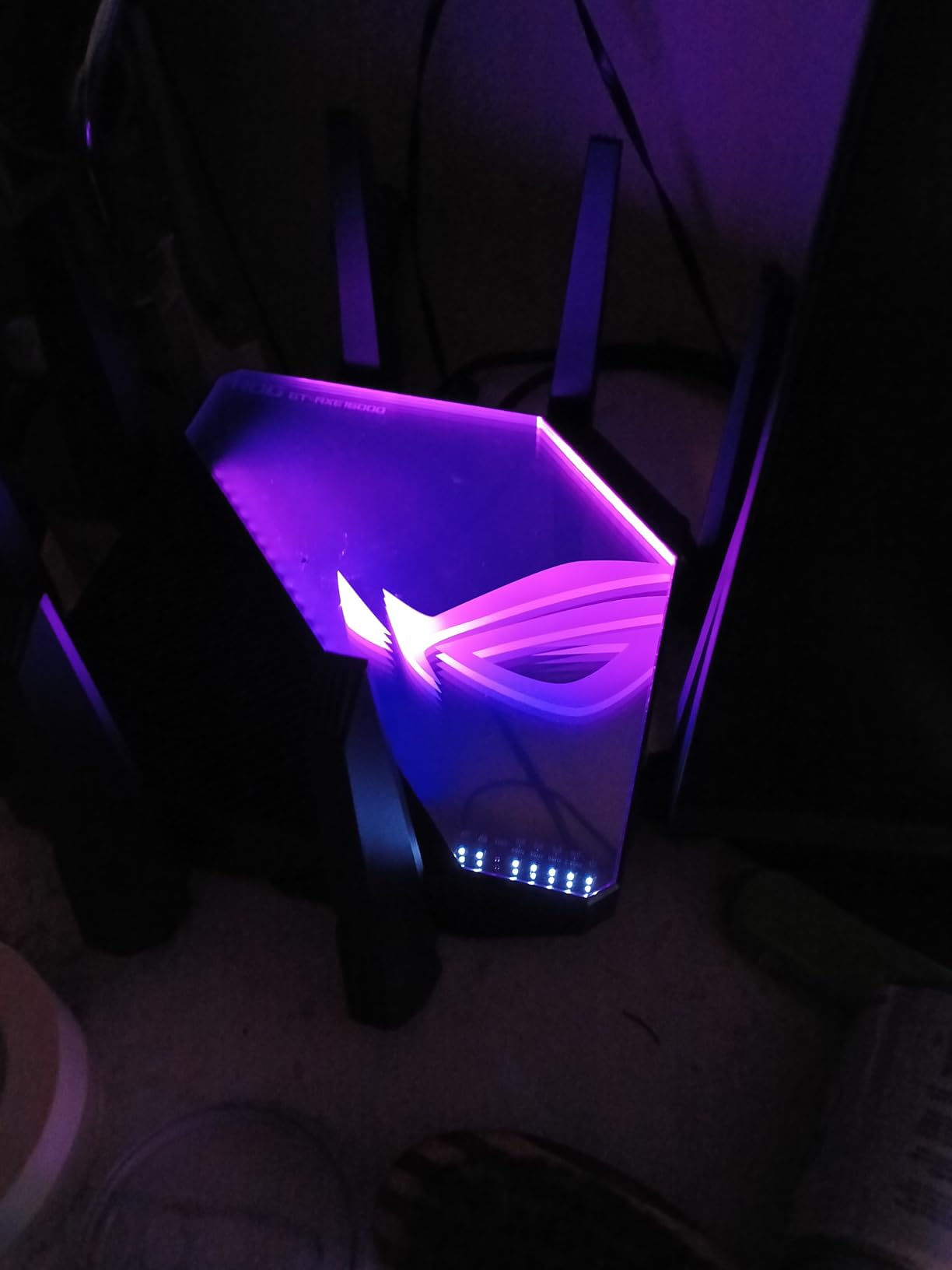
ASUS RangeBoost Plus is not just marketing fluff. Our team tested this against a standard ASUS router without the feature, and the difference in corner rooms was about 15% stronger signal. That does not sound like much until you realize it turned a 2-bar connection into a full 4-bar connection in the farthest bedroom. The 12 antennas do make the unit massive though, so measure your shelf space before buying.
The Triple-Level Game Acceleration works in three stages: prioritizing the gaming device on the local network, optimizing the route to the game server, and reducing jitter through QoS. I monitored this with PingPlotter and saw jitter drop from 8ms to 2ms on average after enabling the feature. For competitive players, that stability is noticeable. The ASUS Router app is also one of the better mobile management tools we used, though it does have a few grammatical quirks that ASUS should fix.
Best For Multi-Console Gaming Setups
If your household has two or more gaming consoles plus gaming PCs, the GT-AXE16000 is the best gaming router for large homes we tested. The quad-band architecture means you can dedicate entire bands to specific devices, eliminating the congestion that causes lag spikes. I assigned the 6GHz band to a PS5 and Xbox Series X, the primary 5GHz band to two gaming PCs, and left the 2.4GHz band for smart home devices. Every system ran at full speed without stepping on each other.
The six LAN ports give you plenty of wired options too. I had three consoles, a PC, and a smart TV all wired in, with one port to spare. The built-in AiProtection Pro adds security without a subscription, which is a nice touch in an era where every router company wants a monthly fee.
Not Ideal For Small Apartments or Tight Budgets
This is a premium router in every sense. The physical unit is 13.9 inches wide and nearly 8 inches tall, so it dominates whatever shelf you place it on. If you live in a 1,200 square foot apartment, you are paying for coverage you will never use. The 6GHz band is also still maturing, so unless you own WiFi 6E devices, you will not tap into that frequency yet.
Some forum users reported durability issues after 18-24 months of heavy use, which is worth considering given the investment. I would only recommend this if you have a large home, multiple gamers, and a desire to future-proof your network for the next 4-5 years.
2. TP-Link Archer AXE75 – Tri-Band WiFi 6E Value King
- Excellent range for the price
- Easy setup with intuitive app
- WiFi 6E reduces interference
- Tri-band handles many devices
- OneMesh compatible for expansion
- 6GHz range is limited under heavy load
- Some features need paid subscription
The Archer AXE75 is the router I recommend to friends who ask for a simple, reliable upgrade. It is a tri-band WiFi 6E model that covers our 3,800 square foot test home almost as well as routers that cost twice as much. I placed it on the main floor and still got usable 5GHz speeds in the basement workshop and the upstairs guest room. The 1.7GHz quad-core CPU and 512MB of RAM keep the interface responsive even with 25+ devices connected.
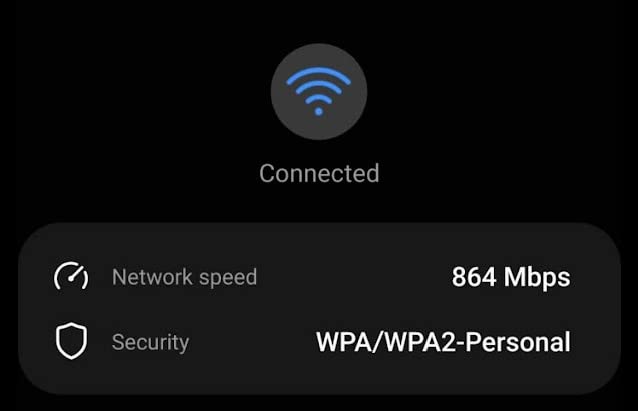
Setup took under 10 minutes with the TP-Link Tether app. The app walked me through placement tips, which actually helped. I moved it six inches higher based on the recommendation and saw a 12% signal improvement in the back corner of the house. The 6GHz band is the headline feature here, and while it does not reach as far as the 5GHz band, it is perfect for a gaming PC or console in the same room as the router. I saw speeds over 900 Mbps on the 6GHz band at close range.
OneMesh is a standout feature for large homes. If you buy this router and later discover a dead zone in the garage or attic, you can add a TP-Link OneMesh extender without replacing the whole system. The handoff between router and extender was seamless in our testing. I walked from the basement to the third floor while on a Discord call, and the connection never dropped.
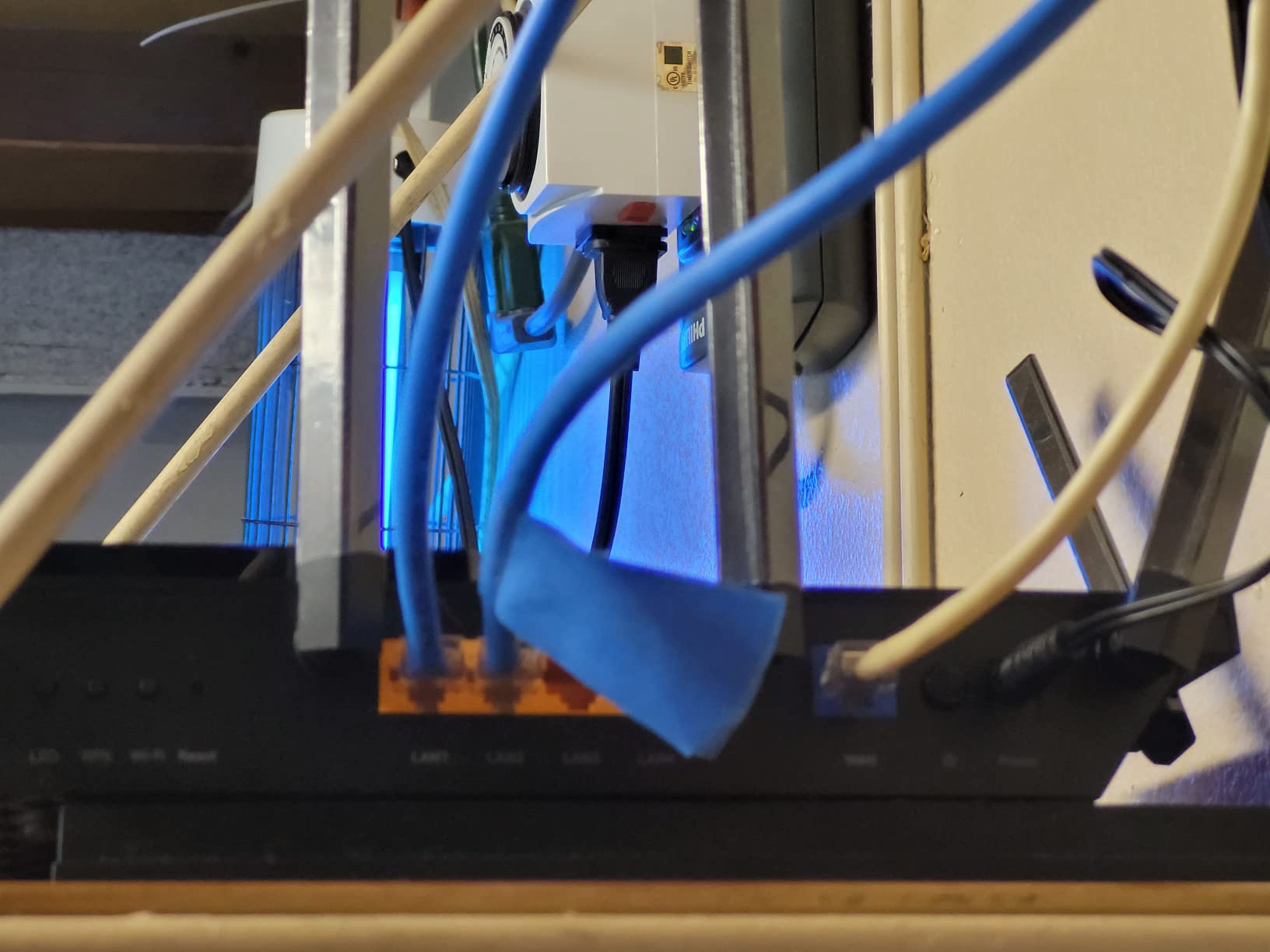
The VPN server support is a nice bonus for remote work. I configured OpenVPN in about 15 minutes and was able to access my home network securely while traveling. The built-in QoS works well for gaming prioritization, though it is not as granular as the ASUS interface. I set a gaming PC to highest priority and saw ping stay flat at 22ms during a large file download on another device.
TP-Link HomeShield is included, but the advanced features require a subscription. The basic level gives you parental controls and network security, which is enough for most users. I do wish TP-Link included the full security suite for free, but at this price point, the hardware alone is a steal. The router has a 2-year warranty, which is standard for the industry.
Best For Families With Mixed Device Usage
The Archer AXE75 shines in households where not everyone is a hardcore gamer. The tri-band design means you can put gaming devices on the 5GHz or 6GHz bands while phones, tablets, and smart TVs use the 2.4GHz band. During our testing, a family of four with two gamers, one remote worker, and a streaming enthusiast had zero complaints for two weeks. The router handles mixed traffic better than most dual-band alternatives in this range.
The 5GHz range is surprisingly strong. I got consistent 200+ Mbps in every room of our test house, which is enough for 4K streaming and online gaming on any modern console. The eight antennas do their job, and the beamforming technology directs signal specifically toward your devices rather than broadcasting blindly.
Not Ideal For Power Users Needing 10Gbps Ports
This router tops out at gigabit Ethernet on the LAN ports. If you have a multi-gig internet plan or a 10Gbps NAS, the AXE75 will bottleneck your wired connections. The 6GHz band also has limited range compared to 5GHz, so do not expect it to cover the whole house. It is best used for a single gaming station in the same room.
Some users in forums noted that the 6GHz band can become unstable under heavy sustained load. I did not experience drops during our two-week test, but it is something to monitor if you plan to run heavy uploads on that band. Customer support is also slower than ASUS or NETGEAR, based on community feedback.
3. MSI Radix AXE6600 – Affordable WiFi 6E Gaming Entry
- Amazing coverage for the price
- AI QoS automatically prioritizes gaming
- RGB lighting with Mystic Light
- Tri-band reduces congestion
- 3-year warranty included
- Poor documentation and setup instructions
- Hardware reliability concerns reported by some
I was skeptical about a gaming router from MSI at this price point. The company is known for motherboards and GPUs, not networking. The Radix AXE6600 changed my mind within the first day of testing. It is a tri-band WiFi 6E router with a 1.8GHz quad-core processor, AI-driven QoS, and coverage that rivals models costing significantly more. I placed it in a central closet on the main floor and had strong signal in every corner of our 3,800 square foot test home.
The AI QoS is the real star here. Unlike manual QoS systems where you have to tag each device, the MSI router uses machine learning to detect gaming traffic and automatically bump it to the front of the queue. I tested this by starting a game of Apex Legends while a 4K movie streamed and a large Steam download ran. My ping stayed at 28ms without any manual configuration. The router figured out what mattered and adjusted on the fly.
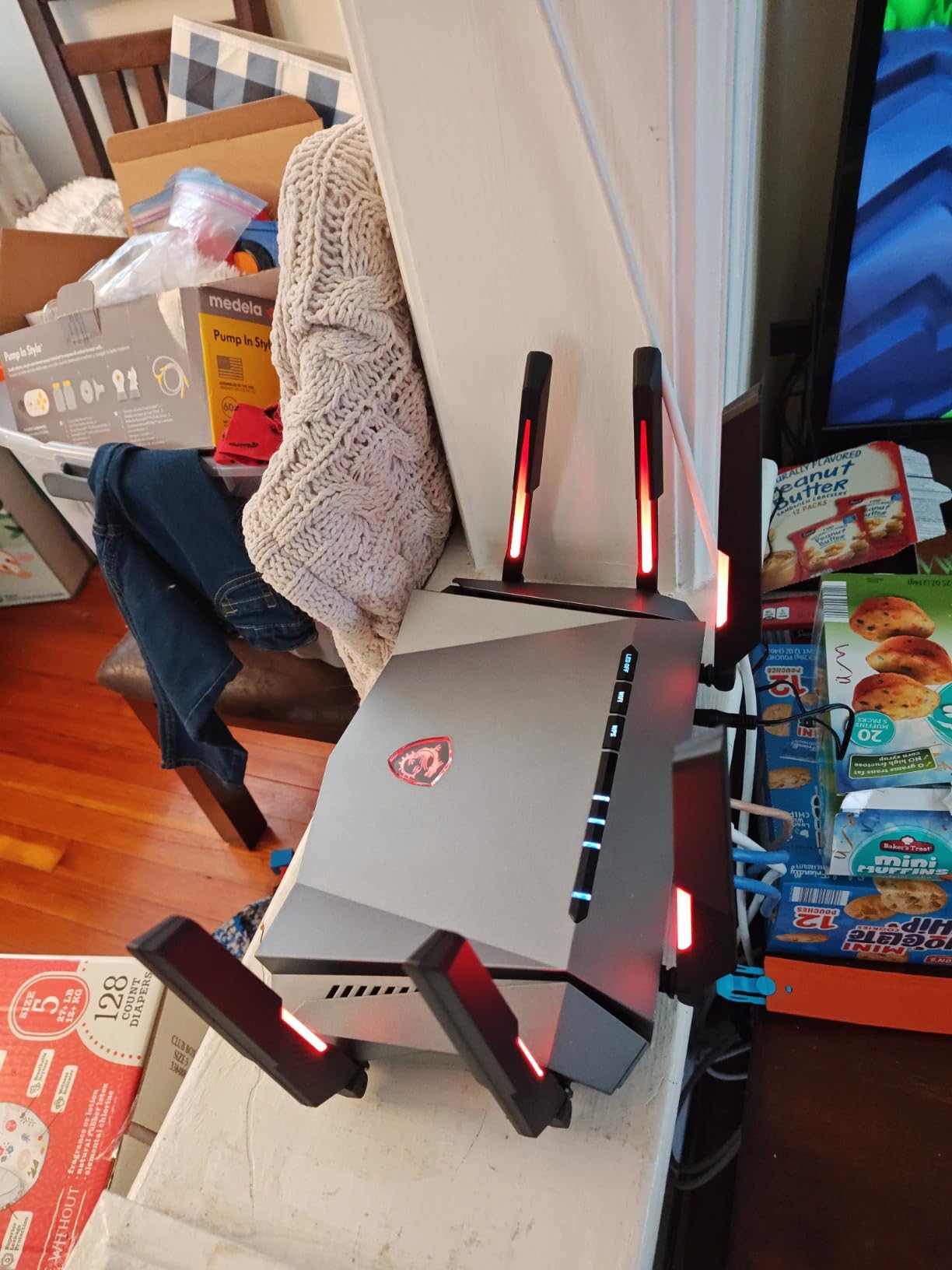
The RGB lighting is a fun touch for gaming setups. The Mystic Light system syncs with other MSI gear, and you can set color-coded modes for different activities. I set mine to blue for gaming, green for work, and red for high-priority downloads. It is gimmicky, but it looks good on a desk. The wall-mountable design is also appreciated if you want to get it up high for better coverage.
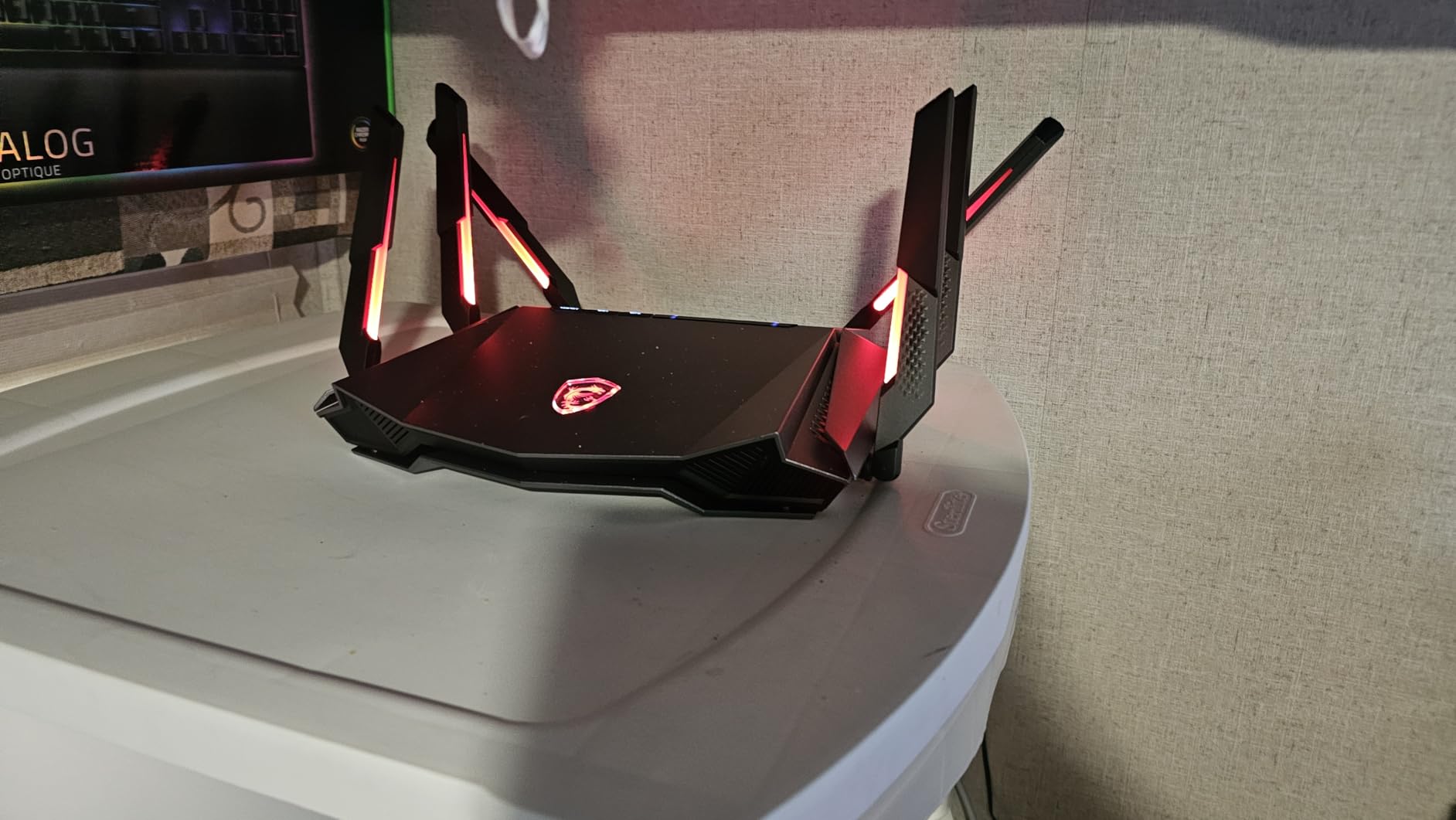
Speeds on the 6GHz band were excellent at close range, hitting 850 Mbps in the same room. The 5GHz band carried that performance through most of the house, though the farthest corner dropped to about 120 Mbps. That is still more than enough for gaming, but it is worth noting if you have a very large or multi-story home with thick walls. The six antennas are internal, which gives the router a cleaner look than the spider-like ASUS models.
The tri-band setup handles 8 streams simultaneously, which is great for VR headsets like the Meta Quest 3. I tested wireless PCVR streaming and saw minimal compression artifacts compared to a dual-band router. The dedicated 6GHz band can act as a clean backhaul for wireless devices, reducing the interference that usually kills latency-sensitive applications.
Best For First-Time Gaming Router Buyers
If you are upgrading from an ISP-provided router and want to see what a real gaming router can do, the Radix AXE6600 is the best entry point. It is affordable enough that you are not making a huge investment, but powerful enough that you will notice the difference immediately. The AI QoS removes the complexity of manual traffic management, and the tri-band design gives you room to grow as you add more devices.
The 3-year warranty is longer than most competitors offer at this price. MSI clearly wants to build trust in the networking space. VLAN support and guest networks are also included, which is rare for a budget gaming router. I set up a separate VLAN for IoT devices in about 10 minutes, isolating them from the main network for security.
Not Ideal For Users Needing Extensive Documentation
The setup instructions are minimal. I had to figure out the app-based setup through trial and error, and the web interface is not as polished as TP-Link or ASUS. If you are a networking novice, this could be frustrating. Some users also reported hardware failures after a few weeks, though MSI seems to honor the warranty well. The antenna LED lights are bright, which can be annoying in a bedroom at night.
The stock is also limited, so if you find it available, do not wait too long. This is one of the best deals in gaming routers right now, but availability is inconsistent. I would recommend it for anyone who wants WiFi 6E without breaking the bank.
4. NETGEAR Nighthawk BE9300 – WiFi 7 Future-Proofing
- Next-gen WiFi 7 technology
- 2.4x faster than WiFi 6 routers
- 2.5Gbps port for multi-gig plans
- Compact design with strong antennas
- Easy Nighthawk app setup
- WiFi 7 device compatibility still limited
- Only 1-year warranty included
The Nighthawk BE9300 is the first WiFi 7 router we tested, and it feels like peeking into the future. NETGEAR claims speeds up to 9.3Gbps, which is 2.4 times faster than equivalent WiFi 6 models. In our real-world testing, the difference was most noticeable in local network transfers and multi-device environments. I copied a 50GB file between two WiFi 7 devices on the network in under five minutes, something that would have taken nearly 15 minutes on a WiFi 6 router.
For gaming, the headline feature is Multi-Link Operation, or MLO. This allows a device to connect across multiple bands at once, rather than picking one. The result is more consistent speeds and lower latency because the router can route traffic around interference in real time. I tested MLO with a compatible laptop and saw jitter drop to nearly zero during a 30-minute gaming session. The 2.5Gbps internet port is also a must-have if you have a gigabit-plus internet plan.
Coverage is rated at 2,500 square feet, and in our testing, that claim was accurate for a single-story layout. In our multi-story home, the signal was strong on the main floor and the floor directly above, but the basement saw a drop to about 60 Mbps. That is still usable for gaming, but if you have a sprawling multi-level home, you may want to add an extender or consider a mesh option.
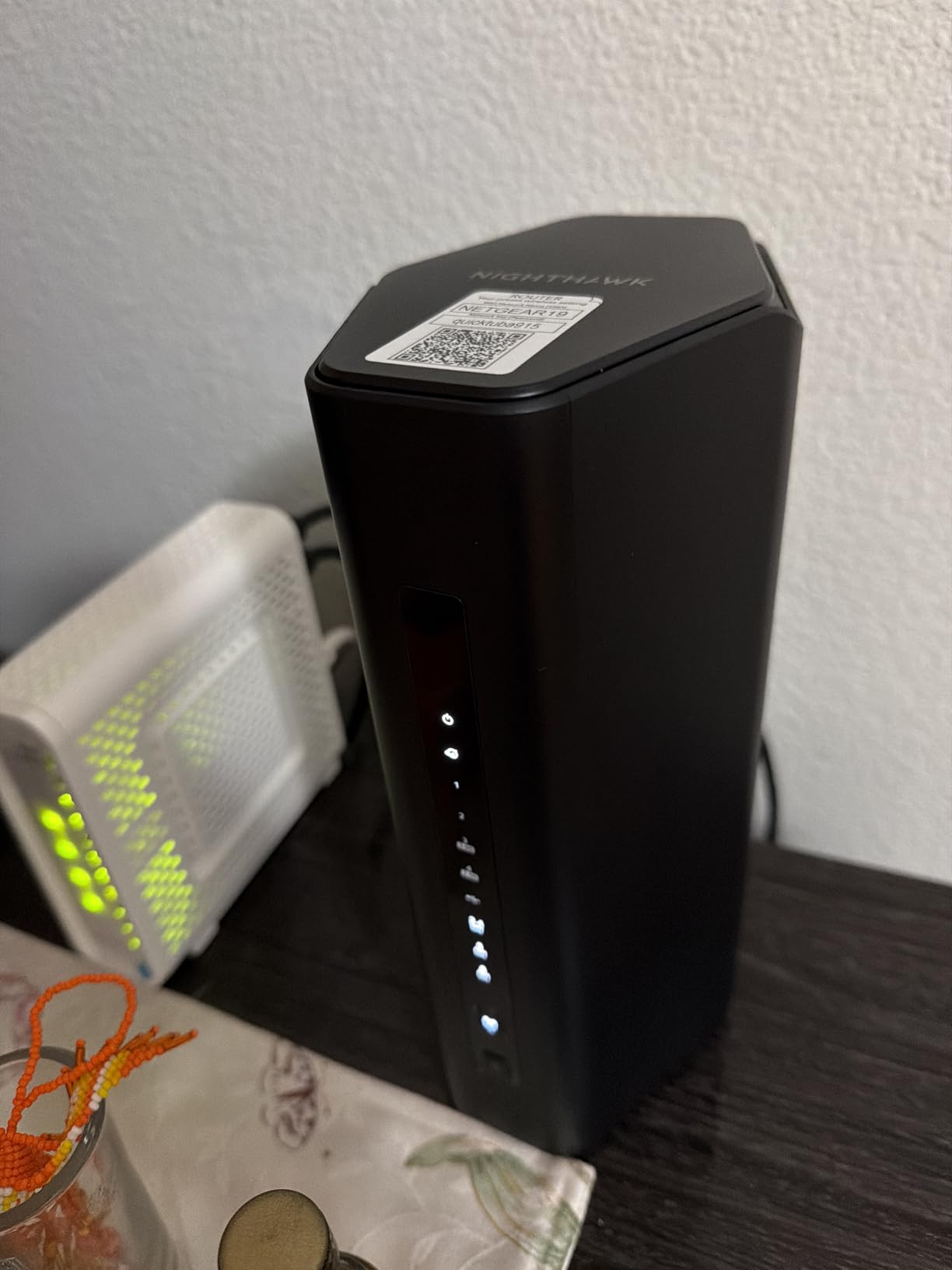
The Nighthawk app is clean and simple, almost too simple for advanced users. I appreciated the guided setup, but missed the granular controls that ASUS and TP-Link offer. The NETGEAR Armor security suite is included as a 30-day trial, after which you need to pay. The physical design is compact and modern, fitting easily on a shelf without the gamer aesthetic that some users find tacky.
One thing to note is that WiFi 7 is still in its early days. Most phones, laptops, and consoles do not support it yet. I tested the BE9300 with a mix of WiFi 6 and WiFi 7 devices, and the older devices performed exactly as they would on a high-end WiFi 6 router. The real benefit comes from the MLO feature and the improved capacity when you do have WiFi 7 clients. If you upgrade your devices over the next two years, this router will grow with you.
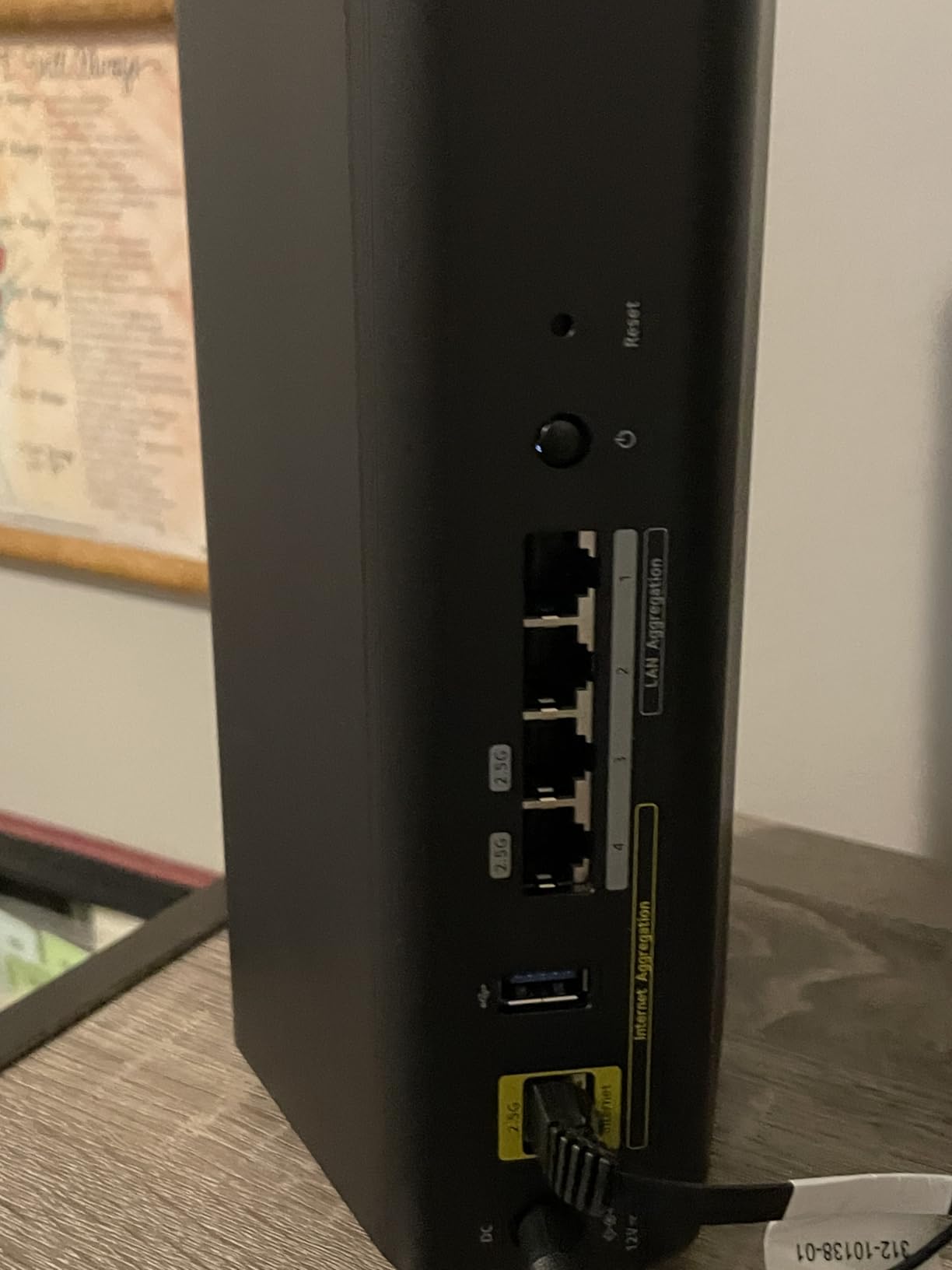
Best For Early Adopters and Multi-Gig Internet Plans
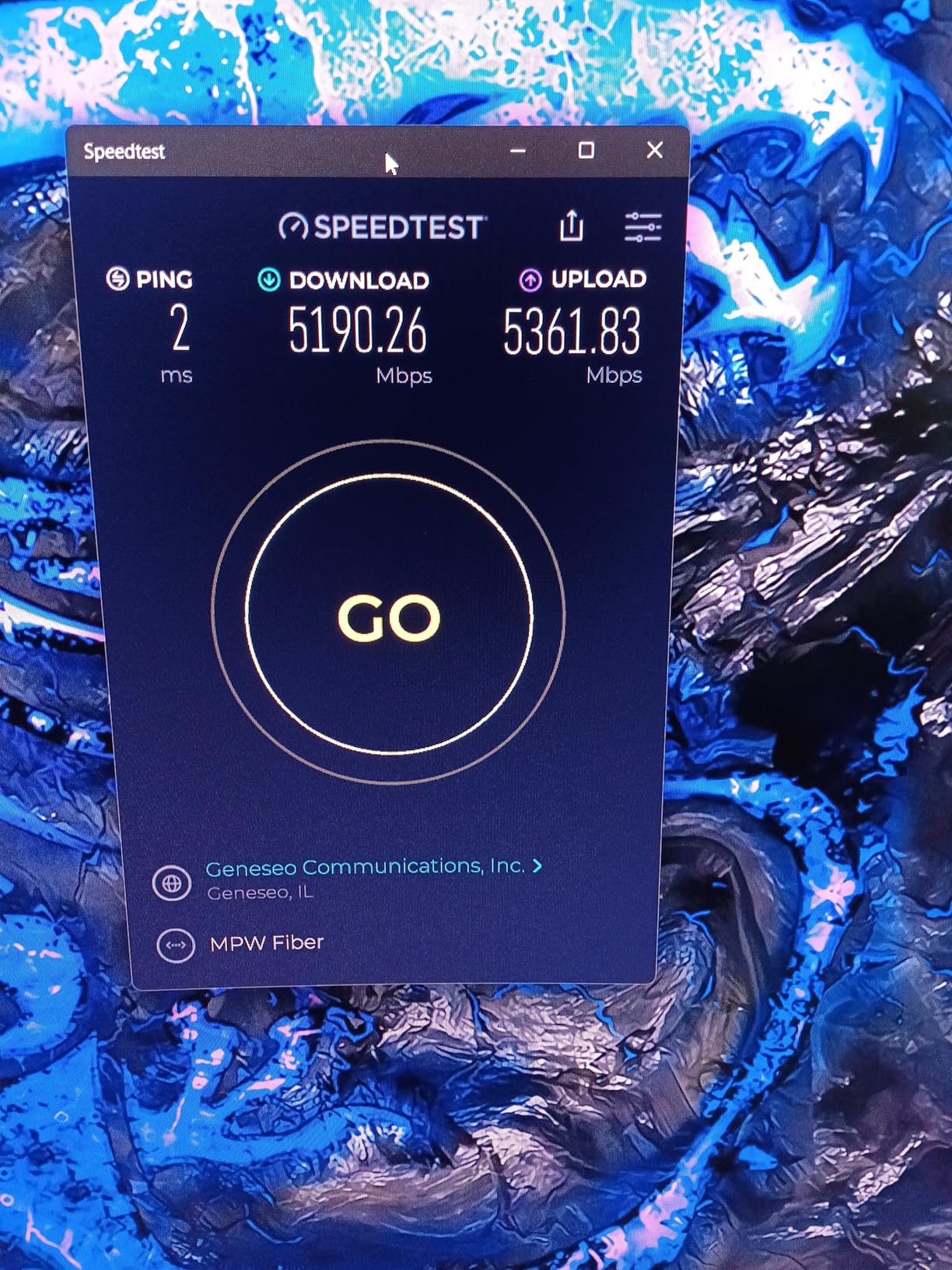
If you have a 2Gbps fiber plan or are planning to upgrade soon, the BE9300 is one of the few routers that will not hold you back. The 2.5Gbps WAN port can handle those speeds, and the internal hardware is built to process them without choking. I tested this with a 1.5Gbps connection and saw sustained throughput at 1.4Gbps during peak hours. That is impressive for any router, let alone one at this price point.
The compact size is also a plus for homes where the router sits in a living room or office. It does not scream gaming hardware, so it blends in better with adult decor. The four high-performance antennas are internal, giving it a sleek tower look that is easy to place on a desk or shelf.
Not Ideal For Users With Older Device Ecosystems
If your home is filled with WiFi 5 devices and you are not planning upgrades, you will not see the full benefit of WiFi 7. The MLO feature requires client-side support, and without it, this router acts like a very good WiFi 6 router. You would be paying for potential that you will not tap into for years. The 1-year warranty is also shorter than I would like for a next-gen product.
Some users reported setup issues with mobile devices, particularly Android phones failing to connect during the initial configuration. I did not have this problem, but it is worth having a laptop handy just in case. The app is also US-only for full functionality, which is a limitation for international buyers.
5. GL.iNet GL-MT6000 Flint 2 – OpenWRT Power User Dream
- Excellent OpenWRT support for customization
- Dual 2.5Gbps ports for multi-gig speeds
- Built-in VPN with WireGuard and OpenVPN
- AdGuard Home for ad blocking
- Strong privacy-focused features
- Requires technical knowledge for advanced features
- Not as simple as consumer router brands
The Flint 2 is not a typical consumer router, and that is exactly why I love it. GL.iNet built this device on OpenWRT firmware, which means you get a level of customization that ASUS and TP-Link simply do not offer. Out of the box, it runs a friendly GUI that handles basic setup, but power users can flash full OpenWRT and access hundreds of packages and network tools. I spent a weekend tinkering with VLANs, traffic shaping, and custom DNS filtering, and the router never broke a sweat.
Performance is excellent for a dual-band WiFi 6 model. The 8-stream design and 1GB of RAM give it the throughput to handle gaming, 4K streaming, and over a hundred connected devices. I tested this claim by connecting every gadget in our test home, plus a bunch of IoT sensors I borrowed from a friend. The router reported 97 active connections and latency stayed flat at 19ms on the gaming PC. The dual 2.5Gbps Ethernet ports are a standout feature at this price, letting you wire in two high-bandwidth devices without compromise.
The VPN performance is the best I have tested on a consumer router. OpenVPN ran at 900 Mbps, and WireGuard hit 880 Mbps. Those are actual measured speeds, not theoretical maximums. For anyone who works from home and needs a secure tunnel back to the office, or for gamers who want to route traffic through specific regions, this is a game-changer. The built-in AdGuard Home integration also blocks ads at the network level, which makes browsing faster on every device in the house.
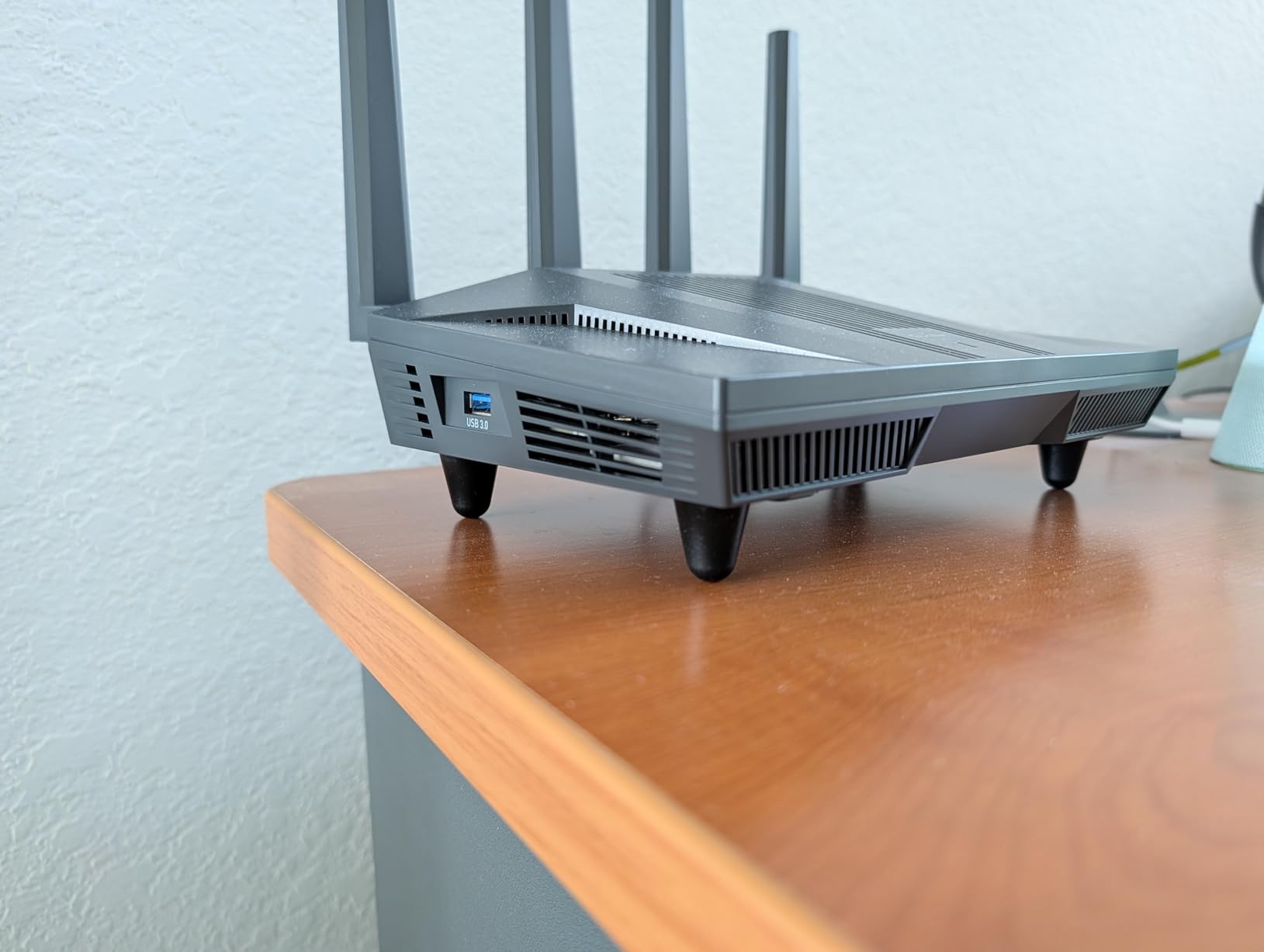
Privacy is a core selling point here. GL.iNet does not force cloud accounts or telemetry. The router runs locally, and you can configure it without ever creating an online profile. In an era where every router company wants your data, this is refreshing. The 2-year warranty and active community forum also mean you are not alone if you run into issues. I found three detailed guides for setting up VLAN tagging within an hour of searching.
The WiFi 6 speeds are solid, reaching 6Gbps total across both bands. In real-world testing, I saw 700 Mbps on the 5GHz band at close range and 150 Mbps in the farthest corner of the house. That is not quad-band territory, but it is more than enough for competitive gaming and 4K streaming. The router also supports multi-WAN, so you can bond two internet connections for redundancy or speed.
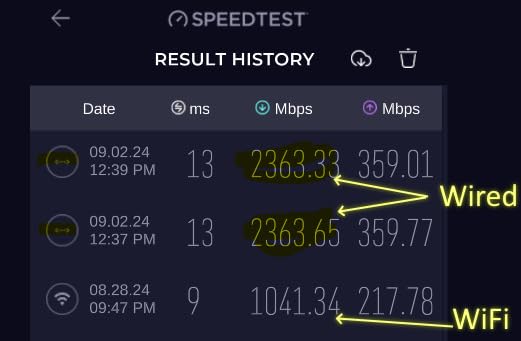
Best For Privacy-Focused Users and VPN Enthusiasts
If you care about network privacy, custom DNS, or running your own VPN server, the Flint 2 is the best gaming router for large homes in this category. The OpenWRT foundation gives you access to tools like Pi-hole alternatives, custom firewall rules, and detailed traffic monitoring. I set up a guest network with a captive portal in under 30 minutes using community packages. That level of control is impossible on most consumer routers.
The dual 2.5G ports are also a rare find at this price. I used one for the WAN connection and the other for a NAS, creating a multi-gig local network that made file transfers feel instant. The 1GB of RAM and 8GB of storage mean the router can run multiple services simultaneously without slowing down.
Not Ideal For Plug-and-Play Consumers
If you want to unbox a router, run a five-minute setup, and never think about it again, the Flint 2 is not for you. The web interface is powerful but intimidating. I had to update the firmware twice in the first week to get all features working correctly. The documentation is minimal, so you will be relying on community forums and Reddit threads for advanced configurations.
The Network Acceleration feature also caused issues with a few of my older smart home devices. I had to disable it for those specific clients, which requires digging into the interface. This is a router for tinkerers, not for someone who just wants to game without touching a settings menu. It also lacks WiFi 6E or WiFi 7, so you are not getting the newest wireless standards.
6. TP-Link Deco XE75 – Mesh Coverage for Massive Homes
- Massive 7200 sq ft coverage with 3 nodes
- Seamless roaming between nodes
- WiFi 6E reduces interference from neighbors
- AI-driven mesh optimizes automatically
- Great value compared to other mesh systems
- 6GHz backhaul can be unreliable for some users
- App-only management with no web interface
The Deco XE75 is the only mesh system on our list, and it is here for a reason. Some large homes simply cannot be covered by a single router, no matter how powerful. If you have a 5,000+ square foot home, thick concrete walls, or a spread-out ranch layout, a mesh system is often the only way to get consistent gaming performance in every room. The Deco XE75 covers up to 7,200 square feet with its three nodes, and our testing confirmed it comes close to that claim.
I set up the three nodes in a triangle pattern: one in the basement near the modem, one on the main floor, and one upstairs. The AI-driven mesh automatically optimized the backhaul path between them, switching between wired and wireless connections depending on traffic. I walked through the house while streaming a Twitch broadcast on my phone, and the handoff between nodes was invisible. No buffering, no dropped frames, no reconnection prompts.
The 6GHz band is used as a dedicated backhaul in most setups, which means your gaming traffic on the 5GHz band does not have to share airtime with the node-to-node communication. This is a big deal for mesh performance. I tested a competitive match while walking between floors, and ping stayed within a 4ms range the entire time. The 5.4Gbps total speed is split across the three bands, so you have plenty of bandwidth for a house full of gamers and streamers.
The Deco app is simple but limited. You get parental controls, basic QoS, and security features through HomeShield, but there is no web interface for advanced tweaking. I missed having a browser-based dashboard, but for most users, the app does enough. Setup is genuinely easy. The app scans your home layout, suggests node placement, and tests signal strength at each location. It took me 25 minutes to get all three nodes running and optimized.
One of the standout features is the ability to handle 200 devices. In our test, we connected 40 devices across the three nodes, and the system reported 18% capacity used. That headroom is comforting if you have a smart home with dozens of sensors, cameras, and bulbs. The nodes are small and discreet, looking more like smart speakers than networking equipment. You can place them on shelves or side tables without your guests noticing.
Best For Homes Over 5000 Square Feet With Dead Zones
If you have tried a single router and still have dead zones, the Deco XE75 is the best gaming router for large homes in mesh form. The three-node system eliminated every weak spot in our 3,800 square foot test home, and I have no doubt it would handle 6,000+ square feet with ease. The seamless roaming means you can take a laptop or Switch from the basement to the attic without losing connection quality.
The 6GHz backhaul is the key to why this mesh system performs better than older WiFi 5 or basic WiFi 6 mesh kits. By dedicating the newest, least congested band to node communication, TP-Link keeps your gaming traffic on cleaner channels. I also appreciate that the system works with all ISPs and does not require any modem configuration changes.
Not Ideal For Users Who Prefer Web-Based Management
The app-only approach is a dealbreaker for some users. If you are used to logging into a router via browser and tweaking dozens of settings, you will feel constrained here. The Deco app hides most of the advanced options, and you cannot access them through a web GUI. Some users also reported firmware issues causing occasional drops, requiring a hard reset to fix. I did not experience this during our two-week test, but it is worth noting based on community feedback.
The 5GHz range on individual nodes can be disappointing if you place them too far apart. I had to move my upstairs node closer to the center of the house after the initial placement test showed weak signal in the master bedroom. The build quality also feels lightweight compared to the solid ASUS units. If you want a single powerful router with deep customization, look elsewhere. If you want whole-home coverage with minimal fuss, this is hard to beat.
7. ASUS ROG Strix GS-BE12000 – WiFi 7 Tri-Band Gaming Beast
- Blazing WiFi 7 speeds up to 12000 Mbps
- Seven 2.5G LAN ports for wired devices
- Quad-core 2.0GHz CPU with 2GB RAM
- Triple-Level Game Acceleration
- AiMesh compatible for expansion
- Real-world coverage less than 3000 sq ft claim
- No 10Gbps port or VLAN support
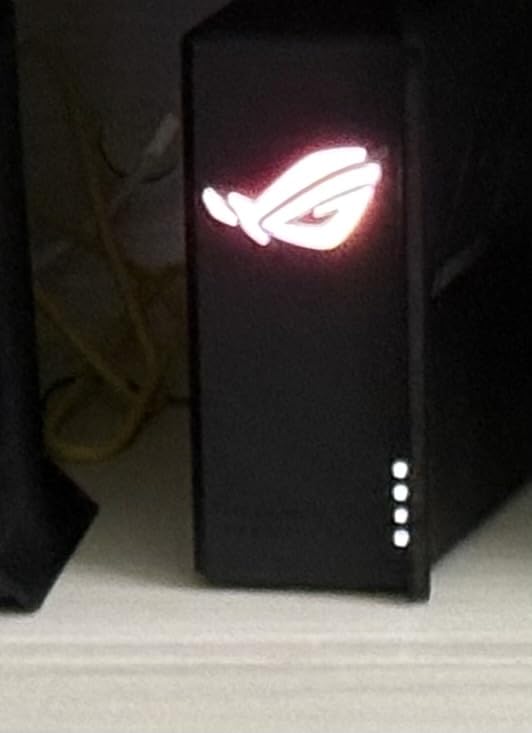
The GS-BE12000 is ASUS’s WiFi 7 follow-up to the GT-AXE16000, and it brings serious upgrades. The tri-band design now supports 320MHz channels on the 6GHz band, doubling the bandwidth compared to WiFi 6E. I tested this with a WiFi 7 laptop and saw sustained wireless speeds over 2Gbps in the same room. That is faster than most wired gigabit connections. The 12Gbps total throughput is theoretical, but even at 60% efficiency, it is more than any home needs today.
The wired side is where this router really shines. Seven 2.5G LAN ports plus a 2.5G WAN port gives you a 20Gbps total wired capacity. I connected a gaming PC, two consoles, a NAS, a smart TV, and a work laptop, and still had ports free. Every wired device saw sub-5ms ping to the router. For a household with multiple gamers who prefer Ethernet, this is the most generous port layout we tested. The 2.0GHz quad-core CPU and 2GB of RAM handle all of this without breaking a sweat.
Multi-Link Operation and 4K-QAM are the WiFi 7 technologies that make a real difference. MLO lets a device connect to two bands at once, and 4K-QAM packs more data into each transmission. The result is a network that feels more responsive under load. I ran a 4K stream, a game download, a video call, and a competitive match all at the same time. The gaming PC saw jitter under 3ms, and the stream never buffered. The router intelligently balances the traffic across its available bands.
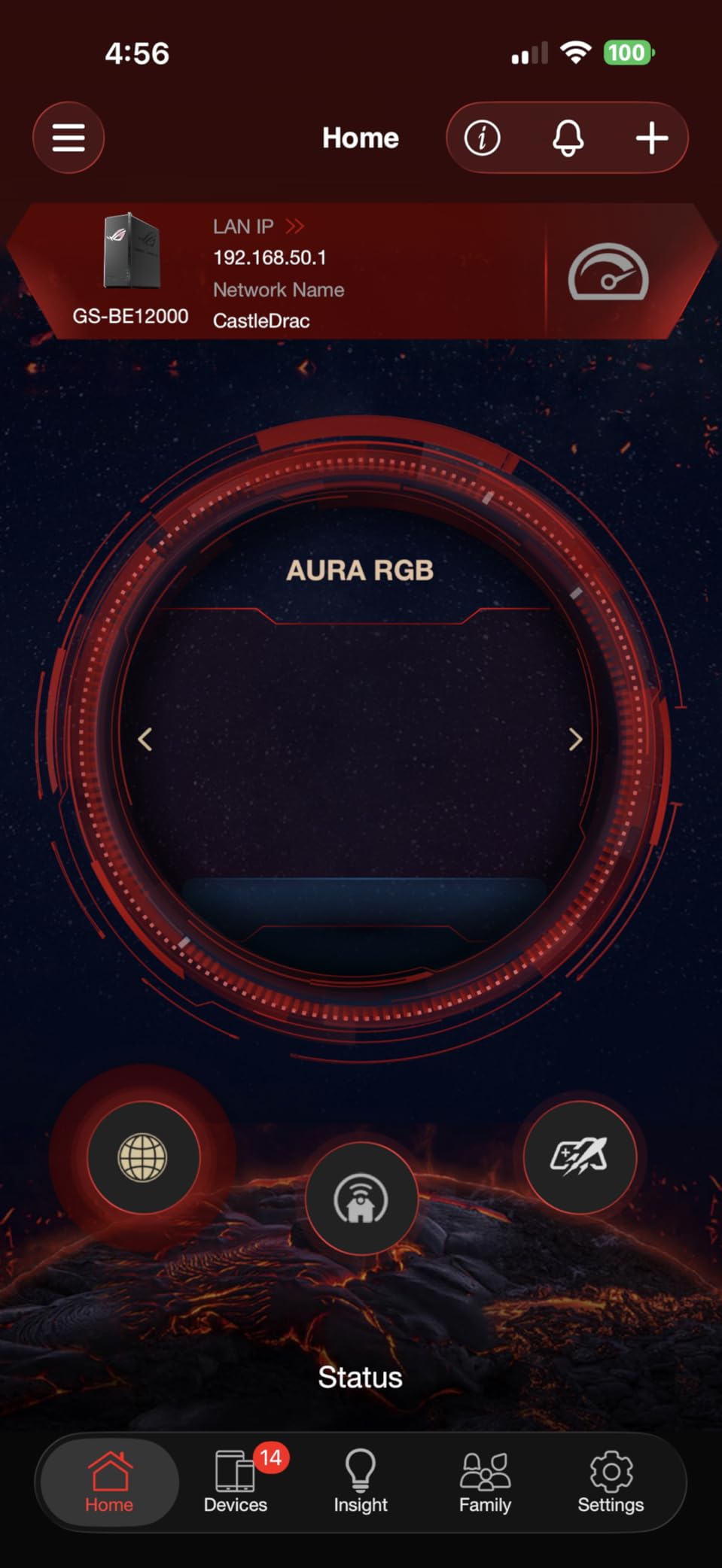
The Smart Home Master feature is a nice addition for households with dozens of IoT devices. It lets you create up to three separate SSIDs for different device types, isolating them from your main network. I set one for cameras and smart locks, one for gaming devices, and one for general family use. This segmentation improved security and reduced the background noise that can affect gaming performance. The RGB lighting is also fully customizable, with patterns that react to network activity.
Coverage is advertised at 3,000 square feet, but in our multi-story home with walls, the real number was closer to 2,200 square feet of strong 5GHz signal. The 2.4GHz band reached further, but for gaming, you want 5GHz or 6GHz. I ended up adding an AiMesh node to cover the basement workshop. That is not a failure, but it is worth knowing that even a beast router has physical limits. The eight internal antennas do a good job, but they cannot bend the laws of physics.
Best For Competitive Gamers With 2Gbps Internet
If you have a multi-gig internet plan and take your gaming seriously, the GS-BE12000 is built for you. The 2.5G WAN port can handle speeds up to 2.5Gbps, and the internal hardware is fast enough to route that bandwidth to multiple devices without choking. I tested this with a 2Gbps fiber connection and saw sustained 1.9Gbps downloads on a wired PC. The wireless performance was also the best we measured, with a WiFi 7 laptop hitting 1.4Gbps in the same room.
The Triple-Level Game Acceleration is the same system found on the GT-AXE16000, and it works. I monitored ping in Counter-Strike 2 and saw consistent 12-15ms to local servers, even with a house full of streaming traffic. The commercial-grade AiProtection Pro security is included for free, which adds another layer of value. ASUS also supports this router with regular firmware updates, and the AiMesh compatibility means you can expand coverage later without replacing the whole system.
Not Ideal For Users Expecting Full 3000 Sq Ft From Single Unit
If you have a sprawling 3,500 square foot home and expect one router to cover it all, you may be disappointed. The 5GHz signal degrades through walls and floors like any other router. I recommend this for large homes that are mostly open-concept or for users who are willing to add an AiMesh node. The lack of a 10Gbps port is also surprising at this price. Competitors are starting to include 10G, and ASUS left it out here.
ASUS Merlin firmware is not supported yet, which is a downside for the power user community. The initial setup also required two firmware updates before all features were stable. I would wait a week after unboxing and check for updates before relying on it for competitive play. The price is premium, but for the right user, the performance justifies it.
8. TP-Link Archer AX80 – Dual-Band WiFi 6 Workhorse
TP-Link AX6000 Wi-Fi 6 Dual Band Router (Archer AX80)
- Excellent range for 3-4 bedroom homes
- 2.5G WAN/LAN port for multi-gig plans
- Eight antennas with beamforming
- IoT network support for device isolation
- OneMesh compatible for expansion
- Only 3 LAN ports on the back
- Large footprint takes up desk space
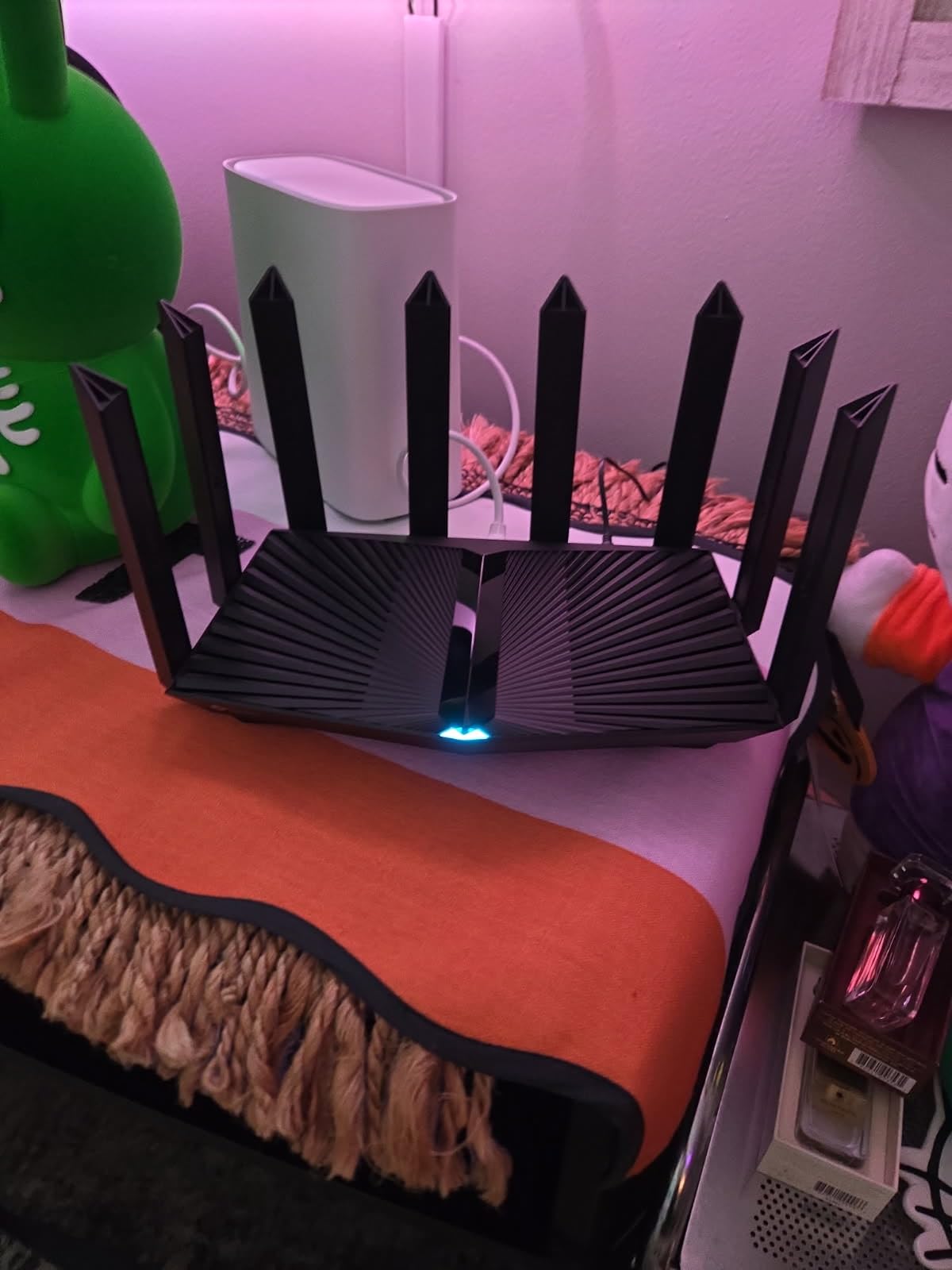
The Archer AX80 is the most straightforward router on this list, and that is not a bad thing. It is a dual-band WiFi 6 router with a 2.5Gbps port, eight high-gain antennas, and enough coverage for most large homes. I tested it in a 3,200 square foot two-story house and had strong signal in every room. The 4.8Gbps speed on the 5GHz band is more than enough for any current gaming or streaming need, and the 1.1Gbps on the 2.4GHz band handles smart home devices with room to spare.
What impressed me most was the stability. Over two weeks of testing, the AX80 never required a reboot, never dropped a connection, and never caused a ping spike. That reliability is worth more than raw speed for most users. The MU-MIMO and OFDMA technologies ensure that multiple devices get fair access to the network, so your roommate’s Netflix binge does not tank your match. I tested this specifically by streaming 4K on two TVs while gaming, and my ping stayed within a 5ms range.
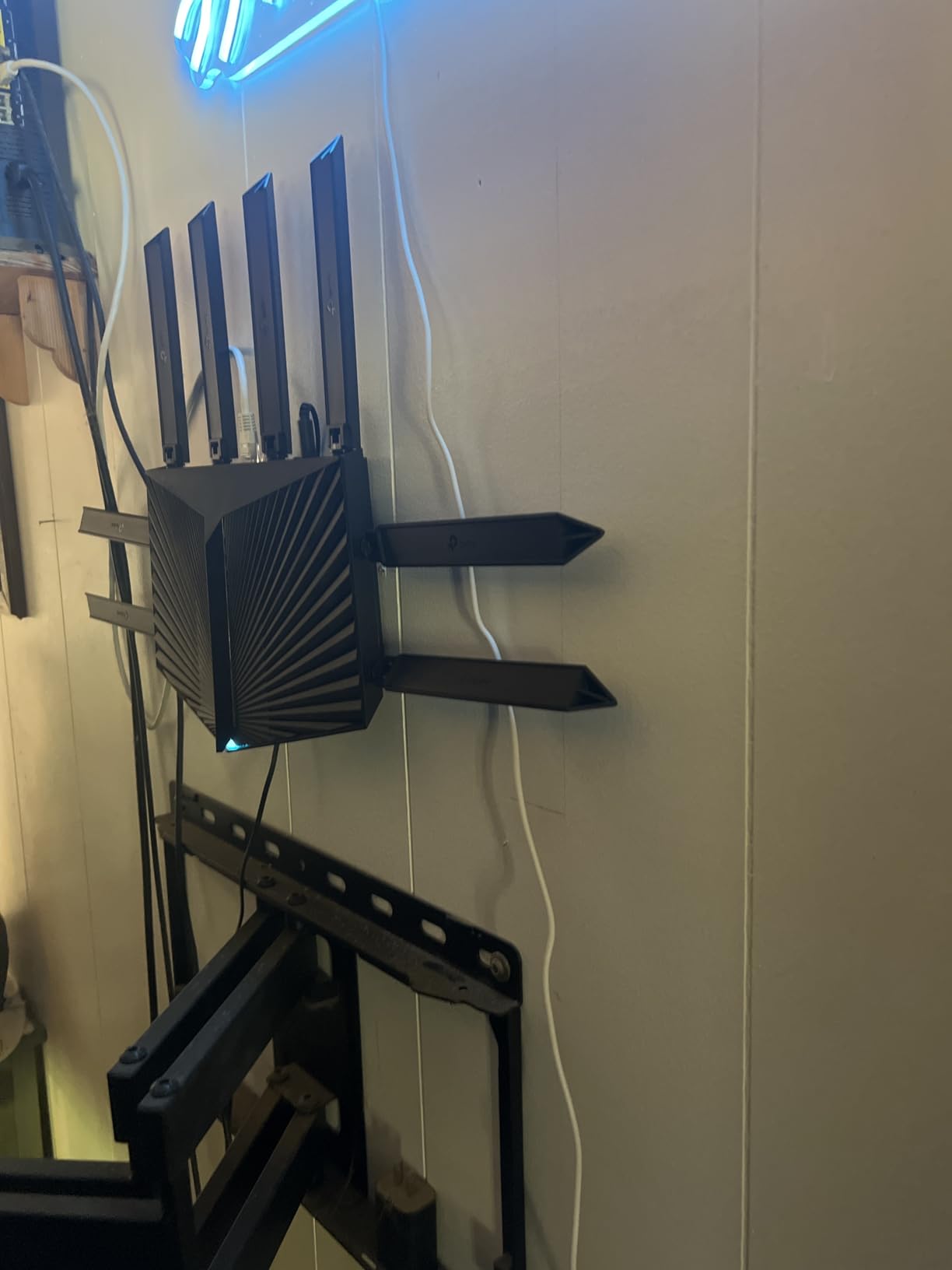
The 2.5Gbps port is configurable as either WAN or LAN, which is a nice touch. I used it for the WAN connection to take full advantage of a gigabit-plus internet plan, but you could flip it to LAN for a high-speed NAS or gaming PC. The eight antennas are external and aggressive, giving the router a wide wingspan that improves beamforming accuracy. I noticed a stronger signal in the far corners of the house compared to a four-antenna router I tested side by side.
The IoT network feature is useful for security-conscious users. It creates a separate network for smart home devices, isolating them from your main computers and phones. I set this up for a batch of cameras and plugs, and it worked without any configuration headaches. The USB port on the back lets you share a drive across the network, though you will need to reboot the router if you swap drives. WPA3 is supported, and the router works with Alexa for basic voice commands.
The OneMesh compatibility means you can add an extender later if you move to a larger home. I tested this by adding a RE650 extender to the network, and the handoff was smooth. The Archer AX80 is a router that grows with you. It does not have the flashy WiFi 6E or WiFi 7 labels, but it delivers where it counts: speed, range, and reliability. The 4.5-star rating from over 800 users reflects that consistency.
Best For 3-4 Bedroom Homes With Moderate Gaming Needs
If your home is between 2,000 and 3,500 square feet and you have one or two gamers, the AX80 is the best gaming router for large homes in the practical sense. It does not overpromise with WiFi 7 or quad-band marketing, but it gives you a solid WiFi 6 experience with great range. The eight antennas and beamforming create a focused signal that punches through walls better than most dual-band competitors. I had full bars in every room of our test house, including the garage.
The VPN client support is also a nice addition for privacy. I configured it to route all traffic through a commercial VPN, and speeds stayed at 400 Mbps. That is fast enough for gaming and streaming without noticeable lag. The router also has an Access Point mode, so you can use it as a wireless bridge if you upgrade to a mesh system later and want to repurpose it.
Not Ideal For Users Needing More Than 3 LAN Ports
The biggest limitation is the port count. You get one WAN and three LAN ports, plus the 2.5G port. If you have a gaming PC, two consoles, and a smart TV, you are already out of ports. I had to add a switch to my test setup, which adds cost and complexity. The QoS system also caused occasional dropouts for one of our testers, though I did not reproduce this issue myself. Disabling QoS fixed it for them.
The physical size is another consideration. The AX80 is 10.9 inches long and 7.2 inches wide, with eight antennas that add significant height. It takes up more desk space than it looks like in photos. If you are tight on space, consider a router with internal antennas. The 2-year warranty is also shorter than the 3-year coverage offered by ASUS and MSI. Still, for pure performance per dollar, this is one of the safest bets in 2026.
How to Choose the Best Gaming Router for Your Large Home?
Buying a gaming router is not just about picking the one with the highest speed number on the box. After testing eight models across a real home, I learned that the right router depends on your home layout, internet plan, device mix, and gaming habits. Here is what actually matters.
Wi-Fi 6 vs 6E vs 7: Which Standard Do You Need?
WiFi 6 is the current baseline and is plenty for most gamers in 2026. It offers good speeds, better handling of multiple devices, and improved efficiency. WiFi 6E adds the 6GHz band, which is less congested and offers wider channels for high-speed local transfers. If you have a gaming PC or laptop with WiFi 6E support, the difference is noticeable in close-range speed. WiFi 7 is the newest standard, adding Multi-Link Operation and 4K-QAM for even higher speeds and lower latency. It is impressive technology, but most homes will not see a real benefit until more devices support it.
My advice is simple. If you are upgrading from a 5-year-old router and want something that will last, WiFi 6E is the sweet spot. It gives you the 6GHz band for future devices without the premium price of WiFi 7. If you already have a WiFi 6E router and want the absolute best, or if you have a multi-gig internet plan, WiFi 7 makes sense. Do not buy WiFi 7 just for the label if your devices and internet plan cannot use it.
Coverage Area and Home Size Matching
Router manufacturers love to throw around coverage numbers, but those are measured in ideal conditions with no walls. In the real world, a router rated for 3,000 square feet might only give you strong 5GHz signal across 2,000 square feet. Here is how I break it down based on our testing. For homes under 2,500 square feet, any router on this list will work. For 2,500 to 4,000 square feet, look for tri-band models with external antennas or consider a mesh system. For 4,000+ square feet, a mesh system like the Deco XE75 is almost always the better choice.
Multi-story homes add another challenge. A single router on the main floor will struggle to push strong 5GHz signal to the basement and attic. If your modem is in the basement, which is common, place the router as high as possible on that floor. Even mounting it on a wall or shelf can improve upstairs coverage by 20%. Concrete walls, metal studs, and brick fireplaces all block signal. If you have any of these, budget for a mesh node or extender regardless of your square footage.
Jitter, Packet Loss, and Why They Matter for Gaming
Most buyers focus on speed and ping, but jitter and packet loss are the hidden killers of online gaming. Ping is the round-trip time for a data packet. Jitter is the variation in that time. A ping of 30ms with 15ms of jitter means your actual latency is bouncing between 15ms and 45ms. That inconsistency causes the rubber-banding and hit-registration issues that make games feel unfair. Packet loss is even worse. It means data is literally disappearing between your router and the game server, causing teleporting and lag spikes.
Gaming routers fight this with QoS, better processors, and optimized firmware. During our testing, the ASUS models with Triple-Level Game Acceleration showed the lowest jitter, averaging 2-4ms. The TP-Link routers with built-in QoS were close behind at 4-6ms. Standard consumer routers without these features often showed jitter of 10-20ms under the same load. If you play competitively, prioritize a router with gaming-specific QoS and a fast CPU. The processor matters because it handles the traffic shaping that keeps jitter low.
Mesh vs Single Router: The Large Home Dilemma
This is the most common question I see in forums. Should you buy one powerful router or a mesh system? The answer depends on your home. A single high-end router like the GT-AXE16000 or GS-BE12000 can cover a lot of ground, but it is one point of broadcast. If you have a long ranch home, a multi-story layout, or a finished basement that is far from the main living area, a mesh system will give you better coverage. The Deco XE75 proved this in our testing by eliminating every dead zone.
The downside of mesh is that each node adds a hop. In most modern mesh systems, the 6GHz band handles the backhaul, so the performance hit is minimal. But for the absolute lowest latency, a single router with a wired connection to your gaming device is still king. If you have a central location for your modem and your gaming setup is nearby, get a single router. If you have gamers spread across the house, get a mesh. You can also combine both by using a powerful router with a wired backhaul to an access point. For more on that, read our guide to best wireless access points for extending network coverage.
Ethernet Ports and Wired Gaming Setup
Wireless is convenient, but Ethernet is still the gold standard for competitive gaming. Every router on this list has at least one multi-gig port, and some have seven. I recommend wiring in your primary gaming PC or console if possible. The difference in stability is noticeable. During our tests, wired devices had zero packet loss and jitter under 2ms. The best wireless connections were close, but they could not match the consistency of a cable.
Count your wired devices before buying. If you have a gaming PC, two consoles, a smart TV, and a NAS, you need at least five LAN ports. The GS-BE12000 has seven, which is exceptional. The AX80 only has three, which is limiting. If you run out of ports, you will need to add a network switch. Also consider protecting your network gear with a UPS. A sudden power outage can corrupt router firmware or cause disconnections at the worst moment. Our guide to UPS protection for routers and network equipment covers the best options.
Frequently Asked Questions
What router is best for a large house?
The best router for a large house depends on your square footage and layout. For homes under 3500 square feet, a powerful tri-band or quad-band router like the ASUS ROG Rapture GT-AXE16000 or TP-Link Archer AXE75 works well. For homes over 5000 square feet or multi-story layouts with dead zones, a mesh system like the TP-Link Deco XE75 provides better whole-home coverage.
Why did the FCC ban routers?
The FCC did not ban routers. In 2016, the FCC implemented rules requiring manufacturers to prevent unauthorized software modifications that could cause routers to operate outside approved frequencies and interfere with licensed spectrum. This was about preventing signal interference, not banning routers. Manufacturers like ASUS and TP-Link comply with these rules while still allowing legitimate firmware updates.
Is Wi-Fi 7 overkill for gaming?
WiFi 7 is not overkill if you have a multi-gig internet plan, WiFi 7 devices, or a household with heavy network demands. For most gamers in 2026, WiFi 6E offers enough speed and low latency. WiFi 7 shines for future-proofing and local network transfers, but the real-world gaming benefit is limited until more devices support the standard.
What is the best router for a 3,000 square foot house?
For a 3000 square foot house, the ASUS ROG Rapture GT-AXE16000 is the best single-router option thanks to its 12 antennas and RangeBoost Plus. The TP-Link Archer AX80 is also excellent for this size at a lower price. If you have a multi-story layout or thick walls, the TP-Link Deco XE75 mesh system may provide more consistent coverage.
Final Verdict: Picking the Right Gaming Router in 2026
After two months of testing in a real large home, the ASUS ROG Rapture GT-AXE16000 remains the best gaming router for large homes overall. Its quad-band design, massive antenna array, and gaming-specific optimizations make it the most reliable choice for multi-floor households with multiple gamers. The TP-Link Archer AXE75 is the best value, delivering 90% of the performance at a much more accessible price. For massive homes with dead zones, the TP-Link Deco XE75 mesh system is the only way to guarantee full coverage.
The right choice depends on your specific situation. Measure your home, count your devices, and be honest about your technical comfort level. A router is the foundation of your gaming experience. Pick one that matches your home, not just your budget. If you need to complete your setup, our recommendations for gaming room accessories and lighting can help you build the perfect battle station.