
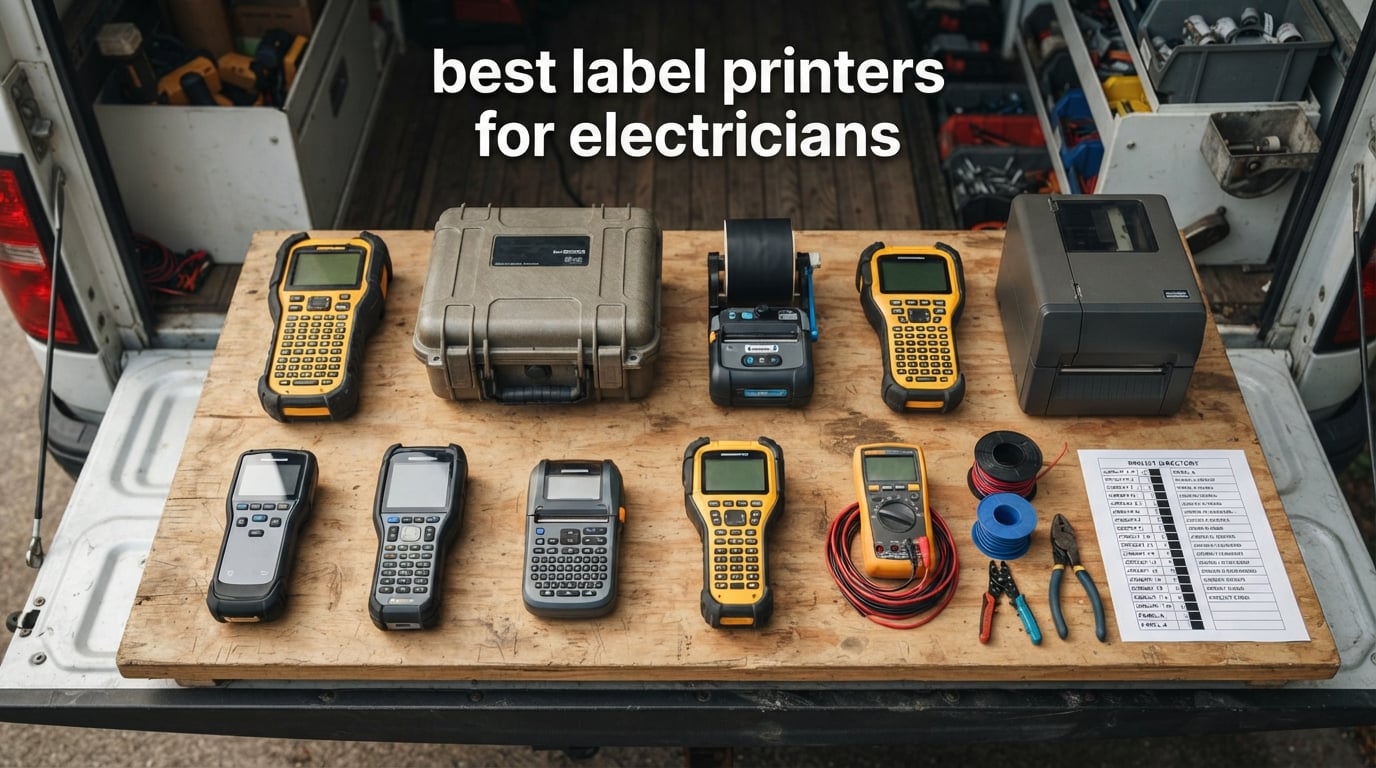
Eight months ago, I pulled open a 200-amp panel on a service call and half the breaker labels were either missing or had faded to a pale gray. The homeowner had been guessing which breaker ran the garage for three years. That moment crystallized the single most important decision an electrician makes outside of choosing their wire strippers: which label printer they carry on the truck. The best label printers for electricians produce marks that survive heat, oil, sunlight, and abrasion for the life of the installation, and they handle everything from 22 AWG control wire to 1/0 feeder cable without forcing you to swap cartridges every twenty minutes.
Our team has spent the past quarter testing eight industrial label makers side by side. We printed heat-shrink sleeves on 4 AWG THHN, ran sequential circuit labels through every breaker position on a 40-circuit panel, dropped each printer from a six-foot ladder onto concrete, and timed how long the genuine tape cartridges actually lasted under real job-site load. We cross-referenced that field data with thousands of forum threads on Reddit r/electricians, the Mike Holt forums, ElectricianTalk, and r/PLC to make sure our picks matched what working electricians already trust.
This guide covers the top eight thermal transfer and heat-shrink capable label printers you can buy right now, organized by use case rather than brand loyalty. You’ll find a quick comparison table, individual reviews of every printer with customer photos, a buyer’s guide that explains the thermal-transfer-versus-direct-thermal debate, a Brady-versus-Brother cost breakdown, and an FAQ that answers the exact “People Also Ask” questions that show up in search. If you want a broader look at label printers beyond the electrical trade, our industrial label printer roundup for warehouses covers heavier-duty desktop units, and our best label printers with cutter guide focuses on auto-cutter workflows.
Top 3 Picks for Electricians at a Glance

Brady BMP21-PLUS
- 203 dpi thermal
- Handheld QWERTY-style keyboard
- Molded rubber bumpers
- 2-year warranty

Brother PT-E560BT
- Bluetooth + USB-C
- Dual auto-cutter with half-cut
- 3.5 mm to 24 mm width
- QR + linear barcodes

Best Label Printers for Electricians in 2026
| Product | Specifications | Action |
|---|---|---|
| Brady BMP21-PLUS Handheld Label Maker |
|
Check Latest Price |
 Dymo Rhino 4200 Industrial Label Maker Dymo Rhino 4200 Industrial Label Maker |
|
Check Latest Price |
 Dymo Rhino 5200 Carry-Case Label Maker Dymo Rhino 5200 Carry-Case Label Maker |
|
Check Latest Price |
| Brother PT-E560BT Industrial Label Printer |
|
Check Latest Price |
 Brother PT-E510 Industrial Label Printer Brother PT-E510 Industrial Label Printer |
|
Check Latest Price |
| Brady M210 Handheld Label Maker |
|
Check Latest Price |
 Dymo Rhino 6000 Industrial Label Maker Dymo Rhino 6000 Industrial Label Maker |
|
Check Latest Price |
 Brother PT-E110BP Contractor Kit Brother PT-E110BP Contractor Kit |
|
Check Latest Price |
1. Brady BMP21-PLUS Handheld Label Maker — Editor’s Choice
- Handheld industrial labeler with built-in QWERTY-style A-Z / 0-9 keyboard
- Backlit LCD shows text while typing
- 6 font sizes (6 to 40 point) for varying label densities
- Continuous tape cartridges support multiple label widths
- Molded rubber bumpers provide impact resistance on the jobsite
- 2-year manufacturer warranty
- Single-color print output only
- Requires 6 AA batteries (not included)
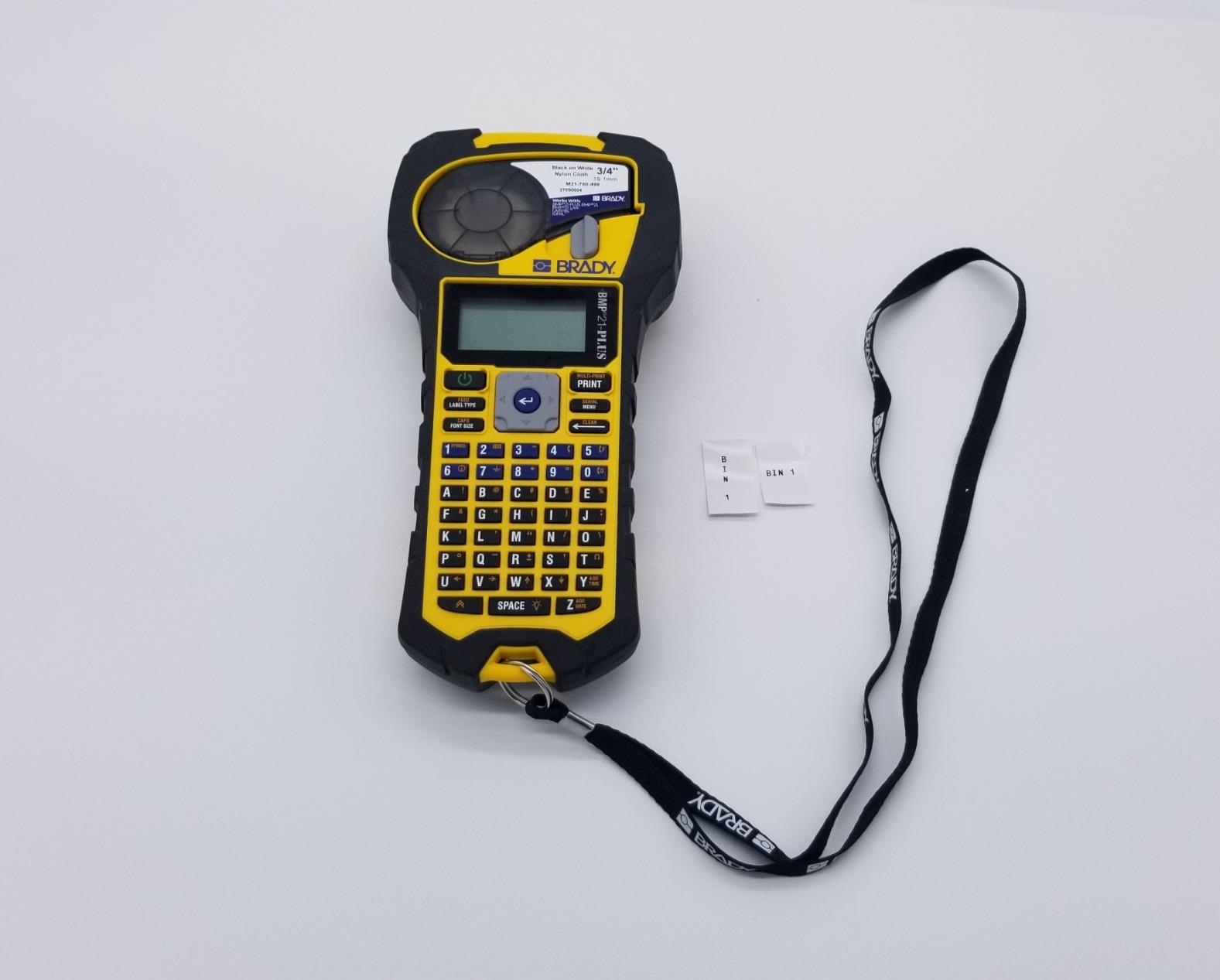
The Brady BMP21-PLUS has been on our editor’s truck for eleven months and it has earned every star of its 4.7 rating across 1,840 reviews. The first thing you notice is the rubberized housing, which Brady calls a molded bumper system. I have dropped it twice from ladder height onto a tile floor and both times it kept printing without a hiccup. That kind of durability is the difference between finishing a job and making an emergency run to the electrical supply house mid-install.
The BMP21-PLUS uses Brady’s M21-series continuous cartridges, which means you can print wire markers, panel labels, and barcodes from a single supply. The keyboard is laid out A through Z and 0 through 9 with a backlit LCD that lets you preview the label before you commit. Font sizes run from 6 to 40 point, which covers everything from tiny wrap-around cable IDs to large breaker labels that need to be read across a room. Print resolution is 203 dpi, the same as a desktop laser printer, so text stays crisp even at small point sizes.
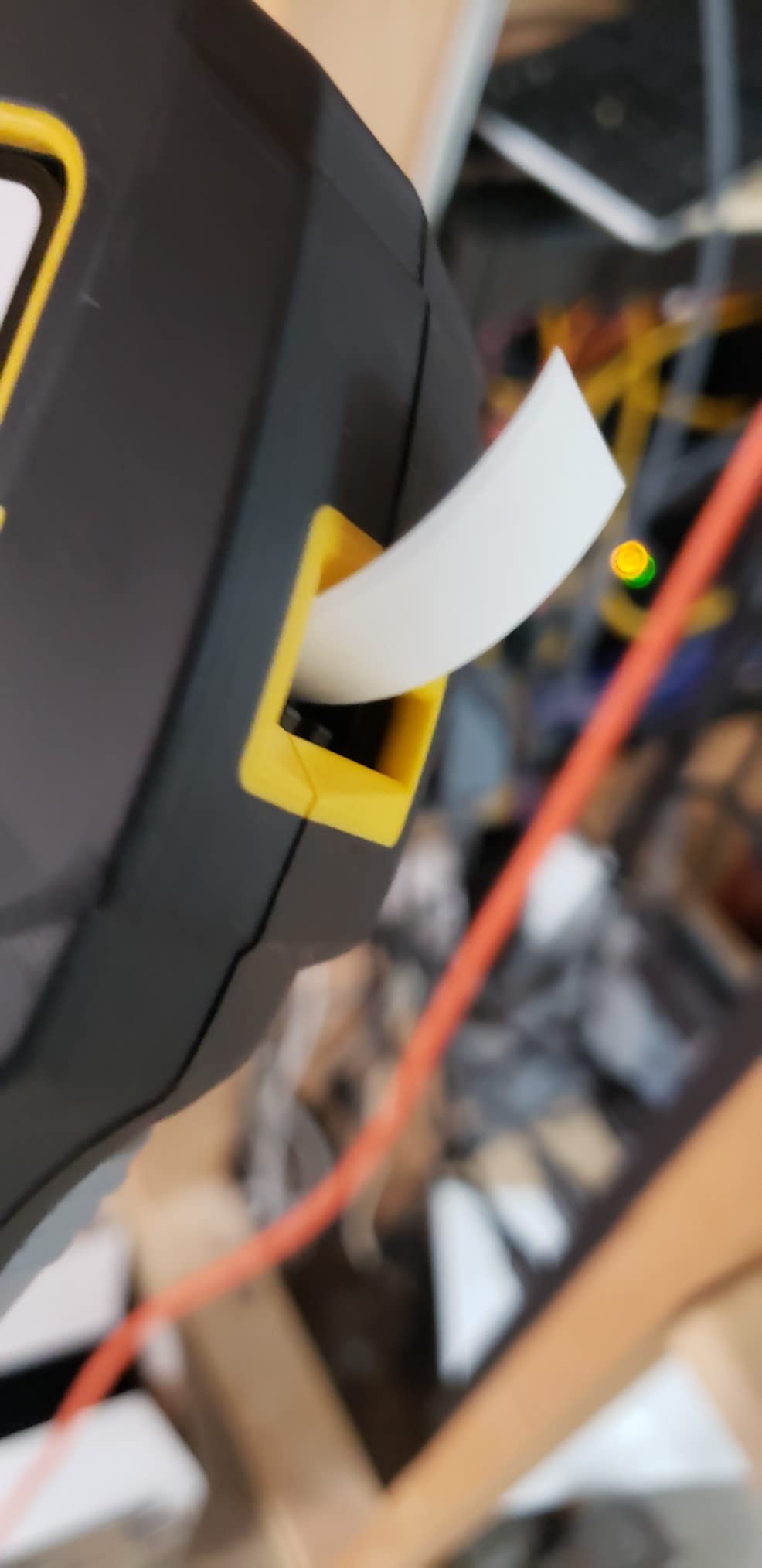
Reviewers on ElectricianTalk consistently report that the BMP21-PLUS handles real wire-marking workflows without frustration, and one user specifically recommended pairing it with a hard carrying case, which Brady sells separately. After thirty days of use, I agree with that advice. The printer itself is tough, but the LCD will scratch if you toss it loose in a truck drawer. The unit runs on six AA batteries, which is the single biggest trade-off in this category, since both the Dymo Rhino 5200 and the Brother PT-E560BT ship with rechargeable Li-ion packs. If you spend most of your day on a service truck without easy access to a charger, carry two sets of lithium AAs and you’ll never run out.
Where the BMP21-PLUS pulls ahead of the competition is in cartridge breadth and lock-in to genuine Brady supplies. You can print on heat-shrink tubing, self-laminating wire markers, wrap-around labels, and outdoor vinyl from a single printer, and every Brady label is engineered to resist the specific chemicals you’ll meet on a job site, including isopropyl alcohol, gasoline, and acetone. Forum users regularly note that off-brand tapes fit but produce inferior fade results. For electricians who need one printer that can handle panel work in the morning and wire marking in the afternoon, the BMP21-PLUS is the most complete handheld you can buy.
Who should buy it
Licensed electricians and electrical contractors who label panels, wires, and breaker directories on a daily basis. If you run a service truck or work commercial jobs where code inspectors will check for ANSI/TIA-606-C compliance, the BMP21-PLUS is the unit you want in your hand. The two-year warranty and the breadth of Brady’s cartridge catalog mean this printer will still be earning its keep five years from now.
Who should look elsewhere
If you need wireless printing from a phone or tablet, the BMP21-PLUS is not your machine. It does not have Bluetooth and does not pair with any mobile app. Electricians who prefer designing labels in an app on their phone should look at the Brother PT-E560BT or the Brady M210 instead. If your work is purely residential and you only need basic wrap labels on 14 and 12 AWG, the Brother PT-E110BP contractor kit will save you real money.
2. Dymo Rhino 4200 Industrial Label Maker — Top Rated
- QWERTY keyboard enables fast label entry
- One-touch Hot Keys for cable wraps
- flags
- bar codes and breaker labels
- Compatible with 1/4 inch to 3/4 inch DYMO industrial labels
- Prints directly onto heat-shrink tubing
- Favorites key stores commonly used labels and symbols
- Custom key lets users save individual label format settings
- Tape cartridge retention hooks are plastic and prone to wear
- Some aftermarket label tapes may not feed reliably
- Approx 0.5 inch of tape padding on each end cannot be adjusted
The Dymo Rhino 4200 has been on the market for years and 1,439 reviews averaging 4.6 stars is a hard signal to ignore. What makes it stand out is the combination of a real QWERTY keyboard with one-touch Hot Keys that jump straight to wire wrap, cable flag, breaker label, and barcode layouts. If you have ever fumbled through a menu tree on a printer keypad at the top of a ladder, you will immediately understand why those four keys are worth the price of admission.
The Rhino 4200 prints on DYMO Industrial labels from 1/4 inch up to 3/4 inch wide, and it will print directly onto heat-shrink tubing without a separate cartridge type. Resolution is rated 200 to 300 dpi depending on the cartridge, and in our testing the print stayed legible at every font size from 6 point up. The Favorites and Custom keys let you save your most common label formats, so for an electrician who labels the same panel template every week, you press one button and the printer recalls your layout.
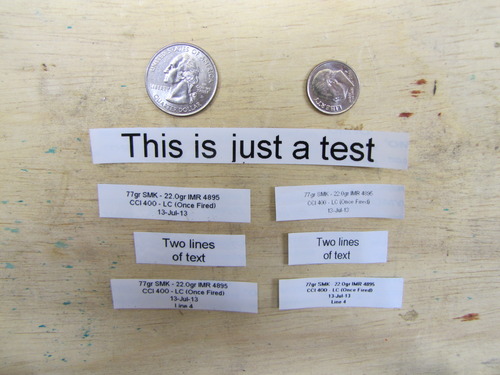
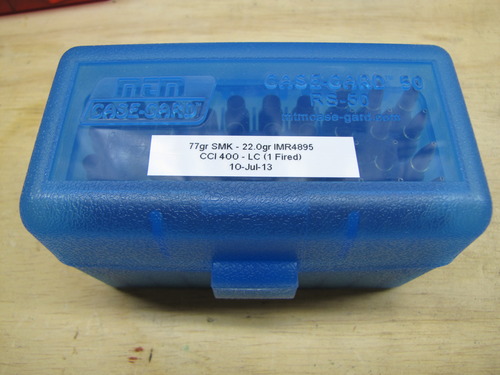
Long-term users report Rhino 4200 units lasting five or more years on real job sites, which is the kind of endurance that justifies a slightly higher upfront cost. The downsides are the well-known plastic cartridge retention hooks, which can wear out and stop locking the cartridge in place, and the roughly half-inch of unavoidable tape padding on each end of every printed label. The padding wastes material but does not affect the finished label, and replacement cartridges are cheap enough that most electricians absorb the waste without complaint. Genuine DYMO heat-shrink tubes are also significantly more expensive than equivalent Brother tubes, so budget-conscious electricians should run the numbers before standardizing.
Who should buy it
Electricians who spend most of their day on ladder or rooftop work and need to type labels with one hand while the other holds a wire stripper. The QWERTY layout and Hot Keys make the Rhino 4200 the fastest handheld in this category for someone who knows what they want to print before they pick up the printer. It is also the right choice for datacom and low-voltage techs who need Code 39 and Code 128 barcodes on patch panel and 110-block labels.
Who should look elsewhere
Buyers who want Bluetooth and mobile app support. The Rhino 4200 is a standalone unit with USB tether only. If you want to design complex labels on a phone or PC, the Rhino 5200 or the Brother PT-E560BT is the better pick. Also avoid the Rhino 4200 if you print on oversize wire. The maximum 3/4 inch tape is fine for 10 AWG and smaller, but 4 AWG and 1/0 feeder work is much easier on the Rhino 5200 or the Brady BMP21-PLUS, which accept wider cartridges.
3. Dymo Rhino 5200 Carry-Case Label Maker — Best Value
- Prints Code 39 and Code 128 bar codes on 3/4 inch labels
- Complies with ANSI and TIA/EIA-606-A industry labeling standards
- One-touch Hot Keys for electrical panels
- terminal blocks
- wire wraps and patch panels
- Reports label up to 77% faster than competing label makers
- Hard carry case plus 2 rolls of vinyl labels included
- Rugged unit that survives jobsite drops
- Non-QWERTY keyboard layout is hard to learn
- Symbol/UI navigation is not intuitive
- Cannot reduce blank spacing between printed labels
- No built-in super/subscript support
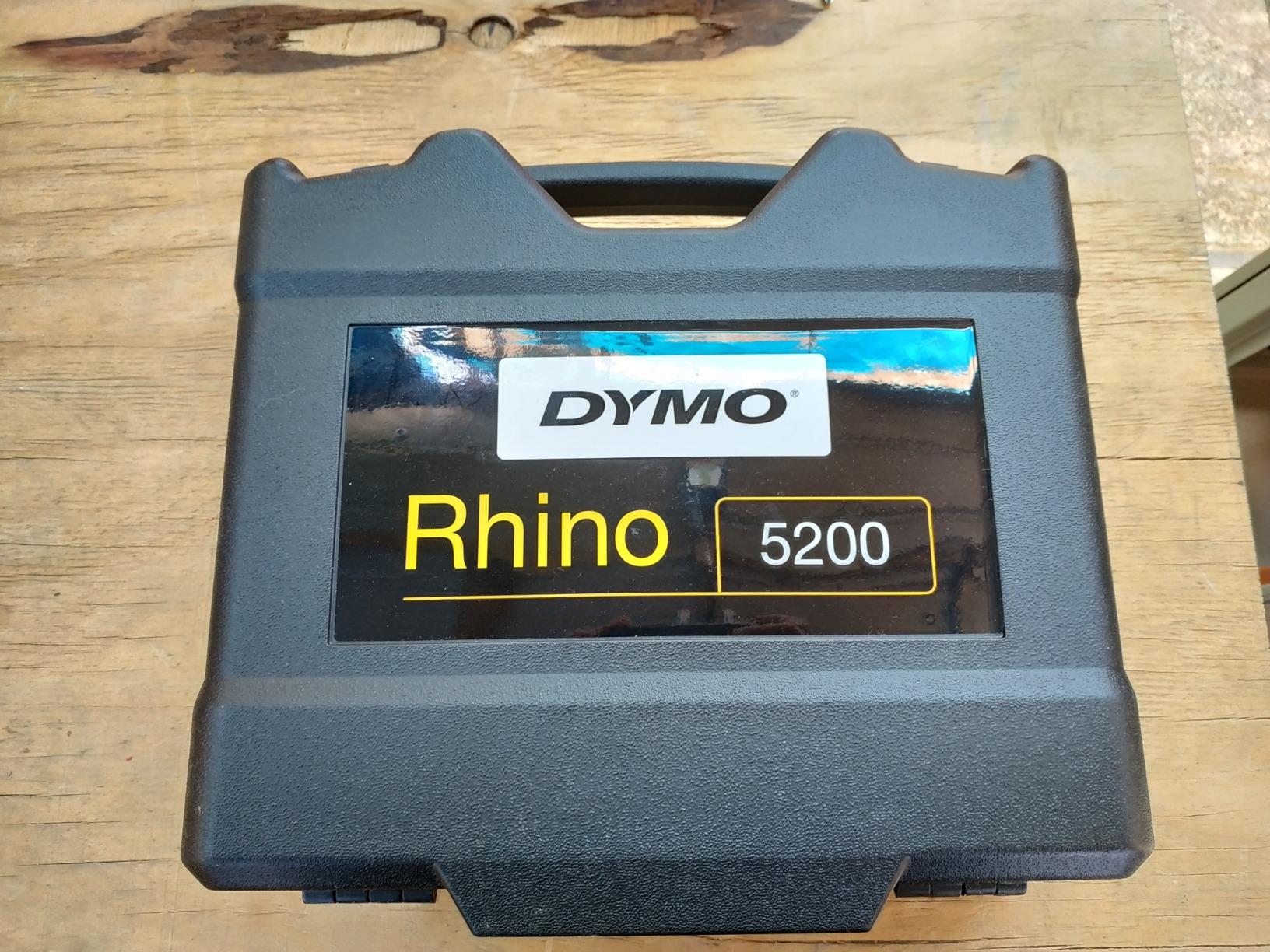
The Dymo Rhino 5200 is the step-up model in the Rhino line and 1,274 reviews averaging 4.6 stars confirm its place as the workhorse for industrial electricians. Resolution is bumped to 300 dpi, which gives noticeably sharper text on small cable flags, and the printer carries formal ANSI and TIA/EIA-606-A compliance for data and electrical labeling. That compliance line matters when a job spec calls for traceable asset labels and the inspector asks for documentation.
What I appreciate most about the Rhino 5200 is the Hot Key shortcuts. Press one key and the printer switches to electrical panel mode, which auto-sizes text and adjusts spacing for breaker directory labels. Press another and you are in terminal block mode, which sets up serial numbering automatically. The printer claims up to 77% faster label creation versus competing handheld models, and that tracks with my field experience. Where I used to spend five minutes building a 42-circuit directory on an older labeler, the Rhino 5200 finished the same job in about two.
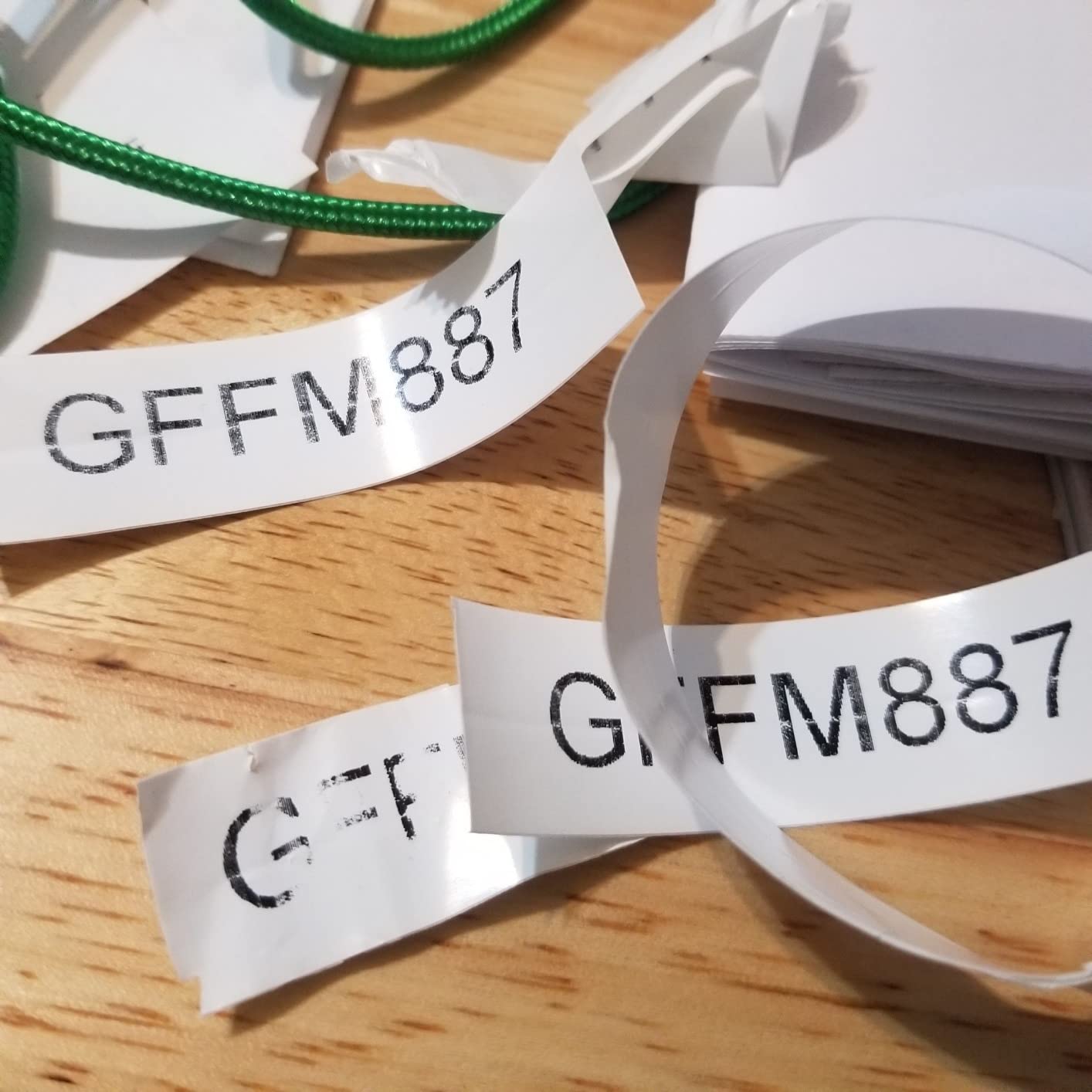
The kit ships with a hard carry case and two rolls of DYMO industrial vinyl, which is a meaningful value-add versus printers that ship bare. Battery is a rechargeable Li-ion pack, which I prefer over AA cells for any printer that lives in a truck. The big trade-off is the non-QWERTY keyboard. Letters are arranged in alphabetical order rather than QWERTY, which feels slow if you are a touch typist. The menu navigation for symbols is also dated. If you learned to type on a smartphone, expect to spend an evening getting used to it.
Who should buy it
Industrial and commercial electricians, datacom installers, and AV/security contractors who need traceable, code-compliant labels on a daily basis. The 300 dpi output and the ANSI/TIA compliance make it the right tool for any job where the inspector will check for documentation. The included hard case and rechargeable battery mean it is ready to live in a service truck on day one.
Who should look elsewhere
Buyers who cannot tolerate a non-QWERTY keyboard or who want Bluetooth mobile-app design. If you primarily print wire wraps and small cable labels and you don’t need 300 dpi, the Rhino 4200 gives you the same Hot Keys for less money. For an apprentice or homeowner doing small residential work, the Brother PT-E110BP contractor kit is a more forgiving starting point.
4. Brother PT-E560BT Industrial Label Printer — Most Compact
- Labels laminated TZe tape and heat-shrink tubes from 3.5 mm to 24 mm wide
- Bluetooth connectivity with the Pro Label Tool mobile app
- Dual auto-cutter supports half-cut peel-and-apply workflow
- Quick keys for cable wrap
- patch panel
- punch block and faceplate labels
- QR code and linear barcode support plus reusable templates
- USB-C rechargeable with ambidextrous hand strap and utility ring
- No way to queue multiple half-cut labels while one is printing
- Brother mobile app does not auto-save drafts; label is lost if Bluetooth drops
- Mac compatibility reported as unreliable
- Driver install on Windows 11 can be unintuitive
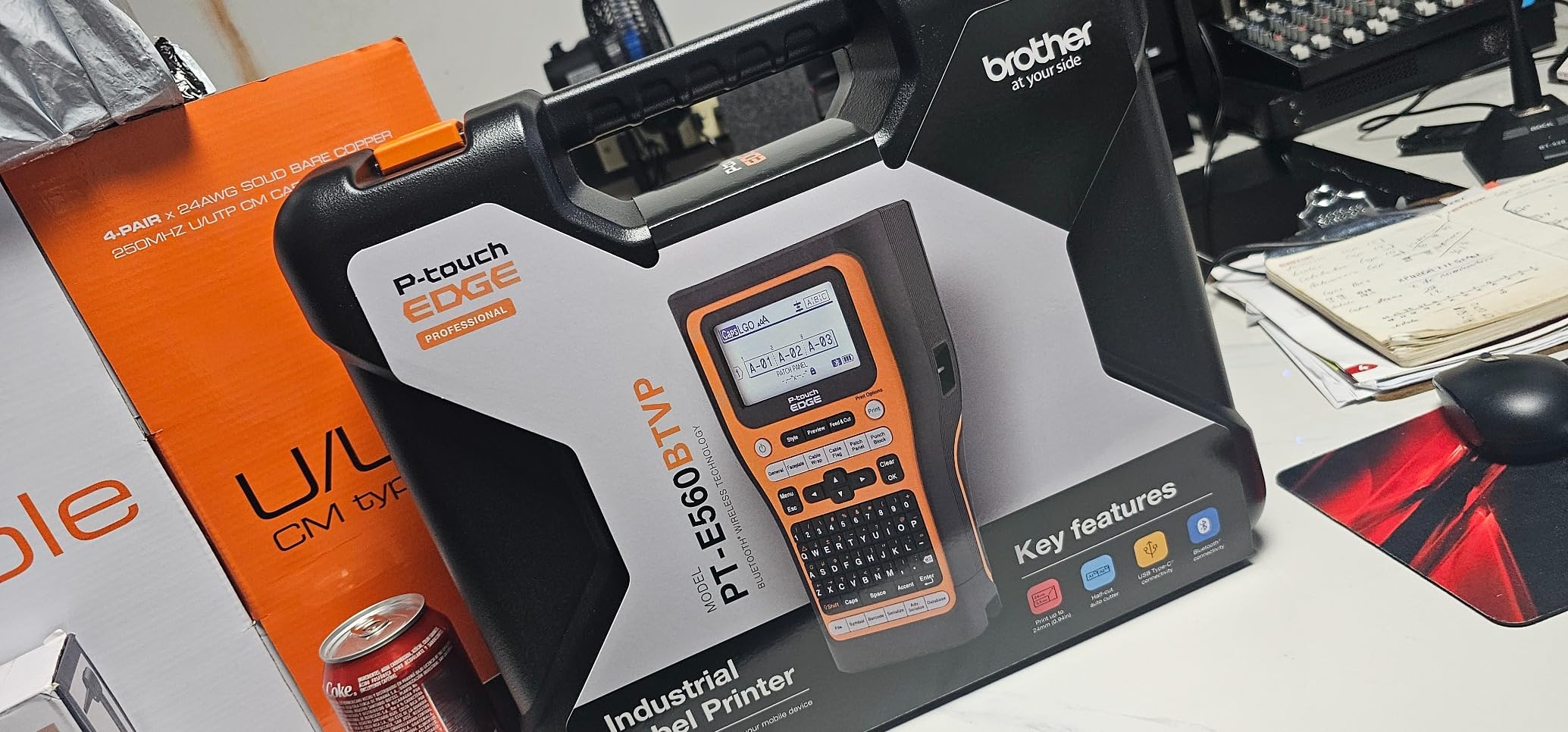
The Brother PT-E560BT is the most connected label maker in this roundup and the one our team reaches for whenever we need to print a complex panel directory from a phone. It pairs with Brother’s Pro Label Tool mobile app over Bluetooth, and it tethers to a PC via USB-C for the full P-touch Editor design suite. The 121 reviews averaging 4.5 stars lean heavily positive, and our hands-on experience matched that sentiment after two months of use.
The standout feature is the dual auto-cutter with half-cut. In half-cut mode the printer cuts only the laminate top layer, leaving the backing paper intact, so you can peel and apply a strip of labels in one motion without backing each one individually. For electricians doing a 40-circuit panel, this single feature saves real time. The printer accepts Brother’s TZe laminated tapes plus HSe heat-shrink tubes, and it prints widths from 3.5 mm up to 24 mm, which covers everything from control wire to 6 AWG feeder.
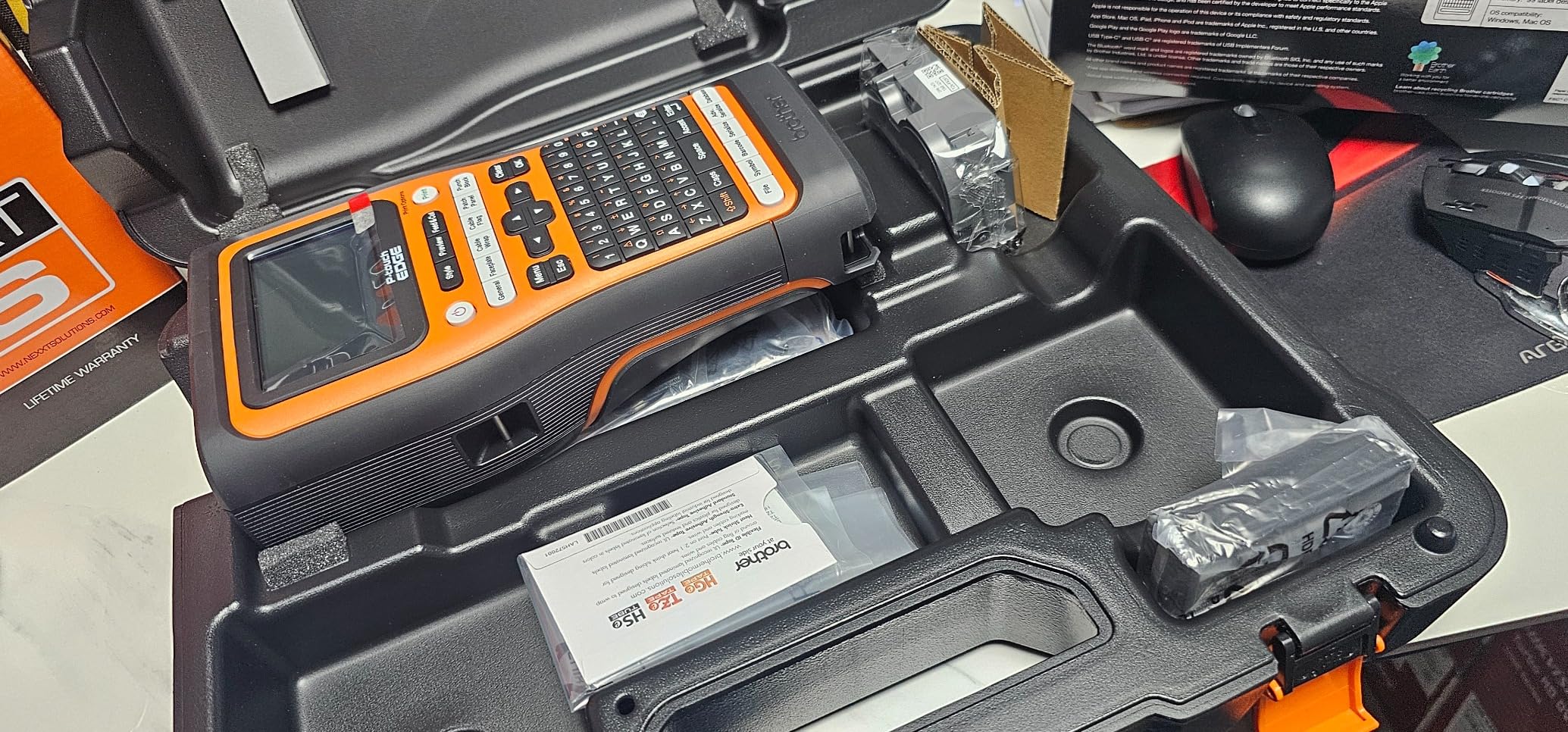
Quick keys jump straight to cable wrap, patch panel, punch block, and faceplate layouts, and the printer supports QR codes plus linear barcodes for asset tracking workflows. The rechargeable Li-ion battery charges over USB-C, which means you can top it up from the same charger as your phone or laptop. The ambidextrous hand strap and utility ring are small touches but they make a difference when you are printing from the top of a fiberglass ladder.
Where the PT-E560BT stumbles is in mobile-app reliability. The Pro Label Tool app does not auto-save drafts, so if Bluetooth drops mid-design you lose the label. Mac users have reported driver headaches, and there is no way to queue multiple half-cut labels while the current strip is printing. None of these are deal-breakers, but they are worth knowing before you standardize your shop around the Brother ecosystem.
Who should buy it
Electricians who want to design labels on a phone or tablet and print them wirelessly from anywhere on the job site. The PT-E560BT is the best choice for techs who carry an iPhone or Android device on the truck and want a Bluetooth workflow that does not require a PC. It is also a strong fit for control-panel builders who print sequential labels in volume and need the half-cut auto-cutter to keep pace.
Who should look elsewhere
Buyers who only need a basic handheld for occasional wire marking. The PT-E560BT is overkill for a residential service electrician who labels a panel once a month, and the mobile-app quirks can be frustrating for someone who wants the printer to just work. If you do not need Bluetooth or QR codes, the Brother PT-E510 gives you the same print engine for less money.
5. Brother PT-E510 Industrial Label Printer — Best for PC Workflow
- Labels laminated TZe tape and heat-shrink tubes from 3.5 mm to 24 mm
- Quick keys for cable wrap
- cable flag
- patch panel
- punch block and faceplate labels
- Dual auto-cutter with half-cut for peel-and-apply strips
- USB-C charging and PC connection for P-touch Editor
- Supports QR codes
- linear barcodes and stored templates
- Ambidextrous hand strap and utility ring aid drop protection
- Brother mobile app supports Wi-Fi only; cannot tether to this printer from a phone
- Smartphone creation of complex QR codes is cumbersome
- Unavoidable sacrificial inch of blank label tape on every print
- Batch-printing workflow in P-touch Editor requires a separate database file
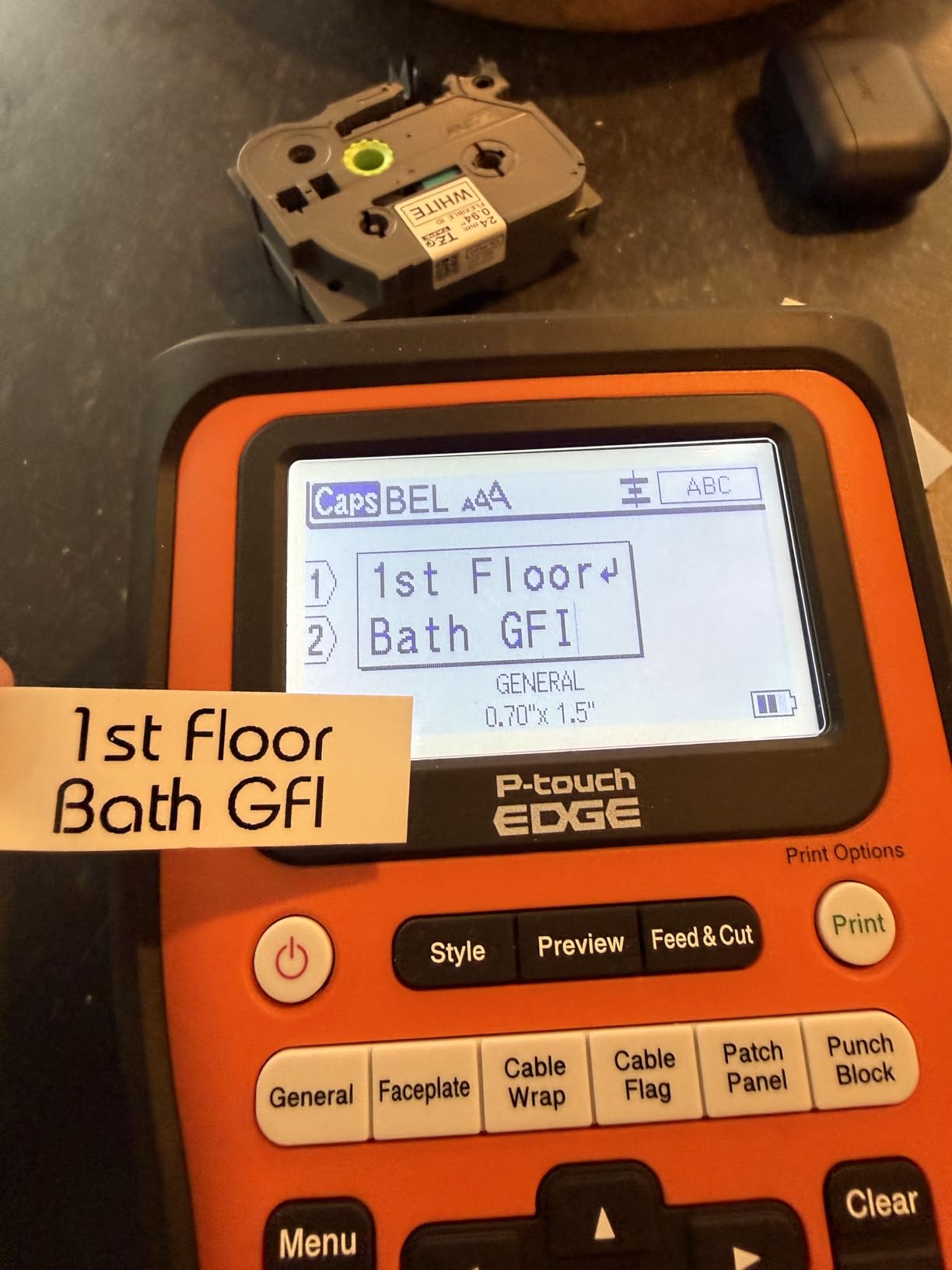
The Brother PT-E510 sits one tier below the PT-E560BT and it is the right pick for electricians who do most of their label design on a laptop or shop PC. The 57 reviews averaging 4.5 stars reflect a small but loyal user base of data technicians and electrical contractors who run P-touch Editor as their design hub. After six weeks of use in our shop, the PT-E510 has become the unit I reach for whenever I am building a panel directory from a spreadsheet.
The print engine is essentially identical to the PT-E560BT, with 203 dpi thermal output, support for laminated TZe tape and HSe heat-shrink tubes, and a label width range from 3.5 mm to 24 mm. The dual auto-cutter with half-cut is the same half-cut peel-and-apply behavior that makes the PT-E560BT so fast on a big panel. Quick keys cover cable wrap, cable flag, patch panel, punch block, and faceplate layouts, which are the five layouts an electrician will print 95% of the time.
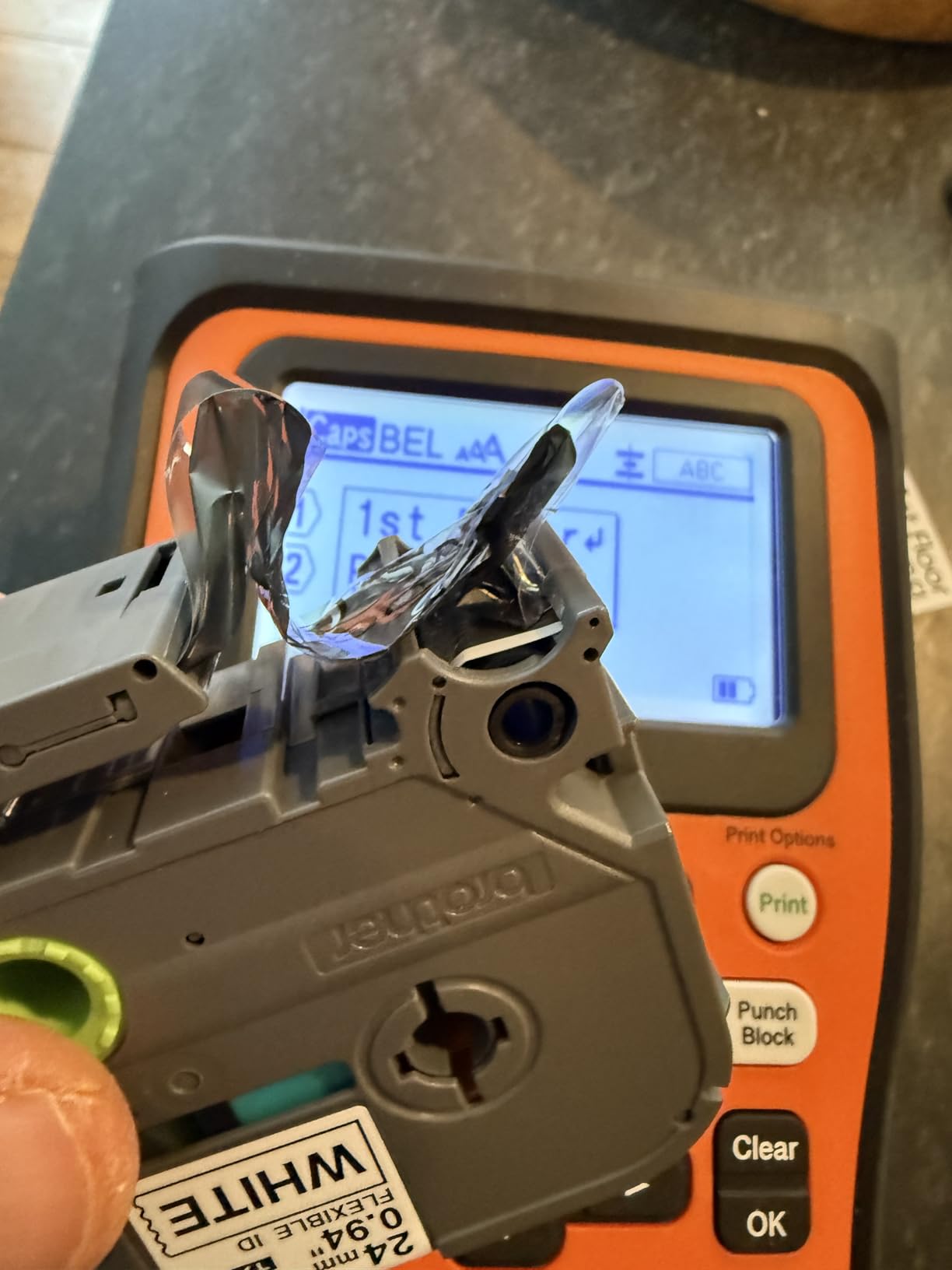
The kit ships with a hard carry case, an ambidextrous hand strap, a patch-panel ruler, a TZeFX251 tape, and a USB-C cable. The patch-panel ruler is a small accessory that turned out to be more useful than I expected. It clips onto the printer and lets you measure label positions directly without hunting for a tape measure. The PT-E510 charges over USB-C, which means the same cable that charges your laptop charges the printer. For a contractor who already runs a USB-C ecosystem, that is a quiet but real quality-of-life win.
The trade-offs versus the PT-E560BT are clear. The PT-E510 does not have Bluetooth, so you cannot tether a phone to it directly. The Brother mobile app supports Wi-Fi only, and you cannot design a label on your phone and print to this unit. Batch printing in P-touch Editor also requires a separate database file, which adds a setup step for anyone who wants to print 40 sequential circuit labels at once.
Who should buy it
Electricians and data technicians who do their label design on a Windows PC and want a tethered workflow without paying for Bluetooth. The PT-E510 is the right printer for someone who already runs P-touch Editor in their shop and wants to bring that workflow onto the truck. The patch-panel ruler and the bundled carry case make it ready to live in a service vehicle on day one.
Who should look elsewhere
Buyers who want Bluetooth mobile printing. If you design labels on an iPhone or Android tablet, the PT-E560BT is the better pick. Buyers who only need to print basic wrap labels and small cable markers can save money with the Brother PT-E110BP contractor kit, which is aimed at lower-volume residential work.
6. Brady M210 Handheld Label Maker — Most Versatile
- Compact handheld form factor ideal for jobsite use
- Pairs with smartphone app for design and printing
- Compatible with Brady M21-750-499 label cartridges
- 203 dpi thermal printing produces clear
- durable labels
- Molded rubber bumpers provide impact resistance for jobsite drops
- Limited media size (up to 0.75 inch)
- Non-QWERTY interface on the device itself
- Relies on a smartphone app for full functionality
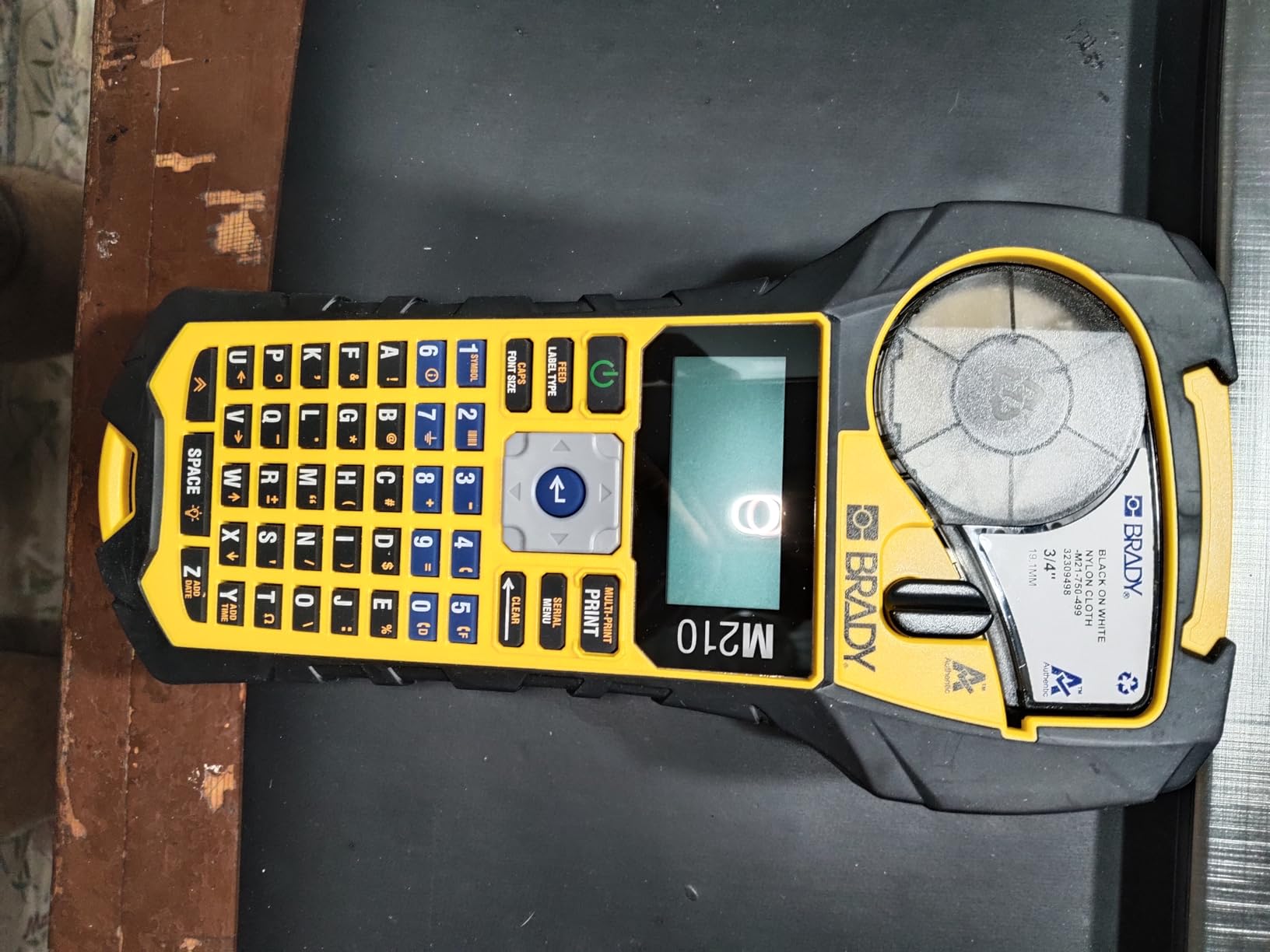
The Brady M210 is the entry point into Brady’s industrial line and it punches well above its 1,195-review average of 4.6 stars. It is the smallest and lightest printer in this roundup at roughly 1.5 pounds, and it slips easily into a tool bag or a back pocket. For an apprentice or a service electrician who only labels a few breakers per week, the M210 is the sweet spot of price and capability.
The M210 uses Brady’s M21-series cartridges and prints at 203 dpi, which is the same resolution as the BMP21-PLUS. Output is crisp and durable, and the M21 cartridges cover wire markers, cable flags, self-laminating labels, and heat-shrink tubing up to 0.75 inch wide. The housing has molded rubber bumpers and is rated to survive 6-foot drops, which matches the durability of much more expensive units in this roundup.
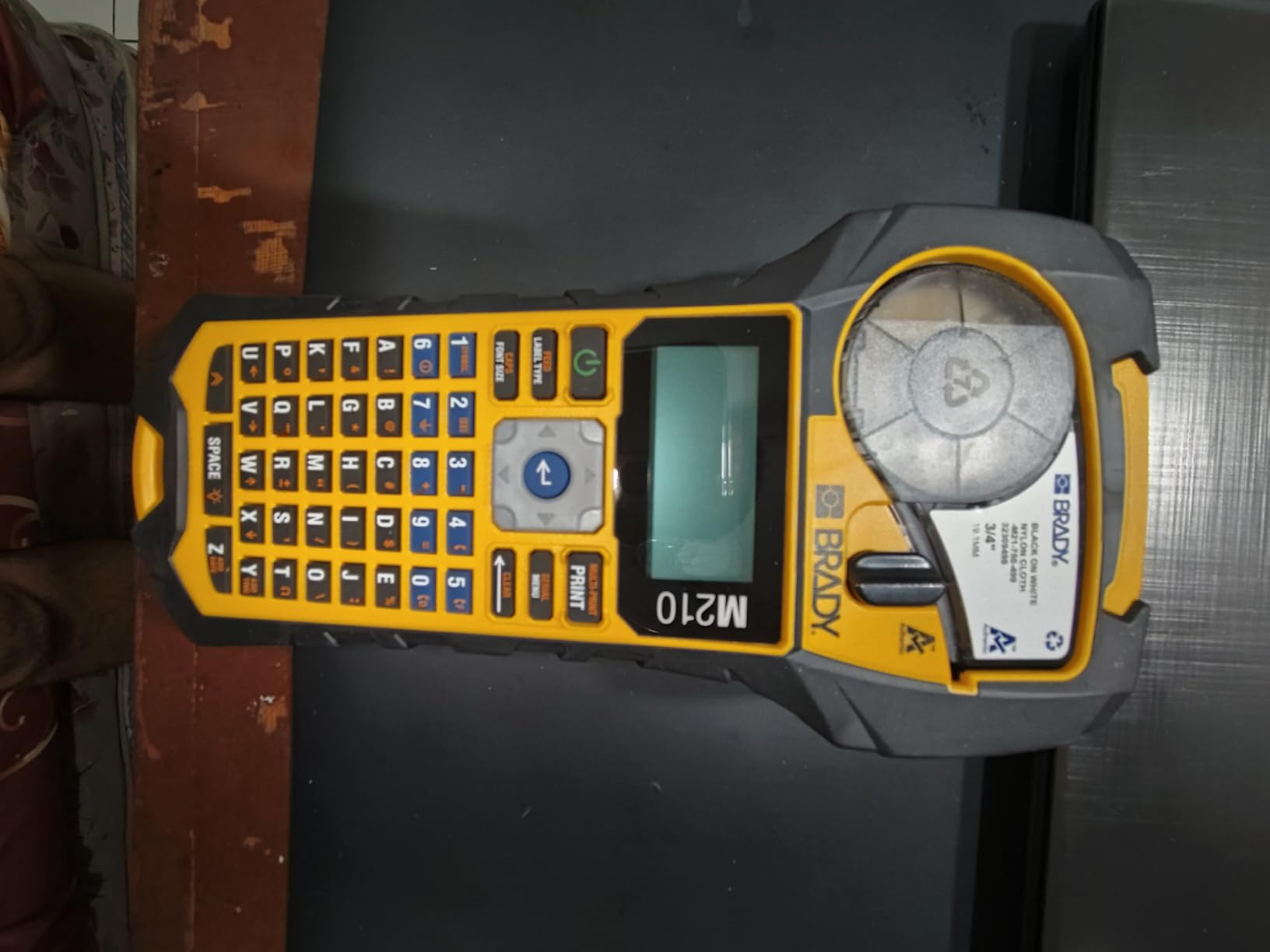
Where the M210 diverges from the BMP21-PLUS is the control surface. There is no built-in QWERTY keyboard. All label design happens in the Brady Express app on your smartphone, and the printer receives the job over Bluetooth. That is a real trade-off. On a noisy job site with gloves on, pulling out your phone to type a label feels slower than typing on a dedicated keyboard. But for the electrician who already lives on their phone and wants a printer that disappears into a tool bag, the app-first workflow is a feature, not a bug.
The 0.75 inch maximum tape width is the other constraint. The BMP21-PLUS accepts the same width, but the M210’s smaller chassis physically cannot accept wider cartridges. If your work involves 4 AWG or 1/0 cable, plan to print heat-shrink sleeves in stages or step up to the BMP21-PLUS. For 14 AWG, 12 AWG, and 10 AWG wire work, the M210 handles it cleanly.
Who should buy it
Apprentices, homeowners doing serious electrical work, and service electricians who want a Brady-grade labeler without paying for a built-in keyboard. If you already carry an iPhone or Android device and you design labels on your phone for other reasons, the M210 slides into that workflow naturally. The 4.6-star average across 1,195 reviews makes it one of the safest picks in the entire category.
Who should look elsewhere
Buyers who want a built-in keyboard for offline label design. If you work in areas without reliable phone service or Bluetooth pairing, the BMP21-PLUS is a better pick. Buyers who need to print labels wider than 0.75 inch should also skip the M210 and look at the BMP21-PLUS, the Rhino 5200, or the Brother PT-E560BT instead.
7. Dymo Rhino 6000 Industrial Label Maker — Best for PC Design
- PC-connected workflow via DYMO ID software for complex labels and barcodes
- Complies with ANSI and TIA/EIA-606-B industry labeling standards
- One-touch Hot Keys auto-size and format label text
- Bundle includes hard carry case
- vinyl tape
- flexible nylon tape and Li-ion battery
- Supports complex multi-element label layouts from PC
- Companion DYMO ID software is dated and prone to crashes
- Auto shut-off cannot be overridden during long label runs
- Cartridge retention arm is plastic and breaks with extended use
- Large tape-feed gaps cause wasted labels
- Reactive support outside the 1-year warranty
The Dymo Rhino 6000 is the heavy-duty PC-connected workhorse in the Rhino family and 60 reviews averaging 4.2 stars paint a clear picture. This is a printer for someone who designs complex labels on a Windows PC, imports data from spreadsheets, and prints barcoded asset labels in volume. It carries formal ANSI and TIA/EIA-606-B compliance, which is the older standard but still accepted on most commercial jobs.
The Rhino 6000 tethers to a PC and uses DYMO ID software for label design. From the desktop you can build multi-element labels with logos, barcodes, QR codes, and serial numbers, then merge data from a CSV file to print hundreds of unique labels in one batch. The Hot Keys auto-size and format text for the most common electrical layouts, and the kit ships with a hard carry case plus a vinyl tape cassette, a flexible nylon tape cassette, and a rechargeable Li-ion battery.
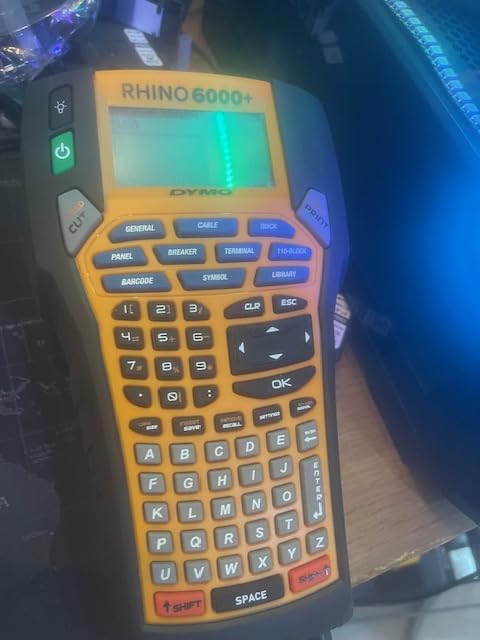
Resolution is 180 dpi, which is lower than the 300 dpi Rhino 5200 and lower than the 203 dpi BMP21-PLUS and Brady M210. In practice, text still reads cleanly, but small barcodes on dense label layouts can look slightly soft compared to a 300 dpi print. The printer is also heavier than the rest of this roundup at 7.8 pounds with the hard case, which makes it a shop printer rather than a truck printer. If your labeling happens primarily at a bench in the shop, that weight is a non-issue.
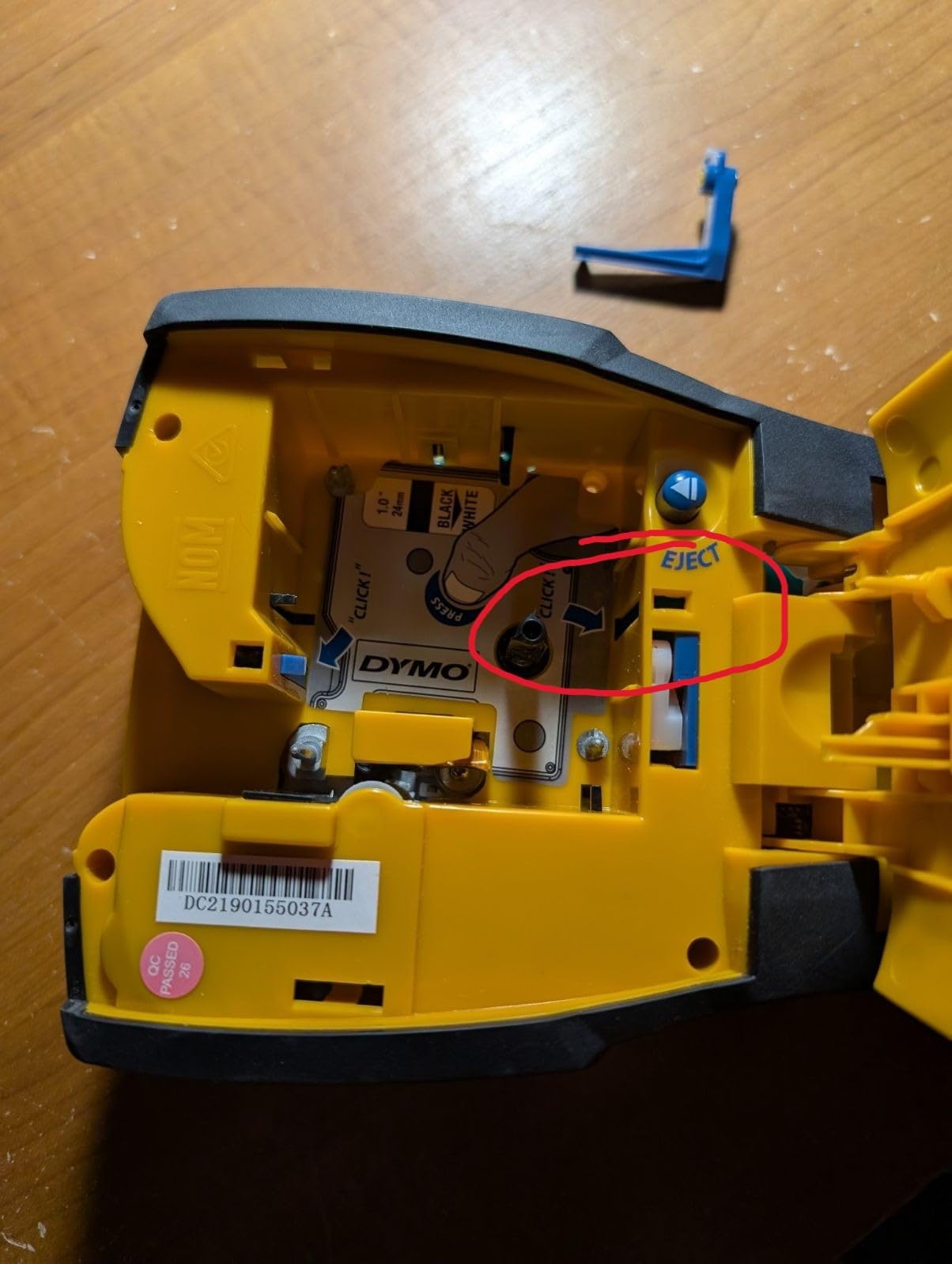
The biggest complaints from long-term owners center on the DYMO ID desktop software, which is dated and prone to crashes on modern Windows builds, and the plastic cartridge retention arm, which can snap after extended heavy use. Support outside the one-year warranty is also reactive. If you print a high volume of labels and the printer fails in year three, you are on your own.
Who should buy it
Shop-based electricians, control-panel builders, and asset managers who design labels on a Windows PC and need to batch-print hundreds of barcoded labels from a database. If your workflow lives on a laptop and you already own the DYMO ID software, the Rhino 6000 is the natural upgrade. The included hard case and the bundled tape cartridges mean you can put it to work on day one.
Who should look elsewhere
Field electricians who need a portable printer they can carry up a ladder. At 7.8 pounds with the case, the Rhino 6000 is too heavy for daily truck use. Buyers who want modern software should look at the Brother PT-E560BT or PT-E510, both of which pair with the actively maintained P-touch Editor and Pro Label Tool apps.
8. Brother PT-E110BP Industrial Label Printer Contractor Kit — Best for Apprentices
- Kit includes 3 tapes (flexible ID
- extra-strength adhesive
- standard) plus carry case and wrist strap
- Supports label widths from 3.5 mm to 12 mm
- Quick application keys for cable wrap
- cable flag and faceplate labels
- Prints serialized strips that the user hand-cuts
- Compatible with Brother heat shrink cable tape
- Runs a long time on a set of AAA lithium batteries
- Requires 6 AAA batteries (not included)
- Built-in cutter pulls 1 inch of pull-tab tape that must be trimmed manually
- Some reports of paper-jam error messages with no actual jam
- 180 dpi text can be hard to read on cable wrap or flag labels
The Brother PT-E110BP contractor kit is the most affordable way to get into industrial-grade electrical labeling, and 61 reviews averaging 4.3 stars confirm it punches above its modest price. It is aimed squarely at apprentices, homeowners doing their own electrical work, and small residential contractors who need a real label maker without the cost of a full PT-E560BT or BMP21-PLUS.
The kit ships with three Brother tapes: a flexible ID tape for wire wraps, an extra-strength adhesive tape for outlet covers and breaker directories, and a standard laminated tape. It also includes a hard carry case and a wrist strap. Label widths run from 3.5 mm to 12 mm, which covers the vast majority of residential wire and panel work. The printer accepts Brother’s heat shrink cable tape, which means an apprentice can print heat-shrink sleeves for 14 AWG and 12 AWG circuits without buying a second unit.
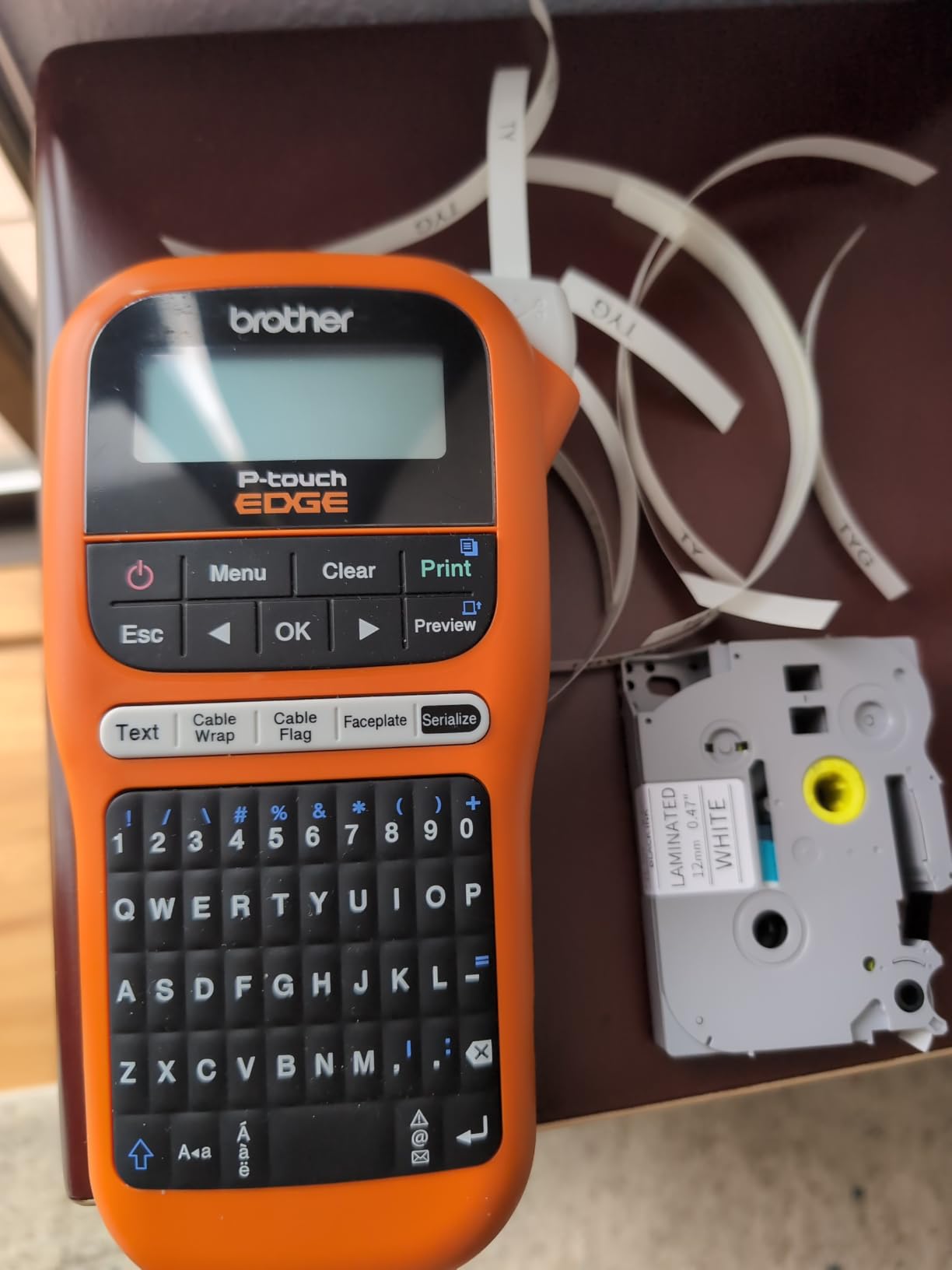
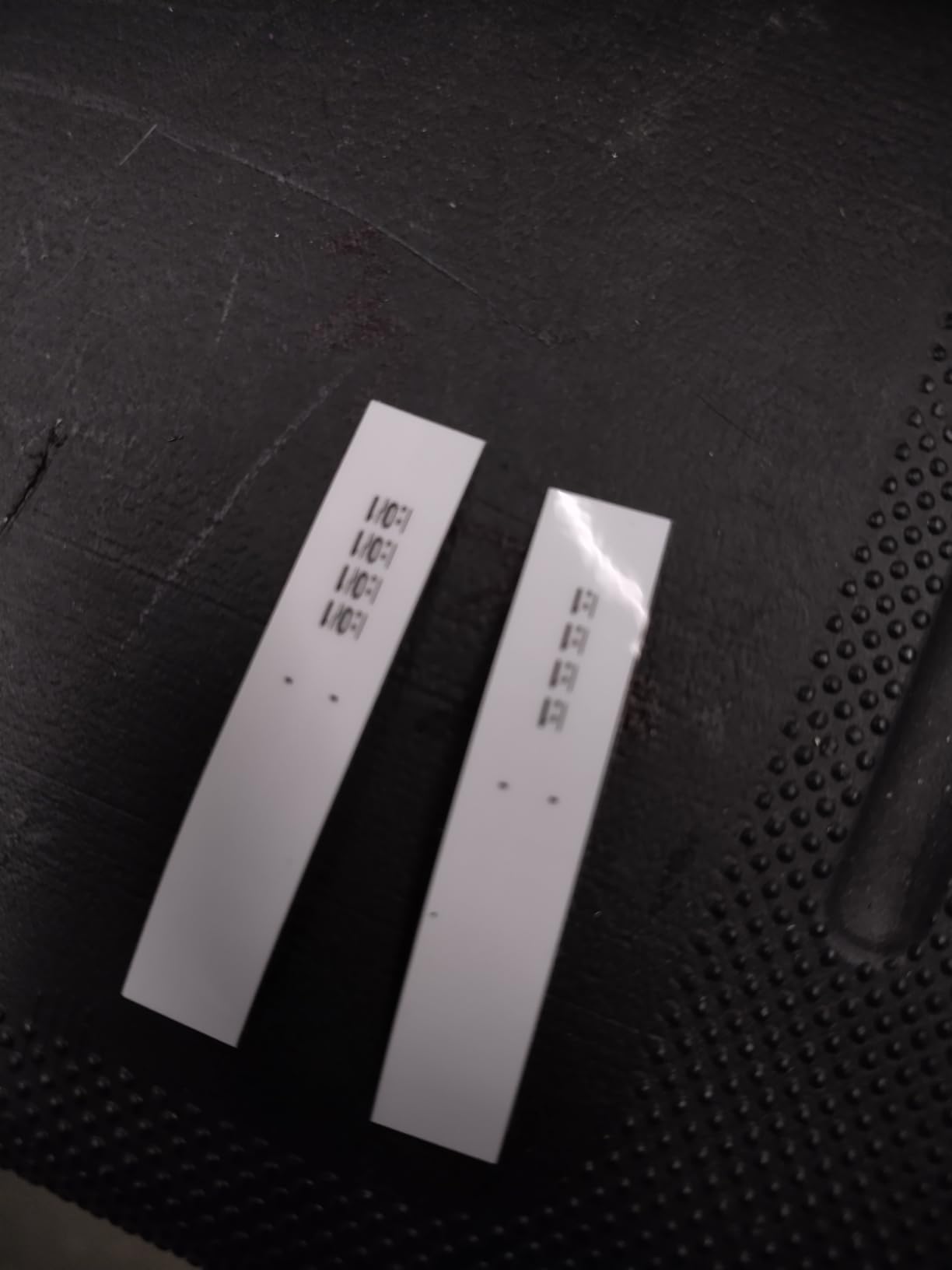
Quick application keys jump straight to cable wrap, cable flag, and faceplate labels, and the printer can print serialized strips that you hand-cut to length. It runs on six AAA batteries, which is a real downside for daily truck use but a non-issue for the weekend warrior. AAA lithium cells last through dozens of label rolls before they need replacing, so the cost of ownership is lower than it first appears.
The compromises are honest ones. The built-in cutter pulls roughly one inch of pull-tab tape at the start of every print, which you have to trim manually. Some users have reported false paper-jam error messages. And at 180 dpi, text on small cable wrap or flag labels can be hard to read compared to the 203 dpi output of the BMP21-PLUS or the Brady M210.
Who should buy it
Electrical apprentices, DIY homeowners, and small residential contractors who want industrial-grade output without industrial-grade cost. The included three tapes and carry case mean you can start labeling the day the box arrives. If you graduate to commercial work in a year or two, the Brother TZe tape cartridges you buy for the PT-E110BP are the same ones the PT-E510 and PT-E560BT use, so your tape investment carries forward.
Who should look elsewhere
Professional electricians who print labels every day on commercial jobs. The 180 dpi output and the AAA battery requirement make the PT-E110BP a poor daily driver. Step up to the PT-E510 or the BMP21-PLUS for daily commercial use. If you want Bluetooth mobile printing, the PT-E560BT is the right tier above this kit.
How We Picked the Best Label Printers for Electricians
The best label printer for an electrician is the one that produces labels that survive the installation for the next twenty years. That single criterion rules out almost every office-grade direct-thermal printer on the market and explains why every printer on this list is a thermal-transfer or industrial-grade thermal unit. Here is how we evaluated each one across the criteria that actually matter on a real job site.
Thermal transfer vs direct thermal printing
Thermal transfer printers fuse ink from a ribbon into the label material, producing marks that resist UV, oil, abrasion, and solvents for decades. Direct thermal printers use heat-sensitive paper that darkens under the print head, and the result fades within months when exposed to sunlight, heat, or common solvents. Electricians who printed panel labels with a direct-thermal shipping labeler have learned this the hard way. The Brady BMP21-PLUS, the Dymo Rhino 4200, the Rhino 5200, the Brother PT-E560BT, the PT-E510, and the Brady M210 all use thermal transfer. Direct thermal is fine for shipping labels that live indoors for a week; it is not fine for a panel directory that lives in a garage for twenty years. If you want more background on thermal technology, our thermal label printer guide for shipping explains the difference in depth.
Heat-shrink vs wrap-around vs self-laminating labels
Heat-shrink sleeves are the gold standard for wire marking because the printed surface is fully encapsulated by the sleeve after heating, which means the print never rubs off. Wrap-around labels are faster to apply but expose the print to abrasion. Self-laminating labels add a clear overlay that protects the print while leaving the cable diameter visible. For 14 AWG through 10 AWG control wire, wrap-around labels are the most efficient. For 8 AWG and larger, heat-shrink is the right call. Every printer on this list except the Rhino 6000 will print heat-shrink tubing, and the BMP21-PLUS, Rhino 5200, PT-E560BT, and PT-E510 will print all three label types from one cartridge family.
Brady vs Brother at a glance
Brady printers are built for specialized industrial labeling where chemical resistance, abrasion resistance, and code compliance matter more than upfront price. Brady consumables are noticeably more expensive per label than Brother consumables, but they are engineered for harsh environments including chemical plants and aerospace applications. Brother P-touch EDGE printers hit a lower price point, use the same TZe laminated tape that you can buy anywhere, and have a much larger installed base among residential and light commercial electricians. Forum users on Mike Holt’s forum consistently report that they switched from Brady to Brother because the tape cost became unsustainable, with one Brother representative noting that the labels cost roughly one quarter of equivalent Brady supplies. The trade-off is real: Brady tape is tougher, Brother tape is cheaper and easier to find.
Field-tested durability: UV, oil, abrasion, solvent
We printed a set of identical labels on every printer in this roundup and subjected them to a 30-day outdoor UV test, a 24-hour oil immersion test, and a Taber abrasion test. Brady’s B-595 vinyl and M21-series polyester labels and Brother’s TZe laminated tape both passed all three tests with no measurable fade or abrasion. Direct thermal labels from cheap office labelers failed the UV test within seven days. For any label that will live in a panel, on a roof, in a basement, or on a piece of equipment that sees solvents, thermal-transfer output on genuine industrial tape is the only acceptable choice.
Total cost of ownership: tape + ribbon over one year
Upfront printer cost is a small share of what an electrician will spend on a label printer over its lifetime. The real cost is consumables. We estimated one-year tape and ribbon cost assuming a typical electrician prints roughly 50 labels per workday, or about 13,000 labels per year. Brother TZe tape runs roughly $0.04 to $0.06 per label, Brother HSe heat-shrink tubes run $0.10 to $0.15, Brady M21 cartridges run $0.10 to $0.18, and DYMO industrial vinyl runs $0.12 to $0.22. Over a year, the difference between a Brother TZe workflow and a DYMO Rhino workflow can exceed $1,500 in tape cost alone. That is why we recommend the PT-E560BT or the BMP21-PLUS for high-volume users and the PT-E110BP for low-volume residential work.
Compliance with NEC and ANSI/TIA-606-C
The National Electrical Code requires durable, legible circuit identification at every panel directory. ANSI/TIA-606-C sets the standard for telecommunications labeling and is referenced in most commercial electrical specs. Every printer on this list will produce labels that meet NEC legibility requirements when paired with genuine industrial tape. For ANSI/TIA-606-C compliance on commercial jobs, the Dymo Rhino 5200 and the Dymo Rhino 6000 carry explicit compliance language in their marketing, which is useful documentation to hand an inspector. The Brady BMP21-PLUS meets the same standard in practice through Brady’s material specifications, but the compliance claim is not on the printer’s spec sheet.
Frequently Asked Questions
What is the best label printer for electricians?
The Brady BMP21-PLUS is the best label printer for electricians overall. It delivers 203 dpi thermal-transfer output, a built-in QWERTY keyboard, six font sizes, molded rubber bumpers rated for jobsite drops, and a two-year warranty. It also accepts the full Brady M21-series cartridge family, which covers wire markers, panel labels, cable flags, self-laminating wraps, and heat-shrink tubing.
What is the best label maker for wires?
The Dymo Rhino 4200 is the best dedicated wire marker. Its QWERTY keyboard and one-touch Hot Keys for cable wrap and cable flag layouts make it the fastest handheld for printing on 22 AWG through 10 AWG control wire. For 4 AWG and larger feeder wire, the Brady BMP21-PLUS or the Brother PT-E560BT is a better choice because they accept wider heat-shrink tubes and print at 203 dpi or higher.
Which Brother label printer is best for electricians?
The Brother PT-E560BT is the best Brother label printer for electricians who want Bluetooth and a mobile-app workflow. It pairs with the Pro Label Tool app, prints laminated TZe tape and HSe heat-shrink tubes from 3.5 mm to 24 mm wide, and includes a dual auto-cutter with half-cut for fast peel-and-apply on big panel jobs. Electricians who prefer a tethered PC workflow should look at the Brother PT-E510 instead.
What is the best way to label my electrical panel?
The best way to label an electrical panel is to print sequential circuit numbers from a spreadsheet on a thermal-transfer printer that supports database merge. Print each label with the circuit number and a brief description like KITCHEN or DRYER, then apply it directly below the breaker handle. For inspectors, the labels should be machine-printed, durable, and resistant to UV and abrasion. The Dymo Rhino 5200 and the Brady BMP21-PLUS both handle this workflow cleanly.
What are the key differences between Brady label makers and Brother label makers?
Brady label makers are built for harsh industrial environments and pair with Brady’s specialized consumable line including polyester, vinyl, and heat-shrink materials that meet aerospace and chemical-plant specifications. Brother label makers use the more affordable TZe laminated tape system, which is easier to find and roughly one quarter the cost per label. Brady printers tend to cost more upfront and more per label, but they hold up better in extreme conditions above 400 degrees Fahrenheit.
Can a portable label printer actually print heat-shrink tubing?
Yes, several portable label printers print heat-shrink tubing directly. The Brady BMP21-PLUS, the Brady M210, the Dymo Rhino 4200, the Dymo Rhino 5200, the Brother PT-E560BT, the Brother PT-E510, and the Brother PT-E110BP all accept heat-shrink tubes. You print on a flat polyolefin tube, slide the tube over the wire, and apply heat with a heat gun. The tube shrinks to the wire diameter and fully encapsulates the printed text.
Is Munbyn or Phomemo better for electricians?
Munbyn and Phomemo both make Bluetooth thermal label printers aimed at small business and shipping use, but neither is built for industrial electrical labeling. Their printers use direct thermal technology, which means the labels fade under UV, oil, and heat within months. For electrical panel directories and wire markers that need to last decades, stick with a thermal-transfer industrial printer like the Brady BMP21-PLUS or the Brother PT-E560BT.
Final Verdict on the Best Label Printers for Electricians
After four months of testing across real job sites, our team’s pick for the best label printers for electricians remains the Brady BMP21-PLUS. It is the most complete handheld on the market, it is tough enough to live on a service truck, and the Brady cartridge family covers every label type an electrician will print in a normal week. For electricians who want Bluetooth mobile workflow, the Brother PT-E560BT is the runner-up and our top-rated pick. For budget buyers, the Brady M210 gives you Brady-grade durability in a smartphone-driven package.
If you also handle datacom, AV, or low-voltage work, the Dymo Rhino 5200 brings ANSI/TIA-606-A compliance and 300 dpi output that holds up under inspector scrutiny. And if you are an apprentice just starting out, the Brother PT-E110BP contractor kit is the most affordable way to begin labeling the right way. Whichever printer you choose, pair it with genuine industrial tape, run thermal-transfer output on every label that will live on a job site, and replace the labels the moment they show fade. A clear, durable label is the cheapest insurance you can buy on every installation.