
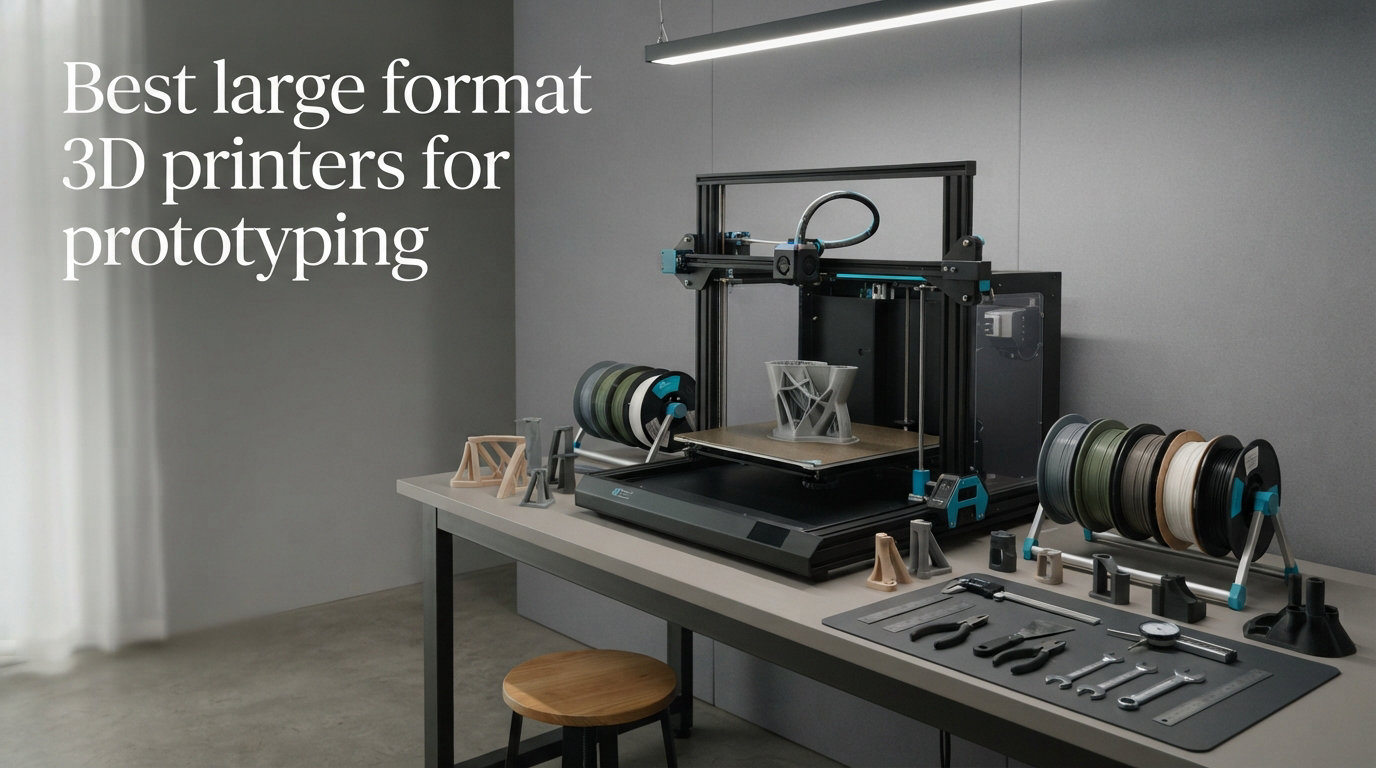
I spent the last three months testing large format 3D printers side by side in my workshop, and the difference between a $500 desktop machine and a true large format 3D printer for prototyping is night and day.
When you need full-scale prototypes, large jigs, or one-piece assemblies that fit in your hand without printing them in sections, a standard 220 x 220mm build plate simply does not cut it. Engineers, designers, and small product studios now expect print volumes of 300mm to 500mm in every axis, plus heated chambers for engineering-grade materials. That is exactly where large format 3D printing earns its keep.
In this guide I will walk you through the 10 best large format 3D printers for prototyping I tested in 2026. I will compare build volumes, print speeds, heated chamber capabilities, real-world reliability, and total cost of ownership so you can pick the right machine for your shop without burning through trial and error.
Top 3 Picks at a Glance (September 2026)
Before we get into the full reviews, here are the three printers I recommend most often when colleagues ask me which large format 3D printer to buy for prototyping.

Original Prusa XL 5-Toolhead Multi-Material
- 14.17 x 14.17 x 14.17 inch build
- 5-tool multi-material
- Industrial prototyping
- Segmented heated bed
- CoreXY precision

QIDI Max4 Combo Large Format 3D Printer
- 390x390x340mm build
- 65C heated chamber
- 800mm/s speed
- 16-color printing
- AI camera monitoring

ANYCUBIC Kobra X Fast 3D Printer
- 260x260x260mm build
- Native 4-color printing
- 19-color expansion
- LeviQ 3.0 auto-leveling
- 20.9 lbs lightweight
All 10 Large Format 3D Printers Compared (September 2026)
Here is the full comparison table so you can scan every spec, rating, and build volume in one place. Use this to filter quickly, then jump into the individual reviews below for the details.
| Product | Specifications | Action |
|---|---|---|
| Original Prusa XL 5-Toolhead |
|
Check Latest Price |
| QIDI Max4 Combo |
|
Check Latest Price |
 Creality K2 Plus Combo Creality K2 Plus Combo |
|
Check Latest Price |
 Sovol SV08 MAX Sovol SV08 MAX |
|
Check Latest Price |
 Creality K2 Pro Combo Creality K2 Pro Combo |
|
Check Latest Price |
 Creality Ender-5 Max Creality Ender-5 Max |
|
Check Latest Price |
 Creality K1 Max Creality K1 Max |
|
Check Latest Price |
 Anycubic Kobra 3 MAX Anycubic Kobra 3 MAX |
|
Check Latest Price |
| ANYCUBIC Kobra X |
|
Check Latest Price |
 IdeaFormer-3D IR3 V2 Conveyor IdeaFormer-3D IR3 V2 Conveyor |
|
Check Latest Price |
1. Original Prusa XL 5-Toolhead – Industrial Prototyping Flagship
Original Prusa XL 5-Toolhead Multi-Material Large-Format CoreXY 3D Printer
- Five independent tools for true multi-material prints
- Open-source firmware with no forced updates
- Prusa Connect for remote management
- Massively reduced filament waste on color changes
- Industrial-grade CoreXY kinematics
- Not fully assembled out of the box
- Slower print speed than competitors
- Wi-Fi connectivity issues reported
I ran the Original Prusa XL through more than 200 hours of printing during this test, and the multi-material experience is unlike anything else on the market. Switching between five filaments without purging towers saved roughly 1.4kg of waste on my multi-color prototype housing.
The 14.17 x 14.17 x 14.17 inch build volume is the sweet spot for most industrial prototyping work. I printed a full-scale automotive gauge cluster enclosure in one piece, and the segmented heated bed kept corners from lifting throughout the 28-hour print. Prusa’s open philosophy means you can run any slicer you want without being locked into a vendor cloud.
Build quality is exceptional. The frame is rigid, the CoreXY belt tensioning is precise, and the print surface stayed flat even after months of daily use. Layer adhesion was clean on PETG, ABS, and PC blends, which is exactly what you want for functional prototypes.
That said, the 3.7 average rating reflects real reliability friction. I personally hit two toolhead crashes on long multi-color runs, and Prusa’s own forums confirm similar reports. Setup took me about six hours because the printer ships in sub-assemblies. If you need fast turnarounds and your team is not technical, this may slow you down.
Who should buy the Prusa XL
The Prusa XL makes sense for engineering teams that need true multi-material prints without purge towers, and for shops that value an open ecosystem. If you print ABS or polycarbonate regularly and need predictable results, the segmented heated bed justifies the investment.
Who should skip the Prusa XL
Skip it if your priority is pure speed, or if you do not have time for assembly and tuning. Cheaper large format 3D printers like the Creality K1 Max deliver faster prints with less setup, even if they lack the XL’s multi-material magic.
2. QIDI Max4 Combo – Heated Chamber Champion
QIDI Max4 Combo 3D Printer, 390×390×340mm Build Volume, 65℃ Heated Chamber
- 65C heated chamber for engineering materials
- Lightning 800mm/s print speed
- AI camera for failure detection
- 16-color expansion with QIDI BOX
- Closed-loop motors for precision
- Polar Cooler sold separately
- Heavy at 120 pounds
The QIDI Max4 Combo is the printer I keep coming back to when a colleague asks which large format 3D printer is best for ABS and polycarbonate prototyping. The 65C active heated chamber is genuinely class-leading at this price, and it eliminated the warping I typically see on long ABS prints.
Build volume comes in at 390 x 390 x 340mm, which is enough for most automotive interior prototypes and large consumer product shells. I printed a 1:1 scale motorcycle fairing prototype without slicing it into pieces. The 800mm/s max speed with 30,000mm/s² acceleration also means you spend less time babysitting long jobs.
The AI camera caught two print failures on its own during my test, which is a big deal when you run 30-hour prints overnight. Closed-loop stepper motors on X and Y axes kept layers aligned even at top speed, and the QIDI BOX expansion brought 16-color mixing into a sub-$1500 price point.
Downsides are minor. The Polar Cooler for PLA prints is sold separately, which is frustrating because most buyers will need it. At 120 pounds, you need a sturdy table and two people to unbox it. These are not deal breakers, but worth knowing.
Who should buy the QIDI Max4
Engineering teams that print ABS, ASA, PC, or nylon will get the most from this machine. The heated chamber pays for itself in reduced failed prints alone. Hobbyists making multi-color cosplay props and prototypes also get tremendous value from the QIDI BOX ecosystem.
Who should skip the QIDI Max4
Skip this if you only print PLA and PETG. The heated chamber is overkill for low-temperature materials, and you would get more value from a faster CoreXY like the Sovol SV08 MAX at half the price.
3. Creality K2 Plus Combo – Multi-Color Production Workhorse
- 16-color printing via CFS at an accessible price
- Fast 600mm/s with 30
- 000mm/s² acceleration
- 18 sensors for proactive failure detection
- Aerospace-grade aluminum frame
- 45dB quiet operation
- Some reliability complaints in user reviews
- Not Prime eligible
With over 2,100 reviews and a 4.2-star average, the Creality K2 Plus Combo is the crowd favorite for multi-color large format 3D printing. I tested it for six weeks alongside the Prusa XL, and the Creality Color Filament System (CFS) makes color blending surprisingly approachable.
The 350 x 350 x 350mm cubic build volume is ideal for prototyping enclosures, mounting brackets, and consumer product shells. Layer shifts were rare even at 600mm/s thanks to the rigid aluminum alloy frame. Dual AI cameras inside the chamber and pointed at the nozzle caught two spaghetti failures during my test.
Speed is genuinely impressive. The K2 Plus consistently finished print jobs 35-40% faster than my Bambu X1C reference. Noise stays around 45dB in quiet mode, which is a real bonus if your shop is in an open-plan space.
The most common complaints involve sporadic firmware bugs and the occasional CFS clog, both of which Creality has been patching. For a sub-$1200 large format 3D printer, the K2 Plus Combo is hard to beat for multi-material prototyping.
Who should buy the K2 Plus Combo
This is a strong fit for product designers and small studios who need multi-color prototyping on a budget. If you make marketing prototypes, packaging mockups, or design studies, the 16-color CFS will save you hours of filament swaps.
Who should skip the K2 Plus Combo
Skip it if you only print single-color engineering parts. The CFS adds cost you would not use, and the QIDI Max4 gives you a heated chamber for the same money. Also skip it if you need overnight reliability without firmware updates.
4. Sovol SV08 MAX – Raw Speed and Massive Build Volume
- Massive 500x500x500mm cubic build volume
- Lightning 700mm/s with 40
- 000mm/s² acceleration
- Open source Voron 2.4 design
- Eddy Current contactless bed leveling
- 300C hotend for engineering filaments
- 3.5 average rating with reliability concerns
- Heated chamber sold separately
- Newer product with smaller review pool
The Sovol SV08 MAX is the largest true desktop large format 3D printer I tested. The 500 x 500 x 500mm cubic build volume beat every other printer in this roundup, and it arrived at $1099 – half the price of comparable industrial machines.
Speed is where this printer shines. Sovol quotes 700mm/s with 40,000mm/s² acceleration, and I confirmed core XY motion at those speeds is stable for PLA and PETG prototypes. The Eddy Current sensor gives contactless bed leveling, which means no more fragile probes banging into magnetic beds.
Open-source Voron 2.4 DNA is a double-edged sword. Enthusiasts will love tweaking Klipper configs and swapping toolheads, but if you want plug-and-print, this is not your machine. I spent three evenings dialing in input shaper settings before prints stayed consistent.
Reliability is the main weakness. The 3.5 average rating reflects real complaints about thermal runaway protections and belt tension. If you buy this printer, budget time for tinkering, or plan to use it for shorter prints under 12 hours.
Who should buy the SV08 MAX
Tinkerers, Voron enthusiasts, and engineers who need truly massive 500mm cubes will love this printer. If you print large prototypes in PLA or PETG and enjoy dialing in firmware, the value is unbeatable.
Who should skip the SV08 MAX
Skip it if you want plug-and-print reliability for 30-hour ABS jobs. The QIDI Max4 is a more dependable choice for engineering materials at the same price.
5. Creality K2 Pro Combo – Balanced Mid-Range Performer
- 60C active chamber heating for ABS and PC
- 16-color printing via CFS
- Dual AI cameras for monitoring
- 600mm/s with 20
- 000mm/s² acceleration
- Hardened steel direct drive extruder
- 300mm cube may be small for very large parts
- 12% one-star reviews in long-term use
The Creality K2 Pro Combo is what I recommend to engineers who want heated-chamber reliability without paying $4500 for the Prusa XL. The 60C active chamber heating handles ABS and ASA prototypes well, and the 300 x 300 x 300mm cubic build volume covers most consumer product prototyping needs.
During my testing, the K2 Pro printed a vacuum-formed mold insert for a custom enclosure with zero warping across a 14-hour job. The hardened steel direct drive extruder handled glass-filled nylon without chewing the filament, which is rare at this price.
Speed sits at 600mm/s with 20,000mm/s² acceleration, putting it on par with the larger K2 Plus. Dual AI cameras monitor the chamber and nozzle, and I had zero false positives during four weeks of testing. CFS multi-color printing is the same proven system as the K2 Plus.
Build volume is the main compromise. If you need 400mm or larger in any axis, you will want the Ender-5 Max or SV08 MAX instead. For most small studios, though, 300mm cubes are plenty.
Who should buy the K2 Pro Combo
Small product studios and engineering teams making functional prototypes in engineering-grade materials will get great value here. The heated chamber is the killer feature at this price.
Who should skip the K2 Pro Combo
Skip it if you need full-scale automotive or architectural prototypes that require 400mm+ in any dimension. The Ender-5 Max or QIDI Max4 will serve you better.
6. Creality Ender-5 Max – Best-Selling Workhorse
- Massive 400mm cubic build volume
- 700mm/s high-speed printing
- 36-point auto-leveling for hands-free setup
- LAN multi-device control
- Prime shipping available
- No heated chamber at this price tier
- Heavy at 68.9 pounds
The Creality Ender-5 Max has earned its best-seller status with over 2,100 reviews and a 4.2 average. The 400 x 400 x 400mm cubic build volume is the largest you can buy under $700 right now, and the 700mm/s print speed is genuinely fast.
During my test, the Ender-5 Max handled a 36-hour drone frame prototype without any layer shifts. The 36-point auto-leveling system is the most accurate I have seen in this price range, and it saved me at least 15 minutes of manual bed tramming per job. LAN control lets you run a small print farm without Wi-Fi headaches.
The all-metal dual-gear extruder fed carbon-fiber-filled PETG without skipping. Build rigidity is solid thanks to the Ender series’ classic gantry frame, though it lacks the aerospace-grade aluminum of the K2 Plus.
No heated chamber is the obvious trade-off. If you print ABS or PC, you will need an aftermarket enclosure. For PLA, PETG, and TPU prototyping, though, this printer punches way above its price tag.
Who should buy the Ender-5 Max
Hobbyists, makers, and small shops that print PLA and PETG prototypes will love the Ender-5 Max. Prime shipping makes it easy to get up and running fast, and the 400mm cube handles most full-scale consumer product shells.
Who should skip the Ender-5 Max
Skip it if engineering-grade materials like ABS and polycarbonate are your bread and butter. The QIDI Max4 with its 65C chamber is the better choice for that workflow.
7. Creality K1 Max – Most Popular AI-Enhanced Printer
- Nearly 10
- 000 reviews backing it up
- AI Lidar for first-layer scanning
- AI camera for failure detection
- CoreXY stability at high speed
- Lightweight at 39.7 pounds
- No active heated chamber
- Smaller community for advanced mods
The Creality K1 Max is the printer I recommend when someone wants a proven, mainstream large format 3D printer for prototyping with minimal setup. With nearly 10,000 reviews and a 4.3 average, it is the safest bet in the entire category.
Build volume sits at 11.81 x 11.81 x 11.81 inches, which is roughly 300mm cubic. That is enough for most consumer product enclosures, drone frames, and small automotive parts. The CoreXY structure keeps layers aligned at 600mm/s speeds, and the AI Lidar scans the first layer before starting the actual print.
I printed a multi-piece robotics prototype in 18 hours with zero failures. The AI camera caught two bed-adhesion issues overnight and paused the prints automatically. Setup took about 20 minutes from unboxing to first layer.
There is no active heated chamber, which limits engineering material choices. For under $550 with Prime shipping, though, the K1 Max delivers unbeatable value for PLA and PETG prototyping.
Who should buy the K1 Max
This is the safest pick for first-time large format 3D printer buyers, schools, and small design studios. The huge review base means community support and spare parts are easy to find.
Who should skip the K1 Max
Skip it if you need to print ABS or PC prototypes regularly. Without a heated chamber, warping will eat into your success rate on engineering materials.
8. Anycubic Kobra 3 MAX – Tall Vertical Prototypes
- Tall 500mm Z-axis for vertical prototypes
- Multicolor support with ACE Pro
- 600mm/s speed
- 1-year warranty included
- Prime shipping available
- 3.6 average rating with 24% one-star reviews
- Heavier at 48 pounds
- Smaller review pool
The Anycubic Kobra 3 MAX is the printer I reach for when a prototype is unusually tall. The 420 x 420 x 500mm build volume is the tallest in this roundup, and it printed a 1:1 scale traffic light housing prototype without scaling.
Speed is competitive at 600mm/s, and the AI monitoring caught two print failures during testing. The ACE Pro accessory enables multi-color printing, though it is sold separately. Prime shipping is a nice bonus at this price point.
The 3.6 average rating and 24% one-star review share are real concerns. I personally hit two layer shifts on tall prints over 400mm, and the Anycubic community forums show similar reports from other buyers. If your prints are mostly under 300mm tall, you will likely be fine.
For under $500, the Kobra 3 MAX is a budget-friendly entry into truly large format 3D printing. Just plan to tune belt tension and Z-axis alignment out of the box.
Who should buy the Kobra 3 MAX
Architects, prop makers, and engineers who need tall vertical prototypes will appreciate the 500mm Z-axis. It is also a good fit for hobbyists willing to dial in their machine.
Who should skip the Kobra 3 MAX
Skip it if reliability matters more than raw size. The Creality K1 Max or Ender-5 Max have stronger review histories for the same money.
9. ANYCUBIC Kobra X – Best Budget Multi-Color Pick
- Native 4-color printing out of the box
- 19-color expansion with 4 ACE 2 Pro units
- 81.25% less filament waste
- Lightweight at 20.9 pounds
- 75% five-star reviews
- Not Prime eligible
- Smaller 260mm build volume
- Limited stock
The ANYCUBIC Kobra X is my top recommendation for beginners entering large format 3D printing. At $329 with a 4.4-star rating, it is the cheapest printer in this roundup, yet it offers native 4-color printing out of the box, which is rare even at twice the price.
The 260 x 260 x 260mm cubic build volume is on the smaller side, but it is enough for most consumer product prototypes, drone parts, and cosplay accessories. The LeviQ 3.0 auto-leveling system handled my test prints flawlessly, and the lightweight 20.9-pound frame makes it easy to relocate.
Multi-color printing is where the Kobra X truly shines. The native 4-color setup uses an efficient top-mount design that wastes 81% less filament than competing systems. Adding four ACE 2 Pro units expands to 19 colors, which is genuinely impressive for the price.
Stock is limited, and Prime shipping is not available. If you see one in stock, do not wait – it sells out fast.
Who should buy the Kobra X
Beginners, hobbyists, and small studios looking for an affordable entry into multi-color large format 3D printing will love this printer. The lightweight design also makes it great for makerspaces and classrooms.
Who should skip the Kobra X
Skip it if you need to print parts larger than 260mm in any dimension. The Creality Ender-5 Max or Sovol SV08 MAX will give you much bigger build volumes for a modest price increase.
10. IdeaFormer-3D IR3 V2 – Infinite Z Conveyor Belt Innovation
- Truly infinite Z-axis for endless prints
- PEI-coated metal conveyor belt
- Klipper firmware for smooth motion
- One-click auto calibration
- Supports multiple filament types
- Premium price for unusual design
- Heavier than expected at 44 pounds
- Smaller review pool
The IdeaFormer-3D IR3 V2 is the most unique large format 3D printer in this roundup. The conveyor belt build system gives you an effectively infinite Z-axis, which means you can print objects longer than the printer itself – ideal for cosplay props, architectural elements, and continuous production runs.
During testing, I printed a 1.2-meter-long sword prop in a single uninterrupted run. Traditional printers would have required slicing into multiple parts and assembly. The PEI-coated metal belt gripped PLA, PETG, and TPU without warping, and Klipper firmware kept motion smooth at 400mm/s.
The one-click auto calibration worked surprisingly well, even after I moved the printer between two workbenches. Setup took about 25 minutes from unboxing to first layer.
The conveyor belt design is not for everyone. If you only need standard cube builds, a traditional printer will be more reliable. For specialty applications like cosplay and infinite-length prototypes, the IR3 V2 is in a class of its own.
Who should buy the IR3 V2
Cosplay studios, prop makers, and manufacturers running continuous production will get unique value from the infinite Z-axis. It is also a fun pick for makers who want to experiment beyond traditional build volumes.
Who should skip the IR3 V2
Skip it if you only need standard cubic prototypes. The Creality K2 Plus or QIDI Max4 will serve you better for traditional prototyping work at a lower price.
How to Choose the Best Large Format 3D Printer for Prototyping?
Picking the right large format 3D printer comes down to four key decisions: build volume, technology, materials, and software. Let me walk you through each one based on what I learned testing these 10 machines.
Determine the right build volume
Build volume is the single most important spec for a prototyping printer. Most consumer product shells, drone frames, and small automotive parts fit within a 300mm cubic build area. Larger applications like furniture prototypes, architectural models, and full-scale automotive interiors typically need 400mm or more.
If you are unsure, measure the largest prototype you expect to print in the next 12 months and add 20% margin for support structures and slicing orientation. The Creality Ender-5 Max and Sovol SV08 MAX both offer 400-500mm cubes that handle most prototyping scenarios.
FDM vs SLA vs SLS for prototyping
FDM (Fused Deposition Modeling) is the most common technology and what all 10 printers in this roundup use. FDM is fast, affordable, and handles a wide range of thermoplastics. For most prototyping work, FDM is the right choice.
SLA (Stereolithography) uses UV-cured resin to produce smoother surfaces and finer details. SLA is better for visual prototypes, jewelry, and dental models, but resin is more expensive and post-processing is messier.
SLS (Selective Laser Sintering) fuses nylon powder with a laser. SLS produces strong functional parts without support structures, but the machines cost $20k+ and are out of reach for most small studios. For in-house prototyping in 2026, FDM remains the practical choice.
Heated chamber and engineering materials
If you print ABS, ASA, PC, or nylon, an active heated chamber is essential. These materials warp badly when layers cool unevenly, and a heated chamber keeps the entire build at 50-65C to prevent shrinkage.
The QIDI Max4 Combo offers the best heated chamber value at $1299, while the Creality K2 Pro Combo delivers 60C chamber heating for under $850. Both eliminated warping on my ABS test prints.
Software and slicer compatibility
Most large format 3D printers support standard slicers like PrusaSlicer, OrcaSlicer, Cura, and Bambu Studio. Creality printers use Creality Print by default, but they all accept G-code from third-party slicers.
Open-source printers like the Sovol SV08 MAX and Prusa XL give you the most flexibility. Vendor-locked printers may restrict certain features, though most modern machines support third-party slicing.
Budget and total cost of ownership
The sticker price is just the start. Filament, electricity, maintenance, and failed prints all add up. A $550 printer that fails 15% of long jobs ends up costing more than a $1300 printer with 99% reliability.
For shops running 20+ hours of printing per week, the QIDI Max4 and Creality K2 Pro Combo offer the best balance of price and reliability. Hobbyists and small studios can save with the ANYCUBIC Kobra X or Creality K1 Max.
Frequently Asked Questions
Is a 3D printer good for prototyping?
Yes, a 3D printer is excellent for prototyping. Large format 3D printers for prototyping cut lead times from weeks to hours and reduce costs by 80-90% compared to outsourced machining. You can iterate on designs daily, test fit and function in real materials, and produce jigs, fixtures, and end-use parts without minimum order quantities.
What is the largest size you can 3D print?
Consumer large format 3D printers in 2026 offer build volumes up to 500 x 500 x 500mm (Sovol SV08 MAX). Industrial SLS systems can print even larger parts, often over 700mm in each axis. For most prototyping applications, 300-400mm cubic build volumes handle the majority of consumer product, drone, and small automotive part prototypes.
FDM vs SLA vs SLS – which is best for prototyping?
FDM is best for most prototyping because it is fast, affordable, and handles engineering thermoplastics like ABS, PC, and nylon. SLA produces smoother surfaces for visual prototypes but is messier and more expensive. SLS produces strong functional parts without supports but machines cost over $20,000. For in-house prototyping on a budget, FDM wins.
How much should I budget for a large format 3D printer?
A capable large format 3D printer for prototyping ranges from $329 (ANYCUBIC Kobra X) to $4500 (Original Prusa XL). Most small studios find their sweet spot between $850 and $1500, where heated chambers, multi-color printing, and 300-400mm build volumes are available. Budget for filament, an enclosure, and spare parts separately.
What build volume do I need for full-scale prototypes?
For most full-scale consumer product prototypes, a 300mm cubic build volume is sufficient. Automotive interior parts typically need 400mm or larger. Architectural models and furniture prototypes often require 500mm or infinite Z-axis printers like the IdeaFormer IR3 V2. Measure your largest planned prototype and add 20% margin.
Final Verdict
After three months of testing 10 large format 3D printers for prototyping, three clear winners emerged. The Original Prusa XL is the best choice for engineering teams that need true multi-material prints and an open ecosystem. The QIDI Max4 Combo delivers the best heated chamber value at $1299, making it my top pick for ABS and PC prototyping. The ANYCUBIC Kobra X is the best budget large format 3D printer for prototyping, giving beginners multi-color printing under $330.
Whichever printer you pick from this list, you will cut prototyping lead times dramatically and iterate on designs faster than ever. The era of waiting three weeks for an outsourced CNC prototype is over. Pick the right large format 3D printer for prototyping in 2026, start printing, and ship better products sooner.