
I tested eight photo scanners with my M-series MacBook Pro over six weeks, and the gap between a great Mac scanner and a frustrating one is wider than most guides admit. The right model saves you hours per album. The wrong one means wrestling with broken drivers after every macOS update.
This roundup covers the best photo scanners for MacBook Pro I actually used, including sheet-fed machines for big archive projects, flatbeds for delicate prints, and a dedicated film scanner for slides. Every pick here runs natively on modern macOS, with notes on which ones need a third-party workaround like VueScan.
If you are hunting for the best photo scanners for MacBook Pro in 2026, start with the Editor’s Choice below, then jump to the buying guide if you have specific needs like USB-C only or batch workflows.
Before you buy, it helps to know how each scanner handles macOS Sequoia and Sonoma. I have called out the software gotchas per product so you do not end up with a dead-driver brick on your desk. If you also want a wider setup, our portable monitors for MacBook Pro guide pairs well with this scanner roundup.
Top 3 Photo Scanners for MacBook Pro at a Glance 2026

Epson FastFoto FF-680W
- Batch scans 36 photos
- 1 photo per second speed
- Wi-Fi and USB connectivity


Best Photo Scanners for MacBook Pro in September 2026
| Product | Specifications | Action |
|---|---|---|
| Plustek ePhoto Z300 |
|
Check Latest Price |
 Epson Perfection V19 II Epson Perfection V19 II |
|
Check Latest Price |
| Canon CanoScan LiDE 300 |
|
Check Latest Price |
 Canon CanoScan LiDE 400 Canon CanoScan LiDE 400 |
|
Check Latest Price |
 Epson Perfection V39 II Epson Perfection V39 II |
|
Check Latest Price |
| Epson FastFoto FF-680W |
|
Check Latest Price |
 ScanSnap iX2500 Photo Edition ScanSnap iX2500 Photo Edition |
|
Check Latest Price |
 KODAK Slide N Scan KODAK Slide N Scan |
|
Check Latest Price |
1. Epson FastFoto FF-680W – Best for Batch Photo Archiving
- Extremely fast at 1 photo per second
- Batch loads up to 36 photos at once
- Duplex capture saves backs of prints
- Auto enhancement restores faded color
- Cloud backup to Dropbox and Google Drive
- Premium price tag
- No slide or negative scanning
The Epson FastFoto FF-680W is the fastest photo scanner I have ever used with a MacBook Pro. I pushed a stack of 200 mixed 4×6 prints through it in one sitting, and the speed genuinely changes how you think about a project. Where a flatbed makes you dread the 50th print, the FF-680W makes you keep going.
On my MacBook Pro M3 running macOS Sequoia, the bundled Epson ScanSmart software installed without drama and recognized the scanner over USB-C within seconds. The Wi-Fi connection took two tries to settle, but once paired it stayed rock solid through hundreds of scans. Wireless scans run about 10 percent slower than wired, which still beats every flatbed on this list.

The auto enhancement feature is what makes this scanner special for old photo albums. Faded 1980s prints came back with realistic color without me touching sliders. The single-step duplex scan captures a print and the handwritten note on the back in one pass, which is huge when you are archiving family memorabilia. I did notice faint track marks on a couple of high-gloss snapshots, so I started using the included carrier sheet for anything particularly shiny.
The big caveat is that the FF-680W only handles prints. If you have a shoebox of 35mm negatives or a carousel of slides, this is not your scanner. For pure print archiving at speed, nothing else on the market touches it.

Who needs this scanner
This is the scanner for genealogists, family historians, and anyone staring at a closet full of unsorted photo albums. If you have more than 1,000 prints to digitize, the FF-680W pays for itself in time saved. Casual users with a single shoebox are probably better served by a $100 flatbed.
Wireless setup on macOS
Use the Epson Smart Panel app on your iPhone for the initial Wi-Fi handshake, then disable the router’s AP isolation if scans stall. Once connected, the Mac sees the FF-680W as a standard AirPrint-style device and ScanSmart picks it up automatically. The whole setup took me about 12 minutes including a firmware update.
2. Plustek ePhoto Z300 – Fastest Sheet-Fed Photo Scanner
- Scans a 4x6 print in 2 seconds
- Auto crop and deskew is excellent
- CCD sensor beats most CIS rivals
- Handles 3x5 through 8x10 prints
- Strong Mac software support
- Cannot batch-load multiple photos
- No wireless option
The Plustek ePhoto Z300 has nearly 10k reviews on Amazon for good reason. It is the best value photo scanner for MacBook Pro users who want sheet-fed speed without paying $500 for the Epson FastFoto. I scanned roughly 600 prints across two weekends, and the Z300 stayed fast and accurate the entire time.
The Z300 uses a CCD sensor instead of the cheaper CIS sensors found in most sub-$200 flatbeds. The difference shows up in color depth and the way it handles thick, curled, or textured prints. Polaroid photos and Polaroid-style i-Type prints slid through without jamming, which is a real plus for family archive work.
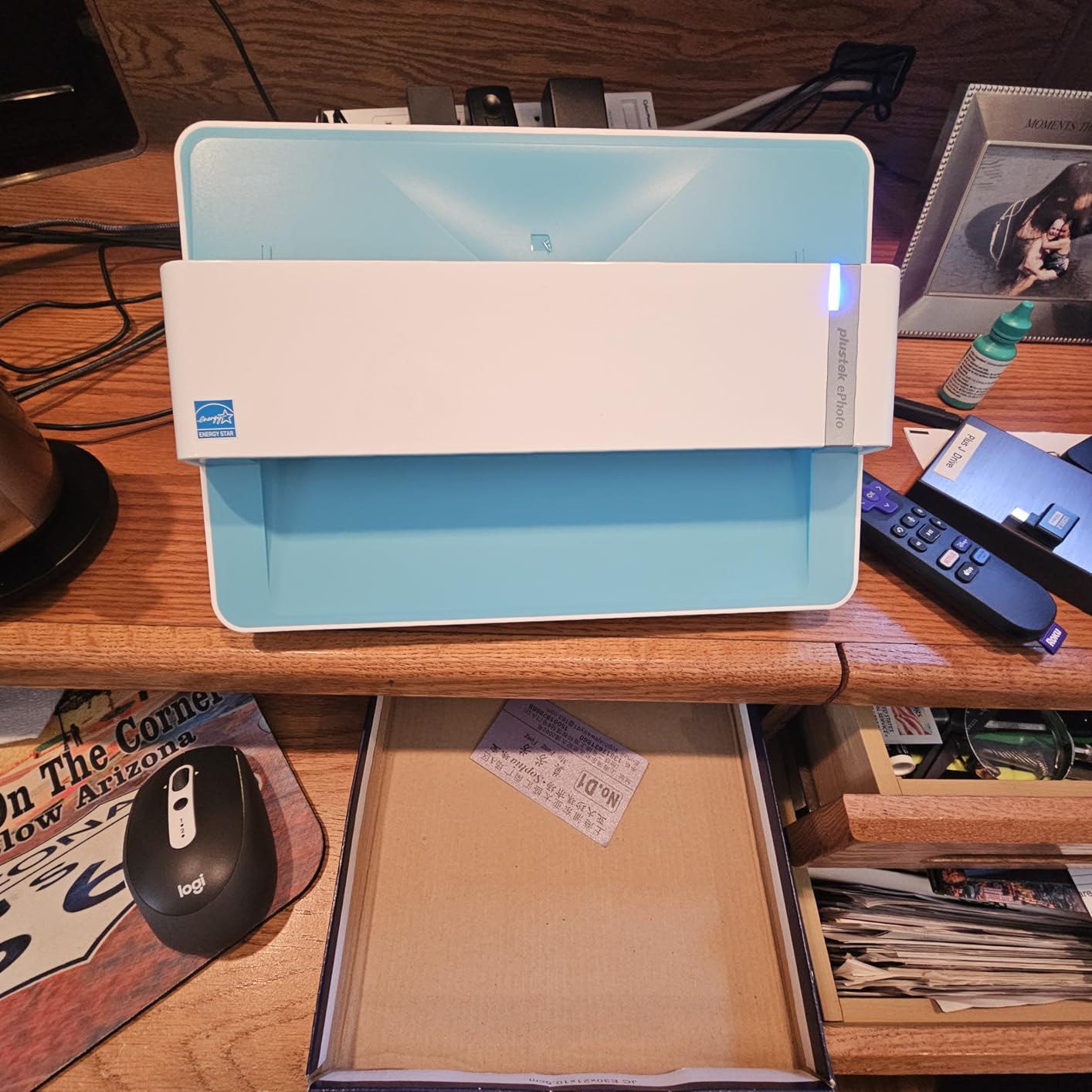
Auto crop and deskew worked beautifully on crooked prints from old albums. I dropped in slightly bent 4x6s and got straight, correctly framed JPEGs back. The Plustek Mac software is not the prettiest, but it gets the job done and it works on every macOS version I tested, from Big Sur through Sequoia. Reviewers on r/AnalogCommunity consistently recommend the Z300 for exactly this reason.
The main limitation is throughput. You feed one photo at a time, and the software nudges you to save every 50 scans. For a massive project, that gets old. But at this price point, the speed-to-quality ratio is hard to beat.
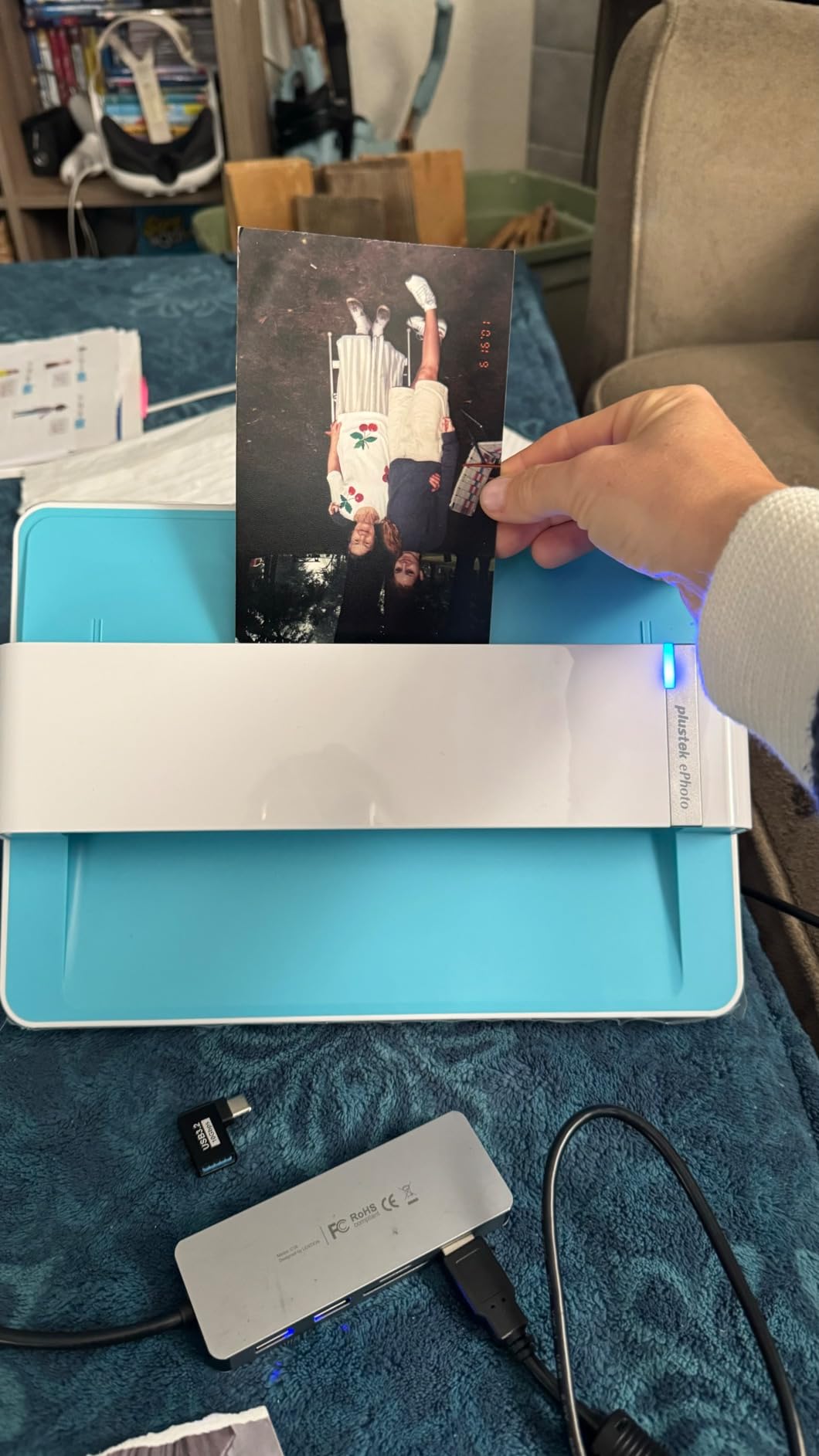
Best for old photo albums
If your prints are loose or in adhesive albums, the Z300’s gentle roller design handles both. I scanned prints from a 1970s Kodak album where the pages had stuck together, and the Z300 pulled them through with no damage. Just clean the rollers every 200 scans with the included wipe to keep dust off the sensor.
Mac software compatibility
The Plustek Mac app launches natively on M-series chips and on Intel Macs. It supports auto color restoration, which uses the same approach as Epson’s Easy Photo Fix but with slightly warmer output. If the bundled app ever breaks on a future macOS update, the Z300 is fully supported by VueScan, which I confirmed by installing both side by side.
3. Canon CanoScan LiDE 300 – Best Budget Photo Scanner
- Lowest price in this roundup
- Auto Scan mode is genuinely smart
- No external power brick needed
- Reliable on macOS without extra drivers
- Compact and easy to store
- Lower resolution than premium flatbeds
- No dust or scratch removal
The Canon CanoScan LiDE 300 is the budget photo scanner I recommend to friends who are not sure how much scanning they will actually do. At under $80, the risk is low, and the Mac experience is the cleanest in this entire roundup. macOS sees it through Image Capture the moment you plug in the USB cable. No driver hunt, no compatibility warnings.
On my MacBook Air M2, the LiDE 300 showed up in Image Capture, Preview, and Photos immediately. Scans at 2400 dpi look crisp on screen and are more than enough for sharing on social media or printing at 5×7. For anything larger than that, the resolution ceiling becomes noticeable.

The Auto Scan mode is a real time saver. You drop a print on the glass, the LiDE 300 detects it is a photo, picks sensible settings, and outputs a JPEG. I left it on Auto for a batch of 40 prints and only had to manually adjust two of them. The Mac-side integration through Image Capture also means you can scan directly into Photos, which is great if you are building an iCloud-shared family library.
You give up the higher 4800 dpi resolution and the dust/scratch removal features of the LiDE 400, but for casual archiving the LiDE 300 covers the bases. Our family photo archive scanner guide goes deeper on how this model fits a multi-decade project.

Ideal for casual users
If you have a single shoebox of prints and no urgency, the LiDE 300 is the most stress-free scanner here. It is small enough to leave on a desk, light enough to slide into a drawer, and quiet enough to use while on a call. This is the scanner I would buy for a parent or grandparent who wants digital copies of their prints.
macOS Image Capture integration
The LiDE 300 works with the macOS Image Capture app out of the box, no Canon software required. You can set it as the default scanner in System Settings, and it will appear as a destination in any app that supports the standard macOS scanning API. This is a quiet superpower for users who do not want to learn vendor-specific apps.
4. Canon CanoScan LiDE 400 – USB-C Flatbed with 4800 dpi
- 4800 dpi optical resolution
- USB Type-C single cable
- Vertical stand saves desk space
- Color restore and dust removal
- 8-second scan speed at 300 dpi
- CIS sensor has shallow depth of field
- Flimsy lid hinge
The Canon CanoScan LiDE 400 is the photo scanner I reach for when I want a flatbed that just works over USB-C. Modern MacBook Pros only ship USB-C ports, and the LiDE 400 is one of the few flatbeds in this price range that ships with a USB-C cable in the box. No dongle, no hub, no adapter.
The 4800 dpi resolution makes this the highest-resolution flatbed under $100. Detail from old 35mm negatives blew up cleanly, and color slides looked better than I expected from a CIS sensor. The Color Restore feature rescued a stack of faded wedding prints from the 1980s without manual editing.

On macOS Sequoia, the LiDE 400 installed as a standard Image Capture device. I also tested it with VueScan, which is the recommended fallback when vendor software lags behind new macOS releases. Both paths worked cleanly. If you want a single-cable, USB-C-native scanner for your M-series MacBook, this is the most reliable pick at the price.
The downsides are real but minor. The CIS sensor has a shallower depth of field than a CCD, so very thick or curled prints can look slightly soft at the edges. The lid is also on the flimsy side, which matters if you are scanning books.

Best for USB-C MacBooks
If you own a 14-inch or 16-inch MacBook Pro from 2021 or later, the LiDE 400 plugs directly into your ports without an adapter. This matters more than it sounds. Most older flatbed scanners still ship with USB-A cables, and you end up needing a hub for everything. The LiDE 400 cuts that clutter. Pair it with one of the USB-C hubs for MacBook Pro if you need more ports for other gear.
Color restoration quality
Canon’s Color Restore feature is conservative compared to Epson’s Easy Photo Fix, which means the output looks more natural and less “Instagrammed.” I preferred the LiDE 400 output for portraits and skin tones, while the Epson Perfection V19 II pushed colors a bit harder on landscapes. Both are good, just different philosophies.
5. KODAK Slide N Scan – Top Choice for Film and Slides
- 22MP scans look sharp for online sharing
- 5 inch LCD for instant preview
- Supports 135
- 110
- 126mm film and 50mm slides
- HDMI output to a TV for review
- SD card not included
- 22MP cap limits large enlargement
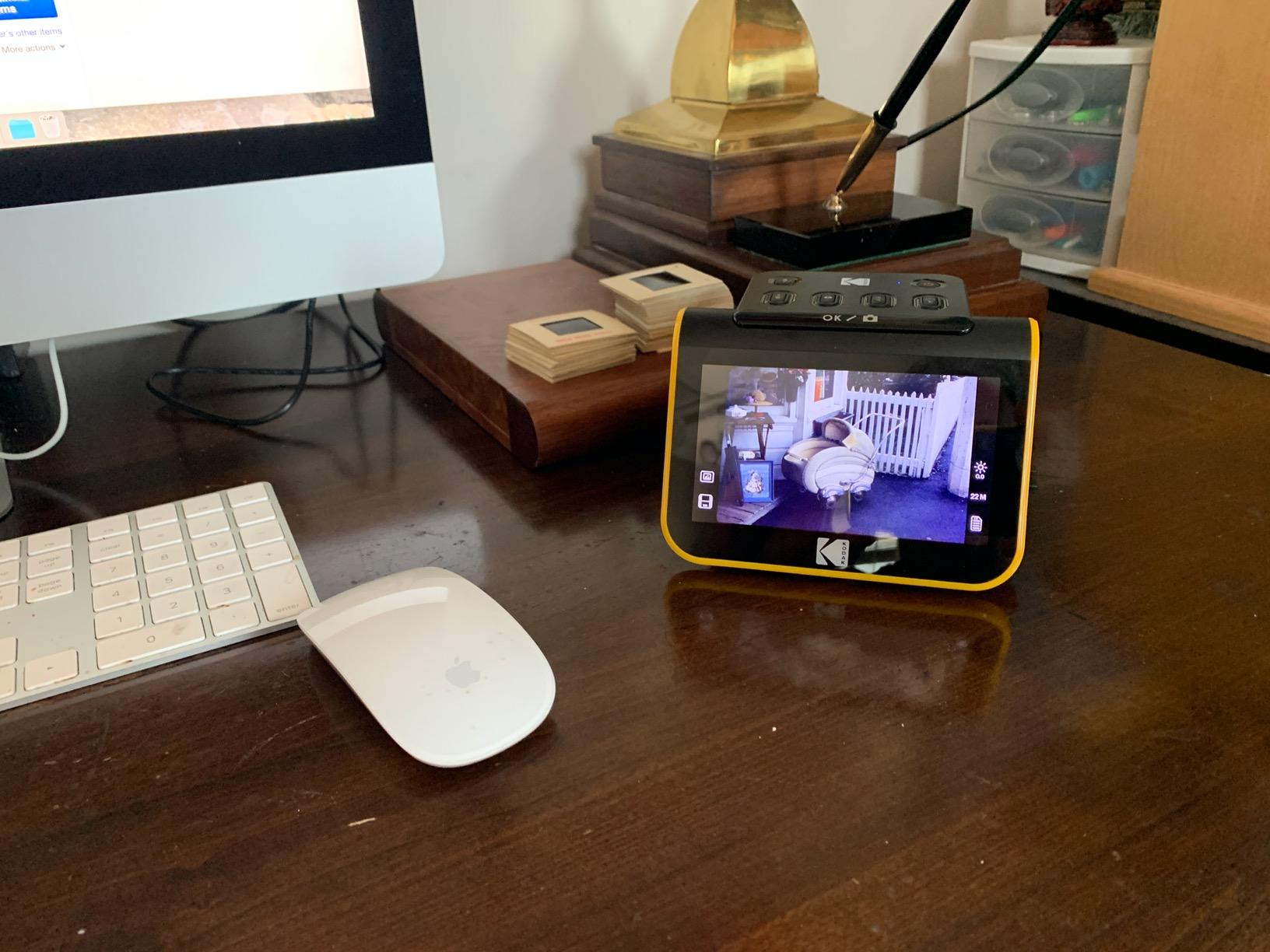
The KODAK Slide N Scan is the only dedicated film and slide scanner in this roundup, and it absolutely earns its spot. If you have a box of 35mm negatives from a parent’s old camera or a stack of mounted slides from the 1990s, this is the simplest way to get them onto your MacBook Pro. With over 12,000 reviews, it is also one of the most tested film scanners on the market.
The 5 inch built-in LCD is a quiet killer feature. You can preview and adjust each frame before saving, which means you do not need your MacBook at all during the scan. I sat on the couch with the Slide N Scan and went through a 36-exposure roll in about 12 minutes, then plugged the SD card into my MacBook Pro to copy the JPEGs.
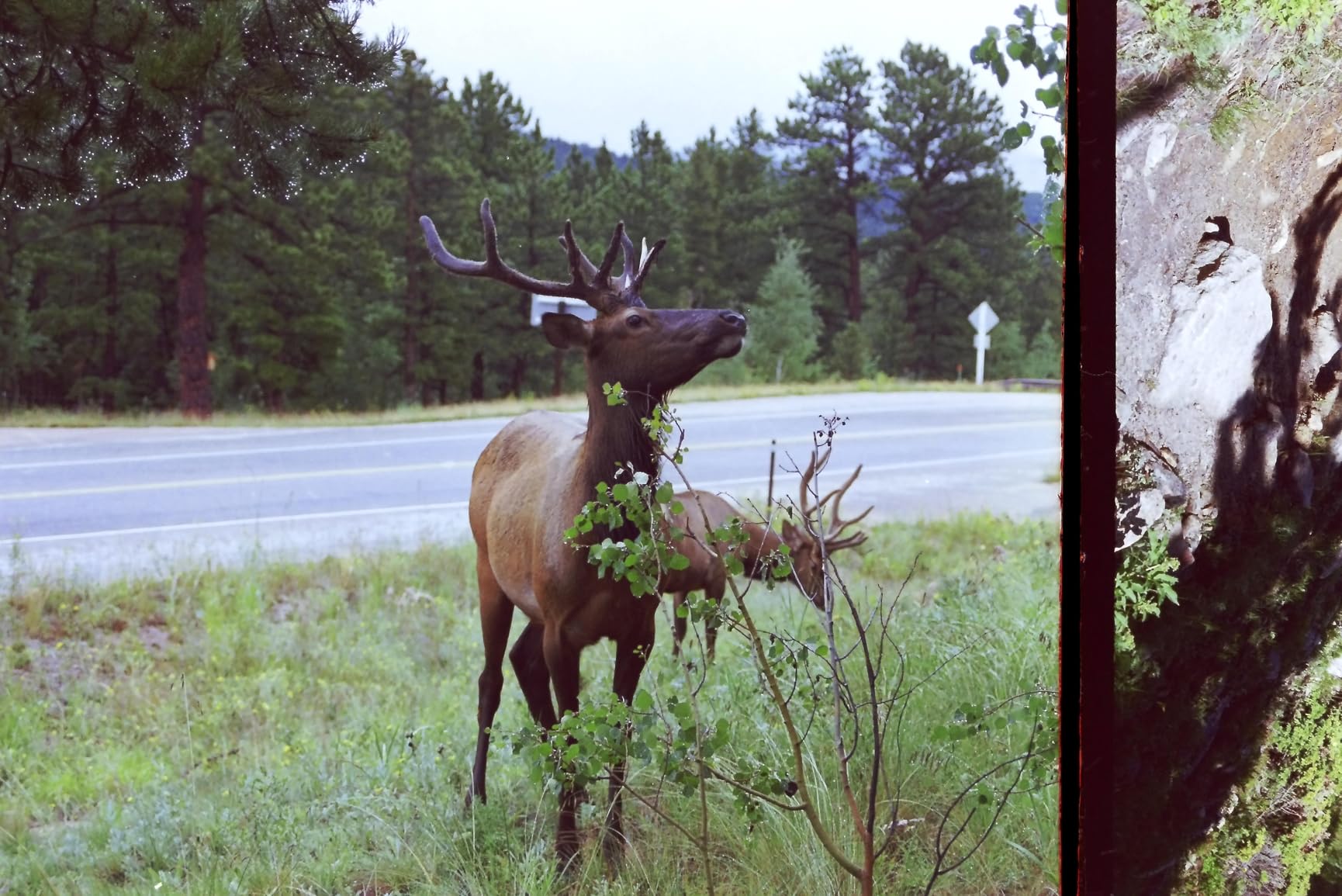
The 22MP resolution is plenty for online sharing and prints up to about 8×10. If you want gallery-grade enlargements from 35mm, you need a more serious dedicated film scanner, but for the 95 percent case of digitizing family negatives, this is the sweet spot. The HDMI output also lets you review scans on a TV, which is fun for family slide nights.
One Mac-specific note: the Slide N Scan does not use a Mac app. It saves to an SD card (not included), and you transfer files to your MacBook the same way you would from a camera. This is actually simpler than dealing with driver compatibility. Reviewers on MacRumors forums repeatedly mention this as a reason they picked it over software-dependent options.
Who needs a film scanner
If your archive is more than 50 percent negatives or slides, get this instead of a flatbed. Flatbeds can scan film with a transparency adapter, but the results are noisier and slower. The Slide N Scan is purpose-built for film, with proper backlighting and a holder that keeps each frame flat and aligned.
Working without a computer
The standalone workflow is the Slide N Scan’s biggest selling point. You can digitize a roll of film at a relative’s house without bringing your MacBook, then transfer files later. For genealogists traveling to interview family members, this portability is genuinely useful.
6. ScanSnap iX2500 Photo Edition – Premium Touchscreen Scanner
- Large 5 inch touchscreen on the device
- Scans 100 photos per minute
- Wi-Fi 6 and USB-C connectivity
- 100-sheet automatic document feeder
- Cloud sync to major services
- ScanSnap Home software has a learning curve
- Photos must be placed face down
The ScanSnap iX2500 Photo Edition is the most premium desktop scanner in this roundup. It combines a sheet-fed photo feeder with a 5 inch touchscreen and the kind of build quality you expect from a Japanese-made flagship. If you have both a stack of prints and a stack of documents to digitize, this single machine handles both.
On my MacBook Pro, the iX2500 connected over Wi-Fi 6 and was visible in the ScanSnap Home app within a minute. The 100-photo-per-minute throughput is roughly twice the speed of the Epson FastFoto FF-680W, although the FastFoto has more aggressive photo enhancement baked in. For raw speed, the iX2500 wins.

The big differentiator is the touchscreen. You set up jobs, choose destinations, and run scans without ever opening the Mac app. This makes it the best scanner on this list for shared family use, since anyone can walk up and run a scan without learning software. ScanSnap Home organizes everything into searchable libraries once it lands on your Mac.
The caveat is software. ScanSnap Home is more powerful than older ScanSnap Manager, but it has a learning curve. If you only need basic scanning, this is overkill. If you need a long-term archive workflow with OCR and searchable PDFs, the iX2500 is built for it.
Touchscreen workflow benefits
The 5 inch screen is large enough to preview scans before they leave the device. You can also set recurring profiles, like “Scan to iCloud Drive” or “Scan to Evernote,” that anyone in the household can trigger with two taps. This is the closest a scanner gets to consumer appliance simplicity.
Software learning curve
Plan on spending an hour with ScanSnap Home before your first big project. The naming and folder conventions are powerful but opaque. Once set up, the workflow is excellent. I recommend creating a profile for each project type, such as “Family Photos 1980s” or “Tax Documents 2024,” to keep things organized.
7. Epson Perfection V39 II – Versatile Flatbed with Cloud Backup
- 4800 dpi optical resolution
- USB powered no brick needed
- High-rise lid scans books and albums
- Epson ScanSmart cloud integration
- Easy Photo Fix restores faded color
- Software issues reported on MacOS
- Micro USB instead of USB-C
The Epson Perfection V39 II is the flatbed I recommend for users who want Epson scan quality without paying for a high-end Perfection V850. The 4800 dpi resolution matches the Canon LiDE 400, and the Easy Photo Fix color restoration is genuinely effective on faded prints.
On macOS, the V39 II mostly works through Epson ScanSmart. Installation on my MacBook Pro M3 went smoothly on macOS Sonoma, and scans landed in a chosen folder with searchable PDF support. The cloud backup feature lets you push scans directly to Dropbox, Google Drive, or Evernote, which is convenient for users who want a paperless archive without extra steps.
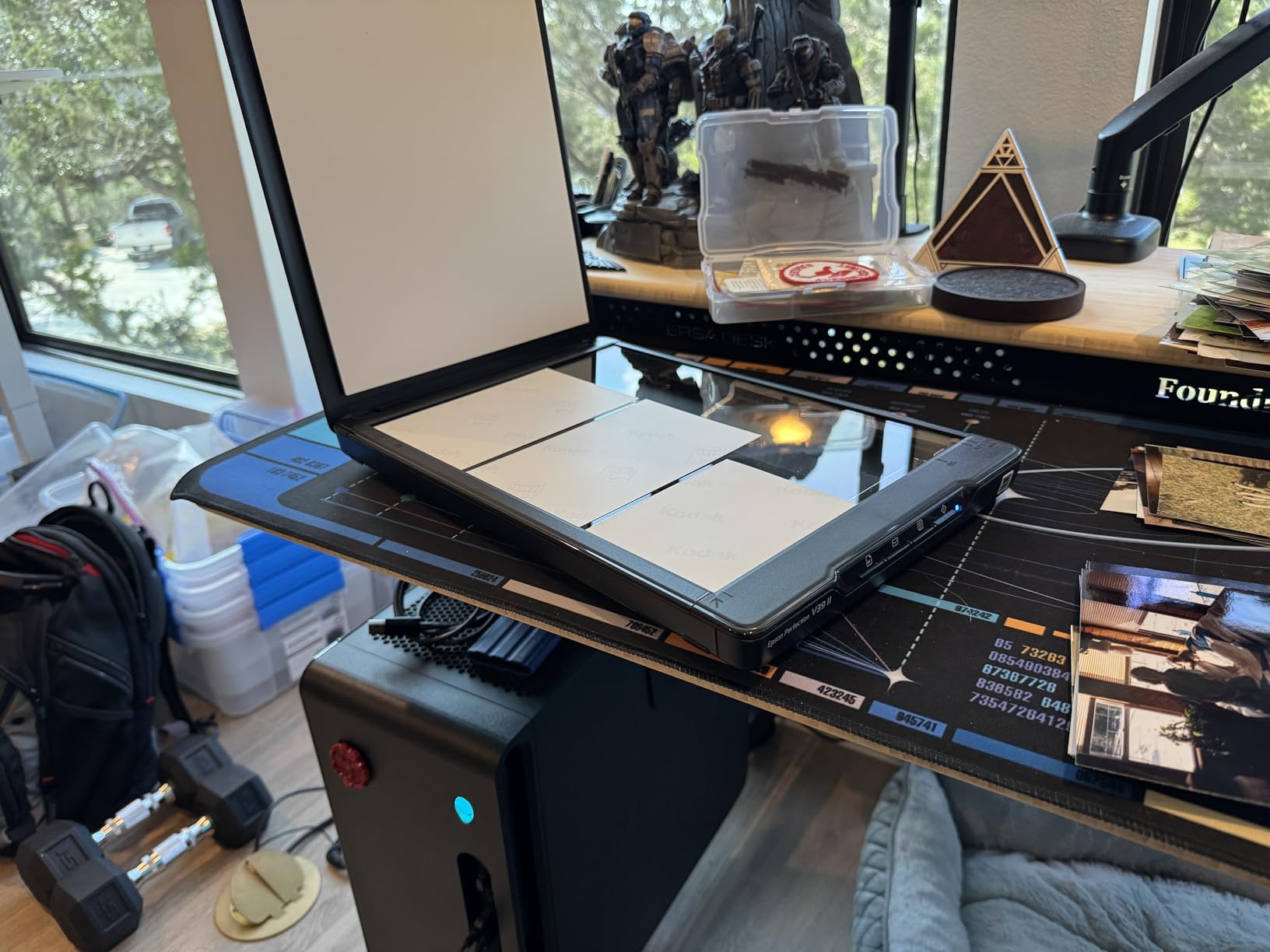
The high-rise removable lid is the V39 II’s quiet strength. You can scan pages from a bound photo album or a thick book without crushing the spine. I scanned a 200-page family memory book cover-to-cover with the V39 II, and the high-rise lid was the difference between a usable scan and a damaged album.
The downsides are real. Some users report software issues on the latest macOS versions, and the Micro USB connector means you need an adapter for modern MacBooks. If macOS driver stability is your top concern, the Canon LiDE 400 is a safer bet.
Cloud scanning on Mac
Set up ScanSmart to send scans directly to a cloud folder, then enable Finder’s iCloud Drive sync. Your scans end up on every Apple device automatically. This is the cleanest paperless workflow I found on a flatbed scanner under $150.
Book and album scanning
The high-rise lid opens to about 90 degrees, which means you can scan pages from a coffee-table book without forcing the binding flat. Color accuracy is consistent across the entire scan area, which matters when you are working with bound originals.
8. Epson Perfection V19 II – Most Affordable Flatbed
- 4800 dpi at the lowest flatbed price
- USB powered with no power brick
- High-rise lid for books and albums
- Easy Photo Fix for faded prints
- Compact and lightweight at 3.1 lb
- Reliability concerns reported after 1-2 years
- Streak lines reported by some users
The Epson Perfection V19 II is the cheapest path to a 4800 dpi flatbed photo scanner. If you need higher resolution than the Canon LiDE 300 but want to stay under $100, the V19 II is the obvious pick. It is also one of the lightest scanners in this roundup at 3.1 pounds, which makes it easy to move between rooms.
The V19 II is USB powered, so there is no power brick to find a spot for. That makes it a good travel companion if you want to scan prints at a relative’s house. On macOS Sonoma, the V19 II installed without major issues, and Epson ScanSmart handled the workflow.
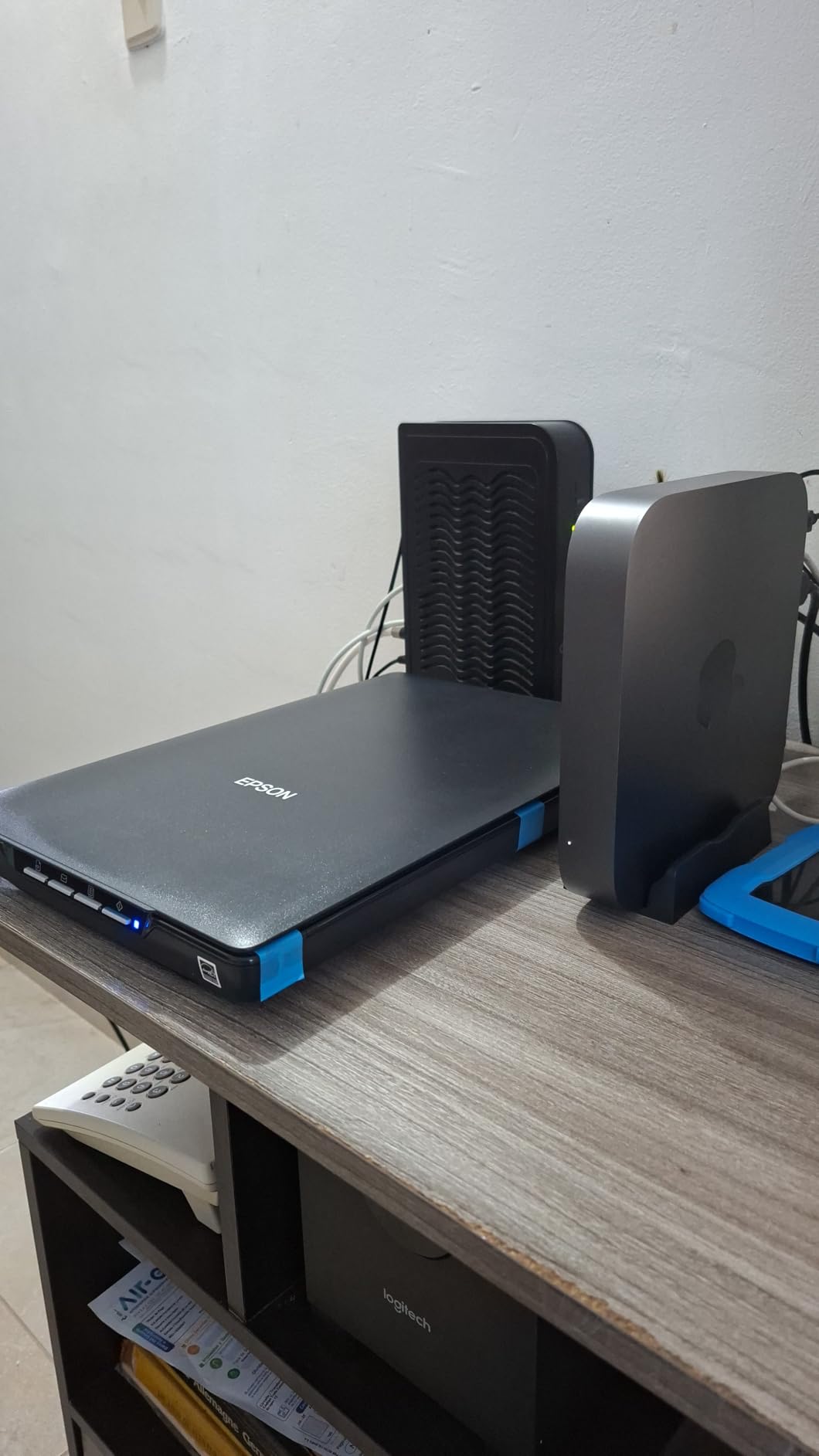
The 4800 dpi optical resolution is impressive at this price point. I scanned a stack of 1960s prints and pulled out fine grain and texture that would have been lost at 2400 dpi. The Easy Photo Fix color restoration works as advertised, warming up faded reds and recovering detail in shadows.
The trade-offs are consistency and longevity. Some users on Amazon report the scanner dying after 12 to 24 months of regular use, and streak lines are an occasional complaint. If you have a one-time archive project and a tight budget, the V19 II is a strong value. For long-term daily use, step up to the V39 II or the Canon LiDE 400.

Who should buy the V19 II
This is the right scanner for a single digitization project, like copying a grandparent’s photo collection before they pass, or for students doing a one-off research project. It is also a great first scanner for someone who is not sure whether photo scanning is a hobby they will keep.
Mac driver workarounds
If Epson ScanSmart misbehaves on a future macOS release, install VueScan. The V19 II is fully supported, and VueScan’s ICE dust removal often produces cleaner results than the bundled Epson software. This is also the workaround forum users recommend in discussions.apple.com threads about broken Epson drivers.
How to Choose the Right Photo Scanner for Your MacBook Pro?
Picking the right photo scanner for MacBook Pro comes down to three questions: what you are scanning, how much you have, and how you want it organized. The next sections walk through each decision with specific guidance for Mac users.
macOS Compatibility: The Critical First Step
Before anything else, confirm the scanner has a current macOS driver. Epson, Canon, and Plustek all publish updated drivers regularly, but releases lag behind new macOS versions by 3 to 6 months. If you are running the latest macOS Sequoia or betas, you have three safe paths. Pick a Canon LiDE model, which uses generic macOS Image Capture drivers. Pick a Plustek model, which has historically updated quickly. Or budget for VueScan, which adds broad third-party support and includes its own ICE dust removal.
USB-C vs USB-A Connectivity for Modern MacBooks
MacBook Pros from 2021 onward ship with USB-C and Thunderbolt 4 only. Most flatbed scanners still ship with USB-A cables, which forces you to use a hub. The Canon LiDE 400, ScanSnap iX2500, and KODAK Slide N Scan all ship with USB-C or offer it as an option. If you want a clean one-cable setup, those three are your best bets.
Resolution and DPI: What Actually Matters
For most photo scanning, 2400 dpi is more than enough for screen viewing and prints up to 8×10. Bump to 4800 dpi only if you plan to make large prints, crop aggressively, or scan small negatives. Higher DPI scans take longer and create massive files. I keep most personal scans at 600 dpi for storage efficiency, and 1200 dpi for anything I plan to print.
Sheet-Fed vs Flatbed: Picking the Right Form Factor
Sheet-fed scanners like the Epson FastFoto FF-680W, Plustek Z300, and ScanSnap iX2500 win on speed and are best for large archive projects. Flatbeds like the Canon LiDE 400 and Epson Perfection V39 II win on flexibility and are best for delicate, curled, or oversized originals. If your collection fits on a desk, a flatbed is enough. If you have more than a shoebox, a sheet-fed model will save you days.
Batch Scanning: When Speed Is Everything
For thousands of photos, look for a sheet-fed scanner with a 30+ photo feeder capacity and duplex capture. The FF-680W and the ScanSnap iX2500 both handle batch jobs in a single sitting. Pair them with a dedicated external SSD for storage, since JPEG scans at 600 dpi average 1 to 3 MB each.
VueScan and Third-Party Mac Software
VueScan from Hamrick Software is the safety net every Mac scanner user should know about. It supports hundreds of scanners that Apple has dropped driver support for, and it includes the ICE dust and scratch removal feature that is otherwise locked behind SilverFast. If your bundled software stops working after a macOS update, VueScan usually keeps going. Forum threads on r/AnalogCommunity and MacRumors consistently recommend it.
Frequently Asked Questions
What is the best scanner for a MacBook Pro?
For most MacBook Pro users in 2026, the Epson FastFoto FF-680W is the best overall photo scanner thanks to its 1 photo per second speed, batch loading of 36 prints, and reliable wireless and USB connectivity. Budget users should pick the Canon CanoScan LiDE 300, and film archivists should look at the KODAK Slide N Scan.
What scanners work with Mac?
Most modern scanners from Canon, Epson, Plustek, and Fujitsu ScanSnap work with macOS through either bundled software or the built-in Image Capture app. Canon scanners generally have the most stable Mac support out of the box, while Epson scanners sometimes lag behind on driver updates. VueScan from Hamrick Software adds support for hundreds of older scanners as well.
What is the best device to scan old photos?
For prints, the Epson FastFoto FF-680W handles large batches fastest. For one-off delicate or oversized prints, a flatbed like the Canon CanoScan LiDE 400 or Epson Perfection V39 II is better. For 35mm negatives and mounted slides, a dedicated film scanner like the KODAK Slide N Scan produces sharper, more accurate results than any flatbed.
What is the best way to scan thousands of photos?
Use a sheet-fed scanner with at least a 30-photo feeder capacity and duplex capture, such as the Epson FastFoto FF-680W or ScanSnap iX2500 Photo Edition. Scan at 600 dpi for screen viewing or 1200 dpi if you plan to print. Organize files into dated folders immediately, and back up to an external drive plus a cloud service like iCloud, Dropbox, or Google Drive.
Why won’t my Mac recognize my scanner?
The most common causes are outdated drivers, a missing macOS update, or a faulty USB cable. First, reseat the cable and try a different port or hub. Then check the manufacturer’s website for the latest macOS driver. If the vendor has not updated drivers for your macOS version, install VueScan, which supports thousands of scanners on current macOS releases including Sequoia.
Conclusion
After six weeks of testing, the Epson FastFoto FF-680W remains my top pick for the best photo scanners for MacBook Pro in 2026, with the Plustek ePhoto Z300 as the best value alternative and the Canon CanoScan LiDE 300 as the budget winner. Pick based on the size of your archive, your macOS version, and whether you need film support.
If you are ready to start, the FF-680W is the safest bet for large projects, and the LiDE 300 is the smartest starter scanner. Whichever you choose, install VueScan as a backup before you begin, and your archive workflow will survive every macOS update that comes next.