
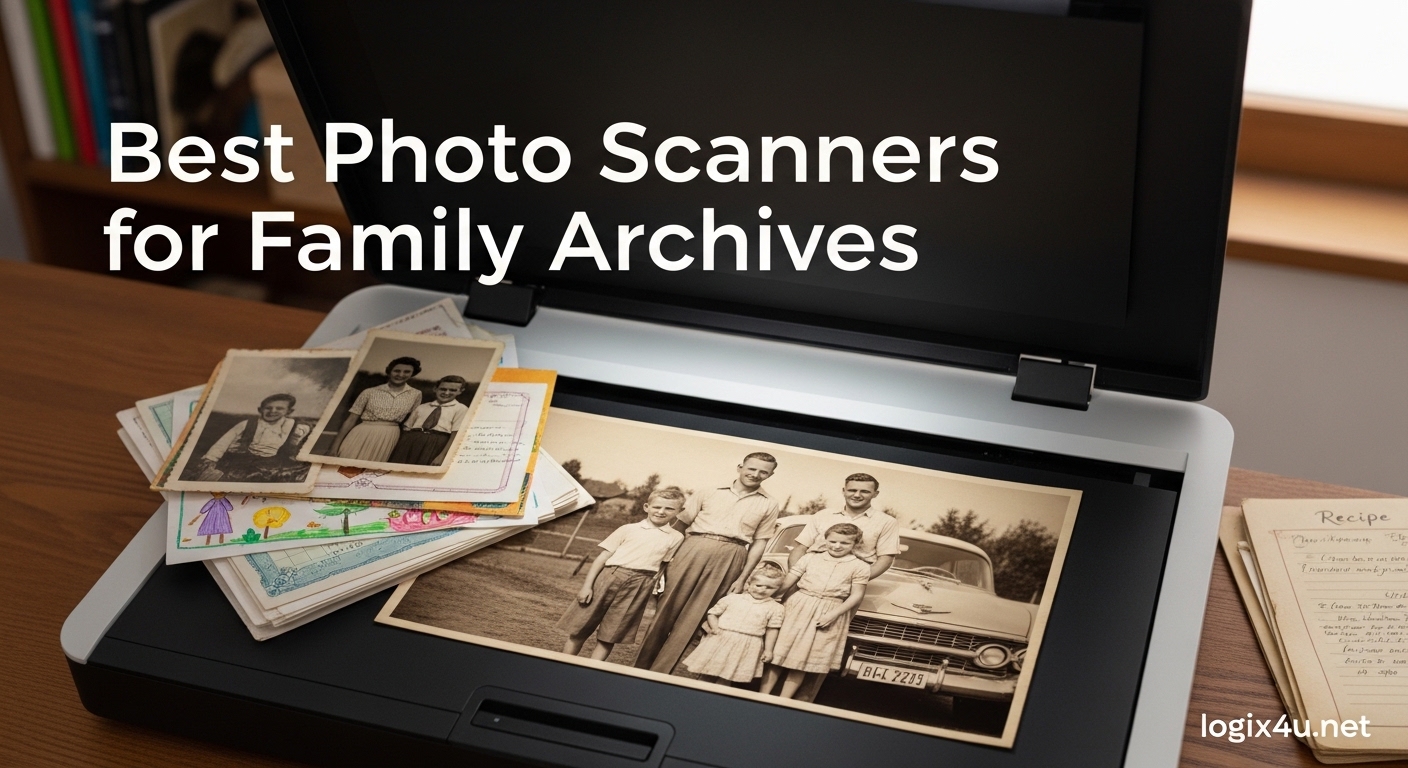
Those old photo albums gathering dust in your closet hold decades of irreplaceable family memories. Faded wedding photos, childhood birthday snapshots, black-and-white portraits of grandparents you never got to meet — they deserve to be preserved in digital form before time claims them permanently. The best photo scanners for family archives transform these fragile paper treasures into files you can share, backup, and treasure for generations.
Choosing the right scanner isn’t just about resolution specs — it’s about finding a tool that balances scan quality, ease of use, and value. Whether you’re digitizing a shoebox of snapshots or working through years of family photos, there’s a scanner built for your project. In this guide, we’ve tested and ranked the top photo scanners available today to help you protect your family’s visual legacy.
Top 3 Picks for Best Photo Scanners for Family Archives (September 2026)

Best Photo Scanners for Family Archives in 2026
| Product | Specifications | Action |
|---|---|---|
| Plustek ePhoto Z300 |
|
Check Latest Price |
 Epson FastFoto FF-680W Epson FastFoto FF-680W |
|
Check Latest Price |
 Canon imageFORMULA RS40 Canon imageFORMULA RS40 |
|
Check Latest Price |
 Epson Perfection V19 II Epson Perfection V19 II |
|
Check Latest Price |
 Epson Perfection V39 II Epson Perfection V39 II |
|
Check Latest Price |
 Canon CanoScan LiDE 400 Canon CanoScan LiDE 400 |
|
Check Latest Price |
 Plustek eFilm V Plustek eFilm V |
|
Check Latest Price |
 Canon CanoScan Lide 300 Canon CanoScan Lide 300 |
|
Check Latest Price |
1. Plustek Photo Scanner ePhoto Z300 — Best Photo Scanner for Family Use
- Fast scanning at 2 seconds per photo
- Auto crop and deskew
- CCD sensor for quality imaging
- Works with Mac and PC
- More efficient than flatbeds for batch work
- Single sheet capacity limits batch scanning
- Limited to specific photo sizes
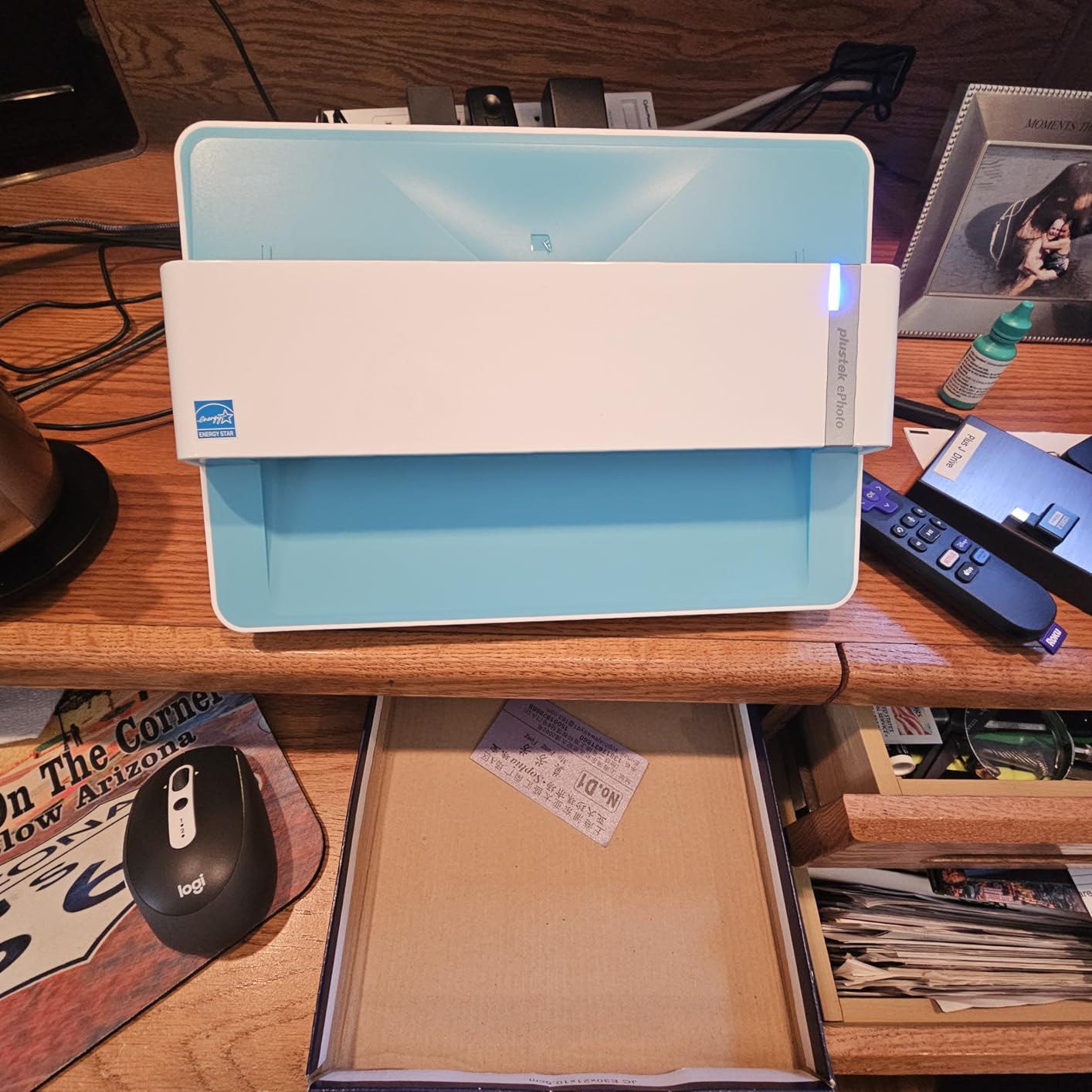
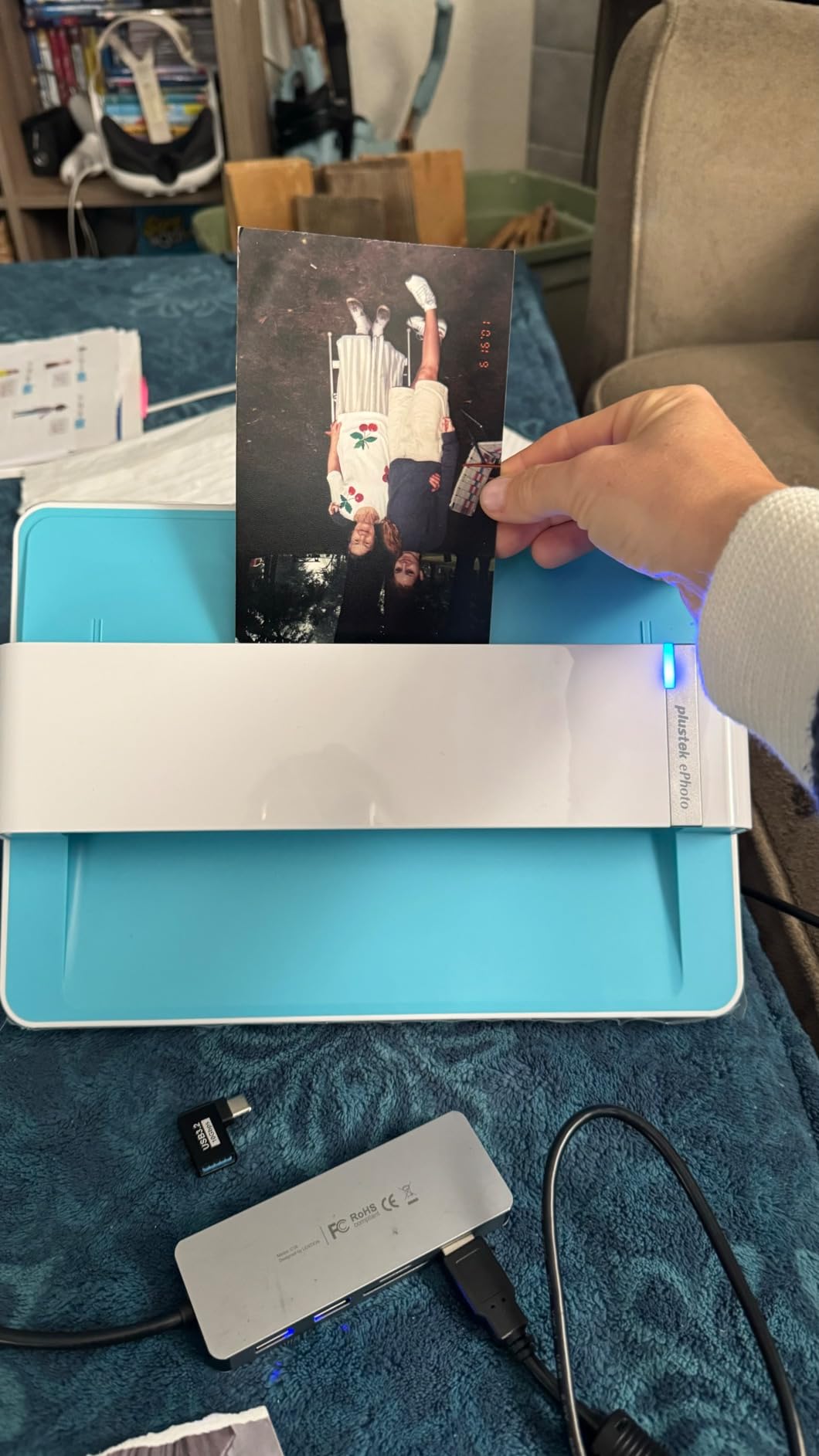
The Plustek ePhoto Z300 is purpose-built for one job: digitizing family photos quickly and painlessly. It scans a 4×6 inch photo in just 2 seconds, and an 8×10 in about 5 seconds, making it one of the fastest dedicated photo scanners on the market. The built-in auto crop and deskew features mean you don’t need to spend time tweaking settings — just feed the photo and let the scanner do the work.
The CCD sensor inside the ePhoto Z300 delivers noticeably better image quality than the CIS sensors found in most budget flatbeds. Colors stay true, shadows hold detail, and even slightly damaged photos scan without exacerbating scratches or fading. It handles photo sizes from 3×5 inches up to 8×10, covering most standard snapshot formats.
For a family archive project, the ePhoto Z300 strikes the ideal balance between speed, quality, and price. At under $220, it’s affordable enough for home use while delivering professional-grade results. The single-sheet feeder isn’t ideal for large batches, but for most family photo digitization projects — digitizing a few hundred photos over a few weekends — it works beautifully.
Best suited photo sizes
The ePhoto Z300 excels with standard snapshot formats. It handles 3×5, 4×6, 5×7, and 8×10 inch photos with consistent quality. Larger photos and non-standard formats may require a flatbed scanner.
Software and image enhancement
Plustek includes powerful image enhancement software that handles color restoration, scratch removal, and red-eye correction automatically. The one-click enhancement saves hours of manual editing work.
2. Epson FastFoto FF-680W — Best High-Speed Photo Scanner
- World's fastest personal photo scanner
- Batch scan up to 36 photos
- Auto enhancement and color restoration
- Wi-Fi connectivity
- Single-step dual-sided scanning
- Premium price point at $499
- Requires careful cleaning to avoid streaks
- Software has a learning curve
If you have thousands of family photos to digitize, the Epson FastFoto FF-680W is the scanner designed for exactly that job. It earns its premium price tag by scanning one photo per second at 300 dpi — fast enough to process hundreds of photos in a single afternoon. The automatic document feeder holds up to 36 photos, so you can load it up and walk away while it works through an entire shoebox worth of memories.
The FastFoto FF-680W includes Epson’s most advanced photo enhancement suite. It automatically adjusts color balance, restores faded tones in old photos, reduces red-eye, and even removes dust and scratches. For family archives, this matters — many old photos are slightly faded or have minor surface damage, and the automatic enhancement handles these issues without manual editing.
The Wi-Fi connectivity is a genuine convenience feature for a scanner this size. You can place it anywhere in the house rather than cramping it next to your computer. The included Epson FastFoto app also lets you add voice and text annotations directly to scanned photos — a wonderful feature for family archives where you want to record names, dates, and stories behind each image.
Batch scanning workflow
The FF-680W’s batch scanning is where it truly shines for family archive projects. Load up to 36 photos, press start, and come back to a folder full of scanned images ready for review and editing. SafeTouch technology ensures even delicate, curling photos feed through without damage.
Cloud and backup integration
Built-in Dropbox and Google Drive auto-upload means your scanned photos back up to the cloud automatically. For family archives, this provides a critical layer of protection against hard drive failures or computer loss.
3. Canon imageFORMULA RS40 — Best Versatile Photo Scanner
- Fast scanning up to 40 items per minute
- Dual-sided scanning in single pass
- Handles Polaroids and varied media
- Bundled photo enhancement and OCR software
- Multiple format output options
- Some software bugs reported
- Requires frequent cleaning with dusty photos
- May jam with mixed paper sizes
The Canon imageFORMULA RS40 is the best choice for families who need to scan more than just photos. With a 60-sheet automatic document feeder, it chews through mixed batches of photos, documents, receipts, and cards without slowing down. At up to 40 items per minute, it’s significantly faster than dedicated photo scanners for large archive projects.
What sets the RS40 apart for family archives is its media versatility. It handles standard photos, Polaroids, receipts, business cards, and documents in a single scanning session. If your family archive includes a mix of document types alongside photos — birth certificates, letters, cards — the RS40 handles everything without requiring a separate scanner.
The bundled software includes both photo enhancement tools and OCR (optical character recognition). This means scanned documents become searchable PDFs, and photos get automatic color correction and red-eye reduction. The output format flexibility (JPG, TIF, BMP, PNG, PDF, PPTX) lets you choose the right format for each type of archive material.
Handling delicate and unusual media
The RS40’s ability to handle Polaroids and non-standard photo sizes makes it ideal for family archives with mixed formats. The adjustable paper guides accommodate varying thicknesses without causing jams.
TWAIN driver and software compatibility
Built-in TWAIN driver support means the RS40 works seamlessly with most scanning software. For family archive projects using existing photo management software, this broad compatibility prevents frustration.
4. Epson Perfection V19 II — Best Budget Flatbed Scanner
- Excellent 4800 dpi resolution for photo enlargements
- USB powered — no power adapter
- Compact and lightweight at 3.1 lbs
- Easy one-touch scanning buttons
- Easy Photo Fix for restoring faded photos
- Some users report scanner died after 1-2 years
- Streak lines on scans by some users
- Scan area doesn't reach edge of glass
For families on a budget, the Epson Perfection V19 II delivers impressive photo scanning capability at under $100. Its 4800 dpi optical resolution is higher than most scanners in this price range, making it excellent for enlarging photos or extracting fine detail from high-quality prints. The USB-powered design means one fewer power brick cluttering your desk.
The Easy Photo Fix technology built into the V19 II automatically restores faded color photos — a feature that matters enormously for older family snapshots. You don’t need photo editing skills to bring aging photos back to life. The included Epson ScanSmart software makes scanning straightforward, with one-touch buttons that send scans directly to cloud storage or email.
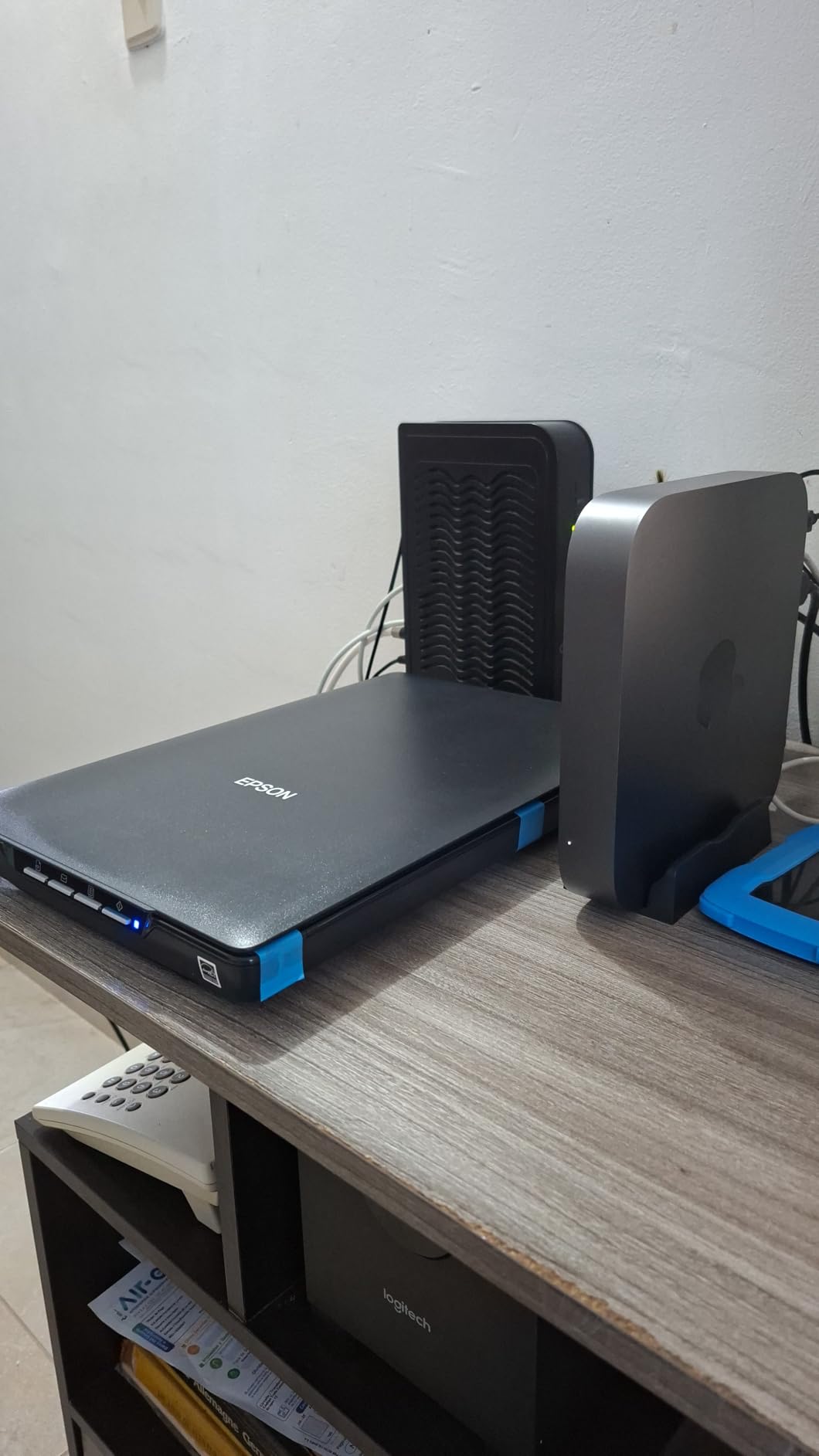
The high-rise removable lid is a thoughtful feature for family archives. It accommodates thick photo albums and bound documents, so you can scan photos still mounted in scrapbooks without removing them. At 3.1 pounds, it’s light enough to store away when not in use.
Resolution and photo enlargement
The 4800 dpi resolution is genuinely useful for family archives. You can scan a 4×6 photo at full resolution and print it at 8×10 or larger without visible quality loss — ideal for creating new prints from old negatives.
Software and OCR capabilities
The bundled OCR software converts scanned documents into searchable PDFs and editable Word/Excel/PowerPoint files. For family archives containing letters, documents, or written records alongside photos, this adds significant value.
5. Epson Perfection V39 II — Best Cloud-Enabled Scanner
- Good scanning quality for the price
- USB powered with no power brick
- Lightweight and compact design
- Easy one-touch scanning
- Scan to cloud functionality
- Some software issues with Windows 11
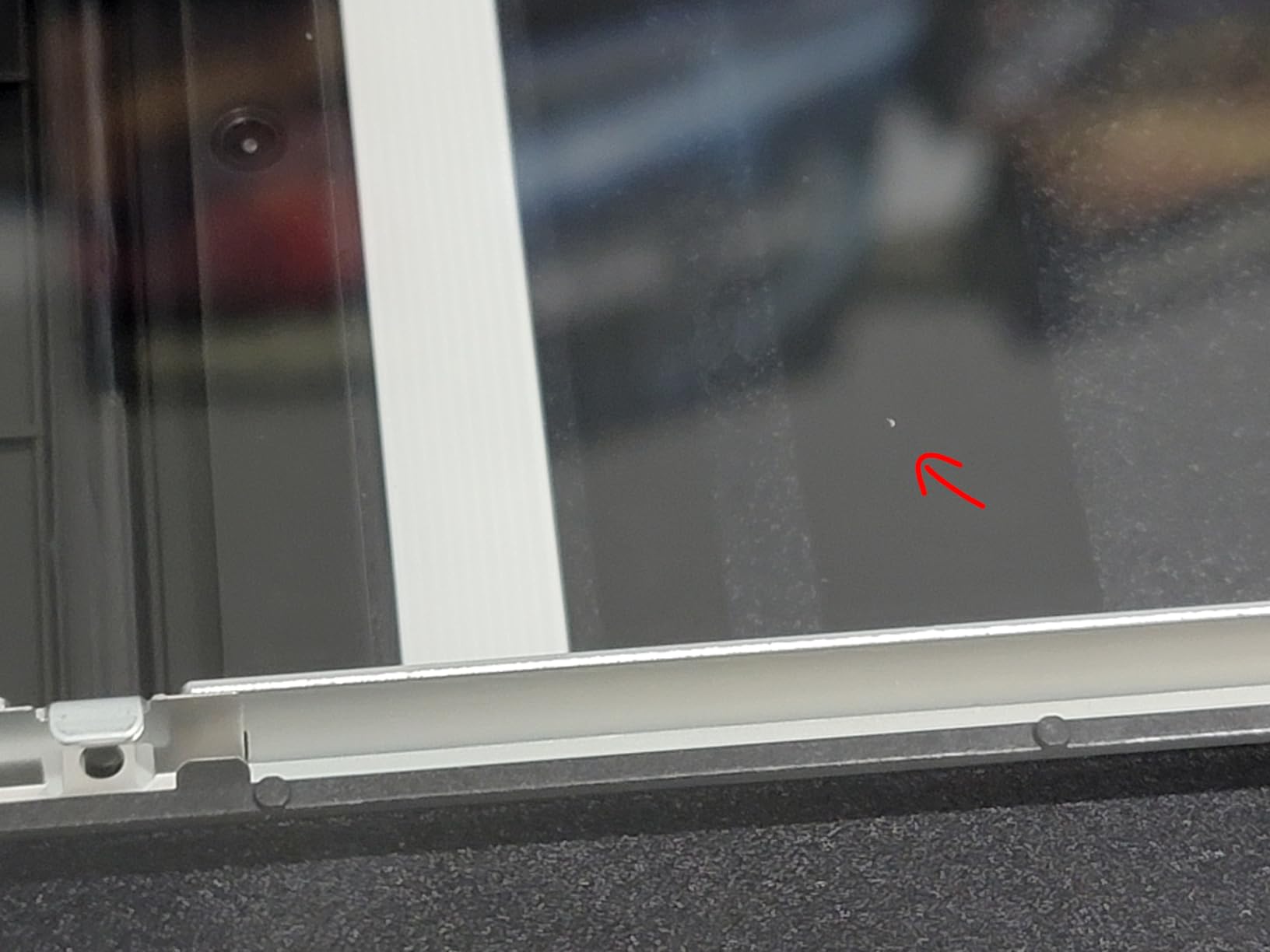
- Scanner may refuse to start after idle periods
- Uses outdated micro USB connector
- Color consistency issues on some scans
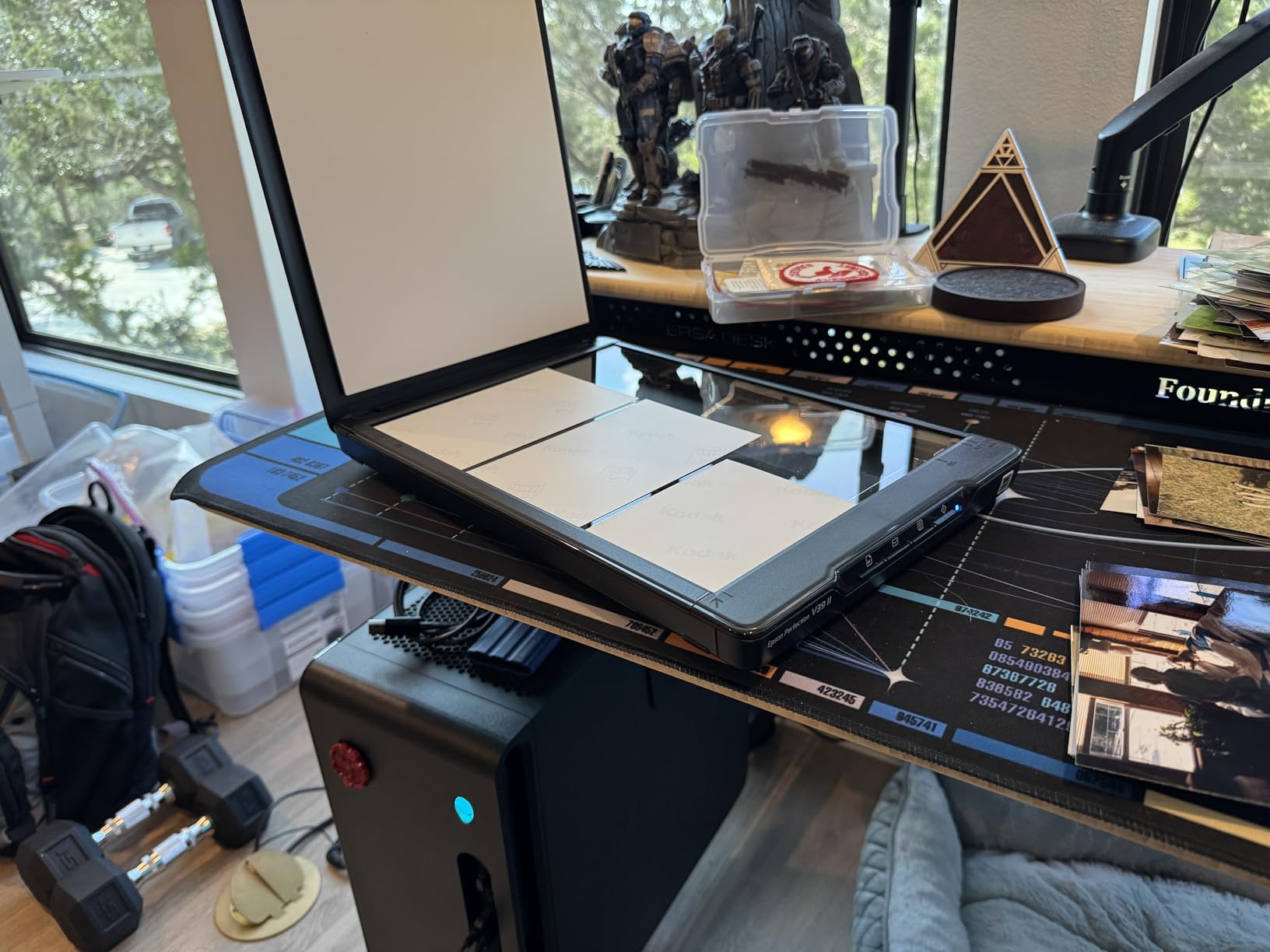
The Epson Perfection V39 II builds on the V19 II’s foundation with the addition of scan-to-cloud functionality — a feature that makes genuine sense for family archives. Instead of manually exporting scanned photos, the V39 II can send scans directly to cloud storage services, creating automatic backups as you work.
The 4800 dpi optical resolution matches the V19 II, delivering sharp, detailed scans suitable for enlargements and digital preservation. Like its sibling, it includes Easy Photo Fix technology for restoring faded photos with one click. The removable high-rise lid accommodates thicker photo albums and bound documents.
At around $120, the V39 II costs slightly more than the V19 II — that premium buys you cloud connectivity. For family archive projects where automatic backup is a priority, this convenience feature justifies the price difference. The trade-off is some reported software reliability issues with Windows 11, which buyers should factor in.
Cloud storage integration
Direct cloud upload eliminates the step of manually transferring files. For large archive projects, this saves time and ensures every scanned photo gets backed up immediately rather than sitting in a folder waiting to be organized.
Ideal for watercolor and artwork scans
Several users report excellent results scanning watercolor paintings and artwork alongside photos. The high resolution and color depth capture subtle details that lower-resolution scanners miss.
6. Canon CanoScan LiDE 400 — Best Slim Photo Scanner
Canon CanoScan LiDE 400 Slim Scanner, 7.7″ x 14.5″ x 0.4″, Document & Photo Scanner, Black
- High speed scanning at 8 seconds per page
- USB Type-C single cable for data and power
- 4800 x 4800 dpi resolution for detailed photos
- Color restore and dust removal features
- Auto scan mode detects what you're scanning
- Compact slim design with vertical stand
- 4800 DPI requires ScanGear software settings
- Memory limitation at maximum resolution
- Software download needed for full functionality
The Canon CanoScan LiDE 400 is one of the slimmest photo scanners available, yet it packs a impressive 4800 x 4800 dpi resolution into its sleek frame. At just 0.4 inches thick, it stores vertically in a cabinet when not in use — perfect for home offices where desk space is precious. The USB Type-C cable handles both power and data through a single connection.
Canon’s Auto Scan mode intelligently detects what you’re scanning — photo, document, or negative — and applies appropriate settings automatically. For family archive projects where you’re scanning a variety of materials, this hands-off approach reduces the friction that slows down large scanning jobs.
The color restore and dust removal features work well for aging family photos. Built-in PDF buttons support one-touch multi-page PDF creation — useful for organizing related photos into single archive files. At around $94, the LiDE 400 delivers excellent value in a compact package.

ScanGear software for advanced settings
The 4800 DPI maximum resolution requires accessing Canon’s ScanGear software rather than using basic auto modes. This adds one step but unlocks significantly higher quality scans for archival purposes.
Vertical stand and space saving
The included vertical stand lets the LiDE 400 sit upright when not scanning, taking up minimal desk space. For small home offices, this design consideration matters more than it might seem.
7. Plustek eFilm V — Best Film and Negative Scanner
Plustek eFilm V – Slide & Negative Scanners, Quickly Convert 35mm / 110 / APS to Digital – Supports Mac and Windows OS
- Multi-format compatibility for 35mm
- 110
- and APS film
- Manual boundary adjustment for precise scanning
- Dual resolution modes for flexibility
- Includes slide holders and film adapters
- Good file management interface
- Limited stock availability
- Lower resolution than dedicated photo scanners
- Low review count suggests limited customer base
Family archives older than the 1980s likely include film negatives and slides alongside printed photos. The Plustek eFilm V is purpose-built for digitizing these film formats, supporting 35mm, 110, and APS film in both negative and positive (slide) formats. If your family archive includes an old shoebox of negatives or a carousel of slides, this scanner is designed for exactly that material.
At 1800 dpi, the eFilm V produces digital files suitable for printing up to 8×10 inches — enough for most family archive purposes. The manual boundary adjustment feature lets you fine-tune scan areas for precise cropping, which matters when working with damaged or curled film. Dual resolution modes let you choose between faster drafts and higher-quality final scans.
The main limitation is availability — this specialized scanner sells out regularly. If your family archive includes film material, ordering sooner rather than later is wise. For families with significant film archives, the eFilm V opens up a portion of the visual legacy that flatbed and sheet-fed photo scanners simply cannot reach.

Film format compatibility
The eFilm V handles three film formats that cover virtually all consumer photography from before the digital era: 35mm (the standard format), 110 (compact film), and APS (Advanced Photo System, popular in the 1990s and early 2000s).
Film preparation tips
Clean film negatives with a soft, lint-free cloth before scanning. Dust and fingerprints are the primary causes of scan quality problems — a few minutes of preparation pays dividends in the final digital files.
8. Canon CanoScan Lide 300 — Best Budget-Friendly Scanner
- Auto scan mode automatically detects what you scan
- Easy to use and set up
- Excellent value at around $71
- Compact and lightweight design
- USB powered for clean desk setup
- Lower resolution than the LiDE 400 model
- May require software for full functionality
- Basic feature set compared to higher-end models
At under $75, the Canon CanoScan Lide 300 is the most affordable scanner in this roundup — and it delivers surprisingly solid performance for basic family photo scanning. The 2400 x 2400 dpi optical resolution is sufficient for digitizing photos at their original size and creating standard digital backups. Auto scan mode handles most scans automatically, selecting the right settings without user intervention.
For families with straightforward scanning needs — digitizing photos at original size for sharing and backup — the Lide 300 handles the job without making you pay for features you won’t use. USB power means no bulky power adapter, and the compact 3.6-pound frame stores easily. The LED light source stays cool during extended scanning sessions.
The trade-off compared to the LiDE 400 is resolution: 2400 dpi versus 4800 dpi. For most family archive purposes, 2400 dpi is more than adequate — you typically won’t print scanned photos larger than their original size. But if you plan to enlarge photos significantly, consider stepping up to the LiDE 400.

Value for basic archive projects
The Lide 300 is the right choice for families who want to create digital backups of their photo collection without investing in premium equipment. At this price point, you can buy three Lide 300 scanners for the cost of one FastFoto FF-680W.
Suitable photo sizes and formats
This scanner handles standard photo sizes up to letter-size documents. Larger photos, panoramic prints, and non-standard formats will need a flatbed scanner with a bigger scanning bed.
How to Choose the Best Photo Scanner for Your Family Archive?
Choosing the right scanner for your family archive depends on three key factors: the volume of photos you need to digitize, your budget, and the types of material you’re working with.
Volume and speed matter most if you’re working through hundreds or thousands of photos. The FastFoto FF-680W’s 36-photo batch feeder and one-photo-per-second speed make it the clear choice for large projects. If you have a smaller collection — under 200 photos — the Plustek ePhoto Z300 offers excellent speed at half the price.
Resolution needs vary based on your goals. If you’re primarily creating digital backups to share online and store safely, 2400-3000 dpi is plenty. If you want to enlarge old photos significantly or preserve maximum detail for future generations, choose a scanner with 4800 dpi optical resolution like the Epson Perfection V19 II or Canon CanoScan LiDE 400.
Media types beyond printed photos deserve consideration. If your archive includes film negatives, slides, Polaroids, or mixed documents, a versatile scanner like the Canon imageFORMULA RS40 or Plustek eFilm V handles these formats that flatbed scanners can’t. Many families don’t realize their archive includes these formats until they start sorting through old boxes.
Flatbed versus sheet-fed is another key choice. Flatbed scanners like the Epson Perfection series offer maximum flexibility — they can scan photos, documents, albums, and even three-dimensional objects. Sheet-fed scanners like the ePhoto Z300 and FastFoto FF-680W are faster but require photos to be loose, not mounted in albums.
Professional Digitization Services vs. DIY Scanning
Before investing in a scanner, consider whether professional digitization services might be more cost-effective for your project. Services like ScanCafe, DigMyPics, and local photo labs offer professional scanning at resolutions up to 7200 dpi — significantly higher than consumer scanners.
For a 1,000-photo archive, professional services typically cost $500-$1,500 depending on resolution and finishing options. That compares to $200-$500 for a consumer scanner plus your time investment. If your time has value, or if you have thousands of photos, professional services often make more economic sense.
However, DIY scanning has advantages beyond cost. You can work at your own pace, rescan photos that don’t turn out well, and handle delicate materials with care that automated services may not guarantee. Many families also find the scanning process itself meaningful — a quiet afternoon with old photos, rediscovering memories that have been forgotten.
Frequently Asked Questions
What resolution do I need to scan family photos?
For digital backup and online sharing, 300 dpi is sufficient. For enlargements or archival preservation, 600 dpi at minimum, with 1200-4800 dpi preferred if you plan to create prints larger than the original photo or preserve maximum detail. Higher DPI means larger file sizes, so choose based on your actual needs rather than defaulting to maximum resolution.
Can I scan photos that are still in albums?
Most sheet-fed scanners require loose photos. Flatbed scanners can scan photos still mounted in thin albums, especially those with removable lids like the Epson Perfection V19 II. For photos glued or taped into albums, you’ll need to carefully remove them — or consider a professional service that can handle mounted photos without damage.
Should I scan film negatives or just prints?
Negatives and slides capture significantly more detail than prints because they’re the original capture medium. If your family archive includes undeveloped negatives, scanning those rather than existing prints will produce higher quality digital files. The Plustek eFilm V handles 35mm, 110, and APS film formats that cover most consumer photography from the 20th century.
How should I store my digital archive?
Store digital files in at least two locations — an external hard drive and cloud storage service. Consider the 3-2-1 backup rule: three copies of every important file, on two different storage types, with one copy stored off-site. Family photo archives are irreplaceable; the cost of redundant storage is minimal compared to the value of the memories it protects.
How long does it take to scan a family photo archive?
A rough estimate: sheet-fed scanners process 50-100 photos per hour at good quality. Flatbed scanners process 10-20 photos per hour. For a 500-photo archive, budget 5-10 hours of active scanning time with a sheet-fed scanner, or 25-50 hours with a flatbed. The FastFoto FF-680W’s batch mode can cut that significantly for large projects.
Final Verdict: Preserving Your Family’s Visual Legacy
The best photo scanner for your family archive is the one you’ll actually use. For most families, the Plustek ePhoto Z300 hits the sweet spot — fast enough to stay motivated, affordable enough for home budgets, and with the image quality that family memories deserve. It’s our Editor’s Choice for a reason.
If budget is tight, the Canon CanoScan Lide 300 delivers solid performance at the lowest price in the roundup. And if you’re facing thousands of photos, the Epson FastFoto FF-680W earns its premium price through sheer speed and batch capability — completing archive projects that would take weeks with slower scanners.
Whatever scanner you choose, the most important step is starting. Every day that old photos sit in albums, they’re slowly fading, curling, or becoming harder to handle. The best time to digitize your family archive was ten years ago. The second best time is today.
1 thought on “8 Best Photo Scanners for Family Archives (September 2026)”