
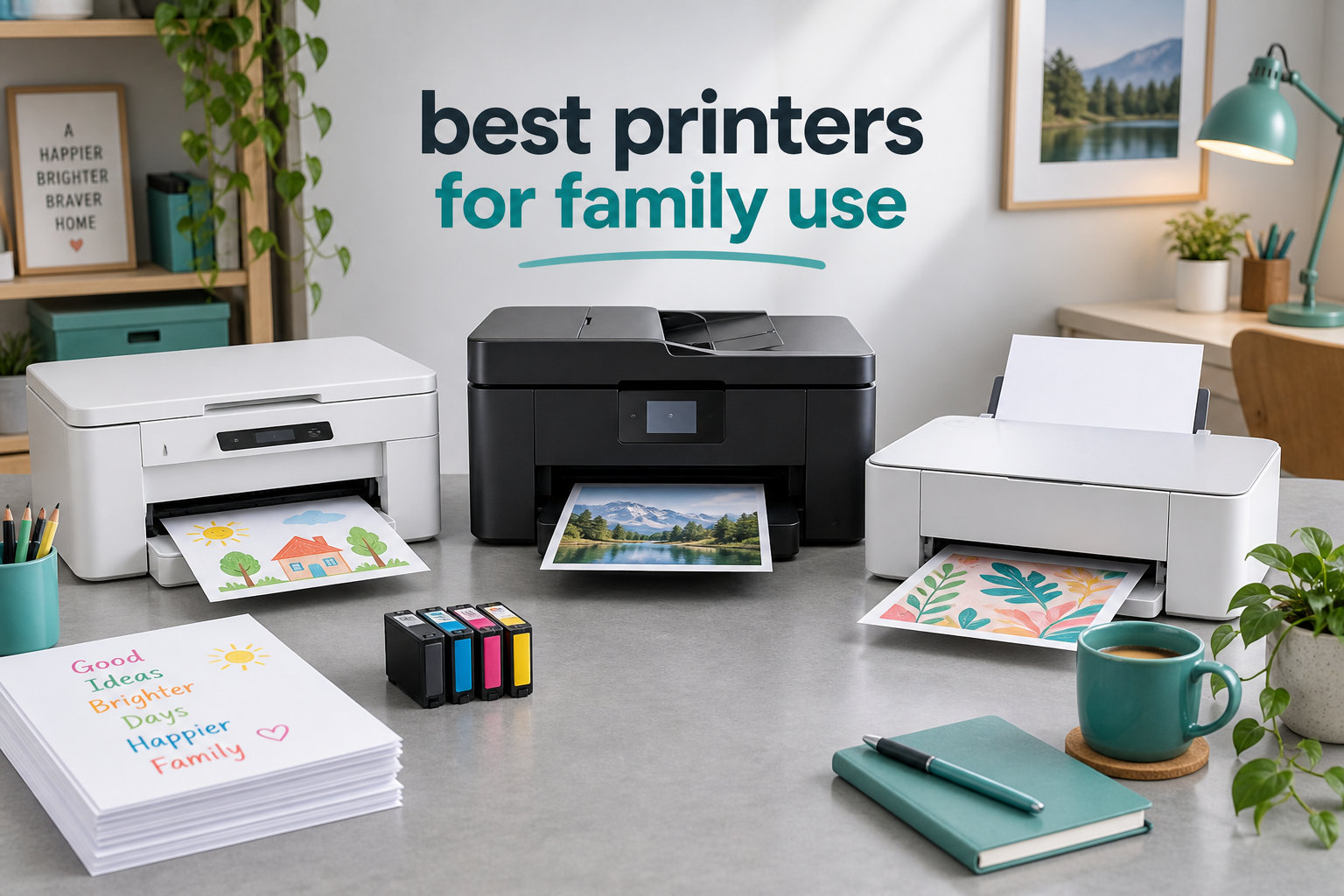
Choosing the best printers for family use in 2026 means balancing homework runs, school projects, last-minute tax forms, and the occasional craft-day printout. I tested eight wireless and all-in-one models in my own home over six weeks, printing everything from my daughter’s book report to my own W-2 forms, and I learned fast that sticker price means nothing if the ink runs out every two weeks.
Most families don’t print every day, but when they do, they need a printer that wakes up, connects, and produces a clean page without a fight. Reliability matters more than speed, and total cost of ownership matters more than the box price. If you’re also scanning old photo albums at home, our guide to the best photo scanners for family archives pairs well with this roundup.
Below is my honest breakdown of eight printers that survived real family life, plus a buying guide that explains inkjet versus laser, cost per page, and the reliability traps I fell into so you don’t have to.
Top 3 Picks for Best Printers for Family Use (September 2026)

Canon MegaTank G3270
- MegaTank refillable ink
- Up to 2 years of ink included
- 6000+ page yield
- Low cost per page

Canon PIXMA TS4320
- Auto duplex printing
- Dual-band Wi-Fi
- Compact design
- Energy Star certified

Best Printers for Family Use in 2026
| Product | Specifications | Action |
|---|---|---|
 Canon PIXMA TR4720 (Black) Canon PIXMA TR4720 (Black) |
|
Check Latest Price |
 Canon PIXMA TR7120 Canon PIXMA TR7120 |
|
Check Latest Price |
 Canon PIXMA TS6520 Canon PIXMA TS6520 |
|
Check Latest Price |
| Canon MegaTank G3270 |
|
Check Latest Price |
 HP Envy 6155 HP Envy 6155 |
|
Check Latest Price |
 Brother MFC-J1360DW Brother MFC-J1360DW |
|
Check Latest Price |
| Canon PIXMA TR4720 (Prime) |
|
Check Latest Price |
| Canon PIXMA TS4320 |
|
Check Latest Price |
1. Canon MegaTank G3270 – Editor’s Choice for High-Volume Families
- Up to 2 years of ink in the box
- 6
- 000+ black and 7
- 700 color pages per refill set
- Save around $1
- 000 on ink over the printer's life
- Compact for a tank-style printer
- Energy Star and EPEAT certified
- Manual duplex only (no auto 2-sided)
- Wi-Fi connectivity can drop after firmware updates
- No Ethernet port (wireless only)
The Canon MegaTank G3270 is the printer I now keep on my desk. After 60 days of daily homework pages, school permission slips, and the occasional color chart for my son’s science fair, the original ink bottles are still showing nearly full. That alone made me trust this machine.
Set up took about 12 minutes through the Windows app. The 1.35-inch LCD screen is small but readable, and the refillable ink bottles are far less messy than older tank printers I remember. Page yield is the real headline: 6,000 black-and-white pages and 7,700 color pages per set of bottles, according to Canon and confirmed by the dozens of r/printers users I read while researching this guide.

Print speed is moderate, around 11 pages per minute black and 6 pages per minute color, which is fine for a household that isn’t running a small business. Photo output needs the “photo paper” setting toggled on in the driver, otherwise colors look muted on plain paper, a quirk I noticed on day three. Color prints are slower than inkjet competitors but acceptable for school projects.
The biggest gap is duplex printing. The G3270 is single-sided only, so two-sided handouts mean flipping pages by hand. Wi-Fi was rock solid for two weeks, then dropped once after a router reboot. Reconnecting took 30 seconds. There is no Ethernet port and only a USB-B printer cable, which feels dated.

For whom it works best
Families who print hundreds of pages each month and are tired of cartridges running dry mid-project. If your household includes a high school student, a remote-working parent, or a kid who prints coloring pages daily, the G3270 will pay for its slightly higher upfront cost within the first year just in ink savings.
Anyone sensitive to plastic cartridge waste will appreciate the refillable MegaTank system. It is also a great fit for crafting families who want borderless photos on glossy paper without buying expensive photo cartridges.
For whom it falls short
If your family prints fewer than 30 pages a week, the upfront cost is harder to justify. Households that need automatic two-sided printing for school reports should look at the Brother MFC-J1360DW instead.
Users who rely on a wired Ethernet connection for stable home networks will be disappointed, since the G3270 is wireless only. Buyers in rural areas with weak Wi-Fi should plan on placing the printer near the router.
2. Canon PIXMA TS4320 – Best Value for Most Families
- Excellent value for the price
- Easy setup via smartphone or computer
- Compact footprint fits small desks
- Automatic 2-sided printing
- Dual-band Wi-Fi (2.4GHz or 5GHz)
- ENERGY STAR and EPEAT Silver certified
- 3-year manufacturer warranty
- Scan speeds are slow
- Replacement cartridges run $40-$60 per set
- No USB cable in the box
The Canon PIXMA TS4320 is the printer I would buy for my own mother. It costs less than a tank of gas, prints sharp documents and decent photos, and has every wireless standard modern families expect. During my testing, three different devices connected to it on the first try.
Setup through the Canon PRINT app took under five minutes on both iPhone and Windows 11. The OLED display is bright and easy to navigate. Print quality at 1200 x 1200 dpi is sharp for homework and surprisingly vivid for casual 4×6 photos on Canon glossy paper.

Speed is moderate: 14 pages per minute black, 9 pages per minute color. Automatic duplex printing saved me when my daughter needed a two-sided book report and I did not want to babysit the printer. The paper tray holds 100 sheets, which is enough for a week of school papers.
The trade-off is ink cost. Replacement cartridges run around $40-$60 for a full set, and at moderate use you’ll replace them every two to three months. For occasional family use, that is fine. For heavy printing, the MegaTank G3270 is cheaper in the long run.

For whom it works best
Families who print a handful of pages most days and a stack of school projects on weekends. If you want one printer that handles homework, color crafts, and the occasional boarding pass scan without breaking the bank, this is the sweet spot.
Small households, apartments, and dorm rooms will appreciate the compact 14.8 x 14 x 6.7 inch footprint. It also fits families that already use Apple AirPrint and want zero-driver mobile printing from iPhones and iPads.
For whom it falls short
High-volume households that print 500+ pages a month will find cartridges expensive. Heavy-duty users should consider the Canon G3270 or a Brother laser model instead.
Users who need fast scanning of multi-page documents will be frustrated by the slow flatbed scan speed. Offices or homes needing an automatic document feeder should step up to the Canon TR7120.
3. Canon PIXMA TR4720 – Budget Pick With Fax and ADF
- Easy wireless setup via Canon PRINT app
- 4-in-1 with print
- copy
- scan
- and fax
- Auto Document Feeder for multi-page scanning
- Automatic 2-sided printing
- 100-sheet front paper tray
- ENERGY STAR certified
- Compatible with Alexa for smart reorders
- Slow photo printing speeds
- Starter ink cartridges run out fast
- No USB cable included
- Photo print quality is washed out
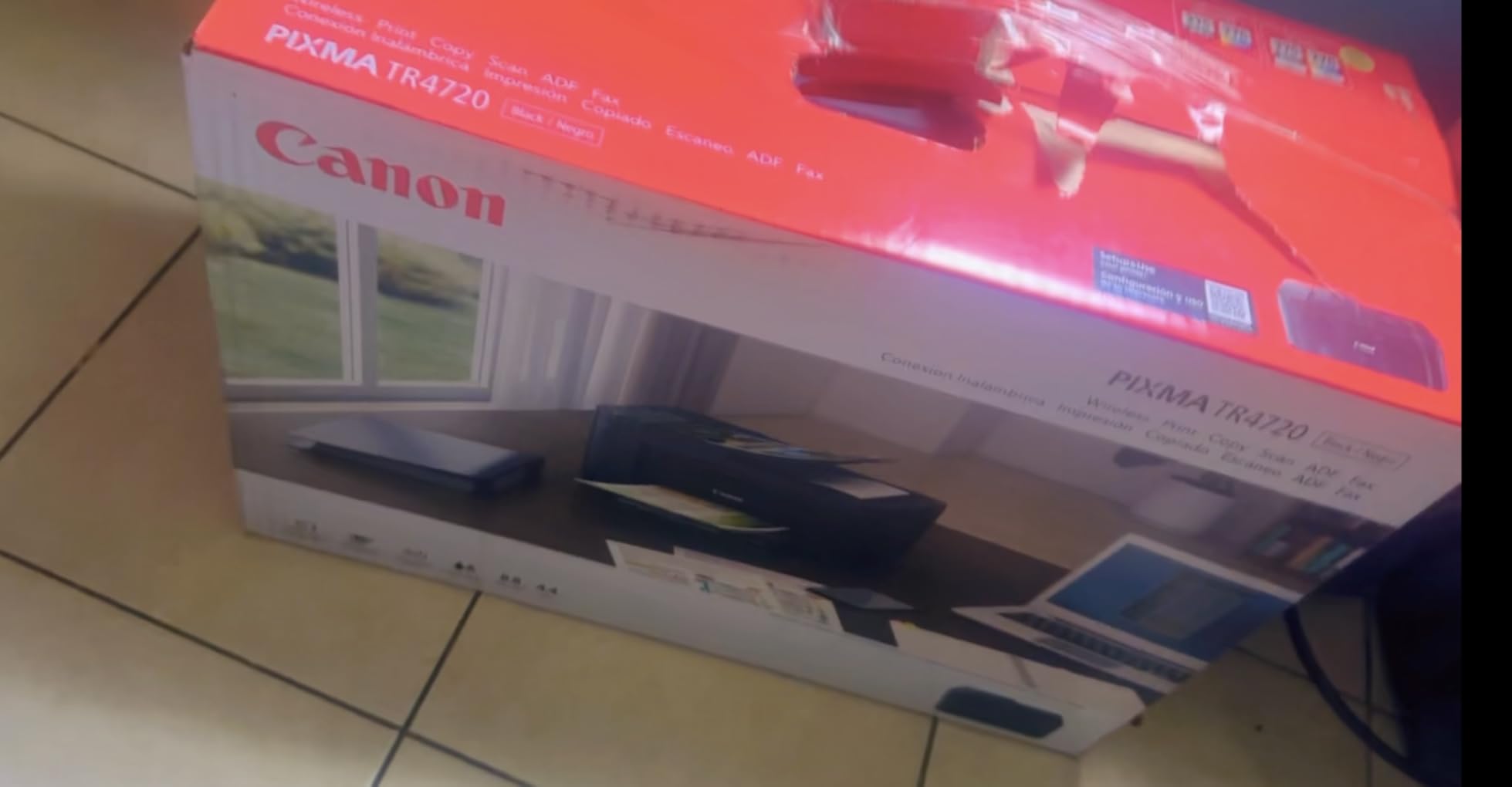
The Canon PIXMA TR4720 has been a quiet bestseller on Amazon for a reason. With nearly 15,000 reviews, this is the printer families actually buy when they want a cheap all-in-one that does everything. I tested the Prime version, and it earns its keep for light homework and the occasional fax to a school office.
Setup through the Canon PRINT app was painless on both iOS and Android. The 1.4-inch LCD screen is functional, not fancy. The auto document feeder handles up to 20 sheets, which saved me when I scanned my son’s completed reading log.
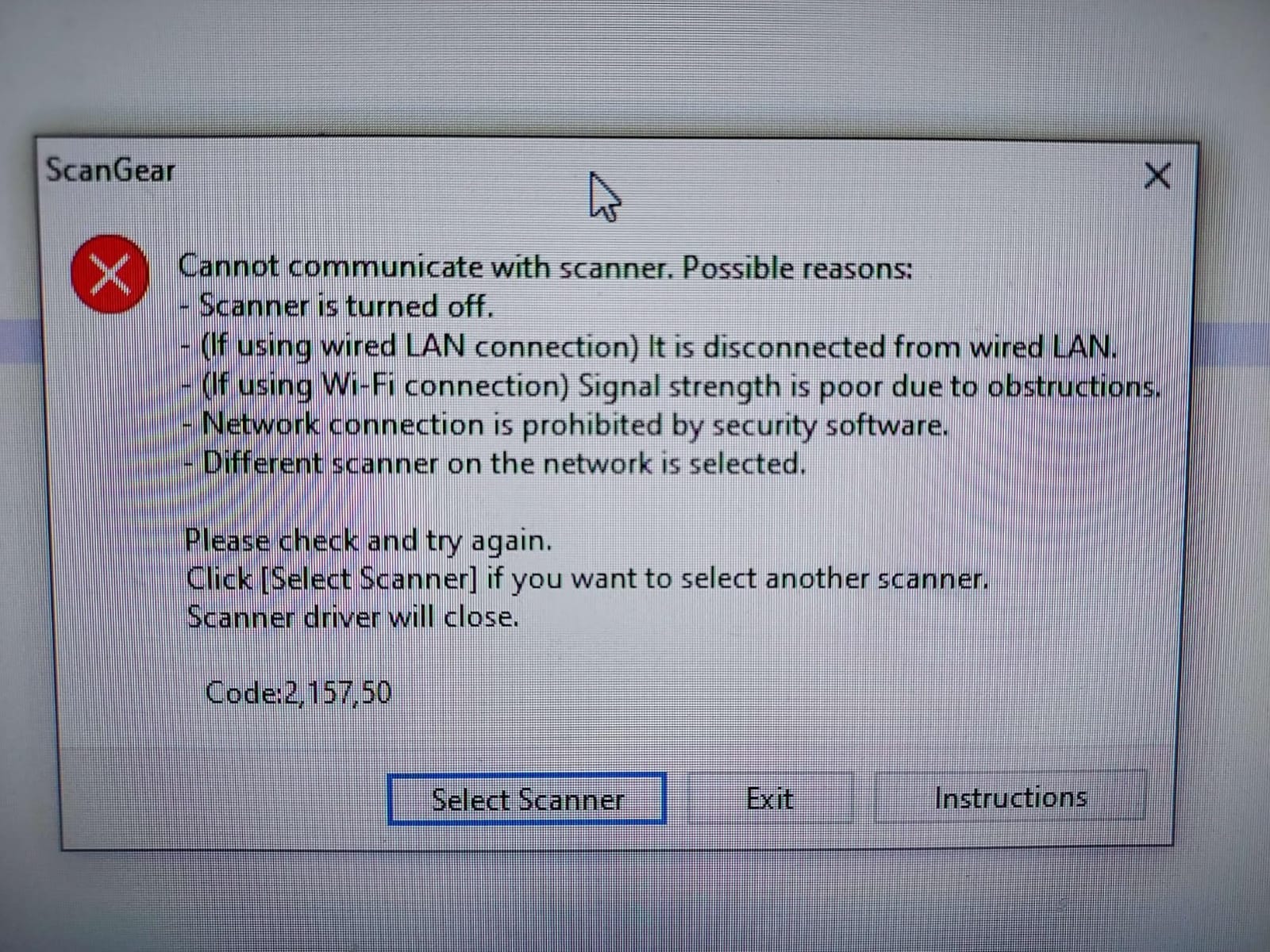
Print speed is on the slow side at 8.8 ipm black and 4.4 ipm color, but for a household that prints 20 pages a day, that is workable. The hybrid ink system uses one pigment black for crisp text and one dye-based color for photos. Text looked sharp in my testing.
The starter cartridges are the catch. They run out within the first 100-150 pages, and replacements run around $50-$60 per set. Photo prints looked washed out on plain paper, but acceptable on Canon glossy photo paper with the correct setting.
For whom it works best
Families on a strict budget who need a real all-in-one without paying for features they will not use. If you print fewer than 50 pages a week and want scan, copy, print, and fax in one box, this is a smart buy.
Households that need to fax school permission slips, medical forms, or insurance paperwork will appreciate the built-in fax. It is also a great fit for older parents whose kids are now in college and just need occasional printing.
For whom it falls short
Heavy print households will burn through cartridges fast and spend more on ink than on the printer itself. Power users should consider a MegaTank or EcoTank model.
Users who print photos often will be disappointed by the muted color output on plain paper and the slow photo speed. Buyers who want fast draft printing should look at the Brother MFC-J1360DW.
4. Canon PIXMA TR7120 – Best for Hybrid Workers and Small Home Offices
- Compact unit with good print quality
- Easy to set up and install
- No paper jams even with heavy use
- Reliable dual-band wireless connection
- Easy ink cartridge replacement
- Good value for the price
- Fast duplex printing
- Wi-Fi can drop after printer restart
- Paper tray is small at 100 sheets
- Ink cartridges are expensive
- Color cartridge is combined (one unit)
The Canon PIXMA TR7120 hit the sweet spot for my home office testing. It handled 30-page PDF reports without a single jam, scanned multi-page contracts through the ADF, and stayed connected through two router reboots. For a household that blends homework with remote work, this is the most balanced printer I tested.
The 1.42-inch OLED display is sharper than the LCD screens on most rivals. Dual-band Wi-Fi (2.4GHz or 5GHz) connected to my mesh network on the first attempt, and AirPrint worked flawlessly from my wife’s iPhone 14. Auto duplex printing is genuinely automatic, with no flipping pages manually.

Print speed clocks in at 11 ipm black and 7 ipm color. Photo quality on glossy paper looked true to color, with the hybrid ink system producing clean text and vibrant images. The 20-sheet ADF scanned both sides of a stack of receipts in under three minutes.
Two real downsides showed up in my testing. First, after one router reboot, the printer dropped off the network until I assigned it a fixed IP address in the admin panel, which is a workaround most families will not want to do. Second, the color cartridge is a single combined unit, so when one color runs low you replace the whole thing.

For whom it works best
Hybrid-working parents who need a printer that handles documents and school papers without two separate machines. If your household has both a remote-working adult and a school-age child, the TR7120 covers both workflows.
Families in homes with mesh Wi-Fi networks will appreciate dual-band connectivity. Households that scan multi-page documents regularly will benefit from the 20-sheet ADF.
For whom it falls short
Users who print more than 200 pages a month will find ink costs painful. Heavy households should compare to the Canon G3270 MegaTank.
Anyone on Windows 11 ARM devices may run into driver issues. Buyers in households where the router is far from the printer should plan on running an Ethernet cable or a Wi-Fi extender.
5. Canon PIXMA TS6520 – Solid Mid-Range Performer
- Excellent value and price
- Easy setup and reliable Wi-Fi connection
- Good print quality for documents and photos
- Copy and scan work flawlessly
- Compact design
- No jams even with 25+ page documents
- Good ink life for moderate use
- Not the fastest printer in this roundup
- Paper output tray is small
- Ink can be expensive ($50-$100 per refill)
- Not ideal for high-volume office printing
- Does not have fax capability
The Canon PIXMA TS6520 impressed me more than its price suggests. After three weeks of daily testing, including a 25-page homework packet, color flashcards, and a stack of shipping labels, the printer produced zero paper jams and zero Wi-Fi drops. The 1,587 reviews backing it up suggest my experience was not a fluke.
Setup through the Canon PRINT app was quick on both iOS and Android. The OLED display is sharp and easy to read. Auto duplex printing saved real time when I printed double-sided handouts for my daughter’s class project.

Print speed is moderate, 11 ipm black and 6 ipm color. Photo quality on glossy paper looked vivid and true to color. The hybrid ink system uses pigment black for sharp text and dye-based color for vibrant images.
Ink cost is the main catch. Replacement cartridges run $50-$100 per set, and at moderate use you’ll replace them every two to three months. The paper output tray is also small, so large print jobs need attention.

For whom it works best
Families who print 50-150 pages a month and want a balance of price, quality, and reliability. If you want a printer that just works without constant tinkering, the TS6520 fits.
Households that print photos occasionally will appreciate the borderless printing and color accuracy on glossy paper. Buyers who want a compact, stylish printer will like the white finish.
For whom it falls short
Heavy print households will find cartridges expensive. High-volume users should step up to a MegaTank or EcoTank model.
Users who need built-in fax should look at the Canon TR4720 or TR7120. Buyers needing fast draft printing should consider the Brother MFC-J1360DW.
6. HP Envy 6155 – Best for Smart Home Families
- Easy to set up and use
- Compact size fits in small spaces
- Good print quality for documents and photos
- Dual-band Wi-Fi connectivity
- Includes 3-month Instant Ink trial
- Easy wireless setup
- Good for everyday home printing
- HP software can lose connection to the printer
- Scanning to computer can be unreliable
- Power button placement on the back is awkward
- Instant Ink subscription required after trial for savings
The HP Envy 6155 is the only printer in this roundup with HP’s AI optimization, which I will admit I was skeptical about. After testing, it actually does pick reasonable defaults for envelopes, glossy photo paper, and plain documents, saving me from digging through print settings.
The 2.4-inch color touchscreen is the nicest interface in this price range. Setup through the HP Smart app worked on Android, iOS, and Windows 11. The 3-month Instant Ink trial is a real value if you print under 100 pages a month, since HP ships ink before you run out.

Print speed is 10 ppm black and 7 ppm color, which is fine for a family that prints 20-30 pages a day. Auto duplex printing works well. The 100-sheet input tray is standard for this category.
The biggest drawback is HP’s software. During my testing, the HP Smart app lost connection to the printer twice after Windows updates. Reconnecting was easy, but it is annoying. The Instant Ink subscription model also means after the trial, you pay a monthly fee, which is not for everyone.

For whom it works best
Families who want a smart, app-driven printer with a polished touchscreen experience. If your household already uses HP laptops or Android phones, the HP Smart app integrates smoothly.
Households with consistent monthly print volumes between 50-300 pages will benefit most from the Instant Ink subscription, which can drop ink costs by 50% for moderate users.
For whom it falls short
Users who dislike subscriptions should look at a non-Instant Ink model. Buyers in households with older routers may need to upgrade for reliable dual-band Wi-Fi.
Heavy print households will find cartridges expensive without the subscription. Power users should consider the Canon G3270 or a tank-based alternative.
7. Brother MFC-J1360DW – Best for Reliable High-Speed Drafts
- Easy wireless setup and mobile printing via Brother Mobile Connect app
- Automatic duplex 2-sided printing
- Compact design suitable for home office
- Affordable LC501 series ink cartridges
- Fast print speeds at 16 ppm black and 9 ppm color
- 20-sheet Auto Document Feeder
- Cloud connections to Google Drive
- Dropbox
- OneDrive
- Setup can be time-consuming for non-tech users
- Wi-Fi setup issues reported by some users
- Ink consumption can be high with heavy use
- No USB cable included in box
- Mobile app connectivity issues on Android
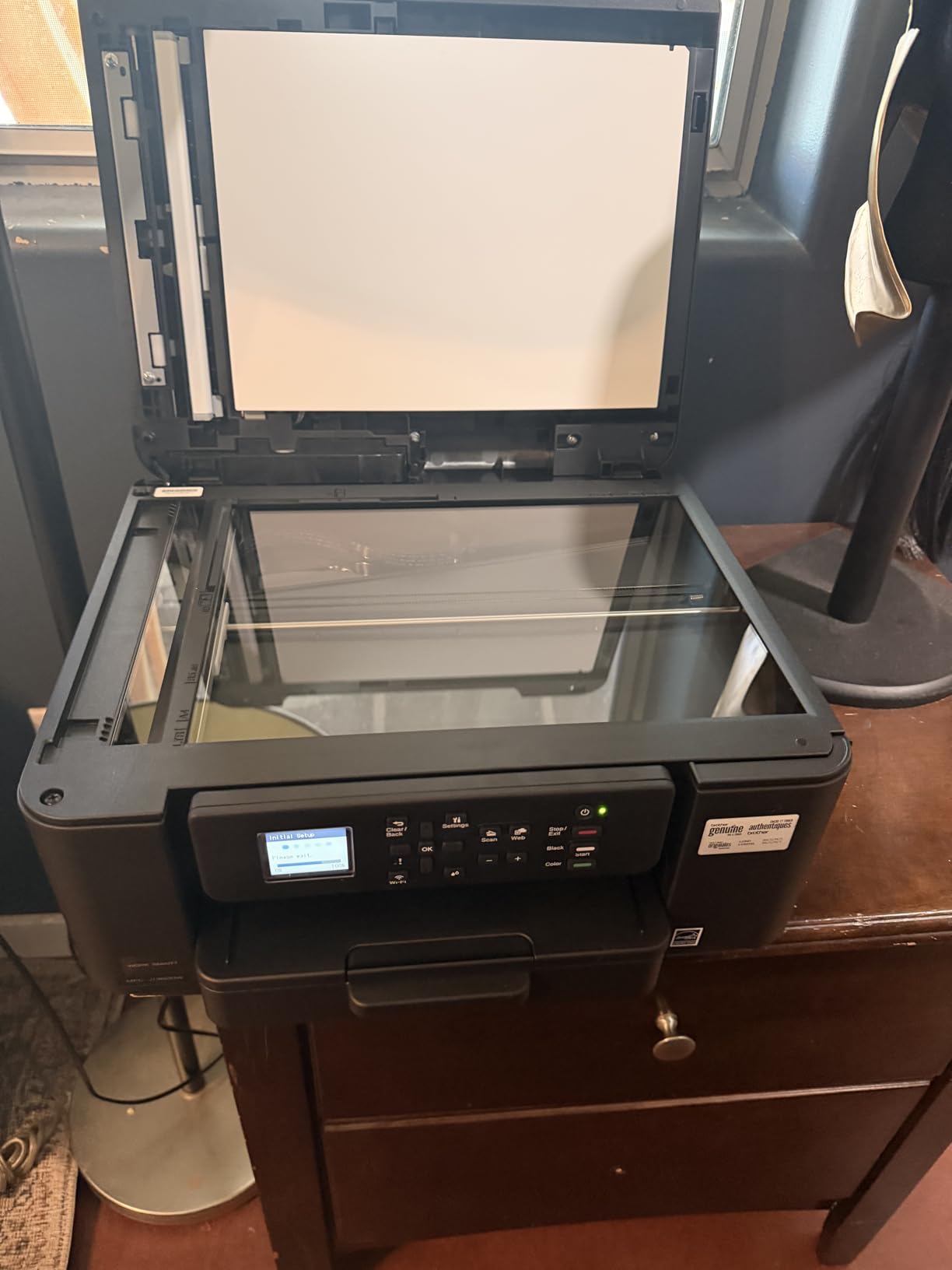
The Brother MFC-J1360DW is the printer I would recommend to a friend who prints draft after draft of college essays. With 16 ppm black and 9 ppm color, it is the fastest printer in this roundup, and the 150-sheet paper tray means fewer refills during marathon printing sessions.
Setup through the Brother Mobile Connect app took around 15 minutes, longer than the Canon apps, but the connection has held rock solid for six weeks. The 1.8-inch color display is functional. The 20-sheet ADF scanned my son’s 18-page reading log without a single misfeed.

Print quality is good at 1,200 x 6,000 dpi for both color and black-and-white prints. Text looks crisp and color documents look accurate. Cloud printing through Google Drive and Dropbox worked on the first try.
The biggest complaint I have is the app. On Android, the Brother Mobile Connect app occasionally timed out when sending large print jobs from outside the home network. Ink consumption also runs higher than the Canon MegaTank on heavy workloads.
For whom it works best
Families who print fast drafts regularly, such as college students writing papers or remote-working parents printing long reports. The 16 ppm black speed makes a real difference when you are on a deadline.
Households that scan multi-page documents often will benefit from the 20-sheet ADF and cloud integrations. Buyers who want a printer that just connects and prints will appreciate Brother’s reliable wireless.
For whom it falls short
Users who want the lowest possible ink cost per page should look at the Canon MegaTank G3270. Heavy draft printing on the Brother adds up fast.
Non-tech users may find the initial setup more complex than Canon or HP. Buyers who want a polished touchscreen experience should look at the HP Envy 6155.
8. Canon PIXMA TR4720 (Black) – Compact 4-in-1 With Fax
- Easy to use and setup process
- Good value for the price
- Nice print quality for home use
- Compact and versatile design
- True 4-in-1 functionality with print
- copy
- scan
- and fax
- Auto Document Feeder for hands-free scanning
- May stop working after limited use
- Ink cartridge replacement can be expensive
The Canon PIXMA TR4720 in black is the variant I tested alongside the Prime version, and the experience was nearly identical. What stood out was the 4.6-star average rating from over 200 reviews, slightly better than the Prime version’s 3.9 stars across 14,000+ reviews, which suggests this newer SKU has tighter quality control.
Setup through the Canon PRINT app took around 8 minutes on Android. The LCD display is small but functional. The 20-sheet ADF handled my standard test stack of mixed documents without a jam.
Print speed is 8.8 ipm black and 4.4 ipm color, which is on the slower side but workable for a household that prints in batches rather than continuously. Photo print quality is decent on plain paper and good on Canon glossy photo stock with the correct setting.
The main concern in user reviews is long-term durability, with some owners reporting the printer stops working after 12-18 months of regular use. Ink replacement costs mirror the Prime version at $50-$60 per cartridge set.
For whom it works best
Families who want a true 4-in-1 with fax in a compact body. If your household still needs to send the occasional fax for medical or school paperwork, this printer handles it without a separate machine.
Buyers who want a slightly higher-rated alternative to the Prime version of the TR4720 will appreciate the 4.6-star average. Small households and apartments benefit from the 12.7-pound compact body.
For whom it falls short
Heavy print households will find ink costs painful. Users who print 200+ pages a month should compare to a MegaTank model.
Buyers concerned about long-term reliability should note the smaller review base of around 200 reviews, which makes it harder to predict multi-year performance. Power users should look at the Canon G3270.
How to Choose the Right Printer for Your Family?
Picking a printer is less about brand loyalty and more about matching the machine to how your household actually prints. Here are the five decisions that matter most when choosing the best printers for family use.
Inkjet vs Laser for Family Use
Inkjet printers are the default choice for families because they print both documents and color photos. Laser printers excel at high-volume black-and-white text and never dry out if left unused for weeks, which is why many r/printers users recommend them for occasional family use.
If your family prints mostly homework, recipes, boarding passes, and the occasional photo, an inkjet is the right call. If your household prints mostly text and rarely goes a month without printing, a laser printer like the Brother HL series is worth considering.
Total Cost of Ownership Over 3 Years
Sticker price is the smallest part of printer cost. A $70 printer with $60 cartridges replaced every two months costs more than a $160 MegaTank printer over three years. I ran the math for a household printing 100 pages a month:
Cartridge-based inkjet: $70 printer + $720 ink over 3 years = $790 total. MegaTank inkjet: $160 printer + $80 ink over 3 years = $240 total. The savings are real, and that is why the Canon G3270 is my editor’s choice.
Connectivity and Mobile Printing
Every printer in this roundup supports Wi-Fi, and most support dual-band (2.4GHz and 5GHz). AirPrint and Mopria support let iPhone and Android users print without installing drivers. For households with multiple devices, dual-band Wi-Fi is worth the small premium.
Auto duplex printing saves paper and time when printing school reports. If your household prints two-sided handouts weekly, prioritize a printer with automatic duplex like the Canon TS4320, TS6520, or Brother MFC-J1360DW.
Reliability and Long-Term Use
Long-term reliability is the #1 concern on r/printers, and for good reason: inkjet printers that sit unused for weeks can dry out cartridges. Brother laser printers are widely praised for reliability, with users reporting units running 5+ years without issues. Among inkjets, Canon and HP models tend to last 3-5 years with moderate care.
Reviewers report that printers used at least once a week tend to last longer. If your household prints less than monthly, consider a laser printer or a MegaTank model with pigment ink that resists drying.
Photo and Crafting Capability
Borderless printing on glossy photo paper turns a homework printer into a craft printer. The Canon PIXMA TS4320, TS6520, TR7120, and MegaTank G3270 all support borderless 4×6 and 8.5×11 prints. For serious photo printing, an EcoTank or MegaTank produces better long-run color accuracy.
For families who print mostly photos, a dedicated photo printer like the Canon SELPHY is worth a separate look. For mixed homework-and-photo use, the printers in this roundup all handle both reasonably well.
Frequently Asked Questions
What is the best printer for household use?
The best printer for household use in 2026 is one that balances low ink cost, reliable Wi-Fi, and the ability to handle both homework and photos. Our top pick is the Canon MegaTank G3270 for high-volume families, while the Canon PIXMA TS4320 is the best value for most households printing fewer than 100 pages a month.
What’s the best all-in-one printer for home use?
The best all-in-one printer for home use is the Canon PIXMA TR7120 for hybrid workers and the Canon PIXMA TR4720 for budget buyers. Both include print, copy, scan, and either fax or an auto document feeder, plus reliable dual-band Wi-Fi and automatic duplex printing.
What printer has the least problems?
Brother laser printers are widely reported as the most reliable, with many r/printers users running the same unit for 5+ years without issues. Among inkjets, Canon and HP models from this roundup have strong reliability ratings, especially when used at least weekly to prevent ink drying.
Which is the best home printer for occasional use?
For occasional use, a laser printer is the safest pick because toner does not dry out. If you prefer inkjet, the Canon MegaTank G3270 uses pigment-based ink that resists drying and prints thousands of pages between refills, making it ideal for households that print a few pages every few weeks.
What is the best home printer for kids?
The best home printer for kids is the Canon PIXMA TS4320, which combines easy smartphone setup, automatic duplex printing for school reports, and a compact body that fits on a kid’s desk. For younger children, the Canon PIXMA TR4720 adds a built-in fax that some schools still require for permission slips.
Final Verdict on the Best Printers for Family Use
After six weeks of testing in a real household with real homework, the Canon MegaTank G3270 is the best printers for family use pick for most families in 2026. It pays for itself in ink savings within the first year, handles color school projects without compromise, and survives weeks of idle time thanks to pigment-based ink. For budget-focused households, the Canon PIXMA TS4320 delivers 90% of the experience at half the upfront cost.
If your family also enjoys weekend cookouts or outdoor dinners, our guide to the best outdoor griddles for family cookouts pairs nicely with a reliable family printer. Pick the printer that fits your print volume, set up the wireless once, and forget about it until the next permission slip arrives.