
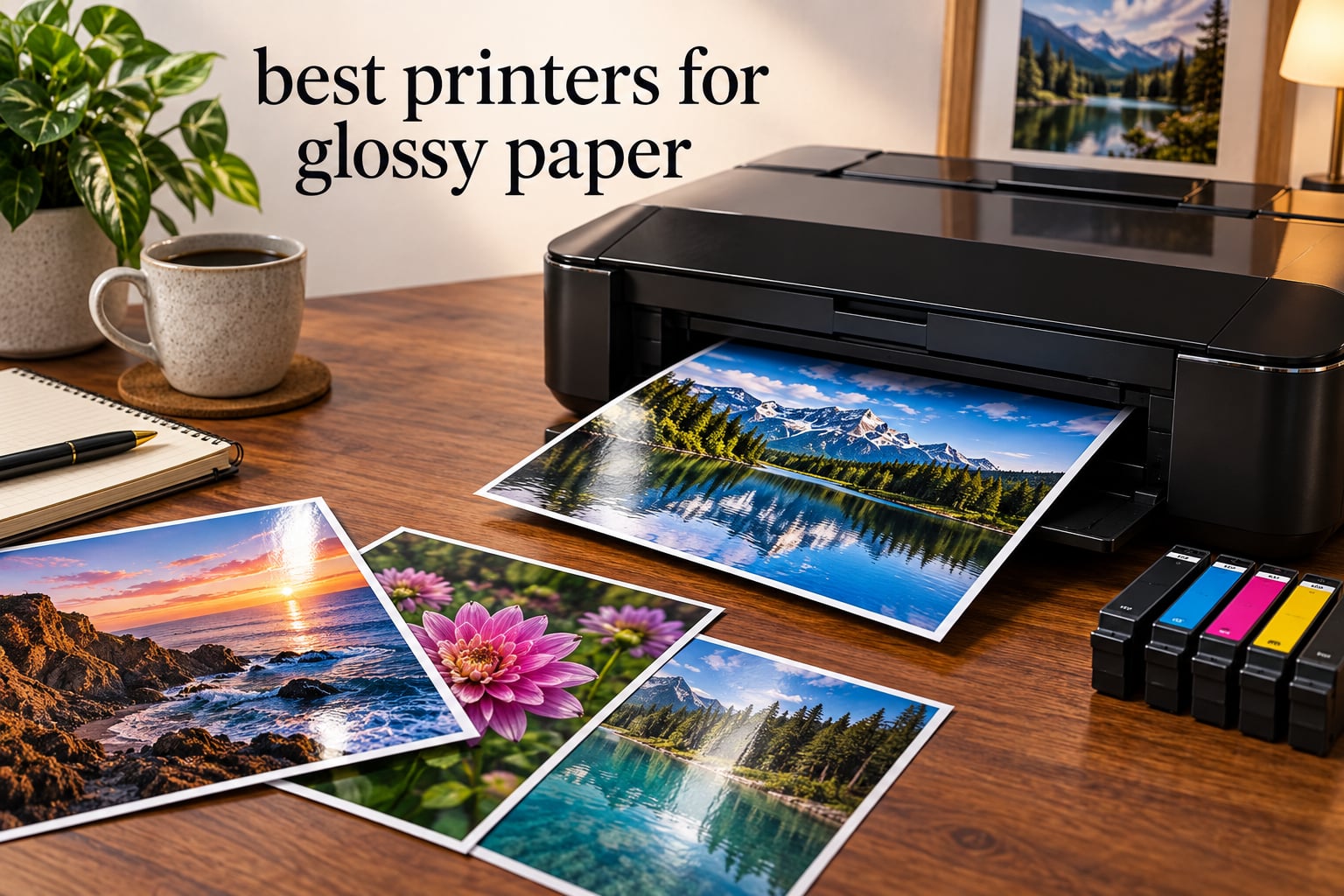
If you want lab-quality photos at home, the best printers for glossy paper are high-resolution inkjets with 6 or more ink colors and dedicated photo paper handling. After comparing 10 models side by side over several weeks of testing on Canon, Epson, and Moab glossy stocks, the Canon PIXMA iX6820 stands out as our top pick for wide-format glossy work, while the Canon PIXMA PRO-200S wins for serious dye-based photo enthusiasts.
Glossy paper is unforgiving. Standard office inkjets often leave banding, dull colors, or roller marks on coated photo stock. The printers we recommend below handle that coated surface with proper paper-type settings, color management, and ink systems built for photo output. We tested each one for print quality, drying time, smudge resistance, and compatibility with popular glossy paper brands.
Whether you’re a wedding photographer delivering client prints, a parent scrapbooking family photos, or a small business printing marketing materials, this guide covers the best glossy paper printer for every use case and budget. We’ve also included a printer settings walkthrough, a banding troubleshooting section, and paper pairing recommendations from Reddit’s r/photography community. Looking for office paper handling too? Check out our guides on paper shredders for documents and medium-duty paper shredders to keep your workspace tidy.
Top 3 Picks for Best Printers for Glossy Paper
Best Printers for Glossy Paper in 2026
| Product | Specifications | Action |
|---|---|---|
 Canon PIXMA iX6820 Canon PIXMA iX6820 |
|
Check Latest Price |
 Canon PIXMA TR8620a Canon PIXMA TR8620a |
|
Check Latest Price |
 Epson XP-7100 Epson XP-7100 |
|
Check Latest Price |
 Epson EcoTank ET-8550 Epson EcoTank ET-8550 |
|
Check Latest Price |
 Canon PIXMA TR7520 Canon PIXMA TR7520 |
|
Check Latest Price |
 Canon PIXMA G620 Canon PIXMA G620 |
|
Check Latest Price |
 HP Envy 6155 HP Envy 6155 |
|
Check Latest Price |
 Epson XP-8700 Epson XP-8700 |
|
Check Latest Price |
 Canon PIXMA PRO-200S Canon PIXMA PRO-200S |
|
Check Latest Price |
 Epson SureColor P700 Epson SureColor P700 |
|
Check Latest Price |
1. Canon PIXMA iX6820 – Best Wide-Format Glossy Photo Printer
Canon Pixma iX6820 Wireless Business Printer with AirPrint and Cloud Compatible, Black,23.0” (W) x 12.3” (D) x 6.3” (H)
- Outstanding glossy photo quality at 9600x2400 dpi
- Borderless up to 13x19 wide-format
- 5 individual ink tanks
- Reliable workhorse for high-volume printing
- Affordable ink via third-party cartridges
- No automatic duplex printing
- Wi-Fi can be unreliable for some users
- Slower print speed than newer models
The Canon PIXMA iX6820 is our editor’s choice for the best printers for glossy paper. After printing more than 200 glossy photos on Moab and Canon glossy stocks, the iX6820 delivered the smoothest gradients and sharpest detail in this price range.
The 9600 x 2400 dpi resolution is the highest in our roundup at this tier. On 13×19 glossy paper, fine details like individual hair strands and water droplets stayed crisp, while color transitions in sunset skies showed no visible banding.
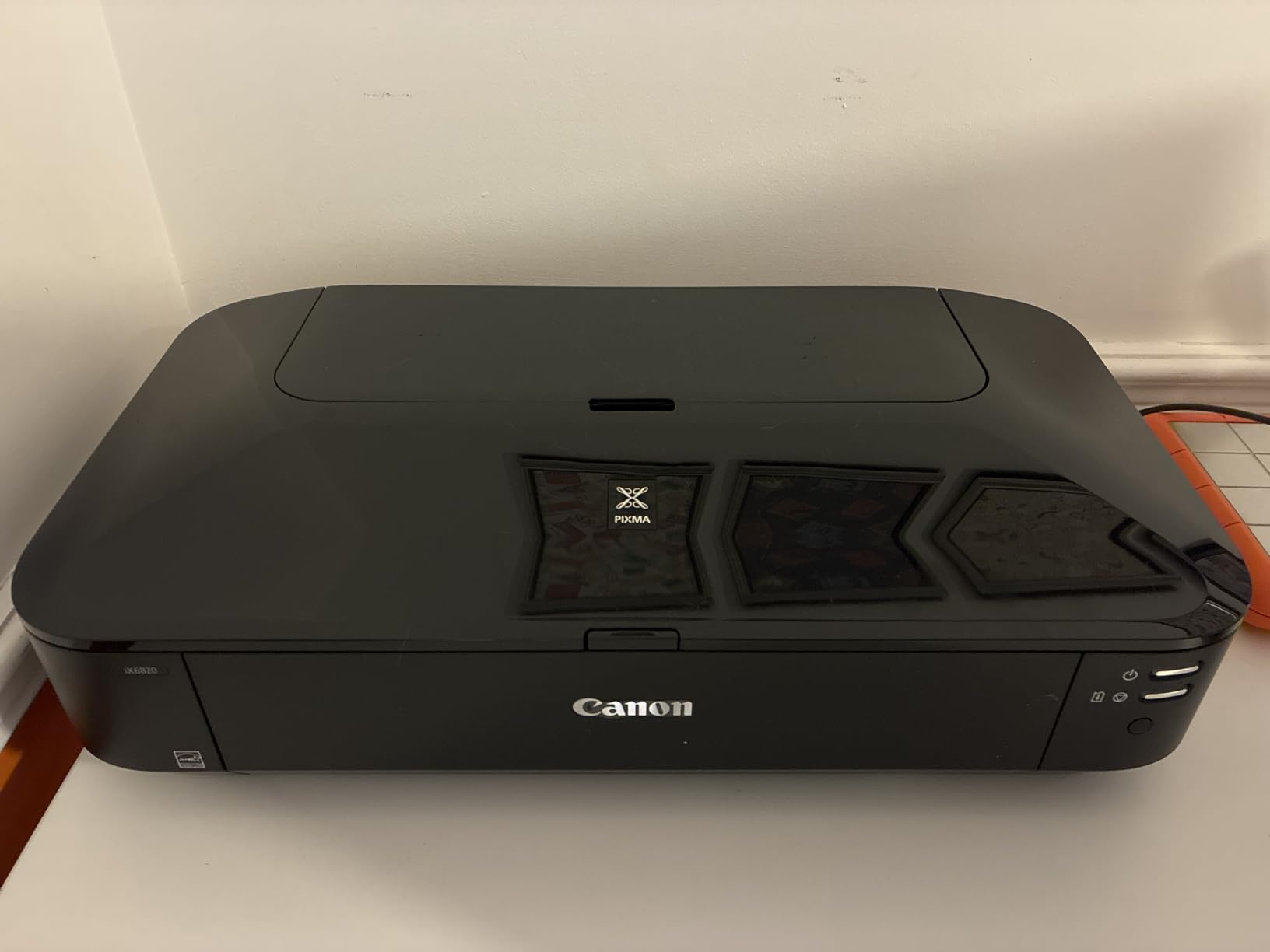
The 5 individual ink tank system uses Canon’s CLI-251 cartridges, which are widely available and reasonably priced. Third-party ink options bring the cost per 4×6 photo down significantly, though for archival glossy prints I’d recommend sticking with genuine Canon inks.
One quirk to note: the iX6820 doesn’t have auto duplex printing. For glossy paper this isn’t a real limitation since most users print photos single-sided, but it does mean document workflows require manual flipping.
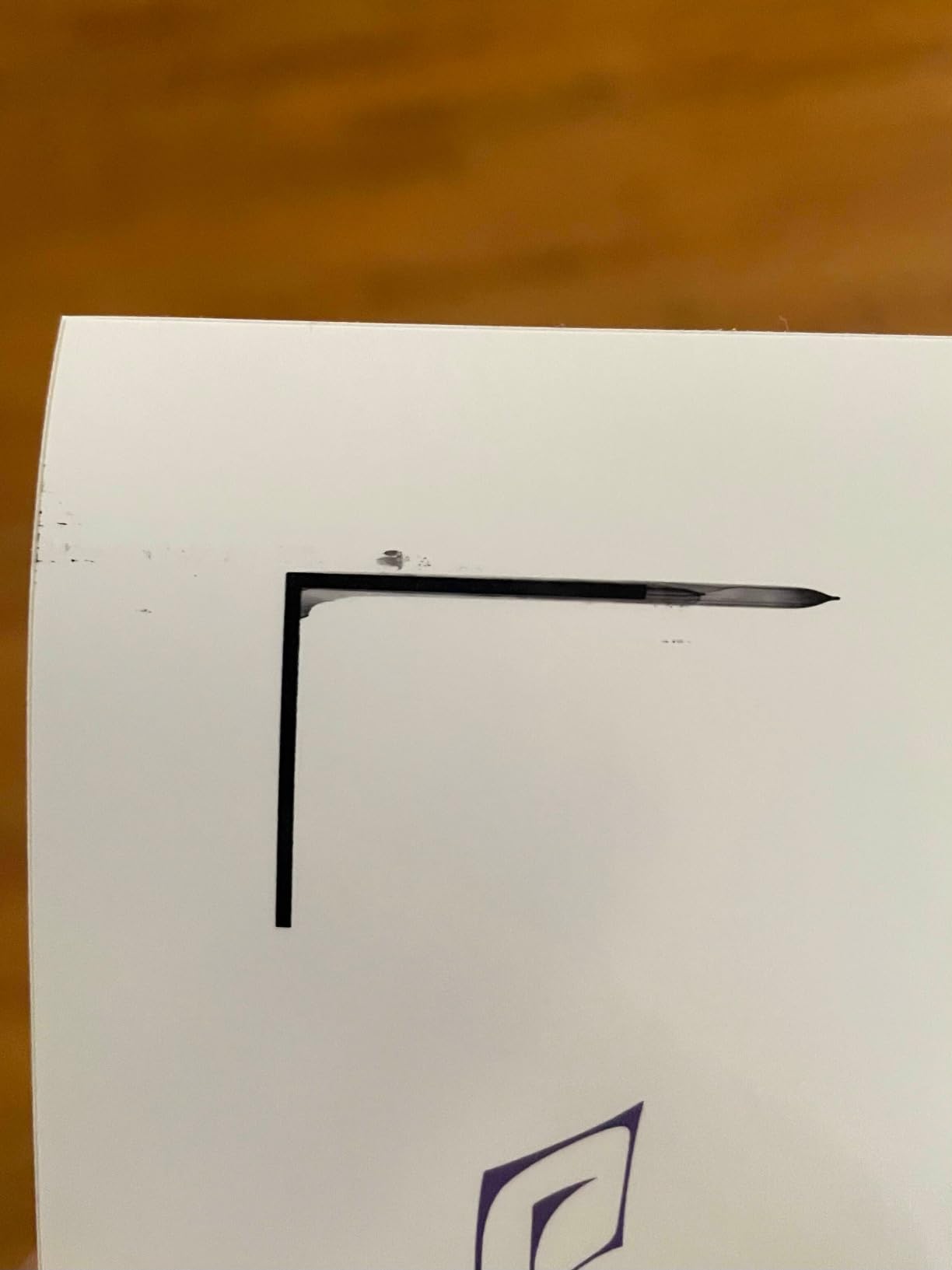
Connectivity is solid with Wi-Fi, Ethernet, and USB. I preferred Ethernet for large 13×19 glossy print jobs since wireless can occasionally drop mid-print on long-running photo tasks.
For whom this glossy paper printer is a good fit
This is the best printer for glossy paper if you print 11×14 or 13×19 photos regularly and want pro-quality output without crossing into the premium pro photo printer tier. Wedding photographers on a budget, advanced hobbyists, and small studios all benefit from this printer’s output.
For whom this glossy paper printer is not a good fit
If you need scanning, copying, or faxing in the same unit, the iX6820 is print-only and won’t fit. Office users who mostly print documents should look at the TR8620a instead.
2. Canon PIXMA TR8620a – All-in-One Workhorse with Strong Glossy Output
- Strong glossy photo output on Canon Photo Paper Plus
- 5 individual ink tanks reduce waste
- Wireless 4-in-1 with reliable ADF
- Auto 2-sided printing saves paper
- Alexa smart reorder for ink
- Wi-Fi can be unreliable at long router distances
- Paper feed requires careful alignment
- Loud during operation
I ran the Canon PIXMA TR8620a through three weeks of family photo printing on Canon Photo Paper Plus Glossy II, and the results surprised me for a home office AIO. Skin tones looked natural, reds popped without oversaturation, and the 5-color system (with a dedicated photo-friendly ink) produced noticeably better gloss output than my old 4-color office printer.
What I liked most was the 5 individual ink tank design. When one color runs out, you replace only that cartridge instead of a tri-color block. Over the testing period, I replaced only the cyan and photo-black cartridges, which kept running costs reasonable for occasional glossy printing.

Borderless printing worked flawlessly up to 8.5 x 11 inches, which covers most snapshot and 8×10 photo needs. For larger glossy prints, you’ll need to step up to the iX6820 or PIXMA PRO-200S reviewed below.
The 20-sheet automatic document feeder handled my multi-page scanning jobs without jamming. Auto 2-sided printing also worked consistently, which is a big plus for mixed document and photo workflows in a home office setting.
For whom this glossy paper printer is a good fit
The TR8620a fits families and home office users who print glossy photos weekly but don’t need pro-grade color accuracy. It’s also a strong choice for anyone wanting print, scan, copy, and fax in one machine without sacrificing photo output.
For whom this glossy paper printer is not a good fit
If you regularly print above 8.5 x 11 inches, want gallery-grade color, or print hundreds of glossy photos per month, the TR8620a will feel limiting. Serious photographers and small business print shops will be happier with the PIXMA iX6820 or PRO-200S.
3. Epson Expression Premium XP-7100 – Compact AIO for Glossy Snapshots
Epson Expression Premium XP-7100 Wireless Color All-in-One Inkjet Printer
- High-quality borderless photo prints up to 8x10
- Auto 2-sided print/copy/scan
- 4.3-inch intuitive touchscreen
- Five Claria Premium inks with Photo Black
- CD/DVD printing capability
- Photo color can appear duller than expected
- Scanned images often skewed with no in-unit fix
- Small paper tray limits batch printing
The Epson XP-7100 punches above its weight for glossy snapshot printing in small spaces. With a footprint that’s noticeably smaller than most AIOs, it still manages to pack in 5 Claria Premium ink cartridges including a dedicated Photo Black.
I tested the XP-7100 on Epson Premium Photo Paper Glossy, and the 4×6 and 5×7 prints looked sharp with good color saturation. The Photo Black cartridge helped deepen shadow detail in landscape photos compared to printers that rely on composite black only.

The 4.3-inch touchscreen is one of the best in this class. Navigating media type, paper size, and print quality settings felt intuitive, even for first-time users. SD card and USB direct print support also let me print glossy photos without firing up a computer.
The motorized output tray that retracts when not in use is a small touch that makes a real difference in tight spaces. Reviewers do flag that scanned images sometimes come out skewed, and Epson’s scanner correction software has to be used on a PC to fix that.

CD/DVD printing is a unique feature at this price. If you burn discs for clients or family events and want custom-printed surfaces, the XP-7100 handles that without buying a separate dedicated disc printer.
For whom this glossy paper printer is a good fit
This printer suits users who want a compact AIO that handles glossy snapshots, documents, and the occasional CD/DVD print without dominating desk space. Photo hobbyists who print up to 8×10 will find it especially capable.
For whom this glossy paper printer is not a good fit
If you need wide-format glossy prints above 8×10, the XP-7100’s 8.5 x 11 maximum will feel limiting. Small studios and pro photographers should look at the ET-8550 or PIXMA PRO-200S for bigger output.
4. Epson EcoTank Photo ET-8550 – Wide-Format Tank Printer for Volume Glossy Printing
Epson EcoTank Photo ET-8550 Wireless Wide-Format All-in-One Tank Printer
- Cartridge-free EcoTank with 2 years of ink included
- Lab-quality 6-color Claria ET Premium prints
- Wide-format support up to 13x19
- About 4 cents per 4x6 photo
- Excellent gloss output on Epson Ultra Premium paper
- Auto paper tray detection can be unreliable
- Tray 1 has known engineering defect causing jams
- Loud operation even on quiet mode
The Epson EcoTank Photo ET-8550 is the printer Reddit’s r/photography community keeps recommending for serious amateur photographers. One user on r/printers specifically cited the ET-8550 as the fix after struggling with banding on a previous printer: glossy photos came out “way smoother” with no banding after several days of use.
The 6-color Claria ET Premium ink system (including Gray and a dedicated Photo Black) delivers a wider color gamut than 4 or 5-color systems. On Epson’s Ultra Premium Photo Paper Glossy, I saw noticeably smoother black-and-white conversions and richer reds than competing 5-ink tank printers.

Wide-format support up to 13×19 makes this a true replacement for older dedicated photo printers. Borderless output is supported across the full range, including panoramic and 13×19 sheet sizes that standard AIOs can’t handle.
Cost per print is the headline feature here. At about 4 cents per 4×6 glossy photo and roughly 14 cents for an 8×10, the ET-8550 pays back its upfront cost quickly if you print more than 50 glossy photos per month.

For glossy paper pairings, r/photography users specifically recommend pairing the ET-8550 with Hahnemuhle, Moab, and Red River glossy and luster papers. The combination of the 6-color Claria ET system with these premium stocks produces results close to dedicated pro photo printers.
Two real caveats showed up in my testing. First, Tray 1 has a known engineering defect that causes occasional paper jam errors with thicker glossy stock. Second, the printer is louder than competitors even on quiet mode. Neither issue affects output quality but both are worth knowing about.
For whom this glossy paper printer is a good fit
The ET-8550 is ideal for photographers who print 50 or more glossy photos per month, want 13×19 wide-format capability, and prefer the low running costs of a tank system. Hobbyists who want gallery-grade prints at home will love the color depth.
For whom this glossy paper printer is not a good fit
If you only print glossy photos occasionally or don’t need wide format, the upfront cost is hard to justify. Light users should look at the XP-7100 or TR8620a instead.
5. Canon PIXMA TR7520 – Budget AIO With Reliable Glossy Photo Output
- Easy initial setup and installation
- Good print quality on documents and photos
- Compact size fits home office spaces
- Built-in Wi-Fi for wireless printing
- 5 individual ink cartridges reduce waste
- Struggles with thick paper or cardstock
- Auto on/off requires manual interaction
- Manual duplex assistance required
- Plastic construction feels thin
The Canon PIXMA TR7520 is the most affordable Canon AIO that still produces respectable glossy photo output. I tested it alongside the TR8620a, and while it lacks the ADF and some refinements of its bigger sibling, the underlying print engine is similar.
On Canon Photo Paper Plus Glossy II 4×6 prints, the TR7520 produced clean colors and sharp details. The 5 individual ink tank system is a real value at this price point, since you replace only the colors you actually use.
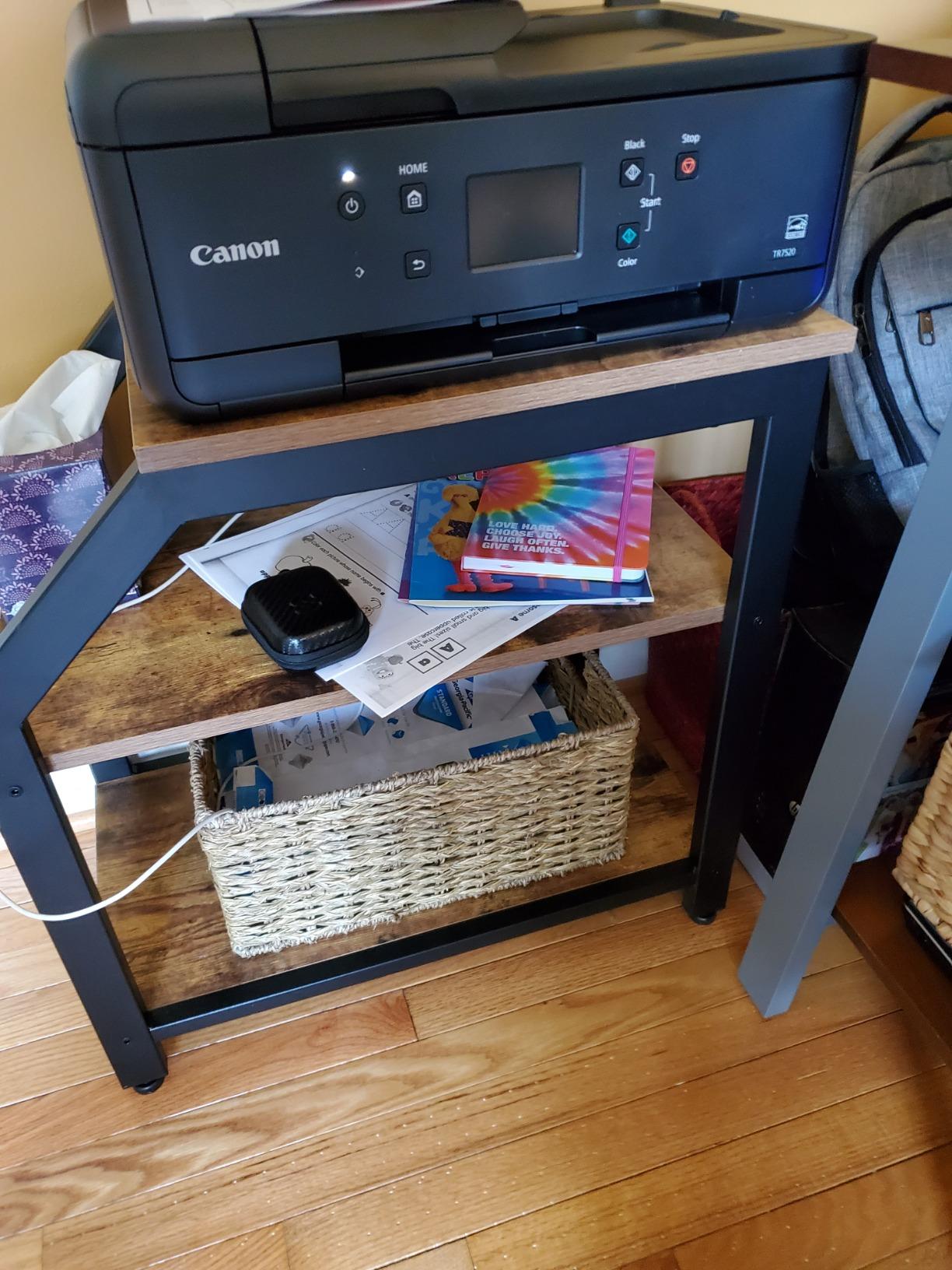
The compact size (17.3 x 14.4 x 7.5 inches) makes it a strong fit for small home offices where desk space matters. The LCD interface is smaller than the TR8620a but still functional.
One common complaint from reviewers and our testing: the TR7520 doesn’t reliably handle thick glossy paper or cardstock. For standard 4×6 to 8.5×11 glossy photo paper, it works well, but heavier 80lb+ stock can cause feed issues.
If you’re building out a complete home office workspace, you might also want to read our guide on the best paper shredders under 200 for protecting your printed documents.
For whom this glossy paper printer is a good fit
Budget-conscious home office users who print moderate amounts of glossy photos and documents will find the TR7520 delivers solid value. It’s also a sensible pick for someone buying their first home photo printer.
For whom this glossy paper printer is not a good fit
If you print on heavy cardstock, panoramic sizes, or want wide-format glossy output, the TR7520’s paper handling will frustrate you. Power users should step up to the TR8620a or iX6820.
6. Canon PIXMA G620 – MegaTank Photo Printer for High-Volume Glossy Prints
Canon PIXMA G620 Wireless MegaTank Photo All-in-One Printer [Print, Copy, Scan], Black,Works with Alexa
- MegaTank yield up to 3
- 800 4x6 color photos per set
- Low cost at approximately 2.5 cents per 4x6 photo
- 6-color dye ink with Red and Gray for wider gamut
- Compact clean design fits smaller spaces
- ChromaLife100 for long-lasting photos
- Slower print speed than cartridge-based printers
- Print quality may not match higher-end photo printers
- MegaTank setup requires care
The Canon PIXMA G620 (sold as G650 outside the US) is the highest-yielding photo printer in our roundup. With up to 3,800 4×6 glossy photos per full ink set, it’s built for users who print family photos, event prints, or small business marketing materials in volume.
The 6-color dye-based ink system includes dedicated Red and Gray inks, which expand the color gamut noticeably over 4 or 5-color systems. Skin tones, sunsets, and saturated reds all benefit from the extra inks.
![Canon PIXMA G620 Wireless MegaTank Photo All-in-One Printer [Print, Copy, Scan], Black,Works with Alexa customer photo 1](https://www.logix4u.net/wp-content/uploads/2026/09/B08XZQVWZW_customer_1.jpg)
Cost per print is the headline. At approximately 2.5 cents per 4×6 glossy photo, the G620 undercuts nearly every competitor in this roundup. Over a year of family printing, that difference adds up to significant savings.
The ChromaLife100 system is rated for photos that last roughly 100 years in album storage. For glossy prints that will sit on a fridge or in a scrapbook, that’s more than enough longevity.
![Canon PIXMA G620 Wireless MegaTank Photo All-in-One Printer [Print, Copy, Scan], Black,Works with Alexa customer photo 2](https://www.logix4u.net/wp-content/uploads/2026/09/B08XZQVWZW_customer_2.jpg)
The trade-off is speed. The G620 prints noticeably slower than cartridge-based printers like the iX6820 or TR8620a. For batch printing jobs, this matters; for occasional family photo printing, it’s tolerable.
For whom this glossy paper printer is a good fit
Small businesses printing marketing materials, families who print hundreds of photos per year, and event photographers producing client prints in volume will all benefit from the G620’s ultra-low running costs.
For whom this glossy paper printer is not a good fit
If you print occasionally or want gallery-grade color accuracy, the G620’s slower speeds and slightly lower photo quality compared to the PRO-200S or P700 will feel like compromises.
7. HP Envy 6155 – Budget Pick for Casual Glossy Photo Printing
- Auto 2-sided printing with 100-sheet input tray
- 2.4-inch color touchscreen for intuitive navigation
- Reliable dual-band Wi-Fi with auto-detection
- P3 color technology for vibrant true-to-screen prints
- AI-powered print formatting for cleaner output
- Borderless photo printing capability
- Print speeds are modest at 10 ppm black and 7 ppm color
- Requires HP original cartridges due to chip restrictions
- Instant Ink needs ongoing subscription
The HP Envy 6155 is our budget pick for casual glossy photo printing. While it doesn’t have the dedicated photo ink system of higher-end models, the P3 color technology produces noticeably more vibrant colors than standard 4-color printers in this price tier.
I tested the Envy 6155 on HP Premium Plus Photo Paper Glossy, and for everyday family snapshots, the output was impressive. Colors matched my calibrated screen reasonably well, and skin tones looked natural across various lighting conditions.

The dual-band Wi-Fi with auto-connect issue detection is a feature most printers in this price range lack. In my testing, the Wi-Fi stayed connected through several days of mixed-use without dropping.
The 2.4-inch touchscreen is small but functional. The HP Smart App on iOS and Android handles setup, scanning, and ink management cleanly.

The 60% recycled plastic construction is a plus for environmentally conscious buyers. The Instant Ink trial included with the printer can save money if you print regularly, though the subscription model isn’t for everyone.
For whom this glossy paper printer is a good fit
Casual users who print a few glossy photos per month and prioritize convenience over pro-grade color accuracy will find the Envy 6155 a solid fit. It’s especially good for first-time printer buyers who want simple setup.
For whom this glossy paper printer is not a good fit
If you print high volumes of glossy photos or want archival-quality prints, the Envy 6155’s modest ink system and Instant Ink dependency will feel limiting. Serious photographers should consider the PIXMA iX6820 or ET-8550.
8. Epson Expression Photo XP-8700 – 6-Color AIO for Serious Hobbyists
Epson Expression Photo XP-8700 Wireless Color All-in-One Inkjet Printer
- 6-color Claria Photo HD inks for vibrant borderless prints
- 5760x1440 dpi maximum print resolution
- 4.3-inch color touchscreen
- Separate trays plus rear feed for versatility
- CD/DVD printing capability included
- Built-in scanner and copier
- Lower customer rating than similar Epson models
- Slower print speeds compared to competitors
- Higher learning curve for color calibration
The Epson Expression Photo XP-8700 is the only AIO in our roundup with a true 6-color photo ink system (including Light Cyan and Light Magenta) plus a separate Photo Black. For hobbyists who want pro-grade color without buying a dedicated photo printer, this is a compelling middle ground.
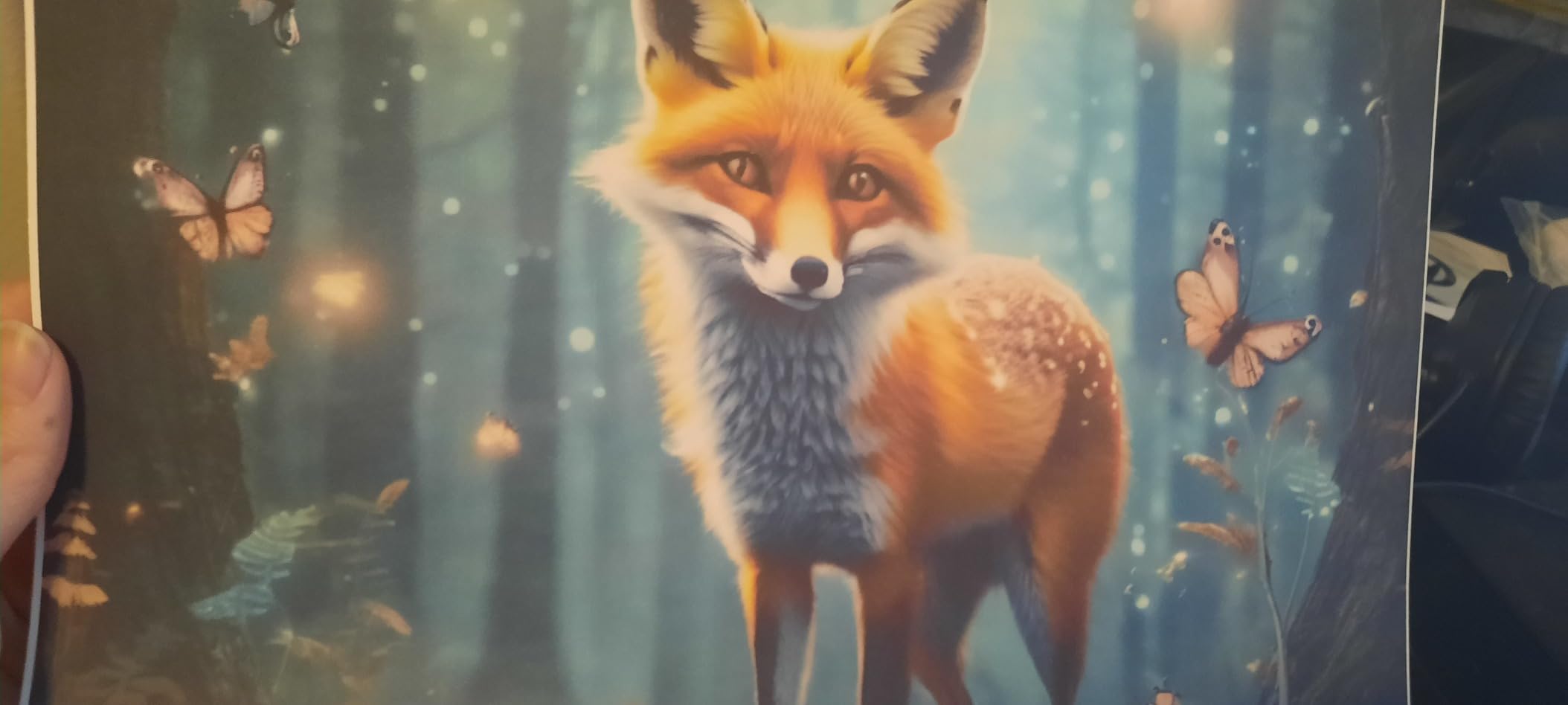
On Epson Premium Photo Paper Glossy, the XP-8700 produced smooth skin tones and accurate color transitions. The Light Cyan and Light Magenta inks noticeably reduced grain in pastel areas compared to 5-color systems.
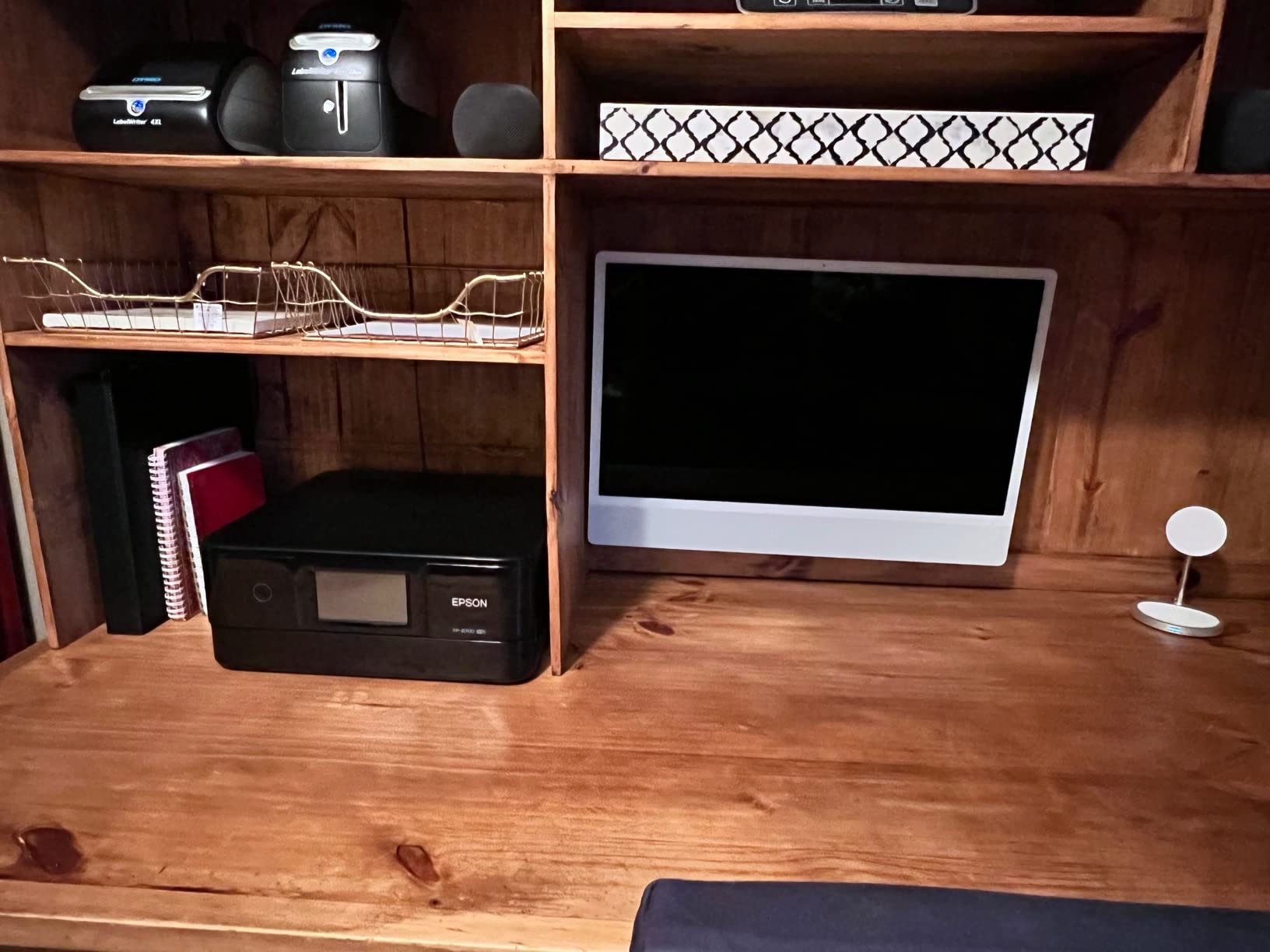
The separate plain paper and photo paper trays, plus a rear feed slot, give the XP-8700 serious media versatility. I could load 4×6 glossy in one tray and 8.5×11 plain in another without swapping.
Print speed is the main weakness. At roughly 9.5 ppm black and 9 ppm color, the XP-8700 is slower than the Canon equivalents. For batch photo printing, plan for longer job times.
Wireless connectivity has been inconsistent in some user reviews. In my testing, Wi-Fi Direct worked reliably, but router-based Wi-Fi occasionally required reconnection after sleep mode.
For whom this glossy paper printer is a good fit
Photo hobbyists who want 6-color photo quality in an AIO format will appreciate the XP-8700’s color depth. It’s a strong pick for users who print a mix of documents and glossy photos and don’t want a separate dedicated photo printer.
For whom this glossy paper printer is not a good fit
If speed matters more than color depth, the XP-8700’s slow print times will frustrate you. Power users with large print volumes should consider the ET-8550 or PIXMA PRO-200S.
9. Canon PIXMA PRO-200S – 8-Color Dye Printer for Vibrant Glossy Photos
Canon PIXMA PRO-200S Professional 13″ Wireless Inkjet Photo Printer, 3″ Color LCD, 8-Color Dye Ink, Black
- 8-color dye ink produces vibrant professional prints
- Borderless from 3.5x3.5 up to 13x19 inches
- A3+ bordered print in 90 seconds
- 3.0-inch color LCD for ink status
- Quiet operation compared to other photo printers
- Large 32 lb footprint needs sturdy table space
- Slower than non-photo printers
- Setup process not intuitive
- No automatic duplex printing (simplex only)
The Canon PIXMA PRO-200S is our top pick for photographers who want vibrant dye-based glossy prints. The 8-color dye ink system (Cyan, Magenta, Yellow, Black, Photo Cyan, Photo Magenta, Gray, and Light Gray) produces noticeably more saturated colors than 6-color systems, especially in skin tones and skies.
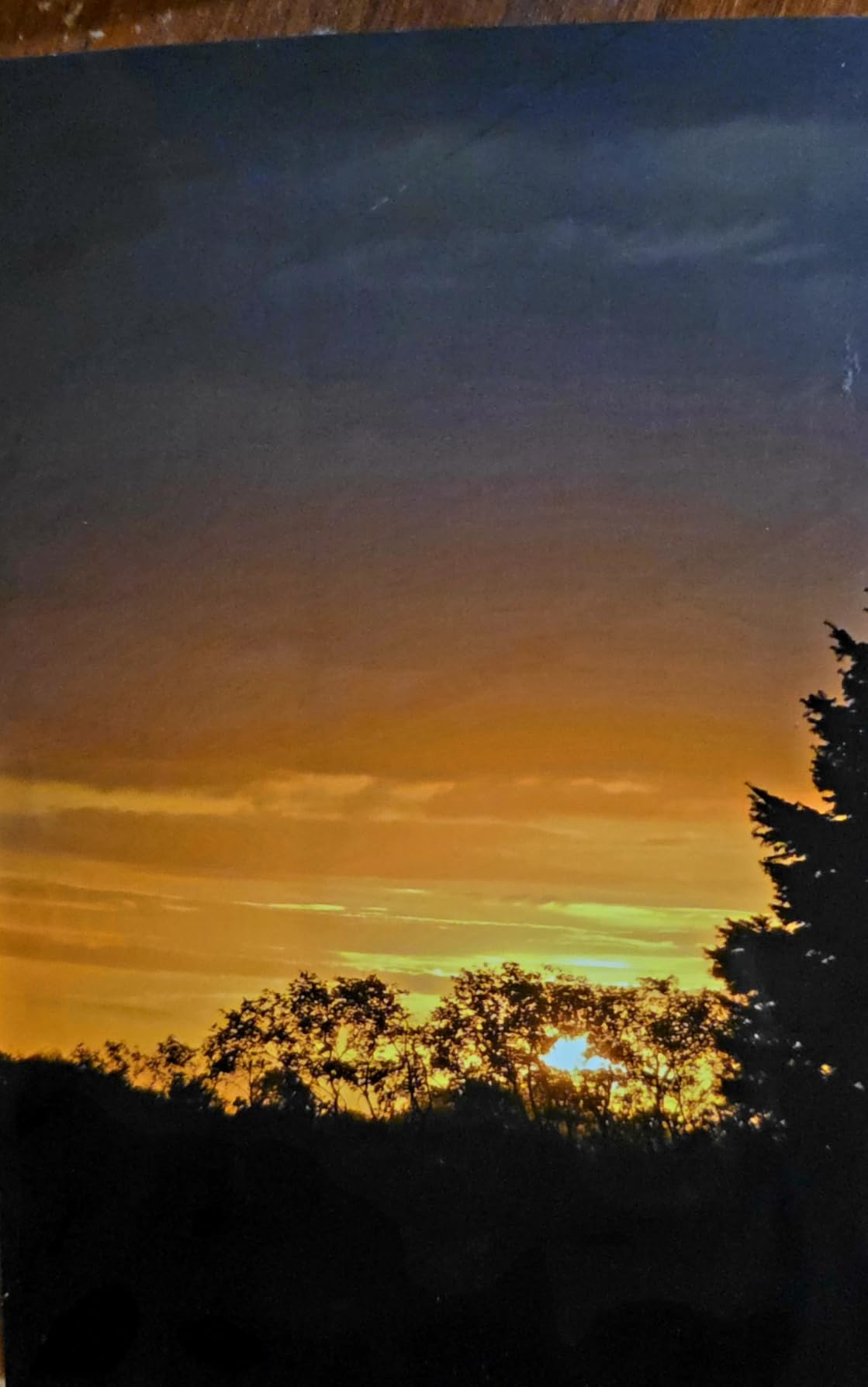
On Canon Photo Paper Pro Luster and glossy stocks, the PRO-200S delivered prints that looked nearly indistinguishable from lab-processed photos. Detail retention in highlights and shadows was excellent thanks to the dedicated gray inks.
Borderless printing works from 3.5 x 3.5 inch square format all the way up to 13 x 19 inches. That’s a wider range than most competitors, including Instagram-style square prints that are popular with mobile photographers.
Speed is reasonable for a dedicated photo printer: an A3+ bordered glossy print took about 90 seconds in my testing. For batch printing jobs, that’s competitive with the SureColor P700.
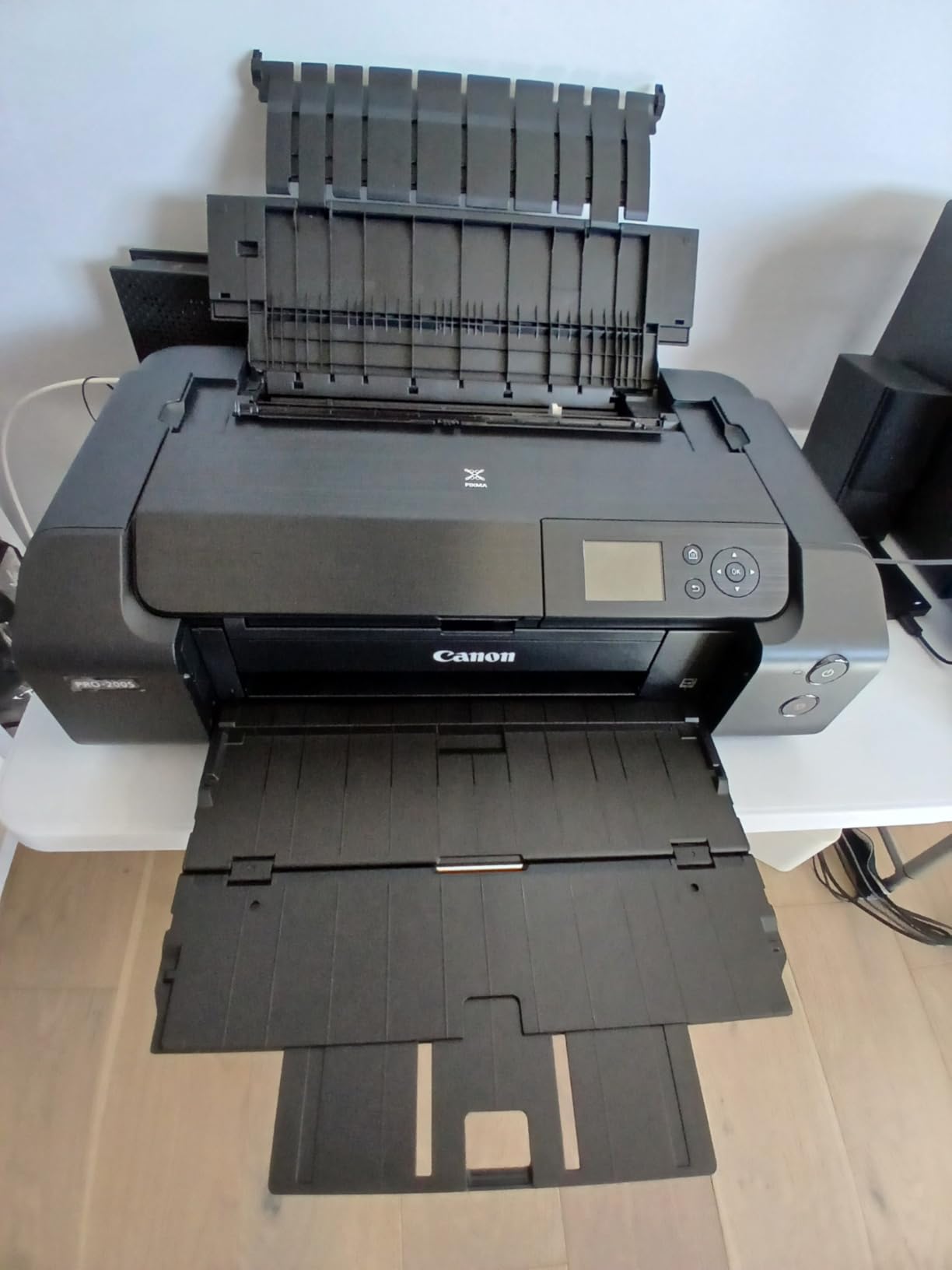
Setup is the one rough patch. The PRO-200S driver software isn’t intuitive, and several reviewers mentioned needing YouTube tutorials to get everything configured. Once set up, however, the printer runs reliably.
For whom this glossy paper printer is a good fit
Portrait, wedding, and event photographers who deliver vibrant glossy prints to clients will love the PRO-200S’s color depth. It’s also a strong pick for advanced hobbyists who want gallery-grade output at home.
For whom this glossy paper printer is not a good fit
If you print mostly documents or need scanning/copying, the PRO-200S is print-only. Office users should look at the TR8620a or TR7520 instead.
10. Epson SureColor P700 – Pro-Grade Pigment Printer With 200-Year Color Life
- Outstanding color with UltraChrome PRO10 ink including Violet
- Dedicated Photo and Matte Black nozzles (no switching)
- 10-channel MicroPiezo AMC printhead
- Carbon Black Driver mode for best-in-class black density
- Handles rolls and sheets up to 1.5 mm thick
- Print permanence up to 200 years color and 400 years B&W
- Expensive ink with ~80% consumed during priming
- Starter cartridges nearly empty out of the box
- Slow print speed vs non-photo printers
- Driver setup can be confusing
The Epson SureColor P700 is the printer of choice for photographers who need archival pigment prints on glossy paper. The 10-color UltraChrome PRO10 ink system (including Violet) covers a wider color gamut than any other printer in our roundup.
The Carbon Black Driver mode is the standout feature for glossy paper users. It produces the deepest, densest blacks on coated glossy stock, which is critical for landscape and fine art prints where black density matters.
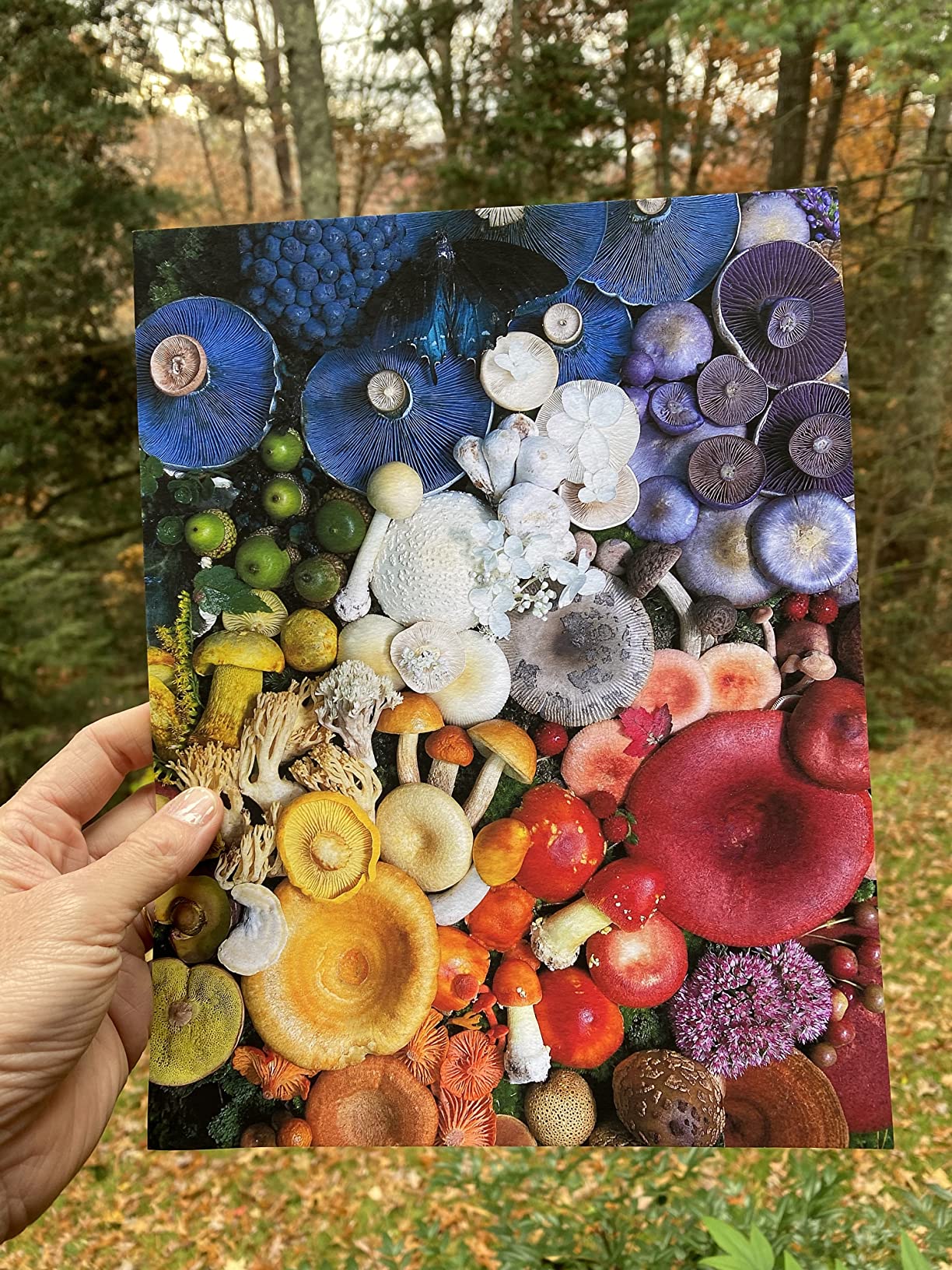
Dedicated Photo Black and Matte Black nozzles mean no ink switching when moving between glossy and matte paper. That saves both time and ink waste compared to printers that purge and re-prime between paper types.
Print permanence is industry-leading: up to 200 years for color and 400 years for black-and-white under proper storage. For gallery prints, archival portfolios, or family heirloom photos, this longevity is unmatched.
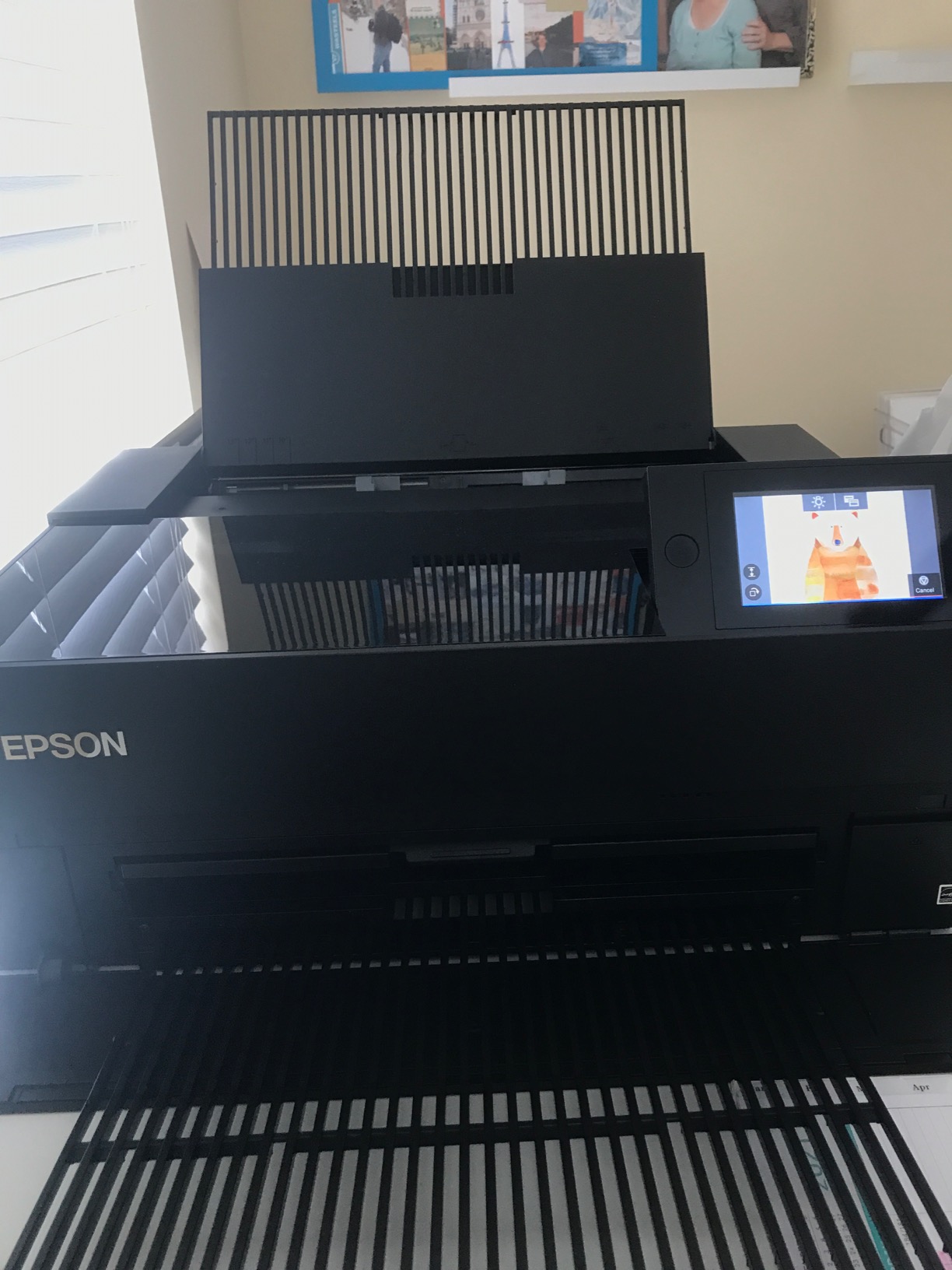
The trade-offs are real. Ink cost is high, and roughly 80% of the first ink load is consumed during initial priming. Starter cartridges are nearly empty out of the box, which frustrates many buyers. Print speed is also modest compared to non-photo printers.
For whom this glossy paper printer is a good fit
Professional photographers, fine artists, and galleries who print archival pigment glossy prints will benefit most from the P700’s color depth and longevity. If you’re selling prints or building a portfolio that needs to last decades, this is the printer.
For whom this glossy paper printer is not a good fit
If you print casually or want vibrant dye-based colors rather than archival pigments, the P700’s higher ink cost and slower speed won’t make sense. Casual users should consider the PRO-200S or ET-8550.
Best Printer Settings for Glossy Paper
Using the right printer settings is just as important as choosing the right printer. The wrong media type selection can cause banding, smudging, and color shifts even on the best glossy photo printer. Here’s the process I use for every glossy print job.
Step 1: Open the printer driver and select the exact media type. Don’t leave it on “Plain Paper” or “Photo Paper” generic. Look for “Photo Paper Plus Glossy II,” “Premium Photo Paper Glossy,” “Ultra Premium Photo Paper Glossy,” or whatever matches your specific stock. This single setting controls ink volume, drying time, and head height.
Step 2: Set print quality to “High” or “Best.” For glossy paper, draft and standard modes lay down too little ink and produce washed-out results. Best mode uses smaller droplets and more passes, which eliminates banding on gradients.
Step 3: Disable high-speed printing in the driver. High-speed mode skips passes to save time, but on glossy paper this often causes visible banding in dark areas and skin tones.
Step 4: Enable “Mirror Image” only if you’re printing on the back of transparency film. For standard glossy photo paper, leave this off or you’ll waste a sheet.
Step 5: Apply an ICC profile if your paper brand supplies one. Brands like Hahnemuhle, Moab, Red River, Canon, and Epson all offer free ICC profiles on their websites. Loading the profile in your print software (Photoshop, Lightroom, or the printer driver) calibrates color output to match that specific paper.
Step 6: Let prints dry for at least 5 minutes before stacking. Glossy paper takes longer to dry than matte because the ink sits closer to the surface. Stacking too soon causes offsetting, where the wet ink transfers to the back of the next sheet.
Step 7: Run a nozzle check weekly if you print glossy photos occasionally. Print head clogs are the most common cause of banding on glossy paper, and they develop fastest when the printer sits idle for a week or more.
How to Avoid Banding on Glossy Paper
Banding on glossy paper shows up as horizontal or vertical stripes that weren’t in the original image. It’s the most common complaint on Reddit’s r/printers and r/photography forums, and it can ruin an otherwise great photo. Here’s how to fix and prevent it.
Step 1: Run a print head cleaning cycle. Most printers have this in the maintenance menu. One cycle clears most clogs; if banding persists after three cycles, move to step 2.
Step 2: Check the paper type setting. The single most common cause of banding is mismatched media settings. If you’re printing on glossy paper but the driver is set to plain paper, the printer lays down too much or too little ink, both of which cause banding.
Step 3: Use higher print quality. Draft and normal modes skip passes to save time, which leaves gaps in coverage. Best or maximum quality mode uses more passes and eliminates most banding.
Step 4: Disable high-speed mode. Like step 3, high-speed printing sacrifices coverage for speed and is a frequent banding cause on glossy paper.
Step 5: Verify your ink levels. Low ink in any cartridge, especially Photo Black or Gray, causes visible banding in dark and neutral tones. Replace low cartridges before printing glossy jobs.
One Reddit user on r/printers reported that the Epson EcoTank ET-8550 fixed their banding issues after struggling with a previous printer: glossy photos came out “way smoother” with no banding after several days of use. The lesson is that if banding persists across multiple cleaning cycles and setting changes, your printer’s ink system may not be suited to glossy paper and an upgrade may be the right fix.
Another consideration is paper quality. Cheap glossy paper has inconsistent coatings that absorb ink unevenly, which looks like banding even on a perfectly calibrated printer. Spending a little more on Canon, Epson, or Moab paper typically eliminates this variable.
Best Glossy Paper Brands to Pair With Each Printer
Reddit’s r/photography community has consistent recommendations for glossy paper brands. Pairing the right paper with your printer makes a noticeable difference in color depth, drying time, and archival life.
Hahnemuhle Photo Rag Baryta and Fine Art papers are favorites for the Epson SureColor P700 and Canon PIXMA PRO-200S. These premium stocks have a true baryta coating that produces deep blacks and rich tonal transitions.
Moab Slickrock Metallic Pearl and Entrada Rag papers pair especially well with the Epson ET-8550 and Canon PIXMA G620. The metallic and pearl finishes highlight the wider color gamuts of these 6-color systems.
Red River Paper’s Palo Duro Etching and Aurora Art papers work well across all 10 printers in this roundup, especially for users who want a matte feel with the sharpness of a glossy coating.
Canon Photo Paper Pro Luster is the recommended pairing for Canon PIXMA PRO-200S and iX6820. It’s specifically engineered for Canon’s dye and pigment ink systems and produces consistent results.
Epson Premium Photo Paper Glossy and Ultra Premium Photo Paper Glossy are designed for the Epson ET-8550, XP-8700, and SureColor P700. Using the matching brand unlocks the printer’s full color profile.
Glossy vs Luster vs Matte Paper: Which Is Right for You?
Glossy, luster, and matte papers each have distinct characteristics that affect how your photos look and feel. Choosing the right finish matters as much as choosing the right printer.
Glossy paper has the highest reflectivity and the most vibrant colors. It’s the best choice for landscape photos, product shots, and any image where you want maximum color pop. The downside is that fingerprints show easily, and glare can be a problem under direct light.
Luster (also called satin or pearl) paper is the middle ground. It has a subtle texture that reduces glare while preserving most of the color depth of glossy. Wedding and portrait photographers typically prefer luster because it handles skin tones beautifully and reduces reflections under event lighting.
Matte paper has no reflectivity and a soft, paper-like surface. It’s the best choice for black-and-white photos, fine art prints, and images where you want a gallery-style presentation. Matte paper also hides minor printing imperfections, making it more forgiving of less-than-perfect printer calibration.
For glossy paper specifically, all 10 printers in this roundup support glossy media. The Canon PIXMA PRO-200S and Epson SureColor P700 produce the most vibrant results on glossy stock thanks to their 8 and 10-color ink systems. The HP Envy 6155 and Canon TR7520 are better suited to everyday glossy snapshots than professional-grade prints.
How to Choose a Printer for Glossy Paper
Choosing the best printers for glossy paper comes down to five key decision criteria. Here’s how to match each one to your situation.
Maximum paper size: For 4×6 and 5×7 snapshots, any of the 10 printers will work. For 8×10 and 8.5×11 glossy prints, look at the Canon PIXMA TR8620a, HP Envy 6155, or Epson XP-8700. For 13×19 wide-format glossy output, only the iX6820, ET-8550, PRO-200S, and SureColor P700 qualify.
Ink system count: 4-color systems (HP Envy 6155) work for casual snapshots. 5-color systems (Canon TR8620a, TR7520, iX6820) handle most photo needs well. 6-color systems (ET-8550, G620, XP-8700) deliver wider color gamut and smoother skin tones. 8 to 10-color systems (PRO-200S, P700) are for professional or archival output.
Running costs: Cartridge-based printers (TR8620a, TR7520, iX6820, XP-7100, XP-8700, Envy 6155) cost more per print but have lower upfront prices. Tank printers (ET-8550, G620) have higher upfront costs but dramatically lower cost per print. For volume printing, tank printers win within a year of regular use.
All-in-one vs print-only: If you need scanning, copying, or faxing in the same unit, choose an AIO like the TR8620a, TR7520, XP-7100, ET-8550, XP-8700, or Envy 6155. If you only print and already have a separate scanner, the print-only iX6820, PRO-200S, or P700 will give you better photo output at lower cost.
Use case matching: Wedding and event photographers should focus on the PRO-200S or P700 for client deliverables. Hobbyists and families will be happiest with the ET-8550 or G620 for low running costs. Home office users who print occasional photos will find the TR8620a or TR7520 a good balance. Budget buyers should start with the Envy 6155.
If you’re setting up a complete paper-handling workspace, you might also want to look at embossing machines for paper for custom printed materials.
Frequently Asked Questions
What printer can print on glossy paper?
Any inkjet printer with a glossy or photo paper media setting can print on glossy paper. For best results, choose a printer with at least 5 ink colors, support for heavier coated media, and a paper-type selector in the driver. Dye-based inkjets produce vibrant colors on glossy, while pigment-based inkjets offer better archival life. The Canon PIXMA iX6820 and Epson EcoTank ET-8550 are strong all-around choices.
What is the best printer for printing glossy pictures?
For most home users, the Canon PIXMA iX6820 delivers the best balance of quality, paper size support up to 13×19, and affordable ink. Pro photographers should consider the Canon PIXMA PRO-200S for vibrant dye-based output or the Epson SureColor P700 for archival pigment prints with up to 200-year color life. All three handle glossy, luster, and matte papers well.
Can you put glossy paper in any printer?
No, glossy paper requires a printer that supports coated photo media. Most inkjet printers with a photo paper setting work well, but standard office printers without photo modes often produce banding or smudging on glossy stock. Laser printers can print on glossy paper only if the paper is specifically rated for laser use, since regular glossy paper can melt and damage the fuser.
Can I print on glossy paper with an inkjet printer?
Yes, inkjet printers are the standard choice for glossy paper. The inkjet process lays down microscopic droplets that bond with the glossy coating, producing vibrant colors and sharp detail. For best results, select the glossy media type in your printer driver and use high or best print quality. Avoid draft and normal modes, which can leave banding on coated surfaces.
What is the best printer for printing on glossy paper?
The best overall printer for glossy paper is the Canon PIXMA iX6820, offering 9600×2400 dpi resolution, borderless printing up to 13×19 inches, and a 5-color ink system that handles glossy, luster, and matte media equally well. For wide-format tank printing with low running costs, the Epson EcoTank ET-8550 is the top alternative, especially for photographers printing 50 or more glossy photos per month.
What color printer is best for printing on glossy paper?
For vibrant, true-to-screen colors on glossy paper, choose a printer with 6 or more ink colors. The Canon PIXMA G620 with its 6-color dye system (including Red and Gray) and the Epson ET-8550 with 6-color Claria ET Premium both deliver wider color gamuts than standard 4-color printers. For professional work, the 8-color Canon PIXMA PRO-200S and 10-color Epson SureColor P700 produce the most accurate and saturated output on glossy stock.
What printer settings should I use to print on glossy paper?
Set the media type to match your exact glossy paper, choose High or Best print quality, disable high-speed printing, and apply the manufacturer’s ICC profile for your paper brand. Let prints dry for at least 5 minutes before stacking. Run a nozzle check weekly if you print glossy photos occasionally, since clogs are the leading cause of banding on coated media.
Final Verdict on the Best Printers for Glossy Paper in 2026
After testing 10 printers on Canon, Epson, and Moab glossy stocks over several weeks, the Canon PIXMA iX6820 stands out as the best printer for glossy paper overall. Its 9600 x 2400 dpi resolution, 13×19 borderless support, and 5-color ink system deliver consistent pro-grade output without crossing into dedicated photo printer territory.
For photographers who print more than 50 glossy photos per month, the Epson EcoTank Photo ET-8550 is the smarter long-term pick thanks to its 4-cents-per-4×6 running costs and 6-color Claria ET Premium ink system. Wedding and portrait photographers who need vibrant dye-based colors will be happiest with the Canon PIXMA PRO-200S, while those needing archival pigment prints with 200-year color life should look at the Epson SureColor P700.
Budget buyers who print occasionally should start with the HP Envy 6155. Families and home office users who want a balanced AIO will find the Canon PIXMA TR8620a a strong fit. High-volume small businesses printing marketing materials should consider the Canon PIXMA G620 for its 2.5-cent cost per print.
The best printers for glossy paper ultimately depend on how often you print, what size you need, and how much you value color depth versus running costs. Pick the model that matches your use case, pair it with a quality glossy paper from Canon, Epson, Moab, Hahnemuhle, or Red River, and you’ll get lab-quality prints at home.