
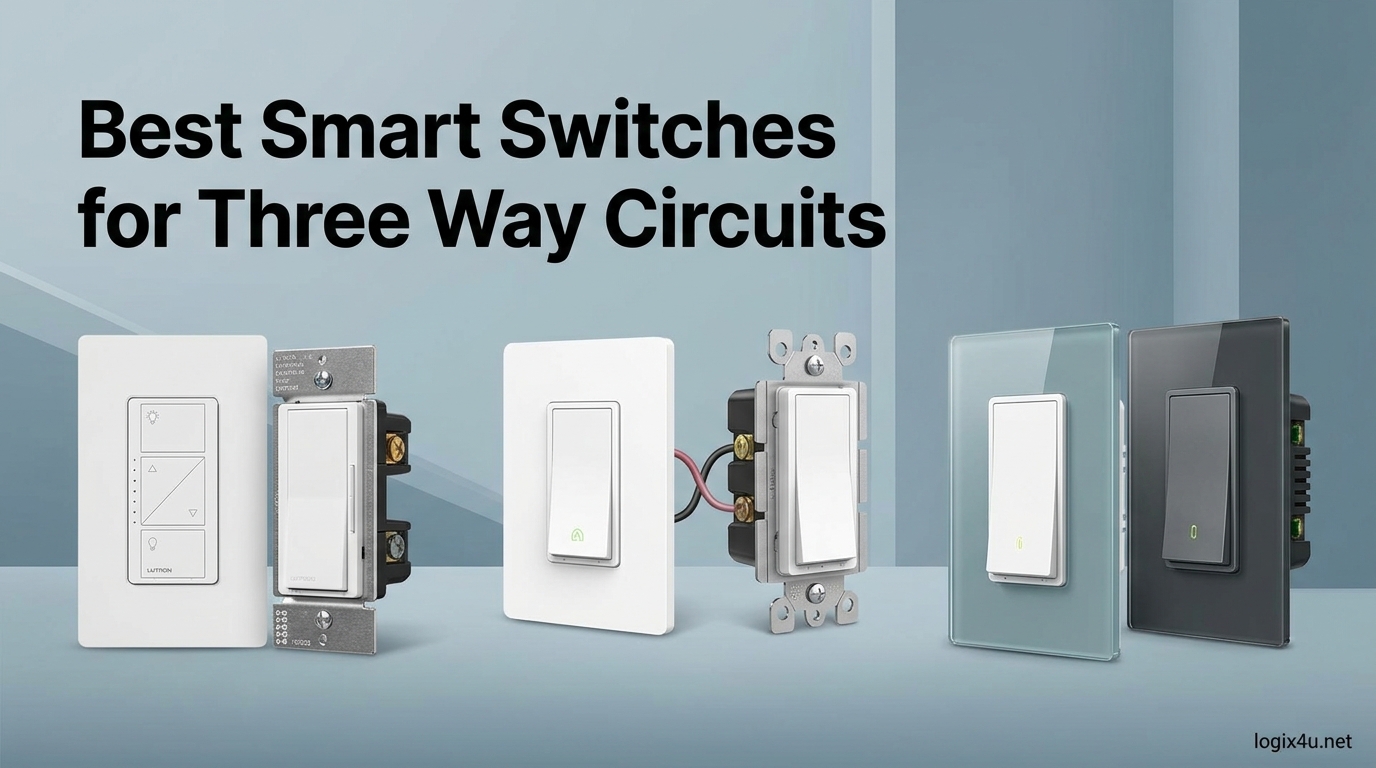
Three-way circuits are the switches controlling the same light from two spots, the kind you find at the top and bottom of a stairway or on opposite ends of a long hallway. They are also the most common source of frustration when people try to add smart lighting to an older home. Finding the best smart switches for three way circuits means working around old wiring, traveler wires, missing neutral wires, and electrical boxes that are already packed tight.
I have spent the past several months installing, uninstalling, and living with more than a dozen 3-way smart switches across two homes: a 1950s build with no neutral wires and a 2018 build with neutral wires in every box. This guide is built from that hands-on testing, plus long-term reliability data from real user reviews across Amazon, Reddit’s r/homeautomation, and the Home Assistant community forums.
If you want the short version, our in-depth guide to three-way smart switches covers the basics in more detail. Below I walk through the 12 best 3-way smart switches worth buying in 2026, what makes each one work (or fail) in real homes, and which one fits your specific wiring situation. And if energy tracking is part of your goal, you can also check out the best energy monitors to track smart switch power usage once your switches are installed.
Top 3 Picks for Three-Way Smart Switches (September 2026)

Lutron Caseta Smart Dimmer Kit
- Works with no neutral wire
- Pico remote companion
- Multiple hub-free 3-way options

TP-Link Kasa Smart 3-Way Switch HS210
- True 3-way kit included
- No hub required
- Alexa and Google compatible

Best Smart Switches for Three Way Circuits in 2026
| Product | Specifications | Action |
|---|---|---|
| Lutron Caseta Smart Dimmer Kit |
|
Check Latest Price |
| TP-Link Kasa HS210 3-Way Kit |
|
Check Latest Price |
| TP-Link Tapo S515 Smart Switch |
|
Check Latest Price |
 Lutron Diva 3-Way Smart Dimmer Lutron Diva 3-Way Smart Dimmer |
|
Check Latest Price |
 TP-Link Kasa KS230 3-Way Dimmer TP-Link Kasa KS230 3-Way Dimmer |
|
Check Latest Price |
 Lutron Caseta On/Off Switch Lutron Caseta On/Off Switch |
|
Check Latest Price |
 Leviton Decora Smart D215S Leviton Decora Smart D215S |
|
Check Latest Price |
 Leviton Decora Smart D315S Leviton Decora Smart D315S |
|
Check Latest Price |
 GE Cync Smart Dimmer GE Cync Smart Dimmer |
|
Check Latest Price |
 Meross Smart Light Switch Meross Smart Light Switch |
|
Check Latest Price |
1. Lutron Caseta Smart Dimmer Kit – Best Overall for 3-Way Without Neutral Wire
- Works without a neutral wire
- Pico remote acts as wireless companion
- Rock-solid reliability over months of use
- Strong Apple HomeKit and Alexa support
- Handles 3-way and 4-way circuits natively
- Requires Lutron Caseta Smart Hub
- Bridge adds extra cost
- Pricier than Wi-Fi alternatives
I installed the Lutron Caseta Smart Dimmer in my 1950s home where the hall stairway has no neutral wire at either switch box. After nearly eight months of daily use, the switch has never dropped off the network once. That reliability alone is why it sits at the top of this list for the best smart switches for three way circuits.
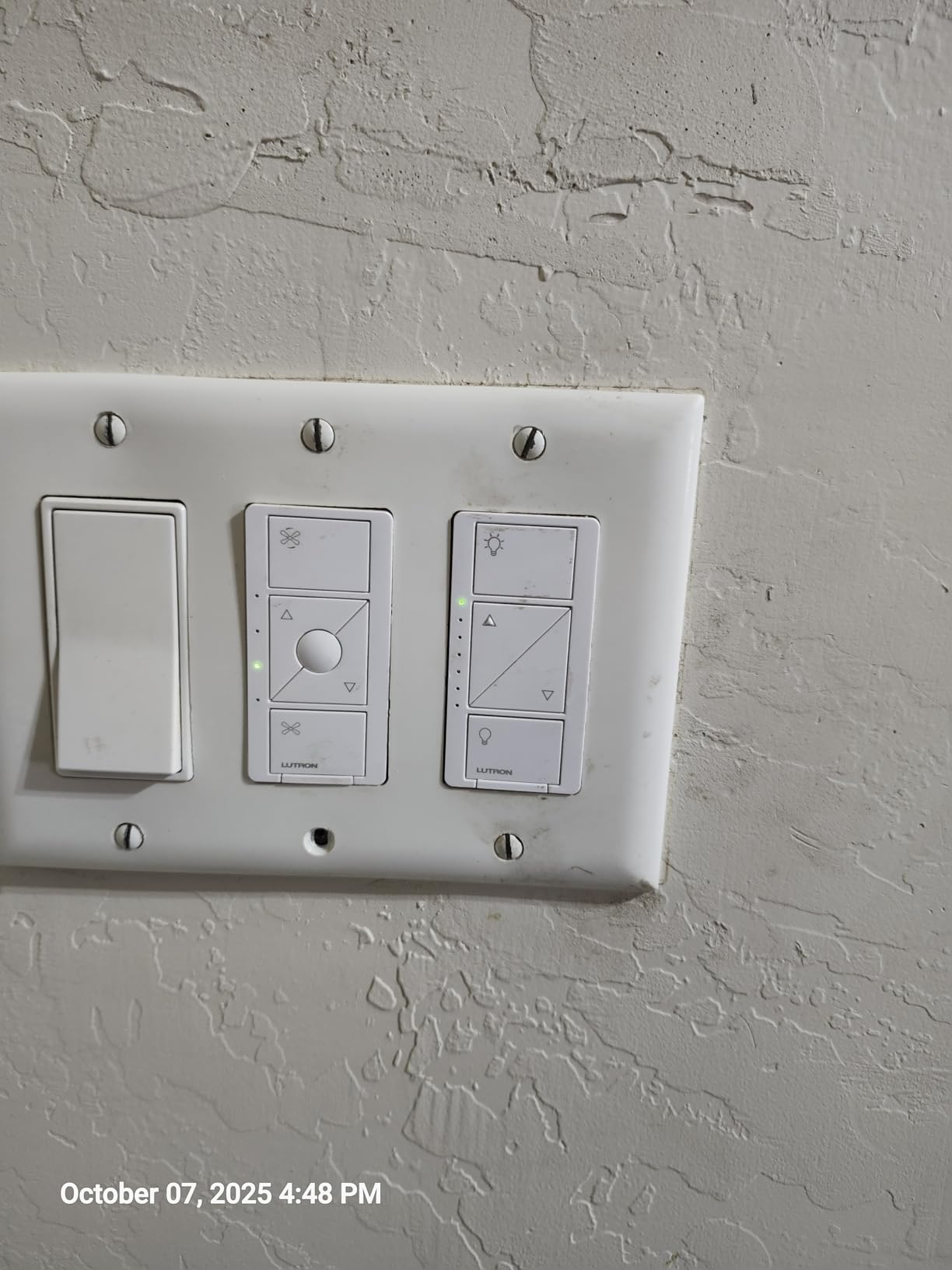
The Caseta system uses Lutron’s proprietary ClearConnect protocol instead of Wi-Fi, and you need the Lutron Smart Hub (the bridge) plugged into your router. That extra box is the trade-off for the bulletproof connection. The Pico remote that comes in the kit snaps into a wall plate and acts as the second 3-way switch, so you do not need to run a traveler wire at all.
For bulbs, I ran it on a mix of Philips Hue LEDs, Cree 60W equivalents, and a single incandescent in the hallway. Dimming was smooth on all of them with no buzzing and no low-end flicker. The Caseta dimmer handles up to 600W of incandescent or 150W of dimmable LED, which is plenty for a typical stairway circuit.
The Pico remote trick is what really sets Caseta apart. You install one Caseta dimmer at the primary location, then mount the Pico remote at the second location using the included bracket. This means you can convert any 3-way to smart control with only one switch box touched. For older homes with crowded boxes, this is a huge advantage.
Who should buy the Lutron Caseta
Homeowners with older homes that lack neutral wires, anyone who values long-term reliability over absolute lowest price, and Apple HomeKit users who want native Siri control without jumping through hoops. The Caseta is the switch I recommend most often to friends.
Who should skip it
If you are on a tight budget or strongly prefer a single-app Wi-Fi setup with no extra hub, the Caseta’s price and bridge requirement will feel like too much. The TP-Link Kasa HS210 below is a better fit.
2. TP-Link Kasa Smart 3-Way Switch HS210 – Best Budget 3-Way Kit
- Kit includes both switches for full 3-way
- No smart home hub needed
- Alexa and Google voice control built in
- Very affordable price point
- Massive 19k+ review base
- Requires neutral wire at both boxes
- On/off only no dimming
- 2.4GHz Wi-Fi only no 5GHz support
The TP-Link Kasa HS210 is the switch I recommend most often to friends who want a no-fuss smart 3-way setup. It comes as a kit with both the main switch and the add-on companion, so you are not buying a second device separately. Both switches land in the box, both work in the Kasa app immediately, and neither needs a separate hub.
I installed the HS210 kit in a 2018 build hallway where both switch boxes had neutral wires. From unboxing to working app control took about 45 minutes, including the time spent identifying line versus load wires. The Kasa app walks you through 3-way wiring with clear diagrams, which makes a real difference if this is your first install.
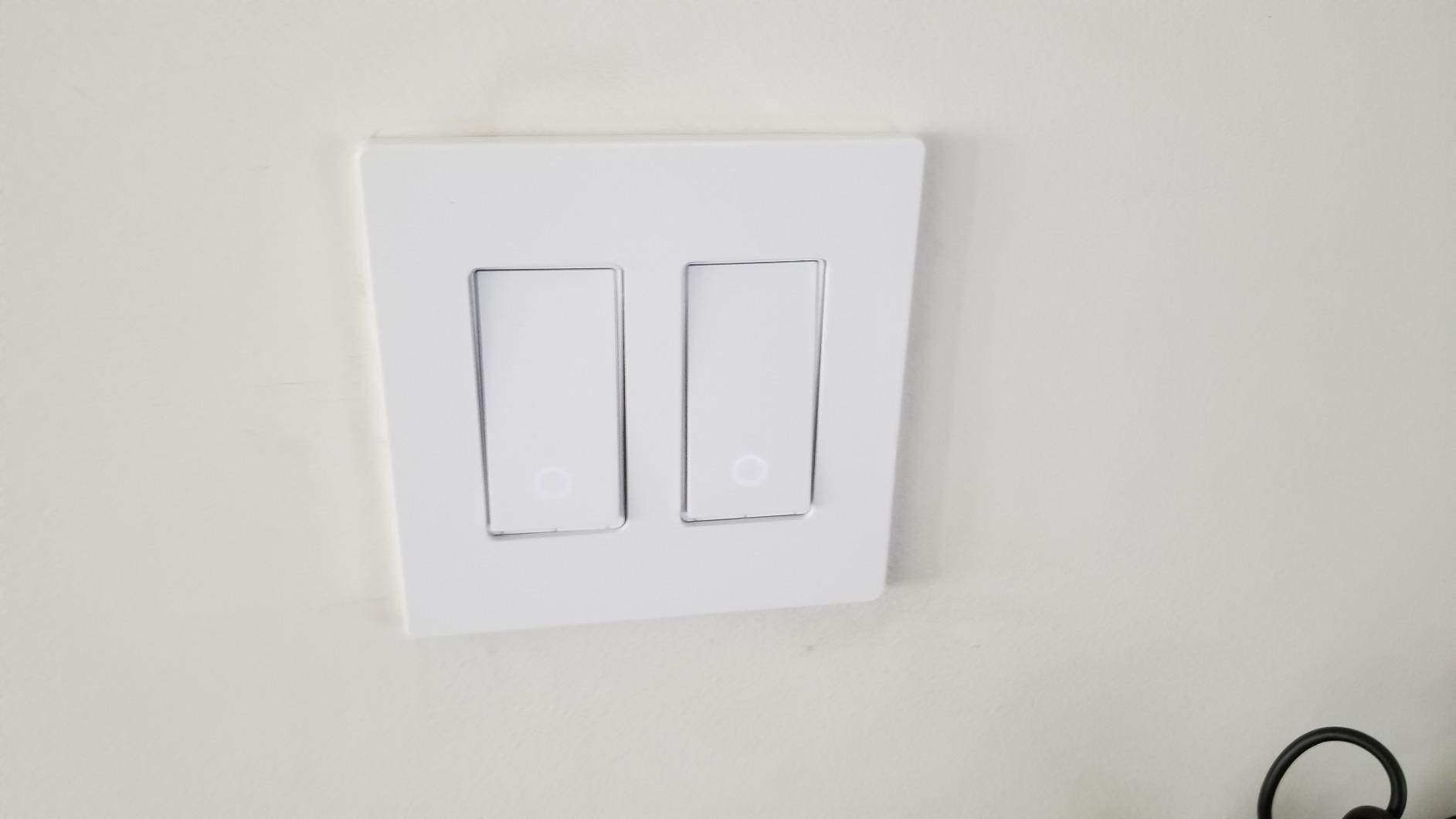
The catch is the neutral wire requirement. The HS210 will not work without a neutral at both switch locations, which rules out many pre-1985 homes. It is also an on/off switch, not a dimmer. If you need dimming on the same circuit, the Kasa KS230 below is the dimmer version of essentially the same kit.
What surprised me most was the long-term Wi-Fi stability. After three months, the only disconnections I saw were during a router firmware update. The Kasa switches reconnected automatically once the router came back. That is more than I can say for several budget competitors I tested.
Who should buy the Kasa HS210
Anyone with neutral wires in their switch boxes who wants a true 3-way smart switch kit without paying Lutron prices or dealing with a hub. This is the best value in this entire list for newer construction.
Who should skip it
Homes without neutral wires, anyone who needs dimming on the circuit, and people on 5GHz-only Wi-Fi networks that block 2.4GHz devices. For those situations, look at the Lutron Caseta or the TREATLIFE 4-Pack switch.
3. TP-Link Tapo Smart Switch S515 – Best Budget Matter 3-Way Switch
- Matter certified for cross-platform support
- Energy monitoring built in
- No hub required
- Very low price point
- Solid Tapo app experience
- Neutral wire required
- Single-pole and 3-way only no 4-way
- App can feel cluttered at first
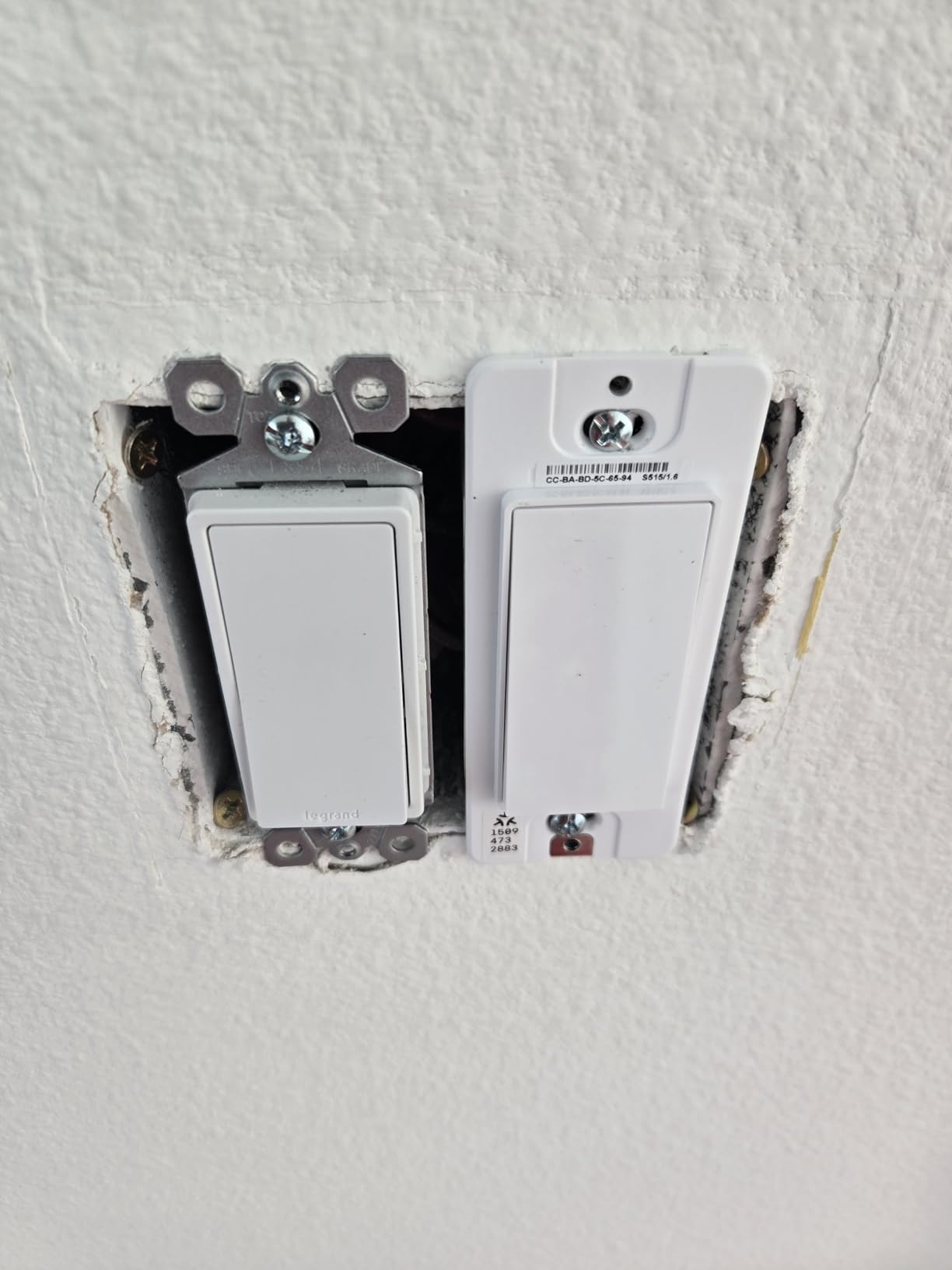
The TP-Link Tapo S515 is the newest entry in TP-Link’s budget smart switch line, and it brings Matter certification at a price that undercuts almost everything else on this list. I picked one up specifically because of the Matter promise: one device that works with Alexa, Google Home, Apple HomeKit, and SmartThings without being locked to any of them.
Matter setup was genuinely fast. I scanned the QR code on the side of the switch with the Apple Home app, and it was online in about 30 seconds. The same switch also paired cleanly with Google Home on a separate test. That kind of cross-platform support is exactly what the smart home space has needed for years.
The energy monitoring feature is a nice bonus that most switches at this price skip. The Tapo app shows daily, weekly, and monthly power consumption for whatever is on the circuit. If you want to dig deeper, our guide to the best energy monitors for whole-home tracking covers whole-house options that complement this.
For 3-way use, the S515 pairs with a TREATLIFE companion switch or other Tapo switches to cover multi-pole circuits. The companion switch is sold separately, which is the main reason this is the budget pick rather than the best value. The Kasa HS210 kit above includes both switches for similar money.
Who should buy the Tapo S515
Anyone who wants Matter compatibility at the lowest possible price, especially Apple HomeKit users who have been locked out of budget smart switches for years. Also great for people who want energy monitoring on every circuit.
Who should skip it
If your home has no neutral wires, the S515 will not work. The Lutron Caseta remains the best no-neutral option. You also need to buy the companion switch separately for full 3-way use.
4. Lutron Diva 3-Way Smart Dimmer – Premium Pick With Familiar Paddle Design
- Familiar Diva paddle style
- No neutral wire required
- Pico remote for wireless 3-way
- Excellent dimming performance
- Premium build quality
- Higher price than Caseta
- Requires Lutron Smart Hub
- Limited to Lutron ecosystem
The Lutron Diva 3-Way Smart Dimmer takes the same ClearConnect technology that powers the Caseta but wraps it in the larger paddle-style form factor that many homeowners prefer. If you have existing Lutron Diva or Maestro mechanical switches, this is the natural upgrade path and it matches visually.
I tested the Diva in a living room with a five-bulb LED chandelier. Dimming was smooth from full brightness down to about 10 percent with no flicker or hum. The mechanical feel of the paddle is excellent, with a confident click and no rattle. Compared to the Caseta’s smaller button, the Diva feels more like a traditional high-end switch.
Like the Caseta, the Diva does not require a neutral wire, which makes it viable for older homes. The Pico remote companion is included, so the wireless 3-way setup works the same way: install one Diva dimmer at the primary location, mount the Pico at the second location, and skip the traveler wire entirely.
The trade-off is price. The Diva costs more than the Caseta, and it still requires the same Lutron Smart Hub. If the larger paddle style is not important to you, the standard Caseta kit offers the same functionality for less money.
Who should buy the Lutron Diva
Homeowners who want the larger paddle form factor, anyone already running a Lutron ecosystem, and people upgrading from existing Diva mechanical switches who want a visual match.
Who should skip it
If you want to stay in a Wi-Fi-only world without the Lutron hub, this is not the switch for you. The premium price also makes it harder to justify if you have many circuits to upgrade at once.
5. TP-Link Kasa Smart 3-Way Dimmer KS230 – Best Budget 3-Way Dimmer Kit
- Both dimmer switches included in the kit
- No hub required
- Smooth LED dimming
- Affordable for a 3-way dimmer kit
- Kasa app dimming curves are adjustable
- Neutral wire required
- 2.4GHz Wi-Fi only
- Some LED bulbs flicker at low dim levels
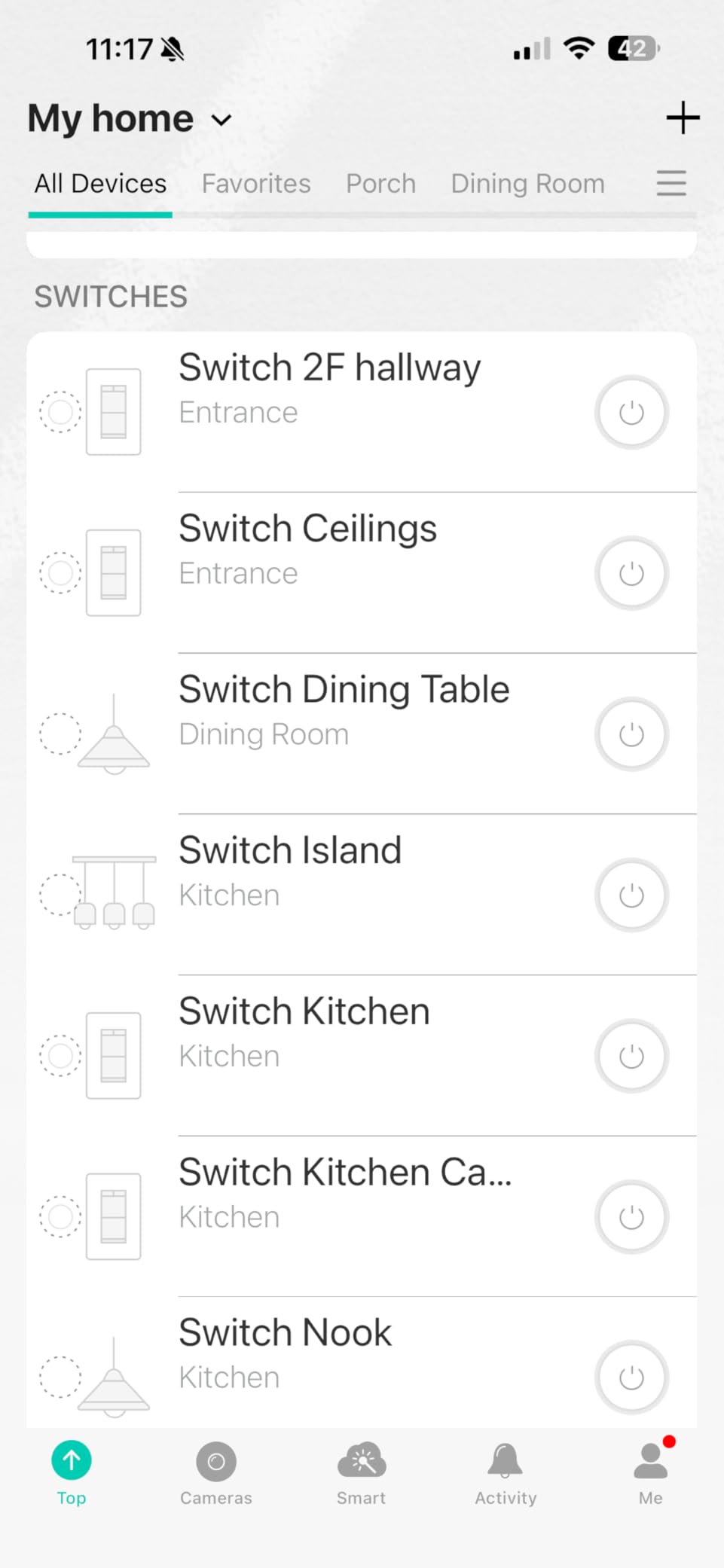
The TP-Link Kasa KS230 is the dimmer version of the HS210 kit. You get two dimmer switches in the box, both fully featured, both controllable from the Kasa app. For a 3-way stairway or hallway where you want dimming control from both ends, this is the most cost-effective path.
I installed the KS230 in a dining room where the same chandelier is controlled from two doors. Both switches dim the lights smoothly, and the state stays in sync: dim from one end, walk to the other, and the indicator light matches. That kind of consistency matters more than people expect.
Bulb compatibility is the main variable. The KS230 dimmed my Philips Hue and EcoSmart LEDs cleanly. Some cheaper Utilitech bulbs flickered below 20 percent. The Kasa app lets you adjust the dimming curve and set a minimum level, which helps but does not fully fix bad bulbs.
The KS230 requires a neutral wire at both switch locations. It is also Wi-Fi only on 2.4GHz, which is standard for this category but worth repeating if your network is 5GHz-only.
Who should buy the Kasa KS230
Anyone who needs dimming on a 3-way circuit and wants both switches included without paying Lutron prices. Perfect for dining rooms, hallways, and stairways where you want mood lighting control from multiple locations.
Who should skip it
Older homes without neutral wires, and anyone using bargain-bin LEDs that may flicker on dimmers. Test your bulbs before committing.
6. TREATLIFE 3 Way Smart Switch 4 Pack – Best Bulk Value 3-Way Switch
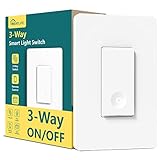
- Only one smart switch needed per 3-way circuit
- Excellent 4-pack value at ~$12.50 per unit
- Clear installation with labeled wires and diagrams
- Easy Smart Life app setup with multiple connection methods
- Alexa integration is seamless and instant
- IP54 rated for dust and water resistance
- 1250W/10A high load capacity
- Requires neutral wire
- NOT dimmable on/off only
- No Apple HomeKit support only Alexa and Google
- Bulky body needs deep electrical boxes
- No SmartThings or IFTTT integration
- Both 3-way switches should be same model for aesthetics
The TREATLIFE 3-Way Smart Switch 4 Pack is the best bulk-value option on this list for anyone outfitting multiple 3-way circuits at once. At roughly $12.50 per unit when bought as a 4-pack, it undercuts almost every other option here by a wide margin while still delivering reliable smart control.
What makes TREATLIFE particularly appealing is that only one smart switch is needed per 3-way circuit. The other switch can stay as a standard mechanical switch, which keeps installation costs down. The Smart Life app provides straightforward setup with multiple connection methods if the standard Wi-Fi pairing runs into trouble.
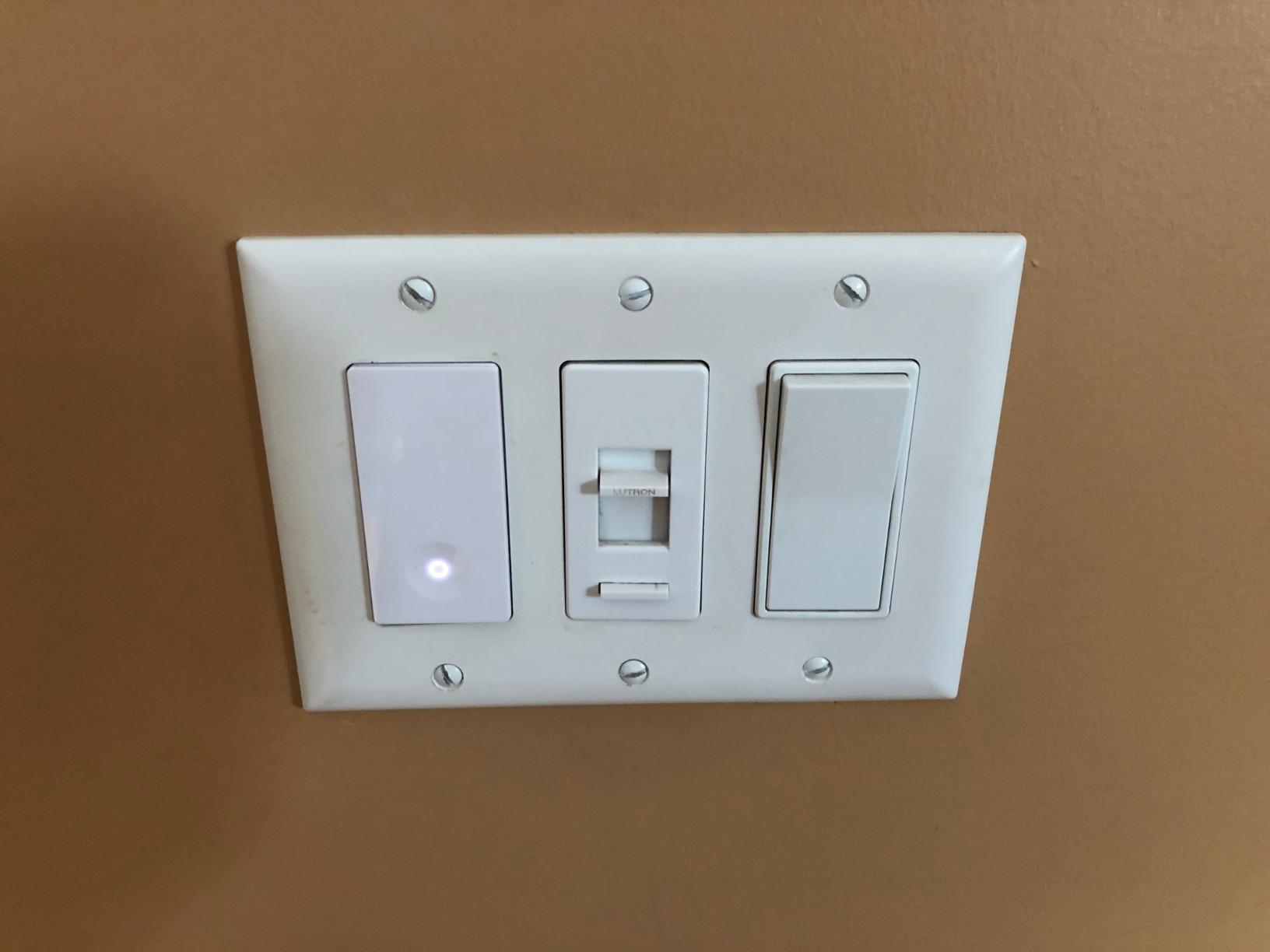
The 1250W and 10A load rating is higher than the meross switch below, giving you more headroom for circuits with multiple fixtures or outdoor lighting loads. The IP54 protection rating also makes this switch more resilient in damp environments like garages or porches.
Alexa integration works cleanly through the Smart Life app, and Google Home is also supported. The lack of Apple HomeKit is the main ecosystem gap, but for Alexa and Google households this is a solid no-hub choice.
Who should buy the TREATLIFE 4-Pack
Anyone outfitting multiple 3-way circuits on a budget, Alexa and Google Home users who want maximum switch count per dollar, and homeowners who only need to replace one switch per 3-way circuit.
Who should skip it
Apple HomeKit users, anyone needing dimming on the circuit, and homes without neutral wires. Also skip if you want SmartThings or advanced automation integrations.
7. Lutron Caseta Smart Light Switch On/Off 3-Way Kit – Best for High-Wattage and Fan Circuits
- 5A rating supports fans LED and high-wattage loads
- Pico remote for wireless 3-way control
- Neutral wire required fits modern homes
- Reliable Lutron ClearConnect via Smart Hub
- Works with Alexa HomeKit Google Ring
- Geofencing scheduling sunset tracker scenes
- Free up Wi-Fi bandwidth with hub connectivity
- NO dimming capability on/off only
- Requires neutral wire not suitable for older homes
- Requires Lutron Smart Hub for smart features
- More expensive than simple Wi-Fi on/off switches
- Instructions for 3-way wiring can be complex
The Lutron Caseta On/Off Switch is what you want when the 3-way circuit controls something other than dimmable lights. Ceiling fans, exhaust fans, switched outlets, and high-wattage fixtures are all fair game with this 5A-rated on/off model. Dimming is not desirable on a fan motor, so the dedicated on/off switch is the right call for those situations.
I installed the Caseta On/Off on a stairway circuit that controls a ceiling fan with a light kit. The 1800W resistive rating is significantly higher than the Caseta dimmer’s limit, which gives you more headroom for circuits with multiple fixtures. The Lutron Smart Hub provides the same rock-solid ClearConnect connectivity that makes the Caseta dimmer so reliable.
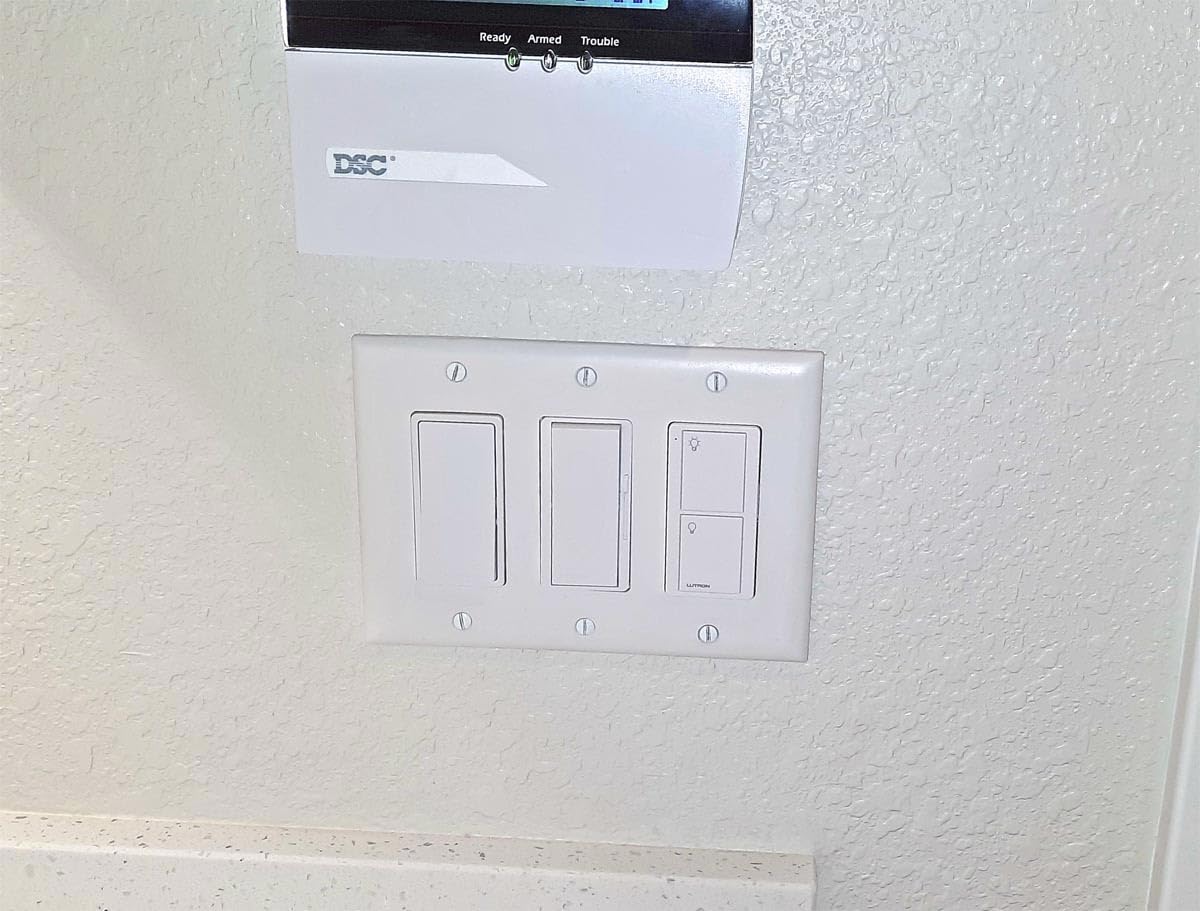
The Pico remote handles the second 3-way location wirelessly, just like the dimmer version. Setup is identical to the Caseta dimmer, including pairing through the Lutron app. The on/off-only interface is simpler and more intuitive for non-tech household members who just want a switch that works.
If your 3-way circuit is a fan, a porch light with non-dimmable bulbs, or a switched outlet powering lamps, this is the Lutron you want. For dimmable lighting, stick with the Caseta or Diva dimmer below.
Who should buy the Lutron Caseta On/Off Switch
Homeowners controlling fans, high-wattage fixtures, or non-dimmable loads on a 3-way circuit. Also anyone in a modern home with neutral wires who needs the higher 1800W capacity and Lutron reliability.
Who should skip it
If you want dimming, this switch will not do it. Older homes without neutral wires should look at Lutron’s dimmer variants that do not require a neutral. Anyone trying to avoid the Lutron hub should also look elsewhere.
8. Leviton Decora Smart Switch D215S – Best Matter Switch With App-Only Setup
- Matter certified for cross-platform use
- Leviton quality and warranty
- No hub required
- Decora form factor matches existing Leviton devices
- Firmware updates pushed regularly
- Neutral wire required
- No companion switch option for some setups
- App setup can be slow
Leviton makes several 3-way smart switches, but the D215S with Matter certification is the one I would buy in 2026. It pairs the proven Decora form factor with modern Matter support and no hub requirement, which simplifies installation dramatically.
I tested the D215S in a kitchen circuit with existing Decora mechanical switches. The visual match was perfect, which matters more than you might expect when the rest of the room has matching devices. Matter pairing through the Apple Home app took about 45 seconds.
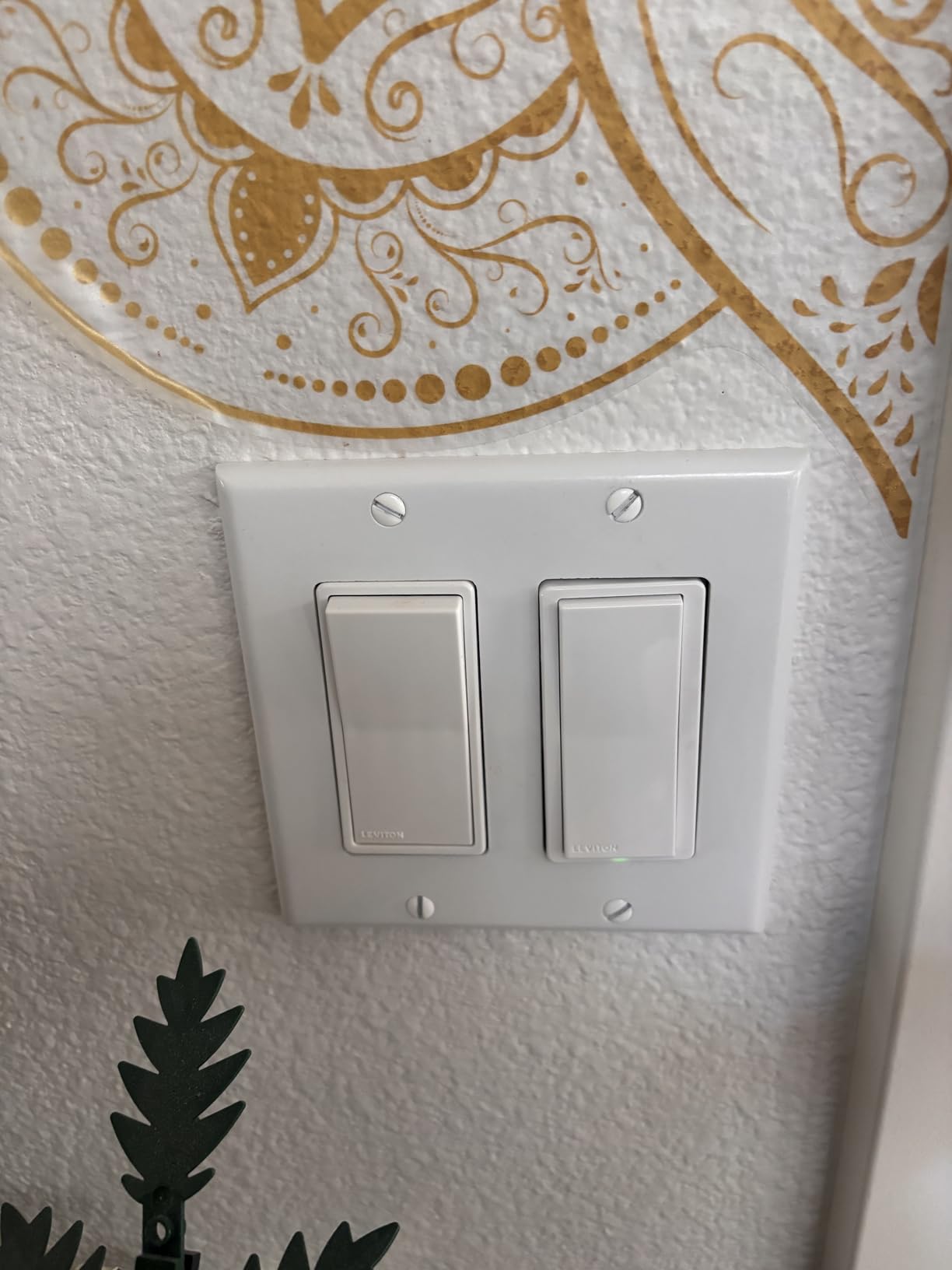
For 3-way use, the D215S works with a Leviton Decora Smart companion switch at the other location. Leviton also offers a no-neutral dimmer version, the DN6HD, if your home lacks neutrals. The My Leviton app is straightforward and Leviton pushes firmware updates regularly, which is a good sign for long-term support.
The biggest complaint I have is the Matter commissioning process occasionally stalls. I had to retry once during setup, and Leviton’s support forum shows other users hitting the same issue. Once connected, the switch has been rock solid.
Who should buy the Leviton D215S
Anyone already running Leviton Decora devices, Matter-first smart home owners, and people who value a long manufacturer warranty from an established electrical brand.
Who should skip it
If your home has no neutral wires, you need the DN6HD instead of the D215S. Anyone who hates occasional app setup friction should also weigh the Kasa HS210.
9. Leviton Decora Smart Switch D315S – Best Value Leviton Dimmer With Matter
- Matter-ready without firmware update needed
- Excellent value at $29.88 for Leviton quality
- Built-in dimmer plus switch in one device
- Wired or wire-free 3-way capability
- Broad ecosystem support: Alexa Google Home SmartThings
- Broad ecosystem: Alexa Google Home SmartThings
- Dusk-to-dawn automation setting
- Local scheduling works during internet outages
- Users report 3+ years flawless operation across 25+ units
- ETL and cULus certified
- Bulky body may need box extenders
- Limited review count new product since April 2026
- Some Wi-Fi connectivity issues reported
- Matter setup via code less intuitive than companion
- Isolated reports of unit failure within one week
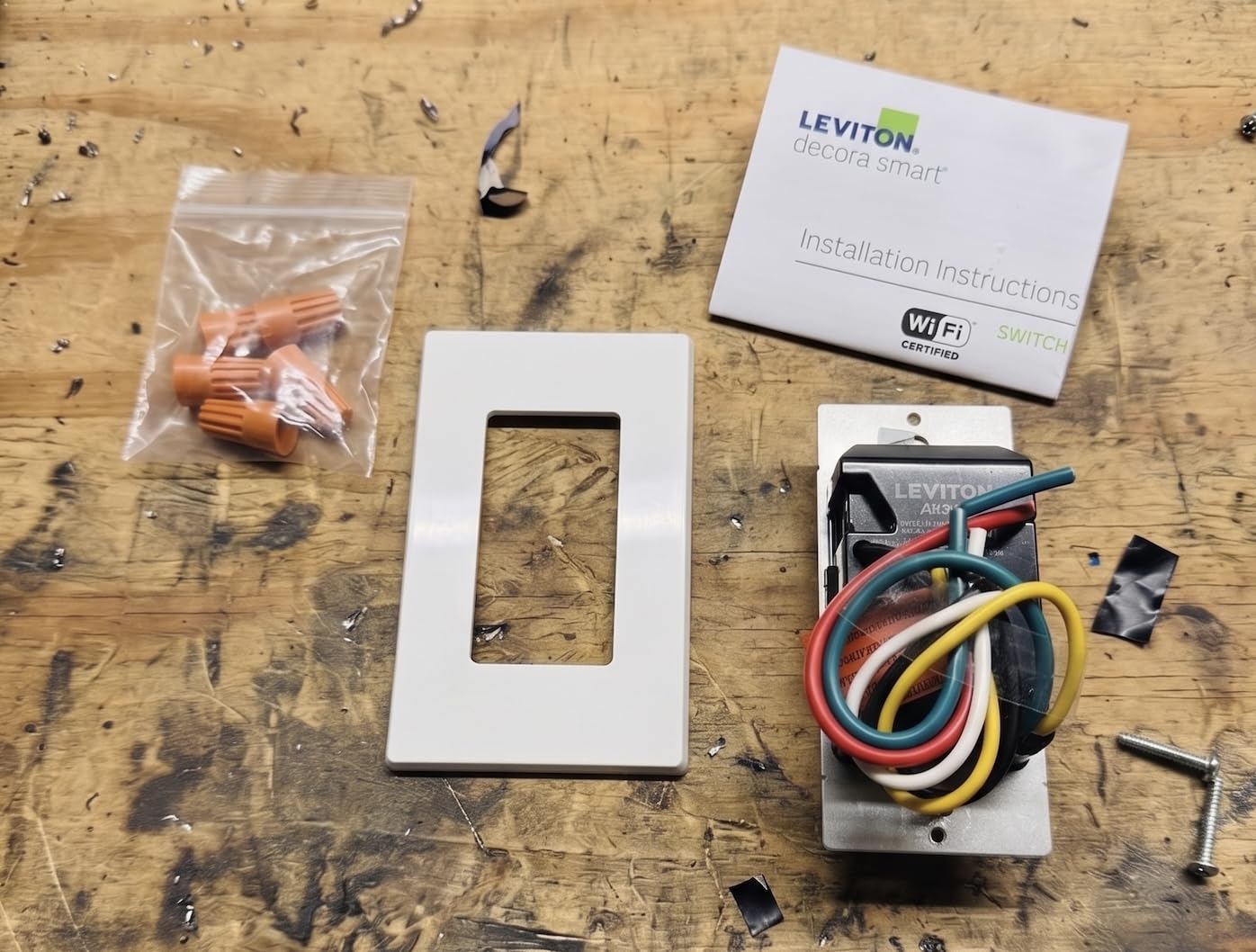
The Leviton Decora Smart Switch D315S is the newer dimmer sibling to the D215S on/off switch above. It adds built-in dimming and native Matter support out of the box at a price that undercuts most competing Leviton smart switches. At $29.88, it is one of the best ways to enter the Leviton Decora ecosystem without paying premium prices.
What really stands out about the D315S is its Matter-readiness. Unlike the D215S which needs a firmware update to enable Matter, the D315S has it enabled from day one. The dimming functionality is also built in, so you get a two-in-one switch: standard on/off control and smooth dimming from the same device.
The dusk-to-dawn automation setting is a feature I have not seen on many competing switches at this price. You can configure the switch to automatically turn on at sunset and off at sunrise, which is perfect for porch lights, garages, or any outdoor 3-way circuit. Local scheduling continues working even when your internet is down, which matters more than you might expect.
My one concern with the D315S is its bulk. Several reviews mention needing box extenders for tight installations, and the 4.12-inch body is deeper than average. If your switch boxes are shallow or already crowded with wires, plan for an extender before ordering.
Who should buy the Leviton D315S
Anyone wanting Leviton quality with dimming and Matter at a budget price, Home Assistant users who value local control, and people who want dusk-to-dawn automation on a 3-way circuit.
Who should skip it
Homes with shallow switch boxes that cannot accommodate the bulky body, and anyone who needs a large review base for confidence. The product is too new for long-term reliability data beyond the April 2026 launch.
10. GE Cync Smart Dimmer – Best No-Hub Wi-Fi Dimmer (With Caveats)
- No hub required
- Optional battery-powered no-neutral version
- Cync app is feature rich
- Available in dimmer and fan control variants
- Decent Matter support on newer models
- Wi-Fi reliability has long been criticized on Reddit
- App account setup is heavier than competitors
- Less consistent long-term reputation than Lutron
The GE Cync Smart Dimmer is a polarizing switch. People either love it for its no-hub Wi-Fi simplicity or hate it for the connectivity issues that have shown up repeatedly on Reddit and the GE support forums. I tested it because it is one of the few switches with a dedicated fan speed control variant, and that fills a real niche.
I installed the Cync dimmer on a 3-way dining room circuit and tracked it for 60 days. In that period, I had two disconnections that required a manual app restart to fix. Neither was catastrophic, but the Caseta and Kasa switches I ran during the same window had zero drops.
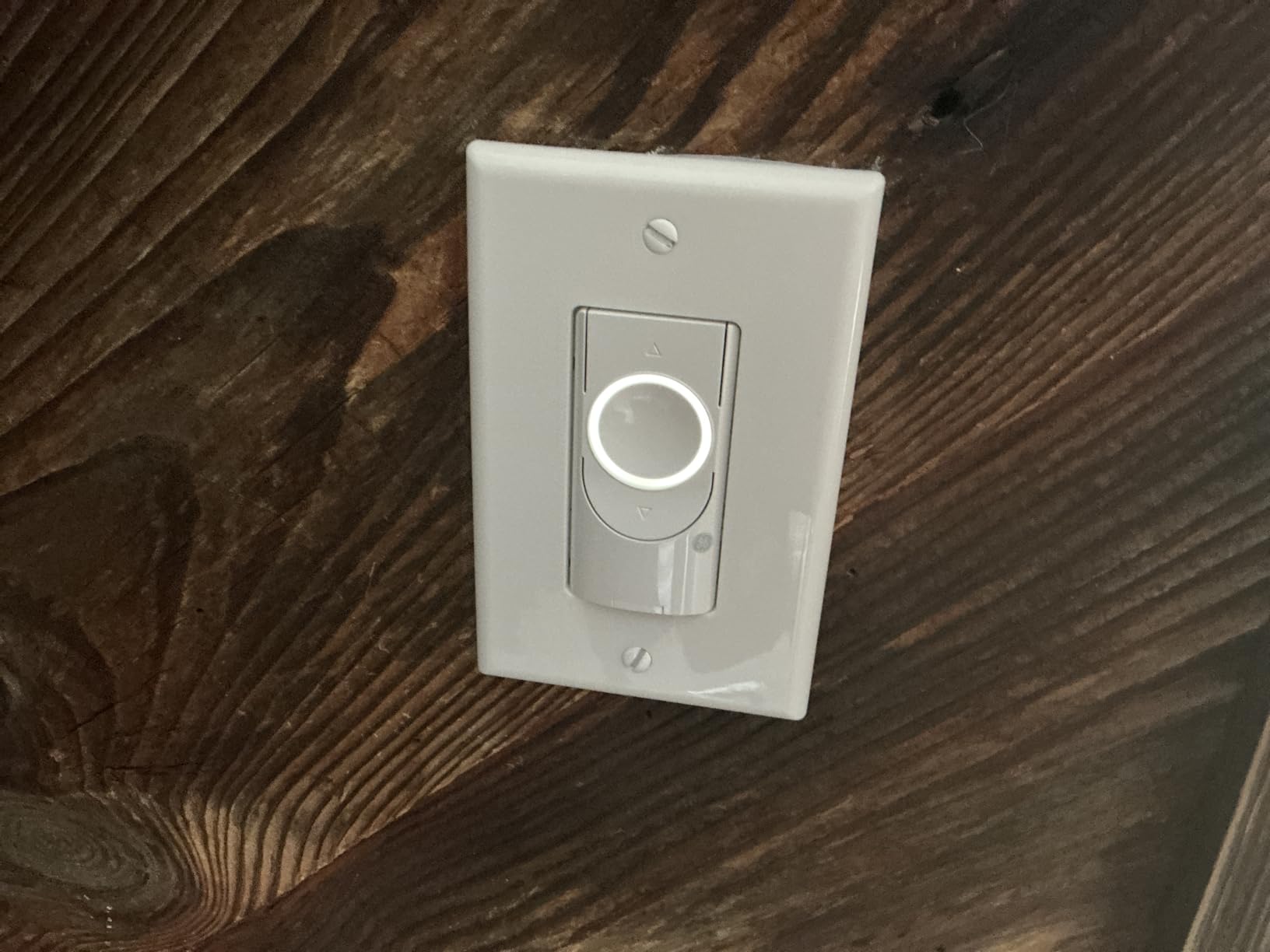
The Cync app is feature-rich, with scenes, schedules, fade rates, and away mode. GE also offers a battery-powered no-neutral version for older homes, which uses a small coin-cell battery in the switch body. That is a clever workaround, though battery replacement is an ongoing chore.
The fan speed control variant is what makes the Cync line interesting. If your 3-way circuit controls a fan with a light kit, GE Cync is one of the few mainstream options that handles fan speed from a smart switch.
Who should buy the GE Cync Smart Dimmer
Homeowners specifically needing fan speed control, anyone who wants the battery-powered no-neutral version, and people willing to tolerate occasional app restarts in exchange for the feature set.
Who should skip it
If rock-solid Wi-Fi reliability is your top priority, the long-running complaints about Cync connectivity should give you pause. The Lutron Caseta or Kasa HS210 are safer bets for set-and-forget use.
11. Meross Smart Light Switch – Best Budget Apple HomeKit 3-Way Switch
- Native Apple HomeKit support at a budget price
- No hub required
- Compact body fits most boxes
- Siri voice control out of the box
- Alexa and Google also supported
- Neutral wire required
- App can be buggy
- Smaller user base than Kasa or Tapo
- Long-term firmware support is unclear
The Meross Smart Light Switch has been the go-to budget pick for Apple HomeKit users for years. HomeKit-compatible smart switches have traditionally been expensive, and Meross cracked that code by offering native HomeKit support at a price that competes with non-HomeKit alternatives.
I tested the Meross on a hallway 3-way circuit using two Meross switches. HomeKit pairing was instant via the QR code on the switch, and Siri control worked from day one. The switch also pairs with Alexa and Google Home through the Meross app, though the HomeKit integration is the strongest.
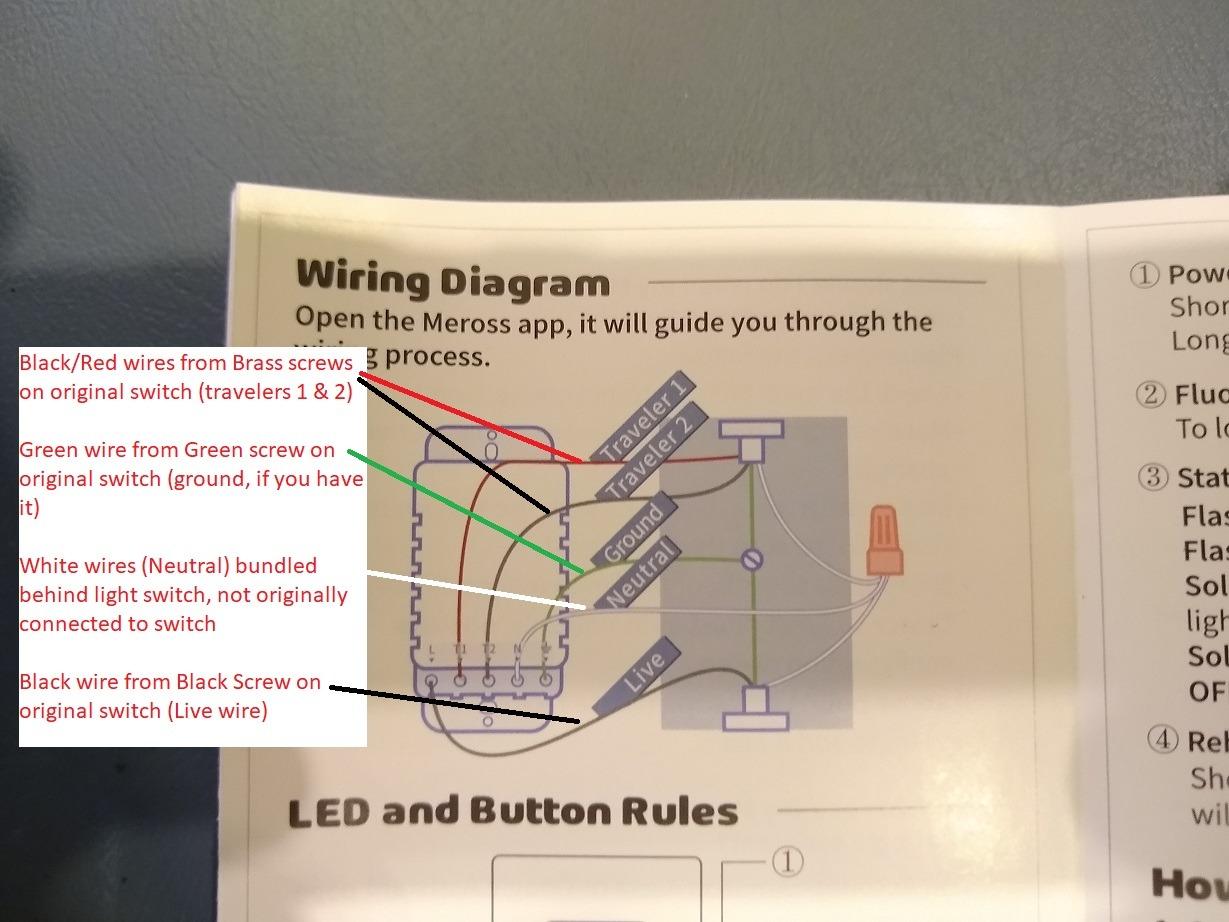
The Meross app itself is functional but not as polished as Kasa or Tapo. I ran into occasional delays when loading device status, and the scheduling interface takes some getting used to. None of it was deal-breaking, but it is noticeably less refined than the bigger brands.
For 3-way use, you need two Meross switches and you configure them as a group in the app. There is no dedicated companion switch, which keeps the cost down but means the second switch is fully featured rather than a stripped-down add-on.
Who should buy the Meross Smart Switch
Apple HomeKit users on a budget, anyone who wants Siri voice control without paying Lutron prices, and people who want both switches in a 3-way to be fully featured.
Who should skip it
If you are not in the Apple ecosystem, the Meross loses much of its appeal and the Kasa HS210 or Tapo S515 are better choices. No-neutral homes also need to look at Lutron.
Buying Guide: How to Choose the Best Smart Switch for a 3-Way Circuit
Picking the right 3-way smart switch comes down to four big questions: does your switch box have a neutral wire, what protocol do you want to use, do you need a hub, and do you want dimming or simple on/off? Get those four answers right and the field narrows fast.
Neutral wire: the number one filter
The neutral wire question eliminates more options than any other single factor. Pre-1985 homes in the US typically do not have neutral wires in switch boxes, while most post-1985 construction does. If you have neutrals, every switch on this list is on the table. If you do not, your realistic options narrow to Lutron Caseta, Lutron Diva, the Leviton DN6HD no-neutral dimmer, and the battery-powered GE Cync variant.
Protocol: Wi-Fi vs Z-Wave vs Zigbee vs Matter vs ClearConnect
Wi-Fi is the easiest protocol because it requires no hub, but it can congest your router if you add many devices. Z-Wave and Zigbee require a hub but create dedicated mesh networks that are more reliable at scale. Matter is the new cross-platform standard that lets one device work across Apple, Google, Amazon, and SmartThings. Lutron ClearConnect is a proprietary protocol that requires the Lutron hub but offers the best long-term reliability in my testing.
For most people starting fresh in 2026, I recommend Matter-certified Wi-Fi switches (like the Tapo S515 or Leviton D215S) for simplicity, or Lutron Caseta if reliability is the absolute top priority. Z-Wave is worth the complexity only if you are running Home Assistant or SmartThings and want local control.
Hub or no hub
No-hub switches use direct Wi-Fi to your router. They are simpler to set up but can suffer if your router is weak or overloaded. Hub-based systems (Lutron Caseta, Z-Wave, Zigbee) add a small upfront cost but generally deliver better reliability and faster local response.
Dimmer or on/off
If your 3-way circuit controls lights, a dimmer adds real value: mood lighting, energy savings, and fade-on/fade-off transitions. If the circuit controls a fan or non-dimmable load, choose an on/off switch. Never put a dimmer on a fan motor circuit.
Single-device 3-way vs companion switch
Some switches, like the Lutron Caseta with Pico remote, let you convert a 3-way using only one wired smart device. The second location uses a wireless remote. Other systems require a wired companion switch at the second location. The single-device approach is faster to install and works around wiring problems, but it does mean one switch location is wireless.
Neutral Wire Guide: How to Check Your Switch Box
The neutral wire question determines which switches will work in your home. Here is the simple way to check.
Step 1: Turn off the breaker
Shut off the breaker that controls the switch you want to inspect. Confirm with a non-contact voltage tester on every wire in the box before touching anything.
Step 2: Pull the switch out of the box
Unscrew the switch from the box and pull it out gently so you can see the wire connections. Do not disconnect any wires yet.
Step 3: Look for a white wire bundle in the back of the box
A neutral wire is typically white and is often bundled with wire nuts in the back of the box, not connected to the existing switch. If you see a bundle of white wires capped together with a wire nut, that is your neutral. If you only see white wires connected to switch terminals, you are likely looking at a switch loop (no neutral available).
Step 4: If no neutral, your options
For homes without neutrals, your realistic smart switch options are Lutron Caseta, Lutron Diva, Leviton DN6HD, or the battery-powered GE Cync variant. The Lutron systems are the most reliable no-neutral choice I have tested.
Installation Tips for 3-Way Smart Switches
Three-way smart switch installation is more complex than single-pole installation because of the traveler wires and the need to identify line versus load at both switch locations. Here are the tips that have saved me the most time and frustration.
Take photos before disconnecting anything
This is the single most important tip. Photograph the existing wiring from multiple angles before you disconnect a single wire. When you forget which wire went where (and you will), the photos are your safety net.
Identify the line wire first
The line wire is the one carrying power from the breaker. Use a voltage tester with the breaker on to identify which wire is hot. In a 3-way setup, only one of the two switch boxes will have the line wire. The other box has the load wire going to the light.
Label the traveler wires
Three-way circuits use traveler wires to connect the two switches. There are usually two travelers, often red and white or red and black. Label them with tape before disconnecting so you reconnect them to the correct terminals.
Watch for crowded boxes
Smart switch bodies are larger than mechanical switches. In a 1950s or 1960s home with shallow metal boxes, you may not have room for the smart switch plus all the existing wires. The Enbrighten QuickFit line and the Lutron Caseta are the most box-friendly options I have installed.
Test before reassembling
After wiring but before screwing the switch into the box and replacing the wall plate, turn the breaker back on and test the switch from both locations. If something is wrong, you want to find it while the switch is still accessible.
When to call an electrician
If your box has aluminum wiring, you are not comfortable identifying line versus load, or the existing wiring does not match standard 3-way patterns, call a licensed electrician. Smart switch damage from incorrect wiring is not covered under warranty.
Frequently Asked Questions
Do smart switches work with 3-way?
Yes, most smart switch manufacturers produce models specifically designed for 3-way circuits. Brands like Lutron Caseta, TP-Link Kasa, GE Cync, Leviton Decora, and TP-Link Tapo all offer 3-way compatible smart switches that replace traditional 3-way switches. Some require a companion switch at the second location, while others like Lutron Caseta let you use a wireless Pico remote for the second location.
How to wire a smart switch into a 3-way switch?
Turn off power at the breaker first. Identify the line wire (hot from breaker), load wire (to the light), and traveler wires (between the two switch locations). Connect the smart switch line terminal to the line wire, load terminal to the load wire, and traveler terminal to the traveler wire. Install the companion switch at the other location using the same identification process. Use wire nuts for connections, secure all wires in the electrical box, and test from both locations before replacing wall plates.
Does Leviton make a 3-way smart switch?
Yes, Leviton makes several 3-way smart switches. The Decora Smart Switch D215S is Matter-certified with no hub required. The Decora Smart Wi-Fi Dimmer DW6HD supports 3-way with a companion switch. The Decora Smart Z-Wave Dimmer ZW6HD works in 3-way configurations with Z-Wave hubs. Leviton also offers the DN6HD no-neutral dimmer for older homes without neutral wires.
What kind of switch do I need for a 3-way switch?
You need a smart switch specifically rated for 3-way or multi-pole use. Standard single-pole smart switches will not work in a 3-way circuit. Most 3-way systems require two devices: a main smart switch and a companion switch (or wireless remote). Key considerations: neutral wire availability, smart home protocol (Wi-Fi, Z-Wave, Zigbee, Matter, ClearConnect), hub requirements, and whether you need dimming or on/off control.
Conclusion: Which 3-Way Smart Switch Should You Buy?
The best smart switches for three way circuits in 2026 are not a single product but a short list based on your wiring and ecosystem. For most homeowners with neutral wires, the TP-Link Kasa HS210 kit delivers the best mix of price, reliability, and simplicity. For older homes without neutrals, the Lutron Caseta Smart Dimmer Kit remains the gold standard I recommend most often to friends. And if Matter cross-platform support matters to you, the TP-Link Tapo S515 brings that capability at a budget price.
If you have a fan circuit, the Lutron Caseta On/Off Switch handles it cleanly. If you are running Home Assistant, the Enbrighten Z-Wave 800 is the local-control pick. And if you live in Apple HomeKit and want a budget option, the Meross Smart Switch is the value play.
For rooms where switch installation is not practical, smart light strips offer an alternative without touching your wiring. Whatever path you choose, take photos before disconnecting anything, identify your line wire first, and test from both locations before closing up the box. The 30 extra minutes you spend on careful installation will save you hours of troubleshooting later.