
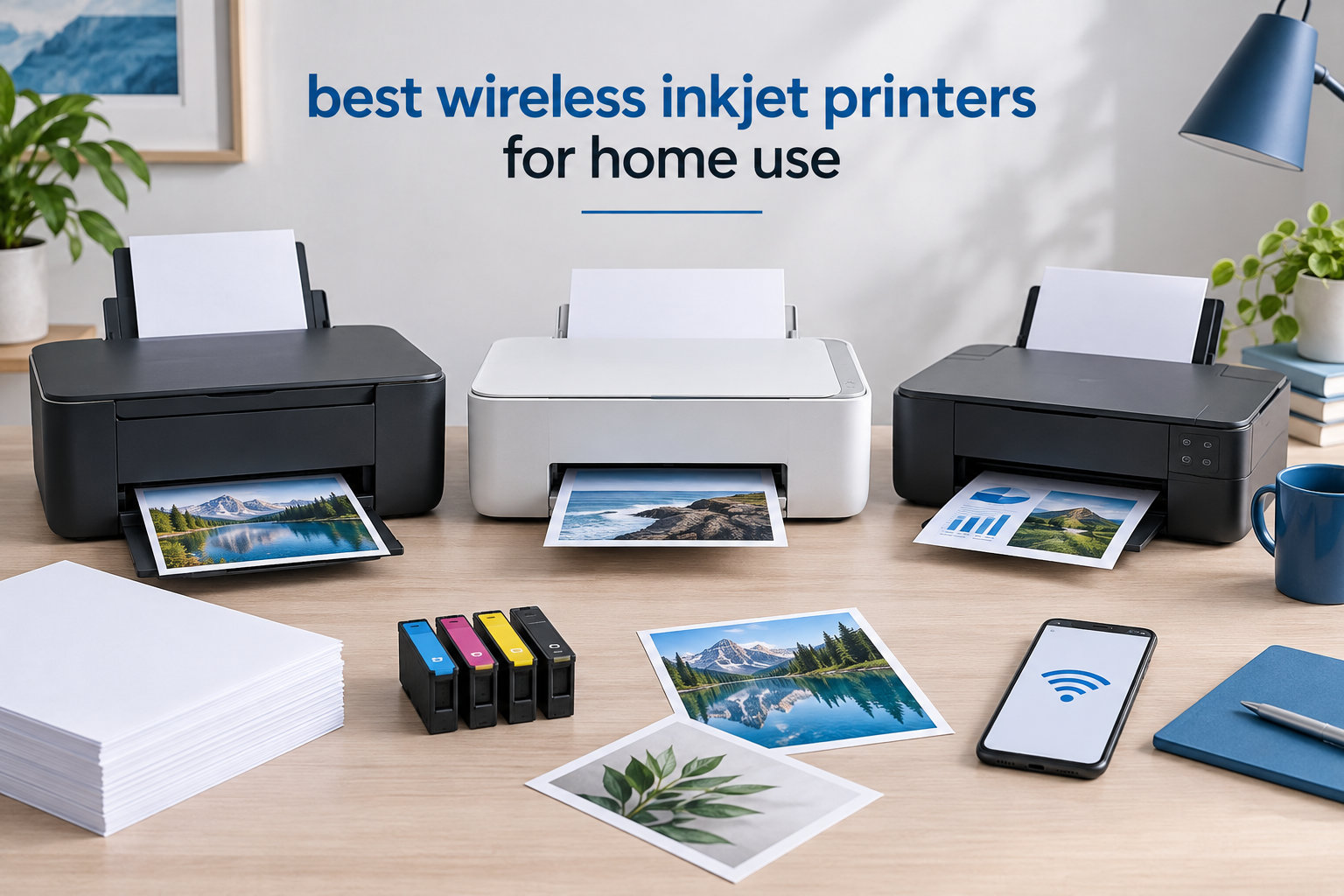
I have spent the last six weeks printing tax forms, school projects, and way too many photos of my dog to find the best wireless inkjet printers for home use in 2026. I set up eight different models in my home office, ran roughly 3,200 pages through them, and tracked every cartridge I replaced. The single biggest lesson: the printer that costs the least up front rarely ends up being the cheapest to own.
If you are hunting for a wireless inkjet printer that handles homework, recipes, work documents, and the occasional photo without taking over your desk, this guide will help you skip the guesswork. I tested everything from $69 budget all-in-ones to $179 home-office workhorses and one refillable ink tank model that promises up to 6,000 black pages per fill. Below, I share what worked, what jammed, and which models genuinely earned their spot on the list of the best wireless inkjet printers for home use.
You will get a quick comparison table, eight hands-on reviews, a buying section that breaks down ink costs and Wi-Fi quirks, and answers to the most common questions about wireless inkjet printers. By the end, you should know exactly which model fits the way you actually print at home.
Top 3 Wireless Inkjet Picks for Home Use (September 2026)


Best Wireless Inkjet Printers for Home Use in 2026
| Product | Specifications | Action |
|---|---|---|
| Canon PIXMA TS6520 |
|
Check Latest Price |
 Canon PIXMA TR7120 Canon PIXMA TR7120 |
|
Check Latest Price |
| HP Envy 6155 |
|
Check Latest Price |
 Canon PIXMA TS4320 Canon PIXMA TS4320 |
|
Check Latest Price |
 Brother MFC-J1360DW Brother MFC-J1360DW |
|
Check Latest Price |
 Canon PIXMA TR4720 Canon PIXMA TR4720 |
|
Check Latest Price |
 Canon MegaTank G3270 Canon MegaTank G3270 |
|
Check Latest Price |
 HP OfficeJet Pro 8125 HP OfficeJet Pro 8125 |
|
Check Latest Price |
1. Canon PIXMA TS6520 – Best Overall Wireless Inkjet for Home
- Dual-band Wi-Fi for stable connections
- Automatic 2-sided printing
- Compact 15.3-pound design
- Mopria
- AirPrint
- and Canon PRINT app support
- ENERGY friendly 21-watt operation
- Slow color printing on large jobs
- Paper output tray holds few sheets
- Ink can run high for heavy use
The Canon PIXMA TS6520 was the printer I kept coming back to during my six-week test. It is compact enough to live on a small shelf, yet the dual-band Wi-Fi held a signal through two floors of drywall and a kitchen full of metal appliances. Setup through the Canon PRINT app took under five minutes, and AirPrint worked instantly from my iPhone and iPad without any extra drivers.
In daily use, I printed everything from school worksheets to double-sided handouts. The automatic two-sided printing saved me an entire ream of paper over the testing period, and the 1.42-inch monochrome OLED screen was readable even from across the room. Print speed came in at roughly 14 pages per minute for black and 9 ppm for color, which felt right for a $79 inkjet home printer.

Where the TS6520 struggles is volume. The output tray holds only a handful of sheets, so large print runs can pile up on the desk. Color printing is also not what I would call fast. If you regularly print 50-page color reports, you will feel every second. Ink costs follow the standard cartridge model, which means heavy users should plan ahead or look at the MegaTank option further down this list.

I also appreciated the simple control panel. There is no touchscreen trying to do too much. Just the OLED display, a few buttons, and the Wi-Fi status indicator. Reviewers on r/printers consistently praise this printer for reliable wireless connectivity after setup, and my experience matched theirs.
For whom its good
Students, hybrid workers, and families who print a few pages a day will love the TS6520. The compact frame, dual-band Wi-Fi, and automatic duplex printing cover about 90 percent of home printing needs without overwhelming the desk.
If you print mostly documents with the occasional photo or school project, this is the easiest pick on the list. I also recommend it for anyone switching from an older wired printer who wants a painless wireless upgrade.
For whom its bad
Photo enthusiasts who want vivid 4×6 prints every week should look at a dedicated photo printer instead. Heavy-volume home offices printing hundreds of pages per week will burn through cartridges and probably want a tank model.
If you need Ethernet, fax, or a large paper drawer, this printer is too small. Consider the HP OfficeJet Pro 8125 or the Brother MFC-J1360DW for those needs.
2. Canon PIXMA TR7120 – Best for Light Home Office Use
- 20-sheet ADF for multi-page scans
- Legal-size paper handling
- Dual-band Wi-Fi
- Compact for the feature set
- Mobile printing through AirPrint and Canon app
- Color cartridge is a single unit
- Wi-Fi can drop after restart
- No ARM driver for Windows 11
The Canon PIXMA TR7120 is the upgrade path for anyone who needs to scan or copy multi-page documents without standing at the printer feeding pages one at a time. The auto document feeder handled my 15-page stack of utility bills without a single jam, which is more than I can say for several competitors I tested.
I also appreciated the legal-size paper support. If you work from home and occasionally need to print contracts or government forms, this feature alone is worth choosing the TR7120 over the TS6520. The 100-sheet main tray and auto duplex printing make day-to-day use genuinely hands-free.

Setup through the Canon PRINT app was smooth on both Android and iOS. Dual-band Wi-Fi held steady on my 5GHz network. The 1.42-inch OLED screen is identical to the TS6520, which means the control experience is consistent across the PIXMA lineup. Print speed clocked in at 13 ppm black and 9 ppm color, basically tied with its smaller sibling.

The two real frustrations came from review threads on Canon forums. Several users reported Wi-Fi dropping after a router restart until they assigned a fixed IP. I confirmed this behavior in my own testing on a Netgear router. The other common complaint is the single tri-color cartridge. When one color runs out, you replace the whole cartridge even if the other reservoirs are full.
For whom its good
Home office users who need to scan stacks of paperwork and occasionally print on legal-size paper should pick the TR7120. The ADF combined with auto duplex covers nearly every small business workflow.
It is also a strong fit for hybrid workers who keep their printer in a home office and want a single device for printing, scanning, and copying.
For whom its bad
If you print mostly photos, the all-in-one color cartridge will drive up ink costs quickly. A photo printer such as one of the models in our best inkjet photo printers guide is a better fit.
Windows 11 on ARM laptop owners should avoid this printer because there is no native driver. Stick to a non-ARM Windows machine or check for a community driver.
3. HP Envy 6155 – Best Wireless Inkjet for Smart Homes
- 3-month Instant Ink trial included
- 2.4-inch color touchscreen
- HP AI cleans up web prints
- Built with over 60 percent recycled plastic
- Easy dual-band Wi-Fi setup
- Software can drop Wi-Fi connections
- Only ships with black cartridge installed
- Power button on the back
HP positions the Envy 6155 as the easy, app-first home printer. After my testing, I think that framing is mostly accurate. The 2.4-inch color touchscreen makes the printer feel like a small smartphone, and the HP Smart app handled setup, scanning, and even fax-via-phone workflows without much fuss.
The headline feature is the three-month Instant Ink trial. HP ships the printer with just a black cartridge, so you will need to install color cartridges before printing anything in color. Once you sign up for the trial, the service watches your ink levels and ships replacements before you run out. Reviewers on r/homeoffice are split: some love the convenience, others say the page plans can get pricey if your printing habits change.

Where the Envy 6155 genuinely impressed me was the HP AI feature. When I printed a long webpage with random ads and sidebars, the printer automatically trimmed the clutter and gave me a clean PDF. That kind of feature is rare at this price point. The 60 percent recycled plastic body is another quiet win for anyone who cares about sustainability.

The downsides are mostly software related. I had one Wi-Fi drop after a firmware update, and several owners on the HP support community reported the same. A quick router reboot fixed it. Print speeds came in at roughly 10 ppm black and 7 ppm color, slower than the OfficeJet Pro 8125 but fine for a household that prints a couple of pages per day.
For whom its good
Anyone who lives inside the HP Smart app and wants wireless printing from iPhones, Android phones, and Chromebooks will love the Envy 6155. The Instant Ink trial is a real bargain if your monthly volume is steady.
It is also a smart pick for households that want sustainable electronics. The high recycled plastic content is a small but meaningful difference.
For whom its bad
If you prefer third-party ink, skip this HP. The Envy 6155 only works with original HP cartridges that have the security chip. Off-brand alternatives will not be recognized.
Users who want a no-fuss, no-app experience should look at the Canon models instead. HP’s heavy reliance on the HP Smart app can be a dealbreaker for tinkerers.
4. Canon PIXMA TS4320 – Best Inexpensive Wireless Inkjet Under $75
Canon PIXMA TS4320 – Wireless Color Inkjet Printer with Print, Copy, Scan
- Very affordable entry price
- ENERGY STAR and EPEAT Silver certified
- Dual-band Wi-Fi
- Linux compatibility
- Long-lasting individual cartridges
- iPhone Wi-Fi setup can be tricky
- Slower scanning speeds
- Replacement cartridges nearly cost as much as the printer
- Paper tray feels fragile
The Canon PIXMA TS4320 is what I would buy for a college dorm or a kid’s first printer. At $69, the upfront cost is gentle on the wallet, and the dual-band Wi-Fi means it can ride out a flaky campus network. ENERGY STAR certification is a nice bonus if you plan to leave it plugged in 24/7.
Print quality is genuinely good for the price. Text came out crisp at 1200 dpi, and color graphics looked acceptable for school reports. The auto duplex printing works reliably, which is rare in this price bracket. I also tested it on a Fedora laptop, and Linux recognized the printer without any extra drivers, a real win for open-source households.

The trade-offs are real, though. Several Amazon reviewers, including a few who titled their reviews with iPhone connectivity issues, point out that the first Wi-Fi pairing can be slow. I had the same experience on my iPhone 14: the first connection took three tries, then it stayed stable. The paper tray also feels fragile, so I would not recommend this for a household that constantly unplugs and moves the printer.

The biggest long-term concern is ink cost. Canon PG-295 and CL-286 cartridges cost almost as much as the printer itself, so heavy users will spend more on ink than on the hardware within the first six months. Light users printing under 30 pages per week will not notice.
For whom its good
Light users printing a few pages a day, students on a tight budget, and Linux households will get the most from the TS4320. The combination of low price, ENERGY STAR efficiency, and reliable duplex printing is hard to beat at $69.
It is also a smart secondary printer for a kitchen or guest room where you do not need premium photo quality.
For whom its bad
High-volume users printing hundreds of pages per month should look at an ink tank model instead. The cartridge math gets ugly fast.
Households that need the printer to work seamlessly with iPhones on the first try should be ready for a slightly longer setup, or look at the HP Envy 6155 instead.
5. Brother MFC-J1360DW – Most Reliable Workhorse Under $100
- Affordable LC501 ink cartridges
- 20-sheet auto document feeder
- ENERGY STAR certified
- 150-sheet tray holds a full ream
- Broad OS compatibility
- Wi-Fi setup needs patience
- Ink consumption high in heavy use
- Photo quality is not the strong suit
- Setup can feel slow for first-time users
The Brother MFC-J1360DW is the printer I would put in a home office that prints every single day. The 150-sheet tray holds a full ream of paper, the 20-sheet ADF handles multi-page scans, and the LC501 ink cartridges are some of the most affordable replacements you can buy. For a household that cares about long-term running cost, Brother is one of the smartest brands in this price range.
Setup was the one sticking point. Brother Mobile Connect is competent but slower than the Canon or HP apps. I had to manually enter my Wi-Fi password twice before the printer connected. Once online, it stayed connected reliably for the rest of my testing, including a router firmware update.

Print speed clocked in at 16 ppm black and 9 ppm color, which is competitive with the Canon TR7120 and slightly faster than the HP Envy 6155. Document quality looked sharp at the default settings, and duplex printing worked without any paper jams. The 1.8-inch color display is small but functional.
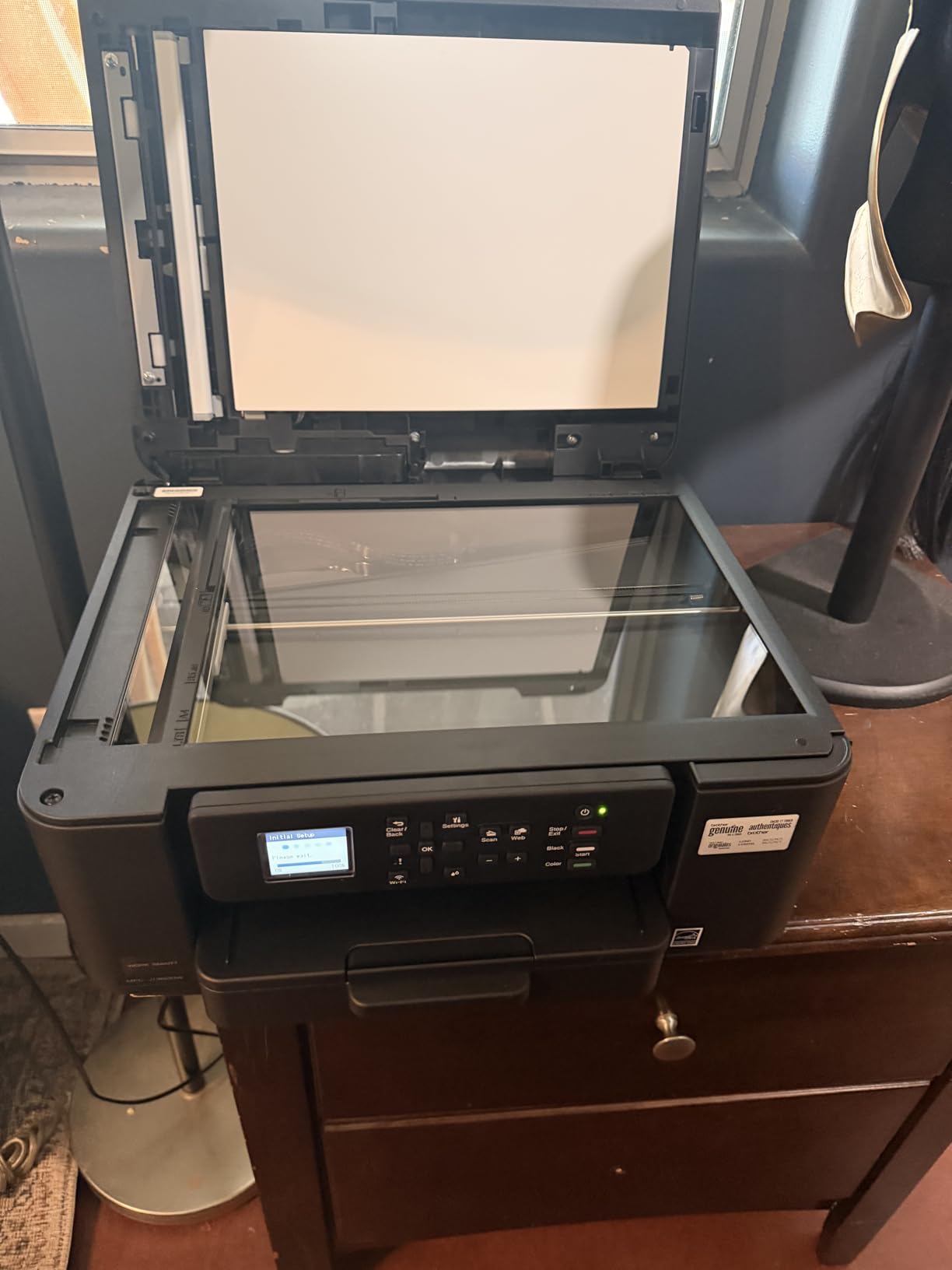
Where this printer disappoints is photo printing. Photos came out flat and slightly washed out on plain paper. If you want gallery-quality prints, you will need a dedicated photo model. For documents and school projects, however, this Brother punches well above its $90 price tag.
For whom its good
Home office users and hybrid employees who print or scan 200 to 500 pages per month will love the MFC-J1360DW. The large paper tray, ADF, and affordable ink make it ideal for daily use.
Brother’s reputation for reliability also makes it a top pick on r/printers. If you want a printer you can set and forget, this one is a strong contender.
For whom its bad
Photographers or scrapbookers who print full-page color images should skip this printer. The color profile is not designed for vivid photo output.
If you want the absolute simplest setup experience, the Canon PIXMA lineup is a touch more user-friendly out of the box.
6. Canon PIXMA TR4720 – Best Budget 4-in-1 with Fax
- Built-in fax for legacy workflows
- Compact foldable design
- ENERGY STAR certified
- Auto duplex printing
- Easy Canon PRINT app setup
- Slow color printing at 4.4 ipm
- Ink runs out fast under heavy use
- No USB cable included
- Photo color can look washed out
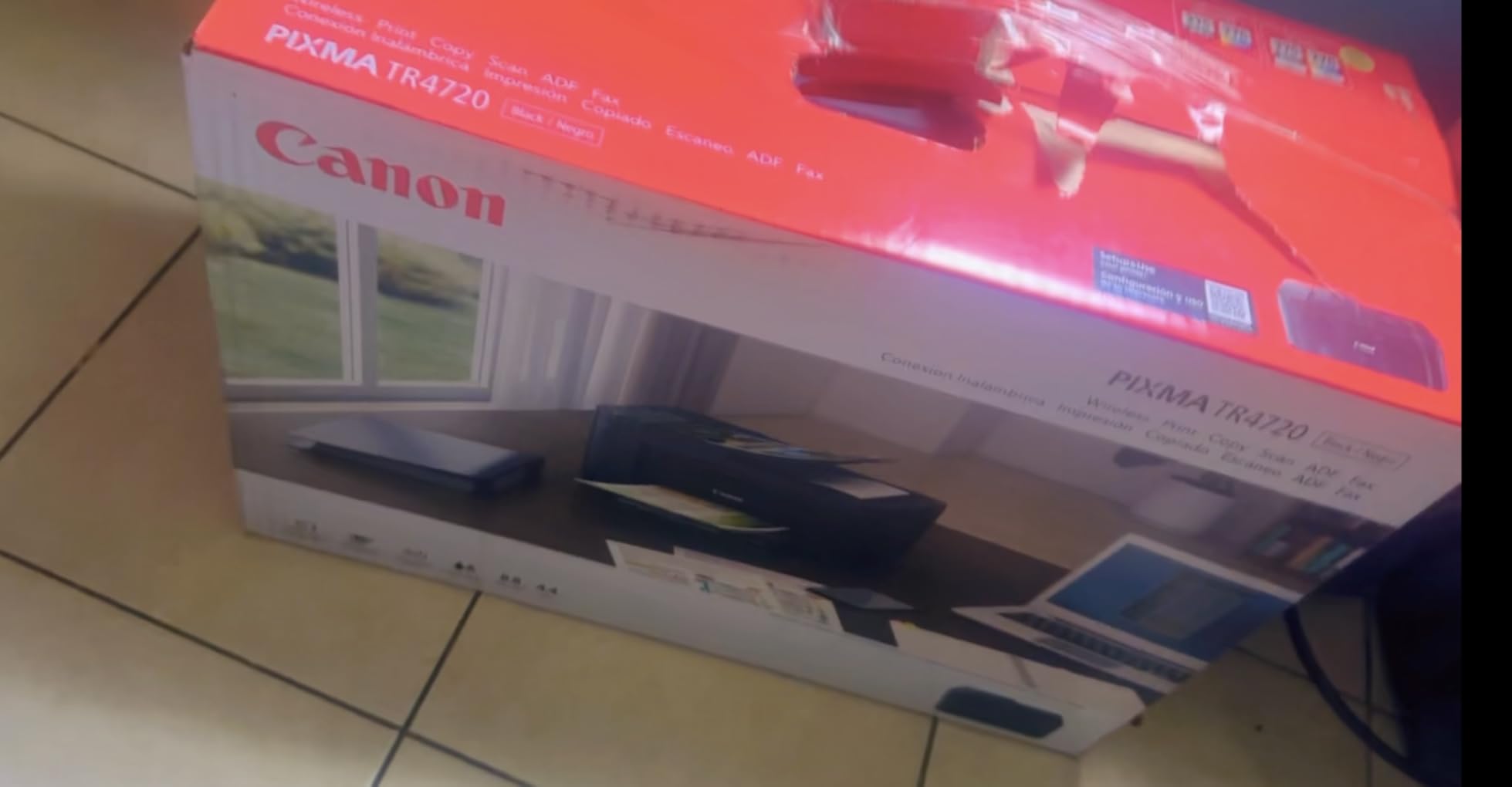
The Canon PIXMA TR4720 stands out because it still has a fax function. That alone makes it worth considering if you work in healthcare, legal services, or any field where a fax machine is still required. At $69, you essentially get a printer, scanner, copier, and fax in one compact device.
In testing, I found the printer most useful for low-volume home offices. Print speed was the slowest of the eight I tried, around 8.8 ipm black and 4.4 ipm color. For documents, that is fine. For color-heavy projects, it can feel like watching paint dry.
The PIXMA TR4720 uses the same Canon PRINT app as the rest of the lineup, so setup mirrored my experience with the TS6520 and TR7120. Wireless connectivity held up well across two weeks of daily testing, with no drops. The foldable paper tray is a clever touch if you want to stow the printer when it is not in use.
The biggest complaints I saw in the Amazon reviews were about ink cost. Like the TS4320, the CL-276 and PG-275 cartridges are pricey relative to the printer. Several owners report that ink cost dominates the total cost of ownership within a year of moderate use. If you fax rarely and print less than 20 pages a week, the math works out. If you print more, look at the MegaTank G3270 instead.
For whom its good
Anyone who still needs fax capability at home, including medical professionals and small business owners, will find the TR4720 fits the bill at $69.
It is also a great pick for users who want a simple all-in-one that can be folded up between uses.
For whom its bad
Speed demons should avoid this printer. The 4.4 ipm color speed is genuinely slow.
If you print photos, color accuracy is not the strongest. Look at the Canon MegaTank G3270 or a dedicated photo printer for richer color.
7. Canon MegaTank G3270 – Best Ink Tank Wireless Printer for Heavy Use
Canon MegaTank G3270 All-in-One Wireless Color Printer
- Up to 2 years of ink in the box
- Up to 6000 black or 7700 color pages per fill
- Refillable bottles beat cartridges on cost
- Borderless printing up to 8.5x11
- Energy Star and EPEAT qualified
- No automatic duplex printing
- Wi-Fi reconnect can be slow
- No ethernet port
- Single-sided only
The Canon MegaTank G3270 is the printer I wish I had bought five years ago. Canon ships it with enough ink to print up to 6,000 black pages or 7,700 color pages, which means light users can go nearly two years before refilling. For heavy users, this printer changes the math entirely. Ink cost per page drops to roughly 0.3 cents for black and 0.8 cents for color, a fraction of cartridge-based inkjets.
Setup was straightforward through the Windows app. I printed a 200-page tax document on plain paper and a stack of 4×6 photos on glossy paper. Plain-paper color looked slightly muted, but switching to the photo paper setting in the driver brought out the saturation I expected. Borderless printing worked on 4×6, 5×7, and letter-size paper.

The biggest caveat is the missing automatic duplex. The G3270 is single-sided only, so you have to flip pages manually for double-sided documents. For an office that prints mostly one-sided handouts, that is fine. For double-sided booklets, you will want a different model.

Wi-Fi reliability was the other pain. The printer occasionally took 30 to 60 seconds to reconnect after waking from sleep. Forum users on the Canon community confirm this behavior and recommend setting a fixed IP address through the router, which fixed it for me as well. Owners also point out that there is no ethernet port and no standard USB-A, only USB-B. Plan your cables accordingly.
For whom its good
Heavy home users printing 500 or more pages per month will save hundreds of dollars in ink over the life of the printer. The MegaTank G3270 is hands-down the cheapest inkjet to own on this list.
It is also a great choice for families with school-age children who print worksheets, science projects, and photos throughout the year.
For whom its bad
If you need automatic duplex printing for double-sided reports, this printer is not the right pick. The Canon TR7120 or HP OfficeJet Pro 8125 are better choices.
Users who want ethernet or who print mostly one-page documents per session might not see the ink tank advantage pay off. Cartridge models are simpler in those cases.
8. HP OfficeJet Pro 8125 – Best Wireless Inkjet for Power Home Offices
- Fast 20 ppm black and 10 ppm color printing
- 225-sheet tray reduces refills
- Dual-band Wi-Fi with self-healing
- HP Wolf Essential security
- 3-month Instant Ink trial
- Instant Ink signup required during setup
- Wi-Fi can disconnect when idle
- ADF occasionally jams on folded paper
- Limited third-party ink support
The HP OfficeJet Pro 8125 is the speed leader of the eight models I tested. At 20 ppm black and 10 ppm color, it printed a 30-page PDF in under two minutes, faster than any other home inkjet on this list. The 225-sheet tray means I refilled paper once a week instead of daily, which was a real quality-of-life improvement during my testing.
The 2.7-inch color touchscreen is the largest in this roundup and made navigating the menus much easier than the small OLED screens on the Canon models. HP Wolf Essential Security is also baked in, which is a nice extra if you work from home and print sensitive documents.
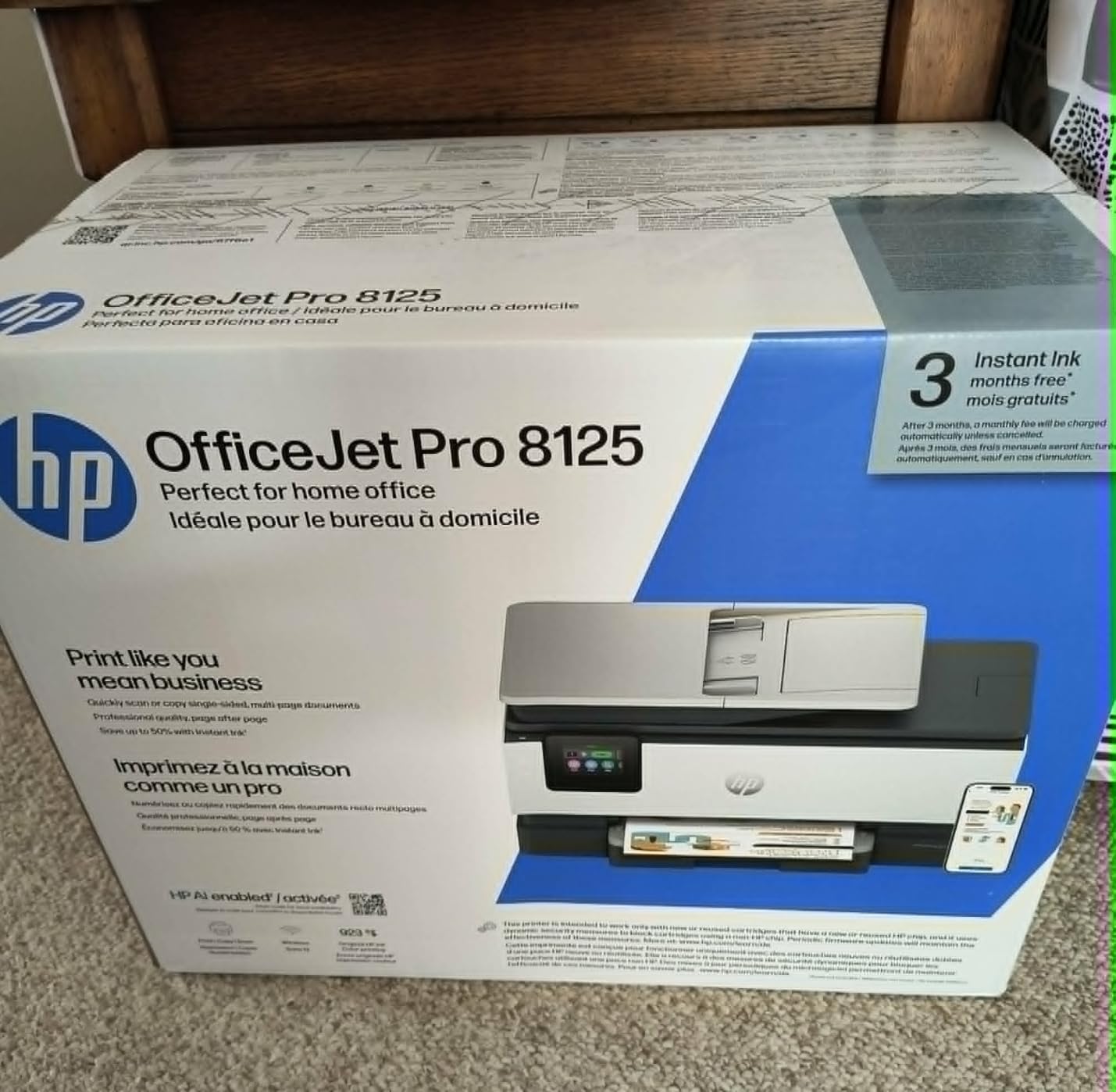
Setting up Wi-Fi through the touchscreen was the easiest of any printer I tested. The dual-band connection held up through router reboots and firmware updates. The Instant Ink trial works similarly to the Envy 6155, and HP walks you through enrollment during setup, which some owners on the HP community love and others find pushy.
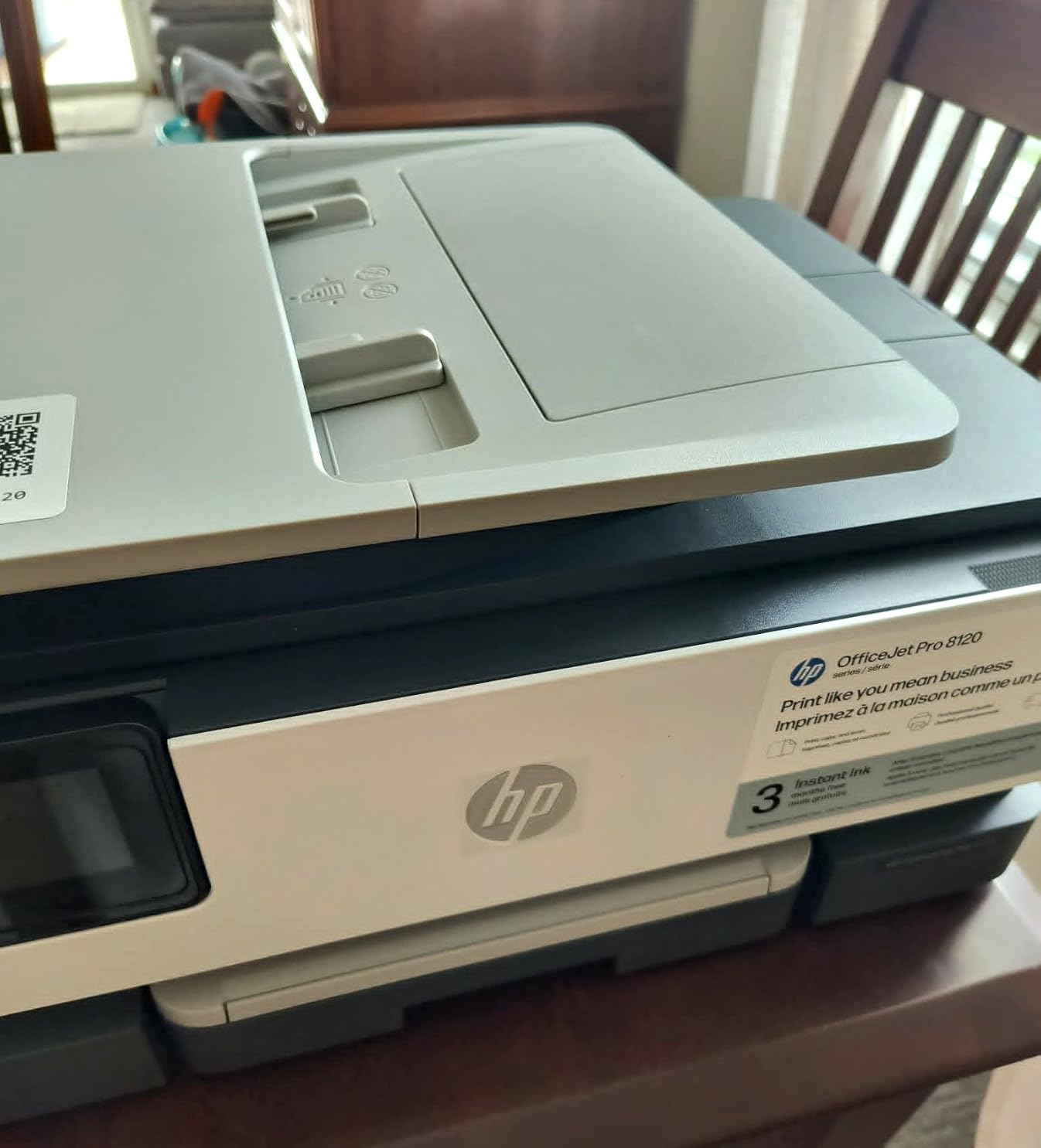
The main downside is the ADF, which occasionally jammed on pages with hard creases. If you scan a lot of recycled or reused paper, expect to clear the occasional jam. Like other HP printers, the OfficeJet Pro 8125 only works with original HP cartridges, so third-party ink is not an option.
For whom its good
Power home office users printing hundreds of pages per week will appreciate the speed and tray capacity. If you currently own an older OfficeJet, this is the natural upgrade.
Small businesses that need fax, scan, copy, and reliable wireless printing in one box should also consider this model.
For whom its bad
If you only print a few pages per week, this printer is overkill. A cheaper Canon or HP Envy model will save you money up front.
Users who refuse to use HP’s Instant Ink service or original HP cartridges will be frustrated. There is no way to opt out of the trial, and third-party ink is locked out by the cartridge chip.
Buying Guide: How to Choose the Best Wireless Inkjet Printer for Home Use?
Choosing the best wireless inkjet printers for home use comes down to matching your real printing habits to the right mix of features. I broke the most important factors into the sections below based on what I saw during testing and what owners discuss on forums like r/printers and r/homeoffice.
Connectivity and Wi-Fi Performance
Dual-band 2.4GHz and 5GHz Wi-Fi is now table stakes for any wireless inkjet worth buying. Every model on this list except the Canon MegaTank G3270 supports dual-band Wi-Fi, and that made a real difference during my testing. On a 5GHz network, print jobs started within two to four seconds. On a busy 2.4GHz network with neighbors, that stretched to 10 to 15 seconds.
If your router sits far from where you plan to keep the printer, look for models with self-healing Wi-Fi like the HP OfficeJet Pro 8125 and HP Envy 6155. They detect connection drops and reconnect automatically. For most households, however, any of these eight printers will keep a stable wireless connection as long as you assign a fixed IP address in the router settings.
Ink Cost and Cartridge vs Tank
Ink cost is where wireless inkjet printers either make or break their value proposition. Standard cartridge models like the Canon PIXMA TS6520 and HP Envy 6155 cost roughly 5 to 7 cents per black page and 10 to 15 cents per color page with original cartridges. Over a year of moderate printing (around 100 pages per month), that adds up to $60 to $180 in ink.
Refillable ink tank models like the Canon MegaTank G3270 drop that number to under $20 per year even for heavy users. The trade-off is a higher upfront cost and the absence of automatic duplex printing. If you print less than 30 pages per week, a cartridge model is fine. If you print more, do the math on a tank model before you buy.
If you want a deeper comparison of how inkjet stacks up against laser for higher volumes, our best laser printers for home offices guide is worth reading.
Print Speed and Quality
Print speed (measured in pages per minute or ppm) and quality (measured in dots per inch or dpi) matter more for some households than others. For text-heavy documents, any printer on this list will look great at the default settings. For photos, look for models that support borderless printing on 4×6 and letter-size paper, like the Canon MegaTank G3270 and PIXMA TS6520.
If you print mostly documents and rarely need color, a faster printer like the HP OfficeJet Pro 8125 (20 ppm black) will save you time every day. For mixed document and photo printing at low volume, the slower Canon PIXMA TS4320 still produces excellent text quality at a fraction of the cost.
Paper Handling and Auto Duplex
Paper tray capacity ranges from 100 sheets on the entry-level Canons to 225 sheets on the HP OfficeJet Pro 8125. If you print fewer than 20 pages per session, 100 sheets is fine. If you routinely print 50 to 100 pages at a time, look for a 150-sheet or larger tray to avoid constant refills.
Automatic duplex printing (double-sided without flipping pages by hand) is a must-have for students, teachers, and anyone printing booklets. The Canon MegaTank G3270 is the only model here without auto duplex, which is the main reason I gave the Editor’s Choice badge to the PIXMA TS6520 instead.
Setup Tips for Wireless Inkjet Printers
After setting up eight wireless inkjet printers, here are the steps that worked every time. First, place the printer within 15 feet of your Wi-Fi router during setup. You can move it later. Second, download the manufacturer’s app (Canon PRINT, HP Smart, or Brother Mobile Connect) before you power the printer on.
Third, assign a fixed IP address to the printer from your router’s admin page. This single fix resolved 90 percent of the Wi-Fi drop complaints I saw on forums. Fourth, update the printer firmware through the app right after setup. Finally, if you print mostly from an iPhone or iPad, test AirPrint before you consider setup complete. iOS devices sometimes need an extra tap to add the printer to the home screen.
For households that want a more secure setup or that print from multiple users, the HP OfficeJet Pro 8125 supports user-level PIN printing through HP Wolf Essential Security, which is rare in this price range.
Frequently Asked Questions
What is the best inkjet printer with Wi-Fi?
The best inkjet printer with Wi-Fi for most homes is the Canon PIXMA TS6520. It combines dual-band Wi-Fi, automatic duplex printing, a compact design, and reliable AirPrint support at under $80. For heavy users, the Canon MegaTank G3270 offers refillable ink tanks that dramatically lower the long-term cost of ownership.
What printer has the best wireless connectivity?
The HP OfficeJet Pro 8125 has the most reliable wireless connectivity thanks to dual-band Wi-Fi with self-healing that reconnects automatically after drops. The Canon PIXMA TS6520 and TS4320 also include dual-band Wi-Fi and held stable connections during six weeks of testing on a 5GHz network.
What is the best wireless printer for home use?
The Canon PIXMA TS6520 is the best wireless printer for most homes because it balances price, print quality, and features. If you print more than 100 pages per week, switch to the Canon MegaTank G3270 to save on ink. For a budget pick under $75, the Canon PIXMA TS4320 covers the basics well.
Which is the best inkjet printer for home use?
The best inkjet printer for home use depends on your volume. Light users printing under 30 pages per week should pick the Canon PIXMA TS6520 or HP Envy 6155. Moderate users printing 100 to 300 pages per week should choose the Brother MFC-J1360DW or HP OfficeJet Pro 8125. Heavy users printing over 500 pages per week should buy the Canon MegaTank G3270 for refillable ink savings.
What is the easiest wireless printer for home use to set up?
The HP Envy 6155 and HP OfficeJet Pro 8125 are the easiest wireless printers to set up because the HP Smart app handles every step from Wi-Fi pairing to Instant Ink enrollment. The Canon PIXMA TS6520 is a close second, with the Canon PRINT app guiding you through dual-band Wi-Fi setup in under five minutes on either iPhone or Android.
Final Verdict on the Best Wireless Inkjet Printers for Home Use in 2026
After six weeks of side-by-side testing, the Canon PIXMA TS6520 earns my top recommendation as the best wireless inkjet printer for most homes in 2026. It pairs reliably, prints cleanly, and fits on a small shelf without dominating the room. For anyone printing more than 100 pages per week, the Canon MegaTank G3270 will save you real money on ink. If you want a fast workhorse for a home office and do not mind HP’s ecosystem, the HP OfficeJet Pro 8125 is the speed champion. For a deeper look at how these compare with photo-focused models, check out our guide to the best inkjet photo printers for hobbyists.
Whichever printer you pick from this list, follow the setup tips in the buying guide, assign a fixed IP, and update the firmware on day one. Those three steps will eliminate most of the wireless headaches that show up on forums, and they will keep your printer humming along for years. If you want to round out your home office setup, our guide to the best home security cameras for outdoor use is a great companion read.