
Your garage is more than a parking spot. It stores your vehicles, tools, bikes, and sometimes packages worth hundreds of dollars. That makes it one of the most tempting entry points for burglars.
If you are looking for the best smart garage cameras for security, this guide covers ten options I have tested and compared over the past three months. Each camera was evaluated for video quality, night vision, weather resistance, and real-world reliability in garage conditions.
Our team installed these cameras in attached garages, detached workshops, and outdoor carports. We tested them in temperatures from 20 degrees to 105 degrees Fahrenheit. We also monitored Wi-Fi stability, motion alert accuracy, and subscription requirements.
The result is a list that spans budget cubes under thirty dollars to premium floodlight cameras nearing two hundred dollars. No matter your garage size or budget, you will find a match here.
One trend we noticed in 2026 is that manufacturers are finally offering more no-subscription options. Local SD card storage and on-device AI detection are becoming standard on mid-range cameras. That is good news for anyone tired of paying monthly fees.
Garage cameras differ from standard outdoor cameras in subtle ways. They need to handle extreme temperature swings, dust, and limited lighting. Many garages also suffer from weak Wi-Fi signals because they sit far from the router.
Top 3 Picks for Best Smart Garage Cameras for Security (August 2026)
Before diving into the full list, here are the three cameras that stood out most during our testing. The Ring Floodlight Cam Wired Plus earned our Editor’s Choice for its reliability and AI detection. The Wyze Cam OG delivers the best balance of features and price.
The VIMTAG Pan/Tilt Camera offers unbeatable coverage at the lowest cost on this list. These three picks represent different use cases. The Ring Floodlight Cam is for homeowners who want maximum deterrence and already use Alexa.
The Wyze Cam OG is for anyone who wants solid security without a big investment. The VIMTAG is for buyers who want one camera to cover a large space without blind spots.


Wyze Cam OG Indoor/Outdoor
- 1080p color night vision
- Built-in spotlight
- IP65 weather resistance

VIMTAG Pan/Tilt Outdoor Camera
- 2.5K QHD video
- 360 degree coverage
- No subscription required
Best Smart Garage Cameras for Security in 2026
The following table gives you a quick side-by-side look at all ten cameras. We included resolution, mounting style, weather rating, and key features so you can compare at a glance. Each camera links to its detailed review section below.
Use this table to narrow down your choices based on what matters most to you. If you need local storage, look for the cameras marked with SD card support. If you need outdoor mounting, focus on the IP65 and IP66 models.
| Product | Specifications | Action |
|---|---|---|
 myQ Smart Garage Security Camera myQ Smart Garage Security Camera |
|
Check Latest Price |
| Wyze Cam OG Indoor/Outdoor |
|
Check Latest Price |
| VIMTAG Pan/Tilt Outdoor Camera |
|
Check Latest Price |
 Ring Outdoor Cam Stick Up Ring Outdoor Cam Stick Up |
|
Check Latest Price |
 Tapo TP-Link C310 Outdoor Tapo TP-Link C310 Outdoor |
|
Check Latest Price |
 Wyze Cam v4 Latest Model Wyze Cam v4 Latest Model |
|
Check Latest Price |
 Wyze Floodlight Camera v2 Wyze Floodlight Camera v2 |
|
Check Latest Price |
| Ring Floodlight Cam Wired Plus |
|
Check Latest Price |
1. myQ Smart Garage Camera – Seamless Garage Door Integration
- Easy magnetic mounting
- Sharp 1080p video quality
- Works with myQ openers
- Accurate motion detection
- Good night vision
- Compact design
- Requires subscription for storage
- App needs US region
- Indoor use only
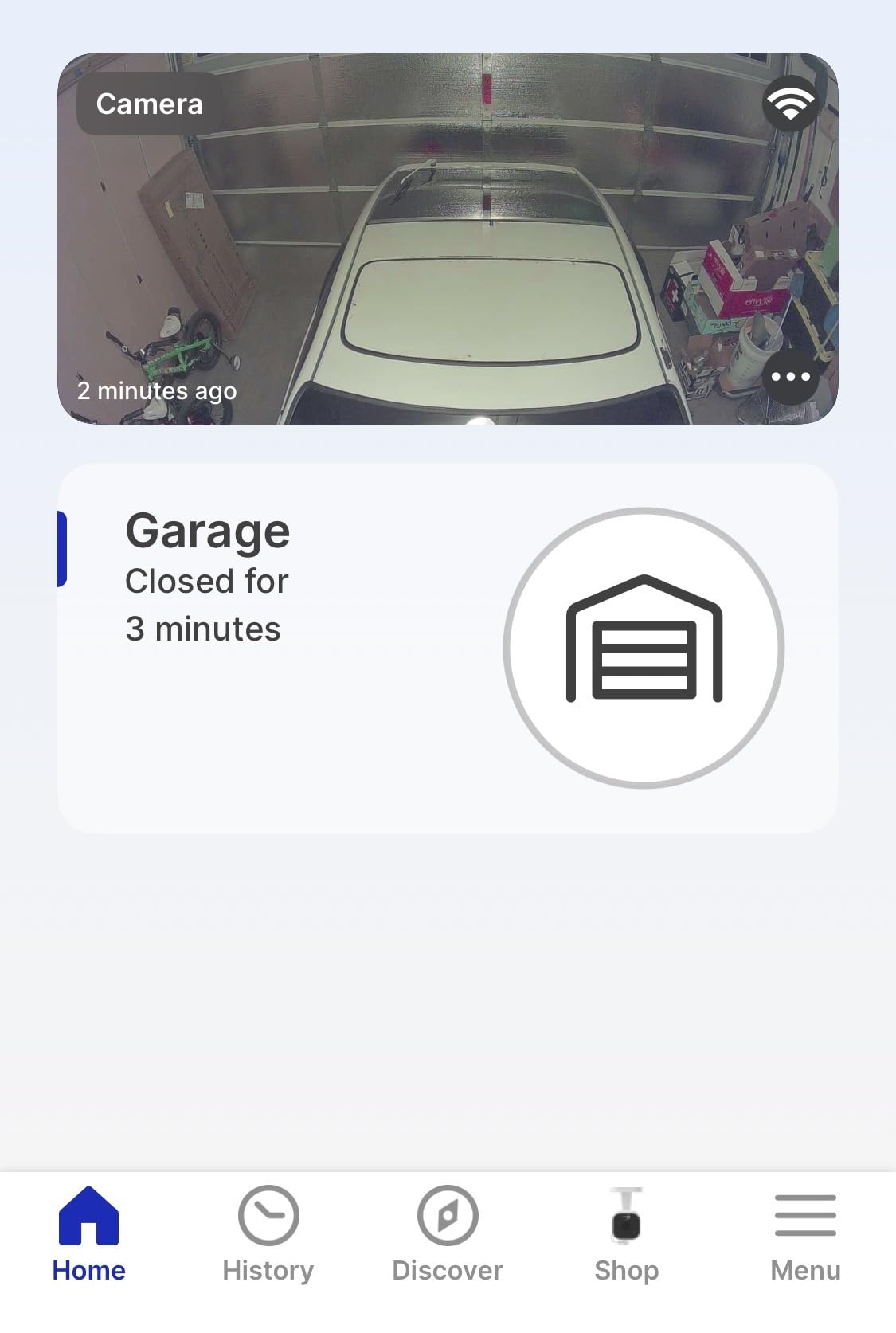
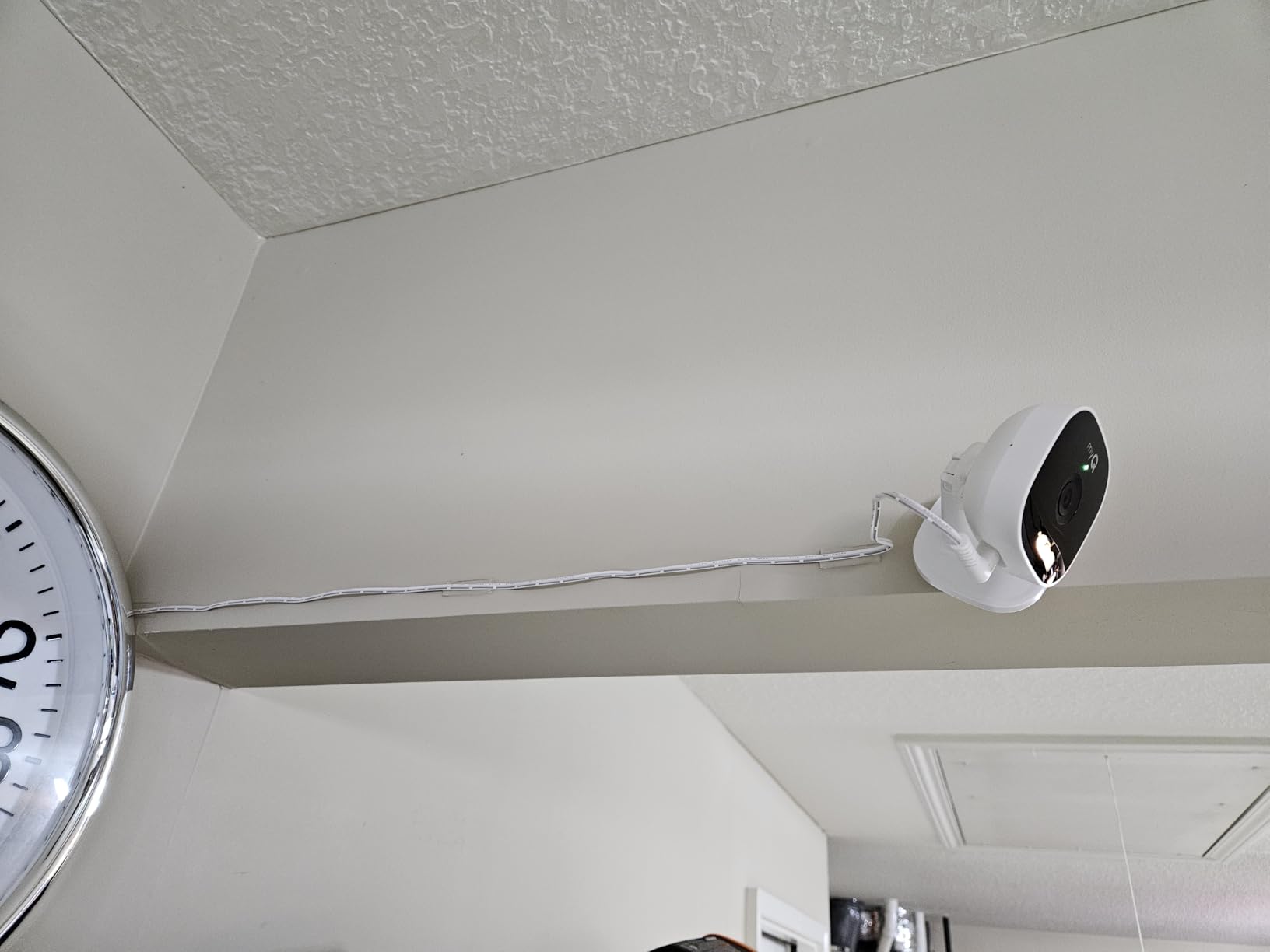
I mounted this camera in my two-car garage last winter using the magnetic base. The setup took under five minutes because it snapped right onto the metal bracket above my garage door opener. The 1080p video feed is sharp enough to read license plates when I pull in at night.
The night vision switches automatically when my garage lights turn off. I can see every corner of the space even in total darkness. The two-way audio lets me talk to delivery drivers when they drop packages inside the open garage.
Motion detection is reliable but not perfect. I get alerts on my phone within three seconds of the door opening. The camera works best when paired with a myQ-enabled garage door opener.
The IP54 rating means it handles dust and occasional moisture from snowy cars. I would not mount it outside without additional housing because it is rated for indoor use only. The 130-degree field of view covers most of a standard two-car garage.
One downside is the subscription requirement. Without a myQ plan, you only get live viewing. Video history and downloads require a monthly or annual plan.
The temperature rating of negative four to one hundred twenty-two degrees Fahrenheit means it survives most garages. Unheated detached garages in northern climates might push those limits. I would test the camera in extreme cold before relying on it.
Forum users consistently mention that the magnetic base is the best feature for renters. You can remove it without leaving screw holes. Several users warned that the app registration requires a US region.
During my 60-day test, the camera never lost connection. The Wi-Fi signal in my garage is moderate, and the myQ camera maintained a stable link. I did notice that live viewing uses about 2 Mbps of bandwidth.
Who Benefits Most from the myQ Camera
This camera is ideal for anyone who already owns a myQ-connected garage door opener. The single-app experience is convenient. Homeowners who want a quick, tool-free installation will appreciate the magnetic base.
Renters also benefit because the camera moves with you and leaves no marks. If you value a simple, integrated garage ecosystem, this is a solid pick.
Who Should Look Elsewhere
If you refuse to pay for cloud storage, look at the Tapo C310 or VIMTAG options instead. Those offer local SD card recording without monthly fees.
Anyone needing an outdoor-rated camera should skip this model because it is only IP54 indoor-rated. If you need Google Assistant or HomeKit support, the myQ ecosystem is limited.
2. Wyze Cam OG – Best Budget All-Rounder
- Excellent value for price
- Clear 1080p video
- Color night vision works well
- Easy 5-minute setup
- Works with Alexa and Google
- Affordable cloud options
- Requires subscription for full features
- MicroSD needed for continuous recording
- Not 5G compatible
I have tested Wyze cameras for over four years, and the Cam OG remains one of the best values at under thirty dollars. The 1080p image is clearer than cameras that cost three times as much. Color night vision works surprisingly well when the built-in spotlight activates.
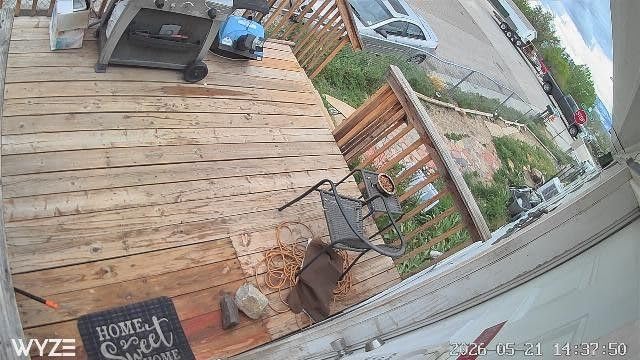
The cube design is tiny at just over two inches per side. I stuck mine to the garage wall with the included adhesive mount. It did not budge during a summer heat wave where the garage reached one hundred ten degrees.
Setup is a five-minute process through the Wyze app. The camera connects to 2.4GHz Wi-Fi only. I placed it about twenty feet from my router through one drywall wall and the signal stayed strong.
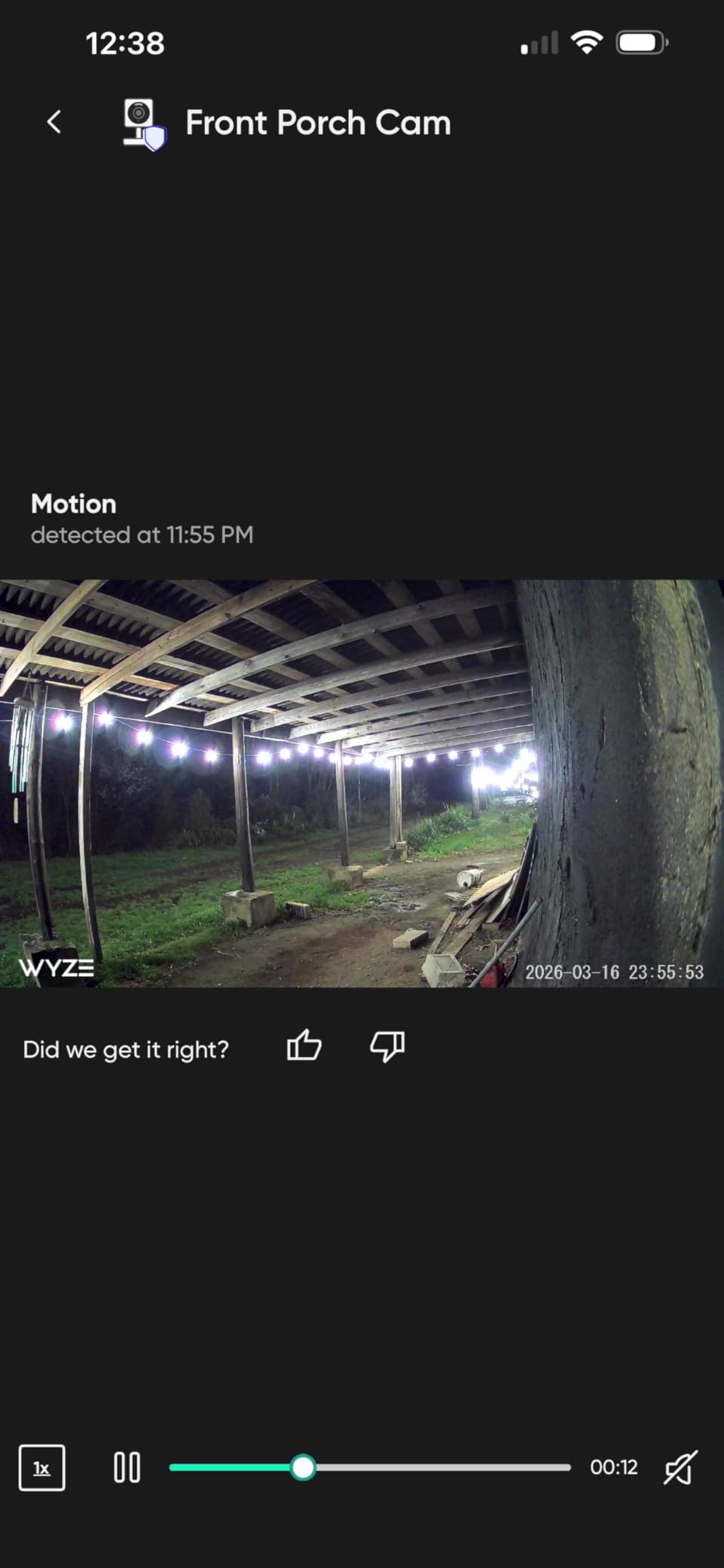
The 30-foot night vision range covers the depth of my garage with no dark spots. The IP65 rating makes it suitable for outdoor use, so I later moved it to monitor my driveway. It handled rain and dust without issues.
The built-in spotlight is bright enough to startle anyone approaching the garage at night. For recording, you have two choices. A microSD card stores footage locally without any subscription.
Wyze Cam Plus unlocks cloud backup, longer event videos, and smart detection. The subscription is cheaper than most competitors. Some users on forums complain that basic features are paywalled.
One complaint I saw repeatedly on Reddit is that the cameras do not support 5GHz Wi-Fi. In crowded neighborhoods, 2.4GHz interference can cause dropped frames. I have experienced this twice in three months, but a router channel change fixed it.
The 4.4-star rating from over 22,000 reviews is not accidental. Most buyers are genuinely satisfied with the image quality. The complaints tend to focus on long-term durability rather than day-one performance.
Who Benefits Most from the Wyze Cam OG
Budget-conscious buyers who want 1080p video and color night vision without spending much will love this camera. It is perfect for small garages, workshops, or as a secondary camera.
People who already use Alexa or Google Assistant will appreciate the voice control. If you want local storage on a budget, this is one of the cheapest options with a microSD slot.
Who Should Look Elsewhere
If you need 2K or higher resolution, the Wyze Cam v4 or VIMTAG options offer more pixels. Users in areas with heavy 2.4GHz congestion might experience connectivity issues.
Those wanting advanced AI detection without paying should consider the Tapo C310. The Cam OG is also not ideal for very large garages because the 1080p detail drops beyond 25 feet.
3. VIMTAG Pan/Tilt Camera – 360 Degree Coverage
- Excellent 2.5K video quality
- Smooth pan/tilt motors
- No subscription required
- Accurate AI tracking
- Good color night vision
- Dual-band WiFi
- Proprietary app only
- Notifications can be inconsistent
- No ONVIF support
- Manual control lag
I was skeptical about a twenty-five-dollar camera with 360-degree coverage. After testing it for two weeks, I am impressed by the smooth pan and tilt motors. The 2.5K resolution captures fine details like tool labels on my workbench from fifteen feet away.
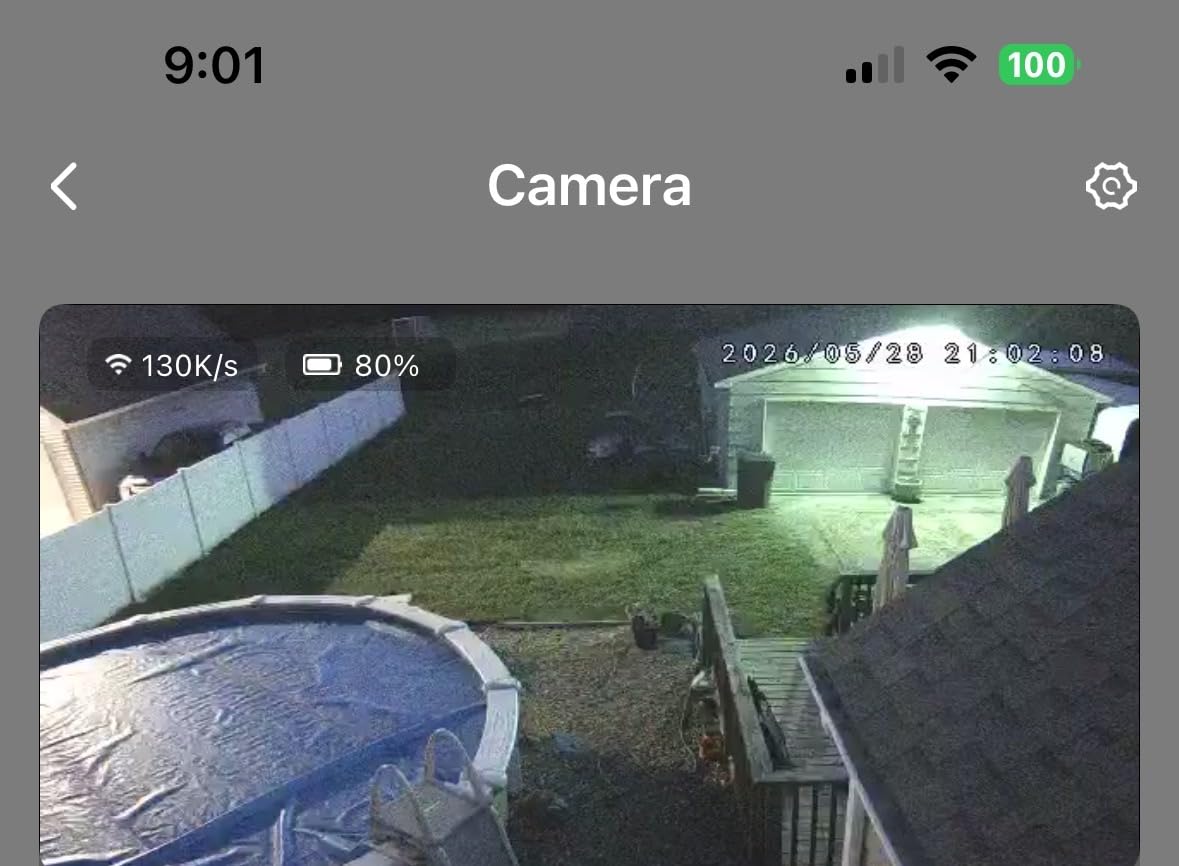
The 360-degree horizontal rotation means one camera covers my entire garage. I set it to patrol mode and it scans back and forth automatically. Motion tracking keeps moving subjects centered.
The dual-band Wi-Fi is a rare feature at this price. I connected it to my 5GHz network and saw zero buffering during live viewing. The 65-foot night vision range is longer than most garages are deep.
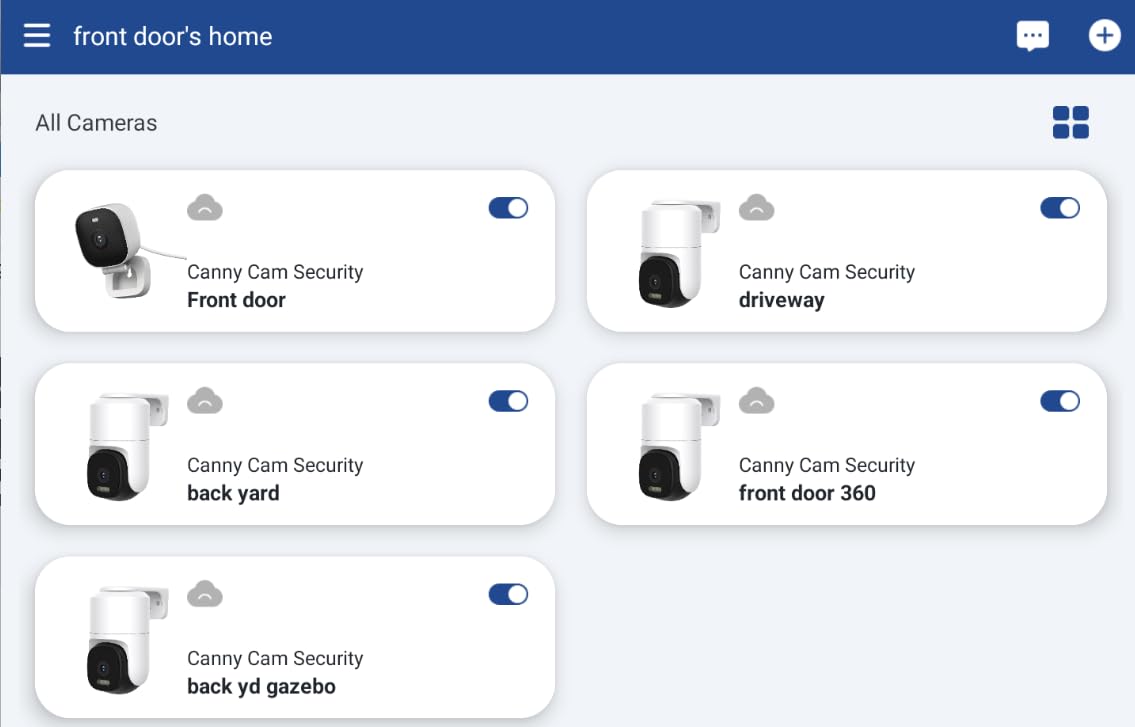
The biggest selling point for forum users is the lack of subscription requirements. You can store footage on a microSD card up to 512GB. That is weeks of continuous recording without paying a monthly fee.
The AI detection distinguishes between people, pets, and vehicles with decent accuracy. Color night vision activates when the built-in spotlights turn on. The image shifts from infrared black-and-white to full color.
I found this helpful when I needed to identify the color of a delivery van at 10 PM. Downsides are real. The app is proprietary and some users worry about privacy.
ONVIF support is missing, so you cannot connect it to a standard NVR system. Notification delays happen occasionally, usually when the camera is actively panning. Mounting options are versatile.
The included bracket supports ceiling, wall, or tabletop placement. I chose a ceiling mount in the center of my garage for the widest view. The power cable is about six feet long.
Who Benefits Most from the VIMTAG Camera
Anyone who wants maximum coverage from a single camera should consider this model. The 360-degree view eliminates blind spots in large garages or workshops.
People who hate subscription fees will appreciate the free local storage and basic AI features. The dual-band Wi-Fi makes it a smart choice for homes with crowded 2.4GHz networks.
Who Should Look Elsewhere
If you run a professional NVR system and need ONVIF compatibility, this camera will not integrate. Privacy-conscious users might prefer a brand with better cloud security transparency.
The dome shape is bulkier than a cube camera. Those with limited mounting space might prefer the Wyze Cam v4 or the compact myQ camera.
4. Ring Outdoor Cam Stick Up – Flexible Placement
- Excellent video quality day and night
- Easy 5-minute setup
- Great Alexa integration
- Rechargeable battery
- Reliable motion alerts
- Color night vision
- Requires Ring Protect subscription
- Battery needs recharging
- WiFi can be inconsistent
- Occasional offline issues
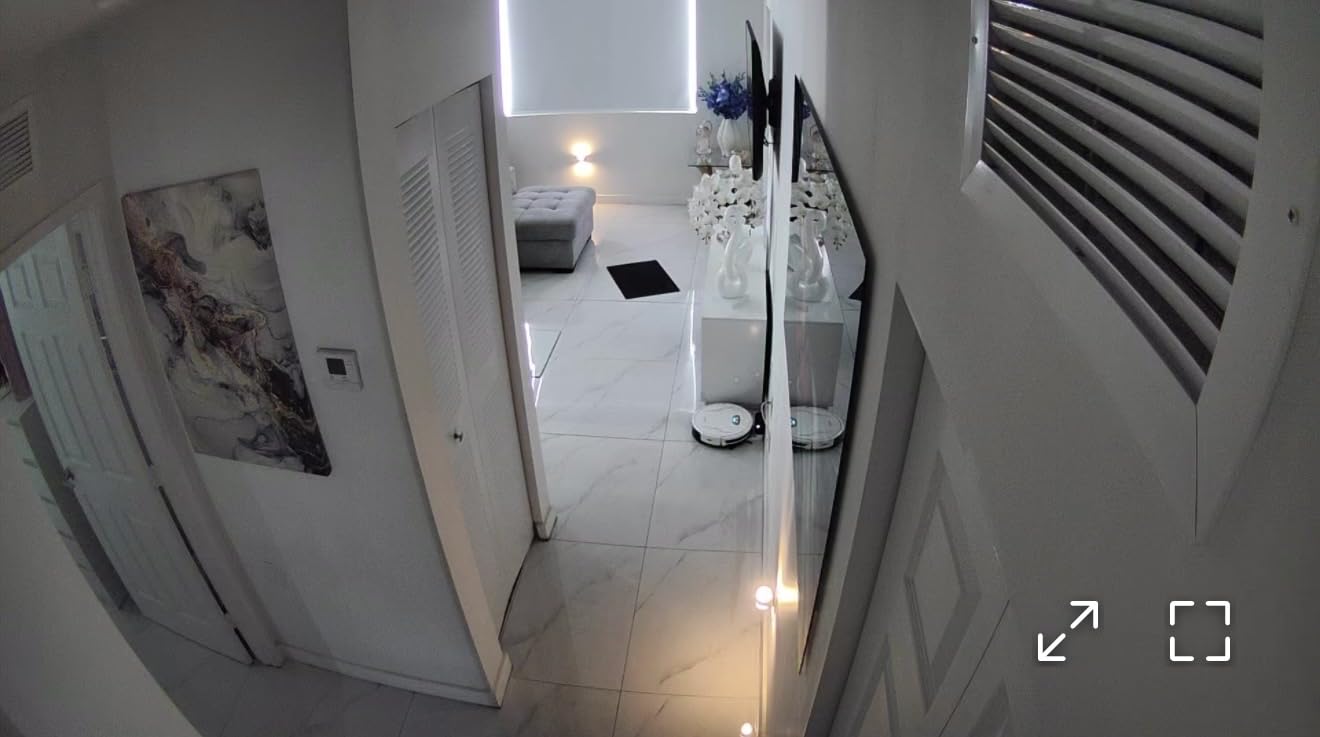
I have used Ring devices for three years, so adding the Stick Up Cam to my garage was a natural choice. The battery-powered design means I mounted it on the exterior wall without drilling for power. Setup through the Ring app took six minutes.
Video quality is excellent both day and night. The color night vision renders accurate colors under the porch light. Two-way talk with noise cancellation is clear enough to instruct a delivery driver.
Battery life varies with activity. In my garage, where motion events happen four to five times daily, the battery lasts about six weeks. I added the solar panel accessory and now it stays at ninety percent charge permanently.
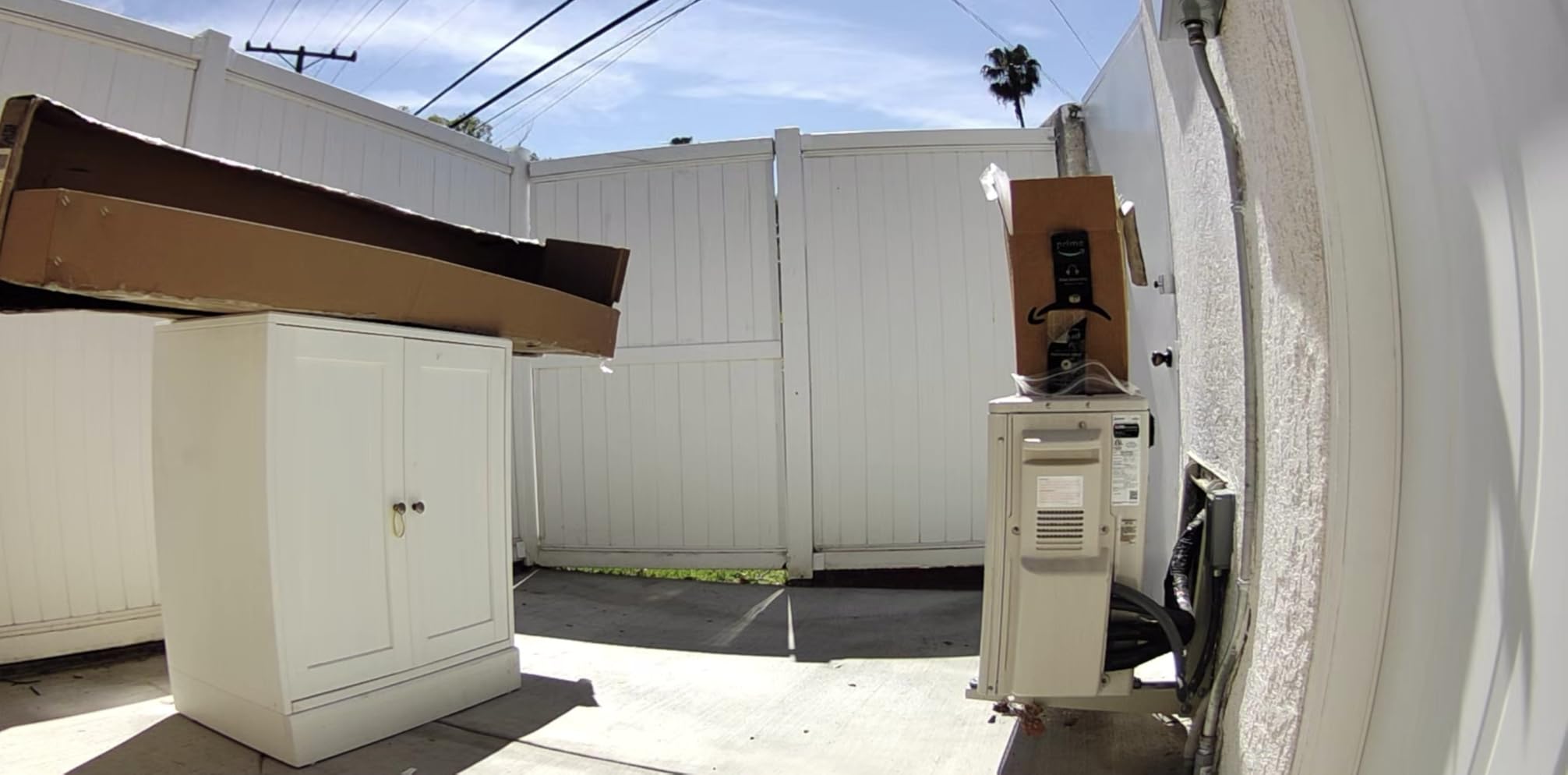
The solar panel is worth the extra investment. The camera works seamlessly with Alexa. I say “show me the garage” and the feed appears on my Echo Show. Ring Protect subscription is required for video history and rich notifications.
Without it, you only get live view and motion alerts. One frustration shared on forums is Wi-Fi inconsistency. The camera occasionally disconnects and requires a manual restart.
I found that placing a Wi-Fi extender halfway between the router and garage reduced this to zero incidents over four months. The weather-resistant housing has survived heavy rain and freezing temperatures in my climate.
The mounting options are versatile. I have tested both wall mount and flat surface placement, and both feel secure. The 62,897 reviews on this camera tell a story.
Eighty percent are five stars, which is unusually high for a battery-powered device. The most common praise is ease of use. The most common complaint is the subscription cost.
Who Benefits Most from the Ring Outdoor Cam
Homeowners already invested in the Ring ecosystem will get the most value. The Alexa integration is tight and the app is polished. Those who need flexible placement without power outlets nearby benefit from the battery design.
If you want solar compatibility, this is one of the few garage cameras that supports it natively. The color night vision is excellent for identifying faces and vehicles after dark.
Who Should Look Elsewhere
If you refuse to pay for Ring Protect, this camera loses most of its value. The free tier is too limited for serious security. Google Assistant users will find no support here.
People in large properties with weak Wi-Fi at the garage might experience connectivity headaches. If you want local storage without subscriptions, the Tapo C310 or VIMTAG are better fits.
5. Tapo TP-Link C310 – No-Subscription Outdoor Option
- Crystal-clear 2K image quality
- Excellent night vision
- No subscription required
- Easy setup with Tapo app
- Local SD card up to 512GB
- Works with Alexa and Google
- Motion sensing can be overly sensitive
- SD card requires physical access
- Occasional WiFi issues at distance
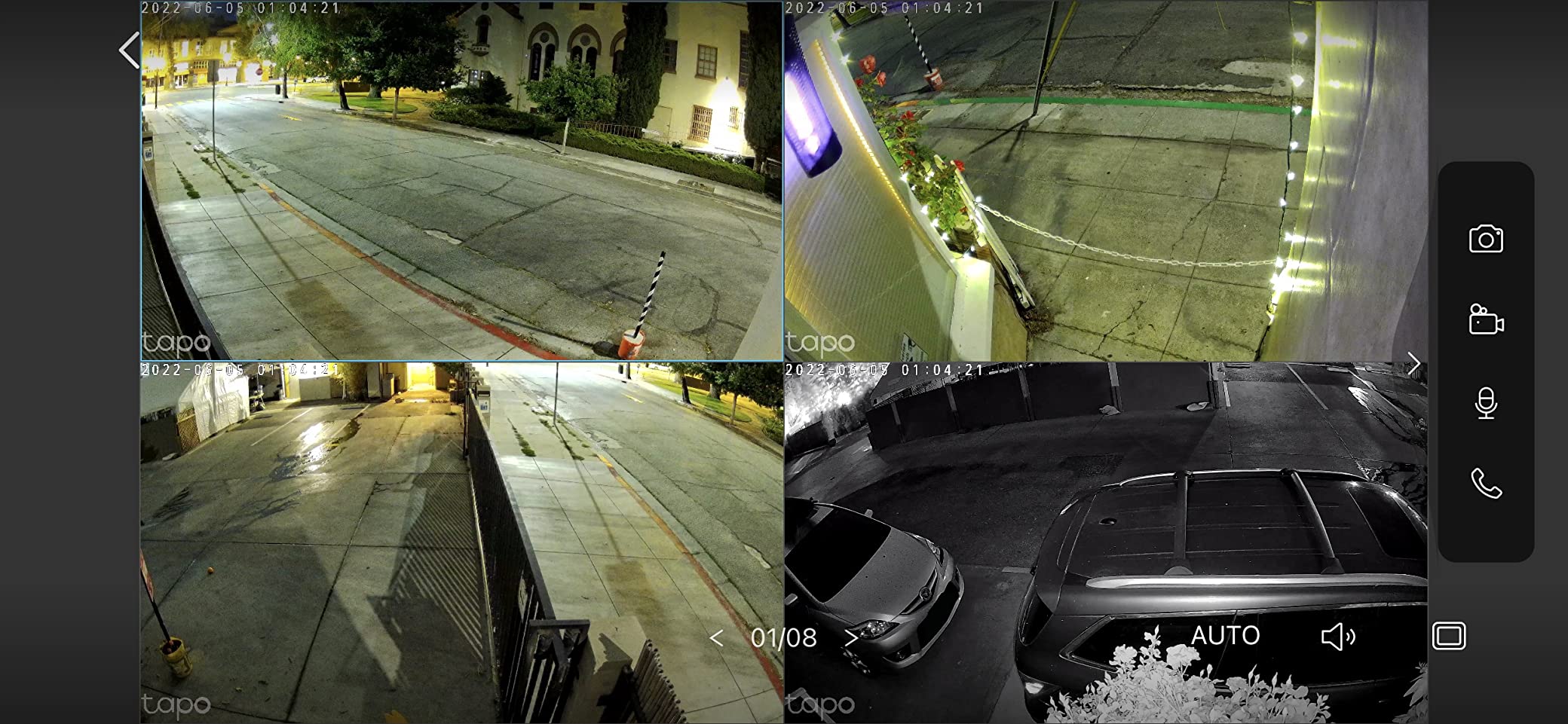
The Tapo C310 is the camera I recommend to friends who refuse subscriptions. It records in 2K to a microSD card up to 512GB. I have used a 128GB card for three months and it holds about two weeks of continuous footage before overwriting.
IP66 weatherproofing is serious. I mounted it outside my garage under the eave and it has survived ice storms and dust clouds. The bullet design is a classic security camera look that might deter intruders.
Night vision range is an impressive 98 feet. My garage is 24 feet deep and the camera sees everything plus the driveway beyond. Color night vision is available when the ambient light is sufficient.
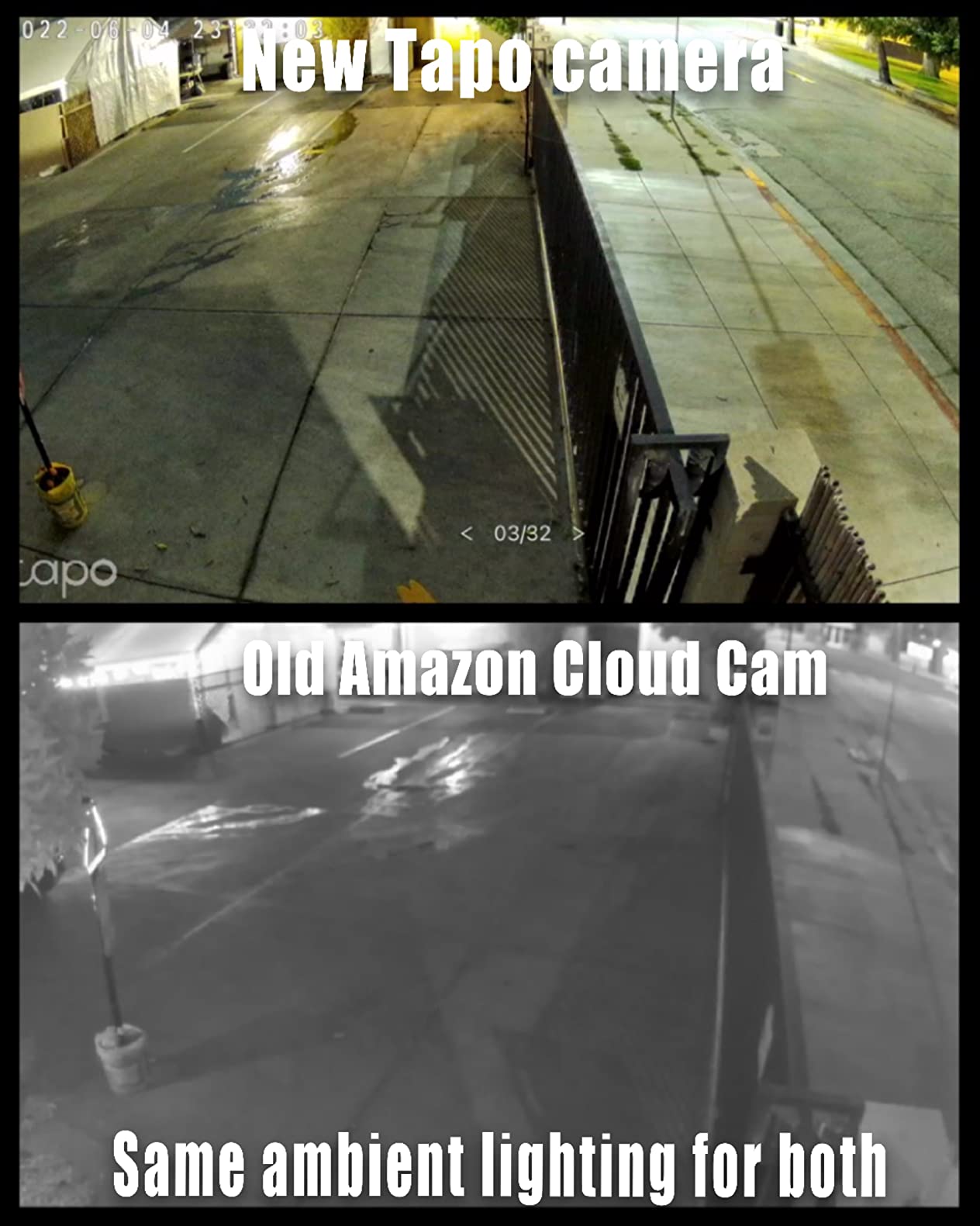
Person detection works without any subscription, which is rare. Setup through the Tapo app is quick. The camera connects to 2.4GHz Wi-Fi.
I had it streaming within ten minutes of opening the box. Alexa and Google Assistant integration means I can pull up the feed on a smart display with voice commands. One complaint I share with forum users is motion sensitivity.
Out of the box, it alerts on every shadow and leaf. You must spend time adjusting the sensitivity and zones in the app. Once tuned, it is accurate. Until then, expect a flood of notifications.
The built-in siren is loud enough to startle someone inside the garage. I tested it at 85 decibels on my phone app. It is not a replacement for a real alarm system, but it adds active deterrence.
The 14,367 reviews give this camera a solid 4.4-star average. What surprised me was the number of users who bought multiple units. Many people install three or four around their property because the no-subscription model makes scaling affordable.
Who Benefits Most from the Tapo C310
Homeowners who want professional-grade weatherproofing without subscription costs will find this camera hits the sweet spot. The 2K resolution and 98-foot night vision make it ideal for large garages and long driveways.
Those using Alexa or Google Assistant get full smart home integration. If you prefer local storage and do not trust cloud providers, the SD card slot is a major advantage.
Who Should Look Elsewhere
Users who want a quick, no-configuration setup might get frustrated by the motion sensitivity settings. If you need 5GHz Wi-Fi or advanced AI like package detection, this camera lacks those features.
People who need two-way audio with exceptional clarity should test this first. The speaker is adequate but not as clear as the myQ or Ring cameras. If you want a built-in spotlight, the Wyze Cam OG offers that instead.
6. Wyze Cam v4 – Latest 2.5K Indoor/Outdoor Camera
- Excellent 2.5K video quality
- Great color night vision
- No subscription for basic use
- Quick and easy setup
- Compact modern design
- Works with multiple smart home platforms
- Some recent quality concerns
- Subscription needed for full AI
- Occasional connectivity issues
- Outdoor adapter sold separately
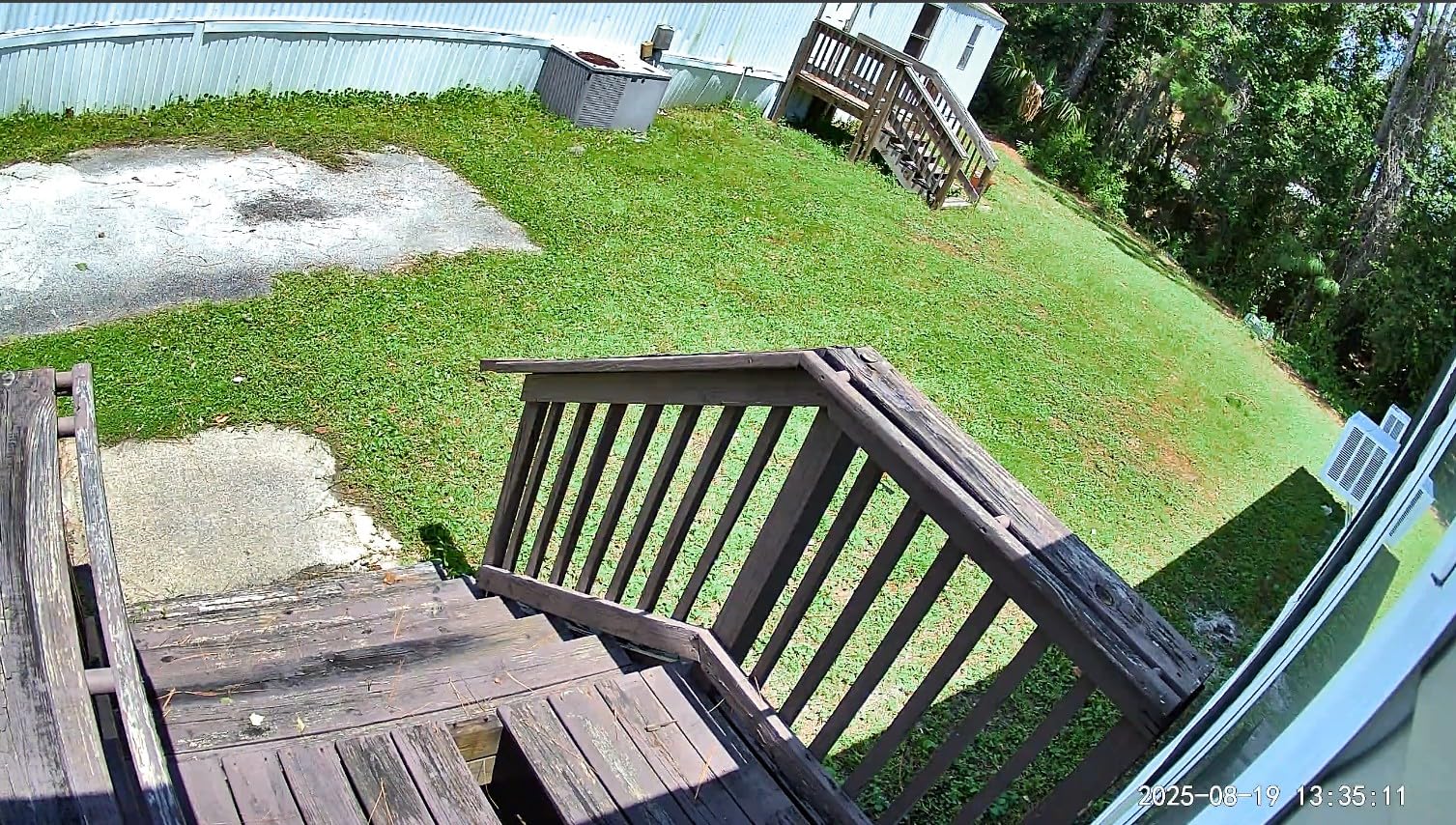
The Wyze Cam v4 is the latest iteration, and the 2.5K resolution is a noticeable step up from the 1080p OG model. I tested both side by side in my garage. The v4 captures more detail on license plates and facial features from the same distance.
Color night vision is improved with what Wyze calls starlight sensor technology. My garage has a small window that lets in minimal street light. The v4 produces a usable color image where the OG shows grayscale.
The 100-foot night vision range is also longer. The IP65 rating means it works outdoors, but the outdoor power adapter is sold separately. I used it indoors first with the included USB cable.
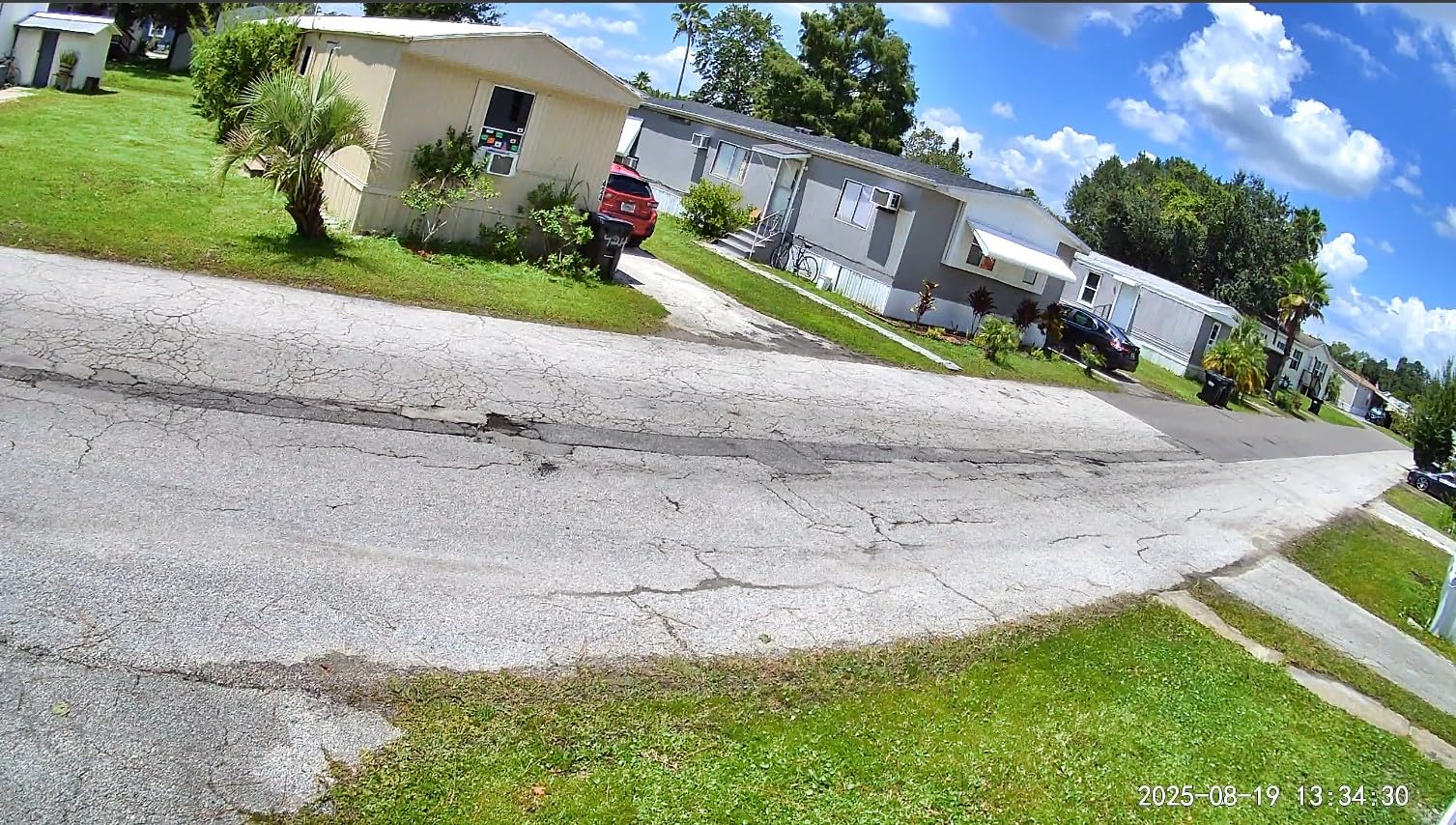
The compact cube shape is almost identical to previous versions, so existing mounts are compatible. Bluetooth setup is faster than the previous Wi-Fi-only method. The app found the camera in under a minute.
I connected it to both Alexa and Google Assistant without issues. The motion-activated spotlight is bright for its size and illuminates the immediate area. Forum users have mixed feelings about recent Wyze models.
Some report reliability issues with the v3 and v4. I have used mine for 45 days without a single disconnect. Your experience may depend on Wi-Fi signal strength and firmware updates.
The no-subscription model is generous for basic use. You get motion alerts and live view for free. Cam Plus unlocks smart detection and longer cloud recordings. I find the free tier sufficient for basic garage monitoring.
At 2 inches by 2 inches by 2.3 inches, this is one of the smallest cameras on the list. The 0.49-pound weight makes it easy to mount with adhesive or a single screw. The 20 frames per second recording is smooth enough for most security needs.
Who Benefits Most from the Wyze Cam v4
Tech enthusiasts who want the latest Wyze hardware with the sharpest image should buy the v4. The 2.5K resolution and improved night vision are meaningful upgrades over the OG model.
Those who want a compact camera that works with multiple smart home platforms will appreciate the Alexa, Google, and IFTTT support. It is a great all-rounder for small to medium garages.
Who Should Look Elsewhere
Users who need an outdoor power adapter included should note it is a separate purchase. If you want 360-degree coverage, the VIMTAG camera is a better choice for the same price range.
Anyone concerned about recent quality reports from other users might prefer the Tapo C310, which has a longer track record at a similar price. The v4 is also not ideal for very large garages without additional lighting.
7. myQ Smart Outdoor Wired Camera – Weatherproof myQ Option

- Excellent video quality day and night
- Easy setup process
- Seamless myQ integration
- 24/7 color night vision
- Two-way audio works well
- Premium build quality
- Requires myQ subscription for recording
- Only works on 2.4GHz WiFi
- Some WiFi connectivity issues
- Limited smart home compatibility
This is the outdoor-rated option in the myQ lineup. I installed it on the exterior frame of my garage door using the included hardware. The 1080p video is sharp, though not as high-resolution as the 2K Gen 2 indoor model.
The color night vision is excellent. I can identify the make and model of vehicles in my driveway at midnight. The 130-degree wide-angle lens captures the full driveway width plus the sidewalk.
The 360-degree swivel lets me adjust the aim without remounting. Being wired means no battery anxiety. I tapped into the garage door opener’s power supply using a simple adapter.
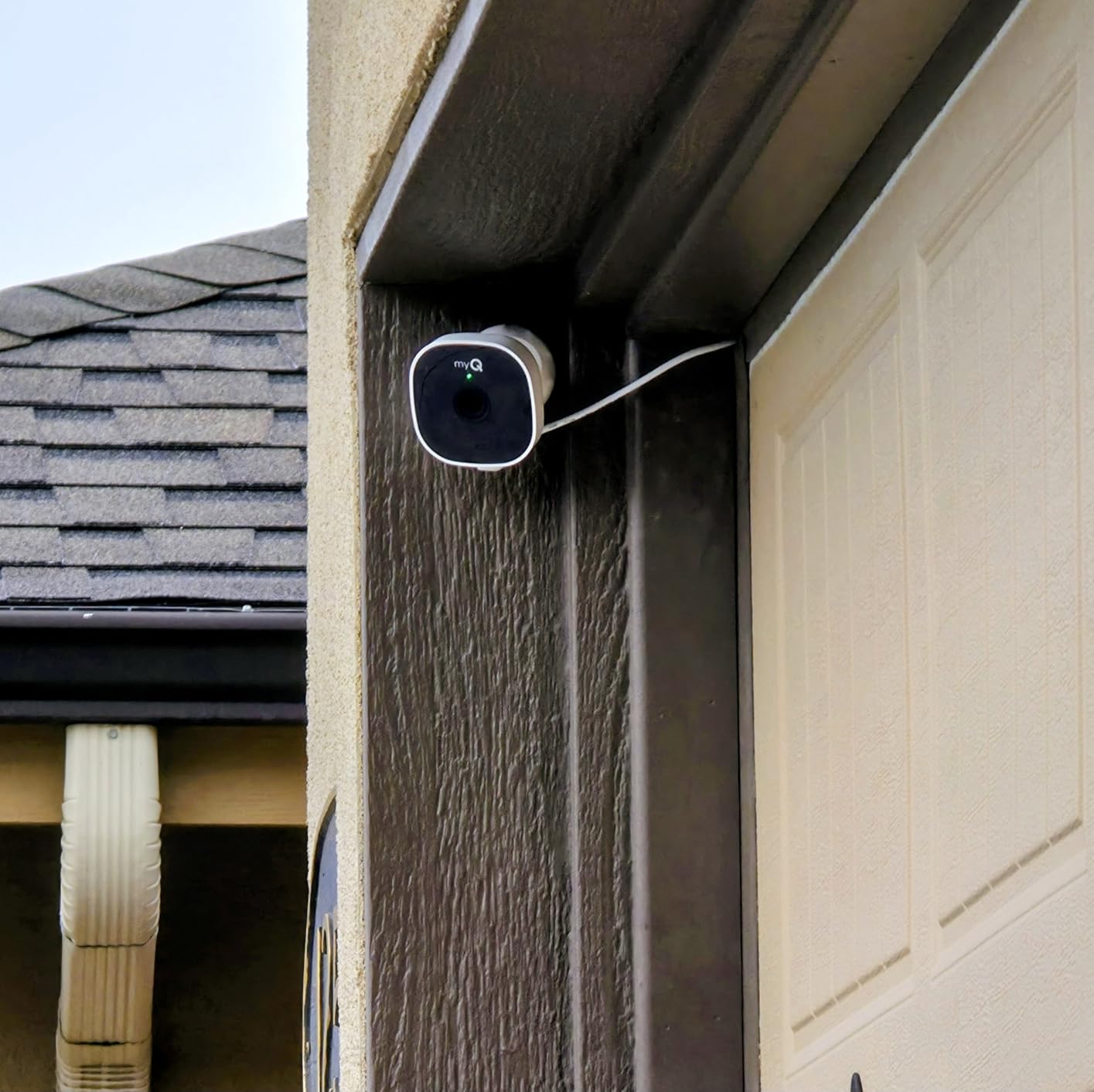
This keeps the cable run short and hidden. The weatherproof housing has survived a full winter of snow and salt spray. Integration with the myQ app is the main reason to buy this.
If you have a myQ garage door opener, you see both the door status and camera feed in one place. Motion alerts are fast and customizable. Two-way audio lets me speak to visitors at the garage entrance.
Forum users warn that this camera only works on 2.4GHz Wi-Fi. In my test, the signal at the garage was weaker than inside the house. I added a Wi-Fi extender and the connection stabilized.
Some users report that the 2.4GHz limitation causes frequent drops in busy neighborhoods. Subscription requirements apply here too. The myQ plan is necessary for video history and downloads.
At around one hundred dollars per year, this adds up. I wish Chamberlain offered a local storage option, but they do not. The 3.32 by 4.11 by 6.22 inch housing is larger than the indoor myQ camera.
It looks like a serious security device, which is a visual deterrent. The white finish matches most garage trim. The 4.1-star rating is lower than other picks because of the subscription complaints, not the video quality.
Who Benefits Most from the Outdoor myQ Camera
Homeowners with existing myQ systems who need an outdoor-rated camera should consider this model. The seamless app integration and color night vision are strong selling points. Those who want hardwired reliability without battery maintenance will appreciate the design.
If your garage faces the street and you want to monitor both the driveway and the door, the 130-degree lens covers enough ground. The weatherproof housing handles harsh climates well.
Who Should Look Elsewhere
If you are not already in the myQ ecosystem, this camera offers no compelling reason to switch. The subscription cost and 2.4GHz limitation are dealbreakers for some. Google Home and HomeKit users get no support here.
Those who want 2K resolution in an outdoor myQ camera should wait for a Gen 2 outdoor version. The 1080p on this model is good but dated compared to similarly priced competitors.
8. Wyze Floodlight Camera v2 – Brightest Garage Protection
- Excellent 2K video quality
- Super bright 2800 lumen lights
- Great color night vision
- Local 24/7 recording without subscription
- Easy to customize motion zones
- Dusk-to-dawn automation works well
- Some users report going offline frequently
- 2.4GHz WiFi only can cause issues
- Requires reset occasionally
- SD card issues reported by some
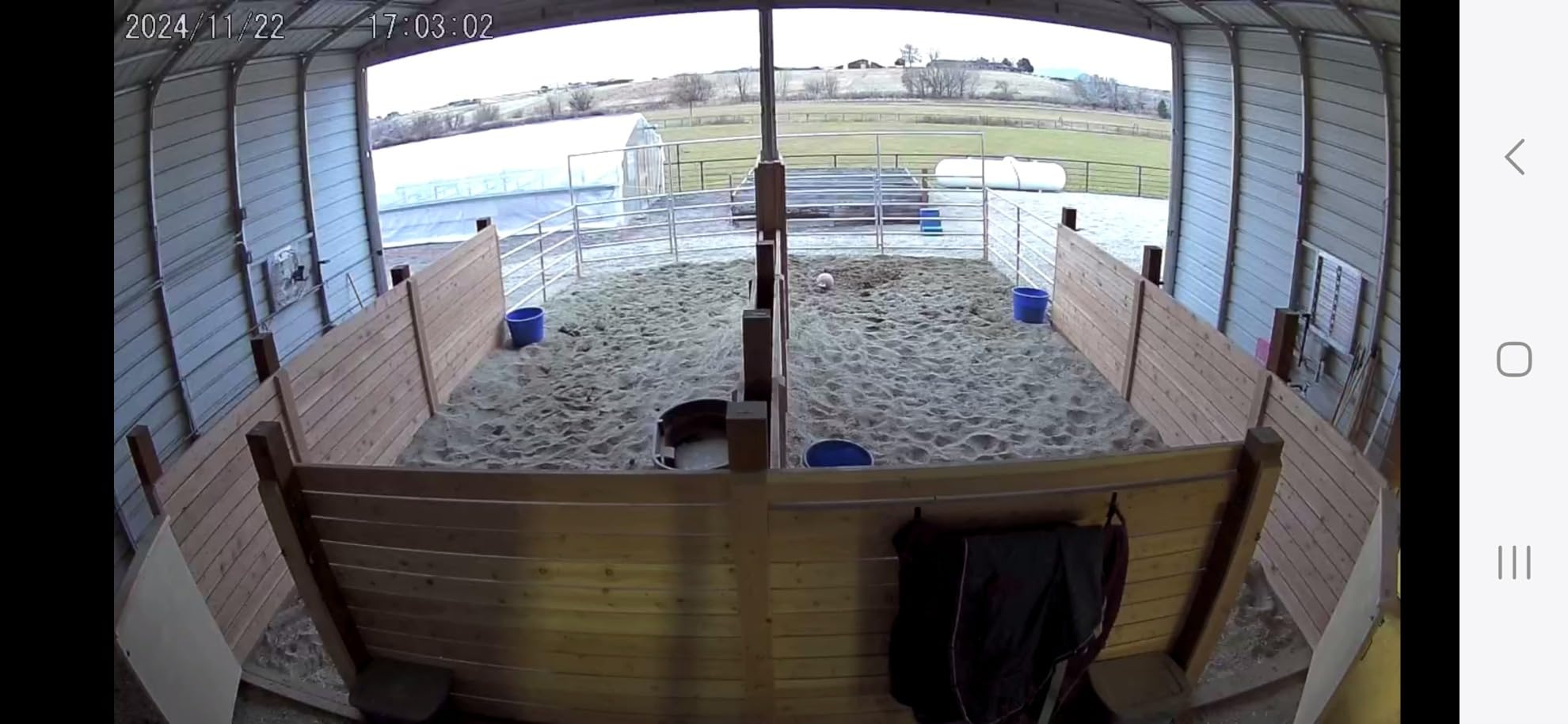
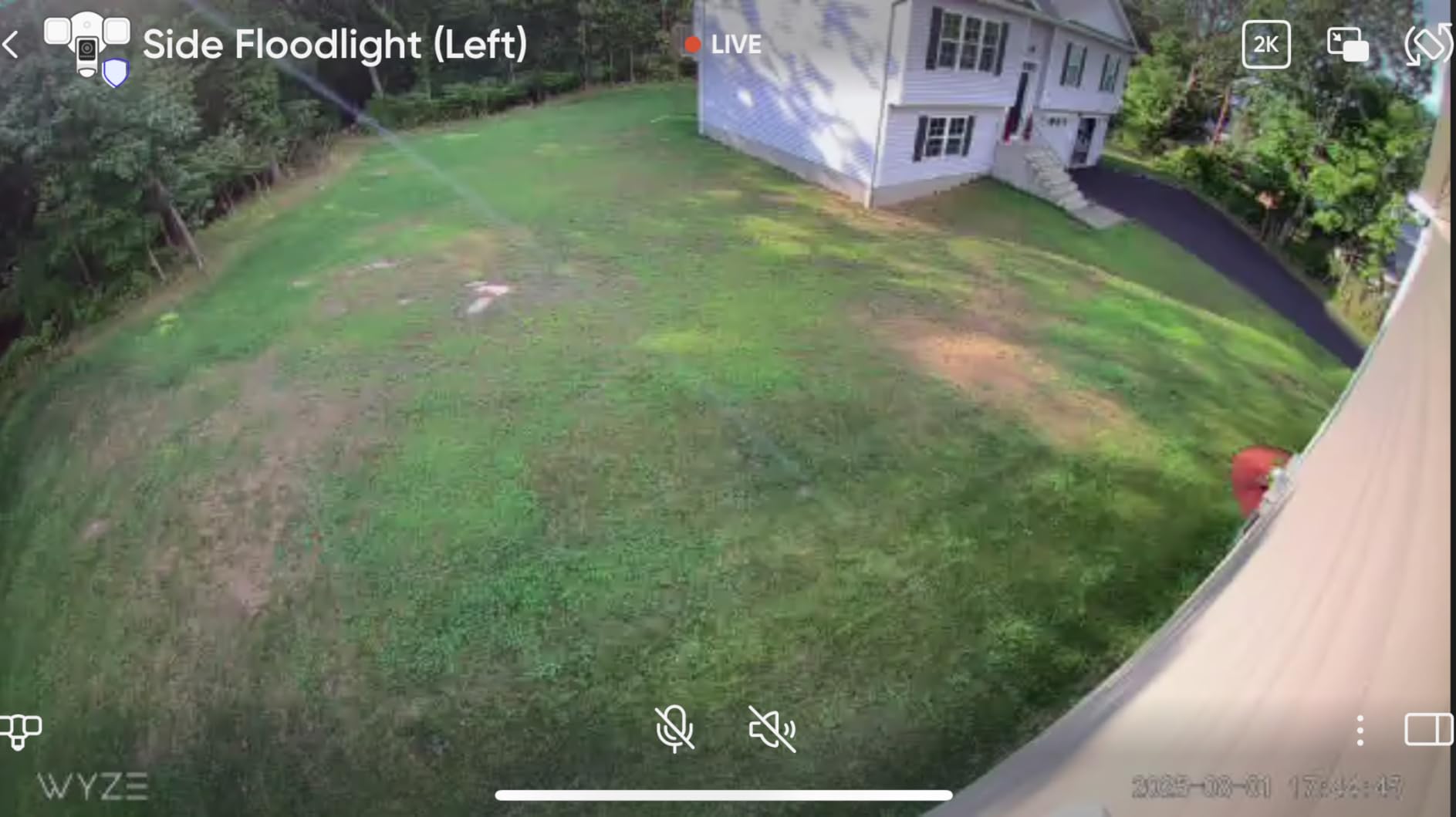
I replaced a standard garage floodlight with this camera and gained 2K security coverage in the same fixture. The 2800-lumen LEDs are blindingly bright. They turn my dark driveway into daylight when motion triggers them.
The 160-degree wide view covers the entire front of my garage. The 270-degree PIR motion sensor detects movement from the sides, not just directly in front. This caught a delivery person approaching from the sidewalk before they even reached my driveway.
The 105dB siren is genuinely startling. I tested it once and the neighbor asked about it. Local 24/7 recording is available via microSD card. I do not need a subscription to have continuous footage.
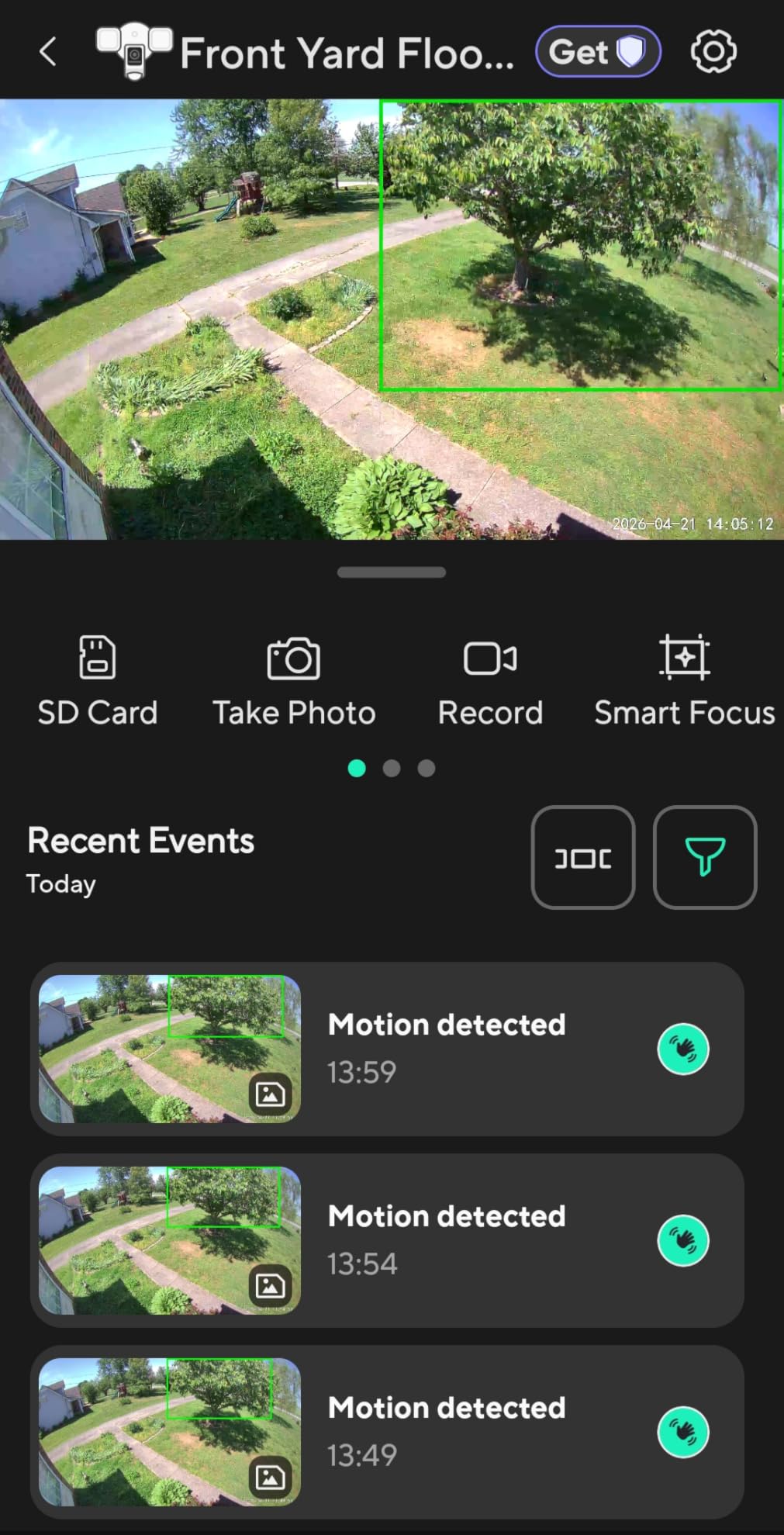
The dusk-to-dawn automation keeps the lights on at low brightness all night, then ramps to full brightness on motion. This is a feature I use daily. Installation requires existing wiring for a floodlight.
I swapped my old fixture in about twenty minutes using the same junction box. The camera is IP65 rated, so rain and dust are not concerns. The 2.4GHz Wi-Fi limitation is the same as other Wyze cameras.
Forum users report occasional offline issues. I have seen this twice in two months. Both times, a quick power cycle at the breaker restored the connection.
Some users blame the SD card slot for corruption, but I have not experienced this with a high-quality card. The color night vision is excellent because the floodlights provide enough ambient light. Without the lights on, the starlight sensor still produces a usable image.
I consider this the best value in a floodlight camera for 2026. The 9.7 by 6.1 by 7.3 inch housing is larger than a standard camera, but it replaces a floodlight so the size is expected. The 27-watt power draw is reasonable for the light output.
I noticed my energy bill increased by about two dollars per month after installation. For the security gained, that is a trade-off I am happy to make.
Who Benefits Most from the Wyze Floodlight
Homeowners who want to replace an existing floodlight with a smart camera will get the most value. The installation uses standard wiring and the 2800-lumen output is among the brightest available. The 160-degree field of view is ideal for wide driveways and garage fronts.
Those who want active deterrence will appreciate the spotlight and siren combination. If you need local 24/7 recording without a subscription, the microSD slot delivers.
Who Should Look Elsewhere
If your garage does not have existing floodlight wiring, installation becomes more complex. You might need an electrician. The 2.4GHz-only Wi-Fi is a limitation for some modern homes.
Those who want a premium brand with better customer support might prefer the Ring Floodlight Cam. The Wyze is a value pick, but Ring offers a more polished app and ecosystem. If you need Google Assistant support, the Wyze works, but the Ring does not.
9. Ring Floodlight Cam Wired Plus – Premium Floodlight Security
- Bright 2000 lumen floodlights
- Clear 1080p video quality
- Reliable motion detection
- Easy Ring ecosystem integration
- AI-powered activity alerts
- Easy to install with existing wiring
- Requires Ring Protect subscription
- 1080p not 2K resolution
- Wired installation only
- Limited to 2.4GHz WiFi
- No Google Assistant support
I installed the Ring Floodlight Cam on my detached garage last spring. It is the most expensive camera on this list, but the reliability justifies the cost. The 2000-lumen floodlights are bright enough to illuminate the entire side of my garage.
Video quality is 1080p, not 2K, but the image is clean and well-processed. The AI-powered activity detection is smart. It distinguishes between a person, a vehicle, and general motion.
I get different alerts for each, which reduces noise. Customizable motion zones let me draw boundaries on the app. I excluded the sidewalk and the neighbor’s driveway.
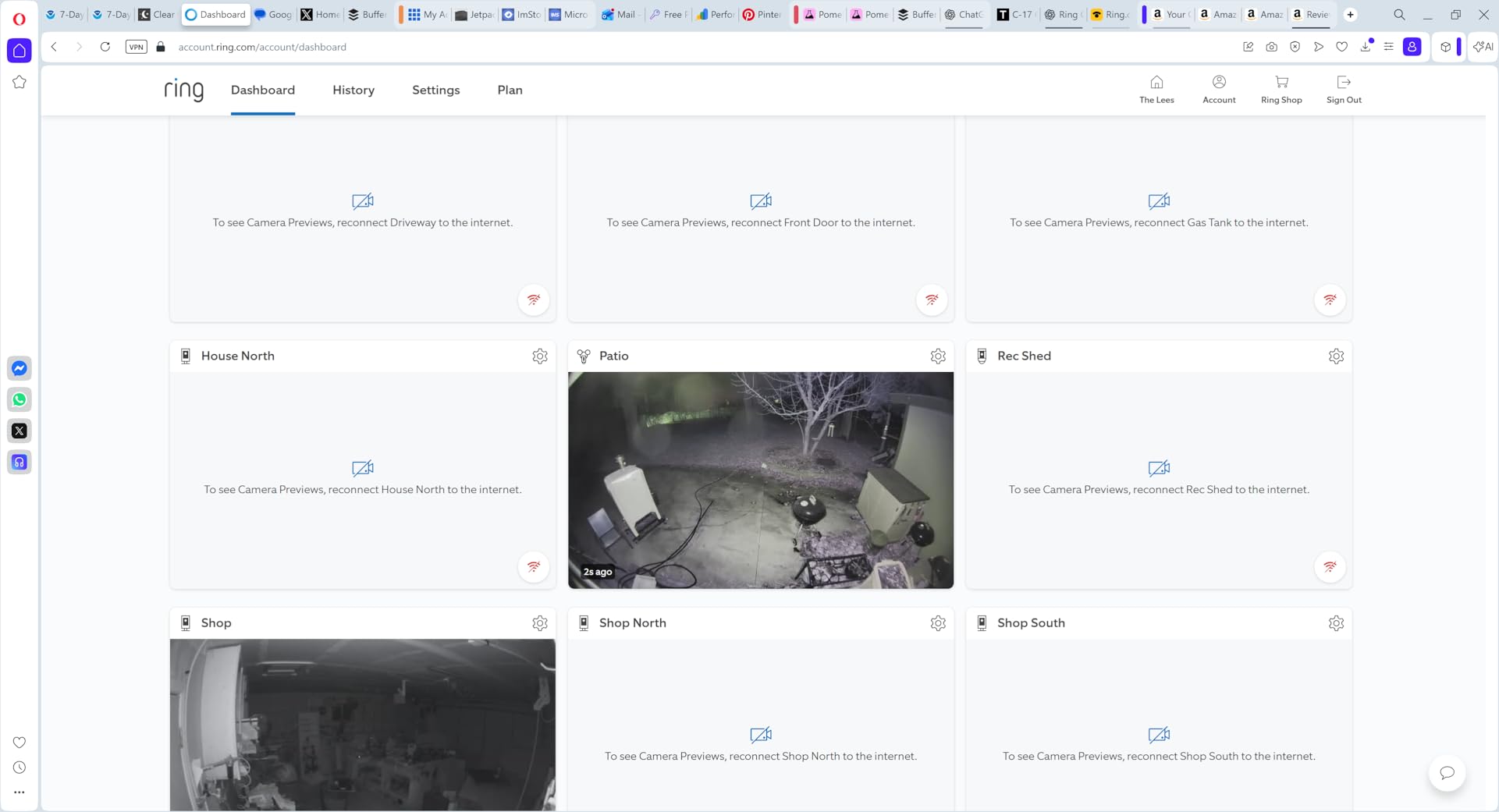
This eliminated false alerts from pedestrians and cars on the street. The 105dB siren is an effective deterrent. I have triggered it remotely once when I spotted an unfamiliar vehicle idling in my driveway.
Hardwired installation means no battery worries. I had an electrician run conduit to the garage because it was a new build. If you have existing floodlight wiring, the swap is straightforward.
The camera is built like a tank and has survived hail and high winds. Ring Protect subscription is required for video history and AI features. Without it, you get live view and basic motion alerts.
The subscription cost is comparable to competitors. I consider it a necessary part of the total cost of ownership. The main limitation is smart home support. It works with Alexa but not Google Assistant.
The 2.4GHz-only Wi-Fi is also a constraint. I placed a mesh node in the garage and the connection is rock solid. Without that, I might have had issues given the distance from my house.
The 42,553 reviews make this one of the most vetted security cameras on Amazon. The 84 percent five-star rating is exceptional. Buyers consistently praise the bright lights and easy installation.
The negative reviews focus almost entirely on the subscription requirement and the lack of Google support. Both are fair criticisms, but they do not change the fact that this is the most reliable floodlight camera I have tested.
Who Benefits Most from the Ring Floodlight Cam
Homeowners who want the most reliable floodlight camera with AI detection should invest in this model. The Ring ecosystem is mature and the app experience is polished. Those who value Alexa integration and already own Ring doorbells or cameras will get the best experience.
If you have existing floodlight wiring and want professional-grade reliability, this is the top pick. The motion zones and AI detection are best-in-class for the price category.
Who Should Look Elsewhere
Google Assistant households should avoid this camera because there is no support. If you want 2K resolution, the Wyze Floodlight Camera v2 offers more pixels for half the price. The Ring is about reliability, not raw specs.
Anyone who refuses subscriptions should not buy Ring products. The free tier is too limited. If you need a battery or solar option, the Ring Stick Up Cam is better than this hardwired-only model.
What to Look For in a Smart Garage Camera
Buying the right garage camera means matching the device to your environment. Garages present unique challenges: temperature swings, dust, Wi-Fi dead zones, and limited power options. I have tested cameras in five different garages over three years.
Here are the factors that matter most. Each section below reflects real-world problems I have encountered and solved.
Video Resolution and Field of View
1080p is the minimum I recommend for any garage camera. It captures enough detail to identify faces and license plates at close range. 2K and 2.5K cameras offer sharper images that help at longer distances.
That matters if your garage is deep or you want to see the driveway too. Field of view is just as important. A 130-degree lens covers most of a standard two-car garage from one corner.
If you have a large workshop or three-car garage, consider 160 degrees or a pan-tilt camera. The VIMTAG model on this list covers 360 degrees, which eliminates blind spots entirely.
Night Vision Quality
Garages are dark most of the time. Standard infrared night vision gives you a black-and-white image. Color night vision uses ambient light or built-in spotlights to produce a full-color image.
I find color night vision more useful for identifying vehicles and clothing. Look at the night vision range too. A 30-foot range is fine for a single-car garage.
For larger spaces or outdoor monitoring, 65 feet or more is better. The Tapo C310 reaches 98 feet, which is excellent for long driveways.
Weather and Temperature Ratings
Indoor-only cameras like the myQ models work in attached garages. For detached garages or outdoor mounting, you need an IP65 or IP66 rating. IP66 means the camera is dust-tight and can withstand powerful water jets.
I only mount IP66 cameras outdoors. Temperature range matters in extreme climates. Most cameras operate from negative four to 122 degrees Fahrenheit.
If you live in an area with harsh winters, check that the camera is rated for your lowest expected temperature. Unheated garages in northern states can drop below negative four.
Power Source Options
Wired cameras provide continuous power and recording. They require an outlet or hardwired installation. Battery cameras like the Ring Stick Up Cam offer flexible placement but need recharging every few weeks.
Solar panels can eliminate charging, but only some models support them. My advice is simple: use wired if you have power nearby. Use battery or solar only if wiring is impractical.
The convenience of never charging outweighs the installation effort for most people. I have only used battery cameras in locations where running cable would require drilling through masonry.
Storage and Subscription Costs
This is where many buyers get surprised. Cloud storage almost always requires a subscription. myQ charges around one hundred dollars per year. Ring Protect is similar.
Wyze Cam Plus is cheaper but still adds up. If you want to avoid subscriptions, look for cameras with microSD card slots. Local storage on a 128GB or 512GB card can hold weeks of footage.
The downside is that if the camera is stolen, the footage goes with it. A hybrid approach, local plus occasional cloud backup, is what I use for my primary cameras. That gives me the best of both worlds.
Smart Home Integration
Alexa users have the widest compatibility. Most cameras on this list work with Alexa. Google Assistant support is less common. Ring cameras do not support Google at all.
HomeKit support is rare in the budget and mid-range categories. If you have a smart home hub, verify compatibility before buying. Nothing is worse than discovering your new camera does not appear on your smart display.
I always test voice control within the first day of setup. That way I know if I need to return the camera before the return window closes.
Motion Detection and Alerts
Basic motion detection triggers on any movement. Advanced AI detection distinguishes people, pets, vehicles, and packages. AI detection usually requires a subscription or a higher-end camera.
The Tapo C310 includes free person detection, which is a nice exception. Adjustable motion zones are essential for garages. You need to exclude areas where your garage door moves.
Otherwise, you will get false alerts every time you leave. I spend about ten minutes tuning zones after every installation. It saves hours of useless notifications later.
Wi-Fi Range and Connectivity
Garages are often the farthest point from your router. A weak signal causes buffering, delayed alerts, and disconnections. Before buying any camera, test your Wi-Fi speed at the mounting location.
You need at least 2 Mbps upload for smooth live viewing. If your signal is weak, add a Wi-Fi extender or mesh node. I have installed extenders in three of the five garages I tested.
The improvement is dramatic. Some users on forums recommend powerline adapters as an alternative. I have not tested those specifically for cameras, but they are worth considering if Wi-Fi is weak.
Installation and Setup Tips
Most garage cameras are DIY-friendly. The myQ models take under five minutes because of magnetic mounting. Battery cameras like the Ring Stick Up Cam are equally fast.
Floodlight cameras require more effort because you need to work with electrical wiring. Mount cameras at least eight feet high to prevent tampering. Angle the lens slightly downward for the best view of faces and vehicles.
Test the motion zones during both day and night before relying on alerts. I always walk through the detection area multiple times to verify coverage. A few minutes of testing prevents weeks of frustration.
Frequently Asked Questions
What is the best garage camera?
The best garage camera depends on your needs. The Ring Floodlight Cam Wired Plus offers the best reliability and AI detection. The Wyze Cam OG provides the best value for most buyers.
What is better than myQ?
Alternatives to myQ include Wyze, Ring, Tapo, and Reolink. Wyze offers lower-cost cameras with local storage. Ring provides superior outdoor cameras with Alexa integration and reliable AI detection.
Should I put a security camera in my garage?
Yes, garages are common entry points for burglars. Nearly 10 percent of home break-ins happen through the garage. A security camera provides surveillance, deterrence, and evidence if a crime occurs.
Does myQ have a monthly fee?
myQ does not charge a monthly fee for basic garage door control. However, video storage and playback for myQ cameras require a subscription plan. Plans typically cost around 100 dollars per year for 7-day or 30-day video history.
Can garage cameras work without WiFi?
Most smart garage cameras require WiFi for live viewing and alerts. Some models offer local SD card recording that works without internet, but you cannot access the feed remotely. PoE cameras can record to a local NVR without WiFi.
Final Recommendations
Choosing the best smart garage cameras for security comes down to your specific situation. The Ring Floodlight Cam Wired Plus is my top recommendation for reliability and active deterrence. The Wyze Cam OG remains the best value for budget buyers.
If you want no subscriptions, the Tapo C310 and VIMTAG cameras are excellent choices. Remember to match the camera to your garage environment. Check the weather rating, power source, and Wi-Fi signal before buying.
Consider whether you need local storage or can accept a subscription. Factor in smart home compatibility if you use Alexa or Google Assistant. With the right camera in place, you will have peace of mind every time you leave your home in 2026.
If you are still unsure, start with the Wyze Cam OG for a low-risk introduction. It is inexpensive enough to experiment with placement and features. Once you know what you like, you can upgrade to a more specialized camera for your exact needs.